Cracking a skill-specific interview, like one for High-speed data entry, requires understanding the nuances of the role. In this blog, we present the questions you’re most likely to encounter, along with insights into how to answer them effectively. Let’s ensure you’re ready to make a strong impression.
Questions Asked in High-speed data entry Interview
Q 1. What is your typing speed (WPM) and accuracy rate?
My typing speed consistently averages 90 words per minute (WPM) with a 98% accuracy rate. This speed and accuracy are maintained through years of practice and the conscious application of ergonomic principles. I regularly use online typing tests to monitor and improve my performance, focusing on both speed and accuracy to maintain a high level of efficiency without compromising data integrity.
Think of it like a skilled musician – speed is important, but precision is paramount. A single misplaced note (or data entry) can ruin the entire piece (or dataset).
Q 2. What data entry software are you proficient in?
I’m proficient in a range of data entry software, including industry-standard applications such as Microsoft Excel, Google Sheets, and specialized data entry tools like RapidTyping and KeyBlaze. My experience also extends to using database management systems like MySQL and PostgreSQL for data input and manipulation. I am adaptable and quick to learn new software – I find the core principles of efficient data entry largely transferrable between platforms.
Q 3. Describe your experience with different data entry methods (e.g., keyboard, optical scanner).
My experience encompasses various data entry methods. I’m highly skilled in manual keyboard entry, leveraging techniques like touch typing to maximize speed and accuracy. I also have experience with optical scanners, understanding the importance of pre-processing documents for optimal scanning results and employing image editing software to correct any distortions or blemishes that might hinder accurate data capture. Furthermore, I have experience with voice-to-text software for certain tasks, which offers an alternative input method for speed and efficiency where appropriate.
For instance, in a previous role, we used optical scanners to digitize large volumes of paper forms. I was responsible for quality control, identifying and correcting OCR errors before the data was entered into the database.
Q 4. How do you ensure data accuracy and consistency during high-volume data entry?
Maintaining data accuracy and consistency during high-volume data entry requires a multi-pronged approach. Firstly, I always double-check my work, often employing a technique called ‘proofreading by inversion’ – reading the data backward to catch errors my eyes might miss when reading forward. Secondly, I utilize data validation techniques, ensuring that the data conforms to pre-defined rules and constraints. This might involve checking data types, ranges, and formats. For example, I would flag any entries with an age outside the range of 0-120. Finally, I leverage the software’s built-in features for error detection, like spell-checking and data type validation. Regular breaks also help maintain focus and prevent fatigue-induced errors.
Consider it like building a house: you don’t just throw bricks together; you ensure each one is placed correctly, following the blueprint, to create a strong, stable structure.
Q 5. What strategies do you use to maintain focus and efficiency during prolonged data entry tasks?
Maintaining focus and efficiency during prolonged data entry tasks is crucial. I employ several strategies, including the Pomodoro Technique – working in focused 25-minute intervals followed by short breaks. I also prioritize creating a comfortable and distraction-free workspace. This means minimizing noise, ensuring proper lighting, and maintaining a comfortable posture. Regular stretching exercises help combat stiffness and fatigue. Furthermore, I break down large tasks into smaller, manageable chunks to avoid feeling overwhelmed. Finally, listening to calming background music (instrumental or ambient) can help maintain a consistent level of focus.
Q 6. Explain your experience with data validation and error correction techniques.
My experience with data validation and error correction is extensive. I am adept at identifying inconsistencies, duplicates, and invalid entries using both automated tools and manual checks. For example, I frequently utilize Excel’s data validation features to set specific criteria for data entry. If an error is detected, I use a methodical approach to identify its root cause, whether it be a typing error, data entry mistake or a problem in the source data. I then carefully correct the error and document it for future reference to help prevent similar mistakes from occurring again. I’m also proficient in using lookup tables and cross-referencing data sources to ensure accuracy.
Q 7. How familiar are you with different data formats (e.g., CSV, XML, JSON)?
I am very familiar with various data formats, including CSV (Comma Separated Values), XML (Extensible Markup Language), and JSON (JavaScript Object Notation). I understand their structures and can efficiently import, export, and manipulate data in these formats using appropriate software tools. For example, I can easily parse a JSON file to extract specific information using programming languages like Python or dedicated data processing tools.
Think of these as different languages – while they might look different, I understand their underlying grammar and can easily translate between them.
{"name":"John Doe", "age":30}This is an example of JSON data – a common format for exchanging data between applications.
Q 8. Have you worked with any data entry systems that require specific protocols or security measures?
Yes, I have extensive experience working with data entry systems that demand stringent protocols and robust security measures. For instance, in my previous role at a financial institution, I handled sensitive client data governed by strict regulations like HIPAA and PCI DSS. This involved working with systems that employed multi-factor authentication, data encryption both in transit and at rest, and regular security audits. Access was controlled via role-based permissions, ensuring only authorized personnel could view or modify specific data sets. Another example involved a medical records system where data entry adhered to strict guidelines to maintain patient confidentiality and comply with relevant health information privacy regulations.
These systems often required meticulous adherence to data validation rules, including input masking to prevent incorrect data entry, and logging of all actions for audit trails. Failing to adhere to these protocols could lead to serious consequences, including data breaches, financial losses, and legal repercussions.
Q 9. How do you handle ambiguous or incomplete data entries?
Handling ambiguous or incomplete data entries requires a methodical approach. My strategy begins with identifying the nature of the ambiguity. Is it a missing value? A typographical error? Or unclear instructions? Once I understand the issue, I prioritize finding clarification. This might involve consulting the data source documentation, querying the original data provider, or using contextual clues to infer the missing information. If the data is genuinely missing and cannot be recovered, I document the issue and flag it for review. This helps maintain data integrity and ensures transparency for anyone who might need to further analyze the dataset.
For example, if a customer’s address is incomplete, I wouldn’t guess at the missing parts. Instead, I would follow established protocols to try and obtain the missing information, such as cross-referencing it with other client records or contacting the customer directly.
Q 10. Describe your experience with data cleanup and deduplication.
Data cleanup and deduplication are critical for maintaining data quality and ensuring data accuracy. My experience includes using both manual and automated techniques to address these issues. Manual cleanup often involves identifying and correcting inconsistencies, such as misspelled names or inconsistent date formats. Automated techniques typically rely on tools and scripts to identify and remove duplicate entries based on specified criteria. I’m proficient in using tools like OpenRefine and various scripting languages (e.g., Python) to perform these tasks efficiently.
For example, in one project, I used a Python script with fuzzy matching algorithms to identify and merge duplicate customer records based on similar names, addresses, and phone numbers, significantly improving data consistency and reducing redundancy. The script flagged potential duplicates for manual review to ensure accuracy before merging.
Q 11. What is your experience with using macros or keyboard shortcuts for increased efficiency?
Macros and keyboard shortcuts are indispensable for boosting my efficiency in high-speed data entry. I’m adept at creating and utilizing macros in various applications, such as Microsoft Excel and specialized data entry software. These macros automate repetitive tasks, significantly reducing the time spent on manual data input. I also employ a wide range of keyboard shortcuts for common actions, including navigation, data manipulation, and formatting.
For instance, I’ve created a macro that automatically formats dates entered in a specific text field to adhere to a standardized format, preventing inconsistencies. I also frequently use keyboard shortcuts like Ctrl+C/Ctrl+V for copy-pasting, Tab for moving between fields, and arrow keys for quick navigation. Mastering these techniques allows me to maintain high accuracy while significantly improving speed.
Q 12. How do you manage your workload and prioritize tasks during periods of high data volume?
Managing workload during high-volume data entry periods demands a well-structured approach. I start by analyzing the data volume and identifying the most critical tasks based on deadlines and priorities. I utilize time management techniques like the Pomodoro Technique to maintain focus and prevent burnout. Breaking down large tasks into smaller, more manageable chunks helps improve focus and reduces the sense of being overwhelmed. Regular breaks are also crucial for maintaining accuracy and preventing errors. Prioritization is key; I tackle the most urgent tasks first, ensuring that critical data is entered promptly and accurately.
Effective use of tools also aids in managing workload; using specialized software and employing macros significantly boosts efficiency.
Q 13. Describe a time you had to meet a tight deadline for data entry. How did you approach it?
I once had to enter a large dataset of customer information within a 24-hour window for a critical marketing campaign. My approach involved immediately assessing the data volume and defining a realistic timeline. I divided the task into smaller, time-bound chunks, setting specific targets for each segment. I utilized all available efficiency-boosting tools – macros, keyboard shortcuts, and specialized software – to maximize my input speed. Communication was key – I maintained constant contact with my supervisor to provide regular updates and address any arising issues promptly. I also prioritized accuracy over sheer speed; double-checking my work regularly to minimize errors. Through meticulous planning and efficient execution, I successfully completed the task within the deadline, maintaining high accuracy.
Q 14. What are some common data entry errors and how do you prevent them?
Common data entry errors include typos, incorrect formatting, data duplication, and omission of critical fields. Preventing these errors requires a multifaceted approach. Firstly, maintaining meticulous attention to detail is critical; double-checking each entry helps prevent simple mistakes. Using data validation tools and implementing input masks help prevent incorrect data entry. Standardizing data formats and utilizing consistent terminology across different data sources also minimizes errors. Regular breaks and avoidance of fatigue are crucial for maintaining accuracy. Furthermore, using pre-designed templates and carefully reviewing data sources before beginning data entry significantly reduces the risk of errors. Finally, regular quality checks and audits help to identify and correct any remaining issues, ensuring high data accuracy.
Q 15. How do you maintain data confidentiality and security?
Data confidentiality and security are paramount in high-speed data entry. It’s not just about speed; it’s about responsible handling of sensitive information. My approach involves a multi-layered strategy. First, I always adhere to the organization’s security protocols, which might include password management practices, access control measures, and the use of secure networks (like VPNs). Second, I’m meticulous about physical security. This means ensuring that workstations are locked when unattended and that sensitive documents are stored appropriately. Finally, I treat all data as confidential, avoiding discussions about project details outside secure channels and promptly reporting any suspected security breaches.
For example, during a recent project involving customer financial data, I used two-factor authentication for all logins and ensured that my workstation was physically secured outside of working hours. I also never discussed the project details outside of company approved communication systems.
Career Expert Tips:
- Ace those interviews! Prepare effectively by reviewing the Top 50 Most Common Interview Questions on ResumeGemini.
- Navigate your job search with confidence! Explore a wide range of Career Tips on ResumeGemini. Learn about common challenges and recommendations to overcome them.
- Craft the perfect resume! Master the Art of Resume Writing with ResumeGemini’s guide. Showcase your unique qualifications and achievements effectively.
- Don’t miss out on holiday savings! Build your dream resume with ResumeGemini’s ATS optimized templates.
Q 16. How do you track your progress and ensure timely completion of data entry projects?
Tracking progress and ensuring timely completion requires a combination of planning and monitoring. I begin by creating a detailed project plan, breaking down the task into manageable units with realistic deadlines. I utilize project management tools like spreadsheets or dedicated software to monitor my progress. Key metrics I track include the number of records entered per hour, the accuracy rate (measured through spot checks or automated validation), and the overall completion percentage. Regular progress reports, whether self-generated or required by the project manager, are crucial for staying on track and identifying any potential delays. If I encounter setbacks, I immediately communicate them to the relevant stakeholders, suggesting solutions or adjustments to the project plan.
For instance, in a recent large-scale data migration, I used a spreadsheet to track my daily progress, updating it after each batch of data entry. This allowed me to visually monitor my pace and identify any potential roadblocks early on. I also scheduled regular checkpoints with the project manager to discuss progress and adjust the timeline as needed.
Q 17. What is your experience with using templates or pre-formatted data entry forms?
I’ve extensive experience using templates and pre-formatted data entry forms. They are indispensable for maintaining consistency, accuracy, and speed. Templates streamline the process by predefining fields, ensuring data is entered in a standardized format. This eliminates the time and effort spent on formatting each entry individually, significantly boosting efficiency. Further, templates reduce the risk of errors caused by inconsistent data formatting. I’m proficient in using various template creation and management tools. My experience ranges from simple spreadsheet templates to more complex forms created using specialized data entry software.
For example, I used a pre-formatted Excel template for a recent project involving product information, which had specific columns for product ID, name, description, price, etc. This template ensured consistency and minimized the chance of data entry errors. I could also easily sort and filter the data within the template for quick error checks.
Q 18. Describe your experience with data migration projects.
Data migration projects are complex, requiring careful planning and execution. My experience includes migrating data from various sources, such as legacy systems, spreadsheets, and databases, to new systems or platforms. The process typically involves several steps: data assessment, data cleaning, data transformation, data loading, and data validation. I’m familiar with various data migration tools and techniques and am adept at handling challenges such as data inconsistencies, data duplication, and data integrity issues. I understand the importance of minimizing downtime and ensuring minimal disruption during the migration process.
In a past project, I migrated customer data from an outdated CRM system to a new cloud-based CRM. I used a combination of scripting and ETL (Extract, Transform, Load) tools to automate the process, ensuring data accuracy and consistency during the transfer. Thorough testing and validation were key to a seamless transition.
Q 19. How do you handle interruptions or distractions during data entry?
Interruptions and distractions are inevitable, especially during high-speed data entry. My strategy focuses on minimizing their impact. I create a dedicated workspace that is free from unnecessary distractions. I utilize techniques like the Pomodoro Technique, working in focused bursts with short breaks, to maintain concentration. I also communicate my need for uninterrupted work time to colleagues. If interruptions do occur, I make a note of where I left off and resume my work immediately, double-checking my previous entries to ensure accuracy.
For example, I might use noise-cancelling headphones to block out distracting sounds or let my colleagues know that I need a period of uninterrupted time before taking calls or answering emails.
Q 20. What is your experience with different data entry quality control methods?
Data entry quality control is crucial for ensuring data accuracy and reliability. My experience encompasses a variety of methods. These include: Random sampling: Spot-checking a random selection of entries. Data validation: Utilizing software tools or techniques to automatically check for data consistency and completeness. Double-entry: Having another person independently enter the same data and comparing the two entries for discrepancies. Data profiling: Analyzing data to detect outliers, anomalies, and potential errors. The choice of method depends on the project’s size, complexity, and sensitivity of the data. I strive for a combination of methods for comprehensive quality control.
For instance, during one project, I employed both random sampling and data validation using specialized software. Random sampling ensured I reviewed a cross-section of my work, while the software flagged any inconsistencies or anomalies automatically, improving efficiency and accuracy.
Q 21. Explain your understanding of data integrity and how you maintain it.
Data integrity refers to the accuracy, consistency, and reliability of data. Maintaining data integrity is fundamental in high-speed data entry. My approach involves several steps: Data validation: Using pre-defined rules and checks to ensure that data conforms to specified formats and ranges (e.g., ensuring a date field is in the correct format or a numerical field is within a valid range). Data cleansing: Identifying and correcting or removing inaccurate, incomplete, irrelevant, or duplicate data. Version control: Tracking changes made to data over time, allowing for easy rollback if necessary. Backup and recovery: Regularly backing up data to prevent loss due to hardware failure or other issues.
Imagine entering customer addresses. Data validation ensures that zip codes are properly formatted. Data cleansing removes duplicates, ensures street addresses are correctly spelled and consistent. Version control helps track changes to the dataset over time, if required. Backups ensure data isn’t lost if the system crashes. This layered approach safeguards against errors and ensures the data’s reliability.
Q 22. How comfortable are you working independently and as part of a team?
I’m highly comfortable working both independently and as part of a team. In my previous roles, I’ve successfully managed independent projects requiring meticulous attention to detail and high-volume data entry, meeting tight deadlines without supervision. I’m equally adept at collaborating within a team environment, sharing knowledge, assisting colleagues, and contributing to a shared goal. For example, in one project involving a large-scale database migration, I independently handled the initial data cleansing phase, then seamlessly integrated with the team for the subsequent transfer and validation stages. My collaborative skills ensure efficient workflows and high-quality results, regardless of the work structure.
Q 23. What is your proficiency with spreadsheet software like Microsoft Excel or Google Sheets?
My proficiency with spreadsheet software like Microsoft Excel and Google Sheets is advanced. I’m proficient in using a wide range of functions, including data manipulation (VLOOKUP, INDEX-MATCH, SUMIFS), data cleaning (removing duplicates, handling inconsistencies), data analysis (creating pivot tables, charts, graphs), and automation (using macros for repetitive tasks). For instance, I once created an automated Excel macro that significantly reduced the time required for a monthly reporting process, improving efficiency by over 60%. I’m also comfortable working with large datasets, optimizing spreadsheets for performance, and ensuring data integrity. My skills extend beyond basic functionality; I’m adept at leveraging advanced features to extract valuable insights from data.
Q 24. Describe your experience with data verification and reconciliation.
Data verification and reconciliation are critical aspects of my work. My experience involves identifying and resolving discrepancies between different data sources, ensuring data accuracy and consistency. This often includes using various techniques, such as comparing data sets manually, using spreadsheet functions, and employing specialized data validation tools. For example, in a previous role involving financial data entry, I discovered a significant discrepancy in transaction records. Through meticulous reconciliation, I pinpointed the error to a faulty import process, prevented potential financial losses, and implemented a more robust data validation system to prevent future occurrences. My experience ensures data quality and minimizes the risk of errors.
Q 25. What is your understanding of data governance principles?
My understanding of data governance principles encompasses data quality, security, compliance, and accessibility. I’m aware of the importance of maintaining data integrity, ensuring data is accurate, complete, consistent, and reliable. I understand the importance of adhering to relevant data privacy regulations (such as GDPR or HIPAA, depending on the context) and implementing appropriate security measures to protect sensitive information. For example, I’ve been involved in projects requiring adherence to strict regulatory compliance, implementing data masking and encryption techniques to maintain confidentiality while still allowing for data analysis. My approach always prioritizes responsible data handling and ethical considerations.
Q 26. How do you adapt to new data entry software or systems?
I adapt to new data entry software and systems quickly and efficiently. My approach involves a combination of structured learning, hands-on practice, and seeking support when needed. I typically start by reviewing the software documentation, exploring the user interface, and practicing basic functionalities. I then focus on mastering features relevant to my specific tasks. If I encounter challenges, I’m proactive in seeking assistance from colleagues or referencing online resources. For example, when our company transitioned to a new CRM system, I took the initiative to complete the provided training modules, experimented with the software’s features, and collaborated with experienced users to ensure a smooth transition. My adaptable nature allows me to quickly become proficient in new systems, minimizing disruption and maximizing productivity.
Q 27. What are your salary expectations for this role?
Based on my experience and skills, and considering the responsibilities of this role and the prevailing market rates for similar positions, my salary expectations are in the range of [Insert Salary Range]. However, I’m open to discussing this further based on the specifics of the role and benefits package.
Q 28. Do you have any questions for me?
Yes, I have a few questions. First, could you elaborate on the specific data entry software and systems used in this role? Secondly, what are the key performance indicators (KPIs) used to measure success in this position? Finally, what are the opportunities for professional development and growth within the company?
Key Topics to Learn for High-speed Data Entry Interview
- Accuracy and Speed: Understanding the balance between speed and accuracy in data entry. Explore techniques for maintaining high accuracy even at rapid speeds.
- Data Validation and Error Detection: Learn methods for identifying and correcting errors during the data entry process. Discuss different types of errors and strategies for prevention.
- Keyboarding Skills and Techniques: Master efficient keyboarding techniques, including proper posture and hand placement. Practice touch typing to maximize speed and accuracy.
- Data Formatting and Standardization: Understand the importance of consistent data formatting and its impact on data integrity. Learn about various data formats and how to apply them correctly.
- Software Proficiency: Familiarize yourself with various data entry software and applications. Highlight your experience with relevant programs, such as spreadsheet software or database management systems.
- Data Security and Confidentiality: Understand the importance of data security and confidentiality protocols in data entry. Discuss best practices for protecting sensitive information.
- Problem-Solving and Troubleshooting: Be prepared to discuss how you approach and resolve issues related to data entry, such as system malfunctions or data discrepancies.
- Understanding Data Integrity and its importance: Explain the concept of data integrity and why it’s crucial for accuracy and reliable data analysis.
Next Steps
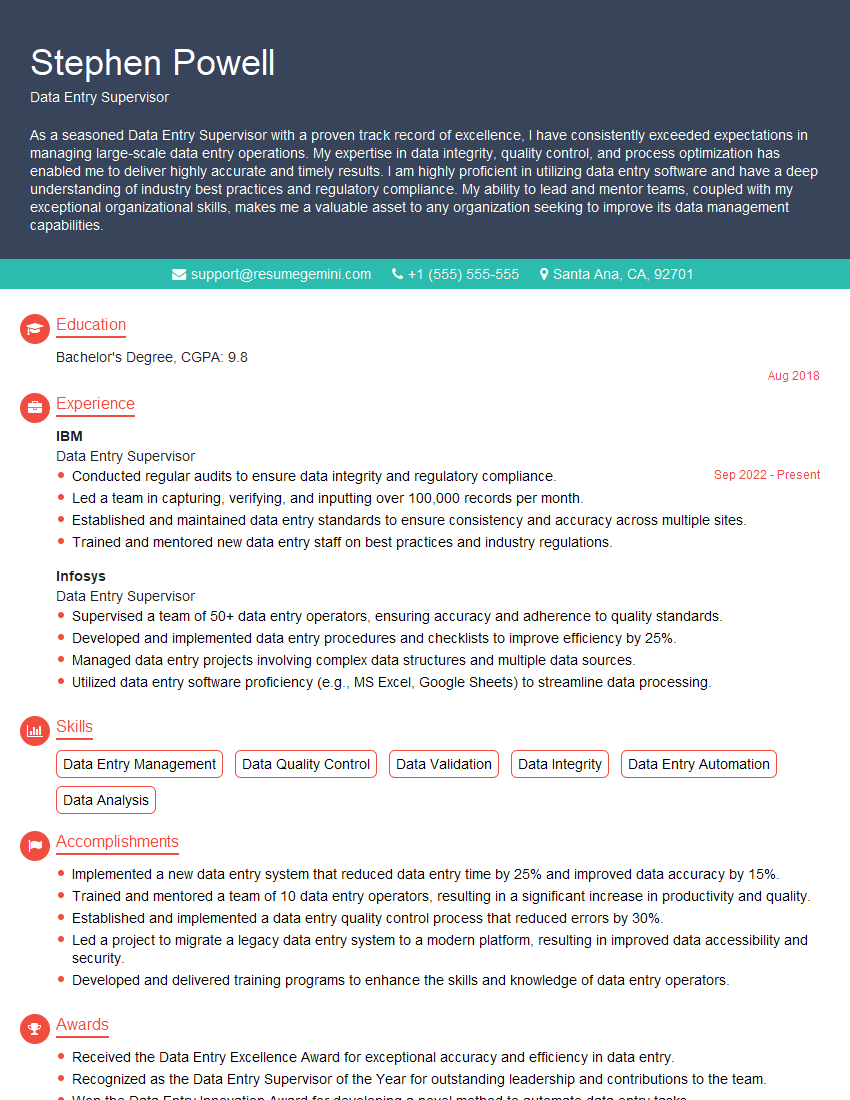
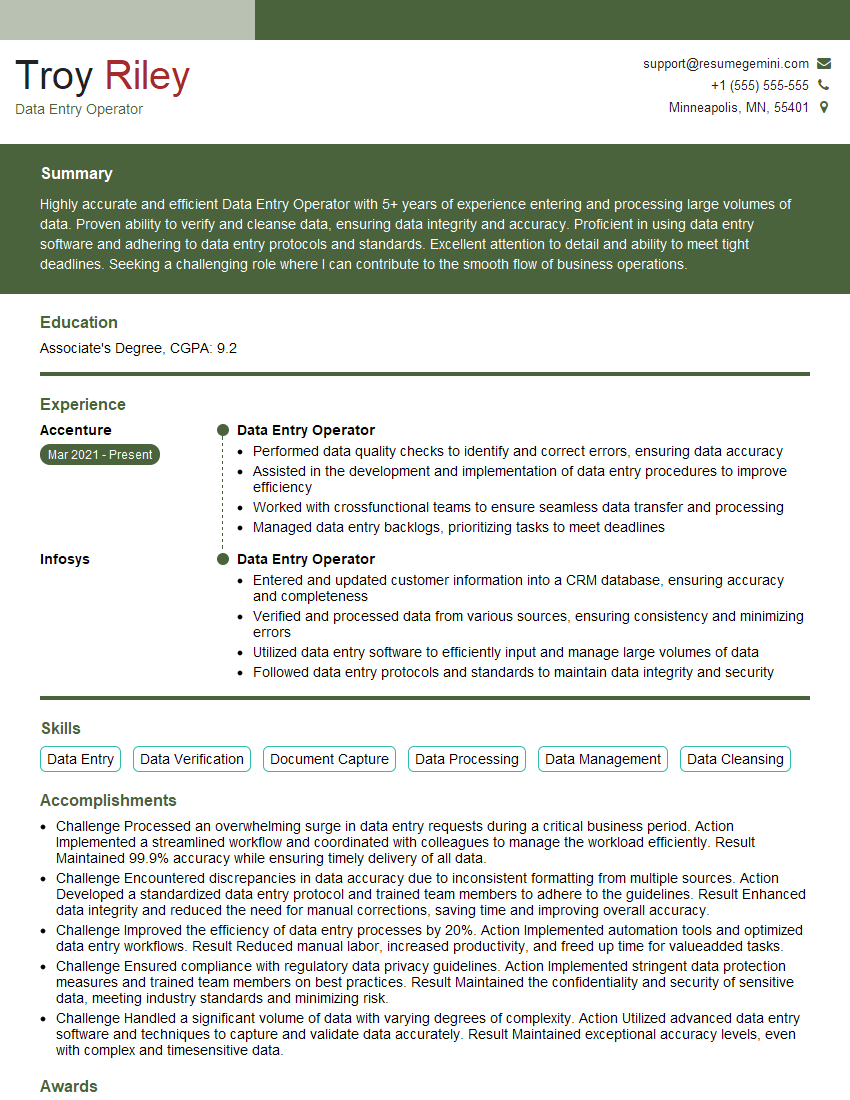
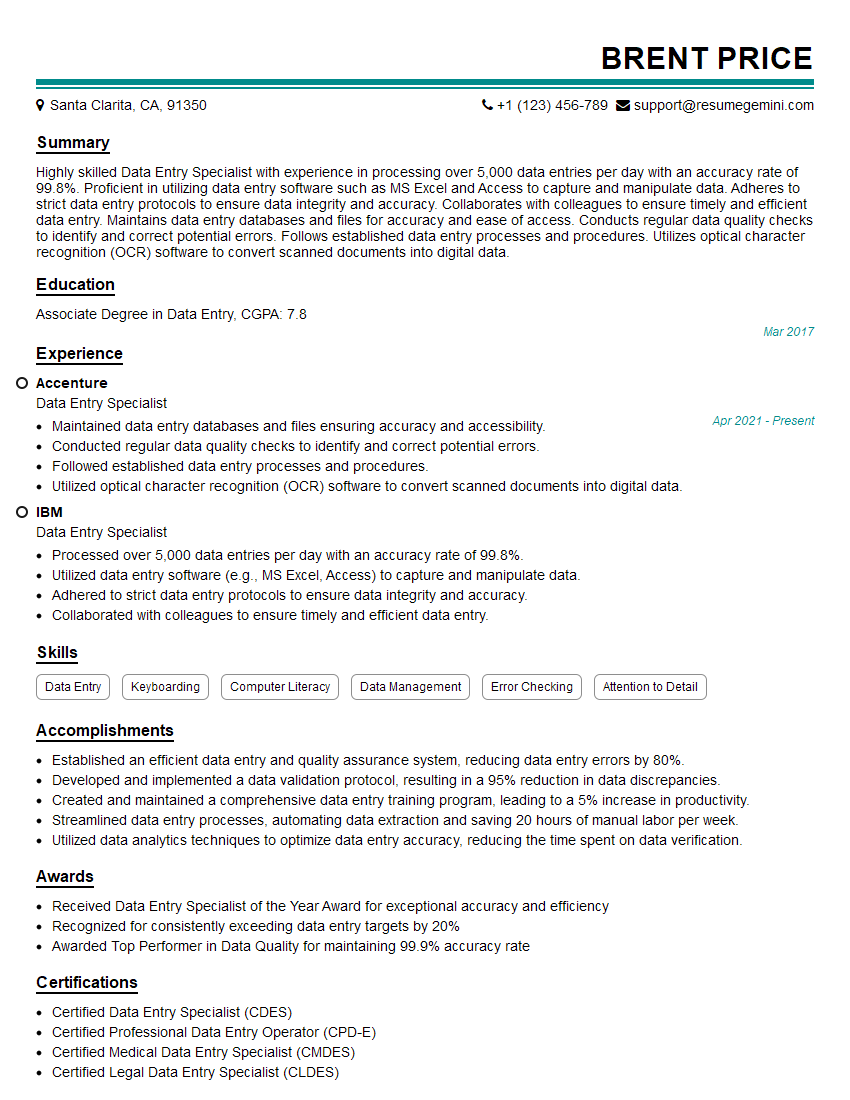
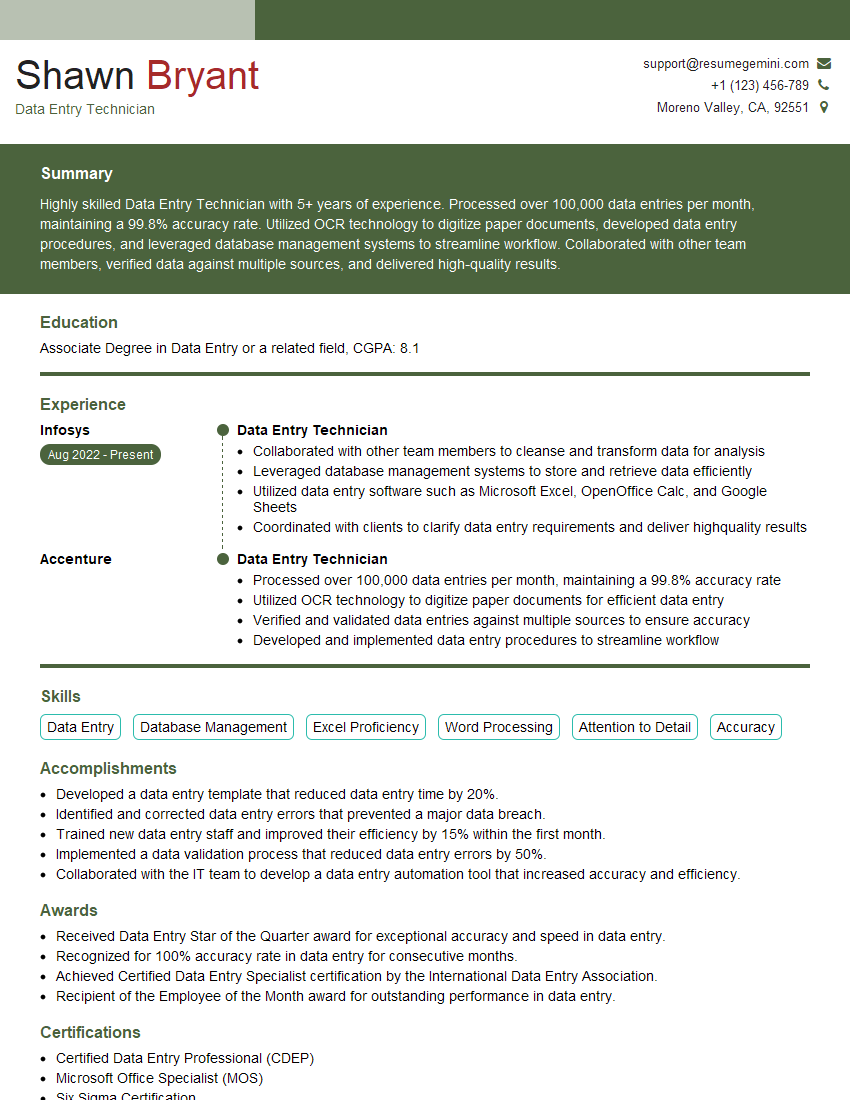
Mastering high-speed data entry opens doors to a variety of exciting career opportunities, offering growth potential and competitive salaries. To maximize your job prospects, it’s crucial to present your skills effectively. Building an ATS-friendly resume is key to getting your application noticed by recruiters and hiring managers. ResumeGemini is a trusted resource that can help you create a professional and impactful resume that highlights your unique strengths and experience in high-speed data entry. Examples of resumes tailored to this field are available to guide you through the process.
Explore more articles
Users Rating of Our Blogs
Share Your Experience
We value your feedback! Please rate our content and share your thoughts (optional).
What Readers Say About Our Blog
Very informative content, great job.
good