The right preparation can turn an interview into an opportunity to showcase your expertise. This guide to Human Factors Analysis interview questions is your ultimate resource, providing key insights and tips to help you ace your responses and stand out as a top candidate.
Questions Asked in Human Factors Analysis Interview
Q 1. Explain the difference between human factors and ergonomics.
While often used interchangeably, human factors and ergonomics have subtle differences. Human factors is a broader field encompassing the understanding of how humans interact with systems, including physical, cognitive, and organizational aspects. It aims to optimize the design of systems to enhance safety, efficiency, and user satisfaction. Ergonomics, on the other hand, focuses specifically on the physical interaction between humans and their work environment. It concentrates on the design of tools, workstations, and tasks to minimize physical strain and discomfort. Think of it this way: ergonomics is a subset of human factors.
For example, designing a comfortable chair for a call center agent is an ergonomic concern, whereas designing the entire call center workflow (including the chair, the software, and the communication protocols) to maximize agent performance and reduce stress is a human factors concern.
Q 2. Describe your experience with usability testing methodologies.
My experience with usability testing methodologies is extensive. I’ve conducted numerous studies employing various approaches, including:
- Usability testing with think-aloud protocols: Participants verbalize their thoughts and actions while interacting with the system, providing invaluable insights into their decision-making processes. This is particularly useful for identifying unexpected user behavior.
- A/B testing: I compare two versions of a design to determine which performs better based on user metrics such as task completion rate and error rate. This method is great for data-driven decision making.
- Remote usability testing: I leverage tools like Zoom and UserTesting.com to conduct studies remotely, which is both cost-effective and convenient, especially when testing with geographically dispersed users.
- Eye-tracking studies: This involves tracking participants’ eye movements to understand their visual attention and identify potential design flaws that might lead to usability issues. Eye-tracking provides objective evidence of how users scan interfaces.
In one project, we were redesigning a medical device interface. Through think-aloud protocols, we discovered that the color-coding of buttons was counterintuitive to healthcare professionals, leading to potential errors. This led to a complete overhaul of the color scheme, significantly improving usability and safety.
Q 3. How do you conduct a heuristic evaluation?
A heuristic evaluation involves a group of experts reviewing a system’s design based on established usability principles (heuristics). These principles act as guidelines for evaluating the user interface. It’s a relatively quick and cost-effective method for identifying usability problems early in the design process.
My approach to conducting a heuristic evaluation involves these steps:
- Selecting Heuristics: I begin by choosing a set of heuristics, such as Nielsen’s 10 Usability Heuristics, tailored to the specific system being evaluated.
- Expert Selection: I assemble a team of experts with diverse backgrounds and perspectives on usability.
- Independent Evaluations: Each expert independently evaluates the system, documenting any violations of the selected heuristics and their severity.
- Severity Rating: We then aggregate the findings and assign severity ratings to each identified problem, considering factors such as frequency of occurrence, impact on users, and ease of correction.
- Reporting & Prioritization: Finally, a report is generated summarizing the findings, including recommendations for fixing identified usability problems, prioritized based on their severity.
For instance, in evaluating a mobile banking app, we might use Nielsen’s heuristic ‘Error prevention’ to assess whether the design effectively prevents users from making costly mistakes, such as entering incorrect account numbers.
Q 4. What are some common human error models used in Human Factors Analysis?
Several human error models are used in Human Factors Analysis to understand the root causes of errors and inform preventative measures. Some of the most common include:
- Reason’s Swiss Cheese Model: This model illustrates how multiple layers of defenses can fail, allowing an error to propagate through the system. Each slice of cheese represents a defense, and the holes represent weaknesses. An accident occurs when the holes align.
- Human Error Classification System (HECS): HECS categorizes errors based on their performance stages (skill-based, rule-based, knowledge-based) and their underlying causes (lapses, slips, mistakes). This helps in pinpointing the type and cause of errors for targeted interventions.
- Human Reliability Analysis (HRA): This is a quantitative method that estimates the probability of human error occurrence in specific tasks, often used in high-risk industries like aviation and nuclear power.
- SHEL Model: (Software, Hardware, Environment, Liveware) This model considers the interaction between different system components, including the human operator, to identify potential points of failure.
For example, in a hospital setting, the Swiss Cheese Model can help explain how a medication error might occur due to multiple failures: a doctor’s oversight, a nurse’s lapse in attention, and a faulty medication dispensing system. Understanding these layers allows us to design safer systems and processes.
Q 5. Explain the concept of human-computer interaction (HCI).
Human-computer interaction (HCI) is an interdisciplinary field focused on the design and evaluation of interactive computing systems for human use. It bridges the gap between computer science, psychology, and design to ensure systems are usable, effective, and enjoyable. HCI considers all aspects of the interaction, from the physical design of the hardware to the cognitive processes involved in using software.
A key aspect of HCI is the user-centered design approach, which prioritizes user needs and preferences throughout the design process. This approach ensures that the system is tailored to meet the specific requirements and capabilities of its users, resulting in a more effective and satisfying user experience.
For instance, designing an intuitive user interface for a smartphone app, ensuring the app is accessible to people with disabilities, and taking into account cognitive load considerations during design are all aspects of HCI.
Q 6. Describe your experience with task analysis techniques.
My experience with task analysis techniques is extensive. I’ve used various techniques to understand how users perform tasks within a system, including:
- Hierarchical Task Analysis (HTA): This decomposes complex tasks into smaller, more manageable subtasks, providing a detailed understanding of task flow and dependencies. This is useful in breaking down complex tasks into manageable chunks for efficient design.
- Cognitive Task Analysis (CTA): This explores the cognitive processes involved in performing a task, such as decision-making, problem-solving, and memory. CTA is crucial for designing interfaces that support effective cognitive performance.
- GOMS (Goals, Operators, Methods, Selection rules): A more formal method, GOMS is used to model user behavior and predict task completion time. This is useful for designing efficient user interfaces.
- Interviews and Observations: Direct interaction with users through interviews and observations provides qualitative data to complement quantitative data from other methods.
In one project involving a complex manufacturing process, using HTA helped us identify bottlenecks and inefficiencies in the workflow, allowing us to redesign the process and reduce errors.
Q 7. How do you identify and mitigate human factors risks in a design?
Identifying and mitigating human factors risks in a design is a crucial aspect of ensuring system safety and effectiveness. My approach involves a systematic process:
- Hazard Identification: The first step involves identifying potential hazards that could lead to human error or injury. This is done through techniques like HAZOP (Hazard and Operability Study) and FMEA (Failure Mode and Effects Analysis).
- Risk Assessment: Once hazards are identified, I assess their associated risks considering the likelihood of occurrence and the severity of potential consequences.
- Mitigation Strategies: Based on the risk assessment, appropriate mitigation strategies are developed and implemented. These strategies may include redesigning the interface, providing training to users, developing better procedures, incorporating automation, or adding safety features.
- Evaluation: After implementing mitigation strategies, I evaluate their effectiveness through testing and analysis.
For example, in designing a nuclear power plant control room, we might identify the risk of human error during emergency situations. Mitigation strategies could involve designing a simpler, more intuitive interface, providing specialized training, and adding automated safety systems. Regular simulations and evaluations would then be used to verify that the mitigation strategies are effective.
Q 8. What are some key principles of user-centered design?
User-centered design (UCD) prioritizes the needs, wants, and limitations of the end-user throughout the entire design process. It’s not about designing *for* the user, but *with* the user. This involves deep understanding of the user’s context, tasks, and capabilities.
- User Research: Thorough understanding of the target audience through methods like user interviews, surveys, and usability testing is paramount. For example, before designing a new medical device, we’d interview doctors and nurses to understand their workflow and challenges.
- Iterative Design: UCD isn’t a linear process. It involves creating prototypes, testing them with users, gathering feedback, and iteratively refining the design based on that feedback. This ensures the final product aligns perfectly with user needs.
- Accessibility: Designs should be usable by people with diverse abilities. This includes considering visual, auditory, motor, and cognitive impairments. For instance, designing clear visual cues and alternative text for images is crucial for accessibility.
- Usability Testing: Observing real users interacting with the design reveals areas for improvement. Metrics like task completion rate, error rate, and user satisfaction are collected and analyzed.
In essence, UCD is a philosophy that puts the user at the heart of the design process, leading to more effective, efficient, and enjoyable products and systems.
Q 9. Explain your understanding of cognitive workload and its measurement.
Cognitive workload refers to the mental effort required to perform a task. It encompasses the mental resources needed for perception, attention, memory, and decision-making. High cognitive workload can lead to errors, stress, and reduced performance.
Measuring cognitive workload is crucial for optimizing designs. Several methods exist:
- Subjective Measures: These rely on self-report from the user, such as NASA-TLX (Task Load Index), which assesses workload across six dimensions (mental demand, physical demand, temporal demand, performance, effort, and frustration). It’s a simple yet effective method for gathering user perception.
- Physiological Measures: These involve measuring physiological responses like heart rate, eye movements (saccades and fixations), and brain activity (EEG) to infer cognitive workload. Eye tracking, for example, can show where users are focusing their attention, indicating potential areas of cognitive overload.
- Performance-Based Measures: Analyzing task performance, such as speed and accuracy, can indirectly indicate cognitive workload. For instance, increased error rate and slower response times might suggest high workload.
The choice of measurement method depends on the specific task, context, and available resources. Often, a combination of subjective and objective measures provides a more comprehensive understanding.
Q 10. How do you apply human factors principles to improve safety?
Applying human factors principles to improve safety involves understanding how human capabilities and limitations interact with the system to prevent errors and accidents. This involves several strategies:
- Error Prevention: Designing systems that minimize the likelihood of human error is paramount. This can involve using foolproof designs, providing clear instructions, and designing interfaces that are intuitive and easy to understand. For example, using colour-coding to differentiate similar controls minimizes the risk of accidental activation.
- Error Mitigation: Even with careful design, errors can occur. Designing systems to detect and mitigate errors is crucial. This may involve implementing alarms, warnings, and safety interlocks. A classic example is the automatic braking system in cars that prevents collisions.
- Human-Machine Collaboration: Designing systems that leverage the strengths of both humans and machines can lead to safer outcomes. Automation can handle routine tasks, allowing human operators to focus on complex or unexpected situations. This reduces the cognitive load and risk of errors.
- Training and Education: Providing comprehensive training to operators improves their ability to handle system complexities and respond effectively to emergencies. Simulator training in aviation is a prominent example of this.
Ultimately, a safety-centric design considers human fallibility and builds safeguards into the system to prevent accidents and mitigate their impact.
Q 11. Describe your experience with human-machine interface (HMI) design.
My experience with HMI design involves a multi-faceted approach that focuses on creating interfaces that are intuitive, efficient, and safe. This includes understanding user needs, selecting appropriate input and output devices, and designing the layout and visual presentation to optimize usability.
I’ve worked on projects involving the design of:
- Industrial control panels: Designing intuitive displays for operators in industrial settings, using clear visual cues and minimizing information overload. This includes ergonomic considerations for physical interaction.
- Medical devices: Creating user interfaces for complex medical equipment, ensuring ease of use for medical professionals under pressure and high cognitive workload.
- Software applications: Designing intuitive user interfaces for various software applications, using usability testing to identify and address usability issues.
My approach always starts with thorough user research and iterative testing. I use various design tools and principles, such as Gestalt principles and cognitive load theory, to create effective and user-friendly HMIs. My goal is always to create interfaces that support effective human-machine interaction and reduce error rates.
Q 12. What are some common human factors issues in the aviation industry?
The aviation industry presents unique human factors challenges due to its complexity, high stakes, and demanding operational environment. Some common issues include:
- Workload Management: Pilots often face high cognitive workloads, especially during critical phases of flight. Poor workload management can lead to errors and impaired decision-making.
- Situational Awareness: Maintaining a comprehensive understanding of the environment, aircraft state, and other relevant factors is critical for safe flight. Failures in situational awareness are frequently involved in accidents.
- Human-Automation Interaction: Automation in modern aircraft significantly reduces pilot workload but can also introduce complacency and difficulties in transitioning between manual and automated control.
- Crew Resource Management (CRM): Effective communication and coordination among crew members is vital. Poor CRM can lead to miscommunication and errors.
- Fatigue and Stress: Long working hours, irregular schedules, and the pressure of the job can lead to fatigue and stress, increasing the risk of errors.
Addressing these issues requires careful design of aircraft systems, rigorous training programs, and effective safety management systems.
Q 13. How do you use data analysis to inform design decisions in human factors?
Data analysis plays a critical role in informing design decisions in human factors. By analyzing data collected during user research, usability testing, and incident investigations, we can identify patterns, trends, and areas for improvement.
For example:
- Usability Testing Data: Analyzing data from usability testing (e.g., task completion times, error rates, user satisfaction scores) can help identify areas of difficulty in an interface and inform design modifications.
- Incident Reports: Analyzing incident reports can help identify common causes of human error, providing insights into how designs can be improved to prevent similar incidents. We can use statistical methods to identify contributing factors.
- Eye-Tracking Data: Analyzing eye-tracking data can reveal areas of focus and attention during task performance, highlighting potential usability issues or design flaws.
The use of statistical analysis, data visualization, and other quantitative methods provides objective evidence to support design choices and justify changes. This data-driven approach ensures that design decisions are based on evidence rather than intuition.
Q 14. Explain your familiarity with different types of displays and controls.
My familiarity with displays and controls spans a wide range, encompassing various types and technologies used across different industries.
Displays:
- Analog Displays: Traditional dials and gauges, offering direct visual representation of information but limited in information density.
- Digital Displays: Provide greater flexibility and information density, but can be harder to read quickly under certain conditions. Consideration for readability and visual clarity is crucial (e.g., font size, contrast).
- Head-Up Displays (HUDs): Project information onto the user’s visual field, improving situational awareness and reducing head movement. Commonly used in aviation.
- Touchscreens: Versatile and intuitive, but can be susceptible to accidental touches and can present usability challenges in environments with vibration or moisture.
Controls:
- Buttons: Simple and reliable, but limited in the amount of information they can convey.
- Knobs and Dials: Allow for precise control of continuous variables.
- Switches: Simple ON/OFF control, but can be difficult to differentiate in low-light conditions if not designed carefully.
- Touchscreen controls: Offer versatile control options but require careful consideration of screen layout and gesture recognition.
The selection of appropriate displays and controls depends on the task, context, and user characteristics. The goal is to create a harmonious human-machine interface that supports safe and efficient task performance.
Q 15. What are some best practices for designing for accessibility?
Designing for accessibility means creating products and services usable by people with a wide range of abilities and disabilities. It’s about ensuring inclusivity and equal access for everyone. Best practices revolve around several key principles:
- Perceivability: Information and user interface components must be presentable to users in ways they can perceive. This includes providing alternative text for images, using sufficient color contrast, and ensuring content is compatible with assistive technologies like screen readers.
- Operability: User interface components and navigation must be operable. This means providing keyboard navigation, avoiding reliance on mouse-only interactions, and ensuring sufficient time limits for tasks. For example, providing enough time to complete a form before it times out.
- Understandability: Information and the operation of the user interface must be understandable. This includes using clear and concise language, providing instructions, and organizing information logically. Think of well-structured menus and consistent labeling of buttons.
- Robustness: Content must be robust enough that it can be interpreted reliably by a wide variety of user agents, including assistive technologies. This includes using valid HTML and following WCAG (Web Content Accessibility Guidelines) standards.
For example, when designing a website, we should use semantic HTML (like <header>, <nav>, <main>, <article>), provide alt text for all images (e.g., <img src="image.jpg" alt="A photo of a smiling child playing in a park">), and ensure sufficient color contrast between text and background. These seemingly small details drastically improve the user experience for individuals with visual impairments or those using assistive technologies.
Career Expert Tips:
- Ace those interviews! Prepare effectively by reviewing the Top 50 Most Common Interview Questions on ResumeGemini.
- Navigate your job search with confidence! Explore a wide range of Career Tips on ResumeGemini. Learn about common challenges and recommendations to overcome them.
- Craft the perfect resume! Master the Art of Resume Writing with ResumeGemini’s guide. Showcase your unique qualifications and achievements effectively.
- Don’t miss out on holiday savings! Build your dream resume with ResumeGemini’s ATS optimized templates.
Q 16. Describe your experience with the development of safety guidelines or standards.
I’ve been involved in the development and revision of safety guidelines for several projects, including the design of a new medical device and the improvement of a factory assembly line. For the medical device, my team and I collaborated with engineers and regulatory bodies to ensure compliance with ISO 14971 (Medical devices – Application of risk management to medical devices). We used Failure Mode and Effects Analysis (FMEA) to identify potential hazards and implemented design changes to mitigate risks. For the assembly line, we conducted ergonomic assessments to reduce repetitive strain injuries and improve worker safety, adhering to OSHA (Occupational Safety and Health Administration) guidelines. In both instances, the process involved iterative design reviews, risk assessments, and user testing to validate the effectiveness of the safety measures.
Q 17. How do you incorporate human factors considerations into project planning?
Human factors considerations are integrated from the very beginning of a project. I typically employ a user-centered design approach. This starts with understanding the user’s needs, capabilities, and limitations through methods like user research (interviews, surveys, observations). This data informs the design and development process. Specifically, I incorporate human factors considerations into:
- Requirements gathering: Defining user tasks, workflows, and usability goals.
- Design iterations: Using human factors principles to guide design choices regarding interface design, task flow, and error prevention.
- Prototyping and testing: Conducting usability testing to identify and address usability issues early in the development cycle.
- Evaluation: Assessing the effectiveness and safety of the design based on human factors metrics such as task completion time, error rate, and user satisfaction.
For example, in designing a control panel for a complex machine, we’d consider factors like human reach, visual acuity, and cognitive workload. This might lead to the strategic placement of controls, clear labeling, and the use of visual cues to aid in the operation.
Q 18. Explain your approach to working collaboratively with engineers and designers.
My approach to collaboration with engineers and designers emphasizes open communication, mutual respect, and a shared understanding of project goals. I believe in a collaborative, iterative process where human factors expertise complements their technical skills. I facilitate this through:
- Regular communication: Attending design reviews, providing feedback on designs, and proactively communicating potential human factors issues.
- Joint problem-solving: Working collaboratively with engineers and designers to find practical solutions that address both technical and human factors requirements.
- Data sharing: Sharing research findings, usability test results, and human factors analysis reports to inform design decisions.
- Education and training: Providing training and resources on human factors principles to engineers and designers.
For example, when working on a software interface, I’d collaborate closely with the software engineers to ensure the interface is intuitive and easy to use, while also meeting technical constraints. I’d translate research findings into concrete recommendations for button placement, screen layout, and information architecture.
Q 19. How do you prioritize competing design requirements related to human factors?
Prioritizing competing design requirements related to human factors often requires a balanced approach. I typically use a decision-making framework that considers several factors:
- Risk assessment: Prioritize requirements that address higher-risk scenarios or potential for user error.
- User needs: Prioritize requirements that better meet critical user needs and improve their experience.
- Feasibility: Consider technical feasibility and development constraints when prioritizing requirements.
- Cost-benefit analysis: Evaluate the cost and benefits of implementing each requirement.
- Stakeholder consensus: Seek consensus among stakeholders (engineers, designers, clients) to achieve a balanced solution.
Imagine a scenario where a design needs to be both aesthetically pleasing and highly usable. If a certain aesthetic choice compromises usability significantly (e.g., low contrast text), the usability aspect would typically take precedence, especially if it contributes to increased error rates or safety concerns.
Q 20. Describe your experience with human factors related to automation and artificial intelligence.
My experience with human factors related to automation and AI focuses on understanding and mitigating the challenges arising from increased automation. Key areas include:
- Human-automation interaction (HAI): Designing effective interfaces and procedures for interaction with automated systems. This includes careful consideration of workload management, trust calibration, and fail-safe mechanisms.
- Automation bias: Understanding how reliance on automated systems can lead to errors or overconfidence. Mitigating this requires careful design of feedback mechanisms and human oversight procedures.
- Explainable AI (XAI): Ensuring that AI systems provide understandable explanations for their decisions to maintain user trust and enable effective human oversight.
- Job displacement and retraining: Addressing the potential for job displacement due to automation through training and upskilling programs.
For instance, in designing an autonomous driving system, we need to ensure the human driver can effectively monitor the system, understand its limitations, and intervene when necessary. This requires a user interface that provides clear and timely information about the system’s state and actions. Furthermore, we need to ensure the system’s decisions are explainable to build trust and foster appropriate reliance.
Q 21. What is your experience with the development and validation of human factors specifications?
Developing and validating human factors specifications involves a structured process, beginning with defining clear usability goals and metrics. This process includes:
- Requirements elicitation: Defining specific human factors requirements based on user needs, task analysis, and risk assessment.
- Specification development: Creating detailed specifications that define usability criteria, including metrics for performance, error rates, and user satisfaction.
- Usability testing: Conducting iterative usability testing to evaluate the design against the specifications and identify areas for improvement. This might involve eye-tracking, think-aloud protocols, and other methods.
- Validation: Demonstrating that the design meets the defined human factors specifications through objective data collected during usability testing.
- Documentation: Producing a comprehensive report summarizing the development and validation process, including the specifications, test methods, and results.
For example, a specification for a medical device might include requirements for the time required to complete a procedure, the number of errors allowed, and the level of user satisfaction with the device’s controls. These requirements would be formally tested and documented as part of the regulatory approval process.
Q 22. How do you evaluate the effectiveness of human factors interventions?
Evaluating the effectiveness of human factors interventions requires a multi-faceted approach, going beyond simply asking if a change was implemented. We need to measure if the intervention actually improved the targeted human-system interaction. This involves defining clear, measurable objectives before the intervention even begins. For instance, if we’re redesigning a cockpit layout to reduce pilot workload, our objective might be a 20% reduction in errors and a 15% decrease in pilot subjective workload measured by NASA-TLX (Task Load Index).
Post-intervention, we employ a variety of methods: Quantitative methods like analyzing accident reports, measuring task completion times, error rates, and physiological data (heart rate, eye-tracking); and Qualitative methods such as conducting post-intervention surveys, interviews with users, and usability testing to gather subjective feedback on the changes. Data analysis then compares pre- and post-intervention metrics to determine the intervention’s impact. A statistically significant improvement in our pre-defined objectives would indicate effectiveness. If the results don’t meet the objectives, we analyze the data to understand why and iterate on the intervention.
For example, in a recent project involving a hospital’s medication dispensing system, we implemented an intervention to reduce medication errors. We measured error rates before and after introducing color-coded labels and a double-check system. The quantitative data showed a 30% reduction in errors post-intervention, exceeding our target of 20%, validating the effectiveness of the human factors intervention.
Q 23. Explain your understanding of the limitations of human factors analysis.
While human factors analysis is a powerful tool, it has inherent limitations. One major limitation is the subjectivity involved in data collection and interpretation, especially in qualitative studies. Different researchers might interpret the same data differently, potentially leading to varying conclusions. For example, interpreting user feedback from interviews requires careful consideration of individual biases and contextual factors.
Another limitation is the difficulty of predicting human behavior with complete accuracy. Human behavior is complex and influenced by various factors that are difficult to control or predict in a research setting. A design that performs well in a lab setting might not translate seamlessly to the real world due to unforeseen contextual factors.
Furthermore, human factors analysis often involves trade-offs. Addressing one human factors issue might inadvertently create another. For instance, simplifying a control panel might reduce cognitive workload but could also lead to unintended errors if the simplification removes crucial information. We must balance simplicity with sufficient information presentation.
Finally, resource constraints such as time and budget can limit the scope and depth of analysis. Often, we have to prioritize which aspects of the human-system interaction to focus on due to these constraints.
Q 24. Describe your approach to managing conflicts between user needs and technical requirements.
Managing conflicts between user needs and technical requirements requires a collaborative and iterative approach. It’s rarely a case of simply choosing one over the other; instead, it’s about finding a balance that satisfies both as much as possible. My approach involves:
- Early and frequent communication: Establishing clear communication channels between the design team, engineers, and users is critical. This allows for early identification and discussion of potential conflicts.
- Joint problem-solving: Facilitating workshops or brainstorming sessions where designers, engineers, and users can collaborate to explore alternative solutions that address both user needs and technical constraints. This encourages creative problem-solving.
- Prioritization and trade-off analysis: Developing a framework to prioritize conflicting requirements based on their importance and impact. This often involves creating a matrix weighing the benefits and drawbacks of each option to make informed decisions.
- Prototyping and iterative testing: Creating prototypes early in the design process allows users to interact with the system and provide feedback. This iterative process allows for continuous refinement based on user needs and technical feasibility.
- Documentation: Keeping detailed records of decisions made and rationale behind them provides transparency and helps justify choices to all stakeholders.
For example, in a recent project, users wanted a simple and intuitive interface, but the engineers wanted to incorporate many advanced features. We used prototyping and usability testing to identify the most essential features while maintaining simplicity. The result was a system that incorporated key advanced functionalities without overwhelming the user.
Q 25. How do you stay current with advancements in human factors analysis?
Staying current in human factors analysis requires a proactive and multi-pronged approach. I actively participate in professional organizations like the Human Factors and Ergonomics Society (HFES), attending conferences and workshops to learn about the latest research and best practices. I regularly read peer-reviewed journals and publications in human factors and related fields, including cognitive psychology, engineering psychology, and user experience design. I also actively participate in online communities and forums dedicated to human factors and ergonomics. Following influential researchers and thought leaders on social media provides insights into emerging trends. Continuous professional development through online courses and workshops helps me stay updated on specific areas of interest, such as new data analysis techniques or emerging technologies.
Q 26. Describe your experience with different types of human factors research methodologies.
My experience encompasses a range of human factors research methodologies. I’m proficient in conducting usability testing, which involves observing users interacting with a system to identify areas for improvement. This includes both in-person and remote testing methodologies. I am also skilled in cognitive task analysis to understand the mental processes involved in performing complex tasks, using techniques like hierarchical task analysis and cognitive walkthroughs. I have experience with heuristic evaluation, where experts review a system against established usability principles. I’m experienced in conducting surveys and interviews to gather user feedback and perceptions. My experience also extends to eye-tracking studies to understand visual attention patterns during task performance and physiological data collection such as heart rate variability to measure workload.
The choice of methodology depends on the specific research question and the context of the project. For example, usability testing is best suited for evaluating the ease of use of a system, while cognitive task analysis is more suitable for understanding the cognitive demands of a task.
Q 27. What are your strengths and weaknesses related to Human Factors analysis?
My strengths lie in my ability to synthesize complex information from various sources and communicate it clearly and effectively to diverse audiences. I’m adept at conducting rigorous data analysis and interpreting the results in a meaningful way. I excel at translating theoretical human factors knowledge into practical design recommendations. I am a strong collaborator and effectively work with multidisciplinary teams. My problem-solving skills are excellent, enabling me to develop creative solutions to complex human-system interaction challenges.
One area for improvement is enhancing my proficiency in advanced statistical modeling techniques. While I possess a solid understanding of basic statistical methods, I aim to deepen my expertise in more advanced techniques like Bayesian modeling to analyze increasingly complex datasets. I also recognize the importance of continuously expanding my knowledge of new technologies and their implications for human-computer interaction.
Key Topics to Learn for Your Human Factors Analysis Interview
- Human-Computer Interaction (HCI): Understand the principles of designing user-friendly interfaces, considering usability, accessibility, and user experience. Practical application: Analyze the effectiveness of a software interface and propose improvements based on user testing data.
- Cognitive Ergonomics: Explore how human cognitive processes (attention, memory, decision-making) impact performance in various settings. Practical application: Design a control panel that minimizes cognitive workload and maximizes operator efficiency in a high-pressure environment.
- Human Error Analysis: Learn techniques for identifying, analyzing, and mitigating human error in complex systems. Practical application: Conduct a root cause analysis of a safety incident involving human error and suggest preventative measures.
- Work Physiology & Biomechanics: Understand the physical demands of work and how to design tasks and workplaces to minimize physical strain and injury. Practical application: Evaluate the ergonomic design of a workstation and recommend adjustments to improve worker comfort and reduce musculoskeletal disorders.
- Human Factors in Safety and Risk Management: Explore how human factors contribute to accidents and incidents and strategies for risk mitigation. Practical application: Develop a safety program incorporating human factors principles to reduce workplace hazards.
- Usability Testing and Evaluation: Master the methods for evaluating the usability of systems and interfaces through user testing, heuristic evaluation, and other techniques. Practical application: Plan and conduct a usability study to assess the effectiveness of a new product or system.
- Data Analysis and Statistical Methods: Develop skills in analyzing data from human factors studies, using statistical methods to interpret results and draw meaningful conclusions. Practical application: Apply statistical techniques to interpret data from a user study and make recommendations based on the findings.
Next Steps: Unlock Your Human Factors Career
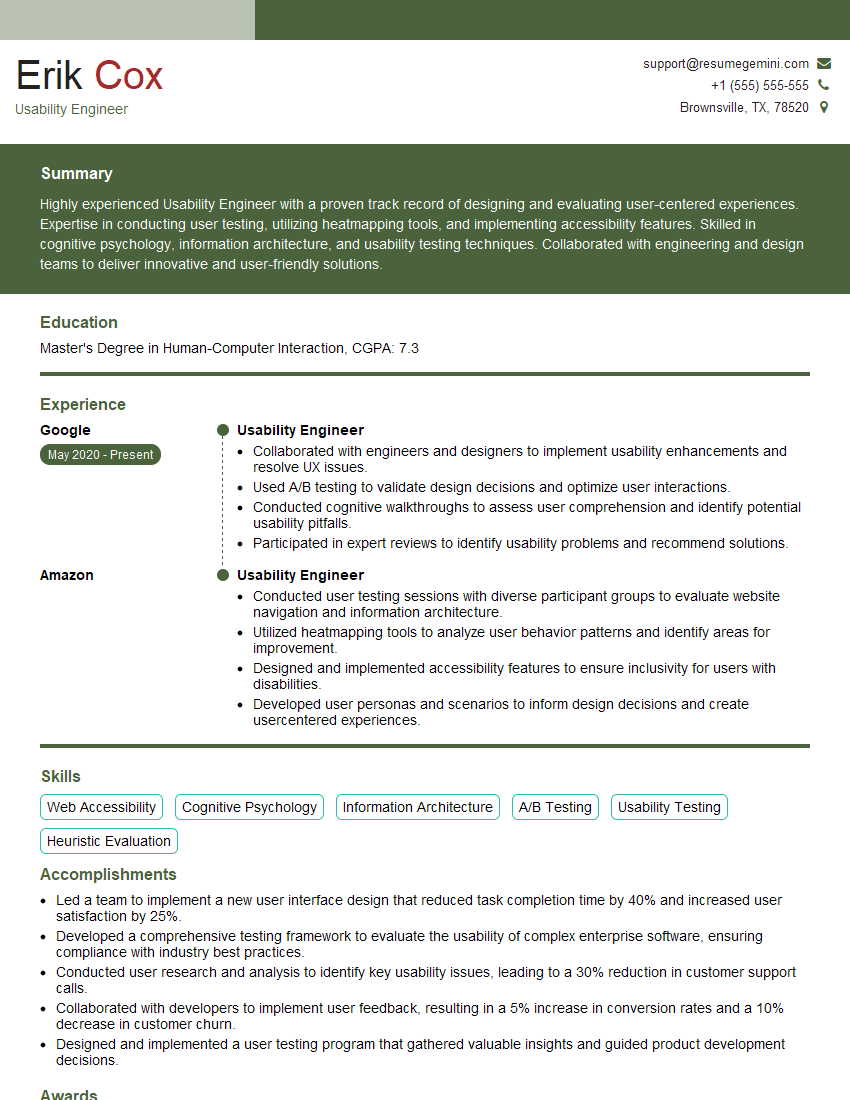
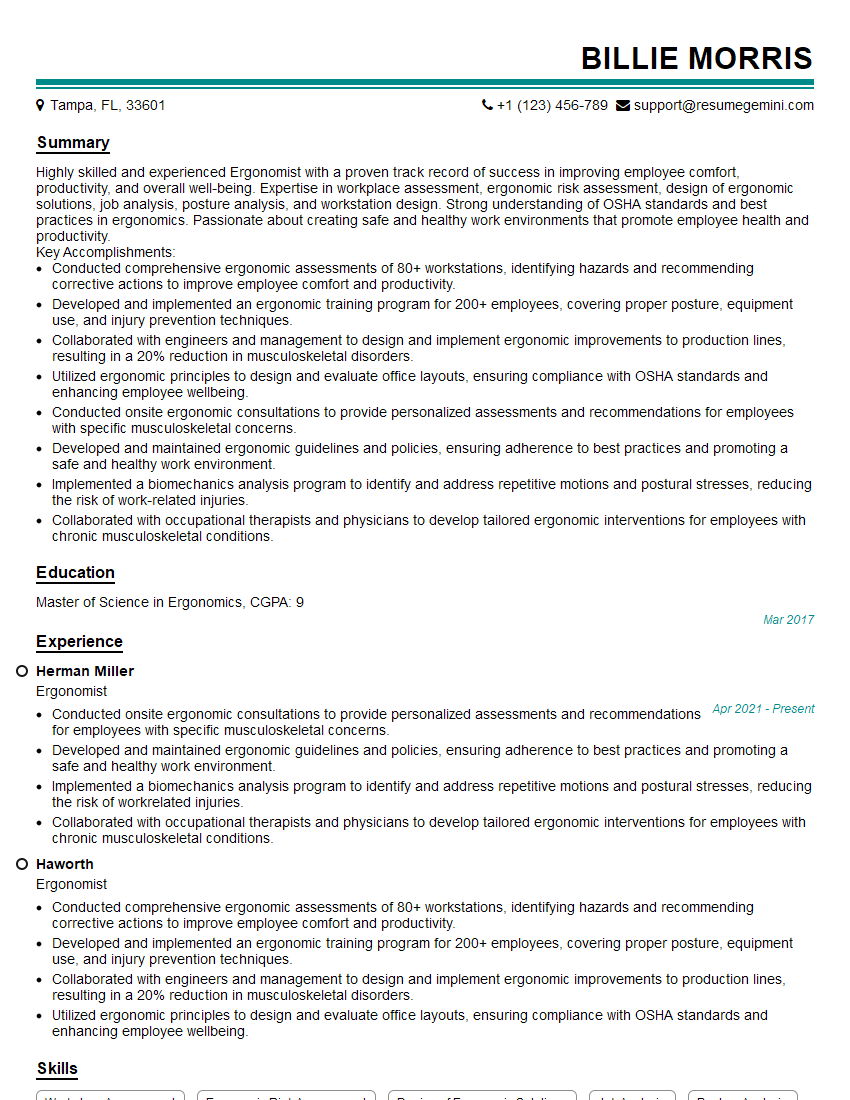
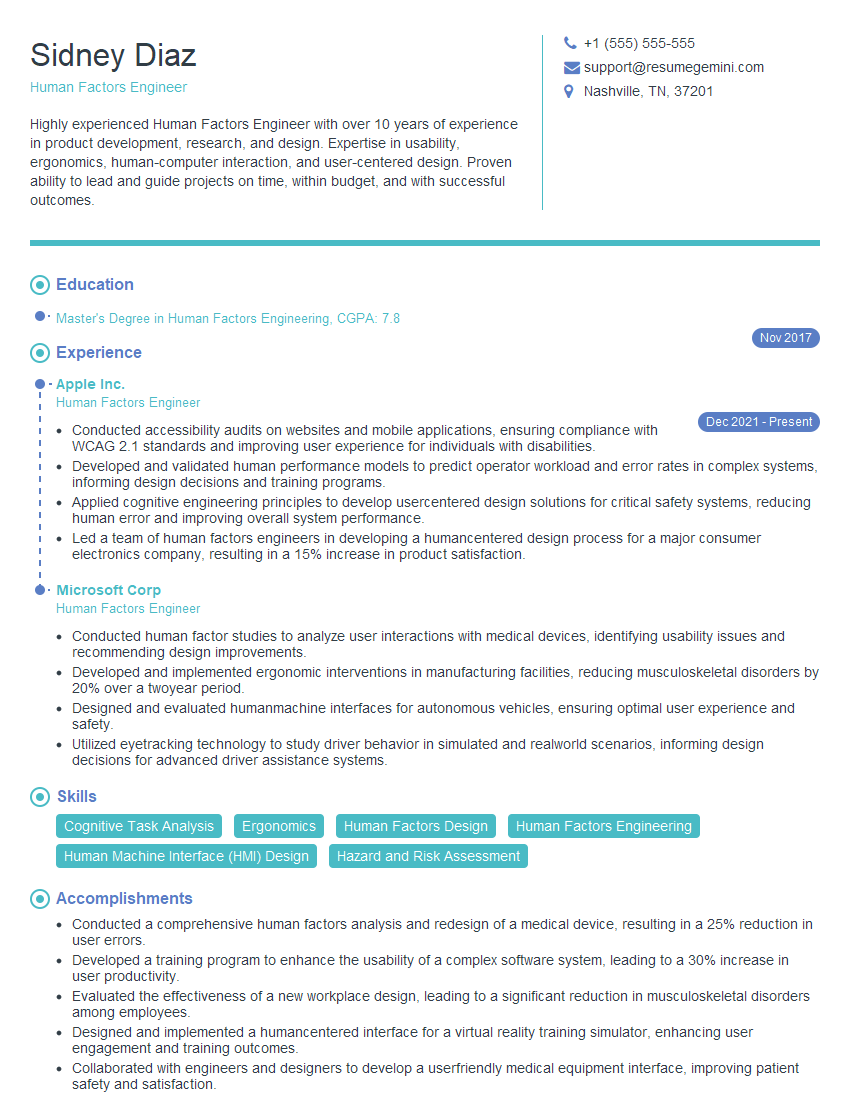
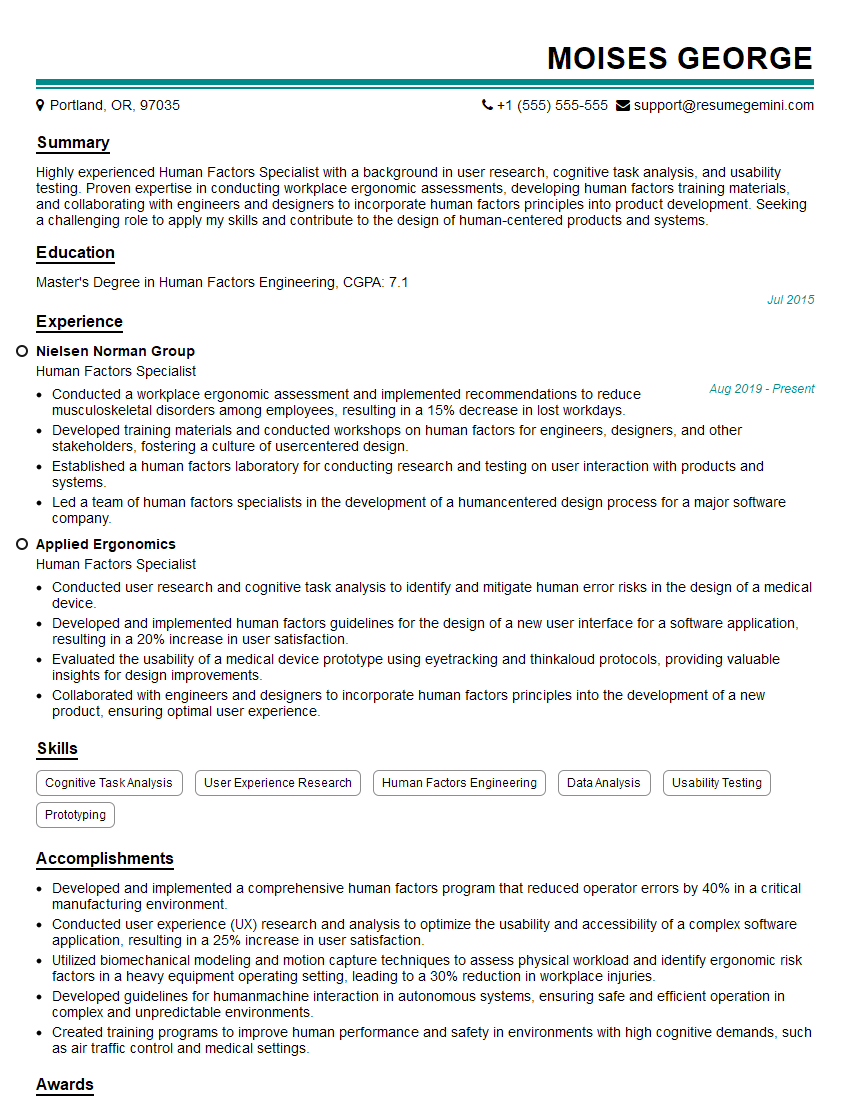
Mastering Human Factors Analysis opens doors to exciting and impactful careers. To maximize your job prospects, crafting a strong, ATS-friendly resume is crucial. This ensures your skills and experience are effectively communicated to potential employers. ResumeGemini can significantly enhance your resume-building process, helping you create a professional document that showcases your qualifications effectively. We provide examples of resumes tailored specifically to Human Factors Analysis positions to help you get started. Take the next step toward your dream career today.

Explore more articles
Users Rating of Our Blogs
Share Your Experience
We value your feedback! Please rate our content and share your thoughts (optional).
What Readers Say About Our Blog
Very informative content, great job.
good