Interviews are more than just a Q&A session—they’re a chance to prove your worth. This blog dives into essential Interactive Content Development interview questions and expert tips to help you align your answers with what hiring managers are looking for. Start preparing to shine!
Questions Asked in Interactive Content Development Interview
Q 1. Explain your experience with different interactive content formats (e.g., quizzes, simulations, games).
My experience spans a wide range of interactive content formats, each offering unique advantages for different learning objectives. I’ve extensively worked with quizzes to assess knowledge retention, employing various question types like multiple-choice, true/false, and fill-in-the-blank, often incorporating immediate feedback mechanisms to enhance learning. Simulations, another area of expertise, allow learners to engage in realistic scenarios without real-world consequences. For example, I developed a simulation for medical students where they could practice diagnosing and treating patients, receiving feedback on their decisions. Finally, game-based learning has been a particularly rewarding aspect of my work. I’ve designed games incorporating gamification principles like points, badges, and leaderboards to boost engagement and motivation. A recent project involved creating a geography game where users explored different countries, answering questions about their culture and history to unlock new regions.
Q 2. Describe your process for designing and developing interactive learning experiences.
My design and development process for interactive learning experiences follows a structured approach, ensuring a cohesive and effective end product. It begins with a thorough needs analysis, identifying the learning objectives, target audience, and available resources. Then comes the design phase, where I create wireframes and prototypes to visualize the interaction flow and user experience. I use storyboarding to map out the narrative and learning progression. The development phase involves choosing appropriate authoring tools (more on that later) and building the interactive elements. Throughout the process, I prioritize user-centered design, frequently testing and iterating based on user feedback to ensure the experience is engaging and effective. Finally, I conduct a thorough quality assurance process to identify and rectify any bugs or usability issues before deployment.
Q 3. What are the key considerations for designing accessible interactive content?
Accessibility is paramount in interactive content design. I adhere to WCAG (Web Content Accessibility Guidelines) standards to ensure content is usable by people with disabilities. Key considerations include: providing alternative text for all images and multimedia (using the alt attribute in HTML); ensuring sufficient color contrast between text and background; offering keyboard navigation for all interactive elements; providing captions and transcripts for audio and video; and offering options for text resizing. Furthermore, I incorporate ARIA attributes (Accessible Rich Internet Applications) to enhance the semantic structure and accessibility of interactive elements. For example, I use ARIA roles like role="button" to ensure screen readers properly interpret interactive elements. Regular testing with assistive technologies, such as screen readers and speech-to-text software, is essential to validate accessibility.
Q 4. How do you measure the effectiveness of interactive content?
Measuring the effectiveness of interactive content requires a multi-faceted approach, combining quantitative and qualitative data. Quantitative metrics include completion rates, time spent on each module, quiz scores, and game performance data (e.g., high scores, time to complete a level). These metrics provide insights into user engagement and knowledge acquisition. Qualitative data, gathered through user surveys, interviews, and focus groups, helps understand the learning experience from the user’s perspective, identifying areas for improvement. Analyzing both quantitative and qualitative data allows for a comprehensive evaluation of the content’s effectiveness and informs future iterations.
Q 5. What experience do you have with authoring tools like Articulate Storyline or Adobe Captivate?
I possess extensive experience with both Articulate Storyline and Adobe Captivate. Storyline excels in creating visually appealing and engaging e-learning courses, offering a user-friendly interface and robust features for branching scenarios and assessments. I’ve utilized its features to develop interactive simulations and branched scenarios for various corporate training programs. Captivate, on the other hand, provides a powerful set of tools for creating software simulations and interactive demos. I have leveraged its capabilities to develop interactive product tutorials and technical training materials. My proficiency in both tools allows me to choose the most appropriate platform depending on the specific project requirements.
Q 6. Describe your proficiency in HTML5, CSS3, and JavaScript for interactive development.
My proficiency in HTML5, CSS3, and JavaScript is fundamental to my interactive content development. HTML5 provides the structural foundation, CSS3 handles the visual styling, and JavaScript powers the dynamic interactions. For instance, I use JavaScript to create custom animations, handle user input, and manage data. A simple example: using JavaScript to update a score counter in a quiz based on user responses. //Example JavaScript snippetlet score = 0; function updateScore(points) { score += points; document.getElementById('score').textContent = score; }. I am proficient in using these languages to build interactive elements from scratch, enhancing flexibility and customization beyond the capabilities of many authoring tools.
Q 7. How do you ensure responsiveness and cross-browser compatibility in your interactive projects?
Ensuring responsiveness and cross-browser compatibility is crucial for a positive user experience. I achieve responsiveness through the use of responsive design principles, employing CSS media queries to adapt the layout and styling to different screen sizes. I also use fluid grids and flexible images. To ensure cross-browser compatibility, I follow best practices in web development, thoroughly testing the content across various browsers (Chrome, Firefox, Safari, Edge) and devices. Using a CSS preprocessor like Sass can help maintain consistency across different browsers. Furthermore, I leverage browser developer tools to debug and resolve any rendering issues. Regular testing throughout the development process is paramount to identify and address compatibility problems early on.
Q 8. Explain your approach to user testing and iterative development for interactive content.
My approach to user testing and iterative development for interactive content is fundamentally user-centric. It’s a cyclical process that begins with defining clear user goals and expectations. I employ a variety of testing methods throughout the development lifecycle, starting with early-stage usability testing of prototypes to identify major issues. This might involve things like A/B testing different design choices or conducting think-aloud protocols where users verbalize their thought processes as they interact with the content.
Following each testing round, I iterate on the design and functionality based on user feedback. This iterative process ensures that the final product effectively addresses user needs and provides a seamless experience. For example, if user testing reveals that a particular navigation element is confusing, I’ll revise the design, retest, and repeat this cycle until the issue is resolved. I use analytics tools throughout the process to track user behavior, identify pain points, and inform further iterations. This data-driven approach ensures that improvements are based on concrete evidence, not just assumptions.
Q 9. What are some common challenges you encounter when developing interactive content, and how do you overcome them?
Developing interactive content presents numerous challenges. One common hurdle is balancing engaging design with accessibility. Making content visually appealing while ensuring it’s usable by individuals with disabilities (e.g., through proper alt text for images, keyboard navigation, etc.) requires careful planning and adherence to accessibility guidelines (like WCAG). Another challenge is managing technical complexities; integrating different technologies (e.g., video players, APIs, custom animations) smoothly can be time-consuming and require specialized expertise.
To overcome these challenges, I employ a collaborative, problem-solving approach. I leverage the skills of my team members, which may include designers, developers, and subject matter experts. For accessibility, I use automated testing tools and conduct manual reviews to ensure compliance. For technical challenges, I break down complex tasks into smaller, manageable components, and adopt a robust version control system to facilitate efficient collaboration and manage changes. Thorough planning, including detailed technical specifications and user stories, is critical to minimize these challenges and ensure the project stays on track.
Q 10. Describe your experience integrating interactive content into Learning Management Systems (LMS).
I have extensive experience integrating interactive content into various Learning Management Systems (LMS), including Moodle, Canvas, and Blackboard. My approach involves understanding the LMS’s capabilities and limitations to select the most appropriate delivery method. This could involve creating SCORM-compliant packages for seamless integration or using APIs to connect custom interactive content to the LMS. I always prioritize a smooth, intuitive learning experience for the end-user, whether that’s through consistent branding across platforms or ensuring smooth transitions between the LMS and the interactive content.
For example, I’ve integrated interactive simulations created in Articulate Storyline into a Canvas LMS. The process involved exporting the simulation as a SCORM package, uploading it to the Canvas course, and configuring settings to ensure proper tracking of user progress and completion. The key here is not just to integrate the content, but to make sure it fits seamlessly into the overall LMS workflow and user experience.
Q 11. How do you manage version control and collaboration within a team for interactive development?
Version control and collaboration are critical in interactive development. We use Git, a distributed version control system, for managing code, assets, and project documentation. This allows multiple team members to work concurrently on the project while maintaining a detailed history of changes. We employ a branching strategy (like Gitflow) to manage different features and bug fixes independently, preventing conflicts and ensuring a smooth integration process.
For non-code assets (like images and design files), we use cloud-based platforms such as Dropbox or Google Drive, ensuring that all team members can access and contribute to the project’s assets in a version-controlled environment. Regular code reviews are also essential for ensuring quality and consistency across the project, and we utilize collaborative tools like Slack or Microsoft Teams for real-time communication and rapid issue resolution.
Q 12. Explain your understanding of different user interaction design patterns.
Understanding user interaction design patterns is crucial for creating intuitive and effective interactive content. These patterns are reusable solutions to common interaction problems. Examples include:
- Accordion menus: These space-saving menus reveal content upon clicking a header, useful for compacting information.
- Carousel sliders: These allow users to cycle through a series of images or content, common for showcasing product features.
- Progress bars: These visually display progress through a task or learning module, providing a sense of accomplishment.
- Modal windows: These pop-up windows display additional information or prompts without redirecting the user away from the main content.
Selecting the right pattern depends on the context and user goals. For instance, using an accordion menu is effective when presenting a lot of information in a small space, whereas a carousel might be better for visually highlighting key features of a product.
Q 13. How familiar are you with responsive design principles for interactive applications?
Responsive design is paramount in creating interactive content accessible across a multitude of devices (desktops, tablets, smartphones). This requires adapting the layout, imagery, and functionality to fit different screen sizes and orientations. I utilize responsive design principles, which include:
- Flexible grids: These layouts use percentages and relative units instead of fixed pixel values, allowing content to adapt to various screen widths.
- Fluid images: Images scale proportionally to fit different screen sizes without distorting the aspect ratio.
- Media queries: These CSS features allow me to apply different styles based on screen size, orientation, or device capabilities.
For example, I might use a single-column layout on a smartphone, transitioning to a two-column layout on a tablet and a three-column layout on a desktop to optimize the user experience on each device.
Q 14. What is your experience with data visualization and its role in interactive content?
Data visualization plays a vital role in creating engaging and informative interactive content. By presenting data visually (e.g., charts, graphs, maps), I can make complex information easily understandable. This is particularly effective in scenarios where conveying trends, patterns, or comparisons is crucial. I have experience using various data visualization libraries and tools (like D3.js, Chart.js, Tableau) to create custom interactive charts and graphs embedded within the content. I also work with interactive map libraries to present geospatial data in a user-friendly manner.
For example, in an interactive training module on sales performance, I could utilize a bar chart to display sales figures for different regions, allowing users to drill down for more detailed information by clicking on individual bars. This interactive element provides a deeper level of engagement and understanding compared to a static chart.
Q 15. How do you incorporate gamification principles into interactive learning experiences?
Gamification in interactive learning leverages game design elements to boost engagement and motivation. It’s not about turning learning into a game, but using game mechanics to enhance the learning process.
- Points and Badges: Award points for completing tasks or achieving milestones. Badges can represent specific accomplishments, providing a visual record of progress. Think of language learning apps awarding badges for reaching fluency levels.
- Leaderboards: Introduce friendly competition by displaying learners’ progress on a leaderboard. This fosters a sense of community and motivates learners to strive for higher rankings. Consider a leaderboard for a corporate training program showing top performers.
- Challenges and Quests: Structure learning around challenges and quests, giving learners clear goals and a sense of accomplishment upon completion. For example, a history lesson could be framed as a quest to discover a lost artifact.
- Storytelling and Narrative: Weaving a compelling narrative around the learning content can significantly enhance engagement. Learners become active participants in a story, rather than passive recipients of information. Think of an interactive adventure game teaching history.
- Progress Bars and Visual Feedback: Regularly show learners their progress towards a goal using visual cues like progress bars. Immediate feedback on performance also keeps learners engaged and motivated.
Successfully integrating gamification requires careful consideration of the target audience, learning objectives, and the overall learning experience. It’s crucial to avoid making the game mechanics overly complex or distracting from the core learning content.
Career Expert Tips:
- Ace those interviews! Prepare effectively by reviewing the Top 50 Most Common Interview Questions on ResumeGemini.
- Navigate your job search with confidence! Explore a wide range of Career Tips on ResumeGemini. Learn about common challenges and recommendations to overcome them.
- Craft the perfect resume! Master the Art of Resume Writing with ResumeGemini’s guide. Showcase your unique qualifications and achievements effectively.
- Don’t miss out on holiday savings! Build your dream resume with ResumeGemini’s ATS optimized templates.
Q 16. Describe your experience with different types of interactive assessments (e.g., multiple-choice, branching scenarios).
My experience encompasses a wide range of interactive assessment types. I’ve designed and implemented multiple-choice questions, branching scenarios, drag-and-drop exercises, simulations, and performance-based assessments. The choice of assessment type depends heavily on the learning objectives and the nature of the content.
- Multiple-Choice Questions: These are efficient for assessing knowledge recall and comprehension. However, they can be limited in their ability to gauge higher-order thinking skills.
- Branching Scenarios: These provide a more engaging and realistic assessment experience. Learners make choices that lead to different outcomes, mirroring real-world decision-making. I’ve used these extensively in training simulations for medical professionals and customer service representatives.
- Drag-and-Drop: Ideal for assessing understanding of relationships between concepts or elements. They’re visually intuitive and easy to use.
- Simulations: These provide immersive, hands-on learning experiences. Learners can practice skills in a safe environment, receiving immediate feedback on their performance. I’ve worked on flight simulations for pilot training and surgical simulations for medical students.
- Performance-Based Assessments: These require learners to demonstrate skills through practical application. These are best suited for assessing competency in specific skills, like coding or using software.
I prioritize creating assessments that are not only effective in evaluating learner knowledge but also provide valuable feedback to aid in learning and improvement.
Q 17. How do you handle unexpected errors or bugs during the development process?
Handling unexpected errors and bugs is a critical aspect of interactive content development. My approach involves a combination of proactive measures and reactive troubleshooting.
- Proactive Measures: This includes rigorous testing throughout the development process, employing version control systems, and using robust coding practices to minimize the likelihood of errors. We use automated testing wherever possible.
- Reactive Troubleshooting: When bugs arise, I utilize debugging tools to identify the root cause. I carefully document each bug, including steps to reproduce it, and work collaboratively with the team to develop and implement fixes. I also prioritize fixing the most critical bugs first, following a severity ranking system.
- User Reporting: Encouraging users to report bugs is crucial. I design clear reporting mechanisms and make sure that users receive prompt acknowledgment and updates on bug fixes.
- Post-Launch Monitoring: Even after launch, we monitor the application for any unexpected issues and continuously improve the user experience based on user feedback and error logs.
A strong emphasis on testing and collaboration is vital for effective bug resolution and ensures a high-quality user experience.
Q 18. What are your preferred methods for gathering user feedback on interactive projects?
Gathering user feedback is essential for iterative improvement. I employ a multi-faceted approach:
- Usability Testing: This involves observing users interacting with the content and identifying areas for improvement. We often use think-aloud protocols where users verbalize their thought processes.
- Surveys: These are used to gather quantitative and qualitative data on user satisfaction, ease of use, and learning effectiveness. We use a mix of Likert scales and open-ended questions.
- Focus Groups: These provide opportunities for in-depth discussions with users, allowing for exploration of more nuanced feedback.
- A/B Testing (discussed in more detail in the next answer): This allows for comparing different versions of content to determine which performs better.
- In-App Feedback Mechanisms: Incorporating feedback buttons or forms directly into the interactive content allows for easy reporting of issues or suggestions.
The choice of method depends on the project’s goals and available resources. A combination of methods often provides the most comprehensive and insightful feedback.
Q 19. Explain your experience with A/B testing and its application to interactive content optimization.
A/B testing is a powerful method for optimizing interactive content. It involves creating two or more versions of a piece of content (A and B) and comparing their performance based on key metrics.
For example, I might create two versions of a tutorial: one with a linear structure and another with a branching structure. I would then track completion rates, time spent, and quiz scores to determine which version is more effective.
In interactive content development, we might A/B test different:
- Navigation structures: Comparing different menu designs or information architectures.
- Visual designs: Testing different color palettes, fonts, or imagery.
- Gamification elements: Evaluating the impact of different reward systems or challenges.
- Interactive elements: Comparing the effectiveness of different types of interactive assessments or exercises.
The data collected from A/B testing provides evidence-based insights, enabling data-driven decisions to improve the user experience and learning outcomes. We use statistical significance testing to ensure our findings are reliable.
Q 20. How familiar are you with SEO best practices for interactive content?
SEO for interactive content requires a slightly different approach than traditional web pages, but the core principles remain the same. It’s about making your content easily discoverable by search engines.
- Schema Markup: Using schema.org vocabulary to provide search engines with more context about your interactive content (e.g., marking up interactive elements, learning objectives). This helps search engines understand and index the content effectively.
- Keyword Research: Identifying relevant keywords related to the topic of your interactive content is crucial. This will help in optimizing the content for search engines.
- Content Optimization: The content itself should be well-written, informative, and engaging. Keywords should be naturally integrated into the text and descriptions.
- Technical SEO: Ensuring fast loading times, mobile-friendliness, and proper site structure are vital aspects of SEO for any type of content, interactive or otherwise.
- Link Building: Obtaining high-quality backlinks from reputable websites can significantly improve your content’s ranking in search results. Sharing your content on social media can increase visibility.
The key is to balance the need for engaging interactive elements with the need for search engine optimization. It’s about creating content that is both user-friendly and search engine-friendly.
Q 21. Describe your experience with project management methodologies (e.g., Agile, Waterfall) in an interactive content development context.
My experience encompasses both Agile and Waterfall methodologies in interactive content development. The choice of methodology depends on the project’s nature, complexity, and client requirements.
- Waterfall: Suitable for projects with well-defined requirements and minimal anticipated changes. Each phase (requirements, design, development, testing, deployment) is completed sequentially. Waterfall offers a structured approach, but can be less flexible if requirements change.
- Agile: This iterative approach is better suited for projects with evolving requirements or those where user feedback is crucial. Development proceeds in short cycles (sprints), with frequent testing and adaptation based on feedback. This promotes flexibility and collaboration but can be more challenging to manage in complex projects.
In practice, I’ve found that a hybrid approach, incorporating elements of both Agile and Waterfall, often yields the best results in interactive content development. This allows for a structured approach while retaining the flexibility to adapt to changing needs and user feedback.
Regardless of the chosen methodology, effective project management in interactive content development hinges on clear communication, collaborative teamwork, and meticulous tracking of progress.
Q 22. What are your thoughts on the future of interactive content and emerging technologies?
The future of interactive content is incredibly exciting! We’re seeing a convergence of several powerful technologies. Artificial Intelligence (AI) will play a massive role, enabling personalized learning experiences, adaptive content that responds to user behavior, and even the creation of interactive narratives driven by AI. Virtual Reality (VR) and Augmented Reality (AR) are already transforming how we engage with content, offering immersive and engaging experiences beyond the limitations of a screen. Imagine interactive training simulations in VR, or AR overlays that bring historical sites to life. Web3 technologies, including the metaverse and blockchain, present opportunities for decentralized interactive experiences and new models of content ownership and distribution. Finally, improvements in web standards and development tools will continue to make creating sophisticated interactive content more accessible to a wider range of developers.
For example, we might see AI-powered tutors providing personalized feedback in online learning platforms, or AR applications guiding users through complex processes in real-time. These technologies are not mutually exclusive; they’ll often work together to create truly groundbreaking experiences.
Q 23. How do you balance creative design with technical feasibility in interactive projects?
Balancing creative design with technical feasibility is a constant juggling act, but a crucial one. It’s all about finding that sweet spot where the vision aligns with the limitations (and possibilities!) of the technology. I start by establishing clear communication with the design team and developers early on. We create prototypes – often low-fidelity – to test concepts and identify potential roadblocks. This iterative process allows us to make informed decisions, adjusting the design to fit the available technology, or vice versa, finding innovative solutions to overcome technical limitations. For instance, a complex animation might need simplification for optimal performance on lower-end devices, or a particular UI element might be redesigned to align with accessibility best practices.
Consider a project requiring a 3D environment. The initial design might envision hyper-realistic graphics, but we would need to assess the performance implications of rendering such detail across different devices and platforms. We might compromise on some visual fidelity to ensure a consistent, smooth experience for all users. This iterative process ensures the end product is both visually stunning and functionally sound.
Q 24. Explain your understanding of accessibility guidelines (e.g., WCAG) in the context of interactive content.
Accessibility is paramount. WCAG (Web Content Accessibility Guidelines) provide a framework for creating interactive content usable by people with disabilities. My understanding encompasses several key areas:
- Perceivable: Information and user interface components must be presentable to users in ways they can perceive. This includes providing alternative text for images, captions for videos, and sufficient color contrast.
- Operable: User interface components and navigation must be operable. This involves ensuring keyboard navigation, sufficient time limits, and avoiding content that triggers seizures.
- Understandable: Information and the operation of the user interface must be understandable. This involves clear and concise language, predictable behavior, and consistent navigation.
- Robust: Content must be robust enough that it can be interpreted reliably by a wide variety of user agents, including assistive technologies.
In practice, this means incorporating features like keyboard navigation, screen reader compatibility, alt text for images, and closed captions for videos. I also ensure that the color contrast meets WCAG standards and that forms are designed for accessibility. Neglecting accessibility not only excludes users but also limits the potential reach and impact of the interactive content.
Q 25. How do you stay up-to-date with the latest trends and technologies in interactive content development?
Staying current in this rapidly evolving field requires a multi-pronged approach. I regularly attend industry conferences and webinars, both online and in-person. I actively participate in online communities and forums, engaging in discussions with other developers and designers. I subscribe to relevant newsletters and blogs that cover emerging trends and technologies. I also dedicate time to experimenting with new tools and frameworks, trying out new approaches in personal projects to stay hands-on and learn by doing. Finally, I carefully follow the evolution of web standards and best practices.
For instance, I recently explored the capabilities of a new JavaScript library that simplifies the creation of interactive 3D experiences. Experimentation allows me to assess their practical value and determine if they can be integrated into future projects.
Q 26. Describe a time you had to troubleshoot a complex technical issue in an interactive project.
In a recent project involving a complex interactive map, we encountered an issue where certain layers would fail to load correctly on lower-end devices. Initial troubleshooting pointed to potential memory leaks, but after several days of debugging, we discovered the root cause was an unexpected interaction between our custom map rendering library and a third-party geolocation API. The API was sending back data in an inconsistent format, causing the map rendering library to crash. The solution involved adding robust error handling to both the API integration and the map rendering library itself. We also optimized the data processing pipeline to reduce memory consumption. The process underscored the importance of thorough testing across different devices and the need for robust error handling in complex interactive systems.
Q 27. How do you handle conflicting priorities or deadlines in an interactive content development project?
Conflicting priorities and deadlines are common in interactive content development. My approach involves prioritizing tasks based on their impact and dependencies. I use project management tools to track progress and identify potential bottlenecks. Open and honest communication with stakeholders is crucial; I facilitate discussions to clarify expectations and find solutions collaboratively. Sometimes, re-scoping the project – identifying areas where we can make trade-offs – becomes necessary. This involves explaining the consequences of different choices, allowing stakeholders to make informed decisions based on their priorities.
For example, if we’re facing time constraints, we might prioritize core functionalities over less essential features. This involves clearly communicating these trade-offs to ensure transparency and avoid misunderstandings.
Q 28. What are your salary expectations for this role?
My salary expectations for this role are in the range of [Insert Salary Range] annually. This is based on my experience, skills, and the responsibilities of this position. I am happy to discuss this further in more detail.
Key Topics to Learn for Interactive Content Development Interview
- User Experience (UX) Design Principles: Understand how to create engaging and intuitive interactive experiences. Consider user flows, information architecture, and accessibility best practices.
- Interactive Content Formats: Demonstrate familiarity with various formats like quizzes, calculators, infographics, interactive videos, and 360° experiences. Be prepared to discuss the strengths and weaknesses of each.
- Content Strategy & Planning: Articulate your approach to defining content goals, targeting audiences, and developing a content roadmap for interactive projects.
- Technical Proficiency: Showcase your understanding of relevant technologies such as HTML, CSS, JavaScript, and potentially frameworks like React, Angular, or Vue.js. Be ready to discuss your experience with relevant APIs and data integration.
- Testing and Optimization: Explain your approach to testing interactive content, including usability testing, A/B testing, and data analysis to improve performance and user engagement.
- Project Management & Collaboration: Discuss your experience working in a team environment, managing timelines, and collaborating with designers, developers, and stakeholders.
- Accessibility and Inclusivity: Demonstrate your commitment to creating inclusive interactive content accessible to users with disabilities. Be prepared to discuss WCAG guidelines.
- Problem-Solving & Analytical Skills: Showcase your ability to analyze user behavior, identify challenges, and develop innovative solutions for interactive content projects. Prepare examples from your past experiences.
Next Steps
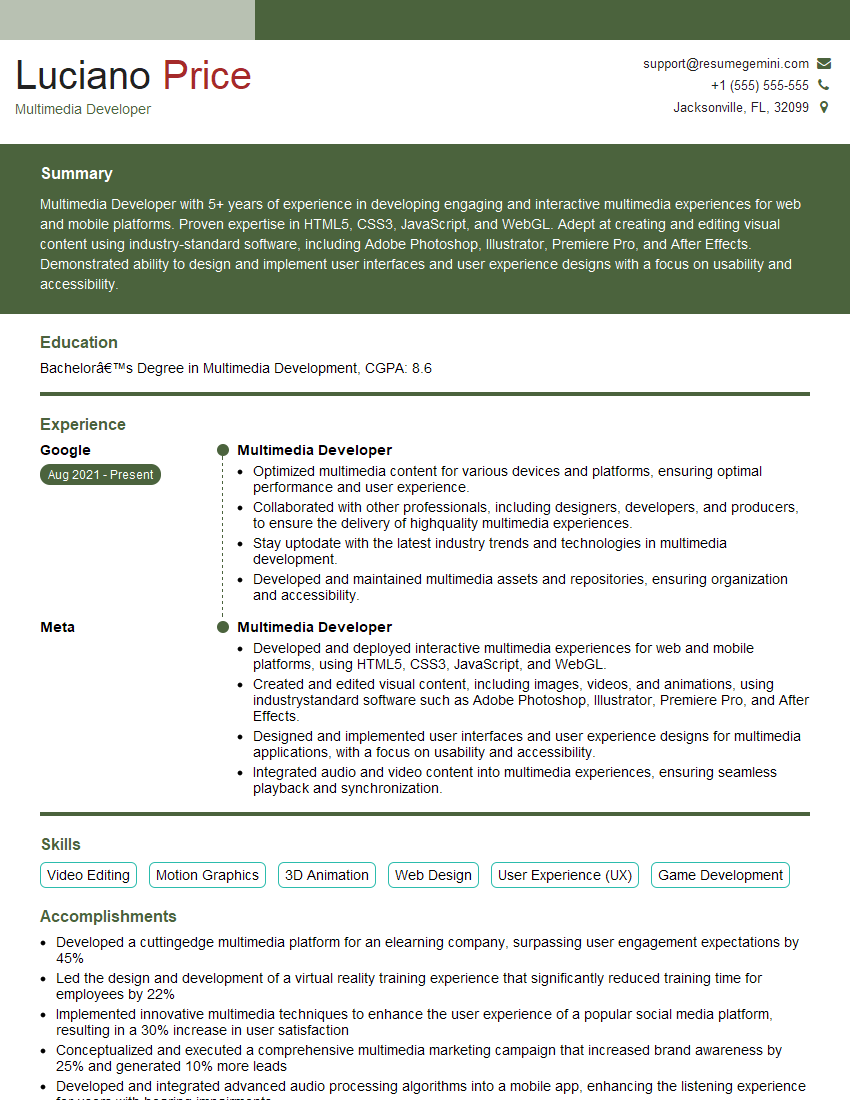
Mastering Interactive Content Development opens doors to exciting and rewarding careers in a rapidly growing field. To maximize your job prospects, crafting a compelling and ATS-friendly resume is crucial. ResumeGemini offers a trusted platform for building professional resumes tailored to your specific skills and experience. We provide examples of resumes specifically designed for Interactive Content Development professionals to help you present your qualifications effectively. Take the next step in your career journey and build a resume that highlights your unique strengths and achievements.
Explore more articles
Users Rating of Our Blogs
Share Your Experience
We value your feedback! Please rate our content and share your thoughts (optional).
What Readers Say About Our Blog
Hello,
we currently offer a complimentary backlink and URL indexing test for search engine optimization professionals.
You can get complimentary indexing credits to test how link discovery works in practice.
No credit card is required and there is no recurring fee.
You can find details here:
https://wikipedia-backlinks.com/indexing/
Regards
NICE RESPONSE TO Q & A
hi
The aim of this message is regarding an unclaimed deposit of a deceased nationale that bears the same name as you. You are not relate to him as there are millions of people answering the names across around the world. But i will use my position to influence the release of the deposit to you for our mutual benefit.
Respond for full details and how to claim the deposit. This is 100% risk free. Send hello to my email id: [email protected]
Luka Chachibaialuka
Hey interviewgemini.com, just wanted to follow up on my last email.
We just launched Call the Monster, an parenting app that lets you summon friendly ‘monsters’ kids actually listen to.
We’re also running a giveaway for everyone who downloads the app. Since it’s brand new, there aren’t many users yet, which means you’ve got a much better chance of winning some great prizes.
You can check it out here: https://bit.ly/callamonsterapp
Or follow us on Instagram: https://www.instagram.com/callamonsterapp
Thanks,
Ryan
CEO – Call the Monster App
Hey interviewgemini.com, I saw your website and love your approach.
I just want this to look like spam email, but want to share something important to you. We just launched Call the Monster, a parenting app that lets you summon friendly ‘monsters’ kids actually listen to.
Parents are loving it for calming chaos before bedtime. Thought you might want to try it: https://bit.ly/callamonsterapp or just follow our fun monster lore on Instagram: https://www.instagram.com/callamonsterapp
Thanks,
Ryan
CEO – Call A Monster APP
To the interviewgemini.com Owner.
Dear interviewgemini.com Webmaster!
Hi interviewgemini.com Webmaster!
Dear interviewgemini.com Webmaster!
excellent
Hello,
We found issues with your domain’s email setup that may be sending your messages to spam or blocking them completely. InboxShield Mini shows you how to fix it in minutes — no tech skills required.
Scan your domain now for details: https://inboxshield-mini.com/
— Adam @ InboxShield Mini
Reply STOP to unsubscribe
Hi, are you owner of interviewgemini.com? What if I told you I could help you find extra time in your schedule, reconnect with leads you didn’t even realize you missed, and bring in more “I want to work with you” conversations, without increasing your ad spend or hiring a full-time employee?
All with a flexible, budget-friendly service that could easily pay for itself. Sounds good?
Would it be nice to jump on a quick 10-minute call so I can show you exactly how we make this work?
Best,
Hapei
Marketing Director
Hey, I know you’re the owner of interviewgemini.com. I’ll be quick.
Fundraising for your business is tough and time-consuming. We make it easier by guaranteeing two private investor meetings each month, for six months. No demos, no pitch events – just direct introductions to active investors matched to your startup.
If youR17;re raising, this could help you build real momentum. Want me to send more info?
Hi, I represent an SEO company that specialises in getting you AI citations and higher rankings on Google. I’d like to offer you a 100% free SEO audit for your website. Would you be interested?
Hi, I represent an SEO company that specialises in getting you AI citations and higher rankings on Google. I’d like to offer you a 100% free SEO audit for your website. Would you be interested?
good