The thought of an interview can be nerve-wracking, but the right preparation can make all the difference. Explore this comprehensive guide to ISTQB Certified Tester interview questions and gain the confidence you need to showcase your abilities and secure the role.
Questions Asked in ISTQB Certified Tester Interview
Q 1. Explain the difference between Verification and Validation.
Verification and validation are two crucial processes in software testing, often confused but distinctly different. Think of it like building a house: verification is checking if you’re building the house *correctly* according to the blueprints, while validation is checking if you’ve built the *right* house – the one that meets the client’s needs.
Verification focuses on the process of software development. It ensures that each phase adheres to specifications and standards. Are we building the software *right*? This involves activities like code reviews, inspections, and walkthroughs, all aimed at ensuring the software conforms to its design and requirements. For example, verifying that a function’s code correctly implements the algorithm defined in the design document.
Validation focuses on the product itself. Does the software meet the user’s needs and expectations? Is it doing the *right* thing? This involves testing the software against requirements, and user acceptance testing (UAT) is a key validation activity. For example, validating that the entire system allows users to successfully purchase items from an online store.
In short: Verification is ‘Are we building it right?’, while validation is ‘Are we building the right thing?’
Q 2. Describe the various testing levels (unit, integration, system, acceptance).
Software testing is typically structured into several levels, each focusing on a different aspect of the software. These levels often overlap, and the extent of each level depends on the project’s complexity and requirements.
- Unit Testing: This is the lowest level, focusing on individual components or modules (units) of the code. Developers typically perform unit testing to ensure each unit functions as expected in isolation. Imagine testing a single function that calculates the area of a circle – it should always produce the correct result given a valid radius.
- Integration Testing: This verifies the interaction between different units or modules after they’ve been unit tested. The focus here is on interfaces and communication between these units. For example, testing how a user login module interacts with a database to authenticate a user.
- System Testing: This tests the entire system as a complete entity, covering all integrated modules. It verifies that the system meets the overall requirements and functions as a whole. This is like testing the entire e-commerce website, including login, browsing, shopping cart, payment, etc., as a single system.
- Acceptance Testing: This is the final level of testing, performed by the client or end-user to confirm the system meets their requirements and is ready for deployment. This often includes User Acceptance Testing (UAT) and Alpha/Beta testing.
Each level is essential and contributes to the overall quality of the software. Skipping any level can increase the risk of defects slipping into production.
Q 3. What are the different types of software testing?
There’s a wide range of software testing types, often categorized by different criteria such as methodology, level, or objective. Some key types include:
- Functional Testing: Checks if the software functions according to its specifications. This includes tests like smoke testing (basic functionality), regression testing (after code changes), and user acceptance testing (UAT).
- Non-Functional Testing: Evaluates aspects beyond functionality, such as performance (speed, scalability), security, usability, and reliability.
- Black-box Testing: The tester doesn’t know the internal code structure. Tests are based on input and expected output. Examples include equivalence partitioning and boundary value analysis.
- White-box Testing: The tester has knowledge of the internal code structure. Techniques include statement coverage and path coverage.
- Grey-box Testing: A combination of black-box and white-box testing. The tester has partial knowledge of the system’s internal workings.
- Unit Testing (already covered above): Testing individual components.
- Integration Testing (already covered above): Testing interactions between components.
- System Testing (already covered above): Testing the entire system.
- Acceptance Testing (already covered above): Final testing before deployment.
The specific types of testing used will depend on the software’s nature, criticality, and project requirements.
Q 4. Explain the purpose of a test plan.
A test plan is a crucial document that outlines the scope, approach, resources, and schedule for software testing. It’s like a blueprint for the testing process, ensuring everyone involved understands the goals, objectives, and how the testing will be executed.
Its primary purpose is to:
- Define the scope of testing: Which parts of the software will be tested and which will be excluded?
- Outline the testing strategy: What testing methods will be used (e.g., black-box, white-box)?
- Identify resources: Who is responsible for which testing tasks? What tools and environments are required?
- Establish a testing schedule: When will each phase of testing begin and end? What are the milestones?
- Determine the test environment: What hardware, software, and network configurations are needed?
- Define entry and exit criteria: What conditions must be met to start and end each phase of testing?
- Risk assessment: What are the potential risks that could impact the testing process?
A well-defined test plan helps ensure efficient and effective software testing, reducing the risk of defects and delays.
Q 5. What is a test case and how do you write an effective one?
A test case is a documented set of actions, inputs, and expected results that verify a specific functionality of the software. It’s a step-by-step guide for testers to follow when testing a particular aspect of the system.
An effective test case should include:
- Test Case ID: A unique identifier for the test case.
- Test Case Name: A clear and concise description of the test case’s purpose.
- Objective: What functionality is being tested?
- Preconditions: What needs to be in place before running the test?
- Test Steps: A detailed list of actions the tester needs to perform.
- Expected Results: The anticipated outcome of each step.
- Actual Results: The actual outcome of the test (recorded after execution).
- Pass/Fail: Indicates whether the test passed or failed.
- Test Data: The specific data used for the test.
- Postconditions: What needs to be done after the test (e.g., clean up).
Example:
Test Case ID: TC_Login_001
Test Case Name: Verify Successful Login
Test Steps:
- Open the login page.
- Enter valid username: ‘testuser’.
- Enter valid password: ‘password’.
- Click the ‘Login’ button.
Expected Results: User should be successfully logged in and redirected to the home page.
Writing effective test cases is crucial for ensuring thorough and reliable software testing.
Q 6. What is a test suite?
A test suite is a collection of test cases organized to test a specific software component, module, or feature. Think of it as a container holding all the individual test cases needed to thoroughly test a particular aspect of the software. It streamlines testing by grouping related test cases together, making it easier to manage and execute them.
For example, you might have a test suite for the ‘user authentication’ module, containing test cases for valid login, invalid login (wrong username/password), forgotten password recovery, and logout functionality. Test suites enhance organization and reusability in testing efforts.
Q 7. Describe different test design techniques (Equivalence Partitioning, Boundary Value Analysis).
Test design techniques help create efficient and effective test cases. Two common techniques are:
Equivalence Partitioning: This technique divides the input data into groups (partitions) that are expected to be treated similarly by the software. Instead of testing every possible input value, you test one representative value from each partition. This reduces the number of test cases while maximizing coverage. For example, if you’re testing a field that accepts numbers between 1 and 100, you might create three partitions: (1-33), (34-66), and (67-100), testing one value from each.
Boundary Value Analysis (BVA): This technique focuses on testing the boundaries of input values. Errors often occur at the boundaries, so testing these values is crucial. This includes testing values just above, below, and at the boundaries. If the input field accepts numbers between 1 and 100, BVA would include testing 0, 1, 2, 99, 100, and 101.
These techniques complement each other. Equivalence partitioning helps to reduce the number of test cases, while boundary value analysis focuses on the areas most prone to errors. Using both significantly improves the efficiency and effectiveness of testing.
Q 8. What is defect tracking and how does it work?
Defect tracking is the systematic process of identifying, recording, and monitoring defects (bugs) found during software testing. Think of it as a detective’s case file for every bug found. It ensures that every issue is addressed and resolved before the software is released.
It works by using a defect tracking system, often a software application, that allows testers to log defects with details such as the steps to reproduce the problem, expected versus actual results, severity, and priority. The system then facilitates communication between testers, developers, and project managers, allowing for assignment, resolution, and verification of fixes.
For example, imagine a website where a button doesn’t work. A tester would log a defect describing the problem: ‘Button ‘Submit’ on the contact form does not function. Clicking the button yields no response. Expected behavior: submission of the form and confirmation message. Actual behavior: Nothing happens.’ The system would then track the defect’s status as it moves through different stages like ‘Open,’ ‘Assigned,’ ‘In Progress,’ ‘Fixed,’ and ‘Closed’.
Q 9. Explain the difference between black box and white box testing.
Black box testing and white box testing are two fundamental approaches to software testing that differ significantly in their scope and methodology. Imagine testing a car: black box testing focuses on whether the car drives smoothly and meets expectations without considering the inner workings of the engine; white box testing, on the other hand, involves analyzing the engine’s components and how they interact to make the car run.
Black box testing treats the software as a ‘black box,’ meaning the internal structure and code are unknown to the tester. Testing is based solely on the software’s inputs and outputs. Test cases are designed based on the software’s requirements and specifications, focusing on functionality and usability. Common techniques include equivalence partitioning, boundary value analysis, and state transition testing.
White box testing, also known as clear box testing or glass box testing, has complete access to the software’s internal structure and code. Testers have a deep understanding of the code and use their knowledge to design test cases that cover all possible code paths, including branches and loops. Common techniques include statement coverage, branch coverage, and path coverage. This allows for more thorough testing of internal logic and data flow.
Q 10. What are some common testing metrics?
Testing metrics provide quantifiable data that helps assess the effectiveness and efficiency of the testing process. These metrics allow us to monitor progress, identify areas for improvement, and make informed decisions about software quality. Think of them as the key performance indicators (KPIs) of your testing efforts.
- Defect Density: The number of defects found per lines of code (LOC) or per function point. This indicates the overall quality of the code.
- Defect Severity: A classification of defects based on their impact on the system (e.g., critical, major, minor). This helps prioritize defect resolution.
- Test Coverage: The percentage of the code or requirements covered by test cases. High coverage aims to ensure comprehensive testing.
- Test Execution Efficiency: The rate at which tests are executed and defects are found. This measures the effectiveness of testing resources.
- Number of Passed/Failed Tests: A simple but essential metric that reflects the overall success rate of test execution.
For instance, a defect density of 0.5 defects per 1000 lines of code indicates relatively high-quality code, while a low test coverage may indicate gaps in testing that require attention.
Q 11. How do you handle test environments?
Managing test environments is critical for accurate and reliable testing. A test environment is a replica of the production environment, where software is tested before deployment. Ensuring its accuracy is crucial for valid testing results.
Effective test environment management includes:
- Provisioning and Configuration: Setting up hardware and software, including operating systems, databases, and application servers, to mirror the production environment as closely as possible.
- Data Management: Creating and managing test data, ensuring it accurately represents real-world scenarios without compromising sensitive production data.
- Version Control: Maintaining a consistent version of the software and its dependencies across all test environments.
- Maintenance and Updates: Regularly updating and maintaining the test environment to prevent discrepancies with the production environment.
- Environment Restoration: Having mechanisms in place to quickly restore the environment to a known good state after testing or unexpected issues.
In practice, this could involve using virtualization technologies to create multiple isolated test environments, using scripts to automate the setup and configuration, and carefully managing access and permissions.
Q 12. Explain the importance of test data management.
Test data management is crucial for successful software testing. It involves the planning, creation, storage, and maintenance of data used in testing. Without proper test data, testing may be inaccurate or incomplete, leading to undetected defects and ultimately, a lower quality product. Think of it as providing the right ingredients for a reliable testing recipe.
The importance of test data management lies in:
- Realistic Scenarios: Test data must represent real-world scenarios and user behavior to accurately reflect how the system will perform in production.
- Data Security: Protecting sensitive data from unauthorized access and ensuring compliance with data privacy regulations. This might involve anonymization or masking of sensitive information.
- Test Data Reusability: Establishing efficient mechanisms to reuse test data across different tests and projects, reducing the time and effort required for test data preparation.
- Data Integrity: Maintaining the accuracy and consistency of test data, ensuring it does not become corrupted or outdated.
- Data Volume: Ensuring sufficient data volume for meaningful testing, particularly for performance and load testing.
Ignoring test data management can lead to inaccurate testing results, delayed releases, and costly remediation efforts later in the development lifecycle.
Q 13. Describe your experience with test automation tools.
I have extensive experience with various test automation tools, including Selenium for web application testing, Appium for mobile application testing, and JUnit/TestNG for unit testing. My experience spans different phases of the automation process, from requirements analysis and test case design to implementation, execution, and maintenance.
In a recent project, I used Selenium to automate regression testing of a large e-commerce website. This involved creating a framework that utilized page object models for maintainability and readability. The automated tests significantly reduced the time needed for regression testing, enabling faster release cycles and improved software quality. I also integrated the test automation framework with a CI/CD pipeline to provide immediate feedback on code changes.
My expertise extends beyond simply using tools; I understand the principles of good test automation design, including selecting appropriate tools based on project needs, designing maintainable and robust test scripts, and effectively integrating automation into the overall testing strategy.
Q 14. What is risk-based testing?
Risk-based testing is a strategic approach to software testing that prioritizes testing efforts based on the likelihood and potential impact of defects. Instead of testing everything equally, it focuses on the areas most likely to cause problems or have the most significant consequences if they fail. Think of it like a triage system for software testing, prioritizing the most critical issues.
It involves identifying potential risks throughout the software development lifecycle, assessing their probability and impact, and then prioritizing testing efforts to mitigate those high-risk areas. This might involve focusing on functionalities that are critical to the business, complex functionalities that are more prone to errors, or those that have a high security impact.
For example, in an online banking system, security features related to transactions would be considered high-risk. Risk-based testing would prioritize thorough testing of these functionalities, while less critical features might receive less attention. This targeted approach enhances efficiency and ensures that the most critical aspects of the system are thoroughly tested.
Q 15. How do you prioritize test cases?
Prioritizing test cases is crucial for efficient testing, ensuring we focus on the most critical aspects of the software. We employ several strategies, often in combination. One common approach is risk-based prioritization. We identify the functionalities with the highest potential impact if they fail (e.g., core features, security elements, payment processing). These are tested first. Another method is priority ranking based on business value. Features that directly contribute to the business goals and revenue streams are given higher priority. Finally, we consider test case coverage. High-risk areas may require more test cases, naturally placing them higher in the priority list. For instance, if a feature is used by 90% of users and its failure would cripple the system, it will be tested before a less critical one used by only 10% of the users. Tools like spreadsheets or test management software help track and manage this prioritization.
Career Expert Tips:
- Ace those interviews! Prepare effectively by reviewing the Top 50 Most Common Interview Questions on ResumeGemini.
- Navigate your job search with confidence! Explore a wide range of Career Tips on ResumeGemini. Learn about common challenges and recommendations to overcome them.
- Craft the perfect resume! Master the Art of Resume Writing with ResumeGemini’s guide. Showcase your unique qualifications and achievements effectively.
- Don’t miss out on holiday savings! Build your dream resume with ResumeGemini’s ATS optimized templates.
Q 16. Describe your experience with Agile methodologies and testing.
My experience with Agile methodologies involves close collaboration with development teams in short, iterative cycles. I’ve participated in daily stand-ups, sprint planning, and retrospectives. My testing activities are integrated into each sprint. This includes creating and executing test cases alongside development, attending daily stand-up meetings to track progress and discuss issues, and actively contributing to sprint reviews. I utilize techniques like test-driven development (TDD) where possible, writing tests *before* the code is written. This ensures that the code meets the requirements and improves overall software quality. The iterative nature of Agile suits my testing style, allowing for continuous feedback and improvement. For example, in a recent project using Scrum, I collaborated with developers to implement automated tests early in the sprint. This provided immediate feedback and helped catch bugs quicker, improving the overall delivery time.
Q 17. Explain different types of acceptance testing (user acceptance testing, etc.).
Acceptance testing validates whether the software meets the needs of the stakeholders. Several types exist. User Acceptance Testing (UAT) is performed by end-users or representatives to determine if the system meets their requirements and is usable. Contract Acceptance Testing verifies whether the software fulfills the terms and conditions outlined in a contract. Regulation Acceptance Testing ensures compliance with industry regulations and standards. Alpha testing is an early form of acceptance testing conducted by internal users before a release. Beta testing involves external users testing a near-final version of the software. Each type plays a vital role in ensuring the software is fit for purpose, meeting both functional and non-functional requirements. For instance, in a recent project, we conducted UAT with a focus group of intended users who provided valuable feedback on the system’s usability and overall effectiveness.
Q 18. How do you handle conflicts with developers?
Conflicts with developers are inevitable, but a professional approach is key. I prioritize clear communication and focus on finding solutions rather than assigning blame. I approach discussions with factual evidence, such as test results or documentation that clearly points to a defect. My emphasis is always on collaboration; I strive to understand the developer’s perspective and explain the implications of the identified bug from a user’s viewpoint. If a conflict persists, I involve a senior team member or project manager to facilitate a resolution. For example, in one instance, a developer disagreed with my finding. We collaboratively reviewed the code and test cases. Ultimately, we identified a misunderstanding in the requirements, and a solution was implemented that addressed both the reported bug and addressed the underlying problem.
Q 19. What is the difference between static and dynamic testing?
Static testing involves reviewing documents and code without executing the software. It catches defects early in the development lifecycle. Examples include code reviews, inspections, and walkthroughs. Dynamic testing, in contrast, involves executing the software to find defects. Examples are functional, performance, and security testing. The key difference is that static testing is proactive, preventing defects from entering the code, while dynamic testing is reactive, identifying defects after the code is written. Think of it this way: static testing is like proofreading a manuscript before it’s printed, while dynamic testing is like reading the printed book to see if there are any errors.
Q 20. What are your strengths and weaknesses as a tester?
My strengths include meticulous attention to detail, strong analytical skills, and effective communication. I thrive in collaborative environments and possess a deep understanding of testing methodologies. I am adept at creating and executing test cases, analyzing test results, and effectively communicating defects. My weakness is occasionally being overly critical, especially when dealing with complex or poorly documented code. I am actively working on this by focusing on constructive criticism and employing more collaborative methods for problem-solving. This involves actively seeking different perspectives and understanding constraints before formulating my feedback.
Q 21. Describe your experience with performance testing.
My experience with performance testing encompasses various techniques, including load testing, stress testing, and endurance testing. I’ve used tools like JMeter and LoadRunner to simulate realistic user loads and identify bottlenecks in the system. I’ve performed performance tests in different environments, including development, staging, and production. I’m comfortable analyzing performance test results and preparing reports that detail performance metrics such as response time, throughput, and resource utilization. In one project, using JMeter, I simulated 1000 concurrent users accessing a web application. This testing identified a database performance bottleneck, allowing the developers to optimize the database queries, resulting in a significant improvement in response time and overall system stability. My approach to performance testing emphasizes both proactive and reactive approaches, with proactive measures implemented in the design phase and reactive tests focused on identifying and resolving performance issues throughout the development cycle.
Q 22. How do you ensure test coverage?
Ensuring test coverage is crucial for delivering high-quality software. It’s about making sure we’ve tested all aspects of the software, as thoroughly as is reasonably possible. We don’t aim for 100% coverage in the strictest sense – that’s often impossible and impractical – but we strive for high and appropriate coverage based on risk. This involves several techniques:
- Requirement-based coverage: We trace test cases back to specific requirements, ensuring each requirement is verified. For example, if a requirement states ‘The system shall allow users to login with a username and password,’ we’ll design test cases to cover successful logins, incorrect username/password combinations, and perhaps even attempts with SQL injection to assess security.
- Code coverage: Tools can measure how much of the application’s code has been executed during testing. While not a guaranteed measure of quality, it provides insights into potentially untested areas. This might reveal parts of the code that weren’t used by normal test cases, prompting us to add those to our test suite.
- Decision coverage: This involves testing all possible outcomes of conditional statements (if/then/else) in the code. Each branch of a condition needs to be evaluated to verify the logic functions as expected. For example, ensuring we cover both true and false scenarios within a particular conditional operation that defines user access rights.
- Test case design techniques: Using methods like equivalence partitioning, boundary value analysis, and state transition testing helps systematically cover different input ranges, boundary conditions, and application states. This aids in systematically testing different scenarios without excessive repetition.
- Risk-based testing: We prioritize testing features with the highest risk of failure or impact. For example, features directly impacting financial transactions or user security will receive more thorough testing.
By combining these approaches, we build a comprehensive test suite aimed at achieving sufficient test coverage, reducing the likelihood of undiscovered defects.
Q 23. Explain your experience with different testing methodologies (Waterfall, Agile).
My experience spans both Waterfall and Agile methodologies. In Waterfall, testing is typically a distinct phase following development. This involved detailed test planning upfront, creating comprehensive test suites, and executing them rigorously. The process is highly structured and documentation-heavy. I was responsible for executing various testing types including unit, integration, system, and user acceptance testing (UAT). One project I recall involved testing a large financial system where precise adherence to test plans and detailed reporting was paramount.
In Agile, testing is integrated throughout the development lifecycle. My role involves close collaboration with developers, participating in sprint planning, daily stand-ups, and retrospectives. Test-driven development (TDD) has become a standard practice, where tests are written *before* the code. In one Agile project, I worked with a team using Scrum. We utilized short sprint cycles (two weeks), continuously integrating and testing new functionality. This iterative approach allowed for rapid feedback and early defect detection.
The key difference is the level of flexibility and adaptation. Waterfall favors upfront planning and is suitable for stable requirements. Agile embraces change and adapts to evolving requirements. I am comfortable working in both and leverage the best aspects of each based on project requirements.
Q 24. How do you create effective test reports?
Effective test reports need to be concise, informative, and easily understood by both technical and non-technical stakeholders. My reports typically include:
- Summary: A brief overview of the testing activities, including the scope, dates, and overall status.
- Test Environment: Details of the hardware, software, and network configuration used for testing.
- Test Results: A clear presentation of the test execution results, usually including the number of tests executed, passed, failed, and blocked. Metrics like defect density and test coverage may also be included. Visual aids like charts and graphs can be very effective here.
- Defect Analysis: A summary of the detected defects, including severity, priority, and status. This often includes links to the defect tracking system.
- Risk Assessment: Identifying any remaining risks and areas requiring additional testing.
- Recommendations: Suggestions for improving the software quality and the testing process itself.
I use a variety of tools to generate reports, including test management systems and spreadsheets. The key is to tailor the report to the audience. A technical audience might require detailed logging information, whereas a management summary should focus on high-level findings and overall quality.
Q 25. What is your experience with bug tracking systems (Jira, Bugzilla, etc.)?
I have extensive experience with various bug tracking systems, including Jira and Bugzilla. I’m proficient in creating, assigning, tracking, and resolving defects within these systems. My experience includes:
- Defect Reporting: Creating detailed defect reports including steps to reproduce, expected versus actual results, severity levels, and attachments like screenshots or screen recordings.
- Defect Tracking: Monitoring the status of defects, ensuring timely resolution, and escalating issues as needed.
- Defect Management: Participating in defect triage meetings, prioritizing defects, and verifying defect fixes.
- Reporting and Analysis: Generating reports and dashboards to track defect trends, identify areas needing improvement, and measure testing effectiveness.
Jira, for example, allows for robust workflow customization, creating streamlined workflows for different teams and projects. Bugzilla provides strong reporting capabilities useful for analyzing large numbers of defects over time. The choice of system depends on the specific needs and preferences of the team and project.
Q 26. Explain your approach to testing a new software application.
My approach to testing a new software application involves a systematic, iterative process:
- Requirements Analysis: I thoroughly review the requirements documents, use cases, and design specifications to understand the application’s functionalities and expected behavior. I will often clarify ambiguities or missing information with the development team.
- Test Planning: Based on the requirements, I develop a comprehensive test plan outlining the testing scope, objectives, approach, resources, schedule, and deliverables. This may involve selecting appropriate testing methodologies (e.g., risk-based testing, exploratory testing).
- Test Design: I design effective test cases covering various aspects of the application, employing techniques like equivalence partitioning, boundary value analysis, and state transition testing. These will consider positive and negative test cases. Test data is carefully crafted to represent diverse use cases.
- Test Execution: I execute the test cases, documenting the results and reporting any defects discovered. This may involve manual testing, automated testing, or a combination of both.
- Defect Reporting and Tracking: Any discovered defects are meticulously documented, reported using a bug tracking system (like Jira), and tracked until they are resolved and verified.
- Test Reporting: I prepare comprehensive test reports summarizing the testing activities, results, defects found, and overall quality assessment. These reports are regularly reviewed and updated.
- Regression Testing: After fixing defects, regression testing is performed to ensure that the changes haven’t introduced new issues into other parts of the system.
Throughout the process, communication and collaboration with the development team are key to ensure effective feedback loops and quick resolution of defects.
Q 27. What is the difference between functional and non-functional testing?
Functional testing verifies that the software does what it’s *supposed* to do, according to the specifications. It focuses on the functionality of the application, ensuring that each feature works as expected. Examples include verifying calculations, data validation, user interactions, and report generation. Think of it like checking if all the pieces of a puzzle fit together correctly.
Non-functional testing, on the other hand, assesses aspects that are not directly related to specific features but are crucial for user experience and overall system performance. This includes aspects like:
- Performance testing: Evaluating response times, throughput, and scalability under different load conditions.
- Security testing: Identifying vulnerabilities and weaknesses that could expose the system to security threats.
- Usability testing: Assessing the ease of use and user-friendliness of the application.
- Reliability testing: Determining the system’s stability and ability to operate without failures.
- Compatibility testing: Checking the application’s compatibility with different browsers, operating systems, and hardware.
Non-functional testing ensures that the application is not only correct but also efficient, secure, and user-friendly. It’s like ensuring the puzzle not only fits together perfectly but also is made of durable and pleasing materials.
Q 28. Describe your experience with security testing.
My security testing experience involves identifying and mitigating vulnerabilities that could compromise the confidentiality, integrity, or availability of a software application. This includes various techniques such as:
- Vulnerability scanning: Using automated tools to identify known vulnerabilities in the application’s code and infrastructure. Tools like Nessus or OpenVAS are commonly used for this.
- Penetration testing: Simulating real-world attacks to assess the application’s resilience to malicious activity. This may involve attempting to exploit various vulnerabilities, such as SQL injection, cross-site scripting (XSS), or cross-site request forgery (CSRF).
- Security code review: Manually examining the application’s source code to identify potential security flaws. This often requires deep understanding of coding practices and security principles.
- Authentication and authorization testing: Verifying that the application’s security controls (like passwords, access control lists) function as expected and prevent unauthorized access.
- Data validation and sanitization testing: Ensuring that user input is properly validated and sanitized to prevent attacks like SQL injection.
I have experience working with security professionals and development teams to address identified vulnerabilities, ensuring that applications meet required security standards and compliance requirements. My work ensures that the software is robust against potential threats, protecting sensitive data and user privacy. For example, in one project I helped uncover a significant SQL injection vulnerability that could have allowed attackers to gain access to sensitive customer data – the prompt resolution prevented a potential security breach.
Key Topics to Learn for ISTQB Certified Tester Interview
- Fundamental Testing Principles: Understand concepts like testing levels (unit, integration, system, acceptance), testing types (black-box, white-box), and the testing process model. Be prepared to discuss how these principles apply in real-world scenarios.
- Test Design Techniques: Master various techniques like equivalence partitioning, boundary value analysis, decision table testing, and state transition testing. Practice applying these techniques to design effective test cases.
- Test Management: Familiarize yourself with test planning, estimation, monitoring, and reporting. Understand the importance of risk management and its role in testing projects.
- Defect Management: Learn the lifecycle of a defect, including reporting, tracking, and verification. Understand the importance of clear and concise defect reporting.
- Software Development Life Cycle (SDLC) Models: Be comfortable discussing different SDLC models (e.g., Waterfall, Agile, V-model) and how testing integrates within each model. Discuss the impact of different models on testing activities.
- Testing Tools: While specific tools aren’t always required, be ready to discuss your experience with any testing tools you’ve used, and demonstrate your understanding of their purpose and application. This showcases adaptability and practical experience.
- Risk-Based Testing: Explain how to identify and prioritize risks in a project, and how these risks influence the testing strategy.
Next Steps
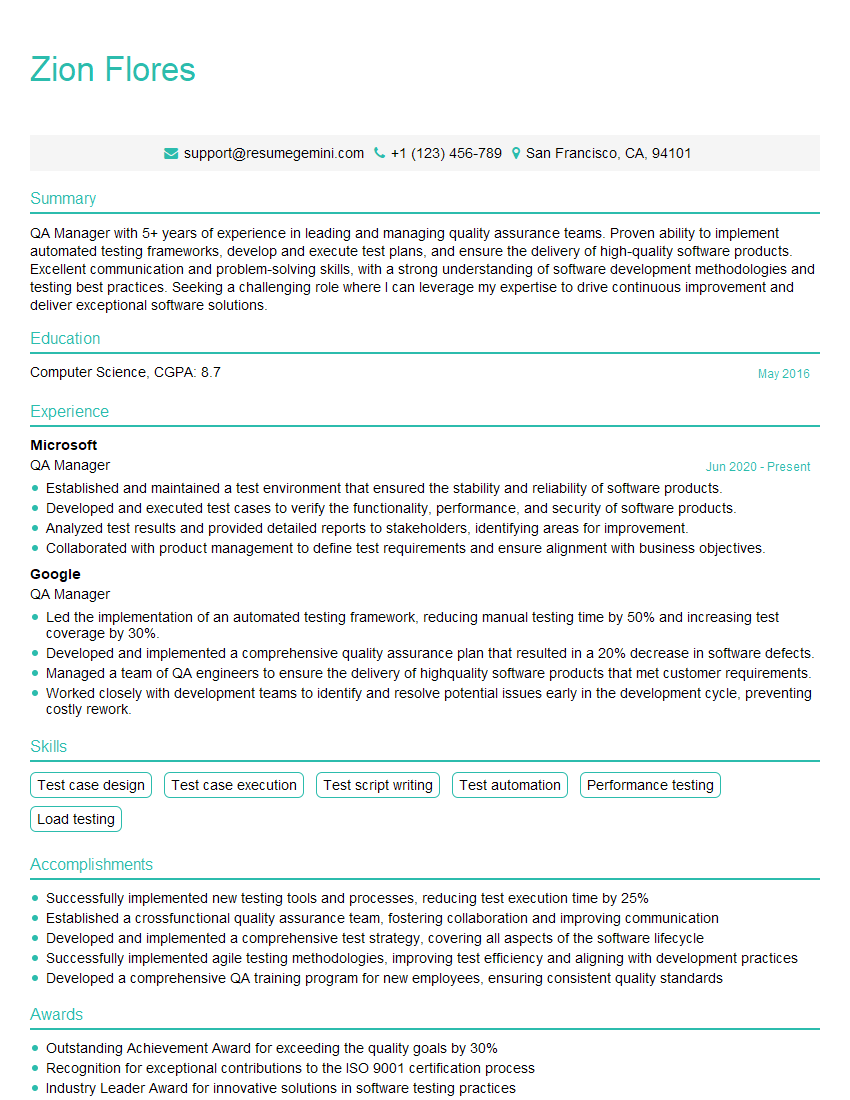
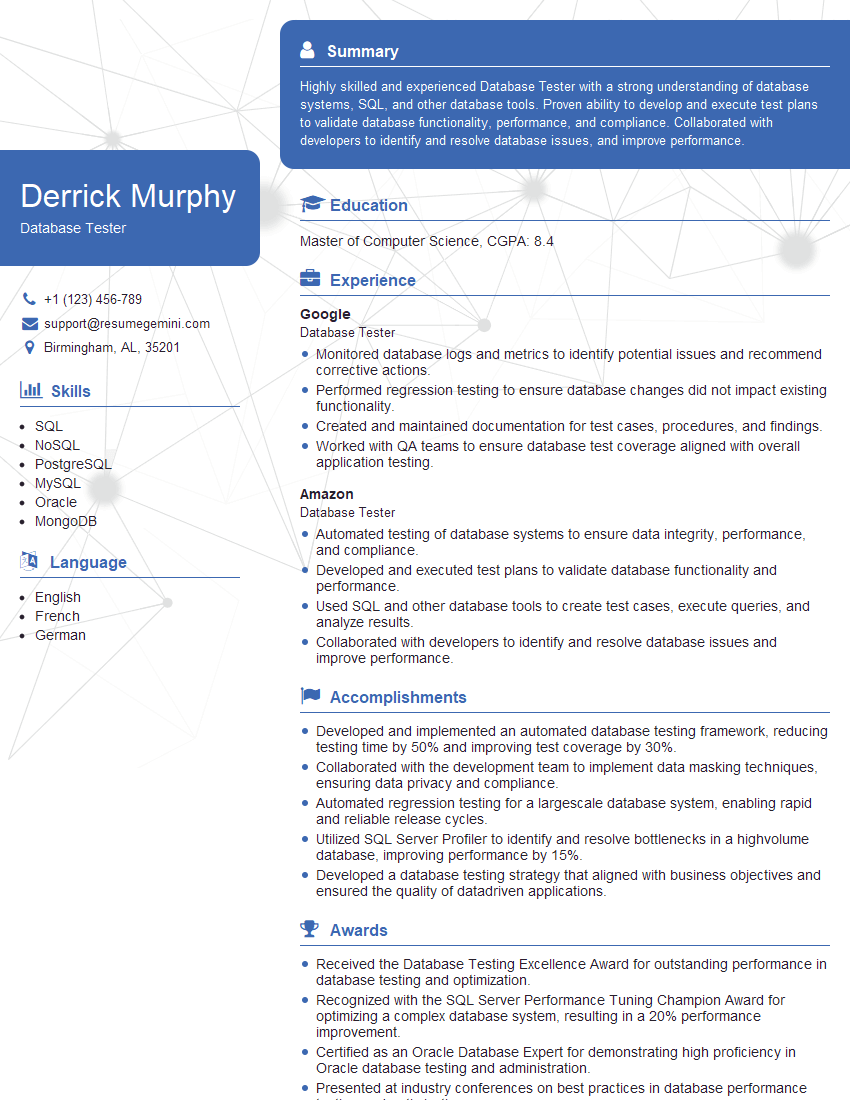
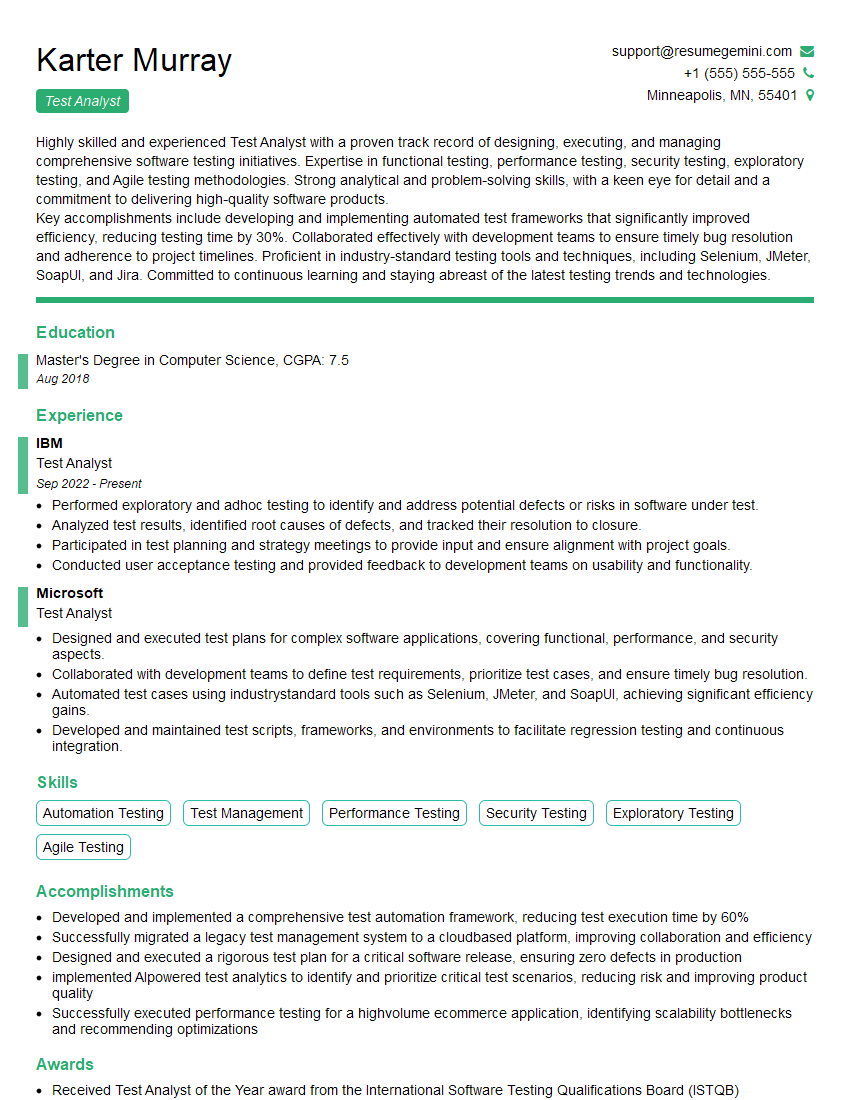
Earning your ISTQB Certified Tester certification significantly enhances your career prospects in software quality assurance. It demonstrates a solid foundation in testing principles and methodologies, making you a highly desirable candidate. To further boost your job search, creating a strong, ATS-friendly resume is crucial. This ensures your qualifications are effectively communicated to potential employers. We highly recommend using ResumeGemini, a trusted resource, to build a professional and impactful resume. ResumeGemini provides examples of resumes tailored to ISTQB Certified Tester professionals, offering valuable guidance in showcasing your skills and experience.

Explore more articles
Users Rating of Our Blogs
Share Your Experience
We value your feedback! Please rate our content and share your thoughts (optional).
What Readers Say About Our Blog
Very informative content, great job.
good