Preparation is the key to success in any interview. In this post, we’ll explore crucial IT and Network Administration interview questions and equip you with strategies to craft impactful answers. Whether you’re a beginner or a pro, these tips will elevate your preparation.
Questions Asked in IT and Network Administration Interview
Q 1. Explain the difference between TCP and UDP.
TCP (Transmission Control Protocol) and UDP (User Datagram Protocol) are both communication protocols used to transmit data over a network, but they differ significantly in how they handle data delivery. Think of it like sending a package: TCP is like using a courier service that guarantees delivery and provides tracking, while UDP is like sending a postcard – you hope it arrives, but there’s no guarantee.
- TCP: Connection-oriented – TCP establishes a connection between sender and receiver before transmitting data, ensuring reliable delivery. It uses acknowledgements (ACKs) to confirm receipt and retransmits lost packets. This makes it slower but more reliable, ideal for applications requiring data integrity like web browsing (HTTP) and email (SMTP).
- UDP: Connectionless – UDP doesn’t establish a connection; it simply sends data packets without confirmation of receipt. This makes it faster but less reliable. Lost packets are not retransmitted. It’s better suited for applications where speed is prioritized over reliability, such as online gaming (where a slight delay is preferable to waiting for retransmissions) and streaming video.
In short: TCP is reliable but slower; UDP is fast but unreliable. The choice depends on the application’s needs.
Q 2. What are the different layers of the OSI model?
The OSI (Open Systems Interconnection) model is a conceptual framework that standardizes the functions of a telecommunication or computing system without regard to its underlying internal structure and technology. It’s divided into seven layers, each with a specific function:
- Physical Layer: Deals with the physical transmission of data over a network medium (cables, wireless signals).
- Data Link Layer: Provides error-free transmission of data frames between two directly connected nodes. Examples include Ethernet and Wi-Fi.
- Network Layer: Responsible for routing data packets between networks. IP addresses are handled at this layer.
- Transport Layer: Provides end-to-end communication between applications. TCP and UDP operate at this layer.
- Session Layer: Manages connections between applications, including session establishment, management, and termination.
- Presentation Layer: Handles data formatting, encryption, and decryption.
- Application Layer: Provides network services to applications, such as HTTP, SMTP, and FTP.
Understanding the OSI model helps in troubleshooting network issues by isolating problems to specific layers. For instance, a physical layer issue might be a faulty cable, while a network layer issue could be an incorrect IP address configuration.
Q 3. Describe your experience with routing protocols (e.g., BGP, OSPF).
I have extensive experience with both BGP (Border Gateway Protocol) and OSPF (Open Shortest Path First) routing protocols.
- BGP: This is an exterior gateway protocol used for routing between autonomous systems (ASes) – essentially different networks owned and operated by different entities like ISPs. I’ve used BGP to configure and manage internet routing within a large enterprise network, ensuring optimal path selection and connectivity to various internet service providers. I’m familiar with BGP attributes like AS path, next-hop, and community lists, and have experience troubleshooting BGP convergence issues. For example, I once resolved a routing instability issue by identifying a faulty BGP peer relationship causing routing loops.
- OSPF: This is an interior gateway protocol used for routing within a single autonomous system. I’ve used OSPF extensively to design and implement efficient routing within our company’s internal network, using features like area segmentation and route summarization to optimize performance and scalability. I’ve also worked on configuring OSPF authentication to enhance security. A recent example involved optimizing OSPF routing within a large data center to improve application response times by implementing a hierarchical OSPF design.
My experience encompasses both configuration, monitoring, and troubleshooting these protocols, ensuring network stability and optimal performance.
Q 4. How do you troubleshoot network connectivity issues?
Troubleshooting network connectivity issues is a systematic process. My approach generally follows these steps:
- Identify the problem: Determine which devices or users are affected, the nature of the issue (e.g., no connectivity, slow speeds), and when the problem started.
- Gather information: Use diagnostic tools like
ping,traceroute,nslookup, and network monitoring tools to gather data. Check cable connections, device status lights, and error logs. - Isolate the problem: Determine if the problem is with the client, server, network infrastructure, or a specific component.
- Implement solutions: Based on the problem’s root cause, implement appropriate solutions. This might include restarting devices, configuring IP addresses, checking DNS settings, replacing faulty hardware, or implementing firewall rules.
- Verify the solution: After implementing a solution, verify that the connectivity issue is resolved and the network is stable.
- Document the solution: Document the troubleshooting steps and resolution for future reference.
For example, if a user reports no internet access, I might first check their computer’s network settings, then ping the default gateway, and then trace the route to an external website to pinpoint where the problem lies.
Q 5. What are your experiences with VLANs and subnetting?
VLANs (Virtual LANs) and subnetting are crucial for network segmentation and efficient IP address allocation.
- VLANs: I’ve extensively used VLANs to logically segment a network into smaller, isolated broadcast domains. This improves security by limiting the impact of broadcast storms and isolating traffic between different departments or groups. For example, I’ve implemented VLANs to separate the company’s guest Wi-Fi from its internal network. I’m familiar with configuring VLANs on switches and routers using protocols like 802.1Q.
- Subnetting: Subnetting allows breaking down a larger IP address range into smaller, manageable subnets. This enhances network efficiency, improves security, and simplifies IP address management. I’ve used subnetting to design and implement efficient IP addressing schemes for various network segments, ensuring optimal utilization of IP addresses and reducing administrative overhead. A practical example is using subnetting to create separate subnets for different departments, each with its own router and firewall, improving security and manageability.
Combining VLANs and subnetting allows for robust and flexible network design, enhancing both security and performance.
Q 6. Explain the concept of firewalls and their importance.
Firewalls are essential network security devices that control network traffic based on predefined rules. They act as a barrier between a trusted internal network and an untrusted external network (like the internet).
Their importance lies in their ability to:
- Prevent unauthorized access: Firewalls block malicious traffic attempting to access internal resources.
- Protect against malware: They can detect and block malicious code attempting to enter the network.
- Enforce security policies: Firewalls enforce network security policies by controlling access based on IP addresses, ports, and applications.
- Improve network performance: By filtering unnecessary traffic, they can improve network performance.
I have experience configuring and managing various types of firewalls, including stateful inspection firewalls and next-generation firewalls (NGFWs). I understand the importance of regularly updating firewall rules and firmware to address emerging security threats. A real-world example is implementing a firewall with intrusion detection and prevention capabilities to protect our network against advanced persistent threats (APTs).
Q 7. Describe your experience with network monitoring tools.
My experience with network monitoring tools is extensive. I’ve used a variety of tools to monitor network performance, availability, and security. Some examples include:
- Nagios/Icinga: These tools provide comprehensive network monitoring, alerting on critical events, and visualizing network health. I’ve used them to proactively identify and address potential issues before they affect users.
- Zabbix: A flexible monitoring solution that’s useful for both network and server monitoring. I’ve used it to track network bandwidth usage, device availability, and performance metrics.
- SolarWinds: A powerful suite of network monitoring tools covering various aspects of network management. I’ve used this for deep network performance analysis and troubleshooting.
- PRTG: A comprehensive network monitoring tool with a user-friendly interface. It provides real-time monitoring and alerting capabilities.
Selecting the right tool depends on the specific needs and scale of the network. My ability to effectively utilize these tools has been instrumental in maintaining network stability, optimizing performance, and proactively addressing security vulnerabilities.
Q 8. How do you ensure network security?
Network security is paramount, and my approach is multi-layered, employing a defense-in-depth strategy. Think of it like a castle with multiple walls and guards – each layer adds an extra level of protection.
Firewall Management: I meticulously configure firewalls (both hardware and software) to control network traffic, blocking unauthorized access and filtering malicious content. This involves defining strict rules based on IP addresses, ports, and protocols. For example, I’d block all inbound traffic on port 23 (Telnet) as it’s highly insecure.
Intrusion Detection/Prevention Systems (IDS/IPS): These systems actively monitor network traffic for suspicious activity, alerting me to potential threats and automatically blocking malicious attempts. I regularly review IDS/IPS logs to identify patterns and fine-tune their effectiveness.
Vulnerability Scanning and Penetration Testing: Regular vulnerability scans identify weaknesses in our systems, which I then address immediately. Penetration testing simulates real-world attacks to find exploitable vulnerabilities before malicious actors do.
Security Information and Event Management (SIEM): A SIEM system centralizes security logs from various sources, providing a comprehensive view of network activity. This allows for quicker identification and response to security incidents. I use SIEM tools to create dashboards that highlight critical security events.
User Education and Access Control: Educating users about security best practices, such as strong password policies and phishing awareness, is critical. Implementing robust access control measures, such as role-based access control (RBAC), ensures only authorized users can access sensitive data.
Regular Security Audits and Updates: Regular security audits ensure our security policies and procedures are effective and up-to-date. Promptly patching software vulnerabilities is crucial to prevent exploitation.
In a recent project, I implemented a multi-factor authentication (MFA) system, significantly improving our security posture against brute-force attacks and compromised credentials.
Q 9. What is your experience with DNS and DHCP?
DNS (Domain Name System) and DHCP (Dynamic Host Configuration Protocol) are fundamental network services. I possess extensive experience in their administration and troubleshooting.
DNS: I’m proficient in managing DNS servers, both internally (using BIND or Windows DNS) and externally (using cloud-based providers). I understand DNS record types (A, AAAA, CNAME, MX, etc.) and how they impact network functionality. I’ve handled complex DNS configurations, including load balancing and failover mechanisms to ensure high availability.
DHCP: My experience includes configuring and maintaining DHCP servers to automatically assign IP addresses, subnet masks, and other network parameters to devices. I’m familiar with DHCP scopes, reservations, and options. I’ve troubleshoot DHCP conflicts and implemented DHCP failover mechanisms to prevent service interruptions.
For example, I once resolved a network connectivity issue caused by a DNS server configuration error, effectively restoring access for over 100 users within an hour. This involved verifying DNS records, checking zone transfers, and applying the correct changes to resolve the issue and prevent future occurrences.
Q 10. Explain your experience with VPNs and remote access.
VPNs (Virtual Private Networks) and secure remote access are critical for securing remote workers and providing secure access to internal resources. I have a strong understanding of various VPN technologies and their implementation.
VPN Technologies: I have experience with various VPN protocols, including IPsec, SSL/TLS, and OpenVPN. I can configure and manage VPN gateways, both hardware-based and software-based solutions (like OpenVPN on a server or cloud-based VPN services). This includes setting up site-to-site and remote access VPNs.
Remote Access Solutions: I have experience deploying and managing secure remote access solutions using technologies like RDP, SSH, and VNC, always ensuring they’re protected by strong authentication and authorization mechanisms.
Security Considerations: I prioritize security when implementing VPNs and remote access, including strong authentication (MFA), encryption, and regular security audits to mitigate vulnerabilities.
In a previous role, I implemented a site-to-site VPN between our headquarters and a remote office, ensuring secure communication and data transfer between the two locations. This improved efficiency and enhanced the security posture of the network considerably. It also allowed seamless data sharing between locations using a secure and encrypted tunnel.
Q 11. Describe your experience with cloud computing platforms (e.g., AWS, Azure, GCP).
I have significant experience with major cloud computing platforms – AWS, Azure, and GCP. My work has spanned various services, including compute, storage, networking, and databases. I understand the architectural differences and strengths of each platform.
AWS: I’ve worked extensively with EC2 (virtual machines), S3 (object storage), RDS (relational databases), and VPC (virtual private clouds). I’m also familiar with various AWS security services such as IAM (Identity and Access Management) and CloudTrail.
Azure: My experience with Azure includes working with virtual machines (Azure VMs), Azure Blob Storage, Azure SQL Database, and Azure Virtual Networks. I understand Azure Active Directory and its role in security and identity management.
GCP: I have experience with Compute Engine (virtual machines), Cloud Storage, Cloud SQL, and Virtual Private Cloud (VPC) on Google Cloud Platform. I understand GCP’s security features, including Identity and Access Management (IAM).
For example, I migrated a client’s on-premise server infrastructure to AWS, resulting in significant cost savings and improved scalability. This involved careful planning, execution, and testing to ensure a seamless transition with minimal downtime.
Q 12. What is your experience with scripting languages (e.g., Python, PowerShell)?
Scripting languages are indispensable tools for automating tasks and improving efficiency in network administration. I’m proficient in both Python and PowerShell.
Python: I use Python for automating network tasks, such as network device configuration, data analysis from network monitoring tools, and creating custom network management scripts. For example, I’ve written Python scripts to automate the creation of virtual machines in AWS or Azure and to collect performance data from network devices.
PowerShell: PowerShell is my go-to scripting language for Windows-based systems. I leverage its cmdlets for managing Active Directory, configuring network services, and automating administrative tasks. I’ve used PowerShell to automate user account creation, group management, and report generation.
# Example PowerShell script to check disk space on servers: Get-WmiObject Win32_LogicalDisk | Where-Object {$_.DriveType -eq 3} | Select-Object DeviceID, @{Name = 'FreeSpaceGB'; Expression = {$_.FreeSpace / 1GB}}
This example demonstrates how I use PowerShell to efficiently gather information and manage system resources.
Q 13. How do you handle network outages and service interruptions?
Handling network outages and service interruptions requires a systematic and methodical approach. My process involves the following steps:
Identify the scope and impact: The first step is to quickly assess the extent of the outage—which systems or users are affected?
Gather information: Collect information from various sources, such as monitoring tools, user reports, and logs, to understand the root cause.
Isolate the problem: Identify the specific component causing the outage. This may involve checking network devices, servers, or applications.
Implement a solution: Depending on the nature of the problem, this could involve restarting a server, applying a patch, reconfiguring network devices, or contacting the relevant vendor for support.
Monitor and recover: Once a solution has been implemented, closely monitor the network to ensure the problem is resolved and services are restored. Document the process and lessons learned.
Post-incident analysis: After the issue is resolved, perform a post-incident analysis to identify the root cause, contributing factors, and opportunities for improvement. This helps to prevent similar incidents in the future.
For instance, I recently resolved a network outage caused by a faulty switch. By using network monitoring tools, I quickly identified the failing switch and replaced it with a backup, minimizing downtime.
Q 14. Explain your experience with network design and implementation.
Network design and implementation are crucial aspects of my expertise. My approach involves several key phases:
Requirements Gathering: I begin by thoroughly understanding the client’s needs and objectives. This involves discussions with stakeholders to define the network’s purpose, scale, and expected performance.
Network Design: Based on the requirements, I design the network architecture, selecting appropriate hardware and software components. This includes defining the network topology, addressing schemes, security measures, and redundancy plans.
Implementation: This phase involves configuring and deploying the network infrastructure, including routers, switches, firewalls, and servers. I meticulously test and verify each component to ensure proper functionality.
Documentation: Comprehensive documentation is crucial. I create detailed diagrams, configurations, and operational procedures to facilitate future maintenance and troubleshooting.
Testing and Validation: Thorough testing is essential to ensure the network meets the requirements and operates as intended. This includes performance testing, security testing, and failover testing.
I recently designed and implemented a new network infrastructure for a rapidly growing company. This involved migrating their existing infrastructure to a cloud-based solution, improving scalability, security, and cost efficiency. The project was successfully completed on time and within budget, resulting in significant improvements to the company’s IT operations.
Q 15. Describe your experience with different operating systems (e.g., Windows Server, Linux).
My experience spans a wide range of operating systems, primarily focusing on Windows Server and various Linux distributions. With Windows Server, I’ve extensively worked with versions from 2008 R2 through 2022, managing roles like Active Directory, DHCP, DNS, and file servers. I’m proficient in configuring and maintaining these servers for optimal performance and security, including implementing Group Policy Objects (GPOs) for streamlined administration.
On the Linux side, I have significant experience with CentOS, RHEL, and Ubuntu, leveraging them for roles such as web servers (Apache, Nginx), database servers (MySQL, PostgreSQL), and application servers. I’m comfortable managing these systems using both command-line interfaces and graphical tools. A recent project involved migrating a client’s legacy application from a Windows Server 2012 environment to a more cost-effective and scalable CentOS-based infrastructure, resulting in a 30% reduction in operational costs. I’m comfortable with scripting (Bash, PowerShell) to automate administrative tasks, enhancing efficiency and reducing human error.
Career Expert Tips:
- Ace those interviews! Prepare effectively by reviewing the Top 50 Most Common Interview Questions on ResumeGemini.
- Navigate your job search with confidence! Explore a wide range of Career Tips on ResumeGemini. Learn about common challenges and recommendations to overcome them.
- Craft the perfect resume! Master the Art of Resume Writing with ResumeGemini’s guide. Showcase your unique qualifications and achievements effectively.
- Don’t miss out on holiday savings! Build your dream resume with ResumeGemini’s ATS optimized templates.
Q 16. What is your experience with Active Directory?
My Active Directory experience is extensive, encompassing design, implementation, and maintenance of both small and large-scale domains. I’ve designed and implemented Active Directory forests and domains, delegated administrative roles using group policy, and managed user accounts, group memberships, and computer accounts. I’m proficient in troubleshooting common Active Directory issues such as replication problems, password resets, and account lockouts. I’ve also leveraged Active Directory’s capabilities for centralized authentication and authorization, integrating it with other systems like Exchange and SharePoint. For example, in a previous role, I redesigned a client’s Active Directory structure to improve performance and security, significantly reducing login times and enhancing overall user experience. This involved optimizing DNS settings, implementing site replication strategies, and enforcing strong password policies.
Q 17. Explain your experience with server virtualization technologies (e.g., VMware, Hyper-V).
I possess extensive experience with server virtualization technologies, primarily VMware vSphere and Microsoft Hyper-V. With VMware, I’ve managed vCenter Server, created and managed virtual machines (VMs), implemented resource pooling, configured high availability (HA) and DRS (Distributed Resource Scheduler) for optimal resource utilization. I’ve also worked with VMware vSAN for storage virtualization, significantly simplifying storage management. In Hyper-V, I’ve performed similar tasks, leveraging its features for creating and managing VMs, configuring virtual switches, and managing virtual disks. I’m familiar with the advantages and disadvantages of each platform and choose them based on the specific needs of the project and client. For instance, a recent project required migrating a client’s physical servers to a VMware vSphere environment. This involved careful planning, VM creation, testing, and migration to minimize downtime and ensure a seamless transition. This migration resulted in a 40% reduction in physical server footprint and a significant decrease in energy consumption.
Q 18. How do you perform regular backups and disaster recovery?
Regular backups and disaster recovery are paramount to maintaining business continuity. My approach involves a multi-layered strategy using different backup technologies and recovery methods. I typically employ a 3-2-1 backup strategy: three copies of data, on two different media, with one copy offsite. For instance, we might use a combination of local disk backups, network attached storage (NAS) backups, and cloud-based backups (e.g., Azure, AWS). These backups are scheduled regularly, often using differential or incremental backups to minimize storage space and backup time. For disaster recovery, we create and maintain detailed disaster recovery plans, including failover procedures, recovery time objectives (RTOs), and recovery point objectives (RPOs). We regularly test these plans to ensure their effectiveness. I’ve used various tools for backup and disaster recovery, including Veeam, Acronis, and Microsoft’s built-in backup solutions. In one instance, we successfully restored a client’s entire server environment within four hours after a catastrophic hardware failure, minimizing disruption to their business operations, showcasing the effectiveness of our meticulously tested DR plan.
Q 19. Describe your experience with network performance optimization.
Network performance optimization is crucial for maintaining a smooth and efficient IT infrastructure. My approach involves analyzing network traffic patterns, identifying bottlenecks, and implementing solutions to improve performance. This often starts with using monitoring tools like SolarWinds or PRTG to identify areas of concern. Analyzing network traffic patterns helps identify bandwidth hogs or applications causing latency. Common solutions include upgrading network hardware (switches, routers), optimizing network configurations (e.g., QoS settings), and implementing traffic shaping techniques. Furthermore, implementing network segmentation to isolate critical applications and improving routing protocols contributes to performance improvements. In a previous role, I improved network performance by 25% by optimizing network configurations and implementing QoS policies, leading to faster application response times and improved user experience.
Q 20. What is your experience with IT security best practices?
IT security is a top priority in my work. My experience covers implementing and maintaining a robust security posture based on industry best practices. This includes implementing firewalls, intrusion detection/prevention systems (IDS/IPS), and regularly updating software and firmware to patch vulnerabilities. I’m skilled in designing and implementing security policies that align with industry standards and regulatory compliance requirements (e.g., HIPAA, PCI DSS). Regular security audits and penetration testing are crucial aspects of ensuring our defenses are effective. Multi-factor authentication (MFA) and robust password policies are essential, as is employee security awareness training. For example, a recent project involved implementing a zero-trust security model for a client, significantly enhancing their security posture and reducing the risk of cyberattacks. This involved implementing MFA across all systems and deploying advanced threat protection solutions.
Q 21. Explain your experience with troubleshooting hardware issues.
Troubleshooting hardware issues requires a systematic and methodical approach. It often starts with identifying the symptoms, such as error messages, system crashes, or slow performance. Then, I proceed with a process of elimination using various diagnostic tools. This might involve checking hardware connections, using diagnostic utilities (e.g., chkdsk for disk errors, memtest86+ for RAM issues), and examining system logs for clues. In some cases, replacing faulty components may be necessary. I have experience troubleshooting various hardware issues, including failing hard drives, RAM problems, and network interface card (NIC) issues. For instance, recently, a server experienced frequent crashes. Through a series of tests, we isolated the problem to a failing power supply. Replacing the power supply resolved the issue immediately, preventing costly downtime. Documentation is vital for troubleshooting, allowing efficient tracking and future reference.
Q 22. Describe your experience with managing IT budgets.
Managing IT budgets requires a strategic approach that balances immediate needs with long-term planning. It’s not just about tracking expenses; it’s about aligning technology investments with business goals. My experience involves creating detailed budgets, forecasting future needs based on growth projections and technological advancements, and justifying expenditures to upper management.
For instance, in my previous role at Acme Corp, I developed a three-year IT budget that included phased rollout of new servers, network upgrades, and employee training. I justified the cost of a new cloud-based storage solution by demonstrating its ROI through reduced hardware costs and improved data security. This involved presenting a detailed cost-benefit analysis, highlighting cost savings and potential risks of not upgrading.
Regular monitoring and reconciliation are key. I use budgeting software to track spending against the budget, identify variances, and take corrective actions. This proactive approach ensures that the budget remains on track and that resources are allocated effectively.
Q 23. How do you prioritize tasks and manage your workload?
Prioritizing tasks and managing workload effectively is crucial in IT, where demands are often urgent and varied. I utilize a combination of techniques, including task prioritization matrices (like Eisenhower’s Urgent/Important matrix), Agile methodologies, and Kanban boards.
The Eisenhower Matrix helps me categorize tasks based on urgency and importance, ensuring critical tasks are addressed first. For larger projects, I utilize Agile principles, breaking down complex tasks into smaller, manageable units (sprints) and frequently reviewing progress. Kanban boards provide a visual representation of the workflow, allowing me to track progress and identify potential bottlenecks.
For example, if I have a critical server outage and a scheduled software update, I’d prioritize the outage resolution immediately using the Eisenhower Matrix. Then, I’d schedule the update for a less critical time, potentially after hours, to minimize disruption. Careful time management and clear communication with stakeholders are also vital to ensure everyone is aware of priorities and deadlines.
Q 24. Explain your experience with project management methodologies.
My experience encompasses various project management methodologies, including Agile (Scrum and Kanban), Waterfall, and hybrid approaches. The choice of methodology depends on the project’s scope, complexity, and client requirements.
I’ve successfully led projects using Scrum, employing daily stand-up meetings to track progress, sprint reviews to demonstrate working software, and retrospectives to identify areas for improvement. In projects with well-defined requirements and minimal anticipated changes, the Waterfall method has been appropriate. However, for many IT projects, a hybrid approach is most effective, leveraging the flexibility of Agile for ongoing development and the structure of Waterfall for initial planning and requirements gathering.
For example, when implementing a new network infrastructure, I used a hybrid approach. The initial design and procurement were managed using a Waterfall methodology to ensure a solid foundation. The subsequent configuration and testing phases were implemented using Agile sprints to accommodate adjustments based on testing results and feedback.
Q 25. Describe a time you had to solve a complex network problem.
In my previous role, we experienced a significant network outage affecting a crucial business application. Initial troubleshooting pointed towards a faulty router, but replacing it didn’t resolve the issue. This highlighted the need for a more systematic approach.
I initiated a structured troubleshooting process: First, I isolated the affected area using ping and traceroute commands (ping 192.168.1.1, traceroute google.com). This helped pinpoint the problem to a specific VLAN. Next, I checked network logs for any errors or unusual activity. I discovered inconsistencies in the VLAN configuration, revealing a misconfiguration that was causing packets to be dropped.
Step-by-step, I corrected the misconfiguration, verified connectivity using various diagnostic tools, and implemented temporary workarounds to minimize disruption while the root cause was being identified and fixed. The issue was resolved efficiently, minimizing downtime and demonstrating my ability to quickly analyze and resolve complex network problems under pressure.
Q 26. What are your strengths and weaknesses in IT and network administration?
My strengths lie in my problem-solving abilities, strong technical skills, and proactive approach to system maintenance. I’m highly proficient in network troubleshooting, possess a solid understanding of various operating systems (Windows Server, Linux), and am experienced with virtualization technologies (VMware, Hyper-V). I excel at communicating technical information clearly and effectively to both technical and non-technical audiences.
One area for improvement is delegation. While I’m capable of handling a wide range of tasks independently, I recognize the value of effective delegation to empower team members and improve overall efficiency. I’m actively working on improving my delegation skills through targeted training and by consciously seeking opportunities to delegate tasks within my current projects.
Q 27. Where do you see yourself in five years?
In five years, I envision myself as a senior IT administrator or a team lead, mentoring and guiding junior colleagues. I aim to expand my expertise in cloud technologies (AWS, Azure) and cybersecurity, aligning my skills with the evolving technological landscape. I’m keen to contribute to a larger organization, taking on more responsibility and contributing to strategic IT initiatives.
Continuous professional development is vital in this field. I plan to pursue relevant certifications, such as those offered by AWS or CompTIA, to enhance my skills and remain at the forefront of industry best practices.
Q 28. Why are you interested in this position?
I’m highly interested in this position because it offers an opportunity to leverage my skills and experience in a challenging and rewarding environment. The opportunity to work with [mention specific technologies or projects mentioned in the job description] particularly excites me. Furthermore, I’m impressed by [mention company’s mission, values, or culture that resonates with you]. This role aligns perfectly with my career aspirations and offers a platform for professional growth and development within a company that values innovation and teamwork.
Key Topics to Learn for IT and Network Administration Interview
- Networking Fundamentals: Understanding TCP/IP model, subnetting, routing protocols (e.g., BGP, OSPF), and network topologies. Practical application: Troubleshooting network connectivity issues, designing efficient network layouts.
- Operating Systems (OS): Proficiency in at least one major OS (e.g., Windows Server, Linux) including installation, configuration, user management, and security best practices. Practical application: Implementing and managing user accounts, configuring security policies, troubleshooting OS errors.
- Network Security: Knowledge of firewalls, intrusion detection/prevention systems (IDS/IPS), VPNs, and security protocols (e.g., SSL/TLS). Practical application: Implementing security measures to protect network infrastructure, responding to security incidents.
- Virtualization and Cloud Computing: Understanding concepts like virtual machines (VMs), hypervisors, cloud platforms (e.g., AWS, Azure, GCP), and cloud security. Practical application: Deploying and managing VMs, migrating workloads to the cloud, optimizing cloud resource utilization.
- Troubleshooting and Problem Solving: Developing systematic approaches to diagnosing and resolving network and system issues. Practical application: Utilizing diagnostic tools, analyzing log files, implementing effective troubleshooting methodologies.
- Scripting and Automation: Familiarity with scripting languages (e.g., Python, PowerShell) for automating tasks and managing IT infrastructure. Practical application: Automating repetitive tasks, creating monitoring scripts, improving operational efficiency.
- Data Backup and Recovery: Understanding backup strategies, recovery procedures, and disaster recovery planning. Practical application: Implementing robust backup solutions, testing recovery plans, ensuring business continuity.
Next Steps
Mastering IT and Network Administration opens doors to exciting and rewarding career paths, offering opportunities for continuous learning and professional growth. A strong foundation in these skills makes you a highly sought-after professional. To maximize your job prospects, creating an ATS-friendly resume is crucial. ResumeGemini is a trusted resource that can help you build a professional and impactful resume tailored to the IT and Network Administration field. We provide examples of resumes specifically designed for this area to guide you through the process. Invest time in crafting a compelling resume that showcases your skills and experience – it’s your first impression to potential employers.

Security Engineer Resume Sample

Systems Analyst Resume Sample

Network Administrator Resume Sample

Network Engineer Resume Sample

Network Security Engineer Resume Sample
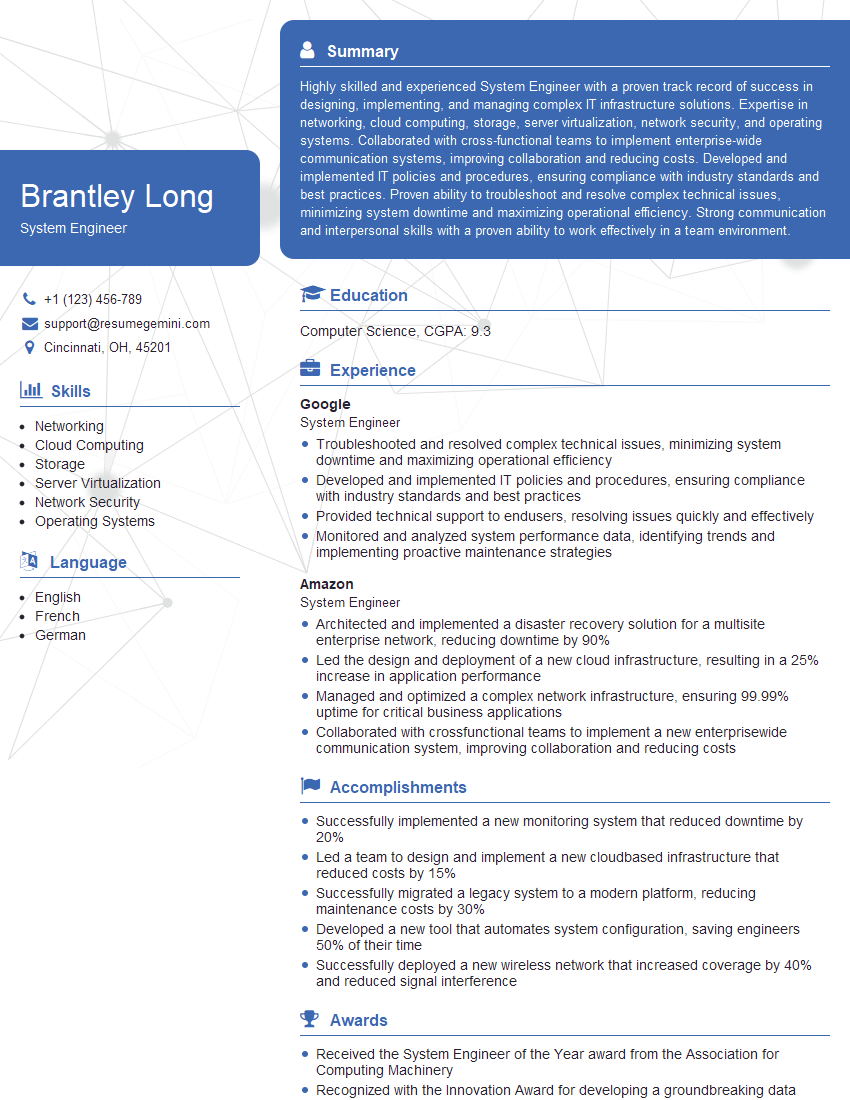
System Engineer Resume Sample

Network Technician Resume Sample

Network Architect Resume Sample

Help Desk Analyst Resume Sample
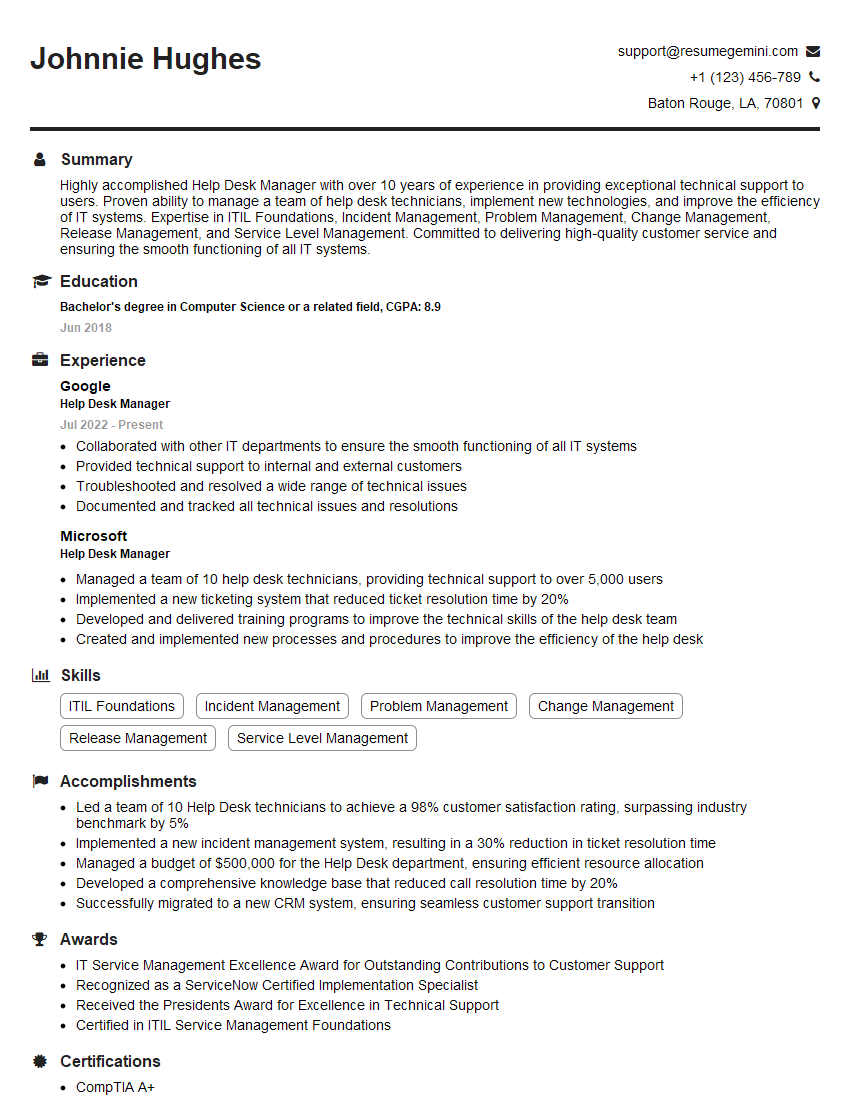
Help Desk Manager Resume Sample

IT Manager Resume Sample

IT Project Manager Resume Sample

IT Support Specialist Resume Sample

Database Administrator Resume Sample

DevOps Engineer Resume Sample

Cloud Architect Resume Sample

Cloud Engineer Resume Sample
- Security Engineer
- Systems Analyst
- Network Administrator
- Network Engineer
- Network Security Engineer
- System Engineer
- Network Technician
- Network Architect
- Help Desk Analyst
- Help Desk Manager
- IT Manager
- IT Project Manager
- IT Support Specialist
- Database Administrator
- DevOps Engineer
- Cloud Architect
- Cloud Engineer
Explore more articles
Users Rating of Our Blogs
Share Your Experience
We value your feedback! Please rate our content and share your thoughts (optional).
What Readers Say About Our Blog
Very informative content, great job.
good