Are you ready to stand out in your next interview? Understanding and preparing for knowledge of digital printing technologies interview questions is a game-changer. In this blog, we’ve compiled key questions and expert advice to help you showcase your skills with confidence and precision. Let’s get started on your journey to acing the interview.
Questions Asked in knowledge of digital printing technologies Interview
Q 1. Explain the difference between offset and digital printing.
Offset printing and digital printing are fundamentally different in their printing methods. Offset printing is an analog process that uses plates to transfer ink onto a rubber blanket, which then transfers the ink to the substrate (paper, etc.). Think of it like a sophisticated stamping process. This indirect transfer allows for high-volume, consistent printing with excellent print quality. Digital printing, on the other hand, is a digital process where the image is printed directly onto the substrate using an electronic process. It’s like having a high-resolution inkjet printer, but on a much larger scale.
The key difference lies in the method of image transfer and the volume of prints produced. Offset is ideal for large print runs due to its efficiency, while digital excels in short runs and personalized printing because it bypasses the need for plates and setup.
Q 2. What are the advantages and disadvantages of digital printing compared to traditional methods?
Digital printing offers several significant advantages over traditional offset printing, especially for certain applications. For example, the ability to print on demand eliminates the need for large upfront investments in inventory and minimizes waste. It allows for personalized printing, such as variable data printing (VDP) where each print can have unique content. Digital also offers faster turnaround times, as there’s no platemaking involved.
- Advantages: On-demand printing, personalization, faster turnaround, lower setup costs, cost-effective for short runs.
- Disadvantages: Generally higher cost per print for large runs, sometimes lower print resolution compared to high-quality offset, potential for inconsistencies in color across a large print run (though this is mitigated by careful color management), and often more limited in substrate options.
Imagine needing 50 personalized birthday cards – digital printing would be far more efficient. But for printing a million brochures, offset printing would be significantly more cost-effective.
Q 3. Describe your experience with different digital printing technologies (e.g., inkjet, toner-based).
My experience spans both inkjet and toner-based digital printing technologies. Inkjet utilizes tiny nozzles to spray liquid ink onto the substrate. This offers excellent color gamut and image quality, especially with newer technologies like UV inkjet, which delivers vibrant colors and durable prints. I’ve worked extensively with various inkjet systems, from small-format printers for proofs and personalized items to large-format printers for signage and banners.
Toner-based printing, commonly used in electrophotographic printers (like those found in many office environments but scaled up for professional printing), uses powdered toner that’s fused to the substrate using heat. It is generally known for producing sharper text and fine details, making it a suitable choice for documents, marketing materials, and even some packaging applications. I have considerable experience in optimizing toner-based presses for high-volume output and consistent color reproduction.
My experience also includes working with different printer manufacturers, allowing me to navigate the unique functionalities and challenges each system presents.
Q 4. How do you ensure color accuracy and consistency in digital printing?
Ensuring color accuracy and consistency is paramount in digital printing. This relies heavily on robust color management practices throughout the entire workflow. It starts with using a calibrated monitor and specifying the correct color profile for the project in design software. Color calibration tools are essential here. Next, using a spectrophotometer to measure the color output of the printer is crucial for generating accurate color profiles specific to that particular machine and substrate. Regular cleaning of print heads (for inkjet) or maintaining the toner system (for toner-based) is also vital for maintaining consistency. Finally, proofing is a critical step; using soft proofs and hard proofs to verify colors before committing to a large print run.
By combining these approaches we can ensure the printed output accurately reflects the designed colors.
Q 5. What color profiles are you familiar with (e.g., sRGB, Adobe RGB, ISO Coated)?
I’m familiar with a wide range of color profiles, including:
- sRGB: A standard RGB color space widely used on the web and for many digital displays. It’s a good starting point for many projects but has limitations in representing the full range of colors visible to the human eye.
- Adobe RGB (1998): A wider gamut RGB color space than sRGB, capturing a broader spectrum of colors, useful for high-quality image reproduction and print.
- ISO Coated v2 (ISO 12647-2): A standard CMYK color profile specifically designed for coated offset printing paper; however, it is also often used as a reference point for digital print jobs to ensure consistent color reproduction between offset and digital outputs.
- Other profiles: I also have experience with various other profiles, including those specific to certain printers, substrates, and industry standards. The correct choice depends heavily on the final output method and intended viewing conditions.
Q 6. Explain your understanding of color management workflows.
Color management workflows are crucial for ensuring accurate color reproduction. It’s a multi-step process that involves careful consideration of each stage of the printing process. This starts with profiling the monitor, ensuring that what you see on-screen is what you get printed. Then we define the target color profile for the output device (printer) and media (paper type). This often involves using a spectrophotometer to accurately measure and create or select the appropriate ICC profile. Color transformation occurs during the printing process, converting the design’s color values to values usable by the chosen printing system. Finally, soft proofs and hard proofs are compared to the original artwork to ensure accurate color rendering before moving to full production.
A streamlined workflow is essential to avoid costly reprints due to color discrepancies. Consider it like baking a cake – each ingredient and step matters to get the desired outcome.
Q 7. Describe your experience with pre-press processes.
My pre-press experience encompasses all stages leading up to the actual printing. This involves receiving design files, checking for proper resolution and color mode, verifying the artwork for bleed and margins, and creating imposition layouts where necessary. I’m proficient in using software like Adobe Acrobat, Photoshop, and Illustrator, along with specialized pre-press software for tasks such as color separation, trapping, and imposition, to create printer-ready files. I understand the importance of careful file preparation to ensure a smooth and efficient printing process. For example, a small oversight like missing bleed can lead to unacceptable white borders on the final printed material. A key responsibility is to identify any potential issues before printing to avoid costly delays or reprints.
Q 8. What software are you proficient in for digital printing (e.g., RIP software, Adobe Creative Suite)?
My proficiency in digital printing software spans a broad range, encompassing both RIP software and the Adobe Creative Suite. For RIP software, I’m highly experienced with Onyx Thrive and EFI Fiery, two industry-leading solutions known for their powerful color management and job processing capabilities. I’m adept at utilizing their features for accurate color profiles, efficient workflow management, and precise output control. Within the Adobe Creative Suite, my expertise lies primarily in Adobe Photoshop, Illustrator, and InDesign. I leverage these tools for pre-press preparation, image manipulation, vector art creation, and complex layout designs specifically for print production. For example, I regularly use Photoshop’s advanced features like color correction and image sharpening to ensure optimal print quality, while Illustrator allows me to create precise vector graphics for logos and intricate designs that scale without losing resolution. InDesign is my go-to application for creating multi-page documents such as brochures and booklets, ensuring accurate imposition and bleed settings before sending the file to the RIP for printing.
Q 9. How do you troubleshoot common digital printing problems (e.g., banding, color inconsistencies)?
Troubleshooting digital printing problems requires a systematic approach. Let’s take two common issues: banding and color inconsistencies. Banding, those unsightly horizontal streaks across a print, often stems from issues with the print head, ink delivery system, or the RIP settings. My troubleshooting starts with checking the print head for clogs – a simple cleaning or replacement might solve it. Next, I’d examine the ink supply and ensure even pressure and flow. Incorrect RIP settings, such as insufficient dithering, can also cause banding, which I would then adjust accordingly.
Color inconsistencies, on the other hand, can have several root causes. One possibility is an inaccurate color profile. I address this by verifying the color profile is correctly assigned to the specific printer and substrate and creating a new profile if needed through spectrophotometer readings. Another common source is incorrect calibration of the printer itself, so I’d recalibrate the printer using test prints and color targets. Substrate inconsistencies (differences in paper texture, for example) can also impact color; this necessitates using a substrate-specific color profile. Finally, incorrect settings in the design file itself could lead to color mismatch; this is why I stress meticulous pre-press preparation.
Q 10. What is your experience with different printing substrates (e.g., paper, vinyl, fabric)?
My experience with various printing substrates is extensive. I’ve worked with a wide range of paper types, from standard offset to specialty papers like textured or metallic stocks. Understanding the characteristics of each paper type—its absorbency, surface texture, and weight—is crucial for achieving optimal print quality. With vinyl, I have experience with various films – monomeric, polymeric, and cast – and I select the appropriate film based on the application (short-term signage versus long-term vehicle wraps). Working with fabrics requires a completely different approach, as I need to consider factors like fabric type (cotton, polyester, etc.), weave structure, and the ink’s compatibility. For example, sublimation printing onto polyester fabrics involves a dye-sublimation process, requiring a specialized printer and ink. Choosing the right substrate is just as important as the design; the properties of the chosen material will significantly impact the final product’s look, feel, and longevity.
Q 11. Explain your understanding of print finishing techniques (e.g., cutting, binding, laminating).
Print finishing techniques are essential for producing professional-quality printed materials. Cutting involves precision trimming to size using guillotines, die-cutting machines, or even laser cutting for intricate shapes. This is crucial for ensuring neat, accurate edges on business cards, labels, or posters. Binding methods, like saddle-stitch (stapling), perfect binding (for books), or wire-O binding (for notebooks), are crucial for creating well-bound documents. Laminating provides a protective layer to printed materials, increasing durability and resistance to water and scratches. I have significant experience with both gloss and matte laminates and also understand specialized options like UV coating, which provides a high-gloss finish and added protection.
Q 12. How do you manage print jobs and ensure timely delivery?
Efficient print job management is critical for meeting deadlines. I utilize project management software to track jobs from initial order placement to final delivery. This software allows me to schedule jobs, assign tasks, monitor progress, and identify potential bottlenecks. Close communication with clients is vital, especially to confirm artwork details, delivery times, and to address any queries. I use a standardized workflow system and meticulously document each step of the process to maintain efficiency, accuracy, and accountability. For instance, before initiating a large print run, I conduct thorough pre-flight checks on the design file to prevent costly errors, and I always confirm material availability to avoid project delays. A well-organized approach eliminates delays and ensures timely delivery.
Q 13. Describe your experience with print quality control and inspection methods.
Print quality control is an ongoing process, not just a final step. I begin with pre-flight checks to scrutinize the design file for errors in color, resolution, and bleed. Following the print run, I conduct a thorough visual inspection of a sample print to check for color accuracy, sharpness, and registration. For precise measurements, I use a spectrophotometer to measure color values and ensure they meet the client’s specifications and our standards. Any inconsistencies or defects are documented and rectified before proceeding with the entire print job. A systematic quality control process ensures consistently high-quality output and client satisfaction. For instance, I maintain detailed records of all quality control checks to trace issues back to their source and implement preventative measures.
Q 14. What is your experience with large-format printing?
I have extensive experience in large-format printing, working with printers capable of handling prints up to 60 inches wide. This involves working with substrates like vinyl banners, fabrics for trade show displays, and large-scale posters. Large-format printing presents unique challenges, such as managing large files, dealing with potential print head alignment issues over the entire print width, and handling the logistics of transporting and installing large prints. I’m proficient in using specialized RIP software to process large files efficiently, and I understand the specific color management requirements for large-format printing to ensure consistent color across large surfaces. I’ve worked on projects involving the printing of outdoor signage, vehicle wraps, and event graphics. Understanding the durability requirements for such projects (UV resistance, for example) is crucial, and my experience encompasses selecting appropriate inks and substrates for the intended environment and longevity of the print.
Q 15. How familiar are you with different ink types (e.g., UV, Latex, Aqueous)?
My familiarity with different ink types is extensive. I’ve worked extensively with UV, Latex, and Aqueous inks, understanding their unique properties and applications. Let’s break them down:
- UV (Ultraviolet) Inks: These inks cure instantly upon exposure to UV light. This results in incredibly durable prints, resistant to scratching and fading, ideal for applications requiring high longevity like outdoor signage or durable packaging. The curing process also allows for immediate handling, boosting production speed. However, they can be more expensive and require specialized equipment.
- Latex Inks: Latex inks cure through a heat process, resulting in prints that are also durable, water-resistant, and flexible. They’re a popular choice for applications like wallpaper, banners, and fine art reproductions because of their vibrant colours and relatively low odour, making them suitable for indoor environments. They strike a good balance between cost and quality.
- Aqueous Inks: These water-based inks are eco-friendly and produce vibrant prints on a variety of media. They’re a cost-effective option suitable for many indoor applications such as posters and brochures. However, their durability is lower compared to UV or Latex inks, making them less suitable for outdoor applications.
Choosing the right ink type is crucial. The choice depends heavily on the substrate, the intended use of the printed material, the required print durability, and budget considerations. For example, I wouldn’t recommend aqueous inks for a billboard intended to withstand harsh weather conditions.
Career Expert Tips:
- Ace those interviews! Prepare effectively by reviewing the Top 50 Most Common Interview Questions on ResumeGemini.
- Navigate your job search with confidence! Explore a wide range of Career Tips on ResumeGemini. Learn about common challenges and recommendations to overcome them.
- Craft the perfect resume! Master the Art of Resume Writing with ResumeGemini’s guide. Showcase your unique qualifications and achievements effectively.
- Don’t miss out on holiday savings! Build your dream resume with ResumeGemini’s ATS optimized templates.
Q 16. How do you manage print costs effectively?
Managing print costs effectively requires a multi-pronged approach. It’s not just about the ink; it’s about optimizing the entire process.
- Ink Management: Accurate colour profiling and efficient ink usage are key. This involves regularly calibrating the printer, using the correct ICC profiles for the specific substrate and ink combination, and monitoring ink consumption to identify any potential leaks or inefficiencies. We also need to consider the cost per milliliter and compare different ink options for similar results.
- Media Selection: Choosing the right media impacts cost significantly. Using lower-cost substrates when appropriate can reduce expenses without compromising quality too much. The choice would depend upon the specific application requirements and intended use of the final product.
- Workflow Optimization: Streamlining the pre-press process, minimizing waste through efficient nesting techniques, and avoiding reprints due to errors are crucial. Implementing a robust quality control system at each step of the process dramatically reduces wasted materials and time.
- Maintenance: Regular preventative maintenance minimizes downtime and reduces the risk of costly repairs. A well-maintained machine will always yield improved efficiency and reduced waste.
- Negotiation with Suppliers: Building strong relationships with suppliers allows for negotiating favorable pricing on inks and media.
For instance, in a recent project, we reduced print costs by 15% by switching to a slightly less expensive, yet equally effective, substrate and by optimizing the nesting of the print jobs.
Q 17. How do you maintain and troubleshoot digital printing equipment?
Maintaining and troubleshooting digital printing equipment is a critical aspect of my role. It involves a combination of preventative maintenance and reactive troubleshooting.
- Preventative Maintenance: This includes regularly cleaning the printheads, replacing worn parts according to the manufacturer’s schedule, and performing routine checks on all system components. This proactive approach significantly extends the lifespan of the equipment and minimizes unexpected breakdowns.
- Reactive Troubleshooting: When issues arise, a systematic approach is essential. I start by identifying the problem – is it a banding issue, poor colour registration, or a paper jam? Then, I consult the machine’s diagnostic tools and manuals, often reviewing log files and error codes to pinpoint the root cause. This might involve checking for clogs in the ink system, recalibrating the printheads, or addressing any software-related glitches.
- Problem-Solving Techniques: I use a methodical approach, starting with the simplest solutions and progressing to more complex ones. I also use a combination of technical documentation and online forums to find solutions for uncommon problems and leverage the knowledge of experienced technicians when necessary.
For example, recently we experienced banding on a large print run. After systematically checking the ink supply, printhead alignment, and media, we traced the problem to a slightly worn-out printhead wiper. Replacing it immediately resolved the issue and prevented further waste.
Q 18. Explain your understanding of print resolution and DPI.
Print resolution refers to the sharpness and detail in a printed image. It’s determined by the number of dots per inch (DPI) or pixels per inch (PPI) used to create the image. DPI specifically relates to the physical dots of ink placed on the paper, while PPI relates to the digital representation of the image on screen. Higher DPI/PPI generally translates to a sharper, more detailed image. However, increasing DPI indefinitely isn’t always beneficial; it can also increase print time and cost without a noticeable improvement in quality, particularly when the original image doesn’t have sufficient resolution.
Think of it like building with LEGOs: a higher DPI is like using smaller LEGO bricks. You can create more intricate details, but you need more bricks (ink) and more time to assemble (print).
In practice, understanding DPI is crucial for selecting appropriate settings for different applications. For instance, a high-resolution print (300 DPI or more) might be essential for a high-quality fine art print, while a lower resolution (150 DPI) might suffice for a large-format banner viewed from a distance. Knowing the limitations of both the digital file and the printing equipment is vital in managing expectations and achieving the best possible print quality within the project’s constraints.
Q 19. How do you handle customer requests and manage expectations?
Handling customer requests and managing expectations involves clear communication and a collaborative approach.
- Active Listening: I start by carefully listening to the client’s needs, asking clarifying questions to understand their vision and expectations. This ensures I capture every detail, from the type of material and the preferred print quality to the overall design concept.
- Realistic Expectations: I then offer guidance based on my expertise, advising on the feasibility of the project and potential limitations, including budget, turnaround time, and technical constraints. This transparent communication prevents misunderstandings and sets realistic expectations upfront.
- Proofing and Collaboration: I provide digital proofs for client review and approval, allowing them to see exactly what the final product will look like before going to print. This iterative process enables adjustments and refinements based on the client’s feedback, ensuring complete satisfaction.
- Open Communication: Throughout the entire process, I maintain open and consistent communication with the client, providing regular updates and addressing any concerns promptly. This builds trust and strengthens the client relationship.
For example, I recently worked with a client who wanted a very large, high-resolution outdoor banner with a specific type of material and colour scheme. I advised them about the feasibility of achieving the exact colour match they desired with this type of material, and after showing them some test print options, we were able to find a solution that satisfied both their expectations and technical possibilities.
Q 20. What is your experience with different file formats used in digital printing?
My experience with file formats used in digital printing is broad, encompassing various vector and raster formats. Understanding the strengths and weaknesses of each format is crucial for efficient workflow.
- Vector Formats (e.g., .AI, .EPS, .SVG): These formats are resolution-independent, meaning they can be scaled to any size without losing quality. They are ideal for logos, typography, and illustrations where sharp lines and clean edges are essential. Vector files are particularly useful for large format printing as they avoid pixelation.
- Raster Formats (e.g., .TIFF, .JPEG, .PNG): These formats are resolution-dependent, meaning they consist of a grid of pixels. The quality degrades when scaled up. The choice between these formats depends on the image’s specifics. TIFF is generally preferred for its high quality and ability to retain colour information, while JPEG is a more compact format, suitable for images that don’t require the highest quality. PNG is good for images with transparent backgrounds.
It’s important to note that while various formats exist, ensuring the images have sufficient resolution for the print application is critical. A low-resolution image will look pixelated even if it’s in a vector format. I always check the resolution and colour profile of incoming files to prevent print quality issues. In case of substandard files, I will collaborate with the client to find a suitable solution, whether through obtaining higher-resolution images or optimizing the existing files.
Q 21. Describe your approach to problem-solving in a digital printing environment.
My approach to problem-solving in a digital printing environment is systematic and data-driven. I follow these steps:
- Problem Definition: Clearly define the problem – what is malfunctioning? What are the symptoms? When did it start? Gathering all relevant information from various sources is the first step.
- Data Collection: Collect relevant data to diagnose the problem. This involves checking error messages, logs, printer settings, and ink levels. Physical inspection of the machine may also be necessary.
- Hypothesis Generation: Develop potential explanations for the problem based on the collected data. It could be a hardware issue, a software glitch, a media incompatibility, or a combination of factors.
- Testing and Verification: Test the hypotheses through systematic experimentation. This might involve isolating components, adjusting settings, or conducting print tests with different media. Document each step and the result.
- Solution Implementation: Implement the solution that effectively resolves the problem. This could be a hardware repair, software update, or a change in the print settings.
- Documentation and Prevention: Document the problem, the troubleshooting steps, and the solution. This knowledge base helps prevent similar problems in the future.
For example, if I encounter a recurring paper jam, I might systematically check the paper path for obstructions, adjust the paper feed rollers, and examine the paper itself for any irregularities. By documenting the solution, I can prevent similar incidents later and possibly advise improvements to the overall workflow.
Q 22. Explain your experience with print workflow automation.
Print workflow automation is crucial for efficiency and accuracy in digital printing. It involves integrating various software and hardware components to streamline the entire process, from job submission to final output. My experience encompasses implementing and optimizing automated workflows using systems like MIS (Management Information Systems) software, which connects prepress, printing, and finishing stages. This includes automating tasks such as job scheduling, imposition, color management, and quality control checks. For example, I’ve worked on projects where automating the imposition process reduced prepress time by 40%, freeing up valuable resources and enabling faster turnaround times. I’m also proficient in using automated preflight tools, ensuring consistent quality and preventing costly errors.
One practical example is a project where I implemented a fully automated workflow for personalized direct mail campaigns. The system automatically pulled data from a CRM, personalized templates using variable data printing (VDP), and routed the jobs to the appropriate printing press, all without manual intervention. This resulted in a significant increase in productivity and a reduction in human error.
Q 23. What is your experience with different types of digital printing presses?
My experience spans a wide range of digital printing presses, encompassing various technologies and print sizes. I’m proficient with inkjet presses, both wide-format and sheetfed, including those using various ink technologies like aqueous, UV-curable, and latex. I’ve also worked extensively with toner-based presses, including high-speed production systems and those optimized for high-resolution output and specialty substrates. My experience with different presses also includes a deep understanding of their capabilities and limitations, allowing me to make informed decisions regarding job routing and print material selection. For instance, I know when a high-speed inkjet press is ideal for large-volume direct mail, versus when a higher-resolution toner-based press is better suited for high-quality marketing collateral.
Specifically, I’ve worked with brands such as HP Indigo, Xerox iGen, and various large-format inkjet presses from manufacturers like Canon and Epson. This exposure across various brands has given me a strong understanding of their individual strengths and how to optimize each for specific applications.
Q 24. How familiar are you with variable data printing?
Variable data printing (VDP) is a cornerstone of personalized marketing and efficient document production. My familiarity extends beyond just basic VDP implementation to include advanced techniques such as complex data merging, personalization algorithms, and incorporating dynamic QR codes or barcodes. I understand the importance of data integrity and security in VDP, ensuring that sensitive information is handled appropriately. I have experience working with different VDP software solutions, including both standalone applications and those integrated within larger workflow systems.
A recent project involved creating personalized birthday cards for a large customer base. Using VDP, we incorporated individual customer names, photos, and personalized messages, resulting in a significant improvement in engagement and response rates compared to generic mass mailings. This required careful management of the data, ensuring data accuracy and preventing any errors from occurring during the merging process.
Q 25. How do you ensure the security and integrity of print data?
Data security and integrity are paramount in digital printing, particularly with sensitive information. My approach involves a multi-layered strategy. This includes implementing secure data transfer protocols like SSL/TLS for all communication between clients and printing systems. I also employ access control measures, restricting access to print data only to authorized personnel. Furthermore, I regularly audit systems to identify and address any vulnerabilities, following industry best practices for data protection and compliance with relevant regulations (like GDPR or CCPA).
We also use techniques such as data encryption both at rest and in transit to protect sensitive information. The entire workflow is designed with security as a primary concern, minimizing the risk of data breaches or unauthorized access. Regular backups of print data are also performed to protect against data loss.
Q 26. Describe your experience with sustainability practices in digital printing.
Sustainability is increasingly important in digital printing. My experience includes implementing eco-friendly practices throughout the workflow. This starts with selecting environmentally responsible inks and substrates, prioritizing those with recycled content or certified by organizations like the Forest Stewardship Council (FSC). We also optimize print jobs to minimize waste, employing techniques like ganging and nesting to reduce paper consumption. Energy-efficient equipment and practices are employed, and we actively monitor and reduce our carbon footprint through regular assessments and initiatives.
For example, we’ve successfully transitioned to using vegetable-based inks and recycled paper in a significant portion of our print jobs, resulting in a measurable reduction in environmental impact. We’ve also implemented a comprehensive waste management program, reducing waste sent to landfills and improving recycling rates.
Q 27. Explain your understanding of the impact of different printing parameters on print quality.
Understanding the impact of printing parameters on print quality is fundamental. Factors like ink density, dot size, resolution, substrate type, and even the ambient temperature and humidity can significantly influence the final output. For instance, increasing ink density can enhance color vibrancy but might also lead to clogging or mottling if not properly calibrated. A higher resolution generally produces sharper details, but requires more processing time and ink consumption. The choice of substrate heavily impacts color reproduction and image sharpness, demanding careful consideration of paper type, coating, and weight.
My experience involves fine-tuning these parameters using color management tools and software, ensuring consistent color accuracy and optimal image quality across different print jobs and substrates. I meticulously calibrate equipment regularly and utilize color profiling to maintain consistent results. I am proficient in identifying and troubleshooting print quality issues related to these parameters, adjusting settings as needed to achieve the desired output.
Q 28. What are your salary expectations?
My salary expectations are commensurate with my experience and skills, and are in line with industry standards for a senior digital printing specialist with my level of expertise. I am open to discussing a specific salary range after learning more about the details of the position and the company’s compensation structure. I would be happy to provide references and further details about my qualifications that can help to assess the appropriate salary range.
Key Topics to Learn for a Digital Printing Technologies Interview
- Digital Printing Processes: Understand the fundamental differences between inkjet, toner-based, and other digital printing methods. Explore the advantages and limitations of each technology in various applications.
- Color Management and Profiles: Grasp the concepts of color spaces (CMYK, RGB, etc.), color profiles (ICC profiles), and how they impact the accuracy and consistency of printed output. Be prepared to discuss color calibration and proofing methods.
- Image Pre-press and Workflow: Familiarize yourself with the steps involved in preparing digital files for printing, including image resolution, file formats (PDF, TIFF, etc.), and preflighting techniques. Understand the importance of efficient workflows and automation.
- Substrate Knowledge: Demonstrate understanding of various printing substrates (paper types, textiles, plastics, etc.) and their properties. Discuss how substrate choice affects print quality and the suitability of different printing technologies for specific materials.
- Print Finishing Techniques: Be familiar with post-print processes like cutting, folding, binding, laminating, and other finishing options. Understand how these techniques enhance the final product and impact overall costs.
- Troubleshooting and Problem-Solving: Practice identifying and resolving common printing issues, such as banding, color inconsistencies, registration problems, and media jams. Discuss your approach to troubleshooting and your problem-solving methodology.
- Digital Print Technology Trends: Stay updated on the latest advancements in digital printing technology, such as 3D printing, large-format printing, and sustainable printing practices. Demonstrate your awareness of industry innovations and future directions.
Next Steps
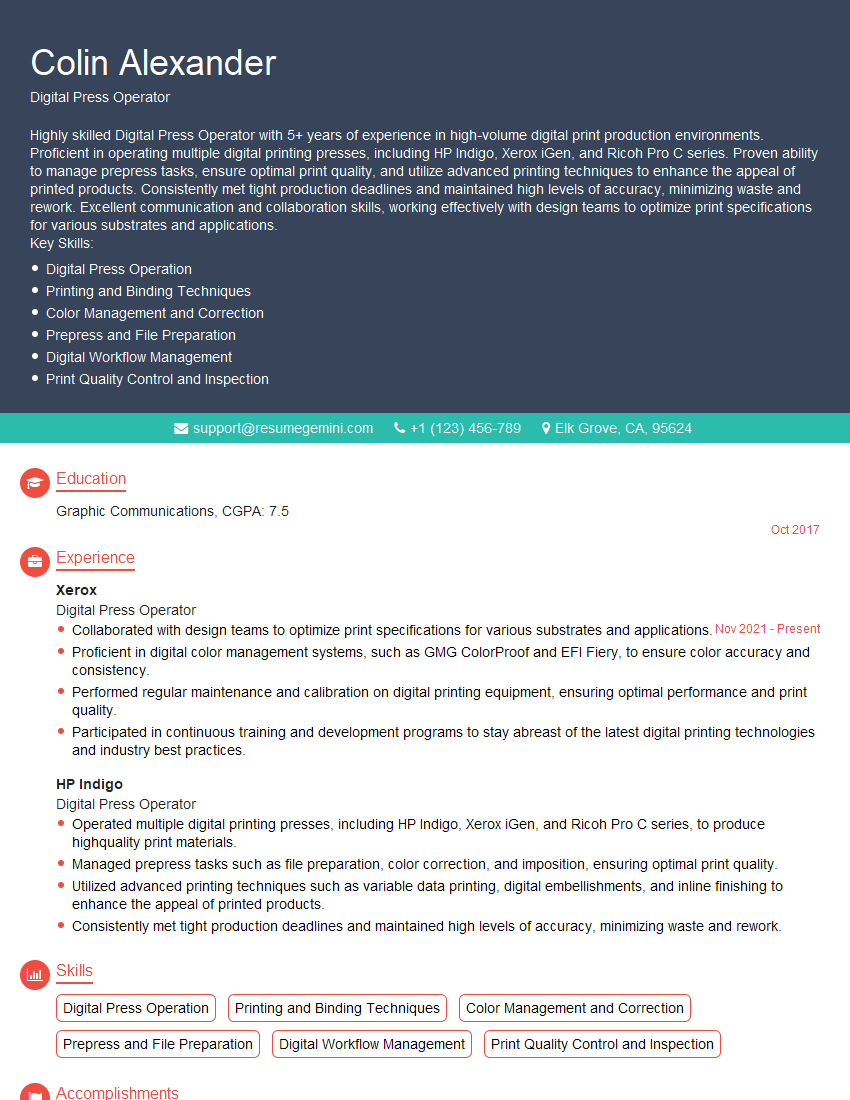
Mastering digital printing technologies significantly enhances your career prospects in a rapidly evolving industry. A strong understanding of these principles opens doors to diverse roles with increased earning potential and professional growth opportunities. To maximize your job search success, create an ATS-friendly resume that highlights your skills and experience effectively. ResumeGemini is a trusted resource for building professional, impactful resumes. They offer examples of resumes tailored specifically to showcasing expertise in digital printing technologies, helping you stand out from the competition. Take the next step towards your dream career – build a winning resume with ResumeGemini today!



Explore more articles
Users Rating of Our Blogs
Share Your Experience
We value your feedback! Please rate our content and share your thoughts (optional).
What Readers Say About Our Blog
Very informative content, great job.
good