Preparation is the key to success in any interview. In this post, we’ll explore crucial Knowledge of Prepress Software and Applications interview questions and equip you with strategies to craft impactful answers. Whether you’re a beginner or a pro, these tips will elevate your preparation.
Questions Asked in Knowledge of Prepress Software and Applications Interview
Q 1. Explain the preflighting process and its importance.
Preflighting is a crucial prepress process that involves automated checks to ensure a file is print-ready. Think of it as a final quality control check before sending your design to the printer. It catches potential problems early, saving time, money, and preventing printing errors. The process identifies issues such as missing fonts, incorrect color spaces, low-resolution images, and problematic bleeds.
- Importance: Preflighting prevents costly reprints by identifying issues before printing begins. It helps maintain consistency and quality across all projects, ensures that the printer receives a file they can easily process, and avoids delays in the printing schedule.
- Example: Imagine designing a brochure with a beautiful photograph. Preflighting will check if that image is high enough resolution to print sharply. If not, it flags it as a potential problem, allowing you to replace it with a higher-resolution version.
- Software: Most professional prepress applications, including Adobe Acrobat Pro, have built-in preflighting profiles that you can customize to your specific needs and print specifications.
Q 2. What are the key differences between RGB and CMYK color spaces?
RGB (Red, Green, Blue) and CMYK (Cyan, Magenta, Yellow, Key/Black) are two different color models used in different stages of the printing process. RGB is an additive color model used for screens, like your computer monitor or smartphone. CMYK is a subtractive color model used for printing.
- RGB: Light is emitted from the screen. Adding the three primary colors together produces white; removing all three produces black.
- CMYK: Ink is applied to paper. Mixing the four process colors subtracts light, producing a range of colors. The combination of all four produces black (ideally, though often a rich black is used to improve depth).
- Key Difference: The crucial difference lies in their color gamuts. RGB has a wider gamut, meaning it can display more colors than CMYK. However, colors displayed in RGB on a screen won’t perfectly match their printed CMYK counterparts. This is why it’s critical to convert your files to CMYK before sending them to print.
Q 3. Describe your experience with color management and profile creation.
Color management is my specialty! My experience involves ensuring color consistency across different devices and print processes. I’m proficient in creating and utilizing ICC profiles – the digital fingerprints that define a device’s color capabilities. For example, I’ve created ICC profiles for specific printers and printing presses to achieve accurate color reproduction, ensuring a printed piece matches the design on-screen as closely as possible. This often involves using colorimeters and spectrophotometers for precise color measurement and profile creation.
I’ve also worked extensively on color conversions, making sure that colors translate accurately between RGB and CMYK, and between different CMYK profiles. This process requires a thorough understanding of color theory and practical experience with color management software.
Q 4. How do you handle image resolution issues in prepress?
Image resolution is paramount in print production. Low-resolution images result in blurry or pixelated prints. To handle this, I follow a multi-step process:
- Assessment: I first determine the required resolution based on the final print size and printing method. Generally, higher resolutions (e.g., 300 DPI or higher) are necessary for high-quality prints.
- Upscaling/Downscaling: If the resolution is too low, I carefully upsample the image using professional image editing software like Photoshop. While upscaling can introduce some artifacts, advanced techniques can minimize their impact. If the resolution is excessively high, I downsample it to optimize file size without compromising print quality.
- Image Replacement: Sometimes, if the resolution is far too low, I would recommend replacing the image entirely with a higher-resolution alternative.
- Communication: I always communicate with the client about potential resolution issues and suggest the best approach.
Q 5. What software packages are you proficient in (e.g., Adobe Acrobat, InDesign, Photoshop, etc.)?
My software proficiency includes:
- Adobe Creative Suite: InDesign, Photoshop, Illustrator – expert level proficiency in all three, with a particular focus on preparing files for print. I am adept at using their features for color management, preflighting, and image editing.
- Adobe Acrobat Pro: Extensive experience using preflight profiles, editing PDFs, and creating print-ready PDF/X files.
- Other Software: I have working knowledge of other prepress applications, including [Mention any other specific software here, e.g., PitStop Pro, etc.].
Q 6. Explain the process of trapping and its significance in print production.
Trapping is a critical prepress technique that compensates for the slight misregistration that can occur during the printing process. Think of it as creating a slight overlap between colors to prevent tiny gaps from appearing between adjacent colors, particularly on edges of colors next to each other. Misregistration is the slight shift in alignment that can happen when multiple colors are printed one after another.
- Significance: Trapping ensures clean, sharp lines and prevents unsightly gaps, significantly improving the overall quality and appearance of the printed piece. It’s especially crucial when dealing with fine lines or small text that will be printed with different colored inks.
- Types of Trapping: There are different types of trapping, including spread trapping (expanding one color into the adjacent color’s area) and choke trapping (reducing the size of one color to fit within the adjacent color’s area). The choice depends on the design and printing method.
- Software: Many design and prepress applications, including Adobe InDesign and Illustrator, offer trapping features. However, complex designs often benefit from specialized trapping software.
Q 7. What is a RIP and how does it function in the prepress workflow?
A Raster Image Processor (RIP) is a specialized piece of software and/or hardware that translates vector-based files (like those created in Illustrator) and PostScript files into a format that a printing device like a large format printer, inkjet printer, or digital press can understand. Think of it as a translator for printing instructions.
- Function: It receives digital print data, processes it, and generates the signals that control the print engine. This involves rasterizing vector graphics (converting them into a grid of pixels), managing color, and controlling the print process, which may include applying various trapping algorithms as well.
- Workflow: In the prepress workflow, the RIP is positioned between the design software and the printing device. After preflighting, color management and trapping procedures have been completed, the RIP processes the print data, preparing it for printing.
- Importance: The RIP is essential for high-quality print output. It plays a major role in managing color, ensuring precise image rendering, and optimizing the overall print process.
Q 8. Describe your experience with various file formats used in prepress (e.g., PDF, TIFF, JPEG, etc.)
In prepress, we work with a variety of file formats, each with its strengths and weaknesses. Understanding these nuances is crucial for ensuring a smooth workflow and high-quality print output.
PDF (Portable Document Format): This is the industry standard for prepress. PDF/X-1a is especially important for print because it embeds all necessary color information and fonts, preventing issues with font substitution or missing colors during the printing process. I have extensive experience working with various PDF/X versions and ensuring files are compliant for different printing presses. For instance, I recently resolved a client’s issue where their PDF wasn’t conforming to PDF/X-1a, resulting in incorrect color reproduction; by converting the file and verifying its compliance, I avoided costly reprints.
TIFF (Tagged Image File Format): TIFF is a lossless image format, crucial for maintaining image quality, especially for high-resolution images. We use TIFF files for images that need the highest level of detail, avoiding any compression artifacts. I’ve used TIFF extensively in projects involving fine art reproduction and packaging design where even slight image degradation is unacceptable.
JPEG (Joint Photographic Experts Group): JPEG is a lossy format, meaning it compresses the image file size by discarding some image data. While convenient for web use, it’s generally avoided in prepress for high-quality print work because of the potential loss of detail. I’ll only use JPEGs where the client specifically requests it and the quality loss is acceptable, usually for low-resolution images used for web purposes alongside print materials.
Other formats like EPS (Encapsulated PostScript) and AI (Adobe Illustrator) also come into play. I’m proficient in handling these, understanding their specific capabilities and limitations within the prepress workflow.
Q 9. How do you ensure the accuracy of color consistency across different printing processes?
Color consistency is paramount in printing. Inconsistent colors lead to costly reprints and dissatisfied clients. To ensure accuracy, I rely on a multi-faceted approach.
Color Management Systems (CMS): I utilize industry-standard color management software like Adobe Color Engine or similar tools to profile monitors, printers, and presses. This ensures the colors displayed on screen accurately reflect the final printed output. It’s like having a universal translator for colors.
Color Space Conversion: Understanding the various color spaces (CMYK, RGB, LAB) and their appropriate uses is crucial. I carefully convert files to the correct color space depending on the printing process—CMYK for offset printing, for example. I meticulously check the conversion to avoid color shifts.
Proofing: Soft proofs (on-screen previews) and hard proofs (printed samples) are essential. Soft proofing allows for initial adjustments, while hard proofing offers a final verification against the desired color palette. I recently used soft proofing to identify a slight cyan shift in a packaging design, allowing us to correct it before printing hundreds of boxes.
Press Calibration and Verification: Working closely with the print shop is key. I verify that the press is calibrated and that color targets match expectations. This involves checking color bars and ink density measurements during the print run.
Q 10. Explain your experience with imposition software.
Imposition software is crucial for arranging pages correctly before printing. I have extensive experience with various imposition programs like Impostrip, and others. This software allows me to efficiently arrange pages for different sheet sizes and printing configurations, optimizing paper usage and simplifying the printing process.
For example, I recently used imposition software to create a 16-page booklet from a single sheet of paper. This required careful arrangement of pages to ensure the correct reading order after folding and binding. The software automated the process, saving significant time and reducing the risk of errors compared to manual imposition.
My expertise extends to understanding the nuances of different imposition techniques, including imposition for various binding methods (perfect binding, saddle stitch, wire-o). I can also create imposition layouts for unusual formats or projects with specific requirements.
Q 11. What is the importance of proofing in the prepress process?
Proofing is a critical step in prepress, acting as a final quality control check before mass production. It allows for the identification and correction of errors that could be costly to fix later. Think of it as a final rehearsal before the main performance.
Proofing ensures:
- Accurate Color Reproduction: Matching on-screen colors to printed colors.
- Correct Image Placement and Resolution: Verifying that images are sharp and placed correctly.
- Accurate Text and Fonts: Checking for typos, font issues, and kerning errors.
- Overall Design Quality: Confirming that the final product meets the client’s expectations.
By catching errors during proofing, we can prevent expensive reprint jobs and maintain a high level of quality.
Q 12. Describe different types of proofing methods.
Several proofing methods exist, each serving different purposes and offering varying degrees of accuracy:
Soft Proofing: This is an on-screen preview using specialized software. While convenient and cost-effective, it’s limited by monitor calibration and cannot fully replicate the final printed product.
Hard Proofing: This involves creating a physical printed sample. This is the most accurate proofing method, closely simulating the final print. Types of hard proofs include:
- Contact Proof: A low-cost proof created using a proofing press.
- Digital Proof: Created using a high-resolution digital printer.
- Chromalin or other high-fidelity proofs: These are high-end proofs that closely emulate the final print using specialized inks and substrates.
The choice of proofing method depends on the project’s requirements, budget, and timeline. For critical projects with complex color requirements, a high-fidelity hard proof is essential. For simpler projects, soft proofing might suffice.
Q 13. How do you handle color separations?
Color separation is the process of breaking down a full-color image into individual color plates (cyan, magenta, yellow, and black – CMYK). This is necessary for printing processes like offset lithography, where each color is printed separately using a different printing plate.
I utilize software designed for this process to create accurate and efficient color separations. This software ensures correct color registration and prevents unexpected color shifts. Modern RIP (Raster Image Processor) software handles this automatically in most instances, but I’m also capable of manual adjustments should the situation warrant it.
For instance, I’ve successfully handled projects where the client required specific color separations to optimize their ink usage or to achieve a unique color effect. In those instances, my understanding of color theory and practical knowledge of the separation process are paramount.
Q 14. How familiar are you with different printing methods (offset, digital, etc.) and their prepress requirements?
I possess a comprehensive understanding of various printing methods and their associated prepress requirements. This knowledge is crucial for ensuring the successful execution of print projects.
Offset Lithography: This is a common method for large-scale printing. Prepress for offset requires precise color separations, high-resolution images, and careful platemaking. I’m familiar with the nuances of offset printing, including different plate types and press configurations.
Digital Printing: This method offers flexibility and short turnaround times, suitable for smaller print runs and personalized materials. Prepress for digital printing often involves less intensive color management but still requires attention to image resolution and file formats. I’ve worked extensively with various digital printing presses and understand the different file requirements for each.
Other Methods: I also have experience with other printing methods, such as flexography and screen printing, understanding their specific prepress requirements.
My knowledge allows me to adapt my prepress workflow to the chosen printing method, ensuring optimal results and avoiding potential pitfalls.
Q 15. Explain your experience with PDF optimization for print.
PDF optimization for print is crucial for ensuring high-quality output and efficient printing. It involves reducing file size without compromising image quality, improving printing speed, and reducing ink consumption. This is achieved through various techniques, focusing primarily on image compression, font embedding, and color space management.
My experience includes using tools like Adobe Acrobat Pro to optimize PDFs. This involves strategically downsampling high-resolution images to the resolution required for print (typically 300 DPI), embedding necessary fonts to prevent font substitution issues, and converting color spaces to CMYK (or spot colors as needed) for print-ready files. I also meticulously check for embedded color profiles to ensure consistency. For example, I recently worked on a project with a client providing a massive architectural rendering. The original PDF was over 500MB. Through careful optimization — downsampling images appropriately, embedding only necessary fonts, and converting to CMYK — I reduced the file size to under 50MB without any noticeable loss of print quality, significantly speeding up the printing process and saving the client printing costs.
Furthermore, I understand the importance of considering different PDF standards and their implications for print. For instance, choosing the right PDF/X standard (like PDF/X-1a for simple CMYK jobs, or PDF/X-4 for more complex situations with embedded ICC profiles) ensures compatibility across different prepress workflows and prevents potential issues down the line.
Career Expert Tips:
- Ace those interviews! Prepare effectively by reviewing the Top 50 Most Common Interview Questions on ResumeGemini.
- Navigate your job search with confidence! Explore a wide range of Career Tips on ResumeGemini. Learn about common challenges and recommendations to overcome them.
- Craft the perfect resume! Master the Art of Resume Writing with ResumeGemini’s guide. Showcase your unique qualifications and achievements effectively.
- Don’t miss out on holiday savings! Build your dream resume with ResumeGemini’s ATS optimized templates.
Q 16. What is your experience with different types of platemaking technologies?
My experience encompasses a variety of platemaking technologies, from traditional methods to the latest digital solutions. I’ve worked extensively with Computer-to-Plate (CTP) systems, specifically those using thermal, violet, and UV laser technologies. I’m familiar with the strengths and weaknesses of each. Thermal CTP, for instance, is known for its reliability and cost-effectiveness, particularly for smaller print runs. Violet and UV laser technologies, on the other hand, offer higher resolution and improved image quality, making them suitable for high-fidelity print jobs.
I also have experience with the direct-to-plate (DTP) processes which eliminate the need for film entirely. This is particularly valuable when dealing with short turnaround times and reduces the environmental impact by eliminating film processing chemicals. I understand the importance of selecting the right plate type (e.g., positive-working or negative-working) depending on the printing press and ink system used. For instance, I recently transitioned a client from a traditional film-based workflow to a completely digital workflow, using a violet laser CTP system. This resulted in a significant improvement in their turnaround time and reduced their prepress costs considerably.
My knowledge extends beyond just the technical aspects of platemaking; I also understand the importance of proper plate handling, storage, and maintenance to ensure consistent print quality and avoid plate damage.
Q 17. Describe your troubleshooting skills when facing prepress problems.
Troubleshooting in prepress requires a methodical and systematic approach. My process starts with a thorough understanding of the problem. I begin by carefully examining the output, identifying the specific issue (e.g., color shifts, banding, missing elements, incorrect fonts). Then, I work backward through the workflow, systematically checking each step. This might involve reviewing the original design file, inspecting the PDF for errors (trapped images, incorrect color spaces), checking the RIP settings, and evaluating the final plate.
For example, if I encounter banding in a print job, I’ll first check the image resolution. Low resolution can lead to visible banding. Then, I would examine the RIP settings to ensure correct halftoning and screening angles are applied. If the problem persists, I would investigate the image itself to rule out any issues with image compression or data corruption. If problems persist with specific colors, I’ll check for color profile issues, such as incorrect conversions or missing profiles. Finally, I document every step of the troubleshooting process, including the problem, the steps taken, and the results obtained, to improve efficiency in future similar scenarios.
I leverage my experience with various prepress software applications (Adobe Creative Suite, preflighting software, RIP software) to effectively identify and resolve these issues. I’m confident in my ability to diagnose and solve most prepress problems efficiently, minimizing downtime and ensuring timely project completion.
Q 18. How do you ensure that the final output meets the client’s specifications?
Ensuring the final output meets client specifications is paramount. My approach involves a multi-stage process that begins with a thorough review of the client’s brief and specifications, including color requirements, paper stock, finishing details, and any specific quality standards. This review typically happens even before the design stage, ensuring that all parties are aligned. I always create a detailed preflight checklist based on these specifications which is used at each stage.
Throughout the prepress process, I maintain open communication with the client, providing regular updates and seeking clarification when necessary. I use color management software and standards, such as ICC profiles, to accurately match colors and ensure consistency across different devices. I also employ proofing methods (soft proof, hard proof) to obtain client approval before proceeding with the final print. A soft proof allows for quick feedback on color accuracy, while a hard proof provides a physical representation of the final print. For example, on a recent packaging project I used soft proofing to show the client exactly how the artwork would appear on their chosen packaging substrate, resolving a color discrepancy before the plates were made.
Finally, after printing, I perform a quality control check on the final product, comparing it against the approved proof to ensure consistency and adherence to specifications. This ensures the final product meets the client’s expectations and builds trust and confidence.
Q 19. What is your experience working within a prepress workflow system?
I have extensive experience working within various prepress workflow systems, including both traditional and automated solutions. I’m proficient in using workflow automation software to streamline processes, improve efficiency, and reduce errors. This includes using systems that manage file submissions, color management, trapping, proofing, and imposition. Understanding these systems involves more than just knowing how to use the software itself; it requires understanding the underlying concepts of workflow optimization and how to best configure the systems to suit a specific print environment.
For instance, I’ve worked with systems that utilize automated preflighting, which automatically checks files for errors like missing fonts, incorrect color spaces, and resolution issues before they enter the production process. This significantly reduces errors and improves overall efficiency. I’ve also worked on projects where these systems were integrated with our MIS (Management Information System), providing real-time tracking and reporting on project status and progress. This allows for better project management and more effective communication with the client and within the prepress team. I have a strong understanding of JDF/JMF, and experience integrating this in workflow systems for automated communication between systems.
In summary, my proficiency extends beyond simply operating these systems, I can also optimize and configure them for maximum efficiency, ensuring seamless integration within our broader production process.
Q 20. Describe your experience with imposition software and different imposition techniques.
Imposition software is essential for arranging pages in a way that optimizes printing efficiency and minimizes waste. My experience spans various imposition techniques, from simple imposition of brochures and booklets to complex layouts for newspapers, magazines, and packaging. I’m proficient in using software such as imposition tools within Adobe Acrobat, dedicated imposition software packages (like Imposition Pro), and also some RIPs that have imposition capabilities built-in.
I understand different imposition techniques such as imposition for sheet-fed presses versus web presses, optimizing for various sheet sizes and orientations. I’m familiar with different imposition methods like ‘gang’ running and other methods to increase productivity in print. I know how to effectively manage the imposition of different finishing requirements, such as folding, cutting, and binding. I am familiar with various booklet and leaflet making layouts, signature folding patterns, and the implications of different finishing on imposition strategy.
For example, I recently worked on a project involving a high-volume magazine. By expertly utilizing imposition software, I created a layout that minimized paper waste and optimized the printing process, resulting in significant cost savings for the client. It’s not just about placing the pages correctly, but optimizing the entire process by considering the downstream finishing requirements, creating the most efficient and cost-effective plan.
Q 21. How do you handle large print projects efficiently?
Handling large print projects efficiently requires a structured approach and the utilization of effective tools and techniques. My strategy centers around detailed planning, careful workflow organization, and leveraging automation wherever possible. This starts with a thorough understanding of the project’s scope, identifying potential bottlenecks and planning the work accordingly. This would include understanding page counts, turnaround times, and any specific requirements that would necessitate specialized preparation.
Next, I divide the large project into smaller, more manageable tasks, assigning responsibilities and deadlines. Using project management tools helps maintain order, track progress, and identify any delays. Automation plays a crucial role, and I leverage automated preflighting, imposition, and workflow systems to reduce manual intervention and errors. I also make sure to always utilize the most appropriate technology, such as high-volume printers or high-speed RIPs, and understand which technology offers the best balance between speed and quality.
Finally, I implement rigorous quality control measures at each stage of the process, performing regular checks to ensure that the project is progressing according to plan and meets the client’s specifications. Regular communication with team members and the client helps keep everyone informed and allows for adjustments as necessary. A good example is my experience managing the production of a large-scale directory, where I successfully coordinated the prepress process for thousands of pages, ensuring timely delivery and high-quality print.
Q 22. What are your skills in managing and organizing digital assets?
Managing digital assets effectively is crucial in prepress. It involves a systematic approach to organization, storage, and retrieval. Think of it like a well-stocked library – you need a clear cataloging system to find what you need quickly and efficiently. My approach involves using a combination of techniques:
- Metadata tagging: I meticulously tag each file with relevant keywords, including client name, project name, file type, date, and any specific details like color profiles or intended use. This allows for easy searching and filtering.
- Folder structures: I employ a hierarchical folder structure, often mirroring the project’s phases or client names. This prevents chaos and makes locating assets straightforward. For example:
/ClientName/ProjectName/DesignFiles/Images/ - Digital Asset Management (DAM) systems: I’m proficient in using DAM software like Adobe Experience Manager or Canto, which provide centralized storage, version control, and collaborative features. These systems streamline the workflow and ensure everyone is working with the most up-to-date files.
- Regular backups: Data security is paramount. I implement regular backups to multiple locations (cloud and local) to prevent data loss and ensure business continuity.
For instance, on a recent project involving multiple high-resolution images for a large-scale print campaign, utilizing a DAM system allowed for seamless collaboration with the design team and ensured that everyone accessed the approved, final versions.
Q 23. Explain your experience with quality control checks in prepress.
Quality control (QC) in prepress is like a final safety check before sending a plane into flight – it’s non-negotiable. My QC process is rigorous and multi-faceted, encompassing:
- Pre-flight checks: I use automated preflight tools within applications like Acrobat Pro and prepress software like PitStop to identify potential issues like missing fonts, low-resolution images, color profile inconsistencies, and bleed problems. These tools automate many checks that would otherwise take hours manually.
- Visual inspection: After automated checks, I perform a thorough visual inspection, zooming in to check for pixelation, artifacts, and any other imperfections that might not be detected by software.
- Color proofing: I use soft proofing and, if necessary, hard proofing to ensure the colors will print accurately, considering the chosen substrate and printing process. Color accuracy is absolutely critical.
- Document Structure and Content Verification: I rigorously check pagination, page numbers, margins, and overall document structure to ensure everything is in the correct place and is error free.
In a recent project, preflighting revealed a crucial missing font, preventing a costly reprint. This highlights the importance of thorough QC checks at every stage.
Q 24. How do you ensure accurate font handling and embedding?
Accurate font handling and embedding are vital to prevent font substitution issues during printing. The wrong font can dramatically alter the look and feel of a design, leading to costly reprints or legal problems if it changes the meaning of the text. My process includes:
- Outline fonts: I always embed outline fonts (PostScript Type 1 or OpenType) instead of relying on screen fonts. This ensures the fonts are available on any system and will render correctly.
- Font management software: I use font management software like Suitcase Fusion or FontExplorer to organize fonts and identify duplicates or corrupted files. This helps maintain consistency and eliminates potential conflicts.
- Font subsetting: For large documents, I subset fonts to reduce file size and improve printing efficiency. Subsetting includes only characters used in the document.
- Verification: I always verify that fonts are embedded correctly in the final PDF/X output using preflight tools.
Imagine a logo with a very specific typeface – using an incorrect font would completely ruin the brand’s image. Ensuring correct font embedding prevents this kind of disaster.
Q 25. How do you manage and resolve discrepancies between design files and print specifications?
Discrepancies between design files and print specifications can be a significant problem, potentially resulting in costly errors. Addressing them requires a systematic approach:
- Clear communication: I maintain open communication with the design team and client throughout the process, ensuring that any changes or adjustments are communicated clearly and documented.
- Detailed specifications review: I carefully review all print specifications provided by the client, including dimensions, color profiles, paper type, and finishing requirements. Any ambiguities are clarified before proceeding.
- Comparison and analysis: I compare the design files against these specifications, using measurement tools in Adobe Illustrator or InDesign to verify accuracy.
- Problem resolution: Discrepancies are flagged and communicated to the appropriate parties. Solutions may involve adjusting the design file, modifying the print specifications, or both.
For instance, a recent project involved discrepancies in bleed margins. By promptly addressing this issue through collaboration with the designer, we prevented a costly printing error and ensured a successful outcome.
Q 26. Describe your experience with automated prepress workflows.
Automated prepress workflows are essential for improving efficiency and reducing errors. I have experience with several systems:
- Automated preflighting: This is a cornerstone of my workflow, automatically checking files for errors before human intervention. Software like Enfocus PitStop integrates seamlessly into the workflow.
- Automated imposition: Software automates the process of arranging pages for printing, significantly reducing manual work and the risk of human error. I’m proficient with imposition software like imposition tools within prepress software like PitStop.
- JDF/JMF workflows: I’m familiar with the concept of Job Definition Format (JDF) and Job Messaging Format (JMF), allowing for seamless communication between different prepress and printing systems.
- PDF workflows: I’m adept at creating and managing PDF/X files for optimal print output. PDF/X is a crucial standard for print production.
Automating these processes has reduced turnaround times significantly on large projects, freeing up time for more complex tasks.
Q 27. How do you prioritize tasks in a fast-paced prepress environment?
Prioritizing tasks in a fast-paced prepress environment is vital. I use a combination of techniques:
- Deadlines and urgency: I prioritize tasks based on their deadlines and urgency. Time-sensitive projects take precedence.
- Client importance: Critical or high-value clients are prioritized to maintain good relationships and meet their expectations.
- Project complexity: Complex tasks that require more time and attention are scheduled accordingly.
- Task dependencies: Tasks with dependencies on others are scheduled logically to avoid bottlenecks.
- Project management tools: I use project management software to track progress, manage deadlines, and assign tasks.
I often use a Kanban board system to visualize workflow, track progress and re-prioritize as required. This keeps me adaptable and efficient.
Q 28. What are your strategies for meeting tight deadlines in prepress?
Meeting tight deadlines in prepress demands efficiency and planning. My strategies include:
- Effective time management: I break down large tasks into smaller, manageable ones, allowing for better progress tracking and time allocation.
- Prioritization and delegation: As discussed earlier, task prioritization, combined with delegation where possible, ensures maximum efficiency.
- Proactive communication: I maintain open communication with clients and colleagues to manage expectations and anticipate potential issues.
- Automation: Utilizing automated workflows significantly reduces manual effort and speeds up the process.
- Contingency planning: I anticipate potential delays and build in buffer time where possible to accommodate unforeseen circumstances.
By being proactive and employing these techniques, I consistently deliver high-quality work even under tight deadlines.
Key Topics to Learn for Knowledge of Prepress Software and Applications Interview
- Color Management: Understanding color spaces (CMYK, RGB, Pantone), color profiles, and color separation techniques. Practical application: Troubleshooting color inconsistencies between digital and print outputs.
- Image Editing and Retouching: Proficiency in software like Adobe Photoshop for image preparation, including resolution adjustments, color correction, and blemish removal. Practical application: Preparing high-resolution images for print.
- File Formats and Conversions: Knowledge of various file formats (TIFF, JPEG, PDF, EPS) and their suitability for different printing processes. Practical application: Converting files for optimal print quality and compatibility with prepress workflows.
- Prepress Software Proficiency: Hands-on experience with industry-standard software such as Adobe Acrobat, InDesign, and Illustrator. Practical application: Creating print-ready files, including imposition and trapping.
- Proofing and Quality Control: Understanding different proofing methods (soft proof, hard proof) and techniques for identifying and correcting prepress errors. Practical application: Ensuring consistent color and image quality throughout the printing process.
- Print Production Workflow: Familiarity with the overall prepress workflow, from file preparation to platemaking. Practical application: Understanding potential bottlenecks and troubleshooting issues within the workflow.
- Imposition and Finishing: Knowledge of different imposition techniques and how they relate to the final product’s finishing requirements (binding, folding, cutting). Practical application: Preparing files for efficient and accurate finishing.
- Troubleshooting and Problem-Solving: Ability to identify and resolve common prepress issues, such as color mismatches, image artifacts, and file corruption. Practical application: Demonstrating a proactive approach to quality control.
Next Steps
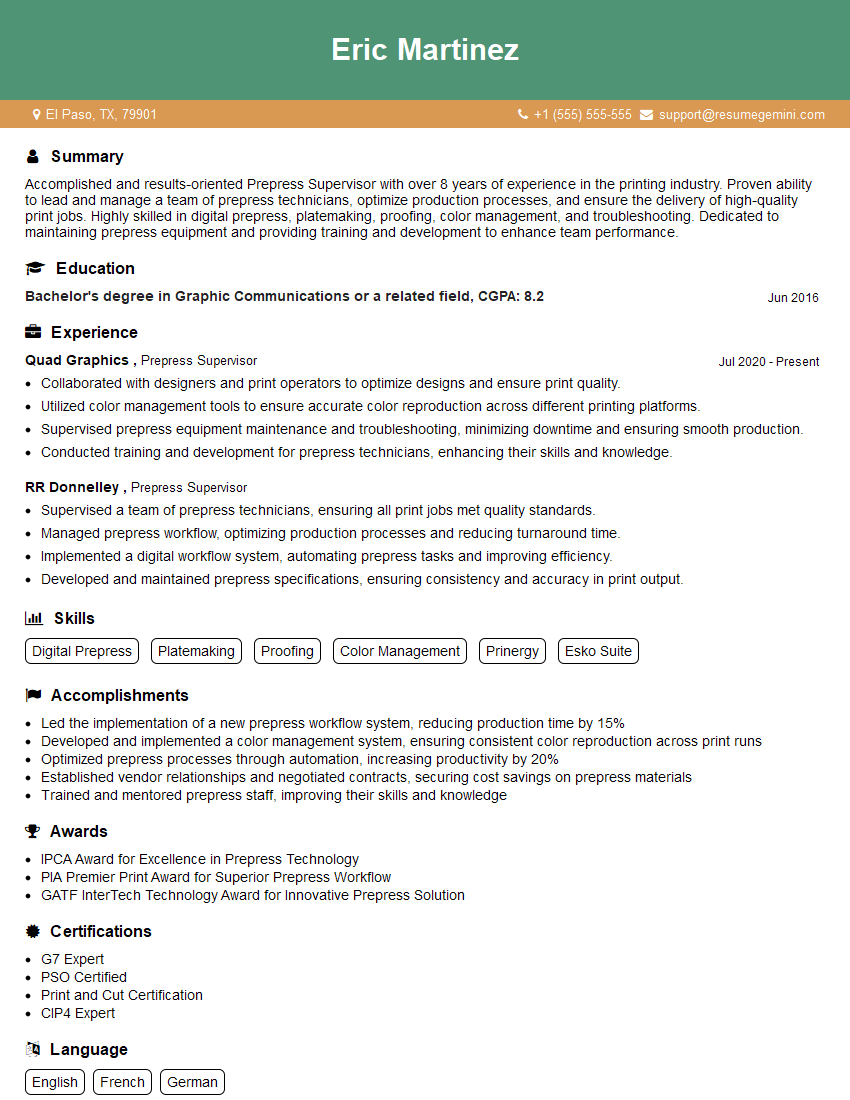
Mastering prepress software and applications is crucial for career advancement in the graphic design and printing industries. A strong understanding of these skills opens doors to higher-paying roles and more challenging projects. To maximize your job prospects, it’s essential to create an ATS-friendly resume that highlights your technical expertise and relevant experience. ResumeGemini is a trusted resource to help you build a professional and impactful resume. Examples of resumes tailored to showcase Knowledge of Prepress Software and Applications are available to help you craft your perfect application.




Explore more articles
Users Rating of Our Blogs
Share Your Experience
We value your feedback! Please rate our content and share your thoughts (optional).
What Readers Say About Our Blog
Very informative content, great job.
good