Interviews are more than just a Q&A session—they’re a chance to prove your worth. This blog dives into essential Knowledge of press operations interview questions and expert tips to help you align your answers with what hiring managers are looking for. Start preparing to shine!
Questions Asked in Knowledge of press operations Interview
Q 1. Describe your experience with different types of printing presses (offset, flexographic, digital).
My experience spans across three major printing press types: offset, flexographic, and digital. Offset lithography, the workhorse of commercial printing, utilizes plates to transfer ink onto a rubber blanket, then onto the substrate (paper, cardstock, etc.). I’ve worked extensively with sheet-fed and web offset presses, managing projects ranging from brochures to large-format posters. Flexographic printing, common for packaging and labels, uses flexible photopolymer plates and is known for its high-speed capabilities and suitability for flexible materials. My experience here includes setting up and operating presses for various flexible packaging jobs, optimizing print quality on different substrates like plastic films and paperboard. Finally, digital printing provides on-demand, personalized print solutions. I’ve worked with various digital presses, from toner-based systems for short runs and personalized marketing materials to inkjet presses for high-volume, high-quality photo prints. Each technology presents unique challenges and opportunities, demanding a deep understanding of its strengths and limitations.
Q 2. Explain the process of setting up a printing press for a specific job.
Setting up a press for a specific job is a meticulous process. It begins with a thorough review of the job specifications, including the substrate, ink type, color profile, and required print quality. This is followed by platemaking (for offset and flexo) or file preparation (for digital). Next, the press is made ready. This involves: mounting the plates/loading the media, setting the appropriate ink densities and water balance (offset), adjusting the anilox roll (flexo), calibrating the print heads (digital), and performing test prints to ensure accurate color registration and image sharpness. The entire process requires precise measurements and adjustments to achieve the target quality. For example, in offset printing, a color bar is used to fine-tune the ink and water balance, ensuring consistent color across the whole print run. Any discrepancies are corrected through adjustments to the press controls until a perfect match to the proof is achieved. This careful setup minimizes waste and ensures a high-quality, consistent final product.
Q 3. How do you ensure consistent color accuracy during a print run?
Consistent color accuracy is paramount. It involves a multi-pronged approach. First, a precise color profile needs to be established using a spectrophotometer and software like Pantone or GMG ColorProof. This profile acts as a reference during the entire process. Then, color calibration involves adjusting the ink keys and densities on the press to precisely match the profile. Regular color checks are crucial; throughout the print run, I use a densitometer to monitor the color values and make minute adjustments as needed to maintain consistency. Maintaining consistent temperature and humidity in the print environment plays a vital role, as these factors can subtly impact ink behavior. Finally, experienced press operators can visually assess color, identifying even slight discrepancies that might be missed by instrumentation alone. This combination of advanced technology and skilled observation minimizes color variations and ensures a consistently accurate print product.
Q 4. What are the common causes of press malfunctions, and how do you troubleshoot them?
Press malfunctions can stem from various sources. Common issues include misregistration (images not aligning correctly), poor ink transfer (resulting in light or faded prints), paper jams, and mechanical problems such as roller wear or motor failures. Troubleshooting involves systematic investigation. I begin by carefully examining the press for obvious issues, such as a misaligned roller or a jammed paper path. Next, I check the press’s settings, verifying that the parameters align with the job specifications. Using the press’s diagnostic tools and manuals, I can isolate and rectify more complex problems. For instance, inconsistent ink transfer might require adjustment of the ink rollers or dampening system (in offset). If a mechanical issue is suspected, I will consult maintenance documentation and possibly bring in a technician for specialized repairs. The goal is quick diagnosis and resolution to minimize downtime and maintain consistent production.
Q 5. Describe your experience with pre-press procedures and their impact on print quality.
Pre-press procedures are crucial for print quality; they lay the foundation for a successful print job. This stage encompasses file preparation, color management, and platemaking (for offset and flexo). My experience demonstrates that high-resolution images, proper color profiles, and accurately prepared plates are fundamental to achieving the desired output. For example, problems such as image resolution inconsistencies, inaccurate color profiles, and poorly created plates lead to issues in the print output such as poor image quality, color mismatches and print defects. A thorough pre-press process ensures that the design is optimized for the chosen printing method and substrate, preventing unforeseen complications during the press run. Close collaboration with designers and pre-press specialists is key to mitigating potential problems and delivering superior print quality.
Q 6. How do you maintain the cleanliness and efficiency of a printing press?
Maintaining a clean and efficient press is essential for consistent print quality and preventing malfunctions. Regular cleaning is crucial, focusing on removing excess ink, debris, and dust buildup from all press components. This includes cleaning rollers, blankets, plates, and the print path. Following a specific cleaning schedule, using approved cleaning agents, and following manufacturer’s recommendations will avoid damage to the press. Scheduled maintenance, including lubrication and component inspections, are also vital in keeping the press running efficiently. Proactive maintenance minimizes downtime, extends the life of the equipment, and ensures reliable performance. Regular checks of components and early detection of wear and tear enable us to make timely repairs and prevent larger issues down the line.
Q 7. What safety procedures do you follow while operating a printing press?
Safety is paramount when operating a printing press. Before starting any task, I always ensure that the machine is properly powered down and locked out. I wear appropriate personal protective equipment (PPE), including safety glasses, gloves, and hearing protection, as required. I carefully follow all safety procedures and guidelines outlined in the equipment manual. I am aware of all moving parts and ensure that no one is in the press’s operational zone while it’s in use. Regular safety inspections and employee training are vital in maintaining a safe working environment. Proper handling of chemicals and materials is also critical, and I adhere strictly to the guidelines for safe storage and disposal of printing inks and solvents. A safe working environment ensures worker well-being and consistent, problem-free production.
Q 8. Explain your understanding of different paper types and their suitability for various printing processes.
Choosing the right paper is crucial for a successful print job. Different papers have varying properties affecting print quality and the final product’s feel. Understanding these properties is key.
- Coated Papers: These papers have a smooth, glossy, or matte surface coating, ideal for high-resolution images and sharp text. They’re commonly used for magazines, brochures, and high-end packaging because they produce vibrant colors and excellent detail. Think of a glossy magazine cover – that’s coated paper.
- Uncoated Papers: These lack a surface coating, offering a more natural, textured feel. They’re excellent for applications where absorbency is needed, like letterheads or business cards that need to accept pen ink well. They provide a less vibrant color reproduction than coated papers.
- Specialty Papers: This category encompasses various papers with unique properties, including recycled paper (environmentally friendly), textured papers (for artistic effects), and metallic papers (for luxurious finishes). Each specialty paper has its own printing considerations.
The suitability of a paper type depends heavily on the printing process. For instance, thick, textured papers might be unsuitable for high-speed offset printing, while thin papers might be better suited for digital printing, but could be prone to jams in thicker sheets. The choice often involves a trade-off between cost, aesthetic appeal, and technical limitations.
Q 9. How do you handle different ink types and their properties?
Ink is the lifeblood of printing. Different ink types possess distinct properties impacting color, drying time, and the final print’s durability. Understanding these differences is paramount.
- Water-Based Inks: Environmentally friendly, these inks are commonly used in digital printing and some screen printing applications. They dry relatively quickly but might not offer the same vibrancy as solvent-based inks.
- Solvent-Based Inks: Offering a broader color gamut and greater vibrancy, these inks are often used in flexographic and screen printing for packaging or outdoor applications because they’re very durable. However, they require specialized handling due to their strong odor and environmental impact.
- UV-Curable Inks: These inks cure instantly upon exposure to ultraviolet light. This allows for immediate post-printing handling, making them ideal for high-speed applications like commercial printing. They’re known for their excellent durability and scratch resistance.
Proper ink selection depends on the substrate (the material being printed on), the printing process, and the desired outcome. For example, a porous material like uncoated paper might require a water-based or solvent-based ink with high absorption properties, whereas a non-porous material like plastic might require a UV-curable ink for better adhesion.
Q 10. Describe your experience with color management systems (e.g., Pantone, CMYK).
Color management is critical for achieving consistent and accurate color reproduction across different printing processes. Pantone Matching System (PMS) and CMYK (Cyan, Magenta, Yellow, Key/Black) are two prominent color systems.
- Pantone (PMS): This system uses a library of pre-mixed spot colors, each with a unique number. Using PMS ensures consistent color reproduction regardless of the printing method or press. It’s ideal for projects requiring precise color matching, like corporate branding or logos. However, it’s less cost-effective than CMYK.
- CMYK: This subtractive color model uses a combination of cyan, magenta, yellow, and black inks to create a wide range of colors. It’s the standard for most digital and offset printing. While it provides a good range of colors, achieving the exact color match can be challenging, and color variations across different printers are more likely.
My experience involves working with both systems, and I understand the importance of using color profiles to manage color consistency across different stages of the print production process – from design to final output. For example, we’d use a Pantone color for a client logo, then work closely with the design team to translate this into an accurate CMYK equivalent for offset printing. Regular calibration and profiling of printing equipment ensure accuracy.
Q 11. How do you monitor and control ink density and register?
Monitoring and controlling ink density and register are essential for producing high-quality prints. Ink density refers to the concentration of ink on the printed surface, while register refers to the precise alignment of multiple colors or print layers.
We use various tools and techniques to monitor and control these factors. Densitometers measure ink density, ensuring that it falls within the specified range to produce accurate colors and prevent variations across a large print run. For register, we utilize standardized procedures and tools to maintain consistent alignment. We might use test prints throughout the run and make adjustments to the press to maintain accurate alignment and density.
A common problem is ink density variations due to factors like ink viscosity, press speed, or uneven inking. Solving this often involves adjusting ink rollers, perfecting the inking system, or recalibrating the press. For register issues, it might involve adjusting the press’s settings for plate alignment or fixing any mechanical misalignments in the printing unit. Regular maintenance and preventative actions are critical for consistent output.
Q 12. What is your experience with quality control checks during printing?
Quality control is a continuous process, starting from pre-press checks and extending to final inspection. My approach involves a multi-step process.
- Pre-press Checks: Reviewing the artwork, checking for color accuracy, image resolution, and verifying all fonts and images are correctly embedded.
- Proofing: Producing color proofs to ensure that the printed output matches the design specifications. This often includes soft proofs and hard proofs for a comprehensive quality check.
- In-press Checks: Regularly monitoring ink density, register, and overall print quality during the printing process, making necessary adjustments as needed.
- Post-press Checks: A final inspection of the printed materials to check for defects, misalignments, or inconsistencies. This often involves visual inspection, and potentially testing techniques, for example measuring the tensile strength of a printed product.
Documenting every step of the process is essential. This includes keeping records of all adjustments, deviations and corrections made throughout the print run, allowing us to track down issues quickly and analyze trends. Early detection of any print errors and immediate correction drastically reduces waste and ensures timely completion of the job.
Q 13. Explain your understanding of different printing techniques (e.g., screen printing, letterpress).
Numerous printing techniques exist, each with its unique advantages and applications.
- Screen Printing: A stencil-based process that uses a mesh screen to transfer ink onto a substrate. It’s highly versatile, allowing for printing on a wide range of materials including textiles, plastics, and glass. It’s excellent for creating bold graphics or designs requiring high-ink coverage, but it’s less efficient for large print runs and fine details.
- Letterpress: An age-old relief printing technique where raised type or images transfer ink to paper under pressure. It creates a uniquely textured and tactile impression on the final product – think of vintage posters or embossed business cards. While aesthetically beautiful, it’s not widely used now because of the lower efficiency and higher production costs.
- Offset Lithography (Offset Printing): The most common commercial printing technique, using plates to transfer ink to a blanket and then to paper. It allows for high-quality, consistent printing at high speeds and volumes, making it the go-to for mass production of items like books, magazines and newspapers.
My experience spans various techniques, and I understand their strengths and limitations. For instance, a client might need high-volume, high-quality printing for brochures. Offset lithography would be the most efficient and cost-effective. However, if the client needs a small run of t-shirts with a specific design, screen printing might be the better choice.
Q 14. How do you manage waste and minimize material costs during printing?
Waste management and cost minimization are crucial in the printing industry. It’s about maximizing efficiency and minimizing environmental impact.
- Waste Reduction Strategies: Implementing processes to minimize paper waste during setup and cleaning, optimizing print layouts to reduce paper usage, and correctly disposing of spent inks and chemicals according to environmental regulations.
- Material Sourcing: Strategically choosing sustainable materials such as recycled paper and using suppliers who adhere to responsible sourcing practices.
- Process Optimization: Continuously refining processes and utilizing technology to minimize waste. For example, digital pre-press eliminates many of the material waste associated with traditional methods. Efficient color management reduces ink usage.
- Inventory Control: Accurately forecasting demand and avoiding overstocking paper and inks to prevent spoilage. Effective planning helps to control costs and wastage.
For example, implementing a job tracking system allowed us to accurately forecast paper requirements and avoid over-ordering. This also reduced storage costs and waste due to spoilage or obsolescence. Implementing a comprehensive waste management plan and training staff on sustainable practices are key to keeping material costs low and reducing the environmental footprint.
Q 15. Describe your experience with press maintenance and preventative measures.
Press maintenance is crucial for ensuring consistent, high-quality print output and minimizing downtime. My experience encompasses a wide range of preventative measures, from daily checks to scheduled overhauls. This involves meticulously inspecting rollers for wear and tear, cleaning ink fountains and dampening systems, checking the registration of the printing plates, and lubricating moving parts according to the manufacturer’s specifications.
Preventative maintenance follows a structured approach, often relying on checklists and logs to track performed tasks and identify potential issues. For instance, I regularly monitor the condition of the impression cylinders, checking for scratches or damage that could affect print quality. Any deviations from normal operating parameters are immediately investigated and documented. Regular cleaning of the press, especially removing ink build-up in critical areas, is vital for maintaining consistent ink transfer and preventing clogging. I also perform thorough inspections after each job to identify any areas needing immediate attention before the next print run.
Proactive maintenance helps prevent catastrophic failures, ultimately saving time and money by avoiding costly repairs and lost production time. For example, replacing worn rollers proactively prevents them from causing streaks or inconsistencies in the printed output, minimizing waste and re-runs.
Career Expert Tips:
- Ace those interviews! Prepare effectively by reviewing the Top 50 Most Common Interview Questions on ResumeGemini.
- Navigate your job search with confidence! Explore a wide range of Career Tips on ResumeGemini. Learn about common challenges and recommendations to overcome them.
- Craft the perfect resume! Master the Art of Resume Writing with ResumeGemini’s guide. Showcase your unique qualifications and achievements effectively.
- Don’t miss out on holiday savings! Build your dream resume with ResumeGemini’s ATS optimized templates.
Q 16. How do you handle rush jobs and meet tight deadlines?
Handling rush jobs requires a calm, organized approach and excellent communication. My strategy involves prioritizing the tasks based on deadlines, making sure that the most time-sensitive aspects are handled first. This often means working extended hours, collaborating closely with the pre-press and post-press teams, and efficiently allocating resources.
Effective communication is key. I keep the team informed of the progress, any potential challenges, and any required adjustments to the plan. In high-pressure situations, maintaining open lines of communication prevents miscommunications and delays. For example, I might anticipate a potential paper shortage on a rush job and proactively contact the supplier to expedite delivery. Similarly, I would coordinate with the pre-press team to ensure the printing plates are ready without any last-minute issues.
I’ve successfully completed numerous rush jobs by focusing on efficiency and prioritization while maintaining the highest standards of print quality. One instance involved a last-minute marketing campaign needing 50,000 brochures printed within 24 hours. By effectively utilizing the press capabilities, optimizing workflow, and working closely with the team, we successfully delivered the job on time and to the client’s satisfaction.
Q 17. How do you work effectively as part of a team in a pressroom environment?
A pressroom environment thrives on teamwork. My experience emphasizes collaboration and open communication. I believe in a shared responsibility for quality and efficiency. I actively participate in team meetings, offering my expertise and readily assisting colleagues.
Effective teamwork in a pressroom environment requires mutual respect and trust. I actively contribute to troubleshooting issues, suggesting improvements to processes, and sharing knowledge. For instance, I’ve mentored junior press operators, helping them gain experience and proficiency. This not only improves individual performance but also strengthens the overall team capability.
A successful pressroom operates like a well-oiled machine, where every member understands their role and works together seamlessly. I proactively share information with others, anticipate potential problems, and ensure a safe and productive work environment.
Q 18. Describe a time you had to solve a complex problem related to press operation.
One particularly challenging situation involved a recurring issue of misregistration on a four-color printing job. Initial troubleshooting steps, such as checking the plate alignment and ensuring proper dampening, proved fruitless. The problem persisted, leading to significant waste and delays.
To solve this, I systematically approached the issue. I began by carefully reviewing the press setup, examining every component of the process. We carefully checked the rollers for wear and tear, examining for unevenness that might be causing slippage. The solution turned out to be a subtle imperfection in the impression cylinder causing inconsistent pressure across the printing surface. This was a difficult diagnosis because the imperfection was so minor. Once identified, we were able to resolve the misregistration by making minute adjustments to the cylinder using precision instruments.
This experience highlighted the importance of meticulous attention to detail and a systematic problem-solving approach in complex press operation issues. It reinforced the value of teamwork, as collaboration with the maintenance team proved crucial in identifying and resolving the root cause.
Q 19. What is your experience with different types of printing plates?
My experience encompasses various types of printing plates, including conventional plates, like those made of aluminum, and newer technologies such as computer-to-plate (CTP) plates.
- Conventional Plates: These require a photographic process for image transfer onto the plate surface. They are relatively cost-effective but involve more steps and potential for errors.
- CTP Plates: These plates use digital imaging directly onto the plate, eliminating the photographic process. This leads to higher accuracy, faster turnaround times, and less waste. I’m familiar with both thermal and UV CTP plates, understanding their specific handling requirements and advantages.
- Flexographic Plates: I have experience working with flexographic plates, typically used for packaging and labels. These are photopolymer plates with a relief image, offering flexibility in printing on various substrates.
The choice of plate type depends on factors such as print run length, required image quality, and budget. My knowledge allows me to choose the most appropriate plate for a given job, optimizing print quality and cost-effectiveness.
Q 20. How familiar are you with different types of printing substrates (paper, cardboard, etc.)?
I have extensive experience working with a wide range of printing substrates, including various types of paper (coated, uncoated, gloss, matte, etc.), cardboard, and other specialized materials. My knowledge extends to understanding the properties of each substrate, such as its absorbency, thickness, surface texture, and its compatibility with different inks and printing methods.
This understanding is crucial for achieving optimal print results. For instance, a coated paper will require different ink settings than an uncoated paper to achieve the desired color and sharpness. Similarly, working with thicker cardboards requires adjustments to the press settings to avoid issues such as buckling or tearing. I’m familiar with the challenges associated with each type of substrate and able to adjust press settings to accommodate different material weights and textures. I always consider the substrate characteristics when making adjustments to ensure high-quality printing without compromising the press or the material itself.
Q 21. Explain your understanding of the relationship between pre-press, press, and post-press operations.
The relationship between pre-press, press, and post-press operations is a tightly integrated workflow. Each stage is dependent on the others, and any issues in one area can significantly impact the overall outcome.
Pre-press involves the preparation of the printing files, including design, image processing, and plate making. This stage ensures that the files are correctly formatted and prepared for printing. Any errors at this stage can propagate to the press and lead to significant rework. Press operation is the actual printing process, where the prepared plates transfer the image onto the chosen substrate. This requires careful adjustment of ink, pressure, and other parameters to ensure high-quality output. Post-press encompasses finishing operations, including cutting, folding, binding, and other finishing processes. These steps add value to the printed product and prepare it for distribution.
These stages are interdependent. For example, if the pre-press stage generates an image with incorrect color profiles, it will result in color discrepancies in the final print, even if the press operation is flawlessly executed. Similarly, if the paper used in the press stage isn’t suitable for the post-press finishing operations, it can lead to issues such as tearing or jamming in the finishing equipment. A smooth, efficient workflow requires close communication and collaboration between all three stages.
Q 22. How do you handle customer specifications and ensure they are met during printing?
Handling customer specifications is paramount in ensuring a successful print job. It starts with a thorough review of the provided artwork and specifications, verifying color profiles (e.g., Pantone, CMYK), paper stock requirements, desired finishes, and quantity. I meticulously check for any inconsistencies or potential issues that might arise during the printing process. For instance, if a customer requests a specific Pantone color, I’ll ensure we have the correct ink and perform a color test print to match the specification precisely. Throughout the process, I maintain open communication with the customer, clarifying any ambiguities and providing regular updates on the job’s progress. If unforeseen problems occur (like inconsistencies in the provided artwork or unsuitable paper stock), I proactively communicate with the customer to find mutually acceptable solutions, possibly suggesting alternative options that maintain the quality and meet the deadline.
For example, once a customer provided artwork with a very low resolution image. Instead of proceeding, I immediately alerted them to the potential for poor print quality, offering alternative solutions like sourcing a higher-resolution image or adjusting the design to accommodate the limitations. This transparent approach builds trust and guarantees the customer receives exactly what they want.
Q 23. What is your experience with different types of finishing equipment (e.g., cutting, folding, binding)?
My experience with finishing equipment is extensive, encompassing various types and techniques used to enhance the printed product. I’m proficient with guillotine cutters for precise trimming of sheets and rolls, ensuring clean, straight edges. I’m skilled in operating various folding machines, including those that handle simple parallel folds, more complex Z-folds, and intricate gate folds. This includes setting up the machine according to the required fold specifications and ensuring consistent fold quality. Moreover, my experience includes different binding methods such as saddle stitch (for booklets), perfect binding (for softcover books), and wire-o binding (for calendars or notebooks). I’m familiar with the maintenance and troubleshooting procedures for these machines and understand the importance of choosing the right finishing method for each project to optimize both aesthetics and durability. For instance, I’ve had to troubleshoot a malfunctioning folding machine during a high-pressure print run; by quickly identifying the problem (a misaligned roller), I managed to prevent significant downtime and ensure timely delivery.
Q 24. How do you ensure the accuracy and efficiency of the printing process?
Accuracy and efficiency in the printing process are intertwined and crucial for success. I employ several strategies to ensure both. Before initiating a print job, I rigorously check the pre-press files for any errors, including color discrepancies, low-resolution images, or incorrect text. I use color management software to verify color consistency and accuracy. During the printing process, I continuously monitor the press for any inconsistencies, such as color variations, misregistration (incorrect alignment of colors), or paper jams. I regularly perform test prints and quality checks to ensure the output matches the specifications. Moreover, I’m proficient in calculating the optimal number of sheets per job, optimizing the workflow for maximum efficiency and minimizing waste. Using a combination of software and practical experience, I have consistently maintained high throughput and minimized errors in the printing process, contributing to cost savings and enhanced customer satisfaction. For example, by identifying a recurring paper jam issue due to the feed mechanism, I initiated a preventative maintenance step saving hours of production time.
Q 25. Describe your familiarity with press automation and control systems.
I have extensive experience with press automation and control systems. My expertise includes operating and troubleshooting various computer-to-plate (CTP) systems, which automate the creation of printing plates from digital files, greatly enhancing efficiency and reducing errors. I’m familiar with different press control systems, such as those used for managing color registration, ink density, and speed. I understand how to monitor and adjust these parameters to achieve optimal print quality and consistency. I’m proficient in interpreting data from the press control system to identify potential issues and make necessary adjustments. For instance, I’m skilled at using advanced color management software to calibrate the press and ensure consistent color reproduction across different print runs. My experience includes working with automated paper handling systems, including feeders and stackers, to optimize the workflow and reduce manual intervention.
Q 26. What software programs are you proficient in for press operations?
My proficiency in software relevant to press operations is extensive. I’m adept at using pre-press software like Adobe Acrobat, InDesign, and Illustrator to prepare files for printing, ensuring they meet the necessary specifications. I’m also familiar with color management software like GMG ColorServer and X-Rite i1Profiler, crucial for achieving accurate color reproduction. I’m comfortable utilizing press control systems’ software interfaces to monitor and adjust print parameters in real-time. Further, I’m capable of using MIS (Management Information Systems) software, like those used for job tracking, cost estimation, and workflow management. This combination allows for streamlined operations and improved data-driven decision making.
Q 27. How do you prioritize tasks and manage your workload in a busy pressroom?
In a busy pressroom environment, efficient task prioritization and workload management are vital. I utilize a combination of techniques to effectively manage my time and responsibilities. I begin by prioritizing tasks based on deadlines, urgency, and the impact on subsequent operations. I use visual aids like task boards or digital project management tools to keep track of my workload and progress. I’m skilled at delegating tasks appropriately to team members, ensuring everyone works effectively. Furthermore, I’m proactive in identifying potential bottlenecks and taking steps to mitigate them. I maintain clear communication with colleagues and supervisors to ensure everyone is aware of the workflow and potential issues. For example, during peak production periods, I proactively identify and address potential slowdowns by re-allocating resources or adjusting the print schedule. This approach maintains efficient workflow and meets deadlines consistently.
Q 28. Describe your experience with continuous improvement and process optimization in a pressroom.
Continuous improvement and process optimization are integral to maintaining a high-performing pressroom. I actively participate in identifying areas for improvement and implement changes to enhance efficiency and reduce waste. This involves regularly reviewing key performance indicators (KPIs) like press uptime, waste reduction, and job turnaround time. I actively seek opportunities to streamline processes, using Lean manufacturing principles to eliminate unnecessary steps and improve workflow. I document all changes and their impact, using data analysis to inform future improvements. For example, I’ve successfully implemented a new workflow that reduced makeready time (the time it takes to set up the press for a job) by 15%, leading to a significant improvement in overall efficiency. My approach involves utilizing data-driven decision making and collaborating with the team to develop practical solutions. This commitment to continuous improvement ensures that the pressroom operates at peak performance, consistently meeting customer demands and maintaining high standards of quality.
Key Topics to Learn for Knowledge of Press Operations Interview
- Press Setup and Operation: Understanding the mechanics of various press types (offset, digital, flexographic), including their setup, operation, and maintenance procedures. This includes knowledge of different printing plates and inks.
- Quality Control and Troubleshooting: Practical experience identifying and resolving common printing issues such as color mismatches, registration problems, and paper jams. Knowing how to interpret press logs and quality control reports is crucial.
- Safety Procedures and Regulations: Familiarity with all relevant safety regulations and protocols related to press operation, including the proper handling of chemicals and machinery.
- Press Maintenance and Cleaning: Understanding preventative maintenance procedures and the importance of regular cleaning to optimize press performance and longevity. This also includes familiarity with different maintenance schedules.
- Workflow and Production Management: Knowledge of the complete printing process, from pre-press to post-press, and how different stages impact overall production efficiency. Understanding job tickets and production scheduling is essential.
- Color Management and Calibration: Understanding color profiles, calibration techniques, and how to achieve consistent color reproduction across different printing runs. This includes practical experience with color matching and proofing.
- Waste Management and Sustainability: Understanding environmentally friendly practices related to ink, paper, and waste disposal within the printing process. This includes knowledge of industry best practices and regulations.
Next Steps
Mastering knowledge of press operations is vital for career advancement in the printing industry, opening doors to more senior roles and increased earning potential. A well-crafted, ATS-friendly resume is crucial for getting your foot in the door. To maximize your job prospects, we strongly recommend using ResumeGemini to create a professional and impactful resume that highlights your skills and experience effectively. ResumeGemini provides examples of resumes tailored to Knowledge of press operations to help guide you. Invest time in crafting a compelling resume – it’s your first impression on potential employers.

Print Production Manager Resume Sample

Press Operator Resume Sample

Pressroom Supervisor Resume Sample
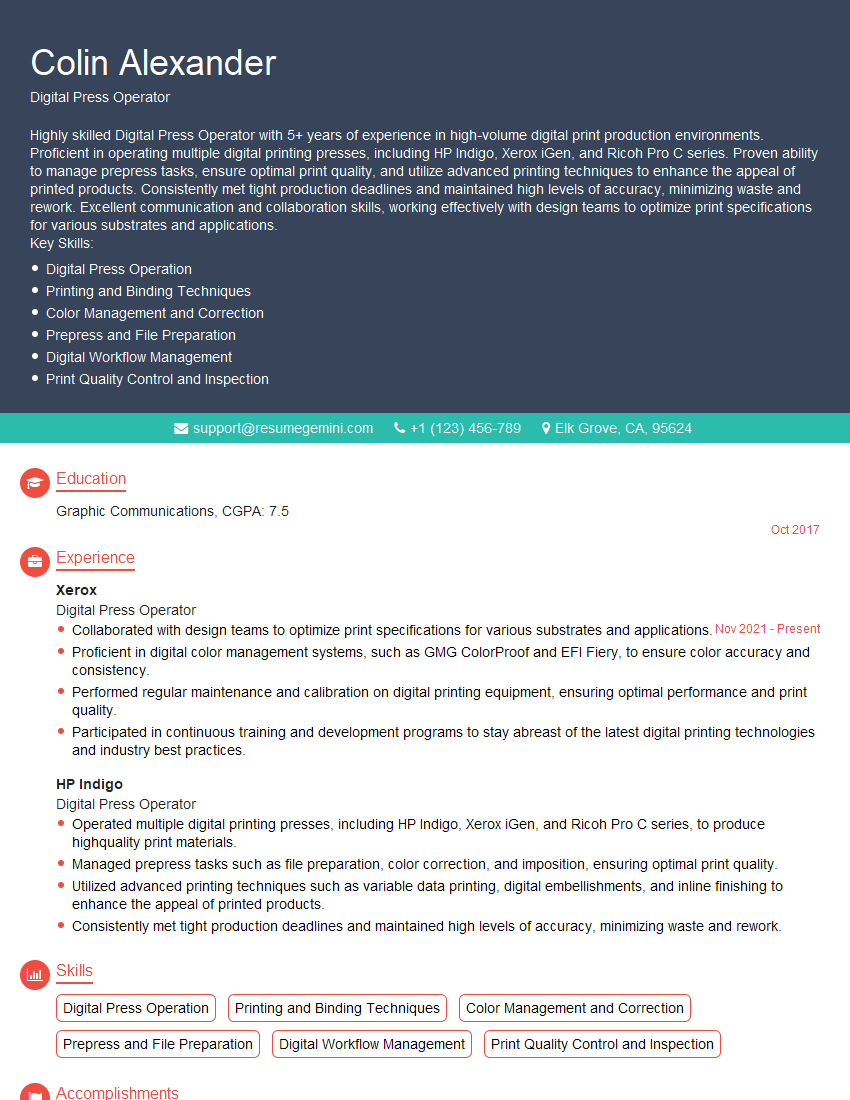
Digital Press Operator Resume Sample
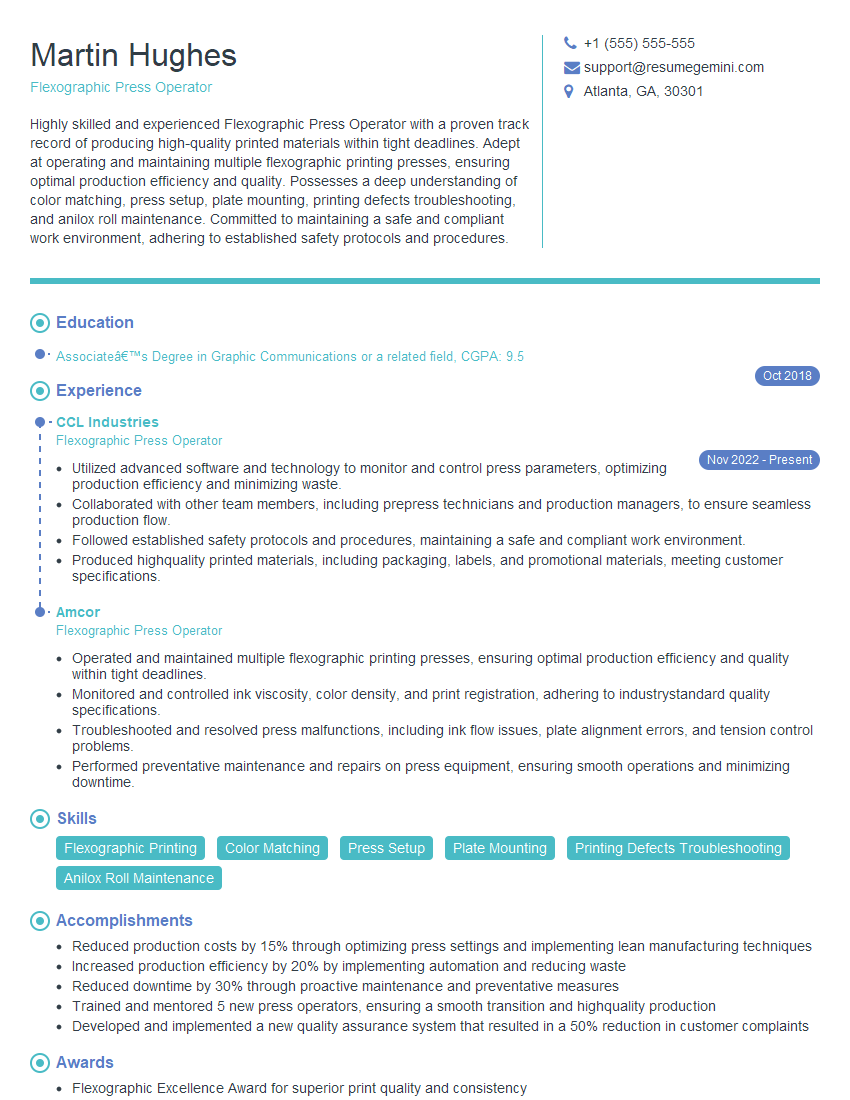
Flexographic Press Operator Resume Sample

Offset Press Operator Resume Sample
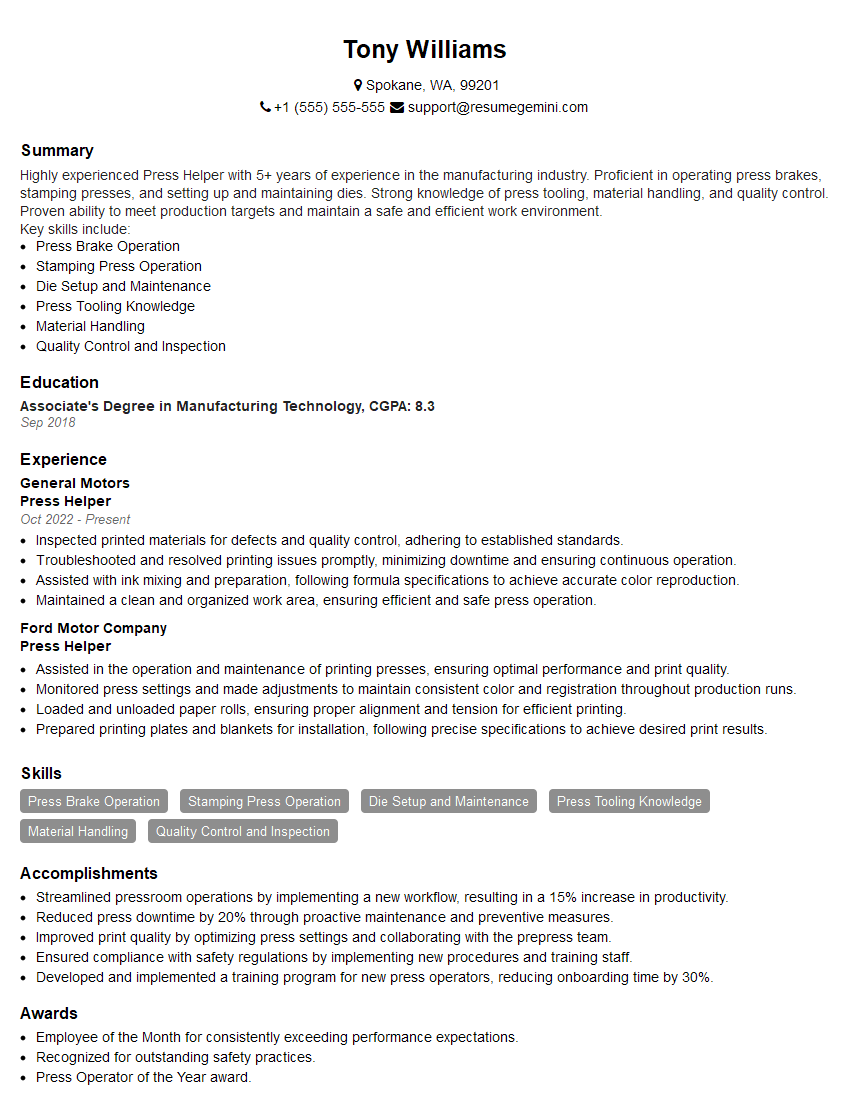
Press Helper Resume Sample
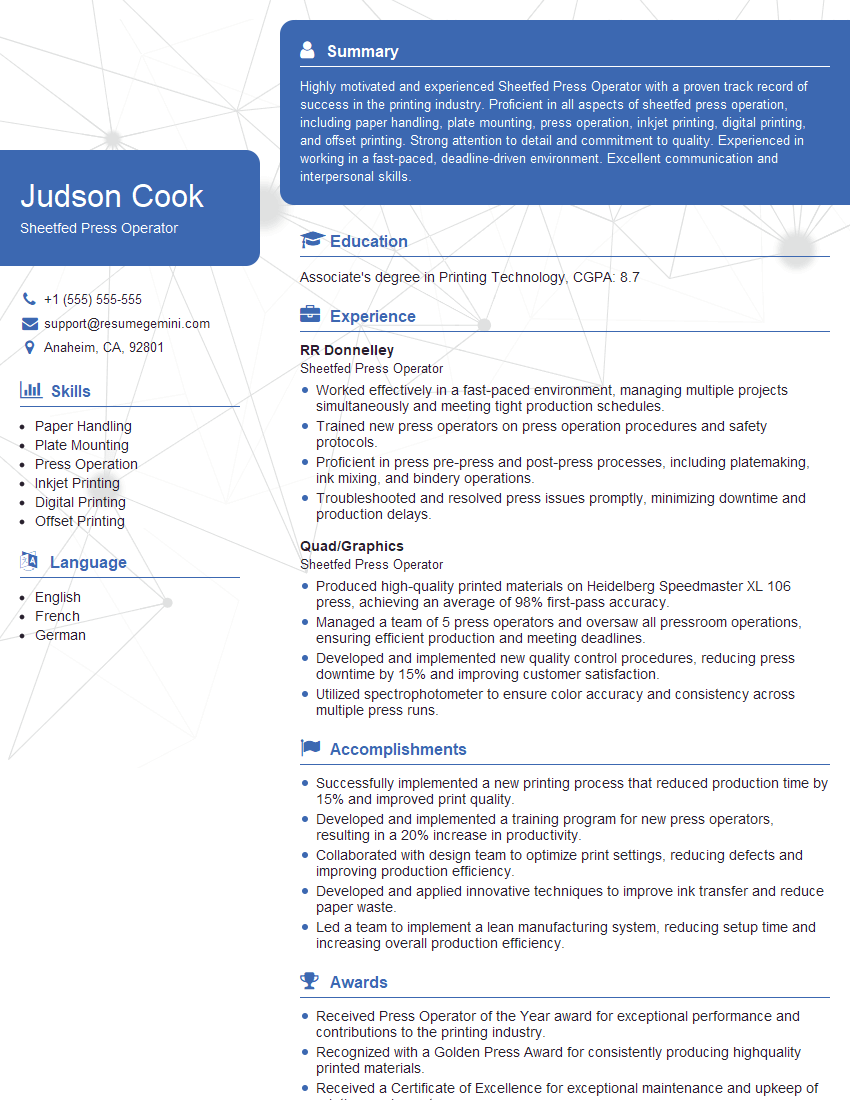
Sheetfed Press Operator Resume Sample
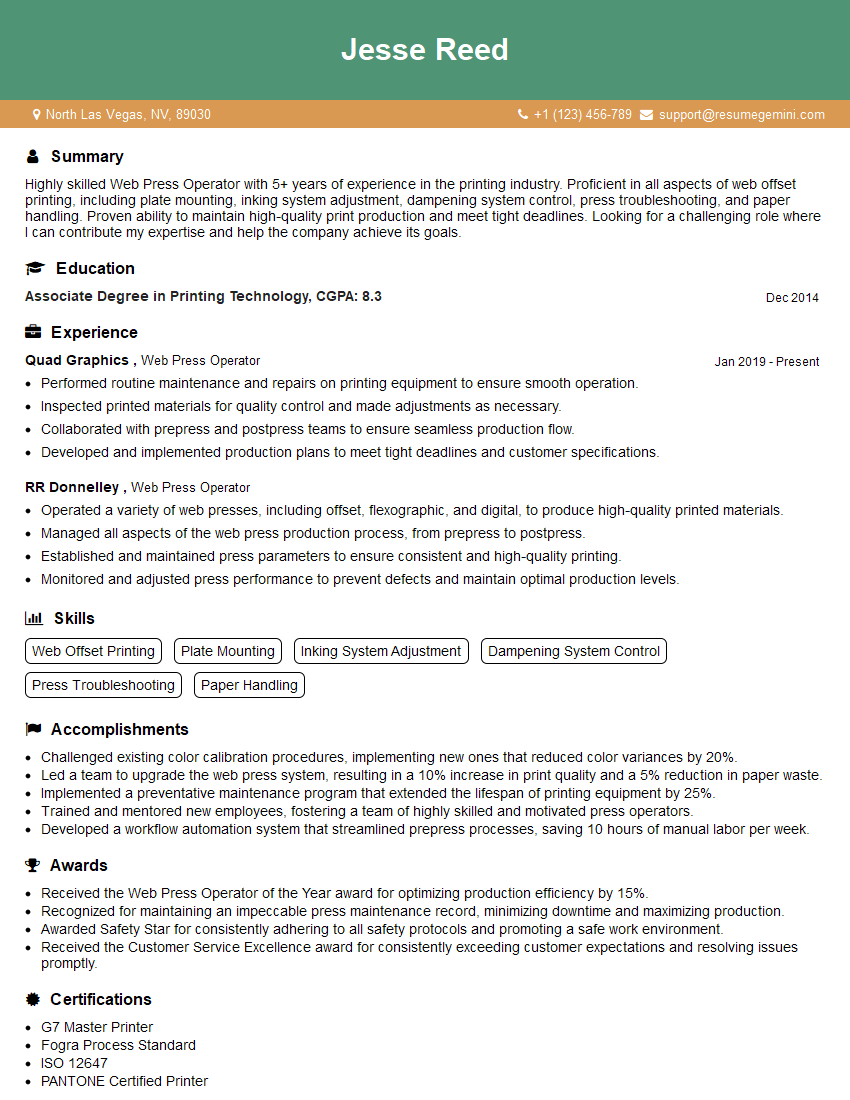
Web Press Operator Resume Sample
Explore more articles
Users Rating of Our Blogs
Share Your Experience
We value your feedback! Please rate our content and share your thoughts (optional).
What Readers Say About Our Blog
Very informative content, great job.
good