Interviews are opportunities to demonstrate your expertise, and this guide is here to help you shine. Explore the essential Knowledge of Print Industry Terminology interview questions that employers frequently ask, paired with strategies for crafting responses that set you apart from the competition.
Questions Asked in Knowledge of Print Industry Terminology Interview
Q 1. Explain the difference between offset and digital printing.
Offset printing and digital printing are two fundamentally different methods of transferring images onto a substrate (like paper). Think of it like this: offset is like using a stamp to reproduce an image many times, while digital is like using a high-resolution inkjet printer.
Offset printing is an indirect process. Ink is transferred from a printing plate to a rubber blanket, and then from the blanket to the paper. This allows for incredibly high-quality, consistent results, especially at high volumes. It’s ideal for large print runs of books, magazines, and brochures because the initial setup costs are spread across many prints, making it cost-effective. The process involves intricate machinery and skilled operators.
Digital printing, on the other hand, is a direct process. The image is printed directly onto the paper using an inkjet or laser process, similar to a home printer but on a vastly larger scale. Digital printing is perfect for short runs, personalized pieces, and projects requiring variable data (like personalized letters or address labels), as there’s no need for expensive plates. While the quality is excellent, it might not reach the same level of sharpness and color vibrancy as offset printing at very high volumes.
Q 2. What are the key stages in the prepress process?
Prepress is the crucial preparation stage before actual printing. Think of it as the detailed planning phase before construction begins. It involves several key steps:
- Artwork Creation & Design: This involves creating the visual elements of the print job, using software such as Adobe Illustrator or InDesign.
- Image Setting & Editing: Refining the images, ensuring the resolution is suitable for the chosen printing method (consider higher resolutions for offset).
- File Preparation & Pre-flighting: Checking the file for any potential problems, ensuring it’s correctly formatted for the printer, including color modes (CMYK for offset) and proper fonts. This step prevents costly errors down the line.
- Proofing: Creating a physical or digital proof to review the design and approve it before proceeding to printing. Soft proofs are digital versions, while hard proofs are physical printed samples.
- Plate Making (for Offset): Creating printing plates from the approved artwork. These are used in the offset printing process to transfer the image to the rubber blanket.
Efficient prepress ensures a smooth printing process and minimizes errors and wasted materials.
Q 3. Describe the various types of paper finishes (e.g., coated, uncoated, matte).
Paper finishes dramatically impact the look and feel of a printed piece, influencing its usability and perceived value. Think of choosing the right fabric for a dress; the finish is just as important as the material itself.
- Coated Paper: This paper has a layer of coating added, usually clay or other materials. This coating provides a smooth surface for vibrant, sharp images and crisp text. It’s commonly used for magazines, brochures, and high-quality printing where image quality is paramount. Examples include Gloss, Silk, and Matte coated.
- Uncoated Paper: This paper lacks a coating, providing a more natural, absorbent surface. It’s often chosen for its texture and classic feel. Uncoated papers are better for eco-friendly printing, and suitable for projects where a more natural, textured look is desired, such as book pages or stationery.
- Matte Paper: A type of coated paper, but with a non-reflective finish. It provides a sophisticated, less shiny look than glossy coated paper. It’s popular for business cards, postcards, and projects where a subdued elegance is desired.
Other finishes include textured papers, embossed papers, and specialty papers.
Q 4. What is color separation, and why is it important in printing?
Color separation is the process of breaking down a full-color image into its individual color components—typically cyan (C), magenta (M), yellow (Y), and black (K), the CMYK color model. Think of it like separating the layers of a cake to see the individual ingredients.
It’s crucial because printing presses don’t directly print a full-color image. Instead, each color component is printed separately, one on top of another, to create the final image. Without color separation, the printer wouldn’t know which color ink to apply where. Accurate color separation is essential to achieving the desired colors in the final print, ensuring the printed piece matches the digital design as closely as possible.
Q 5. Explain the concept of color profiles (e.g., CMYK, RGB).
Color profiles define the specific characteristics of a color space. They act like a translation dictionary between your screen’s color and the printer’s color.
- CMYK (Cyan, Magenta, Yellow, Key/Black): The subtractive color model used in printing. It works by subtracting colors from white light. Each color subtracts a portion of light, resulting in various colors. Because of the subtractive nature, a combination of CMYK often results in a duller representation of the intended colors compared to RGB.
- RGB (Red, Green, Blue): The additive color model used for screens (monitors, TVs). It mixes red, green, and blue light to create a wide range of colors. RGB is used in design software and displays much brighter and richer colors than CMYK, leading to differences in appearance between screen and print.
It’s crucial to understand these profiles to accurately convert between them, ensuring color consistency between the digital design and the final print. Incorrect color profiles lead to significant color shifts in the print, requiring costly reprints.
Q 6. What are some common printing defects and how are they identified?
Printing defects can range from minor inconsistencies to major problems rendering the print unusable. Early identification is critical to minimizing waste and ensuring quality control. Some common defects include:
- Color misregistration: Colors are not aligned properly, creating blurry or fuzzy images. This is often due to misalignment of the printing plates or incorrect setup of the printing press.
- Mottle: An uneven distribution of ink, resulting in a blotchy or speckled appearance. This can be caused by issues with the ink, rollers, or paper.
- Hickeys: Small, irregular spots of ink caused by dust or debris on the printing plate or blanket.
- Streaking: Long, thin lines of ink caused by problems with ink supply or the printing rollers.
- Set-off: Wet ink transferring from one printed sheet to another. This can occur in high-speed printing and requires adjustments to drying conditions.
These defects are identified through visual inspection of the printed product using a variety of tools such as a magnifying glass or specialized color measurement devices. Understanding the root cause allows for corrective actions to prevent future defects.
Q 7. Describe the different types of binding methods used in print finishing.
Binding methods hold printed pages together to create a finished product. The choice depends on the project’s type, size, and desired aesthetic.
- Saddle Stitch: Pages are folded in half, and staples are inserted through the fold. Suitable for magazines, booklets, and brochures with a relatively low page count.
- Perfect Binding: The edges of the pages are glued together to create a square spine. This is commonly used for books, journals, and softcover publications.
- Wire-O Binding: Metal or plastic wire loops are inserted through punched holes along the spine. This creates a durable binding, ideal for calendars, notebooks, and reports.
- Case Binding: The pages are sewn together, glued to the cover boards, and then covered with a protective cover. This is used for high-quality hard-cover books.
- Spiral Binding (Coil Binding): Plastic or metal coils are used to bind the pages. Often used for reports, documents, and manuals where pages need to lay flat.
Each method offers different levels of durability, cost-effectiveness, and aesthetic appeal. The selection should always consider the function and the intended use of the printed piece.
Q 8. What is the significance of DPI and PPI in print production?
DPI (dots per inch) and PPI (pixels per inch) are crucial in print production, determining the resolution of an image. While often used interchangeably, they represent slightly different aspects. DPI refers to the physical dots of ink printed per inch on the printed piece. PPI, on the other hand, refers to the number of pixels per inch in a digital image file. The crucial relationship is this: a high-resolution image (high PPI) is necessary to achieve a high-quality print (high DPI). Imagine trying to enlarge a small, pixelated image – it’ll look blurry. Similarly, a low-resolution image file will result in a poor-quality print, regardless of the printer’s capabilities. For high-quality printing, the PPI of your image file should generally match or exceed the DPI of your printing device. For example, a 300 PPI image is generally considered suitable for high-quality print at 300 DPI.
For professional printing, aiming for at least 300 PPI is standard practice. Lower resolutions might be acceptable for lower-quality print materials, but compromising on resolution will inevitably lead to a less crisp, less detailed printed product.
Q 9. Explain the differences between various printing techniques (e.g., lithography, flexography, screen printing).
Several printing techniques exist, each with unique properties and applications:
- Lithography (Offset Printing): This is the workhorse of commercial printing. It uses a plate-making process where ink is transferred from a plate to a rubber blanket, and then to the paper. It’s excellent for large print runs, producing high-quality images and sharp text at a relatively low cost per piece. Think of magazines, newspapers, and brochures.
- Flexography: This uses flexible photopolymer plates and is ideally suited for flexible substrates like plastic films, foils, and corrugated cardboard. It’s often used for packaging and labels, as well as newspapers and shopping bags. Flexography uses liquid inks and is faster than lithography, but the image quality is generally lower.
- Screen Printing: A stencil-based process where ink is pushed through a screen onto the printing surface. It’s extremely versatile, allowing for printing on almost any substrate, including textiles, wood, and metal. It excels in printing bold, opaque colors and is often used for t-shirts, posters, and unique artistic pieces. However, it’s less efficient for large print runs compared to lithography or flexography.
The choice of printing technique depends on factors such as the type of substrate, print run length, desired image quality, budget, and the complexity of the design.
Q 10. What are the different types of inks used in printing?
The ink used in printing varies greatly depending on the printing method and the substrate being printed on. Some common types include:
- Water-based inks: Environmentally friendly and often used in packaging and some forms of commercial printing. They are less vibrant than solvent-based inks.
- Solvent-based inks: Offer vibrant colors and are durable, often used in flexography and screen printing for outdoor applications. However, they have environmental concerns due to their volatile organic compounds (VOCs).
- UV-curable inks: Cured by UV light, offering rapid drying times and excellent durability. Commonly used in commercial printing, screen printing, and wide-format printing.
- Vegetable-based inks: Made from plant-derived oils, these are environmentally friendly and gaining popularity as sustainable alternatives.
Each ink type has unique properties impacting color vibrancy, drying time, durability, and environmental impact. The selection of ink should align with the specific requirements of the printing project.
Q 11. What is a Pantone color, and how is it used in print design?
Pantone colors are a standardized color matching system. Each Pantone color has a unique numeric identifier (e.g., Pantone 186 C), ensuring consistent color reproduction across different printing processes and locations. Unlike CMYK (Cyan, Magenta, Yellow, and Key/Black) which is a subtractive color model, Pantone is a spot color system. This means a specific ink is mixed to match that Pantone color, providing greater accuracy and consistency, especially for brand colors or critical color matching. This is especially crucial for logos and branding elements where color consistency is paramount. Using Pantone allows designers to specify precise colors, helping to avoid color variations that might occur when relying solely on CMYK.
Imagine a company with a signature vibrant green. Using Pantone ensures that their logo will appear the same rich green whether printed on business cards in New York or brochures in London.
Q 12. What are bleed margins and why are they necessary?
Bleed margins are the extra area extending beyond the final trim size of a printed piece. They’re crucial because printers need this extra space to account for slight variations during the cutting process. Without bleed, you risk having white edges or incomplete images along the trimmed edges of your final print. The bleed typically extends 1/8th of an inch (3mm) beyond the intended trim size on all sides. If you don’t include bleed, a slight shift in the cutting process could leave your design incomplete. For example, if you have a full-bleed image that doesn’t extend into the bleed area, the finished product might show a small white border, ruining the intended design.
Consider a poster with a background image extending to the very edge. The bleed ensures that even with slight trimming variations, the image will always reach the edge of the finished poster.
Q 13. Explain the importance of proofing in the print process.
Proofing is a critical step in the print process to ensure that the final printed product accurately matches the design intent. A proof is a sample print used to review colors, resolution, and overall quality before the full print run. This helps catch errors early, preventing costly reprints and delays. There are several types of proofs, including digital proofs (soft proofs), which are viewed on screen, and hard proofs (physical proofs) printed on the same materials and using the same processes as the final print. Hard proofs are generally preferred for accuracy.
Approving a proof is crucial; any discrepancies noted at this stage can be corrected before committing to the full production run, saving money and time.
Q 14. What are some common file formats used in print production (e.g., PDF, TIFF, EPS)?
Several file formats are commonly used in print production, each with its own strengths and weaknesses:
- PDF (Portable Document Format): The industry standard for print-ready files. PDFs preserve fonts, images, and other design elements, ensuring consistency across different operating systems and printing devices. They also allow for the embedding of color profiles and other crucial print information.
- TIFF (Tagged Image File Format): A high-quality raster image format suitable for high-resolution images. It’s commonly used for photographic images and illustrations.
- EPS (Encapsulated PostScript): A vector-based format that preserves sharp lines and curves regardless of scaling. It’s often used for illustrations and logos, ensuring crisp details at any size.
Choosing the right file format is crucial for a smooth printing process. While PDF is the primary format for submitting print jobs, TIFF and EPS are valuable for specific image types.
Q 15. What is imposition, and how does it affect the printing process?
Imposition is the precise arrangement of pages on a printing sheet before printing. Think of it like a puzzle where each piece (page) needs to be placed perfectly to create the final product (book, brochure, etc.) after the sheet is printed and folded or cut. It’s crucial because it dictates how the printed sheets are folded, cut, and assembled into the final product. Incorrect imposition leads to pages appearing out of order or missing altogether, resulting in wasted materials and costly reprints.
For example, a 16-page booklet might be imposed so that when the large sheet is printed, it folds correctly to create the booklet. The printer uses specialized software to create imposition plans, determining the exact position of each page to optimize the use of paper and minimize waste. A common method is ‘work and turn’ where one side of the sheet is printed, then it’s flipped and printed on the other side to save on printing time and material.
Career Expert Tips:
- Ace those interviews! Prepare effectively by reviewing the Top 50 Most Common Interview Questions on ResumeGemini.
- Navigate your job search with confidence! Explore a wide range of Career Tips on ResumeGemini. Learn about common challenges and recommendations to overcome them.
- Craft the perfect resume! Master the Art of Resume Writing with ResumeGemini’s guide. Showcase your unique qualifications and achievements effectively.
- Don’t miss out on holiday savings! Build your dream resume with ResumeGemini’s ATS optimized templates.
Q 16. Explain the concept of color management in print production.
Color management in print production is the process of ensuring consistent color reproduction across all stages, from design to final print. It involves managing the color profiles of different devices (screens, printers, scanners) to achieve the intended colors. Think of it as a translator ensuring your design’s vibrant red remains vibrant red throughout the entire printing process, despite variations in equipment.
This is achieved through the use of color profiles (ICC profiles), which act as dictionaries defining the color space of each device. The designer’s color profile (usually sRGB for screens) needs to be converted to the printer’s profile (e.g., CMYK for offset printing) to ensure an accurate color match. Without proper color management, significant color shifts can occur, leading to significant discrepancies between the digital proof and the final printed product.
Q 17. How do you ensure color consistency across different print runs?
Maintaining color consistency across different print runs involves a multi-faceted approach. First, you need a robust color management system (as discussed above), including standardized color profiles and regular device calibration. This ensures that each device involved in the process – from the designer’s monitor to the printing press – is accurately representing color. Second, use color standards, like Pantone color swatches for spot colors or a controlled CMYK system for process printing.
Third, you should always print a color control strip or test print on each run to compare with a previously approved sample (a ‘golden copy’). This allows for adjustments as needed to maintain consistency, especially accounting for variations in paper, ink, and press settings over time. Finally, detailed documentation and precise specifications, including paper stock type and ink formulations, should always be followed.
Q 18. What is the difference between a spot color and a process color?
Spot colors and process colors are two distinct methods for achieving color in printing. Spot colors are premixed inks (like Pantone colors) that are applied directly to the printing plates. Each color is unique and has a specific formulation, ensuring exact color matches. Think of a corporate logo – often printed with specific spot colors to maintain brand consistency.
Process colors, on the other hand, utilize a combination of four basic inks: Cyan, Magenta, Yellow, and Key (black – K). These colors are overlaid to produce a wider range of colors. While not as precise as spot colors, process colors are more cost-effective for large-scale projects with a diverse color palette. A vibrant sunset, for example, is typically reproduced using process colors. The choice between spot and process depends on factors like color criticality, budget, and print quantity.
Q 19. What are some common print finishing options (e.g., lamination, embossing, die-cutting)?
Print finishing options significantly enhance the look and feel of a printed product. Some popular options include:
- Lamination: Applying a plastic film (glossy, matte, or soft-touch) to protect the print and improve its durability. Imagine a glossy magazine cover – that’s usually lamination.
- Embossing/Debossing: Creating a raised (embossing) or indented (debossing) design, adding texture and visual interest. Think of the raised lettering on a business card.
- Die-cutting: Using a sharp die to cut custom shapes or patterns into the printed material. Custom-shaped business cards or unique invitations are common uses.
- Foil stamping: Applying metallic foil (gold, silver, etc.) to create a luxurious look. It’s often seen on high-end packaging or stationery.
- Binding (e.g., perfect binding, saddle stitch): Securing the pages of a book or booklet. Perfect binding is used for softcover books, while saddle stitching is common for magazines and brochures.
The choice of finishing options depends on the project’s requirements, budget, and desired aesthetic.
Q 20. Explain the role of a print buyer in the procurement process.
A print buyer acts as a liaison between a company needing printed materials and the printing company. Their role is crucial in ensuring the project is executed efficiently and cost-effectively. They manage the procurement process from start to finish.
Their responsibilities include:
- Gathering requirements: Understanding the client’s needs regarding design, quantity, specifications, and deadlines.
- Soliciting quotes: Obtaining competitive bids from different printers.
- Negotiating prices and terms: Securing the best possible pricing and contract terms.
- Managing the printing process: Overseeing the production timeline, ensuring quality control, and addressing any issues that arise.
- Ensuring timely delivery: Monitoring the production process to meet the client’s deadlines.
In essence, the print buyer is responsible for all aspects of the procurement process, minimizing risks and ensuring the client’s satisfaction.
Q 21. Describe different types of paper stocks and their appropriate uses.
Paper stocks vary widely in terms of material, weight, texture, and finish, influencing their suitability for different applications. Choosing the right paper is crucial to achieve the desired look, feel, and functionality of the printed product.
Here are some examples:
- Coated paper: Smooth, glossy surface, ideal for high-quality images and vibrant colors (magazines, brochures).
- Uncoated paper: Matte finish, offers a more natural feel, suitable for text-heavy documents (books, letterheads).
- Card stock: Thick and durable, used for business cards, postcards, and invitations.
- Cover stock: Heavier than card stock, used for book covers and other applications requiring extra durability.
- Recycled paper: Environmentally friendly option, with varying textures and finishes.
The choice depends on the project; a glossy magazine would use coated paper for optimal image reproduction, while a novel might prefer uncoated paper for a comfortable reading experience.
Q 22. How do you calculate the cost of a print job?
Calculating the cost of a print job involves a multi-faceted approach, going beyond simply multiplying the quantity by the price per unit. It requires a thorough understanding of all associated costs. Think of it like baking a cake – you need to account for not only the ingredients but also the oven time, labor, and packaging.
- Material Costs: This includes the cost of paper (considering weight, size, and type), inks (depending on the printing method and color profile), and any other materials like adhesives, coatings, or special substrates.
- Pre-press Costs: This encompasses design, file preparation (including trapping and imposition), platemaking (for offset printing), and proofing.
- Press Costs: This is the cost of running the printing press itself, factoring in setup time (makeready), run time, and press maintenance. Different print methods (offset, digital, screen) have dramatically different press costs.
- Post-press Costs: This stage includes finishing operations such as cutting, folding, binding (perfect binding, saddle stitch, wire-o), lamination, and packaging. The complexity of these processes significantly impacts cost.
- Labor Costs: Consider the labor involved at each stage – design, pre-press, press operation, and finishing. This includes salaries and benefits for your team.
- Overhead Costs: This includes rent, utilities, and other indirect costs associated with running your print shop. These costs are often calculated as a percentage markup.
- Profit Margin: Finally, you need to factor in a profit margin to ensure your business remains financially viable. This percentage varies based on market conditions and business strategy.
For example, a simple business card job might have low pre-press and post-press costs, while a large-format poster with complex finishing will have considerably higher costs. Accurate cost estimation requires detailed job specifications and a well-maintained cost database.
Q 23. What are some common challenges encountered in print production?
Print production faces numerous challenges. One could say it’s a delicate dance between technology, creative vision, and efficient operations.
- Meeting Tight Deadlines: Rush jobs and unexpected delays are common, requiring adaptability and effective project management.
- Maintaining Color Accuracy: Ensuring consistent color reproduction across different stages and print methods can be tricky, requiring color management expertise.
- Managing Paper Stock: Paper availability, price fluctuations, and ensuring the right type of paper is always on hand presents logistical headaches.
- Dealing with File Errors: Incorrect or low-resolution files can lead to delays and printing errors, underscoring the need for meticulous file preparation and preflighting.
- Equipment Malfunctions: Printing equipment is complex and requires regular maintenance. Unexpected breakdowns can disrupt schedules and impact profitability.
- Quality Control Issues: Ensuring the final product meets the client’s expectations requires rigorous quality checks at every step.
- Staying Competitive: The print industry is constantly evolving, with new technologies and market pressures, demanding continuous learning and adaptation.
For instance, a client might suddenly need 10,000 flyers by the end of the week, forcing us to juggle priorities and potentially even outsource portions of the work to meet the deadline.
Q 24. How do you troubleshoot printing issues?
Troubleshooting printing issues requires a systematic approach. It’s like detective work, where you need to gather clues and eliminate possibilities.
- Identify the Problem: Start by pinpointing the exact issue – is it a color mismatch, blurry print, paper jam, or something else?
- Check the File: Ensure the print file is correctly formatted, with appropriate resolution, color profiles (CMYK), and bleeds. A preflight check is crucial here.
- Examine the Press Settings: Verify that the press settings (ink density, speed, pressure) are correct for the paper type and job specifications.
- Inspect the Materials: Check if the paper is suitable, if the inks are fresh, and that other consumables are in good condition.
- Assess the Equipment: Inspect the printing press itself for any mechanical issues or malfunctions. This might involve checking rollers, sensors, and other components.
- Test Prints: Run a series of test prints to isolate the problem. Start with a simple test to rule out major problems, then progressively refine.
- Consult Documentation: Refer to the machine manuals and other relevant documentation to identify potential solutions.
For example, if we encounter banding (uneven ink distribution), we might check the ink fountain, clean the rollers, or adjust the press speed. Each issue requires a different diagnostic process.
Q 25. Explain the importance of quality control in print production.
Quality control is paramount in print production. It ensures client satisfaction, maintains brand reputation, and minimizes waste. Imagine sending out brochures with misaligned images – it reflects poorly on your business.
- Proofing: This involves reviewing a sample print to check for color accuracy, image sharpness, and text legibility. Different proofing methods (soft proof, contract proof, press proof) offer varying levels of accuracy.
- In-process Checks: Regular checks during the printing process help catch errors early on. This includes monitoring ink density, paper alignment, and other key aspects.
- Post-press Inspection: Once printing is complete, a thorough inspection of the finished product is crucial. This includes checking for defects such as miscuts, misfolds, or other finishing issues.
- Color Management: Implementing a robust color management system ensures consistency across different stages and devices, from design to final print.
- Standard Operating Procedures (SOPs): Clearly defined procedures help minimize human errors and ensure consistency in quality.
A rigorous quality control system not only prevents errors but also fosters trust and confidence with clients, leading to repeat business and positive word-of-mouth referrals.
Q 26. What are some industry-standard software packages used in print production?
The print production industry relies on several industry-standard software packages. They are the tools that help us translate creative ideas into reality.
- Adobe Creative Suite (Photoshop, Illustrator, InDesign): These are cornerstone applications for graphic design and layout, essential for preparing print-ready files.
- Esko Suite (Artwork Management, Prepress Solutions): Used for advanced prepress tasks, including color management, trapping, and imposition.
- RIP Software (e.g., Fiery, Harlequin): These are crucial for digital printing, processing files and sending them to the printer.
- MIS (Management Information Systems): Software systems (e.g., PrintSmith, Thar) manage jobs, track costs, and streamline workflow.
- PDF Editors (e.g., Acrobat Pro): Essential for creating, reviewing, and editing PDF files, ensuring compatibility across different systems.
For instance, InDesign is indispensable for creating multi-page documents like brochures or magazines, while Photoshop allows for intricate image manipulation and retouching before printing.
Q 27. Describe your experience with print workflow management systems.
My experience with print workflow management systems is extensive. I understand the importance of a streamlined process for efficient production and client satisfaction.
I’ve worked with various MIS systems, from simple job tracking software to fully integrated workflow solutions. This includes setting up job tickets, managing deadlines, tracking materials, and monitoring production progress. My experience encompasses:
- Job Scheduling and Tracking: I am proficient in using these systems to schedule jobs efficiently, considering press availability, material requirements, and client deadlines.
- Cost Estimation and Tracking: I’ve used these systems to generate accurate cost estimations, track expenses, and monitor profitability for each project.
- Inventory Management: I have experience in using MIS to manage paper stock, inks, and other consumables, ensuring optimal inventory levels and preventing delays.
- Reporting and Analytics: I’m comfortable generating reports on production efficiency, cost analysis, and other key metrics.
In a previous role, I implemented a new MIS system, which resulted in a 15% reduction in production time and a 10% improvement in overall efficiency. This demonstrates my ability to leverage these systems to optimize print production workflows.
Q 28. How would you handle a client demanding a rush job?
Handling a client demanding a rush job requires careful negotiation, prioritization, and transparent communication. It’s a balancing act between meeting the client’s needs and maintaining operational efficiency.
- Assess Feasibility: First, I would assess whether the rush job is feasible given our current workload and available resources. If not possible, I would explain this clearly to the client.
- Negotiate Deadline: If feasible, I’d discuss the possibility of a slightly adjusted deadline to avoid compromising quality. A slight extension might be all that’s needed to avoid compromising the process.
- Prioritize Resources: I’d prioritize the rush job by reallocating resources and personnel if necessary. This might involve delaying other jobs, if possible, without disrupting other commitments.
- Communicate Clearly: Transparency is key. I’d keep the client updated on progress and any potential challenges throughout the process.
- Charge Accordingly: Rush jobs often require additional resources and overtime, so I’d discuss and agree upon a suitable surcharge to cover the extra costs.
In one instance, a client needed 5,000 brochures in two days – an incredibly tight turnaround. By re-prioritizing our workload, working overtime, and clearly communicating with the client, we successfully delivered on time without sacrificing quality. This highlighted the importance of proactive communication and resource management in handling rush jobs.
Key Topics to Learn for Knowledge of Print Industry Terminology Interview
- Pre-press Processes: Understanding concepts like file preparation (trapping, color profiles, bleeds), proofing methods (digital, hard copy), and the role of different file formats (PDF, TIFF, JPEG).
- Printing Processes: Familiarize yourself with offset lithography, digital printing, flexography, screen printing, and their respective applications, advantages, and limitations. Be prepared to discuss print quality and production considerations for each.
- Paper & Substrate Knowledge: Mastering different paper types (coated, uncoated, specialty papers), their properties (weight, finish, brightness), and suitability for various printing techniques. Understanding different substrate options beyond paper is also beneficial.
- Color Management: Grasp the concepts of color spaces (CMYK, RGB, Pantone), color separation, and color consistency across different printing processes. Be ready to discuss color calibration and proofing.
- Finishing Techniques: Become familiar with post-printing processes such as cutting, folding, binding (saddle stitch, perfect binding, wire-o), lamination, and embossing. Understand the impact of these techniques on the final product.
- Print Finishing and Binding: Explore the various binding methods (perfect, saddle-stitch, spiral, etc.) and their suitability for different projects. Understand different finishing options such as die-cutting, embossing, and foil stamping.
- Industry Standards & Best Practices: Familiarity with common industry standards and best practices related to print production, quality control, and sustainability.
- Troubleshooting: Be prepared to discuss common print-related problems and potential solutions. This could include issues with color accuracy, registration, or finishing defects.
Next Steps
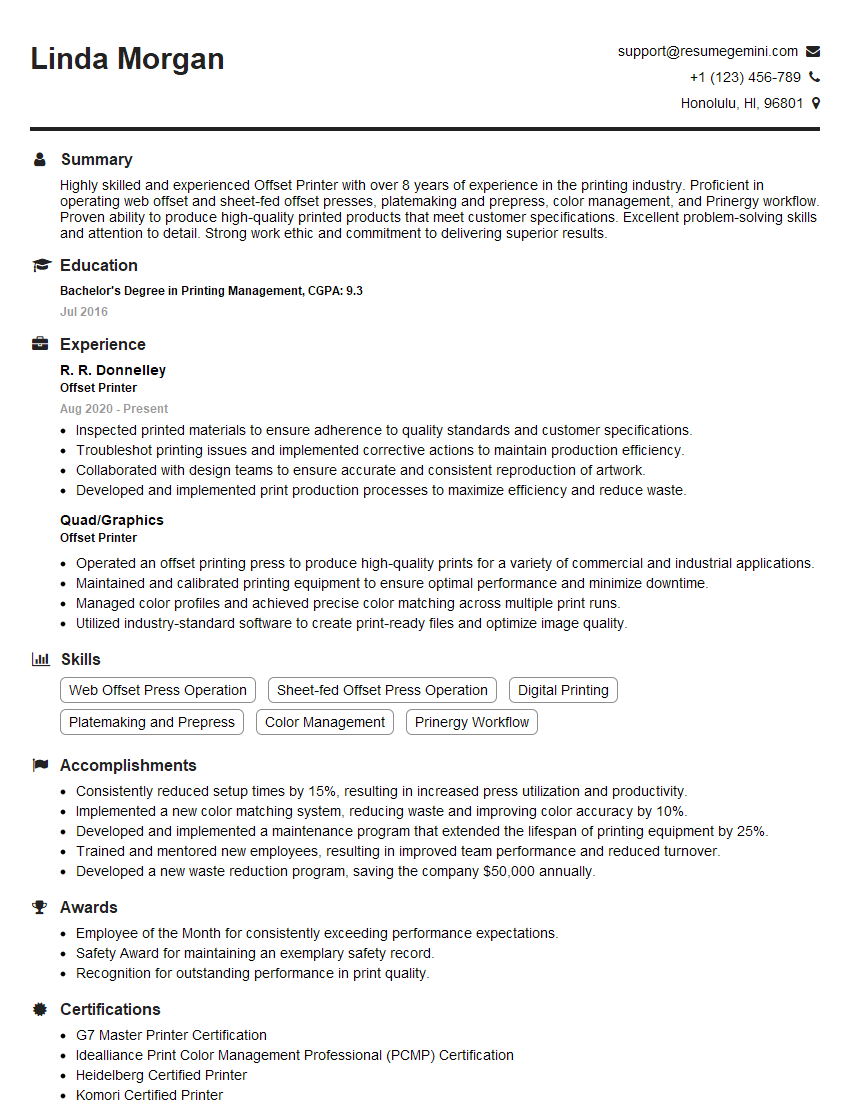
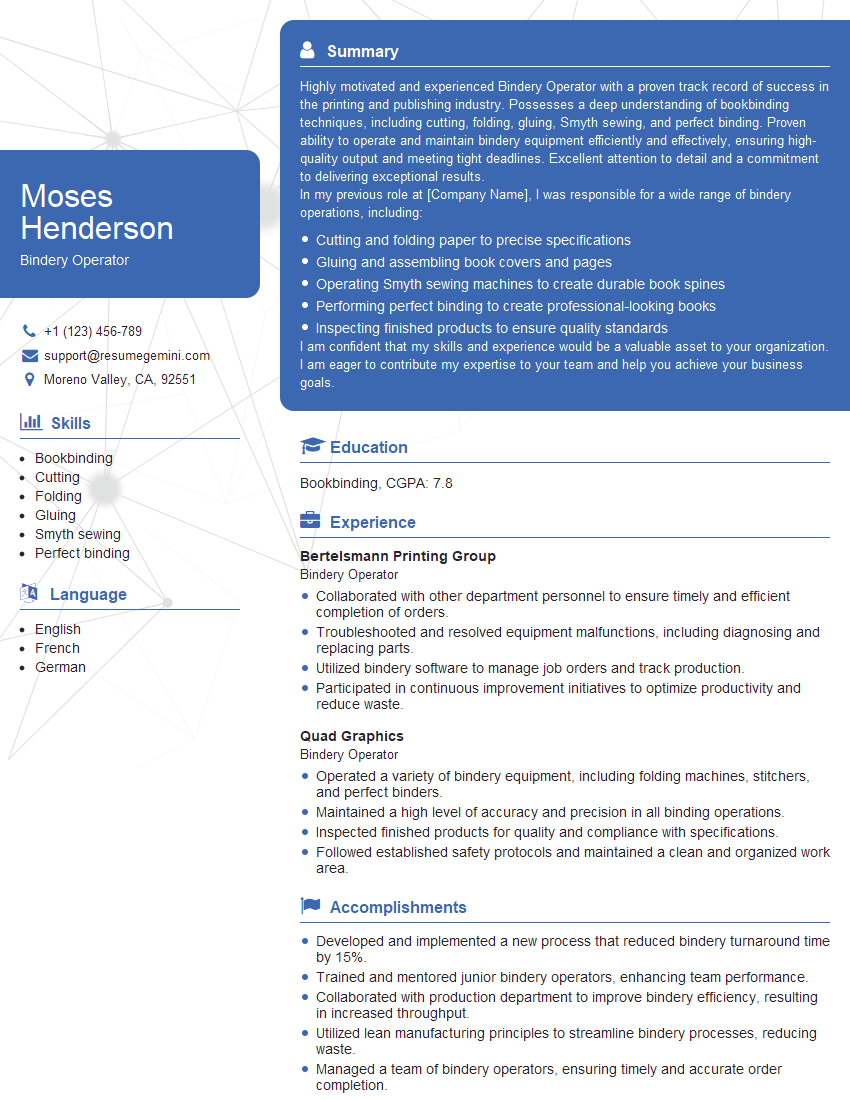
Mastering print industry terminology is crucial for demonstrating your expertise and securing your desired role. A strong understanding of these concepts showcases your practical knowledge and problem-solving abilities, leading to significant career advancement. To maximize your job prospects, crafting an ATS-friendly resume is vital. This ensures your application gets noticed by recruiters and hiring managers. ResumeGemini is a trusted resource that can help you build a professional and effective resume tailored to the print industry. Examples of resumes specifically designed for candidates with Knowledge of Print Industry Terminology are available to provide you with inspiration and guidance.







Explore more articles
Users Rating of Our Blogs
Share Your Experience
We value your feedback! Please rate our content and share your thoughts (optional).
What Readers Say About Our Blog
Very informative content, great job.
good