The thought of an interview can be nerve-wracking, but the right preparation can make all the difference. Explore this comprehensive guide to Knowledge of Print Media and Production Processes interview questions and gain the confidence you need to showcase your abilities and secure the role.
Questions Asked in Knowledge of Print Media and Production Processes Interview
Q 1. Explain the difference between offset and digital printing.
Offset printing and digital printing are two distinct methods for mass producing printed materials, differing primarily in their printing mechanisms and application suitability. Offset printing, the workhorse of high-volume projects, uses an indirect printing process. Ink is first transferred from a plate to a rubber blanket, and then from the blanket to the paper. This process allows for incredibly sharp and consistent results, particularly on large print runs. Think of it like making copies using a stamp: you first ink the stamp (plate), then press it onto a soft surface (blanket) which then transfers the image to the paper. Digital printing, on the other hand, is a direct-to-substrate process. The image is printed directly onto the paper using toner or inkjet technology, similar to a high-resolution photocopier. Digital is ideal for short runs, personalized items, and quick turnaround times, as it eliminates the need for plate-making and setup. Imagine printing a single photo from your home printer – that’s essentially digital printing.
In short: Offset is high-volume, high-quality, and cost-effective for large quantities; digital is low-volume, faster turnaround, better for personalization and shorter runs.
Q 2. Describe the prepress stages involved in preparing a print job.
Prepress encompasses all the steps taken before the actual printing begins, ensuring a smooth and high-quality final product. It’s a critical stage where mistakes can be costly to fix later. These stages typically include:
- Design and Layout: Creating the visual elements, text, and overall arrangement of the printed piece. This involves selecting appropriate fonts, images, and colors.
- Image Editing and Retouching: Enhancing images to ensure sharpness, color correction, and proper resolution for print.
- Proofing: Creating a test print (soft proof or hard proof) to check for accuracy in color, layout, and overall design before proceeding to the final print.
- File Preparation: Converting the design into a format suitable for the printing press. This involves ensuring the correct color space (CMYK), resolution, and file structure.
- Plate Making (for offset): Creating printing plates based on the prepared files. These plates then transfer the ink to the rubber blanket in the printing process.
- Imposition: Arranging the pages of a document to optimize the printing process and minimize waste (discussed further in question 6).
Think of prepress as the meticulous blueprint phase of construction – getting it right here minimizes costly errors during the main printing phase.
Q 3. What are the common color spaces used in print production (e.g., CMYK, RGB)?
The most common color spaces in print production are CMYK and RGB. RGB (Red, Green, Blue) is an additive color model used for screens and digital displays. It mixes light to create colors. CMYK (Cyan, Magenta, Yellow, Black) is a subtractive color model used for print. It works by subtracting light from white to create colors. This is because printed colors are created by ink absorbing light, not emitting it.
The key difference is crucial: an image that looks vibrant in RGB on a screen might appear dull or off-color when printed using an RGB file because the printer works with CMYK. Always convert your file to CMYK before sending it to the printer to avoid unexpected color shifts. This conversion is also part of the prepress process. Other less common color spaces might be used depending on the specifics of the print job, but CMYK is the standard for print.
Q 4. How do you ensure color consistency across different print runs?
Maintaining color consistency across different print runs is vital for brand consistency and overall quality. Several techniques ensure this:
- Color Management System (CMS): Implementing a CMS ensures accurate color reproduction throughout the workflow, from design to print. This involves profiling your monitor, printer, and the printing press itself.
- Proofing: Regularly comparing the printed output to a calibrated proof ensures consistent color reproduction. A color calibrated proof is a reference point that is produced under controlled conditions.
- Ink Matching: Using the same inks and formulations throughout the different print runs helps to eliminate color variation.
- Press Calibration: Ensuring that the printing press is consistently calibrated and maintained eliminates color inconsistencies that may arise from equipment malfunctions. Regular cleaning and maintenance are critical.
- Using a Pantone Matching System (PMS): For specific brand colors, using PMS spot colors ensures accurate reproduction across various print runs and printers.
Imagine baking a cake – using the same recipe and ingredients every time ensures a consistent outcome. Color consistency in print follows a similar principle.
Q 5. What are the different types of paper finishes and their applications?
Paper finishes significantly influence the look, feel, and functionality of a printed piece. Common finishes include:
- Coated: Offers a smooth, glossy surface ideal for high-quality images and vibrant colors. Frequently used for magazines and brochures.
- Uncoated: Provides a more natural, textured feel, often preferred for stationery, letterheads, or environmentally conscious products. Absorbs ink more readily than coated paper.
- Matte: Offers a subtle sheen, providing a balance between gloss and uncoated finishes. Often chosen for its elegance and readability.
- Gloss: Offers a high shine and vibrant colors, but can sometimes cause glare.
- UV Coating: A protective layer that adds durability and water resistance. It can be applied gloss or matte.
- Embossing/Debossing: Creates raised or indented textures, enhancing the tactile experience.
The choice of paper finish depends on the intended purpose and desired aesthetic. A glossy finish is great for showcasing photography, while an uncoated finish might be better suited for a more rustic or elegant feel.
Q 6. Explain the process of imposition and its importance in printing.
Imposition is the process of arranging the pages of a print job onto a larger sheet, in a way that maximizes efficiency and minimizes waste when the sheets are printed and folded. This is crucial, especially for high-volume printing projects like books or magazines.
For example, a 16-page booklet might be imposed onto a single sheet, such that when that sheet is folded and cut, it will result in the correct order of pages. This arrangement is determined using specific imposition software. Without proper imposition, it would be difficult and inefficient to arrange the pages correctly in the printing and finishing process. Incorrect imposition can lead to wasted paper and pages appearing out of order in the final product.
The importance of imposition lies in optimizing the printing process, reducing material costs, and ensuring the final product has the correct page order and layout.
Q 7. What are some common printing defects and how are they resolved?
Several common printing defects can arise during production. Identifying and addressing these issues promptly is crucial for ensuring high-quality output.
- Color inconsistencies: Variations in color across the printed piece. Solutions include proper color calibration, using consistent inks, and addressing press issues.
- Mottle: An uneven distribution of ink across the printed area. It might be due to incorrect ink density or press issues. Solutions include adjusting ink density and ensuring proper press maintenance.
- Hickeys: Small, unwanted specks of dirt or debris in the printed area. Solutions are meticulous cleaning of the printing press.
- Streaks: Long, thin lines of uneven ink coverage. Addressing this typically requires checking the rollers or the printing plate.
- Offsetting: Wet ink from one sheet transferring to another sheet. Solutions include using appropriate drying conditions, adjusting the ink viscosity, or adding powder to absorb excess ink.
Detecting and addressing printing defects requires a keen eye and a thorough understanding of the printing process. Regular quality checks and proactive maintenance of the equipment help to minimize these issues.
Q 8. Describe your experience with different types of printing presses.
My experience encompasses a wide range of printing presses, from traditional offset lithography to modern digital printing technologies. Offset lithography, which uses plates to transfer ink to a rubber blanket and then to the paper, is ideal for large-volume, high-quality projects like magazines and brochures. I’ve worked extensively with sheet-fed offset presses, capable of handling various paper sizes and stocks, and perfecting techniques like color registration and ink density control. I’m also proficient with web offset presses, suited for high-speed, continuous printing of newspapers and large-format publications. In the realm of digital printing, I have hands-on experience with inkjet and toner-based systems, particularly useful for short-run jobs, personalized marketing materials, and on-demand printing. Each press type presents unique challenges and opportunities – understanding their capabilities and limitations is crucial for optimal print production.
For example, when producing a high-volume glossy magazine, offset lithography would be the preferred choice for its cost-effectiveness and superior image quality. Conversely, for a small-batch, personalized marketing campaign targeting individual clients with unique data, digital inkjet printing offers greater flexibility and efficiency.
Q 9. How do you manage print deadlines and production schedules?
Managing print deadlines and production schedules involves meticulous planning and proactive communication. I utilize project management tools to create detailed timelines, outlining each stage of the process from initial design and prepress to printing, finishing, and delivery. This includes setting realistic deadlines for each task, assigning responsibilities, and incorporating buffer time to account for unforeseen delays. Regular progress meetings with the team and clients are crucial for keeping the project on track. I actively monitor the progress of each task and identify potential bottlenecks early on, adjusting the schedule as necessary. Effective communication and clear expectations are paramount in avoiding delays and ensuring on-time delivery.
For instance, if a specific paper stock is experiencing a supply chain issue, I would immediately explore alternative options, communicate the change to the client, and adjust the production timeline accordingly. Proactive problem-solving is key to successfully managing complex print projects.
Q 10. What are your skills in using print design software (e.g., Adobe Acrobat, InDesign)?
I’m highly proficient in Adobe InDesign, Illustrator, and Acrobat Pro. InDesign is my primary tool for page layout and design, allowing me to create complex layouts with precise control over typography, images, and other elements. I’m skilled in creating and managing master pages, styles, and templates to ensure consistency across large projects. Illustrator is invaluable for creating and editing vector graphics, ensuring sharp and scalable artwork for print. Acrobat Pro plays a vital role in preflighting documents, ensuring proper color profiles, fonts, and image resolutions before sending them to the press, preventing costly errors. My expertise in these tools enables me to efficiently and effectively prepare print-ready files, guaranteeing optimal print quality.
For instance, when working on a multi-page brochure, I’ll leverage InDesign’s features like styles and master pages to streamline the design process and ensure brand consistency throughout. Before sending the file to print, I meticulously check the file using Acrobat Pro to prevent any errors like missing fonts or low-resolution images.
Q 11. How do you handle client communication regarding print specifications?
Client communication regarding print specifications requires clear, concise, and proactive engagement. I begin by thoroughly understanding the client’s vision and objectives, ensuring we’re on the same page regarding design, quality, and quantity. I then provide detailed explanations of the technical specifications, including paper choices, ink types, finishing options, and turnaround times, using simple, non-technical language whenever possible. I actively solicit questions and feedback, ensuring the client feels comfortable and informed throughout the process. I also provide regular updates on the project’s progress, highlighting potential issues or challenges proactively.
For example, if a client is unsure about the best paper stock for their project, I’ll present various options with their pros and cons, showing samples and discussing their impact on the final product’s look and feel. This collaborative approach ensures the final product aligns perfectly with the client’s expectations.
Q 12. Explain the importance of proofreading and quality control in print production.
Proofreading and quality control are critical to ensuring the success of any print project. They’re not just about catching typos; they encompass a comprehensive review of the entire print piece, checking for accuracy in text, images, and color consistency. My quality control process includes several stages: a pre-press review to catch errors in the digital file, a hard copy proof for visual inspection, and a final press check to ensure the printed product meets the required specifications. This multi-layered approach significantly reduces the risk of costly errors and ensures a high-quality final product.
Imagine a company launching a new product with a brochure containing incorrect pricing or typos. The damage to the brand reputation could be substantial. Thorough proofreading and quality control are essential to avoid such scenarios.
Q 13. Describe your experience with different binding and finishing techniques.
My experience with binding and finishing techniques is extensive, ranging from simple methods to complex, specialized processes. I’m proficient in various binding methods, including saddle-stitch (for brochures and booklets), perfect binding (for books and magazines), wire-o binding (for calendars and notebooks), and case binding (for hardcover books). In finishing, I’m experienced with techniques such as die-cutting, embossing, foil stamping, lamination, and UV coating. Each technique adds a unique value proposition, enhancing the final product’s aesthetics and durability. Selecting the appropriate binding and finishing method depends heavily on the project’s requirements and the desired aesthetic outcome.
For example, a high-end corporate annual report might require case binding for a premium feel, while a simple marketing flyer might only need saddle-stitch binding.
Q 14. What is your experience with variable data printing?
Variable data printing (VDP) is a powerful tool for personalized marketing and direct mail campaigns. My experience with VDP includes working with various software platforms to integrate data sources with print files, enabling personalized content such as names, addresses, and custom messages to be incorporated directly into printed materials. I understand the importance of data integrity and accuracy in VDP, as errors can lead to wasted materials and ineffective campaigns. I’ve managed projects involving large datasets, ensuring efficient and accurate printing of personalized pieces, utilizing both inkjet and toner-based digital printing presses.
A great example of VDP’s power is personalized mailers. Instead of a generic message, each recipient receives a letter addressed to them by name, highlighting products tailored to their interests. This targeted approach increases engagement and response rates significantly.
Q 15. How do you manage print costs and budgets?
Managing print costs and budgets requires a multifaceted approach, starting long before the printing process begins. It’s not just about negotiating the best price with a printer; it’s about optimizing the entire print production workflow.
- Pre-press Optimization: Careful file preparation is crucial. Oversized files, complex designs, and unnecessary color separations all contribute to increased costs. Optimizing artwork and choosing the right file formats (like PDF/X-1a for print) can significantly reduce costs.
- Paper Selection: Paper is a major expense. Choosing the right paper weight, type (coated, uncoated, etc.), and sourcing it effectively can have a substantial impact. Negotiating bulk purchases with paper suppliers can lead to significant savings.
- Print Method Selection: Different print methods have vastly different costs. Offset printing is generally cost-effective for large runs, while digital printing excels for smaller, more customized jobs. Careful consideration of the project’s requirements is essential.
- Negotiating with Printers: Building strong relationships with printers allows for better price negotiations and access to potential discounts. Clearly defined specifications and a well-defined project scope are crucial for accurate quotes.
- Waste Reduction: Minimizing waste during the printing process is paramount. Precise estimations of print quantities and careful planning can significantly reduce material wastage. Considering imposition (the arrangement of pages on a sheet before printing) for maximum efficiency is essential.
- Budget Tracking: Maintaining a detailed budget throughout the entire process, from design to delivery, allows for real-time cost monitoring and adjustments as needed.
For example, I once managed a project where by carefully optimizing the artwork and choosing a more cost-effective paper, we managed to reduce the print costs by 15% without compromising the quality.
Career Expert Tips:
- Ace those interviews! Prepare effectively by reviewing the Top 50 Most Common Interview Questions on ResumeGemini.
- Navigate your job search with confidence! Explore a wide range of Career Tips on ResumeGemini. Learn about common challenges and recommendations to overcome them.
- Craft the perfect resume! Master the Art of Resume Writing with ResumeGemini’s guide. Showcase your unique qualifications and achievements effectively.
- Don’t miss out on holiday savings! Build your dream resume with ResumeGemini’s ATS optimized templates.
Q 16. How familiar are you with different printing substrates?
My familiarity with printing substrates is extensive. I understand the properties and applications of a wide range of materials, and I can advise on the best choice for any given print job. This includes:
- Paper: I have experience with various paper types—coated (glossy or matte), uncoated, textured, recycled, and specialty papers (like linen or metallic papers)—each possessing different characteristics concerning absorbency, weight, and finish.
- Cardboard & Board: I’m familiar with different types of cardboard and board stock, including their thicknesses and suitability for packaging and display applications. This includes understanding caliper, burst strength, and other relevant physical properties.
- Vinyl & Plastics: I understand the use of various vinyl and plastic substrates for banners, stickers, signage, and other applications, considering their durability, weather resistance, and print compatibility.
- Textiles: I have experience with textiles as printing substrates, understanding the differences between natural and synthetic fabrics, and their suitability for various print methods, such as dye sublimation.
- Specialty Substrates: I’m aware of more unusual substrates like wood, metal, and glass, and the specialized printing techniques required for these materials.
Choosing the right substrate is crucial for achieving the desired aesthetic and functional qualities of the final printed product. For example, choosing a heavy-weight, uncoated paper for a high-end brochure gives it a more luxurious feel than a lightweight, coated paper. Conversely, a vinyl banner requires a substrate that is durable and resistant to weather.
Q 17. Explain the concept of color profiling and its importance.
Color profiling is the process of creating a profile that characterizes the color response of a specific device—like a printer, scanner, or monitor. This profile acts as a translation dictionary, ensuring consistent color representation across different devices. It’s crucial because monitors, printers, and scanners all represent color differently.
Think of it like this: If you take a photo on your phone that looks vibrant and accurate on your screen, it doesn’t guarantee it will print exactly the same. Different devices have different color gamuts (the range of colors they can reproduce).
Importance:
- Color Accuracy: Color profiling ensures that colors appear as intended, whether on screen or in print. This is vital for ensuring brand consistency and achieving the desired visual impact.
- Workflow Efficiency: Consistent color profiles simplify the color management workflow, reducing the need for multiple adjustments and potential errors.
- Cost Savings: By minimizing color discrepancies, you avoid costly reprints and wasted materials.
For instance, without color profiling, a vibrant red in a design might print as a dull brown. Color profiling uses software and specialized hardware to measure and adjust the color, ensuring accurate reproduction across devices. Common color profiles include ICC (International Color Consortium) profiles.
Q 18. What is your experience with print workflow management software?
I have extensive experience with various print workflow management software, including industry-standard solutions like:
- Adobe Creative Suite: Proficient in using Adobe Acrobat, InDesign, and Photoshop for pre-press preparation and file management.
- Esko Suite: Experienced in using Esko’s suite of prepress and workflow software for tasks like packaging design, color management, and platemaking.
- MIS (Management Information Systems): Familiar with various MIS software used for managing projects, tracking costs, and handling customer communication.
- Other Workflow Automation Tools: I have experience with other automation tools to streamline various aspects of the print process, improving efficiency and reducing human errors.
My proficiency extends to using these tools to manage projects, track deadlines, ensure color accuracy, automate tasks, and generate reports, optimizing the entire print production process. For example, in a past role, I implemented a new MIS system that streamlined our workflow, reducing production time by 10% and improving overall efficiency.
Q 19. Describe a time you had to troubleshoot a printing problem.
During a large-scale brochure printing project, we encountered a significant banding issue—unwanted horizontal stripes—on the final prints. The initial reaction was to blame the printer, but a systematic troubleshooting approach was necessary.
Troubleshooting Steps:
- Examined the Prints Carefully: We analyzed the banding’s pattern and location to identify potential causes.
- Checked the Print File: We reviewed the design file for any potential issues causing the banding, such as compression artifacts or incorrect color settings.
- Investigated the Printing Press: We examined the printing press, checking for issues with the ink distribution system, rollers, or temperature settings.
- Tested Different Inks and Settings: We ran test prints with different ink types and press settings to isolate the problem.
- Collaborated with the Printer: We worked closely with the printer’s technicians to determine the root cause.
It turned out that the problem stemmed from a slightly worn roller in the printing press, leading to inconsistent ink application. Replacing the roller resolved the issue, delivering high-quality prints.
Q 20. How do you maintain and troubleshoot printing equipment?
Maintaining and troubleshooting printing equipment involves regular preventative maintenance and prompt responses to any issues that arise. This is crucial for ensuring consistent print quality and minimizing downtime.
- Preventative Maintenance: This includes regular cleaning of rollers, ink systems, and other components, as well as scheduled servicing by qualified technicians. This might involve replacing worn parts proactively to prevent breakdowns.
- Troubleshooting: When problems occur, I follow a structured approach involving careful observation, testing, and the elimination of possible causes. This might involve checking ink levels, calibrating color settings, or identifying mechanical issues.
- Understanding Equipment: A deep understanding of the specific printing equipment is crucial, including its operation, maintenance procedures, and common issues.
- Documentation: Maintaining detailed records of maintenance activities and troubleshooting procedures is essential for future reference and tracking performance.
- Safety Procedures: All maintenance and troubleshooting activities must be carried out in accordance with strict safety guidelines.
For example, I’ve developed a comprehensive preventative maintenance schedule that has significantly reduced downtime and improved the lifespan of our printing equipment. Knowing when to change parts, cleaning the machine after every run, and keeping it free from dust are key to maintaining good performance.
Q 21. What are the safety procedures you follow in a print production environment?
Safety is paramount in a print production environment. My approach to safety is proactive and comprehensive, covering:
- Personal Protective Equipment (PPE): Consistent use of appropriate PPE, including safety glasses, gloves, and hearing protection, is mandatory when handling chemicals or operating machinery.
- Chemical Handling: Adherence to strict safety protocols when handling inks, solvents, and other chemicals is paramount. This includes proper storage, handling, and disposal.
- Machine Safety: Following all safety procedures when operating printing presses, cutting machines, and other equipment, including lock-out/tag-out procedures during maintenance, is essential.
- Fire Safety: Familiarity with fire safety procedures, including the location of fire extinguishers and emergency exits, is crucial.
- Ergonomics: Maintaining proper posture and work practices to avoid repetitive strain injuries is essential. Proper lifting techniques are crucial in handling heavy materials.
- Training: Regular safety training is necessary for all personnel, keeping everyone up-to-date on best practices.
I’ve personally implemented and enforced safety procedures that resulted in a significant reduction in workplace incidents in my previous roles. A culture of safety is key—from regular safety talks to readily available safety resources, I always prioritize safety above all else.
Q 22. What is your understanding of sustainability in print production?
Sustainability in print production goes beyond simply using recycled paper. It encompasses the entire lifecycle of a print job, from sourcing materials to disposal. It’s about minimizing environmental impact at every stage. This includes choosing eco-friendly inks, reducing energy consumption during the printing process, opting for sustainable packaging, and exploring responsible waste management practices. For instance, we might use vegetable-based inks instead of petroleum-based ones, source paper from responsibly managed forests (FSC certified), and implement a robust recycling program for post-print waste.
A successful sustainable print strategy requires careful consideration of the entire supply chain. We collaborate closely with our suppliers to ensure they share our commitment to sustainability and adhere to strict environmental standards. This collaborative approach helps us trace the origins of our materials, minimize transportation emissions, and ultimately reduce our carbon footprint. It’s a holistic approach, aiming for a reduced environmental burden while maintaining high-quality print results.
Q 23. What are the advantages and disadvantages of different printing methods?
Different printing methods offer distinct advantages and disadvantages. For example, offset printing excels in high-volume, high-quality projects, offering vibrant colors and sharp detail at a low cost per unit. However, it has high setup costs, making it unsuitable for small runs. Digital printing, on the other hand, is ideal for short runs and personalized materials, with quick turnaround times and low setup costs. But the print quality might not match offset for large, complex designs, and the per-unit cost is higher for large volumes.
- Offset Printing: Advantages – High quality, low cost per unit (high volume); Disadvantages – High setup costs, unsuitable for short runs.
- Digital Printing: Advantages – Fast turnaround, low setup costs, ideal for personalization; Disadvantages – Higher cost per unit for large runs, lower quality than offset for complex designs.
- Screen Printing: Advantages – Durable prints on various materials, vibrant colors; Disadvantages – Not suitable for fine details or complex designs, high setup costs for multiple colors.
The choice depends entirely on project requirements: A large-scale marketing campaign would benefit from offset printing’s cost-effectiveness, while personalized invitations would be better suited to digital printing’s flexibility.
Q 24. How do you handle large volume print jobs efficiently?
Handling large-volume print jobs efficiently involves meticulous planning and execution. We start with a thorough pre-press review, ensuring the design is optimized for the chosen printing method and that all files are prepared correctly. This prevents costly errors and delays later on. We then carefully schedule the job across our various production stages, optimizing machine utilization and minimizing bottlenecks. This often includes leveraging advanced workflow management software to track progress, manage resources, and ensure timely delivery. Automation, where possible, is key. This could involve automated feeding systems, color calibration, and quality control checks.
Effective communication with the client is also crucial. Regular updates on progress, potential challenges, and solutions keep them informed and mitigate any surprises. Finally, a well-trained team is essential. Our team is proficient in all aspects of print production, equipped to handle any unexpected situations and to maintain high standards throughout the entire process. We regularly conduct training sessions on new technologies and best practices to ensure everyone is up to date.
Q 25. How do you ensure the accurate reproduction of brand colors in print?
Accurate color reproduction is paramount. We use a color management system (CMS) that ensures consistent color across all stages of the process, from design to final print. This involves using calibrated monitors, employing ICC profiles for accurate color representation, and using a spectrophotometer for precise color measurement during the press check. Pantone Matching System (PMS) is commonly used for brand colors, where we utilize PMS spot colors to guarantee precise color reproduction, regardless of the printing method.
We also conduct rigorous color proofing, comparing the printed output to the client-approved digital proofs. This allows us to detect and address any color variations before mass production begins. By meticulously controlling color at every step, we can maintain brand consistency and ensure the printed materials reflect the client’s vision accurately.
Q 26. What is your experience with die-cutting and embossing?
Die-cutting and embossing are finishing techniques that add value and sophistication to printed materials. Die-cutting uses a sharp, custom-shaped die to cut precise shapes or patterns into the material, while embossing creates a raised or recessed design, providing a three-dimensional texture. I have extensive experience with both, having managed numerous projects involving intricate designs and various materials, including paper, cardstock, and even plastic. This includes working with different die-cutting machines and understanding the nuances of die construction for optimal results.
For example, I once oversaw a project involving the production of custom-shaped business cards with an embossed logo. The process involved creating a precise die, careful setup of the embossing machine, and thorough quality control checks to ensure a consistent, high-quality finish across all cards. This required a thorough understanding of material properties, pressure settings, and the potential for material damage during the process.
Q 27. Describe your knowledge of different printing inks and their properties.
Different printing inks possess distinct properties impacting their suitability for various applications. Water-based inks are environmentally friendly and offer good color vibrancy but have limitations in terms of durability and water resistance. Solvent-based inks provide excellent durability and adhesion, particularly on non-porous materials, but pose environmental concerns. UV-cured inks offer rapid drying times, vibrant colors, and exceptional scratch resistance, making them suitable for outdoor applications.
- Water-based inks: Eco-friendly, good color vibrancy, but less durable and water-resistant.
- Solvent-based inks: High durability, good adhesion, but environmental concerns.
- UV-cured inks: Fast drying, vibrant colors, high scratch resistance, ideal for outdoor use.
The choice of ink depends heavily on the substrate, the intended application, and environmental considerations. For instance, a brochure intended for indoor use might use water-based inks, while a banner for outdoor advertising would benefit from the durability of UV-cured inks.
Q 28. How do you stay up-to-date with the latest trends in print technology?
Staying current in the dynamic print industry requires a multi-faceted approach. I actively attend industry trade shows, such as drupa and PrintWeek Live, to witness firsthand the latest technologies and innovations. I also subscribe to industry publications and online resources, keeping abreast of new developments in printing techniques, software, and materials. This continuous learning allows me to incorporate the latest advancements into our workflows, ensuring our company remains competitive and at the forefront of print production.
Furthermore, I participate in professional development workshops and webinars, engaging with industry experts and exchanging best practices. Networking with colleagues and attending conferences provides valuable insights into emerging trends and challenges within the printing industry. By consistently seeking out new knowledge and actively participating in the professional community, I can adapt to industry changes and provide our clients with the most advanced and efficient printing solutions.
Key Topics to Learn for Knowledge of Print Media and Production Processes Interview
- Pre-press Processes: Understanding file preparation, color management (CMYK vs. RGB), image resolution, and trapping techniques. Practical application: Explain how you would prepare a high-resolution image for a four-color print job.
- Printing Techniques: Familiarity with various printing methods (offset, digital, screen printing, etc.), their advantages and limitations. Practical application: Discuss the best printing method for a large-scale poster campaign versus a small-run business card order and justify your choice.
- Paper and Stock Selection: Knowledge of different paper types, weights, finishes, and their suitability for various applications. Practical application: Explain how the choice of paper affects the final printed product’s look, feel, and longevity.
- Finishing Techniques: Understanding binding methods (perfect binding, saddle stitch, etc.), cutting, folding, lamination, and other post-press operations. Practical application: Describe the ideal finishing techniques for a high-end brochure versus a simple leaflet.
- Print Quality Control: Identifying and troubleshooting common printing issues such as color inconsistencies, misregistration, and defects. Practical application: Explain your approach to quality control throughout the print production process.
- Production Scheduling and Management: Understanding timelines, budgets, and resource allocation in a print production environment. Practical application: Describe a time you had to manage a tight deadline or overcome a production challenge.
- Sustainability in Print: Awareness of eco-friendly printing practices and materials. Practical application: Discuss ways to reduce the environmental impact of a print project.
Next Steps
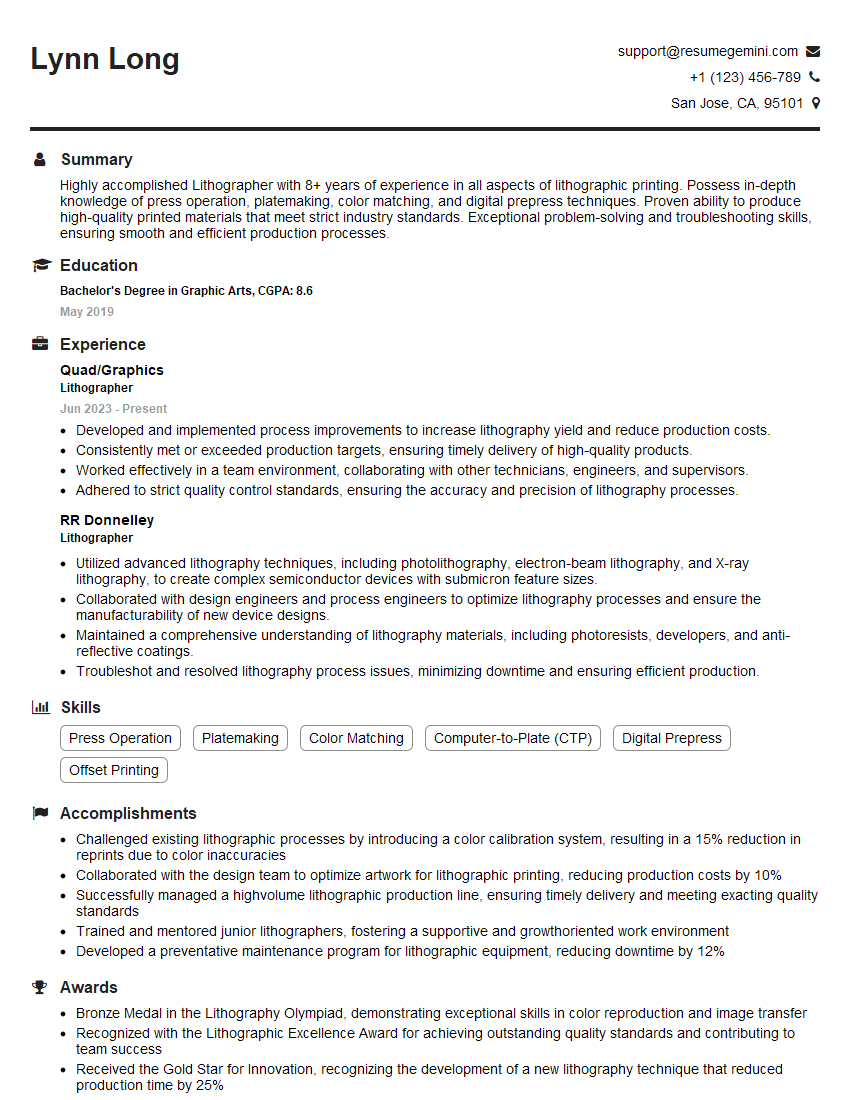
Mastering Knowledge of Print Media and Production Processes is crucial for career advancement in the graphic design, publishing, and printing industries. A strong understanding of these processes demonstrates your technical expertise and ability to manage projects effectively. To significantly enhance your job prospects, create an ATS-friendly resume that highlights your skills and experience. ResumeGemini is a trusted resource that can help you build a professional and impactful resume tailored to your specific needs. Examples of resumes specifically designed for candidates with expertise in Knowledge of Print Media and Production Processes are available to guide you.






Explore more articles
Users Rating of Our Blogs
Share Your Experience
We value your feedback! Please rate our content and share your thoughts (optional).
What Readers Say About Our Blog
Very informative content, great job.
good