Are you ready to stand out in your next interview? Understanding and preparing for Knowledge of Printing Materials and Inks interview questions is a game-changer. In this blog, we’ve compiled key questions and expert advice to help you showcase your skills with confidence and precision. Let’s get started on your journey to acing the interview.
Questions Asked in Knowledge of Printing Materials and Inks Interview
Q 1. Explain the difference between offset and digital printing.
Offset and digital printing are two distinct methods for mass production of printed materials, differing significantly in their processes and applications. Offset printing, a traditional method, uses an indirect printing process. Ink is transferred from a plate to a rubber blanket and then to the printing substrate (paper, etc.). This allows for high-volume, high-quality printing at a lower cost per unit, especially for large runs. Think of it like stamping an image repeatedly. Digital printing, on the other hand, prints images directly onto the substrate using computer-controlled processes, like inkjet or toner-based technologies. It’s ideal for short runs, personalized materials, and quick turnaround times, as it eliminates the need for plates. Imagine a high-resolution inkjet printer but on a larger scale. The key differences lie in cost-effectiveness (offset excels for large volumes, digital for small volumes), speed (digital is faster for short runs), and image quality (offset generally offers finer detail for large-scale projects).
Q 2. Describe the properties of various printing inks (e.g., UV, solvent, water-based).
Printing inks are categorized based on their drying mechanism and properties. UV (Ultraviolet) inks cure instantly upon exposure to UV light, resulting in a vibrant, scratch-resistant finish. They’re environmentally friendly due to low VOC (Volatile Organic Compound) emissions, and popular for packaging and high-quality images that need durability. Solvent-based inks dry through solvent evaporation, offering good adhesion to various substrates, but they have stronger odors and higher VOCs, making them less environmentally friendly. They’re often used for plastics and outdoor applications needing weather resistance. Water-based inks are environmentally friendly due to the use of water as the solvent and low VOC content. They offer softer colors compared to UV or solvent inks, making them suitable for high-quality paper stock and fine-art projects. They dry slower than the other two. The choice of ink depends heavily on the substrate, desired print quality, environmental considerations, and budget.
Q 3. What are the key factors to consider when selecting paper stock for a printing project?
Selecting the right paper stock is crucial for a successful printing project. Key factors include: Weight/Thickness: Heavier papers feel more luxurious but may impact print costs and mail postage. Finish: Options include gloss (shiny), matte (non-reflective), uncoated (absorbent), etc. The finish impacts color vibrancy and the overall feel. Brightness: Measured in brightness points, this affects the visual impact of the printed colors. Color: White is standard, but off-white or cream can add a specific aesthetic. Fiber type: Different fibers (cotton, wood pulp) influence durability, texture, and printability. For example, a glossy brochure needs a coated paper for vibrant images, while a wedding invitation might call for a textured, heavier stock for a premium feel. Consideration of the intended use, budget, and desired aesthetic are paramount.
Q 4. How do you ensure color consistency across different printing runs?
Maintaining color consistency across multiple print runs is vital for brand identity. This requires a robust color management system. This involves: Using calibrated equipment: Colorimeters and spectrophotometers ensure accurate color measurements. Employing color profiles: These profiles characterize the color characteristics of each device involved (scanner, printer, etc.). Utilizing color standards: Systems like Pantone provide standardized color references for consistency across different print jobs. Proofing: Soft proofs and hard proofs (printed samples) help to verify color accuracy before large-scale printing. Regular maintenance: Keeping printers calibrated, cleaning print heads and other maintenance tasks are critical for consistent output. A detailed color management workflow, well-documented color specifications, and consistent monitoring of equipment are crucial for success.
Q 5. What are common printing defects and how are they addressed?
Common printing defects include: Color mismatches: Inconsistent ink distribution or calibration issues can cause color variations. Streaking or banding: Ink irregularities due to print head problems or uneven ink flow. Mottle: Uneven ink distribution resulting in a grainy appearance. Ghosting: A faint image from a previous print appearing on the current sheet. Registration issues: Misalignment of multiple colors in multi-color printing. Addressing these defects involves careful review of prepress files, meticulous cleaning and maintenance of printing equipment, and quality control checks throughout the printing process. Identifying the root cause (worn print heads, improper ink settings, etc.) is key to rectification. For instance, mottle might require adjustment of ink viscosity or print speed, while registration problems need precise alignment checks and adjustments.
Q 6. Explain the role of prepress in the printing process.
Prepress is the crucial stage before actual printing begins. It involves preparing the digital files for printing. Key aspects include: File preparation: Ensuring the files meet the necessary resolution and color specifications for the chosen printing method. Image editing: Adjusting color, contrast, and resolution to optimize print quality. Imposition: Arranging pages to optimize sheet usage during printing (e.g., creating a 4-page imposition for a two-sided brochure). Proofing: Creating digital and/or physical proofs to check color accuracy and layout before printing. Platemaking (offset printing): Creating printing plates from digital files for offset printing. Effective prepress ensures that the final print matches the design intent, minimizes errors, and maximizes printing efficiency. A well-executed prepress workflow is essential for avoiding costly reprints and delays.
Q 7. Describe your experience with color management software (e.g., Pantone, GMG).
I have extensive experience with color management software, including Pantone and GMG color management systems. My expertise includes using Pantone libraries to select and specify spot colors, ensuring brand consistency across different projects. I am proficient in using GMG software for profiling printing devices, creating color profiles to match specific printing conditions, and performing color proofing to verify accuracy. I utilize these tools to calibrate monitors, control color throughout the workflow, and ensure consistent color reproduction from screen to press, minimizing discrepancies between design and print. I understand the complexities of color space conversions (e.g., RGB to CMYK) and how they can affect the final output. I often use these tools to resolve complex color issues, such as adjusting color casts or matching a specific Pantone color on a different printing press.
Q 8. What is the significance of dot gain in printing?
Dot gain, in printing, refers to the increase in the size of a printed dot compared to its original size on the film or plate. Think of it like this: you design a tiny dot, but after printing, it spreads out and becomes larger. This is a natural phenomenon that occurs due to the interaction between the ink and the paper fibers, particularly on absorbent substrates. The significance lies in its impact on color accuracy and overall print quality. Excessive dot gain leads to darker, muddier colors, while insufficient dot gain results in pale and weak colors. Proper color management and press adjustments are crucial to control dot gain and ensure accurate color reproduction.
For instance, a logo with fine details might suffer from significant dot gain on uncoated paper, blurring those details. Conversely, on coated paper, the dot gain is usually less pronounced, making it a suitable choice for high-fidelity printing.
Q 9. How do you troubleshoot common issues with ink viscosity?
Ink viscosity, or thickness, is critical for smooth printing. Troubleshooting viscosity issues involves a systematic approach. First, you need to identify the problem: is the ink too thick (leading to poor transfer and uneven coverage) or too thin (resulting in excessive feathering and color inconsistencies)?
- Too Thick: Add the appropriate thinner (usually recommended by the ink manufacturer) gradually, mixing thoroughly. Avoid adding too much at once. Monitor the viscosity using a suitable measuring tool like a Zahn cup or a flow viscometer.
- Too Thin: Add the appropriate viscosity modifier, again following the manufacturer’s recommendations. Overly thin ink can also indicate contamination; inspect the ink for foreign materials.
Remember to always maintain good ink hygiene. Regular cleaning of ink ducts and thorough mixing are essential to prevent inconsistent viscosity. Keep track of the ink’s age and storage conditions, as both significantly impact its viscosity.
Q 10. What is the difference between coated and uncoated paper?
Coated and uncoated papers differ fundamentally in their surface treatment. Coated paper has a layer of material applied to its surface, typically clay or other mineral coatings, creating a smoother, more uniform surface. This coating reduces ink absorption, resulting in sharper images, brighter colors, and a higher-quality finish. Uncoated paper, on the other hand, has a natural, porous surface. Ink is absorbed more readily, leading to a more textured appearance and a softer feel. However, the ink can appear less vibrant and crisp on uncoated paper compared to coated.
Think of it like painting: coated paper is like a smooth canvas, allowing for precise detail and vibrant colors. Uncoated paper is more like a textured wall, providing a unique aesthetic but potentially less precise detail.
The choice between coated and uncoated paper depends on the project’s requirements. Coated paper is ideal for high-resolution images, sharp text, and vibrant colors. Uncoated paper is better suited for applications where a natural, rustic look is desired, or for projects where the feel and texture of the paper are important, such as letterpress printing.
Q 11. Explain different paper finishing techniques (e.g., laminating, embossing).
Paper finishing techniques enhance the look, feel, and durability of printed materials. Popular techniques include:
- Laminating: A thin plastic film is bonded to the paper surface, providing protection against moisture, scratches, and wear. Gloss lamination offers a shiny finish, while matte lamination provides a more subdued look.
- Embossing: A raised design is created on the paper using pressure, adding texture and visual interest. Think of the raised texture on some business cards or invitation cards.
- Die-cutting: Customized shapes are cut from the paper, creating unique shapes and adding to the overall design. Often used for creative packaging or promotional materials.
- Foil stamping: Metallic foil is pressed onto the paper, creating a shimmering effect. This adds a touch of luxury to the product.
- Perfuming: A fragrance is added to the paper, creating a sensory experience, usually used in high-end packaging and marketing materials.
These techniques are chosen based on budget, project requirements and desired aesthetic. For example, laminating is crucial for products needing durability, while embossing adds visual appeal.
Q 12. How do you determine the appropriate ink density for a project?
Determining the appropriate ink density is crucial for consistent and accurate color reproduction. It’s not a single number but depends on many factors: the desired color, the type of ink, the paper type, and the printing process.
A densitometer is a tool commonly used to measure ink density. It measures the amount of light reflected from the printed area, providing a numerical value representing the ink density. These values are usually expressed in terms of dot density or optical density. Target ink densities are usually specified in the project’s color profile or determined through color proofing. The goal is to achieve the correct density for each color to maintain color accuracy across the entire print run.
Often, test prints are essential, allowing for adjustments to be made to ensure the desired ink density is achieved before the main print run.
Q 13. Describe your experience with various printing presses (specify types).
My experience encompasses a wide range of printing presses, including:
- Offset Lithographic Presses: I’ve worked extensively with both sheetfed and web offset presses, proficient in handling various paper stocks and ink types. I’m familiar with optimizing press settings, including ink-water balance, impression pressure, and speed.
- Digital Presses: I have experience with high-volume toner-based digital presses as well as inkjet technologies. This includes managing color profiles, optimizing print settings for different media, and troubleshooting common issues such as banding and streaking.
- Screen Printing Presses: I’ve worked with manual and automated screen printing presses, handling various mesh counts and ink viscosities. My expertise includes screen preparation, ink mixing, and achieving consistent print quality.
This diverse experience allows me to select the optimal printing method for each project, considering factors such as print volume, budget, and desired quality.
Q 14. What safety precautions are crucial when handling printing inks and materials?
Safety is paramount when handling printing inks and materials. Key precautions include:
- Proper Ventilation: Many inks contain volatile organic compounds (VOCs) that can be harmful if inhaled. Ensure adequate ventilation in the printing area, possibly using exhaust systems.
- Personal Protective Equipment (PPE): Always wear appropriate PPE, including gloves, safety glasses, and respirators, depending on the specific inks and materials being handled.
- Skin Contact Prevention: Avoid direct skin contact with inks. Wash hands thoroughly after handling inks and materials. Use barrier creams to protect the skin.
- Waste Disposal: Dispose of ink and other printing waste properly according to local regulations. Many inks are hazardous waste and require specialized disposal methods.
- Fire Safety: Many inks are flammable. Keep flammable materials away from ignition sources. Have appropriate fire safety equipment readily available.
Following these safety measures reduces health risks and ensures a safe working environment for everyone.
Q 15. How do you handle color discrepancies between a proof and a printed piece?
Color discrepancies between a proof and a printed piece are unfortunately common, but manageable. The key is understanding the sources of variation. These can range from differences in the color profiles used (e.g., the proof might be using sRGB while the press is using a different profile like ISO Coated v2), variations in the printing press itself (age, maintenance, ink consistency), the type of paper stock used (different papers absorb ink differently), and even the ambient lighting conditions during proofing versus printing.
My approach involves a multi-step process. First, I meticulously compare the proof and the printed sample under standardized lighting conditions. Then, I analyze the differences, identifying whether the deviation is in hue, saturation, or lightness. This helps pinpoint the probable source. For instance, a consistent shift towards a duller color across the entire piece might point to an ink issue or incorrect press settings. Local color variations might indicate problems with the paper or press inconsistencies.
Next, I use color measurement tools like spectrophotometers to quantify the color differences. This provides objective data, allowing for precise adjustments during the next print run. We’d modify the color profiles, adjust ink densities, or even switch paper stocks depending on the root cause. Finally, a well-documented record is maintained of the corrections made. This ensures consistency across future projects and allows for quicker troubleshooting should similar issues arise.
Career Expert Tips:
- Ace those interviews! Prepare effectively by reviewing the Top 50 Most Common Interview Questions on ResumeGemini.
- Navigate your job search with confidence! Explore a wide range of Career Tips on ResumeGemini. Learn about common challenges and recommendations to overcome them.
- Craft the perfect resume! Master the Art of Resume Writing with ResumeGemini’s guide. Showcase your unique qualifications and achievements effectively.
- Don’t miss out on holiday savings! Build your dream resume with ResumeGemini’s ATS optimized templates.
Q 16. What are your experience with different types of substrates?
My experience encompasses a broad range of substrates, from standard offset printing papers (coated, uncoated, various weights) to specialty stocks like textured papers, metallic papers, synthetic materials (like polypropylene), and even fabrics. Each substrate presents unique challenges and opportunities. For example, coated papers provide vibrant colors and crisp details, but they can be more expensive. Uncoated papers offer a more natural feel, but their ink absorption can lead to variations in color density.
Working with textured papers requires careful consideration of ink adhesion and potential issues with uneven ink lay-down. Metallic papers present exciting design possibilities, but they require specific inks and printing techniques to avoid scratching or damaging the surface. Synthetic materials like polypropylene demand specialized inks designed for their non-porous nature. Fabric printing often requires specialized techniques like screen printing or digital textile printing.
Understanding the properties of each substrate – its porosity, surface texture, opacity, and weight – is crucial for selecting the right inks and printing process to achieve the desired outcome. For instance, knowing the paper’s absorbency helps in predicting how much ink is needed for a particular color intensity. I always work closely with clients to select the appropriate substrate based on their budget, design aesthetic, and intended use of the printed piece.
Q 17. Explain the importance of maintaining proper ink temperature.
Maintaining proper ink temperature is critical for consistent color reproduction and efficient printing. Ink viscosity, a measure of its thickness and flow, is highly temperature-dependent. Ink that is too cold becomes thick and sluggish, leading to uneven ink distribution, poor color fidelity, and potential clogging of the printing press. Conversely, ink that is too hot becomes thin and runny, resulting in blurred images, color bleeding, and increased ink consumption.
Ideally, inks should be maintained within a specific temperature range recommended by the ink manufacturer. This often involves using temperature-controlled ink systems, ensuring the ink is properly mixed and circulated before printing, and monitoring ink temperature throughout the printing process. We use both in-line and external ink temperature monitoring devices to track conditions and make necessary adjustments. Ignoring proper ink temperature management can lead to significant waste, rework, and ultimately, inferior print quality.
Think of it like baking a cake: if the oven temperature isn’t right, you’ll get a poor result. Similarly, inconsistent ink temperature significantly impacts the final printed product, leading to costly reprints or even complete job rejection. I have seen first-hand how a few degrees difference can affect a project, impacting colour accuracy and overall print quality.
Q 18. How do you calculate the cost of a printing project?
Calculating the cost of a printing project involves several factors. The most significant components are material costs (paper, inks, plates), labor costs (press operators, pre-press, finishing), and overhead (rent, utilities, maintenance).
We typically use a detailed cost breakdown. First, we determine the material quantities needed based on the project specifications (number of pages, print run, paper size, etc.). Next, we get pricing from our suppliers for materials. Labor costs are usually calculated based on the estimated time required for each stage of the production process: pre-press (design, platemaking), printing, and post-press (cutting, folding, binding). Overhead is typically factored in as a percentage of the direct costs. Finally, we add a profit margin to arrive at the final price.
Example Calculation:
Paper: $100
Inks: $50
Plates: $30
Labor: $200
Overhead (20%): $60
Profit (10%): $36
Total Cost: $476
The accuracy of the cost estimation relies heavily on experience and a deep understanding of market prices and production efficiency. We regularly review and update our cost models to account for fluctuations in material prices and changes in production processes. Transparency with clients is key, so we always provide a detailed breakdown of the cost elements.
Q 19. What is your experience with proofing methods (e.g., digital, contract)?
My experience with proofing methods includes both digital and contract proofing. Digital proofing uses software to create a simulated representation of the final printed piece on a screen. It’s fast, cost-effective, and allows for quick revisions. However, it can’t perfectly replicate the final printed result due to variations in screen calibration, color profiles, and the inherent differences between screen and print technologies. I typically use digital proofs for early-stage review and client feedback.
Contract proofing, on the other hand, involves creating a physical proof that closely mimics the printing process. This might involve using a smaller-scale version of the printing press or a specialized proofing press. Contract proofs provide the most accurate representation of the final print, reducing the risk of surprises during the main print run. While more expensive than digital proofing, contract proofs are essential for projects demanding high color accuracy, such as packaging or high-end publications. I’ll recommend the use of contract proofing whenever color fidelity is of paramount importance.
I am proficient in interpreting the results of both digital and contract proofs, understanding their limitations and ensuring they align with the client’s expectations. The selection of the right proofing method depends on the project’s complexity, budget, and color criticality. For example, a simple business card might only need digital proofing, but a complex packaging design would almost certainly require a contract proof.
Q 20. Explain the process of setting up a printing press for a new job.
Setting up a printing press for a new job is a meticulous process requiring precision and attention to detail. It begins with verifying the job specifications, including the type of paper stock, ink colors, and the desired image resolution. Then, the press is prepared by installing the correct printing plates. These plates, usually made of aluminum, contain the image that will be printed.
Next, the ink system is configured. This includes setting the ink fountains to the correct levels, ensuring the ink is of the proper viscosity (thickness) and temperature, and adjusting the ink keys to achieve accurate color registration. We also calibrate the dampening system, which controls the moisture applied to the paper before printing. The paper feed system is then set up to handle the specific paper stock, ensuring it feeds smoothly and consistently into the press.
Once the initial setup is complete, we run a series of test prints to check color accuracy, registration, and overall print quality. Fine-tuning is done based on the test print results. Adjustments might be needed to ink density, paper feed settings, or dampening levels to achieve the desired quality. This iterative process, often involving multiple test runs, is critical to ensure consistency across the entire print run. Finally, we perform a final check before starting the full production run.
Q 21. How do you manage waste in a printing environment?
Waste management in a printing environment is crucial for both environmental responsibility and cost efficiency. Our approach involves a multi-pronged strategy focusing on waste reduction, reuse, and recycling. We start by optimizing the pre-press process to minimize waste from proofing and platemaking.
During the printing process, we closely monitor paper waste, aiming for minimal spoilage through efficient press operation and careful handling. We have implemented systems to recapture and reuse certain printing waste materials, like paper scraps suitable for smaller internal projects. Ink waste is minimized through proper cleaning procedures and regular maintenance of the printing equipment. We also maintain records of our waste generation, tracking progress towards our waste reduction goals.
Recycling is a cornerstone of our waste management program. We actively partner with recycling companies to process our paper, cardboard, and other recyclable materials. Our goal is to divert as much waste as possible from landfills. We also encourage the use of recycled paper stocks whenever appropriate, thereby closing the loop and supporting sustainable practices. Regular training for our staff on environmentally-friendly practices is essential to ensure everyone understands their role in reducing waste and enhancing sustainability. We believe that sustainability is not just environmentally sound, but is also good for business.
Q 22. How do you ensure the quality of printed materials meets client specifications?
Ensuring the quality of printed materials aligns perfectly with client specifications is paramount. It’s a multi-stage process starting even before the printing begins. First, we meticulously review the client’s brief, paying close attention to color accuracy (Pantone matching, for example), paper stock requirements, desired finish (matte, gloss, etc.), and any specific quality standards they’ve outlined. We then perform a thorough pre-press check of the digital files, verifying resolution, color spaces (CMYK vs. RGB), and the overall file integrity. This often involves creating proofs – both soft proofs (digital simulations) and hard proofs (physical prints on the intended paper stock) – to allow for client review and approval before mass production. Finally, during the actual printing process, we use color management systems and regularly monitor the printed output for consistency and accuracy against the approved proof. Any discrepancies are immediately addressed through adjustments to the press settings or ink formulation. For example, I once worked on a project where the client required precise Pantone matching for their corporate logo. We used a spectrophotometer to measure the color throughout the run, ensuring every printed piece matched the approved Pantone color within a very tight tolerance. This meticulous attention to detail guarantees client satisfaction and a high-quality final product.
Q 23. Describe your understanding of different file formats used in printing.
Understanding file formats is critical in printing. Different formats cater to different needs and printing processes. Common formats include:
- PDF (Portable Document Format): The industry standard for pre-press, PDFs preserve fonts, images, and formatting across different operating systems. We often prefer high-resolution PDF/X-1a or PDF/X-4 for print jobs to ensure accurate color reproduction.
- TIFF (Tagged Image File Format): TIFF files are high-resolution raster images ideal for photographic prints, but they can be large file sizes.
- JPEG (Joint Photographic Experts Group): Commonly used for web images, JPEGs are lossy compressed files meaning some image quality is sacrificed for smaller file size. Generally, we avoid JPEGs for high-quality print jobs due to potential image degradation.
- EPS (Encapsulated PostScript): Often used for vector graphics which scale well without loss of resolution, EPS files are suitable for logos and line art.
- AI (Adobe Illustrator): A vector-based file format, AI files are ideal for scalable graphics, enabling us to print at virtually any size.
Choosing the right format is crucial for achieving the desired print quality. I recall a project where the client initially submitted low-resolution JPEGs. Switching to high-resolution TIFFs dramatically improved the final print output.
Q 24. Explain the importance of maintaining accurate color profiles.
Accurate color profiles are essential for color consistency across different devices and stages of the printing process. A color profile is a mathematical description of how a specific device (monitor, printer, scanner) reproduces color. Without accurate profiles, the colors you see on your screen might differ significantly from the colors printed on paper. Imagine designing a vibrant marketing brochure – if the color profile isn’t calibrated correctly, the printed brochure might look dull and washed out, compared to the screen proof. We use ICC (International Color Consortium) profiles to manage color. These profiles ensure that the color you see on screen is as close as possible to the color produced by the printer. Regular calibration of our printing equipment and monitors is crucial for maintaining accurate color profiles and avoiding costly reprint errors. Inconsistent color is a frequent source of client complaints; maintaining accuracy is a priority. I remember a case where inconsistent color profiling led to a significant rework on a large-scale print run, highlighting the importance of regular profile checks.
Q 25. What is your experience with different types of printing plates?
My experience encompasses various types of printing plates, each suited to different printing methods and print volumes. These include:
- Photopolymer Plates: Commonly used in flexographic and letterpress printing, these plates are durable and relatively cost-effective for high-volume jobs.
- Aluminum Plates: Used extensively in offset lithography, these plates offer excellent detail and are ideal for high-quality printing. Different types exist, such as surface plates and thermal plates, each with its own characteristics regarding durability, printing speed, and cost.
- CTP (Computer-to-Plate) Plates: These plates are digitally imaged, eliminating the need for film. CTP offers higher precision and efficiency, reducing waste and lead times.
Selecting the right plate type depends on factors like the printing method, the required print quality, and the print run quantity. For example, photopolymer plates are excellent for packaging prints requiring consistent high-volume production, while CTP plates are the preferred choice for complex designs and short print runs where speed and accuracy are critical.
Q 26. How do you address issues with ink bleeding or feathering?
Ink bleeding and feathering, where ink spreads beyond the intended area, are common printing issues. Several factors contribute to this, including:
- Poor ink viscosity: If the ink is too thin, it will spread easily.
- Excessive water (in offset printing): An imbalance of ink and water on the press can cause bleeding.
- Inadequate paper: Porous paper can absorb ink rapidly, leading to feathering.
- Poor image resolution: Images with low resolution can exhibit bleeding around fine lines and details.
Addressing these requires a multi-pronged approach. We first analyze the cause through careful inspection of the press settings, ink properties, and paper used. Adjustments might include increasing the ink viscosity, optimizing the ink-water balance in offset printing, using a less absorbent paper type, and ensuring higher resolution images. In some cases, pre-press adjustments like trapping (adding slight overlaps between colors) might be necessary to minimize bleeding. For example, I once encountered extensive feathering on a promotional leaflet. After analyzing the issue, we identified the culprit as highly absorbent paper. Switching to a more appropriate paper stock promptly resolved the problem.
Q 27. Describe your experience working with large format printing
My experience with large format printing encompasses various applications, including banners, posters, and trade show displays. Large format printing requires specialized equipment and materials, such as wide-format inkjet printers and high-quality vinyl or canvas media. The key considerations in large format printing include:
- Image resolution: Maintaining high resolution is crucial to avoid pixelation or blurring when the image is enlarged.
- Color accuracy: Accurate color representation is essential to ensure the final product matches the design intent.
- Media selection: The choice of media depends on the application and the desired durability and finish.
- Print workflow: Efficient workflow management is crucial to minimize production time and costs.
I’ve worked on several large format projects, including the design and production of a large banner for a city-wide event. We meticulously ensured the design maintained high resolution across the entire width and used durable, weatherproof vinyl to withstand outdoor conditions. Successfully managing the print workflow – from design to installation – was crucial in delivering a high-quality product on time and within budget. Understanding both the technical and logistical aspects of large format printing is crucial for success.
Key Topics to Learn for Knowledge of Printing Materials and Inks Interview
- Paper Properties: Understanding different paper types (coated, uncoated, etc.), their weights, finishes, and suitability for various printing methods. Consider the impact of paper choice on ink absorption and print quality.
- Ink Chemistry: Familiarize yourself with the composition of various inks (e.g., solvent-based, water-based, UV-curable), their properties (viscosity, drying time, color gamut), and how these properties affect printing processes and the final product.
- Color Management: Grasp the concepts of color profiles (CMYK, RGB, Pantone), color matching, and how to ensure accurate color reproduction across different printing methods and substrates. Be prepared to discuss color calibration and proofing.
- Printing Processes: Develop a strong understanding of various printing techniques (offset, digital, flexography, screen printing), their applications, advantages, and limitations. Be able to compare and contrast these methods in terms of cost, speed, and quality.
- Ink-Substrate Interaction: Know how different inks interact with various substrates. Discuss factors affecting ink adhesion, drying, and color fidelity. This includes understanding problems like ink bleed, feathering, and dot gain.
- Troubleshooting and Quality Control: Be prepared to discuss common printing problems and their solutions. This includes identifying and addressing issues related to ink, paper, and the printing process itself. Understanding quality control measures is essential.
- Sustainability and Environmental Concerns: Demonstrate awareness of environmentally friendly printing practices, including the use of sustainable inks and papers, and waste reduction strategies.
Next Steps
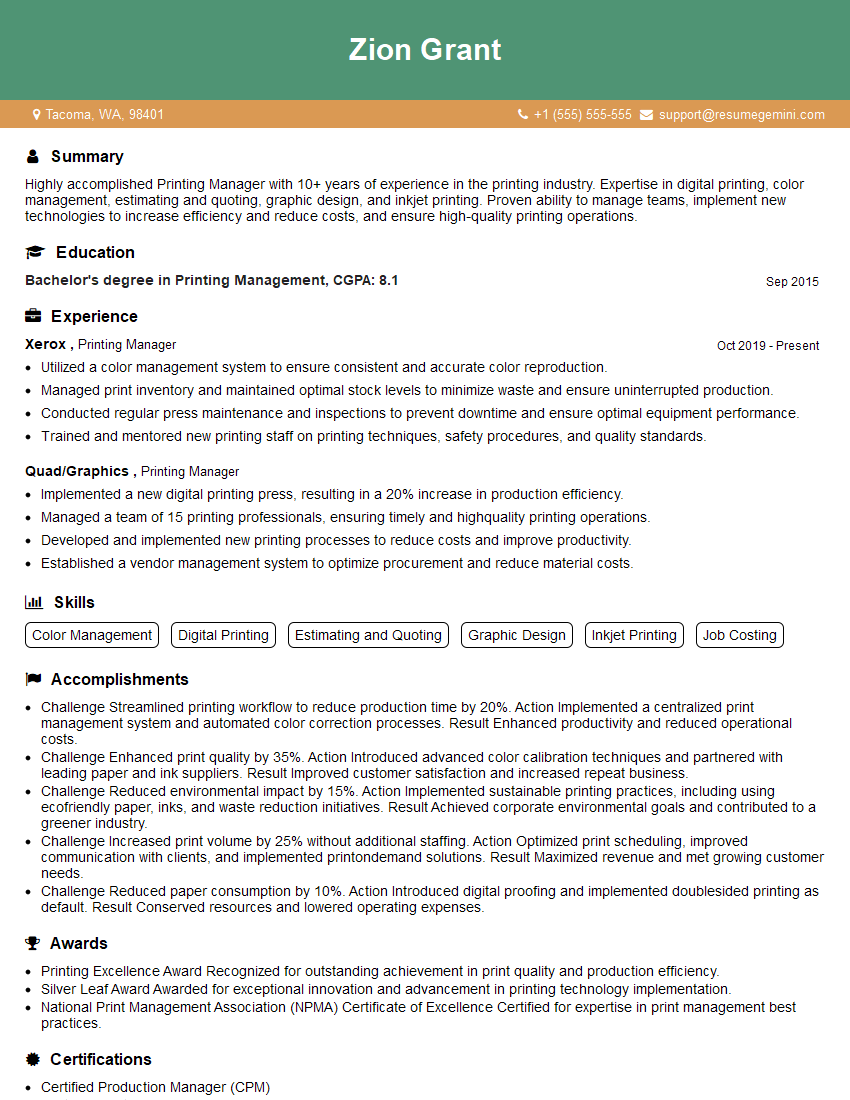
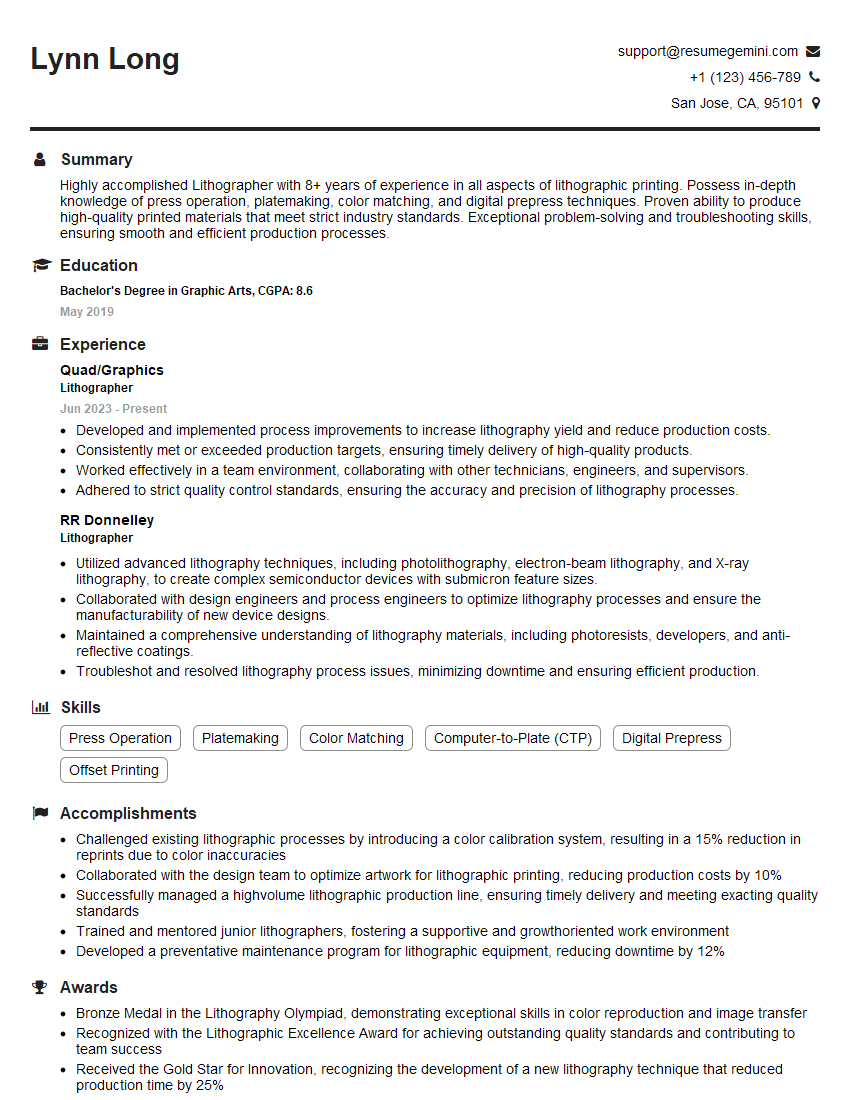
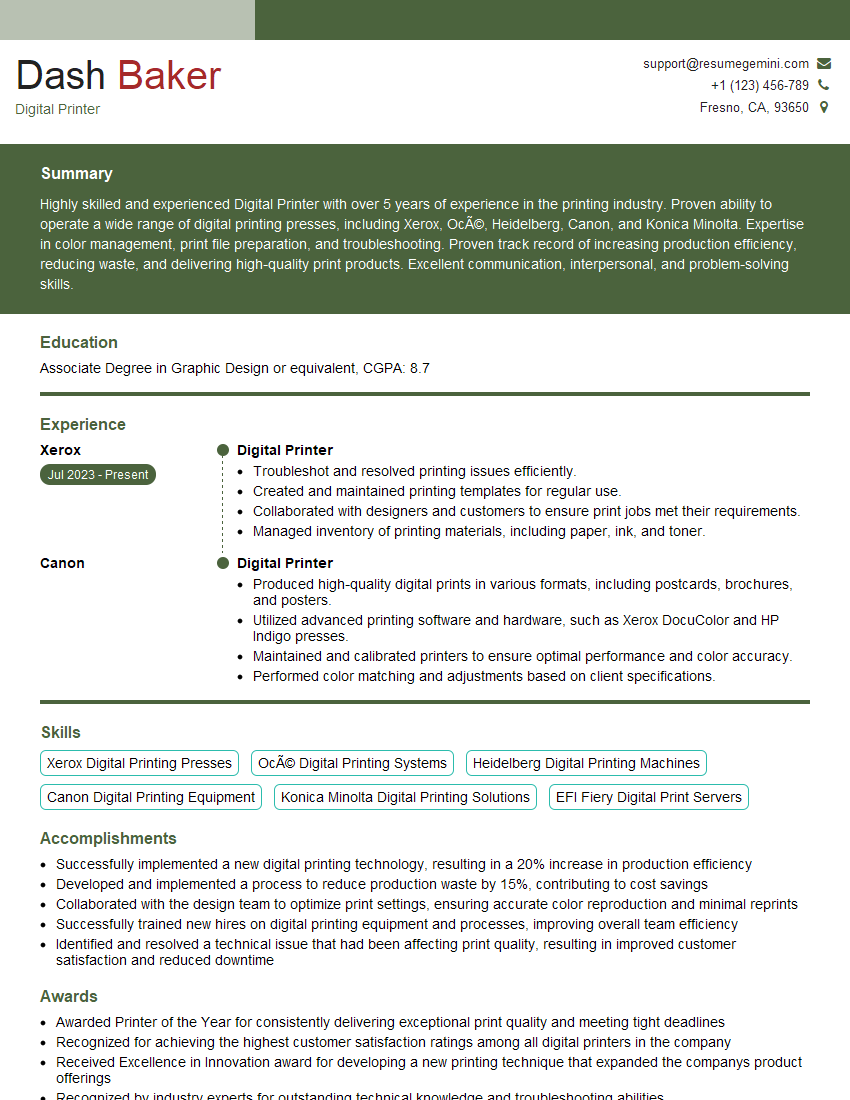
Mastering Knowledge of Printing Materials and Inks is crucial for career advancement in the printing industry. A strong understanding of these concepts will demonstrate your technical expertise and problem-solving skills, making you a highly competitive candidate. To significantly boost your job prospects, create an ATS-friendly resume that highlights your skills and experience effectively. ResumeGemini is a trusted resource that can help you build a professional and impactful resume. We provide examples of resumes tailored to professionals in Knowledge of Printing Materials and Inks to guide you in crafting your own.






Explore more articles
Users Rating of Our Blogs
Share Your Experience
We value your feedback! Please rate our content and share your thoughts (optional).
What Readers Say About Our Blog
Very informative content, great job.
good