Cracking a skill-specific interview, like one for Knowledge of Printing Principles, requires understanding the nuances of the role. In this blog, we present the questions you’re most likely to encounter, along with insights into how to answer them effectively. Let’s ensure you’re ready to make a strong impression.
Questions Asked in Knowledge of Printing Principles Interview
Q 1. Explain the difference between offset and digital printing.
Offset and digital printing are two fundamentally different methods of reproducing images and text onto a substrate. Think of offset printing as a sophisticated stamping process, while digital printing is more akin to a high-resolution inkjet printer, albeit on a much larger scale.
Offset Printing: This process uses an indirect printing method. The image is first transferred (or ‘offset’) from a printing plate to a rubber blanket, then from the blanket to the substrate. This is ideal for large print runs because it’s efficient and cost-effective for producing high-quality results. The plates are typically made using photosensitive materials and the process involves several steps including inking, dampening, and impression. An example would be printing millions of brochures for a large corporation.
Digital Printing: This is a direct imaging process. The image is printed directly onto the substrate using toner or inkjet technology. It’s excellent for short-run printing, personalized items, and quick turnaround times. Think of printing custom invitations or personalized mugs. It’s generally more expensive per unit for larger runs but far more flexible for smaller jobs.
In short: Offset is high-volume, high-quality, and cost-effective for large runs; digital is low-volume, fast turnaround, and best for customization and small print quantities.
Q 2. Describe the process of color separation.
Color separation is the process of converting a full-color image into individual color plates, typically Cyan, Magenta, Yellow, and Black (CMYK). Each plate represents one color component. This allows for the precise printing of colors by layering these components on top of each other. Imagine building a painting with four primary colors – each plate is like a single layer of paint.
The process traditionally involves scanning the original artwork, often using a high-resolution scanner. Specialized software then separates the image into the four CMYK channels. Each channel is then output to a separate film or plate, ready for use on a printing press. Today, many digital workflows leverage the same principle, but often skip the film stage and go straight to plate creation. Careful color management is crucial to ensure accurate color reproduction.
For example, a bright red apple would have high magenta and yellow values in its color separation, with minimal cyan and black. Precise separation is vital for achieving accurate color representation in the final printed product.
Q 3. What are the different types of printing inks and their applications?
Printing inks are formulated for specific applications and substrates. The choice of ink significantly impacts the quality, durability, and cost of the printed product. There are many types, but some key categories include:
- Solvent-based inks: These are durable and offer vibrant colors, often used for outdoor signage or packaging that needs to withstand harsh conditions. They have a strong odor and require specialized ventilation.
- UV-curable inks: These inks cure instantly upon exposure to ultraviolet light, providing fast drying times and excellent scratch resistance. They are popular in packaging and wide-format printing.
- Water-based inks: These are environmentally friendly, low-odor inks ideal for printing on paper and other porous substrates. They are often used in food packaging where safety regulations are strict.
- Vegetable-based inks: These are bio-based inks made from renewable resources, aligning with sustainable printing practices. They are becoming increasingly popular.
- Pigment inks: These inks use pigments suspended in a liquid carrier, offering excellent color density and vibrancy. They are commonly used in digital printing.
The selection of ink depends on the substrate (e.g., paper, plastic, metal), printing method (offset, digital, screen printing), and the intended use of the printed material.
Q 4. How does the principle of halftoning work in printing?
Halftoning is a technique used to create the illusion of continuous tone images using only dots of different sizes and spacing. Since printers only work with discrete dots of ink, a continuous tone image must be converted into a pattern of dots that simulate the gradual changes in tone and color. Imagine zooming into a newspaper photo – you see it’s made of tiny dots!
This is achieved through a process that uses a screen, which is a pattern of dots at a specific frequency (lines per inch, or lpi). The screen is used to modulate the amount of ink deposited at each location, creating areas of lighter or darker tone through dot density variation. Higher lpi screens provide finer detail and smoother tonal gradients, but require higher printing resolutions.
For example, a dark area in the image would have closely packed dots, while a lighter area would have widely spaced dots or fewer dots altogether. This technique fools the eye into perceiving continuous tone from a pattern of dots.
Q 5. Explain the importance of color management in printing.
Color management is critical in ensuring that the colors seen on screen accurately reproduce in print. It involves a series of processes and tools to manage the color throughout the entire printing workflow, from initial design to final output. Inconsistencies in color can lead to costly reprints and dissatisfied clients.
This is achieved using color profiles (ICC profiles), which act as dictionaries defining a device’s color space. These profiles help translate the colors from one device to another, like a monitor to a printer. Color management software helps create and apply these profiles, ensuring consistency across different devices and media.
Without proper color management, an image appearing vibrant on a computer screen might look dull or completely different in print due to the differences in color gamuts and rendering intentions. Color management is a vital step towards maintaining the designer’s artistic vision throughout the printing process.
Q 6. What are some common printing defects and how are they corrected?
Several common printing defects can occur during the printing process. Identifying and correcting these defects is essential for producing high-quality prints.
- Mottle: Uneven ink distribution, often caused by problems with the ink or the printing press.
- Set-off: The transfer of wet ink from one printed sheet to the next sheet in the stack.
- Hickies: Small, solid particles in the ink that appear as specks on the printed image.
- Ghosting: Faint, blurry image appearing beneath the primary print, often due to improper registration.
- Color banding: Visible stripes or bands of color in areas of graduated tone, often caused by insufficient resolution or halftone screen problems.
Correction methods depend on the specific defect. Mottle can be addressed by adjusting ink viscosity or cleaning the rollers. Set-off can be prevented by using a higher drying temperature or a special ink drier. Hickies often require filtering the ink. Ghosting might require adjustments to the press registration. Color banding can be mitigated by using a higher-resolution image or a different halftone screen.
Q 7. Describe your experience with different types of printing substrates.
My experience with printing substrates is extensive. I’ve worked with a wide variety of materials, each requiring a different approach to achieve optimal print quality. This includes:
- Paper: From lightweight coated papers for brochures to heavier uncoated stock for books and packaging – different paper types absorb inks differently, affecting color and print sharpness. Understanding the paper’s gsm (grams per square meter) and its coating is crucial for ink selection and press settings.
- Cardboard and Carton Board: These are frequently used in packaging, requiring inks that adhere well and resist wear and tear. The board’s thickness and surface treatment affects print quality.
- Plastics: These substrates present challenges due to their non-porous nature. Specific inks and pre-treatments are necessary to ensure proper adhesion. Different plastics like PVC, PET, and PP require different approaches.
- Metals: Metallic substrates like aluminum or steel present unique challenges, often needing specialized inks and printing techniques, such as screen printing or offset lithography.
- Textiles: Printing on fabrics requires specialized inks and processes, such as dye-sublimation or direct-to-garment printing, and often demands detailed knowledge of textile fiber types.
My work consistently involves understanding the properties of each substrate, selecting appropriate inks, and adapting printing parameters to maximize print quality, durability, and overall project success.
Q 8. How do you ensure accurate color consistency throughout a print run?
Maintaining accurate color consistency throughout a print run is crucial for achieving the desired visual outcome. This involves a multi-step process starting long before the ink hits the paper.
Color Management System (CMS): Implementing a robust CMS is paramount. This involves using standardized color profiles (e.g., ICC profiles) for all devices involved—scanner, monitor, printer, and press—ensuring that everyone ‘speaks the same color language.’ A CMS helps translate the digital color data into the equivalent in the print medium, minimizing discrepancies.
Proofing: Soft proofing (on-screen) and hard proofing (printed proof) are essential. Soft proofing allows for preliminary adjustments, while hard proofing, ideally printed on the same press and paper stock as the final job, gives the most accurate representation of the final product. This allows for final color corrections before mass production.
Press Calibration and Maintenance: Regular calibration of the printing press ensures consistent ink density and dot gain (the spreading of ink dots on the paper). Proper maintenance, including cleaning and regular checks of ink delivery systems, is crucial for consistent output throughout the print run. Any variation here directly impacts color.
Ink Consistency: Maintaining consistent ink viscosity and maintaining a stable press environment (temperature and humidity) are key factors. Fluctuations can drastically affect ink absorption and drying, impacting the color’s appearance.
Color Control Strips/Charts: Throughout the print run, color control strips or charts are included to monitor color consistency. These provide real-time feedback to the press operator, allowing for immediate adjustments if any deviations are detected.
For example, in a recent project printing high-quality art reproductions, we used a specific ICC profile for the Epson Stylus Pro printer used for proofing and meticulously calibrated the Heidelberg press for consistent ink delivery. The resulting color accuracy was within acceptable industry tolerances, exceeding client expectations.
Q 9. What is your experience with prepress software (e.g., Adobe Acrobat, Photoshop, InDesign)?
I possess extensive experience with prepress software, including Adobe Acrobat, Photoshop, and InDesign. My proficiency extends beyond basic functionality; I understand color management, file optimization for print, and the nuances of each application’s impact on the final output.
Adobe Acrobat: I utilize Acrobat for PDF creation, editing, preflighting (checking for errors and inconsistencies), and the incorporation of bleed and trim marks. I’m also proficient in creating accessible PDFs compliant with accessibility standards.
Adobe Photoshop: My Photoshop skills involve image retouching, color correction, and preparing images for optimal print reproduction. I’m adept at adjusting image resolution, color profiles, and converting images to the correct color spaces (e.g., CMYK) for printing.
Adobe InDesign: InDesign is my go-to for layout and design of complex documents, brochures, and books. My experience includes creating multi-page layouts, managing typography, incorporating images and graphics, and preparing files for output to different printing processes. I understand the importance of proper imposition (arranging pages for efficient printing).
For instance, in a recent project involving a multi-page catalog, I utilized InDesign’s advanced features to create a highly efficient imposition scheme, minimizing paper waste and maximizing printing speed. My proficiency in preflighting within Acrobat then ensured the final PDF was error-free before sending to the print shop.
Q 10. Explain the importance of proofing in the printing process.
Proofing is an indispensable stage in the printing process, acting as a critical quality control checkpoint. It allows for the detection and correction of errors—be it color inaccuracies, typographical mistakes, or layout flaws—before mass production, thereby saving time, money, and resources. Think of it as a final rehearsal before the main performance.
Soft Proofing: This involves reviewing the digital file on screen, calibrated to simulate the printed output. It’s a quick and cost-effective method for identifying minor issues. However, it’s always secondary to hard proofing.
Hard Proofing: This involves producing a physical print of the document, ideally using the same equipment and paper stock as the final print run. Hard proofing is the gold standard, providing a realistic preview of the final product.
Types of Hard Proofs: Different types exist, including contract proofs (for client approval), digital proofs (printed from a high-resolution digital printer), and press proofs (printed on the actual printing press).
A real-world example would be a high-end corporate brochure. A soft proof might reveal slight color inconsistencies, while a hard proof, printed on the same stock, might additionally show problematic ink bleed or registration issues, which could only be identified on the physical print.
Q 11. What are the different types of paper finishes and their applications?
Paper finishes significantly influence a printed piece’s aesthetic and tactile qualities. The choice depends on the project’s requirements and desired impact.
Uncoated: Offers a natural, absorbent surface ideal for applications requiring a rustic or vintage feel, such as letterpress printing or invitations. Ink absorption can be higher.
Coated: Provides a smooth, glossy surface, enhancing vibrancy and sharpness. Common applications include magazines, brochures, and product packaging. Less ink absorption and potentially higher cost.
Matte Coated: A compromise between uncoated and gloss, providing a smooth surface with reduced glare. Suitable for applications where a balance between visual appeal and readability is needed.
Varnished: Adds a protective layer, improving durability and water resistance. Gloss or matte varnishes are available for different effects.
Laminated: Offers the highest level of protection and durability. It is available in gloss, matte, and soft-touch finishes.
For example, a luxury fashion magazine would ideally use a high-gloss coated paper to showcase vibrant images. On the other hand, a wedding invitation might better suit a textured uncoated paper for a sophisticated, elegant feel.
Q 12. Describe your experience with different binding and finishing techniques.
My experience encompasses a wide array of binding and finishing techniques, each selected according to the project’s specifications and budget.
Saddle Stitch: Cost-effective for booklets and magazines with a low page count, involving folding and stapling along the spine.
Perfect Binding: Common for books and magazines, the pages are glued together along the spine, creating a flat, smooth spine.
Wire-O Binding: Creates a professional and durable look, suitable for calendars, notebooks, and documents requiring frequent use. Pages lay flat.
Case Binding: A robust method used for high-page-count books, involving a separate cover that is attached to the book block. This is most often seen in hardback books.
Finishing Techniques: These might include die-cutting (creating custom shapes), embossing/debossing (raising or indenting text/images), foil stamping (adding metallic accents), and UV coating (adding a high-gloss protective layer).
For instance, a high-end annual report might benefit from case binding, foil stamping on the cover, and a UV coating for added protection, while a simple booklet might be effectively saddle-stitched.
Q 13. How do you manage print projects to meet deadlines and budgets?
Effective project management is crucial for meeting deadlines and budgets. My approach involves a structured process that emphasizes clear communication, careful planning, and proactive problem-solving.
Detailed Project Briefs: I start by carefully reviewing project briefs, defining scope, timelines, and budget constraints. This includes a detailed breakdown of all tasks.
Scheduling and Resource Allocation: I then create a detailed project schedule, allocating resources (personnel, materials, equipment) effectively, incorporating buffer time to mitigate potential delays.
Regular Monitoring and Communication: Throughout the project, I maintain regular communication with clients and internal teams, tracking progress against deadlines and budget, addressing any potential issues proactively.
Risk Assessment and Mitigation: I proactively identify potential risks (e.g., equipment failure, material delays) and develop mitigation strategies to minimize their impact on the project.
In one instance, a tight deadline for a large-scale printing job meant we had to work closely with the paper supplier to ensure prompt material delivery. By working collaboratively and forecasting potential delays early, we successfully completed the project on time and within budget.
Q 14. What are your troubleshooting skills in relation to printing equipment?
My troubleshooting skills encompass a wide range of printing equipment, from digital presses to offset lithographic presses. My approach relies on a systematic process to identify and resolve issues quickly and efficiently.
Systematic Diagnosis: I start by gathering information, observing the problem, and examining error messages. This includes checking ink levels, paper feed mechanisms, and the overall press settings.
Testing and Isolation: I then conduct tests to isolate the source of the problem. This may involve running test prints, checking individual components, and analyzing print samples.
Knowledge Base and Resources: I leverage my knowledge base, manuals, and online resources to find solutions to common printing problems. I am also comfortable consulting with equipment manufacturers’ technical support if needed.
Preventive Maintenance: Regular preventive maintenance is crucial in reducing the likelihood of equipment failure and ensuring consistent output. This includes regular cleaning, lubrication, and calibration of the equipment.
For example, when a client reported banding (uneven ink distribution) on a print job, I systematically checked the ink rollers, ink fountain, and dampening system. I found a partially clogged ink roller, which after cleaning, resolved the issue immediately, demonstrating my practical problem-solving abilities.
Q 15. What is your experience with quality control in printing?
Quality control in printing is paramount. It’s a multifaceted process ensuring the final product meets the client’s specifications and maintains high standards. My experience involves implementing and overseeing various QC measures throughout the entire printing workflow, from pre-press to post-press. This includes:
- Pre-flight checks: Thoroughly reviewing digital files for errors like incorrect bleeds, low-resolution images, missing fonts, and color inconsistencies before sending to the press. I utilize software like Acrobat Pro to perform these checks.
- Proofing: Comparing soft proofs and hard proofs (physical prints) against the client’s approved artwork, meticulously checking for color accuracy, sharpness, and registration. This often involves using colorimeters and spectrophotometers for precise measurements.
- On-press monitoring: Continuously observing the printing process to identify and correct any issues such as color variations, misregistration, or paper jams in real time. This requires a deep understanding of the press’s capabilities and limitations.
- Post-press inspection: Inspecting the finished product for defects like scratches, blemishes, and miscuts. This might involve manual checks or automated inspection systems depending on the volume and type of printing.
- Data analysis: Tracking key metrics like waste, turnaround time, and defect rates to identify areas for improvement and optimize the printing process.
For example, in one project, I identified a consistent color shift in a large-scale brochure run. By analyzing the press settings and ink densities, we pinpointed the issue to a slightly miscalibrated ink key and corrected it, preventing a significant waste of materials and ensuring consistent quality across all copies.
Career Expert Tips:
- Ace those interviews! Prepare effectively by reviewing the Top 50 Most Common Interview Questions on ResumeGemini.
- Navigate your job search with confidence! Explore a wide range of Career Tips on ResumeGemini. Learn about common challenges and recommendations to overcome them.
- Craft the perfect resume! Master the Art of Resume Writing with ResumeGemini’s guide. Showcase your unique qualifications and achievements effectively.
- Don’t miss out on holiday savings! Build your dream resume with ResumeGemini’s ATS optimized templates.
Q 16. Describe your understanding of CMYK and Pantone color systems.
CMYK and Pantone are two distinct color systems used in printing. Understanding their differences is crucial for accurate color reproduction.
- CMYK (Cyan, Magenta, Yellow, Key/Black): This is a subtractive color model used in four-color process printing. Cyan, magenta, and yellow inks are layered to create a wide range of colors, with black (K) added for depth and sharpness. CMYK is suitable for large-volume, cost-effective printing but offers a narrower color gamut compared to Pantone.
- Pantone (PMS): This is a spot color system consisting of a library of premixed inks, each with a unique Pantone Matching System (PMS) number. Using Pantone ensures precise and consistent color matching across different printing jobs and presses. It’s ideal for projects requiring specific, vibrant colors, such as corporate logos or brand guidelines, where accurate color reproduction is paramount.
Imagine designing a corporate brochure. You’ll likely use Pantone for your company logo’s specific color to maintain brand consistency, while the rest of the brochure might use CMYK for photographic images and background colors. The key is knowing when to use which system to maximize both cost-effectiveness and color accuracy.
Q 17. How do you handle a rush printing order?
Handling a rush printing order requires a systematic approach and excellent communication. My strategy involves:
- Prioritization: Immediately assess the project’s urgency, scope, and complexities. This involves clarifying the client’s expectations and deadlines.
- Resource allocation: Identifying and securing the necessary resources – equipment, personnel, and materials – to ensure timely completion. This might involve prioritizing the order over others or requesting overtime from the team.
- Efficient workflow: Streamlining the process by optimizing pre-press tasks, carefully monitoring the press run, and expediting the post-press stages. This could include eliminating unnecessary steps or working in parallel with different teams.
- Communication: Maintaining constant communication with the client and internal teams, providing regular updates on the progress and addressing any issues promptly. This is crucial for managing expectations.
- Contingency planning: Having a backup plan in case of unforeseen issues, such as equipment malfunction or material shortages, to minimize delays.
In a recent instance, we received a rush order for 5,000 event flyers due in 24 hours. By efficiently coordinating the team, optimizing the press settings, and working through the night, we managed to deliver the order on time, showcasing our capability to handle high-pressure situations.
Q 18. What is your experience with various printing presses (e.g., Heidelberg, Komori)?
I have extensive experience operating and maintaining various printing presses, including Heidelberg and Komori models. My knowledge encompasses both their operational characteristics and maintenance procedures.
- Heidelberg: I’m proficient in operating various Heidelberg presses, including Speedmaster and GTO models. I understand their sophisticated color management systems, and I am skilled in troubleshooting common issues such as misregistration and color inconsistencies.
- Komori: My experience with Komori presses includes the Lithrone series. I’m familiar with their advanced automation features and their high-speed capabilities. I understand the importance of maintaining their precision engineering for optimal performance.
Understanding the nuances of each press type – their strengths, weaknesses, and specific maintenance requirements – allows for optimized performance and better quality control. For instance, Heidelberg presses are known for their robust build and precise registration, while Komori presses excel in automation and high-speed production. Adapting my workflow to these specific features is key to efficient and high-quality output.
Q 19. Explain the importance of maintaining printing equipment.
Maintaining printing equipment is critical for ensuring consistent quality, minimizing downtime, and maximizing the lifespan of the machinery. Neglecting maintenance can lead to costly repairs, production delays, and inferior print quality.
- Preventive maintenance: Regular scheduled maintenance, including cleaning, lubrication, and part replacements, is crucial. This involves following manufacturer guidelines and keeping detailed records of all maintenance activities.
- Regular inspections: Frequent visual inspections to identify potential problems before they escalate into major breakdowns. This helps to catch minor issues early, preventing them from becoming significant problems.
- Operator training: Proper training for operators is essential to ensure they operate the equipment correctly and perform basic maintenance tasks.
- Calibration and adjustments: Regular calibration of color settings, registration, and other crucial parameters is necessary to maintain consistency and accuracy.
Think of a printing press as a high-precision instrument; regular tuning and maintenance are as important as the skill of the operator. A well-maintained press minimizes waste, produces consistent results, and extends its operational life significantly.
Q 20. What are the environmental considerations in printing?
Environmental considerations in printing are increasingly important. The industry has a significant environmental footprint, and minimizing this impact is crucial. My approach focuses on:
- Sustainable inks: Using vegetable-based, soy-based, or other eco-friendly inks that reduce VOC (Volatile Organic Compounds) emissions.
- Recycled paper: Utilizing post-consumer recycled paper whenever possible reduces the demand for virgin pulp and conserves forest resources.
- Waste reduction: Implementing strategies to minimize waste during the printing process, including optimizing printing runs and implementing efficient material handling practices.
- Energy efficiency: Using energy-efficient equipment and practices to lower the overall energy consumption of the printing operation.
- Responsible disposal: Properly disposing of waste materials like inks and solvents according to environmental regulations.
We are actively working towards reducing our carbon footprint by adopting these sustainable practices. For example, we’ve switched to a supplier that provides recycled paper with a high post-consumer recycled content and eco-friendly inks certified for their lower environmental impact. This commitment is crucial for the long-term sustainability of the printing industry.
Q 21. How do you ensure the accuracy of print files before sending them to press?
Ensuring the accuracy of print files before sending them to press is a critical step in preventing costly mistakes and ensuring a successful print job. My process involves a multi-stage approach:
- Pre-flight checks: Using software like Adobe Acrobat Pro to analyze files for errors such as missing fonts, low-resolution images, incorrect color spaces, and inadequate bleeds. This ensures all elements are correctly set up for printing.
- Color management: Converting color spaces appropriately (e.g., from RGB to CMYK) and utilizing color profiles to maintain color consistency throughout the process. This prevents unexpected color shifts during printing.
- Proofing: Creating soft proofs (digital representations) and, if necessary, hard proofs (physical prints) to review the final output and check for accuracy before the press run begins. Comparing these proofs against the client’s approved artwork ensures the final product meets their expectations.
- Imposition and trapping: Ensuring that the pages are correctly imposed (arranged) and that trapping (overlapping colors) is properly applied to prevent unwanted gaps or color mismatches between adjacent colors on the printed sheet. This is particularly important for complex designs.
- Collaboration: Close collaboration with the client and the design team to address any issues or questions before sending the files to the press.
A thorough pre-press review is like conducting a final rehearsal before a performance; it helps to catch any potential flaws and minimize the risk of errors during the actual printing.
Q 22. Describe your understanding of different print resolutions (DPI, PPI).
Print resolution refers to the detail an image holds, measured in dots or pixels per inch (DPI or PPI). DPI is typically used for printed output, while PPI is more common for digital screens. A higher resolution means more dots or pixels per inch, resulting in a sharper, clearer image. Think of it like this: imagine a painting made of tiny dots of paint. Higher DPI/PPI means more dots packed into the same space, creating a smoother, more detailed picture. A low-resolution print (e.g., 72 DPI) will appear pixelated and blurry, especially when enlarged. Conversely, a high-resolution print (e.g., 300 DPI or higher for most print applications) will be crisp and sharp. The choice of resolution depends on the final output: a poster might use 150 DPI, while a high-quality photograph for printing might require 300 DPI or more. Selecting an inappropriate resolution often leads to unacceptable print quality. For example, using a 72 DPI image for a large-format print will result in a blurry and unprofessional final product.
Q 23. What is your experience with variable data printing?
I have extensive experience with variable data printing (VDP), which allows for personalized content on each printed piece. I’ve worked on numerous projects utilizing VDP, from personalized marketing materials like postcards and brochures with unique recipient names and addresses to customized transactional documents such as invoices and statements that reflect individual account information. My experience encompasses the entire process: from data management and file preparation to ensuring seamless integration with the printing equipment. I’m proficient in using software like Adobe InDesign and other VDP-specific tools to efficiently merge data with templates. For example, I recently managed a project for a large retail chain that needed 100,000 personalized coupons with unique discount codes for each customer. The challenge was ensuring accurate data mapping and fast processing to meet the tight deadline. Through meticulous planning and efficient workflow optimization, we successfully delivered the project on time and within budget, resulting in high client satisfaction.
Q 24. How do you manage client expectations regarding color and quality?
Managing client expectations regarding color and quality is crucial. I begin by having a thorough initial consultation with the client, discussing their vision, target audience, and desired outcome. This includes showing them examples of previous work and explaining the technical limitations of different printing processes. I emphasize the importance of providing high-resolution source files and discuss the color profiles (e.g., CMYK vs. RGB) used for print. I always provide a proof before printing, allowing the client to review the color accuracy and overall quality. Open communication is key; I encourage clients to ask questions and address any concerns they might have. If discrepancies arise between the client’s expectations and the final product due to limitations in the print process, I explain the reasons clearly and transparently, offering alternative solutions to meet their requirements as closely as possible. I always aim for exceeding client expectations, building trust, and fostering long-term relationships.
Q 25. Describe your knowledge of different printing processes (e.g., screen printing, flexography).
My knowledge of printing processes spans various methods, including screen printing, flexography, offset lithography, and digital printing.
- Screen printing is ideal for high-volume prints with vibrant colors on textiles or promotional items. It’s a relatively simple process but can be time-consuming for complex designs.
- Flexography is frequently used for packaging, utilizing flexible plates and inks to print on various substrates. It’s suitable for high-speed production of repeated designs.
- Offset lithography is a common method for large-scale commercial printing, known for its high-quality results. It’s efficient for long runs but involves a complex setup.
- Digital printing offers versatility, allowing for small runs and quick turnaround times, making it perfect for personalized printing or on-demand projects.
Q 26. What is your experience with print finishing equipment (e.g., folders, cutters)?
My experience with print finishing equipment encompasses a wide range of machines, including folders, cutters, laminators, and binding machines. I’m familiar with the operation, maintenance, and troubleshooting of these machines. For example, I understand the importance of proper paper feeding and alignment to ensure clean cuts and folds. I’m adept at selecting the appropriate finishing techniques based on the project requirements. For example, a brochure might require folding and saddle stitching, while a booklet might need perfect binding. Understanding the capabilities and limitations of each machine allows me to optimize the workflow and minimize waste, leading to cost savings and faster production times. Experience with advanced finishing techniques like die-cutting and embossing adds to my proficiency in delivering high-quality and visually appealing finished products.
Q 27. How do you calculate the cost of a printing project?
Calculating the cost of a printing project involves several factors. First, I determine the printing method, substrate, and quantity. Next, I consider the cost of materials (ink, paper, etc.), labor (design, printing, finishing), and equipment usage. Pre-press costs, such as design and file preparation, are also included. A markup is then added to cover overhead and profit margin. For example, a project might involve:
- Material costs: $500
- Labor costs: $300
- Equipment costs: $100
- Pre-press costs: $200
- Overhead and profit (20%): $220
Total cost: $1320. This detailed breakdown ensures transparency with the client and helps in accurate budgeting. In some cases, I may use specialized cost estimation software for large or complex projects.
Q 28. Explain your experience with managing a print production team.
I have extensive experience managing print production teams, from small teams to larger departments. My approach is collaborative and focused on achieving high-quality results while maintaining efficiency. I prioritize clear communication, ensuring each team member understands their roles and responsibilities. I implement project management techniques to track progress, manage deadlines, and address potential issues proactively. I foster a positive and supportive work environment that encourages teamwork and professional development. One successful project involved managing a team of ten to produce a large-scale marketing campaign involving multiple print materials. By employing efficient scheduling and clear communication, we successfully met all deadlines and delivered high-quality materials, exceeding client expectations. I regularly provide feedback and training to improve the skills of team members, ensuring the consistent delivery of exceptional print products.
Key Topics to Learn for Your Knowledge of Printing Principles Interview
- Color Management: Understand color models (CMYK, RGB, Pantone), color separation techniques, and color proofing methods. Be prepared to discuss practical applications like choosing the right color profile for different printing processes.
- Pre-press Preparation: Familiarize yourself with file preparation for various printing techniques (offset, digital, screen printing). This includes image resolution, trapping, imposition, and bleed considerations. Discuss how you’ve solved problems related to incorrect file formats or low-resolution images.
- Printing Processes: Develop a strong understanding of different printing methods – offset lithography, digital printing, flexography, screen printing, etc. Be ready to compare and contrast these techniques, highlighting their strengths and limitations for various applications.
- Paper and Substrate Selection: Demonstrate knowledge of different paper types (coated, uncoated, specialty papers), their properties, and suitability for different printing methods and applications. Be prepared to discuss how paper choice impacts the final print quality.
- Print Finishing Techniques: Explore various finishing options like binding, laminating, die-cutting, embossing, and foiling. Discuss how these techniques enhance the final product and contribute to the overall aesthetic appeal.
- Quality Control and Troubleshooting: Understand common print-related issues (e.g., color mismatches, registration problems, dot gain) and how to identify and resolve them. Highlight your experience in maintaining print quality and identifying sources of errors.
- Sustainability and Environmental Impact: Discuss environmentally friendly printing practices, sustainable materials, and waste reduction strategies within the printing industry.
Next Steps
Mastering Knowledge of Printing Principles is crucial for career advancement in this dynamic field. A strong understanding of these concepts will significantly improve your job prospects and open doors to exciting opportunities. To maximize your chances, create an ATS-friendly resume that effectively showcases your skills and experience. ResumeGemini is a trusted resource to help you build a professional and impactful resume. They provide examples of resumes tailored to Knowledge of Printing Principles to guide you through the process. Invest time in crafting a compelling resume – it’s your first impression to potential employers.

Print Production Manager Resume Sample

Print Buyer Resume Sample
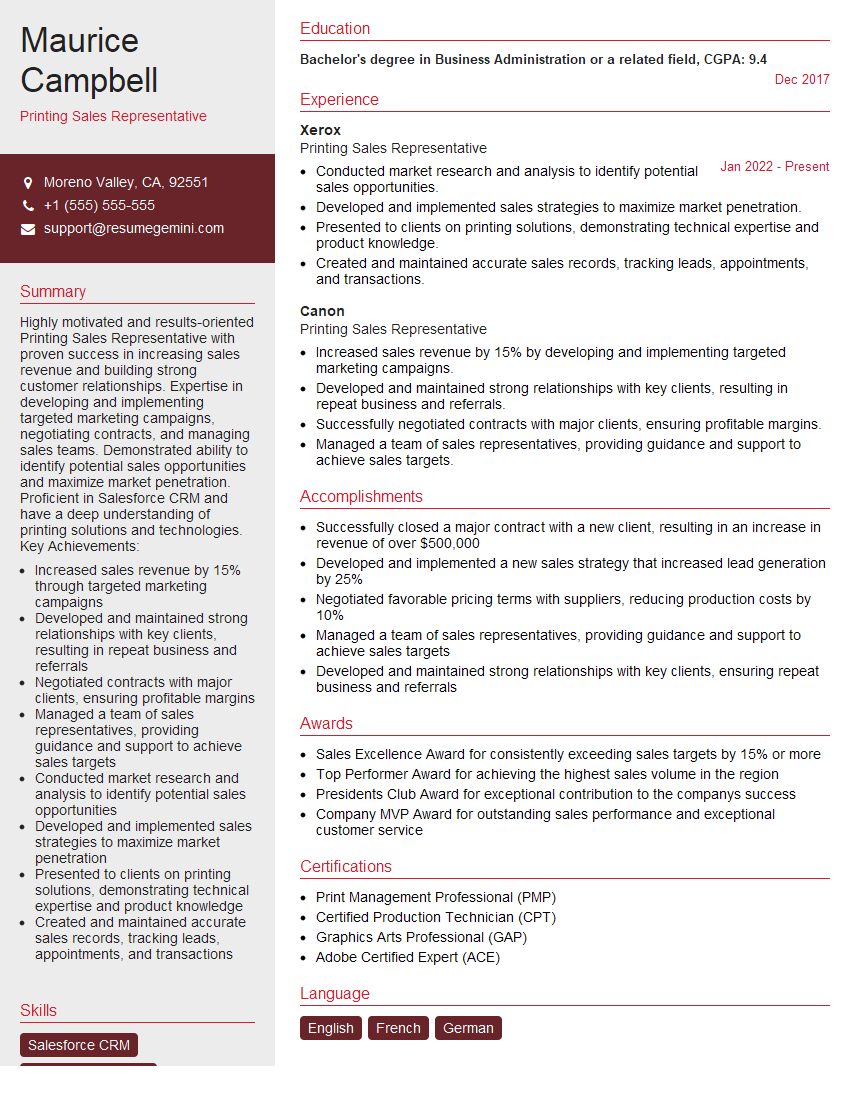
Printing Sales Representative Resume Sample

Prepress Manager Resume Sample
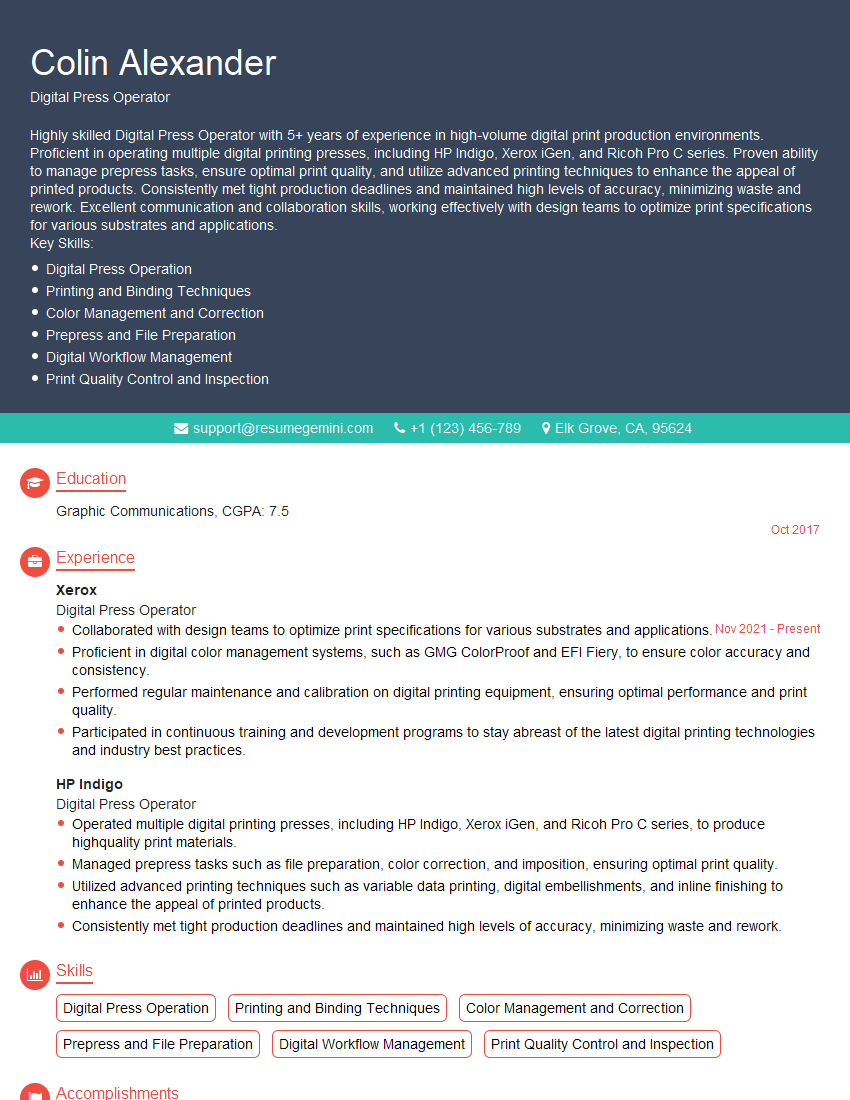
Digital Press Operator Resume Sample

Graphic Arts Technician Resume Sample

Prepress Technician Resume Sample
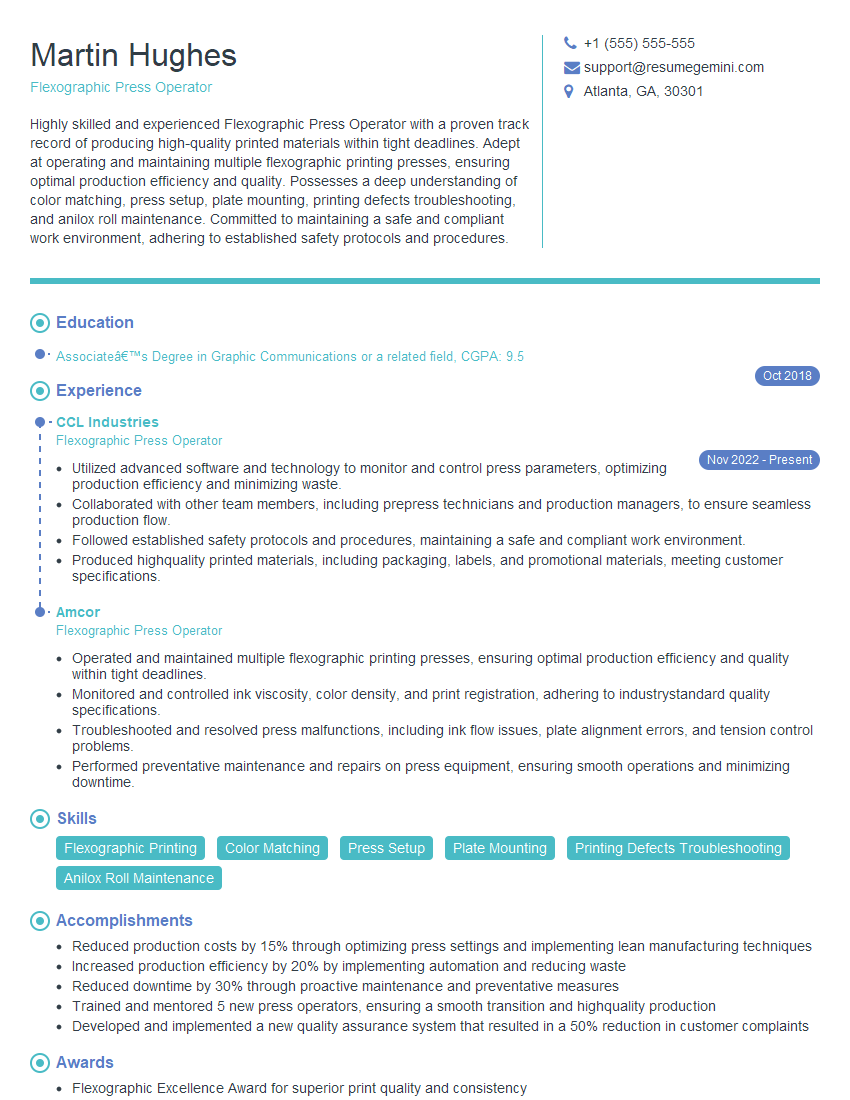
Flexographic Press Operator Resume Sample

Offset Press Operator Resume Sample

Screen Printer Resume Sample

Print Finisher Resume Sample
Explore more articles
Users Rating of Our Blogs
Share Your Experience
We value your feedback! Please rate our content and share your thoughts (optional).
What Readers Say About Our Blog
Hello,
we currently offer a complimentary backlink and URL indexing test for search engine optimization professionals.
You can get complimentary indexing credits to test how link discovery works in practice.
No credit card is required and there is no recurring fee.
You can find details here:
https://wikipedia-backlinks.com/indexing/
Regards
NICE RESPONSE TO Q & A
hi
The aim of this message is regarding an unclaimed deposit of a deceased nationale that bears the same name as you. You are not relate to him as there are millions of people answering the names across around the world. But i will use my position to influence the release of the deposit to you for our mutual benefit.
Respond for full details and how to claim the deposit. This is 100% risk free. Send hello to my email id: [email protected]
Luka Chachibaialuka
Hey interviewgemini.com, just wanted to follow up on my last email.
We just launched Call the Monster, an parenting app that lets you summon friendly ‘monsters’ kids actually listen to.
We’re also running a giveaway for everyone who downloads the app. Since it’s brand new, there aren’t many users yet, which means you’ve got a much better chance of winning some great prizes.
You can check it out here: https://bit.ly/callamonsterapp
Or follow us on Instagram: https://www.instagram.com/callamonsterapp
Thanks,
Ryan
CEO – Call the Monster App
Hey interviewgemini.com, I saw your website and love your approach.
I just want this to look like spam email, but want to share something important to you. We just launched Call the Monster, a parenting app that lets you summon friendly ‘monsters’ kids actually listen to.
Parents are loving it for calming chaos before bedtime. Thought you might want to try it: https://bit.ly/callamonsterapp or just follow our fun monster lore on Instagram: https://www.instagram.com/callamonsterapp
Thanks,
Ryan
CEO – Call A Monster APP
To the interviewgemini.com Owner.
Dear interviewgemini.com Webmaster!
Hi interviewgemini.com Webmaster!
Dear interviewgemini.com Webmaster!
excellent
Hello,
We found issues with your domain’s email setup that may be sending your messages to spam or blocking them completely. InboxShield Mini shows you how to fix it in minutes — no tech skills required.
Scan your domain now for details: https://inboxshield-mini.com/
— Adam @ InboxShield Mini
Reply STOP to unsubscribe
Hi, are you owner of interviewgemini.com? What if I told you I could help you find extra time in your schedule, reconnect with leads you didn’t even realize you missed, and bring in more “I want to work with you” conversations, without increasing your ad spend or hiring a full-time employee?
All with a flexible, budget-friendly service that could easily pay for itself. Sounds good?
Would it be nice to jump on a quick 10-minute call so I can show you exactly how we make this work?
Best,
Hapei
Marketing Director
Hey, I know you’re the owner of interviewgemini.com. I’ll be quick.
Fundraising for your business is tough and time-consuming. We make it easier by guaranteeing two private investor meetings each month, for six months. No demos, no pitch events – just direct introductions to active investors matched to your startup.
If youR17;re raising, this could help you build real momentum. Want me to send more info?
Hi, I represent an SEO company that specialises in getting you AI citations and higher rankings on Google. I’d like to offer you a 100% free SEO audit for your website. Would you be interested?
Hi, I represent an SEO company that specialises in getting you AI citations and higher rankings on Google. I’d like to offer you a 100% free SEO audit for your website. Would you be interested?
good