Cracking a skill-specific interview, like one for Knowledge of quality assurance and testing methods, requires understanding the nuances of the role. In this blog, we present the questions you’re most likely to encounter, along with insights into how to answer them effectively. Let’s ensure you’re ready to make a strong impression.
Questions Asked in Knowledge of quality assurance and testing methods Interview
Q 1. Explain the difference between Verification and Validation.
Verification and validation are crucial, yet distinct, processes in software quality assurance. Think of it like this: verification is about building the product right, while validation is about building the right product.
Verification focuses on the internal processes and artifacts. It asks: Are we building the product according to the specifications? This involves reviewing documents, code inspections, walkthroughs, and unit testing – ensuring each component works as designed. For example, verifying that a login function correctly checks a username and password against a database, according to the specified algorithm.
Validation, on the other hand, focuses on external factors and user needs. It asks: Are we building the right product? This involves integration testing, system testing, user acceptance testing (UAT) – checking if the final product meets the client’s requirements and expectations. A validation example would be ensuring that the entire login system is user-friendly and meets the performance expectations of the target users.
Q 2. Describe the different levels of software testing.
Software testing is typically structured in several levels, each focusing on different aspects of the software:
- Unit Testing: Testing individual components or modules of the software in isolation. This is often done by developers.
- Integration Testing: Testing the interaction between different modules or units after they’ve been unit tested. This verifies that they work together as expected.
- System Testing: Testing the entire system as a whole, verifying that all components work together correctly and meet specified requirements. This is a black-box testing approach.
- Acceptance Testing: Testing the software to ensure it meets the needs of the end-user or client. This often involves User Acceptance Testing (UAT), where the end-users test the system in a real-world environment.
These levels are hierarchical, with unit testing forming the foundation, gradually building up to acceptance testing. Think of it like building a house: you’d test the bricks (unit), then the walls (integration), then the entire structure (system), before the homeowner moves in (acceptance).
Q 3. What are the various types of software testing?
There are numerous types of software testing, each serving a specific purpose. Here are some key ones:
- Functional Testing: Verifies that the software functions according to specifications. This includes things like smoke testing, sanity testing, regression testing.
- Non-Functional Testing: Evaluates aspects other than functionality, such as performance, security, usability, and scalability. Load testing, stress testing and security testing fall under this category.
- Black Box Testing: Testing the software without knowledge of the internal structure or code. Examples include functional testing and UAT.
- White Box Testing: Testing the software with full knowledge of the internal structure and code. Unit testing is a prime example.
- Regression Testing: Testing performed after code changes to ensure that new code hasn’t broken existing functionality.
- Usability Testing: Evaluating how user-friendly the software is.
The specific types of testing used will depend on the project’s requirements, risk profile, and available resources. For instance, a banking application would require rigorous security and performance testing, while a simple mobile app might focus more on usability and functional testing.
Q 4. Explain the STLC (Software Testing Life Cycle).
The Software Testing Life Cycle (STLC) is a systematic approach to software testing. It consists of several phases that are typically iterative and often overlap:
- Requirements Analysis: Understanding the software requirements to define testing objectives.
- Test Planning: Defining the scope, approach, resources, and schedule for testing activities.
- Test Case Design: Creating detailed test cases that cover various scenarios and functionalities.
- Test Environment Setup: Setting up the necessary hardware and software infrastructure for testing.
- Test Execution: Running the test cases and documenting results.
- Test Closure: Analyzing test results, reporting bugs, and finalizing test documentation.
Following the STLC ensures a structured and thorough testing process, improving the overall quality of the software and reducing the risk of bugs in production. Think of it as a roadmap for a successful testing journey, keeping the team focused and organized.
Q 5. What is Test Case Prioritization and how do you perform it?
Test case prioritization is the process of ranking test cases based on their importance and risk. The goal is to execute the most critical test cases first, maximizing the chance of finding high-impact defects early in the testing process.
Several methods can be employed for prioritization:
- Risk-based prioritization: Prioritize test cases that cover high-risk areas of the software (e.g., functionalities critical to business operations, areas with a history of defects).
- Requirement-based prioritization: Prioritize test cases based on the criticality of the requirements (e.g., mandatory vs. optional features).
- Business value prioritization: Prioritize test cases based on the business value of the functionality (e.g., features that directly impact revenue or user engagement).
- Dependency-based prioritization: Prioritize test cases based on their dependencies (e.g., test cases that need to be executed before others).
In practice, a combination of these methods is often used. For example, I might start by identifying high-risk functionalities based on past experience and business impact, then further refine the priority based on dependencies between test cases. The final prioritized list allows for focused testing efforts and faster feedback.
Q 6. What is the difference between Black Box and White Box testing?
Black box and white box testing are two fundamental approaches to software testing, differing mainly in their knowledge of the internal workings of the software under test.
Black box testing treats the software as a ‘black box,’ meaning the tester doesn’t have access to the internal code or structure. Test cases are designed based on the software’s specifications and functionality. This approach is valuable for finding functional defects, usability issues, and unexpected behavior. Think of it like testing a remote control – you know what buttons do what, but you don’t know the internal circuitry.
White box testing, conversely, allows testers complete access to the internal code and structure. This enables them to create test cases that cover specific code paths and logic, including boundary conditions and error handling. This is particularly useful for finding defects related to code logic, data flow, and security vulnerabilities. Imagine disassembling the remote control to check the connections and components – that’s white box testing.
Each approach has its strengths and limitations, and a combination of both (often called gray box testing) is typically employed for comprehensive software testing.
Q 7. Describe your experience with Test Automation frameworks (e.g., Selenium, Appium, Cypress).
I have extensive experience with several test automation frameworks, including Selenium, Appium, and Cypress. My experience spans various projects and methodologies.
Selenium is my go-to framework for web application automation. I’ve used it extensively to create automated tests for functional, regression, and performance testing. I’m proficient in writing test scripts using Java and Python, utilizing the Page Object Model for better maintainability and reusability. For instance, I automated end-to-end testing of an e-commerce platform using Selenium, covering user registration, product browsing, and checkout processes, significantly reducing testing time and improving accuracy.
Appium has been instrumental in my mobile application testing projects. I’ve used it to automate tests across both Android and iOS platforms, focusing on UI interactions, data validation, and API integrations. The ability to write tests in multiple programming languages, and the cross-platform support, makes Appium highly efficient.
Cypress is a newer framework that I’ve incorporated into my workflow for its ease of use and the ability to create efficient and reliable end-to-end tests, specifically focusing on front-end functionalities. Its real-time reloading and debugging features greatly improve developer productivity.
In all cases, I prioritize creating maintainable, reusable, and robust automation scripts, coupled with continuous integration and deployment processes for efficient feedback cycles.
Q 8. How do you handle defects/bugs in the software development lifecycle?
Defect handling is a critical part of the software development lifecycle (SDLC). My approach is methodical and focuses on thorough investigation, accurate reporting, and effective communication. When I encounter a defect, my first step is to reproduce it consistently. This involves documenting the exact steps to replicate the issue, including the environment, data inputs, and expected versus actual outcomes. I then classify the bug based on its severity (e.g., critical, major, minor) and priority (e.g., high, medium, low). This categorization helps prioritize fixes during development sprints. I use a defect tracking system, like Jira or Bugzilla, to log the bug, including detailed descriptions, screenshots, and relevant log files. After logging, I work closely with developers to help them understand the issue. This often involves providing additional context or reproducing the problem in a controlled setting. Once the defect is fixed, I rigorously verify the fix by retesting the affected area and associated functionalities. This ensures that the fix resolves the intended problem without introducing new ones. Finally, I close the defect report once I’m satisfied with the resolution.
For example, if I found a crash in a mobile app during a specific user action, I would document the steps, device information, OS version, and the exact error message. This comprehensive report assists developers in pinpointing and resolving the root cause efficiently.
Q 9. Explain your experience with Agile methodologies and their impact on testing.
Agile methodologies have significantly changed how we approach software testing. My experience with Agile, specifically Scrum and Kanban, highlights its iterative nature and collaborative spirit. Instead of long, sequential testing phases, testing becomes an integrated part of each sprint, allowing for rapid feedback and continuous improvement. This necessitates a shift towards shorter test cycles, focused testing based on user stories, and close collaboration with developers. In Agile environments, automated testing plays a crucial role. Automated test suites are created to run frequently and verify functionality throughout the development cycle, providing immediate feedback on code changes. The quicker turnaround ensures early detection and resolution of bugs, reducing the cost and effort associated with fixing issues later in the process. The focus is on continuous integration and continuous delivery (CI/CD), which emphasizes automation at each stage.
For instance, in a recent project, we used a test-driven development (TDD) approach, writing unit tests *before* the actual code. This ensured code functionality and provided developers with clear acceptance criteria. Daily stand-up meetings allowed us to highlight testing roadblocks and collaborate swiftly on solutions, ensuring a smoother testing cycle.
Q 10. What is a Test Plan and what are its key components?
A Test Plan is a comprehensive document that outlines the testing strategy, objectives, scope, resources, and schedule for a software testing project. It serves as a roadmap that guides the entire testing process. Think of it as a detailed blueprint for a successful testing effort.
- Scope: Defining what functionalities will be tested and excluded (e.g., testing specific modules or features).
- Objectives: Clearly stating the goals of testing, such as identifying a specific number of bugs, or achieving a certain level of code coverage.
- Testing Methodology: Detailing the approach to be used (e.g., Agile, Waterfall), the type of tests to be performed (e.g., Unit, Integration, System), and test levels.
- Test Environment: Describing the hardware, software, and network configurations required for testing.
- Resources: Identifying the people, tools, and equipment needed for testing (e.g., Testers, Test Management tools, test data).
- Schedule: Establishing timelines for each testing phase and providing deadlines.
- Risk Management: Identifying potential risks and outlining mitigation plans.
- Entry and Exit Criteria: Defining the conditions that must be met before and after testing.
A well-defined Test Plan helps ensure that the testing process is efficient, effective, and aligned with the project goals.
Q 11. How do you perform regression testing?
Regression testing is a crucial process that verifies that new code changes or bug fixes haven’t negatively impacted existing functionalities. It’s like ensuring that fixing one part of a car doesn’t break another part. I approach regression testing systematically. First, I identify the modules or features affected by the recent changes. Next, I select a subset of tests from the existing test suite that covers these areas. This selection process prioritizes critical functionalities and high-risk areas. These tests can be automated for efficiency and repeatability. Using tools like Selenium or Appium, depending on the application type (web or mobile), allows for automated execution of regression tests each time new code is integrated. Manual regression testing might also be necessary for complex scenarios or areas requiring human judgment. The results of the regression tests are thoroughly analyzed to ensure that no unexpected regressions have occurred. Any failures discovered are reported as new defects and handled using the defect management process discussed earlier.
For example, if a new feature is added to an e-commerce website’s checkout process, I would execute regression tests to ensure that the existing functionalities like adding items to the cart, applying coupons, and processing payments continue to work correctly after the change.
Q 12. Explain your experience with different types of testing: Unit, Integration, System, User Acceptance Testing (UAT).
My experience encompasses various testing types, each playing a vital role in ensuring software quality.
- Unit Testing: This involves testing individual components or modules of the software in isolation. It focuses on verifying the correct behavior of small, independent units of code. Often performed by developers using tools like JUnit or NUnit, I often review the unit test coverage to ensure all critical code paths are covered.
- Integration Testing: This phase tests the interactions between different units or modules after unit testing. It aims to identify integration issues between these components.
- System Testing: After successful integration testing, system testing verifies the complete software system against its specified requirements. It involves testing all components working together as a whole. This testing often involves different testing types including functional and non-functional testing like performance and security.
- User Acceptance Testing (UAT): This final stage involves end-users testing the system in a real-world setting. It validates whether the software meets their actual needs and expectations, ensuring the system is user-friendly and meets business goals. I coordinate with stakeholders to gather feedback and ensure the system is ready for deployment.
Q 13. What is Test Driven Development (TDD)?
Test-Driven Development (TDD) is an agile software development approach where test cases are written *before* the actual code. It’s a powerful technique that promotes better code design, reduces bugs, and enhances overall software quality. The process generally follows a cycle known as ‘Red-Green-Refactor’:
- Red: Write a failing test case that defines a specific requirement or functionality. This ensures you have a clear understanding of what the code needs to achieve.
- Green: Write the simplest possible code to pass the failing test case. The primary goal here is to make the test pass, not to write perfect, efficient code.
- Refactor: Once the test passes, improve the code’s design, efficiency, and readability without altering its functionality. This ensures the code remains maintainable and extensible.
TDD fosters a more robust and reliable codebase because the tests serve as living documentation, ensuring every feature is tested, and that changes don’t unintentionally break existing functionality. I’ve found TDD especially beneficial in complex projects where requirements can be ambiguous or prone to change.
Q 14. How do you write effective test cases?
Writing effective test cases is crucial for successful software testing. They should be clear, concise, unambiguous, and easily reproducible. My approach includes the following steps:
- Identify Test Objectives: Clearly state what the test aims to verify. What functionality are you testing? What are the expected outcomes?
- Define Test Data: Determine the data needed to execute the test, including input values and expected outputs. This should cover various scenarios, including edge cases and boundary conditions.
- Write Clear Steps: Outline the steps needed to execute the test in a sequential, easy-to-follow manner. Each step should be independent and easily understood by others.
- Specify Expected Results: Define the expected outcomes for each test step and the overall test. This allows for clear verification of success or failure.
- Include Preconditions and Postconditions: Describe any preconditions that must be met before running the test and any postconditions that should exist after the test’s completion.
- Use a consistent template: Employing a standardized template ensures consistency and facilitates review. This also improves reporting and tracking.
Example test case for a login function:
Test Case ID: Login_TC_001
Test Case Name: Successful login with valid credentials
Objective: Verify successful login with valid username and password
Preconditions: The application is launched.
Test Steps: 1. Enter valid username ‘testuser’. 2. Enter valid password ‘password123’. 3. Click the ‘Login’ button.
Expected Results: The user should be successfully logged in and redirected to the home page.
Postconditions: The user logs out of the application.
Q 15. What is the difference between Smoke Testing and Sanity Testing?
Smoke testing and sanity testing are both preliminary testing methods used to quickly assess the stability of a software build, but they differ in scope and purpose.
Smoke testing is a high-level, initial test performed after a new build is received to verify that the critical functionalities are working as expected. Think of it as a quick health check—does the system even boot up? Are the major features functioning? It’s a pass/fail assessment; if it fails, the build is rejected. For example, in an e-commerce website, a smoke test might check if the user can log in, browse products, add items to the cart, and proceed to checkout (without necessarily completing the purchase).
Sanity testing, on the other hand, is a narrower, more focused test. It’s performed after a minor code change or bug fix to ensure that the fix didn’t introduce new issues and that the affected area functions correctly. It’s more detailed than smoke testing but still less comprehensive than full regression testing. For example, if a bug was fixed in the checkout process, sanity testing would focus solely on verifying that specific functionality, ensuring the fix worked and didn’t break other parts of the checkout flow.
In short: Smoke testing is a broad, initial check for critical functionality, while sanity testing is a focused verification of a specific area after a change.
Career Expert Tips:
- Ace those interviews! Prepare effectively by reviewing the Top 50 Most Common Interview Questions on ResumeGemini.
- Navigate your job search with confidence! Explore a wide range of Career Tips on ResumeGemini. Learn about common challenges and recommendations to overcome them.
- Craft the perfect resume! Master the Art of Resume Writing with ResumeGemini’s guide. Showcase your unique qualifications and achievements effectively.
- Don’t miss out on holiday savings! Build your dream resume with ResumeGemini’s ATS optimized templates.
Q 16. Explain your experience with performance testing tools (e.g., JMeter, LoadRunner).
I have extensive experience using JMeter and LoadRunner for performance testing. JMeter is my preferred tool for its open-source nature, ease of use, and flexibility. I’ve used it to simulate various load scenarios, including stress tests, endurance tests, and spike tests, to identify bottlenecks and performance issues in web applications and APIs.
For instance, in a recent project involving a high-traffic e-commerce platform, I used JMeter to simulate thousands of concurrent users accessing different parts of the site. This helped us identify a database query that was significantly slowing down the response time during peak hours. We were able to optimize this query, improving the overall performance of the system and preventing potential crashes under heavy load.
My experience with LoadRunner primarily involved utilizing its scripting capabilities and advanced analytics for enterprise-level applications. While powerful, it’s a more complex tool with a steeper learning curve and licensing costs. I find JMeter’s ease of use and cost-effectiveness makes it ideal for many projects.
My performance testing approach involves:
- Defining clear performance goals and metrics.
- Designing realistic test scenarios that reflect real-world usage.
- Analyzing the results to identify performance bottlenecks.
- Collaborating with developers to implement performance improvements.
Q 17. How do you perform security testing?
Security testing is a crucial aspect of software quality assurance. My approach involves a multi-layered strategy that includes several types of testing:
- Vulnerability Scanning: I use automated tools like Nessus or OpenVAS to scan applications for known vulnerabilities. This helps identify potential security flaws before malicious actors can exploit them.
- Penetration Testing: This involves simulating real-world attacks to identify vulnerabilities and assess the security posture of the application. This can range from simple attacks like SQL injection attempts to more complex attacks targeting authentication mechanisms.
- Code Review: Manually examining the source code for potential security weaknesses, such as insecure coding practices or hardcoded credentials. This is particularly effective in identifying vulnerabilities not easily detectable by automated tools.
- Security Auditing: This involves reviewing the overall security design and implementation of the application, assessing areas such as access control, authorization, and data encryption.
Throughout the process, I adhere to OWASP (Open Web Application Security Project) guidelines and best practices. A key aspect is documenting all findings thoroughly, including the severity and potential impact of each vulnerability, along with recommended remediation strategies.
Q 18. How do you handle conflicts with developers regarding bug fixes?
Conflicts with developers regarding bug fixes are unfortunately common, but addressing them constructively is crucial. My approach involves:
- Clear and Concise Communication: I make sure to provide detailed bug reports with clear steps to reproduce the issue, expected results, actual results, and screenshots or videos when necessary. Avoid emotional language and focus on the technical aspects.
- Data-Driven Discussions: I present my findings objectively, using test results and logs to back up my claims. This helps eliminate subjective arguments.
- Collaboration, not Confrontation: I view developers as partners in the goal of delivering high-quality software. I work with them to understand their perspective and find mutually agreeable solutions. This could involve examining the code together or discussing alternate testing strategies.
- Escalation When Necessary: If a conflict cannot be resolved directly, I escalate the issue to a project manager or technical lead to mediate and help reach a resolution.
The focus should always be on resolving the issue and improving the software, not on assigning blame.
Q 19. What metrics do you use to measure the effectiveness of your testing efforts?
Measuring the effectiveness of testing efforts requires a multifaceted approach that considers various metrics:
- Defect Density: The number of defects found per line of code or per function point. This helps understand the overall quality of the software.
- Defect Severity: Categorizing defects based on their impact (critical, major, minor). This prioritizes bug fixes and helps manage risk.
- Test Coverage: The percentage of code or requirements covered by tests. This helps ensure comprehensive testing.
- Test Execution Time: The time required to execute tests. This helps identify areas for test optimization and automation.
- Defect Leakage Rate: The percentage of defects found in production after release. A high rate indicates potential weaknesses in the testing process.
By tracking these metrics over time, we can identify trends, measure the impact of testing improvements, and demonstrate the value of testing activities.
Q 20. Describe a time you had to deal with a critical bug.
I recall an instance where a critical bug was discovered in a production system just hours before a major marketing campaign launch. The bug caused a significant data corruption issue that prevented users from accessing their accounts. The team immediately sprung into action. I was responsible for coordinating the triage, confirming the severity and impact, and working with the development team to identify a hotfix.
We employed a fast-paced, iterative process. The developers quickly implemented a fix, and I then designed and executed a series of targeted regression tests to ensure the hotfix didn’t introduce other issues. Simultaneously, the communication team prepared a message explaining the temporary disruption to users. Through focused teamwork, efficient communication, and the quick implementation of a verified fix, we were able to resolve the issue within a few hours, minimizing the impact on the marketing campaign.
This experience highlighted the importance of robust testing, clear communication, and quick response times when dealing with critical production issues.
Q 21. What is your experience with different bug tracking tools (e.g., Jira, Bugzilla)?
I’ve used several bug tracking tools throughout my career, including Jira and Bugzilla. Jira is a highly versatile and popular platform, especially for Agile development environments. Its workflow customization, integration capabilities, and reporting features are excellent. I’ve used it extensively to manage the entire lifecycle of defects, from initial reporting to resolution and closure.
Bugzilla, while less visually appealing than Jira, offers a robust and powerful system for managing defects. Its feature set is more geared toward technical details and reporting. I’ve found it particularly useful in situations requiring meticulous tracking of detailed information about the bugs and their resolution.
My proficiency in these tools involves efficiently creating detailed bug reports, assigning them to developers, tracking their progress, running reports to monitor bug trends and overall testing effectiveness, and effectively communicating status updates.
Q 22. Explain your experience with database testing.
Database testing is crucial for ensuring data integrity, accuracy, and performance within an application. My experience encompasses various aspects, including functional testing, data validation, and performance testing. Functional testing verifies that data is stored, retrieved, updated, and deleted correctly. I use SQL queries to verify data accuracy and consistency, checking for expected values and data types. For example, I might verify that a user’s registration information is correctly stored in the database after a successful signup. Data validation involves checking for data integrity constraints, like ensuring that a required field is not null or that a numerical field contains only valid numbers. Performance testing focuses on database response times, checking for bottlenecks and optimizing query efficiency. I’ve used tools like SQL Developer and DB2 to analyze query performance and identify areas for improvement. In one project, I uncovered a performance bottleneck in a large-scale e-commerce application caused by an inefficient database query, which was resolved by optimizing the query and indexing relevant tables, resulting in a significant improvement in page load times.
Q 23. How do you ensure test coverage?
Ensuring adequate test coverage is paramount to delivering high-quality software. My approach involves a multi-pronged strategy combining requirement traceability, test case design techniques, and code coverage analysis. Requirement traceability ensures that each requirement is covered by at least one test case. This is achieved by mapping requirements to test cases, providing clear visibility of test coverage. For test case design, I utilize techniques like equivalence partitioning, boundary value analysis, and decision table testing to create efficient and comprehensive test suites that cover various scenarios and edge cases. Imagine testing a login form: equivalence partitioning would define valid and invalid username/password combinations, while boundary value analysis would focus on testing the limits, like maximum length of the username or password. Code coverage analysis, using tools like SonarQube or JaCoCo, provides insights into the percentage of code executed by the test suite. A high code coverage doesn’t guarantee perfect quality, but it provides confidence that a significant portion of the codebase has been tested. I aim for a high percentage of code coverage, particularly for critical functionalities, while keeping in mind that achieving 100% coverage isn’t always practical or cost-effective.
Q 24. What is your approach to risk assessment in software testing?
Risk assessment in software testing is a proactive approach to identify and mitigate potential issues before they impact the application’s quality and release. My approach involves a systematic evaluation of various factors contributing to risk, using a framework like the following steps: 1. Identify potential risks: This involves brainstorming possible issues that might occur, such as bugs, security vulnerabilities, performance problems, or integration failures. 2. Analyze the likelihood and impact of each risk: Assess the probability of each risk occurring and the potential impact on the project or the end-users. 3. Prioritize risks based on their likelihood and impact: Focus on mitigating the most critical risks first, those with the highest likelihood and most significant impact. 4. Develop mitigation strategies: For each identified risk, create strategies to mitigate or reduce the risk. This could include adding more test cases, improving testing processes, implementing security measures, or increasing testing time. 5. Monitor and review risks: Continuously monitor the risks throughout the development lifecycle and update the risk assessment as needed. For example, in a project involving financial transactions, the risk of security vulnerabilities would be very high, requiring a thorough security testing strategy. A practical application would be implementing penetration testing and code reviews to find and address any vulnerabilities early on.
Q 25. Describe your experience with mobile application testing.
Mobile application testing requires a different approach than traditional web application testing due to the diverse range of devices, operating systems, and network conditions. My experience includes testing on various platforms (iOS and Android), encompassing functional, performance, and usability testing. Functional testing ensures all features work as expected across different devices and screen sizes. Performance testing focuses on app responsiveness, stability, and battery consumption. I utilize tools like Appium or Espresso for automated testing, enabling efficient execution of tests across various devices and configurations. Usability testing involves evaluating the user experience and identifying areas for improvement in the app’s navigation and interaction design. For example, I’ve used tools like Firebase Test Lab to run automated tests on a wide range of devices and Android versions, ensuring compatibility and performance across different mobile environments. In one project, we discovered a performance bottleneck on lower-end devices by using performance profiling tools that weren’t evident during testing on high-end devices. Addressing this improved user experience significantly.
Q 26. What is your experience with API testing?
API testing plays a vital role in validating the backend logic and ensuring seamless data exchange between different components of an application. My experience includes testing RESTful and SOAP APIs using tools like Postman and REST-assured. I focus on validating API responses, verifying data integrity, and checking for error handling. Methods include creating test requests (GET, POST, PUT, DELETE) and verifying the correctness of the responses. I leverage assertions to validate that the returned data matches expected values and data types. I also analyze response headers for status codes and other relevant information. For example, when testing a user registration API, I would check if a successful registration returns a 201 (Created) status code and if the user data is correctly persisted in the database. In another project, API testing revealed an error in data formatting within a payment gateway API. Identifying this early on prevented payment processing issues and financial losses.
Q 27. How do you stay updated on the latest trends and technologies in QA and testing?
Staying updated in the dynamic field of QA and testing is crucial. My approach involves a multi-faceted strategy: 1. Active participation in online communities: Engaging in forums, groups, and discussions on platforms like Stack Overflow and Reddit dedicated to software testing allows knowledge sharing and learning from others’ experiences. 2. Following industry blogs and publications: Keeping abreast of current trends through prominent publications and blogs in the QA field ensures that I’m informed on the newest methodologies and tools. 3. Attending webinars and conferences: Participation in webinars and conferences provide opportunities to gain insights directly from testing experts and network within the community. 4. Continuous learning through online courses: Platforms like Coursera and Udemy offer structured learning paths, facilitating skill enhancements and keeping pace with advancements in testing techniques and methodologies. 5. Hands-on experimentation with new tools and technologies: This allows me to practically apply knowledge and develop skills in using new technologies, making me ready for the challenges of future projects.
Q 28. Describe your experience with UI/UX testing.
UI/UX testing focuses on ensuring the application’s user interface is intuitive, user-friendly, and visually appealing. My experience encompasses various aspects of UI/UX testing, including usability testing, accessibility testing, and visual testing. Usability testing focuses on evaluating the user experience by observing users interacting with the application and identifying areas where improvements are needed. I use methods like heuristic evaluation, which involves comparing the application’s UI against established usability principles. Accessibility testing verifies the application’s usability for people with disabilities, adhering to guidelines such as WCAG. Visual testing is about ensuring consistent visual presentation across different browsers and devices. For example, I’ve used tools like Selenium IDE to automate UI tests and identify inconsistencies in the presentation of the application across different browsers and devices. In one project, user testing revealed that a particular button placement was confusing to users. This led to repositioning the button, resulting in an improvement in user engagement and task completion rates.
Key Topics to Learn for Knowledge of quality assurance and testing methods Interview
- Software Development Lifecycle (SDLC) Models: Understand various SDLC models (Waterfall, Agile, DevOps) and how testing integrates within each. Consider the implications of each model on testing strategies.
- Testing Methodologies: Master different testing types (unit, integration, system, acceptance, regression) and their practical applications. Be prepared to discuss when each methodology is most appropriate.
- Test Case Design Techniques: Explore techniques like equivalence partitioning, boundary value analysis, decision table testing, and state transition testing. Practice applying these techniques to design effective test cases.
- Test Automation Frameworks: Familiarize yourself with popular frameworks like Selenium, Appium, or Cypress (depending on your focus). Be ready to discuss your experience with automation tools and scripting languages.
- Defect Reporting and Tracking: Understand the process of identifying, documenting, and tracking defects using tools like Jira or Bugzilla. Practice clear and concise defect reporting.
- Performance and Security Testing: Gain a foundational understanding of performance testing concepts (load, stress, endurance) and common security vulnerabilities. Be prepared to discuss how these aspects are integrated into the testing process.
- Test Data Management: Discuss strategies for creating, managing, and securing test data. Understand the challenges of using real vs. synthetic data.
- Agile Testing Principles: If you have Agile experience, be ready to discuss how testing fits into the Agile sprint cycle and how to collaborate effectively with developers and product owners.
Next Steps
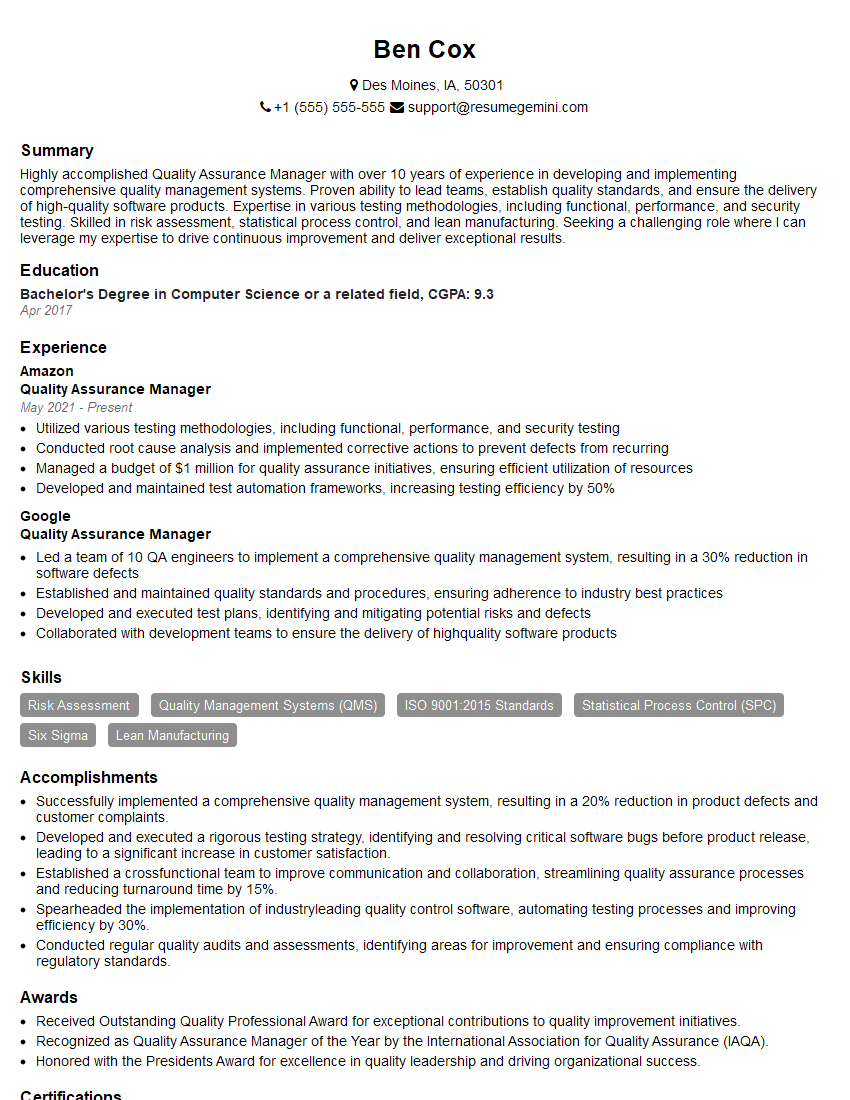
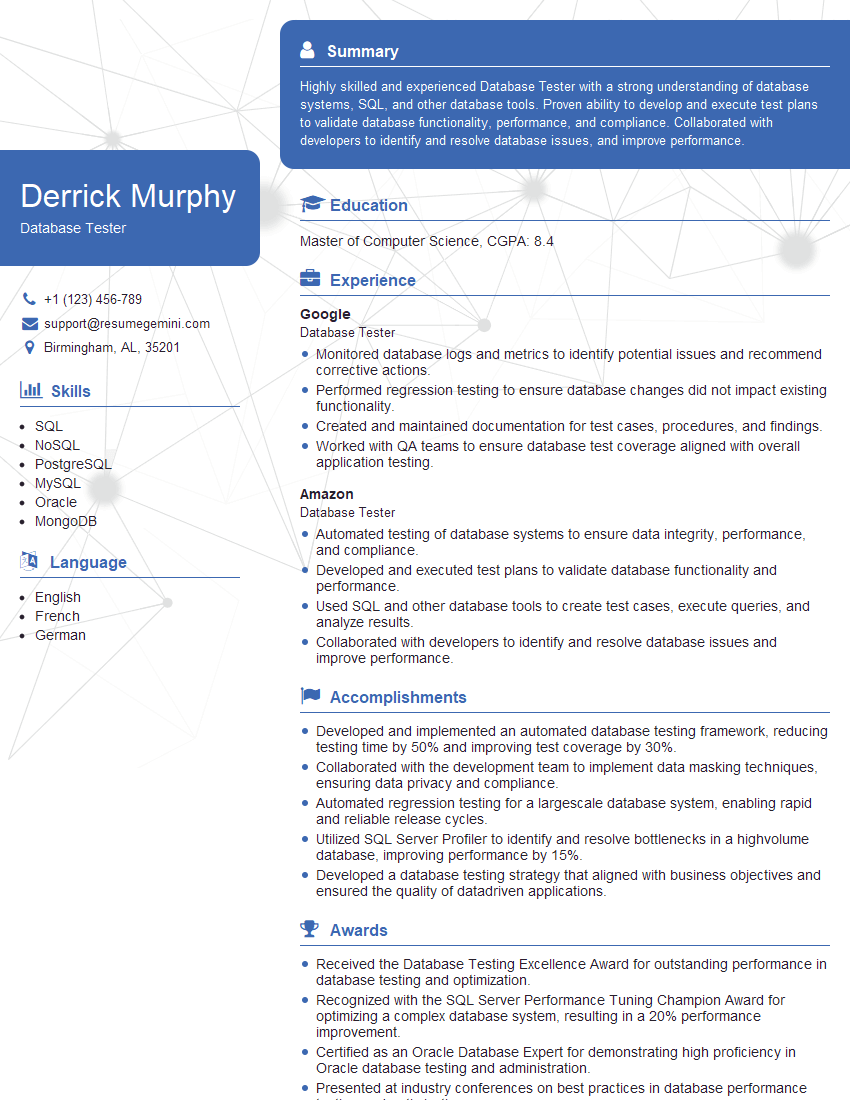
Mastering knowledge of quality assurance and testing methods is crucial for career advancement in the software industry. A strong understanding of these concepts demonstrates your ability to deliver high-quality software and contribute significantly to a development team’s success. To further enhance your job prospects, create an ATS-friendly resume that highlights your skills and experience effectively. ResumeGemini is a trusted resource to help you build a professional and impactful resume. We offer examples of resumes tailored to Knowledge of quality assurance and testing methods to guide you through the process. Invest the time in crafting a strong resume – it’s your first impression with potential employers.

Explore more articles
Users Rating of Our Blogs
Share Your Experience
We value your feedback! Please rate our content and share your thoughts (optional).
What Readers Say About Our Blog
Very informative content, great job.
good