Interviews are more than just a Q&A session—they’re a chance to prove your worth. This blog dives into essential Lidar and photogrammetry data collection and processing interview questions and expert tips to help you align your answers with what hiring managers are looking for. Start preparing to shine!
Questions Asked in Lidar and photogrammetry data collection and processing Interview
Q 1. Explain the difference between LiDAR and photogrammetry.
LiDAR (Light Detection and Ranging) and photogrammetry are both powerful techniques for creating 3D models of the real world, but they differ fundamentally in how they acquire data. LiDAR uses a laser to measure distances to objects, generating a point cloud representing the surface geometry. Think of it as an active sensor, actively sending out pulses of light and measuring their return time. Photogrammetry, on the other hand, uses overlapping photographs taken from different viewpoints. It relies on image processing algorithms to identify corresponding points in multiple images and reconstruct the 3D scene. It’s a passive sensor; it relies on existing light to capture images. LiDAR excels in capturing precise elevation data, even in challenging conditions like dense vegetation or low-light environments, while photogrammetry provides rich textural information and is generally cheaper for simpler projects. Choosing between them depends on the specific project needs and budget. For example, LiDAR is ideal for high-accuracy elevation models required for infrastructure planning, while photogrammetry might be preferred for creating visually appealing 3D models of historical buildings where texture is crucial.
Q 2. Describe the various types of LiDAR systems and their applications.
LiDAR systems come in various types, each with unique capabilities and applications.
- Airborne LiDAR: Mounted on aircraft, this is widely used for large-scale mapping, creating high-resolution Digital Terrain Models (DTMs) and Digital Surface Models (DSMs). Applications include forestry, urban planning, and environmental monitoring. Imagine creating a detailed 3D map of a forest to assess timber volume or monitor deforestation.
- Terrestrial LiDAR (TLS): Ground-based systems, excellent for detailed scans of smaller areas, providing highly accurate point clouds of buildings, bridges, or archaeological sites. Think of archaeologists using TLS to create a precise 3D record of an ancient ruin before any excavation begins.
- Mobile LiDAR: Mounted on vehicles, this combines GPS and IMU data with LiDAR scans for creating 3D models while moving. It’s ideal for road surveys, infrastructure inspections, and creating street-level point clouds for autonomous driving applications. This technology powers many self-driving car mapping efforts.
- Bathymetric LiDAR: This specialized system uses wavelengths that penetrate water, allowing for mapping of underwater terrain and features. Coastal surveys and lakebed mapping are common applications.
Q 3. What are the key factors to consider when planning a LiDAR data acquisition project?
Planning a successful LiDAR data acquisition project requires careful consideration of several key factors:
- Project Goals and Scope: Clearly define the project objectives. What information do you need to extract from the LiDAR data? This will dictate the required resolution, accuracy, and area of coverage.
- Data Specifications: Determine the desired point density, accuracy requirements, and data formats. Higher point density means more detail but also increased data volume and processing time.
- Sensor Selection: Choose the appropriate LiDAR system based on the project’s scale, accuracy needs, and environmental conditions. Airborne LiDAR is best for large areas, while terrestrial LiDAR is suitable for smaller, detailed surveys.
- Flight Planning (for Airborne): Optimizing flight paths is crucial for uniform data coverage and minimizing data gaps. Flight altitude, speed, and scan angle affect data quality.
- Ground Control Points (GCPs): These are precisely surveyed points on the ground used to georeference the LiDAR data. A sufficient number of well-distributed GCPs ensures accurate positioning.
- Environmental Conditions: Factors like weather (e.g., wind, rain), vegetation density, and atmospheric conditions can affect data acquisition and must be considered.
- Budget and Timeline: LiDAR data acquisition can be costly. Develop a realistic budget and timeline that accounts for all stages of the project.
Q 4. How do you ensure the accuracy and quality of LiDAR data?
Ensuring the accuracy and quality of LiDAR data involves a multi-step process starting before data acquisition and continuing through post-processing:
- Calibration and System Checks: Regularly calibrate the LiDAR sensor to ensure its accuracy. Pre-flight checks of all systems are essential.
- Proper Flight Planning (Airborne): Careful planning minimizes data gaps and ensures sufficient overlap between scan lines.
- Ground Control Points (GCPs): Accurately surveyed GCPs are crucial for georeferencing the point cloud and achieving high accuracy.
- Data Processing: Employ robust data processing techniques including noise removal, point cloud registration, and georeferencing to correct for errors and artifacts.
- Quality Control (QC): Regularly check the data during processing to identify and correct potential issues. This might involve visual inspection of point cloud density and distribution.
- Accuracy Assessment: Compare the LiDAR-derived data against independent high-accuracy measurements to evaluate the overall accuracy of the project.
For example, if we’re surveying a highway, discrepancies between the LiDAR-derived road centerline and the officially surveyed centerline would highlight inaccuracies that need investigation and correction.
Q 5. Explain the process of point cloud classification and its importance.
Point cloud classification is the process of assigning semantic labels to individual points in a point cloud, categorizing them into meaningful classes like ground, vegetation, buildings, etc. This is crucial for extracting useful information from the raw point cloud data and preparing it for further analysis and applications.
The process typically involves automated classification algorithms (e.g., based on point height, intensity, and surrounding neighborhood), often followed by manual editing to refine the classification results. For instance, a simple height threshold might classify points below a certain height as ‘ground,’ but manual review is needed to correct misclassifications due to overhanging vegetation or steeply sloped terrain.
The importance of point cloud classification stems from its ability to transform a massive, unstructured point cloud into a structured and informative data set. This enables applications such as generating accurate DTMs, extracting building footprints, analyzing tree canopy density, and modeling surface roughness – all crucial tasks in various fields like urban planning, precision agriculture, and disaster response.
Q 6. What software packages are you familiar with for processing LiDAR data?
I’m proficient in several software packages for LiDAR data processing, including:
- LAStools: A powerful command-line suite for processing LAS files, known for its speed and efficiency in tasks like filtering, classification, and merging point clouds. It’s particularly useful for large datasets.
- PDAL (Point Data Abstraction Library): A versatile library offering a wide range of functionalities, including reading, writing, and processing various point cloud formats. It’s highly flexible and can be integrated with other software.
- Global Mapper: A user-friendly GIS software with excellent LiDAR processing capabilities, suitable for visualization, analysis, and generating various derived products like DEMs and DSMs.
- ArcGIS Pro: A comprehensive GIS platform with tools for LiDAR data management, processing, and integration with other geospatial data. It’s widely used in many professional settings.
- CloudCompare: A free and open-source software for point cloud visualization, editing, and processing. It’s a great option for quick data exploration and visualization.
Q 7. Describe your experience with different point cloud filtering techniques.
My experience encompasses various point cloud filtering techniques designed to remove noise and unwanted data points, improving data quality and efficiency of further analysis. These techniques include:
- Statistical Outlier Removal: This filters points based on their distance from their neighbors. Points significantly deviating from the local density are considered outliers and removed.
- Progressive TIN densification: Using a Triangulated Irregular Network (TIN) to iteratively refine surface models and remove spurious points.
- Radius Filtering: Points within a specified radius around a central point are analyzed. If the point density within the radius is below a threshold, the central point is flagged for removal.
- Height Filtering: Removes points above or below specified elevation thresholds, useful for isolating ground points from vegetation or buildings.
- Intensity-based Filtering: Filters points based on their laser return intensity. Points with unusually high or low intensity could indicate noise or artifacts and are removed.
The choice of filtering technique depends on the nature of the noise and the specific application. Often, a combination of techniques is used to achieve optimal results. For example, in a forestry project, we might initially use height filtering to remove points above the canopy, followed by statistical outlier removal to clean up the ground points further.
Q 8. How do you handle noise and outliers in LiDAR data?
Noise and outliers in LiDAR data are common issues stemming from various factors like atmospheric interference, sensor limitations, and ground reflections. Handling them is crucial for achieving accurate results. My approach involves a multi-step process.
Filtering: I employ spatial filters (e.g., median filters) to smooth the data and reduce random noise. These filters replace each point’s value with the median value of its neighbors, effectively mitigating the impact of individual noisy points. I also utilize statistical filters, such as standard deviation filters, that identify and attenuate points significantly deviating from the local mean.
Outlier Removal: For outliers – points significantly displaced from the expected surface – I use algorithms like the Radius Outlier Removal (ROR) method. ROR removes points outside a specified radius from their nearest neighbors, effectively eliminating isolated points. Another effective technique is the statistical outlier removal, which identifies and removes points with Z-values exceeding a set number of standard deviations from the local mean.
Classification: Ground classification plays a vital role. Correctly identifying ground points helps eliminate noise and outliers associated with vegetation or other objects. This is done using algorithms such as progressive TIN densification, which iteratively refines a triangulated irregular network (TIN) to delineate the ground surface.
Data Visualization: Throughout the process, data visualization is essential. Interactive 3D visualizations allow me to inspect the data, identify problematic areas, and evaluate the effectiveness of filtering and outlier removal techniques. Color-coding based on intensity or elevation helps identify patterns in the noise or outliers.
For instance, working on a large-scale forestry project, I encountered significant noise due to dense foliage. By combining median filtering with a sophisticated ground classification algorithm, I significantly improved the data quality, leading to more accurate tree height measurements and forest inventory estimates.
Q 9. Explain the concept of georeferencing and its importance in LiDAR data processing.
Georeferencing is the process of assigning real-world coordinates (latitude, longitude, and elevation) to LiDAR data points. It’s absolutely fundamental because without it, the point cloud is just a collection of points in an arbitrary coordinate system, lacking any meaningful spatial context. In essence, georeferencing transforms the data from a local coordinate system to a known global or regional coordinate system like UTM or WGS84.
This is achieved by aligning the LiDAR point cloud with control points – points with known coordinates obtained through GPS surveys or other high-accuracy methods. Sophisticated algorithms, such as least-squares adjustments, are used to find the optimal transformation parameters that minimize the discrepancies between the LiDAR points and their corresponding control points.
The importance of georeferencing cannot be overstated. It allows for integration with other geospatial data (e.g., maps, imagery), precise measurements, accurate area calculations, and proper visualization within a geographic information system (GIS). For example, in a highway design project, precise georeferencing ensures that the LiDAR-derived terrain model accurately reflects the real-world terrain, leading to accurate road design and construction.
Q 10. What are the common file formats used for LiDAR data?
Several common file formats store LiDAR data, each with its strengths and weaknesses. The most prevalent include:
LAS (LASer) files: The industry standard, offering efficient storage and metadata capabilities. LAS files can store a wide range of attributes per point (intensity, classification, return number, etc.).
LAZ (compressed LAS) files: A compressed version of LAS, significantly reducing file sizes without compromising data integrity. This is particularly beneficial for large datasets.
XYZ files: A simpler text-based format representing each point by its X, Y, and Z coordinates. While less efficient than LAS, its simplicity makes it suitable for use in certain software packages.
TerraScan’s TSZ files: Proprietary to TerraScan software, containing point cloud data and additional information specific to the software’s workflow.
Choosing the appropriate file format depends on the specific application and software used. For instance, when working with large-scale terrain modeling projects, LAZ files are preferred for their storage efficiency, while XYZ might be chosen for compatibility with certain legacy software.
Q 11. Describe your experience with different photogrammetry workflows.
My experience encompasses various photogrammetry workflows, ranging from simple two-dimensional measurements to complex three-dimensional modeling. I’ve worked extensively with:
Structure-from-Motion (SfM) workflows: These utilize image-based processing to generate 3D models and orthomosaics. I am proficient in using software like Pix4D, Agisoft Metashape, and RealityCapture, leveraging their automation capabilities for efficient processing of large image datasets. This workflow is commonly used in creating digital twins of infrastructure or generating high-resolution terrain models from drone imagery.
Close-range photogrammetry: This involves using high-resolution images taken from close proximity to the object of interest, often with specialized cameras. I’ve used this method for creating highly accurate 3D models of artifacts, construction sites, or even small objects for industrial quality control. Detailed texture mapping enhances these models.
Aerial photogrammetry: I have experience processing aerial images captured from airplanes or drones. This involves rigorous georeferencing, accurate point cloud generation, and the creation of high-quality orthomosaics and DSMs. This type of work is regularly utilized in creating maps, monitoring land use changes, and infrastructure planning.
In a recent project involving a historical building, the SfM pipeline from close-range photos provided a detailed 3D model and an orthomosaic, facilitating a detailed structural assessment and restoration planning.
Q 12. What are the key factors affecting the accuracy of photogrammetric models?
The accuracy of photogrammetric models hinges on several key factors:
Image Quality: High-resolution images with sharp details are essential. Poor image quality due to blurriness, low lighting, or atmospheric conditions significantly impacts accuracy.
Image Overlap: Sufficient overlap between consecutive images (typically 60-80%) is crucial for establishing reliable correspondences between image points. Insufficient overlap limits the number of matching features, decreasing accuracy.
Camera Calibration: Precise camera calibration parameters (focal length, principal point, lens distortion) are vital. Inaccurate calibration leads to geometric distortions in the resulting model.
Ground Control Points (GCPs): GCPs provide a ground truth reference for georeferencing. The accuracy of GCP measurements directly affects the overall accuracy of the model. More GCPs generally improve accuracy, especially over larger areas.
Image Geometry: Factors like image acquisition geometry (altitude, flight path, camera orientation) influence the accuracy of the derived 3D model. Optimal flight planning is crucial for obtaining uniformly distributed images and minimizing errors.
For instance, in a landslide monitoring project, I found that insufficient image overlap hampered the accuracy of the resulting 3D model. Increasing the overlap between images during the drone flight and adding more GCPs significantly improved the model’s accuracy.
Q 13. Explain the process of creating a Digital Surface Model (DSM) and Digital Terrain Model (DTM).
A Digital Surface Model (DSM) represents the elevation of the earth’s surface, including all objects on it (buildings, trees, etc.). A Digital Terrain Model (DTM) depicts only the bare-earth elevation, excluding these objects. Creating both usually involves these steps:
Data Acquisition: LiDAR is commonly used for its accuracy. Photogrammetry can also be employed, though it might require more processing.
Point Cloud Processing: The raw LiDAR or photogrammetric point cloud undergoes filtering, noise reduction, and georeferencing.
Ground Classification: For the DTM, the point cloud is classified to separate ground points from non-ground points (vegetation, buildings). Algorithms mentioned earlier (like progressive TIN densification) are used here.
DSM Generation: A DSM is created by interpolating the elevations of all points in the point cloud using techniques like triangulation or kriging. This creates a raster surface.
DTM Generation: Several techniques create a DTM from the classified point cloud. Common methods include:
- TIN interpolation: Using only the classified ground points.
- Filtering/Removal of non-ground points: followed by interpolation of the remaining ground points.
The resulting DSM and DTM are typically raster datasets (e.g., GeoTIFF) suitable for analysis and visualization in GIS software. For example, In a flood risk assessment, the DTM is used to model water flow, while the DSM helps identify areas potentially inundated, taking into account the impact of buildings and other structures.
Q 14. How do you generate orthomosaics from aerial imagery?
Generating orthomosaics from aerial imagery is a crucial step in many photogrammetry projects. An orthomosaic is a georeferenced mosaic of images, geometrically corrected to eliminate distortions caused by camera tilt and terrain variations, resulting in a map-like view.
The process generally involves:
Image Acquisition: Obtaining high-quality overlapping aerial images, ideally with sufficient ground control points (GCPs).
Image Alignment and Processing: Utilizing SfM software to align and process the images, automatically creating a 3D point cloud and camera positions.
Orthorectification: This is the key step, where the images are geometrically corrected using a digital elevation model (DEM) – typically derived from the same photogrammetric workflow or LiDAR data – to remove the effects of terrain relief and camera tilt. This process involves a complex transformation process using the known camera parameters and the DEM to project the images onto a common plane.
Mosaic Creation: The corrected images are seamlessly blended to create the orthomosaic. Advanced blending techniques minimize seams and artifacts, producing a visually appealing and spatially accurate product.
For a real-world example, consider a large-scale mapping project for urban planning. The orthomosaic produced from drone imagery served as a base map for infrastructure planning, building permit applications, and accurate area calculations.
Q 15. What are the challenges in processing large datasets of LiDAR and photogrammetry data?
Processing massive LiDAR and photogrammetry datasets presents significant computational and logistical challenges. Think of it like trying to assemble a gigantic jigsaw puzzle – you have millions, even billions, of individual pieces (points in LiDAR or pixels in images) that need to be organized and interpreted.
- Computational Power: The sheer volume of data requires powerful computers with ample RAM and processing capabilities. Processing a large point cloud from an airborne LiDAR survey, for instance, can take hours or even days depending on the processing steps and hardware.
- Data Storage: Storing and managing terabytes of data requires efficient storage solutions and robust data management strategies. Cloud storage services can be essential for large-scale projects.
- Data Preprocessing: Before any meaningful analysis can be done, the raw data needs to be cleaned and preprocessed. This includes noise removal, outlier detection, and potentially correcting for sensor distortions. This step itself can be computationally intensive.
- Algorithm Efficiency: The choice of algorithms used for tasks like point cloud registration, surface reconstruction, and image matching significantly impacts processing time. Optimized algorithms are crucial for handling large datasets.
- Software Limitations: Not all software packages are equally equipped to handle datasets of this magnitude. Some might crash or become extremely slow, necessitating the use of specialized software or parallel processing techniques.
For example, in a recent project involving a city-wide LiDAR survey, we utilized cloud-based processing to handle the enormous dataset and parallelize various steps, dramatically reducing processing time.
Career Expert Tips:
- Ace those interviews! Prepare effectively by reviewing the Top 50 Most Common Interview Questions on ResumeGemini.
- Navigate your job search with confidence! Explore a wide range of Career Tips on ResumeGemini. Learn about common challenges and recommendations to overcome them.
- Craft the perfect resume! Master the Art of Resume Writing with ResumeGemini’s guide. Showcase your unique qualifications and achievements effectively.
- Don’t miss out on holiday savings! Build your dream resume with ResumeGemini’s ATS optimized templates.
Q 16. Describe your experience with different image matching techniques.
Image matching is the cornerstone of photogrammetry. It involves identifying corresponding points or features in overlapping images to build 3D models. I have extensive experience with several techniques, each with its own strengths and weaknesses:
- Feature-based Matching: This involves detecting keypoints (distinctive features) in images and then matching them based on their descriptors (a representation of their characteristics). Algorithms like SIFT (Scale-Invariant Feature Transform) and SURF (Speeded-Up Robust Features) are commonly used. Feature-based methods are robust against changes in viewpoint and illumination but can struggle with textureless areas.
- Direct Matching: This method directly compares image intensities without explicitly detecting features. It’s generally faster but more sensitive to noise and changes in illumination. This is becoming increasingly popular due to improvements in computational power.
- Hybrid Methods: These combine aspects of both feature-based and direct matching, leveraging the advantages of each to improve accuracy and efficiency.
In my previous role, I compared the performance of SIFT and a more recent deep learning-based feature matching method for a large-scale building reconstruction project. The deep learning approach showed superior accuracy, particularly in areas with low texture, highlighting the continuous evolution of this field.
Q 17. How do you assess the quality of a photogrammetric model?
Assessing the quality of a photogrammetric model is crucial for ensuring the reliability of any subsequent analysis. Several key aspects need to be considered:
- Geometric Accuracy: This refers to how well the model represents the real-world geometry. It’s often assessed using ground control points (GCPs), which are points with known coordinates in the real world. The root mean square error (RMSE) is a common metric for quantifying the difference between the model’s coordinates and the GCPs.
- Completeness: A good model should have complete coverage of the area of interest, with minimal gaps or holes. This is particularly important for applications like volume estimation or surface analysis.
- Texture Quality: The quality of the textures (images draped onto the model) affects the visual appeal and usefulness of the model. High-resolution images with good lighting conditions are essential for detailed visualizations.
- Point Cloud Density: For models derived from point clouds, the density of points impacts the level of detail and accuracy. A denser point cloud allows for more precise surface reconstruction.
Visual inspection is also important. Look for artifacts like holes, distortions, or misalignments in the model. For example, a poorly constructed model might show stretching or shrinking of features. We employ a combination of quantitative metrics and visual inspection in our quality control process.
Q 18. Explain the concept of Structure from Motion (SfM).
Structure from Motion (SfM) is a powerful technique used to create 3D models from a series of overlapping images. Imagine taking many photos of an object from different angles; SfM automatically figures out the camera positions and orientations and then reconstructs the 3D structure of the object.
It works by:
- Image Feature Detection and Matching: Identifying and matching corresponding features (points) across multiple images.
- Camera Pose Estimation: Determining the position and orientation (pose) of each camera in 3D space. This is done by analyzing the relative positions of matched features.
- 3D Point Cloud Reconstruction: Triangulating the 3D coordinates of the matched features using the estimated camera poses.
- Mesh Generation (Optional): Creating a 3D mesh from the point cloud to generate a more visually appealing and easily manipulated model.
- Texture Mapping (Optional): Projecting the original images onto the 3D mesh to create a textured 3D model.
SfM is widely used in various applications, from creating virtual tours of historical sites to generating terrain models for environmental monitoring. It is particularly useful when traditional surveying techniques are difficult or impossible to implement.
Q 19. What are the advantages and disadvantages of using LiDAR and photogrammetry?
LiDAR and photogrammetry are both powerful techniques for acquiring 3D spatial data, but they have distinct advantages and disadvantages:
| Feature | LiDAR | Photogrammetry |
|---|---|---|
| Data Acquisition | Direct measurement of distances | Image capture |
| Accuracy | High point cloud accuracy, particularly for elevation | Accuracy depends on image quality, ground control points and processing |
| Data Density | High point density, uniform data distribution | Density varies, affected by image overlap and quality |
| Weather Conditions | Limited by weather (e.g., fog, rain) | Very weather sensitive |
| Cost | Relatively expensive acquisition, lower processing cost | Lower acquisition cost, potentially higher processing cost for large datasets |
| Computational Demands | Processing can be computationally intensive for large areas | Can be computationally very intensive for large datasets and complex scenes |
| Data Types | Primary data is point cloud | Primary data is image; generates point cloud and mesh |
For example, LiDAR excels in precise elevation mapping, making it ideal for terrain modeling and infrastructure surveys. Photogrammetry is more versatile for capturing fine details and texture information, useful for creating realistic 3D models of buildings or cultural heritage sites. The best approach often depends on the specific application requirements and budget.
Q 20. Describe your experience with integrating LiDAR and photogrammetry data.
Integrating LiDAR and photogrammetry data can significantly enhance the quality and completeness of 3D models. This synergistic approach leverages the strengths of each technique to compensate for their weaknesses. Think of it as combining a detailed blueprint (LiDAR) with a high-resolution photograph (photogrammetry).
Integration methods include:
- Co-registration: Aligning the LiDAR point cloud and photogrammetric model using common points or features. This ensures geometric consistency between the two datasets.
- Data Fusion: Combining the point cloud and mesh data to create a hybrid model that retains the accuracy of LiDAR and the texture detail of photogrammetry.
- Orthorectification: Correcting image distortions and creating georeferenced orthomosaics using LiDAR-derived elevation data. This process improves image accuracy and facilitates spatial analysis.
In a recent project involving the digital twin creation of a large historical building, we integrated LiDAR point cloud data with aerial photogrammetry. The LiDAR data provided high-accuracy elevation information while the photogrammetry added detailed texture and color information, resulting in a remarkably detailed and realistic 3D model.
Q 21. How do you handle different types of terrain in LiDAR data processing?
Handling diverse terrain types in LiDAR data processing requires careful consideration and tailored approaches. Different terrain features introduce unique challenges.
- Dense Vegetation: Dense vegetation can obscure the ground surface, creating noisy and inaccurate point clouds. Filtering techniques, such as ground classification algorithms (e.g., progressive morphological filter), are crucial to remove vegetation points and extract the ground surface. Careful parameter tuning is essential for optimizing the filter for varying vegetation densities.
- Water Bodies: Water surfaces can be challenging due to their reflective properties. Specialized algorithms are needed to identify and classify water points, often involving analyzing the intensity values of the LiDAR returns. In some cases, additional data sources, like bathymetric surveys, might be required.
- Steep Slopes: Steep slopes can lead to low point densities or shadowing effects. Appropriate filtering techniques and interpolation methods might be used to fill in missing data and create a more complete representation of the terrain.
- Urban Areas: Urban areas with buildings and other structures require sophisticated algorithms to classify and segment the different elements of the scene. This can involve techniques like region growing or object detection.
For example, in a landslide susceptibility mapping project, we used a combination of progressive morphological filtering and a normalized digital surface model (nDSM) to remove vegetation and create an accurate representation of the ground surface, enabling more reliable assessment of slope stability.
Q 22. Explain your experience with different coordinate systems and datums.
Coordinate systems and datums are fundamental to geospatial data. A coordinate system defines how we locate points on the Earth’s surface using coordinates (like latitude and longitude), while a datum is a reference surface (model of the Earth’s shape) that these coordinates are based upon. Different datums exist because the Earth isn’t a perfect sphere; they account for variations in its shape and size. For example, WGS84 is a globally used datum, while NAD83 is specific to North America. In my experience, I’ve worked extensively with UTM (Universal Transverse Mercator) coordinate systems for their practicality in mapping large areas and projected coordinate systems like State Plane, which minimize distortion within smaller regions. I’ve also had to handle transformations between different coordinate systems and datums using software like ArcGIS Pro and QGIS, ensuring data compatibility and accuracy. A project involving a bridge construction, for example, might require transforming LiDAR data collected using a local datum to the project’s specified UTM zone to ensure accurate integration with other engineering designs. Understanding these differences is crucial for avoiding significant errors in positioning and measurements.
Q 23. Describe your experience with quality control and assurance in LiDAR/Photogrammetry projects.
Quality control (QC) and quality assurance (QA) are paramount in LiDAR and photogrammetry. My QA process typically begins with a thorough review of the project specifications and the development of a detailed QC plan. This plan outlines procedures for checking data at each stage, from raw data acquisition to final product delivery. For LiDAR, this involves checking point cloud density, completeness, and accuracy using statistical analysis and visual inspection. I assess the distribution of points, identifying any significant gaps or clusters. For photogrammetry, I focus on image quality, overlap, and ground control point (GCP) distribution and accuracy. I check for geometric distortions and assess the quality of the generated point cloud and mesh model. I meticulously examine the distribution and accuracy of GCPs, ensuring they adequately cover the project area and are precisely located. Software like CloudCompare and Pix4D offer tools for visualizing and analyzing these aspects. Documentation is critical—I meticulously record all QC checks and any remedial actions taken. A recent project involved scanning a historical building. Rigorous QC ensured we detected and corrected a slight misalignment in one section of the LiDAR data before generating the final 3D model, preventing inaccuracies in the eventual restoration plans.
Q 24. What are some common errors encountered in LiDAR and photogrammetry data collection and processing?
Several common errors can creep into LiDAR and photogrammetry projects. In LiDAR data acquisition, issues like occlusion (objects blocking the laser pulses), multipath interference (reflections from multiple surfaces), and motion blur (sensor movement during scanning) can lead to inaccurate or missing data. In photogrammetry, lack of sufficient image overlap, poor image quality (due to weather conditions or camera settings), and unsuitable GCP distribution can significantly impact accuracy. During processing, inaccuracies can arise from incorrect parameter settings in software, errors in data alignment and registration, and inadequate filtering techniques which might remove valuable data. For instance, incorrect atmospheric correction in LiDAR data can lead to systematic elevation errors, while insufficient image overlap in photogrammetry may result in gaps and artifacts in the 3D model. Regular monitoring and careful attention to detail throughout the entire workflow are essential to mitigate these problems.
Q 25. How do you troubleshoot issues related to data alignment and registration?
Data alignment and registration are crucial for accurate georeferencing. Troubleshooting involves a systematic approach. I start by visually inspecting the data in software like ArcGIS Pro or CloudCompare to identify areas of misalignment. Then, I assess the quality and distribution of GCPs—poorly distributed or inaccurate GCPs are a common culprit. I might re-evaluate the GCP measurements or add more GCPs to improve coverage and accuracy. If GCPs are sufficient, I check the processing parameters in the software used for alignment and registration. I examine the accuracy metrics (RMSE – Root Mean Square Error) provided by the software. High RMSE values suggest alignment issues. If the issue persists, I consider potential errors in the raw data, such as motion blur or inaccurate sensor orientation. In some cases, more advanced techniques, such as iterative closest point (ICP) algorithms, might be necessary to refine the alignment. Detailed documentation of each step and the rationale behind decisions are essential.
Q 26. Describe your experience with different ground control points (GCP) strategies.
GCP strategies vary depending on project requirements and budget. In simple projects with small areas, a few well-distributed GCPs might suffice. However, for large, complex projects, a denser network is needed. I employ different strategies including: homogeneous distribution, ensuring GCPs are evenly spaced; stratified sampling, concentrating GCPs in areas of high variability or importance; and optimal design, employing statistical methods to optimize the placement of GCPs to minimize errors. The type of GCPs also matters—high-accuracy GPS/GNSS points or points surveyed using total stations. The choice depends on the required accuracy level. For example, a project involving the creation of a highly accurate digital elevation model (DEM) for infrastructure development would need a dense network of high-accuracy GCPs. The cost of surveying GCPs needs to be weighed against the potential cost of inaccuracies in the final product.
Q 27. What is your experience with cloud-based processing platforms for LiDAR and photogrammetry?
I have experience with various cloud-based processing platforms like Pix4Dcloud and Agisoft Metashape WebODM. These platforms offer advantages in terms of scalability, collaborative work, and access to powerful processing tools. Cloud platforms are particularly beneficial for large datasets, which might be difficult to process on a single local machine. They eliminate the need for expensive and powerful local hardware. These platforms also offer automated processing workflows that can significantly speed up project turnaround time. However, reliance on internet connectivity and data transfer limitations can sometimes present challenges. Data security and privacy also need careful consideration. In practice, I choose the platform that best suits the project’s scale, complexity, and specific requirements, considering factors such as data size, computational resources, and budget.
Q 28. How would you approach a project requiring high-accuracy 3D modeling of a complex structure?
High-accuracy 3D modeling of a complex structure demands a multi-faceted approach. I would begin with a comprehensive planning phase that includes: 1. **Data acquisition strategy:** This involves careful selection of sensors—LiDAR and high-resolution imagery are ideal, potentially using different sensors for optimal data capture. I’d plan multiple scan positions and flight paths to minimize occlusion and maximize data coverage. 2. **Ground control strategy:** A robust network of high-accuracy GCPs is crucial. This would involve using a combination of surveying techniques (e.g., total stations, GNSS) to achieve the necessary precision. 3. **Data processing:** I would leverage the strengths of both LiDAR and photogrammetry. LiDAR provides accurate point cloud data, excellent for capturing fine details and creating a digital elevation model. Photogrammetry gives realistic textures and improves the visual quality of the model. Software such as Metashape or Pix4D would be utilized for processing. 4. **Quality control and validation:** Rigorous quality control at each stage is crucial. This involves checking data accuracy, completeness, and consistency. 5. **Model refinement and delivery:** Post-processing steps might include noise reduction, feature extraction and 3D model editing. The final product might be delivered in various formats, depending on client needs, for example, point cloud, mesh, or CAD models. This phased approach ensures accuracy and minimizes errors.
Key Topics to Learn for Lidar and Photogrammetry Data Collection and Processing Interviews
- Data Acquisition: Understanding different LiDAR sensor types (e.g., terrestrial, airborne, mobile), their specifications, and limitations. Practical application: Choosing the appropriate LiDAR system for a specific project based on accuracy, range, and budget requirements.
- Photogrammetry Principles: Mastering the concepts of image orientation, feature matching, and 3D model reconstruction. Practical application: Analyzing the effects of image overlap and ground control points on the accuracy of a photogrammetric model.
- Data Processing Techniques: Familiarizing yourself with point cloud processing (filtering, classification, segmentation), mesh generation, and texture mapping. Practical application: Cleaning and preparing LiDAR point clouds for accurate analysis and visualization.
- Software Proficiency: Demonstrating experience with relevant software packages like ArcGIS, QGIS, CloudCompare, Pix4D, or Agisoft Metashape. Practical application: Using software to process and analyze data, create deliverables, and troubleshoot common issues.
- Data Accuracy and Error Analysis: Understanding sources of error in both LiDAR and photogrammetry data and methods for error mitigation and correction. Practical application: Assessing the quality of data through statistical analysis and identifying potential sources of inaccuracies.
- Applications in Various Industries: Exploring diverse applications like surveying, mapping, construction, forestry, archaeology, and precision agriculture. Practical application: Discussing specific project experiences and highlighting the unique challenges and solutions in each field.
- Coordinate Systems and Georeferencing: Understanding different coordinate systems (e.g., UTM, WGS84) and their transformations. Practical application: Accurately georeferencing LiDAR and photogrammetry data to real-world coordinates.
Next Steps
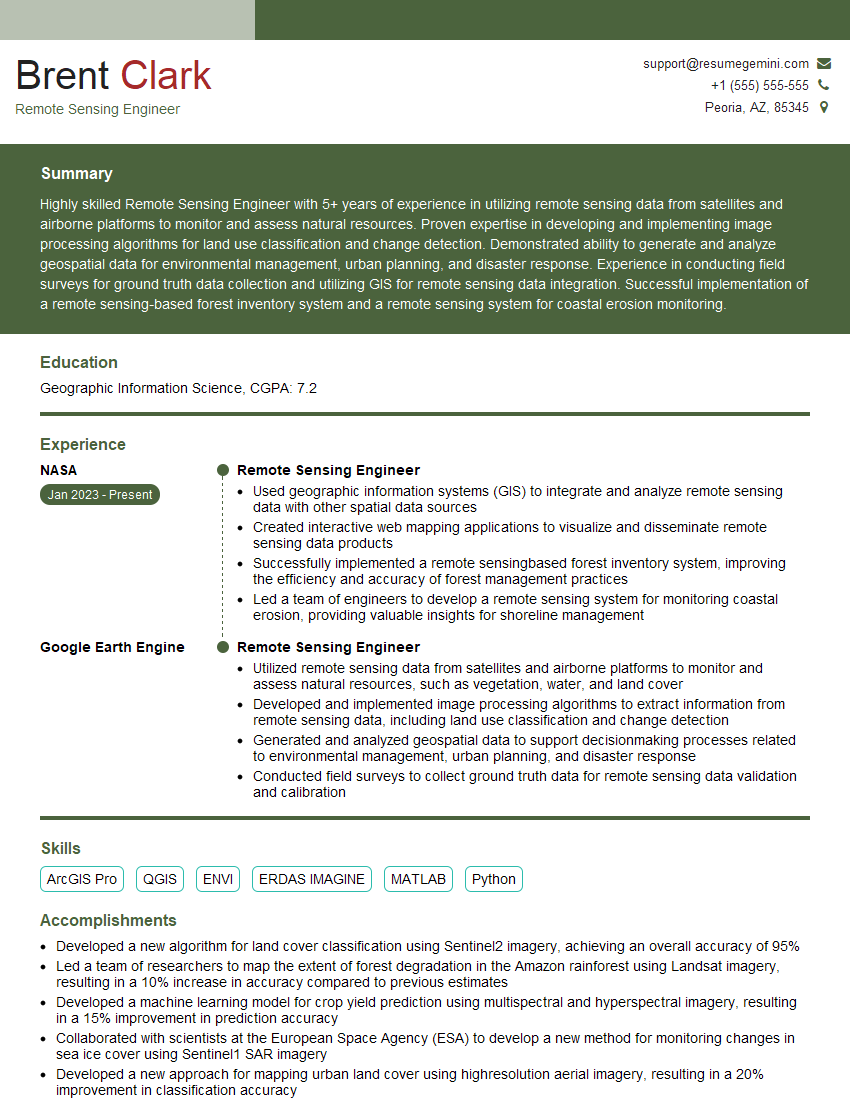
Mastering Lidar and photogrammetry data collection and processing opens doors to exciting and rewarding careers in various high-growth industries. To maximize your job prospects, creating a strong, ATS-friendly resume is crucial. ResumeGemini is a trusted resource to help you build a professional resume that showcases your skills and experience effectively. They provide examples of resumes tailored to Lidar and photogrammetry data collection and processing, ensuring your application stands out. Take the next step in your career journey – invest time in crafting a compelling resume that reflects your expertise.

Explore more articles
Users Rating of Our Blogs
Share Your Experience
We value your feedback! Please rate our content and share your thoughts (optional).
What Readers Say About Our Blog
Very informative content, great job.
good