Interviews are opportunities to demonstrate your expertise, and this guide is here to help you shine. Explore the essential Litho Press Operation interview questions that employers frequently ask, paired with strategies for crafting responses that set you apart from the competition.
Questions Asked in Litho Press Operation Interview
Q 1. Explain the difference between sheetfed and web offset printing.
The key difference between sheetfed and web offset printing lies in how the paper is fed into the press. Sheetfed presses, like the kind I’ve extensively operated, handle individual sheets of paper, one at a time. Think of it like a high-speed, automated version of feeding paper into a home printer. Each sheet is precisely registered and printed before the next one is fed. Web offset printing, conversely, uses a continuous roll of paper, much like a newspaper printing press. The paper is fed in a continuous web, creating significantly higher printing speeds. This makes web offset ideal for high-volume jobs like newspapers or magazines, while sheetfed is preferred for jobs demanding high-quality, specialized substrates, or intricate design elements where individual sheet control offers better precision.
Imagine printing a high-end brochure versus a daily newspaper. The brochure, with its thicker paper and varied finishing options, benefits from sheetfed’s precision. The newspaper, needing millions of copies quickly, is a perfect fit for web offset.
Q 2. Describe the process of platemaking for a litho press.
Platemaking in lithographic printing is the crucial process of creating the printing plates that transfer the image onto the paper. It typically begins with a digital file containing the artwork. This file is processed using specialized software to create a film positive, an image essentially reversed from what will be seen on the final printed product. This film is then used to expose a photosensitive plate, usually aluminum, which then undergoes a chemical process to etch the image into the plate’s surface. The unexposed areas are washed away, leaving a raised image. The result is a printing plate ready for the press.
There are various plate types – thermal, violet, and UV – each with their own pros and cons regarding speed, resolution, and environmental impact. For instance, thermal plates are quicker and more convenient but may have slightly lower resolution compared to violet plates. My experience encompasses working with all three types, and the choice depends heavily on the job’s specifications and press capabilities.
One crucial aspect is careful plate handling to avoid scratches or damage, which directly affect print quality. Ensuring the plate is correctly mounted on the press cylinder is equally vital for achieving accurate registration.
Q 3. How do you ensure proper ink-water balance on a litho press?
Ink-water balance is paramount in lithographic printing because it determines the way ink adheres to the image areas of the plate while simultaneously repelling ink from the non-image areas. Achieving a proper balance is a delicate act of adjusting the fountain solution (water) and ink flow. Too much water, and the ink will be repelled too much, leading to pale or faint prints; too little water, and the ink will spread beyond the image areas causing blurry prints, dot gain (enlarged dots), and ultimately, smearing.
We adjust this balance by meticulously observing the printed sheets and making incremental adjustments to the fountain solution and ink supply. There are various controls on the press – fountain solution rollers, dampening system rollers, ink keys – that directly affect the balance. It’s an iterative process, often requiring repeated adjustments and careful monitoring. A trained eye is crucial in assessing the print quality and ensuring optimal ink-water balance for consistent results throughout a print run.
Experienced press operators often develop a feel for this balance, making real-time adjustments based on environmental factors (temperature and humidity) and the specific ink and paper being used. It’s a balance that requires continuous monitoring and fine-tuning, rather than a one-time fix.
Q 4. What are the common causes of ghosting or slurring on a printed sheet?
Ghosting and slurring are common print defects that significantly impact the final product’s quality. Ghosting appears as a faint shadow or duplication of the image, often offset slightly from the main print. Slurring, on the other hand, is a blurring or smearing of the image, particularly noticeable on fine details or halftones. Both are usually caused by problems within the press or plate preparation.
- Ghosting can result from several factors: problems with the dampening system causing inconsistent wetting of the plate, improper ink distribution, or even problems with the printing plate itself, such as imperfections or damage.
- Slurring can occur due to excessive ink, incorrect ink-water balance, excessive pressure on the press, or problems with the paper itself (e.g., excessive moisture). Improper plate mounting and registration issues can also contribute.
Troubleshooting these issues requires systematic checking of the press components. I usually start by inspecting the plate for any damage. Then I check the ink-water balance, examining the print quality for color and sharpness changes and adjusting the dampening and inking systems accordingly. Checking for roller wear and appropriate blanket pressure is equally important.
Q 5. How do you identify and troubleshoot common paper jams?
Paper jams are unfortunately common occurrences in any printing process, especially with high-speed presses. Troubleshooting a jam effectively starts with a systematic approach; rushing to pull the paper out often exacerbates the problem. I usually follow these steps:
- Identify the location: Pinpoint where the jam is occurring. Most presses have access panels allowing visual inspection.
- Safely access the jammed paper: Shut down the press and follow the manufacturer’s safety protocols before attempting to access any areas.
- Gently remove the paper: Avoid tearing or pulling hard as this can damage the press or the paper path.
- Inspect for the cause: Look for any debris, misaligned paper guides, or damaged rollers. A small piece of dust or a bent paper guide can be the culprit.
- Adjust or repair: Correct the cause of the jam before restarting the press. If the problem persists, I consult maintenance manuals or seek assistance from experienced technicians.
Understanding the press’s paper path and identifying potential trouble spots beforehand is crucial. Regular maintenance, like cleaning rollers and guides, is preventive maintenance that significantly reduces the frequency of jams. For instance, a routine inspection can spot a slightly bent paper feed roller which might be the cause of many small jams.
Q 6. Explain the importance of maintaining proper register on the press.
Maintaining proper register on the press is essential for producing high-quality prints. Register refers to the precise alignment of different colors or images on a printed sheet. Inaccurate registration causes misalignment of colors, resulting in blurry images and a less professional appearance. Think of it like perfectly aligning layers in a photograph; if the layers are even slightly misaligned, the final image is compromised.
We maintain proper register through careful setup of the printing plates and precise adjustments of the press’s registration controls. This involves aligning the plates using registration marks on the printed sheets. These marks are tiny crosshairs or other patterns printed during platemaking. The press operator uses these marks to fine-tune the position of the plates ensuring each color prints exactly where it should be relative to others. This process requires meticulous attention to detail and a keen understanding of the press controls.
Factors impacting register include variations in paper size, temperature and humidity changes affecting the paper, and even wear and tear on press components. Regular checks, especially during longer print runs, are vital to maintain consistency. Incorrect register will cause a lot of waste as prints will need to be discarded.
Q 7. Describe your experience with different types of inks used in litho printing.
My experience encompasses a wide variety of inks used in litho printing. These fall into several broad categories:
- Conventional inks: These are oil-based inks and are the traditional choice. They are known for their vibrancy and excellent print quality but require specific drying conditions and can have higher environmental impacts. They may require a longer drying time before further handling or finishing.
- UV-curable inks: These inks cure instantly when exposed to ultraviolet light. This offers significant advantages in terms of drying time, enabling faster turnaround times and direct-to-substrate printing. This is particularly important for faster production times and immediate post-printing processes.
- LED-UV inks: Similar to UV inks, but use LED lights for curing, leading to lower energy consumption and reduced heat generation during the process.
- Vegetable-based inks: These are increasingly popular due to their more eco-friendly nature. However, they often exhibit slightly different drying characteristics and may not offer the same color vibrancy as conventional inks.
Selecting the right ink type depends on several factors including budget, drying requirements, substrate type, and environmental considerations. In my work, I’ve had to learn the specific properties of each ink type and their influence on the printing process – from ink viscosity to cleaning procedures.
Q 8. How do you manage different paper stocks and their specific requirements on the press?
Managing different paper stocks on a litho press is crucial for achieving high-quality prints. Each paper type—from lightweight coated stock to heavy uncoated board—has unique characteristics affecting its interaction with ink and the press itself. Understanding these characteristics is paramount.
- Paper Weight and Thickness: Heavier stocks require adjustments to the press’s feeding mechanism and impression strength to prevent jams or poor registration. For example, a very heavy board might need slower feeding speeds and increased impression pressure to ensure proper ink transfer.
- Paper Surface: Coated papers accept ink differently than uncoated papers. Coated papers provide a smooth, even surface leading to sharp, vibrant prints, while uncoated papers absorb more ink. This requires adjusting ink viscosity and water balance to avoid dot gain (ink spreading beyond the intended area) on coated stocks, or poor ink adhesion on uncoated stocks.
- Paper Moisture Content: Paper moisture affects its dimensional stability. Variations in humidity can cause paper to expand or contract, impacting print registration. Maintaining a stable pressroom environment is vital. Sophisticated presses even include sensors to monitor and compensate for humidity fluctuations.
- Paper Type and Finish: The paper type (e.g., offset, gloss, matte) and finish significantly impact the printing process. Each type may require different roller settings and ink formulations for optimal results. For instance, a matte finish would generally use a slightly different ink formulation than a gloss finish to ensure even ink coverage and prevent a blotchy appearance.
In practice, I always consult the paper manufacturer’s specifications and conduct test prints before a large run to fine-tune press settings. This iterative process ensures consistent, high-quality output.
Q 9. What safety procedures do you follow while operating a litho press?
Safety is paramount when operating a litho press. My safety procedures are rigorously followed, incorporating both standard operating procedures and my own proactive approach.
- Lockout/Tagout Procedures: Before any maintenance or adjustments, I always perform a lockout/tagout procedure to isolate the power supply, preventing accidental activation.
- Personal Protective Equipment (PPE): I consistently use PPE, including safety glasses, gloves (to prevent ink and chemical exposure), and hearing protection.
- Machine Guards: I ensure all machine guards are in place and functioning correctly. These prevent accidental contact with moving parts.
- Awareness of Moving Parts: I remain aware of the press’s moving parts, maintaining a safe distance and avoiding any unnecessary movements while the press is operational.
- Chemical Handling: When handling chemicals such as cleaning solvents and inks, I strictly adhere to the manufacturer’s safety data sheets (SDS) and utilize appropriate ventilation.
- Regular Inspections: I perform regular safety checks of the press, identifying and reporting any potential hazards promptly.
In my experience, a proactive safety mindset, rather than solely reactive measures, is key to avoiding accidents and ensuring a safe working environment.
Q 10. How do you perform routine maintenance on a litho press?
Routine maintenance is essential for optimal performance and longevity of a litho press. My maintenance schedule combines preventative measures with responsive repairs based on machine condition.
- Daily Cleaning: This includes cleaning rollers, blankets, and the inking unit to prevent ink buildup and maintain ink balance.
- Weekly Maintenance: More in-depth cleaning and lubrication of moving parts as per the manufacturer’s recommendations. I inspect the dampening system for any leaks or irregularities.
- Monthly Maintenance: Checking and adjusting the impression cylinders, ensuring proper registration. I also inspect the rollers for wear and tear.
- Periodic Overhauls: More extensive maintenance, including replacing worn-out parts, is conducted as per manufacturer guidelines or based on machine usage. This often includes blanket changes.
- Documentation: I maintain meticulous records of all maintenance activities and parts replaced to track machine health and plan future maintenance.
Preventive maintenance significantly reduces downtime and extends the life of the press. A well-maintained press produces consistent, high-quality prints and is safer to operate. I consider it an investment in operational efficiency and safety.
Q 11. What are the key quality control checks you perform during a printing run?
Quality control is integrated throughout the printing process, starting with pre-press and continuing through the press run. My key quality checks include:
- Color Consistency: Regular checks using a densitometer ensure color accuracy throughout the run. I compare printed sheets against the approved proofs to identify and correct any variations.
- Registration: Precise alignment of colors is critical. I verify registration frequently, adjusting the press as necessary to maintain accurate overlay.
- Ink Density: Monitoring ink density ensures consistent color saturation. I adjust ink keys and fountain solutions to maintain desired ink coverage.
- Paper Feed and Jams: I monitor the paper feed system to ensure consistent paper flow and address any jams promptly. This prevents inconsistencies in the print and reduces waste.
- Print Defects: I regularly inspect printed sheets for defects such as scratches, smudges, hickeys, and other irregularities. I address the root cause immediately to prevent further occurrences.
- Waste Sheets: I track waste sheets to monitor the efficiency of the printing process and identify areas for improvement.
Effective quality control requires vigilance and immediate action to correct any identified deviations. It is not a separate task but an integral aspect of the entire process.
Q 12. How do you handle color discrepancies during a print job?
Color discrepancies during a print job require a systematic approach to identify and rectify the issue. This can be a challenging aspect of lithographic printing.
- Identify the Source: First, pinpoint the source of the discrepancy. Is it due to ink problems (incorrect formulation, viscosity), incorrect press settings (ink keys, water balance), or issues with the printing plates?
- Check Proofing: Compare the printed output with the approved press proof. Are the discrepancies already present in the proof or did they occur during the press run?
- Adjust Press Settings: If the issue is related to the press, I would fine-tune settings such as ink keys, water balance, and impression pressure. Small adjustments are often sufficient to correct minor color variations.
- Plate Inspection: If the discrepancy stems from a defective plate, it may need to be replaced. This is often revealed by inconsistencies across multiple sheets.
- Ink Adjustments: In some cases, minor adjustments to ink viscosity or the addition of colorants might be needed.
- Waste Sheets: Track waste sheets to assess the success of the corrections made.
Sometimes, multiple factors contribute to color discrepancies. A systematic, problem-solving approach and thorough knowledge of the printing process are essential for efficient troubleshooting.
Q 13. Explain your experience with pre-press proofing and its significance.
Pre-press proofing is a critical stage in the printing process, acting as a ‘dress rehearsal’ before the main print run. It allows for identification and correction of any errors early on, preventing costly mistakes later. I have extensive experience in various proofing methods.
- Digital Proofs: These proofs are created using digital software and offer a relatively quick and cost-effective way to review color accuracy, image sharpness, and overall design before plate making. They are useful for identifying errors in design and content.
- Contact Proofs: These are created by printing a small sample directly from the film, providing a close approximation of the final printed product. While slightly less precise than digital proofs, they are often used for quick color checks.
- Proofing Systems: Many professional proofing systems offer precise color representation and are indispensable for critical color matching. These provide high accuracy but are usually the most expensive option.
The significance of pre-press proofing lies in its ability to catch potential errors before large-scale printing begins. This saves time, materials, and money. A thorough review at this stage eliminates the need for costly reprint orders. For example, a simple mistake in the layout caught during proofing would save a huge expense later in a large print run of brochures.
Q 14. Describe your knowledge of different types of printing plates.
Lithographic printing utilizes various types of printing plates, each with its own advantages and disadvantages. My experience encompasses several common types.
- Conventional (PS) Plates: These are photopolymer plates and have been a standard in the industry for many years. They offer a good balance of cost and performance. They are exposed to UV light through a film negative to create the image.
- Computer-to-Plate (CTP) Plates: CTP plates are imaged directly from a computer file, eliminating the need for film. This is a more efficient and environmentally friendly process, resulting in increased speed and reduced waste. They offer advantages in terms of pre-press efficiency. Different types of CTP plates exist, such as thermal and violet laser plates.
- Waterless Plates: These plates do not require a dampening system, resulting in environmental benefits and less complexity. They require specialized inks and presses. While efficient, they are not universally suitable for all printing jobs.
The choice of plate type depends on various factors, including print volume, budget, and the type of press being used. My knowledge allows me to select the optimal plate type to achieve the desired quality and efficiency.
Q 15. How do you interpret a press sheet layout and specifications?
Interpreting a press sheet layout and specifications is crucial for efficient and accurate printing. It’s like reading a blueprint for your print job. The layout shows how images and text are arranged on the sheet before it’s cut into individual pieces. Specifications detail crucial information like:
- Trim Size: The final size of the printed piece after cutting.
- Bleed: The extra area extending beyond the trim size, ensuring no white edges after trimming.
- Number of Up (Imposition): How many printed pieces are arranged on a single sheet to optimize paper usage.
- Color Separation: The layout of each color plate (Cyan, Magenta, Yellow, Black – CMYK) on the sheet, ensuring proper registration (alignment).
- Marks & Guides: Registration marks, color bars, and crop marks used for accurate printing and trimming.
For example, a layout for a business card might show two cards per sheet, with bleed extending 0.125 inches beyond the final trim size. Understanding these elements allows me to set up the press correctly, ensuring the final product meets the client’s expectations.
Career Expert Tips:
- Ace those interviews! Prepare effectively by reviewing the Top 50 Most Common Interview Questions on ResumeGemini.
- Navigate your job search with confidence! Explore a wide range of Career Tips on ResumeGemini. Learn about common challenges and recommendations to overcome them.
- Craft the perfect resume! Master the Art of Resume Writing with ResumeGemini’s guide. Showcase your unique qualifications and achievements effectively.
- Don’t miss out on holiday savings! Build your dream resume with ResumeGemini’s ATS optimized templates.
Q 16. What are your troubleshooting skills related to press issues like dot gain or moiré patterns?
Troubleshooting press issues requires a systematic approach. Let’s take dot gain and moiré patterns as examples:
Dot Gain: This is when printed dots appear larger than intended, leading to darker, less vibrant colors. I troubleshoot this by checking several factors:
- Ink Viscosity: Too thick ink can lead to dot gain. I’d adjust the ink viscosity by adding reducer or changing the ink type.
- Plate Quality: Damaged or worn plates can contribute to uneven ink transfer. Replacement might be necessary.
- Press Settings: Incorrect pressure or speed settings can influence dot gain. Fine-tuning these parameters often resolves the issue.
- Paper Type: Highly absorbent paper can also cause increased dot gain. Using a different paper substrate might be required.
Moiré Patterns: These are unwanted interference patterns caused by the interaction of screen angles in the artwork. I typically address this by:
- Changing Screen Angles: Adjusting the angles between different color plates in the artwork, using design software.
- Reviewing Artwork: Ensuring the artwork itself doesn’t have conflicting patterns that could lead to moiré.
- Screening Techniques: Exploring alternative screening techniques like stochastic screening (FM screening) to minimize moiré effects.
I approach each issue methodically, eliminating potential causes one by one until the root cause is identified and resolved.
Q 17. Describe your experience working with different types of printing presses (e.g., Heidelberg, Komori).
My experience encompasses several leading press brands, including Heidelberg and Komori. I’m proficient in operating various models within these brands, understanding their unique features and operational nuances.
With Heidelberg presses, I’ve worked extensively on Speedmaster models, specializing in setup, makeready, and fine-tuning color registration. My experience includes preventative maintenance and troubleshooting mechanical and electrical issues. I understand Heidelberg’s control systems and can efficiently monitor and adjust various parameters for optimal print quality.
My experience with Komori presses, particularly the Lithrone series, focuses on similar aspects. I’ve gained valuable insight into Komori’s automation features and color management systems. The difference in control systems between Heidelberg and Komori requires adapting my approach, but my core skills and understanding of lithographic printing remain consistent.
This diverse experience enables me to adapt quickly to different equipment and readily solve problems regardless of the specific press manufacturer.
Q 18. How do you manage ink viscosity and its effect on print quality?
Ink viscosity is paramount to print quality. Think of it as the ‘thickness’ of the ink. If the ink is too thick, it can cause problems such as dot gain (as discussed earlier), slow drying, and poor color density. If it’s too thin, you might experience poor color saturation and ink smearing or feathering.
Managing ink viscosity involves:
- Regular Monitoring: Using a viscosimeter to regularly check and maintain the ideal viscosity for each ink color, adjusting as needed.
- Temperature Control: Ink viscosity is affected by temperature; maintaining a stable temperature in the pressroom is critical.
- Ink Additives: Adding reducers to thin the ink or extenders to thicken it, depending on the situation.
- Proper Mixing: Thoroughly mixing the ink to ensure even consistency.
I have a detailed understanding of how different paper types and printing conditions affect ink viscosity and can accordingly adjust ink properties to optimize print quality and avoid common issues. For example, during humid periods, ink tends to thicken, so I’d compensate by using more reducer.
Q 19. What are your skills in maintaining press blankets and rollers?
Maintaining press blankets and rollers is essential for consistent print quality and press longevity. It’s akin to regular car maintenance—preventative care extends the life of the components and avoids costly breakdowns.
Blanket Maintenance: This includes cleaning blankets regularly to remove ink and debris. I use appropriate cleaning solvents and ensure proper drying. I also inspect blankets for damage (tears, scratches) and replace them as necessary. Proper blanket packing (ensuring appropriate pressure between the blanket and the impression cylinder) is also crucial for sharp prints.
Roller Maintenance: Regular cleaning of rollers (ink rollers, dampening rollers, etc.) is critical to prevent ink buildup and maintain consistent ink transfer. I also check rollers for wear and tear and replace them when needed. Damaged rollers can cause uneven ink distribution and poor print quality.
My approach is proactive. I follow manufacturer’s recommendations for cleaning and maintenance schedules, meticulously documenting all activities for future reference and tracking maintenance costs.
Q 20. How do you address issues related to paper curl or static electricity during printing?
Paper curl and static electricity are common issues that can severely affect print quality and productivity. They’re often interconnected.
Paper Curl: This occurs when paper absorbs moisture unevenly, causing it to curl. I address this by:
- Conditioning the Paper: Allowing the paper to acclimatize to the pressroom environment for several hours before printing.
- Adjusting Press Settings: Fine-tuning pressure settings to compensate for curl.
- Using Different Paper: Selecting paper with less tendency to curl.
Static Electricity: Static buildup attracts dust and causes paper misfeeds. I mitigate this by:
- Using Anti-Static Solutions: Applying anti-static sprays or treatments to the paper.
- Maintaining Humidity: Controlling the humidity level in the pressroom to minimize static electricity buildup.
- Ionizers: Using static eliminators or ionizers near the paper path.
Solving these issues is a matter of understanding the root causes and using a combination of preventive and corrective measures.
Q 21. Describe your experience with different types of finishing techniques.
My experience with finishing techniques is broad, extending beyond the press itself and encompassing the post-print processes that transform printed sheets into the final product.
I’m familiar with various finishing options, including:
- Cutting: Using guillotines and other cutting equipment for precise trimming.
- Folding: Folding machines for various folding patterns (e.g., letter folds, gate folds).
- Binding: Different binding techniques like saddle stitching, perfect binding, wire-o binding, for books, brochures, and booklets.
- Laminating: Applying a protective film (gloss or matte) for durability and enhanced appearance.
- Die-Cutting: Creating custom shapes and designs using die-cutting tools.
- Embossing/Debossing: Adding texture and dimension to the printed piece.
My knowledge allows me to effectively communicate finishing requirements to clients and coordinate with finishing departments to ensure the final product meets the highest standards. I understand the implications of finishing choices on the overall print job cost and timeline.
Q 22. How do you ensure consistency in color across a large print run?
Maintaining consistent color across a large print run in lithography is crucial for achieving the desired visual outcome and brand consistency. It’s a multi-step process that starts long before the press even begins running.
- Pre-press Color Management: This is the foundation. We use a Color Management System (CMS) like GMG or X-Rite to ensure that the digital files are accurately profiled and converted to the correct color space for printing (typically ISO Coated v2). This involves careful calibration of monitors and proofing devices.
- Ink Consistency: We rigorously maintain ink viscosity and carefully monitor ink fountain solutions. We regularly check the ink density using a densitometer to ensure it matches the expected values from the proof. Any deviations are corrected immediately.
- Press Setup and Calibration: Before running the job, we perform a thorough press setup, including adjusting the inking units, dampening system, and printing pressure. We pull test sheets to check registration and color balance, making adjustments until the color is perfectly aligned with the approved proof.
- Regular Monitoring: Throughout the run, we continuously monitor the color using a densitometer and spectrometer, comparing the printed sheets against the standards. Small adjustments are made as needed to compensate for slight variations in ink density, paper absorption or press conditions.
- Regular Color Pulls: Periodically, we pull color test strips across the entire sheet to identify any variations in color across the paper. This helps catch issues that might develop over time.
Think of it like baking a cake – you need the right ingredients (color profiles, inks), the right tools (press, densitometer), and careful monitoring (regular checks) to ensure every cake (printed sheet) looks and tastes (appears) exactly the same.
Q 23. Explain your understanding of the relationship between DPI and LPI in printing.
DPI (Dots Per Inch) and LPI (Lines Per Inch) are both crucial factors in lithographic printing, but they represent different aspects of the image. DPI refers to the resolution of the digital image file, while LPI refers to the frequency of the halftone screen used to reproduce the image on the press.
DPI: This describes the number of individual dots of ink per inch in a digital image. A higher DPI generally leads to a sharper, more detailed image. In lithography, the DPI of the digital file should be significantly higher than the LPI of the printing screen, typically at least 300 DPI is considered adequate for high-quality results.
LPI: This is the number of lines in the halftone screen per inch used to create the illusion of continuous tone from dots of ink. The higher the LPI, the finer the detail that can be reproduced, but very high LPIs can lead to difficulties with ink trapping and dot gain. Common LPIs range from 133 to 175 LPI, depending on the paper stock and the desired level of detail.
Relationship: The ideal relationship is a balance. Too low an LPI can result in a muddy, less detailed print, while too high an LPI might cause problems with dot gain, making the colors appear too dark. A common, practical relationship might be 300 DPI input at the pre-press stage with 150 LPI on press. This ensures the digital file is sharp enough to handle the screen’s resolution while mitigating any potential printing issues.
Q 24. How do you manage waste and maintain efficiency in the pressroom?
Waste management and efficiency are paramount in a litho pressroom. It’s about optimizing resources and minimizing environmental impact, while also ensuring timely job completion.
- Makeready Optimization: Minimizing makeready waste is key. This involves careful planning of press sheets, precise adjustments, and efficient use of test prints. Using a sophisticated imposition software is vital here to minimize paper waste.
- Waste Recycling: We implement a robust recycling program for paper, plates, and other materials. Paper waste is often recycled, and scrap materials are properly disposed of according to environmental regulations.
- Ink Management: Careful ink management ensures that we only use what’s needed. This is done through meticulous monitoring and adjusting the ink flow on the press. Cleaning procedures are optimized to minimize ink waste.
- Press Maintenance: Regular preventative maintenance on the press is crucial to maximize uptime and minimize downtime. A well-maintained press runs more smoothly and efficiently, which reduces waste.
- Job Scheduling and Planning: Efficient job scheduling, press utilization software and smart workflow design are pivotal in preventing unnecessary idle time, which in turn minimizes waste and improves the flow in the pressroom. This might involve prioritizing jobs to reduce setup changes.
Imagine running a restaurant: You wouldn’t waste food or ingredients unnecessarily. In a pressroom, it’s the same principle – minimizing waste translates directly into higher profitability and a more environmentally responsible operation.
Q 25. Describe a time you had to solve a complex technical problem on a litho press.
During a large-scale print job for a major cosmetics company, we encountered a recurring problem with consistent color on the final product despite meticulous pre-press and press adjustments. The Pantone color for the lipstick tube was consistently darker than the approved proof after several print runs.
Initially, we suspected the ink, but after several tests, we discovered the issue was stemming from a slight variation in the paper moisture content from one batch to another. The paper was absorbing the ink unevenly, affecting the color consistency.
My solution involved a multi-pronged approach:
- Paper Testing: We rigorously tested each batch of paper to measure moisture content using a calibrated device.
- Ink Adjustment: We adjusted the ink formula based on the paper moisture level, slightly reducing the pigment concentration for drier paper to ensure color uniformity.
- Temperature and Humidity Control: We optimized the pressroom’s temperature and humidity to minimize fluctuations in paper moisture during the run.
- Press Adjustments: We refined the dampening system adjustments to account for the variations in paper absorption.
This combined approach allowed us to restore color consistency, meeting the client’s requirements and avoiding costly reprints. This problem reinforced the importance of understanding the interactions between paper, ink, and press settings in achieving quality results.
Q 26. How do you stay updated with the latest advancements in litho press technology?
Staying updated in the rapidly evolving world of litho press technology requires a proactive approach.
- Industry Publications and Trade Shows: I regularly read industry publications like Printing Impressions and WhatTheyThink and attend trade shows like drupa and Graph Expo. These events provide invaluable insights into the latest innovations.
- Manufacturer Websites and Webinars: I keep up-to-date with the latest developments from press manufacturers like Heidelberg, Komori, and Ryobi through their websites and online webinars. These often showcase new technology and advancements.
- Professional Associations and Training: Membership in organizations like PIA (Printing Industries of America) provides access to training courses, conferences, and networking opportunities, which allows me to connect with other experts in the field.
- Online Forums and Communities: Engaging in online forums and discussion groups related to lithographic printing can provide direct insights and experiences from other professionals and users around the globe.
Just like a skilled chef constantly learns new recipes and techniques, continuous learning is essential to remain competitive and proficient in the field of lithography.
Q 27. Explain your understanding of color management systems (CMS).
Color Management Systems (CMS) are essential for ensuring color accuracy and consistency throughout the printing process. They act as a bridge between the digital world and the physical printing process, addressing potential color discrepancies between monitors, proofs, and the final printed product.
A CMS typically involves:
- Profiling: Creating color profiles for all devices involved in the workflow (monitors, printers, scanners, and presses). This involves measuring the color output of each device to create a mathematical representation of its characteristics.
- Color Space Conversion: Converting color data between different color spaces (such as RGB for monitors and CMYK for printing). The CMS uses the color profiles to ensure accurate conversion.
- Color Correction: Applying color transformations to compensate for variations in device outputs, aiming to match the desired color as accurately as possible. This might involve adjusting color values to compensate for dot gain or ink trapping on press.
- Proofing: Using a calibrated proofing system to create a visual representation of the final printed piece. This ensures the client’s expectations are met before proceeding to a full print run.
Think of a CMS as a translator that ensures that the color information is understood and interpreted consistently by each device involved in the printing process, guaranteeing a faithful reproduction of the design’s intended color palette.
Q 28. Describe your experience with press automation and its benefits.
Press automation has revolutionized lithographic printing, significantly improving efficiency, consistency, and overall productivity.
My experience includes working with presses equipped with features such as:
- Automated Plate Changing: This significantly reduces makeready time and minimizes downtime. The press automatically changes plates with minimal operator intervention.
- Automated Ink and Dampening Control: Automated systems precisely control ink and water delivery, ensuring consistent color and reducing waste. The press automatically adjusts these settings as per the print job.
- Automated Register Control: Automated registration systems maintain precise alignment of colors throughout the print run, improving consistency and reducing waste from misregistration.
- Automated Quality Control: Some advanced systems include automated color and register monitoring, automatically adjusting settings to maintain the desired output. Automatic quality control significantly reduces the number of errors and rework.
Benefits of press automation:
- Increased Speed and Efficiency: Automated systems reduce makeready time and increase press speeds, enabling faster turnaround times.
- Improved Color Consistency: Automated ink and dampening control reduces variations in color and improves overall quality.
- Reduced Waste: Precise control over various parameters minimizes waste from misregistration, color errors, and paper spoilage.
- Improved Operator Productivity: Automation frees up operators to focus on other tasks, improving overall efficiency.
Automation has been vital in boosting efficiency and achieving higher-quality results. It’s not just about speed; it’s about quality control and consistent accuracy across large print runs.
Key Topics to Learn for Litho Press Operation Interview
- Press Operation Fundamentals: Understanding the mechanics of a lithographic press, including the various components and their functions (e.g., feeder, inking system, impression cylinder, delivery system).
- Color Management and Ink Adjustment: Practical application of color theory and techniques for achieving accurate color reproduction. Troubleshooting color inconsistencies and making necessary adjustments to ink density and balance.
- Plate Mounting and Preparation: Proper techniques for mounting and aligning printing plates, including quality checks to ensure accurate registration and prevent defects.
- Press Setup and Maintenance: Understanding the procedures for setting up the press for a specific job, including paper selection, ink settings, and speed adjustments. Basic preventative maintenance and troubleshooting common press issues.
- Quality Control and Troubleshooting: Identifying and resolving common printing defects such as slurring, mottle, and hickeys. Implementing quality control checks throughout the printing process.
- Safety Procedures and Regulations: Adherence to safety protocols and regulations related to operating heavy machinery and handling printing chemicals.
- Production Scheduling and Efficiency: Understanding production workflows, optimizing press speed and efficiency, and meeting deadlines.
- Digital Workflow Integration: Familiarity with pre-press processes, file preparation, and the role of digital technology in lithographic printing.
Next Steps
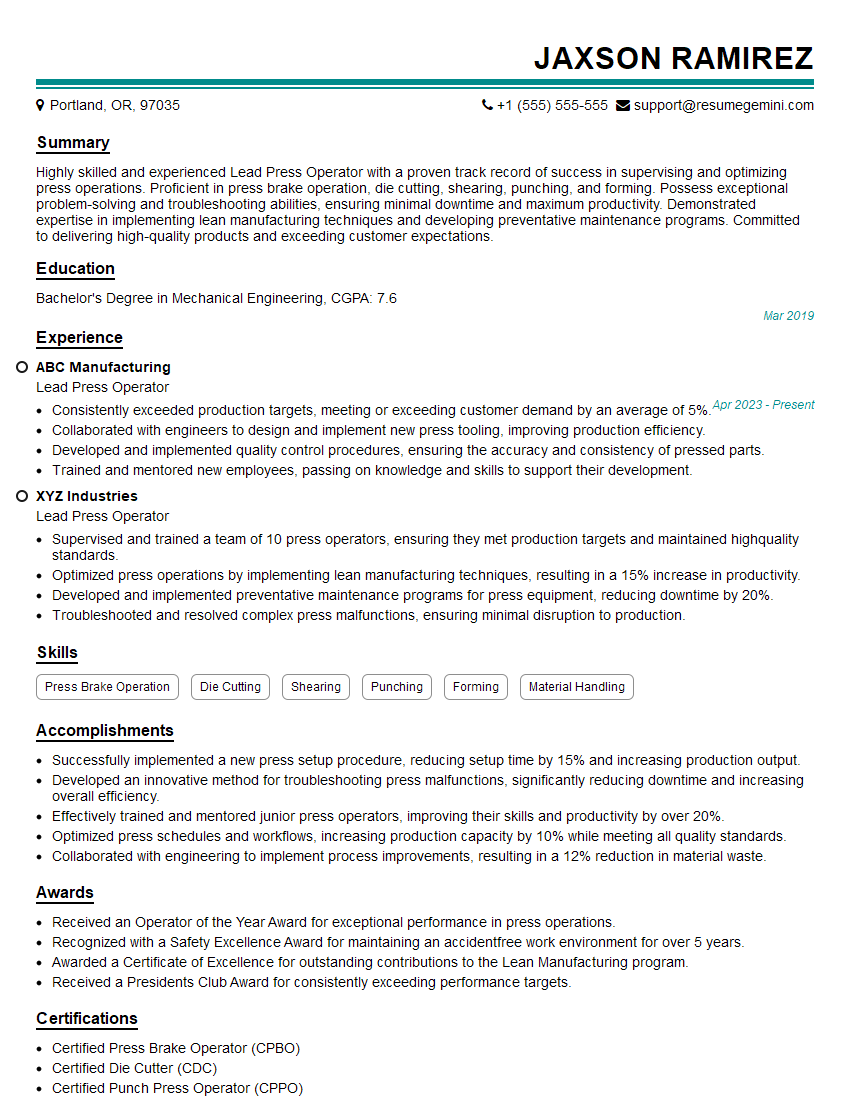
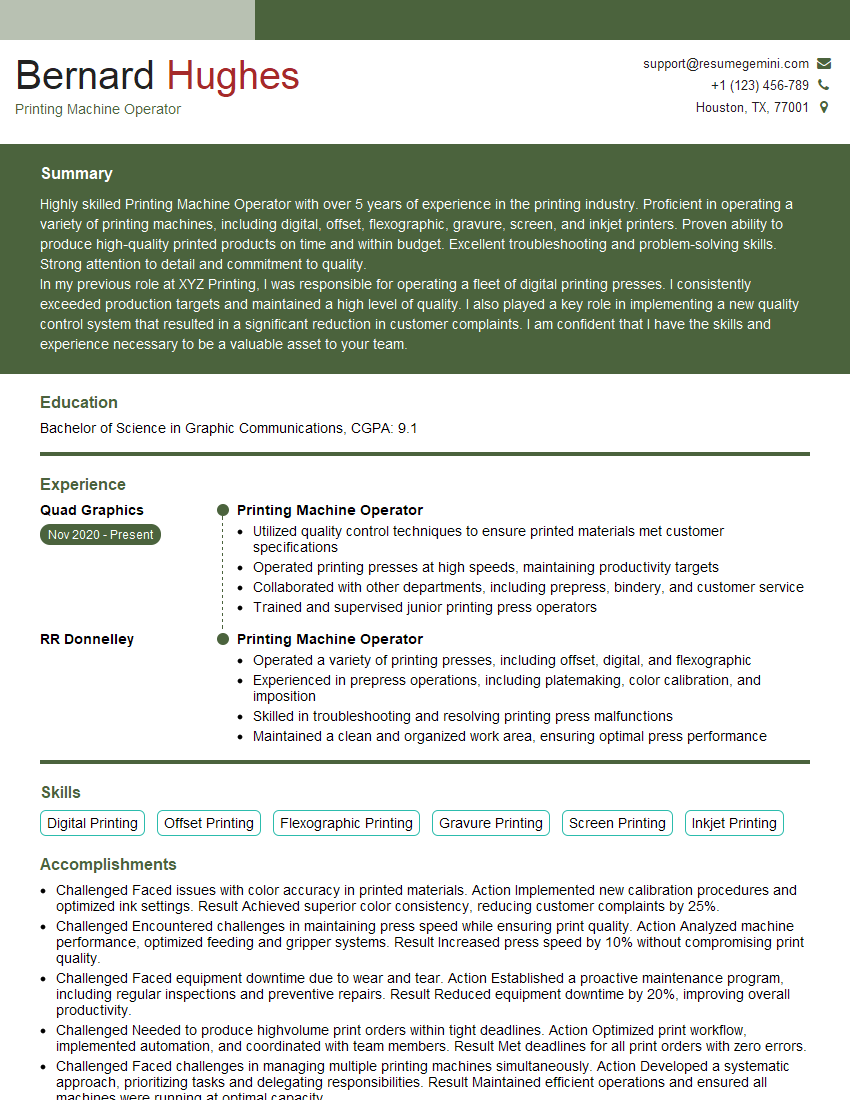
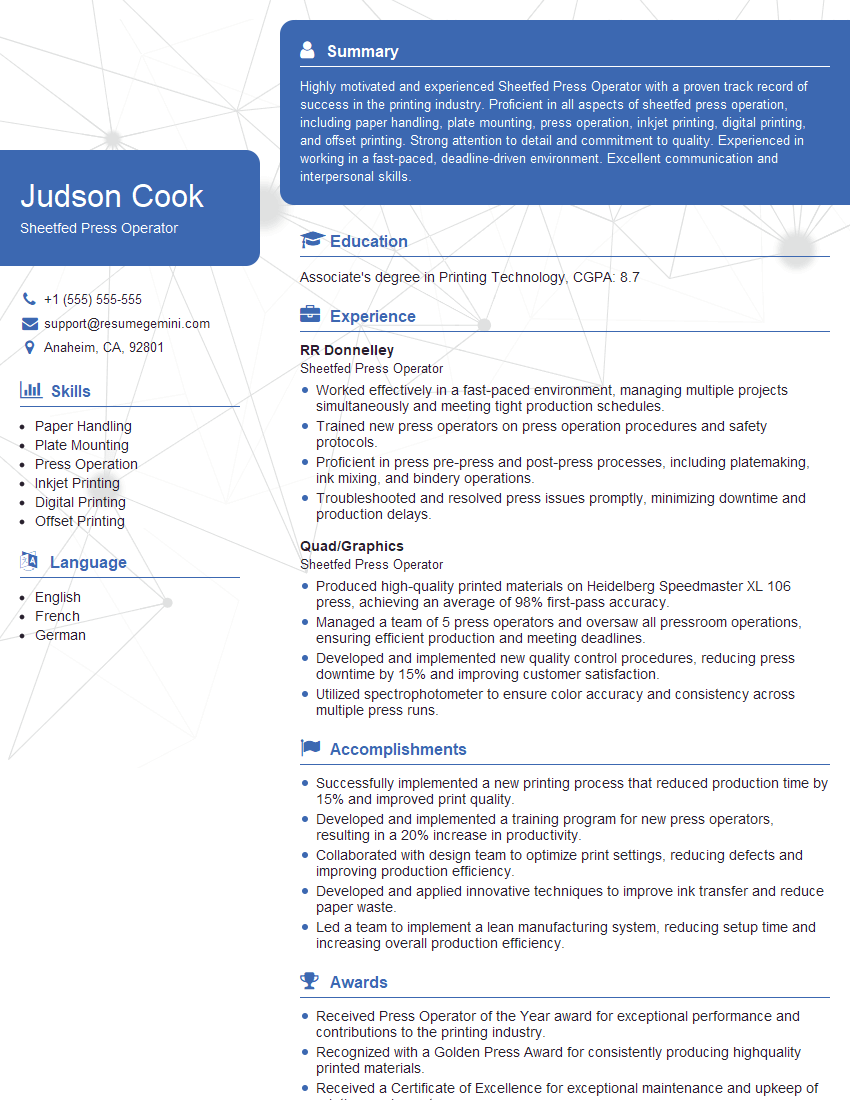
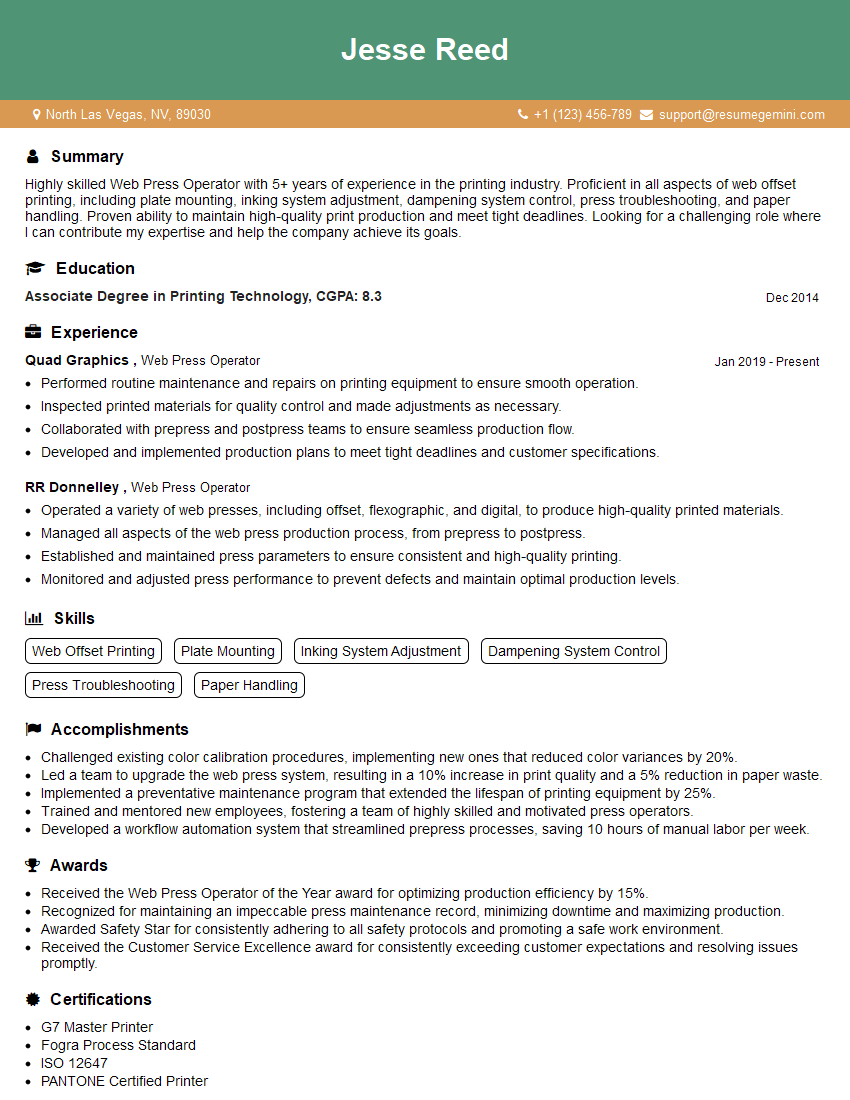
Mastering Litho Press Operation opens doors to a rewarding career with excellent growth potential in the printing industry. Advancement opportunities often involve specialized roles, supervisory positions, or even moving into management. To significantly enhance your job prospects, it’s crucial to present your skills and experience effectively through an ATS-friendly resume. ResumeGemini is a trusted resource that can help you build a professional and impactful resume tailored to your qualifications. Examples of resumes tailored to Litho Press Operation are provided to guide your resume building process. Take the next step towards your dream career today!



Explore more articles
Users Rating of Our Blogs
Share Your Experience
We value your feedback! Please rate our content and share your thoughts (optional).
What Readers Say About Our Blog
Very informative content, great job.
good