Are you ready to stand out in your next interview? Understanding and preparing for Live Sound interview questions is a game-changer. In this blog, we’ve compiled key questions and expert advice to help you showcase your skills with confidence and precision. Let’s get started on your journey to acing the interview.
Questions Asked in Live Sound Interview
Q 1. Explain the difference between phantom power and ground lifts.
Phantom power and ground lifts are both crucial for managing electrical issues in audio setups, but they address different problems. Phantom power is a 48V DC voltage supplied through the XLR cables to power condenser microphones. These mics require external power to operate, and phantom power provides that power conveniently. Think of it like plugging your phone into the wall—it needs power to function. If your microphone needs phantom power, and the console doesn’t supply it, you will get no sound.
Ground lifts, on the other hand, deal with ground loops. These are unwanted electrical circuits created when multiple pieces of equipment are grounded differently. This can lead to hums and buzzes in your audio. A ground lift device (often a small adapter) breaks the ground connection in one part of the circuit, eliminating the loop. Imagine it like creating a one-way street to prevent traffic jams (the unwanted electrical flow). You wouldn’t use a ground lift to power a mic; you’d use it to solve hum issues caused by conflicting ground connections.
Q 2. Describe your experience with digital audio workstations (DAWs).
I’ve been working extensively with digital audio workstations (DAWs) for over 15 years, primarily using Pro Tools, Logic Pro X, and Ableton Live. My experience encompasses everything from basic recording and editing to advanced mixing, mastering, and sound design. In live sound applications, DAWs are invaluable for pre-show preparation, virtual soundchecks, and post-show archiving. For example, I used Logic Pro X to create a virtual soundcheck for a recent outdoor concert, ensuring optimal levels for each instrument before the actual performance. This prevented unexpected feedback issues and saved valuable time during setup. Further, my proficiency includes using DAWs to create complex multi-track recordings of live performances for later mixing and distribution.
Q 3. What are the common types of microphones and their applications?
Microphones are categorized by their transduction principle (how they convert sound to electrical signals). Common types include:
- Dynamic Microphones: These are robust and durable, handling high sound pressure levels well. They’re ideal for loud instruments like drums and guitar amps. They don’t require phantom power. Think of the iconic Shure SM57, a workhorse in live sound.
- Condenser Microphones: These are more sensitive and capture a wider frequency range, making them suitable for vocals, acoustic instruments, and delicate sounds. They require phantom power. The Neumann U87 is a classic example, known for its pristine sound quality.
- Ribbon Microphones: These produce a warm, vintage tone, often used for recording guitars or vocals where a more natural, less aggressive sound is desired. They are very delicate and require careful handling.
Choosing the right microphone depends heavily on the sound source and desired characteristics. For example, a dynamic mic would be preferred for a loud snare drum, whereas a condenser mic might be better for a vocalist’s subtle nuances.
Q 4. How do you troubleshoot feedback in a live sound environment?
Feedback is a high-pitched squeal caused by a microphone picking up sound from a monitor or PA speaker. Troubleshooting involves a systematic approach:
- Identify the frequency: Listen carefully to pinpoint the frequency causing the feedback. A graphic EQ can help visualize this.
- Reduce gain: Lower the gain (input level) of the affected microphone channel. This is often the simplest solution.
- Adjust microphone placement: Move the microphone slightly away from potential sound sources, especially monitors and speakers. Pointing the mic away from loud sources helps.
- EQ the offending frequency: Use a parametric equalizer (EQ) to cut the specific frequency causing feedback. A narrow notch filter is effective for pinpointing and reducing that sound.
- Use feedback suppressors: These devices actively identify and reduce feedback frequencies. They are more sophisticated and work automatically, reducing the time and effort spent manually tuning the sound.
- Check monitor placement and levels: Ensure monitors are not pointed directly at microphones and that their volume is not excessive.
Often, a combination of these techniques is necessary to eliminate feedback completely. The key is careful listening and observation.
Q 5. Explain your experience with different types of mixing consoles (analog and digital).
My experience spans both analog and digital mixing consoles. Analog consoles offer a tactile, immediate feel; the signal path is direct and transparent. I’ve worked extensively with classic consoles like the Yamaha PM1000 and Soundcraft GB series, appreciating their warmth and character. However, digital consoles offer more flexibility, recall, and processing options. I’m proficient with Yamaha CL series and DiGiCo SD series consoles, utilizing their automation, scene recall, and built-in effects processors to streamline complex shows. While analog provides a certain sonic character, the versatility and features of digital consoles are often necessary for larger, more complex events.
Q 6. Describe your process for setting up a PA system for a small concert.
Setting up a PA for a small concert involves careful planning:
- Assess the venue: Determine the size, acoustics, and audience capacity to select the appropriate speakers and power amplifiers.
- Choose the PA system: Select speakers with sufficient power handling and frequency response for the space. Smaller venues might require less powerful systems.
- Speaker placement: Position main speakers to evenly cover the audience area, avoiding excessive delay and reflection. Subwoofers (for low frequencies) are placed strategically, typically at the front.
- Microphone selection: Choose mics appropriate for each instrument and vocal, ensuring they are properly placed and angled.
- Monitor setup: Place stage monitors strategically for performers to hear themselves and other instruments clearly. Properly balancing the mix is key here.
- Soundcheck: Thorough soundcheck is crucial to ensure appropriate levels and address potential issues such as feedback before the performance begins.
Throughout, safety is paramount. Appropriate cabling, grounding, and load handling are important considerations.
Q 7. How do you manage stage volume and monitor mixes?
Managing stage volume and monitor mixes is a balancing act. Excessive stage volume can lead to feedback, listener fatigue, and poor overall sound. Monitor mixes need to be tailored to each performer, ensuring they hear themselves adequately without being overwhelmed by other instruments. My approach:
- Communicate with performers: Get their input on what they need to hear in their monitors.
- Use individual monitor mixes: Each musician gets their own monitor mix, customized to their needs.
- Employ in-ear monitoring (IEMs): IEMs provide a more controlled listening environment, eliminating stage volume and feedback issues.
- Regular level checks: Frequently check stage and monitor levels to ensure they remain balanced and appropriate throughout the show.
- Use a mix engineer: For larger shows, employing a dedicated monitor engineer is invaluable.
The goal is to create a comfortable, clear listening environment for both performers and the audience, ensuring a smooth, enjoyable experience for everyone involved.
Q 8. What are your preferred methods for EQing vocals and instruments?
EQing, or equalization, is the art of shaping the frequency response of audio signals. My approach to EQing vocals and instruments is highly dependent on the context – the venue, the PA system, the specific instrument, and the desired sound. However, my general philosophy centers around subtractive EQ first, then subtle additions.
For vocals, I typically start by addressing problem frequencies. A common issue is muddiness in the low-midrange (250-500Hz). I’ll use a high-pass filter (HPF) to eliminate unnecessary low-end rumble and boost clarity. Harshness in the high frequencies (around 5kHz-8kHz) can be tamed with a narrow cut. I might then add subtle boosts in other frequencies to enhance presence (around 2kHz-4kHz) or warmth (around 100-200Hz) depending on the vocal style and the microphone used.
With instruments, I follow a similar process. For example, a bass guitar might need a high-pass filter to remove mud, while a guitar amp might require cuts in the mid-range to prevent it from clashing with the vocals. Always listen critically – what frequencies are problematic? What needs emphasis? Each instrument has its own unique tonal characteristics, and the best approach is often intuitive and specific to each situation.
For example, I once worked with a singer whose voice had a prominent 2kHz peak. Rather than boost other frequencies, I carefully used a narrow Q cut around 2kHz to smooth her sound and let her other vocal qualities shine. It completely transformed the sound, and my subtractive method was much more effective than any attempts at boosting.
Q 9. Explain your understanding of signal flow in a live sound system.
Understanding signal flow is crucial in live sound. It’s essentially the path your audio signal takes from the source (e.g., microphone, instrument) to the listener. A typical signal flow looks like this:
- Source: Microphone, instrument, sampler, etc.
- Preamplifier: Boosts the weak signal from the source.
- EQ: Shapes the frequency response.
- Compressor/Gate: Controls dynamics (volume level fluctuations).
- Effects (optional): Reverb, delay, chorus, etc.
- Mixer/Console: Consolidates multiple signals, allows for level adjustments, routing, and aux sends.
- Signal Processors (optional): Additional EQ, compression, effects, etc.
- Amplifier: Powers the loudspeakers.
- Loudspeakers: Converts the electrical signal back into sound waves.
Think of it as a river flowing from source to sea. Each piece of equipment is a bend, dam, or waterfall – shaping the audio’s journey. A clear understanding of this flow is key to troubleshooting issues and getting the best possible sound.
Q 10. How do you handle a sudden equipment failure during a performance?
Equipment failure during a live performance is a reality, and having a plan is vital. My first response is always to assess the situation quickly: What failed? What’s the impact on the show?
For example, if a microphone fails, I’ll immediately switch to a backup microphone (I always have spares!). If a channel on the mixer goes down, I might try another channel or route the signal differently, perhaps temporarily using a monitor send to a spare output. If a speaker fails, it’s crucial to determine if the entire speaker array is affected or just one. Is the problem a cable or the speaker itself? Sometimes we can switch to a spare speaker, even temporarily using a smaller one while the main one is fixed. The goal is to mitigate the impact to the audience as much as possible and keep the show running.
The key is preparation. Having backup equipment, extra cables, and a thorough understanding of the system allows me to react quickly and effectively to minimize downtime. Regular pre-show checks and communication with the band are also crucial.
Q 11. Describe your experience with IEM (In-Ear Monitoring) systems.
IEM (In-Ear Monitoring) systems are essential for providing performers with a clear and consistent monitor mix. My experience encompasses various aspects, from basic systems to more sophisticated setups with multiple channels and wireless transmission.
I’m proficient in setting up and troubleshooting IEM systems, working with different frequencies to avoid interference, and creating customized monitor mixes for each performer. This often involves balancing stage volume, instrument levels, and click tracks. Sometimes it requires a delicate balance, like reducing the bleed of one instrument in the monitor mix to avoid making the performer feel overwhelmed.
Moreover, I’m familiar with different IEM brands and models, understanding their strengths and weaknesses. I know how to identify and address problems like feedback, signal dropouts, and audio artifacts. I have even worked with situations that involved integrating specific IEM mix requests, such as creating unique mixes for different parts of the songs, and I’ve worked with performers who have distinct monitoring preferences.
Q 12. What is your experience with different loudspeaker configurations?
My experience with loudspeaker configurations is extensive, ranging from simple point-source systems to complex line arrays and distributed systems. Understanding the acoustic properties of a venue is crucial to selecting the appropriate configuration.
I’ve worked with various loudspeaker setups including: point source speakers (good for smaller venues), line arrays (ideal for larger venues and providing consistent sound coverage over long distances), and distributed systems using multiple smaller speakers throughout the venue (effective for maintaining even sound levels throughout a wide space). Each setup has its advantages and disadvantages, and the choice depends heavily on the venue size, shape, and the audience’s needs. For example, for an outdoor concert I would almost always opt for a line array system, while a small coffee shop gig might only need a pair of point-source speakers.
I’m familiar with the principles of loudspeaker placement, aiming for even coverage and minimizing destructive interference. This often involves advanced techniques like delay compensation, which is essential in larger venues. I also have experience optimizing systems for different frequency ranges, avoiding problems such as feedback and ensuring consistent sound quality throughout the audience area.
Q 13. How do you ensure clear communication with the band and other technical crew?
Clear communication is paramount in live sound. I use a multi-pronged approach:
- Pre-show meetings: I meet with the band to discuss their monitoring preferences, sound requirements, and any special requests.
- Clear terminology: I avoid jargon and use simple, concise language. When I do use technical terms, I explain them clearly.
- Non-verbal cues: During the performance, I’ll use gestures and hand signals to communicate with the band and crew, especially in loud environments.
- Dedicated communication system: I often utilize a radio system to communicate directly with the band and stage manager, ensuring prompt feedback and addressing any issues quickly.
- Post-show debrief: After the performance, I meet with the band and crew to review the sound, address any issues that arose, and gain valuable feedback for future events.
This proactive approach to communication helps build trust and prevents misunderstandings, resulting in a smoother and more successful performance.
Q 14. Explain your understanding of acoustic treatment and its importance.
Acoustic treatment is crucial for controlling the sound within a space. It involves modifying the acoustical properties of a room to optimize the sound quality. This is particularly important in live venues where reflections, echoes, and standing waves can negatively affect the sound quality.
Acoustic treatment uses various materials like sound-absorbing panels, bass traps (to absorb low-frequency sound), and diffusion panels (to scatter sound waves and prevent echoes) to minimize unwanted reflections, improve sound clarity, and reduce reverberation time. For example, excessive reverb can cause muddy sound, while standing waves can create areas with overly loud and quiet spots. Proper acoustic treatment addresses these issues.
In a live sound context, acoustic treatment in a venue can make a massive difference. It can create a more balanced and controlled sound, making the job of the sound engineer significantly easier. It prevents feedback and allows for a cleaner, more articulate mix. The importance is to optimize the space for the performance, leading to an improved listening experience for both the performers and the audience.
Q 15. Describe your experience with various audio processing techniques (compression, gating, etc.).
Audio processing is crucial for shaping the sound in live performances. Compression, for instance, reduces the dynamic range of a signal, making quiet parts louder and loud parts quieter. This is essential for controlling levels and preventing clipping (distortion from exceeding the maximum signal level). Think of it as a volume leveler, making the overall sound more consistent. I frequently use compression on vocals to even out their volume across a song, preventing quiet verses from getting lost and loud notes from peaking. Gating, on the other hand, silences a signal below a certain threshold. This is particularly useful for eliminating unwanted noise like microphone rumble or ambient sounds between musical phrases. For example, I’ll often gate a drum overhead microphone to reduce bleed from cymbals during quieter parts of a song. Other techniques, like EQ (equalization), shaping the frequency balance of a signal, and limiting, which prevents the signal from exceeding a maximum level, are equally important and often used in combination with compression and gating.
I have extensive experience with dynamic processing (compression, limiting, gating) and also employ more subtle techniques like de-essing (reducing harsh sibilance in vocals) and noise reduction to refine the sound. Understanding the intricacies of these techniques and when to apply them appropriately is critical to achieving a professional, polished sound.
Career Expert Tips:
- Ace those interviews! Prepare effectively by reviewing the Top 50 Most Common Interview Questions on ResumeGemini.
- Navigate your job search with confidence! Explore a wide range of Career Tips on ResumeGemini. Learn about common challenges and recommendations to overcome them.
- Craft the perfect resume! Master the Art of Resume Writing with ResumeGemini’s guide. Showcase your unique qualifications and achievements effectively.
- Don’t miss out on holiday savings! Build your dream resume with ResumeGemini’s ATS optimized templates.
Q 16. What software and hardware are you proficient with?
My hardware proficiency spans a wide range of consoles, including digital consoles from Yamaha (CL series, RIVAGE PM series), Digidesign (Venue), and Allen & Heath (dLive). I’m also experienced with various outboard processors like compressors (e.g., dbx, API), EQs (e.g., Pultec, Neve), and gates from various manufacturers. I’m familiar with a diverse array of microphones – Shure, Neumann, Sennheiser – and understand the nuances of their use in different applications.
Software-wise, I’m highly proficient in Waves plugins, which offer a versatile range of processing tools. I’m also comfortable using industry-standard DAWs (Digital Audio Workstations) such as Ableton Live and Logic Pro X, though mainly for setup and monitoring purposes during soundchecks, rather than live mixing. My expertise lies in the hands-on control of live consoles.
Q 17. How do you approach sound reinforcement for different genres of music?
Sound reinforcement varies greatly depending on the genre. A heavy metal show requires a different approach than a classical music performance. For example, a metal concert demands aggressive distortion and powerful low-end frequencies to emphasize the intensity of the music. This necessitates careful EQ balancing to prevent muddiness in the low frequencies and ensure clear articulation. The monitor mix for the performers may need significant level adjustments to allow the musicians to hear themselves despite the high stage volume. In contrast, classical music requires a more delicate and nuanced approach, focusing on accuracy, clarity, and natural sound reproduction. The focus here shifts to microphone selection and placement, as well as subtle EQ and dynamics processing to preserve the detail and ambience of the performance. Acoustic considerations and minimizing feedback are also crucial. Jazz often requires a more balanced approach, allowing the subtlety of the instruments to shine through while maintaining a strong rhythm section.
My experience allows me to adapt my approach to each unique context, ensuring that the sound accurately reflects the genre’s intent and engages the audience.
Q 18. Explain your understanding of room acoustics and its impact on sound quality.
Room acoustics play a critical role in sound quality. The size, shape, and materials of a venue significantly affect how sound waves propagate, reflecting and absorbing at different frequencies. A room with many hard surfaces like concrete will lead to excessive reflections, causing reverberation and muddiness. Conversely, a room with many absorbent materials like carpets and curtains will be dry, lacking warmth and ambience. Understanding these concepts is key to optimizing the sound within a space.
In practice, I might address excessive reverberation by using strategically placed absorbers or diffusers. If the room is too dry, I might incorporate some digital reverb to add warmth and depth. I also consider the placement of loudspeakers to minimize problematic reflections and ensure even sound coverage throughout the audience area. The goal is always to create a balanced sound, neither overly live nor overly dry, that complements the nature of the performance.
Q 19. How do you balance the needs of the performers with the needs of the audience?
Balancing the needs of performers and the audience is a delicate art. Performers often require a powerful monitor mix that helps them hear themselves clearly amidst the stage volume. This may involve using in-ear monitors (IEMs) or stage wedges, customized to each performer’s preference. However, a monitor mix that is too loud can create feedback issues and detract from the overall sound quality for the audience.
I work closely with the performers to understand their needs and preferences, while simultaneously monitoring the front-of-house (FOH) mix to ensure the audience receives a clear, balanced, and enjoyable listening experience. Effective communication is crucial; I make sure performers understand the technical limitations and explain why certain adjustments are necessary, always striving for a compromise that satisfies both parties. This often involves trial-and-error, making adjustments based on feedback from both the performers and my own assessments of the FOH sound.
Q 20. Describe your experience with delay and reverb effects in live sound.
Delay and reverb effects are powerful tools for shaping the ambience and creating a sense of space in live sound. Delay introduces an echo, creating rhythmic patterns or spaciousness. This is often used subtly on vocals for added depth or more prominently on instruments like guitars to create a wide, textured soundscape. Reverb simulates the sound of a space, adding natural-sounding reflections to create warmth, depth, and a sense of immersion. Different reverb algorithms (plate, hall, room, etc.) offer various sonic characteristics.
However, it’s crucial to use these effects judiciously. Overuse of delay or reverb can result in muddy, indistinct sound, masking the clarity and precision of the performance. My approach involves carefully selecting the appropriate algorithms and parameters, adjusting the decay time (how long the reverb lasts), and ensuring that the effects complement the overall sound rather than overpowering it. I would apply a slight delay to a lead vocal for a subtle echo effect, or a short room reverb to enhance an acoustic guitar’s natural sound, but avoid long, dense reverb tails that would muddy up the mix.
Q 21. How do you calibrate a PA system?
Calibrating a PA system involves a series of steps to ensure optimal sound quality and even coverage throughout the venue. It begins with a thorough inspection of the equipment, ensuring all connections are secure and the speakers are correctly phased (meaning the sound waves are aligned). Next, I’d use a test signal, like pink noise (a type of noise with equal energy per octave), and a sound level meter (SLM) to measure the output of each speaker. This helps to identify any imbalances in the system.
Then, using the console’s EQ and processing tools, I’d adjust the levels and frequencies to ensure even coverage and a balanced sound across the entire listening area. This process might involve adjusting the high and low frequencies to compensate for the acoustic properties of the room. Finally, I’d perform a thorough listening test, making fine-tuned adjustments based on my perception of the sound. This process often involves working with the venue’s technicians to understand any inherent challenges the space presents. Accurate calibration ensures every member of the audience enjoys a clear and balanced sonic experience.
Q 22. What are some common issues with wireless microphones and how do you solve them?
Wireless microphone issues are common in live sound, but thankfully, most are preventable or solvable. The most frequent problems stem from interference, signal dropouts, and inadequate RF management.
- Interference: This is often caused by other wireless devices operating on the same frequency – think other wireless mics, cordless phones, or even some types of industrial equipment. Solving this involves careful frequency coordination using a spectrum analyzer to identify and avoid congested frequencies. Proper antenna placement and the use of directional antennas can also minimize interference.
- Signal Dropouts: These can result from obstacles in the signal path (like walls or large metal objects), low battery power in the transmitter, or a faulty connection. Addressing dropouts involves optimizing antenna placement, checking battery levels religiously, and ensuring the transmitter and receiver are in good working order. Using diversity receivers, which receive the signal from two antennas, drastically reduces dropouts.
- RF Management: Poor RF management is often the root of many wireless problems. This includes not properly planning frequency usage, not scanning for interference, or using too many wireless systems in a small area. The solution is detailed pre-show frequency planning, thorough spectrum analysis, and using a sufficient number of frequencies to accommodate all wireless systems.
For instance, I once worked a festival where multiple bands were using wireless mics, and we encountered severe interference. We systematically scanned the frequency spectrum using a spectrum analyzer, identifying clear channels for each band. We then re-assigned frequencies, and by implementing a robust system of frequency coordination, we successfully eliminated the interference and avoided any significant disruption to the show.
Q 23. Describe your experience working with different types of audio cables.
My experience with audio cables spans decades and encompasses various types, each with its strengths and weaknesses. Understanding cable properties – impedance, capacitance, and shielding – is crucial for optimal signal transmission.
- XLR cables: These are the workhorse of balanced audio transmission, largely used for microphones and line-level signals. Their balanced nature provides excellent noise rejection, making them ideal for long cable runs. I frequently use them for microphone signal pathways because of their reliability.
- 1/4-inch (TS and TRS) cables: These are used for both balanced and unbalanced audio, instruments, and effects loops. TRS (Tip-Ring-Sleeve) offers balanced connection, while TS (Tip-Sleeve) is unbalanced and susceptible to noise. I use these for instruments frequently but prioritize TRS when balanced signals are important.
- RCA cables: Primarily used for unbalanced audio signals, RCA cables are common in consumer audio but less so in professional live sound due to their susceptibility to noise. I mainly use them for connecting older equipment where the options are limited.
- Optical cables (TOSlink): These transmit digital audio signals using light, offering excellent noise immunity over long distances. I use them when digital audio transmission is required, especially in situations where noise reduction is paramount or longer cable runs are involved.
Choosing the correct cable for the application is crucial. Using unbalanced cables where balanced ones are needed can lead to significant noise problems. For example, a faulty XLR cable can cause ground loops, resulting in a nasty hum. Careful inspection and maintenance of cables are essential to prevent signal degradation and costly downtime.
Q 24. How do you maintain your equipment and ensure its longevity?
Maintaining audio equipment is paramount for its longevity and reliable performance. My approach is proactive and multi-faceted.
- Regular Inspection: Before and after every event, I visually inspect all equipment for any damage, loose connections, or signs of wear and tear.
- Cable Management: Proper cable management prevents damage and keeps the workspace organized. Using cable ties, wraps and appropriate storage solutions helps extend the life of the cables, avoiding breaks and stress.
- Cleaning: Dust and debris can cause short circuits and overheating. I regularly clean equipment using compressed air and appropriate cleaning solutions, being careful to avoid moisture.
- Storage: When equipment is not in use, it’s stored in a clean, dry environment, protected from extreme temperatures and humidity.
- Preventative Maintenance: I schedule regular maintenance checks for more complex devices such as mixers and amplifiers. This might involve internal cleaning or calibration.
For example, I meticulously clean my microphones after each use to prevent the buildup of moisture and debris that could degrade performance and lead to microphone failure.
Q 25. Describe your experience with audio networking protocols (e.g., Dante, AES67).
I have extensive experience with audio networking protocols, primarily Dante and AES67. These protocols revolutionized how we handle audio signals in larger venues and complex installations.
- Dante: A proprietary protocol, Dante is widely adopted for its ease of use, reliability, and low latency. Its seamless integration with many professional audio devices makes it a popular choice. I’ve used Dante in many stadium and arena events where routing numerous channels of audio over a network is necessary.
- AES67: AES67 is an open standard, offering interoperability between devices from various manufacturers. While Dante often offers easier integration, AES67’s open nature allows for greater flexibility in system design. I find this protocol beneficial when working with disparate systems from different manufacturers.
A recent project required integrating Dante and AES67 devices. Understanding the strengths and limitations of both protocols was key to successfully designing a system that could handle the many different equipment requirements of the event. It is important to fully understand the capabilities of each protocol to ensure successful implementation in a complex audio setting.
Q 26. What strategies do you employ for effective noise reduction in a live setting?
Noise reduction in live sound is crucial for a clean and professional mix. My strategies combine preventative measures and post-processing techniques.
- Source Control: Minimizing noise at the source is paramount. This includes using quality microphones with good noise rejection, properly grounding equipment, and employing appropriate cable management techniques to eliminate ground loops.
- Microphone Technique: Proper microphone placement and technique can drastically reduce unwanted noise. Pointing the microphone directly at the sound source, using directional microphones, and minimizing distance between the microphone and sound source greatly reduces background noise capture.
- Equalization (EQ): Careful equalization can help to reduce specific frequencies that contain noise, often by cutting certain frequencies known for containing hum or other background noises.
- Gate: A noise gate automatically mutes the signal when it falls below a certain threshold, eliminating background noise when the source is silent.
- Compression: Compression can reduce dynamic range, making the overall signal more consistent and less prone to peaks of unwanted noise.
For instance, in a noisy environment, I might use a highly directional microphone to isolate the sound source, then employ a gate to eliminate background noise during pauses in the performance. A compressor can be used to keep the overall levels consistent and avoid sudden peaks in volume that might include unwanted noise.
Q 27. How do you manage multiple input sources in a live mixing situation?
Managing multiple input sources in a live mixing situation requires organization, planning, and efficient workflow.
- Pre-show Planning: Creating a detailed input list before the show helps organize the inputs and plan routing.
- Patching: Clearly labeling cables and input/output points on the mixing console is essential. This enables quick identification and avoids mistakes during setup and soundcheck.
- Mixing Console Layout: Strategically placing input channels on the mixing console assists in efficient workflow and clear visual understanding of the sources.
- Subgroups and Aux Sends: Using subgroups and aux sends to group similar sources simplifies routing and processing. This makes managing many inputs much easier.
- Monitoring: Utilizing cue mixes and foldback systems allows performers to monitor their individual inputs, making communication and control easier.
Recently, I managed a concert with over 20 input sources, including multiple microphones, instruments, and playback tracks. By carefully planning input routing, utilizing subgroups for efficient level control, and clear communication with the performers, I maintained a high-quality, controlled mix throughout the performance.
Q 28. Describe a time you had to troubleshoot a complex audio problem under pressure.
During a large outdoor festival, a crucial act experienced sudden complete audio failure right before their set. Panic was setting in. The entire front-of-house system went dead. Under immense pressure, I systematically checked every component.
Following a methodical troubleshooting approach, I started with the most obvious:
- Power: I verified power supply to the main console and amplifiers.
- Cables: I checked all main cable connections and discovered a critical failure in the main power distribution to the stage racks.
- Circuit Breakers: I found a tripped circuit breaker at the power distribution point. After resetting the breaker, power was restored to the system.
The show was back on within minutes. This situation underscored the importance of thorough pre-show checks, backups and having a clear understanding of the system’s power distribution to handle unexpected problems swiftly and efficiently.
Key Topics to Learn for Live Sound Interview
- Sound System Fundamentals: Understanding PA systems, microphones, speakers, mixers, and signal flow. Practical application: Troubleshooting a feedback loop during a live performance.
- EQ and Compression: Mastering equalization techniques for optimizing sound quality and using compression to control dynamics. Practical application: Adjusting the mix to ensure vocal clarity and instrument balance.
- Microphone Techniques: Knowing different microphone types and their applications, including placement and polar patterns. Practical application: Choosing the appropriate microphone for a specific instrument or vocal performance.
- Signal Processing: Familiarity with effects processors (reverb, delay, chorus), their uses, and practical limitations. Practical application: Creating a suitable ambience for a specific musical genre.
- Monitoring and Stage Mixing: Understanding the importance of stage monitors for performers and techniques for creating effective monitor mixes. Practical application: Solving issues with inconsistent monitor levels.
- Digital Audio Workstations (DAWs): Basic knowledge of DAW software used for live sound reinforcement, such as mixing and recording. Practical application: Utilizing a DAW for multi-track recording of a live performance.
- Troubleshooting and Problem-Solving: Developing quick diagnostic skills to identify and address technical issues during a live event. Practical application: Quickly identifying the source of a sudden drop in audio levels.
- Health and Safety: Understanding safe practices for handling audio equipment and maintaining a safe work environment. Practical application: Proper cable management to prevent tripping hazards.
Next Steps
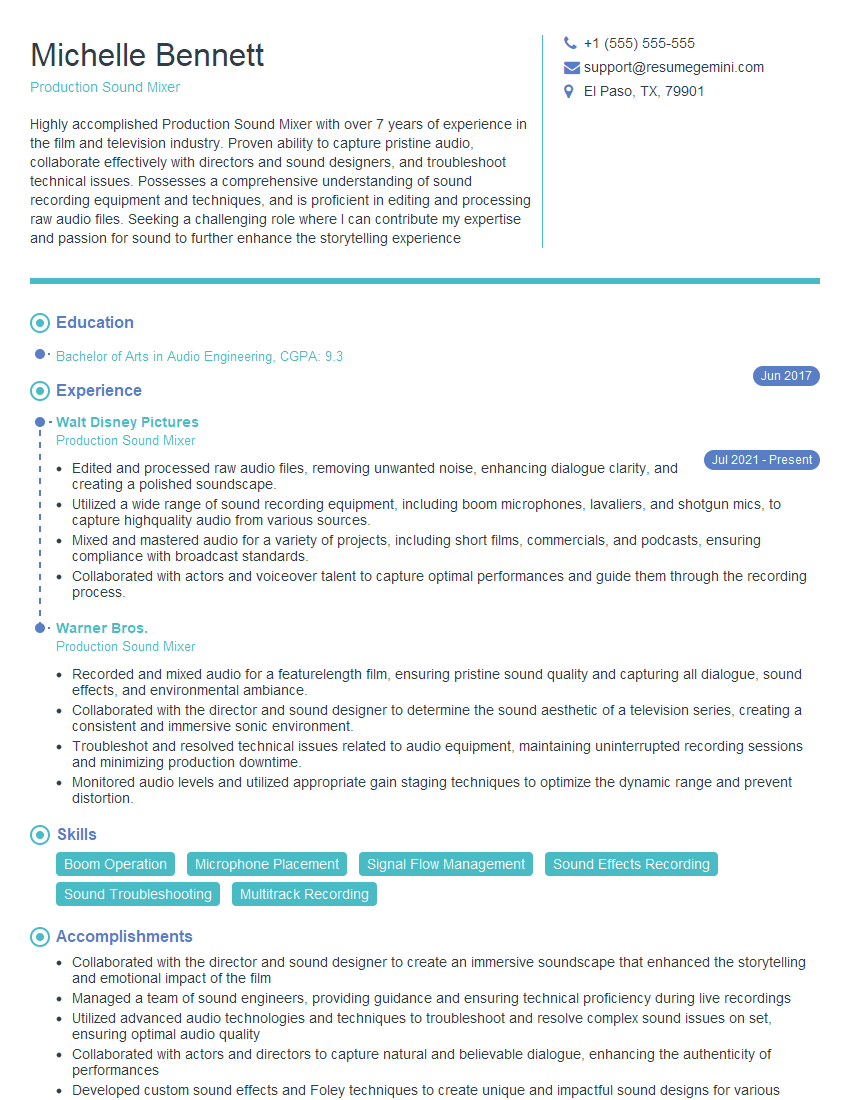
Mastering live sound opens doors to exciting career opportunities in music, theater, corporate events, and more. A strong understanding of these concepts will significantly boost your interview confidence and success. To maximize your job prospects, invest time in creating an ATS-friendly resume that highlights your skills and experience effectively. ResumeGemini is a trusted resource that can help you build a professional and impactful resume tailored to the demands of the Live Sound industry. Examples of resumes tailored to Live Sound are provided to guide you.






Explore more articles
Users Rating of Our Blogs
Share Your Experience
We value your feedback! Please rate our content and share your thoughts (optional).
What Readers Say About Our Blog
Very informative content, great job.
good