Interviews are opportunities to demonstrate your expertise, and this guide is here to help you shine. Explore the essential LTspice Simulation interview questions that employers frequently ask, paired with strategies for crafting responses that set you apart from the competition.
Questions Asked in LTspice Simulation Interview
Q 1. Explain the difference between transient, AC, and DC analysis in LTspice.
LTspice offers three primary analysis types: Transient, AC, and DC. Each analyzes a circuit’s behavior under different conditions.
- Transient Analysis (
.tran): This simulates the circuit’s response over time. Think of it like watching a movie of your circuit’s behavior. It’s ideal for analyzing how a circuit reacts to time-varying signals, such as pulses, square waves, or sine waves with changing amplitude. It’s crucial for evaluating dynamic behavior, like the charging of a capacitor or the transient response of an amplifier. For example, you would use transient analysis to see how a power supply’s output voltage settles after being switched on. - AC Analysis (
.ac): This simulates the circuit’s response to sinusoidal signals of varying frequencies. It essentially shows you how the circuit’s gain and phase shift change with frequency. Imagine it as a frequency response curve, revealing how the circuit handles different frequencies – vital for designing filters or analyzing audio amplifiers. You’d use this to determine the bandwidth of a filter or the frequency response of an audio amplifier. - DC Analysis (
.opor.dc): This analyzes the circuit’s behavior under steady-state DC conditions. It calculates the DC operating point – the voltages and currents when all transient effects have settled. This is the foundation for understanding a circuit’s bias point, before adding AC signals. You might use DC analysis to check the bias voltages of a transistor amplifier to ensure it operates within its safe zone.
In essence: Transient analysis looks at time, AC analysis looks at frequency, and DC analysis looks at steady-state values.
Q 2. How do you use subcircuits in LTspice to improve simulation efficiency?
Subcircuits in LTspice (created using the X symbol and defined using .subckt and .ends directives) are essential for improving simulation efficiency and organization. They allow you to encapsulate a frequently used circuit block into a reusable component. This is analogous to creating custom integrated circuits from smaller building blocks.
By using subcircuits, you avoid redundancy, making your schematic cleaner and easier to understand. More importantly, LTspice only simulates the subcircuit once, even if it’s used multiple times in your main schematic. This significantly reduces simulation time, especially for large, complex circuits. For example, if you have an operational amplifier used many times, creating it as a subcircuit will massively speed up the simulation. Imagine simulating a complex circuit with hundreds of op amps. Simulating the individual op-amp hundreds of times is a waste of resources. This is where subcircuits really save the day.
.subckt my_opamp in+ in- out vcc vss
* Op-amp model
... op-amp circuit details ...
.ends my_opamp
This code defines a subcircuit named ‘my_opamp’. It’s then called in the main schematic using the X symbol.
Q 3. Describe how to model a real-world component with non-ideal characteristics in LTspice.
Modeling real-world components with non-ideal characteristics requires going beyond the basic ideal components in LTspice. Real components have things like parasitic capacitance, inductance, and non-linear behavior.
Here’s how to model non-ideal characteristics:
- Parasitic Elements: Add inductors (
L) and capacitors (C) in parallel or series with the ideal component to represent parasitic inductance and capacitance. The values are often found in the component’s datasheet. - Non-Linear Models: For devices like diodes and transistors, use more detailed models. LTspice includes advanced models (e.g., SPICE models) that incorporate non-linear effects like temperature dependence and junction capacitance. You’ll likely get these from the manufacturer’s datasheet.
- Behavioral Sources: Use behavioural voltage sources (
B) or current sources (G) to define complex relationships, especially non-linear ones, using mathematical expressions. This allows you to directly implement equations from a datasheet. For instance, you can model the complex I-V curve of a diode using a behavioral source. - Subcircuits: If the non-ideal behaviour is intricate, it might be better to create a subcircuit to model it effectively. This will encapsulate the non-ideal behavior neatly and reuse the model where required.
For example, a real-world resistor might have a small series inductance and parallel capacitance. You could model this by adding a small inductor and capacitor to the resistor symbol in your schematic.
Q 4. How do you troubleshoot convergence issues in LTspice simulations?
Convergence issues in LTspice often arise from problems with your circuit’s model or simulation settings. They manifest as error messages or erratic simulation results. Here’s a systematic troubleshooting approach:
- Check for Incorrect Component Values: Verify that all component values are realistic and appropriately scaled. Extremely large or small values can cause numerical instability.
- Examine the Circuit Topology: Look for potential problems like floating nodes (nodes not connected to anything), short circuits, or open circuits that would confuse the simulation’s numerical solvers.
- Adjust Simulation Settings: Modify simulation parameters such as the maximum step size (
maxstep), absolute and relative tolerances (reltolandabstol), and the initial condition (uicfor “use initial condition”). Smaller step sizes lead to more accurate results but increase simulation time. Increase tolerances to allow for more variation but potentially at a loss of accuracy. - Simplify the Circuit: Temporarily remove parts of the circuit to isolate the source of the problem. If the convergence problem disappears, then the removed component or circuit part is likely at fault.
- Use Different Solvers: LTspice allows you to choose between different iterative solvers. Trying an alternate solver may resolve the issue. This usually comes down to the type of circuits.
- Check for High-Gain Feedback Loops: High-gain positive feedback loops can cause numerical instability. Review your schematic for any such instances.
- Initial Conditions: Review the initial conditions being set. It might be necessary to modify the initial conditions to something more suitable to the circuit’s behavior.
By systematically investigating these areas, you can usually pinpoint and resolve convergence issues.
Q 5. What are the different types of sources available in LTspice, and when would you use each one?
LTspice offers a variety of sources, each with its own application:
- DC Voltage Source (
V): Provides a constant voltage. Used to set bias voltages and supply power. - DC Current Source (
I): Provides a constant current. Useful for modeling current sources and certain specialized circuit elements. - AC Voltage Source (
SIN,PULSE, etc.): Generates sinusoidal or other time-varying waveforms, used for AC analysis and examining transient responses. - Pulse Voltage/Current Source (
PULSE): Generates pulses with user-definable parameters (amplitude, width, period, etc.). Commonly used for transient analysis and switching circuit testing. - Behavioral Voltage/Current Source (
B,G): Allows you to define the source’s voltage or current using mathematical expressions or user-defined functions. Ideal for modelling non-linear behavior and complex sources. - Piecewise Linear Voltage/Current Source (
PWL): Defines the source’s voltage or current by a series of points, allowing you to specify an arbitrary waveform.
The choice of source depends entirely on the type of signal you need to model in your simulation.
Q 6. Explain the use of .op, .tran, .ac, and .dc commands in LTspice.
These commands are directives within the LTspice schematic’s netlist, controlling the type of analysis performed. They’re usually placed in the schematic or in a separate netlist file.
.op(Operating Point): Performs a DC operating point analysis. It calculates the DC voltages and currents in the circuit under steady-state conditions..tran(Transient Analysis): Performs a transient analysis, simulating the circuit’s behavior over time. It requires specifying simulation time parameters (start time, stop time, step size)..ac(AC Analysis): Performs an AC analysis, simulating the circuit’s frequency response. It needs parameters defining the type of sweep (linear, logarithmic), the start and end frequencies, and the number of points..dc(DC Sweep): Performs a DC sweep, varying the value of a component (e.g., voltage source, resistor) over a specified range, and displaying the results for voltages and currents of interest. It helps create DC transfer characteristics and load lines.
These commands are the backbone of any LTspice simulation, defining what type of analysis the software performs and the conditions it uses to do so.
Q 7. How do you use probes and measurements effectively in LTspice?
Probes and measurements in LTspice are crucial for visualizing and extracting information from your simulations. Effective use involves understanding the various tools available.
- Voltage and Current Probes (
VandI): Place these directly onto the schematic to measure voltage across nodes or current through a component. These are very convenient for quick spot-checking. - Interactive Measurements: LTspice allows you to directly measure voltage, current, power, phase difference, etc. on the graph’s plot by using the interactive measurement tools.
- Adding labels to your nodes: This helps you to keep your schematic well organized and easy to interpret. It also makes selecting node for measurement easier.
- Cursors: Use the cursors on the graphs to precisely measure values at specific points in time or frequency. This helps in determining rise times, bandwidths and other parameters.
- Exporting Data: Save simulation data as text files (e.g., CSV) for further processing in other programs (like spreadsheets or MATLAB) allowing for more sophisticated data analysis. This is especially valuable when you have to deal with lots of data, you might want to analyze the results statistically.
By thoughtfully using probes and measurements, you can extract the most relevant information from your simulations, streamlining the analysis process and gaining key insights into your circuit’s behaviour.
Q 8. How do you perform a sensitivity analysis in LTspice?
Sensitivity analysis in LTspice helps determine how variations in component values affect a circuit’s performance. Think of it like this: you’ve built a bridge, and you want to know how much a small change in the strength of one beam impacts the overall stability. LTspice doesn’t directly have a ‘sensitivity analysis’ menu option like some other software, but we achieve this using the .op (operating point) analysis combined with a parameter sweep.
Step-by-step guide:
- Identify the parameter: Choose the component value you want to vary (e.g., a resistor’s value).
- Define the parameter sweep: Use the ‘.step param’ directive in your netlist. For example, to sweep resistor R1 from 1kΩ to 10kΩ in 1kΩ steps:
.step param R1 1k 10k 1k - Run the simulation: Run a DC operating point analysis (
.op). LTspice will perform multiple simulations, each with a different value for R1. - Analyze the results: View the results using LTspice’s graph features. Plot the output variable (e.g., voltage or current) against the varying R1 value. The slope of the graph at a particular point shows the sensitivity of the output to changes in R1 at that operating point. A steeper slope indicates higher sensitivity.
Example: Let’s say you’re analyzing an amplifier. You might sweep the gain-setting resistor to see how variations affect the amplifier’s output voltage. A steep slope would reveal a high sensitivity, meaning even small changes in the resistor value significantly impact the gain.
Q 9. Explain how to use the Monte Carlo analysis feature in LTspice.
Monte Carlo analysis simulates the effect of component tolerances on circuit performance. Imagine you’re manufacturing thousands of circuits; each component has a slight variation due to manufacturing processes. Monte Carlo helps predict how these variations affect the overall circuit behavior. In LTspice, it’s all about defining the tolerance distributions for each component.
How to use it:
- Define component tolerances: Add tolerance information to your components. For example, for a 1kΩ resistor with ±5% tolerance, you’d set the value as
R1 1k {1k*(1+gauss(0,0.05))}. This uses thegauss(mean,stdev)function to create a Gaussian distribution around 1kΩ with a standard deviation of 5%. Other distributions are available (uniform, etc.). - Set the number of runs: In the Simulation Command window, specify the number of Monte Carlo runs using the
.mc 1000directive (e.g., 1000 simulations). The more runs, the more statistically accurate the results, but also the longer the simulation takes. - Run the simulation: Run your desired simulation (DC, AC, transient). LTspice will perform multiple simulations, each with slightly different component values based on the defined distributions.
- Analyze the results: View the results. LTspice will show statistical summaries, including mean, standard deviation, minimum, maximum values of your output variables. Histograms can also visualize the distribution of your results, highlighting the most likely outcomes and any outliers.
Practical Application: In production, Monte Carlo analysis helps determine if your circuit’s performance remains within acceptable limits despite manufacturing tolerances. This helps prevent unexpected behavior in the field.
Q 10. How do you simulate temperature effects on circuit performance in LTspice?
Simulating temperature effects is crucial for assessing circuit robustness. Components change their behavior with temperature—resistors change resistance, transistors change their gain, etc. LTspice handles this through the use of temperature-dependent models and the .temp directive.
Steps:
- Temperature-dependent models: Ensure that you’re using accurate component models which incorporate temperature coefficients. Most modern SPICE models include these.
- .temp directive: Use the
.tempdirective to specify the temperature range for the simulation. For example, to simulate from -40°C to +85°C in 25°C steps:.temp -40 25 85 - Run the simulation: Run your desired simulation type (DC, AC, Transient).
- Analyze the results: LTspice will generate results for each temperature point. You can then plot various parameters against temperature to visualize their behavior.
Example: If simulating an amplifier, you would observe changes in gain or offset voltage as a function of temperature. This analysis will highlight potential temperature-related issues early on.
Q 11. Describe the process of creating a custom component model in LTspice.
Creating custom component models in LTspice allows you to simulate components not included in its library or to more accurately represent real-world components. This often involves using subcircuits and behavioral modeling.
Process:
- Subcircuits: For relatively simple components, a subcircuit is an effective approach. You’d model the component’s behavior using standard components (resistors, capacitors, transistors etc.) connected in a specific configuration. This requires a good understanding of the component’s internal workings.
- Behavioral Modeling: For complex components or components with non-linear behavior, behavioral modeling (using behavioral voltage or current sources) offers greater flexibility. This uses mathematical equations to describe the component’s behavior. The equations can be entered directly into the behavioral source’s properties in LTspice.
- .subckt directive: For subcircuits, you use the
.subcktdirective to define the subcircuit, specifying its inputs and outputs. It’s then included in your main circuit using the subcircuit’s name. - Verification: After creating the custom model, verify its accuracy by comparing simulated results with datasheets or measurements of the real component.
Example: To model a specific operational amplifier with unusual characteristics not found in LTspice’s library, you may need a custom behavioral model incorporating the op-amp’s transfer function along with its noise and temperature behavior. This would involve crafting equations to describe its voltage gain, input bias current, input offset voltage, and other relevant parameters.
Q 12. How do you interpret the results from a Bode plot generated in LTspice?
Bode plots display a circuit’s frequency response, showing the magnitude and phase of the output signal relative to the input signal across a range of frequencies. Think of it as a fingerprint of your circuit’s behavior at different frequencies.
Interpretation:
- Magnitude plot (dB): Shows the gain (amplification or attenuation) of the circuit in decibels (dB). The gain is plotted against frequency (usually logarithmic scale). Peaks indicate resonance, while downward slopes show attenuation of higher frequencies (e.g., low-pass filter).
- Phase plot (degrees): Shows the phase shift between the input and output signals at different frequencies. This phase shift is crucial for understanding stability and signal integrity.
- Corner frequencies: These are frequencies where the magnitude plot changes slope significantly (typically by -20dB/decade or -40dB/decade). These indicate dominant poles or zeros in the circuit’s transfer function, giving insight into its response time and bandwidth.
Example: A low-pass filter’s Bode plot would show a relatively flat magnitude response at low frequencies, gradually decreasing at higher frequencies, indicating it passes low frequencies and attenuates high frequencies. The phase plot would show a gradual phase shift toward -90 degrees as the frequency increases.
Q 13. How do you simulate noise in a circuit using LTspice?
Simulating noise is essential for assessing a circuit’s sensitivity to unwanted signals. Noise comes in many forms and affects circuit performance in various ways. LTspice offers several ways to model this.
Methods:
- Noise sources: LTspice has built-in noise sources you can add directly to your circuit (e.g., ‘noise’ source in the component library). You’ll specify noise parameters such as spectral density (e.g., volts/√Hz).
- Component noise models: Many component models in LTspice already include noise models. This accounts for the inherent noise generated within the components themselves (e.g., thermal noise in resistors, shot noise in transistors).
- Noise analysis: LTspice has a dedicated noise analysis (using the
.noisedirective) that calculates the output noise voltage or current over a specified frequency range. The results provide information about the overall noise performance of the circuit.
Example: To simulate the noise in an amplifier, you would add noise sources representing the thermal noise of the resistors and the shot noise of the transistors. The noise analysis then provides the total output noise voltage spectral density allowing you to assess the signal-to-noise ratio.
Q 14. Explain the use of behavioral voltage and current sources in LTspice.
Behavioral voltage and current sources allow you to define voltage or current sources using mathematical expressions or functions, giving you immense flexibility. This allows for non-linear, time-varying, and even user-defined behavior which goes beyond simple fixed values.
Usage:
- Mathematical expressions: You can use a wide range of mathematical functions (e.g., sin, cos, exp, log, etc.) and variables to create voltage or current waveforms. These can be time-dependent, or depend on voltages and currents at other nodes in the circuit. The expressions are defined in the component’s property dialog.
- Piecewise linear sources: For creating more complex waveforms, piecewise linear sources are useful. You’d define points in the voltage/current vs. time graph, and LTspice interpolates between them.
- Applications: These sources are frequently used to model non-linear components, create custom waveforms for testing, implement control algorithms, and perform more advanced circuit simulations.
Example: A behavioral voltage source could be used to simulate a triangular wave, a sinusoidal wave with varying amplitude and frequency, or even a signal based on a specific equation from a scientific paper. These sources are incredibly powerful for advanced simulations, allowing to capture more subtle real-world behavior within your simulations.
Q 15. How do you perform a Fourier analysis in LTspice?
Performing a Fourier analysis in LTspice is straightforward and crucial for understanding the frequency components of a signal. It allows us to see the harmonic content of a waveform, which is invaluable for analyzing distortion, filter performance, and other frequency-domain characteristics. You achieve this using the FFT (Fast Fourier Transform) analysis.
To perform an FFT analysis:
- Run a transient simulation of your circuit.
- After the simulation completes, go to View > Spice Error Log. You’ll find the results of the simulation there.
- Alternatively, you can right-click on a voltage or current node in your schematic, select Add Trace, and type
V(node_name)_FFTorI(component_name)_FFTin the expression window wherenode_nameis the node’s name andcomponent_nameis the component’s name. This will directly display the FFT of the selected signal.
The resulting plot shows the magnitude and phase of the signal’s frequency components. The x-axis represents frequency, and the y-axis usually represents magnitude in decibels (dB).
Example: If I were analyzing an amplifier’s output for distortion, I’d perform an FFT on the output signal. High-magnitude components at frequencies other than the input frequency would indicate harmonic distortion. This helps determine if the amplifier is introducing unwanted frequencies.
Career Expert Tips:
- Ace those interviews! Prepare effectively by reviewing the Top 50 Most Common Interview Questions on ResumeGemini.
- Navigate your job search with confidence! Explore a wide range of Career Tips on ResumeGemini. Learn about common challenges and recommendations to overcome them.
- Craft the perfect resume! Master the Art of Resume Writing with ResumeGemini’s guide. Showcase your unique qualifications and achievements effectively.
- Don’t miss out on holiday savings! Build your dream resume with ResumeGemini’s ATS optimized templates.
Q 16. Describe your experience with different LTspice analysis types (e.g., distortion, noise, etc.).
My experience with various LTspice analysis types is extensive. I’ve utilized them in diverse projects, from simple circuit validation to complex power electronics modeling. Beyond the standard DC, AC, and Transient analyses, I’m proficient in:
- Distortion Analysis: This is crucial for evaluating the linearity of circuits. I use it to assess Total Harmonic Distortion (THD) in amplifiers, identifying unwanted harmonics generated by non-linear components.
- Noise Analysis: This helps in determining the noise figure of a circuit, crucial for sensitive applications like low-noise amplifiers (LNAs) and receivers. I often combine noise analysis with Monte Carlo simulations for robust noise performance evaluation across component variations.
- Sensitivity Analysis: To gauge the impact of component tolerances on circuit performance. This is especially important for ensuring robustness against manufacturing variations.
- Monte Carlo Analysis: This is fundamental for analyzing the statistical distribution of circuit parameters. By varying component values randomly, it provides a realistic assessment of the circuit’s performance under uncertainty.
- Temperature Sweep: To study the effects of temperature changes on circuit behavior; essential for applications where temperature variations are expected, like automotive or aerospace electronics.
I’ve employed these analyses across many scenarios, including designing filters, analyzing power supplies, optimizing amplifier performance, and evaluating the stability of control systems. Understanding how to select and correctly interpret the results from these different analyses is vital to ensuring the accuracy and reliability of the simulated design.
Q 17. How do you handle large and complex simulations in LTspice efficiently?
Handling large and complex simulations in LTspice efficiently requires a strategic approach. Simply throwing more processing power at the problem isn’t always the answer; optimization is key.
- Hierarchical Design: Breaking down a large circuit into smaller, more manageable subcircuits improves simulation time and clarity. Each subcircuit can be simulated independently and then integrated into the overall system.
- Appropriate Solver Settings: Choosing the right solver and adjusting its settings (e.g., convergence criteria, maximum iteration count) significantly affects simulation speed and accuracy. For instance, using a more advanced solver might be slower initially but converge faster for some systems.
- Reducing Simulation Time: Limit the simulation duration (using
.tran) to the necessary time, avoid unnecessary high-precision calculations if not crucial, and use appropriate simulation steps. Over-sampling unnecessarily increases simulation time. - Using Subcircuits: This dramatically simplifies the schematic, makes it more readable, and allows for re-use of circuit components. A subcircuit with a behavioral model can replace the detailed simulation of a complex component.
- Parallel Processing: LTspice offers some capabilities for parallel processing, allowing faster simulations for some analysis types.
- Efficient Component Selection: Using simplified models (e.g., ideal op-amps) for components where high accuracy isn’t required drastically speeds up simulations. Switching to more complex models only where necessary.
For example, in a power supply design with many stages, I’d use hierarchical design to separate the rectifier, controller, and output stages. This allows for focused debugging and optimization.
Q 18. What are some best practices for building a well-organized and easily understandable LTspice schematic?
Building well-organized LTspice schematics is essential for clarity, maintainability, and efficient debugging. Here are some best practices:
- Clear Labeling: Use descriptive names for nodes and components. Avoid cryptic abbreviations. This makes the schematic easily understandable by others (and your future self).
- Hierarchical Design (again!): Use subcircuits to break down complex circuits into smaller, logical blocks. This improves readability and allows for reuse of components.
- Consistent Formatting: Maintain a consistent style for component placement, wire routing, and labeling. A visually organized schematic is much easier to work with.
- Use of Ground Symbols: Place ground symbols strategically for improved visual clarity. It makes tracing signals easier.
- Comments and Annotations: Add comments to explain design choices and the circuit’s functionality. Annotation tools can provide additional information.
- Color-Coding: Use a color-coding scheme for wires to improve visual tracking and identification of signal pathways. This is particularly effective in large, complex circuits.
- Proper Use of Buses: For circuits with multiple signals grouped together, use buses to represent multiple wires cleanly, improving visual organization and simulation efficiency.
Example: Instead of using cryptic labels like ‘N1,’ ‘R2,’ I’d use labels like ‘Vout,’ ‘Feedback_Resistor,’ making the schematic’s purpose immediately apparent.
Q 19. How do you verify the accuracy of your LTspice simulations?
Verifying the accuracy of LTspice simulations is crucial. It involves a multi-pronged approach.
- Analytical Calculations: For simpler circuits, compare simulation results with analytical calculations. This provides a baseline for validation.
- Experimental Verification: The ultimate test is comparing simulation results with experimental measurements from a real-world prototype. This is the most reliable way to verify accuracy.
- Simulation Consistency Checks: Running simulations with different simulation parameters (time steps, solver options) and comparing results. Inconsistent results indicate potential problems.
- Component Model Accuracy: Ensure the chosen component models are appropriate for the application. High-precision models are better for accurate results but slower. Using simplified models increases speed, but accuracy is affected.
- Sensitivity Analysis (again!): By performing a sensitivity analysis, you can assess how much changes in component values or other parameters change the simulation results. This can help identify parameters that significantly affect the circuit’s behavior and require careful attention to model accuracy.
In my experience, a combination of these approaches is often the most effective. For instance, I might initially compare my LTspice simulation results to theoretical values, then build a prototype and compare the results, making adjustments to the model as needed.
Q 20. Explain your experience with different LTspice simulation models (e.g., behavioral, ideal, etc.).
LTspice offers a wide range of simulation models, each with its strengths and weaknesses. My experience encompasses several types:
- Ideal Models: These are simplified models that abstract away complex behavior. Ideal op-amps, for example, are useful for quick prototyping and conceptual understanding but lack the nuances of real components.
- Behavioral Models: These models allow you to define component behavior using equations or transfer functions. This is powerful for creating custom components or representing complex systems mathematically.
- Macromodels: These are high-level models that encapsulate the behavior of complex components or systems without detailed internal modeling. This reduces complexity and simulation time. They’re often provided by manufacturers.
- Spice Models: These are detailed models based on the SPICE standard. These tend to be more accurate but require more computational resources. They’re often provided by semiconductor manufacturers.
Selecting the appropriate model involves a trade-off between accuracy and simulation speed. For rapid prototyping, I’ll often use ideal models. However, for detailed analysis, especially for critical circuit elements, I’ll use more accurate Spice models.
Q 21. Describe how to use the .meas command in LTspice to perform custom measurements.
The .meas command in LTspice is a powerful tool for performing custom measurements beyond what’s directly available in the graphical interface. It lets you define complex calculations on simulation data.
The basic syntax is:
.meas FIND [WHEN ] Where:
FINDspecifies the quantity to measure. This can be a voltage, current, or any other calculated value.[WHENis an optional clause that specifies a time or condition for the measurement (e.g., measuring the peak value).]
Examples:
.meas Vpeak FIND max(V(out))Measures the maximum voltage at node ‘out.’.meas Vavg FIND avg(V(out)) FROM 1ms TO 10msMeasures the average voltage at node ‘out’ between 1ms and 10ms..meas RiseTime FIND cross(V(out), 0.5, 1, 0)Measures the rise time of the signal at ‘out’ from 10% to 90% of its maximum value..meas THD FIND 20*log10(sqrt((V(out)_FFT[1k]-V(out)_FFT[1k])^2 + (V(out)_FFT[2k])^2 + ... )) /V(out)_FFT[1k]This measures total harmonic distortion. It requires the signal to be run with an FFT and requires more advanced understanding of Fourier analysis.
The .meas command is essential for automating measurements, analyzing simulation results programmatically, and generating custom reports. It helps greatly in testing and optimizing circuit performance.
Q 22. Explain the concept of component tolerances and how they can be incorporated into an LTspice simulation.
Component tolerances represent the acceptable range of variation in a component’s value from its nominal value. Think of it like buying a 100-ohm resistor – it might not be exactly 100 ohms, but rather somewhere within a specified tolerance, perhaps ±5% or ±1%. Incorporating this into LTspice allows for a more realistic simulation, as real-world components never have perfectly precise values.
LTspice handles this using the .op directive combined with the .model statement. For example, to simulate a 100-ohm resistor with a ±5% tolerance, you wouldn’t just place a 100-ohm resistor. Instead, you’d use the Monte Carlo simulation feature. You would define a model for your resistor, specifying the tolerance:
.model MyResistor R tolerance=0.05Then, when you place the resistor, you’d use the new model: R1 N1 N2 MyResistor 100. Running a Monte Carlo simulation (accessible through the Simulate > Simulations Settings > Monte Carlo/Worst Case... menu) with multiple runs will give you a statistical distribution of results, showing the impact of the tolerance on your circuit’s performance. This helps assess robustness and potential failure modes.
For other components like capacitors and inductors, you follow a similar approach, modifying the relevant parameters within the .model statement to account for variations in capacitance, inductance, and other parameters as needed.
Q 23. How do you debug circuit issues identified during LTspice simulation?
Debugging in LTspice involves a systematic approach. My strategy typically starts with visual inspection of the waveforms. Are there unexpected voltage levels or current flows? Are there oscillations where they shouldn’t be? These visual cues often point directly to problematic areas.
Next, I utilize LTspice’s powerful probing capabilities. I can place voltage and current probes at various points in the circuit to monitor signals in detail, often zooming in to observe subtle anomalies. The interactive nature of the probes allows for real-time analysis during the simulation.
If visual inspection and probes aren’t enough, I delve into the circuit schematic itself. I double-check component values, connections, and the overall circuit design for any errors. Sometimes, a simple mistake like a wrong connection or a misplaced component can lead to hours of troubleshooting.
For more complex scenarios, I might employ various simulation techniques like transient analysis, AC analysis, or DC operating point analysis to isolate the problem. For instance, a DC operating point analysis can pinpoint biases issues, while AC analysis can reveal unexpected frequency responses.
Finally, I heavily rely on LTspice’s error messages and warnings. Although they can sometimes be cryptic, careful examination often reveals the root cause of the issue. For instance, a warning about a floating node implies a connection error, and addressing this frequently solves the problem.
Q 24. Describe your experience working with different LTspice libraries.
My experience with LTspice libraries is extensive. I’ve worked with the standard library extensively, which provides a solid foundation for simulating various components. Beyond the standard components, I’ve worked extensively with custom libraries, often created either in-house or sourced from various online communities. These custom libraries often contain specialized models for components that aren’t available in the standard library, such as specific op-amps, power MOSFETs, or integrated circuits.
One particularly useful experience was working with a library containing detailed models for a specific family of high-speed operational amplifiers. The models provided crucial information, like their noise performance and slew rate, allowing for accurate simulations of high-speed signal processing circuits. I also have experience importing and utilizing user-defined subcircuits which allows to create reusable modular designs, making larger simulations easier to manage.
Moreover, I am proficient in understanding the nuances of different model parameters in various libraries and adapting the simulation settings accordingly to ensure accurate results. It is important to understand the limitations and accuracy of the various models within each library, and I always ensure that the model selection aligns with the specific application and requirements of the circuit. I also regularly update the libraries to use the most accurate and up-to-date models.
Q 25. How do you handle errors and warnings during an LTspice simulation?
LTspice error and warning messages are invaluable in debugging. I treat them seriously and never dismiss them lightly. The first step is to carefully read the message; they often pinpoint the exact location and type of the problem. For instance, a ‘floating node’ error indicates an unconnected node, often a simple wiring mistake.
Once identified, I carefully examine the circuit schematic in the vicinity of the error. If the error message is unclear or points to a seemingly correct part of the circuit, I resort to a more systematic approach; this could involve checking the component values, connections, or even simplifying the circuit to identify the source of the issue.
Warnings, unlike errors, usually don’t stop the simulation but signal potential problems. For instance, a warning about exceeding a component’s power rating indicates a potential failure point. While not necessarily fatal, such warnings demand attention, prompting a redesign or a closer examination of the operating conditions.
I document all encountered errors and warnings, including the solutions implemented, which helps in preventing similar issues in future simulations and building a repository of troubleshooting strategies. It also aids in training junior engineers.
Q 26. Explain how to use parametric sweeps effectively in LTspice.
Parametric sweeps are crucial for analyzing a circuit’s behavior across a range of component values or input parameters. They provide valuable insights into the robustness and sensitivity of the design. LTspice supports various sweep types, including DC sweeps, AC sweeps, and temperature sweeps.
To perform a DC sweep, for example, let’s say we want to analyze a voltage divider’s output as the input voltage varies. We can use the .dc directive to specify the parameter to sweep and its range. For example:
.dc Vin 1 10 1This would sweep the voltage source Vin from 1V to 10V in 1V steps. The results are then plotted, showing the output voltage as a function of the input voltage. Similarly, for an AC sweep, you might use:
.ac dec 10 1k 100MegThis performs a decade sweep from 1kHz to 100MHz with 10 points per decade. For more complex scenarios involving multiple parameters, you might use nested sweeps.
Effectively using parametric sweeps involves careful selection of the sweep parameters, the sweep range, and the number of points. Too few points might miss important details, while too many points can drastically increase simulation time. Choosing the appropriate sweep type is also crucial depending on what you are aiming to analyze. The results should always be critically analyzed to draw meaningful conclusions about circuit behavior.
Q 27. Describe your experience using LTspice for PCB design verification.
LTspice plays a vital role in PCB design verification. While it doesn’t directly handle PCB layout, it’s indispensable for verifying the functionality of the circuit *before* committing to the manufacturing process. I regularly use it for pre-layout simulations to confirm that the chosen components and circuit topology will meet the performance specifications.
My workflow typically involves creating a detailed schematic in LTspice mirroring the PCB design. This allows me to simulate the circuit’s behavior under various conditions, including worst-case scenarios considering component tolerances as described earlier. This often reveals potential issues such as unexpected voltage drops, signal integrity problems, or excessive power dissipation which could then be addressed in the schematic before the PCB layout.
Beyond simple functional verification, I leverage LTspice to analyze the impact of parasitic effects often present on PCBs. This includes things like trace inductance, capacitance, and resistance, which can significantly impact performance, especially at higher frequencies. I utilize advanced modeling techniques, incorporating these parasitic effects into the simulation to obtain a more realistic performance estimate, leading to a more robust PCB design.
Q 28. How would you simulate a real-world scenario using LTspice, considering real-world component limitations and variations?
Simulating real-world scenarios in LTspice requires careful consideration of various factors often neglected in idealized simulations. The key is to move beyond simplified models and incorporate realistic component limitations and variations.
First, accurate component models are paramount. Instead of using generic components, I often seek out detailed SPICE models from manufacturers’ datasheets, which include parameters reflecting real-world characteristics like temperature dependence, non-linear behavior, and noise characteristics.
Second, real-world components have tolerances. As mentioned earlier, utilizing Monte Carlo simulations with appropriate tolerance values within the .model statements provides a statistical representation of the circuit’s behavior under various component variations. This helps to determine the robustness of the design.
Third, parasitic elements must be considered. This includes the effects of PCB traces (inductance and capacitance), as well as the influence of the power supply. I incorporate these parasitic effects using lumped elements or more sophisticated techniques depending on the complexity of the system and the frequency of operation.
Fourth, environmental effects should not be ignored. Temperature variations significantly affect component performance. LTspice allows for temperature sweeps to assess the circuit’s functionality across a range of temperatures. The same applies to other environmental factors, such as humidity and pressure, although those are less commonly modeled in LTspice.
By incorporating these real-world considerations, the simulations become far more realistic, allowing for a more confident transition from simulation to hardware implementation.
Key Topics to Learn for Your LTspice Simulation Interview
- Circuit Schematic Capture: Mastering the creation of accurate and efficient schematics, including component placement, wire routing, and hierarchical design techniques.
- Component Libraries and Models: Understanding the importance of selecting appropriate components and models for accurate simulation, including the nuances of behavioral models and subcircuits.
- DC, AC, and Transient Analysis: Proficiently performing and interpreting the results of these fundamental analyses, understanding their limitations and applications in different contexts.
- Spice Directives and Control: Familiarizing yourself with the use of control statements and directives to customize simulations and extract specific data, enhancing the efficiency and power of your analysis.
- Advanced Simulation Techniques: Exploring techniques like Monte Carlo analysis, temperature sweeps, and noise analysis to assess the robustness and reliability of designs.
- Practical Application: Gaining hands-on experience in simulating various circuits, such as operational amplifiers, filters, oscillators, and power supplies, demonstrating your ability to troubleshoot and optimize designs based on simulation results.
- Troubleshooting and Debugging: Developing a strong understanding of how to identify and resolve common simulation errors and interpret simulation outputs to understand circuit behavior.
- Data Analysis and Interpretation: Effectively interpreting simulation results, including waveforms, Bode plots, and other graphical outputs, to extract meaningful insights and make informed design decisions.
- Advanced Topics (Optional): Consider exploring more advanced topics such as behavioral modeling, custom component creation, and integration with other design tools, depending on the specific job requirements.
Next Steps
Mastering LTspice Simulation is a valuable asset in today’s competitive electronics industry. Proficiency in this tool significantly enhances your problem-solving abilities and demonstrates a strong grasp of circuit analysis principles – highly sought-after qualities by employers. To maximize your job prospects, crafting an ATS-friendly resume is crucial. ResumeGemini is a trusted resource for building professional and impactful resumes. They offer tailored examples showcasing skills in LTspice Simulation to help you present your qualifications effectively. Take advantage of these resources to elevate your job search and secure your dream role.

Systems Engineer Resume Sample
Applications Engineer Resume Sample

Firmware Engineer Resume Sample

Test Engineer Resume Sample

Design Engineer Resume Sample
Research Engineer Resume Sample
Electronics Engineer Resume Sample

Hardware Engineer Resume Sample

Electrical Engineer Resume Sample

Validation Engineer Resume Sample
Analog Circuit Designer Resume Sample
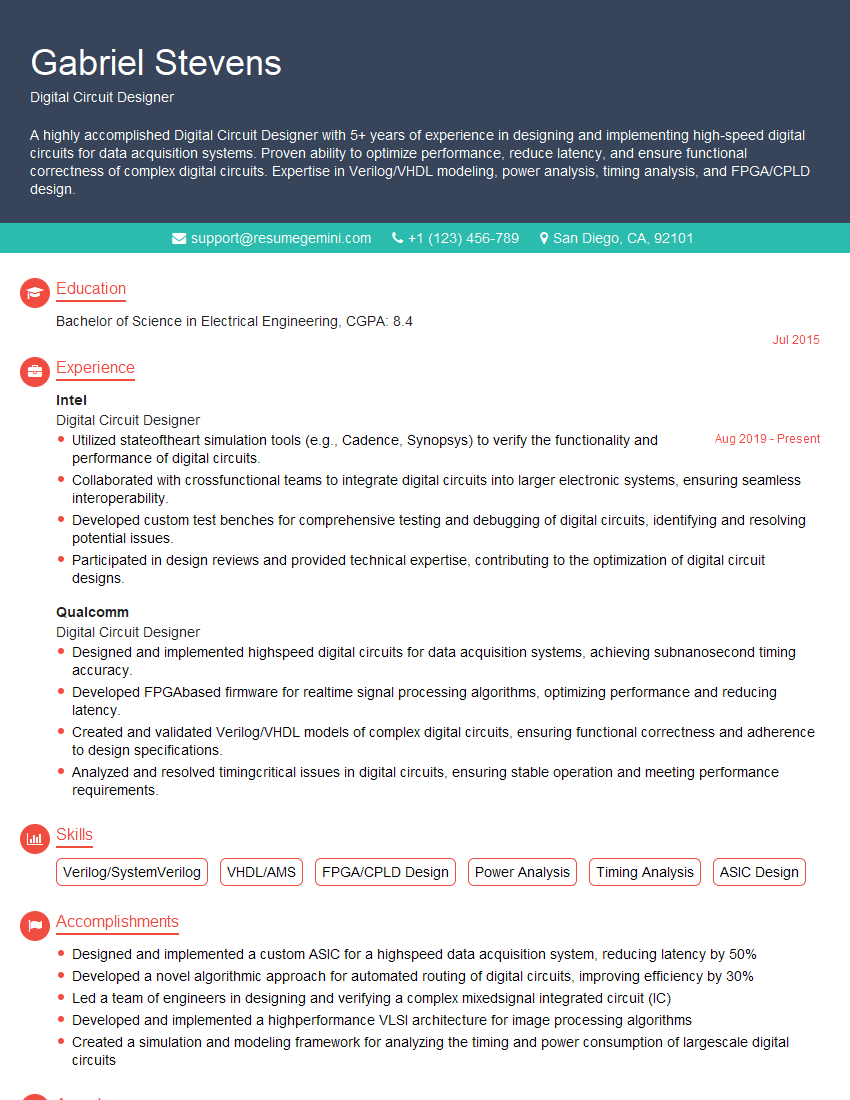
Digital Circuit Designer Resume Sample
Explore more articles
Users Rating of Our Blogs
Share Your Experience
We value your feedback! Please rate our content and share your thoughts (optional).
What Readers Say About Our Blog
Very informative content, great job.
good