The right preparation can turn an interview into an opportunity to showcase your expertise. This guide to Machine Monitoring and Data Collection interview questions is your ultimate resource, providing key insights and tips to help you ace your responses and stand out as a top candidate.
Questions Asked in Machine Monitoring and Data Collection Interview
Q 1. Explain the difference between proactive and reactive machine monitoring.
Reactive machine monitoring is like waiting for a car to break down before fixing it. You only address issues after they occur, resulting in downtime and potential damage. Proactive monitoring, on the other hand, is like regularly servicing your car – you monitor key indicators and anticipate potential problems before they cause significant disruptions. This allows for timely interventions, preventing major failures and reducing operational costs.
Reactive Monitoring: This involves responding to alerts or observing symptoms of a problem. Think of it as a fire alarm – it goes off after the fire starts. It’s often less efficient and more expensive to fix problems discovered this way.
Proactive Monitoring: This uses predictive analytics and continuous monitoring to identify potential issues before they escalate. It’s like a smoke detector – it alerts you to potential problems before a fire breaks out. This allows for preventative maintenance and minimizes downtime.
For example, a reactive approach to disk space might involve receiving an alert when the disk is nearly full, leading to immediate action to free up space. A proactive approach might involve monitoring disk space usage trends over time and triggering an alert before it reaches a critical threshold, allowing for more planned intervention.
Q 2. Describe your experience with various monitoring tools (e.g., Prometheus, Grafana, Datadog).
I have extensive experience with several monitoring tools, including Prometheus, Grafana, and Datadog. Each tool excels in different areas, and my choice depends on the specific needs of the project.
- Prometheus: This open-source tool is excellent for collecting and aggregating time-series metrics. I’ve used it in several projects to monitor system performance, application health, and infrastructure resource utilization. Its flexible query language allows for powerful analysis and alerting capabilities. For example, I used Prometheus to effectively monitor CPU usage across a cluster of servers, setting alerts for sustained high utilization.
- Grafana: I rely heavily on Grafana for visualizing the metrics collected by Prometheus and other data sources. Its customizable dashboards provide a comprehensive overview of system health and performance, facilitating faster identification and diagnosis of issues. I often integrate it with Prometheus to build dashboards that show critical metrics such as CPU usage, memory consumption, and network traffic.
- Datadog: I’ve utilized Datadog for its comprehensive monitoring and APM capabilities. It offers a unified platform for monitoring infrastructure, applications, and logs. Its automated anomaly detection and centralized dashboards are extremely valuable for large-scale monitoring. For instance, I leveraged Datadog’s APM features to trace requests across microservices, helping to quickly pinpoint performance bottlenecks.
Q 3. How do you handle alert fatigue in a high-volume monitoring environment?
Alert fatigue is a significant challenge in high-volume environments. To combat it, I focus on a multi-pronged strategy:
- Intelligent Alerting: I prioritize the use of intelligent alerting systems that filter out noise and only alert on truly critical events. This involves configuring alerts based on thresholds, trends, and correlation rules. For example, instead of alerting on a single high CPU spike, we might only alert if CPU remains above 90% for more than 5 minutes.
- Alert Grouping and Suppression: Group related alerts together and suppress duplicates or redundant alerts. This avoids overwhelming engineers with numerous similar alerts simultaneously.
- Contextual Alerts: Provide rich context within each alert, including relevant logs and traces to facilitate faster diagnosis. This reduces the time spent investigating each alert.
- On-call Rotation and Escalation Policies: Implement clear on-call schedules and escalation procedures to handle alerts effectively. This ensures alerts get addressed appropriately, regardless of the time.
- Automated Remediation: Where possible, implement automated responses to resolve common issues without manual intervention. This reduces the burden on engineers and improves response times.
The key is to focus on actionable and meaningful alerts. It’s better to have fewer, well-defined alerts than a deluge of irrelevant notifications.
Q 4. What are some common metrics used to monitor machine health and performance?
Common metrics used to monitor machine health and performance vary depending on the type of machine, but some key metrics include:
- CPU Utilization: Percentage of CPU time used, indicating overall system load. High CPU utilization can signal a performance bottleneck.
- Memory Usage: Amount of RAM used and available, indicating memory pressure. Low available memory can lead to slowdowns or crashes.
- Disk I/O: Number of read/write operations per second, indicating disk activity. High I/O can indicate slow storage or inefficient data access.
- Network Traffic: Amount of network data sent and received, indicating network activity. High traffic can signal network congestion or a DDoS attack.
- Disk Space: Amount of available disk space, indicating storage capacity. Low disk space can lead to application failures.
- Process Metrics: For specific applications, monitoring metrics like response time, error rates, and throughput provides insights into application performance.
- Log Files: Analyzing log files provides critical information on errors, warnings, and other events occurring within the system.
The specific metrics monitored depend on the application or infrastructure being monitored and the goals of the monitoring system.
Q 5. Explain your experience with different data collection methods (e.g., logs, metrics, traces).
My experience encompasses various data collection methods: logs, metrics, and traces. Each offers a unique perspective on system behavior:
- Logs: These provide unstructured textual data offering valuable insights into application events and errors. They are great for debugging and troubleshooting, but analyzing them requires sophisticated tools and techniques. I often use ELK stack (Elasticsearch, Logstash, Kibana) for log collection and analysis.
- Metrics: These provide structured numerical data that represents specific system attributes. They are ideal for real-time monitoring and trend analysis, allowing for proactive identification of anomalies. Tools like Prometheus are excellent for collecting and managing metrics.
- Traces: These capture the flow of requests across distributed systems, allowing for deep visibility into application performance. They are especially valuable in microservice architectures, providing insights into latency and bottlenecks. I’ve used tools like Jaeger and Zipkin to collect and analyze traces.
An effective monitoring system combines all three data types for comprehensive insights. Logs provide context, metrics provide quantitative measurements, and traces provide detailed request flow information.
Q 6. How do you ensure data integrity and accuracy during data collection?
Data integrity and accuracy are paramount in machine monitoring. I employ several strategies to ensure this:
- Data Validation: I implement robust data validation checks at every stage of the data pipeline. This includes verifying data types, ranges, and consistency against expected values.
- Data Transformation and Cleaning: I use techniques to standardize, cleanse, and transform the raw data before storage. This includes handling missing values, outliers, and inconsistent formats.
- Checksums and Hashing: I employ checksums and hashing to detect data corruption during transmission and storage.
- Data Replication and Redundancy: I leverage data replication and redundancy to ensure data availability and prevent data loss due to failures.
- Version Control: Tracking changes and updates to data collection and processing pipelines helps maintain data integrity and enables rollback if necessary.
- Regular Audits and Verification: Periodic audits and verification of data quality help identify and address potential inaccuracies.
By implementing these practices, I build trust in the data, ensuring that insights derived from the monitoring system are accurate and reliable.
Q 7. Describe your experience with different data storage solutions (e.g., databases, cloud storage).
My experience with data storage solutions includes various databases and cloud storage options. The choice of solution depends on factors like data volume, velocity, variety, and cost.
- Time-series databases (TSDBs): For metrics data, I frequently use TSDBs like InfluxDB and Prometheus. These are optimized for handling large volumes of time-stamped data and are particularly efficient for querying and analyzing trends.
- Relational databases (RDBMS): For structured data like configuration information or event logs that require complex joins and relational queries, I often utilize relational databases such as PostgreSQL or MySQL.
- NoSQL databases: For unstructured or semi-structured data like logs or traces, NoSQL databases like MongoDB or Cassandra can be a suitable choice. Their flexibility makes them well-suited for handling diverse data formats.
- Cloud storage (e.g., AWS S3, Azure Blob Storage): For long-term archiving or cold storage of large datasets, cloud storage services offer cost-effective solutions. I often use cloud storage for storing historical data that is not frequently accessed.
Selecting the appropriate storage solution is crucial for maintaining data accessibility, performance, and cost-effectiveness. The optimal solution often involves a combination of technologies depending on the specific needs of the system.
Q 8. How do you handle missing or incomplete data in your monitoring system?
Handling missing or incomplete data is crucial for maintaining the integrity of a machine monitoring system. Think of it like piecing together a puzzle – you can’t get the full picture with missing pieces. My approach involves a multi-pronged strategy:
- Detection and Logging: The first step is robust logging and immediate detection of missing data points. We use automated alerts to notify us when data streams are interrupted or incomplete. We log the reason for the missing data (e.g., sensor failure, network outage) to aid in root cause analysis.
- Data Imputation Techniques: For missing values, I leverage various imputation methods depending on the nature of the data and the missingness pattern. Simple techniques like using the last observed value or mean/median imputation work well for some situations. However, for more complex scenarios, I might use more sophisticated methods like k-Nearest Neighbors (k-NN) or more advanced machine learning techniques based on the context. For example, if I’m tracking temperature, using a linear interpolation between the available data points would often be appropriate.
- Data Quality Checks: Regular data quality checks are essential. This involves verifying data consistency, identifying outliers, and evaluating the impact of missing data on the overall analysis. We set thresholds for acceptable data completeness, triggering alerts if these thresholds are breached.
- Data Source Redundancy: Where possible, we implement redundancy by using multiple data sources to monitor the same machine parameter. This minimizes the impact of a single data source failure and offers a way to cross-validate data.
For example, in a manufacturing plant, we might have multiple temperature sensors on a critical machine. If one sensor fails, the others provide backup data. This redundancy helps ensure consistent and reliable monitoring, even in the face of incomplete data from a single source.
Q 9. How do you identify and troubleshoot performance bottlenecks using monitoring data?
Identifying performance bottlenecks using monitoring data is like detective work. You need to gather clues, analyze patterns, and follow the evidence. My approach is systematic:
- Correlation Analysis: I start by analyzing correlations between different metrics. For instance, if CPU utilization is high and simultaneously application response times are slow, this strongly suggests a CPU bottleneck.
- Performance Thresholds: Setting performance thresholds is critical. I define acceptable ranges for key metrics (CPU usage, memory usage, disk I/O, network latency). Exceeding these thresholds triggers alerts and flags potential bottlenecks.
- Profiling and Tracing: For deeper analysis, I use profiling tools to pinpoint specific functions or code sections consuming excessive resources. Distributed tracing tools provide an end-to-end view of requests, helping pinpoint slowdowns across multiple services.
- Visualization: Data visualization is key. Graphs and charts allow me to quickly spot trends and anomalies. For example, a sudden spike in disk I/O might indicate a database query issue.
For example, imagine a web application experiencing slow response times. By examining monitoring data, we might observe high database query latencies, indicating a need to optimize database queries or upgrade database hardware.
Q 10. Explain your experience with anomaly detection techniques in machine monitoring.
Anomaly detection is crucial for proactive machine maintenance. Think of it as an early warning system, flagging unusual behavior before it leads to failures. I’ve experience with various techniques:
- Statistical Methods: Methods like standard deviation, moving averages, and exponentially weighted moving averages (EWMA) are used to establish a baseline and identify deviations beyond acceptable thresholds. These are simple to implement, and can be very effective for detecting obvious anomalies.
- Machine Learning Algorithms: For more complex patterns, I use machine learning algorithms. One-class SVM (Support Vector Machine) is particularly well-suited for anomaly detection, as it learns the normal behavior of a system and flags anything that deviates significantly. I also have experience with isolation forests and autoencoders, both suitable for high-dimensional data.
- Time Series Analysis: Time series analysis helps to identify patterns and anomalies in data that evolves over time. ARIMA models and Prophet are examples of tools I use.
For instance, in a manufacturing setting, an unexpected spike in vibration levels on a machine might be detected as an anomaly, indicating the need for preventative maintenance before a catastrophic failure occurs.
Q 11. Describe your experience with setting up and managing monitoring dashboards.
Setting up and managing monitoring dashboards is about presenting critical information clearly and concisely. Think of it as designing a cockpit for a pilot – all vital information at a glance. My experience includes:
- Choosing the Right Tools: Selecting the appropriate monitoring tools based on the scale and complexity of the system is vital. Grafana, Kibana, and Datadog are examples of tools I’ve used, each with strengths in different areas.
- Dashboard Design Principles: Effective dashboards prioritize clarity and ease of understanding. I use visualizations that are intuitive, avoiding information overload. Key metrics are prominently displayed, and color coding is used to highlight critical issues.
- Alerting Integration: Dashboards should seamlessly integrate with alerting systems to notify teams of critical events. Customizable alert thresholds allow for fine-grained control over what triggers an alert.
- Role-Based Access Control: I implement robust access control to ensure only authorized personnel have access to sensitive monitoring information.
For example, for a web application, a dashboard might show key metrics like CPU usage, response times, and error rates, with alerts triggering when these metrics exceed predefined thresholds.
Q 12. How do you prioritize alerts and determine which issues require immediate attention?
Alert prioritization is crucial to prevent alert fatigue and ensure timely responses to critical issues. This involves a combination of:
- Severity Levels: Defining severity levels (critical, major, minor, warning) helps prioritize alerts. Critical alerts, representing imminent system failures, demand immediate attention.
- Impact Analysis: Estimating the impact of an issue is key. Alerts related to systems with high availability or critical business functions receive higher priority.
- Alert De-duplication: Grouping similar alerts, particularly those generated by the same root cause, prevents alert storms.
- Automated Response: For some alerts, automated responses might be possible. Auto-scaling resources based on CPU usage or automatically restarting failed services are examples.
For example, a critical alert indicating database unavailability requires immediate action, while a minor alert about a slow network connection might not necessitate immediate attention.
Q 13. How do you ensure the scalability and reliability of your monitoring system?
Ensuring scalability and reliability is crucial for a monitoring system. Think of it like building a strong foundation for a skyscraper – it needs to support the increasing weight as the building grows. Here’s how I approach it:
- Horizontal Scaling: Designing the system to handle increasing data volume by adding more servers horizontally is fundamental. This avoids single points of failure.
- Distributed Architecture: Employing a distributed architecture, using technologies like Kafka or RabbitMQ for message queues, is crucial to handle the high volume and velocity of data from multiple sources. This approach ensures no single point of failure is crippling for the overall monitoring system.
- Redundancy and Failover: Having backup systems and implementing failover mechanisms ensures high availability. If one component fails, another automatically takes over, minimizing downtime.
- Load Balancing: Distributing the load across multiple servers prevents overload on any single component.
- Monitoring the Monitoring System: It’s critical to monitor the monitoring system itself! This means tracking resource utilization and health of the monitoring infrastructure.
For example, using a distributed message queue like Kafka ensures that the monitoring system can handle a large volume of data from many machines, even if a particular server in the system fails.
Q 14. Describe your experience with different logging frameworks and best practices.
Logging frameworks are the backbone of any effective monitoring system. Think of them as a detailed record of everything that happens in your system, enabling debugging and analysis. My experience spans various frameworks:
- Log4j/Logback (Java): These are widely used in Java applications. I utilize their features for structured logging, enabling efficient searching and filtering. For example, using MDC (Mapped Diagnostic Context) allows attaching contextual information to log entries, making analysis easier.
- Serilog (.NET): A powerful logging framework for .NET applications, enabling rich structured logging and integration with various sinks (e.g., databases, cloud services).
- Winston (Node.js): A flexible and extensible logging library for Node.js applications.
- Best Practices: Regardless of the framework, I follow consistent best practices:
- Structured Logging: Using structured logging (JSON format) for easier parsing and analysis.
- Centralized Logging: Aggregating logs from multiple sources into a central location for efficient monitoring and analysis.
- Log Rotation: Implementing log rotation strategies to manage disk space efficiently.
- Log Levels: Utilizing appropriate log levels (DEBUG, INFO, WARN, ERROR) to control the amount of logging information.
In practice, I design logging systems that allow for easy querying and analysis of logs, facilitating quick resolution of issues. For example, a system could be designed to automatically generate alerts based on specific log entries, providing near real-time detection of problems.
Q 15. Explain your understanding of different types of monitoring (e.g., infrastructure, application, network).
Machine monitoring involves observing various aspects of a system to ensure optimal performance and identify potential issues. Different types of monitoring focus on specific components or layers of the system.
- Infrastructure Monitoring: This focuses on the underlying hardware and operating systems. Think CPU usage, memory consumption, disk I/O, and network bandwidth. We use tools like Prometheus and Nagios to collect metrics from servers, databases, and storage systems. For example, monitoring CPU utilization helps prevent performance bottlenecks. A sudden spike could indicate a resource-intensive process or a potential hardware failure.
- Application Monitoring: This focuses on the performance and health of applications running on the infrastructure. We track metrics like response times, error rates, and transaction volumes using tools like Dynatrace or AppDynamics. Imagine an e-commerce site; application monitoring would track the time it takes to load product pages, ensuring a smooth user experience. High error rates might indicate a bug in the code that needs immediate attention.
- Network Monitoring: This focuses on the network infrastructure itself, including routers, switches, and network links. Metrics include bandwidth usage, latency, packet loss, and network uptime using tools such as SolarWinds or PRTG. In a large enterprise network, network monitoring is crucial to ensure seamless communication between different branches and departments. A high packet loss rate could indicate a faulty network cable or a congested network segment.
Effective monitoring often involves a combination of these approaches to provide a complete picture of system health.
Career Expert Tips:
- Ace those interviews! Prepare effectively by reviewing the Top 50 Most Common Interview Questions on ResumeGemini.
- Navigate your job search with confidence! Explore a wide range of Career Tips on ResumeGemini. Learn about common challenges and recommendations to overcome them.
- Craft the perfect resume! Master the Art of Resume Writing with ResumeGemini’s guide. Showcase your unique qualifications and achievements effectively.
- Don’t miss out on holiday savings! Build your dream resume with ResumeGemini’s ATS optimized templates.
Q 16. How do you correlate data from different sources to get a holistic view of system performance?
Correlating data from disparate sources is essential for gaining a holistic view of system performance. It allows us to move beyond isolated incidents and understand the root causes of problems. This involves several steps:
- Data Ingestion: Collect data from various sources – servers, applications, networks, logs, etc. using agents, APIs, or direct database access.
- Data Standardization: Transform data into a consistent format. This might involve data cleaning, normalization, and enrichment.
- Data Integration: Combine the standardized data into a central repository, often a time-series database like InfluxDB or Prometheus.
- Correlation Engine: Use a correlation engine (often built-in to monitoring tools) to identify relationships between metrics. For instance, a sudden increase in application error rates might correlate with high CPU usage on the server. Advanced techniques like machine learning algorithms can enhance correlation accuracy.
- Visualization and Analysis: Present correlated data through dashboards and reports to provide actionable insights. This might involve creating custom dashboards showing the relationship between various metrics over time.
For example, if we see high latency in our application (application monitoring), we might correlate this with high network latency (network monitoring) and high CPU utilization on the application server (infrastructure monitoring), pinpointing a network bottleneck as the root cause.
Q 17. Explain your experience with using machine learning for predictive maintenance.
Predictive maintenance uses machine learning to anticipate equipment failures before they occur, minimizing downtime and maintenance costs. My experience involves implementing these techniques in several scenarios:
- Model Training: We collect historical data on machine performance (e.g., sensor readings, log files) and use machine learning algorithms (like Random Forests, Support Vector Machines, or Recurrent Neural Networks) to build predictive models. These models learn patterns that indicate impending failures.
- Feature Engineering: The success of predictive models heavily relies on effective feature engineering. We carefully select relevant features and create new ones by combining existing ones to improve model accuracy. For example, we might derive a new feature representing the rate of change of temperature in a machine.
- Model Deployment: Once trained, the models are integrated into the monitoring system. They continuously analyze real-time data and generate predictions about the likelihood of failure within a specific timeframe.
- Alerting and Response: Based on predictions, we set up automated alerts that notify maintenance teams of potential issues, allowing for proactive intervention.
In one project, we used machine learning to predict hard drive failures in a large server farm. This allowed us to replace failing drives before they caused data loss or system downtime, significantly improving reliability and reducing costs.
Q 18. How do you handle large volumes of data efficiently in your monitoring system?
Handling large volumes of monitoring data efficiently requires a multi-faceted approach:
- Data Aggregation and Sampling: Reduce the volume of data by aggregating metrics at appropriate intervals and using statistical sampling techniques. This prevents overwhelming the system.
- Data Compression: Employ lossless or lossy compression algorithms to reduce storage and transmission requirements.
- Distributed Systems: Use distributed databases (like Cassandra or InfluxDB) and processing frameworks (like Apache Spark or Flink) to distribute the workload across multiple machines.
- Data Partitioning: Divide the data into smaller, manageable chunks for easier processing and querying.
- Efficient Data Structures: Select appropriate data structures for storing and querying data based on access patterns and performance needs.
- Caching: Implement caching mechanisms to store frequently accessed data in memory for faster retrieval.
For instance, instead of storing every individual CPU usage reading every second, we might aggregate the data into 5-minute averages. This significantly reduces the storage and processing requirements while still retaining meaningful information.
Q 19. Describe your experience with automating monitoring tasks and alerts.
Automating monitoring tasks and alerts is crucial for efficient operations and quick response to issues. This is typically achieved through scripting, orchestration tools, and monitoring system features:
- Automated Provisioning: Automatically deploy monitoring agents on new servers or applications using configuration management tools like Ansible or Puppet.
- Automated Alerting: Configure monitoring systems to automatically generate alerts based on predefined thresholds. For example, generate an alert if CPU usage exceeds 90% for more than 10 minutes.
- Automated Remediation: In some cases, automation can extend to automatic remediation of issues. For example, automatically restarting a failing service or scaling up resources.
- Scheduled Tasks: Automate routine tasks like generating reports, backing up data, and performing system checks using cron jobs or task schedulers.
- Alerting Channels: Utilize diverse alerting channels including email, SMS, PagerDuty, or Slack for notifications, ensuring timely delivery of alerts based on urgency and recipient roles.
In a recent project, we automated the deployment of monitoring agents to our cloud infrastructure using Terraform, ensuring that every new instance was immediately monitored. This significantly reduced manual effort and improved monitoring coverage.
Q 20. Explain your understanding of different data visualization techniques and their application in monitoring.
Effective data visualization is critical for making sense of monitoring data. Different techniques cater to different needs:
- Line Charts: Ideal for showing trends over time, like CPU usage or network bandwidth.
- Bar Charts: Useful for comparing values across different categories, such as the performance of multiple servers.
- Scatter Plots: Show the relationship between two variables, such as CPU usage and response time.
- Heatmaps: Represent data density using color, useful for visualizing error rates across different time zones or geographic locations.
- Dashboards: Combine multiple visualizations into a single view, offering a comprehensive overview of system health.
For example, a line chart would clearly show a gradual increase in application response time over several days, indicating a potential performance degradation. A heatmap might highlight specific regions with higher error rates, suggesting geographical network issues.
Q 21. How do you ensure the security of your monitoring data?
Securing monitoring data is paramount to prevent unauthorized access and maintain data integrity. Key security measures include:
- Access Control: Implement robust access control mechanisms, restricting access to monitoring data based on roles and responsibilities. Utilize role-based access control (RBAC) to define granular permissions.
- Encryption: Encrypt data at rest and in transit using strong encryption algorithms like AES-256. This protects data from unauthorized access even if the system is compromised.
- Authentication: Use strong authentication methods, such as multi-factor authentication (MFA), to verify the identity of users accessing monitoring data.
- Data Auditing: Maintain detailed logs of all access to monitoring data, enabling tracking of suspicious activity and accountability.
- Regular Security Audits: Conduct regular security assessments and penetration testing to identify and address vulnerabilities in the monitoring system.
- Secure Infrastructure: Deploy the monitoring infrastructure on secure servers with appropriate firewalls and intrusion detection systems.
For instance, we might use HTTPS to encrypt all communication between monitoring agents and the central server, and store sensitive data in encrypted databases, preventing unauthorized access and ensuring data confidentiality.
Q 22. Describe your experience with capacity planning and forecasting using monitoring data.
Capacity planning and forecasting, using monitoring data, is crucial for ensuring optimal system performance and resource allocation. It involves analyzing historical performance metrics, current resource utilization, and projected growth to predict future demands and proactively adjust resources. This prevents bottlenecks and ensures the system can handle increased workloads.
My approach typically involves:
- Data Collection and Aggregation: Gathering relevant metrics like CPU utilization, memory usage, network traffic, disk I/O, and application-specific performance indicators from various monitoring tools.
- Trend Analysis: Identifying patterns and trends in the collected data using time-series analysis techniques. This helps to understand seasonal variations, growth rates, and potential future spikes in demand.
- Forecasting Models: Employing statistical models like ARIMA (Autoregressive Integrated Moving Average) or exponential smoothing to predict future resource requirements based on historical trends. Machine learning models, like Prophet or LSTM networks, can also be used for more complex scenarios with non-linear patterns.
- Scenario Planning: Developing various scenarios based on different growth projections and potential future events (e.g., marketing campaigns, seasonal peaks). This allows for evaluating the impact of different capacity plans.
- Recommendation and Implementation: Providing recommendations for resource adjustments, such as adding more servers, upgrading existing hardware, or optimizing software configurations. This phase also involves communicating the findings and recommendations to stakeholders.
For example, in a past project, we used historical web server logs and application performance metrics to forecast the server load during a major product launch. By applying ARIMA modeling, we accurately predicted a significant surge in traffic and proactively scaled our infrastructure, preventing performance degradation.
Q 23. How do you measure the effectiveness of your monitoring system?
Measuring the effectiveness of a monitoring system is essential to ensure it’s providing valuable insights and improving overall system reliability. I assess effectiveness using several key metrics:
- Mean Time To Detection (MTTD): This measures the time it takes for the monitoring system to identify an issue. A lower MTTD indicates a more responsive and effective system.
- Mean Time To Resolution (MTTR): This measures the time it takes to resolve an issue after detection. A lower MTTR demonstrates efficient incident management processes.
- Alert Fatigue/Noise Ratio: This assesses the balance between useful alerts and false positives. High alert fatigue indicates a need for alert threshold adjustments or improved filtering techniques. This is crucial because a system generating too many irrelevant alerts undermines its credibility.
- Uptime/Availability: This tracks the percentage of time the monitored system is operational. High uptime is a direct indication of a well-functioning system and the effectiveness of proactive monitoring.
- Coverage: This metric assesses the completeness of the monitoring system. Does it monitor all critical components and metrics? Comprehensive coverage ensures no blind spots.
Beyond these quantitative metrics, I also consider qualitative factors, such as stakeholder satisfaction and the system’s ease of use. Regular reviews and feedback sessions help to identify areas for improvement and maintain a high level of effectiveness.
Q 24. Explain your understanding of different service level objectives (SLOs) and service level indicators (SLIs).
Service Level Objectives (SLOs) and Service Level Indicators (SLIs) are key concepts in defining and measuring the performance of a service. An SLI is a measurable aspect of a service’s performance, while an SLO is a target for an SLI.
Think of it like this: The SLI is the speedometer (measuring speed), and the SLO is the speed limit (target speed).
- SLIs: These are quantifiable metrics that reflect the performance of a service. Examples include:
uptime(percentage of time a service is available)latency(response time of a service)error rate(percentage of requests resulting in errors)throughput(number of requests processed per second)- SLOs: These are targets set for SLIs. They define the acceptable performance levels for a service. For example:
- 99.9% uptime
- Latency under 200ms
- Error rate below 1%
SLOs are typically expressed as percentages or numerical targets and are often accompanied by error budgets to allow for some level of deviation from the target while still maintaining acceptable service performance. Effective SLOs and SLIs are crucial for establishing clear expectations and measuring service performance.
Q 25. Describe your experience with incident management and response using monitoring data.
My experience with incident management and response heavily relies on leveraging monitoring data to quickly identify, diagnose, and resolve issues. A robust monitoring system is the cornerstone of efficient incident management.
My typical approach involves:
- Alerting and Notification: The monitoring system should provide timely alerts based on predefined thresholds. These alerts should include relevant context, such as the affected component and the severity of the issue.
- Root Cause Analysis: Using monitoring data to pinpoint the root cause of the incident. This often involves correlating data from multiple sources (e.g., logs, metrics, traces) to identify patterns and dependencies.
- Incident Response Plan: Following a well-defined incident response plan, which includes steps for escalation, communication, and remediation.
- Post-Incident Review: After the incident is resolved, conducting a thorough review to identify areas for improvement in the monitoring system, processes, and overall system resilience. This is critical for learning and preventing future incidents.
For instance, during a recent incident involving a database outage, our monitoring system immediately detected a spike in database latency and error rates. By analyzing the detailed logs and metrics, we quickly identified a resource bottleneck and implemented a temporary workaround while addressing the underlying issue.
Q 26. How do you stay up-to-date with the latest advancements in machine monitoring and data collection?
Staying current with advancements in machine monitoring and data collection is critical in this rapidly evolving field. I utilize several strategies:
- Industry Conferences and Events: Attending conferences like Monitorama and KubeCon+CloudNativeCon to network with peers and learn about the latest tools and technologies.
- Online Courses and Tutorials: Engaging in online courses and tutorials on platforms such as Coursera, Udemy, and A Cloud Guru to deepen my understanding of specific technologies and techniques.
- Professional Networking: Actively participating in online communities and forums (e.g., Stack Overflow, Reddit) to discuss challenges and best practices with other professionals.
- Reading Industry Publications and Blogs: Following influential blogs and publications dedicated to DevOps, site reliability engineering (SRE), and cloud computing. This provides insights into emerging trends and new tools.
- Hands-on Experimentation: Continuously experimenting with new tools and technologies to gain practical experience and assess their suitability for different scenarios.
This multi-faceted approach ensures that I remain at the forefront of the field, equipped to tackle the most current challenges and leverage the latest innovations.
Q 27. Describe a challenging monitoring problem you faced and how you solved it.
One challenging problem I encountered involved monitoring a microservices architecture. The sheer number of services and their interdependencies made it difficult to pinpoint the source of performance degradation or errors. Traditional monitoring tools struggled to provide a holistic view.
My solution involved a multi-pronged approach:
- Distributed Tracing: Implementing distributed tracing using tools like Jaeger or Zipkin to track requests across multiple services. This provided visibility into the flow of requests and helped identify bottlenecks and slowdowns.
- Metrics Aggregation and Correlation: Developing custom dashboards to aggregate metrics from different services and correlate them to understand relationships between service performance and overall system health.
- Alerting Strategy Refinement: Refining our alerting strategy to reduce noise and improve the signal-to-noise ratio. This involved implementing more sophisticated alert rules that considered context and correlations between various metrics.
- Log Aggregation and Analysis: Centralizing logs from all services into a log management system (like Elasticsearch or Splunk) and using advanced log analysis techniques to identify error patterns and unusual behavior.
By combining these techniques, we significantly improved our ability to diagnose and resolve issues in this complex environment. The key was moving beyond simple metric monitoring to a more holistic approach incorporating tracing and log analysis to understand the interconnectedness of services.
Key Topics to Learn for Machine Monitoring and Data Collection Interview
- Sensor Technologies and Data Acquisition: Understanding various sensor types (e.g., temperature, pressure, vibration), their limitations, and how to effectively integrate them into a data collection system. Consider practical applications like choosing appropriate sensors for a specific machine and environment.
- Data Preprocessing and Cleaning: Explore techniques for handling missing data, outliers, and noise in collected datasets. Understand the importance of data quality for accurate analysis and decision-making. Practical application includes implementing data cleaning algorithms in Python or similar languages.
- Data Transmission and Storage: Learn about different methods for transmitting data (e.g., wired, wireless, cloud-based) and strategies for efficient data storage (e.g., databases, cloud storage). Consider the tradeoffs between different approaches in terms of cost, speed, and security.
- Data Analysis and Visualization: Master techniques for analyzing collected data to identify trends, anomalies, and potential issues. Familiarize yourself with visualization tools and methods for effectively communicating findings to stakeholders. Practical application involves using tools like Tableau or Power BI to create insightful dashboards.
- Predictive Maintenance and Machine Learning: Explore how machine learning algorithms can be applied to predict potential machine failures and optimize maintenance schedules. Understand the concepts of model training, evaluation, and deployment in this context.
- Cybersecurity and Data Integrity: Discuss the importance of securing data collection systems and ensuring the integrity of collected data. Understand potential vulnerabilities and mitigation strategies.
- Real-time Monitoring and Alerting Systems: Learn about designing and implementing systems that provide real-time monitoring of machine performance and generate alerts based on predefined thresholds or anomalies.
Next Steps
Mastering Machine Monitoring and Data Collection is crucial for career advancement in today’s data-driven world. This skillset is highly sought after across various industries, leading to exciting opportunities and higher earning potential. To maximize your job prospects, focus on creating a strong, ATS-friendly resume that highlights your relevant skills and experience. ResumeGemini is a trusted resource that can help you build a professional and impactful resume, ensuring your qualifications shine. Examples of resumes tailored to Machine Monitoring and Data Collection are available to help you get started.

Security Engineer Resume Sample

Data Scientist Resume Sample

Network Engineer Resume Sample

Automation Engineer Resume Sample

Infrastructure Engineer Resume Sample

System Administrator Resume Sample

IT Manager Resume Sample

Database Administrator Resume Sample

DevOps Engineer Resume Sample

Machine Learning Engineer Resume Sample

Cloud Engineer Resume Sample
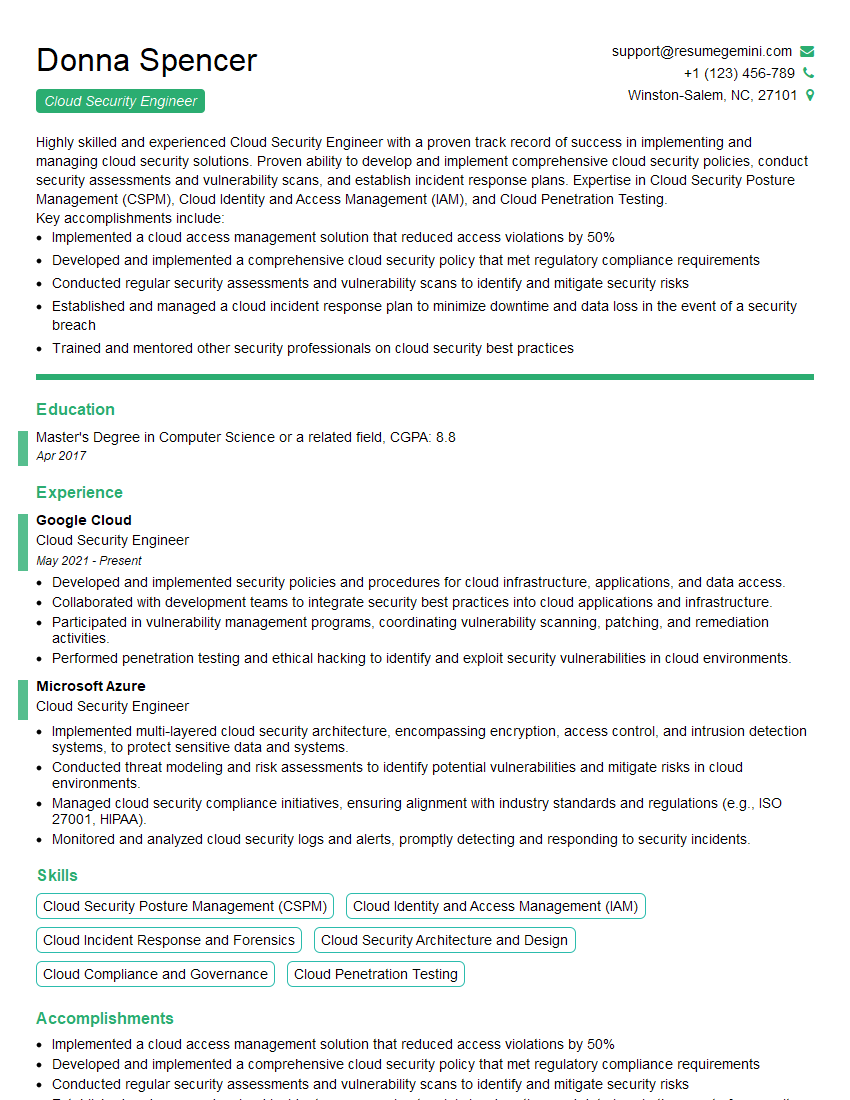
Cloud Security Engineer Resume Sample
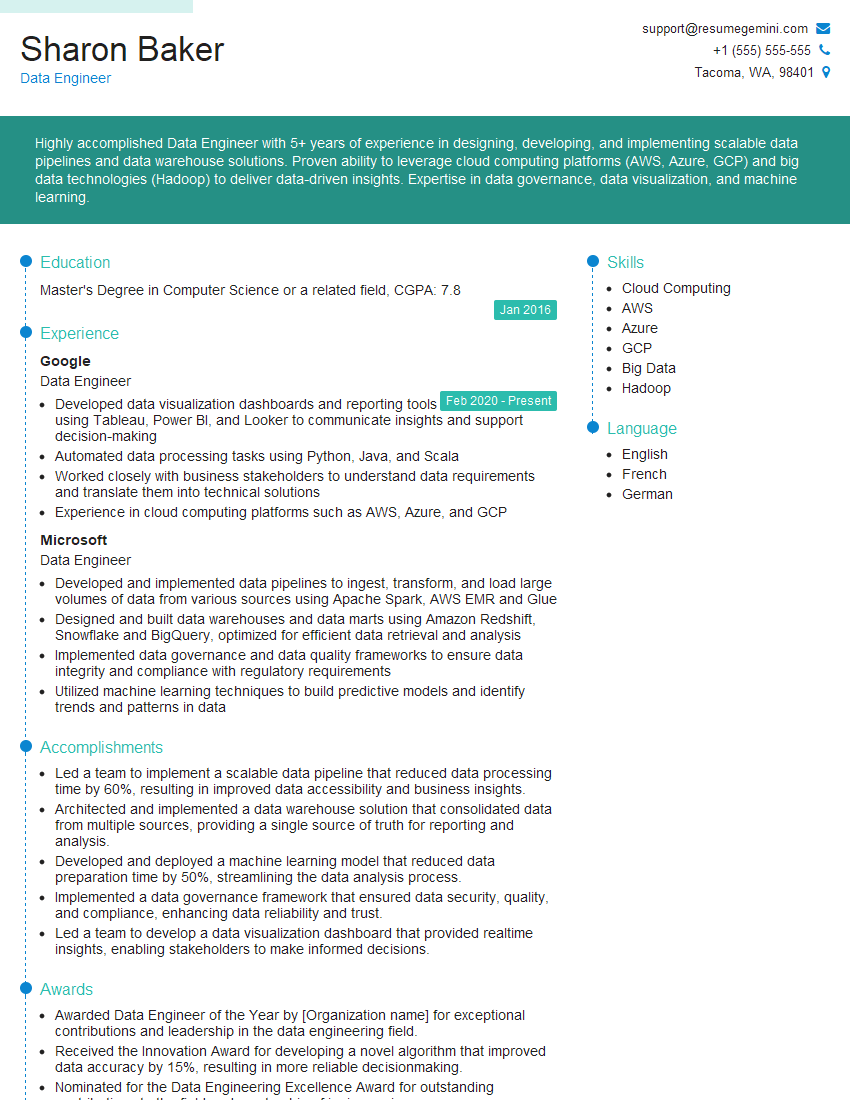
Data Engineer Resume Sample
Explore more articles
Users Rating of Our Blogs
Share Your Experience
We value your feedback! Please rate our content and share your thoughts (optional).
What Readers Say About Our Blog
Very informative content, great job.
good