Interviews are more than just a Q&A session—they’re a chance to prove your worth. This blog dives into essential Managing and troubleshooting network infrastructure interview questions and expert tips to help you align your answers with what hiring managers are looking for. Start preparing to shine!
Questions Asked in Managing and troubleshooting network infrastructure Interview
Q 1. Explain the difference between TCP and UDP.
TCP (Transmission Control Protocol) and UDP (User Datagram Protocol) are both communication protocols used on the internet, but they differ significantly in how they handle data transmission. Think of it like sending a package: TCP is like using registered mail – reliable, with tracking and confirmation of delivery. UDP is like sending a postcard – faster but without guaranteed delivery.
- TCP: Connection-oriented, reliable, ordered delivery, error checking, slower, uses three-way handshake (SYN, SYN-ACK, ACK) for connection establishment. It’s ideal for applications requiring reliable data transfer, such as web browsing (HTTP), email (SMTP), and file transfer (FTP).
- UDP: Connectionless, unreliable, unordered delivery, no error checking, faster, simpler. It’s suitable for applications where speed is prioritized over reliability, such as streaming video (RTP), online gaming, and DNS lookups.
For example, if you’re downloading a large file, TCP ensures that all the data arrives correctly and in the right order. If you’re watching a live video stream, a few lost packets due to UDP aren’t usually noticeable, and re-transmission would cause unnecessary delay.
Q 2. Describe the OSI model and its layers.
The OSI (Open Systems Interconnection) model is a conceptual framework that standardizes the functions of a telecommunication or computing system without regard to its underlying internal structure and technology. It’s a layered model, meaning each layer performs specific functions and interacts with the layers above and below it. Think of it as a layered cake, each layer having a distinct role in delivering a complete dessert.
- Layer 1: Physical Layer: Deals with the physical cabling and transmission of raw bits (e.g., copper wires, fiber optic cables).
- Layer 2: Data Link Layer: Handles local addressing (MAC addresses) and error detection (e.g., Ethernet, Wi-Fi).
- Layer 3: Network Layer: Responsible for routing packets between networks using IP addresses (e.g., IP routing protocols).
- Layer 4: Transport Layer: Provides end-to-end communication between applications, handles segmentation and reassembly of data (e.g., TCP, UDP).
- Layer 5: Session Layer: Manages connections between applications, handles session establishment and termination.
- Layer 6: Presentation Layer: Handles data formatting, encryption, and decryption.
- Layer 7: Application Layer: Provides network services to applications (e.g., HTTP, FTP, SMTP).
Understanding the OSI model is crucial for network troubleshooting, as it allows you to pinpoint the layer where a problem might occur. For instance, a physical layer issue might involve a broken cable, while a network layer issue might be related to incorrect routing configurations.
Q 3. What are the common network topologies?
Network topologies describe the physical or logical layout of nodes (computers, servers, etc.) in a network. Choosing the right topology depends on factors like size, cost, and performance requirements. Common topologies include:
- Bus Topology: All devices are connected to a single cable. Simple to implement but a single point of failure.
- Star Topology: All devices connect to a central hub or switch. Easy to manage and expand, but the central device is a single point of failure.
- Ring Topology: Devices are connected in a closed loop. Data travels in one direction. Less common now due to complexity.
- Mesh Topology: Multiple paths exist between devices. Highly reliable but expensive to implement.
- Tree Topology: Combines star and bus topologies. Hierarchical structure, often used in larger networks.
In a home network, you’ll often see a star topology, with all devices connected to a router. Larger organizations might utilize a tree or mesh topology for redundancy and scalability.
Q 4. How do you troubleshoot network connectivity issues?
Troubleshooting network connectivity issues requires a systematic approach. I typically follow these steps:
- Identify the Problem: What isn’t working? Is it a single device, a group of devices, or the entire network? What error messages are you seeing?
- Check the Obvious: Are cables plugged in securely? Is the device powered on? Is the network cable functioning correctly?
- Ping the Device: Use the
pingcommand to check basic connectivity. For example,ping 8.8.8.8(Google’s public DNS server) checks internet connectivity.pingchecks connectivity to a specific device. - Check IP Configuration: Verify that the device has a valid IP address, subnet mask, and default gateway.
- Check DNS Resolution: Ensure that the device can resolve domain names (e.g., google.com) to IP addresses using
nslookupor similar tools. - Examine Network Logs: Check router, switch, and firewall logs for errors or unusual activity.
- Use Network Monitoring Tools: Tools like Wireshark can capture and analyze network traffic to identify bottlenecks or errors.
- Trace Route (tracert): Use the
tracertcommand to trace the path of packets to a destination, identifying potential bottlenecks or failures along the route.
Remember to document your steps and findings. This is crucial for future troubleshooting and to effectively communicate the issue and its resolution.
Q 5. Explain the concept of subnetting.
Subnetting is the process of dividing a larger network (IP address range) into smaller, more manageable subnetworks. It’s like dividing a large apartment building into smaller apartments for better organization and control. This improves network efficiency, security, and scalability.
Consider a Class C network with the IP address 192.168.1.0/24. This provides 254 usable IP addresses. Subnetting allows us to divide this into smaller subnets. For instance, we could create two subnets: 192.168.1.0/25 and 192.168.1.128/25. Each subnet now has 126 usable IP addresses. The subnet mask determines the size of the subnet. A /25 subnet mask means the first 25 bits are used for the network address, leaving the remaining 7 bits for host addresses.
Subnetting is essential for managing large networks effectively. It helps to isolate traffic, enhance security, and improve routing efficiency. A poorly planned subnet can lead to routing issues and bottlenecks.
Q 6. What are the different types of network cables and their uses?
Different network cables serve distinct purposes depending on factors such as speed, distance, and environment. Here are some common types:
- Coaxial Cable: Older technology, used for cable television and older Ethernet networks. Offers good shielding but limited bandwidth and distance.
- Twisted-Pair Cable: Most common type for Ethernet networks. Uses multiple pairs of wires twisted together to reduce interference. Comes in different categories (Cat5e, Cat6, Cat6a, etc.) with increasing bandwidth and distance capabilities.
- Fiber Optic Cable: Uses light signals to transmit data. Offers high bandwidth, long distances, and excellent immunity to electromagnetic interference (EMI). Used in high-speed networks and long-haul communication.
Cat5e is sufficient for Gigabit Ethernet in most situations, while Cat6 and Cat6a offer improved performance and are better suited for higher bandwidth applications like 10 Gigabit Ethernet. Fiber optic cables are essential when dealing with longer distances or extremely high bandwidth requirements. The choice of cable depends on the specific needs of the network.
Q 7. What is DHCP and how does it work?
DHCP (Dynamic Host Configuration Protocol) is a network management protocol used to automatically assign IP addresses and other network configuration parameters (subnet mask, default gateway, DNS servers) to devices on a network. It eliminates the need for manual configuration, simplifying network administration and improving scalability.
Think of it as a network’s IP address vending machine. When a device joins the network, it sends a DHCP request. The DHCP server, which is typically a router, receives the request and assigns a unique IP address from its pool of available addresses. The server also provides other necessary configuration parameters. When the device leaves the network or its lease expires, the IP address is released back to the pool for reuse.
DHCP simplifies network administration by automating IP address assignment. Without DHCP, every device would need to be manually configured, a tedious task, especially in large networks. It also improves network efficiency by ensuring that IP addresses are used efficiently.
Q 8. Describe your experience with routing protocols (e.g., BGP, OSPF).
Routing protocols are the backbone of internetworking, enabling data packets to traverse complex networks efficiently. My experience encompasses both interior gateway protocols (IGPs) like OSPF and exterior gateway protocols (EGPs) like BGP.
OSPF (Open Shortest Path First): I’ve extensively configured and troubleshooted OSPF in large enterprise networks. This includes designing area hierarchies for optimal scalability and performance, configuring authentication to enhance security, and resolving issues like routing loops and slow convergence. For instance, in a previous role, we migrated from a legacy RIP routing environment to OSPF, significantly improving convergence time and network stability. This involved careful planning, phased rollout, and rigorous testing to minimize disruption. I am proficient in analyzing OSPF database entries using tools like show ip ospf neighbor and show ip ospf database to diagnose and resolve routing issues.
BGP (Border Gateway Protocol): My BGP experience includes configuring and managing autonomous systems (ASes), establishing peering relationships with other networks (both public and private), and implementing route filtering and policy-based routing. I have practical experience in troubleshooting BGP issues such as route flapping, neighbor inconsistencies and AS path selection using commands like show ip bgp summary and show ip bgp neighbors. I understand the importance of BGP attributes like AS-PATH, NEXT-HOP and LOCAL-PREF for route selection. In one project, I successfully resolved a complex BGP issue involving a misconfigured route filter that caused a significant portion of internet traffic to be dropped. This required methodical tracing of the BGP routing paths using debugging tools and close collaboration with our internet service providers.
Q 9. How do you monitor network performance?
Network performance monitoring is crucial for maintaining a healthy and efficient network. My approach involves a multi-layered strategy utilizing a combination of tools and techniques.
- Network Monitoring Tools: I leverage tools like SolarWinds, Nagios, or PRTG to collect real-time data on key metrics such as bandwidth utilization, latency, packet loss, and CPU/memory usage of network devices. These tools provide dashboards and alerts that help to proactively identify performance bottlenecks.
- SNMP (Simple Network Management Protocol): I utilize SNMP to gather performance data from network devices. This allows for automated collection and analysis of metrics crucial for performance optimization.
- NetFlow/sFlow: For detailed traffic analysis, I use NetFlow or sFlow to capture and analyze network traffic patterns, identifying potential congestion points or unusual activity. This provides valuable insights into application performance and user behavior.
- Log Analysis: I regularly analyze logs from network devices, servers, and applications to detect anomalies or performance-related issues. This can involve using dedicated log management systems or command-line tools to parse and filter log data.
Beyond these tools, I also conduct regular network scans to identify potential vulnerabilities that could impact performance. For example, a recent performance issue was identified by analyzing NetFlow data which showed that one specific application was consuming a disproportionate amount of bandwidth, pointing towards a potential configuration issue. Identifying and resolving this issue greatly enhanced overall network performance.
Q 10. Explain the concept of firewalls and their importance.
Firewalls are security devices that control network traffic based on predefined rules. They act as a barrier between a trusted internal network and an untrusted external network (like the internet), protecting against unauthorized access and malicious activities.
Think of a firewall as a gatekeeper at a building. It carefully checks the identity and intentions of everyone trying to enter. Only authorized personnel with proper credentials are allowed in.
The importance of firewalls is paramount in today’s interconnected world. They provide several key functions:
- Access Control: Firewalls allow or deny network traffic based on various criteria, such as IP addresses, ports, protocols, and applications.
- Intrusion Prevention: Modern firewalls include intrusion prevention systems (IPS) that detect and block malicious traffic patterns.
- Network Segmentation: Firewalls can be used to segment a network into smaller, more secure zones, limiting the impact of a security breach.
- VPN Termination: Firewalls often terminate VPN connections, adding another layer of security.
Without firewalls, networks would be extremely vulnerable to attacks, data breaches, and malware infections. They are a fundamental component of any robust network security strategy.
Q 11. What are your experiences with network security best practices?
Network security best practices are crucial for protecting against cyber threats. My experience covers a wide range of security measures, which always begin with a strong security policy. Here are some key practices I consistently apply:
- Regular Security Audits and Penetration Testing: Conducting routine security audits and penetration tests reveals vulnerabilities that could be exploited by attackers. This includes vulnerability scanning and ethical hacking.
- Strong Password Policies and Multi-Factor Authentication (MFA): Enforcing strong password policies and implementing MFA are essential for preventing unauthorized access.
- Regular Software Updates and Patching: Keeping software and operating systems up to date with security patches is vital for mitigating known vulnerabilities.
- Intrusion Detection and Prevention Systems (IDS/IPS): Deploying and monitoring IDS/IPS systems is crucial for detecting and preventing malicious activity.
- Network Segmentation: Dividing the network into smaller, isolated segments limits the impact of a potential breach.
- Access Control Lists (ACLs): Using ACLs to control network traffic flow and access to resources is paramount for securing network devices and restricting access to unauthorized users or devices.
- Security Information and Event Management (SIEM): Utilizing SIEM systems for centralized security monitoring, logging and event correlation.
In a previous role, I implemented a comprehensive security strategy that included all of these best practices, resulting in a significant reduction in security incidents. For instance, regularly scheduled vulnerability scans proactively identified and addressed several critical vulnerabilities in our network infrastructure before they could be exploited.
Q 12. Describe your experience with VPNs.
VPNs (Virtual Private Networks) create secure connections over untrusted networks, allowing users to access private resources as if they were on the internal network. My experience encompasses both site-to-site and remote access VPNs.
Site-to-site VPNs: I’ve configured and managed site-to-site VPNs using various protocols like IPsec and GRE, connecting geographically dispersed offices or data centers. This involved selecting appropriate encryption algorithms, establishing secure tunnels, and configuring routing protocols for optimal performance. I’ve also addressed issues involving VPN tunnel failures, authentication problems and performance bottlenecks.
Remote Access VPNs: I’ve implemented and administered remote access VPNs using technologies such as OpenVPN and Cisco AnyConnect, enabling employees to securely access the company network from remote locations. This involves configuring authentication mechanisms, implementing strong security policies and monitoring VPN connections for suspicious activity. For example, I’ve implemented two-factor authentication for all remote access VPN connections to enhance security.
My experience includes troubleshooting VPN connectivity issues, optimizing performance, and ensuring compliance with security regulations. I am familiar with various VPN protocols and understand the importance of strong encryption and authentication for secure remote access.
Q 13. How do you handle network outages?
Handling network outages requires a systematic and efficient approach. My process involves the following steps:
- Identify the Scope of the Outage: The first step is to determine the extent of the outage. Is it affecting a single user, a specific department, or the entire network? Tools like network monitoring systems help quickly identify the affected areas.
- Isolate the Problem: Once the scope is known, isolate the problem by checking network devices (routers, switches, firewalls), cables, and server availability. Ping tests and traceroutes help pinpoint the location of the failure.
- Diagnose the Root Cause: Use available diagnostic tools to determine the underlying cause. This might involve checking device logs, reviewing SNMP traps, and using specialized network analysis tools.
- Implement a Solution: Depending on the cause, the solution might involve replacing a faulty cable, rebooting a device, or implementing a workaround. Prioritization is essential, focusing on restoring critical services first.
- Document the Outage and Resolution: Thoroughly document the outage, including the root cause, steps taken to resolve it, and lessons learned. This knowledge is valuable for preventing future outages.
- Communication is Key: Keep stakeholders informed throughout the process. Transparency builds trust and reduces anxiety.
In a previous role, we experienced a major network outage caused by a faulty fiber optic cable. By following this systematic approach, we identified the problem quickly, implemented a temporary fix within 30 minutes, and had a permanent solution in place within a few hours. Our detailed documentation of this event improved our network management and prevented similar issues from occurring in the future.
Q 14. Explain your experience with network documentation.
Network documentation is essential for maintaining a well-organized and manageable network. It serves as a single source of truth, allowing for easy troubleshooting and future planning.
My experience includes creating and maintaining comprehensive network documentation, using a variety of methods and tools. This includes:
- Network Diagrams: Creating detailed diagrams depicting the network topology, including devices, connections, and IP addressing schemes. Tools like Visio or draw.io are invaluable for this. These diagrams provide a high-level overview of the entire network.
- Device Configuration: Documenting the configuration settings of all network devices, including routers, switches, and firewalls. This information is crucial for troubleshooting and backups.
- IP Addressing Schemes: Maintaining a comprehensive list of all IP addresses, subnet masks, and default gateways, along with information about the device and its purpose. This is important for planning and expansion of network infrastructure.
- Network Services: Documenting all network services and their respective configurations and dependencies. This includes DNS, DHCP, VPN, email, and other applications.
- Security Policies: Creating and maintaining detailed security policies, which serve as a reference for maintaining network security.
- Process Documentation: Documenting processes and procedures related to network management, such as incident response, maintenance schedules, and change management.
Well-maintained network documentation is crucial for efficient problem resolution, network maintenance, capacity planning, and knowledge transfer. This is why I always insist on maintaining updated documentation.
Q 15. What is your experience with network management tools?
My experience with network management tools spans a wide range of platforms and technologies. I’m proficient in using tools like SolarWinds Network Performance Monitor, PRTG Network Monitor, and Nagios for comprehensive network monitoring, alerting, and reporting. These tools allow me to proactively identify potential issues, track performance metrics (like latency, bandwidth utilization, and packet loss), and generate insightful reports for capacity planning and troubleshooting. I’ve also extensively used Cisco Prime Infrastructure for managing Cisco-centric networks, including configuration management, device inventory, and fault management. Furthermore, I’m comfortable working with command-line interfaces (CLIs) on various network devices (routers, switches, firewalls) to perform diagnostics and configurations. For example, using show ip interface brief on a Cisco router is essential for quickly assessing interface status. My experience extends to using automated scripting tools like Python for automating repetitive tasks and integrating different management systems.
Career Expert Tips:
- Ace those interviews! Prepare effectively by reviewing the Top 50 Most Common Interview Questions on ResumeGemini.
- Navigate your job search with confidence! Explore a wide range of Career Tips on ResumeGemini. Learn about common challenges and recommendations to overcome them.
- Craft the perfect resume! Master the Art of Resume Writing with ResumeGemini’s guide. Showcase your unique qualifications and achievements effectively.
- Don’t miss out on holiday savings! Build your dream resume with ResumeGemini’s ATS optimized templates.
Q 16. How do you troubleshoot DNS issues?
Troubleshooting DNS issues involves a systematic approach. Think of DNS as the phonebook of the internet; it translates human-readable domain names (like google.com) into machine-readable IP addresses. When DNS fails, you can’t reach websites. My troubleshooting process begins with verifying the basics: Is the DNS server reachable? I’ll use tools like ping and nslookup to check connectivity and resolve names. nslookup google.com will show the IP address associated with google.com and the DNS servers used. Next, I’d check DNS server logs for errors. Common issues include incorrect DNS server configurations (either on the client or server), DNS server overload, or DNS propagation delays (when changes haven’t fully replicated across all DNS servers). I’ll examine the client’s DNS settings (usually in the network settings) to make sure they’re pointing to the correct DNS servers. If the problem lies with the DNS server itself, I might need to check resource utilization, perform health checks, and potentially restart the server. If the problem persists, I will examine the zone file for issues like incorrect records or typos. Throughout this process, I document every step and finding for future reference.
Q 17. What is your experience with load balancing?
Load balancing is crucial for distributing network traffic across multiple servers to prevent overload and ensure high availability. My experience includes implementing and managing load balancing solutions using both hardware and software load balancers. Hardware load balancers, like those from F5 Networks or Citrix Netscaler, offer high performance and advanced features, but they represent a significant capital investment. Software load balancers, such as HAProxy or Nginx, are more cost-effective and offer flexibility but may require more administrative overhead. I’ve worked with both types, configuring them to distribute traffic based on various algorithms (round-robin, least connections, source IP hashing). A real-world example: I once implemented a load balancing solution for a large e-commerce website using Nginx. By distributing the traffic across multiple web servers, we significantly improved the website’s responsiveness and prevented it from crashing during peak shopping seasons. Monitoring key metrics like server response times and CPU utilization is critical for optimizing the load balancing configuration and ensuring smooth operation.
Q 18. Explain your experience with VLANs.
VLANs (Virtual Local Area Networks) are a powerful tool for segmenting a physical network into multiple broadcast domains. Imagine a large office building; VLANs allow you to logically separate different departments, even though they might all be connected to the same physical switch. This enhances security and improves network performance by reducing broadcast traffic. My experience includes designing, implementing, and troubleshooting VLAN configurations on Cisco and other vendor switches using both CLI and GUI interfaces. I’ve used VLANs to create separate networks for different departments (like marketing, sales, and IT), guest networks, and even for isolating critical servers. A key aspect of VLAN management is understanding how VLANs interact with routing protocols and inter-VLAN routing solutions, such as VLAN trunking (using 802.1Q tagging) and routing protocols like OSPF or EIGRP. Proper VLAN configuration is critical for security and network efficiency. Incorrect configuration can lead to broadcast storms or security breaches.
Q 19. Describe your experience with wireless networking technologies (e.g., Wi-Fi).
My experience with wireless networking technologies encompasses various standards, including 802.11a/b/g/n/ac/ax (Wi-Fi). I’m familiar with designing, deploying, and maintaining wireless networks, including site surveys to optimize signal coverage and minimize interference. This involves using tools to analyze signal strength, channel utilization, and potential sources of interference. I have experience with configuring access points (APs) to provide secure and reliable wireless connectivity using various security protocols like WPA2/3. Optimizing wireless network performance involves careful channel selection, proper AP placement, and managing radio resources. I’ve worked with different wireless network management systems to monitor AP health, client connectivity, and overall network performance. For example, I once troubleshot a wireless network performance issue in a large office by identifying overlapping channels and adjusting AP configurations to utilize non-overlapping channels, dramatically improving network speed and reliability.
Q 20. How do you ensure network security?
Ensuring network security is paramount. My approach involves a multi-layered security strategy, employing various techniques. This includes implementing firewalls (both hardware and software) to control network access, using intrusion detection/prevention systems (IDS/IPS) to monitor for malicious activity, and regularly updating firmware and software on all network devices. I’m experienced in configuring VPNs (Virtual Private Networks) to provide secure remote access and encrypting sensitive data in transit. Furthermore, strong password policies, access control lists (ACLs), and regular security audits are critical. Regular vulnerability scanning and penetration testing help identify and mitigate potential weaknesses in the network. Employee training is crucial to educate users about phishing scams and other social engineering attacks. Data loss prevention (DLP) measures are essential to prevent sensitive data from leaving the network unauthorized. Essentially, security is an ongoing process of risk assessment, mitigation, and adaptation to evolving threats.
Q 21. Explain your experience with network capacity planning.
Network capacity planning is crucial for ensuring the network can handle current and future demands. My experience involves analyzing network traffic patterns, predicting future growth, and designing a network infrastructure that can scale accordingly. This starts with gathering historical data on bandwidth usage, identifying peak usage times, and projecting future growth based on business needs and technology trends. I utilize network monitoring tools and performance analysis techniques to identify bottlenecks and areas for improvement. This data informs decisions on equipment upgrades (like routers, switches, and firewalls), bandwidth increases, and overall network architecture changes. For instance, I once helped an organization plan for increased bandwidth demands by upgrading their core network infrastructure and implementing Quality of Service (QoS) to prioritize critical traffic. Accurate forecasting and proactive planning are vital to avoid performance degradation and service disruptions as the network grows.
Q 22. How do you handle network upgrades and migrations?
Network upgrades and migrations are critical for maintaining performance and security. My approach is methodical and risk-averse, prioritizing minimal disruption. It begins with a thorough assessment of the current infrastructure, identifying bottlenecks and areas needing improvement. This involves analyzing network traffic patterns, capacity utilization, and identifying any outdated hardware or software. Next, I develop a detailed migration plan that includes a phased rollout to minimize risk. This plan outlines the steps involved, timelines, and contingency plans for potential issues. For example, when migrating to a new routing protocol like BGP, I would perform a staged rollout, starting with a small segment of the network and closely monitoring performance before migrating the rest. Thorough testing in a staging environment is critical before implementing changes in production. This allows for the identification and resolution of potential problems before impacting end-users. Post-migration monitoring is equally important, tracking key performance indicators (KPIs) like latency, packet loss, and throughput to ensure the upgrade delivers the expected improvements. Documentation throughout the entire process is crucial, ensuring that future troubleshooting and maintenance are simplified.
Q 23. What is your experience with network automation tools?
I have extensive experience with various network automation tools, including Ansible, Puppet, and Chef for configuration management. These tools are invaluable for streamlining repetitive tasks, reducing human error, and improving efficiency. For instance, using Ansible, I automated the configuration of hundreds of network devices, ensuring consistent settings and minimizing configuration drift. My experience also extends to scripting languages like Python for automating network monitoring and troubleshooting. I’ve developed custom scripts to collect network data, analyze performance metrics, and generate alerts based on predefined thresholds. This automation enables proactive problem identification and resolution, significantly reducing downtime. Furthermore, I’m proficient in using network programmability platforms like Cisco’s IOS-XE and NX-OS, allowing me to programmatically configure and manage network devices, enhancing agility and flexibility in a dynamic environment.
Q 24. Describe your experience with cloud networking services (e.g., AWS, Azure).
I’ve worked extensively with cloud networking services from AWS and Azure, designing and implementing virtual networks, VPC peering, and load balancing solutions. In AWS, I’ve leveraged services like VPC, Route 53, and CloudFront to create highly available and scalable applications. For example, I designed a multi-region architecture using VPC peering and Route 53 for geographic redundancy and low latency access for users across different regions. Similarly, in Azure, I’ve utilized Azure Virtual Network, Azure Load Balancer, and Azure Firewall to build secure and resilient cloud-based networks. Understanding the nuances of each cloud provider’s networking model is crucial. For instance, the way subnets and routing are handled differs between AWS and Azure. My experience includes migrating on-premises network infrastructure to the cloud, a process requiring careful planning and execution to ensure minimal disruption. This usually involves a phased approach, starting with non-critical applications and gradually moving more critical systems.
Q 25. How do you stay updated on the latest networking technologies?
Staying current in the rapidly evolving field of networking requires a multi-pronged approach. I actively participate in online communities and forums, engaging in discussions and learning from other experts. I regularly attend webinars and conferences, keeping abreast of the latest trends and best practices. Reading industry publications, such as network engineering magazines and blogs from reputable vendors and researchers, is a crucial part of my continuous learning. In addition, I actively pursue certifications such as CCNP, CCIE or similar, which not only demonstrate competence but also force a deep dive into specific technologies. Hands-on experience remains paramount. I regularly experiment with new technologies in controlled environments, testing their capabilities and limitations before applying them to real-world scenarios. This hands-on approach solidifies my understanding and builds confidence in my ability to leverage the latest innovations.
Q 26. Describe a challenging network problem you solved and how you approached it.
One particularly challenging problem involved a sudden and widespread network outage affecting a major financial institution. Initial diagnostics pointed to a router failure, but replacing the router didn’t resolve the issue. The problem was intermittent and difficult to reproduce consistently. My approach was systematic. First, I used network monitoring tools to collect detailed logs and performance metrics. This revealed unusual spikes in CPU utilization on several core switches, which was initially overlooked. Further investigation revealed a poorly configured routing protocol, specifically an improperly configured OSPF process that was creating routing loops. These routing loops were causing network congestion, resulting in intermittent outages. The solution involved carefully reviewing and correcting the OSPF configuration on the affected switches. Prior to pushing the changes to production, we tested them extensively in a lab environment mimicking the production infrastructure. Post-implementation, we used network monitoring to validate the solution and ensure network stability. This experience highlighted the importance of meticulous troubleshooting, leveraging advanced monitoring tools, and always verifying changes before implementing them in production.
Q 27. Explain your experience with network monitoring and alerting systems.
I have extensive experience with various network monitoring and alerting systems, including Nagios, Zabbix, and SolarWinds. These systems are essential for proactive network management. My expertise extends beyond simply setting up these systems; I also focus on designing effective monitoring strategies, tailoring alerts based on specific business requirements and risk tolerance. For example, I configured Nagios to monitor critical network devices, such as core routers and switches, with alerts triggered for high CPU utilization, memory exhaustion, and interface errors. I’ve also implemented sophisticated alerting mechanisms using SNMP traps and syslog messages to proactively identify and address potential problems. The key is to balance comprehensive monitoring with targeted alerts to avoid alert fatigue. This involves carefully defining thresholds and prioritizing alerts based on their potential impact on business operations. Regular review and fine-tuning of these systems are vital to their effectiveness and adaptation to evolving network requirements.
Key Topics to Learn for Managing and Troubleshooting Network Infrastructure Interviews
- Network Topologies: Understanding different network architectures (star, mesh, bus, ring, etc.) and their advantages/disadvantages. Practical application: Designing a network for a small office, considering scalability and redundancy.
- IP Addressing and Subnetting: Mastering IPv4 and IPv6 addressing schemes, including subnetting and CIDR notation. Practical application: Configuring IP addresses and subnets on routers and switches, troubleshooting IP address conflicts.
- Routing Protocols: Knowledge of common routing protocols (RIP, OSPF, BGP) and their functions. Practical application: Analyzing routing tables to identify routing issues and optimize network performance.
- Network Security: Implementing security measures like firewalls, intrusion detection/prevention systems, and VPNs. Practical application: Configuring firewall rules to enhance network security, identifying and mitigating security threats.
- Troubleshooting Techniques: Employing systematic approaches to diagnose and resolve network problems using tools like ping, traceroute, and network monitoring software. Practical application: Identifying the root cause of network connectivity issues and implementing solutions efficiently.
- Network Monitoring and Management: Utilizing network monitoring tools to track performance, identify bottlenecks, and proactively address potential issues. Practical application: Implementing network monitoring systems to ensure optimal network uptime and performance.
- Virtualization and Cloud Networking: Understanding concepts of virtual networks, cloud-based networking services (AWS, Azure, GCP), and their integration with on-premises networks. Practical application: Designing and implementing hybrid cloud network architectures.
- Network Hardware: Familiarity with common network devices like routers, switches, firewalls, and their functionalities. Practical application: Troubleshooting hardware malfunctions and replacing faulty components.
Next Steps
Mastering the management and troubleshooting of network infrastructure is crucial for career advancement in the ever-evolving IT landscape. It opens doors to exciting roles with significant responsibility and growth potential. To maximize your job prospects, create an ATS-friendly resume that highlights your skills and experience effectively. ResumeGemini is a trusted resource to help you build a professional and impactful resume that gets noticed. They provide examples of resumes tailored to the specific requirements of Managing and troubleshooting network infrastructure roles, giving you a significant head start in your job search. Take the next step towards your dream career today!

Security Administrator Resume Sample

Systems Analyst Resume Sample

Network Administrator Resume Sample

Network Engineer Resume Sample

Network Security Engineer Resume Sample

Infrastructure Engineer Resume Sample

System Administrator Resume Sample

Network Analyst Resume Sample
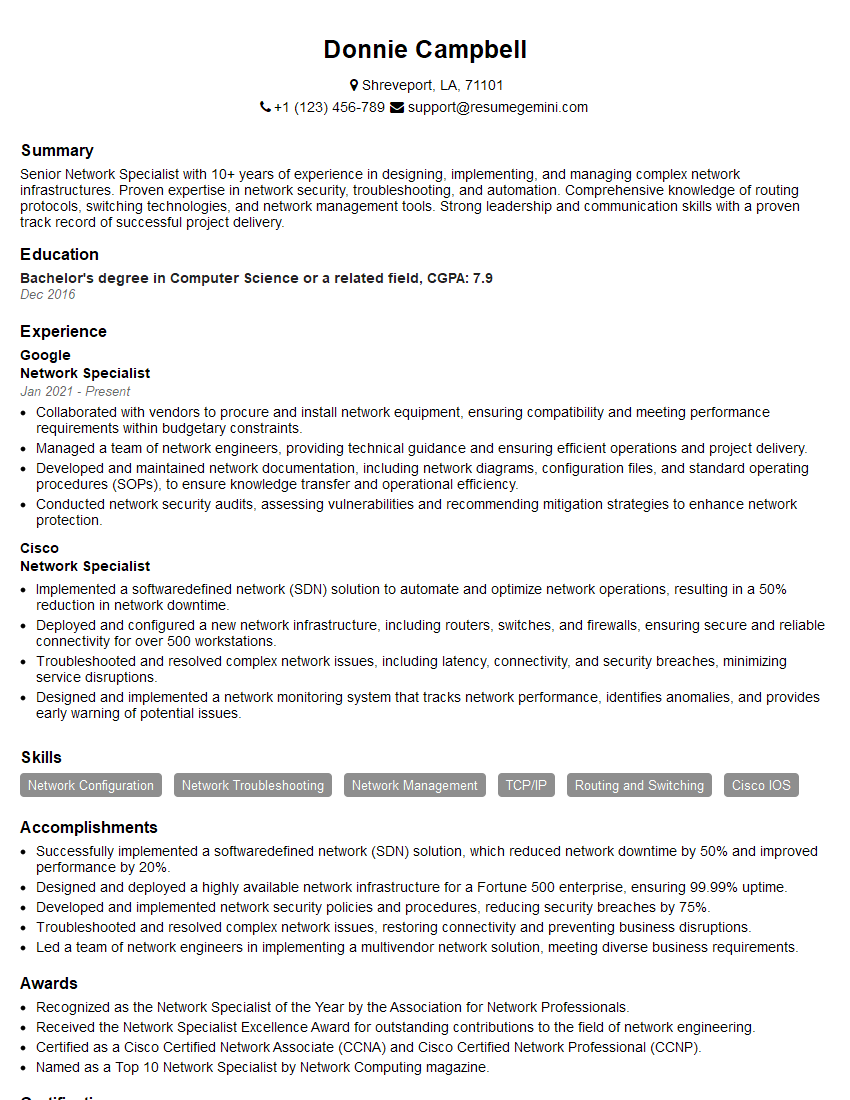
Network Specialist Resume Sample

Network Technician Resume Sample

Network Architect Resume Sample

Network Consultant Resume Sample

Telecommunications Engineer Resume Sample

Help Desk Analyst Resume Sample

IT Manager Resume Sample

IT Project Manager Resume Sample
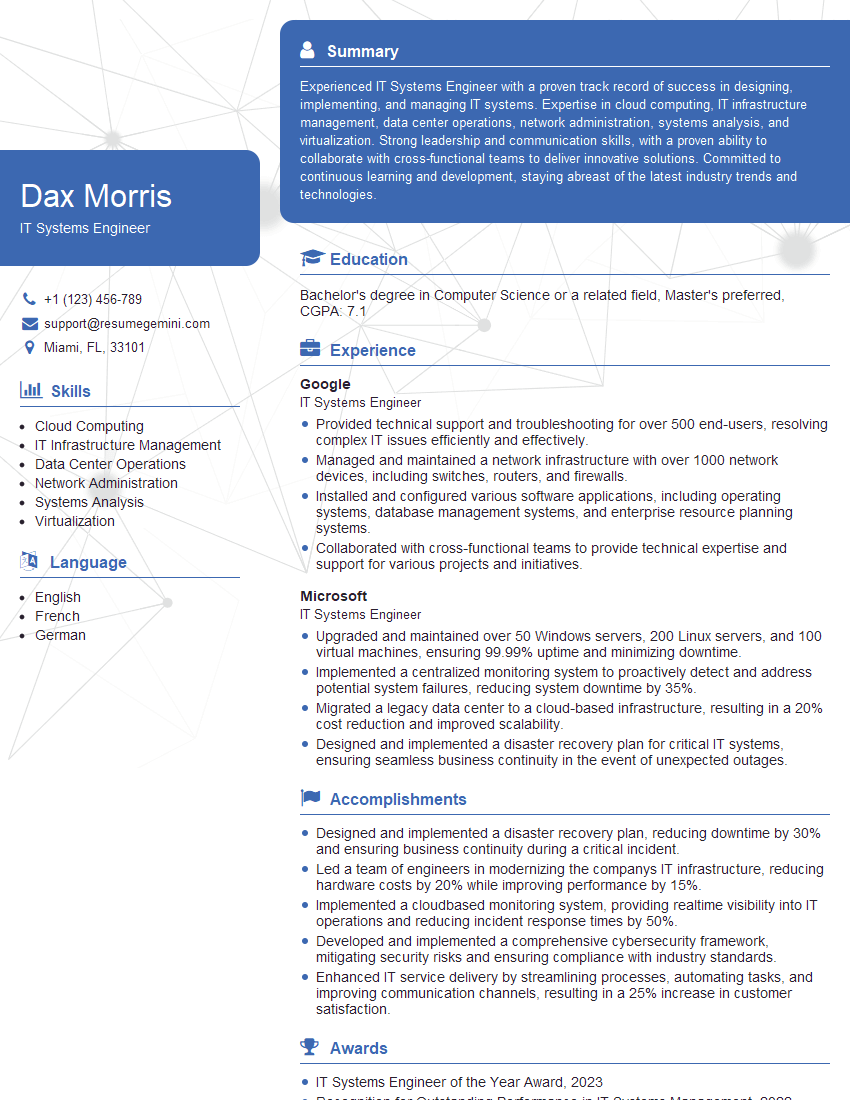
IT Systems Engineer Resume Sample

IT Support Specialist Resume Sample

DevOps Engineer Resume Sample

Cloud Architect Resume Sample
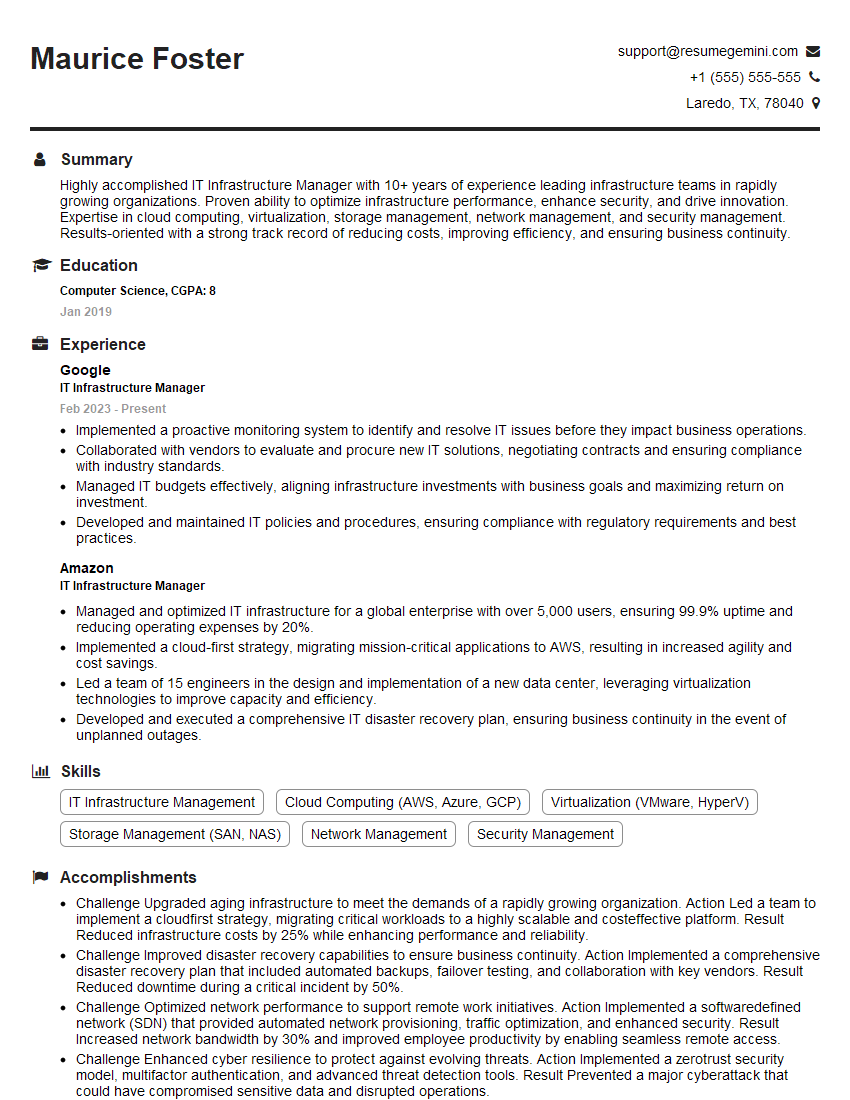
IT Infrastructure Manager Resume Sample
- Security Administrator
- Systems Analyst
- Network Administrator
- Network Engineer
- Network Security Engineer
- Infrastructure Engineer
- System Administrator
- Network Analyst
- Network Specialist
- Network Technician
- Network Architect
- Network Consultant
- Telecommunications Engineer
- Help Desk Analyst
- IT Manager
- IT Project Manager
- IT Systems Engineer
- IT Support Specialist
- DevOps Engineer
- Cloud Architect
- IT Infrastructure Manager
Explore more articles
Users Rating of Our Blogs
Share Your Experience
We value your feedback! Please rate our content and share your thoughts (optional).
What Readers Say About Our Blog
Very informative content, great job.
good