Interviews are more than just a Q&A session—they’re a chance to prove your worth. This blog dives into essential Map and GIS Interpretation interview questions and expert tips to help you align your answers with what hiring managers are looking for. Start preparing to shine!
Questions Asked in Map and GIS Interpretation Interview
Q 1. Explain the difference between vector and raster data.
Vector and raster data are two fundamentally different ways of representing geographic information in GIS. Think of it like this: raster is like a photograph, while vector is like a drawing.
Raster data stores information as a grid of cells, or pixels, each containing a value representing a characteristic like land cover, elevation, or temperature. Imagine a satellite image – each pixel represents a tiny square on the ground, and its color represents the land type. This approach is excellent for representing continuous phenomena.
Vector data, on the other hand, represents geographic features as points, lines, and polygons. Points represent individual locations (e.g., a tree), lines represent linear features (e.g., a road), and polygons represent areas (e.g., a park). Each feature has associated attributes, like the name of the park or the type of tree. This approach is ideal for representing discrete features with distinct boundaries.
In short: Raster data is best for continuous phenomena and imagery, while vector data is best for discrete objects with defined boundaries. Choosing the right data type is crucial for efficient GIS analysis.
Q 2. What are the common coordinate reference systems (CRS) used in GIS?
Coordinate Reference Systems (CRS), also known as spatial reference systems or datums, define the location of geographic features on the Earth’s surface. They are essential because the Earth is a three-dimensional sphere, making it challenging to represent accurately on a two-dimensional map. Several common CRS are used:
- WGS 84 (EPSG:4326): This is the most widely used geographic coordinate system. It uses latitude and longitude to define locations, with the Earth’s center as the origin. It’s often used for GPS data and global applications.
- UTM (Universal Transverse Mercator): This projected coordinate system divides the Earth into 60 zones, each with its own projection. It uses meters as units and is excellent for regional and local applications where distances and areas need to be accurate.
- State Plane Coordinate Systems (SPCS): These are projected coordinate systems specific to individual states or regions within the United States. They are optimized for local accuracy and are used for applications needing high precision within a smaller geographic extent.
The choice of CRS depends on the scale and extent of the project. Using an appropriate CRS ensures data accuracy and compatibility.
Q 3. Describe the process of georeferencing a raster image.
Georeferencing a raster image means assigning geographic coordinates to it, effectively embedding it into the real world. This is crucial because scanned maps or aerial photos lack geographic information initially. Here’s the process:
- Identify Control Points: Select several points on the raster image with known geographic coordinates. These points should be easily identifiable and distributed across the image, ideally including points at the corners and center. You can obtain these coordinates from other map layers or GPS data.
- Obtain Ground Control Points (GCP) Coordinates: Find the corresponding geographic coordinates for your selected points from a reliable source like a high-accuracy map. These are your GCP coordinates.
- Use GIS Software: Open the raster image in a GIS software package like ArcGIS or QGIS. The software will usually have a georeferencing tool that lets you input the image points and their corresponding GCP coordinates.
- Transform the Image: Based on the GCPs, the software applies a transformation (e.g., polynomial transformation) to map the image’s pixel coordinates to geographic coordinates. This corrects for distortions and aligns the image accurately to the Earth’s surface.
- Evaluate Accuracy: After transformation, assess the accuracy of the georeferencing. The software often provides Root Mean Square Error (RMSE) values. Low RMSE indicates high accuracy.
Accurate georeferencing is vital for overlaying and analyzing different geographic datasets.
Q 4. What are the advantages and disadvantages of using different map projections?
Map projections transform the three-dimensional Earth’s surface onto a two-dimensional map. Since this transformation is inherently distortive, different projections prioritize different properties. The choice of projection depends heavily on the application.
Advantages and Disadvantages vary but some key points are:
- Mercator Projection: Preserves direction and shape at small scales, making it good for navigation. However, it severely distorts areas, especially near the poles. A classic example of this distortion is how Greenland appears much larger than South America on a Mercator map, even though South America is significantly larger.
- Albers Equal-Area Conic Projection: Preserves area, making it suitable for thematic mapping showing proportions, but distorts shapes and directions, especially towards the edges of the projection.
- Lambert Conformal Conic Projection: Preserves both shape and angle, minimizing distortion in specific areas, often used for aviation charts and topographic maps. However, this precision comes at the cost of area distortions.
Selecting the right projection is crucial for accurate spatial analysis and interpretation. Misusing a projection can lead to erroneous conclusions.
Q 5. How do you handle spatial data errors and inconsistencies?
Spatial data errors and inconsistencies are common in GIS. Effective handling involves a multi-step approach:
- Data Validation: Check data quality through techniques such as attribute checks (ensuring data types and ranges are correct), topological checks (checking for overlaps, gaps, or invalid geometries), and range checks (ensuring values fall within reasonable limits).
- Data Cleaning: Address errors identified during validation. This could involve removing duplicate features, correcting attribute errors, fixing geometric inconsistencies (using tools to smooth lines, close polygons), or reconciling discrepancies between datasets.
- Data Transformation: Apply transformations to correct errors or improve data quality. This can include reprojection, coordinate transformations, and attribute transformations (e.g., converting units).
- Spatial Interpolation: If data is sparse, interpolation techniques can fill in missing values. Methods such as kriging or inverse distance weighting can estimate values based on surrounding known data points.
- Metadata Management: Maintaining comprehensive metadata helps to track data sources, processing steps, and known errors, ensuring transparency and aiding future analysis.
Remember to document all changes and maintain a version history to track data lineage and ensure reproducibility of results.
Q 6. Explain the concept of spatial autocorrelation.
Spatial autocorrelation describes the degree to which nearby locations exhibit similar characteristics. If nearby areas tend to have similar values (e.g., high property values clustered together), we say there’s positive spatial autocorrelation. If nearby areas have dissimilar values, it’s negative spatial autocorrelation. No spatial autocorrelation means values are random.
Example: Consider soil acidity. If soil acidity levels are positively autocorrelated, you’ll likely find similar acidity levels in close proximity because of factors like consistent soil type or drainage patterns. Understanding spatial autocorrelation is crucial for accurate statistical modeling and analysis in GIS. Ignoring it can lead to biased and inefficient analyses.
Applications: Spatial autocorrelation is used in spatial statistics, particularly in analyzing the significance of spatial patterns, identifying clusters, and modeling spatial processes. Tools like Moran’s I or Geary’s C are used to measure spatial autocorrelation.
Q 7. What are some common GIS software packages you are familiar with?
I’m proficient in several GIS software packages, including:
- Esri ArcGIS: A comprehensive suite of tools for various GIS tasks, from data management and analysis to cartography and web mapping. I have experience with both ArcGIS Desktop and ArcGIS Pro.
- QGIS: A powerful and open-source GIS software package offering similar functionalities to ArcGIS, making it a cost-effective alternative. I am comfortable using it for diverse spatial analysis and visualization tasks.
- Google Earth Engine: A cloud-based platform perfect for processing large geospatial datasets and performing complex analyses. I have experience using its scripting capabilities for scalable geoprocessing.
My experience extends beyond these core packages; I’m also familiar with tools like GRASS GIS and various specialized software packages depending on the specific application requirements.
Q 8. Describe your experience with spatial analysis techniques (e.g., buffering, overlay, interpolation).
Spatial analysis techniques are the heart of GIS, allowing us to extract meaningful information from geographic data. My experience encompasses a wide range of these techniques, including buffering, overlay, and interpolation.
Buffering creates zones around features. For instance, I’ve used buffering to determine the areas within a 5-kilometer radius of a proposed highway, helping assess potential environmental impact. This is crucial for impact assessments and site selection.
Overlay combines multiple layers to analyze spatial relationships. A recent project involved overlaying soil type data with flood risk maps to identify areas most vulnerable to erosion. This helped prioritize mitigation efforts.
Interpolation estimates values at unsampled locations based on known data points. I’ve used this extensively in environmental modeling, for instance, to create a surface of air pollution levels across a city using scattered monitoring station data. This allows us to visualize pollution patterns and identify hotspots.
I’m proficient in using various software packages like ArcGIS and QGIS to perform these analyses, choosing the most appropriate technique based on the research question and data characteristics.
Q 9. How do you perform spatial queries in a GIS?
Spatial queries are like asking questions of your map data. They allow you to select and retrieve specific features based on their spatial location or attributes. There are several ways to perform spatial queries in a GIS:
Attribute Queries: These are based on the data table associated with a GIS layer. For example, I might select all parcels of land with an area greater than 10 acres using a SQL-like query:
SELECT * FROM parcels WHERE area > 10.Spatial Queries: These are based on the spatial location of features. Common spatial queries include selecting features within a certain distance (using buffers), intersecting features from different layers, or finding features that are completely contained within another polygon. For instance, I might identify all buildings within a designated flood zone.
Interactive Selection: Many GIS software packages allow for interactive selection tools—simply clicking on a feature to select it or using a selection box to choose features within a certain area. This is quick for simple queries.
The specific methods for performing spatial queries vary depending on the GIS software you’re using, but the fundamental principles remain the same: define your selection criteria and let the GIS software do the work.
Q 10. Explain your understanding of topology in GIS.
Topology in GIS defines the spatial relationships between geographic features. Think of it as the rules that govern how features connect, overlap, and relate to one another. It’s essential for ensuring data integrity and accuracy.
For example, a properly topologically-consistent dataset would ensure that adjacent polygons share a common boundary, preventing gaps or overlaps. This is crucial for accurate area calculations and network analysis. Topology helps us avoid common data errors by enforcing rules like:
Connectivity: Lines must connect properly to form networks (like roads or rivers).
Contiguity: Polygons must share common boundaries.
Area Definition: Polygons must be closed and non-overlapping.
Topological relationships are often used in network analysis, such as finding the shortest route between two points or modeling water flow in a drainage basin. Without proper topological integrity, these analyses could yield unreliable or incorrect results.
Q 11. What is a shapefile and what are its components?
A shapefile is a common geospatial vector data format used to store the location, shape, and attributes of geographic features. It’s not a single file, but rather a collection of files with different extensions, all working together:
.shp: The main file containing the feature geometry (points, lines, or polygons)..shx: The index file, allowing for quicker access to the geometric data..dbf: The attribute table, containing descriptive information about each feature (e.g., population, land use, etc.)..prj: The projection file, specifying the coordinate system used.
Think of it like a filing cabinet: the .shp file is the cabinet’s drawers containing the shapes, the .dbf is the index card for each drawer, containing descriptive information, and the .prj file indicates the location of the filing cabinet (i.e. coordinate system).
All these files must be present and named consistently for the shapefile to work correctly.
Q 12. Describe your experience with data management in a GIS environment.
Data management in a GIS environment is crucial for efficient and reliable analysis. My experience includes:
Data Acquisition: Gathering data from diverse sources such as satellite imagery, GPS surveys, and existing databases.
Data Cleaning: Identifying and correcting errors, inconsistencies, and redundancies in the data.
Data Conversion: Transforming data between different formats (e.g., shapefiles to GeoJSON).
Data Organization: Creating well-structured databases and geodatabases to manage large volumes of spatial data.
Metadata Management: Creating and maintaining comprehensive metadata to document data sources, processing steps, and limitations.
I’m experienced in using geodatabases for their efficient storage and management capabilities, leveraging versioning and replication where needed for collaborative projects.
Q 13. How do you ensure data accuracy and quality in a GIS project?
Data accuracy and quality are paramount in any GIS project. Ensuring this involves a multi-step process:
Source Evaluation: Carefully assessing the reliability and accuracy of the data sources used.
Data Validation: Employing techniques like spatial consistency checks (topology), attribute checks, and visual inspection to identify errors.
Data Editing: Correcting errors and inconsistencies identified during validation.
Quality Control (QC): Implementing rigorous procedures to ensure that data meets predefined quality standards.
Documentation: Maintaining detailed records of all data processing steps and quality control measures taken.
For example, in a project involving land cover classification from satellite imagery, I would apply accuracy assessment techniques to evaluate the quality of the classification results. This might involve comparing the classification to ground truth data collected through field surveys. This ensures that the final map represents reality as accurately as possible.
Q 14. What is your experience with remote sensing data and its applications?
Remote sensing data, primarily derived from satellites and aerial platforms, provides a powerful source of information for GIS. My experience includes working with various types of remote sensing data:
Satellite Imagery: Landsat, Sentinel, and other satellite imagery for land cover mapping, urban planning, and environmental monitoring.
Aerial Photography: High-resolution aerial photographs for detailed land use assessments and infrastructure mapping.
LiDAR: Light Detection and Ranging data for creating detailed digital elevation models (DEMs) and identifying features like vegetation.
I’m proficient in using image processing software like ERDAS Imagine and ENVI to perform tasks such as image classification, orthorectification, and change detection. For example, I’ve used multispectral satellite imagery to monitor deforestation rates in a tropical rainforest, providing critical data for conservation efforts.
Q 15. Describe your experience with geoprocessing tools and workflows.
Geoprocessing is the backbone of any serious GIS project. It involves using tools and workflows to manipulate, analyze, and manage spatial data. My experience encompasses a wide range of geoprocessing techniques, primarily using ArcGIS Pro and QGIS. I’m proficient in tasks such as spatial analysis (overlay, buffering, proximity analysis), data conversion (shapefile to geodatabase, raster to vector), data cleaning (error detection and correction), and scripting (using Python to automate repetitive tasks).
For example, in a recent project involving flood risk assessment, I used the ModelBuilder in ArcGIS Pro to create a workflow that automatically generated flood inundation maps based on elevation data, rainfall projections, and hydrological models. This automated workflow significantly reduced processing time and improved consistency compared to manual processing. Another example involved using QGIS’ processing toolbox to clip satellite imagery to specific administrative boundaries, followed by a batch conversion to create orthorectified images for further analysis.
My understanding extends beyond just executing pre-built tools; I understand the underlying algorithms and can adapt workflows to suit specific needs. I can also troubleshoot and optimize geoprocessing models for efficiency and accuracy.
Career Expert Tips:
- Ace those interviews! Prepare effectively by reviewing the Top 50 Most Common Interview Questions on ResumeGemini.
- Navigate your job search with confidence! Explore a wide range of Career Tips on ResumeGemini. Learn about common challenges and recommendations to overcome them.
- Craft the perfect resume! Master the Art of Resume Writing with ResumeGemini’s guide. Showcase your unique qualifications and achievements effectively.
- Don’t miss out on holiday savings! Build your dream resume with ResumeGemini’s ATS optimized templates.
Q 16. How do you create effective and informative maps for different audiences?
Creating effective maps requires understanding your audience and the message you want to convey. Different audiences have different levels of geographic literacy and technical understanding. For example, a map for a scientific audience might include detailed technical information and complex symbology, while a map for the general public should prioritize simplicity and clarity.
- Data Selection and Simplification: Choose only the essential data layers relevant to your audience and the narrative. Avoid cluttering the map with unnecessary details.
- Symbology and Color Schemes: Select colors and symbols that are intuitive, meaningful, and accessible (consider colorblindness). Use a clear legend to explain the symbology.
- Cartographic Design Principles: Apply established principles of map design, such as proximity, alignment, and visual hierarchy, to create a visually appealing and easy-to-understand map. Good design guides the eye and avoids visual noise.
- Appropriate Scale and Projection: Choose a suitable map projection and scale to maintain accuracy and provide the necessary level of detail. This impacts the visual accuracy and user’s interpretation.
- Interactive Elements (if applicable): For digital maps, consider incorporating interactive elements such as zoom, pan, and pop-up information windows to allow for deeper exploration.
For instance, when presenting flood risk to a local council, I’d use clear, simple polygons representing flood zones, avoiding technical terms and focusing on easily understood risk categories (low, medium, high). In contrast, for a hydrological study, I’d incorporate detailed elevation data, flow accumulation, and specific hydrological parameters.
Q 17. Explain your understanding of spatial statistics.
Spatial statistics involves applying statistical methods to spatially referenced data to understand spatial patterns, relationships, and processes. This differs from traditional statistics as it explicitly considers the spatial location of data points. Key concepts include spatial autocorrelation (the degree to which nearby locations share similar characteristics), spatial interpolation (estimating values at unsampled locations), and spatial regression (modeling relationships between variables while accounting for spatial dependency).
For example, spatial autocorrelation analysis could be used to determine if the distribution of disease cases is clustered or randomly scattered. If it’s clustered, this suggests a common factor influencing the disease’s spread that we can investigate. Spatial interpolation can be used to estimate rainfall across an area using data from only a limited number of rain gauges. Spatial regression can model the relationship between air pollution levels and proximity to industrial zones, while adjusting for spatial autocorrelation to avoid biased results.
I’m familiar with various spatial statistical techniques, including Getis-Ord Gi* statistic for hotspot analysis, Moran’s I for spatial autocorrelation, and kriging for spatial interpolation. My experience involves using ArcGIS Spatial Analyst and R’s spatial packages to perform these analyses.
Q 18. How would you handle conflicting data sources in a GIS project?
Conflicting data sources are common in GIS projects. Resolving them requires a methodical approach. I start by understanding the source, accuracy, and limitations of each dataset. A critical step is data validation and quality control for each source.
- Identify the Discrepancies: Use visual inspection, data comparison tools, and spatial queries to locate specific areas of conflict.
- Evaluate Data Quality: Assess the accuracy, precision, completeness, and temporal validity of each source. Metadata is crucial here.
- Determine the Best Source: Prioritize the most reliable and relevant dataset based on its quality and suitability for the project’s goal. This might involve seeking additional information to validate a data source or prioritizing newer, higher-resolution data.
- Data Integration Techniques: If necessary, use techniques like weighted averaging, spatial interpolation, or fuzzy logic to reconcile conflicting data values. The choice depends on the nature of the data and the conflict.
- Documentation: Clearly document all decisions and justifications made during the conflict resolution process.
For instance, if I have two datasets depicting land cover, one from satellite imagery and one from a field survey, I’d compare them, assess the resolution and potential for error in each, and potentially use a combination of both. I might prioritize the higher-resolution satellite image but correct obvious errors using the ground-truth data from the survey.
Q 19. Describe your experience with creating and managing geodatabases.
Geodatabases are fundamental for organizing and managing spatial data in a structured and efficient manner. My experience involves creating and managing both file geodatabases and enterprise geodatabases using ArcGIS. I’m proficient in designing database schemas, defining feature classes, implementing relationships, and managing data versioning. I understand the importance of consistent naming conventions and metadata management for data discoverability and maintainability.
I’ve worked on projects where I designed geodatabases to store diverse data types, including points, lines, and polygons, along with associated attribute tables. I’ve also implemented geodatabase replication for distributed data management. Data integrity is a primary concern; I use data validation rules and constraints within the geodatabase to enforce data quality and consistency.
An example is a project managing infrastructure data for a city. The geodatabase was designed with feature classes for roads, pipelines, power lines, and other utility networks, along with relationships linking them to maintain data integrity and allow for effective analysis.
Q 20. What are some common challenges you face when working with large spatial datasets?
Working with large spatial datasets presents several challenges, primarily related to storage, processing time, and data management. These large datasets require efficient strategies to ensure project feasibility and maintainable outputs.
- Storage and Retrieval: Large datasets require significant storage capacity and efficient data retrieval methods. Employing data compression techniques and utilizing cloud-based storage solutions are crucial for managing storage needs.
- Processing Time: Analysis and processing of large datasets can be computationally intensive. Techniques like spatial indexing, parallel processing, and optimized algorithms are necessary to reduce processing times.
- Data Management and Organization: Maintaining data consistency, accuracy, and accessibility in large datasets is challenging. A well-structured geodatabase, consistent naming conventions, and robust metadata management are vital.
- Data Visualization: Displaying and interpreting large datasets on a map effectively requires careful consideration of data simplification and visualization techniques.
- Software Limitations: Software memory limitations can hinder processing. Strategies involve using specialized software capable of handling large data, or using techniques to process the dataset in smaller sections.
For example, when working with high-resolution satellite imagery covering a large area, I’d utilize cloud-based storage and processing platforms like Google Earth Engine or Amazon Web Services to handle the size and complexity of the data. I’d also employ techniques like image tiling and pyramidal data structures to improve performance and reduce processing times.
Q 21. Explain the difference between thematic and reference maps.
Thematic and reference maps serve different purposes. A reference map primarily focuses on location and spatial relationships, while a thematic map highlights a specific attribute or theme.
- Reference Maps: Show geographic features like roads, rivers, boundaries, and landmarks. Their main purpose is to locate and orient the user. Examples include topographic maps, road atlases, and street maps. They are primarily concerned with spatial accuracy and clarity of geographic features.
- Thematic Maps: Illustrate a specific attribute or theme distributed across a geographic area, such as population density, rainfall patterns, or disease prevalence. They use visual elements like color, size, and pattern to represent the data. Examples include choropleth maps (showing data using shaded areas), isopleth maps (showing data using contour lines), and dot density maps. Accuracy in data representation is paramount, rather than minute geographic detail.
Think of it this way: a road map is a reference map; it helps you find your way. A map showing areas of high and low unemployment is a thematic map; it tells a story about the distribution of unemployment.
Q 22. How do you use GIS to support decision-making processes?
GIS is an invaluable tool for supporting decision-making by providing a spatial context to complex problems. Instead of looking at data in isolation, GIS allows us to visualize data geographically, revealing patterns, relationships, and trends that might otherwise be missed. This spatial analysis empowers informed decisions across various sectors.
For example, in urban planning, GIS can help analyze population density, proximity to services (like hospitals or schools), and transportation networks to optimize the location of new infrastructure. By overlaying these datasets, we can identify areas with high need and potential areas of conflict or opportunity. Similarly, in environmental management, GIS can be used to model the spread of wildfires, predict flooding risks, or monitor deforestation, all enabling proactive mitigation strategies. The process typically involves:
- Data Acquisition and Preparation: Gathering relevant data from various sources and cleaning it for accuracy.
- Spatial Analysis: Employing various GIS tools like overlay analysis, buffer analysis, network analysis, and spatial statistics to understand spatial relationships.
- Visualization and Presentation: Creating maps, charts, and reports to communicate findings effectively to stakeholders.
- Decision Support: Using the analytical results to inform strategic choices and evaluate potential outcomes.
Essentially, GIS transforms raw data into actionable insights, supporting evidence-based decision-making.
Q 23. What is your experience with map design principles?
Map design is crucial for effective communication of spatial information. I have extensive experience applying key principles, ensuring maps are both aesthetically pleasing and convey information clearly and efficiently. My approach emphasizes:
- Clarity and Simplicity: Avoiding map clutter by focusing on essential information and using clear, concise labels.
- Visual Hierarchy: Utilizing different sizes, colors, and symbols to emphasize important features and guide the viewer’s eye.
- Color Selection: Choosing colors thoughtfully, considering color blindness and ensuring sufficient contrast for readability.
- Scale and Projection: Selecting the appropriate map scale and projection to accurately represent the geographic area and maintain spatial integrity.
- Legend and Metadata: Providing a comprehensive legend and metadata to explain map symbols, data sources, and projections.
For example, in a project mapping flood risk zones, I used a graduated color scheme to represent flood depth, with darker colors indicating higher risk areas. Clear labeling and a well-designed legend ensured that even non-experts could easily interpret the map and understand the risk levels.
Q 24. Describe your experience with web mapping technologies.
I’m proficient in several web mapping technologies, including ArcGIS Online, Google Earth Engine, and Leaflet. My experience includes developing interactive web maps, incorporating user-friendly interfaces, and integrating various data sources to create dynamic and informative visualizations. I’ve worked on projects involving:
- Creating interactive web maps: Allowing users to explore data through panning, zooming, and querying functionalities.
- Developing custom web map applications: Tailoring applications to meet specific project needs, including integrating custom tools and analysis functionalities.
- Integrating various data sources: Combining data from different sources, such as shapefiles, geodatabases, and real-time data feeds, to create comprehensive visualizations.
- Implementing location-based services: Integrating GPS tracking and geolocation capabilities into web map applications.
One example involved developing a web map application that allowed emergency responders to view real-time location data of incidents and resources during a large-scale natural disaster. The application incorporated layers for road networks, building footprints, and incident reports, providing critical situational awareness.
Q 25. How do you stay current with advancements in GIS technology?
Staying current in the rapidly evolving field of GIS is crucial. I actively engage in several strategies:
- Professional Development Courses: I regularly participate in online courses and workshops offered by ESRI, other GIS software vendors, and educational institutions to learn about new techniques and software updates.
- Conferences and Workshops: Attending industry conferences and workshops allows me to network with other professionals, learn about cutting-edge research, and see demonstrations of new technologies.
- Publications and Journals: I read relevant GIS journals and publications to stay informed about the latest advancements and research findings.
- Online Communities and Forums: Participating in online communities and forums provides opportunities to engage with other GIS professionals, ask questions, and share knowledge.
- Self-Learning and Experimentation: I dedicate time to exploring new software and techniques on my own, experimenting with different approaches to solve problems and expand my skillset.
This multi-faceted approach ensures I am continually learning and adapting to advancements in the field.
Q 26. Describe a time you had to solve a complex GIS problem. What was your approach?
In a project involving the analysis of land use change over several decades, I encountered a challenge with inconsistent data formats and projections across different datasets. Some data was in shapefiles, others in geodatabases, and the projections varied significantly. This inconsistency made it extremely difficult to perform accurate overlay analysis and create a reliable timeline of land use changes.
My approach involved a systematic, multi-step solution:
- Data Assessment: I first thoroughly examined each dataset, identifying its format, projection, and any quality issues like missing data or inaccuracies.
- Data Conversion and Projection: I used GIS software to convert all datasets to a common format (shapefiles) and project them to a consistent coordinate system, ensuring accurate spatial alignment.
- Data Cleaning and Preprocessing: I cleaned and preprocessed the data, addressing inconsistencies and errors to improve data quality and reliability.
- Overlay Analysis: Once the data was consistent and accurate, I performed overlay analysis to identify areas of land use change over time.
- Visualization and Reporting: Finally, I created maps and reports to visualize the findings and communicate the results clearly to stakeholders.
This meticulous approach ensured the accuracy and reliability of the analysis, ultimately leading to accurate conclusions about land use change.
Q 27. What are your salary expectations?
My salary expectations are commensurate with my experience and skills in GIS, and align with industry standards for professionals with my qualifications and track record. I am open to discussing a competitive salary range based on the specific details of the position and company benefits.
Key Topics to Learn for Map and GIS Interpretation Interview
- Map Projections and Coordinate Systems: Understanding different map projections (e.g., Mercator, UTM) and their implications for distance, area, and shape calculations. Practical application: Analyzing spatial data accuracy and choosing appropriate projections for specific analyses.
- Spatial Data Models: Familiarity with vector (points, lines, polygons) and raster (gridded) data models, their strengths and weaknesses, and when to use each. Practical application: Selecting the optimal data model for a given project and understanding the implications for analysis and visualization.
- Geospatial Analysis Techniques: Mastering techniques like spatial overlay (union, intersection), buffering, proximity analysis, and spatial interpolation. Practical application: Solving real-world problems such as identifying areas at risk from natural hazards or optimizing service delivery routes.
- GIS Software Proficiency: Demonstrating practical experience with common GIS software packages (ArcGIS, QGIS) and their functionalities, including data manipulation, analysis, and cartography. Practical application: Efficiently processing and analyzing large datasets to extract meaningful insights.
- Data Visualization and Cartography: Creating clear, effective, and informative maps and visualizations to communicate spatial information effectively. Practical application: Presenting complex spatial data to diverse audiences, including technical and non-technical stakeholders.
- Remote Sensing Principles: Understanding the basics of remote sensing, including image acquisition, processing, and interpretation. Practical application: Extracting information from satellite imagery for land cover classification, environmental monitoring, or urban planning.
- Spatial Statistics and Modeling: Applying statistical methods to analyze spatial data and build spatial models. Practical application: Identifying spatial patterns, predicting future trends, and assessing the significance of spatial relationships.
Next Steps
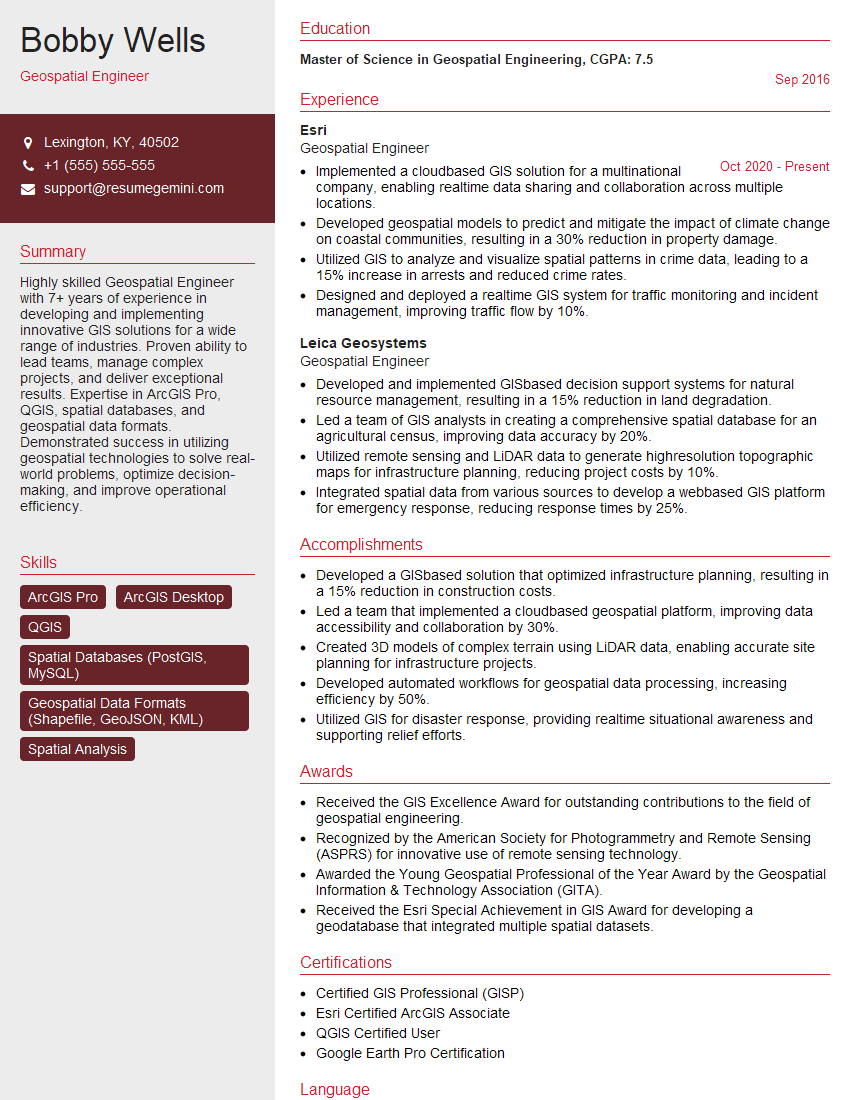
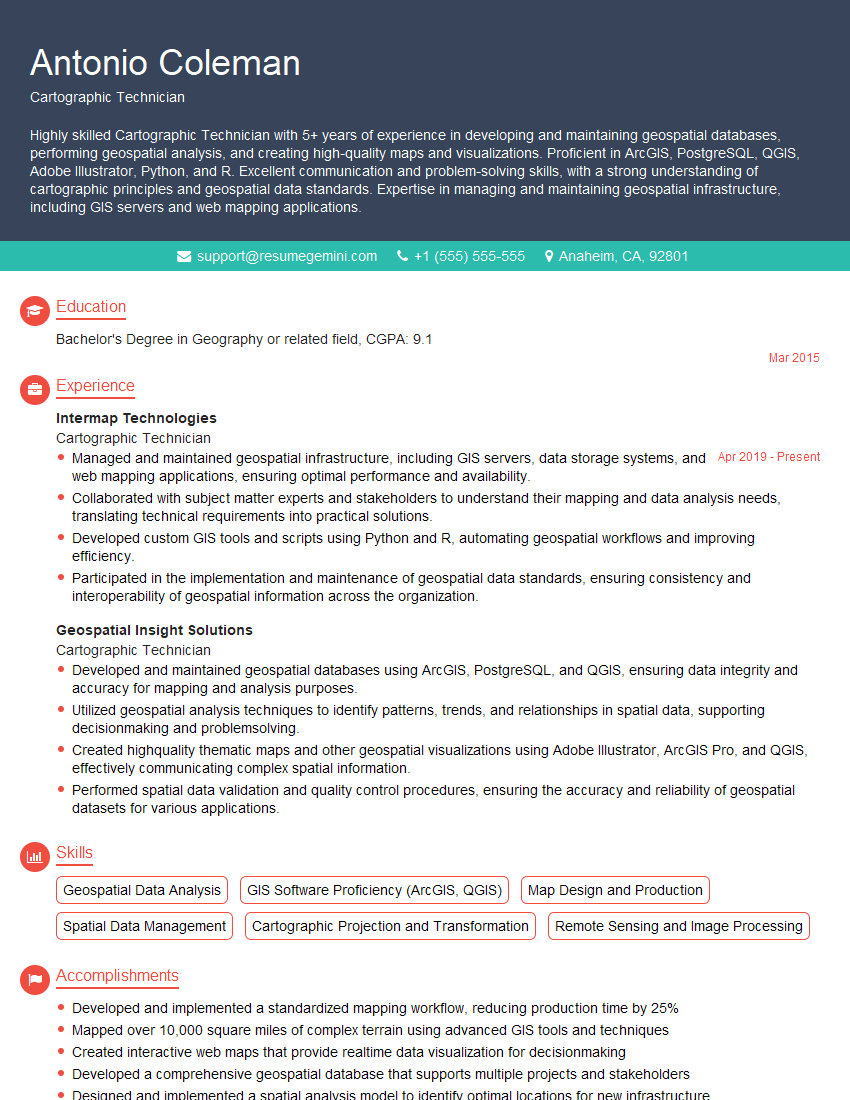
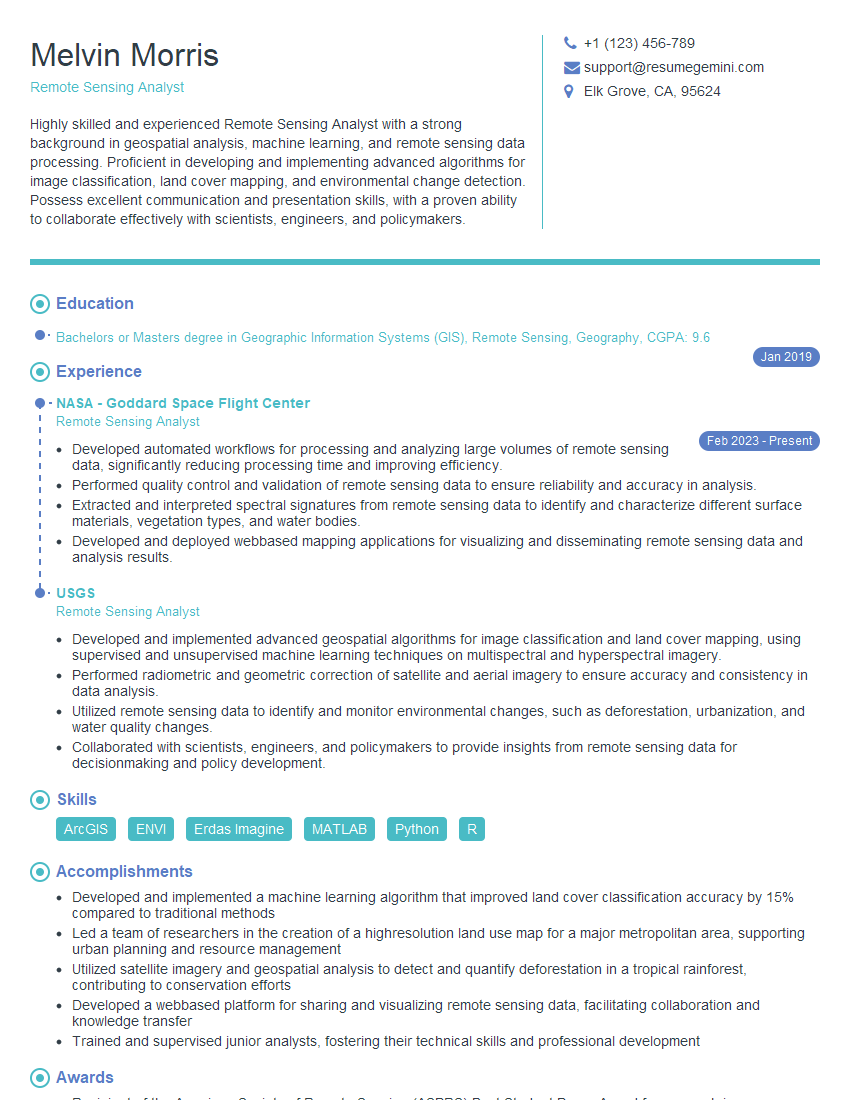
Mastering Map and GIS Interpretation is crucial for career advancement in many fields, including environmental science, urban planning, transportation, and resource management. A strong understanding of these concepts will significantly enhance your job prospects and allow you to contribute meaningfully to complex projects. To increase your chances of landing your dream role, it’s vital to create an ATS-friendly resume that highlights your skills and experience effectively. ResumeGemini is a trusted resource that can help you build a professional and impactful resume. We provide examples of resumes tailored specifically to Map and GIS Interpretation to guide you through the process. Let ResumeGemini help you showcase your expertise and land your next opportunity.


Explore more articles
Users Rating of Our Blogs
Share Your Experience
We value your feedback! Please rate our content and share your thoughts (optional).
What Readers Say About Our Blog
Hello,
we currently offer a complimentary backlink and URL indexing test for search engine optimization professionals.
You can get complimentary indexing credits to test how link discovery works in practice.
No credit card is required and there is no recurring fee.
You can find details here:
https://wikipedia-backlinks.com/indexing/
Regards
NICE RESPONSE TO Q & A
hi
The aim of this message is regarding an unclaimed deposit of a deceased nationale that bears the same name as you. You are not relate to him as there are millions of people answering the names across around the world. But i will use my position to influence the release of the deposit to you for our mutual benefit.
Respond for full details and how to claim the deposit. This is 100% risk free. Send hello to my email id: [email protected]
Luka Chachibaialuka
Hey interviewgemini.com, just wanted to follow up on my last email.
We just launched Call the Monster, an parenting app that lets you summon friendly ‘monsters’ kids actually listen to.
We’re also running a giveaway for everyone who downloads the app. Since it’s brand new, there aren’t many users yet, which means you’ve got a much better chance of winning some great prizes.
You can check it out here: https://bit.ly/callamonsterapp
Or follow us on Instagram: https://www.instagram.com/callamonsterapp
Thanks,
Ryan
CEO – Call the Monster App
Hey interviewgemini.com, I saw your website and love your approach.
I just want this to look like spam email, but want to share something important to you. We just launched Call the Monster, a parenting app that lets you summon friendly ‘monsters’ kids actually listen to.
Parents are loving it for calming chaos before bedtime. Thought you might want to try it: https://bit.ly/callamonsterapp or just follow our fun monster lore on Instagram: https://www.instagram.com/callamonsterapp
Thanks,
Ryan
CEO – Call A Monster APP
To the interviewgemini.com Owner.
Dear interviewgemini.com Webmaster!
Hi interviewgemini.com Webmaster!
Dear interviewgemini.com Webmaster!
excellent
Hello,
We found issues with your domain’s email setup that may be sending your messages to spam or blocking them completely. InboxShield Mini shows you how to fix it in minutes — no tech skills required.
Scan your domain now for details: https://inboxshield-mini.com/
— Adam @ InboxShield Mini
Reply STOP to unsubscribe
Hi, are you owner of interviewgemini.com? What if I told you I could help you find extra time in your schedule, reconnect with leads you didn’t even realize you missed, and bring in more “I want to work with you” conversations, without increasing your ad spend or hiring a full-time employee?
All with a flexible, budget-friendly service that could easily pay for itself. Sounds good?
Would it be nice to jump on a quick 10-minute call so I can show you exactly how we make this work?
Best,
Hapei
Marketing Director
Hey, I know you’re the owner of interviewgemini.com. I’ll be quick.
Fundraising for your business is tough and time-consuming. We make it easier by guaranteeing two private investor meetings each month, for six months. No demos, no pitch events – just direct introductions to active investors matched to your startup.
If youR17;re raising, this could help you build real momentum. Want me to send more info?
Hi, I represent an SEO company that specialises in getting you AI citations and higher rankings on Google. I’d like to offer you a 100% free SEO audit for your website. Would you be interested?
Hi, I represent an SEO company that specialises in getting you AI citations and higher rankings on Google. I’d like to offer you a 100% free SEO audit for your website. Would you be interested?
good