Feeling uncertain about what to expect in your upcoming interview? We’ve got you covered! This blog highlights the most important MATLAB for Laser Modeling and Simulation interview questions and provides actionable advice to help you stand out as the ideal candidate. Let’s pave the way for your success.
Questions Asked in MATLAB for Laser Modeling and Simulation Interview
Q 1. Explain the process of simulating Gaussian beam propagation in MATLAB.
Simulating Gaussian beam propagation in MATLAB involves leveraging the paraxial wave equation and utilizing numerical methods to solve it. A Gaussian beam is characterized by its beam waist (ω0), wavelength (λ), and Rayleigh range (zR = πω02/λ). We can represent the beam’s electric field using a complex amplitude.
The process typically involves these steps:
- Define the initial beam profile: This usually involves creating a 2D spatial grid and defining the complex electric field amplitude at each point based on the Gaussian function:
E(x, y, z=0) = E0 * exp(-(x2 + y2)/ω02), whereE0is the initial amplitude. - Implement the propagation method: The most common method is the angular spectrum method, which involves Fourier transforming the field, applying a phase shift in the Fourier domain corresponding to propagation, and then inverse Fourier transforming back to the spatial domain. This process is repeated for each propagation step along the z-axis.
- Iterate for propagation: The algorithm iteratively propagates the beam step-by-step along the z-axis, updating the field at each step. The step size needs careful consideration, balancing accuracy and computational cost.
- Visualize results: MATLAB’s plotting capabilities are used to visualize the beam’s intensity profile and other properties (beam width, curvature) along the propagation path. This allows for analysis of beam divergence, focusing, and other important characteristics.
For example, you might use fft2 and ifft2 for the Fourier transforms, and carefully manage the phase shift calculation based on the wavelength and propagation distance. Consider adding error handling and optimizations to improve computational efficiency for longer propagation distances.
In a real-world scenario, this simulation would be crucial in designing optical systems like laser scanners or optical communication systems, allowing us to predict beam size, divergence, and potential aberrations before building the physical system.
Q 2. How would you model laser beam scattering using MATLAB?
Modeling laser beam scattering in MATLAB depends heavily on the type of scattering. Common types include Rayleigh scattering (for particles much smaller than the wavelength), Mie scattering (for particles comparable to or larger than the wavelength), and diffuse scattering.
Rayleigh Scattering: This can be relatively straightforward to model. We can incorporate scattering losses into the propagation equation by adding a loss term proportional to the intensity and inversely proportional to the fourth power of the wavelength (λ-4). This term would modify the amplitude of the electric field at each step in the propagation simulation.
Mie Scattering: This is more complex and often requires using pre-computed scattering matrices or dedicated Mie scattering codes integrated into your MATLAB simulation. These codes calculate the scattering intensity and phase shift as a function of particle size, refractive index, and scattering angle. The resulting scattered field needs to be added to the propagated beam field at each step.
Diffuse Scattering: Modeling diffuse scattering can involve Monte Carlo methods. This involves tracking the path of numerous photons as they scatter randomly within a medium. Each photon’s interaction with the scattering medium is governed by probabilities defined by the scattering properties of the material. The final intensity distribution is built up from the contributions of many photons.
% Example code snippet (illustrative, not complete): % Rayleigh scattering loss term loss_factor = scattering_coefficient / (lambda^4); E_new = E_old * exp(-loss_factor * dz); % dz is the propagation step size
In a practical application, this capability is crucial for modeling laser propagation through atmospheric conditions, biological tissue, or optical fibers, allowing us to predict signal attenuation and distortion due to scattering.
Q 3. Describe different methods for solving the paraxial wave equation in MATLAB.
Solving the paraxial wave equation in MATLAB, which describes the propagation of a laser beam under the paraxial approximation, can be achieved through various numerical methods. The choice depends on factors like accuracy requirements, computational cost, and the complexity of the problem.
- Angular Spectrum Method (ASM): This is a fast and efficient method, particularly well-suited for free-space propagation. It’s based on the Fourier transform properties of the wave equation. We transform the field to the spatial frequency domain, apply a phase shift to account for propagation, and then inverse transform back to the spatial domain. This method is computationally efficient for linear systems.
- Finite-Difference Methods (FDM): These methods approximate the derivatives in the wave equation using finite differences. Explicit and implicit schemes are common, each with its own stability and accuracy characteristics. The Crank-Nicolson scheme offers a good balance. Implementing FDM requires careful consideration of grid size and boundary conditions.
- Finite-Element Methods (FEM): These methods are more versatile and can handle complex geometries and boundary conditions more effectively than FDM. FEM partitions the simulation domain into smaller elements, and the wave equation is solved within each element. Then the solution is assembled to form the overall solution. This approach can be more computationally intensive but allows for high accuracy and adaptability.
- Beam Propagation Method (BPM): BPM is a specific class of methods which are particularly efficient for propagation through waveguides and optical fibers. It makes approximations to simplify the problem and reduce computational costs.
The choice often involves balancing accuracy with computational cost. ASM is computationally efficient for simple geometries, FDM is a good compromise between efficiency and flexibility, while FEM is the best for very complex scenarios.
Q 4. How do you handle boundary conditions in laser simulation using MATLAB?
Handling boundary conditions is vital for accurate laser simulation, as they define the interaction of the laser beam with the edges of the simulation domain. Incorrect boundary conditions can lead to significant errors and artifacts in the simulation results.
Common boundary conditions in laser simulations include:
- Absorbing Boundary Conditions (ABCs): These conditions simulate a perfectly absorbing surface, preventing reflections from the boundaries. There are various implementations, including perfectly matched layers (PMLs) which are highly effective but can increase computational load. They are essential when you want to simulate free space propagation and prevent numerical reflections.
- Periodic Boundary Conditions: These conditions are appropriate when simulating periodic structures or when the beam is expected to wrap around the simulation domain. They are useful for modeling infinite periodic structures.
- Reflecting Boundary Conditions: These simulate a perfectly reflecting surface, often used when simulating laser cavities or when reflection from certain surfaces is significant. They can lead to artificial reflections unless handled carefully.
- Outflow Boundary Conditions: These conditions are used to simulate the natural flow of the beam out of the domain without introducing artificial reflections or disturbances. The specific type can depend on the particular method being used to solve the paraxial wave equation.
The choice of boundary conditions depends heavily on the specific application. For example, simulating propagation through free space would require absorbing boundary conditions to prevent artificial reflections influencing the results. Conversely, simulating a laser cavity would need reflecting boundary conditions on the cavity mirrors.
In MATLAB, boundary conditions are often implemented directly within the numerical scheme (e.g., modifying the finite-difference equations near the boundaries or using specific functions in the Fourier-based methods). Correct implementation is crucial for obtaining accurate and reliable results.
Q 5. Explain your experience with different MATLAB toolboxes relevant to laser modeling (e.g., Optics, Partial Differential Equation Toolboxes).
My experience with MATLAB toolboxes relevant to laser modeling is extensive. I’ve worked extensively with the following:
- Partial Differential Equation Toolbox (PDE Toolbox): This is invaluable for solving the paraxial wave equation using finite element methods. Its built-in functions allow for defining complex geometries, specifying material properties, and selecting various numerical solvers. I’ve used it for simulating laser propagation in waveguides with complex cross-sections.
- Optics Toolbox: While not directly for solving the wave equation, it provides many essential tools for analyzing optical systems. I’ve used it extensively for designing and modeling optical components (lenses, mirrors) and for analyzing the resulting beam properties. Its functions for beam propagation and analysis are useful for verification and validation of results from other methods.
- Image Processing Toolbox: I have used the image processing functions to analyze the intensity profiles of the simulated laser beams and perform image processing tasks like edge detection or filtering. This is beneficial for post-processing simulation data to extract relevant quantities.
- Parallel Computing Toolbox: This has been vital for accelerating computationally expensive simulations, particularly when using high-resolution grids or complex geometries. Parallel computing significantly reduces simulation time, allowing for more comprehensive analyses.
My work has involved integrating these toolboxes together for a comprehensive modeling approach, with the PDE Toolbox for the core propagation simulation, the Optics Toolbox for component design, and the Parallel Computing Toolbox to ensure computationally feasible run times. I am also proficient in writing custom functions to meet the specific needs of more complex or specialized laser modeling problems.
Q 6. How would you simulate thermal effects in a laser system using MATLAB?
Simulating thermal effects in a laser system using MATLAB typically involves coupling the heat equation with the laser propagation model. The heat generated by laser absorption within a material influences the refractive index (thermo-optic effect) and can also cause mechanical stress and deformation.
The process involves these key steps:
- Define the heat source: This is determined by the laser’s intensity profile and the material’s absorption coefficient. The laser intensity is obtained from the propagation simulation.
- Solve the heat equation: This is typically done using numerical methods like finite difference, finite element, or finite volume methods. The heat equation is a partial differential equation that describes the temperature distribution within the material as a function of time and space.
- Couple thermal and optical effects: The temperature distribution affects the refractive index. This change is incorporated back into the laser propagation equation, leading to a coupled system of equations that needs to be solved iteratively. This accounts for how the temperature change alters the laser beam propagation.
- Account for thermal expansion: If significant, thermal expansion can cause mechanical stress and deformation of the material. This requires solving the thermoelasticity equations which are coupled with the heat equation and the laser propagation. This increases complexity of the simulation.
- Visualize results: MATLAB’s plotting capabilities are crucial for visualizing temperature distributions, refractive index changes, and resulting changes to the laser beam propagation, allowing you to analyze the impact of thermal effects on the system.
For example, consider a laser diode. Simulating the thermal effects would help predict the temperature rise and its influence on the laser’s output power, wavelength, and beam quality. This is critical for designing efficient heat sinks and optimizing the laser’s performance.
Q 7. Describe your experience with finite-difference or finite-element methods in laser simulation.
I have significant experience applying both finite-difference and finite-element methods in laser simulation using MATLAB.
Finite-Difference Methods (FDM): I have used FDM extensively for solving the paraxial wave equation. I am proficient in implementing explicit and implicit schemes, like the Crank-Nicolson method, which offers a good balance between accuracy and stability. I find FDM particularly suitable for problems with relatively simple geometries where computational efficiency is crucial. I have also used FDM to solve the heat equation when modeling thermal effects. The advantage is its straightforward implementation, although handling complex geometries is challenging.
Finite-Element Methods (FEM): My experience with FEM involves leveraging MATLAB’s PDE Toolbox. FEM allows me to handle complex geometries and boundary conditions with greater accuracy compared to FDM. This is important in simulating laser propagation in waveguides with non-uniform cross-sections or in modeling complex optical components. The implementation can be more involved than FDM, but the payoff in terms of accuracy and flexibility is often worth the effort, particularly for problems involving heterogeneous media. I have also used FEM for solving the heat equation, particularly when modeling thermal effects in lasers with complex 3D structures.
The choice between FDM and FEM depends on the complexity of the geometry, the level of accuracy required, and the available computational resources. My experience allows me to make informed decisions based on these factors. Both approaches have their strengths and weaknesses, and proficient use of both methodologies enhances the power of my laser modeling simulations.
Q 8. How can you optimize MATLAB code for faster simulation of complex laser systems?
Optimizing MATLAB code for faster laser system simulations involves a multi-pronged approach focusing on algorithmic efficiency, vectorization, and leveraging MATLAB’s built-in functionalities. Think of it like streamlining a factory assembly line – each improvement adds up to significant time savings.
Vectorization: Avoid explicit loops whenever possible. MATLAB excels at vectorized operations. Instead of iterating through arrays element by element, use matrix operations. For example, calculating the intensity profile of a laser beam across a grid is far faster using matrix multiplication than looping through each point.
% Inefficient loop-based approach for i = 1:length(x) for j = 1:length(y) intensity(i,j) = someFunction(x(i), y(j)); end end % Efficient vectorized approach [X,Y] = meshgrid(x,y); intensity = someFunction(X, Y);Pre-allocation: Before entering a loop, pre-allocate arrays to their final size. This prevents MATLAB from repeatedly resizing arrays during the loop, which is computationally expensive. Imagine building a house – it’s much more efficient to have all your materials ready before starting construction rather than running to the store repeatedly.
% Pre-allocate the array results = zeros(1000,1); % Perform calculations within the loop for i = 1:1000 results(i) = someComputation(i); endProfiling: Use MATLAB’s Profiler to identify performance bottlenecks in your code. The Profiler pinpoints the sections consuming the most time, allowing targeted optimization efforts. This is like diagnosing a car’s engine problems – you need to find the specific issue before fixing it.
Parallelization: For extremely complex simulations, leverage MATLAB’s parallel computing toolbox to distribute the workload across multiple cores. This significantly reduces computation time, especially beneficial for large-scale simulations or computationally intensive operations like solving partial differential equations.
Using optimized functions: MATLAB’s built-in functions are generally highly optimized. When possible, choose the appropriate built-in functions for specific tasks instead of writing custom functions from scratch.
Q 9. What are the limitations of using MATLAB for simulating highly complex laser systems?
While MATLAB is a powerful tool, limitations exist when simulating highly complex laser systems. These limitations often stem from computational resources and the complexity of the physics involved. Think of it as trying to fit a large puzzle into a small box – it simply won’t fit.
Computational Cost: Simulating phenomena like nonlinear effects, beam propagation in complex media (like fiber optics), or coupled systems (laser cavities, etc.) can become computationally very expensive, requiring significant memory and processing power. This can lead to prohibitively long simulation times, even with optimization techniques.
Model Complexity: Accurately modeling all aspects of a highly complex laser system is challenging. Simplifying assumptions are often necessary, potentially impacting the accuracy of the simulation. These simplifications could include neglecting certain physical effects or using approximate numerical methods.
Software Limitations: While MATLAB provides many toolboxes, it might lack highly specialized functionalities needed for some advanced laser simulations. Specialized software might be necessary for specific tasks.
Numerical Accuracy: The accuracy of the simulation depends heavily on the numerical methods used. Some methods can suffer from numerical instability or require extremely fine spatial and temporal resolutions, leading to increased computational costs.
Q 10. How do you validate the results of your laser simulations?
Validating laser simulation results is crucial to ensuring their reliability. This process involves comparing simulation outputs to both theoretical predictions and experimental data. It’s like testing a new recipe – you want to ensure it tastes as expected.
Comparison with Analytical Solutions: For simpler laser systems, analytical solutions might exist. Comparing simulation results with these analytical solutions provides a benchmark for accuracy.
Benchmarking against established models: When analytical solutions are unavailable, comparing the results to well-established numerical models or simulations from other software packages can provide validation.
Experimental Verification: The most compelling validation comes from comparing simulation results with experimental data. This often involves designing and conducting experiments to measure parameters predicted by the simulation. A strong correlation between simulated and measured data increases confidence in the model’s accuracy. For example, you might compare the simulated beam profile to a measured beam profile obtained from a camera system.
Sensitivity Analysis: Performing a sensitivity analysis helps assess how variations in input parameters affect the simulation output. This provides insight into the model’s robustness and identifies areas where the model is most sensitive.
Q 11. Explain your experience using MATLAB for visualizing laser beam profiles and other optical parameters.
MATLAB’s visualization capabilities are powerful for laser beam profile analysis and other optical parameter representations. I’ve extensively used MATLAB’s plotting functions and image processing toolboxes for various visualization tasks.
2D and 3D Plots: MATLAB provides functions like
imagesc,surf, andmeshto visualize laser beam profiles, intensity distributions, and other spatial data. For instance, I’ve usedimagescto display the intensity distribution of a Gaussian beam andsurfto visualize the intensity distribution of a more complex beam profile.Colormaps: Effective use of colormaps is critical for conveying information clearly. I select colormaps tailored to the specific data range and visualization goals. For example, a jet colormap might be suitable for showing intensity distributions, whereas a grayscale map might be preferred for other optical parameters.
Animations: For temporal dynamics, I use
movieor create animated GIFs to show the evolution of laser pulses or beam propagation over time. This is particularly helpful for understanding transient effects in laser systems.Customizable Plots: MATLAB allows extensive customization of plots, including titles, labels, legends, and annotations. This makes it easy to create clear and informative figures suitable for publication or presentation.
Image Processing Toolbox: This toolbox provides functions for image analysis and manipulation, useful for post-processing experimental or simulated images of laser beams. For instance, I have used this to perform edge detection, image filtering, and measurements of beam properties from images.
Q 12. Describe your familiarity with different laser types and their corresponding models in MATLAB.
My experience encompasses modeling various laser types within MATLAB, each requiring a specific approach. This includes adjusting the underlying physical equations and numerical methods to accurately capture their unique characteristics.
Gaussian Laser Beams: The simplest model often involves using analytical expressions for a Gaussian beam, readily implemented in MATLAB. This involves defining the beam waist, wavelength, and propagation distance to calculate the beam profile and divergence.
Fiber Lasers: Modeling fiber lasers involves solving coupled equations describing the propagation of light within the fiber and the interaction with the gain medium. This might require numerical methods like the split-step Fourier method or finite-difference time-domain (FDTD) methods, often implemented using MATLAB’s built-in functions or specialized toolboxes.
Solid-State Lasers: Modeling solid-state lasers necessitates incorporating rate equations for the population inversion within the gain medium. These equations are typically solved numerically using techniques like Runge-Kutta methods, available in MATLAB.
Diode Lasers: These lasers often require modeling carrier transport and optical field propagation within the semiconductor structure. MATLAB may be integrated with other more specialized software such as those using the finite-element method to achieve highly accurate solutions.
The choice of model depends on the level of detail required and the specific aspects of the laser’s behavior being investigated. Simple models are sufficient for some applications, while more complex models are essential for others.
Q 13. How would you model nonlinear optical effects in MATLAB?
Modeling nonlinear optical effects in MATLAB involves using numerical methods to solve the nonlinear wave equation or related equations describing the specific effect. The choice of method depends on the specific nonlinear effect and the level of detail required.
Nonlinear Schrödinger Equation (NLSE): For modeling effects like self-phase modulation (SPM) and cross-phase modulation (XPM) in optical fibers, the NLSE is often employed. Solving the NLSE typically involves numerical methods like the split-step Fourier method, which can be implemented efficiently in MATLAB.
Finite-Difference Time-Domain (FDTD): The FDTD method is a powerful technique for solving Maxwell’s equations, including nonlinear terms. This approach is more computationally intensive but can handle complex geometries and nonlinear materials. MATLAB’s PDE toolbox can provide a framework for implementing FDTD, or specialized toolboxes might be used.
Approximations: For specific cases, simpler approximations might be used. For example, a perturbative approach can be used for weak nonlinear effects, simplifying the problem and enabling the development of faster analytical expressions.
Implementing these methods in MATLAB typically involves discretizing the equations, employing iterative solvers, and careful consideration of boundary conditions. The accuracy of the simulation hinges on the choice of numerical methods, grid resolution, and the accuracy of material parameters.
Q 14. Discuss your experience with integrating MATLAB simulations with experimental data.
Integrating MATLAB simulations with experimental data is essential for validating models and extracting meaningful information from experiments. This involves creating a closed loop between theory and experiment, allowing for iterative model refinement and greater confidence in results.
Data Import and Preprocessing: I typically import experimental data from various sources (e.g., CSV files, instrument-specific data formats) into MATLAB using functions like
csvread,importdata, or specialized toolboxes. Data preprocessing might involve filtering, smoothing, and calibration to account for experimental noise or systematic errors.Parameter Estimation: Often, simulation parameters must be adjusted to match experimental data. This can involve techniques like least-squares fitting or more advanced optimization algorithms to find the parameters that minimize the difference between simulation and experiment. For example, I have used curve-fitting routines in MATLAB to estimate laser gain parameters from experimentally measured output power curves.
Model Validation and Refinement: Comparing simulated and experimental data enables validation of the model. Discrepancies between simulation and experiment can highlight areas where the model needs improvement, prompting revisions to the underlying physical assumptions, numerical methods, or parameters.
Data Visualization: MATLAB’s visualization tools are crucial for comparing simulated and experimental results. Overlaying experimental data points onto simulation plots directly visualizes agreement and discrepancies, guiding further model refinement.
This iterative process of comparing simulations to experimental data, adjusting parameters, and refining the model is vital for generating reliable and accurate laser simulations with strong predictive power.
Q 15. How would you troubleshoot errors and unexpected results in your laser simulations?
Troubleshooting unexpected results in laser simulations requires a systematic approach. I start by meticulously reviewing the code for logical errors, typos, and incorrect variable assignments. This often involves using MATLAB’s debugging tools, such as breakpoints and stepping through the code line by line.
Next, I verify the accuracy of my input parameters. Are my material properties correctly defined? Are my laser parameters realistic? Inaccurate inputs can lead to dramatically incorrect outputs. I often cross-reference my inputs with published data or datasheets.
If the problem persists, I simplify the model. Removing complex components or reducing the simulation domain can help isolate the source of the error. If the simplified model works correctly, then the error is likely in the removed complexity. This iterative simplification is crucial.
Visualization is key. Plotting intermediate variables and results at various stages of the simulation helps identify where things start going wrong. MATLAB’s plotting capabilities are excellent for this purpose. For example, if I’m simulating beam propagation, I might plot the intensity profile at different distances to see if the beam is behaving as expected.
Finally, I consider numerical issues. Are my integration steps too large? Is my solver appropriate for the problem? Using different numerical methods or refining the mesh can resolve convergence problems or inaccurate results. For instance, I might compare the results from using the ode45 and ode15s solvers to see if solver stiffness is an issue.
Career Expert Tips:
- Ace those interviews! Prepare effectively by reviewing the Top 50 Most Common Interview Questions on ResumeGemini.
- Navigate your job search with confidence! Explore a wide range of Career Tips on ResumeGemini. Learn about common challenges and recommendations to overcome them.
- Craft the perfect resume! Master the Art of Resume Writing with ResumeGemini’s guide. Showcase your unique qualifications and achievements effectively.
- Don’t miss out on holiday savings! Build your dream resume with ResumeGemini’s ATS optimized templates.
Q 16. Describe your proficiency in using MATLAB’s built-in functions for numerical integration and differentiation.
MATLAB provides a rich set of functions for numerical integration and differentiation. For integration, I frequently use quad for single integrals and dblquad for double integrals. These functions are robust and accurate for many types of integrands. For example, to calculate the integral of a Gaussian function from -infinity to +infinity, I would use:
fun = @(x) exp(-x.^2); integral(fun,-Inf,Inf)For more complex scenarios, I might utilize integral2 or integral3 for multi-dimensional integration. The choice of integration method depends on the complexity of the integrand and the desired accuracy.
Regarding differentiation, I primarily employ numerical methods rather than symbolic ones, especially when dealing with complex models. diff provides simple finite difference approximations, suitable for quick estimations or when the function is relatively smooth. However, for higher accuracy, I’d use more sophisticated methods. For instance, I often leverage the gradient function to compute the gradient of a multi-dimensional function, which is important when dealing with beam propagation in a medium with spatially varying refractive index.
Q 17. How familiar are you with using parallel computing in MATLAB to accelerate simulations?
Parallel computing in MATLAB is essential for accelerating computationally intensive laser simulations. I’m proficient in using the Parallel Computing Toolbox, leveraging both parfor loops for independent iterations and spmd blocks for distributed computations.
For example, if I’m simulating the propagation of multiple laser beams, each beam’s propagation can be treated as an independent task. Using parfor significantly reduces the overall simulation time, especially when dealing with a large number of beams. I carefully choose the appropriate number of workers based on my system’s resources to avoid overhead.
Furthermore, I understand the importance of data partitioning and communication overhead when implementing parallel algorithms. Efficient data distribution is crucial to maximize performance, and I avoid unnecessary data transfers between workers. I’ve also worked with distributed arrays to manage large datasets effectively.
Q 18. How would you model the interaction of a laser beam with different materials using MATLAB?
Modeling the interaction of a laser beam with different materials in MATLAB involves solving Maxwell’s equations or utilizing simplified models depending on the complexity of the interaction. For simple cases, such as reflection and transmission at an interface, I use Fresnel’s equations. For more complex scenarios involving absorption, scattering, and nonlinear effects, I might use finite-difference time-domain (FDTD) methods or finite-element methods (FEM). These are often implemented using dedicated toolboxes or custom-written code.
For example, simulating absorption involves incorporating the material’s absorption coefficient into the propagation equation. This can be a simple Beer-Lambert law calculation for homogeneous materials. However, for inhomogeneous materials or when dealing with nonlinear effects (like saturation), I’d need a more sophisticated model.
Scattering is more challenging and might require Monte Carlo simulations or solving the radiative transfer equation. The choice of model depends heavily on the material properties and the laser wavelength. In MATLAB, I’d likely use custom functions to implement these numerical methods.
Q 19. Explain your experience with different types of laser resonators and their simulation in MATLAB.
I’ve simulated various laser resonator types in MATLAB, including Fabry-Perot, ring, and unstable resonators. The approach typically involves solving the paraxial wave equation or using Gaussian beam propagation methods. For Fabry-Perot resonators, I’d model the multiple reflections between mirrors using transfer matrices, considering mirror reflectivities and losses. This allows calculation of the resonant frequencies and mode patterns.
Simulating ring resonators requires careful consideration of the round-trip phase shift and the resonator’s geometry. I often use iterative methods to find the resonant modes. Unstable resonators are more complex, frequently requiring numerical techniques like FDTD to accurately model the beam propagation and diffraction within the resonator.
In each case, I would consider factors like mirror curvature, spacing, and material properties. The choice of simulation method depends on the desired accuracy and computational resources available. For instance, a simple Gaussian beam approximation might suffice for a preliminary analysis, while a more rigorous FDTD approach would be necessary for detailed mode analysis.
Q 20. How would you model the temporal characteristics of a pulsed laser in MATLAB?
Modeling the temporal characteristics of a pulsed laser involves representing the laser’s output power or intensity as a function of time. The simplest model might use a Gaussian pulse, defined by its pulse width and peak power. More complex models incorporate the pulse shape, such as a rectangular pulse or a more realistic hyperbolic secant pulse.
For example, I might define a Gaussian pulse using the following MATLAB code:
t = linspace(-5,5,1000); % Time vector pulse = exp(-(t.^2)/(2*sigma^2)); % Gaussian pulse sigma = 1; % Pulse width plot(t,pulse);However, for more advanced models that incorporate gain switching, Q-switching or mode-locking, I would use differential equations that describe the evolution of the laser’s population inversion and photon density over time. These equations would be solved numerically using MATLAB’s ODE solvers, such as ode45 or ode23.
Q 21. Discuss your approach to generating a publication-quality plot of your simulation results.
Generating publication-quality plots of simulation results in MATLAB is crucial for effective communication. I utilize MATLAB’s plotting functions extensively, tailoring them to meet the specific requirements of each publication. This goes beyond simple plots and incorporates careful consideration of figure aesthetics and clarity.
First, I ensure that all axes are clearly labeled with units. Legends are used to differentiate data sets, and titles provide context. I choose appropriate plot types depending on the data—line plots for time series data, surface plots for spatial variations, etc.
Next, I refine the plot’s visual elements. I adjust line styles, colors, and marker types for clarity and visual appeal. I utilize a consistent font and font size throughout the figure. High-resolution images are important for publication. I use commands like set(gca,'FontSize',12) to control font sizes, and I adjust line widths and marker sizes for visibility.
Finally, I export the figure in a high-resolution format suitable for publication, such as EPS or PDF. These formats preserve vector graphics quality, ensuring sharp images regardless of scaling.
Q 22. Describe your experience with using version control systems for managing MATLAB simulation code.
Version control is crucial for any collaborative project, especially complex simulations. For my MATLAB laser modeling projects, I primarily use Git, often integrated with platforms like GitHub or GitLab. This allows me to track changes, revert to previous versions if needed, and collaborate effectively with team members. Imagine building a complex LEGO castle – without a plan (version control), you could easily lose track of where you are and accidentally break something important. Git provides that plan, allowing for seamless collaboration and error recovery.
A typical workflow involves committing code changes frequently with descriptive messages, creating branches for new features or bug fixes, and merging changes responsibly after thorough testing. This structured approach prevents conflicts and ensures a clear history of the project’s development. For instance, if a specific parameter change introduces an error, I can easily revert to the previous commit before the change was introduced.
Furthermore, I utilize feature branching to isolate experimental changes from the main codebase. This strategy reduces the risk of destabilizing the main simulation branch and allows for parallel development of multiple features. The use of pull requests and code reviews before merging changes provides an extra layer of quality control, ensuring the code’s accuracy and robustness.
Q 23. How do you ensure the accuracy and reliability of your MATLAB-based laser simulations?
Ensuring accuracy and reliability in laser simulations involves a multi-pronged approach. First, I rigorously validate my models against known theoretical results and experimental data whenever possible. This involves comparing simulation outputs to established benchmarks, such as diffraction patterns for different laser beam profiles or propagation characteristics in specific media. Discrepancies prompt a careful review of the model’s assumptions and parameters.
Second, I employ robust numerical techniques that minimize numerical errors. For example, I select appropriate solvers (e.g., adaptive step-size algorithms for solving differential equations) and carefully control the simulation parameters, such as spatial and temporal resolution, to ensure accuracy without undue computational expense. Think of it as using a high-precision measuring tool instead of a ruler to ensure precise measurements in your model.
Third, extensive testing is essential. This includes testing with various input parameters, boundary conditions, and initial conditions to explore the model’s sensitivity and identify potential weaknesses. Automated testing frameworks can greatly accelerate this process. Finally, peer review and independent verification of the simulation results are crucial steps in establishing confidence in the accuracy and reliability of the final model.
Q 24. What techniques do you use for analyzing large datasets generated from laser simulations?
Analyzing large datasets from laser simulations often requires specialized techniques. MATLAB offers powerful tools for this purpose. I frequently use techniques like dimensionality reduction (e.g., Principal Component Analysis or PCA) to identify the most significant features within the data and reduce its complexity. Imagine sifting through a pile of sand to find a few gold nuggets – PCA is like using a metal detector to quickly locate the most valuable information.
I also leverage MATLAB’s parallel computing capabilities to accelerate processing. For instance, I can divide a large dataset into smaller chunks and process them simultaneously on multiple cores, drastically reducing processing time. Furthermore, visualization techniques such as heatmaps, contour plots, and 3D surface plots help identify trends, patterns, and anomalies within the data, providing valuable insights that might otherwise be missed. Finally, I might employ machine learning techniques such as clustering or regression to extract meaningful relationships from the data and build predictive models.
Q 25. Describe your experience with creating custom functions and toolboxes in MATLAB for laser modeling.
Creating custom functions and toolboxes is a cornerstone of efficient and reusable MATLAB coding for laser modeling. I regularly develop functions to encapsulate specific laser physics calculations, such as beam propagation, diffraction, or nonlinear effects. This modular approach promotes code reusability and maintainability. For example, I have created a toolbox containing functions for simulating Gaussian beam propagation in various media, including the effects of atmospheric turbulence and diffraction.
function [Eout] = GaussianBeamPropagation(Ein, z, lambda, w0, n) %... Code for Gaussian beam propagation ... end
These functions are extensively documented and well-tested to ensure their accuracy and reliability. Organizing them into toolboxes simplifies project management and ensures consistency across multiple simulations. This approach reduces development time for future projects and improves code quality by promoting reuse of proven and validated code components.
Q 26. How would you model the effects of atmospheric turbulence on a laser beam using MATLAB?
Modeling atmospheric turbulence’s effect on a laser beam in MATLAB involves simulating the random variations in the refractive index of the atmosphere. This is often accomplished using phase screens, which represent the accumulated phase shifts experienced by the beam as it propagates through turbulent air. These screens are generated using statistical models that describe the turbulence strength and spatial coherence.
The most common model is the Kolmogorov turbulence model, which describes the statistical properties of refractive index fluctuations based on the power-law spectrum. I would generate a phase screen using a fast Fourier transform (FFT)-based approach, starting from a random field with the appropriate power spectrum. This phase screen is then applied to the laser beam’s wavefront using phase modulation.
Subsequently, I would propagate the beam through free space using a numerical propagation method like the angular spectrum method or the split-step Fourier method. This process simulates the beam’s wavefront distortion and beam wander caused by the turbulence. By repeating this for multiple phase screens, I could generate an ensemble of simulations, allowing for statistical analysis of the beam’s propagation characteristics in turbulent conditions.
Q 27. Explain your experience with using MATLAB for designing and optimizing laser systems.
My experience with MATLAB extends to laser system design and optimization. MATLAB’s optimization toolbox provides powerful algorithms for this purpose. I have used genetic algorithms, particle swarm optimization, and simulated annealing techniques to optimize various laser system parameters, such as resonator geometry, pump power distribution, and focusing optics, to achieve desired laser characteristics like beam quality, power output, or efficiency.
For example, I’ve optimized the design of a fiber laser to maximize output power while maintaining a good beam quality by iteratively adjusting parameters like the fiber length, pump power, and grating coupling coefficients. The optimization algorithms automate this complex process, exploring a vast parameter space and identifying near-optimal solutions. Visualization tools like surface plots and contour plots are instrumental in understanding the effects of parameter changes on the system’s performance and to identify potential design improvements.
Q 28. How would you adapt your MATLAB simulation approach to different laser applications (e.g., material processing, medical applications)?
Adapting the simulation approach to different laser applications involves modifying the model’s physics and incorporating application-specific parameters. For instance, in material processing, I would need to include models for material absorption, thermal diffusion, and ablation processes. The key parameters would shift from beam quality and power to fluence, pulse duration, and wavelength, focusing on the material interaction rather than just beam propagation.
In medical applications like laser surgery, the models would focus on tissue interaction, including light scattering and absorption in biological tissues, and the resulting thermal and mechanical effects. For example, I might use Monte Carlo simulations to model light transport in tissue. The simulation parameters would then become relevant tissue properties (absorption, scattering coefficients) and laser pulse characteristics. The objective might be to optimize laser parameters to achieve a specific treatment depth while minimizing collateral damage. In each case, the core simulation framework can remain similar, but the specific models and parameters are chosen to accurately reflect the physics of the particular application.
Key Topics to Learn for MATLAB for Laser Modeling and Simulation Interview
- Fundamental MATLAB Syntax and Programming: Mastering loops, conditional statements, functions, and data structures is crucial for efficient code development. Practice implementing algorithms relevant to laser physics.
- Numerical Methods for Solving Differential Equations: Understand and implement methods like Runge-Kutta, finite difference, and finite element methods for simulating laser propagation and interactions.
- Optical Physics and Laser Principles: Demonstrate a solid grasp of concepts like ray tracing, Gaussian beam propagation, laser cavity modes, and nonlinear optical effects. Be ready to discuss their mathematical representations.
- MATLAB Toolboxes for Optics and Photonics: Familiarize yourself with relevant toolboxes (e.g., the Photonics Toolbox, if applicable) and their functionalities for simulating laser systems and analyzing data.
- Data Visualization and Analysis: Develop skills in creating insightful plots and visualizations of simulation results to effectively communicate your findings. Practice using MATLAB’s plotting capabilities to present complex data clearly.
- Simulating Specific Laser Systems: Prepare to discuss your experience (if any) or theoretical understanding of modeling different laser types (e.g., solid-state, gas, fiber lasers) and their unique characteristics.
- Optimization and Parameter Sweeps: Learn how to efficiently explore the parameter space of your laser model to optimize performance and understand the impact of different variables.
- Error Analysis and Validation: Understand the sources of error in simulations and how to validate your results against theoretical predictions or experimental data.
Next Steps
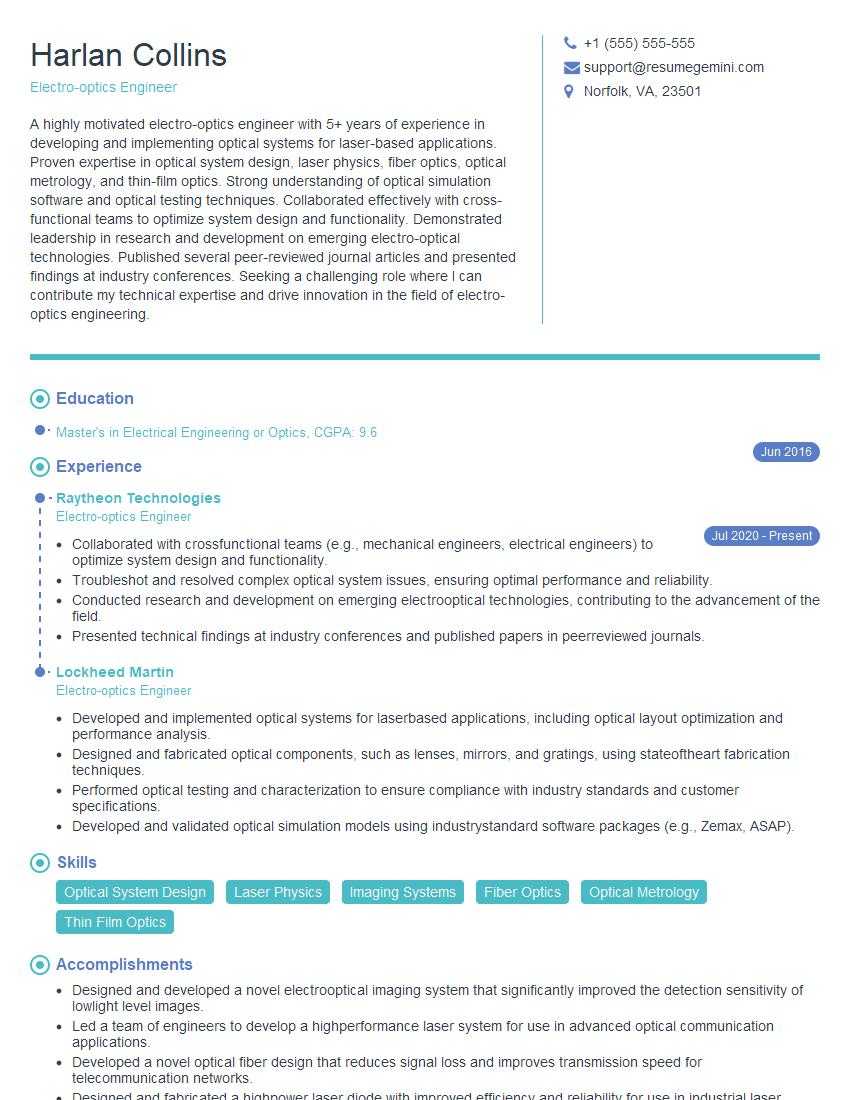
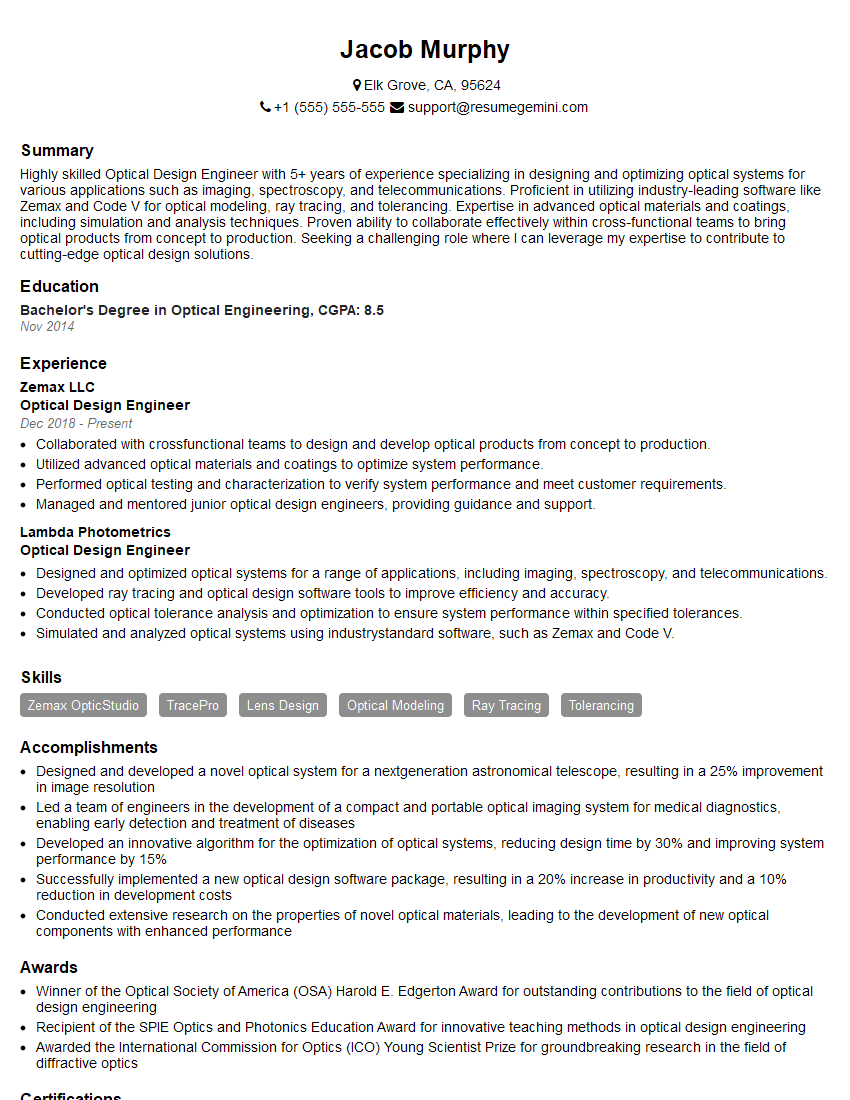
Mastering MATLAB for laser modeling and simulation significantly enhances your career prospects in optics, photonics, and related fields. It demonstrates a valuable skillset highly sought after by employers in research, development, and engineering roles. To maximize your chances, creating a strong, ATS-friendly resume is essential. ResumeGemini is a trusted resource to help you build a professional and impactful resume that highlights your skills and experience effectively. Examples of resumes tailored to MATLAB for Laser Modeling and Simulation are available to guide you through the process.
Explore more articles
Users Rating of Our Blogs
Share Your Experience
We value your feedback! Please rate our content and share your thoughts (optional).
What Readers Say About Our Blog
Very informative content, great job.
good