Are you ready to stand out in your next interview? Understanding and preparing for Mobile Device Network Management interview questions is a game-changer. In this blog, we’ve compiled key questions and expert advice to help you showcase your skills with confidence and precision. Let’s get started on your journey to acing the interview.
Questions Asked in Mobile Device Network Management Interview
Q 1. Explain the difference between circuit-switched and packet-switched networks.
Imagine you’re making a phone call. In a circuit-switched network, like the old telephone system, a dedicated path (circuit) is established between your phone and the recipient’s phone before the call begins and remains open for the duration of the call. It’s like reserving a lane on a highway exclusively for your car. Once the call ends, the circuit is released.
In a packet-switched network, like the internet, your communication is broken down into small packets. These packets travel independently across the network, taking different routes and potentially arriving out of order. The receiving end reassembles them. This is like sending a letter via multiple couriers; each courier takes a different route, but the recipient gets the full letter. Packet switching is more efficient because it doesn’t require a dedicated path for the entire communication.
In mobile networks, we predominantly use packet switching because of its flexibility and efficiency in handling a large number of users and varying data rates. Circuit switching is largely obsolete in this context.
Q 2. Describe the layers of the OSI model and their functions in mobile networks.
The OSI (Open Systems Interconnection) model provides a standardized framework for network communication. While not perfectly implemented in practice, understanding its layers is crucial for mobile network management. In the context of mobile networks, the layers and their functions are as follows:
- Layer 1 (Physical): Deals with the physical transmission of bits over the medium (e.g., radio waves). This includes signal encoding, modulation, and physical connectors. Think of this as the actual radio waves carrying your data.
- Layer 2 (Data Link): Handles framing of data into packets and error detection. In mobile networks, MAC (Media Access Control) protocols like CSMA/CA (Carrier Sense Multiple Access/Collision Avoidance) are used to ensure efficient sharing of the radio channel. This is like ensuring each packet has an address and checks for any errors.
- Layer 3 (Network): Responsible for routing packets across the network using IP addresses. This layer is crucial for handover between different base stations in mobile networks. It’s like finding the best route to deliver each packet to its final destination.
- Layer 4 (Transport): Provides reliable end-to-end data transfer. TCP (Transmission Control Protocol) ensures accurate delivery and ordering of packets, while UDP (User Datagram Protocol) offers faster, less reliable transport. This is like guaranteeing that all parts of your data reach their destination correctly and in order.
- Layer 5 (Session): Manages connections between applications. This layer is less crucial in mobile networks compared to others. It’s mostly concerned with setting up and managing connections between applications.
- Layer 6 (Presentation): Deals with data formatting and encryption. This layer takes care of ensuring that the data is in a format the receiving application can understand.
- Layer 7 (Application): The highest layer, dealing with application-specific protocols such as HTTP (web browsing) or SMTP (email). This is the layer you interact with when using your mobile apps.
Q 3. What are the key performance indicators (KPIs) for a mobile network?
Key Performance Indicators (KPIs) for mobile networks are crucial metrics used to assess network health and user experience. Important KPIs include:
- Call Drop Rate: The percentage of calls that are terminated prematurely.
- Blocking Rate: The percentage of call attempts that fail due to network congestion.
- Handover Success Rate: The percentage of successful handovers between base stations.
- Data Throughput: The average data rate experienced by users.
- Latency: The delay in data transmission.
- Packet Loss Rate: The percentage of data packets lost during transmission.
- Cell Coverage: The geographical area covered by a cell site.
- Customer Satisfaction (CSAT): A measure of user happiness with the network service.
Monitoring these KPIs allows network operators to identify areas for improvement and optimize network performance.
Q 4. Explain the concept of handover in mobile networks.
Handover, also known as handoff, is the process of seamlessly transferring a mobile device from one base station (cell tower) to another as it moves. Imagine you are on a moving train; the radio signal strength to one cell tower weakens, while another one strengthens. Handover ensures your call or data connection remains uninterrupted. It involves several steps, including monitoring signal strength, selecting a target cell, and transferring the connection.
There are various types of handover, such as hard handover (where the connection is briefly interrupted) and soft handover (where the connection is maintained during the transition).
Successful handover is crucial for providing uninterrupted service to mobile users.
Q 5. What are the challenges of deploying 5G networks?
Deploying 5G networks presents several significant challenges:
- High Frequency Spectrum: 5G uses higher frequency bands than previous generations, which offer higher data rates but have shorter ranges and are more susceptible to signal attenuation. This requires a denser network of smaller cells.
- Network Slicing: Effectively managing different network slices with varying QoS requirements (e.g., for autonomous vehicles versus general users) is complex.
- Backhaul Capacity: The infrastructure connecting cell towers to the core network needs to handle the significantly increased data traffic.
- Interoperability: Ensuring seamless integration between different 5G vendors’ equipment is crucial.
- Cost: Building and deploying a 5G network is significantly more expensive than previous generations.
- Security: Protecting the network against cyber threats is paramount.
Overcoming these challenges is crucial for successful 5G deployment and realizing its potential for ultra-reliable low-latency communications (URLLC), enhanced mobile broadband (eMBB), and massive machine-type communications (mMTC).
Q 6. How does LTE handle mobility management?
LTE (Long Term Evolution), the 4G standard, employs sophisticated mobility management techniques. A key component is the Mobility Management Entity (MME) in the core network. The MME is responsible for tracking the location of user equipment (UE), handling handovers, and managing security. When a UE moves between cells, the MME coordinates the handover process. This often involves signaling between the eNodeBs (evolved Node Bs) of the cells involved, using protocols such as X2 interface for communication between adjacent eNodeBs.
Measurements of signal strength are continuously performed by the UE and reported to the network. This data informs the MME’s decision-making process regarding handovers, ensuring efficient and seamless mobility.
Q 7. What is the significance of QoS in mobile networks?
Quality of Service (QoS) in mobile networks refers to the capability to provide different levels of service to different applications or users based on their requirements. Imagine prioritizing a video call over email—QoS allows this.
QoS is critical in mobile networks due to the diverse range of applications, each with unique requirements. For instance, real-time applications like video conferencing require low latency and high bandwidth, while email might tolerate some delay. QoS mechanisms, such as traffic prioritization, resource allocation, and admission control, ensure that critical applications receive the necessary resources.
Without QoS, network congestion could degrade the performance of important applications.
Q 8. Explain the concept of network slicing.
Network slicing is like having multiple independent networks operating simultaneously on the same physical infrastructure. Imagine a highway with different lanes dedicated to different types of vehicles – fast cars, trucks, and buses. Each lane operates independently, with its own speed limits and traffic management. Similarly, network slicing allows mobile operators to create virtual networks tailored to specific applications or customer needs. For example, one slice could provide high bandwidth for video streaming, while another could prioritize low latency for autonomous vehicles. This improves resource utilization and allows operators to offer customized service levels without significant capital expenditure.
Each slice is isolated and has its own set of network functions, resource allocation policies, and quality of service (QoS) parameters. This ensures that applications running on one slice do not interfere with those on another. For instance, a slice dedicated to IoT devices can be optimized for massive connectivity with low data rates, while another slice for enterprise users might prioritize high bandwidth and low latency.
- Increased Efficiency: Optimizes resource utilization by dedicating resources to specific needs.
- Improved QoS: Guarantees specific performance levels for different applications.
- Enhanced Security: Isolates critical applications and data.
Q 9. Describe different types of mobile network security threats.
Mobile network security threats are numerous and constantly evolving. They can be broadly categorized as follows:
- IMSI Catchers/Stingrays: These devices mimic cell towers, intercepting communications and collecting data from unsuspecting users. They’re a serious threat to privacy.
- Man-in-the-Middle (MitM) Attacks: An attacker intercepts communication between a mobile device and a server, potentially stealing sensitive data like login credentials or credit card information. This is often facilitated through rogue Wi-Fi hotspots.
- Denial-of-Service (DoS) Attacks: These attacks flood a network with traffic, making it unavailable to legitimate users. Imagine a stadium where so many people try to enter at once that the entrances become blocked.
- Malware: Malicious software can infect mobile devices, stealing data, monitoring activity, or causing damage. Examples include spyware, ransomware, and trojans.
- SIM Swapping: Attackers convince a mobile carrier to transfer a victim’s phone number to a SIM card they control, allowing them to access accounts linked to that number.
- SS7 Vulnerabilities: Exploiting weaknesses in the Signaling System 7 (SS7) protocol used to route calls and messages can allow attackers to intercept calls, track locations, or even read text messages.
The sophistication of these attacks necessitates a multi-layered security approach, involving secure network protocols, strong authentication mechanisms, encryption, regular software updates, and user awareness.
Q 10. How do you troubleshoot network connectivity issues on a mobile device?
Troubleshooting mobile network connectivity problems is a systematic process. I typically follow these steps:
- Check the Obvious: Verify that the device is turned on, the mobile data is enabled, and the SIM card is properly installed. Also, check for any airplane mode activation.
- Signal Strength: Observe the signal strength indicator on the device. A weak or fluctuating signal often points to coverage issues. Check for obstacles obstructing the signal.
- Network Settings: Ensure the device is correctly configured to access the mobile network. Check APN settings (Access Point Names) and try resetting network settings. Make sure you are on a supported network band.
- Restart the Device: This simple action can often resolve temporary software glitches.
- Check for Software Updates: Outdated software can contain bugs affecting connectivity. Install any available updates.
- Carrier Settings: Update the carrier settings on the device, often available through an over-the-air update.
- Check for Network Outages: Contact the mobile carrier to determine if there are any reported outages in the area.
- Test with Another Device: If possible, try connecting to the network with a different mobile device to rule out a problem with the primary device.
- Factory Reset (Last Resort): If all other steps fail, a factory reset might be necessary. Note: this will erase all data on the device, so backup is essential.
By systematically eliminating possibilities, we can pinpoint the source of the problem and implement a targeted solution.
Q 11. What are the common causes of dropped calls in a mobile network?
Dropped calls are a frustrating experience for mobile users. Several factors contribute:
- Insufficient Signal Strength: Weak signal strength due to distance from a base station, obstacles, or interference can lead to dropped calls.
- Network Congestion: High traffic volume in a particular area can overwhelm the network capacity, resulting in call drops.
- Handoff Issues: Problems transferring a call between different base stations (handoff) can cause interruptions.
- Radio Frequency Interference (RFI): Interference from other radio sources can disrupt the signal.
- Base Station Issues: Problems with the base station equipment itself, such as malfunctioning hardware or software bugs, can also result in dropped calls.
- Software Bugs: Bugs in the mobile device’s software or the network’s software can contribute.
- Roaming Issues: Problems while roaming on another network can lead to dropped calls.
Troubleshooting involves investigating the signal strength, network load, and base station status. Addressing these issues often involves upgrades to network infrastructure, optimizing handoff procedures, and fixing software bugs.
Q 12. Explain the role of a base station in a cellular network.
The base station, also known as the Base Transceiver Station (BTS) or eNodeB (evolved Node B) in LTE networks, is the crucial link between mobile devices and the core network. Think of it as the central hub in a wheel, with the mobile devices at the spokes. It’s the physical infrastructure responsible for transmitting and receiving radio signals.
Key functions include:
- Radio Signal Transmission/Reception: It transmits and receives radio signals to and from mobile devices.
- Radio Resource Management: Allocates radio resources (frequency bands, power levels) to mobile devices to ensure efficient use and avoid interference.
- Handoff Management: Manages the seamless transfer of calls between different base stations as a mobile device moves.
- Mobility Management: Tracks the location of mobile devices and manages their mobility.
- Security: Implements security measures to protect network communication.
In essence, the base station forms the physical layer of the cellular network, enabling communication between users and the wider network infrastructure.
Q 13. What is the difference between FDD and TDD in LTE?
FDD (Frequency Division Duplex) and TDD (Time Division Duplex) are two different ways of dividing the radio frequency spectrum for uplink (mobile device to base station) and downlink (base station to mobile device) communication in LTE.
FDD: Uses separate frequency bands for uplink and downlink transmission. Imagine two separate lanes on a highway – one for traffic going in each direction. This provides greater flexibility in allocating resources but requires twice the spectrum allocation.
TDD: Uses the same frequency band for both uplink and downlink, switching between them in time slots. This is like using a single lane for both directions of traffic, switching the direction at set intervals. TDD is more spectrum-efficient but requires careful management of the uplink/downlink time slots to avoid congestion. It’s often favored in scenarios where spectrum is scarce or there is a significant imbalance between uplink and downlink traffic.
The choice between FDD and TDD depends on various factors like spectrum availability, traffic patterns, and deployment environment.
Q 14. Explain the concept of cell sectoring.
Cell sectoring is a technique used to improve the capacity and coverage of a cellular network. Instead of broadcasting radio signals in all directions from a base station (omni-directional antenna), cell sectoring divides the coverage area into sectors, each served by a directional antenna. Think of cutting a pizza into slices.
Each sector is assigned a portion of the available frequencies. This reduces interference between neighboring cells and improves signal quality, thereby increasing network capacity and range. Three or six sectors are common configurations, depending on the desired coverage pattern. This technique enables more efficient use of radio resources and significantly expands network capacity, allowing more users to connect simultaneously with better signal quality.
This leads to improved call quality, higher data rates, and better overall network performance. For example, in a busy urban area, cell sectoring effectively manages high traffic demands and prevents signal congestion.
Q 15. What are the different frequency bands used in mobile networks?
Mobile networks utilize various frequency bands, each with different characteristics affecting data transmission speed and coverage. These bands are categorized into generations (2G, 3G, 4G, 5G) and further subdivided. Lower frequency bands (e.g., 700MHz, 850MHz) offer better penetration through buildings and obstacles, resulting in wider coverage but lower data rates. Higher frequency bands (e.g., 3.5GHz, 26GHz) provide significantly faster data speeds but suffer from reduced range and are more susceptible to signal blockage. Think of it like this: a low-frequency radio wave is like a strong, deep voice that travels far, while a high-frequency microwave is like a sharp, high-pitched sound that travels a shorter distance. Specific bands allocated to mobile operators vary by region due to regulatory frameworks and spectrum availability. For example, some regions may dedicate specific bands to public safety communications while others might prioritize specific bands for 5G deployments. The selection of bands is a crucial aspect of network planning and optimization, balancing coverage with capacity.
- Low-band: 700MHz, 850MHz, 900MHz (Wide Coverage, Lower Speed)
- Mid-band: 1.8GHz, 2.1GHz, 3.5GHz (Balance of Coverage & Speed)
- High-band (mmWave): 26GHz, 39GHz (High Speed, Limited Range)
Career Expert Tips:
- Ace those interviews! Prepare effectively by reviewing the Top 50 Most Common Interview Questions on ResumeGemini.
- Navigate your job search with confidence! Explore a wide range of Career Tips on ResumeGemini. Learn about common challenges and recommendations to overcome them.
- Craft the perfect resume! Master the Art of Resume Writing with ResumeGemini’s guide. Showcase your unique qualifications and achievements effectively.
- Don’t miss out on holiday savings! Build your dream resume with ResumeGemini’s ATS optimized templates.
Q 16. How does a mobile device obtain an IP address?
A mobile device obtains an IP address through a process called Dynamic Host Configuration Protocol (DHCP). Imagine it as getting a temporary address at a hotel – you check in (connect to the network), get your room number (IP address), and check out (disconnect) when you leave. The process works like this:
- The device broadcasts a DHCP Discover message on the network, essentially saying, ‘I need an IP address!’
- A DHCP server, managed by the mobile network operator, receives this message and responds with a DHCP Offer, suggesting an available IP address.
- The device accepts this offer through a DHCP Request message.
- The DHCP server acknowledges the request and provides the device with the necessary network configuration parameters, including the IP address, subnet mask, default gateway, and DNS server addresses.
This ensures that each device on the network receives a unique IP address allowing for seamless communication. If DHCP fails, the device might not be able to connect to the internet or other network resources. In some cases, a static IP address can be manually configured, but this is less common in mobile networks.
Q 17. Describe different types of antennas used in mobile networks.
Mobile networks use a variety of antennas, each designed to optimize signal transmission and reception based on frequency and environment. Choosing the right antenna type is crucial for network performance.
- Omni-directional antennas: These antennas radiate signals in all directions equally, providing wide coverage but lower gain. Think of a traditional radio antenna broadcasting signals in a circle. They’re often used in base stations for broad coverage areas.
- Sector antennas: These antennas focus signals within a specific sector (e.g., 60, 90, or 120 degrees), maximizing signal strength in a particular direction. This is common in urban areas to target specific streets or buildings.
- Panel antennas: These are highly directional antennas providing a narrow beam of signal, ideal for point-to-point links or situations requiring long distances and high gain.
- MIMO antennas (Multiple-Input and Multiple-Output): These employ multiple transmitting and receiving antennas to improve data rates and reliability through spatial multiplexing and diversity. This is a key technology in 4G and 5G networks, enhancing data throughput and improving signal quality in challenging environments.
The selection of antennas depends on factors like geographic location, network density, and required capacity. For instance, a rural area might benefit from omni-directional antennas, while a densely populated city might require sector antennas to optimize coverage and capacity.
Q 18. What are the advantages and disadvantages of using VoIP in mobile networks?
Voice over IP (VoIP) on mobile networks offers several advantages but also presents some challenges:
- Advantages:
- Cost-effectiveness: VoIP uses data instead of traditional circuit-switched networks, often leading to lower call costs, especially for international calls.
- Data integration: VoIP seamlessly integrates with other data services, allowing for features like video calls, instant messaging, and presence information.
- Scalability: VoIP networks are easily scalable to handle growing numbers of users and calls.
- Disadvantages:
- Quality of Service (QoS) dependence: VoIP relies heavily on the quality of the underlying data network; poor network conditions can result in choppy calls or dropped connections. This requires robust QoS mechanisms to manage network resources effectively.
- Latency issues: VoIP calls can experience latency (delay) which can affect real-time communication. This is particularly noticeable in high-latency networks or during periods of congestion.
- Security concerns: VoIP calls are susceptible to eavesdropping or interception unless appropriate security measures are implemented (encryption).
In a professional setting, balancing these advantages and disadvantages is crucial. For instance, a business might choose VoIP for cost savings but needs to ensure robust network infrastructure and QoS policies are in place to maintain call quality.
Q 19. Explain the concept of network congestion and how it can be managed.
Network congestion occurs when the demand for network resources (bandwidth, processing power) exceeds the available capacity. Imagine a highway during rush hour – too many cars trying to use the same road leads to slowdowns and traffic jams. Similarly, in a mobile network, high traffic volume can lead to slow data speeds, dropped calls, and increased latency.
Managing network congestion involves various strategies:
- Capacity expansion: Adding more network infrastructure (e.g., more base stations, wider bandwidth) to increase overall capacity.
- Traffic engineering: Optimizing network routing and resource allocation to distribute traffic load more efficiently. For example, this might involve directing traffic to less congested areas of the network.
- QoS management: Prioritizing critical traffic (e.g., emergency calls, video conferencing) over less critical traffic (e.g., background downloads). This ensures essential services maintain quality, even under high load.
- Traffic shaping: Limiting the bandwidth consumption of individual users or applications to prevent them from consuming excessive resources and impacting other users.
- Load balancing: Distributing traffic evenly across multiple network elements (e.g., servers, base stations) to prevent overloading any single component.
Effective congestion management is crucial for maintaining a positive user experience and ensuring the reliability of the mobile network. Techniques like predictive modeling are also utilized to anticipate peak usage times and proactively address potential congestion issues.
Q 20. What are the different types of network topologies?
Network topologies describe the physical or logical arrangement of nodes (devices) and connections in a network. Different topologies offer various advantages and disadvantages in terms of scalability, reliability, and cost.
- Bus topology: All devices are connected to a single cable (the bus). Simple to implement but a single cable failure can bring down the entire network.
- Star topology: All devices connect to a central hub or switch. Easy to manage and troubleshoot, and a single device failure doesn’t impact the entire network. This is the most commonly used topology in mobile networks with base stations acting as central hubs.
- Ring topology: Devices are connected in a closed loop. Data travels in one direction around the ring. Relatively efficient but a single point of failure can disrupt the entire network.
- Mesh topology: Devices are interconnected with multiple paths between them. Highly reliable as multiple paths allow for redundancy. Complex to implement and manage.
- Tree topology: A hierarchical structure resembling an inverted tree. Combines aspects of bus and star topologies, offering scalability and some redundancy.
The choice of topology in mobile networks depends on factors such as geographical coverage, user density, and required reliability. Star and mesh topologies are particularly relevant in the context of cellular networks due to their ability to scale and offer redundancy.
Q 21. Describe your experience with network monitoring tools.
Throughout my career, I’ve extensively used a range of network monitoring tools to manage and troubleshoot mobile networks. My experience encompasses both commercial and open-source solutions. For example, I’ve worked with:
- Commercial Network Management Systems (NMS): These sophisticated systems (such as those from vendors like HP, Cisco, and Juniper) offer comprehensive monitoring capabilities, providing real-time insights into network performance, fault detection, and capacity planning. I’ve used these tools to analyze key performance indicators (KPIs) like latency, throughput, signal strength, and dropped call rates. These systems are usually used for large scale network monitoring.
- Open-source tools: For specific tasks or smaller network deployments, I’ve leveraged open-source tools like Nagios, Zabbix, and PRTG. These tools provide flexibility and cost-effectiveness, offering a variety of monitoring capabilities. I’ve used them for monitoring server health, network bandwidth, and application performance.
- Specialized mobile network monitoring tools: These solutions are tailored to mobile networks, offering detailed insights into aspects like cell tower performance, roaming, and handover processes. These tools provide crucial insights into the health and efficiency of the mobile infrastructure. They are highly useful for investigating the root cause of issues and planning network upgrades.
My expertise includes configuring these tools, defining thresholds for alerts, analyzing collected data to identify issues, and implementing corrective actions. Data visualization and reporting are also key aspects of my workflow, allowing for effective communication of network health to stakeholders.
Q 22. Explain your experience with network optimization techniques.
Network optimization is crucial for ensuring a mobile network delivers a high-quality user experience. It involves identifying bottlenecks and inefficiencies and implementing solutions to improve performance, capacity, and energy efficiency. My experience encompasses a range of techniques, including:
- Cell planning and optimization: This involves strategically placing base stations (cell towers) and configuring their parameters (power levels, antenna tilt, etc.) to maximize coverage and capacity while minimizing interference. For example, I once worked on a project where we optimized cell site placement in a densely populated urban area, resulting in a 25% increase in data throughput.
- Radio resource management (RRM): RRM involves dynamically allocating radio resources (frequency bands, power, etc.) to users based on their needs and the network conditions. This ensures that resources are used efficiently and that users receive the best possible service. A recent project involved implementing an adaptive RRM algorithm that reduced dropped calls by 15% during peak hours.
- Network congestion management: Techniques like load balancing and traffic shaping help distribute traffic evenly across the network and prioritize critical services to prevent congestion. We once used traffic shaping to prioritize emergency calls during a major sporting event, guaranteeing their uninterrupted service.
- Performance monitoring and analysis: This involves using tools to monitor key performance indicators (KPIs) such as latency, throughput, and dropped call rates. Identifying trends and anomalies allows for proactive problem-solving and optimization. I regularly used network monitoring tools like Netcool and HP Openview to proactively identify and resolve performance issues.
Q 23. How do you handle escalated network issues?
Handling escalated network issues requires a systematic and collaborative approach. My process typically involves:
- Immediate assessment: The first step is to gather information about the issue— its nature, severity, and impact on users. Tools like network management systems provide real-time insights into network performance.
- Troubleshooting: This involves using diagnostic tools and analyzing logs to identify the root cause. This might involve checking signal strength, verifying network configurations, or examining traffic patterns. I’ve used various tools like Wireshark and tcpdump for in-depth packet analysis.
- Escalation and collaboration: Depending on the complexity and severity, I escalate the issue to the appropriate teams (e.g., hardware, software, or vendor support) and collaborate to find a solution. Effective communication is key during this phase.
- Implementation and validation: Once a solution is identified, it’s implemented, and the impact is carefully monitored to ensure that the issue is resolved and doesn’t reappear. This often involves rolling out software updates or configuration changes.
- Post-incident analysis: After resolving the issue, a thorough review is conducted to identify areas for improvement in the network’s design, monitoring, or incident response processes. This helps to prevent similar issues from occurring in the future.
Q 24. What is your experience with scripting or automation for network management?
Scripting and automation are essential for efficient network management. I have extensive experience with various scripting languages, including Python and Bash. My applications include:
- Automated network monitoring: I’ve developed scripts to collect and analyze network performance data, generating alerts when thresholds are breached. For example, a Python script could monitor CPU utilization on network elements and send email alerts if it exceeds a predefined limit.
- Automated network configuration: Scripts can automate repetitive configuration tasks, ensuring consistency and reducing the risk of human error. This is particularly useful when deploying new network elements or updating configurations across a large number of devices.
- Network troubleshooting: Scripts can automate various diagnostic tasks, such as pinging devices, tracing routes, or checking network connectivity. This significantly speeds up troubleshooting and reduces downtime.
- Report generation: Automation can simplify the generation of regular network performance reports, providing valuable insights into network health and efficiency. This saves time and effort compared to manual report creation.
Example Python snippet for checking network connectivity:
import subprocess

result = subprocess.run(['ping', '-c', '4', 'google.com'], capture_output=True, text=True)
if result.returncode == 0:
    print('Network is reachable')
else:
    print('Network is unreachable')
Q 25. Describe your understanding of virtualization in the context of mobile networks.
Network virtualization in mobile networks involves decoupling network functions from dedicated hardware and running them on virtualized platforms. This offers significant advantages such as flexibility, scalability, and cost savings. For instance:
- Virtualized baseband units (vBBU): Baseband processing, a critical function in mobile networks, can be virtualized, allowing multiple base stations to share processing resources, reducing hardware costs.
- Virtualized Evolved Packet Core (vEPC): The EPC, which handles data routing and control in LTE and 5G networks, can be virtualized, enhancing flexibility and scalability. This allows for rapid deployment of new services and efficient resource utilization.
- Network function virtualization infrastructure (NFVI): This provides the underlying hardware and software platform for running virtualized network functions (VNFs), ensuring their proper functioning and management.
Virtualization enables efficient resource utilization by dynamically allocating resources to VNFs based on demand. This contrasts with traditional dedicated hardware, which often leads to underutilization.
Q 26. Explain the role of SDN and NFV in mobile networks.
Software-Defined Networking (SDN) and Network Function Virtualization (NFV) are transformative technologies reshaping mobile networks. SDN separates the control plane (network control logic) from the data plane (data forwarding), allowing centralized control and management of the network. NFV, as explained previously, virtualizes network functions.
- SDN’s role: SDN provides a centralized control plane that allows for dynamic resource allocation, efficient traffic management, and simplified network configuration. This enables faster deployment of new services and improved network agility.
- NFV’s role: NFV enables the deployment of VNFs, enhancing scalability, flexibility, and cost efficiency. This allows for rapid adaptation to changing traffic patterns and the introduction of new services without significant hardware investment.
- Synergy between SDN and NFV: Together, SDN and NFV create a highly flexible and efficient mobile network. SDN allows for dynamic orchestration of VNFs, optimizing resource utilization and improving service delivery. This collaborative approach creates a more agile and cost-effective network infrastructure.
Q 27. What are your experiences with specific mobile network technologies (e.g., GSM, UMTS, LTE, 5G)?
I possess hands-on experience with various mobile network technologies throughout their evolution. My experience includes:
- GSM (2G): Understanding of basic GSM principles like channel allocation, handover procedures and network architecture. I worked on optimizing GSM networks for better coverage and capacity during the initial stages of my career.
- UMTS (3G): Extensive experience with UMTS technologies, including WCDMA and HSDPA. I was involved in the planning and deployment of UMTS networks, ensuring smooth transition from 2G.
- LTE (4G): Deep understanding of LTE architecture, including the evolved packet core (EPC) and radio access network (RAN). I’ve been involved in optimizing LTE networks for high-speed data throughput and low latency.
- 5G: I’m actively involved in projects related to 5G deployment and optimization. My understanding extends to new radio (NR) technologies, including its spectrum efficiency and ultra-reliable low latency communications (URLLC) capabilities.
My expertise spans across various aspects of these technologies, from radio frequency planning to core network optimization and troubleshooting.
Q 28. Describe your experience working with network simulators or emulators.
Network simulators and emulators are invaluable tools for testing and validating network designs and configurations before deploying them in a live environment. I’ve extensively used various simulators, including:
- NS-3: A discrete-event network simulator widely used for research and development of mobile network protocols and algorithms. I’ve used NS-3 to model and simulate the performance of various 5G network architectures.
- MATLAB: Along with its communication toolboxes, MATLAB provides capabilities to model and simulate various aspects of mobile communication systems, including channel modeling, signal processing and network performance analysis.
- Commercial network emulators: I’ve also used commercial emulators that provide realistic simulations of mobile network environments, allowing for thorough testing of network functions and equipment.
These tools allow me to test different scenarios, analyze performance metrics, and identify potential issues before they impact real-world networks, saving time, resources, and preventing potential service disruptions.
Key Topics to Learn for Mobile Device Network Management Interview
- Network Architectures: Understanding different mobile network architectures (e.g., 4G LTE, 5G NR), their components, and how they function. Consider the differences and advantages of each.
- Radio Resource Management (RRM): Explore concepts like power control, handover management, and interference mitigation. Be prepared to discuss practical scenarios where these techniques are applied to optimize network performance.
- Network Optimization & Troubleshooting: Learn techniques for identifying and resolving network performance issues. This includes understanding KPIs (Key Performance Indicators) and using tools for network analysis and optimization.
- Security in Mobile Networks: Discuss security protocols and mechanisms used to protect mobile networks and devices from threats. Consider the role of encryption, authentication, and authorization in maintaining network security.
- Device Management & Provisioning: Understand the processes involved in managing and provisioning mobile devices on a network, including configuration, updates, and security patching. Explore the role of Mobile Device Management (MDM) solutions.
- IP Mobility Management: Grasp the principles of IP mobility management, including Mobile IP and related protocols. Understand how these protocols enable seamless connectivity for mobile devices.
- Network Monitoring & Analytics: Familiarize yourself with different network monitoring tools and techniques used to collect and analyze network data. Discuss how this data informs decision-making regarding network optimization and troubleshooting.
- Cloud-Based Mobile Network Management: Explore the role of cloud technologies in modern mobile network management, including virtualization and orchestration of network functions.
Next Steps
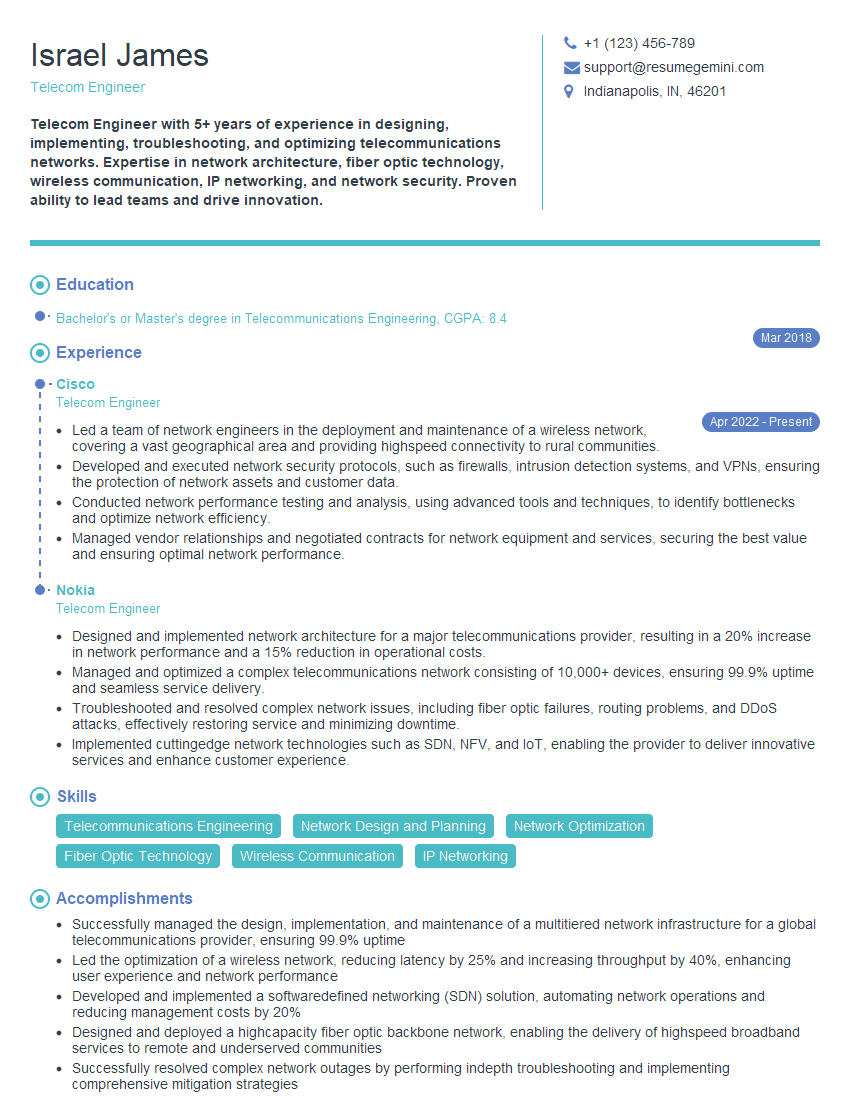
Mastering Mobile Device Network Management opens doors to exciting and rewarding career opportunities in a rapidly evolving field. Demonstrating a strong understanding of these concepts is crucial for securing your dream role. To significantly improve your job prospects, crafting a compelling and ATS-friendly resume is essential. ResumeGemini is a trusted resource that can help you build a professional resume that highlights your skills and experience effectively. ResumeGemini provides examples of resumes tailored to Mobile Device Network Management, ensuring your application stands out from the competition. Take the next step towards your career success today!




Explore more articles
Users Rating of Our Blogs
Share Your Experience
We value your feedback! Please rate our content and share your thoughts (optional).
What Readers Say About Our Blog
Very informative content, great job.
good