Interviews are opportunities to demonstrate your expertise, and this guide is here to help you shine. Explore the essential Monitoring machine performance interview questions that employers frequently ask, paired with strategies for crafting responses that set you apart from the competition.
Questions Asked in Monitoring machine performance Interview
Q 1. Explain the difference between proactive and reactive monitoring.
Proactive monitoring is like having a regular health checkup – you’re anticipating potential problems before they occur. Reactive monitoring, on the other hand, is like waiting for a heart attack before seeing a doctor – you’re addressing issues only after they’ve already impacted your system.
In proactive monitoring, we establish baselines, set thresholds, and continuously monitor system metrics. This allows us to identify potential issues like rising CPU usage or memory leaks before they lead to performance degradation or outages. We can then take preventative measures, like scaling resources or applying patches.
Reactive monitoring, conversely, only alerts you when something has already gone wrong, such as an application crashing or a service becoming unavailable. While necessary for immediate incident response, it’s less effective at preventing issues. Think of it as damage control versus prevention.
A good monitoring strategy employs both approaches. Proactive monitoring helps prevent major incidents, while reactive monitoring ensures rapid response when unforeseen events occur.
Q 2. Describe your experience with various monitoring tools (e.g., Prometheus, Grafana, Datadog, Nagios).
I have extensive experience with a range of monitoring tools, each with its strengths and weaknesses. I’ve used Prometheus for its powerful time-series database and querying capabilities, often paired with Grafana for creating intuitive dashboards and visualizations. This combination allows for granular monitoring and detailed analysis of system performance.
Datadog, with its comprehensive suite of features, has been invaluable in managing complex, distributed systems. Its auto-discovery and built-in alerting capabilities significantly reduce manual configuration and improve response times to critical issues. I’ve also worked with Nagios, particularly useful for its strong network monitoring capabilities and robust alerting system, especially in legacy infrastructure.
My choice of tool depends on the specific needs of the system. For example, Prometheus and Grafana are ideal for infrastructure monitoring where detailed metrics are crucial. Datadog provides a more holistic approach for complex applications, while Nagios is robust for established networks. I’m comfortable leveraging the unique strengths of each tool to build a comprehensive monitoring solution.
Q 3. How do you identify performance bottlenecks in a complex system?
Identifying performance bottlenecks in a complex system requires a systematic approach. I usually start by gathering data from various sources, including system metrics (CPU, memory, I/O), application logs, and network traffic. I then use a combination of techniques to pinpoint the bottlenecks.
Top-Down Approach: I begin by looking at high-level metrics like overall application response time. If this is slow, I then drill down to individual components (databases, web servers, etc.) to identify where the delays are occurring. Tools like Prometheus and Grafana greatly assist in this process by visualizing metric dependencies.
Bottom-Up Approach: This involves examining individual components for resource constraints. High CPU usage on a specific server, for instance, could be a bottleneck. Similarly, slow database queries or network saturation can be identified through detailed logs and performance monitoring.
Profiling: This technique provides a detailed view of code execution to identify performance-critical sections. Profiling tools can highlight functions or code blocks that consume significant resources, providing targeted insights for optimization.
Correlation: I correlate different metrics to uncover hidden relationships. For instance, a spike in database queries might coincide with a sudden increase in application response time, suggesting the database is a bottleneck.
Ultimately, a combination of these techniques allows for a holistic understanding of the system’s performance and precise identification of bottlenecks.
Q 4. What are the key metrics you monitor to assess machine performance?
The key metrics I monitor to assess machine performance are categorized into several groups:
- CPU: CPU usage, context switches, interrupts, and process execution times. High CPU usage often points to resource-intensive processes or poorly optimized code.
- Memory: Resident memory, swap usage, page faults, and memory leaks. High memory usage and excessive swapping can drastically reduce performance.
- Disk I/O: Disk read/write times, queue lengths, and I/O operations per second. Slow disk I/O can bottleneck application response times, especially in database-heavy applications.
- Network: Network throughput, packet loss, latency, and connection errors. Network issues often affect application performance in distributed systems.
- Application-specific metrics: These metrics depend on the specific application being monitored. For web applications, examples include request latency, error rates, and throughput. For databases, it would include query times, connection pools, and transactions per second.
By monitoring these key metrics, I can proactively identify potential performance issues and take preventative steps.
Q 5. Explain your experience with log analysis and how it aids in performance monitoring.
Log analysis is crucial for performance monitoring because it provides valuable context that system metrics alone cannot offer. Logs contain detailed information about application behavior, including error messages, exceptions, and performance-related events. Analyzing these logs allows us to understand why a performance issue is occurring, not just that it’s occurring.
For example, a high CPU usage might be due to a specific code section executing inefficiently. Log analysis can pinpoint the source code responsible, whereas monitoring CPU usage alone only tells us there is a problem. Similarly, errors logged during database queries can reveal underlying issues, such as inefficient query design or database indexing problems.
I use various tools and techniques for log analysis, including centralized logging systems (like ELK stack or Splunk), regular expressions for pattern matching, and log aggregation and analysis platforms. These tools allow efficient search, filtering, and analysis of large log files, leading to faster identification and resolution of performance bottlenecks.
A practical example would be using log analysis to determine the root cause of slow database queries. By examining the logs, we can identify the queries taking excessive time, and then optimize them or modify the database schema to improve performance. Without log analysis, identifying the slow queries would be much more difficult and time-consuming.
Q 6. How do you handle alerts and escalations during performance issues?
Handling alerts and escalations effectively is paramount for minimizing the impact of performance issues. My approach involves a layered system:
- Alerting Thresholds: I configure alerting systems (like Prometheus Alertmanager or Datadog’s alerting) to trigger alerts only when metrics cross predefined thresholds. This prevents alert fatigue from minor fluctuations.
- Escalation Policies: A clear escalation policy defines the order of notification. For example, initial alerts might go to the monitoring team, with subsequent escalation to developers or system administrators if the issue isn’t resolved within a specified timeframe. This ensures that critical issues are addressed promptly.
- On-call Rotation: An on-call rotation ensures 24/7 coverage, minimizing downtime. Clear communication channels (e.g., Slack, PagerDuty) are essential for rapid response.
- Incident Management Process: A well-defined incident management process guides the response to performance issues, including steps for diagnosis, resolution, post-incident analysis, and documentation.
I use automated tools to reduce manual intervention and ensure swift resolution. For example, automated alerts can trigger scaling actions to increase resources during peak loads or automatically restart failing services.
Q 7. Describe your experience with capacity planning and forecasting.
Capacity planning and forecasting are crucial for preventing performance issues and ensuring system scalability. My approach involves a combination of historical data analysis, trend prediction, and load testing.
Historical Data Analysis: I review past performance data to identify trends in resource utilization. This involves analyzing CPU, memory, disk I/O, and network usage over time, to understand peak loads and average utilization.
Trend Prediction: Using time-series forecasting techniques (e.g., ARIMA models), I predict future resource needs based on historical trends and anticipated growth. This helps anticipate potential capacity constraints.
Load Testing: I conduct load tests (using tools like JMeter or Gatling) to simulate realistic user loads and assess the system’s performance under stress. This allows us to identify potential bottlenecks and ensure the system can handle projected growth.
Scenario Planning: I consider various scenarios, such as unexpected traffic spikes or seasonal demand fluctuations, to create robust capacity plans that can handle unforeseen events. This is crucial for providing optimal performance during periods of high demand. The goal is to ensure enough resources are available to handle expected load while maintaining an efficient use of resources.
Q 8. What are some common performance issues you’ve encountered and how did you resolve them?
Common performance issues I’ve encountered often stem from resource contention (CPU, memory, I/O), inefficient code, database bottlenecks, and network latency. Let me illustrate with a couple of examples:
High CPU utilization: In one project, a Java application experienced consistently high CPU usage, impacting responsiveness. Profiling the application using tools like JProfiler revealed a poorly optimized sorting algorithm within a critical loop. Refactoring the code to utilize a more efficient algorithm, like merge sort instead of a naive bubble sort, immediately reduced CPU load by over 60%.
Database slowdowns: Another instance involved a web application whose response time deteriorated dramatically as the database grew. Analysis using database monitoring tools like MySQL Workbench showed slow query execution. Optimizing queries through indexing and query rewriting, along with schema adjustments, significantly improved database performance. We also implemented query caching to reduce redundant database calls.
Resolving these issues involved a combination of profiling tools, code optimization, database tuning, and careful analysis of system logs. The key is to systematically identify the bottleneck and then apply the appropriate fix, often involving iterative improvements and testing.
Q 9. Explain your understanding of different monitoring approaches (e.g., agent-based, agentless).
Monitoring approaches can be broadly classified as agent-based and agentless. Agent-based monitoring involves installing a software agent on each monitored machine. This agent collects performance data and sends it to a central monitoring server. This provides detailed information but requires installation and maintenance on every machine.
Agentless monitoring, on the other hand, relies on remote techniques like SNMP (Simple Network Management Protocol) or WMI (Windows Management Instrumentation) to collect performance data without needing agents. This is less intrusive and simpler to deploy but might provide less granular data and could be susceptible to network issues affecting data collection.
The choice between these approaches depends on the specific needs and the environment. For instance, agent-based monitoring is preferred when detailed metrics are crucial and you have control over the target machines, while agentless monitoring might be suitable for large-scale deployments where installing agents on each machine is impractical.
Q 10. How do you ensure the accuracy and reliability of your monitoring data?
Ensuring accuracy and reliability of monitoring data is paramount. Here’s how I approach it:
Data validation: I implement data validation checks at multiple points, starting with the agent/sensor itself to ensure the data collected is within expected ranges. Outliers are flagged for review.
Redundancy: Using multiple data sources or monitoring tools provides redundancy and helps identify discrepancies. If one source fails, others will continue providing data.
Regular calibration: Where possible, I regularly calibrate the monitoring system against known good values or independent measurements. For example, comparing CPU usage from the monitoring tool with the operating system’s reported usage.
Alerting thresholds: Carefully defined alert thresholds prevent false positives. These thresholds should be set based on historical data and performance baselines, and adjusted periodically to accommodate changes in the system workload.
Data aggregation and visualization: Appropriate aggregation techniques and clear visualization in dashboards help identify patterns and trends more easily, making it simpler to spot inaccuracies.
By combining these practices, I build confidence in the monitoring data’s integrity and reliability, leading to more effective performance analysis and troubleshooting.
Q 11. Describe your experience with setting up and managing monitoring dashboards.
My experience with monitoring dashboards involves selecting the right tools (e.g., Grafana, Prometheus, Datadog), designing intuitive layouts, and integrating them with alerting systems. I strive for dashboards that clearly represent key performance indicators (KPIs) and provide quick insights into system health. For example, I usually include:
Resource utilization: CPU, memory, disk I/O, network traffic are crucial metrics to display prominently.
Application performance: Response times, error rates, throughput for key applications are equally important.
Database performance: Query execution times, connection pool usage are vital if databases are involved.
Effective dashboards should be easily understandable by both technical and non-technical stakeholders. Therefore, I focus on using clear visual cues, informative labels, and appropriate scaling to ensure data is presented in a meaningful way. Dashboards need to be dynamic and adapt to changes in the monitored system.
Q 12. How do you prioritize alerts based on their severity and impact?
Alert prioritization is crucial for efficient incident management. I use a multi-faceted approach:
Severity levels: Define clear severity levels (e.g., critical, major, minor, warning) based on the impact on the system and business operations. Critical alerts, like complete system outages, warrant immediate attention.
Impact analysis: Prioritize alerts based on their potential impact on users or business processes. An alert affecting a high-traffic application is more critical than one impacting a low-usage system.
Alert deduplication and grouping: Group related alerts to avoid alert storms and streamline incident investigation.
Automated escalation: Configure automatic escalation for critical alerts to appropriate teams or individuals. This ensures timely resolution of serious issues.
Contextual information: Include relevant contextual data in alerts (e.g., affected servers, error codes) to speed up troubleshooting.
A well-designed alert prioritization system minimizes noise, ensures that critical issues are addressed promptly, and enables efficient resource allocation during incidents.
Q 13. Explain your experience with performance tuning databases (e.g., MySQL, PostgreSQL).
My experience with database performance tuning encompasses both MySQL and PostgreSQL. Tuning techniques often revolve around indexing, query optimization, schema design, and resource allocation. Let’s take an example with MySQL:
Indexing: Improper indexing can severely impact query performance. Analyzing query execution plans (using
EXPLAIN) helps identify queries that could benefit from additional indexes. However, over-indexing can also be detrimental, so a balanced approach is essential.Query optimization: Rewriting inefficient queries can drastically improve performance. This involves using appropriate joins, avoiding full table scans, and optimizing subqueries. Tools like MySQL’s slow query log are valuable for identifying performance bottlenecks.
Schema design: A well-designed database schema plays a crucial role. Normalization helps reduce data redundancy and improve query efficiency. Careful consideration of data types and column sizes can also impact performance.
Resource allocation: Sufficient RAM, CPU, and disk I/O resources are essential for optimal database performance. Monitoring these resources and adjusting settings as needed is important. Consider using query caching and connection pooling to further optimize resource usage.
Similar principles apply to PostgreSQL, though the specific tools and commands may differ. The key is to use appropriate database monitoring and profiling tools to identify bottlenecks and apply targeted optimizations.
Q 14. How do you troubleshoot network performance issues?
Troubleshooting network performance issues involves systematic investigation, starting with identifying the symptoms (slow connections, packet loss, high latency). Then, I follow a structured approach:
Network monitoring tools: Tools like Wireshark (for packet analysis), ping, traceroute, and network monitoring systems (e.g., Nagios, Zabbix) are instrumental in identifying bottlenecks and network problems.
Bandwidth analysis: Checking bandwidth utilization helps pinpoint bandwidth saturation points. This may involve analyzing network interfaces on servers and switches.
Latency analysis: Measuring latency using ping and traceroute helps identify slow links or congested routers. High latency can indicate network congestion or faulty equipment.
Packet loss: Packet loss indicates network errors or faulty hardware. Analyzing network traffic using Wireshark can help determine the cause of packet loss.
DNS resolution: Slow DNS resolution can significantly impact application performance. Verifying DNS settings and server responsiveness is important.
Firewall and routing: Review firewall rules and routing configurations to ensure they are not blocking or hindering network traffic.
By systematically checking these aspects, I can pinpoint the root cause of the performance issue and implement appropriate solutions, which may include upgrading network hardware, optimizing network configurations, or addressing software-related problems.
Q 15. Describe your experience with using APM (Application Performance Monitoring) tools.
My experience with APM tools spans several years and various technologies. I’ve worked extensively with tools like Datadog, New Relic, and Dynatrace, leveraging their capabilities for application performance monitoring across diverse architectures, from monolithic applications to complex microservices deployments. I’m proficient in instrumenting applications, configuring dashboards, and setting up alerts. For example, in a recent project involving a high-traffic e-commerce platform built on microservices, I used Datadog to pinpoint performance bottlenecks in specific services. By analyzing metrics like response times, error rates, and resource utilization, I identified a poorly performing database query that was significantly impacting overall application speed. This allowed us to optimize the query and drastically improve the user experience. Beyond simply identifying problems, I leverage APM tools for proactive performance management, using historical data to predict potential issues and implement preventative measures.
Career Expert Tips:
- Ace those interviews! Prepare effectively by reviewing the Top 50 Most Common Interview Questions on ResumeGemini.
- Navigate your job search with confidence! Explore a wide range of Career Tips on ResumeGemini. Learn about common challenges and recommendations to overcome them.
- Craft the perfect resume! Master the Art of Resume Writing with ResumeGemini’s guide. Showcase your unique qualifications and achievements effectively.
- Don’t miss out on holiday savings! Build your dream resume with ResumeGemini’s ATS optimized templates.
Q 16. What are your preferred methods for visualizing performance data?
My preferred methods for visualizing performance data prioritize clarity and actionable insights. I find dashboards built with dynamic charts and graphs, like those provided by the APM tools mentioned earlier, are most effective. Specifically, I favor using time-series graphs to track key metrics over time, identifying trends and anomalies. Heatmaps are excellent for quickly spotting areas of concern across multiple dimensions (e.g., geographic location, user segment). For deeper dives, I often utilize interactive drill-down capabilities to explore specific events or data points. For example, if a time-series graph reveals a spike in error rates, I can drill down to see the specific error messages and affected users. Ultimately, the best visualization depends on the specific data and the question we’re trying to answer. The goal is always to transform raw data into readily understandable insights that inform decision-making.
Q 17. How do you integrate monitoring data with other systems (e.g., ticketing systems, incident management)?
Integrating monitoring data with other systems is crucial for effective incident management. I frequently leverage the built-in integrations offered by APM tools to connect with ticketing systems like Jira and ServiceNow. This allows automatic creation of tickets when alerts are triggered, ensuring that the right team is notified promptly. Similarly, integrating with incident management platforms provides a central hub for tracking and resolving incidents, linking alerts with related events and actions. For situations requiring custom integrations, I’m skilled in using APIs to push monitoring data to external systems. For example, I’ve developed custom scripts to send critical alerts via email or SMS based on predefined thresholds. The key is to establish a seamless workflow so that alerts are promptly addressed and performance issues are resolved efficiently.
Q 18. Explain your understanding of different types of monitoring (e.g., synthetic, real user monitoring).
Understanding the different types of monitoring is fundamental. Synthetic monitoring involves using automated scripts or bots to simulate user interactions with the application. This provides a proactive way to detect performance problems before real users are affected. Real user monitoring (RUM) focuses on capturing performance data from actual users’ experiences, providing insights into real-world usage patterns. Combining both provides a comprehensive view. For instance, synthetic monitoring might detect a slow response time in a specific geographic location, while RUM would reveal how this impacts actual users in that region. Other types include infrastructure monitoring (server health, network performance), log monitoring (analyzing application logs for errors and performance issues), and application-specific monitoring (tailored to the features of a particular application). The choice of monitoring type depends on the specific needs and goals.
Q 19. How do you handle large volumes of monitoring data?
Handling large volumes of monitoring data requires a strategic approach. Leveraging cloud-based monitoring tools is essential because they are designed to scale to handle massive datasets. These tools often employ techniques like data aggregation, summarization, and downsampling to reduce data volume while retaining crucial information. Furthermore, optimizing query performance and utilizing efficient data storage solutions are vital. For example, I’ve used tools that support specialized databases like time-series databases (TSDBs), which are optimized for handling high-volume time-stamped data. Knowing when to retain different levels of detail is also crucial. Detailed data might be retained for shorter periods for rapid analysis, while summarized data might be archived for longer-term trends and analysis.
Q 20. Describe your experience with automating monitoring tasks.
Automating monitoring tasks is essential for efficiency and scalability. I’ve extensively used the capabilities of APM tools to automate tasks such as setting up alerts, generating reports, and scaling monitoring resources based on load. I’m also proficient in using scripting languages (as discussed in the next answer) to create custom automation workflows. For example, I’ve automated the process of creating custom dashboards and reports, reducing the manual effort and ensuring consistency. Automation is critical in handling the large amount of data in modern systems. Automating alerts means faster responses and quicker problem resolution. Using automation scripts for tasks means tasks can be automated, and repeated processes become easier and more efficient.
Q 21. What is your experience with using scripting languages (e.g., Python, Bash) for monitoring?
I’m proficient in using both Python and Bash scripting for monitoring tasks. Python’s versatility allows me to create sophisticated scripts for data processing, analysis, and alert generation. For example, I’ve used Python to parse log files, identify error patterns, and generate custom reports. Bash scripting is excellent for automating tasks related to system administration and infrastructure management, such as checking server status, restarting services, and managing monitoring agents. Example: A Python script could retrieve metrics from an API, perform calculations, and trigger alerts based on thresholds. A bash script could automatically restart a service if it fails. The choice between languages often depends on the specific task. Python excels in data processing while Bash excels in infrastructure automation.
Q 22. How do you stay updated with the latest trends and technologies in performance monitoring?
Staying current in the dynamic field of performance monitoring requires a multi-pronged approach. I regularly engage with several key resources to ensure my knowledge remains sharp. This includes:
- Following industry blogs and publications: Sites like The Register, InfoQ, and various vendor blogs offer insights into new tools, techniques, and best practices. I actively subscribe to newsletters and RSS feeds to keep up with the latest developments.
- Participating in online communities and forums: Platforms like Stack Overflow, Reddit (r/sysadmin, r/devops), and professional networking sites allow me to connect with other experts, discuss challenges, and learn from shared experiences. This peer-to-peer learning is invaluable.
- Attending webinars and conferences: Industry events provide opportunities to hear from leading experts, explore emerging technologies, and network with professionals in the field. I actively seek out conferences and workshops that focus on performance monitoring and related areas.
- Experimenting with new tools and technologies: Hands-on experience is crucial. I allocate time to test and evaluate new monitoring solutions, exploring their capabilities and limitations in practical scenarios. This helps me develop a critical understanding of their strengths and weaknesses.
- Continuous learning through online courses: Platforms like Coursera, Udemy, and LinkedIn Learning offer courses on various aspects of performance monitoring, keeping my skills current and expanding my knowledge base.
By combining these methods, I maintain a strong grasp of the latest trends and technologies in performance monitoring, ensuring I can apply the most effective strategies to solve real-world challenges.
Q 23. Describe a time you had to debug a complex performance issue. What was your approach?
During my time at a previous company, we experienced a significant performance bottleneck affecting our flagship e-commerce application. Website response times were spiking dramatically during peak hours, resulting in lost sales and frustrated customers. My approach was systematic and followed these steps:
- Identify the Symptoms: We started by gathering data on slow response times, high error rates, and resource utilization (CPU, memory, disk I/O). We used our existing monitoring tools (primarily Prometheus and Grafana) to pinpoint affected components.
- Isolate the Problem: Using application logs, performance traces (with tools like Jaeger), and database query logs, we narrowed down the issue to a specific database query within the product catalog section. This query was performing poorly under heavy load, essentially blocking other requests.
- Analyze the Root Cause: Further investigation revealed that the poorly performing query lacked appropriate indexes. This resulted in full table scans, rather than efficient indexed lookups, significantly impacting performance.
- Implement a Solution: We added the missing indexes to the database. Afterward, we monitored the impact of the changes, validating the improvement in query execution time and overall application performance.
- Prevent Future Occurrences: This incident highlighted the importance of proactively monitoring database performance, including query execution times. We implemented automated alerts for slow-running queries and enhanced our performance testing procedures to better identify potential bottlenecks before they impacted users.
This experience reinforced the importance of methodical debugging, thorough data analysis, and the value of well-integrated monitoring and alerting systems. It also showed me the significant impact of seemingly small database optimizations.
Q 24. Explain your understanding of SLAs (Service Level Agreements) and how they relate to monitoring.
Service Level Agreements (SLAs) are formal contracts defining the performance expectations of a service. They specify the minimum acceptable levels of availability, performance, and other key metrics. Monitoring plays a crucial role in ensuring that these SLAs are met.
In the context of monitoring, SLAs dictate what metrics need to be monitored, how frequently they should be measured, and what thresholds trigger alerts. For example, an SLA might stipulate 99.9% uptime, requiring monitoring systems to track server availability and generate alerts if uptime drops below this threshold. Other common SLA metrics include response times, transaction success rates, and error rates. Effective monitoring allows us to track these metrics, proactively identify potential issues before they impact the SLA, and provide evidence of compliance (or non-compliance).
Without robust monitoring, it’s impossible to measure and manage performance against SLA targets. Monitoring helps us identify deviations from the agreed-upon service levels, allowing for timely intervention and preventing SLA breaches, thus protecting the reputation and business interests of the organization.
Q 25. How do you measure the effectiveness of your monitoring strategies?
Measuring the effectiveness of monitoring strategies involves both quantitative and qualitative assessments. Here’s how I approach it:
- Mean Time To Detection (MTTD): This metric measures the time it takes to detect an incident from its occurrence. A lower MTTD indicates more effective monitoring. We track this by analyzing the time between the first occurrence of a problem and the generation of an alert.
- Mean Time To Resolution (MTTR): This metric measures the time it takes to resolve an incident once detected. A lower MTTR reflects better incident management and more effective monitoring for faster identification of the root cause.
- Alert Fatigue Reduction: Monitoring systems should be tuned to minimize false positives, preventing alert fatigue among the team. We regularly evaluate alert thresholds and suppression rules to maintain an optimal balance.
- Proactive Identification of Issues: Effective monitoring helps proactively identify and address issues *before* they impact users. We track the number of proactive problem resolutions to measure how our monitoring helps us prevent incidents.
- Business Impact Reduction: Ultimately, the effectiveness of monitoring is measured by its impact on the business. We analyze the financial costs associated with incidents, and track how effectively our monitoring has reduced these costs over time.
- Feedback & Improvement: We regularly solicit feedback from the operations team to understand the effectiveness of our alerting and dashboarding. This feedback fuels continuous improvement in our monitoring strategies.
By tracking these metrics, we can assess the effectiveness of our monitoring systems, identify areas for improvement, and ensure they are effectively supporting our operational goals.
Q 26. What are some best practices for setting up effective monitoring systems?
Setting up effective monitoring systems requires a strategic approach, encompassing several best practices:
- Define Clear Objectives: Begin by clearly defining what needs to be monitored and why. What are the critical business services? What metrics are essential for understanding their health? Defining clear objectives guides the selection of tools and metrics.
- Choose the Right Tools: Select monitoring tools appropriate for the scale and complexity of your infrastructure. Consider factors such as scalability, integration capabilities, alerting features, and reporting functionality. A combination of tools might be needed to cover all aspects.
- Implement Centralized Logging: Centralized logging provides a unified view of system activity, making it easier to correlate events and troubleshoot issues. Tools like Elasticsearch, Fluentd, and Kibana (the ELK stack) are commonly used for this purpose.
- Establish Comprehensive Alerting: Set up alerts for critical metrics and events. These alerts should be precise, actionable, and minimize false positives. Use appropriate escalation paths to ensure timely responses to incidents.
- Utilize Dashboards and Visualization: Create intuitive dashboards to visualize key performance indicators (KPIs). Dashboards should provide at-a-glance visibility into system health, facilitating quick identification of potential problems.
- Automate Processes: Automate routine monitoring tasks such as alert handling, incident response, and system scaling to minimize manual intervention and improve efficiency.
- Regularly Review and Optimize: Monitoring systems are not static. Regularly review and refine your monitoring strategy to ensure it remains effective and aligned with evolving needs. This involves analyzing collected data, identifying areas for improvement, and making adjustments as needed.
By following these best practices, organizations can establish robust and effective monitoring systems that ensure the reliability and performance of their critical IT infrastructure.
Q 27. Explain your experience with cloud-based monitoring solutions (e.g., AWS CloudWatch, Azure Monitor).
I have extensive experience with cloud-based monitoring solutions, primarily AWS CloudWatch and Azure Monitor. Both provide comprehensive tools for monitoring various aspects of cloud-based infrastructure and applications.
AWS CloudWatch: I’ve used CloudWatch extensively to monitor EC2 instances, Lambda functions, RDS databases, and other AWS services. Its features for collecting and visualizing metrics, setting alarms, and generating logs are very powerful. I’ve used CloudWatch dashboards to create visualizations of key performance metrics, set up custom metrics for application-specific monitoring, and used its alerting capabilities to proactively notify the team about potential issues.
Azure Monitor: Similarly, I have experience leveraging Azure Monitor to monitor virtual machines (VMs), Azure SQL databases, and Azure App Service. Its integration with other Azure services makes it a seamless part of the cloud ecosystem. I’ve utilized its log analytics capabilities to analyze large volumes of log data, identify trends, and diagnose complex problems. The ability to create custom alerts and dashboards tailored to specific application needs has proven invaluable.
My experience with both platforms highlights their strengths and weaknesses, allowing me to choose the most appropriate solution based on specific requirements. The selection is often dictated by the underlying cloud provider and the specific monitoring needs of the application or infrastructure.
Q 28. How do you balance the need for comprehensive monitoring with minimizing performance overhead?
Balancing comprehensive monitoring with minimized performance overhead is a crucial aspect of effective monitoring system design. It’s a trade-off between gaining deep insights and avoiding the very performance problems we’re trying to detect.
Here’s how I approach this challenge:
- Prioritize Critical Metrics: Focus on monitoring the most essential metrics that directly impact business operations. Avoid collecting excessive data that provides little value. Think Pareto principle (80/20 rule).
- Use Sampling Techniques: Instead of monitoring every single event or transaction, implement sampling techniques to reduce the amount of data collected. This reduces overhead without sacrificing accuracy for significant trends.
- Optimize Monitoring Tools: Select efficient monitoring tools designed to minimize the performance impact on monitored systems. Look for tools with optimized data collection and processing capabilities.
- Utilize Push-Based Monitoring: Employ push-based monitoring where monitored systems actively send data to the central monitoring system, reducing the need for the monitoring system to constantly poll for updates.
- Configure Appropriate Monitoring Intervals: Choose appropriate sampling intervals for various metrics. High-frequency monitoring is essential for critical metrics but not always necessary for less volatile data points. This fine-tuning is critical.
- Regularly Review Performance Impact: Continuously monitor the performance impact of the monitoring system itself. Analyze resource utilization (CPU, memory, network) to identify and address any negative effects.
- Leverage Agentless Monitoring: Where feasible, utilize agentless monitoring techniques that avoid the need to install monitoring agents on target systems, thereby minimizing the performance footprint.
By applying these strategies, we can achieve a balance between comprehensive monitoring and minimal performance overhead, ensuring that our monitoring systems enhance, not hinder, the performance of the systems they monitor.
Key Topics to Learn for Monitoring Machine Performance Interview
- Operating System Monitoring: Understanding resource utilization (CPU, memory, disk I/O) and identifying bottlenecks. Practical application: Analyzing system logs to pinpoint performance issues in a production environment.
- Network Monitoring: Analyzing network traffic, latency, and packet loss. Practical application: Troubleshooting slow application response times by examining network performance metrics.
- Database Monitoring: Tracking database performance metrics such as query execution times, transaction rates, and connection pool usage. Practical application: Optimizing database queries to improve application performance.
- Application Performance Monitoring (APM): Utilizing APM tools to track application performance, identify slow requests, and pinpoint errors. Practical application: Using APM data to debug application performance issues in a distributed system.
- Log Management and Analysis: Collecting, analyzing, and correlating logs from various system components to identify and diagnose performance problems. Practical application: Using log analysis to pinpoint the root cause of a system crash.
- Performance Tuning and Optimization: Implementing strategies to improve system performance, such as resource allocation, caching, and code optimization. Practical application: Suggesting and implementing solutions to improve the performance of a specific application or system.
- Alerting and Notification Systems: Setting up and managing alerting systems to proactively identify and respond to performance issues. Practical application: Designing a robust alerting system to ensure timely resolution of performance incidents.
- Cloud Monitoring (if applicable): Understanding cloud-specific performance metrics and monitoring tools. Practical application: Optimizing resource usage and cost in a cloud environment.
Next Steps
Mastering machine performance monitoring is crucial for a successful career in IT operations, DevOps, or Site Reliability Engineering. It demonstrates your ability to proactively identify and resolve critical performance bottlenecks, leading to improved system stability and efficiency. To enhance your job prospects, creating an ATS-friendly resume is essential. This will help your application stand out and reach the right recruiters. We highly recommend using ResumeGemini to build a professional and effective resume tailored to your skills and experience. Examples of resumes specifically tailored for Monitoring Machine Performance roles are available within ResumeGemini.
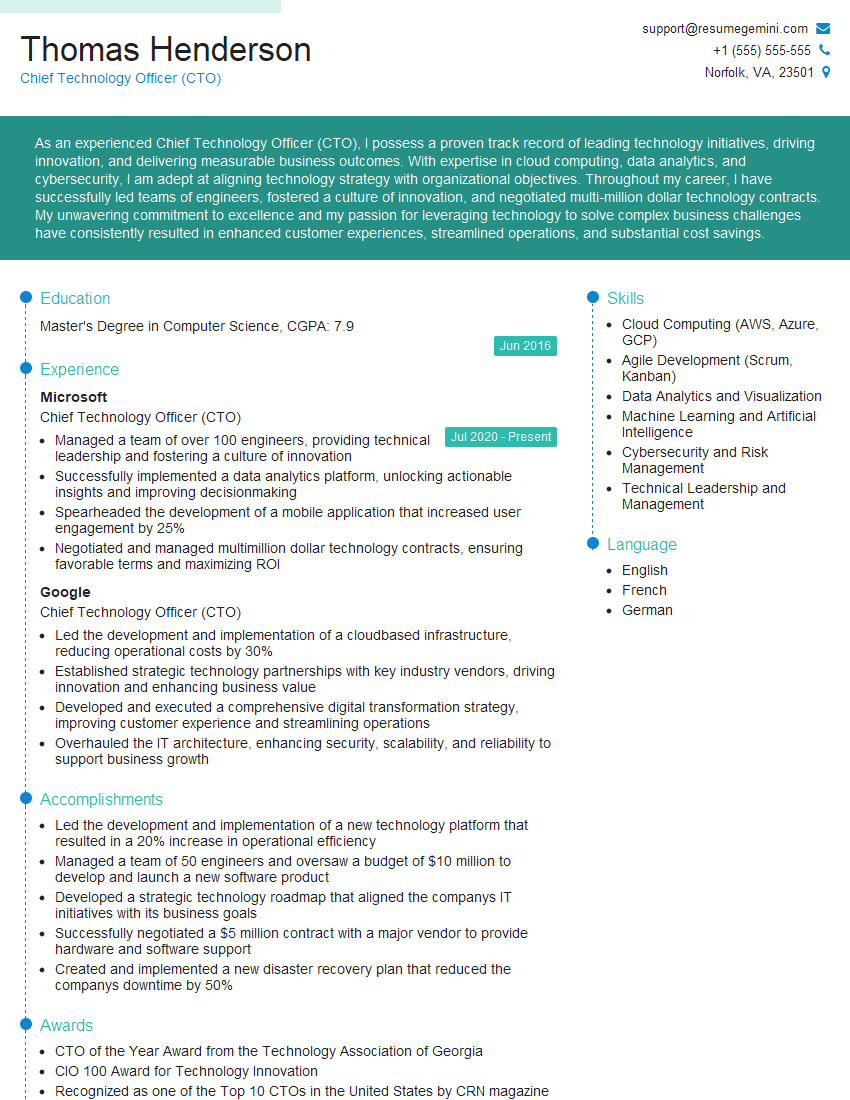
Chief Technology Officer (CTO) Resume Sample

Data Center Manager Resume Sample

Principal Engineer Resume Sample

Security Engineer Resume Sample

Network Engineer Resume Sample

Automation Engineer Resume Sample

Solutions Architect Resume Sample

Infrastructure Engineer Resume Sample
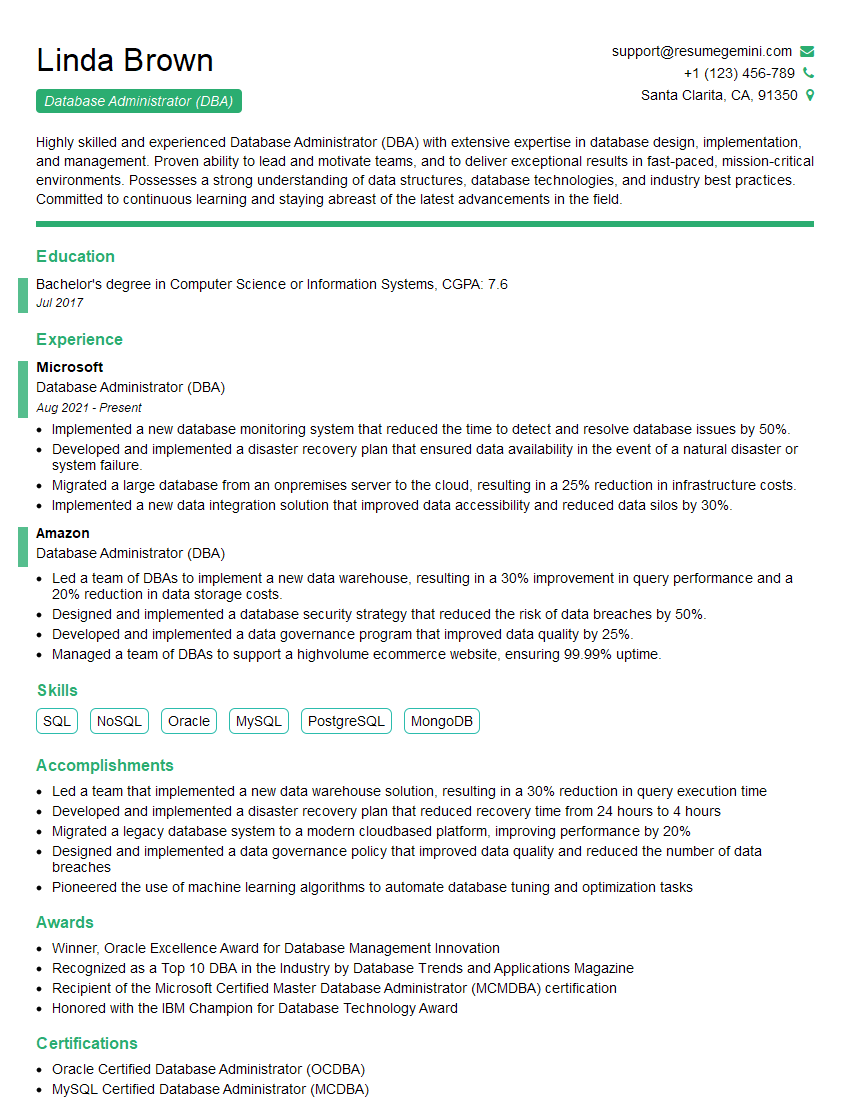
Database Administrator (DBA) Resume Sample

System Administrator Resume Sample

IT Manager Resume Sample

Technical Lead Resume Sample

DevOps Engineer Resume Sample

Cloud Architect Resume Sample
Explore more articles
Users Rating of Our Blogs
Share Your Experience
We value your feedback! Please rate our content and share your thoughts (optional).
What Readers Say About Our Blog
Very informative content, great job.
good