Interviews are opportunities to demonstrate your expertise, and this guide is here to help you shine. Explore the essential Music Technology and Digital Music interview questions that employers frequently ask, paired with strategies for crafting responses that set you apart from the competition.
Questions Asked in Music Technology and Digital Music Interview
Q 1. Explain the Nyquist-Shannon sampling theorem and its relevance to digital audio.
The Nyquist-Shannon sampling theorem is a fundamental principle in digital audio that dictates the minimum sampling rate required to accurately represent an analog audio signal in the digital domain. It states that to perfectly reconstruct a signal, the sampling rate must be at least twice the highest frequency present in that signal. This highest frequency is called the Nyquist frequency.
In simpler terms, imagine you’re taking snapshots of a spinning wheel. If you take too few snapshots (low sampling rate), you might miss important details and misinterpret the wheel’s speed. To accurately capture its motion, you need to take enough snapshots (high sampling rate) – at least twice the speed of the wheel’s fastest rotation. In audio, this translates to the sampling rate (e.g., 44.1 kHz for CD quality audio). If the sampling rate is too low, you get aliasing – high frequencies appearing as lower frequencies, resulting in a distorted, unpleasant sound. This is why digital audio systems employ anti-aliasing filters before the analog-to-digital conversion process to remove frequencies above the Nyquist frequency.
Its relevance to digital audio is paramount because it directly impacts the quality of the digital representation. Under-sampling leads to artifacts and inaccuracies, while over-sampling, though more resource-intensive, can improve the quality and allow for better filtering.
Q 2. Describe the difference between additive and subtractive synthesis.
Additive and subtractive synthesis are two primary methods for creating sounds electronically. They differ fundamentally in their approach to sound generation.
Additive synthesis builds complex sounds by adding together simple sine waves (pure tones) of different frequencies, amplitudes, and phases. Imagine a painter starting with individual colors and gradually mixing them to create a more complex shade. It’s a very precise and controlled method, allowing for fine-grained adjustments to the timbre (the tonal quality of a sound). It’s often used to create lush, complex soundscapes and is computationally intensive.
Subtractive synthesis, on the other hand, starts with a complex sound, typically a sawtooth or square wave, and then subtracts frequencies using filters. Think of a sculptor starting with a block of marble and carving away to reveal the desired form. Filters, like low-pass, high-pass, band-pass, and notch filters, are used to shape the sound’s frequency content. It’s generally easier to control and less computationally demanding than additive synthesis. The classic Moog synthesizer is a prime example of a subtractive synthesizer.
Q 3. What are the advantages and disadvantages of using different audio file formats (e.g., WAV, MP3, FLAC)?
Different audio file formats offer various trade-offs between file size, audio quality, and compatibility. Here’s a comparison of WAV, MP3, and FLAC:
- WAV (Waveform Audio File Format): A lossless format, meaning no audio data is discarded during encoding. It provides the highest audio fidelity, preserving the original audio quality. However, WAV files are typically very large.
- MP3 (MPEG Audio Layer III): A lossy format, meaning data is compressed by discarding some audio information deemed perceptually irrelevant (in theory). This results in significantly smaller file sizes compared to WAV, but at the cost of some audio quality. The degree of compression impacts the perceived audio quality. MP3 is widely compatible across devices and software.
- FLAC (Free Lossless Audio Codec): Another lossless format offering excellent audio quality without any data loss. It provides a good balance between file size and quality, being significantly smaller than WAV files while retaining the original audio information. FLAC is gaining popularity, although its compatibility might not be as broad as MP3’s.
In summary:
- Best quality: WAV and FLAC (lossless)
- Smallest file size: MP3 (lossy)
- Best compatibility: MP3
- Best balance: FLAC
Q 4. Explain the concept of dynamic range compression and its applications.
Dynamic range compression reduces the difference between the loudest and quietest parts of an audio signal. Imagine a recording with both very quiet passages and very loud peaks; dynamic range compression makes the quiet parts louder and the loud parts quieter, resulting in a more consistent volume level. This is achieved by applying a gain reduction based on the level of the input signal.
Applications:
- Loudness maximization: Making tracks sound louder on streaming platforms where overall loudness is often prioritized. This often comes at the expense of dynamic range.
- Broadcast: Ensuring a consistent audio level for radio or TV broadcasts to maintain a comfortable listening experience.
- Mastering: Final stage of audio processing to prepare an audio recording for distribution. Compression is used to control dynamics and make the track more suitable for various listening environments.
- Live sound reinforcement: Maintaining a consistent audio level during live performances, managing feedback, and adjusting to dynamic changes in the performance.
While compression can improve listening experiences by preventing harsh peaks and making quieter parts audible, over-compression can lead to a ‘squashed’ sound, lacking dynamics and character. Finding the right balance is crucial.
Q 5. How does equalization affect the frequency spectrum of an audio signal?
Equalization (EQ) modifies the frequency balance of an audio signal. It allows you to boost or cut specific frequency ranges, thereby shaping the overall tone and character of the sound. Think of it as a sculptor working with the frequencies, adding or subtracting volume at different points in the spectrum.
Imagine an audio signal represented as a frequency spectrum – a graph showing the amplitude (loudness) of each frequency component. EQ affects this spectrum. A boost at a particular frequency range increases the amplitude of frequencies within that range, making them louder. Conversely, a cut decreases the amplitude, making them quieter.
Examples:
- Boosting bass frequencies (low frequencies) can add warmth and fullness to a track.
- Cutting mid-range frequencies can remove muddiness or harshness.
- Boosting high frequencies (treble) can add brightness and clarity.
Q 6. Describe your experience with various Digital Audio Workstations (DAWs).
Throughout my career, I’ve gained extensive experience with various Digital Audio Workstations (DAWs). My primary experience centers around Logic Pro X, Pro Tools, and Ableton Live.
Logic Pro X: I’ve used Logic extensively for composing, arranging, and mixing projects spanning a variety of genres, from orchestral scores to electronic music productions. I’m particularly comfortable with its powerful MIDI editor, extensive plugin support, and intuitive workflow.
Pro Tools: My proficiency in Pro Tools stems from professional studio work. I’ve used it extensively for recording, editing, and mixing, appreciating its industry-standard status and robust features for audio post-production and collaborative workflows.
Ableton Live: Ableton Live has been instrumental in my electronic music production work. Its session view and flexible arrangement capabilities make it ideal for live performance and improvisational composition. I’ve leveraged its powerful effects and extensive looping capabilities to create various electronic music projects.
My experience with these DAWs encompasses a wide range of tasks, including audio recording, MIDI sequencing, editing, mixing, mastering, and sound design. I am equally adept at leveraging their built-in effects and working with third-party plugins to achieve diverse sonic results. My adaptability ensures I can seamlessly transition between different DAWs based on project requirements.
Q 7. What are your preferred methods for noise reduction and restoration?
Noise reduction and restoration are crucial aspects of audio post-production. My preferred methods depend on the type and nature of the noise. For consistent, low-level noise like tape hiss or background hum, I often utilize spectral editing techniques within my DAW and rely on specialized plugins that offer noise reduction capabilities. I favor those with sophisticated algorithms that preserve the dynamics and details of the original audio signal.
For more complex noise problems, such as clicks, pops, or artifacts, I employ a combination of techniques. This might include:
- Spectral editing: Manually identifying and removing unwanted frequencies in the frequency spectrum.
- Phase cancellation: If the noise is consistent and repetitive, I can sometimes phase-cancel it, effectively reducing or eliminating it. This requires careful analysis and application.
- AI-powered noise reduction: Some advanced plugins utilize AI to identify and reduce noise intelligently. I use these sparingly because, while powerful, they can sometimes introduce artifacts if not used carefully.
- Clone editing: Replacing problematic sections with similar, clean audio regions.
It’s a multifaceted process where the approach needs tailoring to the specific nature of the noise and the quality of the original audio material. The goal is to reduce or eliminate unwanted noise without significantly affecting the desired audio elements. Successful restoration requires a keen ear and a detailed understanding of audio processing techniques.
Q 8. Explain your understanding of MIDI and its role in music production.
MIDI, or Musical Instrument Digital Interface, is a communication protocol that allows electronic musical instruments and computers to communicate with each other. Think of it as a universal language for music technology. Instead of sending audio signals directly, MIDI transmits musical data like note velocity, pitch, and controller information. This data can then be used to trigger sounds, control effects, and automate various aspects of music production.
In a typical music production workflow, a MIDI keyboard might send MIDI data to a digital audio workstation (DAW). The DAW then uses this data to trigger samples, synthesizers, or virtual instruments, creating the actual audio. This is incredibly efficient because you can easily edit and manipulate the musical information without dealing with the raw audio file. For instance, you can change the pitch of an entire MIDI melody with a single parameter adjustment, something impossible with a pre-recorded audio track.
- Advantages: Non-destructive editing, efficient storage, versatile sound manipulation.
- Applications: Sequencing melodies, controlling synthesizers, automating mixing parameters.
Q 9. How do you approach mixing and mastering a track to achieve a professional sound?
Mixing and mastering are crucial post-production processes. Mixing involves balancing and shaping the individual tracks within a song to create a cohesive and well-balanced sound, while mastering prepares the final mix for distribution across various platforms.
My approach to mixing begins with gain staging—ensuring appropriate signal levels throughout the mixing process to avoid clipping and maintain headroom. I then focus on EQ (equalization), adjusting the frequency balance of each instrument or vocal to remove muddiness or harshness and create space in the mix. Compression is used to control dynamics and bring out quieter elements. Reverb and delay plugins are carefully applied to add depth and space. Throughout this process, I constantly refer to reference tracks – professionally mixed songs in a similar genre – to ensure my mix sits well within the industry standard.
Mastering takes the final mixed track and optimizes it for loudness, clarity, and consistency across various playback systems. It involves subtle adjustments to the overall frequency balance, dynamics, and stereo width. A good mastering engineer ensures the track is loud enough to compete with other releases without sacrificing dynamic range or clarity. I often collaborate with a mastering engineer for this stage, leveraging their specialized skills and equipment.
Q 10. What are your experiences with different microphone types and their applications?
Microphones are the cornerstone of audio recording, each type possessing unique sonic characteristics. My experience encompasses various types, including:
- Condenser Microphones: These are highly sensitive and capture a wide frequency range, making them ideal for vocals, acoustic instruments, and delicate sounds. Large-diaphragm condensers are commonly used for vocals due to their warm and smooth sound, while small-diaphragm condensers excel at capturing detail and are often used for overhead cymbal miking.
- Dynamic Microphones: These are robust and less sensitive to handling noise, perfect for loud instruments like drums, electric guitars, and live performances. Their characteristic sound is often described as punchy and powerful.
- Ribbon Microphones: Known for their unique midrange and smooth high-end, these microphones offer a vintage character and are often used for vocals, guitars, and horns. They tend to be more delicate than dynamic or condenser mics.
The choice of microphone depends entirely on the source and desired sound. For instance, I might use a large-diaphragm condenser for a close-miked vocal, a dynamic microphone for a snare drum, and a small-diaphragm condenser for ambient room sound. The position and angle of the microphone also significantly impact the resulting sound.
Q 11. Describe your workflow for creating sound effects or sound design.
My sound design workflow often begins with a clear concept or brief. I might start with raw audio recordings, synthesizers, or even foley techniques (creating sounds by manipulating everyday objects). The process involves experimentation, layering, and manipulation of sounds using various effects.
For example, I might create a whooshing sound effect by recording a piece of fabric being moved rapidly and then processing it with EQ, reverb, and compression to refine the shape and tone. I frequently use granular synthesis to manipulate existing sounds in unique ways, breaking them down into tiny grains and rearranging them. Additive and subtractive synthesis techniques in virtual instruments are also powerful tools for shaping sonic landscapes. A vital part of this is meticulous organization of samples and presets, so I regularly use sample libraries and sound design tools like Kontakt and Serum.
Throughout the process, iterative listening and refinement are crucial. I often bounce ideas, listen back, and make adjustments to achieve the desired sonic aesthetic. The process can be very intuitive, a blend of artistic vision and technical know-how.
Q 12. How do you troubleshoot audio problems in a recording or mixing session?
Troubleshooting audio problems requires a systematic approach. I typically begin by identifying the source of the problem. Is it an issue with the recording equipment, software, or the audio itself?
Step-by-step troubleshooting:
- Check connections: Ensure all cables are securely connected and functioning correctly. A loose cable can cause significant issues.
- Examine levels: Verify that signal levels aren’t too high (clipping) or too low (weak signal). Use meters to monitor input and output levels.
- Software issues: Check for driver conflicts, buffer size settings (in DAWs), and ensure the audio interface is properly configured. Restarting the computer can often resolve temporary software glitches.
- Hardware issues: If the problem persists, check your audio interface, microphones, and other hardware components for malfunctions. Try replacing suspect components with known good ones.
- Environmental factors: Excessive noise or electromagnetic interference can impact recordings. Ensure the recording environment is quiet and free from potential sources of interference.
If the problem is persistent, I systematically eliminate potential sources of the issue one by one, making sure to document each step. This detailed approach allows for a rapid identification of the source of the problem.
Q 13. Explain your understanding of room acoustics and their impact on sound recording.
Room acoustics play a significant role in sound recording. The shape, size, and materials of a room affect how sound waves behave, impacting the quality of recordings. Things like reflections, reverberation, and standing waves are all factors to consider.
Reflections are sound waves that bounce off surfaces. In recording, early reflections can add character but too many reflections can lead to a muddy or unclear sound. Reverberation is the persistence of sound after the initial source stops, creating ambience. While desirable in some cases, excessive reverberation can be detrimental to recording quality. Standing waves are produced when sound waves reflect between parallel surfaces, causing certain frequencies to be amplified or canceled out, leading to uneven frequency response.
To mitigate these issues, recording studios employ various acoustic treatments, such as bass traps (to absorb low frequencies), diffusion panels (to scatter sound waves), and absorption panels (to reduce reflections). The goal is to create an acoustically neutral environment where the sound is captured accurately and without unwanted coloration. Careful microphone placement and the use of isolation booths can also minimize the impact of room acoustics.
Q 14. What are your experiences with different reverb and delay plugins?
Reverb and delay are two essential audio effects that significantly shape the sonic character of a track. I have extensive experience with various plugins from different manufacturers, each offering unique features and sonic characteristics.
Reverb plugins simulate the acoustic environment of a space. Convolution reverb uses recorded impulse responses (capturing the sound of a real space) for very realistic reverberation. Algorithmic reverbs offer more flexibility in manipulating the reverb parameters and creating unique soundscapes. I often use Lexicon plugins for their classic and natural-sounding reverbs, and Valhalla Room for its versatility and creative possibilities. My choice often depends on the desired mood and aesthetic.
Delay plugins create echoes by repeating an audio signal after a certain time interval. Different delay types include simple delay, ping-pong delay (sending signals to different speakers), and chorus (using multiple delayed signals to create a thicker sound). Plugins like Eventide’s H3000 offer many advanced delay algorithms and modulation capabilities, while simpler delay plugins can be used for subtle rhythmic effects or noticeable rhythmic echoes. I often use delay subtly to thicken up sounds or create space, but also creatively for rhythmic effects. Experimentation and careful listening are key to using these plugins effectively.
Q 15. Describe your experience with automated mixing and mastering tools.
Automated mixing and mastering tools have revolutionized music production, allowing for faster workflows and consistent results. My experience encompasses a range of software, from iZotope Ozone and RX to LANDR and other cloud-based services. I understand that these tools are not a replacement for skilled ears, but rather powerful assistants. I utilize them strategically. For example, I might use an automated mixing tool as a starting point for a mix, leveraging its initial gain staging and EQ suggestions to create a balanced foundation. Then, I meticulously fine-tune the mix using my own judgment, paying close attention to detail and subtle nuances that algorithms might miss. With mastering, I appreciate the speed and convenience of AI-powered solutions for initial processing. However, I always prioritize careful manual adjustments to achieve the final polish and ensure the master sits well across different playback systems. The key is a hybrid approach, combining the efficiency of automation with the artistic control of human expertise. I’ve found that this method produces superior results than relying solely on automation.
Career Expert Tips:
- Ace those interviews! Prepare effectively by reviewing the Top 50 Most Common Interview Questions on ResumeGemini.
- Navigate your job search with confidence! Explore a wide range of Career Tips on ResumeGemini. Learn about common challenges and recommendations to overcome them.
- Craft the perfect resume! Master the Art of Resume Writing with ResumeGemini’s guide. Showcase your unique qualifications and achievements effectively.
- Don’t miss out on holiday savings! Build your dream resume with ResumeGemini’s ATS optimized templates.
Q 16. How do you handle feedback issues during a live sound reinforcement event?
Handling feedback in live sound is crucial for a smooth performance. The first step is identifying the source – often a microphone picking up sound from a monitor or loudspeaker. My approach involves a systematic process. I start by visually inspecting the system looking for obvious causes, like a misplaced microphone or a monitor pointed directly at a stage mic. If the visual check is inconclusive, I employ a process of elimination. I might mute individual microphones one at a time to pinpoint the culprit. I then adjust the microphone placement, reduce the monitor’s volume, apply notch filters (EQ) to cut specific frequencies causing the feedback, or use phase alignment to minimize destructive interference. For more persistent feedback, I might use a feedback suppressor, a sophisticated tool that automatically detects and minimizes feedback in real-time. The goal is always to preserve the integrity of the sound while mitigating the feedback problem. Experience is key, as knowing the venue acoustics and the equipment limitations allows for proactive measures to prevent feedback from the start.
Q 17. Explain your understanding of signal flow in a digital audio system.
Understanding signal flow is fundamental in digital audio. Think of it like a river; the audio signal flows from its source (e.g., microphone, instrument) through various processing stages before reaching the output (e.g., speakers, recording interface). A typical digital audio system might involve a microphone feeding into a preamp, then into an equalizer, a compressor, and finally, a digital-to-analog converter (DAC) before it’s sent to the speakers. Each device modifies the signal in a specific way. This path can be represented visually using a block diagram.
Microphone -> Preamp -> Compressor -> EQ -> DAC -> Speakers
In a DAW (Digital Audio Workstation), the flow is similar but more complex. The audio might pass through virtual instruments (VSTs), effects plugins, mixers, and more. Understanding this flow allows for troubleshooting problems, designing efficient workflows, and creating a high-quality sound. For example, if the audio is too quiet after several plugins, I can check the gain staging throughout the entire signal chain. Incorrect signal routing can lead to noise, distortion, or unexpected sound artifacts.
Q 18. What programming languages or scripting are you familiar with in the context of music technology?
My programming skills are an asset in music technology. I’m proficient in Python, which I’ve used extensively for tasks like automating repetitive processes in my DAW. For example, I’ve written scripts to batch-process large numbers of audio files, applying consistent volume normalization or other audio effects. I’m also familiar with Max/MSP, a visual programming environment particularly well-suited for creating custom audio effects and interactive music systems. Additionally, I possess a basic understanding of C++ and Javascript, finding these useful when working with external libraries and integrating code with other software applications. My programming skills provide a significant advantage, letting me customize workflows, build unique tools, and solve problems more efficiently than relying solely on existing software.
Q 19. How do you stay up-to-date with the latest advancements in music technology?
Staying current in this rapidly evolving field requires a multi-faceted approach. I regularly read industry publications like Sound on Sound and Mix Magazine, attending workshops and conferences such as NAMM and AES conventions. I actively follow prominent figures in the field on social media and through their websites and blogs. This offers insights into emerging technologies and trends. Hands-on experimentation is vital; I regularly try out new plugins, hardware, and software to familiarize myself with their features and capabilities. Furthermore, continuous learning is essential; I actively participate in online courses and tutorials to deepen my knowledge of signal processing, acoustics and new software features.
Q 20. Describe your experience working with virtual instruments and sample libraries.
Virtual instruments and sample libraries are indispensable tools in my workflow. I have extensive experience working with a wide variety of software instruments, ranging from synthesizers like Native Instruments Massive and Arturia V Collection to samplers like Kontakt. My familiarity extends to using a vast range of sample libraries such as Spitfire Audio and EastWest Hollywood Orchestra. The choice depends on the specific project requirements; for example, for a cinematic score, I might use a large orchestral sample library, whereas an electronic track might call for a collection of synthesizers and drum machines. My expertise lies not only in using these tools but also in creatively manipulating them to achieve unique sonic textures. I understand the importance of thoughtful articulation, layering, and mixing to create compelling and believable sounds from both virtual and sampled instruments.
Q 21. How do you approach collaborating with musicians and other creative professionals?
Collaboration is key in music production. My approach involves clear communication and a willingness to understand the artistic vision of other musicians and creatives. I begin by actively listening to their ideas, offering constructive feedback, and working together to achieve a common goal. I view my role not just as a technician but as a facilitator, helping to bring their musical ideas to life. I find it helpful to establish clear expectations and workflows from the beginning of a project, ensuring everyone is on the same page regarding deadlines, deliverables, and artistic direction. This collaborative approach yields much more creative and rewarding projects. A recent project involved collaborating with a vocalist and a guitarist. By carefully listening to their feedback on the soundscape, we were able to shape the sonic landscape to better suit their musical expressions.
Q 22. What is your experience with audio plugin development?
My audio plugin development experience spans over eight years, encompassing the full lifecycle – from conceptualization and design to implementation, testing, and deployment. I’m proficient in various plugin formats like VST, AU, and AAX, using languages such as C++ and JUCE framework. I’ve developed plugins ranging from simple EQs and compressors to complex effects processors and synthesizers. For instance, I created a granular synthesizer plugin that utilized advanced signal processing techniques to generate unique textures, which was later used in a commercial video game soundtrack. My expertise extends to optimizing plugins for efficient performance and low latency, crucial for professional music production environments. I’m also experienced in utilizing external libraries like FFTW for computationally intensive tasks.
Q 23. Describe your experience with different audio interfaces and their capabilities.
I’ve worked extensively with a variety of audio interfaces, from entry-level consumer devices to high-end professional models. My experience includes using interfaces from brands such as Focusrite, Universal Audio, RME, and Apogee. The key differences lie in their A/D and D/A conversion quality, the number of simultaneous inputs and outputs, latency performance, and the included features such as preamps, DSP processing, and monitoring capabilities. For example, using a high-end interface like the RME UFX+ allows for superior sound quality, very low latency, and extensive I/O options, perfect for complex recording sessions with numerous instruments. Conversely, more affordable interfaces are suitable for home studio setups, prioritizing ease of use and essential functionality. My choice always depends on the specific project needs and budget constraints. Understanding these differences enables me to choose the optimal interface to maximize the quality and efficiency of the production process.
Q 24. What are your experiences with music notation software?
My experience with music notation software includes proficiency in Sibelius, Finale, and Dorico. I use these tools not only for creating scores but also for arranging, orchestrating, and even generating MIDI data for use in DAWs. For example, I’ve used Sibelius to create complex orchestral scores, taking advantage of its powerful features for managing large projects with multiple instruments and parts. Furthermore, I utilize the software’s playback capabilities to check the accuracy of the notation against the intended sound, allowing me to iterate and refine the composition efficiently. The ability to export MIDI files from notation software enables seamless integration with DAWs for further production and sound design. The choice of software depends on project specifics and personal preferences; Sibelius excels at ease of use for smaller projects, while Dorico’s advanced features are suited to larger orchestral productions.
Q 25. How familiar are you with music theory and its application to music production?
A solid understanding of music theory is fundamental to my approach to music production. I’m deeply familiar with harmony, counterpoint, rhythm, melody, and form. This knowledge informs every decision I make, from composing melodies to arranging sections to mixing and mastering. For example, understanding harmonic progressions allows me to create compelling and emotionally resonant tracks, while an awareness of counterpoint ensures that different melodic lines intertwine effectively without clashing. Practical application manifests in several ways, including crafting effective song structures, choosing appropriate chord voicings, and arranging instrumentation to create sonic interest and depth. My theoretical knowledge is applied consciously throughout the entire process, enabling me to make informed choices that contribute to the overall aesthetic impact of my work. Ignoring music theory would result in musically incoherent and unsatisfying productions.
Q 26. Describe your approach to creating immersive soundscapes for VR or AR applications.
Creating immersive soundscapes for VR/AR applications requires a nuanced understanding of spatial audio techniques. My approach involves utilizing binaural recording, 3D panning, and Ambisonics to create a realistic sense of space and presence. I use plugins and techniques like HRTF (Head-Related Transfer Function) convolution to simulate how sound behaves within the user’s perceived environment. For instance, a distant sound source might be processed to create a sense of reverberation and reduced intensity, while a nearby sound source would possess greater clarity and impact. Furthermore, I consider the psychological effects of sound, such as the perception of distance and proximity, to craft a more immersive and emotionally engaging experience. This might involve employing specific reverb algorithms to simulate the acoustics of a virtual environment, or using dynamic audio processing to respond to the user’s movements within the virtual space. Careful placement and design of sound objects is key to avoiding confusion and disorientation.
Q 27. Explain your understanding of psychoacoustics and its implications for audio design.
Psychoacoustics is the study of the perception of sound, and its principles are paramount to effective audio design. Understanding how the human ear processes and interprets sound allows me to make informed decisions regarding equalization, dynamics processing, and spatial audio design. For example, the phenomenon of the Fletcher-Munson curves shows that our perception of loudness varies with frequency; knowing this informs my equalization choices. Similarly, understanding masking allows me to manipulate frequencies to create sonic balance and clarity. Psychoacoustics also plays a key role in crafting immersive experiences. Factors like the precedence effect, which dictates which sound source we perceive as the primary sound in a reverberant environment, heavily influence how sounds are spatially processed. Ignoring psychoacoustic principles would result in a sub-optimal sound design, leading to a confusing or unpleasant listening experience.
Q 28. How do you use metadata to organize and manage large audio libraries?
Efficient metadata management is essential for large audio libraries. I use a combination of methods and tools to organize my libraries, prioritizing clear and consistent tagging. This includes using robust tagging software like MusicBrainz Picard to automatically populate tags based on file identification, followed by manual corrections and refinements. I utilize keywords to categorize sound effects and music loops according to specific characteristics such as mood, tempo, instrument, and style. The precise metadata standards used depend on the intended application. For example, for libraries destined for video game sound design, specific tags that reflect gameplay attributes are important. A well-organized library dramatically reduces search and retrieval times, ultimately accelerating the music production workflow. I also incorporate folder structures within my DAW for rapid access to relevant sound resources during active projects.
Key Topics to Learn for Your Music Technology and Digital Music Interview
- Digital Audio Workstations (DAWs): Understanding the functionality of popular DAWs (e.g., Ableton Live, Logic Pro X, Pro Tools) is crucial. Be prepared to discuss your experience with audio editing, mixing, mastering, and MIDI sequencing within your chosen DAW(s).
- Audio Signal Processing: Demonstrate knowledge of fundamental concepts like equalization (EQ), compression, reverb, delay, and other effects. Be ready to explain how these tools shape sound and solve practical mixing challenges.
- MIDI and Synthesis: Master the basics of MIDI control, including note data, velocity, and controller messages. Discuss different synthesis techniques (subtractive, additive, FM, etc.) and their applications in music production.
- Music Theory Fundamentals: A solid grasp of music theory is essential. Be prepared to discuss concepts like harmony, rhythm, melody, and form, and how they relate to music technology applications.
- Sound Design and Synthesis: Showcase your skills in creating unique sounds using synthesizers, samplers, and other sound design tools. Discuss your approach to sound design and how you achieve specific sonic goals.
- Digital Audio Formats and File Management: Understand the different audio file formats (WAV, AIFF, MP3, etc.) and their characteristics. Discuss best practices for organizing and managing large audio projects.
- Troubleshooting and Problem-Solving: Interviewers often assess your ability to solve technical problems. Be ready to discuss common issues encountered in music production and your strategies for resolving them.
Next Steps
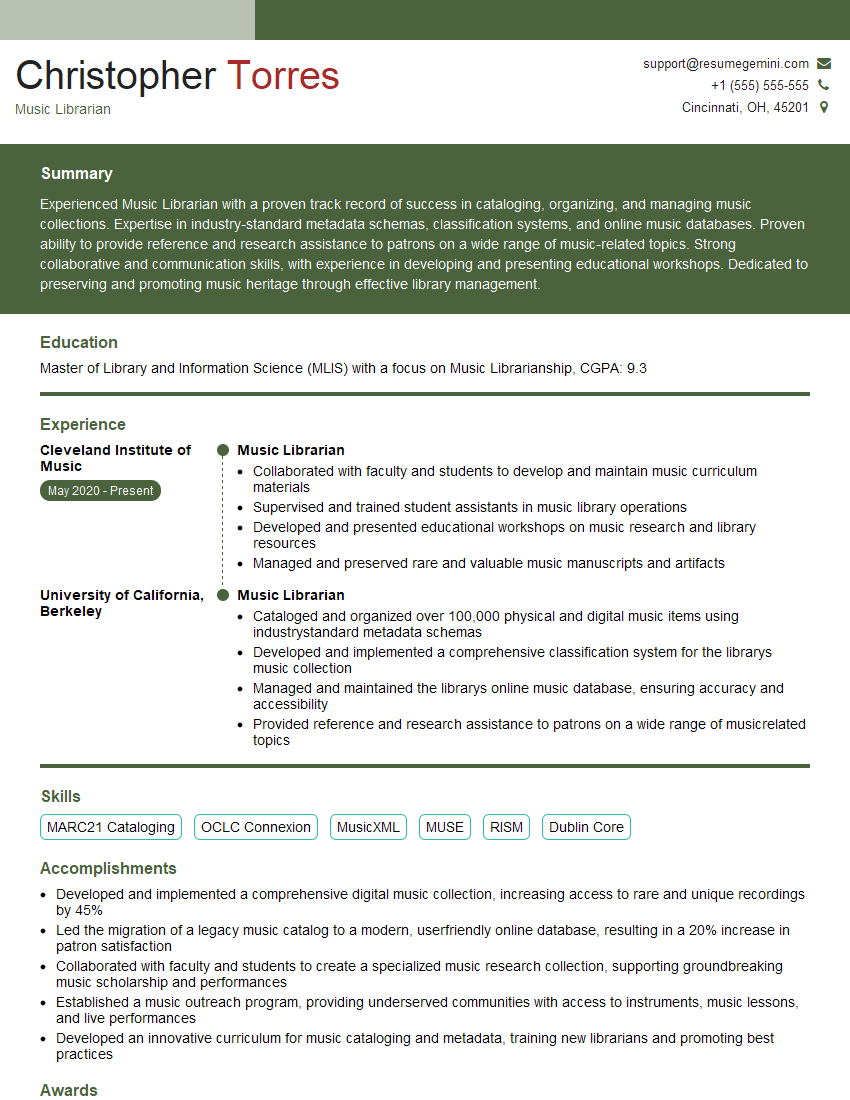
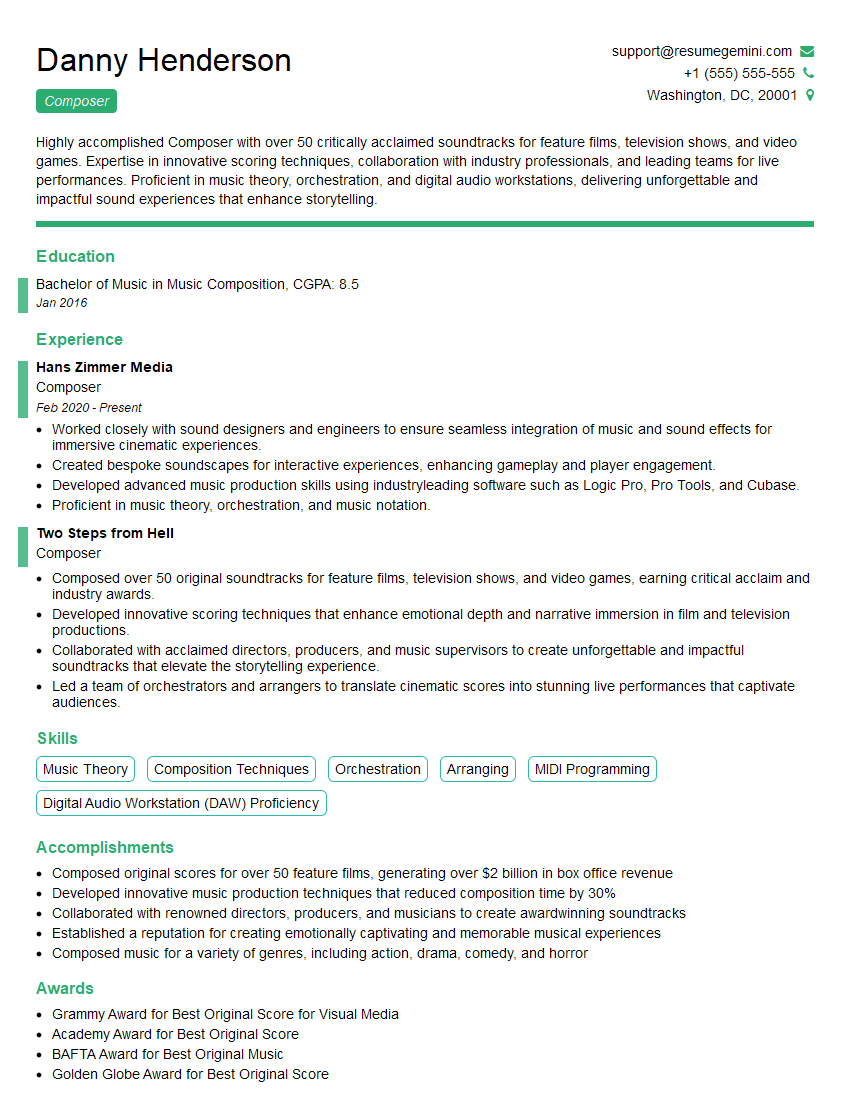
Mastering Music Technology and Digital Music opens doors to exciting and diverse career paths. From studio engineering and music production to sound design for games and film, your skills are highly sought after. To maximize your job prospects, creating a strong, ATS-friendly resume is critical. ResumeGemini is a trusted resource to help you build a professional and impactful resume that highlights your skills and experience effectively. They even offer examples of resumes tailored specifically to Music Technology and Digital Music roles. Take the next step towards your dream career – craft a compelling resume that showcases your talent!



Explore more articles
Users Rating of Our Blogs
Share Your Experience
We value your feedback! Please rate our content and share your thoughts (optional).
What Readers Say About Our Blog
Very informative content, great job.
good