The right preparation can turn an interview into an opportunity to showcase your expertise. This guide to Network Administration and Troubleshooting interview questions is your ultimate resource, providing key insights and tips to help you ace your responses and stand out as a top candidate.
Questions Asked in Network Administration and Troubleshooting Interview
Q 1. Explain the difference between TCP and UDP.
TCP (Transmission Control Protocol) and UDP (User Datagram Protocol) are both communication protocols used to transmit data over the internet, but they differ significantly in how they handle data delivery. Think of it like sending a package: TCP is like using registered mail – reliable, with tracking and confirmation of delivery. UDP is more like sending a postcard – faster, but without guarantees of arrival.
- TCP: Connection-oriented, reliable, ordered delivery, error checking, slower due to overhead. It’s ideal for applications where data integrity is crucial, such as web browsing (HTTP), email (SMTP), and file transfer (FTP).
- UDP: Connectionless, unreliable, unordered delivery, no error checking, faster and more efficient. It’s suitable for applications where speed is prioritized over reliability, like streaming (e.g., video conferencing, online gaming), DNS lookups, and VoIP.
Example: Imagine downloading a large file. TCP ensures that all packets arrive in the correct order and that any lost packets are retransmitted. In contrast, streaming a live video using UDP might tolerate some packet loss, as retransmission would introduce unacceptable latency.
Q 2. Describe the OSI model and its layers.
The OSI (Open Systems Interconnection) model is a conceptual framework that standardizes the functions of a telecommunication or computing system without regard to its underlying internal structure and technology. It divides network communication into seven layers, each with specific responsibilities:
- Physical Layer: Deals with the physical connection between devices, such as cables and connectors.
- Data Link Layer: Handles error detection and correction at the physical link level, using protocols like Ethernet.
- Network Layer: Responsible for routing data packets between networks, using protocols like IP.
- Transport Layer: Provides end-to-end data delivery, segmentation, and reassembly. This is where TCP and UDP reside.
- Session Layer: Manages connections between applications, establishing, maintaining, and terminating sessions.
- Presentation Layer: Handles data formatting and encryption/decryption.
- Application Layer: The top layer, providing network services to applications, such as HTTP, FTP, and SMTP.
Example: When you browse a website, the application layer (HTTP) interacts with the presentation layer (data formatting), then the session layer (establishes connection), and so on, down to the physical layer (transmitting data via cables).
Q 3. What are the common network topologies?
Network topologies describe the physical or logical layout of nodes and connections in a network. Common topologies include:
- Bus Topology: All devices are connected to a single cable (the bus). Simple but prone to single points of failure.
- Star Topology: All devices connect to a central hub or switch. Most common topology due to its scalability and ease of troubleshooting.
- Ring Topology: Devices are connected in a closed loop. Data travels in one direction. Less common now due to complexity.
- Mesh Topology: Devices connect to multiple other devices, providing redundancy and fault tolerance.
- Tree Topology: A hierarchical structure, often used in larger networks. Combines aspects of bus and star topologies.
Example: Your home network is likely a star topology, with all devices connected to a router. A large enterprise network might utilize a mesh topology for higher reliability.
Q 4. How do you troubleshoot a network connectivity issue?
Troubleshooting network connectivity involves a systematic approach. I generally follow these steps:
- Identify the problem: What’s not working? Is it a single device, a group of devices, or the entire network?
- Check the obvious: Are cables plugged in correctly? Are devices powered on? Is the internet service working (if applicable)?
- Isolate the issue: Is the problem on the client side, the server side, or somewhere in the network infrastructure?
- Use diagnostic tools:
pingto check connectivity,tracerouteortracertto trace the path to a destination,ipconfigorifconfigto check IP addresses and network settings. - Consult documentation and logs: Check router logs, switch logs, and device logs for error messages.
- Escalate if necessary: If the problem is beyond your expertise, seek help from a more senior network administrator or your internet service provider.
Example: If a user can’t access a website, I’d first check their computer’s network connection, then ping the website’s IP address, and then tracert to identify any points of failure along the route.
Q 5. What are the different types of network cables and their uses?
Various network cables exist, each with specific uses based on speed, distance, and application:
- Coaxial Cable: Older technology, used for cable television and older Ethernet networks. Relatively inexpensive but limited bandwidth.
- Twisted-Pair Cable: Most common cable for Ethernet networks. Comes in various categories (Cat5e, Cat6, Cat6a), each offering different speeds and bandwidths. Cat6a is suitable for higher bandwidth applications like 10 Gigabit Ethernet.
- Fiber Optic Cable: Uses light signals to transmit data, providing much higher bandwidth and longer distances than copper cables. Used in high-speed networks and long-distance communication.
Example: A home network might use Cat5e or Cat6 twisted-pair cabling. A data center would likely use fiber optic cables for its backbone infrastructure due to the need for very high bandwidth and long distances between servers.
Q 6. Explain the concept of subnetting.
Subnetting is the process of dividing a larger network (IP address range) into smaller, more manageable subnetworks. This improves network efficiency, security, and scalability. It’s like dividing a large apartment building into smaller apartments, each with its own address.
It involves borrowing bits from the host portion of an IP address to create additional network bits. This reduces the number of available IP addresses in each subnet but creates multiple subnets.
Example: A network with a Class C IP address (e.g., 192.168.1.0/24) has 254 usable IP addresses. Subnetting this into four subnets (/26) would give each subnet 62 usable IP addresses, making network management easier and more efficient. This is done by changing the subnet mask to reflect the new subnet boundaries.
Q 7. How do you configure a VLAN?
VLANs (Virtual Local Area Networks) allow you to logically segment a physical network into multiple broadcast domains. This improves security, performance, and manageability without requiring physical changes to the network infrastructure. Think of it like creating virtual offices within a physical office building.
VLAN configuration depends on the switch’s capabilities but typically involves these steps:
- Access the switch’s configuration interface: This is usually done through a web interface or command-line interface (CLI).
- Create VLANs: Assign a VLAN ID (typically a number) and a name to each VLAN.
- Assign ports to VLANs: Specify which switch ports belong to each VLAN. A port can only belong to one VLAN at a time.
- Configure inter-VLAN routing: If communication between VLANs is needed, you’ll need a router or a switch with routing capabilities to route traffic between them.
Example: You might create a VLAN for your marketing department, another for your IT department, and another for guests. This isolates traffic and enhances security. You’d then configure routing if those departments need to communicate with each other.
Q 8. What is DHCP and how does it work?
DHCP, or Dynamic Host Configuration Protocol, is like a network’s automatic address assigner. Imagine a large apartment building – each apartment needs a unique address for mail delivery. DHCP acts as the building manager, automatically assigning each new tenant (device) a unique IP address, subnet mask, and default gateway, so they can communicate on the network. This eliminates the need for manual configuration, saving time and reducing errors.
It works through a four-step process: a device broadcasts a DHCP Discover message, a DHCP server responds with a DHCP Offer, the device sends a DHCP Request to accept the offer, and finally, the server sends a DHCP ACK confirming the assignment. This lease is temporary, automatically renewed to ensure efficient IP address management.
Example: In a home network, your laptop, smartphone, and smart TV all automatically receive IP addresses via DHCP from your router, allowing them to connect to the internet and communicate with each other.
Q 9. Explain the concept of DNS and its role in networking.
DNS, or Domain Name System, is the internet’s phonebook. Instead of remembering complex IP addresses (like 192.168.1.1), we use human-readable domain names (like google.com). DNS translates these domain names into IP addresses, allowing us to access websites and other online services easily.
This translation happens through a hierarchy of DNS servers: recursive resolvers (your ISP’s server), root nameservers, top-level domain (TLD) servers (like .com, .org), and authoritative nameservers (specific to each domain). When you type a domain name into your browser, your computer queries these servers sequentially until it finds the corresponding IP address.
Example: When you type www.example.com into your browser, your computer first contacts your DNS resolver. The resolver then contacts various DNS servers until it finds the IP address for www.example.com and returns it to your browser, which can then connect to the server hosting the website.
Q 10. What are firewalls and how do they protect a network?
Firewalls are like security guards for your network, inspecting all incoming and outgoing network traffic and blocking anything that doesn’t meet predefined security rules. They act as a barrier between your internal network and the outside world, preventing unauthorized access and malicious activity.
They work by examining data packets based on rules defined by administrators. These rules can be based on IP addresses, ports, protocols, and other criteria. Firewalls can be hardware devices (physical appliances) or software programs (installed on servers or computers).
Example: A firewall might block an incoming connection attempt from a known malicious IP address or prevent outgoing connections to suspicious websites. They also help prevent internal threats by controlling access to sensitive resources within the network.
Q 11. Describe different routing protocols (e.g., OSPF, BGP).
Routing protocols are the rules that govern how routers exchange information about network paths, ultimately determining the best path for data packets to travel across a network. Different protocols have different strengths and weaknesses, making them suitable for different network sizes and topologies.
- OSPF (Open Shortest Path First): A link-state routing protocol used within a single autonomous system (like a company’s internal network). It builds a map of the entire network, calculates the shortest path to every destination, and uses this information for efficient routing. It’s known for its scalability and fast convergence.
- BGP (Border Gateway Protocol): A path-vector routing protocol used between autonomous systems (like different ISPs on the internet). It’s incredibly complex, exchanging routing information between different networks, enabling communication across the vast expanse of the internet. It’s crucial for internet routing, but requires significant configuration and expertise.
Choosing the right routing protocol depends on the network’s size, complexity, and specific requirements. Smaller networks might use simpler protocols, while large, complex networks like the internet require sophisticated protocols like BGP.
Q 12. What is the difference between a router and a switch?
Routers and switches are both essential networking devices, but they serve different purposes. Think of a city’s road system: routers are like major intersections directing traffic between different cities (networks), while switches are like smaller intersections directing traffic within a single city (local network).
- Routers: Forward data packets between different networks based on their destination IP addresses. They operate at the network layer (Layer 3) of the OSI model. They use routing protocols to determine the best path for data packets.
- Switches: Forward data packets within a single network based on their destination MAC addresses. They operate at the data link layer (Layer 2) of the OSI model. They learn MAC addresses dynamically and create a MAC address table to forward traffic efficiently.
In essence, routers connect networks, while switches connect devices within a network.
Q 13. How do you monitor network performance?
Monitoring network performance is crucial for identifying and resolving issues before they impact users. This involves regularly tracking key metrics and using monitoring tools to identify bottlenecks and potential problems.
Methods include using network monitoring tools like PRTG, SolarWinds, or Nagios to track metrics such as:
- Bandwidth utilization: How much of your available bandwidth is being used.
- Latency: The delay in data transmission.
- Packet loss: The percentage of data packets that are lost during transmission.
- CPU and memory usage on network devices: To ensure devices aren’t overloaded.
- Error rates: Tracking the number of errors occurring on the network.
Regular monitoring allows for proactive problem-solving, preventing outages and maintaining optimal network performance. Analyzing trends in these metrics helps predict future issues and optimize network configurations.
Q 14. Explain the concept of network security best practices.
Network security best practices are essential for protecting your network from cyber threats. They involve a multi-layered approach, combining various techniques to minimize vulnerabilities and maximize protection.
- Strong passwords and authentication: Using strong, unique passwords for all accounts and employing multi-factor authentication.
- Firewall implementation: Using firewalls to control network traffic and prevent unauthorized access.
- Intrusion detection and prevention systems (IDS/IPS): Monitoring network traffic for malicious activity and blocking suspicious connections.
- Regular security updates and patching: Keeping all software and hardware up-to-date with security patches to address known vulnerabilities.
- Regular security audits and penetration testing: Conducting regular security assessments to identify weaknesses and vulnerabilities.
- Employee training: Educating employees about security risks and best practices.
- Data backup and recovery: Implementing robust backup and recovery procedures to protect against data loss.
- Network segmentation: Dividing the network into smaller, isolated segments to limit the impact of security breaches.
Implementing these practices creates a robust defense against many common network threats, safeguarding sensitive data and ensuring business continuity.
Q 15. What are common network security threats?
Network security threats are numerous and constantly evolving. Think of your network as a castle – you need strong walls and vigilant guards to protect it. Common threats include:
- Malware: Viruses, worms, Trojans, ransomware – these malicious programs can cripple your systems, steal data, or demand payment. Imagine a Trojan horse sneaking into your castle walls.
- Phishing: Deceptive attempts to trick users into revealing sensitive information like passwords or credit card details. This is like a spy disguising themselves to gain access to the castle.
- Denial-of-Service (DoS) attacks: Overwhelming a network with traffic to make it unavailable to legitimate users. This is like besieging the castle, preventing anyone from entering.
- Man-in-the-middle (MitM) attacks: Interception of communication between two parties without their knowledge. A hidden enemy listening in on conversations within the castle walls.
- SQL injection: Exploiting vulnerabilities in database applications to gain unauthorized access to data. A sneaky thief finding a hidden passage into the castle’s treasury.
- Zero-day exploits: Attacks that target software vulnerabilities before they are known or patched. This is like finding a previously unknown weakness in the castle’s defenses.
Protecting your network requires a multi-layered approach, incorporating firewalls, intrusion detection systems, robust authentication, and regular security updates.
Career Expert Tips:
- Ace those interviews! Prepare effectively by reviewing the Top 50 Most Common Interview Questions on ResumeGemini.
- Navigate your job search with confidence! Explore a wide range of Career Tips on ResumeGemini. Learn about common challenges and recommendations to overcome them.
- Craft the perfect resume! Master the Art of Resume Writing with ResumeGemini’s guide. Showcase your unique qualifications and achievements effectively.
- Don’t miss out on holiday savings! Build your dream resume with ResumeGemini’s ATS optimized templates.
Q 16. How do you secure a wireless network?
Securing a wireless network is crucial because it’s inherently more vulnerable than a wired network. Think of it as having an open gate to your castle. Here’s how to secure it:
- Strong Password: Use a long, complex password that’s difficult to guess. This is like having a strong, unbreakable lock on your gate.
- WPA2/WPA3 Encryption: Enable WPA2 or the newer WPA3 encryption protocol. These protocols scramble your data, making it unreadable to unauthorized users. This is like having a coded message system.
- Hidden SSID: Don’t broadcast the network name (SSID). This makes it harder for attackers to find your network. This is like hiding the nameplate on your gate.
- Firewall: A firewall acts as a gatekeeper, blocking unauthorized access. This is like an additional guard at your gate.
- Regular Updates: Keep your router firmware updated to patch security vulnerabilities. Regular maintenance for your castle walls is essential.
- MAC Address Filtering (Optional but less secure): Allows only specific devices to connect. This is like having a guest list for access to the castle.
While MAC address filtering provides a layer of security, it’s not a foolproof method and often circumvented. Focusing on strong passwords and robust encryption is far more effective.
Q 17. Describe your experience with network monitoring tools.
I have extensive experience with various network monitoring tools, including Nagios, Zabbix, and SolarWinds. These tools are like the castle’s surveillance system, providing constant monitoring and alerting.
With Nagios, I’ve configured monitoring for servers, network devices (routers, switches), and applications, setting up alerts for critical events like high CPU usage, network outages, and disk space issues. Zabbix allows for deeper dives into system metrics and offers robust graphing capabilities, which is helpful for visualizing trends and identifying potential problems before they become critical. SolarWinds provides a more holistic view of the network, offering features like network performance monitoring and capacity planning. My experience includes setting up dashboards for easy visualization of key metrics and creating custom alerts based on specific thresholds, allowing for proactive problem-solving before issues impact end-users.
For example, in a previous role, we used Zabbix to detect a gradual increase in latency on a specific link several days before a complete failure occurred. This early warning allowed us to proactively address the issue, preventing significant downtime.
Q 18. What is your experience with VPNs?
VPNs (Virtual Private Networks) create secure connections over public networks. Think of it as a secret tunnel built to move confidential messages securely. I have experience with both setting up and administering VPNs, including site-to-site and remote access VPNs using technologies like OpenVPN, IPsec, and Cisco AnyConnect.
Site-to-site VPNs connect two or more networks securely, allowing for seamless communication between branches or cloud environments. This is like having a secure communication line between two castles. Remote access VPNs allow users to securely connect to a network from remote locations. This is like granting a trusted individual secure access to the castle.
In my previous role, I implemented an IPsec VPN to connect our main office with a remote branch office, ensuring secure data transmission between the two locations. This improved security and also allowed resources to be shared across locations efficiently.
Q 19. How do you troubleshoot a slow network connection?
Troubleshooting a slow network connection requires a systematic approach. Think of it like detective work, systematically eliminating potential causes.
My troubleshooting process generally involves these steps:
- Identify the affected area: Is it a single device, a specific application, or the entire network?
- Check the physical layer: Are cables plugged in correctly? Are there any physical obstructions? This is like checking the basic infrastructure of your network.
- Check connectivity: Use tools like
pingandtracerouteto check network connectivity. This is like tracing the message to see where it is delayed. - Analyze network traffic: Use tools like Wireshark to capture and analyze network traffic to identify bottlenecks or errors. This is like examining the messages themselves for errors.
- Check resource utilization: Monitor CPU, memory, and disk usage on affected devices. A high utilization could indicate an overloaded machine.
- Review recent changes: Have any recent changes to the network configuration or software been made? This is like checking if any recent events have disrupted the network flow.
- Check DNS resolution: A slow DNS resolution can impact browsing speed.
- Contact your ISP: If the problem is external to your network, contact your internet service provider (ISP).
For example, if I suspect a problem with DNS, I would first check the DNS server’s response time using tools like nslookup. If the response time is slow, I would consider changing DNS servers to a faster alternative or investigating the problem with the current DNS server.
Q 20. Explain your experience with network documentation.
Network documentation is crucial for efficient management and troubleshooting. Think of it as the castle’s blueprints – essential for maintenance and repairs. My experience with network documentation includes creating and maintaining detailed diagrams, including network topology diagrams, device configuration documentation, and network maps. I use both visual tools like draw.io and Visio, and textual documentation.
I believe in using a combination of visual and textual documentation. Visual diagrams provide a clear overview of the network, while textual documentation provides detailed configurations and troubleshooting information. This ensures that all aspects of the network are well-documented and easily accessible to all members of the team.
In a previous role, comprehensive documentation played a critical role in a smooth server migration. The precise network maps and configuration documentation enabled us to minimize downtime and ensure a seamless transition.
Q 21. What is your experience with scripting or automation in network administration?
Automation is vital for efficient network administration. It’s like having automated systems to handle routine castle maintenance. I’m proficient in several scripting languages, including Python and Bash, and have used them extensively for automating tasks like network device configuration, log analysis, and security audits.
For example, I’ve used Python to create scripts that automatically configure new network devices, ensuring consistency and reducing the risk of human error. I also utilized Bash scripting to automate the process of collecting logs from various network devices, consolidating them into a central repository for analysis. This simplifies the monitoring of the network and enables early identification of potential issues. Ansible and Puppet are also tools I have experience with for configuration management, ensuring that configurations are consistent and easily replicated across numerous devices.
In one project, I used Python to create a script that automated the process of creating and deleting virtual machines, significantly reducing the time and effort required for managing our virtual infrastructure.
Q 22. Describe your experience with cloud networking (e.g., AWS, Azure, GCP).
My cloud networking experience encompasses significant work with AWS, Azure, and GCP. I’ve designed, implemented, and maintained various cloud-based network architectures, including virtual private clouds (VPCs), virtual networks, and VPN connections. In AWS, I’m proficient with services like EC2, VPC, Route 53, CloudFront, and Direct Connect, leveraging them to create highly available and scalable solutions. With Azure, I’ve worked extensively with Virtual Networks, Azure Firewall, Load Balancers, and Azure ExpressRoute for similar purposes. In GCP, I’ve utilized Virtual Private Cloud (VPC) networks, Cloud Interconnect, and Cloud DNS to achieve comparable network functionality and security. A recent project involved migrating a client’s on-premises infrastructure to AWS, requiring careful planning and execution to minimize downtime and ensure seamless transition. This included designing a highly available architecture using multiple Availability Zones and implementing robust monitoring and alerting systems.
My experience extends beyond basic infrastructure setup. I’m also familiar with advanced concepts like network segmentation using security groups, network access control lists (NACLs), and subnets, ensuring granular control over network access and security. I have experience optimizing network performance using tools and techniques specific to each cloud provider. For instance, using CloudWatch in AWS to identify and address performance bottlenecks, or leveraging Azure Monitor to gain insights into network traffic patterns.
Q 23. How do you handle network outages?
Handling network outages requires a systematic and rapid response. My approach follows a structured process: First, I acknowledge the outage, confirming its scope and impact. Then, I initiate a detailed investigation using network monitoring tools to pinpoint the root cause. This often involves analyzing logs, examining network traffic patterns, and checking the status of critical network devices. Simultaneously, I communicate the outage to stakeholders, providing regular updates on progress and estimated restoration times. Once the root cause is identified, I implement the necessary corrective actions. This may involve restoring failed services, rebooting devices, or making configuration changes. Finally, after the issue is resolved, I conduct a post-mortem analysis to identify preventative measures that can prevent similar issues in the future. For example, a recent outage traced back to a faulty switch port was addressed by implementing redundant paths and stricter maintenance schedules. I also leverage automated alerting systems to minimize downtime and ensure proactive identification of potential problems.
Q 24. Explain your process for identifying and resolving network performance bottlenecks.
Identifying and resolving network performance bottlenecks is a multi-step process. I begin by gathering performance data from various sources, including network monitoring tools (like SolarWinds, PRTG, or cloud-provider specific tools), device logs, and end-user reports. This data helps me understand the nature of the bottleneck – is it high latency, packet loss, or low throughput? I use network analysis tools like Wireshark or tcpdump to capture and analyze network traffic, looking for patterns indicative of congestion or other issues. This often reveals clues about the specific location and nature of the bottleneck. Next, I isolate the problem area, systematically investigating different network segments and devices to pinpoint the source. Once identified, I implement solutions. This might involve upgrading network hardware, optimizing network configurations (e.g., adjusting QoS settings), or optimizing application settings. After implementing a solution, I closely monitor network performance to ensure the bottleneck is truly resolved and that the implemented solution hasn’t introduced new problems. For instance, I once solved a bottleneck caused by an overloaded firewall by implementing traffic shaping rules and upgrading the firewall to a more powerful model. Documentation and reporting are critical for future reference and problem prevention.
Q 25. What is your experience with network segmentation?
Network segmentation is crucial for enhancing security and improving network performance. My experience includes designing and implementing segmented networks using VLANs (Virtual LANs), subnets, and firewalls. VLANs allow me to logically separate network traffic based on department, function, or security sensitivity. Subnetting ensures efficient IP address allocation and enhances security by controlling access between different network segments. Firewalls act as gatekeepers, controlling the flow of traffic between segments and preventing unauthorized access. I often employ a layered security approach, using multiple segmentation techniques to create a robust defense-in-depth strategy. For example, in a recent project, I implemented a three-tiered network segmentation scheme for a healthcare client, separating their patient data network, administrative network, and guest network to ensure HIPAA compliance and robust security. I’m proficient in configuring firewalls to enforce strict access control policies within and between these segments.
Q 26. How do you stay updated with the latest network technologies?
Staying updated in the rapidly evolving field of network technologies is paramount. I actively participate in online communities, forums, and professional organizations such as IEEE and ISC2. I regularly attend webinars and conferences focused on network engineering and security best practices. Subscription to industry publications and newsletters keeps me informed about the latest advancements in hardware, software, and security protocols. I also actively engage in hands-on learning through online courses and certifications offered by platforms like Coursera, Udemy, and the cloud providers themselves (AWS, Azure, GCP). This multi-faceted approach ensures I stay ahead of the curve and adapt quickly to emerging trends and technologies, such as software-defined networking (SDN) and network function virtualization (NFV).
Q 27. Describe a challenging network problem you solved and how you approached it.
One challenging problem I solved involved a significant performance degradation in a large enterprise network. Initial diagnostics pointed towards congested network links, but further investigation revealed that the issue stemmed from a poorly configured routing protocol. A specific routing loop was causing an exponential increase in broadcast traffic, overwhelming the network. I started by isolating the affected segments using network monitoring tools and packet captures. Then, using Wireshark, I identified the specific routing protocol causing the issue and pinpointed the misconfiguration. The solution involved carefully re-configuring the routing protocol parameters on the affected routers to eliminate the routing loop, which I then verified with further testing and monitoring. The remediation required precise adjustments to ensure minimal disruption to ongoing operations. After implementing the fix, I documented the root cause, the solution, and preventative measures to prevent similar issues in the future. This incident highlighted the importance of meticulous network configuration and the need for robust network monitoring tools to identify and resolve complex network problems.
Q 28. What are your salary expectations?
My salary expectations are in the range of $120,000 to $150,000 per year, depending on the specifics of the role, benefits package, and company culture. This range reflects my extensive experience, skills, and the current market rate for experienced network administrators with expertise in cloud environments and complex problem-solving.
Key Topics to Learn for Network Administration and Troubleshooting Interview
- Network Topologies: Understanding various network architectures (Star, Bus, Mesh, Ring, Hybrid) and their strengths and weaknesses. Practical application: Analyzing network diagrams and identifying potential bottlenecks.
- IP Addressing and Subnetting: Mastering IPv4 and IPv6 addressing schemes, including subnetting and CIDR notation. Practical application: Configuring network devices and troubleshooting IP addressing conflicts.
- Routing Protocols: Knowledge of common routing protocols (RIP, OSPF, BGP) and their functionalities. Practical application: Designing and implementing efficient routing strategies within a network.
- Network Security: Understanding fundamental security concepts like firewalls, intrusion detection/prevention systems, and VPNs. Practical application: Implementing security measures to protect network infrastructure.
- Network Monitoring and Troubleshooting: Utilizing tools like ping, traceroute, Wireshark for diagnosing and resolving network issues. Practical application: Identifying and resolving network connectivity problems.
- Virtualization and Cloud Technologies: Familiarity with virtual networking concepts and cloud platforms (AWS, Azure, GCP). Practical application: Designing and managing virtual networks in cloud environments.
- Network Hardware: Understanding the functionality of routers, switches, firewalls, and other network devices. Practical application: Troubleshooting hardware malfunctions and performing basic configuration tasks.
- Wireless Networking: Knowledge of Wi-Fi standards (802.11a/b/g/n/ac/ax), security protocols (WPA2/3), and troubleshooting techniques. Practical application: Optimizing wireless network performance and security.
- Network Management Systems (NMS): Experience with NMS tools for monitoring and managing network devices. Practical application: Proactively identifying and addressing potential network issues.
- Troubleshooting Methodologies: Employing systematic approaches to identify and resolve network problems. Practical application: Effectively using a step-by-step process to diagnose and fix network faults.
Next Steps
Mastering Network Administration and Troubleshooting opens doors to exciting and rewarding career opportunities, offering excellent growth potential and high demand in today’s technology-driven world. To maximize your chances of landing your dream job, focus on crafting an ATS-friendly resume that effectively highlights your skills and experience. ResumeGemini is a trusted resource that can help you build a professional and impactful resume, significantly improving your job prospects. Examples of resumes tailored to Network Administration and Troubleshooting are available to help you get started.

Systems Engineer Resume Sample

Security Analyst Resume Sample

Network Administrator Resume Sample

Network Engineer Resume Sample

Network Security Engineer Resume Sample

System Administrator Resume Sample

Network Analyst Resume Sample

Network Technician Resume Sample

Network Architect Resume Sample

Network Consultant Resume Sample

Telecommunications Engineer Resume Sample

Help Desk Analyst Resume Sample

IT Manager Resume Sample

IT Project Manager Resume Sample

IT Support Specialist Resume Sample
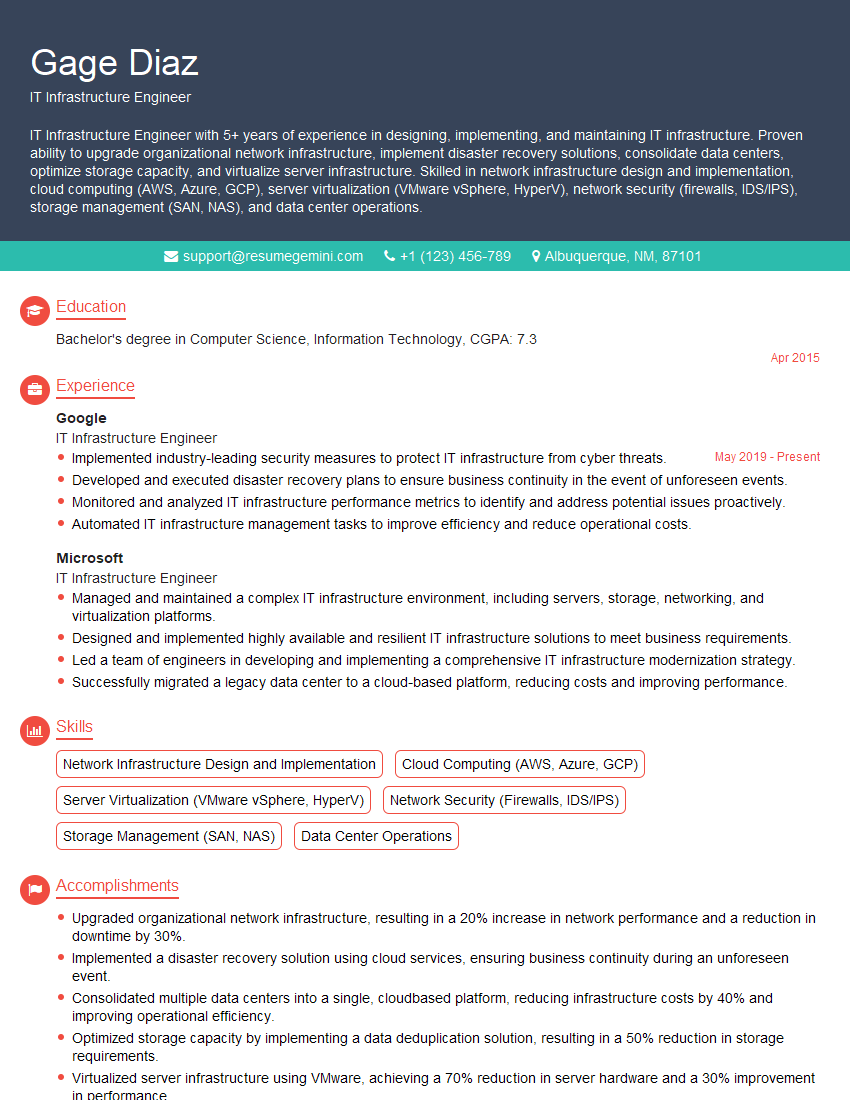
IT Infrastructure Engineer Resume Sample

DevOps Engineer Resume Sample

Cloud Architect Resume Sample
- Systems Engineer
- Security Analyst
- Network Administrator
- Network Engineer
- Network Security Engineer
- System Administrator
- Network Analyst
- Network Technician
- Network Architect
- Network Consultant
- Telecommunications Engineer
- Help Desk Analyst
- IT Manager
- IT Project Manager
- IT Support Specialist
- IT Infrastructure Engineer
- DevOps Engineer
- Cloud Architect
Explore more articles
Users Rating of Our Blogs
Share Your Experience
We value your feedback! Please rate our content and share your thoughts (optional).
What Readers Say About Our Blog
Very informative content, great job.
good