Preparation is the key to success in any interview. In this post, we’ll explore crucial Network Planning and Design Principles interview questions and equip you with strategies to craft impactful answers. Whether you’re a beginner or a pro, these tips will elevate your preparation.
Questions Asked in Network Planning and Design Principles Interview
Q 1. Explain the difference between a Layer 2 and Layer 3 switch.
The core difference between Layer 2 and Layer 3 switches lies in how they handle data forwarding. A Layer 2 switch, also known as a MAC address switch, operates at the data link layer of the OSI model. It forwards frames based on MAC addresses, learning MAC-to-port mappings through its CAM (Content Addressable Memory) table. Think of it as a highly efficient postman within a single building, knowing exactly which mailbox (port) to deliver mail (frames) to based on the recipient’s address (MAC address). It doesn’t understand network addresses (IPs).
A Layer 3 switch, also known as a multi-layer switch or a router, works at both the data link (Layer 2) and network (Layer 3) layers. It uses both MAC and IP addresses for forwarding. It’s like a more sophisticated postman who can also handle mail between different buildings (different networks) using street addresses (IP addresses). Layer 3 switches use routing protocols to determine the best path to forward packets across different networks.
In essence: Layer 2 switches are focused on local network communication, while Layer 3 switches handle both local and inter-network communication.
- Layer 2 Switch: Uses MAC addresses, operates within a single broadcast domain.
- Layer 3 Switch: Uses both MAC and IP addresses, can route traffic between different VLANs or networks.
Q 2. Describe your experience with network protocols like BGP, OSPF, and EIGRP.
I have extensive experience with BGP, OSPF, and EIGRP, having used them in various enterprise and service provider network designs. BGP (Border Gateway Protocol) is a path-vector routing protocol predominantly used in the Internet’s core and for large-scale networks. My experience includes configuring BGP for internet connectivity, establishing peering relationships with other networks, and implementing route filtering to control the dissemination of routing information. For example, I’ve worked on projects where BGP was crucial for connecting multiple data centers across geographically diverse locations, ensuring optimal routing and redundancy.
OSPF (Open Shortest Path First) is a link-state routing protocol commonly deployed within Autonomous Systems (ASes). I’ve used OSPF extensively in designing and implementing internal routing within large corporate networks, configuring areas to improve scalability and reduce routing table sizes. A recent project involved designing an OSPF network for a financial institution, focusing on high availability and rapid convergence in case of failures.
EIGRP (Enhanced Interior Gateway Routing Protocol) is a Cisco proprietary distance-vector routing protocol. I’ve used it in smaller networks where its fast convergence and features like unequal cost load balancing were beneficial. For instance, in a smaller branch office network, EIGRP was implemented to offer resilience and optimal performance, distributing network traffic efficiently across multiple links.
Q 3. What are the key considerations for designing a highly available network?
Designing a highly available network requires careful consideration of several key factors:
- Redundancy: Employing redundant components is paramount. This includes redundant links, routers, switches, and power supplies. Think of a heart having a backup – if one fails, the other takes over seamlessly.
- Failover Mechanisms: Implementing mechanisms like HSRP (Hot Standby Router Protocol), VRRP (Virtual Router Redundancy Protocol), or CARP (CARP) ensures that if a primary device fails, a backup device instantly takes over, minimizing downtime. This is like having a backup generator for a building’s power supply.
- Network Monitoring and Management: Continuous monitoring is crucial to proactively identify potential issues before they impact availability. This involves utilizing network management tools to track performance metrics, analyze logs, and set up alerts for critical events.
- Network Segmentation: Dividing the network into smaller, isolated segments limits the impact of failures. If one segment fails, the others continue to operate normally.
- Disaster Recovery Planning: Having a comprehensive disaster recovery plan is essential for handling major outages. This plan should detail procedures for restoring services in the event of a catastrophic event like a natural disaster or a widespread cyberattack.
For example, in a large e-commerce website, we might use redundant load balancers, geographically separated data centers with high-bandwidth connections, and robust backup systems to ensure continuous service, even during peak demand or unexpected outages.
Q 4. How do you troubleshoot network connectivity issues?
Troubleshooting network connectivity issues involves a systematic approach. My process usually follows these steps:
- Gather Information: Start by understanding the scope of the problem. Which users or devices are affected? When did the issue start? What changes were recently made to the network?
- Check the Obvious: Verify basic connectivity: are cables plugged in properly? Are devices powered on? Are there any obvious physical damage to hardware?
- Use Diagnostic Tools: Use tools like
ping,traceroute(ortracerton Windows), andnslookupto diagnose connectivity problems between different points in the network. These commands provide vital clues about where the problem lies. - Examine Network Logs: Check device logs (routers, switches, firewalls) for errors or warnings that might pinpoint the problem. These logs act as a detailed history of network events.
- Check Network Monitoring Systems: Review network monitoring tools for any performance degradations or alerts related to the affected area.
- Isolate the Problem: Use a process of elimination to narrow down the source of the issue. Is it a hardware failure, a configuration problem, or something else?
- Implement Solutions and Verify: Once you’ve identified the root cause, implement the necessary fix, and thoroughly test to ensure the issue is resolved.
For example, if a user is unable to access a web server, I would start by pinging the server from the user’s machine, then trace the route to see if there are any network hops causing the issue. If the ping fails, I would check the user’s network settings and physical connection. If the traceroute shows a failure at a specific router, I would investigate the router’s logs for errors.
Q 5. Explain the concept of network segmentation and its benefits.
Network segmentation involves dividing a network into smaller, isolated segments, often referred to as VLANs (Virtual LANs). Each segment operates as a separate broadcast domain, enhancing security and improving overall network performance. Think of it as dividing a large apartment building into smaller apartments, each with its own separate entrance and security.
Benefits of Network Segmentation:
- Enhanced Security: By isolating segments, a breach in one segment is less likely to affect other parts of the network. It’s like containing a fire within one apartment, preventing it from spreading to others.
- Improved Performance: Reducing broadcast traffic within each segment improves network efficiency, similar to making each apartment responsible for only its own residents.
- Simplified Troubleshooting: Issues can be more easily localized and resolved. The smaller scope makes identifying root causes easier.
- Better Resource Management: Network resources can be allocated and managed more effectively for different parts of the network.
- Compliance: Segmentation can facilitate compliance with regulations by ensuring that sensitive data is kept separate from other network segments.
For instance, in a hospital network, you might separate patient records (highly sensitive) into a dedicated VLAN, keeping them isolated from other network traffic such as administrative networks or the public internet.
Q 6. What are your preferred network monitoring tools and techniques?
My preferred network monitoring tools and techniques depend on the size and complexity of the network. For smaller networks, simple tools like SolarWinds Network Performance Monitor or Nagios can be effective. These provide basic metrics like bandwidth utilization, CPU usage, and device uptime. They provide a good overview of the network’s health.
For larger and more complex environments, I prefer using more comprehensive solutions like Cisco Prime Infrastructure or IBM Netcool. These offer advanced features like automated fault detection, capacity planning, and integrated security monitoring. They allow you to correlate events from multiple devices and create alerts based on sophisticated criteria.
Beyond specific tools, I also rely on established monitoring techniques, including:
- SNMP (Simple Network Management Protocol): To gather performance data from network devices.
- NetFlow/sFlow: To monitor network traffic patterns and identify potential bottlenecks.
- Syslog: To collect logs from various devices for troubleshooting and security analysis.
Combining these tools and techniques provides a holistic view of network performance and helps in proactive identification and resolution of issues.
Q 7. Describe your experience with network virtualization technologies like VMware NSX or Cisco ACI.
I have experience with both VMware NSX and Cisco ACI, two leading network virtualization platforms. VMware NSX offers a software-defined networking (SDN) solution that virtualizes the entire network infrastructure, allowing for greater flexibility and agility in managing virtual machines and applications. I’ve used NSX in projects requiring dynamic scaling of virtual networks, micro-segmentation for enhanced security, and simplified network management in cloud environments.
Cisco ACI (Application Centric Infrastructure) provides a similar approach to network virtualization but with a stronger focus on application-centric management. I’ve leveraged ACI in projects where granular policy control and automated provisioning of virtual networks were critical for deploying and managing large-scale applications across multiple data centers. ACI simplifies the management of complex application deployments by providing an intuitive policy-based model. One example is implementing ACI for a large banking application where strict security policies and precise control over traffic flows were paramount.
In both cases, my work involved designing, implementing, and troubleshooting the virtual network infrastructure, focusing on optimizing performance, ensuring high availability, and adhering to security best practices. The choice between NSX and ACI often depends on the specific needs of the project and the existing infrastructure.
Q 8. How do you design a secure network to mitigate common threats?
Designing a secure network involves a multi-layered approach, focusing on mitigating threats at various points. Think of it like building a castle – you need strong walls (firewalls), a moat (intrusion detection/prevention systems), guards (security monitoring), and a robust interior (secure configurations).
- Firewall Implementation: Employ firewalls to control network traffic. This involves configuring access control lists (ACLs) to permit only necessary communication, blocking malicious traffic and unauthorized access attempts. For example, blocking all incoming traffic on ports commonly used for attacks unless specifically required by a service.
- Intrusion Detection/Prevention Systems (IDS/IPS): These systems monitor network traffic for suspicious activity, alerting administrators to potential threats or automatically blocking them. They act like the castle’s guards, constantly watching for intruders.
- Virtual Private Networks (VPNs): VPNs encrypt data transmitted over public networks, protecting sensitive information from eavesdropping. This is like using a secret, coded message to communicate across enemy territory.
- Regular Security Audits and Penetration Testing: Regularly assess network security vulnerabilities and test its resilience against simulated attacks. This is like regularly inspecting the castle walls for weaknesses.
- Strong Authentication and Authorization: Implement robust authentication mechanisms (passwords, multi-factor authentication) and authorization policies (role-based access control) to restrict access to sensitive resources. This is akin to having a key and a password to access specific areas of the castle.
- Security Information and Event Management (SIEM): Utilize SIEM tools to collect and analyze security logs from various network devices, providing centralized monitoring and threat detection capabilities. This is like the castle’s central command post, monitoring all activity for signs of trouble.
A comprehensive security strategy requires a holistic approach, addressing both technical and procedural aspects. Regular updates, employee training on security best practices, and incident response planning are equally crucial.
Q 9. What are the advantages and disadvantages of using different network topologies (e.g., star, mesh, ring)?
Network topologies define how devices are interconnected. Each has its advantages and disadvantages.
- Star Topology:
- Advantages: Centralized management, easy troubleshooting, simple to add or remove devices.
- Disadvantages: Single point of failure (if the central hub/switch fails, the entire network goes down), performance bottlenecks if the central device is overloaded.
- Mesh Topology:
- Advantages: High redundancy, fault tolerance (multiple paths for data transmission), high bandwidth.
- Disadvantages: Complex to implement and manage, expensive due to high cabling costs.
- Ring Topology:
- Advantages: Deterministic data transmission (predictable delay), simple design.
- Disadvantages: Single point of failure (if one device fails, the entire ring may go down), adding or removing devices is disruptive.
The choice of topology depends on the specific needs of the network. For example, a small home network might use a star topology for its simplicity, while a large enterprise network might employ a mesh topology for its reliability and redundancy.
Q 10. Explain your understanding of QoS (Quality of Service) and how it’s implemented.
Quality of Service (QoS) prioritizes certain types of network traffic over others, ensuring that critical applications receive the necessary bandwidth and resources. Imagine a busy highway – QoS is like having designated lanes for emergency vehicles, ensuring they reach their destination quickly, even during peak hours.
QoS is implemented using various techniques:
- Prioritization: Assigning different priority levels to various traffic types (e.g., VoIP calls receive higher priority than file transfers).
- Traffic Shaping: Limiting the rate at which certain types of traffic are transmitted, preventing congestion.
- Bandwidth Allocation: Reserving a specific portion of bandwidth for critical applications.
- Packet Scheduling: Using algorithms to determine the order in which packets are transmitted.
QoS is often implemented using features built into network devices such as routers and switches, and can be configured using command-line interfaces or network management systems. For instance, a network administrator might configure QoS policies to prioritize VoIP traffic to ensure clear and uninterrupted voice communications.
Q 11. How do you handle network capacity planning and forecasting?
Network capacity planning and forecasting involve predicting future network needs and ensuring the infrastructure can handle the expected growth. This is a crucial aspect of proactive network management.
My approach typically includes:
- Historical Data Analysis: Reviewing past network usage patterns to identify trends and growth rates.
- Application Needs Assessment: Evaluating the bandwidth requirements of current and future applications. For example, video conferencing requires significantly more bandwidth than email.
- Future Projections: Predicting future user growth and application demands based on business projections and technological advancements.
- Simulation and Modeling: Using tools and techniques to simulate various scenarios and assess the network’s performance under different load conditions.
- Margin of Safety: Building in extra capacity to accommodate unexpected spikes in network traffic or unforeseen growth.
This process allows us to proactively upgrade network infrastructure, avoiding performance bottlenecks and ensuring continuous operations. Failure to properly plan capacity leads to slowdowns, dropped connections, and ultimately, dissatisfied users.
Q 12. Describe your experience with network automation tools and scripting languages (e.g., Python, Ansible).
I have extensive experience with network automation tools and scripting languages, primarily using Python and Ansible. Automation significantly increases efficiency and reduces human error in network management.
Python: I’ve used Python to develop scripts for tasks such as network monitoring, log analysis, and automated configuration changes. For example, I wrote a script to automatically collect network device status information and generate alerts when thresholds were exceeded.
Ansible: Ansible is my go-to tool for automating configuration management and deployment of network devices. I’ve used it to automate tasks like deploying new network devices, configuring routing protocols, and managing security updates across a large network. ansible-playbook deploy_routers.yml is a typical command I would use to automate the deployment of network routers using a predefined playbook.
These tools have proven invaluable in streamlining network operations, improving consistency, and reducing manual intervention.
Q 13. What are your experiences with network performance optimization techniques?
Network performance optimization is an ongoing process of identifying and resolving bottlenecks to improve network speed and efficiency. It’s like regularly servicing a car to ensure it runs smoothly.
My approach to optimization includes:
- Network Monitoring: Employing tools to monitor various network metrics (latency, bandwidth utilization, packet loss) to identify performance issues.
- Troubleshooting and Root Cause Analysis: Investigating the cause of performance issues through systematic analysis, including packet captures and log analysis.
- Bandwidth Management: Implementing QoS policies, traffic shaping, and bandwidth allocation to optimize resource utilization.
- Hardware Upgrades: Replacing outdated or undersized hardware with newer, more powerful equipment.
- Network Design Review: Evaluating the overall network architecture and identifying potential design flaws that contribute to performance issues.
- Software Updates and Patching: Keeping network devices and software up-to-date to fix bugs and improve performance.
For example, I once optimized a network experiencing high latency by upgrading the core switches and implementing QoS to prioritize critical applications, resulting in a significant performance improvement.
Q 14. Explain the concept of network redundancy and how it improves reliability.
Network redundancy involves building multiple paths for data transmission, ensuring that if one component fails, the network remains operational. Think of it as having multiple routes from your home to work – if one road is closed, you can take another.
Redundancy improves reliability by:
- Minimizing Downtime: If one device fails, traffic can be rerouted through alternative paths, minimizing service disruptions.
- Increasing Availability: Ensuring continuous network access, even during failures.
- Enhanced Fault Tolerance: Making the network more resilient to various types of failures.
Common redundancy techniques include:
- Redundant Links: Using multiple physical links between devices.
- Redundant Devices: Having backup devices that take over if the primary device fails (e.g., redundant routers, switches).
- Redundant Power Supplies: Ensuring uninterrupted power supply in case of power outages.
The level of redundancy required depends on the criticality of the network. For a mission-critical application, a high degree of redundancy is crucial, while for less critical applications, a lower level may suffice.
Q 15. How do you ensure network security in cloud environments?
Ensuring network security in cloud environments requires a multi-layered approach, combining preventative measures with robust detection and response capabilities. Think of it like building a fortress – you need strong walls (prevention), guards patrolling (detection), and a well-trained emergency response team (response).
Identity and Access Management (IAM): This is paramount. We need to meticulously control who can access what, using least privilege principles. This involves strong password policies, multi-factor authentication (MFA), and role-based access control (RBAC). Imagine a castle with multiple gates and keys, each designed for specific individuals and purposes.
Network Segmentation: Dividing the cloud network into smaller, isolated segments limits the blast radius of any security breach. If one segment is compromised, the attackers can’t easily move laterally to other parts of the network. Think of this as dividing the castle into different towers, each with its own defenses.
Data Encryption: Encrypting data both in transit and at rest is critical. This ensures that even if data is intercepted, it remains unreadable. This is like using strong chests and lockboxes to safeguard precious items within the castle.
Security Information and Event Management (SIEM): A SIEM system collects and analyzes security logs from various sources to detect malicious activity. It’s like the castle’s watchtower, constantly monitoring for suspicious behavior.
Intrusion Detection/Prevention Systems (IDS/IPS): These systems monitor network traffic for malicious patterns and can block or alert on suspicious activity. Think of these as the castle’s guards and traps, detecting and stopping intruders.
Regular Security Audits and Penetration Testing: Proactive vulnerability assessments and penetration testing help identify weaknesses before attackers can exploit them. This is similar to regularly inspecting the castle walls for cracks or weaknesses.
In my experience, a combination of these strategies, tailored to the specific cloud environment and its associated risks, is crucial for effective cloud security. I’ve personally implemented and managed these security measures in various projects, ensuring compliance with industry best practices and regulatory requirements.
Career Expert Tips:
- Ace those interviews! Prepare effectively by reviewing the Top 50 Most Common Interview Questions on ResumeGemini.
- Navigate your job search with confidence! Explore a wide range of Career Tips on ResumeGemini. Learn about common challenges and recommendations to overcome them.
- Craft the perfect resume! Master the Art of Resume Writing with ResumeGemini’s guide. Showcase your unique qualifications and achievements effectively.
- Don’t miss out on holiday savings! Build your dream resume with ResumeGemini’s ATS optimized templates.
Q 16. Describe your experience with different types of network cabling and their applications.
My experience with network cabling spans various types, each suited for specific applications. Choosing the right cable is crucial for performance and reliability, just like selecting the right tools for a specific job.
Twisted Pair Cable (Cat5e, Cat6, Cat6a): This is the most common type, used for Ethernet networks. Higher categories (Cat6a) support faster speeds and longer distances. I’ve extensively used Cat6 for high-bandwidth applications in office environments and data centers.
Fiber Optic Cable: This uses light pulses to transmit data, offering much higher bandwidth and longer distances than twisted pair. I’ve utilized fiber optic cables in backbone networks and long-haul connections, where the speed and distance requirements were critical.
Coaxial Cable: While less common now, coaxial cable is still used in some applications, particularly for legacy systems or video distribution. I’ve encountered this in older building infrastructure, where upgrading to newer cabling was not feasible.
Wireless (Wi-Fi): Wireless technology has revolutionized networking, offering flexibility and convenience. I have extensive experience designing and implementing Wi-Fi networks, optimizing for coverage, security, and performance. This often involves careful site surveys to avoid interference and ensure adequate signal strength.
The selection of cabling depends heavily on factors like budget, distance, bandwidth requirements, and the environment. For example, fiber optic is ideal for long-haul connections due to its low signal attenuation, while Cat6 is suitable for high-speed local area networks.
Q 17. What are your experiences with IP addressing schemes (e.g., IPv4, IPv6)?
I have significant experience with both IPv4 and IPv6 addressing schemes. IPv4 is the older protocol, running out of addresses, while IPv6 offers a much larger address space and improved features. Understanding both is crucial for effective network design.
IPv4: Uses a 32-bit address space, represented in dotted decimal notation (e.g.,
192.168.1.1). Its limited address space is a major drawback, leading to issues like NAT (Network Address Translation). I’ve worked extensively with IPv4 addressing, subnetting, and routing protocols in various enterprise networks.IPv6: Uses a 128-bit address space, represented in hexadecimal notation (e.g.,
2001:0db8:85a3:0000:0000:8a2e:0370:7334). It offers auto-configuration, improved security features, and a vastly larger address space, solving the limitations of IPv4. I’ve been involved in the transition to IPv6 in several projects, focusing on dual-stack implementation and seamless migration strategies.
The transition from IPv4 to IPv6 is ongoing, and understanding both is essential for creating networks that are both functional today and scalable for the future. I have practical experience with both and can design and implement solutions that support both, providing a smooth transition as needed.
Q 18. Explain your understanding of subnetting and how it’s used in network design.
Subnetting is the process of dividing a larger network into smaller, logically separated subnetworks. It’s a fundamental technique in network design, improving efficiency, security, and manageability. Think of it like dividing a large city into smaller neighborhoods, each with its own administration and resources.
Subnetting involves borrowing bits from the host portion of an IP address to create subnet masks. The subnet mask defines which part of the IP address identifies the network and which part identifies the host within that network. For example:
Let’s say we have a Class C network with IP address 192.168.1.0 and subnet mask 255.255.255.0. We can subnet this into smaller networks. By borrowing 2 bits from the host portion, we can create four subnets, each with its own subnet mask and range of IP addresses.
Subnet 1:
192.168.1.0/26(Subnet mask:255.255.255.192)Subnet 2:
192.168.1.64/26Subnet 3:
192.168.1.128/26Subnet 4:
192.168.1.192/26
Effective subnetting is crucial for efficient IP address utilization and improved network security. I have extensive experience in designing and implementing subnet plans for various network sizes and topologies, optimizing for scalability and performance. I can calculate subnet masks, determine usable IP address ranges, and ensure seamless routing between subnets.
Q 19. How do you design a network for scalability and future growth?
Designing a scalable and future-proof network requires a proactive approach, anticipating growth and technological advancements. It’s like building a house with expansion in mind – you need a solid foundation and adaptable design.
Modular Design: Building the network with modular components allows for easy expansion and upgrades. This means using standardized hardware and software that can be easily added or replaced as needed.
Scalable Hardware: Choosing hardware with sufficient capacity to handle future growth is essential. This includes servers, switches, and routers with ample processing power, memory, and bandwidth.
Virtualization: Virtualizing servers and network functions allows for greater flexibility and resource utilization. This improves efficiency and allows for easy scaling of resources as needed.
Cloud Integration: Leveraging cloud services can provide scalability and flexibility, allowing for easy expansion of resources without significant upfront investment.
Future-Proof Technologies: Adopting technologies like IPv6, software-defined networking (SDN), and network automation prepares the network for future advancements and improves manageability.
In my experience, a well-defined network architecture, coupled with a proactive approach to capacity planning and technology adoption, is crucial for building a scalable and resilient network. I’ve successfully designed and implemented networks that have seamlessly accommodated significant growth over several years, thanks to a focus on these principles.
Q 20. What is your experience with network documentation and best practices?
Comprehensive network documentation is crucial for efficient management, troubleshooting, and future expansion. Think of it as the instruction manual for your network. Without it, even minor issues can become major headaches.
My experience includes creating and maintaining network documentation using various methods, including:
Network Diagrams: Visual representations of the network topology, including devices, connections, and IP addressing schemes. I’ve used tools like Visio and draw.io to create clear and accurate diagrams.
Device Inventories: Detailed lists of all network devices, including their specifications, location, and configuration details. I’ve used spreadsheets and database systems to manage this information efficiently.
Configuration Backups: Regular backups of device configurations ensure that the network can be quickly restored in case of failures or misconfigurations.
Standard Operating Procedures (SOPs): Documented procedures for common network tasks, such as troubleshooting and maintenance. This ensures consistency and efficiency.
Best practices I adhere to include version control for documentation, clear and consistent naming conventions for devices and interfaces, and regular reviews and updates to keep the documentation current and accurate. This ensures that the documentation remains a valuable asset throughout the network lifecycle.
Q 21. Describe your experience with VPN technologies and their security implications.
Virtual Private Networks (VPNs) create secure connections over public networks, encrypting data and protecting it from eavesdropping. Think of it as a secure tunnel through which your data travels, keeping it safe from prying eyes.
My experience with VPN technologies includes:
IPsec VPNs: A widely used protocol that provides strong security through encryption and authentication. I’ve implemented IPsec VPNs for site-to-site connections, connecting different office locations securely.
SSL/TLS VPNs: These are often used for remote access VPNs, allowing users to securely connect to a network from anywhere. I’ve worked with various SSL/TLS VPN solutions, focusing on user authentication and security best practices.
Site-to-Site VPNs: Connecting different networks securely, often used to connect branch offices to a central data center.
Remote Access VPNs: Allowing individuals to securely access a network remotely, often used for employees working from home.
Security implications of VPNs are crucial. Weak encryption algorithms, inadequate authentication methods, and misconfigurations can compromise the security of the VPN, making it vulnerable to attacks. I always prioritize strong encryption, robust authentication mechanisms, and regular security audits to mitigate these risks. Choosing the right VPN technology depends heavily on the specific security needs and the type of connection being secured.
Q 22. Explain the different types of network attacks and how to mitigate them.
Network attacks can be broadly categorized into several types, each requiring a different mitigation strategy. Think of your network as a fortress; attackers try various methods to breach its defenses.
- Denial-of-Service (DoS) and Distributed Denial-of-Service (DDoS) attacks: These flood a network with traffic, making it unavailable to legitimate users. Imagine a stadium being overwhelmed by a crowd far exceeding its capacity. Mitigation involves using firewalls, intrusion detection/prevention systems (IDS/IPS), and distributed denial-of-service mitigation services.
- Man-in-the-Middle (MitM) attacks: An attacker intercepts communication between two parties. Like a thief intercepting a letter. Using strong encryption (like SSL/TLS) and verifying digital certificates helps prevent this.
- Phishing and Social Engineering: These attacks trick users into revealing sensitive information. They’re like cleverly disguised traps. Security awareness training for employees is crucial here, focusing on identifying and reporting suspicious emails or websites.
- Malware attacks: These involve malicious software infecting systems. Think of malware as a virus infecting a computer. Anti-virus software, regular system updates, and robust endpoint security are key.
- SQL Injection: Attackers inject malicious SQL code into input fields to manipulate a database. Imagine someone sneaking code into a library’s catalog to alter books. Proper input validation and parameterized queries prevent this.
A layered security approach is essential. This means combining multiple security measures to protect against various attack vectors. Regular security audits and penetration testing also help identify vulnerabilities before attackers can exploit them.
Q 23. What is your experience with network traffic analysis and monitoring tools?
I have extensive experience with various network traffic analysis and monitoring tools. My experience spans from traditional command-line tools like tcpdump and Wireshark for packet-level analysis to sophisticated Network Monitoring Systems (NMS) like SolarWinds, Nagios, and PRTG. I’m proficient in using these tools to identify performance bottlenecks, security threats, and unusual network behavior.
For example, during a recent project, we used Wireshark to pinpoint the source of intermittent network latency. The analysis revealed excessive retransmissions due to a faulty network switch, which we were able to replace promptly. In another project, we leveraged SolarWinds to monitor network performance across multiple data centers, proactively identifying potential issues before they escalated into major outages.
Beyond specific tools, I understand the importance of correlating data from different monitoring sources to gain a comprehensive view of network health. This involves integrating logs from firewalls, IDS/IPS, and other security devices into a centralized security information and event management (SIEM) system.
Q 24. How do you handle network outages and service interruptions?
Handling network outages and service interruptions requires a systematic approach. Think of it like a medical emergency; swift and organized action is critical. My process involves:
- Immediate Response: First, acknowledge the outage and assess its impact. This involves checking network monitoring tools, contacting users, and gathering information about the affected systems.
- Troubleshooting and Diagnosis: Utilize diagnostic tools to pinpoint the root cause. This may involve checking logs, performing ping tests, and tracing routes. The goal is to isolate the problem quickly.
- Mitigation and Restoration: Implement the necessary steps to restore service. This might involve restarting servers, rerouting traffic, or contacting vendors for support.
- Documentation and Root Cause Analysis: After the service is restored, thoroughly document the incident, including the root cause, remediation steps, and impact. This analysis informs future preventative measures.
- Preventative Measures: Implement changes to prevent similar outages from recurring. This might involve upgrading equipment, implementing redundancy, or strengthening security measures.
In a recent incident, a fiber cut caused a major outage. Our detailed incident response plan, coupled with redundant network paths, allowed us to quickly reroute traffic and minimize downtime. Post-incident analysis led to improved fiber cable protection measures.
Q 25. Explain the concept of network convergence and its benefits.
Network convergence refers to the integration of different types of networks – voice, video, and data – onto a single, unified platform. Think of it like having all your communication methods – phone calls, video conferencing, and email – accessible through one device.
Benefits:
- Cost Savings: Reduces infrastructure costs by consolidating networks.
- Increased Efficiency: Simplifies network management and reduces complexity.
- Improved Scalability: Easier to scale the network to meet growing demands.
- Enhanced Flexibility: Offers greater flexibility in deploying and managing applications.
For example, a company might converge its voice over IP (VoIP) phone system, video conferencing infrastructure, and corporate network onto a single IP network. This reduces the number of separate networks to manage and lowers operational costs.
Q 26. Describe your experience with Software Defined Networking (SDN).
Software-Defined Networking (SDN) is a paradigm shift in network management. It separates the network control plane from the data plane, allowing centralized management and control of the network. Imagine controlling a complex network with a single dashboard instead of managing individual devices manually.
My experience includes designing and deploying SDN solutions using OpenFlow and OpenDaylight controllers. I’ve worked on projects that leveraged SDN to automate network configuration, improve network scalability, and enhance network security. For instance, I implemented an SDN-based solution to dynamically allocate bandwidth to virtual machines based on their resource needs, leading to significant performance improvements.
The benefits I’ve observed include increased agility, reduced operational expenses, and improved network visibility. SDN allows for rapid provisioning of network services and simplified network management, making it easier to adapt to evolving business needs.
Q 27. What are your experiences with Network Function Virtualization (NFV)?
Network Function Virtualization (NFV) involves replacing traditional hardware-based network functions with virtualized software equivalents. This is like moving your network components from physical boxes to virtual servers.
My experience with NFV includes designing and deploying virtualized network functions (VNFs) such as virtual firewalls, virtual routers, and virtual load balancers. I’ve worked with virtualization platforms such as VMware vSphere and OpenStack. One project involved migrating a legacy firewall to a virtualized platform, resulting in reduced hardware costs and improved scalability.
Key benefits of NFV include reduced capital expenditure, improved agility, and enhanced resource utilization. NFV allows for faster deployment of new network services and more efficient use of network resources.
Q 28. Explain your understanding of different network security protocols (e.g., SSL/TLS, IPSec).
Network security protocols are crucial for ensuring secure communication over networks. Think of them as the locks and keys that protect your data.
- SSL/TLS (Secure Sockets Layer/Transport Layer Security): Provides secure communication over a network by encrypting data transmitted between a client and a server. It’s like a sealed envelope for your online transactions. Examples include HTTPS websites and VPN connections.
- IPsec (Internet Protocol Security): Provides secure communication between two network devices. It’s like a secure tunnel for your data, ensuring confidentiality and integrity. Often used in VPNs and secure remote access.
Understanding the strengths and limitations of these protocols is vital for designing secure networks. For example, choosing between TLS 1.2 and TLS 1.3 depends on compatibility and security requirements. Proper configuration and implementation are equally crucial to realize the security benefits these protocols offer.
In my experience, I’ve designed secure networks utilizing these protocols, considering factors like key exchange algorithms, cipher suites, and authentication methods to ensure optimal security and performance.
Key Topics to Learn for Network Planning and Design Principles Interview
- Network Topologies: Understand the strengths and weaknesses of various topologies (bus, star, ring, mesh, tree) and their application in different scenarios. Consider scalability, redundancy, and cost-effectiveness.
- IP Addressing and Subnetting: Master IP addressing schemes (IPv4 and IPv6), subnet masking, and CIDR notation. Practice designing efficient subnet plans for various network sizes and requirements.
- Routing Protocols: Familiarize yourself with common routing protocols (RIP, OSPF, BGP) and their functionalities. Be prepared to discuss their characteristics and suitability for different network environments.
- Network Security: Understand fundamental network security concepts like firewalls, intrusion detection/prevention systems, VPNs, and access control lists (ACLs). Be able to discuss their roles in a secure network design.
- Network Performance and Optimization: Learn techniques for monitoring network performance, identifying bottlenecks, and implementing solutions to improve throughput and latency. Consider QoS (Quality of Service) mechanisms.
- Wireless Network Design: Understand the principles of wireless networking (802.11 standards), site surveys, and the challenges of designing reliable and secure wireless networks.
- Network Management and Monitoring Tools: Become familiar with common network management tools and their use in monitoring network health, performance, and security.
- Network Documentation and Diagrams: Practice creating clear and concise network diagrams using standard notations. This demonstrates your ability to communicate complex network designs effectively.
- Scalability and Future-Proofing: Discuss strategies for designing networks that can adapt to future growth and technological advancements. This showcases forward-thinking in your design approach.
- Troubleshooting and Problem-Solving: Develop your analytical skills to diagnose and resolve common network issues. Demonstrate your ability to think critically and systematically approach problem-solving.
Next Steps
Mastering Network Planning and Design Principles is crucial for career advancement in the ever-evolving field of networking. A strong understanding of these principles opens doors to exciting opportunities and higher-level roles. To maximize your job prospects, focus on building an ATS-friendly resume that showcases your skills and experience effectively. ResumeGemini is a trusted resource that can help you create a professional and impactful resume tailored to your specific career goals. Examples of resumes tailored to Network Planning and Design Principles are available to guide you through the process. Take the next step towards your dream career today!
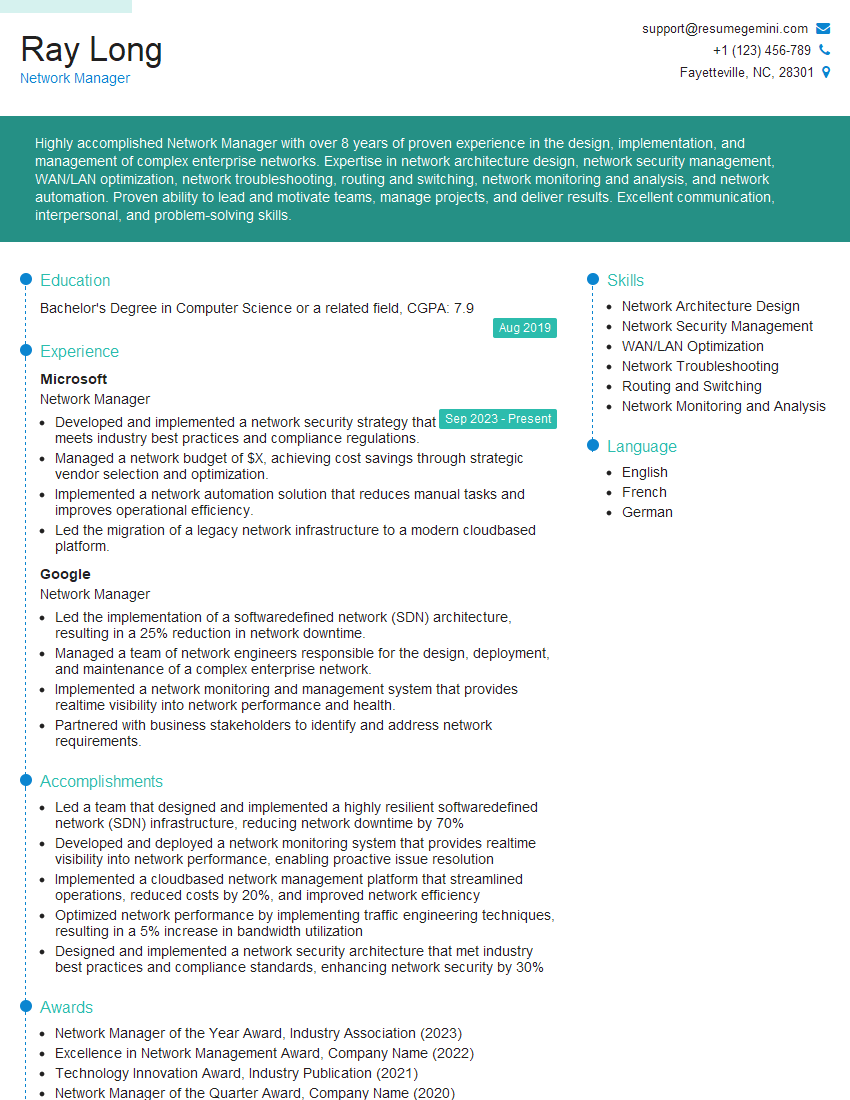
Network Manager Resume Sample

Systems Engineer Resume Sample

Network Administrator Resume Sample

Network Engineer Resume Sample

Network Security Engineer Resume Sample

Network Analyst Resume Sample

Network Architect Resume Sample

Network Consultant Resume Sample

Telecommunications Engineer Resume Sample

Wireless Network Engineer Resume Sample
Explore more articles
Users Rating of Our Blogs
Share Your Experience
We value your feedback! Please rate our content and share your thoughts (optional).
What Readers Say About Our Blog
Very informative content, great job.
good