Feeling uncertain about what to expect in your upcoming interview? We’ve got you covered! This blog highlights the most important Network Security and Monitoring interview questions and provides actionable advice to help you stand out as the ideal candidate. Let’s pave the way for your success.
Questions Asked in Network Security and Monitoring Interview
Q 1. Explain the difference between symmetric and asymmetric encryption.
Symmetric and asymmetric encryption are two fundamental approaches to securing data. The core difference lies in the number of keys used.
Symmetric Encryption: Uses a single, secret key for both encryption and decryption. Think of it like a secret codebook – both sender and receiver need the same book to encode and decode messages. This is fast and efficient but poses a significant challenge: securely sharing the secret key. Examples include AES (Advanced Encryption Standard) and DES (Data Encryption Standard).
Asymmetric Encryption: Employs two distinct keys: a public key for encryption and a private key for decryption. The public key can be widely distributed, while the private key must remain absolutely secret. This solves the key distribution problem, as anyone can encrypt a message using the public key, but only the holder of the private key can decrypt it. A common example is RSA (Rivest-Shamir-Adleman).
In a nutshell: Symmetric encryption is like a shared secret whispered between two friends; asymmetric encryption is like sending a message in a locked box, where only the recipient with the matching key can open it.
Q 2. Describe the TCP/IP model and its layers.
The TCP/IP model is a conceptual framework for understanding how data is transmitted over a network. It’s structured into four layers, each responsible for specific tasks:
- Application Layer: This layer provides network services to applications. Examples include HTTP (web browsing), FTP (file transfer), SMTP (email), and DNS (domain name system). It defines how data is structured and presented to the user.
- Transport Layer: This layer handles end-to-end communication between applications. TCP (Transmission Control Protocol) provides reliable, ordered delivery of data, while UDP (User Datagram Protocol) offers faster but less reliable, connectionless service. TCP ensures data integrity, while UDP prioritizes speed.
- Network Layer (Internet Layer): This layer handles addressing and routing of data packets across networks. IP (Internet Protocol) addresses are assigned to devices, enabling routers to determine the optimal path for data transmission. IP addresses facilitate communication between networks.
- Link Layer (Network Access Layer): This layer deals with the physical transmission of data over a network medium, such as Ethernet cables or Wi-Fi. It handles framing, error detection, and physical addressing.
Imagine sending a letter: the application layer is what you write, the transport layer is the envelope, the network layer is the postal service that routes the letter, and the link layer is the truck that physically delivers it.
Q 3. What are the different types of firewalls?
Firewalls are security systems that monitor and control incoming and outgoing network traffic based on predefined rules. They act as a barrier between a trusted internal network and untrusted external networks. Different types exist, each with strengths and weaknesses:
- Packet Filtering Firewalls: These examine individual data packets based on header information (IP addresses, ports, protocols) and allow or deny based on configured rules. They are simple and fast but lack context awareness.
- Stateful Inspection Firewalls: These firewalls track the state of network connections, understanding the context of data packets within a conversation. They provide enhanced security by examining the entire communication flow.
- Application-Level Gateways (Proxy Firewalls): These firewalls act as intermediaries between internal and external networks, inspecting the contents of application-level traffic. They offer more granular control and deeper inspection capabilities but may impact performance.
- Next-Generation Firewalls (NGFWs): These advanced firewalls combine features of the above, integrating intrusion prevention, deep packet inspection, and application control. They offer comprehensive security but are complex and require significant resources.
Imagine a bouncer at a nightclub: a packet filtering firewall is like a bouncer checking IDs, a stateful inspection firewall is like a bouncer tracking who’s talking to whom, an application-level gateway is like a bouncer checking bags, and an NGFW is a whole security team ensuring safety and order.
Q 4. Explain the concept of intrusion detection and prevention systems (IDS/IPS).
Intrusion Detection and Prevention Systems (IDS/IPS) are security technologies designed to detect and respond to malicious activities on a network or host.
Intrusion Detection System (IDS): An IDS passively monitors network traffic and system activity for suspicious patterns indicative of intrusion attempts. It alerts administrators when a potential threat is detected but doesn’t actively prevent attacks. Think of it as a security camera system: it records events and alerts you if something suspicious happens.
Intrusion Prevention System (IPS): An IPS actively blocks or mitigates malicious traffic identified as potentially harmful. It combines the monitoring capabilities of an IDS with the ability to take action to prevent attacks from succeeding. Imagine a security guard who can both monitor and intervene to stop intruders.
IDS/IPS can be implemented as network-based devices monitoring traffic flows or as host-based systems monitoring individual computers’ activities. They use signature-based detection (matching known attack patterns) and anomaly-based detection (identifying deviations from normal behavior).
Q 5. What are common network security threats?
The landscape of network security threats is constantly evolving, but some common threats include:
- Malware: Viruses, worms, trojans, ransomware, and spyware that can infect systems and disrupt operations.
- Phishing: Deceitful attempts to obtain sensitive information such as usernames, passwords, and credit card details by disguising as a trustworthy entity in electronic communication.
- Denial-of-Service (DoS) and Distributed Denial-of-Service (DDoS) attacks: Overwhelming a system or network with traffic to render it unavailable to legitimate users.
- Man-in-the-middle (MitM) attacks: Intercepting communication between two parties to eavesdrop or manipulate data.
- SQL injection: Exploiting vulnerabilities in database applications to gain unauthorized access to sensitive data.
- Zero-day exploits: Attacks that target newly discovered vulnerabilities before patches are available.
- Insider threats: Malicious or negligent actions by authorized users.
Protecting against these threats requires a multi-layered security approach, including firewalls, IDS/IPS, antivirus software, secure configurations, employee training, and regular security audits.
Q 6. How does a VPN work?
A Virtual Private Network (VPN) creates a secure, encrypted connection over a public network, like the internet. It allows users to access private networks remotely as if they were directly connected. This is achieved through encryption and tunneling.
How it works: When a user connects to a VPN, their data is encrypted before being sent over the internet. This encrypted data is then encapsulated within a tunnel, typically using protocols like IPsec or OpenVPN. The tunnel ensures data confidentiality and integrity. The encrypted data travels to a VPN server, where it is decrypted and routed to the destination network. The process is reversed for returning traffic. This effectively masks the user’s IP address and encrypts their data, protecting it from eavesdropping and unauthorized access.
Imagine a secret passageway: the VPN creates an encrypted tunnel, the secret passage, shielding your data from prying eyes as it travels through the public internet.
Q 7. What is a DMZ (demilitarized zone)?
A Demilitarized Zone (DMZ) is a subnetwork that sits between a private internal network and the public internet. It’s designed to host publicly accessible services, such as web servers and email servers, without directly exposing the internal network.
Purpose: The DMZ acts as a buffer zone, allowing external users to access specific services while isolating the internal network from potential attacks. If a server in the DMZ is compromised, the attacker doesn’t gain direct access to the internal network. This enhances security by limiting the impact of a breach.
Think of it as a security checkpoint: the DMZ acts as a controlled area where visitors can interact with certain services without full access to the rest of the secure premises.
Q 8. Explain the concept of zero trust security.
Zero Trust security is a cybersecurity framework based on the principle of “never trust, always verify.” Instead of assuming that anything inside your network perimeter is safe, Zero Trust assumes no implicit trust granted to any user, device, or network, regardless of location (inside or outside the organization’s network). Every access request is verified before granting access, based on multiple factors like device posture, user identity, and context. Think of it like a highly secure building where every person needs individual authentication and authorization to access each room, even if they’re an employee.
Key aspects of Zero Trust include:
- Microsegmentation: Dividing the network into smaller, isolated segments limits the impact of a breach.
- Least privilege access: Users only have access to the resources they absolutely need for their jobs.
- Multi-factor authentication (MFA): Using multiple factors (something you know, something you have, something you are) for stronger authentication.
- Continuous monitoring and threat detection: Constantly monitoring activity and detecting anomalous behavior.
- Data encryption: Protecting data both in transit and at rest.
In a real-world scenario, a company implementing Zero Trust might require a sales representative accessing corporate data from their home computer to go through MFA, have their device posture checked for compliance with security policies, and only grant access to the specific CRM database required for their work, not the entire corporate network.
Q 9. What are the key components of a SIEM system?
A Security Information and Event Management (SIEM) system is a centralized security monitoring solution that collects and analyzes security logs from various sources across your IT infrastructure. It’s like a central nervous system for your security, providing a comprehensive view of your security posture.
Key components include:
- Log collection: Gathering security logs from various sources like firewalls, intrusion detection systems (IDS), servers, applications, and network devices.
- Log normalization and correlation: Transforming logs into a consistent format and identifying relationships between different events.
- Event correlation: Linking various seemingly disparate events to identify patterns indicating security incidents.
- Alerting and reporting: Generating alerts on suspicious activity and providing reports on security trends.
- Security analytics: Using advanced analytics to identify threats and vulnerabilities.
- Dashboarding and visualization: Presenting security data in a user-friendly format for easy analysis.
For instance, a SIEM might correlate a failed login attempt from an unusual location with a subsequent attempt to access a sensitive database, indicating a possible intrusion attempt.
Q 10. How do you perform network vulnerability scanning?
Network vulnerability scanning involves using specialized tools to identify security weaknesses in your network infrastructure. It’s like a security checkup for your network, looking for potential problems before attackers can exploit them.
The process typically involves these steps:
- Planning and scoping: Identifying the assets to scan and the types of vulnerabilities to look for.
- Credentialed vs. Non-credentialed scans: Credentialed scans offer more comprehensive results as they can access more system information; non-credentialed scans are less intrusive, but their coverage is limited.
- Vulnerability scanner selection: Choosing the right tools based on your needs and budget. Popular tools include Nessus, OpenVAS, and QualysGuard.
- Scanning execution: Running the chosen vulnerability scanner against your target assets.
- Results analysis and prioritization: Reviewing the scan results to identify critical vulnerabilities, prioritizing remediation based on severity and exploitability.
- Remediation: Applying patches, implementing security controls, or making other changes to fix identified vulnerabilities.
- Reporting: Documenting the findings for management and regulatory compliance.
A practical example involves scanning web servers for common vulnerabilities like SQL injection, cross-site scripting (XSS), and outdated software versions. The results will list the vulnerable systems, the type of vulnerability, and potential remediation steps.
Q 11. Describe your experience with log management and analysis.
My experience with log management and analysis spans several years and diverse environments. I’ve worked with various log management systems, including ELK stack (Elasticsearch, Logstash, Kibana), Splunk, and Graylog, to collect, analyze, and visualize security and application logs.
I’m proficient in using log analysis techniques to identify patterns, anomalies, and security threats. This involves using regular expressions (regex), query languages (e.g., Splunk Query Language), and statistical analysis to extract meaningful insights from large volumes of log data. For instance, I once used log analysis to pinpoint the source of a denial-of-service attack by identifying a spike in traffic originating from a specific IP address. My experience also includes developing custom dashboards and reports to present key security metrics to management. I’m comfortable creating alerts based on predefined rules or anomaly detection techniques to ensure timely notification of critical security events.
Q 12. Explain the process of incident response.
Incident response is the process of handling a security incident, from detection to recovery. It’s a structured approach to minimize damage and restore normalcy.
The process typically follows these stages:
- Preparation: Developing an incident response plan, establishing communication channels, and defining roles and responsibilities.
- Detection and analysis: Identifying the incident through monitoring tools or alerts, gathering evidence, and understanding its scope and impact.
- Containment: Isolating the affected systems or network segments to prevent further damage.
- Eradication: Removing the threat and restoring affected systems to a secure state.
- Recovery: Bringing affected systems back online and restoring data.
- Post-incident activity: Reviewing the incident, identifying weaknesses, and updating security policies and procedures to prevent future occurrences.
Imagine a scenario where a ransomware attack hits a company’s network. The incident response team would follow the above steps, starting with containment by isolating infected systems, eradicating the malware, recovering data from backups, and finally analyzing the incident to determine how the attack happened and implementing preventive measures.
Q 13. How do you prioritize security alerts and incidents?
Prioritizing security alerts and incidents involves using a combination of factors to determine which issues require immediate attention and which can be addressed later. It’s about focusing your resources effectively.
I typically use a framework that considers:
- Severity: How significant is the impact of the incident? (e.g., data breach vs. minor configuration issue)
- Urgency: How quickly does the issue need to be addressed? (e.g., ongoing attack vs. dormant vulnerability)
- Probability: How likely is the threat to exploit the vulnerability?
- Impact: What are the potential consequences of the incident? (e.g., financial loss, reputational damage, legal liability)
This often involves using a risk matrix or scoring system to quantify the risk associated with each alert or incident. High-severity, high-urgency incidents that have a high probability of exploitation and significant impact are prioritized first. For example, a critical vulnerability that allows remote code execution would be prioritized over a low-severity warning about a suspicious login attempt from an unfamiliar location.
Q 14. What are your experiences with different security protocols (e.g., TLS, SSH, IPsec)?
I have extensive experience working with various security protocols, including TLS, SSH, and IPsec. Understanding their strengths and weaknesses is crucial for securing network communications.
TLS (Transport Layer Security): I’ve used TLS to secure web traffic (HTTPS), ensuring confidentiality and integrity of data transmitted between web browsers and servers. I understand the importance of using strong cipher suites and keeping TLS implementations up-to-date to protect against vulnerabilities like POODLE and BEAST.
SSH (Secure Shell): SSH is widely used for secure remote access to servers and network devices. I’ve configured and managed SSH servers, ensuring strong password policies and utilizing key-based authentication for enhanced security. I’m familiar with SSH tunneling and its applications in securely accessing internal networks.
IPsec (Internet Protocol Security): I’ve worked with IPsec to establish secure VPN connections, protecting data transmitted between remote sites or devices. This includes configuring IPsec gateways and understanding different authentication and encryption methods, such as IKEv1 and IKEv2. I understand the importance of proper key management and configuration to ensure the security and integrity of IPsec tunnels.
In each case, my experience extends beyond simply implementing these protocols. I understand the underlying cryptographic principles, the potential vulnerabilities associated with their misconfiguration, and best practices for secure deployment and ongoing monitoring.
Q 15. What is multi-factor authentication (MFA) and why is it important?
Multi-factor authentication (MFA) is a security process that requires users to provide multiple forms of authentication to verify their identity before granting access to a system or resource. Think of it like a security door with multiple locks – you need multiple keys to get in.
Instead of relying solely on a password (something you know), MFA adds another layer, or factor, like a one-time code from your phone (something you have) or a fingerprint scan (something you are). This significantly reduces the risk of unauthorized access, even if one authentication factor is compromised. For example, if someone steals your password, they still won’t be able to access your account without the code from your authenticator app.
The importance of MFA lies in its ability to dramatically increase security. It mitigates the risks associated with weak passwords, phishing attacks, and stolen credentials. It’s a crucial layer of defense in today’s threat landscape.
Career Expert Tips:
- Ace those interviews! Prepare effectively by reviewing the Top 50 Most Common Interview Questions on ResumeGemini.
- Navigate your job search with confidence! Explore a wide range of Career Tips on ResumeGemini. Learn about common challenges and recommendations to overcome them.
- Craft the perfect resume! Master the Art of Resume Writing with ResumeGemini’s guide. Showcase your unique qualifications and achievements effectively.
- Don’t miss out on holiday savings! Build your dream resume with ResumeGemini’s ATS optimized templates.
Q 16. Describe your experience with security auditing and compliance.
My experience with security auditing and compliance is extensive. I’ve conducted numerous audits across various industries, focusing on identifying vulnerabilities and ensuring adherence to regulatory standards such as PCI DSS, HIPAA, and SOC 2. This involved reviewing security policies, procedures, and configurations; testing security controls; and generating comprehensive reports with remediation recommendations.
For instance, during an audit of a financial institution, I discovered a vulnerability in their network segmentation that could have exposed sensitive customer data. My detailed report led to the implementation of improved network controls and strengthened their overall security posture. I’m proficient in using various auditing tools and techniques to efficiently identify and address compliance gaps.
My work always focuses on a practical approach, prioritizing the most critical vulnerabilities and working with organizations to create actionable plans for improvement rather than simply identifying problems.
Q 17. Explain the concept of access control lists (ACLs).
Access Control Lists (ACLs) are sets of rules that define which users or systems have permission to access specific resources. Imagine a bouncer at a nightclub – they check your ID and only let in people on the guest list. ACLs do a similar thing for network devices and files.
They control access based on various criteria, including IP addresses, ports, protocols, and user identities. For example, an ACL might allow only specific IP addresses to access a particular server, or permit only certain users to read a sensitive file. ACLs are crucial for securing networks and protecting sensitive information. They are implemented on routers, firewalls, and operating systems to regulate network traffic and file access.
Misconfigured ACLs can create security vulnerabilities. For instance, an overly permissive ACL might grant access to unauthorized users or systems, while a restrictive one might block legitimate traffic, impacting business operations. Proper ACL management is essential for maintaining a secure network infrastructure.
Q 18. What are your experiences with different security frameworks (e.g., NIST, ISO 27001)?
I’ve worked extensively with several security frameworks, most notably NIST Cybersecurity Framework and ISO 27001. NIST provides a flexible framework for managing cybersecurity risk, guiding organizations through the identification, assessment, and mitigation of threats. I’ve used it to help organizations develop comprehensive cybersecurity programs, aligning their security controls with industry best practices.
ISO 27001 provides a more prescriptive approach to information security management. I’ve been involved in implementing ISO 27001 certification projects, helping organizations establish and maintain an Information Security Management System (ISMS). This involves conducting risk assessments, developing policies and procedures, and implementing controls to protect sensitive information. Both frameworks are valuable but serve different purposes, with NIST offering flexibility and ISO 27001 providing a more structured and certified approach.
Q 19. Explain your understanding of network segmentation.
Network segmentation is the practice of dividing a network into smaller, isolated segments. Think of it as dividing a large apartment building into separate apartments – if there’s a fire in one apartment, it won’t necessarily spread to the others.
This isolation limits the impact of security breaches. If one segment is compromised, the attacker won’t have automatic access to the entire network. This reduces the attack surface and protects sensitive data. Segmentation can be achieved using various techniques, such as VLANs (Virtual LANs), firewalls, and VPNs (Virtual Private Networks).
For example, separating the guest Wi-Fi network from the internal corporate network is a common form of segmentation. This prevents attackers who compromise the guest network from easily accessing sensitive internal systems.
Q 20. How do you handle security breaches?
Handling a security breach involves a systematic and rapid response. My approach follows a well-defined incident response plan, encompassing the following steps:
- Containment: Immediately isolate the affected systems to prevent further damage or data exfiltration.
- Eradication: Identify and remove the threat, including malware or compromised accounts.
- Recovery: Restore systems and data from backups, ensuring business continuity.
- Post-Incident Activity: Analyze the breach to understand its root cause and implement preventive measures to avoid future incidents. This includes documenting lessons learned and updating security policies.
Communication is vital throughout the process. We must keep stakeholders informed and cooperate with law enforcement if necessary. A well-rehearsed incident response plan is crucial for an effective and timely response.
Q 21. What is a man-in-the-middle attack?
A man-in-the-middle (MITM) attack is a type of cyberattack where an attacker secretly relays and possibly alters the communication between two parties who believe they are directly communicating with each other. It’s like a sneaky eavesdropper intercepting a phone call and potentially manipulating the conversation.
The attacker positions themselves between the two communicating parties, intercepting and potentially modifying the data exchanged. This can be used to steal sensitive information, such as usernames, passwords, credit card details, or even to inject malicious code. Techniques used in MITM attacks include session hijacking, DNS spoofing, and rogue Wi-Fi hotspots.
Protecting against MITM attacks involves using strong encryption protocols (like HTTPS), verifying website authenticity using SSL/TLS certificates, and being wary of suspicious Wi-Fi networks.
Q 22. Describe different types of Denial-of-Service (DoS) attacks.
Denial-of-Service (DoS) attacks aim to disrupt online services by overwhelming the target with traffic, rendering it inaccessible to legitimate users. There are various types, broadly categorized as volumetric, protocol, and application layer attacks.
Volumetric attacks flood the target with massive amounts of traffic, consuming bandwidth and resources. Examples include:
- UDP floods: Sending numerous UDP packets to a target, hoping to exhaust its resources handling them.
- ICMP floods (Ping of Death): Exploiting vulnerabilities in ICMP handling to crash the target.
- HTTP floods: Sending a large number of HTTP requests to overwhelm web servers.
Protocol attacks exploit weaknesses in network protocols to disrupt services without necessarily consuming large amounts of bandwidth. Examples include:
- SYN floods: Exploiting the TCP three-way handshake to consume server resources by sending SYN requests without completing the connection.
- Smurf attacks: Amplified DDoS attack sending ICMP echo requests to a broadcast address, flooding the target with responses.
Application layer attacks target specific applications or services by sending crafted requests that consume resources or cause application errors. Examples include:
- HTTP Slowloris: Slowly sending partial HTTP requests to tie up server resources.
- Application-specific attacks: Exploiting vulnerabilities in specific applications (e.g., a database server) to cause denial of service.
Imagine a restaurant overwhelmed by too many customers (volumetric), or a waiter constantly interrupted by fake orders (protocol), or a kitchen unable to handle a flood of complex, poorly-formed orders (application). These analogies illustrate the different ways a DoS attack can disable a system.
Q 23. What are your experiences with cloud security solutions (e.g., AWS, Azure, GCP)?
I have extensive experience with cloud security solutions, particularly AWS, Azure, and GCP. My work has involved designing and implementing security architectures for various clients on these platforms. This included configuring:
Virtual Private Clouds (VPCs): Establishing secure network segments with appropriate subnets, routing tables, and network access control lists (NACLs).
Security Groups: Implementing firewall rules to control inbound and outbound traffic at the instance level.
Identity and Access Management (IAM): Managing user permissions, roles, and access keys to ensure the principle of least privilege.
Cloud Security Posture Management (CSPM) tools: Utilizing tools like AWS Security Hub, Azure Security Center, and GCP Security Command Center to monitor and manage security configurations, identify vulnerabilities, and provide remediation guidance.
Data Loss Prevention (DLP) measures: Implementing measures to prevent sensitive data from leaving the cloud environment through encryption, data masking, and access controls.
For example, in one project with AWS, I architected a multi-account strategy with centralized logging and monitoring using CloudTrail, CloudWatch, and Amazon GuardDuty to enhance visibility and incident response capabilities. In another project on Azure, I secured a microservices architecture leveraging Azure Active Directory and Azure Key Vault for authentication and secrets management.
Q 24. Explain your understanding of threat modeling.
Threat modeling is a systematic process of identifying potential threats and vulnerabilities in a system. It helps proactively address security risks before they can be exploited. The process typically involves:
Defining the system scope and context: Clearly identifying the system boundaries, its components, and its interactions with the external environment.
Identifying assets and their value: Determining what needs to be protected (e.g., data, applications, infrastructure).
Identifying threats and vulnerabilities: Identifying potential attackers, their motives, and how they might exploit weaknesses in the system.
Analyzing threat likelihood and impact: Assessing the probability of each threat occurring and the potential consequences if it does.
Developing mitigation strategies: Identifying and implementing security controls to reduce the likelihood and impact of threats.
Validating mitigation strategies: Testing and evaluating the effectiveness of implemented security controls.
I frequently use the STRIDE threat modeling method (Spoofing, Tampering, Repudiation, Information disclosure, Denial of service, Elevation of privilege), along with other methodologies tailored to the specific system being analyzed. For instance, when threat modeling a web application, I would consider threats like SQL injection, cross-site scripting (XSS), and session hijacking.
Q 25. How do you stay up-to-date with the latest security threats and vulnerabilities?
Staying current with security threats and vulnerabilities is critical. My approach is multi-faceted:
Following industry news and publications: I regularly read security blogs, newsletters (e.g., Krebs on Security, Threatpost), and research papers from organizations like SANS Institute and NIST.
Utilizing vulnerability databases and scanners: I leverage tools like the National Vulnerability Database (NVD) and open-source vulnerability scanners (e.g., Nessus, OpenVAS) to identify and track known vulnerabilities.
Attending security conferences and webinars: Conferences provide valuable insights into emerging threats and best practices. Webinars offer targeted updates on specific technologies or threats.
Participating in online communities and forums: Engaging in discussions with other security professionals provides access to shared knowledge and insights into real-world threats.
Obtaining relevant certifications: Certifications like CISSP, OSCP, and CEH demonstrate commitment to continuous learning and keeping skills up-to-date.
I also actively participate in bug bounty programs to gain practical experience in identifying vulnerabilities in real-world systems and staying ahead of the curve. The ever-evolving nature of the threat landscape necessitates this ongoing commitment to learning and adaptation.
Q 26. Describe your experience with penetration testing methodologies.
My penetration testing experience encompasses various methodologies, including black box, grey box, and white box testing. I’m proficient in using a range of tools and techniques to assess the security posture of systems and applications. My approach involves:
Reconnaissance: Gathering information about the target system using publicly available sources and active scanning techniques.
Scanning: Utilizing automated tools to identify vulnerabilities and potential entry points.
Exploitation: Attempting to exploit identified vulnerabilities to gain unauthorized access or control.
Post-exploitation: Exploring the compromised system to determine the extent of potential damage and identify sensitive information.
Reporting: Documenting findings, including identified vulnerabilities, their severity, and recommendations for remediation.
For example, in a recent engagement, I conducted a black box penetration test on a client’s web application, successfully exploiting a cross-site scripting (XSS) vulnerability to inject malicious code and gain access to sensitive user data. The report detailed the vulnerability, its impact, and provided detailed remediation steps, which the client promptly implemented.
Q 27. What is your experience with scripting languages used in security (e.g., Python, PowerShell)?
I have significant experience with scripting languages commonly used in security, particularly Python and PowerShell. I leverage these languages for tasks such as:
Automation: Automating repetitive security tasks, like vulnerability scanning, log analysis, and security information and event management (SIEM) data processing.
Security tool development: Creating custom security tools to meet specific needs, such as vulnerability detection scripts or custom incident response tools.
Data analysis: Analyzing security logs and other data sources to identify patterns and anomalies that could indicate security incidents.
Penetration testing: Developing custom scripts for reconnaissance, vulnerability exploitation, and post-exploitation activities.
For instance, I’ve used Python with libraries like `requests` and `BeautifulSoup` for web scraping during reconnaissance phases of penetration tests. In another project, I developed a PowerShell script to automate the process of patching critical vulnerabilities across a large number of servers.
# Example Python script snippet for checking a web server's status:import requestsresponse = requests.get('http://example.com')if response.status_code == 200: print('Server is online')else: print('Server is offline')Q 28. Explain your understanding of security information and event management (SIEM) technologies.
Security Information and Event Management (SIEM) technologies are crucial for security monitoring and incident response. A SIEM system collects and analyzes security logs from various sources, providing a centralized view of security events across an organization’s IT infrastructure. Key features include:
Log aggregation: Collecting logs from various sources like firewalls, intrusion detection systems (IDS), servers, and applications.
Log normalization and correlation: Transforming logs into a consistent format and identifying relationships between events to detect patterns and potential security incidents.
Alerting and notification: Generating alerts based on predefined rules or anomalies detected in log data.
Security analytics and reporting: Analyzing log data to identify trends, assess security risks, and generate reports on security posture.
Incident response: Providing tools and information to assist in investigating and responding to security incidents.
My experience encompasses working with various SIEM platforms, including Splunk, QRadar, and the open-source ELK stack (Elasticsearch, Logstash, Kibana). I’ve used these tools to develop custom dashboards, create security alerts, and analyze security data to identify and respond to security threats. For example, I configured alerts in Splunk to detect suspicious login attempts and data exfiltration attempts, enabling proactive response to potential security breaches.
Key Topics to Learn for Network Security and Monitoring Interview
- Network Security Fundamentals: Understanding core concepts like firewalls, intrusion detection/prevention systems (IDS/IPS), VPNs, and access control lists (ACLs). Consider practical applications like configuring firewall rules or troubleshooting network connectivity issues.
- Security Monitoring Tools and Technologies: Familiarity with SIEM (Security Information and Event Management) systems, log management tools, and network monitoring platforms. Practice analyzing log data to identify security incidents and vulnerabilities.
- Vulnerability Management: Knowledge of vulnerability scanning techniques, penetration testing methodologies, and risk assessment frameworks. Explore how to prioritize and remediate vulnerabilities effectively.
- Incident Response: Understanding the incident response lifecycle, including containment, eradication, recovery, and post-incident activity. Consider case studies to understand practical application and problem-solving.
- Cloud Security: Familiarity with cloud security concepts, including Identity and Access Management (IAM), data encryption, and security best practices for cloud environments (AWS, Azure, GCP). Explore practical applications like configuring cloud security groups or implementing multi-factor authentication.
- Network Protocols and Architectures: A strong understanding of TCP/IP, routing protocols (BGP, OSPF), and common network architectures. Practice troubleshooting network connectivity issues based on protocol behavior.
- Security Auditing and Compliance: Knowledge of relevant security standards and frameworks (e.g., ISO 27001, NIST Cybersecurity Framework). Understand how to conduct security audits and ensure compliance.
Next Steps
Mastering Network Security and Monitoring opens doors to exciting and high-demand career opportunities with significant growth potential. To maximize your chances of landing your dream role, crafting a compelling and ATS-friendly resume is crucial. ResumeGemini is a trusted resource that can significantly enhance your resume-building experience. Take advantage of the power of ResumeGemini to create a professional and impactful document that highlights your skills and experience. Examples of resumes tailored to Network Security and Monitoring are available to guide you.

Compliance Officer Resume Sample
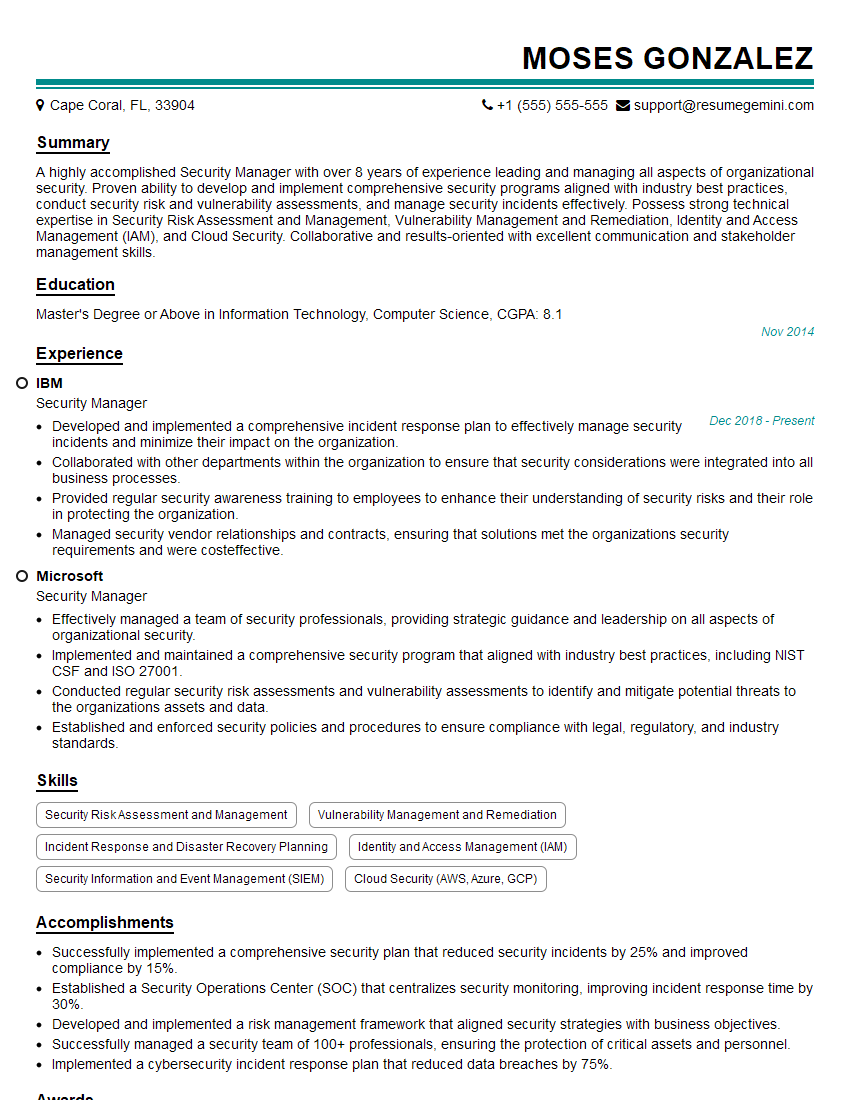
Security Manager Resume Sample
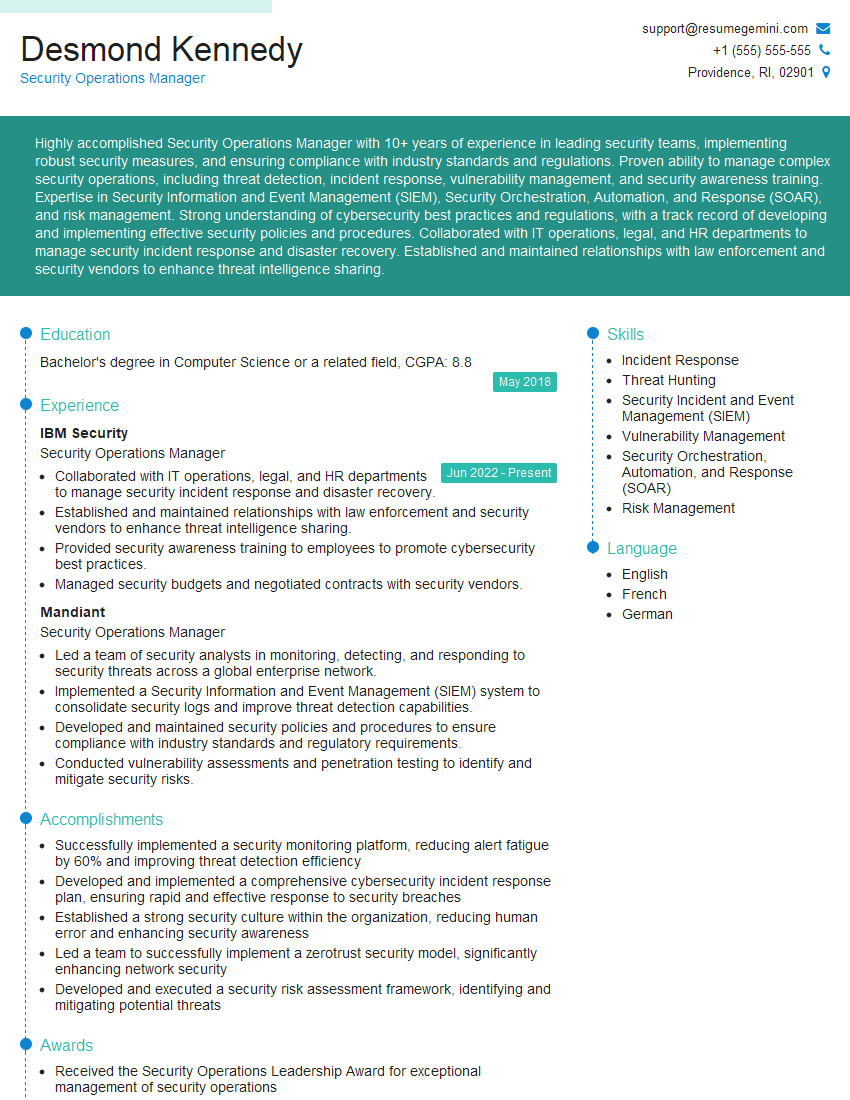
Security Operations Manager Resume Sample

Security Analyst Resume Sample

Security Consultant Resume Sample

Security Engineer Resume Sample

Network Administrator Resume Sample

Information Security Manager Resume Sample

Network Security Engineer Resume Sample

Security Architect Resume Sample

Systems Administrator Resume Sample

Cybersecurity Analyst Resume Sample
Explore more articles
Users Rating of Our Blogs
Share Your Experience
We value your feedback! Please rate our content and share your thoughts (optional).
What Readers Say About Our Blog
Very informative content, great job.
good