Unlock your full potential by mastering the most common Offset Printing Process interview questions. This blog offers a deep dive into the critical topics, ensuring you’re not only prepared to answer but to excel. With these insights, you’ll approach your interview with clarity and confidence.
Questions Asked in Offset Printing Process Interview
Q 1. Explain the difference between sheetfed and web offset printing.
The core difference between sheetfed and web offset printing lies in how the paper is fed into the press. Think of it like this: sheetfed is like carefully placing individual sheets of paper, one at a time, while web is like feeding a continuous roll of paper, much like a giant roll of wrapping paper.
Sheetfed offset printing uses individual sheets of paper, typically cut to size. This offers greater flexibility in paper stock and size, making it ideal for high-quality, shorter print runs of brochures, business cards, or stationery. The press handles each sheet separately, providing precise registration and excellent quality control. However, it’s slower and less cost-effective for large print volumes.
Web offset printing uses a continuous roll of paper (the web). This method is incredibly fast and efficient, perfect for mass production of newspapers, magazines, and books. The speed comes at a slight compromise in terms of precision and paper stock flexibility compared to sheetfed. However, for large runs, the cost savings significantly outweigh the trade-offs. Imagine printing thousands of newspapers – web offset is the clear winner.
Q 2. Describe the role of the dampening system in offset lithography.
The dampening system in offset lithography is crucial; it’s the key to achieving the delicate balance between ink and water on the printing plate. In offset lithography, we utilize the principle that ink and water repel each other. The dampening system applies a fine film of water to the plate’s non-image areas, preventing ink from adhering there. This ensures ink only sticks to the image areas, resulting in a crisp, clear print.
The system typically involves rollers that deliver a carefully balanced mix of water and isopropyl alcohol (to reduce surface tension). The concentration and balance are adjusted constantly to compensate for factors like temperature, humidity, and ink viscosity. A poorly functioning dampening system can lead to several issues: too much water will cause poor ink transfer and muddy prints, while too little water can result in ink smearing and clogged rollers.
Think of it like baking a cake: the dampening system is like the precise measurement of ingredients. Too much or too little water (or any ingredient for that matter), and the outcome will be negatively affected.
Q 3. What are the common causes of ghosting and how can they be corrected?
Ghosting, those faint, unwanted images appearing next to the intended print, is a common headache in offset printing. It manifests as a pale shadow of a previously printed image. Several things can cause this frustrating phenomenon:
- Ink-Water Imbalance: An improperly balanced dampening system. Too much water can cause ink to lift from the plate and smear onto the blanket, then to subsequent sheets, leaving behind a ghostly trace.
- Plate Defects: Scratches, damage, or improper platemaking can create areas where ink is partially transferred, resulting in faint ghost images.
- Blanket Wear: A worn or damaged blanket cylinder will not transfer ink consistently, leading to ghosting.
- Ink Viscosity: Incorrect ink viscosity can make it prone to smearing and ghosting.
- Paper Problems: Using paper that absorbs ink unevenly or is too absorbent can cause ghosting.
Corrections involve carefully investigating the source. Check dampening system settings, examine the plate for damage, replace the blanket if necessary, adjust ink viscosity, and assess the suitability of the paper being used. Sometimes, a combination of these factors is at play.
Q 4. Explain the importance of maintaining proper ink viscosity.
Maintaining proper ink viscosity is paramount for consistent and high-quality prints in offset printing. Viscosity refers to the ink’s resistance to flow. Think of it like the thickness or thinness of the ink. If the ink is too thick, it will not transfer properly to the paper, leading to light, patchy prints, and potentially clogging rollers. Conversely, ink that is too thin will spread and bleed, resulting in blurry images and poor color definition. Furthermore, an incorrect viscosity makes the ink more susceptible to problems like ghosting and mottling.
Proper viscosity ensures a smooth, even ink transfer, resulting in sharp, clear, and consistent prints. This is achieved by using viscosity reducers or adding more of the base according to the manufacturer’s instructions and the job requirements. Regular monitoring of ink viscosity is crucial, usually using a viscosity cup or other appropriate equipment. A consistent viscosity also assists in maintaining print quality throughout a run and minimizes waste.
Q 5. How do you troubleshoot common paper jams?
Paper jams are a frequent occurrence in offset printing. Effective troubleshooting requires a systematic approach:
- Safety First: Turn off the press and ensure it’s completely stopped before attempting any repairs.
- Identify the Location: Pinpoint the exact location of the jam. This is often visually obvious, but sometimes you might need to consult the press’s manual or maintenance logs for specific areas.
- Carefully Remove the Jammed Paper: Gently remove the jammed paper, avoiding tearing or damaging the paper path components. Work from the point of the jam toward the feeding tray. Use tools as necessary, but always exercise caution.
- Check for Obstructions: After removing the paper, carefully examine the paper path for any obstructions—loose paper scraps, debris, or misaligned components.
- Inspect Rollers and Guides: Check for damage or misalignment in rollers and paper guides. Minor adjustments might be necessary, but if significant damage is present, seek professional help.
- Adjust Paper Feed Settings: If the problem is recurring, adjust the paper feed settings according to the paper stock. Often a change in paper type demands adjustments in paper feed mechanisms.
- Test Run: After resolving the jam, conduct a short test run to ensure the issue has been resolved. This can help avoid bigger problems down the road.
If the problem persists after these steps, seek professional assistance from a qualified technician. Attempting complex repairs without proper training can damage the press further.
Q 6. Describe the process of making printing plates.
Making printing plates is a crucial step in offset printing, converting digital artwork into a physical form the printing press can use. The process generally involves several stages, and the specific techniques depend on the type of plate used (we’ll discuss that in the next answer).
Common steps include:
- Artwork Preparation: The digital artwork is prepared and checked for resolution, color profiles, and other pre-press requirements. This stage involves ensuring everything is correct and optimized for print.
- Image Setting: The artwork is then either output to a film (for traditional platemaking) or directly to a plate (for computer-to-plate, or CTP, systems). This is like creating the blueprint for the printing plate.
- Platemaking: This is where the actual plate is created. Depending on the type of plate (e.g., thermal, violet, or UV), the plate material is exposed to light through the film or digital data, creating a latent image. This process hardens or softens specific areas of the plate, depending on the type of plate.
- Plate Processing: The exposed plate is then developed and processed to remove unexposed areas, leaving only the image areas receptive to ink. This stage ensures the clear separation between the image and the non-image areas.
- Plate Mounting: Finally, the finished plate is mounted onto the printing press cylinder, ready for printing.
This process ensures a faithful reproduction of the original artwork onto the printed material.
Q 7. What are the different types of printing plates used in offset printing?
Offset printing employs various types of printing plates, each with its strengths and weaknesses:
- PS Plates (Photosensitive Plates): These are traditional plates that require exposure to UV light through film. They are relatively inexpensive but require a film output stage and are more susceptible to scratches. Think of them as more hands-on and requiring extra care.
- CTP Plates (Computer-to-Plate): These plates bypass the film stage, receiving the image directly from a digital source. They offer higher precision, faster turnaround times, and are more environmentally friendly. CTP is like having a direct digital-to-plate connection.
- Thermal Plates: These plates are exposed using heat from a laser, and the process is generally faster than UV exposure. These plates offer good quality and are relatively easy to handle. They are more efficient for shorter runs compared to other types of plates.
- UV Plates: These are exposed using UV light and require a specialized CTP system. They are known for their excellent durability, fine detail reproduction and long runs. UV plates are better for larger print jobs needing exceptional quality and longevity.
The choice of plate type depends on factors like print volume, budget, image quality requirements, and available equipment. Each type caters to different needs within the offset printing process.
Q 8. Explain the concept of color separation.
Color separation is the process of breaking down a full-color image into its four constituent colors: Cyan, Magenta, Yellow, and Key (Black), or CMYK. Think of it like separating the layers of a cake – each color is printed separately on its own plate, and when combined, they create the final, full-color image. This is crucial for offset printing because each color is printed using a different printing plate.
For example, imagine a vibrant red apple. In a CMYK image, that red would be created by a combination of Magenta and Yellow inks. The color separation process determines precisely how much of each color is needed for each area of the image, creating four separate films or plates, one for each color.
Without color separation, printing a full-color image would be impossible on a standard offset press. Each color requires its own plate and ink, ensuring accurate color representation in the final print.
Q 9. How do you achieve accurate color registration?
Accurate color registration, meaning perfectly aligning the four CMYK plates during printing, is vital for a sharp, high-quality print. Imperfect registration leads to blurry images with misaligned colors, a common defect called ‘color slur’.
Achieving this is a multi-step process. Firstly, precise pre-press preparation is essential, including careful plate making and imposition. Secondly, the printing press itself requires meticulous setup. This involves using registration marks printed on the plates (usually small crosses) to align the plates to each other. The press operator uses these marks and the press’s adjustment mechanisms to ensure perfect alignment before starting the print run. Regular checks throughout the run are crucial to maintain registration.
Furthermore, the quality of printing plates, press condition (like the condition of rollers and blankets), and the paper stock all influence registration. Experienced press operators can identify and correct minor registration issues, employing techniques like adjusting the sidelays, employing register gauges and employing micro-adjustments to the press cylinders.
Q 10. What is the purpose of a blanket cylinder?
The blanket cylinder acts as an intermediary between the printing plate and the paper. It’s a rubber cylinder that receives the inked image from the printing plate and then transfers that image to the paper. Think of it as a soft, flexible stamp.
Its purpose is threefold: firstly, it ensures even ink distribution across the paper surface. Secondly, it protects the printing plate from direct contact with the paper, which prevents damage and extends plate life. Finally, it helps achieve a consistent and sharp image transfer, especially important when printing on textured or rough papers.
Without the blanket cylinder, the printing plate would wear down very quickly, and the image transfer would be inconsistent, leading to poor-quality prints.
Q 11. Describe the importance of proper makeready procedures.
Proper makeready procedures are crucial for a successful and efficient print job. This critical phase involves all the steps taken before actual printing begins, aiming to optimize press settings for the best possible results.
Makeready includes: washing up the press; installing and adjusting the printing plates; setting the ink and water balance; adjusting the impression pressure (force between plate, blanket, and paper); and carefully calibrating the paper feed and other mechanical aspects of the press to avoid paper jams. It also involves running a few test sheets (proofs) to check color, registration, and ink density before the full print run begins.
By executing thorough makeready, you minimize waste, improve print quality, and ensure the job runs smoothly and cost-effectively. Neglecting makeready often results in wasted materials, poor print quality, and delays.
Q 12. What are the common causes of dot gain?
Dot gain refers to the enlargement of printed dots during the offset printing process. Essentially, a small dot printed on the plate appears larger on the final print. This is undesirable as it leads to richer, darker colors than intended, and muddies the fine details of an image.
Several factors contribute to dot gain: The type of paper significantly influences dot gain; absorbent papers tend to lead to more dot gain. Ink type and viscosity play a role; thicker inks contribute more. The printing pressure applied between the plate, blanket, and paper is another factor. High pressure leads to more dot gain. Finally, the condition of the press, particularly the blanket cylinder and rollers, also affect the level of dot gain.
Understanding and controlling these factors is paramount for accurate color reproduction. For example, using a less absorbent paper or adjusting the ink viscosity can significantly reduce dot gain.
Q 13. How do you measure and control ink density?
Ink density, also known as ink coverage, is a crucial parameter in offset printing, influencing color accuracy and overall print quality. It refers to the amount of ink applied to the paper.
Measurement is usually done with a densitometer, a device that measures the optical density of the ink. The densitometer provides readings representing the light absorption of the printed ink in each CMYK color. These readings, usually expressed in numerical values, are then compared with the target values specified in the job’s specifications.
Controlling ink density involves adjusting various parameters on the press, including ink keys, fountain solution (water) levels, and roller settings. An experienced press operator fine-tunes these settings to match the desired density, often using test prints to guide the adjustments. Proper control of ink density prevents uneven coverage, variations in color, and ensures consistency throughout the entire print run.
Q 14. What are the key differences between CMYK and Pantone colors?
CMYK and Pantone are two different color systems used in printing. CMYK, as already discussed, is a subtractive color model, using Cyan, Magenta, Yellow, and Key (black) inks to create colors by subtracting light from white.
Pantone, on the other hand, is a spot color system that employs premixed inks with specific formulations, each identified by a unique Pantone number. Think of Pantone as a color recipe book. Each Pantone color is formulated and mixed to maintain strict consistency across different printing presses and locations. Pantone colors are ideal for achieving specific, highly accurate colors, such as corporate logos or brand colors, as they provide superior color matching compared to the CMYK process.
The key difference lies in their accuracy and consistency. While CMYK can provide a wide range of colors, Pantone offers more consistent and precise results for critical applications, despite Pantone typically having higher production costs.
Q 15. Explain the importance of maintaining proper printing press temperature.
Maintaining the correct printing press temperature is crucial for consistent and high-quality offset printing. Temperature directly impacts ink drying, paper handling, and the overall registration of colors. Think of it like baking a cake – if the oven temperature is too low, the cake won’t cook properly; too high, and it will burn. Similarly, incorrect press temperature can lead to several issues.
- Ink Drying: Too low, and the ink will remain tacky, leading to smudging and set-off (ink transferring to the back of the sheet). Too high, and the ink might dry too quickly, causing uneven ink laydown and poor color density.
- Paper Handling: Extreme temperatures can cause paper to warp or become brittle, leading to jams and misfeeds in the press. This is particularly important with moisture-sensitive papers.
- Registration: Temperature fluctuations can affect the expansion and contraction of both the paper and the printing plates, resulting in misregistration (colors not aligning properly).
We regularly monitor press temperature using built-in sensors and adjust accordingly, often making small adjustments throughout a long print run to account for ambient temperature changes in the print room. For instance, during a particularly humid summer day, we might need to slightly lower the temperature to prevent set-off. Maintaining a precise temperature log is critical for troubleshooting and ensuring consistent quality across different print jobs.
Career Expert Tips:
- Ace those interviews! Prepare effectively by reviewing the Top 50 Most Common Interview Questions on ResumeGemini.
- Navigate your job search with confidence! Explore a wide range of Career Tips on ResumeGemini. Learn about common challenges and recommendations to overcome them.
- Craft the perfect resume! Master the Art of Resume Writing with ResumeGemini’s guide. Showcase your unique qualifications and achievements effectively.
- Don’t miss out on holiday savings! Build your dream resume with ResumeGemini’s ATS optimized templates.
Q 16. How do you identify and correct problems with image quality?
Identifying and correcting image quality problems in offset printing requires a systematic approach. It’s like detective work, systematically eliminating possibilities. I start by carefully examining the printed sheet, looking for specific clues.
- Mottling or uneven ink distribution: This often points to problems with the ink fountain solution balance, incorrect roller settings, or worn-out rollers.
- Poor color registration: Misaligned colors suggest issues with the press’s registration system, plate mounting, or paper slippage.
- Blurred or fuzzy images: This could stem from issues with the printing plates, screen resolution of the pre-press files, or incorrect press settings like dampening or impression.
- Color inconsistencies: Variations in color across the sheet might indicate problems with ink consistency, color calibration, or substrate inconsistencies.
Once the problem is identified, the correction involves adjusting press settings, cleaning or replacing rollers, checking plate mounting, or re-evaluating pre-press files. For example, if we see mottling, we’d adjust the ink fountain solution balance and check the roller settings. If the issue persists, we might investigate plate defects or paper inconsistencies. Detailed documentation of each step is key to solving the problem and preventing future occurrences.
Q 17. Describe your experience with different types of substrates.
My experience encompasses a wide variety of substrates used in offset printing, from standard coated and uncoated papers to more specialized materials.
- Coated Papers: These are frequently used for high-quality brochures, magazines, and catalogs due to their smooth surface and excellent ink holdout. Different coatings (matte, gloss, silk) offer varying aesthetic effects and printability characteristics.
- Uncoated Papers: These offer a more natural, textured feel and are suitable for applications where a softer, less glossy finish is preferred. They are commonly used for letterheads, business cards, and invitations.
- Specialty Papers: I’ve worked with textured papers, recycled papers, metallic papers, and synthetic substrates (like plastics and vinyl). Each requires careful consideration of its unique properties during the printing process, such as ink absorption rate, moisture content, and durability.
Experience with diverse substrates has given me a deep understanding of how different materials interact with inks and the press. For example, working with a highly absorbent recycled paper requires a different ink formulation and press settings compared to a highly coated paper.
Q 18. How do you handle different types of paper stock?
Handling different paper stocks requires understanding their unique characteristics. The key is preparation and attention to detail.
- Paper Weight: Heavier stocks require adjustments to press settings, especially impression and feed rollers. Too much pressure on a lighter stock can cause damage.
- Moisture Content: Paper moisture content greatly impacts registration and overall print quality. Proper storage and conditioning are crucial, especially in environments with fluctuating humidity.
- Paper Type: As discussed before, different paper types demand different ink formulations and press settings to achieve optimal results. Coated papers typically require less ink than uncoated ones.
- Paper Grain: Printing direction needs to be aligned with the paper grain to prevent cracking or distortion. Knowing whether to print with the grain or against the grain is critical.
Before each job, I thoroughly review the paper specifications and make the necessary adjustments to the press settings. I also ensure that the paper is properly conditioned to the pressroom environment to minimize issues like jamming or misfeeds. A simple but vital aspect is making sure the paper is stored correctly to avoid damage.
Q 19. Describe your experience with color management systems (e.g., G7).
I have extensive experience with color management systems, specifically G7. G7 is a standardized method for achieving gray balance, ensuring consistent color reproduction across different printing processes. It’s like having a common language for color, enabling predictable and accurate color output.
My workflow with G7 involves using a spectrophotometer to measure color patches on printed samples and compare them to the target values. This allows for precise adjustments to the press settings (ink densities, dot gain) to achieve the desired gray balance and color accuracy. We regularly conduct G7 calibrations and maintain a strict color control system. This ensures that our printed output is visually consistent, regardless of the substrate or printing press used.
G7 certification demonstrates our commitment to quality and provides our clients with confidence in the consistency and accuracy of their printed materials. This methodical approach helps in reducing waste and speeding up the production process.
Q 20. What are your experience with pre-press software such as Adobe Acrobat, Illustrator or InDesign?
I’m proficient in pre-press software like Adobe Acrobat, Illustrator, and InDesign. These are essential tools for preparing files for offset printing. My skills include:
- Preparing print-ready files: This involves ensuring proper color profiles, resolution, bleed, and imposition are used for optimal printing results.
- Image editing and manipulation: I can adjust image quality, correct color balance, and prepare images for optimal print reproduction. For example, I know how to convert images to CMYK and manage spot colors accurately.
- File trapping and imposition: I use these techniques to ensure that there is no gap between colors and the proper arrangement of pages for printing.
- Proofing and quality checks: Soft proofing allows me to review and correct errors before printing, saving time and materials.
For instance, in InDesign, I can create complex layouts and accurately manage fonts and images. In Illustrator, I can create and edit vector graphics to ensure sharp reproduction on print. And Acrobat is crucial for final PDF generation and preflight checks, ensuring the file is print-ready and free of errors.
Q 21. Explain your experience with different types of printing inks.
My experience covers a range of printing inks, each with its own properties and applications.
- Conventional Inks: These are the most commonly used inks in offset printing, offering a good balance of cost and quality. They’re used for a wide variety of printing applications.
- UV Inks: These inks cure instantly upon exposure to ultraviolet light, offering immediate drying and faster turnaround times. They’re ideal for applications requiring quick drying or printing on non-porous substrates.
- Metallic Inks: These inks provide a distinctive metallic effect (gold, silver, etc.), adding a premium touch to printed materials. They add depth and visual appeal.
- Specialty Inks: I’ve worked with various specialty inks, including fluorescent inks, scented inks, and inks with tactile finishes. These provide unique visual or sensory experiences.
Choosing the right ink depends heavily on the printing job. For example, UV inks are excellent for materials like plastics, while conventional inks are better suited for absorbent papers. Understanding ink properties and their interaction with different substrates is vital to achieving optimal print results and satisfying client needs.
Q 22. How do you ensure consistent print quality across multiple runs?
Maintaining consistent print quality across multiple runs in offset printing is paramount. It requires a meticulous approach encompassing several key areas. Think of it like baking a cake – you need the same recipe and ingredients every time for consistent results.
Pre-press Standardization: We begin with standardized pre-press procedures. This includes using calibrated color profiles (e.g., ICC profiles) to ensure accurate color reproduction from design to plate. Any deviation in this phase will propagate through the entire process. For example, using a different color space for different runs could lead to significant color discrepancies.
Plate Making Consistency: The quality of the printing plates is crucial. We use the same plate-making parameters and materials for each run, including the same exposure time and developer concentration. This ensures consistent ink transfer to the printing blanket.
Press Setup and Calibration: Before each run, we rigorously calibrate the press. This involves precise adjustments to ink density, water balance, and register, using densitometers and other measurement tools. We maintain detailed records of these settings for each run to ensure reproducibility. For example, a slight change in ink-water balance can significantly impact color and sharpness.
Regular Quality Checks: Throughout the run, we conduct regular quality checks using color measurement tools and visual inspection. This allows for early detection and correction of any inconsistencies. We use control strips or test sheets printed at regular intervals to monitor print stability.
Material Consistency: Using the same paper stock, inks, and blankets across multiple runs is essential. Variations in paper weight or ink viscosity can directly affect print quality. We always specify the exact brand and lot numbers of these materials to maintain consistency.
By systematically addressing these areas, we ensure that each print run is a faithful reproduction of the previous ones, maintaining high standards of quality and minimizing waste.
Q 23. Describe your experience with troubleshooting press malfunctions.
Troubleshooting press malfunctions requires a systematic and analytical approach. My experience involves identifying the root cause, not just treating the symptoms. I often use a process of elimination, similar to a detective solving a case.
Careful Observation: The first step is meticulous observation of the problem. What are the visible symptoms? Where is the issue occurring (e.g., front, back, specific unit)? What is the nature of the defect (e.g., slurring, banding, ghosting)?
Checklists and Documentation: I utilize comprehensive checklists specific to different press components and error codes. Detailed documentation helps track the history of the press and the effectiveness of previous repairs. This also aids in preventing future problems by identifying recurring issues.
Systematic Troubleshooting: Based on observations, I follow a structured approach, checking different components – dampening system, inking system, rollers, blankets, and plates. For example, if there’s banding, I might check the ink distribution system or the condition of the rollers first.
Understanding Press Mechanics: A deep understanding of the mechanics of the offset press is critical for effective troubleshooting. Knowing how different systems interact allows for quick identification of the likely culprits.
Seeking Expert Advice: Sometimes, a complex problem requires specialized knowledge or manufacturer support. I’m comfortable seeking assistance from experienced technicians or engineers when necessary.
For example, I once encountered a problem with consistent misregistration. Through careful investigation, I discovered a worn gear in the transfer cylinder. Replacing the gear solved the problem, illustrating the importance of regular maintenance and thorough diagnostics.
Q 24. How do you manage pressroom safety protocols?
Pressroom safety is non-negotiable. It’s not just about following regulations; it’s about cultivating a safety-conscious culture. We treat safety as an integral part of our daily operations.
Lockout/Tagout Procedures: Strict adherence to lockout/tagout (LOTO) procedures is critical before performing any maintenance or repair on the press. This ensures that the machine is completely de-energized, preventing accidental startup and injury. We conduct regular training on LOTO procedures.
Personal Protective Equipment (PPE): Appropriate PPE, including safety glasses, gloves, hearing protection, and steel-toed boots, is mandatory in the pressroom. We have readily available PPE stations and regularly inspect equipment for functionality.
Regular Safety Audits: We conduct regular safety audits to identify and address potential hazards. These audits are not just compliance checks; they are opportunities to improve our safety processes and prevent accidents.
Emergency Procedures: We have clearly defined emergency procedures, including fire evacuation plans and first-aid protocols. All employees receive thorough training in these procedures.
Housekeeping and Ergonomics: A clean and organized pressroom is a safer pressroom. We maintain a clutter-free environment and ergonomically designed workstations to reduce the risk of slips, trips, and strains.
Safety is not a one-time training; it’s a continuous process. Our commitment to safety contributes to a productive and accident-free work environment.
Q 25. Explain your experience with press maintenance and preventative measures.
Preventative press maintenance is crucial for maximizing uptime, minimizing costly repairs, and ensuring consistent print quality. It’s like regular servicing your car – it prevents major breakdowns down the line.
Scheduled Maintenance: We follow a rigorous schedule for preventative maintenance, including daily, weekly, and monthly checks. This involves cleaning rollers, inspecting blankets, lubricating moving parts, and checking ink and water systems.
Lubrication and Cleaning: Regular lubrication of moving parts reduces friction and wear, extending the lifespan of the press. Cleaning is equally important to remove ink build-up and debris that could cause malfunctions. We use appropriate cleaning agents and techniques for different components.
Blanket and Roller Replacement: We follow manufacturers’ recommendations for replacing blankets and rollers to maintain optimal printing quality and prevent defects. Worn blankets can lead to issues like slurring and ghosting.
Sensor and Actuator Checks: Modern presses rely on sensors and actuators. We regularly check these for proper functioning to prevent misregistration or other malfunctions.
Record Keeping: Detailed records of all maintenance activities are essential for tracking performance and identifying patterns that could indicate impending problems.
Through proactive maintenance, we avoid unexpected downtime and maintain the highest levels of print quality. For example, a small investment in regularly replacing worn rollers prevents major problems later that might require substantial repair costs or even press downtime.
Q 26. What are your skills in using pressroom equipment?
My skills encompass the operation and maintenance of a wide range of pressroom equipment, from the Heidelberg Speedmaster series to smaller format presses. My expertise extends beyond simply running the machines; I understand their intricacies and can troubleshoot problems effectively.
Heidelberg Speedmaster: I’m proficient in operating and maintaining Heidelberg Speedmaster presses, including color registration, ink and water balance adjustments, and troubleshooting malfunctions.
Other Press Types: I have experience with other press types and formats, giving me the adaptability to work with different equipment and client requirements.
Plate Making Equipment: I am familiar with CTP (Computer-to-Plate) technology and can operate plate-making equipment to create high-quality printing plates.
Finishing Equipment: My skills also include working with various finishing equipment, such as cutters, folders, and bindery machines, enabling me to manage a complete printing workflow.
Pressroom Instrumentation: I can effectively use tools such as densitometers, spectrophotometers, and other measuring instruments to maintain and monitor print quality.
I’m also comfortable with basic computer software related to the pressroom, including pre-press software and press control systems.
Q 27. Describe your experience working with large-format printing.
My experience with large-format printing is extensive, focusing primarily on the challenges and nuances associated with high-volume, high-quality production in this area. It differs significantly from smaller-format printing in several ways.
Press Handling: Large-format presses demand a unique approach, requiring more physical strength and precision for handling large sheets of paper and ensuring consistent registration on larger print areas.
Ink and Media Management: The scale of operations significantly impacts ink and media management. We need larger ink supplies and sophisticated systems for handling large rolls of substrate effectively.
Color Consistency: Maintaining consistent color across large-format prints is crucial, and the process often requires even more calibration and attention to detail due to the expanded print area.
Troubleshooting: Troubleshooting large-format press issues is often more involved due to the sheer size and complexity of the equipment. Specialized expertise and diagnostic tools might be necessary.
Health and Safety: Working with large-format presses presents unique safety concerns due to the size and weight of the equipment and materials. Specialized training and safety protocols are essential.
One notable project involved printing large-format posters for a major outdoor advertising campaign. Ensuring consistent color and registration across thousands of posters required careful planning, meticulous quality control, and efficient workflow management – a testament to the unique skills needed for large-format printing.
Key Topics to Learn for Offset Printing Process Interview
- The Offset Lithographic Process: Understand the fundamental principles – image transfer from plate to blanket to substrate, the role of ink and water, and the different types of offset presses.
- Pre-press Preparation: Explore topics like file preparation (trapping, color profiles, resolution), platemaking techniques (CTP, conventional), and proofing methods (soft proof, contract proof).
- Press Operation and Maintenance: Familiarize yourself with the various press components, their functions, and troubleshooting common issues like color registration, paper jams, and ink balance.
- Color Management: Grasp the importance of color accuracy, understand color spaces (CMYK, RGB), and the role of color calibration in achieving consistent results.
- Ink and Substrate Selection: Learn about different types of inks (UV, conventional, vegetable-based) and their properties, and how to choose the appropriate substrate (paper, cardstock) for the print job.
- Quality Control and Inspection: Understand quality control procedures, including pre-flight checks, on-press monitoring, and post-press inspection to identify and rectify defects.
- Post-Press Finishing: Become familiar with common finishing techniques like cutting, folding, binding, and laminating, and their impact on the final product.
- Safety Procedures and Regulations: Demonstrate understanding of safety protocols within a printing environment, including chemical handling and machine operation.
- Problem-Solving and Troubleshooting: Practice identifying and resolving common printing problems through logical analysis and understanding the interplay of different process elements.
- Industry Trends and Technology: Stay updated on advancements in offset printing technology, such as automation, digital printing integration, and sustainable printing practices.
Next Steps
Mastering the offset printing process opens doors to exciting career opportunities in a dynamic industry. A strong understanding of these concepts demonstrates technical proficiency and problem-solving skills highly valued by employers. To significantly boost your job prospects, create an ATS-friendly resume that effectively highlights your skills and experience. ResumeGemini is a trusted resource that can help you build a professional and impactful resume. Examples of resumes tailored to the Offset Printing Process are available to guide you. Take the next step towards your dream job today!

Print Production Manager Resume Sample

Print Buyer Resume Sample

Printing Estimator Resume Sample

Prepress Manager Resume Sample

Pressroom Supervisor Resume Sample

Graphic Arts Technician Resume Sample

Platemaker Resume Sample

Prepress Technician Resume Sample
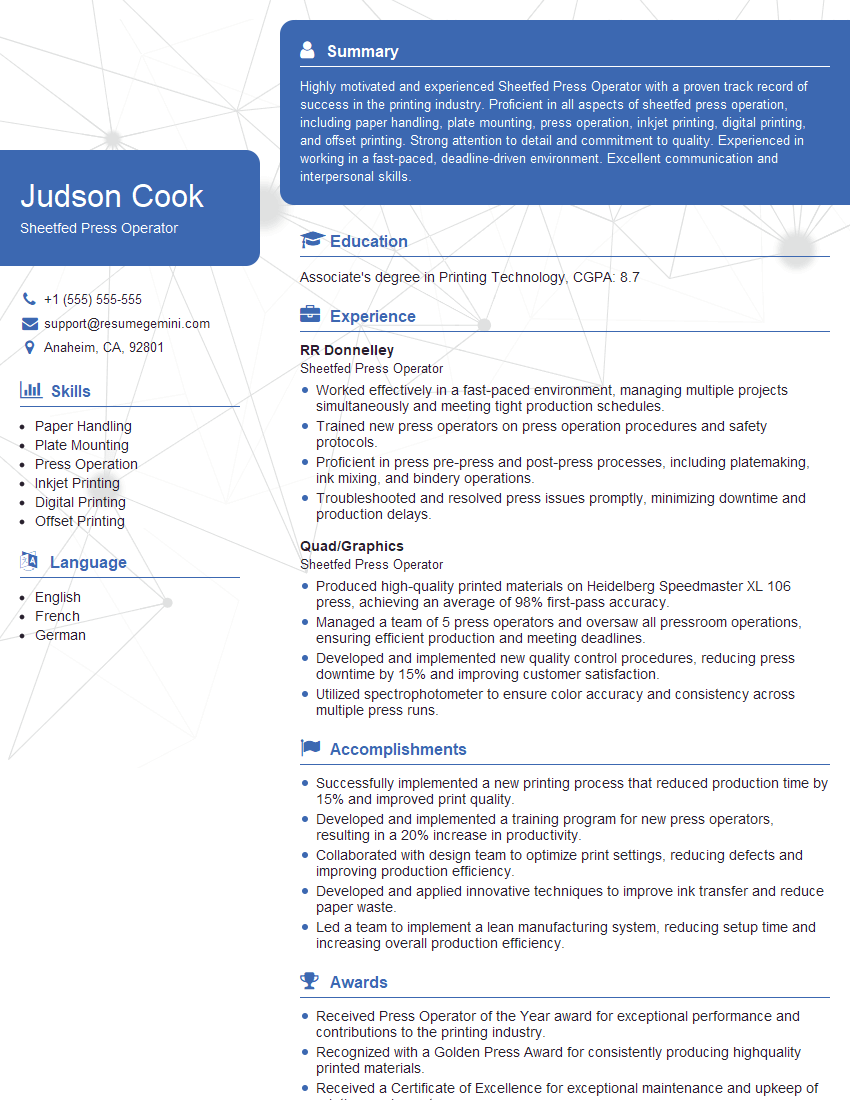
Sheetfed Press Operator Resume Sample
Explore more articles
Users Rating of Our Blogs
Share Your Experience
We value your feedback! Please rate our content and share your thoughts (optional).
What Readers Say About Our Blog
Hello,
we currently offer a complimentary backlink and URL indexing test for search engine optimization professionals.
You can get complimentary indexing credits to test how link discovery works in practice.
No credit card is required and there is no recurring fee.
You can find details here:
https://wikipedia-backlinks.com/indexing/
Regards
NICE RESPONSE TO Q & A
hi
The aim of this message is regarding an unclaimed deposit of a deceased nationale that bears the same name as you. You are not relate to him as there are millions of people answering the names across around the world. But i will use my position to influence the release of the deposit to you for our mutual benefit.
Respond for full details and how to claim the deposit. This is 100% risk free. Send hello to my email id: [email protected]
Luka Chachibaialuka
Hey interviewgemini.com, just wanted to follow up on my last email.
We just launched Call the Monster, an parenting app that lets you summon friendly ‘monsters’ kids actually listen to.
We’re also running a giveaway for everyone who downloads the app. Since it’s brand new, there aren’t many users yet, which means you’ve got a much better chance of winning some great prizes.
You can check it out here: https://bit.ly/callamonsterapp
Or follow us on Instagram: https://www.instagram.com/callamonsterapp
Thanks,
Ryan
CEO – Call the Monster App
Hey interviewgemini.com, I saw your website and love your approach.
I just want this to look like spam email, but want to share something important to you. We just launched Call the Monster, a parenting app that lets you summon friendly ‘monsters’ kids actually listen to.
Parents are loving it for calming chaos before bedtime. Thought you might want to try it: https://bit.ly/callamonsterapp or just follow our fun monster lore on Instagram: https://www.instagram.com/callamonsterapp
Thanks,
Ryan
CEO – Call A Monster APP
To the interviewgemini.com Owner.
Dear interviewgemini.com Webmaster!
Hi interviewgemini.com Webmaster!
Dear interviewgemini.com Webmaster!
excellent
Hello,
We found issues with your domain’s email setup that may be sending your messages to spam or blocking them completely. InboxShield Mini shows you how to fix it in minutes — no tech skills required.
Scan your domain now for details: https://inboxshield-mini.com/
— Adam @ InboxShield Mini
Reply STOP to unsubscribe
Hi, are you owner of interviewgemini.com? What if I told you I could help you find extra time in your schedule, reconnect with leads you didn’t even realize you missed, and bring in more “I want to work with you” conversations, without increasing your ad spend or hiring a full-time employee?
All with a flexible, budget-friendly service that could easily pay for itself. Sounds good?
Would it be nice to jump on a quick 10-minute call so I can show you exactly how we make this work?
Best,
Hapei
Marketing Director
Hey, I know you’re the owner of interviewgemini.com. I’ll be quick.
Fundraising for your business is tough and time-consuming. We make it easier by guaranteeing two private investor meetings each month, for six months. No demos, no pitch events – just direct introductions to active investors matched to your startup.
If youR17;re raising, this could help you build real momentum. Want me to send more info?
Hi, I represent an SEO company that specialises in getting you AI citations and higher rankings on Google. I’d like to offer you a 100% free SEO audit for your website. Would you be interested?
Hi, I represent an SEO company that specialises in getting you AI citations and higher rankings on Google. I’d like to offer you a 100% free SEO audit for your website. Would you be interested?
good