The right preparation can turn an interview into an opportunity to showcase your expertise. This guide to PCB Assembly and Repair interview questions is your ultimate resource, providing key insights and tips to help you ace your responses and stand out as a top candidate.
Questions Asked in PCB Assembly and Repair Interview
Q 1. Explain the difference between through-hole and surface mount technology (SMT).
Through-hole technology (THT) and surface mount technology (SMT) are two fundamental methods for assembling components onto printed circuit boards (PCBs). The key difference lies in how the components are attached.
In THT, components have leads (legs) that extend through holes drilled in the PCB. These leads are then soldered to the pads on the opposite side of the board, creating a robust mechanical connection. Think of it like using rivets to attach a piece of metal; it’s strong and reliable.
SMT, on the other hand, uses components with surface-mounted terminals (usually small pads or flat leads) that are directly soldered onto the surface of the PCB. This eliminates the need for through-holes, enabling higher component density and smaller PCB sizes. Imagine sticking tiny stickers onto a surface – this is conceptually similar to SMT.
In practice, THT is often associated with larger, more power-hungry components, while SMT is preferred for smaller, high-density designs. Many modern PCBs employ a combination of both technologies.
Q 2. Describe the process of soldering a surface mount component.
Soldering a surface mount component involves several steps, and precision is crucial for a successful joint. The process generally includes:
- Preparation: Ensure the PCB is clean and free of contaminants. Use a magnifying glass if needed to inspect the pads for defects.
- Solder Paste Application: Apply a precise amount of solder paste to the PCB pads using a stencil or dispenser. The paste is a mixture of finely powdered solder and a flux that aids in soldering.
- Component Placement: Carefully place the surface mount component onto the solder paste-coated pads. Using tweezers or specialized placement tools ensures accurate positioning.
- Reflow Soldering: The PCB is passed through a reflow oven. This heats the solder paste, melting it and creating a strong solder joint between the component and the PCB. The temperature profile in the reflow oven is carefully controlled.
- Inspection: After reflow, the board is visually inspected to ensure all solder joints are properly formed. A microscope may be necessary to detect small defects.
A common technique is to use a stencil to ensure uniform and precise application of the solder paste.
Q 3. What are common soldering defects and how do you identify them?
Common soldering defects include:
- Cold Solder Joint: A weak joint caused by insufficient heat or contamination, resulting in a dull, grayish appearance and poor electrical connection. It often looks granular or powdery.
- Insufficient Solder: The solder joint is too small, leaving the connection vulnerable. This can be easily identified by visual inspection.
- Excess Solder: Too much solder forms a large blob, creating shorts between adjacent components. This is a visually obvious defect.
- Bridging: Solder connecting adjacent pads unintentionally, creating a short circuit.
- Tombstoning: One lead of a component is soldered properly while the other stands upright. This usually indicates an issue with solder paste application or component placement.
- Head-in-pillow: The component is only partially soldered to the pads, creating a weak joint.
Identifying these defects requires careful visual inspection, sometimes with magnification. Electrical testing may be needed to verify the functionality after inspection.
Q 4. How do you troubleshoot a faulty PCB?
Troubleshooting a faulty PCB requires a systematic approach:
- Visual Inspection: Begin by carefully inspecting the PCB for obvious defects such as broken traces, damaged components, or poor solder joints.
- Continuity Testing: Use a multimeter to check for continuity on suspected traces and connections.
- Component Testing: Test individual components using appropriate methods (e.g., multimeter for resistors and capacitors, dedicated testers for integrated circuits).
- Signal Tracing: Using an oscilloscope or logic analyzer, trace signals along the board to pinpoint the location of the fault.
- In-Circuit Testing (ICT): ICT machines can automatically test connections and components on the board.
- Thermal Imaging: If there’s a heating issue, infrared cameras can detect hot spots, indicating problematic components or connections.
Careful documentation of each step is vital, especially if you need to refer back to your troubleshooting efforts. Start with the most likely causes first and eliminate them one by one.
Q 5. What are the different types of solder paste and when would you use each?
Solder paste is categorized by several properties, with the most important being its alloy composition and its flux type.
- Alloy Composition: Common solder paste alloys include tin/lead (now less common due to environmental concerns), lead-free tin/silver/copper (SAC), and tin/bismuth. SAC alloys are the most prevalent now. The choice depends on the application’s temperature requirements and regulatory standards.
- Flux Type: Flux is a chemical that cleans and prepares the surfaces for soldering. Common types include rosin (mildly active), water-soluble, and no-clean. No-clean fluxes leave minimal residue, simplifying the process, while water-soluble fluxes require cleaning.
- Particle Size: Smaller particle sizes provide finer details and are ideal for small components and tight spacing.
The choice of solder paste depends on the specific application. For instance, high-reliability applications might use a rosin flux paste and a lead-free SAC alloy, while a rapid prototyping project might use a no-clean flux paste for simplicity.
Q 6. Explain the importance of proper component placement during PCB assembly.
Proper component placement is paramount for successful PCB assembly and functionality. Incorrect placement can lead to numerous problems, including:
- Short Circuits: Components placed too close together can short circuit, causing malfunctions.
- Open Circuits: Improper alignment can lead to open circuits, preventing the flow of current.
- Mechanical Stress: Incorrect placement can cause mechanical stress on components and the PCB itself, leading to premature failure.
- Heat Dissipation Issues: Poor placement can hinder heat dissipation, especially for power components, and potentially damage the board.
Automated placement machines are commonly used for high-volume production. In lower volume scenarios, skilled technicians use tweezers or other tools and ensure accuracy through the use of assembly drawings and magnification as necessary. Precise placement directly contributes to the quality and reliability of the final product.
Q 7. What is reflow soldering and what are the critical parameters to control?
Reflow soldering is a process where solder paste is melted to create permanent solder joints between components and the PCB. It’s the most common method used in SMT assembly.
The reflow process involves passing the PCB through a temperature-controlled oven with a specific profile. Critical parameters include:
- Preheat Zone: Gently heats the board to remove moisture and prepare the solder paste.
- Soak Zone: Holds the temperature at a level to properly activate the flux.
- Reflow Zone: Rapidly heats the board to melt the solder paste and create the joints. This is the most critical stage where the temperature must reach a specific point to melt the solder without damaging components.
- Cooling Zone: Gradually cools the board to solidify the solder joints properly, preventing defects.
- Peak Temperature: The maximum temperature reached during the reflow process must be carefully controlled to ensure solder melts and flows but doesn’t damage sensitive components. This is determined by the solder paste and components.
- Ramp Rates: The speed at which the temperature increases and decreases is crucial to avoid thermal shock to the components.
Precise control over these parameters is essential for producing high-quality, reliable solder joints. Incorrect profiles can result in a range of soldering defects.
Q 8. How do you handle static electricity during PCB assembly?
Static electricity is a silent killer in PCB assembly, capable of damaging sensitive components even before they’re soldered. To mitigate this, we employ a multi-pronged approach. Think of it like creating a safe haven for these tiny electronic parts.
- ESD Mats and Wrist Straps: We always work on anti-static mats connected to earth ground. Each technician wears a wrist strap, also grounded, to safely dissipate any static charge built up on their body. It’s like a personal lightning rod for static!
- Ionizing Blowers: These devices neutralize static charges in the air around the work area, preventing the accumulation of static on components or the workbench itself. Imagine them as tiny air purifiers for static electricity.
- ESD-Safe Packaging and Handling: Components are stored and handled using anti-static bags and containers. This ensures they remain protected from static discharge even before they reach the assembly area. This is akin to wrapping your precious electronics in protective bubble wrap.
- Regular Grounding Checks: We regularly test the effectiveness of our grounding system using specialized meters to guarantee everything is working as it should. This is like a health check for our static protection system.
By combining these measures, we significantly reduce the risk of static-related damage and ensure the quality and reliability of our PCB assemblies.
Q 9. What safety precautions do you take when working with soldering irons and other tools?
Safety is paramount in PCB assembly. Working with soldering irons and other tools requires constant vigilance. Our safety protocols include:
- Proper Ventilation: Soldering produces fumes that can be harmful. We always work in a well-ventilated area or use a fume extractor. Think of it as providing fresh air for our lungs!
- Eye Protection: Safety glasses are mandatory to protect our eyes from sparks, molten solder splashes, and other potential hazards. Imagine it as a shield for our most valuable assets.
- Heat-Resistant Gloves and Mats: These protect our hands and work surfaces from burns. Think of them as extra layers of protection against the heat.
- Tool Maintenance: We regularly inspect and maintain our tools, ensuring that they are in good working order and free from damage. A broken tool can easily lead to injury.
- Proper Disposal of Materials: Solder, flux, and other chemicals are disposed of according to safety regulations and environmental guidelines. We must think green and dispose responsibly.
We also regularly conduct safety training to keep our staff up-to-date on the latest safety procedures and best practices. These consistent safety checks build a culture of safety within the work environment.
Q 10. Describe your experience with PCB inspection techniques.
My PCB inspection experience encompasses a wide range of techniques, from visual inspection to advanced automated methods.
- Visual Inspection: This is the first and most fundamental step. Using magnifying glasses and microscopes, we meticulously examine the PCB for defects like solder bridges, open circuits, component placement errors, and damaged components. It’s like being a detective looking for clues!
- Continuity Testing: We use multimeters to check for electrical connections between various points on the board, ensuring that the circuit is complete and functioning correctly. It’s similar to checking if different parts of a pipeline are connected.
- Component Testing: We use dedicated equipment to test individual components and verify their proper functionality. This ensures each part does its job accurately.
- Automated Optical Inspection (AOI): (This is further detailed in the next question.)
- X-Ray Inspection: For more complex assemblies or when visual inspection isn’t enough, we use X-ray inspection to detect hidden defects beneath the surface of the PCB. It’s like using an X-ray machine at the doctor’s office, only for circuit boards.
The choice of inspection technique depends on the complexity of the PCB and the required level of inspection. We tailor our approach to ensure that each board meets the highest quality standards.
Q 11. What is AOI and how does it help in PCB assembly?
Automated Optical Inspection (AOI) is a sophisticated automated system used for detecting defects in PCB assemblies. Imagine it as a highly trained electronic eye that can spot errors humans might miss.
The process involves using high-resolution cameras and sophisticated software to analyze the assembled board. The system compares the assembled board to a known good reference image or CAD data. Any discrepancies are highlighted, providing precise location and type of defect. This includes solder joint defects, component placement errors, missing components, and shorts or opens.
AOI significantly improves efficiency and reduces the risk of human error in the inspection process. It dramatically speeds up the process, enabling much faster turnaround times and higher throughput. Plus, it allows for much more comprehensive defect detection. In short, AOI is a critical tool for ensuring quality and reliability in high-volume PCB manufacturing.
Q 12. How do you interpret a PCB schematic diagram?
Interpreting a PCB schematic diagram requires understanding its symbols and conventions. Think of it as reading a map for electronic components.
The schematic shows the interconnected components of the circuit using standardized symbols. Each symbol represents a specific component like a resistor, capacitor, transistor, integrated circuit, etc. The lines connecting these symbols represent the wires or traces that connect these components. The schematic also often includes component values, such as resistor value (e.g., 1kΩ) and capacitor value (e.g., 10µF).
Understanding the schematic allows us to trace the flow of signals through the circuit, identify components, and troubleshoot potential problems. A clear schematic is essential for PCB design, assembly, and repair. We use it as a blueprint to understand and assemble the circuit correctly.
Q 13. What are some common causes of PCB failures?
PCB failures can stem from various factors, both during manufacturing and during operation.
- Manufacturing Defects: These include solder joint defects (cold solder joints, insufficient solder, bridging), component placement errors, damage to components during handling, and insufficient cleaning.
- Design Flaws: Poorly designed circuits can lead to overheating, signal integrity issues, and ultimately, failure. Insufficient thermal management is a common culprit.
- Environmental Factors: Exposure to extreme temperatures, humidity, or vibrations can damage components and the PCB itself. Corrosion is also a frequent cause of failure.
- Overstress and Overload: Exceeding the voltage, current, or power ratings of components can lead to failure. Improper use or excessive load on the PCB can lead to severe consequences.
- Component Failure: Components themselves can fail due to aging, manufacturing defects, or inherent limitations.
Effective troubleshooting requires a systematic approach, combining visual inspection, testing, and analysis of the circuit’s behavior to pinpoint the root cause of the failure. Root cause analysis is very important to prevent future incidents.
Q 14. Explain your experience with different types of soldering equipment.
My experience encompasses a variety of soldering equipment, each with its own strengths and weaknesses.
- Soldering Irons: These are the workhorses of PCB assembly, ideal for smaller boards and individual component soldering. Different tips are available for various applications. Temperature control is critical for optimal solder joints.
- Soldering Stations: These provide more precise temperature control and often incorporate features like hot air capabilities for surface-mount components. They are essential for high-precision work and high-volume production.
- Hot Air Rework Stations: These are indispensable for removing and replacing surface-mount components without damaging the surrounding components or the PCB. Careful control of airflow and temperature is essential.
- Wave Soldering Machines: Used in mass production, these machines solder components simultaneously by passing the PCB across a wave of molten solder. Efficiency is their strong suit.
- Selective Soldering Machines: These are more precise versions of wave soldering, applying solder only to specific areas on the board, reducing material waste and improving quality.
Selecting the appropriate equipment depends on factors such as the type of components, board size, production volume, and required precision.
Q 15. How do you repair a damaged trace on a PCB?
Repairing a damaged trace on a PCB depends heavily on the extent of the damage and the type of PCB. Minor scratches or hairline fractures can often be fixed with conductive epoxy, a specialized adhesive that cures to form a conductive path. For more substantial damage, however, more advanced techniques are required.
Conductive Epoxy: This is the simplest method for minor damage. The damaged area is carefully cleaned, the epoxy is applied precisely, and then allowed to cure completely according to the manufacturer’s instructions. It’s crucial to avoid applying too much, as this can cause shorts.
Wire Bridging: For larger breaks, a small wire can be soldered across the break to bridge the gap. This requires careful soldering to avoid damaging surrounding components and to ensure a good electrical connection. The wire should be thin enough to fit easily and flexible enough to handle any PCB flexing. I typically use a fine gauge, insulated wire, stripping the ends carefully to avoid causing short circuits.
Trace Repair Using Jumper Wires and Solder Paste: More complex repairs might involve using a solder mask remover to create a clean surface around the break. A small, clean jumper wire is then positioned accurately using a magnifying glass to create a bridge that seamlessly integrates into the existing circuitry.
Regardless of the method, meticulous cleaning and inspection are crucial before and after the repair to prevent further damage or short circuits. A magnifying glass and good lighting are essential for precise work.
Career Expert Tips:
- Ace those interviews! Prepare effectively by reviewing the Top 50 Most Common Interview Questions on ResumeGemini.
- Navigate your job search with confidence! Explore a wide range of Career Tips on ResumeGemini. Learn about common challenges and recommendations to overcome them.
- Craft the perfect resume! Master the Art of Resume Writing with ResumeGemini’s guide. Showcase your unique qualifications and achievements effectively.
- Don’t miss out on holiday savings! Build your dream resume with ResumeGemini’s ATS optimized templates.
Q 16. Describe your experience with rework techniques such as hot air rework and desoldering.
I have extensive experience with both hot air rework and desoldering, employing various techniques depending on the component and the PCB’s complexity. Hot air rework is ideal for removing surface-mount components (SMDs) like integrated circuits (ICs) and larger components. The precision and control offered by the hot air station are crucial to avoid damaging the surrounding parts. I carefully select the appropriate nozzle size and air temperature based on the component’s size and heat sensitivity. It’s a balance between sufficient heat to melt the solder and avoiding overheating which could damage components or the PCB itself.
Desoldering, on the other hand, often requires more precision. For through-hole components, a desoldering iron or solder wick is often used to remove excess solder, allowing the component to be removed. For smaller components, and where fine control is critical, I also use a specialized vacuum desoldering tool for precise removal of solder without damaging nearby components. When handling complex chips or delicate components, I always utilize anti-static measures to protect the components from electrostatic discharge (ESD).
For example, recently I had to remove and replace a faulty QFN package (Quad Flat No-Leads) component on a high-density PCB. Careful use of the hot air station and a vacuum desoldering pen was critical to protect the adjacent components. Post-repair, I performed a full circuit integrity check using a multimeter to validate its functionality. I consider the pre and post-repair checks as the most crucial parts of the process, and crucial for ensuring the job is done properly.
Q 17. What is the importance of documentation in PCB assembly and repair?
Documentation is paramount in PCB assembly and repair. It ensures traceability, reproducibility, and facilitates future maintenance. Thorough documentation includes clear images of the PCB before, during, and after the repair, detailed descriptions of the issue, the steps taken to resolve it, and the components used. This information is essential for tracking repairs, identifying recurring problems, and training other technicians. I always meticulously log component changes or part numbers and take photos to show the pre and post-repair status. This is invaluable for debugging in future. Without detailed documentation, even minor repairs can lead to significant problems down the line.
For example, imagine a case where a repair is undertaken but only verbal instructions are given. The next time this repair needs to be addressed, there is a huge knowledge gap. Well-maintained documentation bridges that gap, ensuring that even if the original technician is unavailable, the repair can be recreated accurately and efficiently. It also facilitates the continual improvement of our repair processes, identifying common issues and improving our efficiency.
Q 18. How do you manage multiple tasks and deadlines in a fast-paced environment?
In a fast-paced environment, effective time management and prioritization are crucial. I utilize a combination of techniques to handle multiple tasks and deadlines. I start by creating a prioritized task list, focusing on the most critical and urgent tasks first. This often involves close coordination with the team to ensure that resources and workloads are balanced effectively. I use project management tools to track progress, identify potential bottlenecks, and manage my time effectively. Additionally, effective communication is key – keeping my supervisor and colleagues informed about my progress ensures smooth workflow.
I’m also a firm believer in the power of breaking down complex tasks into smaller, more manageable units. This makes the overall project less daunting and allows for more focused attention on each individual step. Regular checkpoints and reviews are also vital to maintain progress and quickly address any emerging issues.
Q 19. What is your experience with different types of components (resistors, capacitors, ICs)?
My experience encompasses a wide range of components, including resistors, capacitors, integrated circuits (ICs), transistors, diodes, connectors, and various other passive and active components. I’m familiar with different package types (through-hole, surface-mount), component values, and tolerances. I understand the importance of handling each component type correctly, considering factors such as their fragility, heat sensitivity, and ESD susceptibility. I’ve worked with components ranging from standard resistors and capacitors to more sophisticated microcontrollers, memory chips, and power management ICs.
For instance, my experience includes working with high-precision surface mount resistors in high frequency circuits, where tolerances are paramount, and handling delicate BGAs (Ball Grid Arrays) which are often challenging to rework. My familiarity with datasheets and component specifications allows me to identify and troubleshoot faulty components effectively, understanding their function within the overall circuit. Proper component identification is crucial before any repair work starts.
Q 20. How do you ensure the quality of your work?
Quality assurance is integrated into every stage of my workflow. This starts with a thorough understanding of the circuit and the problem to be solved. I rigorously inspect components before and after soldering, using magnification where necessary to identify any defects or damage. After a repair is complete, I perform functional testing using multimeters, oscilloscopes, and other appropriate test equipment to verify correct operation and ensure there are no short circuits or other issues introduced during the repair process. I adhere strictly to anti-static precautions throughout the entire procedure. Proper grounding and the use of anti-static mats, wrist straps, and tools are essential.
Finally, I always double-check my work, revisiting the area around the repair and inspecting for any cold solder joints, shorts, or other potential problems. This multi-layered approach ensures high-quality work and minimizes the chances of errors leading to future issues.
Q 21. Describe a time you had to troubleshoot a complex PCB problem.
I once encountered a complex problem with a medical device PCB that intermittently failed. Initial troubleshooting pointed towards a faulty microcontroller, but replacement didn’t resolve the issue. Through systematic investigation, employing both hardware and software diagnostic tools, I eventually discovered that the problem wasn’t with the microcontroller itself, but with a seemingly insignificant trace crack on the underside of the PCB. The intermittent failure was caused by the board flexing slightly under normal operating conditions, breaking the connection and creating the intermittent fault. This was further complicated by the board’s multilayer design, making visual inspection challenging. I utilized a fine-tipped soldering iron and conductive epoxy to successfully repair the trace, after which the device functioned correctly.
This experience highlighted the importance of thorough investigation, careful observation, and the ability to think outside the box. It demonstrated how a seemingly minor issue could have significant consequences and the need for a systematic, methodical approach to troubleshooting.
Q 22. What software or tools are you familiar with for PCB design or inspection?
For PCB design, I’m proficient in Altium Designer, Eagle, and KiCad. These tools allow me to create schematics, lay out PCBs, and perform simulations. For inspection, I utilize optical microscopes, X-ray inspection systems, and automated optical inspection (AOI) machines. I’m also experienced with software like Camtek’s for advanced AOI analysis. For example, in a recent project involving a high-density interconnect (HDI) board, Altium’s advanced routing capabilities were crucial in minimizing signal trace lengths and ensuring signal integrity. The AOI system then allowed for rapid identification of any solder bridging or component placement errors before final assembly.
Q 23. Explain your experience with IPC standards.
My experience with IPC standards is extensive. I’m familiar with IPC-A-600 (Acceptability of Electronic Assemblies), IPC-A-610 (Acceptance of Electronic Components), and IPC-J-STD-001 (Requirements for Solder Joints). These standards are critical for ensuring the quality and reliability of PCB assemblies. For instance, IPC-A-600 provides detailed guidelines for acceptable solder joint formations, allowing me to identify defects like cold solder joints or insufficient solder fillets during inspection. Understanding these standards allows me to collaborate effectively with manufacturers and ensure that the final product meets the required quality levels. I’ve personally used IPC-A-610 to assess the quality of incoming components, preventing issues down the line by detecting defects early.
Q 24. What are your strengths and weaknesses regarding PCB assembly and repair?
My strengths lie in my meticulous attention to detail and my problem-solving abilities. I can quickly diagnose and repair complex PCB failures, even in high-density boards. I’m adept at using various repair techniques, from rework stations to laser soldering. One example is when I successfully repaired a malfunctioning industrial control board by identifying a hairline crack in a trace using a microscope, then meticulously repairing it using laser soldering. My weakness, if I had to point one out, is that I occasionally get so engrossed in the details of a complex repair that I lose track of time. However, I’m working on improving my time management skills to mitigate this.
Q 25. How do you stay up-to-date with the latest technologies and techniques in PCB assembly?
To stay current, I regularly attend industry conferences like IPC APEX EXPO, read trade publications like Electronic Products and Circuit Cellar, and participate in online forums and webinars. I also actively seek out training opportunities on new technologies like high-speed PCB design and advanced repair techniques. For example, I recently completed a course on laser-assisted micro-soldering, a skill increasingly important for repairing complex and miniaturized PCBs.
Q 26. Describe your experience working with different types of PCB materials.
I have experience working with a variety of PCB materials, including FR4 (fiberglass epoxy), high-temperature materials like polyimide, and flexible PCBs. Understanding the properties of each material is crucial for selecting the appropriate assembly and repair techniques. For example, working with flexible PCBs requires a different approach to soldering and handling to prevent damage to the delicate substrate. Each material has its own unique thermal and mechanical properties that must be considered during the design and assembly process.
Q 27. What are your salary expectations?
My salary expectations are in the range of $80,000 to $100,000 per year, depending on the benefits package and the specifics of the role. This is based on my experience and expertise in the field, as well as the prevailing market rates for similar positions.
Q 28. Do you have any questions for me?
I have a few questions. Firstly, what opportunities are there for professional development and training within the company? Secondly, could you describe the typical project workflow and the team structure I would be working within? Finally, what are the company’s long-term goals and how does this position contribute to achieving them?
Key Topics to Learn for PCB Assembly and Repair Interview
- Soldering Techniques: Mastering various soldering methods (e.g., through-hole, surface mount) and understanding the importance of proper solder joints for circuit reliability. Consider the implications of different solder types and their applications.
- Component Identification and Placement: Accurately identifying electronic components using datasheets and schematics, and understanding proper placement techniques for efficient and error-free assembly. Practice reading component markings and datasheets.
- PCB Inspection and Testing: Utilizing various inspection methods (visual, multimeter, oscilloscope) to identify defects and ensure circuit functionality. Understand common testing procedures and troubleshooting strategies.
- Repair Techniques: Proficiently repairing damaged PCBs, including desoldering, replacing components, and repairing traces. Explore different repair methods and their applications for various types of damage.
- Safety Procedures: Understanding and adhering to safety protocols in the workplace, including ESD precautions, proper handling of chemicals, and the safe use of tools and equipment. This is crucial for both your safety and the integrity of the work.
- Schematic Reading and Interpretation: Accurately interpreting electronic schematics to understand circuit functionality and component interconnections. Practice reading and understanding various schematic symbols and notations.
- Troubleshooting and Diagnostics: Applying systematic troubleshooting methods to identify and resolve circuit malfunctions. Develop your problem-solving skills to effectively diagnose and repair faults.
- IPC Standards: Familiarize yourself with industry best practices and standards for PCB assembly and repair, such as those defined by the IPC (Institute for Printed Circuits). Understanding these standards demonstrates professionalism and attention to detail.
Next Steps
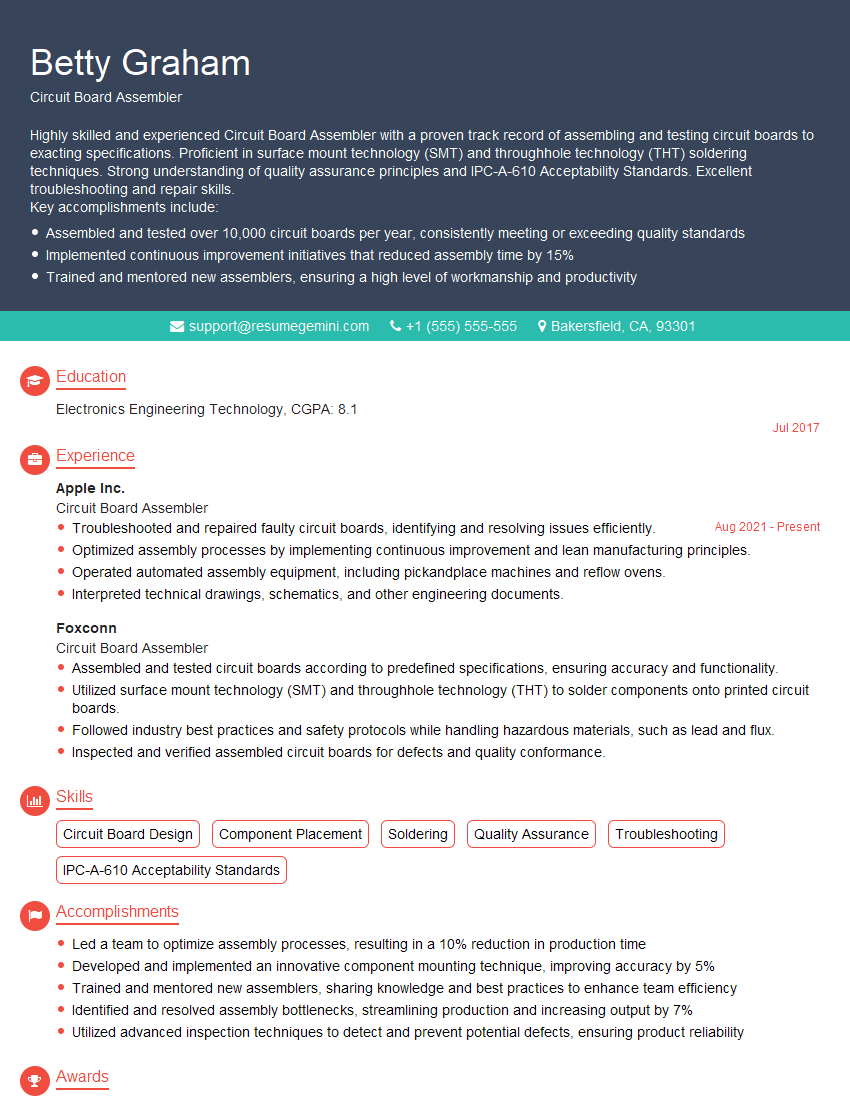
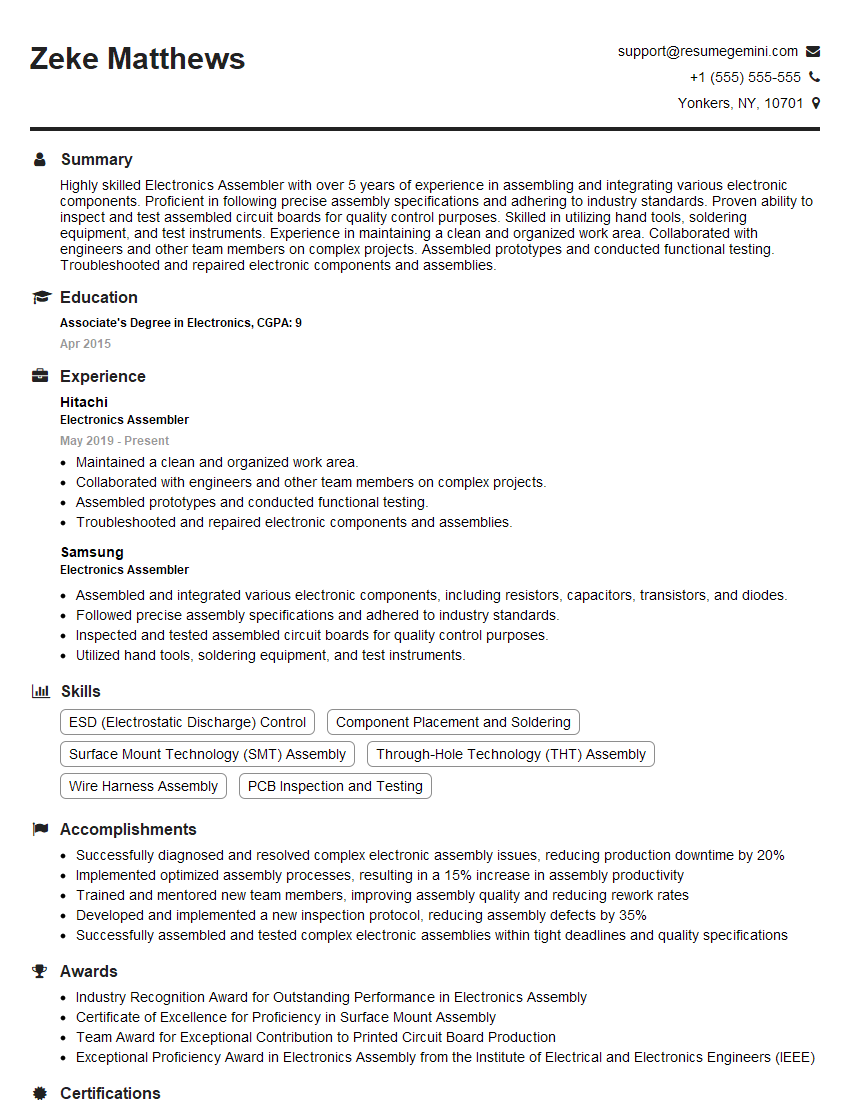
Mastering PCB assembly and repair opens doors to rewarding careers in electronics manufacturing, repair, and maintenance. These skills are in high demand, offering excellent opportunities for professional growth and advancement. To maximize your job prospects, creating a strong, ATS-friendly resume is crucial. ResumeGemini is a trusted resource that can help you build a professional resume that highlights your skills and experience effectively. We provide examples of resumes tailored to PCB Assembly and Repair to help you get started. Invest time in crafting a compelling resume – it’s your first impression on potential employers.
Explore more articles
Users Rating of Our Blogs
Share Your Experience
We value your feedback! Please rate our content and share your thoughts (optional).
What Readers Say About Our Blog
Very informative content, great job.
good