Feeling uncertain about what to expect in your upcoming interview? We’ve got you covered! This blog highlights the most important Photographic Superimposition interview questions and provides actionable advice to help you stand out as the ideal candidate. Let’s pave the way for your success.
Questions Asked in Photographic Superimposition Interview
Q 1. Explain the process of photographic superimposition.
Photographic superimposition is the technique of combining two or more photographs to create a single image where one image appears to be layered on top of another. Think of it like creating a visual sandwich. The process involves carefully aligning and blending the images to achieve a realistic or artistic effect, often requiring significant manipulation to seamlessly integrate the elements. This is distinct from simple image overlay; superimposition aims for a convincing composite.
Q 2. Describe different techniques used in photographic superimposition.
Several techniques are employed in photographic superimposition. Traditionally, double exposures in a camera were used, resulting in a natural blend. Modern techniques predominantly rely on digital image editing software. These include:
- Simple Overlay: The most basic method; one image is placed directly on top of another. This often requires masking to isolate specific elements.
- Blending Modes: Software like Photoshop offers various blending modes (e.g., Multiply, Screen, Overlay) which control how the colors of the superimposed images interact. This allows for more creative and nuanced blending.
- Layer Masks: These are incredibly powerful for isolating sections of an image and selectively applying the superimposition. This allows for precise control and prevents unwanted bleed-through.
- Adjustment Layers: These layers allow for non-destructive color and tonal adjustments to make the superimposed image blend seamlessly with the background.
The choice of technique depends on the desired outcome and the complexity of the images involved.
Q 3. What software are you proficient in for photographic superimposition?
I’m proficient in Adobe Photoshop, Adobe Lightroom, and Affinity Photo. Photoshop is my primary tool, offering the most comprehensive feature set for complex superimpositions. Lightroom is excellent for pre-processing and color grading which are crucial steps in superimposition. Affinity Photo provides a powerful and cost-effective alternative.
Q 4. How do you handle color correction and matching in superimposition?
Color correction and matching are crucial for convincing superimpositions. Discrepancies in color temperature, saturation, and exposure can make the composite look unnatural. My approach involves:
- Matching Color Profiles: Ensuring both images have consistent color profiles before any blending.
- Adjustment Layers: Using curves, levels, and color balance adjustment layers to fine-tune the colors of the superimposed image to match the base image.
- Selective Adjustments: Applying adjustments only to specific areas using masks or selections to avoid affecting other parts of the image.
- Reference Images: Using a common element or color in both images as a reference point to ensure consistent color temperature.
For instance, I might use a color picker to sample a color from the background and match that color in the superimposed image for a perfect blend.
Q 5. Explain the concept of alpha channels and their role in superimposition.
Alpha channels are essentially maps of transparency. They dictate which parts of an image are visible and which are transparent. In superimposition, alpha channels are integral because they allow you to isolate specific elements of one image and seamlessly blend them onto another. For example, if you want to superimpose a person onto a different background, you might extract them from their original image using an alpha channel to make the background transparent. Without alpha channels, it would be extremely difficult to isolate and precisely position elements within a composite image.
Q 6. Describe your experience with masking and layering techniques.
Masking and layering are fundamental to my workflow. I frequently utilize layer masks to refine selections, allowing for gradual transitions between different elements in the composite. Layering allows me to organize my work effectively and apply adjustments non-destructively. For example, I might create several layers: one for the background, one for the superimposed element, and adjustment layers for color correction and effects. This layered approach allows for flexibility and easy edits throughout the process. I often use both quick masks and vector masks for precision, depending on the intricacy of the task.
Q 7. How do you address issues like perspective distortion during superimposition?
Perspective distortion is a common challenge in superimposition. If the perspective of the superimposed image doesn’t match the background, the composite will look unnatural. Addressing this involves:
- Careful Selection of Images: Choosing images with similar perspectives reduces the amount of correction needed.
- Transform Tools: Utilizing the transform tools in image editing software (e.g., the ‘Warp’ tool in Photoshop) to manipulate the perspective of the superimposed image to match the background.
- Perspective Correction Tools: Some software offers specific perspective correction tools to straighten lines and adjust vanishing points.
- Perspective Cloning: In some cases, carefully cloning sections of the background image onto the superimposed image might be necessary to seamlessly blend them.
The goal is to make the superimposed elements appear naturally integrated within the scene’s spatial context.
Q 8. What are some common challenges in photographic superimposition, and how do you overcome them?
Photographic superimposition, while seemingly straightforward, presents several challenges. One major hurdle is achieving realistic compositing. Differences in lighting, perspective, and shadow between the foreground and background images can lead to a jarring, unnatural result. Another significant challenge is dealing with image artifacts. These could be anything from compression artifacts in the source images to unwanted elements that need to be masked out carefully. Finally, managing color consistency is crucial. The superimposed image needs to blend harmoniously with the base image, avoiding noticeable color shifts or discrepancies.
To overcome these challenges, I employ a multi-pronged approach. Careful pre-production planning is key – selecting source images with compatible lighting and perspectives is critical. Then, advanced masking and retouching techniques are applied to refine the edges and eliminate artifacts. Color grading and matching are used to ensure seamless blending. Sophisticated software tools like Photoshop, along with plugins like Perfectly Clear, help me fine-tune the final composition for realism.
For example, in a project involving superimposing a person onto a landscape, I would carefully match the ambient lighting in both images. If the landscape is sunny, I would adjust the person’s image to reflect similar brightness and shadows. If there are inconsistencies, I would use masking and blending tools to subtly adjust the lighting and color, creating a natural, unified image.
Q 9. How do you ensure seamless integration of superimposed images?
Seamless integration hinges on meticulous attention to detail. It’s more than simply placing one image on top of another; it involves thoughtful consideration of several factors. Accurate alignment is paramount; misaligned images immediately betray the compositing. Proper masking, using techniques like layer masks and selection tools, is vital to isolate the superimposed element from its background, preventing harsh edges and unnatural transitions.
Beyond alignment and masking, I focus heavily on matching the perspective and scale. If the superimposed element doesn’t match the perspective of the base image, it will appear distorted or out of place. The scale needs to be believable; an object that’s too large or small compared to the surrounding environment will break the illusion. Finally, fine-tuning color and lighting as previously discussed contributes greatly to a smooth, convincing result.
Consider a project combining a photo of a bird in flight onto a landscape. The bird should not only be accurately placed, but its apparent size and distance should also integrate seamlessly. This necessitates a careful analysis of perspective lines and potentially the use of perspective transformation tools to make the adjustments. The feather details, lighting, and shadows of the bird need to be thoughtfully blended into the surrounding environment.
Q 10. What is your experience with keying techniques (e.g., chroma key, luminance key)?
I have extensive experience with various keying techniques, including chroma key (greenscreen/bluescreen) and luminance key. Chroma key relies on isolating an object based on its color – typically a consistent green or blue screen. It’s widely used for replacing backgrounds, but requires careful lighting and color consistency in the original footage to prevent spill and haloing effects. Luminance key, on the other hand, leverages brightness levels to separate elements. This is useful for isolating objects against complex backgrounds, where color-based keying might be ineffective.
The choice between chroma key and luminance key depends entirely on the context. Chroma key is generally quicker and easier for simpler scenarios, while luminance key requires more finesse and adjustments for intricate selections. Often, I combine these techniques. For example, a chroma key might provide a primary selection, which is then refined using luminance keying to address any remaining inconsistencies or spill.
In practice, I’ve used chroma key for product photography, substituting a plain background for a more creative setting, and luminance key for more complex scenarios such as isolating a subject against a dynamic cityscape background, where color-based keying would be unreliable.
Q 11. Explain your understanding of different blending modes and their applications.
Blending modes are integral to photographic superimposition, allowing for fine control over how superimposed layers interact. Different modes achieve different visual effects. For instance, ‘Normal’ mode simply places one layer on top of another. ‘Multiply’ darkens the base image where the top layer is present, creating a darker, more shadowed effect. ‘Screen’ lightens the base image, resulting in a brighter, more luminous combination. ‘Overlay’ blends the layers based on the base image’s brightness, producing results somewhere between ‘Multiply’ and ‘Screen’. ‘Add’ adds the brightness values of the two layers, useful for creating a glowing or brighter effect. ‘Subtract’ subtracts the values, resulting in darker regions.
My selection of blending modes depends on the desired outcome. For subtly integrating an element, I might use ‘Soft Light’ or ‘Overlay’. For creating more dramatic effects, I might choose ‘Multiply’ or ‘Screen’. Understanding the properties of each blending mode is crucial for achieving realistic and aesthetically pleasing compositions. Experimentation is also essential, as the exact results depend greatly on the images being combined.
Imagine integrating a spooky figure into a nighttime scene. ‘Multiply’ might be used to blend the figure’s darker areas seamlessly with the dark background. Then, ‘Screen’ might be selectively applied to parts to add a glowing or ethereal quality.
Q 12. Describe your workflow for a typical photographic superimposition project.
My workflow for a photographic superimposition project is structured to maximize efficiency and creative control. It begins with a thorough assessment of the project’s needs and the source images. This involves evaluating the lighting, perspective, resolution, and overall compatibility of the images. Next comes pre-processing: I adjust the color balance, contrast, and sharpness of individual images to prepare them for compositing. Then, I perform the main superimposition, carefully aligning the elements and using appropriate masking techniques. This is followed by a refinement stage where I meticulously blend and correct the composite, using appropriate blending modes and retouching tools to address inconsistencies.
The final step involves color grading and final adjustments. I’ll review the composite for any remaining artifacts, color discrepancies, or inconsistencies in lighting, making fine-tuning adjustments as needed. Once satisfied, I export the final image in the required format and resolution. Throughout this process, I maintain detailed records of each step, including any adjustments made, ensuring reproducibility and efficient revisions.
For example, in a commercial project, I might need to create a composite showing a product in a specific environment. My workflow ensures that the final image is not only realistic but also accurately reflects the client’s vision and brand guidelines.
Q 13. How do you handle high-resolution images in the superimposition process?
High-resolution images demand a more resource-intensive approach. Processing large files can strain system resources and slow down workflows. To manage this effectively, I prioritize non-destructive editing, utilizing layer masks and adjustment layers in Photoshop to retain the original image data while applying adjustments. This prevents quality loss during repeated edits. I avoid excessively enlarging images, as this can introduce noticeable artifacts and blurring. Instead, I often select the highest-resolution source image available and then scale down strategically when necessary, maintaining a balance between resolution and file size.
When working with exceptionally high-resolution images, I sometimes utilize specialized tools or plugins designed to optimize large image files and manage memory usage more effectively. Moreover, the use of proxy files – smaller versions of the original images – can speed up the workflow during initial editing, reserving high-resolution processing for the final stages.
For a project needing a billboard-sized composite, it’s imperative to carefully manage the resolution and avoid unnecessary scaling, as even subtle imperfections can become magnified at that scale.
Q 14. How do you manage file sizes and optimize images for superimposition?
Managing file sizes and optimizing images is crucial for efficient workflows and smooth client delivery. I use lossy compression techniques like JPEG for images intended for web use or print where some quality loss is acceptable, balancing file size and visual quality. Lossless compression (such as PNG) is reserved for situations where preserving every detail is essential. For larger files destined for print, I sometimes utilize techniques like saving in a layered PSD format for editing flexibility and then flattening and compressing the final image once it’s complete.
I also employ techniques like smart object layers in Photoshop. These keep the images at their original resolution but only load into memory the visible portion of the image, thereby reducing memory usage during editing. Pre-processing of images to reduce their size before compositing, along with saving in appropriate formats, ensures the images are optimized and that the final files meet the necessary criteria while maintaining quality. Before final delivery, I carefully review the file size to ensure it’s suitable for the intended use. For web delivery, small file sizes are key to faster loading times.
For instance, for a web banner, I would compress the image significantly to ensure fast loading times, whereas for a high-end print project, I’d maintain higher resolution and file size to guarantee optimal quality.
Q 15. What is your experience with non-destructive editing techniques?
Non-destructive editing is paramount in photographic superimposition. It means making changes to an image without permanently altering the original file. Think of it like working with layers in Photoshop; you can add, adjust, and remove elements without affecting the base image. This approach is crucial because it allows for flexibility and iterative refinement. If a change doesn’t work, you can simply undo it without losing your original work.
In my workflow, I consistently use layers, masks, and adjustment layers to achieve non-destructive edits. For example, I might use a layer mask to blend a superimposed element seamlessly into the background, allowing me to precisely control the opacity and visibility of different parts of the element. This is vastly superior to destructive methods that directly modify pixels, limiting flexibility and increasing the risk of irreversible errors.
Career Expert Tips:
- Ace those interviews! Prepare effectively by reviewing the Top 50 Most Common Interview Questions on ResumeGemini.
- Navigate your job search with confidence! Explore a wide range of Career Tips on ResumeGemini. Learn about common challenges and recommendations to overcome them.
- Craft the perfect resume! Master the Art of Resume Writing with ResumeGemini’s guide. Showcase your unique qualifications and achievements effectively.
- Don’t miss out on holiday savings! Build your dream resume with ResumeGemini’s ATS optimized templates.
Q 16. How do you maintain image quality while performing complex superimpositions?
Maintaining image quality during complex superimpositions requires meticulous attention to detail and a strategic approach. High-resolution source images are essential; low-resolution images will inevitably result in a blurry or pixelated final product. Careful color matching between the layers is also crucial. Using adjustment layers to balance brightness, contrast, and color saturation helps ensure a visually consistent result. Furthermore, I often use techniques like sharpening and noise reduction selectively on specific layers to minimize artifacts and maintain clarity. Proper file management is critical too; working with large images requires sufficient RAM and storage capacity to avoid performance issues and data loss.
For example, when superimposing a person onto a different background, I’d carefully match the lighting and shadows to avoid the subject looking out of place. I might use a combination of masking and blending modes to create seamless integration.
Q 17. Describe your experience with motion tracking and its relevance to superimposition.
Motion tracking is indispensable for creating realistic superimpositions, especially in video. It involves identifying and tracking points of movement within a video sequence, allowing for accurate placement and animation of superimposed elements. This is particularly useful when integrating CGI elements or creating visual effects. Without motion tracking, superimposed elements would appear static and unnatural, jarring to the viewer.
For instance, if I’m superimposing a logo onto a moving car in a video, I use motion tracking software to follow the car’s trajectory. The software analyzes the video frame by frame, identifying key points and calculating the movement. This allows me to seamlessly track the logo’s position and ensure it stays attached to the car throughout the video without visible jumps or distortions. I often use After Effects for such tasks.
Q 18. How do you work collaboratively with other team members on a superimposition project?
Collaboration is key in many superimposition projects. I thrive in team environments and utilize clear communication and organized project management strategies. Before starting, we define roles and responsibilities, setting expectations about deadlines and deliverables. We utilize cloud-based platforms like Google Drive or Dropbox to share files and track progress. Regular check-ins ensure everyone is on the same page and that issues are addressed promptly.
For example, one team member might handle image acquisition and pre-processing, another might focus on motion tracking, while I might handle the final compositing and finishing touches. Open communication through tools like Slack or project management software ensures a streamlined workflow.
Q 19. What are your preferred methods for quality control and reviewing superimposed images?
Quality control is a multi-step process. I begin by evaluating the source images for resolution and quality. Throughout the process, I regularly review the superimposition at different stages, checking for artifacts, inconsistencies, and inaccuracies. The final review involves meticulous pixel-level scrutiny on high-resolution screens, often with color-managed monitors to ensure accurate color representation. I also utilize A/B comparisons to compare my work against the original footage and identify any potential flaws. Client review and feedback are essential to the final quality assurance.
Q 20. How do you handle feedback and revisions during the superimposition process?
Handling feedback and revisions is an iterative process. I encourage open communication and actively seek feedback throughout the process. I carefully review each comment, clarifying any ambiguities and developing a plan for addressing each revision. This often involves revisiting earlier stages of the workflow to make targeted adjustments. Changes are documented, and versions are tracked to avoid confusion and maintain project history. Transparency and clear communication are paramount in ensuring a smooth revision process.
Q 21. Explain your understanding of color spaces and their impact on superimposition.
Understanding color spaces is vital for successful superimposition. Color spaces define how colors are represented numerically. RGB (Red, Green, Blue) is commonly used for screen displays, while CMYK (Cyan, Magenta, Yellow, Key/Black) is used for print. In superimposition, using inconsistent color spaces can lead to significant color shifts and mismatches between layers. For instance, if you’re combining an image in RGB with one in CMYK, the resulting composite will likely have inaccurate colors.
To avoid this, I consistently work in a consistent color space throughout the entire process, usually RGB for digital projects. If a print output is necessary, I handle the conversion to CMYK in the final stages, using professional color management tools to ensure accurate color reproduction. This is crucial for delivering visually consistent and high-quality results.
Q 22. Describe your experience with different file formats (e.g., TIFF, PSD, JPEG).
My experience with various file formats is crucial for successful photographic superimposition. Each format offers different advantages and disadvantages regarding image quality, editing capabilities, and file size.
- TIFF (Tagged Image File Format): TIFF is my preferred format for high-resolution images due to its lossless compression, preserving image detail critical for intricate superimpositions. It supports layers, making it ideal for complex projects where I need to easily manipulate individual elements.
- PSD (Photoshop Document): PSD files, native to Adobe Photoshop, are invaluable because they retain all layer information and editing history. This is essential for non-destructive editing in superimposition, allowing adjustments without degrading the original image quality. This allows for revisiting and refining even after significant work.
- JPEG (Joint Photographic Experts Group): While JPEG offers smaller file sizes, its lossy compression can lead to artifacts and quality loss, especially after multiple edits. I use JPEGs cautiously, mostly for final output or where file size is a critical constraint and minor quality loss is acceptable. For superimposition projects, I typically avoid JPEGs for the main source imagery due to the risk of losing detail needed for a seamless blend.
Choosing the right format significantly impacts the final result. For example, using a JPEG for a detailed portrait superimposition onto a historical photograph could introduce noticeable artifacts that make the final image unrealistic.
Q 23. How do you address ethical considerations when using photographic superimposition?
Ethical considerations are paramount in photographic superimposition. Misrepresenting reality or creating images that could be used to deceive is unethical and potentially illegal. My approach emphasizes transparency and honesty.
- Informed Consent: When using images of identifiable individuals, I always strive for informed consent. This ensures people are aware of how their image is being used and have the opportunity to object.
- Contextual Accuracy: I ensure that the superimposition maintains contextual accuracy. The superimposed element should fit seamlessly into the original image’s context without creating a misleading narrative. This requires careful attention to lighting, shadows, and perspective.
- Attribution: If the final image is used publicly, I provide proper attribution to the original photographers and sources.
- Avoiding Misinformation: I’m particularly cautious about creating images that could spread misinformation or be used for malicious purposes, like deepfakes used to slander or damage reputations.
For instance, if I were to superimpose a modern building onto a historical cityscape, I would clearly indicate that it is a manipulation, preventing any confusion about the historical accuracy of the image.
Q 24. What is your approach to troubleshooting technical issues during superimposition?
Troubleshooting is an integral part of superimposition. Issues range from technical glitches to artistic challenges. My approach is systematic:
- Identify the problem: Pinpoint the specific issue – is it a software error, a mismatch in image resolution, improper blending modes, or something else?
- Isolate the source: Determine whether the problem lies in the source images, the software settings, or a combination of factors. This often involves comparing different layers and settings.
- Test solutions: I experiment with various solutions, starting with the simplest (e.g., adjusting layer opacity, changing blending modes) and moving toward more complex ones (e.g., using masks, adjusting color balance). I keep a record of what I tried, so I don’t repeat unsuccessful attempts.
- Seek external resources: If the issue persists, I consult online forums, documentation, or experts in image manipulation. The online community is a valuable resource.
- Review the workflow: Once the problem is solved, I review my workflow to identify potential causes for future avoidance. This prevents repetitive errors.
For example, if I encounter a color mismatch between superimposed images, I may adjust the color balance, levels, or curves in the software to achieve better harmony. I may also use masks to selectively apply color adjustments.
Q 25. Describe your experience with using plugins or extensions for superimposition software.
Plugins and extensions significantly enhance superimposition software’s capabilities. I have experience with various plugins and extensions for Adobe Photoshop and other related applications.
- Masking and Selection tools: Plugins offering advanced masking and selection techniques allow for more precise control over the superimposition process, enabling seamless integration of elements even with complex backgrounds.
- Blending modes and filters: Extensions providing specialized blending modes and filters greatly improve the realism of the composite image by allowing nuanced control over color, light, and texture interactions.
- Perspective correction: Plugins that automatically correct perspective distortions are invaluable when integrating elements taken from different angles or with varying focal lengths.
For example, a plugin offering advanced masking techniques makes it much easier to isolate the subject matter for accurate superimposition on an intricate background, creating a more convincing result. The right plugins streamline the workflow and produce superior quality composites.
Q 26. How do you stay updated with the latest advancements in photographic superimposition techniques?
Staying updated is crucial in a rapidly evolving field. My strategies include:
- Industry publications and websites: I regularly read specialized magazines and websites dedicated to digital imaging and photography, keeping abreast of new techniques and software updates.
- Online tutorials and courses: I use online platforms offering tutorials and courses on advanced image editing and compositing techniques to deepen my knowledge and skills.
- Conferences and workshops: I attend conferences and workshops focused on digital photography and image manipulation to network with other professionals and learn from experts.
- Experimentation: I regularly experiment with new software and techniques, pushing my boundaries and discovering new approaches to superimposition.
For example, recently I explored the capabilities of AI-powered image editing tools that are dramatically changing how we approach image manipulation, improving the efficiency and accuracy of some superimposition techniques.
Q 27. Explain your understanding of the legal implications of photographic superimposition.
The legal implications of photographic superimposition are significant, especially concerning copyright, defamation, and privacy.
- Copyright: Using copyrighted images without permission is illegal. I always ensure I have the rights to use all images involved in a superimposition project.
- Defamation: Creating images that falsely portray individuals or entities can lead to defamation lawsuits. This requires careful consideration of the image’s potential implications.
- Privacy: Using images of identifiable individuals without consent can violate privacy laws. Informed consent is crucial to avoid legal trouble.
- Misrepresentation: Creating images that mislead the public, especially images presented as authentic historical or journalistic evidence, could have legal repercussions.
Understanding these legal aspects is crucial for responsible and legal practice. For instance, using someone’s image in a commercial advertisement without their permission is a clear violation of their rights, even if the context doesn’t appear defamatory on its surface.
Q 28. Describe a challenging photographic superimposition project and how you solved it.
One challenging project involved superimposing a modern-day figure onto a historical photograph of a crowded street scene from the early 20th century. The challenge was the significant difference in lighting, texture, and resolution between the two images.
My solution involved several steps:
- High-resolution scans: I ensured I had access to high-resolution scans of both images to minimize quality loss during manipulation.
- Color correction and matching: I meticulously adjusted the color balance and tone of both images to match as closely as possible, mitigating the stark differences in lighting conditions.
- Texture adjustments: I used frequency separation techniques to subtly blend the textures of the two images, creating a more harmonious transition.
- Precise masking and blending: Advanced masking techniques allowed me to seamlessly integrate the modern-day figure into the historical scene without noticeable discontinuities.
- Shadow and lighting adjustments: I carefully added shadows and lighting effects to the superimposed figure to ensure it blended naturally with the historical context.
The result was a convincing superimposition that maintained both the historical integrity of the original photograph and the realism of the superimposed figure. It showcased the importance of detailed attention to lighting, texture, and color when working with disparate source materials.
Key Topics to Learn for Photographic Superimposition Interview
- Image Alignment Techniques: Understanding and applying various methods for precise image registration, including feature-based alignment, intensity-based alignment, and homography transformations. Consider the strengths and weaknesses of each approach.
- Masking and Blending Modes: Mastering the art of creating seamless composites through effective masking techniques and the skillful application of blending modes to achieve natural-looking results. Explore different software tools and their capabilities.
- Color Correction and Grading: Developing expertise in color balancing and grading to ensure consistency and visual harmony between superimposed images. Understand the impact of lighting and shadows on the final composite.
- Resolution and File Formats: Knowing how to manage resolution and choose appropriate file formats for optimal image quality and workflow efficiency. Discuss the implications of different file sizes and compression techniques.
- Software Proficiency: Demonstrating practical experience with industry-standard software like Photoshop, After Effects, or other relevant applications for photographic superimposition. Highlight your proficiency in tools and techniques specific to this task.
- Troubleshooting Common Issues: Developing problem-solving skills to address common challenges such as ghosting, artifacts, and inconsistencies in color and lighting during the superimposition process. Be prepared to discuss your approach to tackling these challenges.
- Ethical Considerations: Understanding and adhering to ethical guidelines related to image manipulation and the responsible use of photographic superimposition in various contexts.
Next Steps
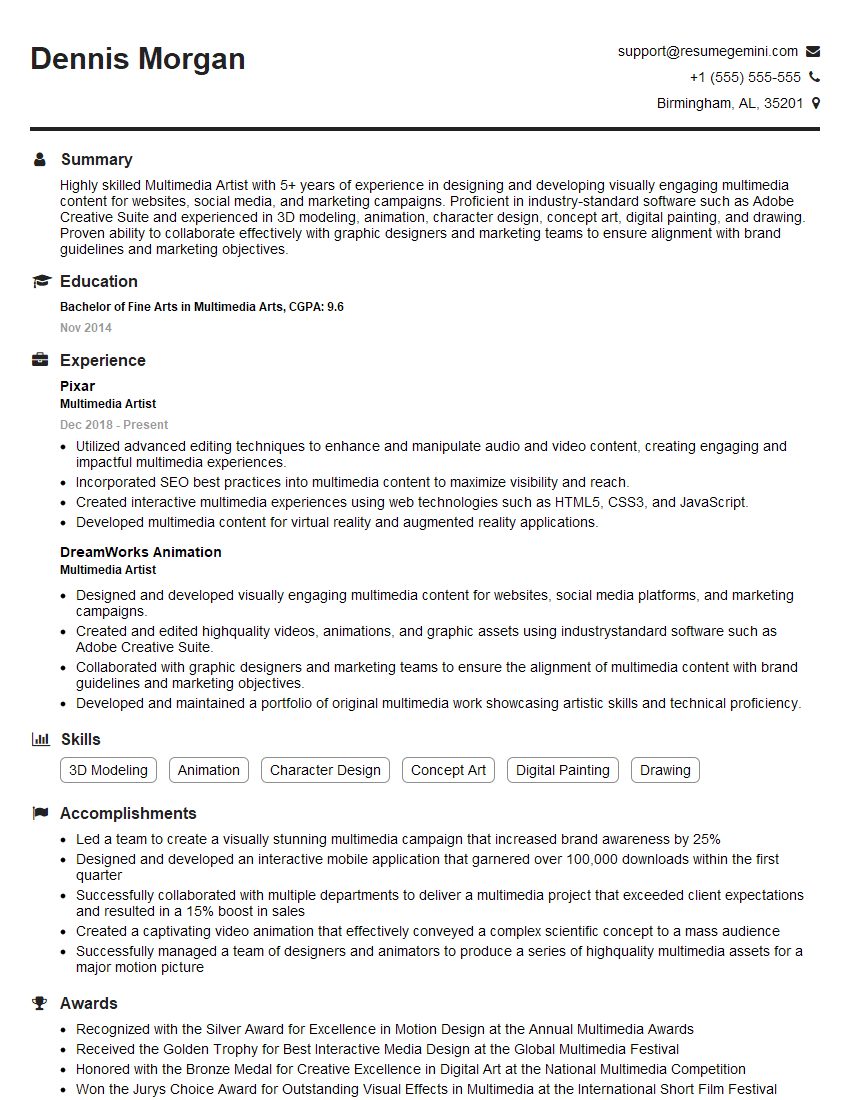
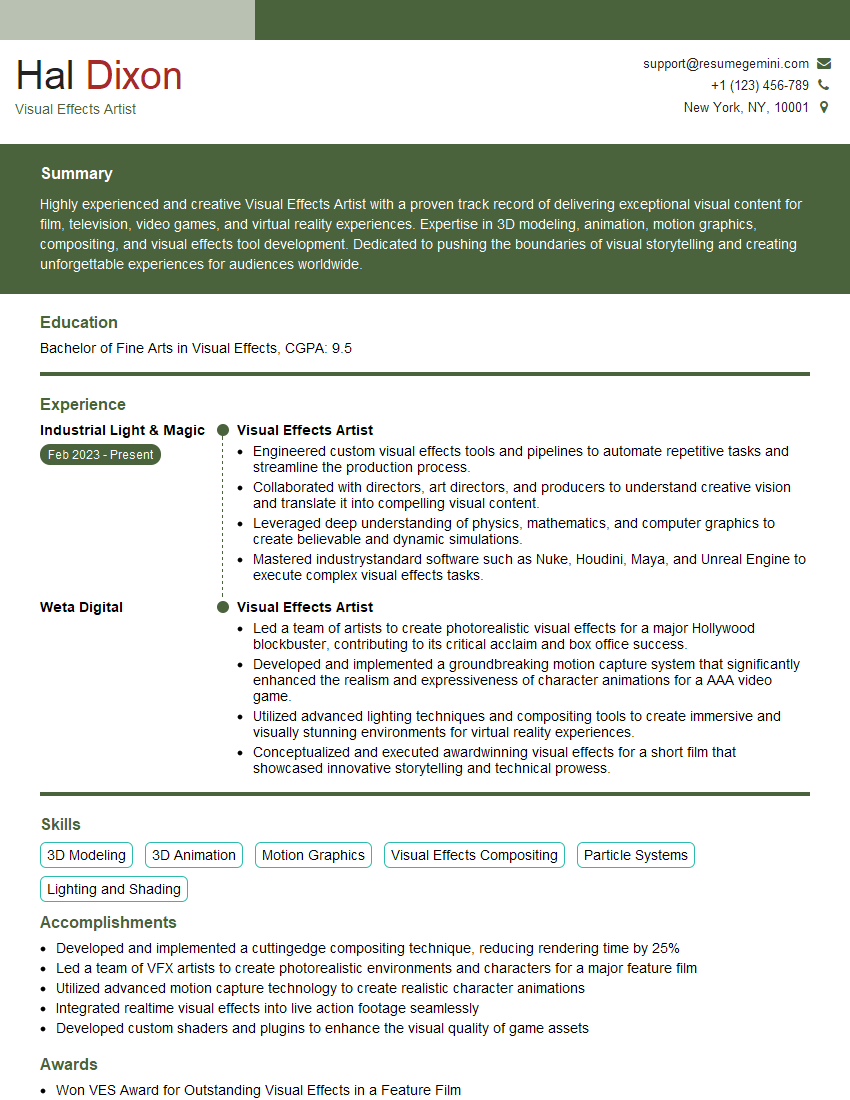
Mastering photographic superimposition opens doors to exciting career opportunities in fields like advertising, filmmaking, photojournalism, and digital art. A strong command of this skill significantly enhances your portfolio and makes you a highly competitive candidate. To maximize your job prospects, creating a well-structured, ATS-friendly resume is crucial. ResumeGemini is a trusted resource to help you build a professional and impactful resume that highlights your skills and experience effectively. Examples of resumes tailored to Photographic Superimposition are provided to guide you in this process. Invest time in crafting a compelling resume – it’s your first impression on potential employers.

Explore more articles
Users Rating of Our Blogs
Share Your Experience
We value your feedback! Please rate our content and share your thoughts (optional).
What Readers Say About Our Blog
Very informative content, great job.
good