Interviews are more than just a Q&A session—they’re a chance to prove your worth. This blog dives into essential Pitch design interview questions and expert tips to help you align your answers with what hiring managers are looking for. Start preparing to shine!
Questions Asked in Pitch design Interview
Q 1. Explain your process for designing a compelling pitch deck.
Designing a compelling pitch deck is a strategic process that goes beyond simply creating slides. It involves understanding your audience, crafting a narrative, and selecting visuals that support your message. My process begins with a deep dive into the project or company being pitched. I start by defining the key message and the desired outcome – what do I want the audience to remember and do after the pitch? Then I structure the narrative, building a logical flow that leads the audience towards that desired outcome. This typically involves:
- Understanding the Audience: Researching their needs, interests, and potential objections is crucial for tailoring the message.
- Defining the Narrative: Crafting a story that engages the audience and clearly communicates the value proposition.
- Structuring the Deck: Creating a logical flow, often employing a classic structure like Problem-Solution-Benefits-Call to Action.
- Visual Design: Choosing a consistent visual style, fonts, and color palettes to ensure a cohesive and professional look. I often create a style guide for complex decks.
- Content Creation: Writing concise and impactful text, using strong verbs and avoiding jargon.
- Iterative Feedback: Getting feedback from colleagues or the presenting team before finalizing the design.
For example, when pitching a new software solution, I’d start by highlighting the pain points it solves, then demonstrate its features and benefits with strong visuals, and finally, propose a clear next step – a trial, meeting, or investment.
Q 2. How do you incorporate data visualization effectively into a pitch?
Data visualization is critical for making a pitch impactful and memorable. Instead of overwhelming the audience with raw numbers, I focus on presenting data in a clear, concise, and engaging manner. This involves selecting the right chart type for the data, ensuring accurate labels and scales, and using color and design effectively to highlight key insights. I avoid chartjunk and focus on simplicity and readability. For instance:
- Use appropriate chart types: Bar charts for comparisons, line charts for trends, pie charts for proportions.
- Keep it simple: Minimize the number of data points to avoid overwhelming the audience.
- Highlight key findings: Use color, annotations, or callouts to emphasize important data.
- Maintain consistency: Use consistent colors and chart styles throughout the presentation.
For example, instead of presenting a table of sales figures for the last five years, I might use a line chart to show growth trends visually. This allows the audience to quickly grasp the key message without getting bogged down in details.
Q 3. What are the key elements of a successful pitch design?
A successful pitch design hinges on several key elements working in harmony:
- Compelling Narrative: A clear, concise, and engaging story that keeps the audience interested from start to finish.
- Strong Visuals: High-quality images, charts, and infographics that support the narrative and make the information easy to understand.
- Consistent Branding: A consistent visual identity that reinforces the brand’s message and personality.
- Clear and Concise Messaging: Avoid jargon; use simple language and strong verbs. Focus on the key takeaways.
- Easy Navigation: Logical flow and clear headings to help the audience follow along easily.
- Call to Action: A clear and compelling call to action that tells the audience what you want them to do next.
Think of it like a good movie – it has a compelling plot, engaging characters (data & insights), and a satisfying conclusion (call to action).
Q 4. Describe your experience with different presentation software (e.g., PowerPoint, Keynote, Google Slides).
I’m proficient in PowerPoint, Keynote, and Google Slides, each having its strengths and weaknesses. PowerPoint remains the industry standard and offers extensive customization, particularly useful for complex animations. Keynote excels in its intuitive design features, creating sleek and visually appealing presentations effortlessly. Google Slides, with its collaborative capabilities, is ideal for teamwork and real-time feedback. My choice depends on the project’s requirements and the client’s preferences. For example, for a large corporate presentation where intricate animations are required, PowerPoint might be the best choice. For a quick, collaborative design session with a startup, Google Slides would be more efficient.
Q 5. How do you tailor a pitch to a specific audience?
Tailoring a pitch to a specific audience is crucial for maximizing impact. This involves understanding the audience’s background, needs, and motivations. I adjust the content, tone, and visuals based on this understanding. For example:
- Technical vs. Non-Technical Audiences: A pitch to engineers would include more technical details than a pitch to investors.
- Industry Knowledge: I’d adapt the language and examples to reflect the specific industry’s terminology and context.
- Motivations: Investors are interested in ROI, while customers are interested in solving a problem.
For example, when pitching to a tech-savvy audience, I might incorporate more technical jargon and detailed data visualizations. Conversely, for a non-technical audience, I’d focus on high-level concepts and simplify the data visualizations.
Q 6. How do you ensure visual consistency across a multi-slide presentation?
Maintaining visual consistency across a multi-slide presentation is essential for creating a professional and cohesive experience. I achieve this by:
- Creating a Style Guide: Defining a consistent set of fonts, colors, and graphic elements to use throughout the presentation.
- Using Master Slides (or Themes): Utilizing the master slide functionality in presentation software to apply consistent formatting across all slides.
- Repeating Key Visual Elements: Reusing key visuals, like logos, color palettes, and graphic elements, throughout the presentation to reinforce branding and create a sense of unity.
- Using a consistent grid system: Organizing content using consistent spacing and alignment to create a balanced and professional look.
Think of it like building a house – a consistent architectural style ensures visual harmony. Inconsistency would make the presentation look unprofessional and jarring.
Q 7. Describe your approach to creating visually engaging infographics for a pitch.
Creating visually engaging infographics for a pitch requires a blend of design principles and data storytelling. My approach involves:
- Identifying the Key Message: Determining the central point the infographic should communicate.
- Choosing the Right Chart Type: Selecting the most appropriate chart type to effectively represent the data (bar charts, line charts, maps, etc.).
- Using Visual Hierarchy: Organizing information using size, color, and placement to guide the viewer’s eye.
- Simplifying Complex Data: Presenting data in a clear and concise manner, avoiding unnecessary details.
- Employing a Consistent Style: Using a consistent color palette, font, and graphic style to maintain visual coherence.
I always prioritize clarity and readability. The goal isn’t to impress with flashy graphics, but to effectively convey information in a visually appealing and memorable way. For example, a simple, well-designed bar chart showing market share growth is far more effective than a complex, cluttered infographic.
Q 8. How do you handle feedback and revisions during the pitch design process?
Feedback is crucial to refining a pitch. I approach revisions collaboratively, viewing feedback as an opportunity for improvement, not criticism. My process typically involves:
- Active Listening: I carefully listen to and document all feedback, clarifying any points that are unclear.
- Prioritization: I prioritize feedback based on impact and feasibility. Major issues get addressed first, while minor suggestions might be saved for later iterations or considered in future projects.
- Iterative Design: I don’t make all changes at once. I incorporate feedback iteratively, showing revised versions and seeking further input at each stage. This allows for fine-tuning and ensures alignment.
- Justification & Explanation: If I believe a suggested change isn’t optimal for the overall pitch, I clearly explain my reasoning, providing alternatives or compromises. The goal is to reach a shared understanding and the best possible outcome, not to simply implement every suggestion.
- Documentation: I maintain thorough documentation of all feedback received and changes made, which is helpful for future projects and learning.
For example, in a recent pitch for a SaaS product, initial feedback highlighted that the value proposition wasn’t clear enough. Through iterative revisions, we restructured the narrative, added data visualizations, and streamlined the messaging, leading to a much stronger and more compelling pitch.
Q 9. Explain your understanding of the importance of storytelling in pitch design.
Storytelling is the backbone of a successful pitch. It transforms a dry presentation of facts into an engaging experience, connecting emotionally with the audience and making the message memorable. A well-crafted narrative helps:
- Improve Engagement: Stories capture attention, creating a more impactful and memorable experience than a simple data dump.
- Enhance Understanding: Abstract concepts become relatable through concrete examples and stories.
- Build Trust: Authentic storytelling builds credibility and fosters a connection between the presenter and the audience.
- Boost Persuasion: Stories tap into emotions, influencing decisions more effectively than pure logic alone.
Consider pitching a new software solution. Instead of listing features, I’d weave a story about a client who faced a particular challenge and how our software solved it, showcasing the positive outcomes. This personal touch resonates far more than a technical specification sheet.
Q 10. How do you balance creativity with the need for clarity and conciseness in a pitch?
Balancing creativity and clarity is a delicate act. Creativity makes the pitch visually appealing and engaging, while clarity ensures the message is understood and the key takeaways are remembered. Here’s how I manage this:
- Prioritize the Message: I start by crystallizing the core message. All creative elements should reinforce and support this central theme, never overshadowing it.
- Strategic Visualizations: I use visuals strategically. Data should be presented clearly and concisely, using charts and graphs effectively, rather than overwhelming the audience with details. Images and icons should be relevant and aid understanding.
- Concise Language: The text should be brief, using strong verbs and avoiding jargon. Each slide should have a clear purpose and contribute to the overall narrative.
- Iterative Refinement: I continuously refine the design, testing it with a target audience to get feedback on clarity and engagement. This iterative process helps maintain the balance between creativity and communication effectiveness.
For instance, in a pitch for an eco-friendly product, I used vibrant visuals to capture attention, but the core message about sustainability was conveyed using simple, concise text and data-driven charts, ensuring everyone understood the product’s environmental benefits.
Q 11. What are some common pitfalls to avoid when designing a pitch?
Several pitfalls can derail even the most creative pitch. Common ones include:
- Overcrowding Slides: Too much text or visuals make the pitch difficult to follow. Each slide should have a clear, singular focus.
- Poor Visual Hierarchy: Lack of visual hierarchy (e.g., inconsistent font sizes, colors, or spacing) makes it hard to understand the key information.
- Inconsistent Branding: A mismatch in fonts, colors, and overall style creates a unprofessional and disjointed impression.
- Ignoring the Audience: Failing to tailor the pitch to the audience’s needs and understanding can lead to disengagement.
- Weak Call to Action: Not having a clear call to action leaves the audience unsure of what to do next.
- Lack of Storytelling: Presenting facts without a compelling narrative can make the pitch dry and unmemorable.
For example, using too many fonts, jarring color combinations, or a lack of clear visual cues for what’s important all detract from the message and undermine the overall effectiveness of the pitch. Always strive for consistency, simplicity, and visual appeal tailored to the audience.
Q 12. How do you incorporate branding guidelines into pitch design?
Branding guidelines are essential for ensuring consistency and reinforcing brand identity. My approach is to:
- Thorough Review: I carefully review the client’s branding guidelines, paying attention to logo usage, color palettes, typography, and overall visual style.
- Consistent Application: I apply these guidelines consistently throughout the pitch, ensuring all elements align with the brand’s visual identity.
- Customization within Guidelines: While adhering to the guidelines, I also seek opportunities to customize the design to reflect the specific message and audience of the pitch.
- Seeking Clarification: If there’s ambiguity in the guidelines, I proactively seek clarification from the client to avoid errors and ensure accuracy.
For instance, a recent pitch for a financial institution required strict adherence to their corporate color palette and logo usage. While maintaining these elements, I used subtle variations in layout and typography to create a visually engaging presentation that still aligned perfectly with the brand’s established image.
Q 13. Describe your experience with designing interactive presentations.
I have extensive experience in designing interactive presentations, leveraging various tools and techniques to create engaging and dynamic content. This includes:
- Interactive Charts & Graphs: Incorporating interactive elements into data visualizations allows the audience to explore data at their own pace and gain deeper insights.
- Click-Through Navigation: Strategic use of hyperlinks and interactive buttons creates a more fluid and engaging viewing experience.
- Animations & Transitions: Subtle animations and transitions enhance visual appeal and guide the audience’s attention.
- Embedded Videos & Multimedia: Integrating videos and other multimedia elements makes the presentation more dynamic and engaging.
- Interactive Quizzes & Polls: Engaging the audience with interactive quizzes or polls boosts participation and helps assess understanding.
For a tech startup, I recently developed an interactive presentation where clicking on specific product features triggered short explainer videos, providing a more in-depth understanding than static slides could offer. This interactive approach increased audience engagement and resulted in more meaningful discussions.
Q 14. How do you ensure your pitch design is accessible to diverse audiences?
Accessibility is paramount. My approach to creating accessible pitch designs includes:
- Color Contrast: I ensure sufficient color contrast between text and background to make it easily readable for individuals with visual impairments.
- Font Selection: I choose clear, easy-to-read fonts that are accessible to a wide range of individuals.
- Alternative Text for Images: I provide descriptive alternative text for all images, allowing screen readers to convey the image’s content to visually impaired users.
- Captioning & Transcripts: For videos, I ensure the inclusion of accurate captions and transcripts.
- Keyboard Navigation: I design the presentation to be fully navigable using only a keyboard, facilitating use by individuals with motor impairments.
- Simplified Language: I use plain language and avoid jargon, making the content understandable to individuals with cognitive differences.
For example, when designing a presentation for a global audience, I used a color palette with high contrast ratios and provided transcripts of any embedded videos to make sure the presentation was accessible to a diverse group, including those with visual or auditory impairments. The principles of accessibility are woven into the design process from inception.
Q 15. How do you manage your time effectively when working on multiple pitch design projects?
Effective time management is crucial when juggling multiple pitch design projects. I utilize a project management system, often a Kanban board or a tool like Asana, to visualize all my tasks and deadlines. This allows me to prioritize based on urgency and importance, using methods like the Eisenhower Matrix (urgent/important). I break down large projects into smaller, manageable tasks, assigning realistic timeframes to each. Regular time-blocking helps dedicate focused work periods to specific projects, minimizing distractions. For example, I might dedicate Monday mornings to client communication and design revisions, while Tuesdays are for new pitch concepts. Finally, consistent review and adjustment of my schedule based on actual progress ensures I stay on track and avoid burnout.
Career Expert Tips:
- Ace those interviews! Prepare effectively by reviewing the Top 50 Most Common Interview Questions on ResumeGemini.
- Navigate your job search with confidence! Explore a wide range of Career Tips on ResumeGemini. Learn about common challenges and recommendations to overcome them.
- Craft the perfect resume! Master the Art of Resume Writing with ResumeGemini’s guide. Showcase your unique qualifications and achievements effectively.
- Don’t miss out on holiday savings! Build your dream resume with ResumeGemini’s ATS optimized templates.
Q 16. What is your preferred workflow for pitch design projects?
My preferred workflow follows a structured, iterative process. It starts with a thorough understanding of the client’s brief, including their target audience, key messages, and desired outcomes. Next, I develop a mood board to establish a visual direction, experimenting with different styles and aesthetics. This is followed by wireframing and prototyping, allowing for early feedback and adjustments. The design phase involves creating high-fidelity mockups, carefully considering typography, imagery, and layout. I always incorporate client feedback at each stage, ensuring alignment and satisfaction. Finally, the presentation is meticulously prepared, focusing on clarity, visual appeal, and narrative flow. This iterative approach ensures the final pitch is polished and effectively communicates the client’s message.
Q 17. How do you use color theory to enhance the impact of a pitch?
Color theory plays a vital role in pitch design, influencing audience perception and emotional response. I use color psychology strategically. For instance, blues evoke trust and stability, making them suitable for corporate pitches. Warm colors like oranges and reds can create energy and excitement, appropriate for innovative products. I also ensure sufficient contrast for readability and accessibility. The color palette must be consistent throughout the pitch, creating a unified brand experience. Furthermore, I carefully consider the cultural context, as color meanings can vary across different cultures. For example, while white represents purity in some cultures, it symbolizes mourning in others. Therefore, a thorough understanding of the target audience’s cultural background is crucial.
Q 18. What are your favorite design tools and why?
My design toolkit includes a combination of industry-standard software. Adobe Creative Suite (Photoshop, Illustrator, InDesign) remains my core for image manipulation, vector graphics, and page layout. Figma is invaluable for collaboration and prototyping, facilitating seamless feedback integration. For presentations, I often use Keynote or PowerPoint, focusing on creating dynamic and engaging visuals. I find these tools offer a powerful yet flexible combination for managing the entire design process, from initial concept to final delivery. Their versatility and widespread industry adoption ensure seamless collaboration with clients and other professionals.
Q 19. How do you incorporate whitespace effectively in pitch design?
Whitespace, or negative space, is often underestimated but crucial for effective pitch design. It enhances readability, improves visual hierarchy, and gives the design a sense of breathing room. I strategically use whitespace to guide the viewer’s eye, create visual emphasis, and separate different sections of the pitch. For example, I might use generous margins around text blocks to avoid a cluttered look. Large images can be effectively framed using whitespace, drawing attention to their importance. Whitespace isn’t merely empty space; it’s a powerful design element that contributes significantly to the overall impact and clarity of the pitch.
Q 20. How do you evaluate the effectiveness of a pitch design after it’s been delivered?
Evaluating the effectiveness of a pitch design requires a multi-faceted approach. Immediately after delivery, I gather client feedback to understand their perception of the design and its impact. Quantitative data, such as sales leads generated or investment secured, can provide a measure of the pitch’s success. Qualitative data, such as client testimonials or social media engagement, offers insights into audience reception. A/B testing (discussed in the next answer) can provide valuable data on specific design choices. Analyzing the effectiveness involves comparing the pitch’s objectives with the actual outcomes, identifying areas for improvement in future projects. This iterative process ensures continuous refinement and enhancement of design skills.
Q 21. Describe your experience with A/B testing different design elements in a pitch.
A/B testing is a powerful method to optimize pitch design elements. I might test different headline variations, color palettes, or image choices to determine which resonates best with the target audience. For instance, I might create two versions of a pitch, varying only the headline—one more direct and one more evocative. By tracking engagement metrics like click-through rates or time spent on each page, I can identify the most effective variant. This data-driven approach ensures design decisions are informed and optimized for maximum impact. Tools like Optimizely or Google Optimize can facilitate this process, providing clear insights into which design choices deliver the best results.
Q 22. Explain your understanding of typography and its role in pitch design.
Typography is the art and technique of arranging type to make written language legible, readable, and appealing. In pitch design, it’s crucial because it directly impacts how easily the audience understands and connects with your message. Poor typography can lead to confusion and disengagement, while well-chosen fonts, sizes, and spacing create a professional, polished, and persuasive presentation.
Consider font choices carefully. Serif fonts (like Times New Roman) are generally considered more formal and readable for large amounts of text, while sans-serif fonts (like Arial or Helvetica) are often preferred for headlines and shorter text blocks, offering a cleaner, more modern feel. The size of your text should be easily readable from a distance, with sufficient contrast between text and background. Consistent spacing between lines (leading) and letters (kerning) improves readability. Finally, using headings, subheadings, and bullet points helps to organize information and guide the eye.
For example, a pitch deck for a tech startup might use a clean sans-serif font for its main body text, emphasizing readability and modernity. It could incorporate a more distinctive serif typeface for the company logo, establishing a visual brand identity. Conversely, a presentation for a luxury goods company might utilize a classic serif font to project sophistication and tradition.
Q 23. How do you ensure your pitch design is optimized for different screen sizes?
Optimizing pitch designs for different screen sizes is essential for ensuring consistent messaging and visual appeal across various devices. This is achieved primarily through responsive design techniques. The core principle is to create a layout that adapts fluidly to different screen resolutions and orientations.
This involves using relative units (like percentages instead of pixels) for defining element sizes and spacing. Flexible layouts using CSS grid or flexbox enable elements to rearrange themselves depending on the screen width. Images should be responsive as well, scaling down without losing quality. Testing the design on different devices and browsers is critical. Tools like browser developer tools allow for on-the-fly adjustments and checking responsiveness.
For instance, a large heading might occupy the full width of a desktop screen, but on a smaller phone screen it might reflow to occupy only a single column. Images would scale proportionately to fit the available space without distorting. Navigation menus may transform into hamburger menus on smaller screens for efficient space management. By using a responsive design framework, a single design can adapt perfectly to diverse screen sizes.
Q 24. How familiar are you with design principles like Gestalt principles and visual hierarchy?
I am very familiar with Gestalt principles and visual hierarchy. They are fundamental to effective design, ensuring that the design is not only aesthetically pleasing but also communicates information clearly and efficiently.
Gestalt principles describe how humans group similar elements, perceive patterns, and organize visual information. Examples include proximity (grouping elements close together), similarity (grouping similar elements), closure (filling in gaps to perceive a whole), continuity (following lines and curves), and figure/ground (distinguishing objects from their background). By strategically applying these principles, I create visually cohesive and easily understandable presentations.
Visual hierarchy is the arrangement of elements in order of importance. Larger, bolder, or more prominently placed elements draw the viewer’s eye first, guiding them through the information in a logical sequence. Headings, subheadings, images, and white space all play crucial roles in establishing this hierarchy. A strong visual hierarchy ensures that key messages are conveyed effectively and the audience’s attention is focused where it’s intended.
For example, in a pitch deck, the company logo and main headline will often be the most visually prominent elements, followed by key data points and compelling visuals. Less important details will be placed in a less prominent position.
Q 25. Describe a time when you had to overcome a design challenge in a pitch.
In a recent pitch for a sustainable energy company, we encountered a challenge with conveying complex technical information in a visually engaging way. The initial design was cluttered with graphs and data points, overwhelming the audience.
To overcome this, I implemented a storytelling approach, using simple, impactful visuals like infographics and animations to break down the complex data into easily digestible chunks. I replaced dense charts with cleaner, more streamlined versions, focusing on key takeaways instead of exhaustive detail. We also introduced more white space, improving readability and creating a more balanced layout. The result was a pitch that was not only informative but also visually compelling, leading to a much more positive response from the investors.
The key was to shift from a data-heavy approach to a narrative-driven one, making the technical information relatable and engaging for the target audience. This required careful consideration of the audience’s knowledge level and their likely interest level.
Q 26. How do you stay up-to-date with the latest trends in pitch design?
Staying updated in the ever-evolving field of pitch design involves a multi-faceted approach.
- Following design blogs and publications: I regularly read blogs and online publications dedicated to design, marketing, and presentation trends. This keeps me informed about new techniques, tools, and best practices.
- Attending industry conferences and workshops: These events offer opportunities to learn from leading designers and network with professionals.
- Exploring design communities: Online communities like Behance and Dribbble are great sources of inspiration and offer insights into cutting-edge design styles.
- Analyzing successful pitch decks: Studying successful pitch decks from various industries helps in understanding effective visual storytelling and presentation strategies. I analyze the typography, color palettes, layout, and overall messaging of successful decks.
By combining these methods, I consistently refine my skills and adapt to the latest trends and best practices in pitch design.
Q 27. How do you handle conflicting design preferences from different stakeholders?
Handling conflicting design preferences among stakeholders requires careful diplomacy and a structured approach.
First, I schedule individual meetings with each stakeholder to understand their preferences and the rationale behind them. This helps me identify the core concerns and potential areas of compromise. Then, I present several design options, each incorporating different aspects of the stakeholders’ suggestions. This allows them to see the practical implications of their preferences. I facilitate a collaborative discussion, using data and design principles to support my recommendations, explaining how certain choices might enhance or detract from the overall effectiveness of the pitch.
Finally, I create a detailed design rationale document, explaining the design decisions and the reasons behind them. This document serves as a point of reference and ensures that everyone is on the same page. The goal is to reach a consensus that balances everyone’s needs while maintaining a cohesive and effective design. Often, a compromise involving small changes can appease conflicting preferences while preserving the design’s overall impact.
Q 28. What is your understanding of user experience (UX) and its application to pitch design?
User experience (UX) in pitch design centers around creating a presentation that is not only visually appealing but also easy to understand and navigate for the intended audience. It’s about making sure the audience can easily grasp the key message and find the information they need.
This includes considering aspects like the overall flow of information, the clarity of messaging, the ease of navigation, and the overall readability of the content. A well-designed pitch should guide the audience seamlessly through the information, building a strong narrative and culminating in a clear call to action. Poor UX can result in lost attention and ultimately, a failed pitch.
For example, a confusing navigation structure, cluttered layouts, or poorly-chosen visuals can significantly hamper the user experience. Using clear headings, bullet points, concise text, and well-placed visuals can significantly improve the user experience. Regular feedback from test audiences can be invaluable in optimizing a pitch deck’s UX for maximal impact.
Key Topics to Learn for Pitch Design Interview
- Understanding the Pitch Design Process: From initial concept to final presentation, grasp the iterative nature of design thinking and its application in pitch creation.
- Visual Communication & Storytelling: Explore how visual elements (typography, imagery, color palettes) communicate key messages effectively and build a compelling narrative.
- Data Visualization & Infographics: Learn to translate complex data into clear, concise, and engaging visuals to support your pitch arguments.
- Presentation Design Principles: Master the art of creating visually appealing and easy-to-understand presentations, considering audience engagement and information hierarchy.
- Branding & Consistency: Understand how to maintain brand consistency across all visual elements within a pitch, ensuring a cohesive and professional look.
- Target Audience Analysis: Learn to tailor your pitch design to resonate with the specific needs, preferences, and understanding of your target audience.
- Software Proficiency: Demonstrate familiarity with relevant design software (e.g., Adobe Creative Suite, Figma, Sketch) and their application in pitch creation.
- Problem-Solving & Iteration: Showcase your ability to identify design challenges, propose solutions, and refine your work based on feedback and analysis.
- Accessibility & Inclusivity: Understand the importance of designing accessible and inclusive pitches that cater to diverse audiences and needs.
Next Steps
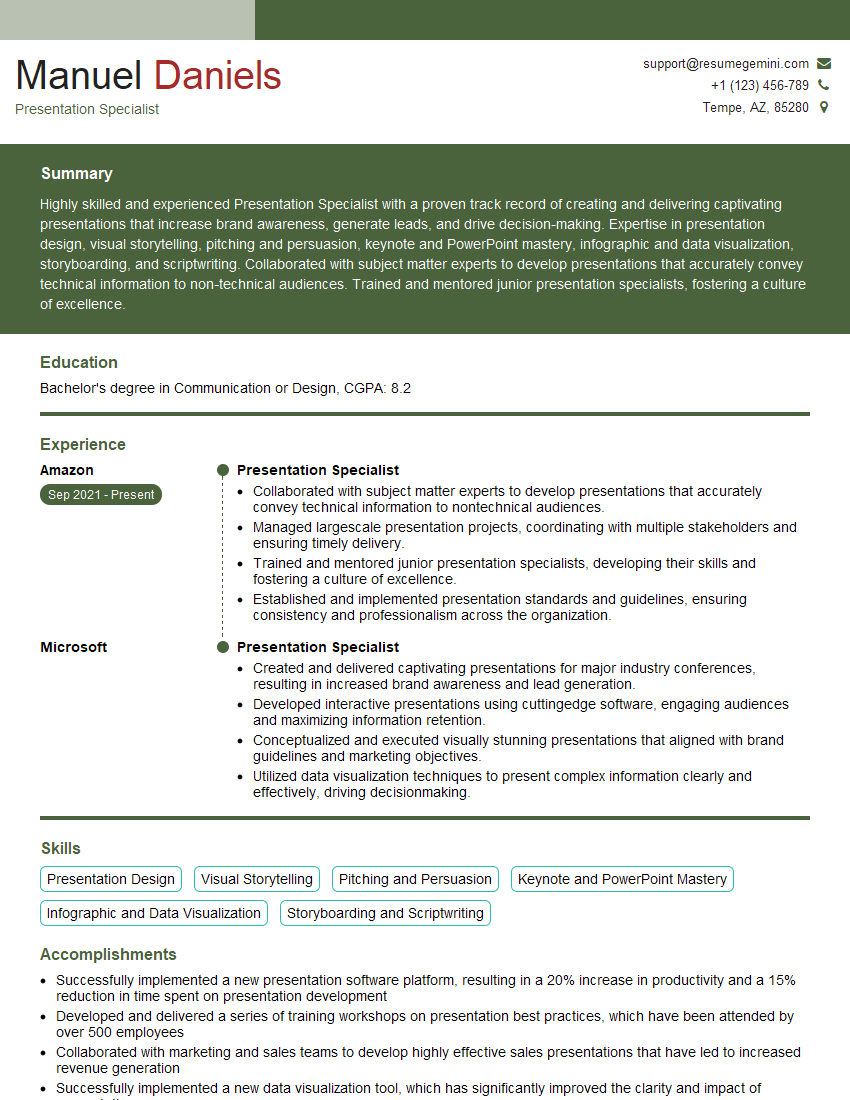
Mastering pitch design is crucial for career advancement in today’s competitive job market. A strong visual communication skillset allows you to effectively convey your ideas, showcase your capabilities, and ultimately, secure your desired role. To increase your chances, create an ATS-friendly resume that highlights your relevant skills and experience. ResumeGemini is a trusted resource for building professional, impactful resumes. Leverage its tools to craft a compelling document that showcases your expertise in pitch design. Examples of resumes tailored to Pitch Design roles are available below to further assist your preparation.
Explore more articles
Users Rating of Our Blogs
Share Your Experience
We value your feedback! Please rate our content and share your thoughts (optional).
What Readers Say About Our Blog
Very informative content, great job.
good