The right preparation can turn an interview into an opportunity to showcase your expertise. This guide to PLC Programming (Siemens, Rockwell) interview questions is your ultimate resource, providing key insights and tips to help you ace your responses and stand out as a top candidate.
Questions Asked in PLC Programming (Siemens, Rockwell) Interview
Q 1. Explain the difference between a ladder logic program and a structured text program.
Ladder logic and structured text are two different programming languages used for PLCs. Think of them like two different ways to give instructions to a robot; one uses a visual diagram (ladder logic), and the other uses a text-based code (structured text).
Ladder Logic: Ladder logic is a graphical programming language that uses a visual representation of electrical circuits. It’s intuitive for electricians and technicians familiar with relay logic. Programs are built using rungs, which represent logical statements. Inputs (like sensors) are on the left, outputs (like actuators) on the right, and logic gates (AND, OR, NOT) are in between. It’s easy to visualize the flow of control.
Example: Imagine a motor that should only start if a sensor detects an object AND a safety switch is engaged. In ladder logic, you’d have the sensor and switch as inputs on the left, an AND gate in the middle, and the motor as an output on the right. If both inputs are true, the output is energized, and the motor starts.
Structured Text: Structured text is a high-level programming language similar to Pascal or C. It’s more powerful and flexible than ladder logic, especially for complex algorithms and data manipulation. It’s text-based, so you type commands directly, allowing for complex logic in a concise format. It’s better suited for experienced programmers.
Example: The same motor control logic in structured text might look like this: IF Sensor_Input AND Safety_Switch THEN Motor_Output := TRUE; ELSE Motor_Output := FALSE; END_IF;
In short: Ladder logic is visual and intuitive, ideal for simple to moderately complex tasks; structured text is powerful and flexible but requires programming skills and is better for complex operations.
Q 2. Describe your experience with Siemens TIA Portal or Rockwell Studio 5000.
I have extensive experience with both Siemens TIA Portal and Rockwell Studio 5000. My work with Siemens TIA Portal includes designing and implementing control systems for automated packaging lines using S7-1500 PLCs. I’ve programmed complex sequence controls, handled high-speed data acquisition from various sensors, and integrated HMI (Human-Machine Interface) screens for operator interaction. A key project involved optimizing the production line to reduce downtime by 15% through the implementation of a predictive maintenance system.
My experience with Rockwell Studio 5000 includes developing control systems for a large-scale manufacturing process involving multiple Logix 5000 PLCs communicating via Ethernet/IP. This involved extensive use of structured text and function blocks for modular programming and efficient code reuse. I tackled challenges in data logging, alarm handling, and communication with SCADA systems. One critical task was implementing a robust safety system compliant with industry standards.
In both environments, I’m proficient in creating and managing projects, configuring communication networks, and utilizing online and offline debugging tools. I’m familiar with version control and documentation best practices to ensure maintainability and collaboration.
Q 3. How do you troubleshoot a PLC program that is not functioning correctly?
Troubleshooting a malfunctioning PLC program requires a systematic approach. My process typically involves these steps:
- Examine the Alarm Logs: Start by reviewing the PLC’s alarm logs for error messages. These provide valuable clues about the nature of the problem.
- Check Input/Output Signals: Verify that the input signals from sensors and other devices are correct using the PLC’s online monitoring tools. Similarly, check the output signals to actuators to ensure they are responding as expected. A multimeter can be useful here.
- Step-by-Step Execution: Use the PLC’s single-step or breakpoint debugging features to trace the program’s execution flow. This allows you to identify the point where the program deviates from its intended behavior.
- Inspect the Program Logic: Scrutinize the PLC program for logical errors. This often involves verifying the order of operations, checking for incorrect use of timers or counters, and ensuring that the program’s logic matches the intended functionality.
- Simulate the Program: Use PLC simulation software to replicate the real-world conditions and test different scenarios. This can help isolate the root cause and avoid unintended consequences while troubleshooting.
- Verify Wiring and Hardware: If software troubleshooting fails, check the physical wiring and hardware connections to ensure that the PLC is correctly connected to its input and output devices. Loose connections or wiring errors are common causes of malfunctions.
- Consult Documentation: Refer to the manufacturer’s documentation, technical manuals, and application notes for troubleshooting tips and solutions related to specific PLC hardware and software issues.
Throughout this process, clear and concise documentation is key. This aids understanding and makes future maintenance easier.
Q 4. What are the different types of PLC addressing modes?
PLC addressing modes define how data is accessed within the PLC. The most common types include:
- Symbolic Addressing: Uses user-defined names (symbols) to represent memory locations. This makes the code more readable and maintainable. For example,
Motor_Speedinstead of a numeric address. - Numeric Addressing: Refers to memory locations using their numerical addresses. This is less intuitive but provides direct access to specific memory locations. Example:
%IW10(Input Word 10 in Siemens). - Indirect Addressing: Uses the content of a memory location to specify the address of another location. This offers flexibility for accessing data dynamically. Example: The value in register
%MW100points to the address to be read. - Data Type Specific Addressing: PLC memory is organized into different data types (bits, words, integers, floats, etc.). Addressing reflects this.
%IX0.0(Input bit 0 in Siemens) points to a single bit, while%IW10(Input word 10) is a group of bits.
The choice of addressing mode depends on the complexity of the application and programming style. Symbolic addressing is generally preferred for readability, while numeric and indirect addressing are used when dynamic memory access is required. I use a combination for projects.
Q 5. Explain the concept of timers and counters in PLC programming.
Timers and counters are essential elements in PLC programming used for timing-based and counting-based control actions.
Timers: Timers measure elapsed time. They are activated (typically by a Boolean input) and measure time until they reach a preset value. Once the preset time elapses, the timer’s output changes state. Common types include:
- ON-Delay Timer: The timer output turns ON after the preset time has elapsed since the input became TRUE.
- OFF-Delay Timer: The timer output turns OFF after the preset time has elapsed since the input became FALSE.
- Retentive Timer: Remembers its accumulated time even after the input becomes FALSE. This is useful in situations where you need to measure an accumulated time over multiple cycles.
Example: An ON-delay timer could be used to start a motor after a 5-second delay from the activation of a start button. This prevents inrush currents and damage to the motor.
Counters: Counters count events or pulses. They increment or decrement their value each time a counting event occurs. There are up counters (increment only) and down counters (decrement only). They often have a preset value, and once this value is reached, the counter’s output changes state.
Example: A counter could be used to count the number of parts passing through a conveyor. When the count reaches 100, the counter output signals a need for a batch packaging process.
In essence, timers measure time, and counters count events. They’re used for process sequencing, timing operations, batch counting, and other critical control functions.
Q 6. How do you handle analog input/output in a PLC?
Analog input/output (I/O) in PLCs involves handling continuous signals, unlike the discrete on/off signals of digital I/O. This requires analog-to-digital converters (ADCs) for input and digital-to-analog converters (DACs) for output.
Analog Input: An ADC converts the continuous analog voltage or current signal from a sensor (temperature, pressure, flow, etc.) into a digital value that the PLC can understand. The PLC then processes this digital value and performs the required control actions.
Example: A temperature sensor produces a voltage signal proportional to temperature. The PLC’s ADC converts this voltage to a digital value, which is then used to control a heating element.
Analog Output: A DAC converts the digital value from the PLC into a continuous analog signal to control an actuator (a valve, motor speed controller, etc.). This allows for finer control over the process.
Example: The PLC calculates the required speed of a motor based on the sensor data. The DAC then converts this digital speed value into an analog signal to control the motor’s speed.
In both input and output cases, proper scaling and calibration are essential. You need to map the analog range to the corresponding digital range and adjust for any offsets or nonlinearities in the sensor/actuator.
In my experience, efficient analog I/O handling involves careful selection of the correct ADC/DAC modules for the specific application and implementing appropriate scaling algorithms within the PLC program to ensure accurate and reliable control.
Q 7. Describe your experience with communication protocols (e.g., Ethernet/IP, Modbus, Profibus).
I have significant experience working with various communication protocols including Ethernet/IP, Modbus, and Profibus. My familiarity extends to both configuring the PLC for communication and developing the application-level logic to handle data exchange.
Ethernet/IP: I’ve used Ethernet/IP extensively in Rockwell Automation systems, especially for connecting multiple PLCs, HMIs, and other devices in a high-speed, deterministic network. This involves configuring the IP addresses, network topology, and data exchange parameters. A recent project involved using Ethernet/IP to synchronize operations between several PLCs in a complex manufacturing process.
Modbus: Modbus is a widely used, simple, and open communication protocol. I’ve utilized Modbus RTU and Modbus TCP in diverse applications involving integrating PLCs with various third-party devices from different vendors. This often requires understanding the Modbus register addresses and data types of each device.
Profibus: My experience with Profibus, primarily in Siemens systems, involves configuring the network topology, assigning addresses, and managing communication between PLCs and various field devices (sensors, actuators). I’ve used Profibus in projects requiring reliable communication in harsh industrial environments.
My approach to communication protocol implementation emphasizes robust error handling, efficient data management, and proper configuration. I am familiar with the specific requirements and best practices associated with each protocol. The selection of the communication protocol depends on factors such as network speed, distance, determinism requirements, and the availability of communication interfaces on the devices involved.
Q 8. How do you implement safety features in a PLC program?
Implementing safety features in a PLC program is paramount. It’s not just about preventing accidents; it’s about ensuring consistent, reliable operation and protecting personnel and equipment. My approach involves a multi-layered strategy, combining hardware and software solutions.
- Hardware Safety: This includes using safety-rated PLCs, input/output modules, and sensors. These components are designed to meet specific safety standards (like IEC 61131-2, SIL ratings) and have built-in redundancy to prevent single-point failures. For instance, I’ve utilized dual-channel safety relays in applications demanding high safety integrity levels (SIL3) for emergency stop circuits.
- Software Safety: This involves meticulous programming techniques. I employ safety-related functions like interlocks and safety-related control algorithms. This might involve creating redundant code paths, using watchdog timers to monitor program execution and detect unexpected halts, and ensuring proper handling of safety signals. A clear example is implementing a three-out-of-five voting logic for a critical process using safety-rated PLCs.
- Safety-Related Procedures: Documentation is crucial. I meticulously document all safety features, including safety requirements, design specifications, and test results. This ensures traceability and facilitates troubleshooting and future modifications.
In one project involving a robotic arm, I integrated emergency stop buttons, light curtains, and pressure sensors, all connected to a safety PLC. The safety PLC constantly monitored these inputs and promptly shut down the robot in case of any unsafe condition, preventing potential accidents.
Q 9. What is a PID controller and how does it work?
A PID controller is a feedback control loop mechanism used to regulate a process variable, like temperature, pressure, or speed, to a desired setpoint. It uses three terms – Proportional (P), Integral (I), and Derivative (D) – to calculate the corrective action needed.
- Proportional (P): The proportional term reacts proportionally to the error (difference between the setpoint and the process variable). A larger error leads to a larger corrective action. It’s fast-acting but prone to steady-state error (the process variable never quite reaches the setpoint).
- Integral (I): The integral term sums up the error over time. This eliminates the steady-state error by correcting for accumulated discrepancies. It’s slow-acting but effective in eliminating offset.
- Derivative (D): The derivative term anticipates future error based on the rate of change of the error. It dampens oscillations and improves the response speed.
The PID controller continuously monitors the process variable and calculates the corrective output based on the P, I, and D terms. The equation is often represented as: Output = Kp * Error + Ki * Integral(Error) + Kd * Derivative(Error), where Kp, Ki, and Kd are the tuning parameters that determine the controller’s response. I’ve extensively used PID controllers in projects requiring precise temperature control in industrial ovens and precise speed regulation in conveyor systems. Tuning the parameters (Kp, Ki, Kd) is crucial and often requires iterative adjustments and experience. Different tuning methods exist, like Ziegler-Nichols, to optimize the controller’s performance.
Q 10. Explain your experience with HMI (Human Machine Interface) programming.
I have extensive experience with HMI programming using both Siemens TIA Portal and Rockwell Studio 5000. I’ve worked on projects ranging from simple operator interfaces to complex SCADA systems. My expertise includes designing intuitive user interfaces, integrating real-time data visualization, and creating alarm management systems.
- Interface Design: I focus on creating clear, concise, and user-friendly interfaces. This includes using effective color schemes, intuitive symbols, and strategically placed information to improve operator efficiency. I’ve used several HMI design tools, including TIA Portal’s WinCC and FactoryTalk View SE.
- Data Visualization: I create dynamic displays showing real-time process variables, trends, and historical data using various graphical objects like charts, gauges, and bar graphs. I ensure that critical parameters are readily visible and accessible.
- Alarm Management: I design robust alarm systems capable of handling hundreds or even thousands of alarms with various severity levels. This includes incorporating alarm prioritization, acknowledgment features, and historical logging.
- Recipe Management & Data Logging: In several projects, I’ve implemented sophisticated recipe management systems within the HMI allowing operators to easily change process parameters and create customized settings. This is typically coupled with data logging capabilities which ensure compliance with regulatory requirements.
For instance, in a food processing plant, I designed an HMI that allowed operators to monitor and control various aspects of the production process, such as temperature, pressure, and flow rates, while also providing access to real-time data and historical logs. This improved efficiency, reduced errors, and enhanced the overall safety of the operation.
Q 11. How do you handle data logging and archiving in a PLC system?
Data logging and archiving are critical for monitoring, troubleshooting, and regulatory compliance in PLC systems. I employ various strategies to efficiently handle data, depending on the project’s needs and scale.
- PLC Internal Logging: Many PLCs have built-in logging capabilities. I configure the PLC to log important process variables at specific intervals, storing the data in internal memory. However, this method has limited capacity.
- Database Integration: For larger-scale applications, I integrate the PLC with a database system (e.g., SQL Server, MySQL) for more robust data storage and retrieval. This allows for long-term archiving and advanced data analysis. I typically use OPC UA or other communication protocols for this.
- Dedicated Data Historian: In projects requiring extensive historical data analysis and reporting, dedicated data historian software is employed. These systems optimize data storage, retrieval, and visualization. Examples include OSIsoft PI and Aspen InfoPlus.21.
- File-Based Logging: In simpler applications, logging to CSV or other text-based files might suffice. The PLC writes data to files on a storage device, but this might require manual intervention for retrieval.
The choice of data logging and archiving method depends on factors like data volume, frequency, storage requirements, and the need for advanced analysis tools. In a recent project, I integrated the PLC with a SQL Server database to store production data, enabling real-time monitoring and historical trend analysis, crucial for optimization and regulatory compliance.
Q 12. What are the different types of PLC memory?
PLC memory is organized into different types, each serving a specific purpose. The specific names and organization may differ slightly between Siemens and Rockwell PLCs, but the general categories remain consistent.
- Program Memory (ROM/Flash): This is non-volatile memory, meaning it retains data even when the PLC is powered off. It stores the PLC program code.
- Data Memory (RAM): This is volatile memory; data is lost when the PLC is powered off. It stores variables, timers, counters, and other data used by the program during execution. Sub-types exist including Input Image, Output Image, and Process Image areas for managing data transfer between the PLC and I/O.
- Retention Memory (NVRAM): This is non-volatile memory designed for storing critical data that must be retained across power cycles. It’s often used to store settings or alarm logs.
- I/O Memory: This memory area directly maps to the physical input and output modules connected to the PLC. Reading and writing to this memory directly controls the I/O.
Understanding these different memory types is crucial for effective PLC programming. For instance, using RAM for temporary calculations and retention memory for long-term data ensures data integrity and program robustness. Improper use can lead to data loss or unexpected program behavior.
Q 13. Describe your experience with PLC programming standards and best practices.
Adherence to PLC programming standards and best practices is essential for creating reliable, maintainable, and scalable programs. My approach emphasizes clarity, modularity, and consistency, aligning with IEC 61131-3 standards and industry best practices.
- Structured Programming: I consistently use structured programming techniques, avoiding spaghetti code and promoting readability. This involves using functions, function blocks, and well-defined program structures.
- Commenting and Documentation: I meticulously comment my code, explaining the purpose and functionality of each section. Detailed documentation, including design specifications, I/O lists, and test results, is maintained.
- Version Control: For larger projects, I use version control systems (like Git) to track changes, collaborate with other engineers, and facilitate rollback capabilities in case of errors.
- Code Reusability: I leverage function blocks and libraries to promote code reusability, reducing development time and ensuring consistency across projects.
- Testing and Validation: I conduct rigorous testing throughout the development process, including unit testing, integration testing, and factory acceptance testing (FAT) to validate functionality and prevent errors.
These standards not only enhance program quality but also ensure seamless collaboration and maintainability, reducing troubleshooting time and increasing project success rates. A well-structured program is easier to understand, modify, and maintain by other engineers, saving time and resources in the long run. Following these best practices has helped me in successfully delivering many complex automation projects.
Q 14. How do you create and manage PLC projects?
Creating and managing PLC projects involves a structured approach using the respective PLC programming software (TIA Portal for Siemens, Studio 5000 for Rockwell). This process includes several key steps:
- Project Setup: I start by defining the project scope, including hardware selection, I/O configuration, and communication protocols. The project is set up in the programming software, including defining hardware components, creating tags and data types, and specifying communication networks.
- Hardware Configuration: The chosen PLCs, I/O modules, and other hardware are configured within the software, assigning addresses and specifying communication parameters. This involves selecting the correct PLC model, specifying input/output modules, and configuring communication networks such as Ethernet/IP or Profibus.
- Program Development: I use structured programming techniques to develop the PLC program. This is where the logic for controlling the process is created, implementing various functionalities like sequencing, timing, and control algorithms.
- Testing and Debugging: I extensively test the program using simulation tools and offline debugging to identify and fix errors. This step is crucial for ensuring the program’s functionality before deployment. Online debugging might also be utilized, but requires a dedicated PLC for testing purposes.
- Documentation: I generate comprehensive documentation including I/O lists, wiring diagrams, program descriptions, and test results. This ensures that the project is well understood by other engineers, technicians, and maintainers.
- Deployment and Commissioning: The program is downloaded to the PLC, and the system is commissioned, ensuring proper integration and functionality. This involves connecting all the hardware and software components and testing the system under real-world conditions.
Effective project management tools and version control are employed to track progress, manage changes, and ensure that the project is completed on time and within budget. This systematic approach ensures the creation of high-quality, reliable, and maintainable automation systems.
Q 15. Explain your experience with different types of sensors and actuators.
My experience with sensors and actuators spans a wide range of technologies used in industrial automation. I’ve worked extensively with both analog and digital sensors, including:
- Proximity sensors: Inductive, capacitive, and photoelectric sensors for detecting the presence or absence of objects, crucial in robotic applications and material handling. For example, I used inductive proximity sensors to detect the presence of parts on a conveyor belt in a packaging system, triggering a robotic arm to pick them up.
- Temperature sensors: Thermocouples, RTDs (Resistance Temperature Detectors), and thermistors for monitoring and controlling temperatures in processes like ovens, heating elements and cooling systems. In one project, I used RTDs in a chemical reactor to maintain precise temperature control, preventing dangerous exothermic reactions.
- Pressure sensors: For monitoring and controlling pressure in hydraulic and pneumatic systems. These are vital in applications ranging from injection molding machines to process control in chemical plants. I integrated pressure sensors in a water treatment plant to regulate the filtration process based on pressure readings.
- Flow sensors: Mass flow meters and flow switches for controlling and monitoring the flow of liquids and gases. I used flow sensors in a food processing plant to control the flow of ingredients into a mixing tank, ensuring consistent product quality.
Similarly, my experience with actuators includes:
- Solenoid valves: Used for controlling the flow of liquids and gases in various industrial processes. In a recent project, I implemented a system using solenoid valves to control the flow of coolant in a machining center.
- Hydraulic and pneumatic cylinders: These provide linear motion and are commonly used in robotic arms and automated machinery. I’ve used them in numerous projects, from simple robotic pick-and-place systems to complex automated assembly lines.
- Servo motors and stepper motors: These are crucial for precise positioning and control in robotics and automated systems. I’ve worked extensively with these in projects requiring accurate positioning and speed control, like a robotic arm that performs precise welding operations.
My familiarity extends to the selection, integration, and troubleshooting of these devices within PLC-controlled systems.
Career Expert Tips:
- Ace those interviews! Prepare effectively by reviewing the Top 50 Most Common Interview Questions on ResumeGemini.
- Navigate your job search with confidence! Explore a wide range of Career Tips on ResumeGemini. Learn about common challenges and recommendations to overcome them.
- Craft the perfect resume! Master the Art of Resume Writing with ResumeGemini’s guide. Showcase your unique qualifications and achievements effectively.
- Don’t miss out on holiday savings! Build your dream resume with ResumeGemini’s ATS optimized templates.
Q 16. How do you debug and test a PLC program?
Debugging and testing PLC programs is a systematic process. I typically follow these steps:
- Simulation: Before deploying code to physical hardware, I use PLC simulation software (e.g., Siemens PLCSIM, Rockwell Automation RSLogix Emulate) to test the program’s logic and functionality in a safe environment. This allows for early identification and correction of errors.
- Forced Inputs/Outputs: Using the PLC’s programming software, I can force specific inputs (simulating sensor readings) and monitor the outputs to verify the program’s response. This helps isolate problems in individual sections of the code.
- Monitoring and Logging: I use the PLC’s monitoring tools to observe the program’s execution in real-time. This includes watching internal variables, timers, and counters. Many PLCs offer data logging capabilities, which are invaluable for analyzing program behavior over time. This is especially helpful in detecting intermittent issues.
- Step-by-Step Execution: I use the PLC software’s debugging tools for step-by-step execution to trace the program’s flow and identify errors in logic or sequencing. Breakpoints are placed strategically to pause execution at critical points.
- Oscilloscope and Multimeter: For hardware-related issues, I use oscilloscopes and multimeters to measure signals and voltages at various points in the control circuit. This helps diagnose problems with sensors, actuators, and wiring.
- Program Documentation: Thorough documentation of the PLC program, including comments within the code and system diagrams, simplifies debugging and future maintenance.
For example, if I’m troubleshooting a robotic arm that isn’t moving correctly, I might start by simulating the arm’s movements in the software. Then, I would use the PLC’s monitoring tools to check the values of variables related to motor control and positioning. Finally, if software issues are ruled out, I might use an oscilloscope to verify that the correct signals are being sent to the motor drivers.
Q 17. What are the advantages and disadvantages of using different programming languages in PLC?
PLCs support various programming languages, each with its strengths and weaknesses:
- Ladder Logic (LD): This graphical language resembles electrical schematics, making it intuitive for electricians and technicians familiar with relay logic. Advantages include ease of understanding and visual representation of program flow. Disadvantages include potential complexity for larger programs and limitations in handling complex data structures. It’s widely used and ideal for simple to medium-sized automation tasks.
- Structured Text (ST): This high-level language resembles Pascal or C, providing structured programming capabilities for more complex control algorithms. Advantages include better code organization, reusability of code blocks, and easier implementation of complex mathematical calculations. Disadvantages include a steeper learning curve compared to LD and less intuitive visual representation.
- Function Block Diagram (FBD): This graphical language uses function blocks to represent different parts of the program, allowing for modular programming. Advantages include improved code organization and reusability, particularly beneficial for complex systems. Disadvantages: Can become visually cluttered for very large programs.
- Sequential Function Chart (SFC): This language is particularly suited for sequential processes, where the program’s execution flows through a series of states. It’s well-suited for applications with clear sequential steps. Advantages include clarity in representing sequential operations; however it is less flexible for complex parallel processes.
The choice of language depends on the project’s complexity, team expertise, and the specific requirements of the application. For simple projects, Ladder Logic’s intuitive nature might be preferable. For complex applications requiring advanced control algorithms, Structured Text or Function Block Diagram could be more suitable. In many cases, a combination of languages is employed to leverage the advantages of each.
Q 18. How do you ensure the safety and reliability of your PLC programs?
Ensuring safety and reliability is paramount in PLC programming. I employ several strategies:
- Redundancy: Implementing redundant hardware components (e.g., dual PLCs, power supplies) can mitigate the risk of system failures. In critical applications, a failure can have severe consequences and redundancy provides an immediate backup.
- Safety-Related PLC Programs: I utilize safety-related PLCs and programming functions (e.g., safety relays, safety PLCs) that meet specific safety standards (like IEC 61131-3). These PLCs have built-in safety mechanisms to prevent accidents.
- Structured Programming Techniques: I follow structured programming principles to create well-organized, easily maintainable, and testable code. This reduces the likelihood of errors and makes debugging easier.
- Regular Testing and Maintenance: Implementing a robust testing and maintenance program includes regular testing of PLC programs, including functional and safety testing. These tests can be automated where possible. Maintenance also includes checking wiring and hardware components.
- Proper Documentation: Comprehensive documentation is crucial for troubleshooting and future modifications, enabling other engineers to easily understand and maintain the system. This also helps ensure consistency and improves safety during maintenance and updates.
- Fail-Safe Design: Designing the system to fail safely – meaning it either shuts down gracefully or reverts to a safe state in case of errors – is a key aspect of safety-critical systems. For example, emergency stop buttons and other safety mechanisms are integrated into the design.
For example, in a chemical process, a fail-safe mechanism might automatically shut off the process and release pressure if a critical temperature is exceeded, preventing a potential explosion.
Q 19. Describe your experience with PLC hardware components.
My experience encompasses a broad range of PLC hardware components, including:
- PLCs (Programmable Logic Controllers): I have worked with Siemens SIMATIC S7-1200, S7-1500, and Rockwell Automation CompactLogix and ControlLogix PLCs. I am familiar with their architectures, capabilities, and programming environments.
- Input/Output Modules: I’ve used various I/O modules, including digital input/output, analog input/output, and communication modules (e.g., Ethernet/IP, Profibus, Profinet). Understanding these modules is essential for interfacing with sensors and actuators.
- Human-Machine Interfaces (HMIs): I have experience with various HMI platforms, such as Siemens WinCC and Rockwell Automation FactoryTalk View, for creating operator interfaces and monitoring systems. Effective HMI design is crucial for operator interaction and system monitoring.
- Power Supplies: I understand the importance of selecting appropriately sized and protected power supplies for the PLC and its I/O modules. This ensures reliable operation and prevents damage to the system.
- Communication Networks: I am experienced with industrial communication networks such as Ethernet/IP, Profibus, Profinet, and Modbus TCP/IP. This is critical for connecting PLCs to other devices and systems in a larger automation network.
I understand the hardware architectures, the need for proper grounding, and the significance of selecting components suitable for the industrial environment. For example, I once had to troubleshoot a system failure caused by a poorly grounded power supply that introduced noise into the signal, leading to erratic PLC behavior.
Q 20. How do you handle interrupts in a PLC program?
Interrupt handling in PLC programming is crucial for responding to time-critical events. PLCs typically handle interrupts through specialized instructions or function blocks. The process involves:
- Defining an Interrupt Source: This could be an external signal from a sensor, a timer event, or a communication event.
- Assigning an Interrupt Service Routine (ISR): The ISR is a dedicated piece of code that executes when the interrupt occurs. It must be fast and efficient to avoid delaying other parts of the program.
- Enabling Interrupts: The PLC’s configuration needs to enable the specific interrupt source to trigger the ISR.
- Writing the ISR: The ISR contains the code that handles the interrupt event. It might involve reading data from a sensor, setting output signals, or updating internal variables.
- Disabling Interrupts (if needed): If the ISR needs to perform actions that can’t be interrupted (critical sections), interrupts might be temporarily disabled during this time.
- Returning from the ISR: Once the ISR has finished executing, it returns control to the main PLC program.
For example, consider an emergency stop button: This button will be connected to an interrupt input on the PLC. When pressed, a high-priority ISR immediately stops all motor drives and other dangerous processes. This fast response is critical for safety.
Different PLCs have various mechanisms for handling interrupts, but the core principles remain the same: efficient response, prioritization, and minimizing the disruption to the rest of the program. The choice of approach depends on the programming language and PLC platform. In Siemens PLCs, for example, you might use OBs (Organization Blocks) to define interrupt routines.
Q 21. What is your experience with version control systems for PLC programs?
Version control for PLC programs is essential for managing revisions, tracking changes, and collaborating on projects. While not as prevalent as in software development, the use of version control is increasingly important due to the growing complexity of PLC systems and the need for efficient collaboration. My experience includes:
- Using specialized PLC version control software: Some vendors offer specific tools for managing PLC program versions. This software often integrates with the PLC programming environment, allowing you to easily check in and out code and track changes.
- Integrating with general-purpose VCS (Version Control Systems): I’ve used general-purpose systems like Git to manage PLC code. This requires a bit more configuration but offers a broader range of features and tools compared to PLC-specific solutions. However, this requires careful attention to managing the binary PLC files and configurations properly.
- Implementing version numbering schemes: I employ clear version numbering schemes (e.g., major.minor.patch) to track changes and allow for easy rollback to previous versions if necessary.
- Documenting changes: Every change made to the PLC program should be thoroughly documented with a description of the modification and the reason for making it. This improves maintainability and reduces the risk of unintended consequences.
Using version control improves collaboration, reduces the risk of errors, and makes maintaining and updating PLC programs far easier, especially on large or long-term projects where multiple engineers may be involved. It helps to avoid conflicts and allows for seamless collaboration and maintenance.
Q 22. Describe your experience working with databases and PLCs.
My experience with databases and PLCs primarily involves using them together to manage and process large amounts of historical and real-time data. I’ve worked extensively with both SQL and NoSQL databases, integrating them with PLCs from Siemens and Rockwell Automation. Think of it like this: the PLC is the ‘muscle’ of the system, controlling the physical process, while the database acts as its ‘memory’ and ‘brain,’ storing and analyzing the data generated by the PLC.
For example, in a large-scale manufacturing process, we used a Siemens PLC to control a bottling line. The PLC collected data on production rates, machine downtime, and quality control metrics. This data was then written to a SQL database for analysis using tools like SQL Server Management Studio. This allowed us to generate reports on production efficiency, identify bottlenecks, and predict potential equipment failures using predictive maintenance strategies. With NoSQL databases, we’ve managed event-driven data, particularly useful for capturing timestamped information during rapid process changes, enabling us to better understand the root causes of unexpected events.
In another project with a Rockwell PLC, we used an OPC UA server as a bridge between the PLC and a cloud-based NoSQL database, allowing for remote monitoring and data analysis. This system proved crucial for implementing remote diagnostics and predictive maintenance in geographically dispersed facilities.
Q 23. Explain your experience with different PLC architectures (e.g., compact, modular).
I have extensive experience with both compact and modular PLC architectures from both Siemens and Rockwell. Compact PLCs, like the Siemens LOGO! or Rockwell Automation Micro800, are ideal for smaller applications requiring fewer I/O points. They’re cost-effective and easy to program, making them suitable for simple automation tasks. However, scalability is limited.
Modular PLCs, on the other hand, such as the Siemens S7-1500 or Rockwell Automation CompactLogix, offer greater flexibility and scalability. They allow you to customize the system by adding modules for additional I/O, communication, or specialized functions. Imagine building with LEGOs; you start with a core unit, then add specialized bricks (modules) depending on the task. This modular approach is particularly beneficial for large-scale applications, enabling easier expansion and maintenance. In one project, we started with a relatively small modular PLC system and gradually expanded it over several years as the production line grew, adding more I/O modules, communication modules for integrating with other systems, and safety modules to improve worker safety.
Understanding the strengths and weaknesses of each architecture helps me choose the optimal PLC for a given application, ensuring efficient resource utilization and cost-effectiveness.
Q 24. How do you implement data redundancy in a PLC system?
Implementing data redundancy in a PLC system is crucial for ensuring high availability and preventing data loss. This usually involves using a combination of techniques. The most common approach is to use a redundant PLC architecture, where two or more PLCs work in parallel. One PLC acts as the primary controller, while the other(s) act as backups.
For example, in a critical application like a power generation plant, we might use two identical Siemens S7-1500 PLCs with a failover mechanism. If the primary PLC fails, the secondary PLC automatically takes over, ensuring uninterrupted operation. This typically involves using specialized communication protocols and redundancy modules to facilitate seamless failover.
Beyond hardware redundancy, we can also implement software redundancy through techniques such as data mirroring to another PLC or a database. This involves regularly copying crucial data to a secondary location. Even with a single PLC, robust error handling and logging ensure data integrity. These techniques together help mitigate the risks of data loss and guarantee system robustness.
Q 25. How do you troubleshoot communication errors in a PLC network?
Troubleshooting communication errors in a PLC network requires a systematic approach. First, I’d isolate the problem by checking the physical connections: cables, connectors, and network devices. I’d then use diagnostic tools provided by the PLC manufacturer to examine communication status. These tools often provide detailed information on network traffic, error codes, and connection status.
For example, in a Profibus network with Siemens PLCs, I’d use the Siemens TIA Portal software to diagnose communication errors and identify faulty nodes. Similarly, for Ethernet/IP networks with Rockwell PLCs, I’d use RSLinx Classic or Studio 5000 to monitor network health. These tools often give error codes that pinpoint the problem, like incorrect IP addresses, cable faults, or device malfunctions.
My troubleshooting strategy generally follows these steps: 1. Check physical connections, 2. Verify network configuration (IP addresses, subnet masks, etc.), 3. Examine PLC diagnostic logs and error messages, 4. Use network monitoring tools to analyze traffic and identify bottlenecks, 5. Test communication between individual devices, and 6. If necessary, replace faulty components.
Q 26. What is your experience with motion control using PLCs?
My experience with motion control using PLCs is extensive. I’ve worked with various motion control systems, including servo drives, stepper motors, and variable frequency drives (VFDs), using both Siemens and Rockwell PLCs. I’m familiar with programming motion control functions, such as point-to-point positioning, continuous motion, and coordinated motion control. For example, I programmed a complex pick-and-place robot using a Siemens S7-1500 PLC and its integrated motion control capabilities. This involved managing the synchronization of multiple axes to precisely control the robot’s movements.
In another project using a Rockwell PLC, I integrated a VFD to control the speed of a conveyor belt, coordinating its movement with the operation of other machinery using motion profiles to achieve smooth acceleration and deceleration. I’m adept at using both proprietary motion control instructions provided by PLC manufacturers and third-party motion control libraries to optimize performance and precision. Understanding the nuances of different motion control technologies – including PID control, cam profiles, and various interpolation methods – is crucial to achieving the required speed, accuracy, and synchronization in automated systems.
Q 27. Describe your experience with network security in industrial automation.
Network security in industrial automation is paramount. My experience involves implementing various security measures to protect PLC networks from unauthorized access and cyberattacks. This includes deploying firewalls, intrusion detection systems, and virtual private networks (VPNs) to isolate the PLC network from the corporate network and the internet.
We use strong password policies, regular security audits, and up-to-date firmware to minimize vulnerabilities. For example, we’ve implemented segmented networks, separating the control network from the enterprise network, and enforcing strict access control to limit access to authorized personnel only. Implementing multi-factor authentication and regularly updating PLC firmware and security patches is critical.
Moreover, I’m familiar with various industrial cybersecurity standards, such as IEC 62443, and integrate these security practices into our projects to ensure compliance and enhance the overall security posture of industrial control systems.
Key Topics to Learn for PLC Programming (Siemens, Rockwell) Interview
- Ladder Logic Fundamentals: Understanding the basic elements, symbols, and functionality of ladder logic diagrams used in both Siemens and Rockwell PLCs. This includes understanding the use of contacts, coils, timers, counters, and mathematical functions.
- Input/Output (I/O) Modules and Configuration: Practical knowledge of configuring and troubleshooting various I/O modules, understanding different communication protocols (e.g., Ethernet/IP, Profinet), and their integration within the PLC system. This also includes understanding signal types (analog, digital).
- Program Structure and Organization: Designing and implementing structured programs using techniques like subroutines, function blocks, and state machines to enhance readability, reusability, and maintainability of your PLC code. Consider best practices for code commenting and documentation.
- Data Handling and Manipulation: Working with different data types (integers, floats, arrays, strings), performing data conversions, and using data tables effectively within the PLC program. This includes understanding data logging and retrieval methods.
- Troubleshooting and Debugging Techniques: Employing strategies for identifying and resolving common PLC programming errors, utilizing debugging tools effectively, and developing systematic approaches to fault finding in PLC controlled systems.
- Safety Considerations in PLC Programming: Understanding and implementing safety protocols and best practices to ensure safe operation of PLC controlled machinery and processes. This includes understanding Emergency Stop (EStop) circuits and safety interlocks.
- Specific PLC Software (TIA Portal for Siemens, Studio 5000 for Rockwell): Gaining familiarity with the specific software environments, navigation, and functionalities unique to each manufacturer. This involves understanding the online/offline programming modes and debugging capabilities.
- Networking and Communication: Understanding industrial communication networks (e.g., Ethernet/IP, Profinet, Modbus) and their integration with PLCs. This includes configuring communication settings and troubleshooting network issues.
- Advanced Programming Concepts (Optional): Explore more advanced topics like PID control loops, motion control, and sequential control programming based on your experience level and the specific job requirements.
Next Steps
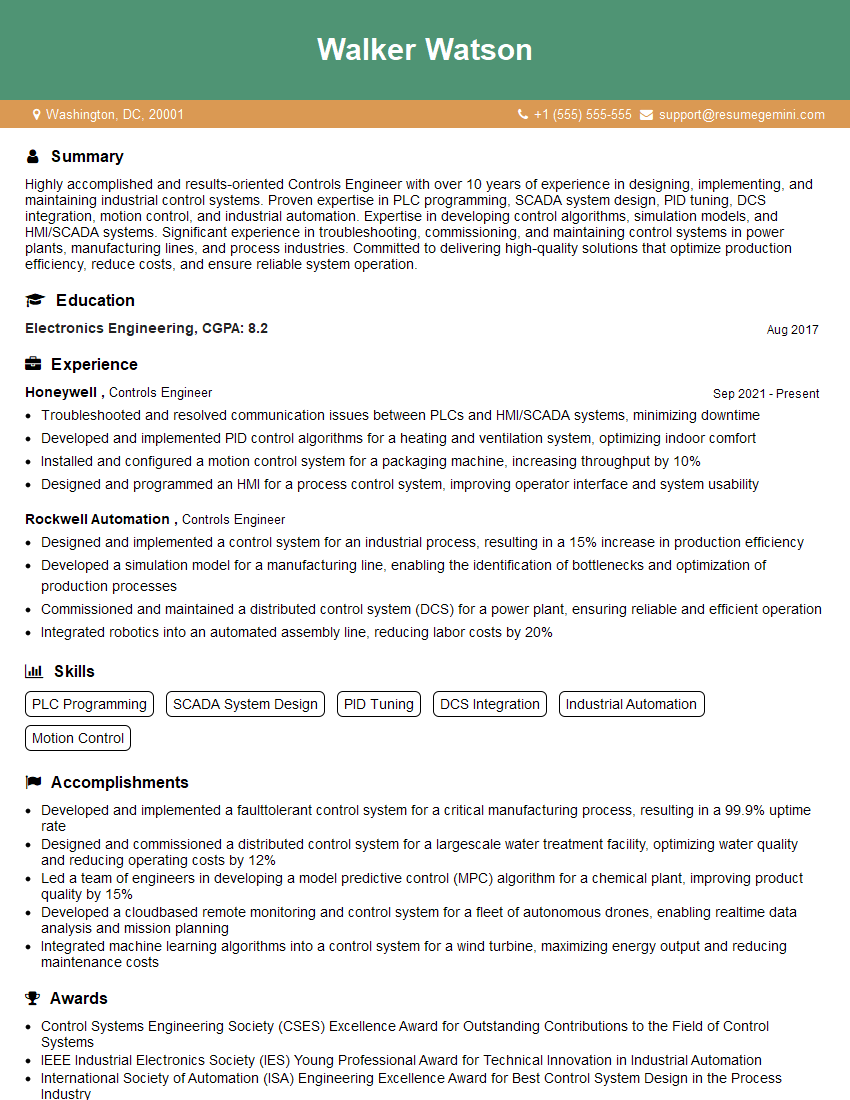
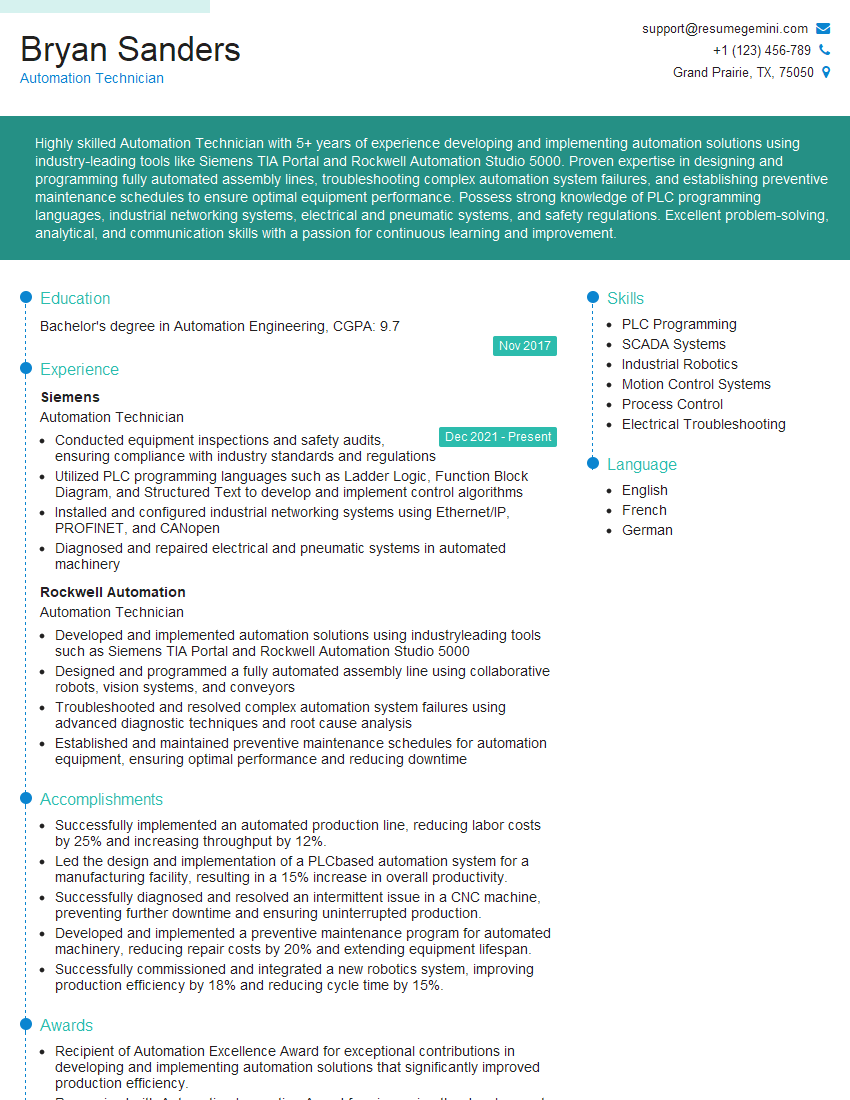
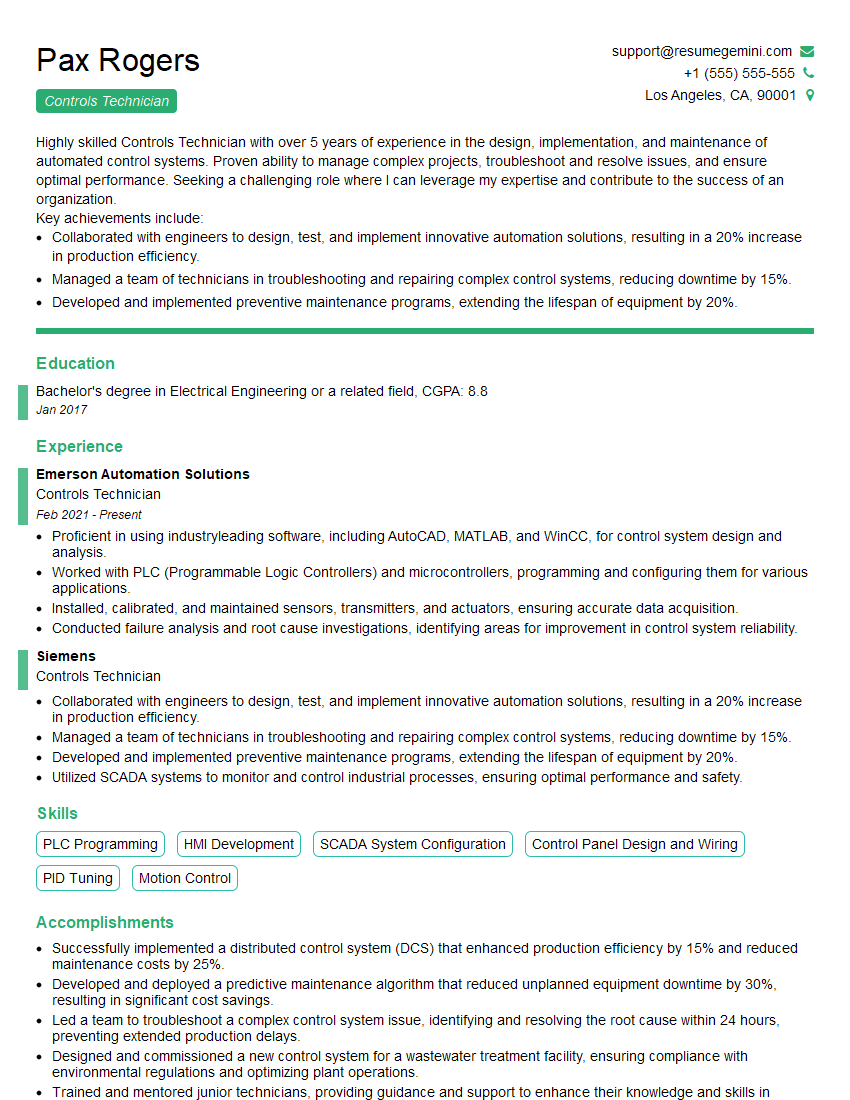
Mastering PLC programming with Siemens and Rockwell platforms opens doors to exciting and rewarding careers in automation and industrial control. High demand for skilled PLC programmers ensures excellent job prospects and career growth opportunities. To maximize your chances of landing your dream role, it’s crucial to create a resume that effectively showcases your skills and experience to Applicant Tracking Systems (ATS). ResumeGemini is a trusted resource that can help you build a professional and ATS-friendly resume. Examples of resumes tailored specifically to PLC Programming (Siemens, Rockwell) roles are available to guide you. Invest the time to craft a compelling resume – it’s your first impression with potential employers.

Explore more articles
Users Rating of Our Blogs
Share Your Experience
We value your feedback! Please rate our content and share your thoughts (optional).
What Readers Say About Our Blog
Very informative content, great job.
good