Every successful interview starts with knowing what to expect. In this blog, we’ll take you through the top Prepress and Print Production interview questions, breaking them down with expert tips to help you deliver impactful answers. Step into your next interview fully prepared and ready to succeed.
Questions Asked in Prepress and Print Production Interview
Q 1. Explain the prepress process from design to plate.
The prepress process is the crucial bridge between design and the printed product. It involves a series of steps that prepare the artwork for printing, ensuring a high-quality final output. Think of it as meticulously preparing a recipe before you start cooking – you wouldn’t just throw ingredients together, would you?
Design & Artwork Creation: This is where the creative process begins, using software like Adobe Illustrator, Photoshop, and InDesign. The artwork is created to the exact specifications for the final printed piece.
File Preparation: This involves ensuring the artwork is in the correct file format (usually high-resolution PDF/TIFF), color space (CMYK for most print jobs), and resolution (at least 300dpi for high-quality printing). We also check for fonts, embedded images, and proper bleeds (the extra area of the design that extends beyond the trim). Imagine this as proofing your recipe – making sure all the ingredients are accounted for and in the right proportions.
Color Management: This critical step ensures color consistency across different devices and printing processes. This involves color profiles and potentially soft proofing to predict how the colors will look on the final printed piece. It’s like making sure your spices are properly measured and that your recipe will come out as intended, despite the variations in equipment or ovens.
Imposition: This is the process of arranging pages (or other elements) on a printing sheet to optimize the printing process and minimize waste. It’s like strategically placing your baking ingredients on the countertop so you can reach them easily.
Proofing: Various types of proofs (soft, hard, contract) are created to validate that the artwork meets the client’s requirements and is ready for printing. It is similar to taste-testing your recipe before serving it to others.
Plate Making: Finally, the prepared artwork is used to create printing plates (CTP – Computer-to-Plate). These plates carry the image that will transfer the ink to the paper during the printing process. This is like having your prepared ingredients organized and ready to be used for the actual baking process.
Q 2. Describe your experience with color management (CMYK, Pantone, etc.).
Color management is paramount in print production. I have extensive experience managing various color models including CMYK, Pantone, and RGB. CMYK (Cyan, Magenta, Yellow, and Key/Black) is the standard for four-color printing, while Pantone Matching System (PMS) provides spot colors for precise color matching, particularly for brand consistency. RGB is used primarily for screen displays and requires conversion to CMYK for print.
I’ve handled numerous projects requiring precise color matching. For instance, one project involved creating brochures for a luxury brand with specific PMS colors. Using a spectrophotometer and a color management software, I calibrated the monitor, ensured that the files were converted correctly, and produced soft proofs that were approved by the client before the final printing. This helped maintain brand consistency and avoided costly reprints due to color discrepancies.
Q 3. What are the different types of printing processes and their applications?
There are several printing processes, each with its own applications:
Offset Lithography: This is the workhorse of commercial printing, ideal for large-scale print runs of high-quality images and text. It’s used extensively for magazines, books, brochures, and other high-volume print jobs. Think of this like a mass-production assembly line.
Digital Printing: This method is more flexible and cost-effective for smaller print runs, personalized printing, and short turnaround times. It’s often used for business cards, flyers, and short-run promotional materials. It’s akin to an artisanal bakery capable of adapting quickly to customer demands.
Screen Printing: This process uses stencils to apply ink to fabric or other surfaces. It’s perfect for t-shirts, posters, and other items needing vibrant colors and high durability. It is very effective for printing on unusual substrates, similar to specialized crafting techniques.
Flexography: This method utilizes flexible rubber plates and is often used for packaging, labels, and corrugated boxes. It’s known for its speed and capability to print on various materials. It’s a flexible printing solution, much like a versatile food processor.
Q 4. How do you ensure color consistency across different printing methods?
Maintaining color consistency across different printing methods requires meticulous planning and implementation of color management strategies.
Consistent Color Profiles: Using the same color profile throughout the entire workflow, from design to platemaking, is crucial. I’ve found that using industry-standard profiles minimizes differences.
Proofing: Accurate soft proofing, followed by hard proofs (printed samples) of the artwork, enables comparison and adjustments before printing large runs.
Calibration: Regularly calibrating monitors and printers is key to ensuring that what you see on screen is close to the final print.
Communication: Clear communication with the printers about the desired color output and any specific requirements ensures alignment and consistency.
Spot Colors: Utilizing Pantone spot colors, particularly for brand-critical materials, eliminates ambiguity in color reproduction across different printing presses.
In one instance, we used a spectrophotometer to measure the color values of a printed sample, then adjusted the CMYK values in the artwork to achieve the correct match on different presses.
Q 5. Explain your experience with various file formats (PDF, TIFF, EPS, etc.).
I’m proficient with various file formats crucial for prepress workflow. Each has its strengths and weaknesses:
PDF (Portable Document Format): This is the most common format for final artwork submission. It preserves fonts, images, and layout across different systems. I often use PDF/X-1a for print production to ensure compatibility.
TIFF (Tagged Image File Format): This is a high-resolution raster image format ideal for images and scans. It’s less susceptible to data loss compared to JPEG, but file sizes can be large. I typically use TIFFs for high-resolution images for print.
EPS (Encapsulated PostScript): This vector format is commonly used for logos and illustrations, offering scalability without loss of quality. I utilize this format for elements that require precise scaling and editing.
Understanding the limitations and advantages of each format is essential for efficient prepress workflow. For instance, using a low-resolution JPEG would severely impact print quality, while a poorly structured PDF can cause significant problems during platemaking. I always carefully evaluate the file format’s suitability for each specific job to ensure the best quality outcome.
Q 6. What is imposition and how does it impact printing efficiency?
Imposition is the process of arranging pages on a printing sheet before printing. It’s like planning the layout of a newspaper or magazine. This is essential because printing presses typically print on large sheets that are later cut and folded. Efficient imposition minimizes paper waste, reduces printing time, and lowers costs.
For instance, when printing a booklet, pages need to be arranged in a specific order so they’ll be in the correct sequence after the sheet is folded and trimmed. Software such as Adobe Acrobat or dedicated imposition software help plan this accurately. Incorrect imposition would lead to pages being out of order, creating an unusable product and requiring costly reprints.
Efficient imposition requires an understanding of the printing press’s capabilities and the final product’s specifications, allowing for optimal use of paper and reduced waste. It’s a critical step often overlooked but essential for smooth and profitable print production.
Q 7. Describe your experience with trapping and its importance in print production.
Trapping is a technique used to prevent gaps between colors during printing. It involves slightly overlapping colors to ensure clean edges. Think of it as creating a small buffer zone between two colored areas, preventing any unintended white space from appearing due to slight misregistration of the printing plates.
Misregistration—the slight shift in alignment of colors during printing—is a common occurrence. Trapping compensates for this, avoiding gaps that would otherwise compromise print quality. Different trapping methods exist, including spread trapping (expanding the lighter color into the darker color), choke trapping (reducing the darker color into the lighter color), and highlight trapping (a combination of the two). The choice of method depends on the type of printing, colors involved, and the substrates being used. Effective trapping is crucial for ensuring a professional-looking finished product.
In one case, a client’s design had very thin lines between different colors. Implementing proper trapping prevented significant gaps that would have rendered the design unacceptable. This saved time, costs, and reputational damage.
Q 8. How do you handle color separations and proofreading?
Color separation is the process of dividing a full-color image into its four constituent process colors – Cyan, Magenta, Yellow, and Key (black) – for printing. Each color is printed as a separate plate. Proofreading is the meticulous examination of these separations, along with the final assembled proof, to ensure accuracy in color reproduction, image placement, text, and overall design consistency before sending to print.
I handle color separations by utilizing software like Adobe Photoshop and Acrobat Pro. In Photoshop, I utilize color management profiles to ensure color accuracy across different devices. I then export the separated color channels as high-resolution TIFF or PDF files. Proofreading involves soft proofs (digital proofs viewed on screen with calibrated monitors) and, ideally, hard proofs (physical prints that accurately represent the final product). I meticulously compare the soft and hard proofs against the original design files, checking for color shifts, misregistration (when colors don’t align precisely), and any textual errors. For example, I once caught a critical misspelling in a client’s logo during the soft proofing stage, preventing a costly reprint.
Q 9. What software are you proficient in (e.g., Adobe Creative Suite, RIP software)?
My software proficiency spans the Adobe Creative Suite (Photoshop, Illustrator, InDesign), which are essential tools for prepress. I’m also adept at using RIP (Raster Image Processor) software such as EFI Fiery and Kodak Prinergy, which are crucial for managing and processing image data for different printing devices. Further, I have experience with preflighting software like PitStop Pro, ensuring files meet print specifications before sending them to the press. My skillset includes using these tools to create and manage color profiles, handle various file formats, and optimize images for print production. Understanding the limitations and capabilities of each piece of software helps me make informed decisions throughout the process to create print-ready files.
Q 10. How do you troubleshoot prepress issues and maintain quality control?
Troubleshooting in prepress requires a systematic approach. I begin by identifying the issue – is it a color problem, a trapping issue, a font problem, or a file format incompatibility? My methodology involves careful file inspection using preflighting tools to identify potential problems before they impact the print. For example, if I find a low-resolution image that would result in poor print quality, I’ll immediately address it by sourcing a higher-resolution replacement or by carefully resizing the existing image to minimize loss of quality. Quality control involves regular checks throughout the process. I use color bars and registration marks in my print files for accurate color matching and precise alignment. Each step is carefully documented to ensure traceability and facilitate quick problem resolution. In one instance, we identified a problem with incorrect color profiles causing color inconsistencies; implementing a standardized profile across our workflow solved the issue and improved efficiency.
Q 11. Explain your understanding of different paper stocks and their suitability.
Understanding paper stocks is crucial for print success. Different paper types impact the final print’s look, feel, and durability. Common types include coated (glossy or matte), uncoated (such as offset), and specialty papers (like linen or textured). Coated papers provide vibrant colors and sharp images but can be less environmentally friendly. Uncoated papers offer a more natural look and feel, suitable for invitations or brochures where texture is important. When choosing paper, we consider the final application. For instance, a glossy magazine will require a coated paper for bright, crisp images, while a business card might need a thicker, more durable card stock. The paper’s weight (GSM – Grams per Square Meter) determines its thickness and strength. Considering factors such as absorbency and opacity is also vital for ensuring the best print quality. For example, a thin paper with low opacity might show show-through from the other side, which is problematic for high-quality double-sided printing.
Q 12. How familiar are you with various finishing techniques (e.g., binding, die-cutting)?
I am well-versed in a range of finishing techniques that enhance the final product’s presentation and functionality. Binding techniques include saddle-stitch (for magazines), perfect binding (for books), wire-O binding (for notebooks), and case binding (for high-quality books). Die-cutting allows for the creation of custom shapes and designs. Other techniques include embossing (raising an image), debossing (indenting an image), foil stamping (adding metallic accents), and UV coating (for added protection and gloss). Understanding these techniques helps me advise clients on the best options for their projects and prepare files correctly for the respective processes. For example, when designing a book, I would ensure the file layout is suitable for perfect binding, considering the spine width and bleed margins accordingly. The selection of the finishing techniques will depend on the project requirements and client’s budget.
Q 13. Describe your experience with workflow automation and optimization.
Workflow automation and optimization are essential for efficiency and consistency in prepress. I have experience implementing and managing automated workflows using tools like Enfocus Switch or similar systems. This involves automating tasks such as preflighting, color management, and file conversion, minimizing manual intervention and reducing errors. Optimizing workflows includes streamlining processes, eliminating bottlenecks, and implementing best practices for file handling and communication. A recent project involved implementing an automated preflighting system that significantly reduced the time spent on manual quality checks, allowing for faster turnaround times and increased efficiency. This automation also ensured consistency in the quality of the prepress process.
Q 14. What is your experience with digital asset management systems?
Experience with digital asset management (DAM) systems is crucial for organizing and retrieving digital files efficiently. I am familiar with various DAM systems, allowing for central storage, version control, and easy access to assets. DAM systems enhance collaboration, prevent file duplication, and ensure version control to prevent using outdated files. A well-organized DAM system improves efficiency and helps to easily locate and manage assets used in multiple projects. In my previous role, the implementation of a DAM system significantly improved the speed and efficiency of project delivery, as team members could easily access and share updated assets. Using a DAM system can also improve collaboration and reduce the risk of errors by ensuring that everyone is working with the most up-to-date version of a file.
Q 15. How do you manage deadlines and prioritize tasks in a fast-paced environment?
In the fast-paced world of prepress and print production, effective deadline management is crucial. My approach is multifaceted, relying heavily on project planning, prioritization, and proactive communication. I start by meticulously reviewing each project’s specifications, identifying potential bottlenecks and establishing realistic deadlines. I then utilize project management software to create a detailed schedule, breaking down large projects into smaller, manageable tasks. This allows me to track progress, identify potential delays early, and adjust accordingly. Prioritization is key; I employ a system that balances urgency and importance, ensuring that time-sensitive tasks with the greatest impact on the final product are tackled first. Regular progress meetings with the team and clients keep everyone informed and allows for collaborative problem-solving should unexpected issues arise. Think of it like conducting an orchestra – each instrument (task) needs to be in sync to produce a harmonious outcome (on-time delivery).
Career Expert Tips:
- Ace those interviews! Prepare effectively by reviewing the Top 50 Most Common Interview Questions on ResumeGemini.
- Navigate your job search with confidence! Explore a wide range of Career Tips on ResumeGemini. Learn about common challenges and recommendations to overcome them.
- Craft the perfect resume! Master the Art of Resume Writing with ResumeGemini’s guide. Showcase your unique qualifications and achievements effectively.
- Don’t miss out on holiday savings! Build your dream resume with ResumeGemini’s ATS optimized templates.
Q 16. Describe a time you had to solve a complex prepress problem.
One challenging situation involved a high-profile client who provided artwork with significant color inconsistencies across different files. The deadline was extremely tight, and the discrepancies risked a costly reprint. I first analyzed the artwork using color management software to pinpoint the root cause of the problem, identifying inconsistencies in color profiles embedded within the files. Next, I worked collaboratively with the client, explaining the technical challenges and proposing solutions – such as standardizing the color profile across all files using a specific ICC profile for consistent color output. We then engaged in a rigorous color proofing process, comparing soft proofs against hard proofs using various devices to ensure accuracy before proceeding to plate making. This required close communication, patience, and detailed explanations to build trust and ensure the client understood the technical complexities involved. Ultimately, we delivered a product that met the client’s expectations and avoided significant production delays and potential financial loss. The experience reinforced the importance of thorough pre-flight checks and proactive communication.
Q 17. What is your experience with CTP (Computer-to-Plate) technology?
My experience with Computer-to-Plate (CTP) technology is extensive. I’m proficient in operating various CTP devices from leading manufacturers, including Heidelberg, Creo, and Kodak. This includes plate creation, imaging parameters optimization, and troubleshooting common CTP issues such as plate defects or imaging inconsistencies. I understand the importance of optimizing CTP settings to achieve optimal print quality, minimizing waste, and maximizing efficiency. I’m familiar with various plate types, including thermal, UV, and violet, and understand how the selection of plate type impacts the final output and its cost-effectiveness. For example, I’ve optimized a workflow using a specific CTP device and thermal plates, resulting in a 15% reduction in plate waste compared to the previous setup. This involved fine-tuning the imaging parameters and implementing a more efficient plate handling process. This experience extends to managing the entire workflow from pre-press preparation to the final plate output, ensuring consistency and accuracy.
Q 18. How do you handle client communication and feedback during the prepress process?
Client communication is paramount throughout the prepress process. I believe in establishing clear communication channels and setting expectations early on. This includes regular updates, proactively addressing any concerns, and providing clear and concise feedback. I use a combination of email, phone calls, and project management software to keep clients informed about the progress of their project and address any questions or concerns promptly. During the proofing stages, I offer detailed explanations of any potential issues and collaboratively find solutions with the client to ensure they are satisfied with the final product. For example, I once used a video conferencing tool to walk a client through a color proof, answering their questions in real-time and ensuring they were comfortable with the final color palette. This open and transparent approach fosters trust and minimizes misunderstandings, resulting in smoother projects and satisfied clients.
Q 19. What are the key differences between offset and digital printing?
Offset and digital printing offer distinct advantages depending on the project requirements. Offset printing, a high-volume process, uses plates to transfer ink onto a rubber blanket, then onto the paper. This results in superior image quality, consistent color reproduction, and cost-effectiveness for large print runs. Digital printing, on the other hand, prints directly from a digital file onto the paper, making it ideal for shorter runs, personalized materials, and fast turnaround times. However, the print quality may not match offset printing for intricate details and large color areas, and the cost per unit is generally higher for smaller runs. For example, printing 10,000 brochures would be significantly cheaper using offset, while 100 personalized invitations would be more efficiently handled with digital printing. The choice between offset and digital hinges on factors like quantity, budget, turnaround time, and the required level of print quality.
Q 20. Explain your understanding of print finishing specifications.
Print finishing specifications encompass all processes performed after printing to enhance the product’s aesthetic appeal and durability. This includes a broad range of options, each affecting the final product’s look and feel. Common finishing techniques include cutting, creasing, folding, binding (e.g., saddle stitch, perfect binding, wire-o), lamination (gloss, matte), embossing, die-cutting, and UV coating. Understanding client requirements and selecting the appropriate finishing techniques is crucial. For example, a glossy lamination provides a protective layer and enhances the vibrancy of colors, while a matte finish offers a more sophisticated, subtle look. Choosing the right binding method depends on the document’s length and intended use. These specifications must be clearly defined in the prepress stage, ensuring they align with the client’s vision and the printing capabilities. Incorrect specifications can lead to costly errors and delays.
Q 21. What is your experience with print quality control checks and standards?
Print quality control is a critical aspect of prepress and print production, ensuring the final product meets the required standards. My experience encompasses various quality control checks, including pre-flight checks for artwork, color proofing, and evaluating the final printed output for color accuracy, sharpness, and consistency. I utilize color management systems to ensure accurate color reproduction across different devices, from the client’s computer screen to the printing press. We adhere to industry standards like ISO 12647, which defines color management guidelines for print processes. My quality control process involves using densitometers and spectrophotometers for precise color measurements, verifying the accuracy of plates and ensuring consistent ink density across the printed sheets. Identifying and addressing any quality issues promptly prevents costly reprints and ensures client satisfaction. I treat each step as a critical checkpoint, viewing the entire process as a chain where each link must be strong to support the final, high-quality output.
Q 22. Describe your experience with large format printing.
My experience with large format printing spans over eight years, encompassing various applications from billboards and posters to trade show displays and vehicle wraps. I’ve worked extensively with different printing technologies, including solvent, eco-solvent, UV-curable, and latex inks. I’m proficient in handling pre-flight checks for large format files, ensuring color accuracy and proper image resolution for optimal print quality. For example, I once managed a project involving the production of 50 large-scale banners for a national campaign. This required meticulous file preparation, careful media selection, and close coordination with the printing team to ensure timely delivery and flawless execution. Understanding the specific requirements for each substrate – whether it’s vinyl, canvas, or backlit film – is crucial for successful large format printing. I’m also adept at troubleshooting issues such as banding, color inconsistencies, and print head clogs.
Q 23. How familiar are you with variable data printing?
I’m highly familiar with variable data printing (VDP). VDP allows for personalized printing of mass mailings, direct mail campaigns, and other marketing materials. My expertise lies in managing and preparing data files for VDP workflows. I understand the importance of data integrity, ensuring accurate merging of databases with design templates. I’ve worked extensively with various software platforms, including Adobe InDesign and specialized VDP applications, to create personalized documents with unique barcodes, serial numbers, images, and text. For instance, I oversaw a project involving the printing of thousands of personalized postcards, each containing a unique recipient address, personalized message, and a trackable barcode. This involved rigorous data validation and testing to prevent errors and ensure print quality. My experience encompasses both transactional and marketing-driven VDP projects.
Q 24. What are your strengths and weaknesses in a prepress environment?
My strengths in a prepress environment include meticulous attention to detail, a deep understanding of color management, and proficiency in various design and prepress software such as Adobe Creative Suite, Esko Suite, and imposition software. I’m a fast learner, adaptable to new technologies, and adept at problem-solving. I excel at streamlining workflows, identifying potential print issues proactively, and collaborating effectively with designers and printers. One area I’m consistently working on is improving my knowledge of the latest RIP software functionalities. While I’m proficient in existing systems, the rapid evolution of RIP technology requires continuous learning to optimize our workflows and keep up with industry best practices.
Q 25. Explain your experience with PDF workflow best practices.
My experience with PDF workflow best practices is extensive. I adhere to strict quality control measures, ensuring PDF files are properly prepared for print. This includes verifying color profiles (e.g., using ISO Coated v2 (ECI) for commercial printing), checking for fonts, images, and embedded links, and performing comprehensive preflight checks using Acrobat Pro’s preflight profiles. I’m well-versed in different PDF standards, including PDF/X-1a, PDF/X-4, and PDF/X-5, and understand their implications for color management and print output. For example, when working on a project with a global audience, I’ll carefully select the appropriate PDF/X standard based on the regional print standards to prevent unexpected color shifts. A robust PDF workflow minimizes errors and ensures a seamless transition from prepress to print production.
Q 26. How do you ensure the accuracy of barcodes and other critical data elements?
Ensuring the accuracy of barcodes and other critical data elements is paramount in my work. I use a combination of automated checks and manual verification. Automated checks involve employing preflight profiles that detect barcode errors and verify data integrity. Manual verification involves visually inspecting a sample of barcodes and data elements to ensure accuracy, especially for high-stakes projects. We use barcode verification software to confirm the readability and compliance with relevant standards (e.g., GS1 standards). This process involves simulating barcode scanning to detect any potential reading issues. If discrepancies are detected, the source files are corrected and reprinted until 100% accuracy is achieved. Rigorous testing and quality control are critical for preventing costly errors and ensuring product integrity.
Q 27. Describe your familiarity with different types of printing presses.
My familiarity with different types of printing presses includes offset printing (sheetfed and web), digital printing (toner-based and inkjet), and large format printing (as previously mentioned). I understand the strengths and limitations of each technology and how to optimize files for each process. Offset printing is ideal for large print runs and high-quality results, while digital printing excels in short runs and personalized printing. Large format printing is suitable for outdoor signage and displays. Choosing the right press depends on factors such as print volume, budget, turnaround time, and desired quality. For instance, a high-volume magazine would require offset printing, while a personalized marketing campaign might utilize digital printing. My understanding of these processes allows me to make informed recommendations to clients and optimize the print workflow.
Q 28. How do you stay updated on the latest technologies and trends in the industry?
To stay updated on the latest technologies and trends, I actively engage in several strategies: I subscribe to industry publications (both print and online), attend industry conferences and workshops, participate in online forums and communities, and regularly explore vendor websites and software updates. I’m also involved in professional organizations related to print production and prepress, allowing me to network with other professionals and learn about innovative solutions and best practices. Continuous learning is crucial in this dynamic field, as new technologies and workflows are constantly emerging. I actively seek opportunities to expand my expertise to remain competitive and provide cutting-edge solutions for my clients.
Key Topics to Learn for Prepress and Print Production Interview
- Color Management: Understanding color spaces (CMYK, RGB, Pantone), color profiles, and color conversion processes. Practical application: Troubleshooting color discrepancies between digital files and printed output.
- File Preparation & Pre-flighting: Mastering file formats (PDF, TIFF, JPEG), image resolution, and pre-flight checks to ensure print readiness. Practical application: Identifying and resolving potential print errors before they reach the press.
- Imposition & Plate Making: Knowledge of imposition software and techniques for efficient sheet layout. Understanding the platemaking process and its impact on print quality. Practical application: Optimizing sheet layout to minimize waste and maximize efficiency.
- Proofing & Quality Control: Familiarization with different proofing methods (soft proof, hard proof) and quality control procedures to ensure consistent print quality. Practical application: Implementing effective quality control measures to identify and correct print defects.
- Print Finishing Techniques: Understanding various finishing options like binding, cutting, folding, and lamination, and their impact on the final product. Practical application: Selecting appropriate finishing techniques based on project requirements and budget.
- Digital Printing vs. Offset Printing: Understanding the differences between these printing methods, their applications, and their respective advantages and disadvantages. Practical application: Recommending the most suitable printing method for a given project.
- Workflow & Automation: Knowledge of industry standard workflow software and automation techniques to streamline the prepress and print production process. Practical application: Optimizing workflows to improve efficiency and reduce turnaround time.
- Troubleshooting and Problem-Solving: Developing a systematic approach to identify and resolve technical issues that arise during the prepress and print production process. Practical application: Effectively diagnosing and resolving printing problems, such as color mismatches or registration errors.
Next Steps
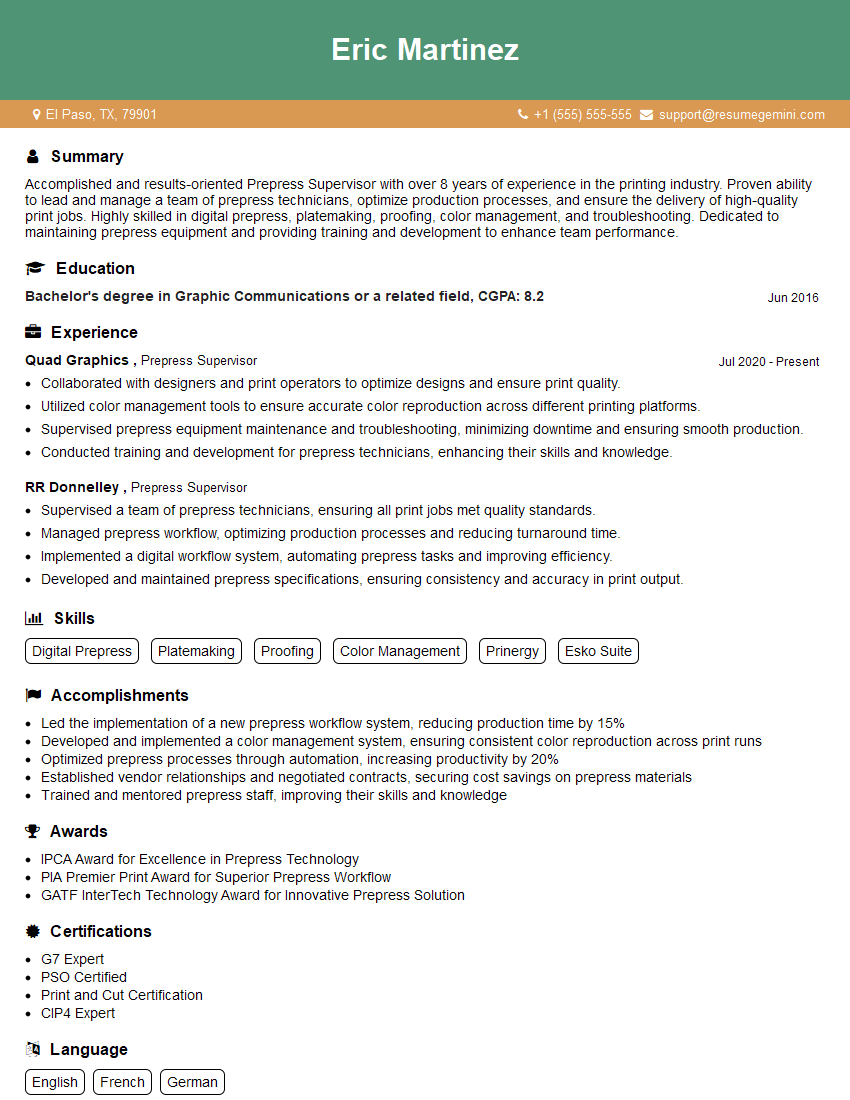
Mastering Prepress and Print Production opens doors to exciting career opportunities and allows you to contribute significantly to the creation of high-quality printed materials. A strong understanding of these processes is highly valued by employers. To significantly enhance your job prospects, focus on crafting an ATS-friendly resume that effectively highlights your skills and experience. ResumeGemini is a trusted resource that can help you build a professional and impactful resume. We provide examples of resumes tailored specifically to Prepress and Print Production to help you get started. Invest time in crafting a compelling resume – it’s your first impression on potential employers.




Explore more articles
Users Rating of Our Blogs
Share Your Experience
We value your feedback! Please rate our content and share your thoughts (optional).
What Readers Say About Our Blog
Very informative content, great job.
good