The thought of an interview can be nerve-wracking, but the right preparation can make all the difference. Explore this comprehensive guide to Prepress Preparation interview questions and gain the confidence you need to showcase your abilities and secure the role.
Questions Asked in Prepress Preparation Interview
Q 1. Explain the importance of color profiles in prepress.
Color profiles are crucial in prepress because they act as a translator between different devices and software. Think of it like this: your monitor displays colors differently than a printer. A color profile provides a standardized description of a specific color space, ensuring consistent color reproduction throughout the printing process. Without them, the colors you see on your screen might be drastically different from the final printed product. For instance, a vibrant red on your screen might print out as a dull maroon without the correct profile.
Different color spaces, like sRGB (for web) and CMYK (for print), have varying gamuts – the range of colors they can reproduce. A color profile maps the colors from one space (e.g., your RGB monitor) to another (e.g., the CMYK printer) to minimize color discrepancies. Common profiles include Adobe RGB, sRGB, and various CMYK profiles tailored to specific printing presses. Choosing the correct profile is essential for accurate and consistent color reproduction.
Q 2. Describe your experience with different file formats (e.g., PDF, TIFF, EPS).
My experience encompasses a wide range of file formats, each with its strengths and weaknesses. PDFs are excellent for final print-ready files due to their reliability and ability to embed fonts and color profiles. However, they can be less flexible for editing. TIFFs are preferred for high-resolution image files, providing excellent quality with lossless compression options. They are frequently used for images that require high fidelity, such as photographs.
EPS (Encapsulated PostScript) files have historically been used for vector graphics, offering scalability without losing resolution, often employed in logos or illustrations. My workflow often involves converting EPS files to PDFs or embedding them into PDFs for easier management within the overall prepress process. I have extensive experience in managing the complexities associated with color spaces, resolutions, and embedding data within these file types to ensure optimal results.
Q 3. How do you ensure color consistency across different printing methods?
Maintaining color consistency across different printing methods is a critical aspect of my job. This involves several steps, starting with the careful selection of color profiles mentioned previously. We use color management software, which allows us to assign the correct profile to each file and converts colors between different color spaces during the prepress process.
Furthermore, we utilize color calibration tools to ensure accuracy of the output devices, like printers and proofers. Regular calibration helps to minimize variations caused by aging or environmental changes. We also produce color proofs—physical or digital representations of the final print—to review and approve colors before the final printing. This might involve using different proofing methods depending on the print specifications to best match the final result. For example, we may use a contract proofer for a critical job requiring a close match to the final print.
Q 4. What are the common trapping techniques used in prepress?
Trapping is a critical technique to prevent gaps between colors in the final printed piece, especially important when printing with multiple colors. Think of it as adding a small overlap between adjacent colors to ensure a clean, even edge. Without trapping, slight misregistration during the printing process can result in unattractive gaps or white lines between colors.
- Spread Trapping: The most common technique, where the lighter color spreads into the darker color. This is less noticeable than choke trapping.
- Choke Trapping: The darker color encroaches on the lighter color, also minimizing gaps. This is generally preferred when using very thin lines.
- No Trapping: Sometimes employed where the colors are very similar, minimizing the visual impact of any potential misregistration.
The choice of trapping method depends on factors like color combinations, line widths, and the printing process. Software automates trapping, but manual adjustments are sometimes required for specific, complex designs.
Q 5. Explain your experience with imposition software.
I have extensive experience using imposition software like imposition software like Esko Automation Engine, and other industry-standard tools. This is the critical step where pages are arranged into a press sheet efficiently. It’s like solving a complex puzzle to maximize paper usage while minimizing waste. The software allows me to specify the number of pages, sheet size, margins, and other crucial printing parameters. These parameters are critical for ensuring correct cuts, folds, and binding of the final printed product.
I’m proficient in generating imposition layouts for various printing projects – from simple brochures to intricate book designs. My expertise includes optimizing imposition layouts for different press sizes and ensuring proper bleed and margins are accounted for. Furthermore, I’m skilled at generating imposition layouts with specific requirements like signatures or custom folding patterns.
Q 6. Describe your process for proofing and quality control.
My proofing and quality control process is rigorous and multi-layered. It starts with a digital soft proof, reviewing the files on screen with calibrated monitors, comparing the colors to the client-approved digital proof. This is followed by a hard proof, which is a physical print created on a high-quality proofer to better assess the final printed outcome. For critical jobs, we may use a contract proofer, a highly accurate proof that closely matches the final printed product’s colors and quality.
Beyond color, we check for other issues such as image resolution, font issues, correct imposition, and proper bleed and margins. We compare the proof against the client-approved artwork. Any discrepancies are immediately flagged and corrected. The entire process is meticulously documented. This ensures that the final printed product meets the highest quality standards and matches client expectations.
Q 7. How do you handle color separations for different printing processes?
Color separation is the process of breaking down a full-color image into individual color plates—typically Cyan, Magenta, Yellow, and Black (CMYK) for offset printing. The method varies depending on the printing process.
For offset printing, the separation is handled by the prepress software, generating four separate files, one for each color plate. This ensures that each color is printed accurately on its own plate before the final combination. For other processes, like digital printing, color separation might not be as explicit. Digital printing uses a different color model (RGB) often, but the process still manages color accurately to create the intended print.
My experience includes working with different color separation techniques and adapting them to specific printing methods. I understand the nuances of each process and can ensure that the color separations are optimized for the chosen printing technique to provide high-quality results.
Q 8. What are your preferred software applications for prepress work (e.g., Adobe Acrobat, InDesign, Photoshop)?
My prepress workflow relies heavily on the Adobe Creative Suite. Specifically, Adobe InDesign is my go-to for page layout and document structuring, particularly for complex projects involving multiple pages and intricate designs. Photoshop is invaluable for image retouching, color correction, and creating high-resolution raster graphics. Finally, Adobe Acrobat Pro is essential for PDF creation, preflighting, and ensuring file compatibility across different printing systems. I also have experience with other industry-standard software such as GMG ColorServer for advanced color management.
For example, when designing a brochure, I’d use InDesign for the layout, Photoshop for enhancing product images, and Acrobat to create a print-ready PDF that incorporates all necessary bleed, trim, and color profiles.
Q 9. Describe your workflow for preparing files for large-format printing.
Preparing files for large-format printing requires meticulous attention to detail. My workflow typically involves these steps:
- File Setup: I start by ensuring the file is created at the correct resolution (typically 150-300 DPI for high-quality output) and dimensions, accounting for bleeds and margins. This ensures a clean, professional final product free of distortion or pixelation.
- Image Optimization: High-resolution images are crucial for large format. I optimize images in Photoshop to reduce file sizes without sacrificing quality, using techniques like saving as high-quality JPEGs or TIFFs, with appropriate compression levels.
- Color Management: Consistent color is paramount. I meticulously profile my monitor and ensure all colors are in the correct CMYK color space, using a color management system like GMG or Pantone to ensure accurate color reproduction across different devices and printing processes.
- Preflighting: I use Adobe Acrobat Pro’s preflighting tools to check for font issues, embedded images, color space errors, and other potential problems before sending the file to the printer. This preventative measure saves time and prevents costly reprints.
- Output: The final step involves creating a high-resolution PDF/X-4 compliant file suitable for large format printing, ensuring proper color profiles and bleed are included.
For instance, when preparing a billboard design, I would carefully consider the viewing distance and ensure the resolution is high enough to maintain clarity even from a far distance.
Q 10. How do you troubleshoot common prepress problems?
Troubleshooting is a critical part of prepress. I approach it systematically:
- Identify the Problem: I start by precisely defining the issue. Is it a color mismatch, missing fonts, a resolution problem, or something else?
- Check the Source: I trace the problem back to its origin. Was it a mistake in the design software, an incorrect setting during export, or a printer driver issue?
- Isolate the Variable: I systematically test and eliminate possibilities. If there’s a color issue, I examine each element to pinpoint the source of the inaccuracy.
- Utilize Tools: I employ tools like Acrobat’s preflight profile to check for common errors and use color management profiles to ensure consistent color reproduction.
- Consult Resources: If the issue persists, I consult online resources, manuals, or experts in the field.
For example, if I see banding in a gradient, I’d check the image’s resolution, the color mode (ensuring it’s CMYK), and the printer’s settings. Often, increasing the resolution or adjusting the printer’s settings resolves the issue.
Q 11. Explain your experience with color management systems (e.g., Pantone, GMG).
I have extensive experience with color management systems. My understanding extends beyond simply using Pantone swatches. I am proficient in using color management software like GMG ColorServer to create custom profiles for different printers and substrates, ensuring consistent color across various jobs and print methods. I understand the importance of ICC profiles and how they translate colors between devices. I can work with spot colors, effectively translating them into CMYK for printing.
For example, a client might provide a Pantone color for their logo. I use the Pantone libraries within my design software to ensure the logo is printed accurately, taking into account any potential variations due to the printing process. I would also create an ICC profile for a particular printer to ensure color accuracy on that specific device.
Q 12. How do you handle client revisions and deadlines in a fast-paced environment?
Handling client revisions and deadlines in a fast-paced environment requires organized communication and efficient workflow. My approach involves:
- Clear Communication: I establish clear communication channels with clients and maintain frequent updates on project progress, potential challenges, and revised timelines.
- Version Control: I meticulously track every revision using version control techniques within my design software and by naming files systematically. This ensures easy access to previous iterations and prevents accidental overwriting of final versions.
- Prioritization: I effectively prioritize tasks based on urgency and deadlines. This approach enables me to handle multiple projects concurrently without compromising the quality or timely delivery of any single project.
- Proactive Problem Solving: I anticipate potential problems and proactively address them, preventing unnecessary delays or complications later on.
Imagine receiving significant revisions with only a day left before the deadline. I’d immediately communicate with the client to establish revised priorities, and then focus on implementing those changes systematically. Version control will also let me revert to earlier versions if problems occur. This ensures I can deliver on time and meet client expectations.
Q 13. Explain the difference between CMYK and RGB color spaces.
CMYK and RGB are two different color models used in different contexts. RGB (Red, Green, Blue) is an additive color model used for displaying colors on screens. It works by combining varying intensities of red, green, and blue light to create a wide range of colors. CMYK (Cyan, Magenta, Yellow, Key [Black]) is a subtractive color model used for printing. It works by subtracting light from a white surface using cyan, magenta, yellow, and black inks.
The key difference is how they produce color. RGB adds light to create color, whereas CMYK subtracts light (inks absorb light). This means a color that looks vibrant on screen (RGB) might look slightly different when printed (CMYK) due to this fundamental difference in how color is created.
Q 14. What are your skills in using RIP software?
My RIP (Raster Image Processor) software skills are strong. I am proficient in using various RIP software packages, such as those offered by GMG, EFI, and others. I understand how to create, manage, and optimize RIP settings for different substrates, inks, and printers. This includes calibrating the RIP to match the printer’s capabilities and creating custom color profiles to ensure accurate color reproduction. I understand color correction adjustments, halftoning techniques, and the various functions within a RIP environment.
For instance, I am experienced in using RIP software to fine-tune the halftone screening for optimal image reproduction on various printing surfaces, achieving the desired level of sharpness and detail.
Q 15. How do you ensure the accurate representation of fonts in print?
Ensuring accurate font representation in print involves a multi-step process that begins long before the file even reaches the press. Think of it like baking a cake – you need the right ingredients (fonts) and the right recipe (instructions) to get the desired result.
Font Embedding: The most crucial step is embedding the fonts. This means the font files themselves are included within the print-ready file. This prevents the printer from substituting with a different font, potentially altering the layout or appearance. For example, if your design uses a unique typeface like Didot, embedding it ensures that the elegant serifs aren’t replaced by something less visually appropriate.
Font Outlining: Even with embedding, we use outlining (also known as creating outlines or converting to curves) as an extra layer of security. This converts the font characters into vector paths, independent of the original font file. This protects against font substitution issues, even if the original font file is somehow unavailable on the printer’s system. It’s like having a backup plan for your cake recipe!
Font Subsetting: To reduce file size and improve efficiency, we sometimes subset fonts. This involves only including the characters actually used in the design, rather than the entire font library. This is a valuable optimization, particularly for large documents, helping to avoid unnecessary processing load.
Proofing: A final, crucial step is careful soft proofing and, ideally, a hard proof (printed copy). These checks allow for visual confirmation of font accuracy before committing to printing, catching any subtle discrepancies that might otherwise be missed. We’re looking for consistent kerning (spacing between letters), tracking (overall word spacing), and character shape.
Career Expert Tips:
- Ace those interviews! Prepare effectively by reviewing the Top 50 Most Common Interview Questions on ResumeGemini.
- Navigate your job search with confidence! Explore a wide range of Career Tips on ResumeGemini. Learn about common challenges and recommendations to overcome them.
- Craft the perfect resume! Master the Art of Resume Writing with ResumeGemini’s guide. Showcase your unique qualifications and achievements effectively.
- Don’t miss out on holiday savings! Build your dream resume with ResumeGemini’s ATS optimized templates.
Q 16. Describe your experience with various printing processes (e.g., offset, digital, flexographic).
My experience spans various printing processes, each with its own unique characteristics and demands on prepress preparation. I’ve worked extensively with offset, digital, and flexographic printing, and understand their nuances.
Offset Printing: This is a high-volume, cost-effective method ideal for large print runs. My prepress preparation for offset printing focuses on color management (ensuring accurate color reproduction using CMYK profiles), high-resolution images (typically 300 DPI or higher), and precise trapping (adjustments to overlapping colors to prevent white gaps during printing). I’ve worked with projects ranging from brochures to book printing.
Digital Printing: More suitable for short runs and personalized materials, digital printing requires files in formats like PDF/X-1a or PDF/X-4. Here, I ensure color profiles are accurate (sometimes using RGB) and the resolution is appropriate for the specific printer. I’ve prepared projects like custom business cards and personalized invitations.
Flexographic Printing: Used primarily for packaging and labels, flexographic printing necessitates specific file preparation for the halftone screens and plate making processes. This often involves working with specialized software and understanding the limitations of the printing plates. I’ve contributed to projects involving product packaging and retail labels.
In each case, I adapt my workflow to the particular requirements of the printing method, ensuring the file is optimized for optimal results and minimizing potential issues during production.
Q 17. How do you prepare files for different substrates (e.g., paper, cardstock, vinyl)?
Substrate selection dramatically impacts prepress preparation. Think of it as choosing the right canvas for your artwork; different surfaces need different treatments.
Paper: The type of paper (coated, uncoated, etc.) dictates the choice of ink and affects color reproduction. Prepress for paper generally involves standard CMYK profiles and 300 DPI image resolution.
Cardstock: Thicker and more durable than standard paper, cardstock may require adjustments to trapping and may be more susceptible to color variations. I ensure sufficient bleed (extra area extending beyond the trim line) to compensate for potential shifting during the cutting process.
Vinyl: Vinyl is a flexible substrate often used for banners or signage. Prepress preparation involves ensuring the resolution is appropriate for the print size, considering the stretching that may occur, and utilizing appropriate color profiles for the specific vinyl type. Careful attention is also given to the final output format and whether it should include a cut path.
In each scenario, I meticulously review the substrate’s specifications to ensure the file is properly prepared for the selected material, avoiding potential issues like ink absorption or color mismatches. I’ve consistently achieved accurate color reproduction and print quality across a broad range of substrates.
Q 18. What is your experience with preflighting and automated quality checks?
Preflighting and automated quality checks are essential for preventing costly errors during production. Think of preflighting as a thorough pre-flight checklist for your plane before takeoff – you wouldn’t want to take off without it!
I’m proficient in using preflight tools like PitStop and Acrobat Pro, which allow for automated checks of various aspects, including:
Color profiles: Ensuring the correct color space (CMYK, RGB) is used.
Resolution: Verifying image resolution meets the requirements for the chosen printing method.
Fonts: Checking for missing or embedded fonts.
Bleed and margins: Confirming proper bleed and margins to prevent errors during trimming.
Overprint: Checking for correct overprint settings.
Image compression: Ensuring images are not over-compressed, reducing print quality.
These automated checks significantly reduce the risk of errors and save time and resources by catching potential issues before they reach the printer.
Q 19. Describe your experience with managing and archiving prepress files.
Effective file management and archiving are vital for efficiency and regulatory compliance. I use a structured system to manage prepress files, incorporating a combination of digital asset management (DAM) systems and a well-organized folder structure on a secure network drive.
My approach typically includes:
Metadata tagging: Each file is meticulously tagged with relevant metadata, including project name, client name, date, and file type. This helps ensure easy retrieval and organization.
Version control: I maintain version history, allowing for easy access to previous versions and tracking changes made during the prepress process.
Regular backups: Multiple backups are regularly performed to prevent data loss, utilizing both local and cloud-based storage options.
Secure access control: Access to prepress files is restricted to authorized personnel only, ensuring confidentiality and preventing unauthorized modifications.
Retention policies: I adhere to established retention policies to ensure compliance with legal and industry standards.
This comprehensive approach guarantees efficient retrieval of files when needed and protects against data loss, maintaining project integrity and client confidentiality.
Q 20. How do you handle image resolution issues in prepress?
Image resolution is paramount for print quality. Insufficient resolution leads to pixelation or blurring, especially noticeable in large prints. Think of it like trying to enlarge a small, pixelated image on your computer screen – it will become blurry.
My strategy for handling resolution issues involves:
Assessment: First, I evaluate the image’s current resolution and the required resolution for the intended print size. This is done using image editing software such as Photoshop.
Upscaling (with caution): If the resolution is too low, I may attempt to upscale it. However, this is not always ideal, as it can introduce artifacts. If upscaling is necessary, I use high-quality resampling techniques available in most professional image editors to minimize the negative impact.
Replacement (the better option): Ideally, if the resolution is inadequate, I’d replace it with a higher-resolution image. This provides the best outcome and minimizes the risk of print quality issues.
Communication: If a higher-resolution image isn’t available, I communicate this issue to the client and explore alternative solutions, such as adjusting the print size or simplifying the design.
My approach prioritizes maintaining the highest possible print quality, balancing the need for good resolution with practical limitations.
Q 21. What are your skills in identifying and correcting image defects?
Identifying and correcting image defects is a critical aspect of prepress, ensuring a high-quality final product. This involves a keen eye and a thorough understanding of image editing software.
My expertise lies in detecting and addressing issues such as:
Dust and scratches: These are often removed using the healing brush tool and cloning techniques in Photoshop.
Color casts: Adjusting color balance and white balance helps correct these issues.
Compression artifacts: These can be minimized using proper image compression techniques.
Moiré patterns: These arise from the interference of two patterns and can be mitigated through adjusting the screen angles and frequencies.
Pixelation: This is resolved by either replacing the image with a higher-resolution one or by adjusting the image size to reduce the visual impact.
I apply a methodical approach, carefully examining images at 100% zoom to catch subtle defects and then utilizing the appropriate tools and techniques to correct them. My goal is to deliver images that are clean, crisp, and free from visible defects, producing a professional, high-quality final print.
Q 22. What is your experience with imposition software for different printing projects (e.g., booklets, brochures)?
My experience with imposition software spans a wide range of projects, from simple brochures to complex booklets and even multi-page publications. I’m proficient in several industry-standard software packages, including but not limited to Esko Automation Engine, Creo Impress, and Callas pdfToolbox. For booklet projects, I’m adept at creating efficient layouts that minimize waste and ensure optimal printing speed. This includes utilizing different imposition structures such as saddle-stitched, perfect-bound, and wire-O configurations. For brochures, I frequently use ‘gang’ imposition, placing multiple brochure designs on a single sheet to maximize efficiency. My approach always considers the specific paper size, printing method (offset, digital), and the client’s budget. For example, a client needing a high-volume, cost-effective brochure would benefit from a tightly-packed gang imposition, while a small print run might justify a more straightforward approach. I carefully consider the fold lines, spine alignment, and page orientation to ensure a seamless final product. I’m also comfortable working with imposition software’s advanced features, such as automated imposition and imposition creation from templates, significantly increasing efficiency and reducing errors.
Q 23. Explain your understanding of bleed and margins in prepress.
Bleed and margins are crucial elements in prepress, determining how the final printed piece will look. Bleed refers to the extra area of the design that extends beyond the final trim size. It’s essential to compensate for slight shifts during the cutting process, preventing unsightly white edges on the finished product. A typical bleed is 3mm (⅛ inch) all around. Think of it like painting slightly outside the lines to ensure you have a full color even after trimming. Margins, on the other hand, are the spaces between the design elements and the edge of the finished piece. They ensure that critical elements are not accidentally trimmed off. Margins are often dictated by the print vendor and can vary depending on the printing process and the type of binding. Working without adequate bleed can lead to frustrating results like seeing white edges on the final print which impacts the visual appeal and brand consistency. Similarly, neglecting margins may lead to important content being cut off during the final trimming process. In my workflow, I consistently incorporate bleed and margins according to project specifications and best practices.
Q 24. How do you ensure accurate registration marks are placed on the imposition?
Accurate registration marks are paramount for ensuring precise color alignment and consistent print quality. In my workflow, I utilize the imposition software’s built-in tools to automatically add registration marks to the imposition. These tools allow me to specify the number, size, and placement of the marks, adhering to the requirements of the specific printing press. The software often provides templates or presets to help me follow these standards which prevents unnecessary mistakes. For example, I might use cross registration marks for offset printing, where it’s vital to ensure all color plates align correctly. I always verify the position and clarity of the marks before sending the files to the printer, employing a visual check followed by a print preview if possible. Any inaccuracies in registration mark placement could lead to misalignment during the printing process resulting in an unsatisfactory final output. Consistent quality control ensures high-quality prints with proper color alignment.
Q 25. Describe your experience working with different print vendors.
I’ve had the opportunity to work with various print vendors, ranging from small local printers to large international corporations. This experience has broadened my understanding of different printing techniques, paper stocks, and prepress requirements. Each vendor has its own unique workflow, technical specifications, and file submission guidelines. I’ve learned the importance of clear communication with printers and always carefully review the vendor’s specifications to ensure compatibility. For instance, one vendor might require specific color profiles, while another might have different bleed requirements. Adaptability and strong communication are vital in navigating this diversity. Building strong relationships with vendors has significantly streamlined my workflow, resulting in faster turnaround times and improved print quality.
Q 26. How do you handle unexpected technical issues that arise during prepress?
Unexpected technical issues during prepress are inevitable. My approach focuses on systematic troubleshooting. First, I identify the issue, for example, a font rendering problem or color profile mismatch. Then, I carefully review the steps that led to the problem. This often involves inspecting the original design files, reviewing the imposition settings, and even checking the print vendor’s specifications. If the problem is software-related, I might consult the software’s documentation or seek online resources for solutions. In more complex situations, I don’t hesitate to contact the print vendor or the software support team for assistance. Maintaining a detailed record of each step allows for efficient issue tracking and helps me learn from past experiences. For instance, I encountered a situation where an incorrect color profile resulted in significant color deviations. After troubleshooting and correcting the profile, I updated my standard workflow to implement additional checks to prevent similar situations in the future. Thorough planning and preventative measures minimize problems, but a systematic approach to troubleshooting is critical for handling any unexpected issues.
Q 27. What are your strengths and weaknesses in relation to prepress work?
My strengths lie in my meticulous attention to detail, my strong problem-solving skills, and my ability to work efficiently under pressure. I possess a deep understanding of prepress techniques and technologies and thrive in collaborative environments. I also adapt quickly to new challenges and software. However, my weakness is sometimes becoming too engrossed in detail, which can occasionally slow down the overall project completion. To mitigate this, I’m actively working on improving my time management skills and prioritizing tasks effectively to prevent this from affecting deadlines. I’m consistently seeking opportunities to improve and refine my skillset to ensure I meet even the most demanding client requirements. Continuous learning is paramount in the fast-paced world of prepress.
Key Topics to Learn for Prepress Preparation Interview
- Color Management: Understanding color spaces (CMYK, RGB, Pantone), color profiles, and color separations. Practical application: Troubleshooting color inconsistencies between digital and printed outputs.
- Image Resolution and File Formats: Knowing appropriate resolutions for various printing methods and understanding the advantages and disadvantages of different file formats (TIFF, JPEG, PDF). Practical application: Preparing images for optimal print quality and minimizing file size.
- Imposition and Finishing: Familiarity with different imposition techniques for various print products and understanding finishing options like cutting, folding, and binding. Practical application: Creating efficient imposition schemes to minimize waste and optimize production workflow.
- Proofing and Quality Control: Understanding different types of proofs (soft proof, hard proof) and implementing quality control checks to ensure print accuracy. Practical application: Identifying and correcting potential printing errors before production.
- Prepress Software Proficiency: Demonstrating experience with industry-standard software such as Adobe Acrobat, InDesign, Illustrator, and Photoshop. Practical application: Efficiently using these tools to prepare files for various printing processes.
- File Preparation and Workflow: Understanding the entire prepress workflow, from file reception to platemaking. Practical application: Optimizing file preparation processes to meet deadlines and maintain high quality.
- Troubleshooting and Problem-Solving: Demonstrating the ability to identify and resolve common prepress issues, such as font problems, missing links, and color discrepancies. Practical application: Providing solutions to common prepress challenges.
Next Steps
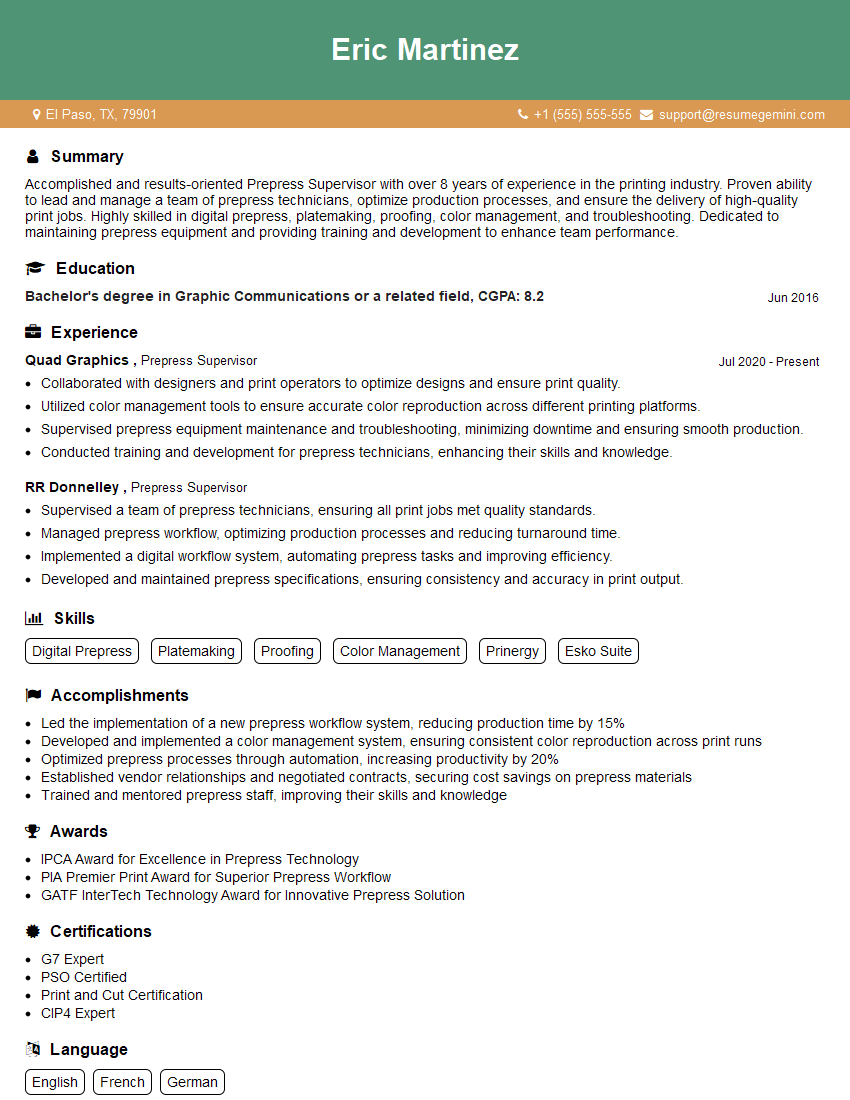
Mastering prepress preparation is crucial for a successful and rewarding career in the printing industry. A strong understanding of these concepts will significantly improve your job prospects and allow you to contribute meaningfully to a production team. To enhance your chances of landing your dream role, create an ATS-friendly resume that highlights your skills and experience effectively. ResumeGemini is a trusted resource that can help you build a professional and impactful resume. We provide examples of resumes tailored to Prepress Preparation to give you a head start. Take the next step towards your career success today!


Explore more articles
Users Rating of Our Blogs
Share Your Experience
We value your feedback! Please rate our content and share your thoughts (optional).
What Readers Say About Our Blog
Very informative content, great job.
good