The thought of an interview can be nerve-wracking, but the right preparation can make all the difference. Explore this comprehensive guide to Printing Press Operations interview questions and gain the confidence you need to showcase your abilities and secure the role.
Questions Asked in Printing Press Operations Interview
Q 1. Explain the difference between offset and digital printing.
Offset and digital printing are two distinct methods of printing, differing fundamentally in their processes and applications. Offset printing is an indirect printing method where the image is transferred from a printing plate to a rubber blanket, and then to the paper. This allows for high-volume, high-quality printing at a relatively low cost per unit. Think of it like making copies using a stamp – the stamp (plate) doesn’t directly touch the paper, but instead uses an intermediary (blanket). Digital printing, on the other hand, is a direct printing method where the image is printed directly onto the substrate (paper, etc.) using digital technology. Think of a standard inkjet printer – the image is directly applied without intermediary steps. This is ideal for short runs, personalized prints, and variable data printing, where offset’s higher setup costs would be prohibitive.
In short: Offset printing is like a high-speed duplicating machine for large quantities, while digital printing is like a personalized, on-demand printer.
- Offset: High volume, low cost per unit, high quality, uses plates and blankets.
- Digital: Low volume, higher cost per unit (for small runs), faster turnaround, versatile for personalization, uses digital files directly.
Q 2. Describe your experience with color management in printing.
Color management in printing is crucial for ensuring consistent and accurate color reproduction. My experience encompasses the entire workflow, from design to press. I’m proficient in using color profiles (like ICC profiles) to standardize color across different devices and software. I meticulously calibrate monitors, ensuring they accurately represent the intended colors. I also work closely with prepress technicians to ensure that color separations are accurate and that the printing press is properly calibrated using color measurement tools such as spectrophotometers and densitometers. We regularly perform test prints and color adjustments to achieve the desired color gamut and maintain consistency throughout the print run. I’ve dealt with situations where color discrepancies arose due to variations in paper stock, ink density, or even environmental factors, and I’ve implemented solutions such as color correction curves and specific ink adjustments to resolve them. One memorable project involved printing a series of high-end brochures with a specific Pantone color, and meticulous calibration was critical to ensuring color accuracy across the entire run.
Q 3. How do you troubleshoot common printing press malfunctions?
Troubleshooting printing press malfunctions requires a systematic approach. I begin by identifying the problem – is it a color issue, a registration problem, a paper jam, or something else? Then I use a combination of experience, diagnostics tools (including press-specific error codes), and knowledge of the press’s mechanics to pinpoint the source of the problem. For example, if there’s a color inconsistency, I’d first check the ink supply, then the ink rollers, then the plate, and finally the press settings. A paper jam usually involves a simple mechanical fix, but persistent jams could point to problems with the feed system. I also leverage maintenance logs and historical data to identify recurring issues and prevent them in the future. My approach is always to start with the simplest potential causes and systematically move towards more complex ones, ensuring minimal downtime.
For instance, if a sheet is consistently misregistered (not aligned properly), I would systematically check the following:
- Gripper alignment: Ensuring the paper is correctly gripped and fed into the press.
- Plate alignment: Verifying correct positioning of the plates on the printing cylinders.
- Blanket cylinder condition: Checking the blanket for wear or damage, which can cause slippage.
- Impression cylinder settings: Adjusting the pressure between the blanket and impression cylinders.
Q 4. What are the different types of printing inks and their applications?
Printing inks are categorized in various ways, but primarily by their chemical base and application. Common types include:
- Solvent-based inks: These inks are highly pigmented and offer vibrant colors, but they have environmental concerns due to volatile organic compounds (VOCs). They are often used in flexographic printing and for outdoor applications where durability is crucial.
- UV-curable inks: These inks are cured instantly by UV light, providing quick drying times and exceptional durability. They are popular in sheetfed offset and screen printing, particularly for packaging and labels.
- Water-based inks: These are environmentally friendly and offer lower VOC emissions, making them suitable for food packaging or applications requiring less odor. They are commonly used in offset and digital printing, though their vibrancy might be lower than solvent-based inks.
- Vegetable-based inks: These are made from plant oils and are completely biodegradable and environmentally friendly. They are gaining popularity for eco-conscious printing projects, although their color range and durability might be slightly limited compared to other options.
The choice of ink depends largely on the substrate (paper type), the printing process, the required print quality (color vibrancy and sharpness), the desired durability, and environmental considerations.
Q 5. Explain the process of platemaking for offset printing.
Platemaking for offset printing is the process of creating the printing plates used to transfer the image to the rubber blanket and then to the paper. The process typically involves several steps:
- Film output: The digital artwork is processed into film positives or negatives, each representing a separate color plate (cyan, magenta, yellow, black).
- Plate preparation: Depending on the plate type, the film is exposed to a photosensitive plate, using a plate imager. This process creates a latent image on the plate.
- Plate processing: The exposed plate is chemically processed to develop the image, removing the unexposed areas. This leaves the image areas raised (relief) or recessed (intaglio), depending on the plate type. Common types of plates include conventional plates (often using chemicals), and computer-to-plate (CTP) plates, which are imaged digitally without intermediate film stages.
- Plate mounting: The processed plate is mounted onto the printing cylinder of the offset press.
CTP plates, often using violet or infrared lasers, are the modern standard, providing efficiency, accuracy, and reduced chemical usage compared to traditional methods. Each step is vital for achieving high-quality prints, and proper platemaking is key to consistent color reproduction and press performance.
Q 6. How do you ensure consistent color accuracy throughout a print run?
Maintaining consistent color accuracy throughout a print run necessitates careful attention to detail at every stage of the printing process. This begins with accurate color calibration of monitors and color proofing, using tools like spectrophotometers and color targets. Consistent paper stock is critical, as different batches can exhibit slight variations in color absorption. We carefully monitor ink density throughout the run using densitometers, making adjustments as necessary to maintain consistency. Regular press checks, including adjustments to the inking system and dampening system, are crucial for maintaining consistent color reproduction. We often utilize a Color Control Strip, printed at the beginning of each job and periodically during the run, as a reference for adjustments. This strip serves as an objective measure of color, enabling quick adjustments and maintenance of consistent color throughout the print run.
Q 7. What are your experiences with different paper types and their suitability for various printing methods?
My experience encompasses a wide range of paper types, each with its unique characteristics and suitability for various printing methods. For instance, coated papers, with their smooth surface, are ideal for high-resolution offset printing, offering excellent color reproduction and sharpness. However, they might not be the best choice for certain digital printing processes. Uncoated papers offer a more natural feel and are often used for publications where a rustic or less formal look is desired. Their absorbency needs to be considered when choosing inks. Specialty papers, such as textured papers or recycled papers, add unique aesthetic qualities but might require adjustments to printing techniques to achieve optimal results. Different paper weights also impact the printing process, with heavier papers requiring adjustments to press settings and potentially different inks.
For example, a glossy magazine cover would necessitate using a coated paper stock suitable for the high-quality, four-color offset printing process, offering sharp images and vibrant colors. In contrast, a simple, eco-friendly brochure might utilize a recycled uncoated stock better suited for digital printing or a less demanding offset process.
Q 8. Describe your experience with pre-press preparation and quality control.
Pre-press preparation is the crucial initial phase of the printing process, encompassing all activities before the actual printing begins. It involves tasks like designing, proofing, and preparing files for printing. Quality control throughout this stage ensures the final product meets the client’s expectations. My experience includes meticulously reviewing artwork for color accuracy, resolution, and proper bleeds. I’m adept at trapping, which is essential for preventing color gaps between adjacent colors, ensuring clean lines in the final print. I’ve also used color profiles (like ICC profiles) to guarantee consistent color across different devices and print processes. For example, I once identified a critical issue with a client’s logo – a low-resolution version was used – which I corrected by sourcing and integrating a higher-resolution alternative, preventing a costly reprint. My quality control methods involve using software like Adobe Acrobat Pro for PDF verification, checking for font embedding issues, and confirming all the necessary pre-flight checks are passed.
I also extensively use digital proofing to simulate the final printed output, allowing for adjustments before the actual printing, saving time and resources. This involved working closely with clients to approve digital proofs, ensuring we were all on the same page before proceeding to the print stage. This proactive approach has significantly reduced the need for corrections after the printing commenced.
Q 9. How do you maintain the cleanliness and efficiency of printing equipment?
Maintaining clean and efficient printing equipment is paramount for consistent print quality and avoiding costly downtime. My approach involves a multi-faceted strategy focused on both preventative maintenance and reactive cleaning. Preventative maintenance includes regular scheduled cleaning of all press components, including rollers, blankets, and impression cylinders. We use specialized cleaning solutions designed for specific press components to avoid damage. This often involves following the manufacturer’s recommended maintenance schedule religiously, and even creating our own internal checklists to track this vital work. For example, we perform daily cleaning of the inking system to remove dried ink, ensuring even ink distribution. We also perform weekly lubrication of moving parts, which prevents wear and tear and increases the lifespan of the equipment.
Reactive cleaning involves addressing immediate issues like ink spills or paper jams. Having a well-defined cleaning protocol is critical for dealing with these situations efficiently without damaging the press. We train all our operators on how to properly clean up spills and jams, minimizing downtime. Additionally, we have a robust parts inventory system that ensures immediate availability of spare parts, minimizing any delays from equipment failure.
Q 10. What safety precautions do you follow while operating printing presses?
Safety is my utmost priority when operating printing presses. I strictly adhere to all safety regulations and protocols, ensuring a safe work environment for myself and colleagues. Before operating any press, I perform a thorough safety check, verifying the proper functioning of safety guards, emergency stops, and other safety mechanisms. I always wear appropriate personal protective equipment (PPE), including safety glasses, gloves, and hearing protection, especially when handling chemicals or operating noisy equipment. Never underestimate the power of a machine! I’ve witnessed first-hand how a misplaced item near a running press could cause damage to both the machine and people. Moreover, I’m trained to handle emergency situations and know exactly where to find the emergency shut-off switches and first-aid kits. Regular safety training is also a key aspect of our operations, keeping our skills up-to-date and awareness high.
Proper handling of chemicals is also critical. We use only approved cleaning solutions, and we always follow the manufacturer’s safety guidelines. We also ensure proper ventilation and waste disposal procedures are followed at all times.
Q 11. Explain your understanding of print finishing techniques like binding and lamination.
Print finishing techniques significantly enhance the look, feel, and durability of printed materials. Binding refers to the methods of assembling multiple sheets of paper into a book or booklet. Common binding types include perfect binding (often used for softcover books), saddle stitching (for magazines and brochures), and wire-O binding (for notebooks and calendars). Each method requires different equipment and techniques. For example, perfect binding involves gluing the edges of pages together, requiring careful attention to prevent the pages from falling out. Saddle stitching is a simple yet effective method that uses staples to bind the pages, suitable for smaller documents. I’ve experience using a variety of finishing equipment, ranging from small manual binding machines to large-scale automated systems, tailored to project needs.
Lamination protects printed materials from wear and tear, enhancing their longevity. It involves applying a thin plastic film to the surface of the printed material. Different types of lamination offer varying degrees of protection; gloss lamination provides a shiny finish, while matte lamination gives a smoother, less reflective look. My experience encompasses working with various types of laminators and choosing the appropriate type based on the job requirements and the client’s preferences. I always thoroughly check for defects, ensuring uniformity in the lamination process across the entire print run.
Q 12. How do you manage deadlines and prioritize tasks in a fast-paced print production environment?
Managing deadlines and prioritizing tasks in a fast-paced print production environment demands effective organization and time management skills. I utilize project management techniques to track all jobs, noting their deadlines and required resources. This includes creating detailed schedules with milestones, allocating resources to tasks, and regularly monitoring progress. I leverage project management software and internal systems to efficiently track these milestones, creating a clear view of the workload, enabling efficient prioritization. For instance, if a rush job comes in, I analyze its urgency against existing jobs and adjust the schedule accordingly, communicating clearly with the team.
Effective communication is critical in this context. Maintaining open communication with clients and the internal team regarding project timelines and any potential delays is key. Proactive identification of potential bottlenecks early on allows for effective mitigation, preventing major delays and ensuring projects are delivered on time.
Q 13. What software are you proficient in for pre-press and press operation?
My proficiency in pre-press and press operation software is extensive. For pre-press, I’m highly proficient in Adobe Creative Suite (Photoshop, Illustrator, InDesign), essential for artwork preparation, design, and image manipulation. I am also adept at using pre-flight software, including Pitstop Pro, to ensure files meet printing specifications, preventing costly errors. For color management, I use software such as GMG ColorProof and X-Rite i1Profiler. This allows for precise control over colors, maintaining consistency across different devices and preventing discrepancies in the final product. On the press operation side, I’m experienced using the control systems on various printing presses, ranging from conventional offset presses to digital printing equipment.
Furthermore, I have experience with various workflow management software that allows streamlining tasks, tracking production status, and generating reports. This software assists me in managing my workload effectively, optimizing efficiency, and reducing the chance of errors.
Q 14. Describe your experience with different types of printing plates.
Printing plates are crucial components of the printing process, transferring the image from the pre-press stage to the printing press. I have experience with various types, each suited for different printing methods and requirements. These include traditional metal plates like offset printing plates (typically made of aluminum), which are imaged using various methods (photopolymer plates, for example) to create the print image. These metal plates are highly durable and suitable for high-volume printing jobs. I’ve worked extensively with different types of plate materials, including those designed for specific inks and paper stocks, optimizing print quality and longevity. Digital printing also utilizes plates, but these are often virtual and created directly within the printer’s system. Knowing the intricacies of each type allows for selection of the most appropriate option to meet the specific demands of the print job. Considerations such as print run length, required resolution, and the budget heavily influence this selection.
Understanding plate mounting and their proper care, including cleaning and storage, is essential for maximizing their lifespan and ensuring consistent quality. Incorrect handling can result in various print defects, necessitating plate replacement and wasting valuable time and resources. Throughout my experience, attention to detail and proper handling of plates has been key to smooth and efficient printing processes.
Q 15. How do you calculate the cost of a printing job?
Calculating the cost of a printing job requires a meticulous approach, encompassing all direct and indirect expenses. It’s not a simple formula, but rather a summation of several key factors.
- Material Costs: This includes the cost of paper (considering weight, size, and quantity), inks, plates (for offset printing), and any special finishing materials like lamination or coatings. For example, a 1000-sheet run of 80lb gloss cover stock will cost significantly more than a 500-sheet run of standard newsprint.
- Labor Costs: This covers the wages of press operators, pre-press personnel (design, platemaking), and finishing staff. The complexity of the job, including setup time and the number of colors, directly impacts labor costs.
- Machine Costs: This includes depreciation of the printing press, maintenance, and utilities consumed during the printing process. A large-format press with higher running costs will naturally add to the overall price compared to a smaller, less complex machine.
- Overhead Costs: These are the indirect costs associated with running the business, such as rent, insurance, and administrative salaries. These are usually calculated as a percentage markup on the direct costs.
- Profit Margin: Finally, a profit margin is added to cover business expenses and ensure profitability. This percentage varies depending on market conditions and business strategy.
Example: Let’s say the material costs for a job are $500, labor is $300, machine costs are $100, and overhead is 20% of the direct costs ($180). A 10% profit margin adds another $90 (10% of $980). The total cost of the job would be $500 + $300 + $100 + $180 + $90 = $1170.
Career Expert Tips:
- Ace those interviews! Prepare effectively by reviewing the Top 50 Most Common Interview Questions on ResumeGemini.
- Navigate your job search with confidence! Explore a wide range of Career Tips on ResumeGemini. Learn about common challenges and recommendations to overcome them.
- Craft the perfect resume! Master the Art of Resume Writing with ResumeGemini’s guide. Showcase your unique qualifications and achievements effectively.
- Don’t miss out on holiday savings! Build your dream resume with ResumeGemini’s ATS optimized templates.
Q 16. How familiar are you with different types of printing press controls (e.g., Heidelberg, Komori)?
I have extensive experience operating and troubleshooting various printing press controls, including Heidelberg and Komori presses. My familiarity encompasses both their mechanical and electronic aspects. I’m proficient in understanding and interpreting control panel displays, adjusting settings for color management, register, and ink density, and diagnosing and resolving errors using the built-in diagnostic tools. I can comfortably navigate different user interfaces and adapt to various press configurations.
Heidelberg presses, for example, are renowned for their robust build and sophisticated control systems. I’m familiar with their Prinect workflow systems, including presetting functions and color management tools. Similarly, Komori presses offer high-speed capabilities and advanced automation. I understand their specific control interfaces and troubleshooting procedures. My experience also includes working with older models, requiring a deeper understanding of mechanical adjustments and manual overrides.
Q 17. What is your experience with maintaining print quality control throughout the production process?
Maintaining print quality control is paramount. My approach is a multi-stage process, starting even before the press begins running.
- Pre-press checks: This includes rigorous review of the digital files for resolution, color accuracy, and proper imposition. I carefully check the plates for defects and ensure they are correctly mounted.
- Press setup: I meticulously set up the press, adjusting ink keys, dampening systems (for offset), and perfecting registration. This often involves using test prints and making fine-tuned adjustments.
- On-press monitoring: During the run, I constantly monitor color consistency, sharpness, and image registration using color measurement tools (densitometers, spectrophotometers). This allows for immediate correction of any deviations.
- Quality checks: Periodically, I pull sample prints and compare them to the approved proofs to ensure consistency throughout the run. Any deviations are investigated and corrected.
- Post-press checks: After printing, a final inspection is conducted to check for any defects such as smudging, misregistration, or paper imperfections.
For example, in one instance, we noticed a slight color shift mid-run on a large order. By analyzing the ink density readings and adjusting the ink keys, we swiftly corrected the issue, preventing a costly reprint.
Q 18. How do you address client concerns regarding print quality issues?
Addressing client concerns regarding print quality is handled with professionalism and a customer-centric approach.
- Active Listening: I begin by carefully listening to the client’s concerns, understanding their perspective, and asking clarifying questions.
- Thorough Investigation: I then thoroughly investigate the issue, reviewing the original files, comparing the print output to the approved proof, and examining the production process for any potential causes.
- Transparent Communication: I clearly explain my findings to the client, providing a detailed analysis of the problem and outlining potential solutions. This may involve showing them the data from the color measurement instruments, demonstrating the quality control measures implemented.
- Collaborative Solution: I work collaboratively with the client to determine the best course of action, whether it involves a reprint, a partial reprint, or a negotiated resolution.
- Follow-up: Once the issue is resolved, I follow up with the client to ensure they are satisfied with the outcome.
A key aspect is empathy. Understanding that a print job might be crucial for a client’s marketing campaign, I strive to find a solution that minimizes disruption and safeguards their reputation.
Q 19. Describe your problem-solving skills in relation to a printing press breakdown.
My problem-solving approach to printing press breakdowns is systematic and efficient, focusing on safety and quick resolution.
- Safety First: Immediately secure the press, following all safety protocols. This prevents further damage or injury.
- Diagnosis: I systematically troubleshoot the problem, starting with visual inspection and checking for obvious issues like power outages, jammed paper, or loose connections. I consult the press’s diagnostic system and manuals.
- Troubleshooting: Depending on the complexity, I may need to isolate faulty components (sensors, motors, control boards). I utilize my knowledge of mechanical and electrical systems to identify and rectify the problem.
- Documentation: I maintain meticulous records of the breakdown, the troubleshooting steps, and the solution. This helps prevent future occurrences and informs maintenance schedules.
- Preventative Maintenance: After addressing the immediate problem, I review the maintenance history and suggest preventative measures to avoid similar breakdowns in the future.
For example, I once encountered a sudden stop due to a faulty sensor. By using the diagnostics and referencing the wiring diagram, I quickly pinpointed the faulty sensor and replaced it, minimizing downtime.
Q 20. How do you handle unexpected delays or production problems?
Handling unexpected delays or production problems necessitates a proactive and organized approach.
- Immediate Assessment: First, I accurately assess the nature and scope of the delay or problem, identifying the root cause.
- Communication: I immediately communicate the situation to the relevant stakeholders—clients, supervisors, and team members—providing transparent updates and realistic timelines.
- Problem-Solving: I implement a solution, prioritizing tasks and allocating resources effectively. This might involve adjusting the production schedule, seeking alternative solutions, or acquiring additional resources.
- Contingency Planning: I develop contingency plans to mitigate future risks, such as having backup materials or alternative production methods ready.
- Post-Incident Review: After resolving the issue, I conduct a post-incident review to identify areas for improvement and implement preventative measures.
In one instance, a critical paper supplier experienced a delay. By proactively communicating with the client and exploring alternative paper sources, I managed to minimize the delay and prevent project cancellation.
Q 21. What is your experience with different types of paper feeding systems?
My experience with paper feeding systems spans various types, from simple friction feeders to sophisticated vacuum and air-assisted systems.
- Friction Feeders: These are commonly used for lighter-weight papers and are relatively simple to maintain. I understand how to adjust the feed rollers for optimal paper transport and prevent jams.
- Vacuum Feeders: These are better suited for heavier stocks and provide more controlled feeding. I am familiar with the maintenance procedures for vacuum pumps and sensors.
- Air-Assisted Feeders: These systems utilize air pressure to separate sheets and improve feeding accuracy. I understand the adjustment of air pressure and the identification of air leaks.
- Sheet-fed vs. Roll-fed: I have experience with both sheet-fed and roll-fed systems, understanding their respective advantages and limitations. Roll-fed systems, for instance, are ideal for large print runs but require careful management of the paper roll and its unwinding.
Troubleshooting paper feeding problems requires a systematic approach, starting with checking for paper misalignment, obstructions, and sensor issues. The choice of paper feeding system is critical for the successful and efficient production of various print jobs.
Q 22. How do you monitor ink levels and ensure consistent ink distribution?
Monitoring ink levels and ensuring consistent ink distribution is crucial for maintaining print quality and reducing waste. We utilize a multi-pronged approach.
- Ink Level Sensors: Many modern presses are equipped with sensors that monitor ink levels in the reservoirs. These provide real-time data, alerting operators to low ink levels and preventing unexpected stoppages. Think of it like the fuel gauge in your car – it helps you anticipate when you need to refuel.
- Ink Key System: We use ink keys to precisely control the amount of ink delivered to each print unit. These keys are carefully calibrated, and their settings are adjusted based on the job requirements and regular color checks. Imagine fine-tuning a recipe – the ink keys allow us to achieve the perfect balance of colors.
- Regular Color Checks: Throughout the run, we perform regular color checks using a densitometer, ensuring the ink density and color consistency meet the specified standards. This involves taking samples and comparing them against a pre-determined target. This is like regularly tasting food while cooking to make sure it’s properly seasoned.
- Automated Ink Management Systems: Some advanced presses have automated ink management systems that automatically adjust ink delivery and maintain consistent ink distribution. These systems can learn from previous runs and optimize ink usage.
By combining these methods, we can effectively minimize ink waste, maintain consistent color throughout the print run, and avoid costly reprints due to color inconsistencies.
Q 23. What are your skills in maintaining and troubleshooting printing press components?
Maintaining and troubleshooting printing press components requires a blend of mechanical aptitude, electrical knowledge, and problem-solving skills. My experience spans several areas:
- Preventive Maintenance: I’m adept at performing regular preventative maintenance, including cleaning rollers, lubricating moving parts, and inspecting belts and gears. This proactive approach minimizes downtime and extends the lifespan of the equipment – like changing your car’s oil regularly to prevent engine damage.
- Troubleshooting: I can diagnose and resolve mechanical, electrical, and hydraulic issues. This involves using diagnostic tools and applying my understanding of press mechanics to pinpoint the root cause. For instance, I’ve resolved issues with misaligned rollers causing color inconsistencies, or identified faulty sensors leading to inaccurate ink delivery.
- Component Replacement: I am experienced in replacing worn or damaged components, such as rollers, blankets, and impression cylinders. This requires precision and knowledge of the correct procedures to avoid further damage.
- Understanding Press Controls: I’m proficient in operating and troubleshooting the press’s control system, including the PLC (Programmable Logic Controller) and the Human Machine Interface (HMI). This allows me to understand and rectify error codes and adjust various press parameters efficiently.
I have consistently demonstrated my ability to quickly identify and resolve issues, minimizing downtime and maximizing press productivity. I’m also committed to continuous learning to stay up-to-date on the latest press technology and troubleshooting techniques.
Q 24. Explain your experience with different types of binding methods.
I have extensive experience with various binding methods, each chosen based on the project’s requirements, budget, and desired aesthetic.
- Perfect Binding: Ideal for books and magazines, this method involves gluing the edges of the pages together, then applying a cover. It’s cost-effective for larger quantities and allows for a lay-flat spine.
- Saddle Stitch Binding: Suitable for brochures and booklets with a relatively low page count, this method involves folding and stapling the pages together. It’s simple, fast, and economical.
- Spiral Binding (Coil Binding): A popular choice for reports, calendars, and notebooks, this method uses plastic or metal coils to bind the pages. It allows for easy page turning and lies relatively flat.
- Case Binding: A high-quality binding method used for hardback books, involving sewing the pages together to form a text block, then adhering it to a cover with a spine glued to the cover.
- Wire-O Binding: This method uses double-loop wire to bind pages, creating a professional look and feel, suitable for calendars and notebooks.
My expertise ensures I can select the optimal binding method for any project, balancing quality, cost, and efficiency.
Q 25. Describe your understanding of print registration and how to correct misregistration.
Print registration refers to the precise alignment of different colors or images on a printed sheet. Misregistration occurs when these elements are not perfectly aligned, resulting in blurry or misaligned images.
Understanding and correcting misregistration involves several steps:
- Identifying the Problem: Carefully examining the printed sheets to pinpoint the source and extent of the misregistration. Is it consistent across the whole sheet, or only in specific areas? Which colors or images are misaligned?
- Adjusting the Press: Making fine adjustments to the press’s registration controls. This may involve shifting the printing plates or adjusting the grippers that hold the paper.
- Checking the Plates: Ensuring the printing plates themselves are properly aligned. Sometimes, the misalignment originates from the plates themselves, and adjustments to the press controls might not be enough to correct this.
- Maintaining Proper Paper Feed: Ensuring a smooth and consistent paper feed is crucial for good registration. Problems with the paper feed can cause misalignment.
- Using Registration Marks: We use registration marks on the plates and sheets to ensure accurate alignment. These marks are tiny symbols that are printed and used as a reference to check the accuracy of the alignment.
Experience and a keen eye are essential for quickly diagnosing and correcting misregistration issues, minimizing waste and ensuring high-quality prints. I’ve successfully corrected various registration issues in past projects, saving both time and materials.
Q 26. How do you ensure the environmental sustainability of your printing operations?
Environmental sustainability is a high priority in our operations. We utilize several strategies to minimize our environmental impact:
- Use of Eco-Friendly Inks: We use vegetable-based and soy-based inks, which are biodegradable and have a lower environmental impact compared to petroleum-based inks. These inks contribute to reducing volatile organic compounds (VOCs) in the atmosphere.
- Waste Reduction: We implement strategies to minimize waste generation, including optimizing paper usage through careful job planning and reducing spoilage. We also recycle paper scraps and other recyclable materials.
- Energy Efficiency: We use energy-efficient equipment and practices to reduce our energy consumption. This includes regularly maintaining equipment, choosing energy-efficient lighting, and optimizing press settings to minimize energy waste.
- Water Conservation: We monitor and control water usage in our cleaning and processing stages. We also use water-based cleaning solutions to reduce chemical waste and the burden on water treatment facilities.
- Responsible Disposal of Chemicals: We adhere to strict guidelines for the disposal of inks and cleaning solutions, ensuring they are disposed of properly to prevent environmental contamination.
We are committed to ongoing improvement in our environmental performance, regularly reviewing our practices and adopting new technologies to further minimize our footprint.
Q 27. How familiar are you with industry-standard quality control metrics (e.g., dot gain, density)?
I am very familiar with industry-standard quality control metrics such as dot gain, density, and other colorimetric measurements. These metrics are essential for ensuring print quality and consistency.
- Dot Gain: This refers to the increase in the size of a printed dot compared to the original dot size on the printing plate. Excessive dot gain can lead to muddy or overly dark prints, affecting the overall image quality. We use densitometers to measure dot gain and adjust the printing process accordingly.
- Density: This measures the optical density of printed ink, representing the darkness or lightness of the ink. We aim for consistent density across the print run to ensure uniform color. Again, a densitometer is used for this measurement.
- Colorimetric Measurements: We also use spectrophotometers and color management software to accurately measure and control colors throughout the print process. This ensures that the final print matches the intended colors.
- Other Metrics: Other metrics include things like register accuracy, sharpness of the image, and the consistency of the paper. These are all measured as part of our comprehensive quality control measures.
My experience in using these metrics and understanding their impact on print quality allows me to ensure consistent, high-quality output that meets our clients’ expectations.
Q 28. Describe your experience with working in a team environment within a printing press operation.
Teamwork is essential in a printing press operation. I’ve worked in high-pressure environments, relying on collaborative efforts to achieve optimal results.
My experience includes:
- Effective Communication: I am a strong communicator, capable of clearly conveying information to team members, supervisors, and clients. This ensures everyone is on the same page regarding deadlines, requirements, and potential problems.
- Problem Solving as a Team: I collaborate effectively with my colleagues to resolve technical issues, ensuring that problems are addressed efficiently and with the best outcome. We often brainstorm solutions collectively, leveraging each person’s unique expertise.
- Respectful Collaboration: I maintain positive and respectful working relationships with all team members, fostering a collaborative environment. A positive team dynamic improves efficiency and boosts morale.
- Training and Mentorship: I’ve also mentored junior colleagues, sharing my knowledge and experience to enhance the team’s overall skill set. This contributes to a continuous improvement of our skills and efficiency.
My collaborative approach has consistently contributed to successful project completion and efficient workflow within the team. I thrive in environments where we leverage each other’s strengths for mutual benefit.
Key Topics to Learn for Your Printing Press Operations Interview
- Press Operation & Maintenance: Understanding the mechanics of different printing presses (offset, digital, etc.), routine maintenance procedures, troubleshooting common malfunctions, and preventative maintenance strategies.
- Color Management & Quality Control: Practical application of color theory in printing, understanding color profiles (CMYK, Pantone), implementing quality control checks throughout the printing process, and identifying and rectifying color discrepancies.
- Pre-Press Preparation: Familiarity with file formats (PDF, TIFF), understanding the importance of proper file preparation for optimal print quality, and knowledge of imposition and platemaking processes.
- Print Finishing Techniques: Knowledge of various finishing options (cutting, folding, binding, laminating), understanding their applications and limitations, and the ability to recommend appropriate finishing methods based on project requirements.
- Safety Procedures & Regulations: Understanding and adhering to workplace safety protocols, proper handling of chemicals and equipment, and knowledge of relevant industry regulations and safety standards.
- Production Scheduling & Workflow: Ability to manage print jobs efficiently, understanding job scheduling, prioritizing tasks, and optimizing workflow to meet deadlines and production targets.
- Problem-Solving & Troubleshooting: Developing strong analytical skills to identify and resolve issues that may arise during the printing process, from mechanical problems to color inconsistencies.
- Material Handling & Inventory Management: Understanding the proper handling and storage of printing materials (paper, inks, plates), and the importance of inventory control to minimize waste and ensure timely production.
Next Steps
Mastering Printing Press Operations is crucial for career advancement in this dynamic industry. A strong understanding of these processes demonstrates valuable skills and expertise, opening doors to higher-level roles and increased earning potential. To maximize your job prospects, it’s essential to create a resume that effectively showcases your qualifications to Applicant Tracking Systems (ATS). We highly recommend using ResumeGemini to craft a professional and ATS-friendly resume that highlights your unique skills and experience. ResumeGemini provides examples of resumes tailored to Printing Press Operations to help you create a compelling application that stands out from the competition.

Print Production Coordinator Resume Sample

Print Production Manager Resume Sample

Pressroom Supervisor Resume Sample
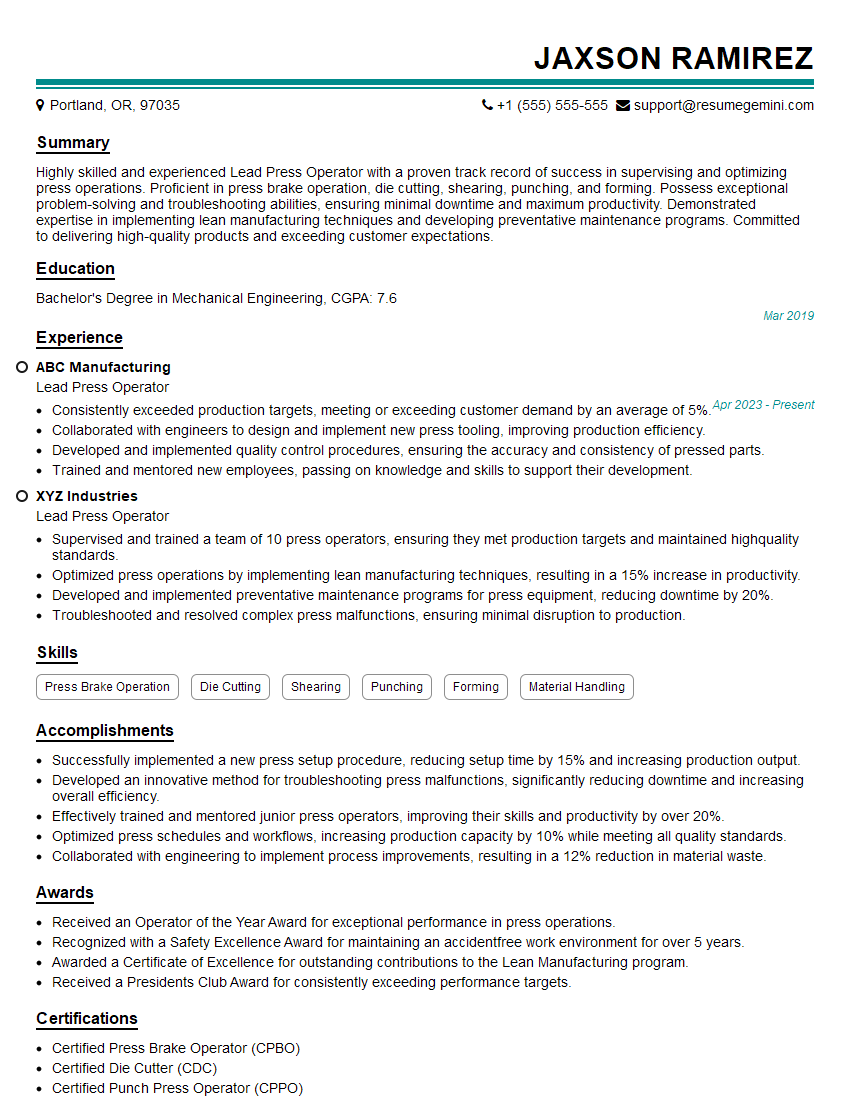
Lead Press Operator Resume Sample
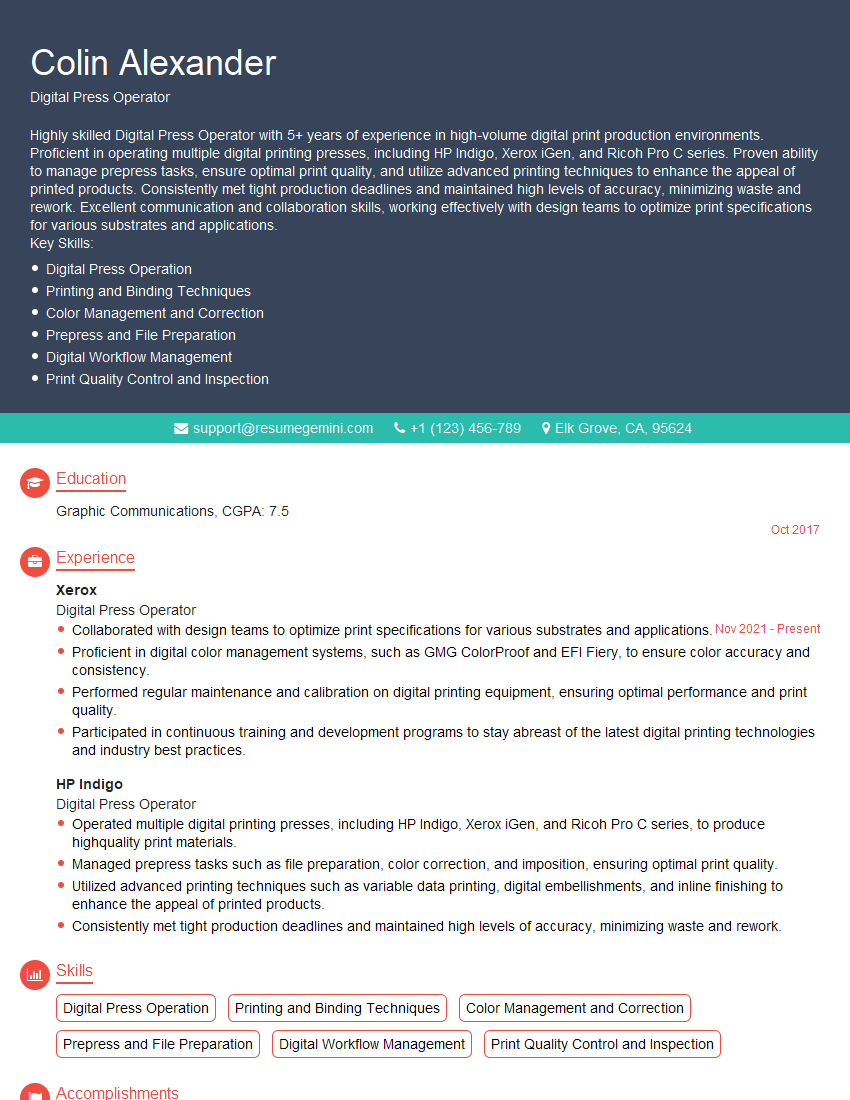
Digital Press Operator Resume Sample

Platemaker Resume Sample
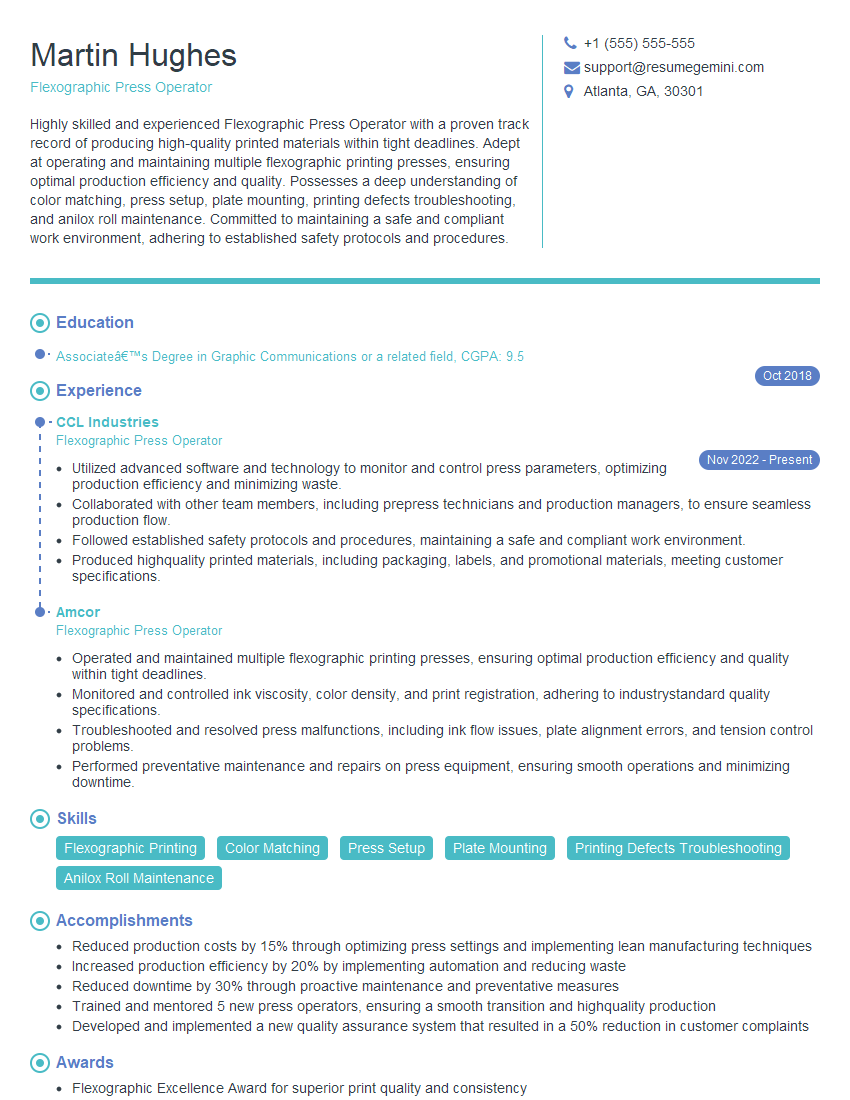
Flexographic Press Operator Resume Sample

Offset Press Operator Resume Sample
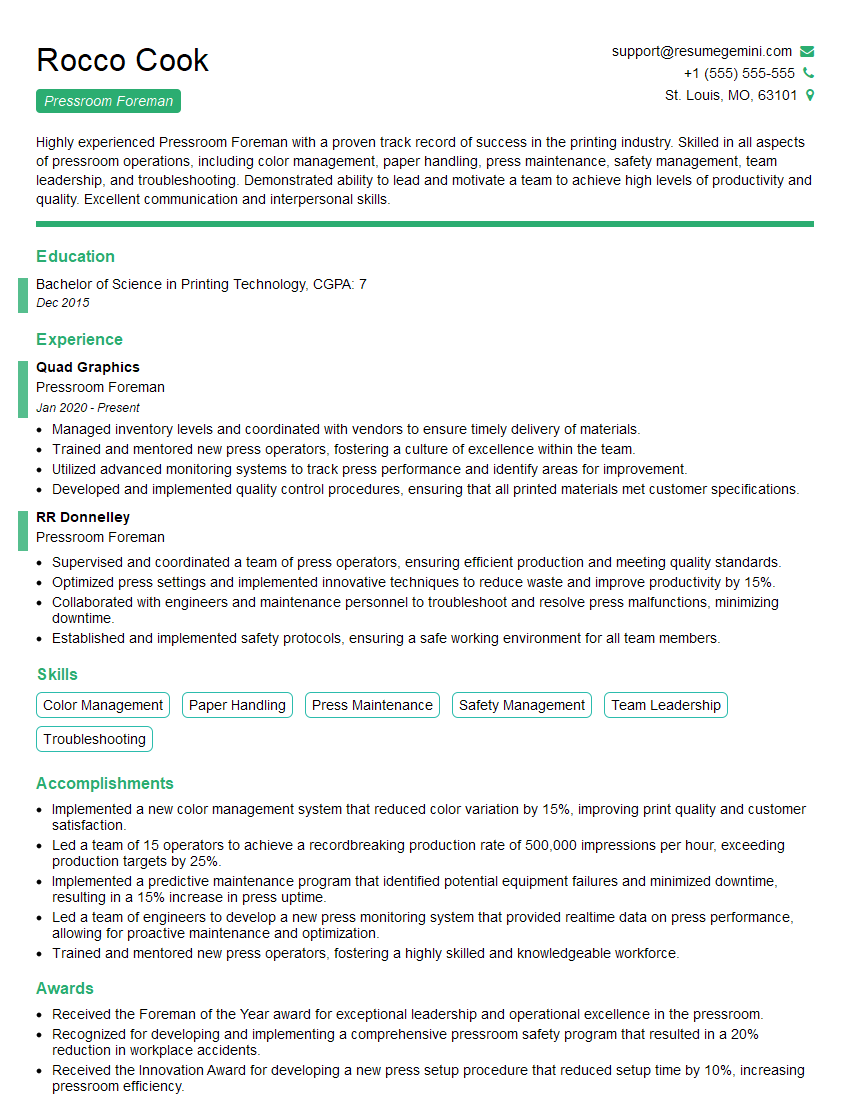
Pressroom Foreman Resume Sample
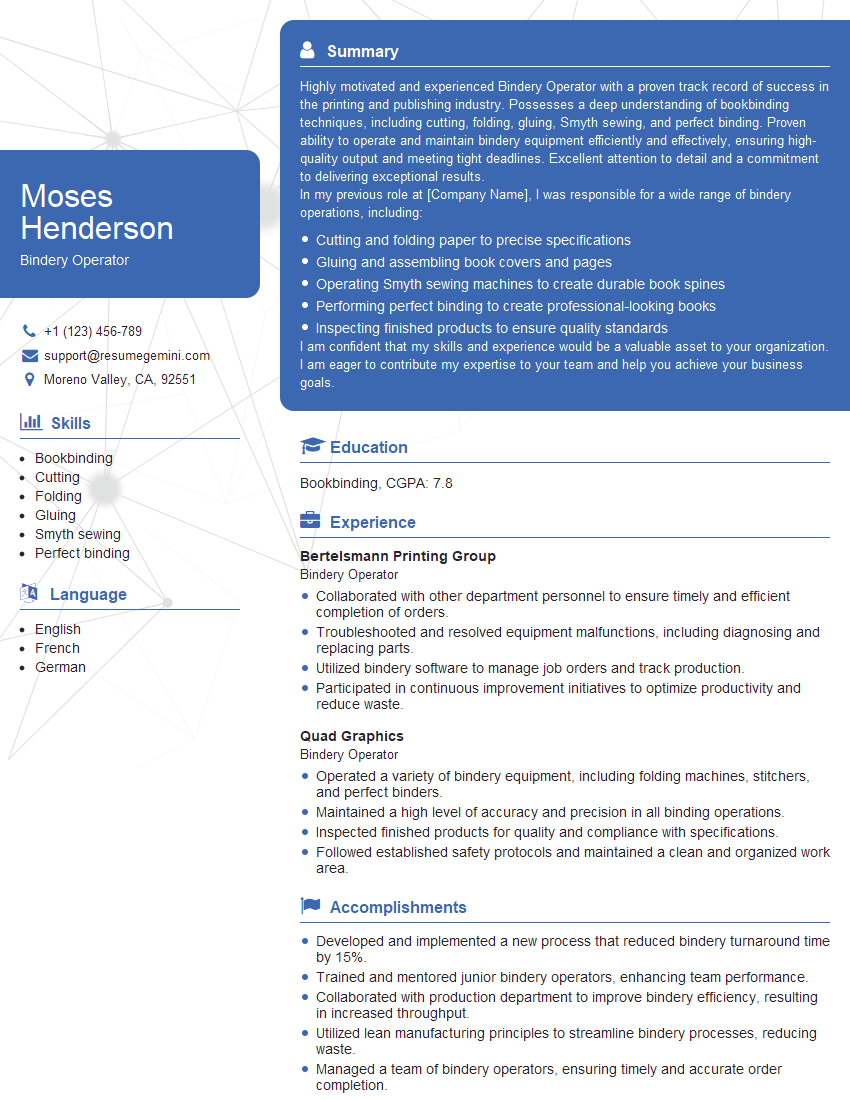
Bindery Operator Resume Sample
Explore more articles
Users Rating of Our Blogs
Share Your Experience
We value your feedback! Please rate our content and share your thoughts (optional).
What Readers Say About Our Blog
Very informative content, great job.
good