Unlock your full potential by mastering the most common Proficient in creating digital terrain models (DTMs) interview questions. This blog offers a deep dive into the critical topics, ensuring you’re not only prepared to answer but to excel. With these insights, you’ll approach your interview with clarity and confidence.
Questions Asked in Proficient in creating digital terrain models (DTMs) Interview
Q 1. Explain the difference between a DTM and a DEM.
While the terms ‘Digital Terrain Model’ (DTM) and ‘Digital Elevation Model’ (DEM) are often used interchangeably, there’s a subtle yet crucial distinction. A DEM represents the bare-earth surface, meaning it shows the elevation of the ground itself, excluding any man-made or natural features like buildings, trees, or vegetation. Think of it as a ‘clean’ representation of the Earth’s surface. A DTM, on the other hand, is more nuanced. It can represent the bare earth or include specific features. This means a DTM could incorporate things like buildings, roads, or even the water surface of a lake, depending on its intended use. The key difference lies in the level of detail and the inclusion of above-ground features.
For example, a DEM might be used for hydrological modeling where only the elevation of the land is needed to simulate water flow. A DTM, however, would be more appropriate for urban planning where the precise location of buildings and roads is crucial. Choosing between a DEM and a DTM depends entirely on the application.
Q 2. Describe the various data sources used to create DTMs.
Creating accurate DTMs relies on diverse data sources, each with its own strengths and weaknesses. Common sources include:
- LiDAR (Light Detection and Ranging): This active remote sensing technology uses laser pulses to measure distances to the ground, providing highly accurate and dense point clouds. It’s excellent for capturing detailed terrain information, even in heavily vegetated areas.
- Photogrammetry: This technique uses overlapping photographs to create 3D models. While not as accurate as LiDAR for elevation, it’s cost-effective and can provide both elevation and textured surfaces, useful for visualization and analysis. Software automates much of the processing.
- Ground Surveys (GPS/Total Stations): These traditional methods involve physically measuring elevations at various points. They are very accurate but time-consuming and expensive, often used for smaller areas or specific high-accuracy requirements.
- Existing Elevation Data (Topographic Maps, USGS data): Pre-existing datasets, often available from government agencies, can serve as a starting point or supplement other data sources. Their accuracy varies depending on the age and source of the data.
Often, a combination of these sources is employed to achieve the desired accuracy and level of detail. For instance, LiDAR might be used to capture the terrain, supplemented by photogrammetry for high-resolution surface textures and ground surveys for specific critical points.
Q 3. What are the common file formats for storing DTM data?
Several file formats are commonly used to store DTM data. The choice often depends on the software used for processing and the application. Some of the most common include:
- ASCII Grid (.asc): A simple text-based format representing elevation data as a matrix of rows and columns. Easy to read and understand, but less efficient for large datasets.
- GeoTIFF (.tif): A widely used format that integrates geospatial information with raster data. Supports various compression techniques and metadata, making it suitable for large datasets.
- LAS (.las): The industry standard for LiDAR point cloud data. Stores individual point measurements with their coordinates and attributes (intensity, classification, etc.).
- Shapefile (.shp): While typically used for vector data, shapefiles can also store raster data converted into polygons. Not the most efficient for DTMs.
Understanding the strengths and weaknesses of each format is key to selecting the right one for a specific project. For example, LAS is ideal for handling massive LiDAR point clouds, while GeoTIFF is better for integrating elevation data into GIS software.
Q 4. How do you handle data gaps or inconsistencies in DTM datasets?
Data gaps and inconsistencies are common challenges in DTM creation. Strategies for handling these include:
- Interpolation: This technique estimates elevation values in areas with missing data based on the surrounding known values. Several algorithms are available, each with its own properties (see question 7). The choice depends on the characteristics of the data and the desired level of smoothing.
- Data Fusion: Combining different data sources can often fill gaps and reduce inconsistencies. For example, using LiDAR data to fill gaps in older topographic map data.
- Manual Editing: For small gaps or inconsistencies, manual editing might be necessary, though time-consuming. This involves manually correcting errors using existing information or other datasets.
- Outlier Removal: Identifying and removing obviously erroneous data points (outliers) before interpolation can improve accuracy and prevent their influence on the final model.
The best approach usually involves a combination of these techniques. A careful assessment of the data quality and the intended use of the DTM will guide the selection of appropriate handling strategies.
Q 5. Explain the process of creating a DTM from LiDAR data.
Creating a DTM from LiDAR data involves several steps:
- Data Acquisition: LiDAR data is collected via airborne or terrestrial scanners, yielding a point cloud.
- Preprocessing: This involves cleaning the data, removing noise, and classifying points (ground points vs. vegetation, etc.). Software tools are essential for this step.
- Ground Point Classification: This crucial step separates ground points from non-ground points. Algorithms can automate this, though manual review may be necessary for optimal results.
- Interpolation: Once ground points are identified, interpolation creates a continuous surface from the discrete point cloud. Common methods include inverse distance weighting (IDW), kriging, and splines.
- Post-processing: This involves checking the quality of the DTM, smoothing artifacts, and potentially filling in remaining gaps. The final product can be exported in various formats.
The accuracy of the resulting DTM depends heavily on the quality of the LiDAR data and the chosen preprocessing and interpolation methods. Careful consideration of these factors is crucial.
Q 6. Describe the process of creating a DTM from photogrammetry.
Creating a DTM from photogrammetry involves a slightly different workflow:
- Image Acquisition: Overlapping aerial or terrestrial photographs are taken to cover the area of interest. Careful planning is necessary to ensure sufficient overlap for 3D reconstruction.
- Image Orientation: This step determines the position and orientation of each photograph using ground control points (GCPs) or automatic feature extraction. GCPs are points with known coordinates that help align the images accurately.
- Point Cloud Generation: Specialized software uses the oriented images to generate a 3D point cloud. The software matches corresponding features across images to generate the 3D model.
- DTM Generation: Similar to LiDAR processing, a DTM is generated from the point cloud by classifying ground points and applying interpolation techniques.
- Model Refinement: Post-processing steps include error correction, gap filling, and potentially texture mapping to create a visually appealing and informative DTM.
The accuracy of photogrammetry-based DTMs depends heavily on image quality, overlap, and the number of GCPs used. High-resolution images and well-distributed GCPs lead to more accurate results. Software plays a major role in automating many of these steps.
Q 7. What are the different interpolation methods used in DTM creation, and when would you choose each?
Several interpolation methods are used in DTM creation, each with its own advantages and disadvantages:
- Inverse Distance Weighting (IDW): This method assigns higher weights to points closer to the interpolation location. Simple to implement but can produce artifacts if data is unevenly distributed.
- Kriging: A geostatistical method that considers spatial autocorrelation in the data. It produces smoother surfaces but requires more computational resources and a good understanding of geostatistics. It’s excellent for showing uncertainty.
- Spline Interpolation: This method fits a smooth curve through the data points, producing a visually pleasing surface. However, it can overestimate or underestimate elevations in areas with sparse data.
- Natural Neighbor Interpolation: This method considers the closest data points and their relative spatial relationships to estimate values. It’s computationally efficient and often produces good results.
The choice of interpolation method depends on factors like the density and distribution of data points, the desired level of smoothness, and the presence of outliers. For example, Kriging is ideal when dealing with spatially correlated data, while IDW might suffice for quickly generating a DTM from sparsely distributed data points.
Q 8. How do you assess the accuracy and precision of a DTM?
Assessing the accuracy and precision of a DTM involves a multifaceted approach, combining quantitative and qualitative methods. Accuracy refers to how close the DTM’s elevation values are to the true ground elevations, while precision refers to the level of detail and consistency in the measurements.
We typically use several techniques: Root Mean Square Error (RMSE) is a common metric, comparing the DTM’s elevations to a set of check points (ideally independent from the data used to create the DTM). A lower RMSE indicates higher accuracy. We also perform visual inspections, comparing the DTM to aerial imagery or other high-resolution data sources to identify any gross errors or inconsistencies. This helps detect systematic errors that RMSE might miss. Finally, we analyze the DTM’s spatial resolution to assess its level of detail – finer resolution generally means higher precision, but comes with increased data volume and processing demands. For instance, a DTM with a 1-meter resolution will be far more precise than one with a 10-meter resolution, especially in areas of complex topography. The choice of accuracy and precision standards depends heavily on the intended application; for example, a flood modeling project will demand far greater accuracy than a simple visualization project.
Q 9. Explain the concept of ground control points (GCPs) in DTM creation.
Ground Control Points (GCPs) are precisely surveyed points with known three-dimensional coordinates (latitude, longitude, and elevation). They act as reference points for georeferencing and validating the accuracy of a DTM. Think of them as anchors that ground the digital model to the real world. In essence, we’re using these known locations to transform the raw data (like LiDAR point clouds or aerial imagery) into a geospatially accurate representation of the terrain.
During DTM creation, the software uses the GCP coordinates to align the digital elevation data with the real-world coordinates. This process is called georeferencing. The accuracy of the GCPs directly impacts the accuracy of the resulting DTM. Poorly surveyed or insufficient GCPs can lead to significant errors in the final model. A well-designed GCP network should cover the entire area, with a sufficient density to ensure good coverage, especially in areas of complex terrain. In practice, we aim for an even distribution, avoiding clustering and ensuring sufficient points at the model’s edges.
Q 10. What are the common applications of DTMs in various industries?
DTMs have a wide range of applications across various industries. In civil engineering, they’re crucial for road design, pipeline routing, and volume calculations for earthworks. Urban planning utilizes DTMs for city modeling, flood risk assessment, and development feasibility studies. In agriculture, DTMs are increasingly used for precision farming, optimizing irrigation and fertilizer application based on terrain variation. The environmental science community employs DTMs for hydrological modeling, erosion prediction, and habitat analysis. Further, the military and defense sectors use them for mission planning, terrain analysis, and target acquisition. Even the gaming industry uses DTMs to create realistic terrain for virtual worlds.
Q 11. Describe the challenges of creating DTMs in complex terrain.
Creating DTMs in complex terrain presents numerous challenges. Dense vegetation can obscure ground elevation, leading to inaccurate measurements from technologies like LiDAR. Steep slopes and cliffs can create shadowing effects, causing data gaps in the resulting point cloud. The presence of buildings, bridges, or other man-made structures introduces discontinuities in the elevation data, requiring careful editing and processing to ensure a realistic representation of the ground surface. Furthermore, highly variable terrain can result in an uneven distribution of data points, requiring careful consideration of interpolation techniques to generate a smooth and accurate surface. We tackle this by incorporating multiple data sources (e.g., LiDAR, aerial imagery, and field surveys), applying advanced interpolation techniques, and meticulously cleaning the data to filter out noise and artifacts. Experienced operators often need to manually review and edit the data, especially in regions with significant data gaps or inconsistencies.
Q 12. How do you manage large DTM datasets efficiently?
Managing large DTM datasets efficiently requires a combination of strategies involving both data management and processing techniques. Data compression techniques can significantly reduce file sizes without substantial loss of information, enabling faster processing and storage. We commonly use lossless compression formats. Tile-based processing breaks down the large dataset into smaller, manageable tiles, enabling parallel processing and reducing memory requirements. This allows for efficient handling of massive datasets in a distributed computing environment. Cloud computing platforms, such as AWS or Google Cloud, offer scalable storage and processing resources, allowing us to process and analyze massive datasets remotely, without needing powerful on-site hardware. Finally, the selection of appropriate data formats (like GeoTIFF or LAS) also plays a critical role; they often offer built-in compression and geospatial indexing functionalities to improve efficiency.
Q 13. What software packages are you proficient in for DTM creation and analysis?
My proficiency extends to several industry-standard software packages, including ArcGIS Pro, QGIS (for open-source solutions), ERDAS Imagine, and Global Mapper. I am also comfortable working with specialized LiDAR processing software such as TerraScan and LP360. My expertise encompasses not only the creation of DTMs but also their subsequent analysis and visualization using these platforms. I’m skilled in using various tools within these packages, including interpolation methods, surface analysis tools, and data visualization techniques.
Q 14. Explain your experience with different coordinate reference systems (CRS) in DTM creation.
Coordinate Reference Systems (CRS) are crucial for ensuring the geospatial accuracy of a DTM. Different projects demand different CRS depending on their geographic location and scale. I have extensive experience working with various CRS, including geographic coordinate systems (like WGS84) and projected coordinate systems (like UTM or State Plane). Selecting the appropriate CRS is essential to minimize distortions and ensure the accuracy of distance, area, and other geometric calculations. Incorrect CRS selection can lead to significant errors in the final DTM, especially for large-scale projects that span significant geographical areas. My workflow always begins with defining the appropriate CRS for the project, considering factors such as the study area’s size, and specific requirements of the chosen software and data formats. I routinely perform coordinate transformations to ensure seamless integration of data from different sources, each potentially using a different CRS.
Q 15. How do you ensure the compatibility of DTM data with different GIS software?
Ensuring DTM data compatibility across different GIS software hinges on adhering to established data standards and formats. The most common approach is to utilize widely accepted file formats like GeoTIFF (GeoTagged TIFF), which stores both geographic coordinates and elevation data, or ASCII grid files, which represent elevation values in a simple text-based grid structure. These are generally supported by all major GIS software packages. Additionally, using a standardized coordinate reference system (CRS), such as UTM or WGS84, is crucial for accurate spatial referencing and seamless integration. For example, if you create a DTM in ArcGIS using a specific projection, QGIS, or other software, should be able to load and display it correctly if the same projection is used. Failure to use a standard CRS leads to spatial misalignment.
Beyond file formats and CRS, metadata plays a significant role. Well-defined metadata provides information about the data’s source, creation date, accuracy, and processing steps. This allows GIS software to interpret the data correctly and allows users to understand the data’s limitations and potential biases.
Career Expert Tips:
- Ace those interviews! Prepare effectively by reviewing the Top 50 Most Common Interview Questions on ResumeGemini.
- Navigate your job search with confidence! Explore a wide range of Career Tips on ResumeGemini. Learn about common challenges and recommendations to overcome them.
- Craft the perfect resume! Master the Art of Resume Writing with ResumeGemini’s guide. Showcase your unique qualifications and achievements effectively.
- Don’t miss out on holiday savings! Build your dream resume with ResumeGemini’s ATS optimized templates.
Q 16. Describe your workflow for creating a DTM from scratch.
Creating a DTM from scratch involves a systematic workflow. It generally begins with data acquisition, where we gather elevation information using various techniques like LiDAR (Light Detection and Ranging), photogrammetry (using overlapping aerial images), or traditional surveying methods. LiDAR, for instance, provides high-density point clouds representing elevation data with remarkable accuracy.
The next step involves data preprocessing. This includes tasks like filtering noisy data points, removing outliers, and interpolating gaps in the data (areas where we lack elevation measurements). Various interpolation methods exist, such as inverse distance weighting (IDW), kriging, and spline interpolation, each with strengths and weaknesses depending on the data distribution and desired level of smoothing.
After preprocessing, we use the processed data to create a digital elevation model (DEM). A DEM is a raster or grid-based representation of the terrain’s surface elevation. To create the DTM from the DEM, we perform ground classification, which involves identifying and removing features such as buildings, vegetation, and bridges. This results in a DTM representing bare-earth topography. Finally, we ensure correct georeferencing and metadata is applied, and we validate the data for accuracy before final delivery. The entire process requires robust quality control checks at each step.
Q 17. How do you handle errors and inconsistencies in source data?
Handling errors and inconsistencies in source data is critical for producing a reliable DTM. This often begins with visual inspection of the data in a GIS environment. This helps identify gross errors or outliers. Automated techniques can assist; for example, we might use statistical filters to identify data points that deviate significantly from their neighbors.
For inconsistent data, a common approach is to use spatial interpolation methods intelligently. For instance, if we have sparsely sampled elevation data in a particular area, we might choose a method that performs well with limited data, like kriging. In cases of significant gaps, we might need to incorporate data from external sources, perhaps using a higher-resolution DEM for that specific area, or acknowledging and filling with a noted interpolation method. Careful documentation of any data adjustments or interpolation choices is crucial for maintaining data integrity and transparency.
Ultimately, the handling of errors and inconsistencies requires a combination of automated techniques and expert judgment, informed by knowledge of the data source, the terrain characteristics, and the project’s requirements.
Q 18. What are the different types of errors that can occur during DTM creation?
Several types of errors can occur during DTM creation. These can be broadly classified as:
- Systematic errors: These are consistent and repeatable errors arising from biases in the data acquisition or processing methods. For instance, a systematic error might occur if the LiDAR instrument is improperly calibrated.
- Random errors: These are unpredictable and vary randomly. They might result from atmospheric conditions during LiDAR data acquisition, for example.
- Gross errors: These are large, obvious errors, often due to data entry mistakes or malfunctions in the equipment. A data point recorded with an elevation far outside the expected range might be an example.
- Interpolation errors: These errors are introduced during the interpolation process, when we estimate elevation values in areas where we lack measurements. The choice of interpolation method influences the extent of this type of error.
- Data gaps and inconsistencies: These relate to missing data or inconsistencies in measurements, which can lead to inaccuracies or artifacts in the final DTM. This often requires careful handling and interpolation.
Understanding the various error sources helps in implementing appropriate quality control measures and in assessing the overall accuracy of the produced DTM.
Q 19. How do you validate the accuracy of your DTM?
Validating the accuracy of a DTM involves comparing it to independent, reliable sources of elevation data. This might involve checking against existing ground control points (GCPs) – points with known elevation values obtained through traditional surveying. We could calculate the root mean square error (RMSE) between the DTM and the GCP elevations to assess the positional accuracy.
Another method involves comparing the DTM to high-resolution elevation data from a trusted source, such as a national geospatial agency. Visual inspection of the DTM can also reveal potential errors, such as unrealistic slopes or discontinuities. Using a combination of these approaches – statistical analysis, comparison against external sources, and visual inspection – is important for comprehensive validation. The level of accuracy required will also influence the validation strategy; a DTM used for large-scale planning may require less stringent validation than one used for precise engineering applications.
Q 20. Explain the importance of metadata in DTM management.
Metadata is crucial for effective DTM management. It acts as a detailed record of the DTM, providing all essential information needed for its proper interpretation and use. Key elements of DTM metadata include the source of the data (LiDAR, photogrammetry, etc.), the date of acquisition, the spatial resolution (cell size), the vertical accuracy (how close the elevation values are to the true values), the coordinate reference system (CRS), the processing steps involved, and any limitations or known errors in the data.
Without comprehensive metadata, it is difficult to assess the reliability and suitability of the DTM for a particular application. Imagine using a DTM without knowing its accuracy or the methods used to create it. Metadata ensures that users understand what they’re working with, preventing misinterpretation and potentially costly errors. It also aids in the long-term management of the DTM, ensuring that its quality and provenance remain traceable.
Q 21. How do you ensure data quality and consistency throughout the DTM creation process?
Ensuring data quality and consistency throughout the DTM creation process necessitates a rigorous quality control (QC) and quality assurance (QA) program. This starts with carefully planning the data acquisition process, considering factors like sensor selection, data density, and ground control point distribution. Then, throughout the processing workflow, multiple QC checks must be implemented. For example, after each processing step (e.g., filtering, interpolation, ground classification), intermediate results should be visually inspected to identify potential errors or anomalies.
Statistical measures, such as RMSE and standard deviation, help quantify the level of error present. Using automated quality control tools, including some integrated into GIS software, reduces time spent on manual checks and increases the efficiency of the process. Rigorous documentation of all processing steps, including the parameters used for each algorithm and any data modifications, is essential for traceability and ensures repeatability. Finally, a clear understanding of the project specifications, including desired accuracy standards, is paramount to ensure that the final DTM meets those criteria.
Q 22. What are some common challenges faced when working with DTM data?
Working with Digital Terrain Models (DTMs) presents several challenges. One major hurdle is data acquisition – obtaining high-quality, complete data can be expensive and time-consuming. Sources like LiDAR are excellent but can be costly, while freely available data sources like SRTM often have lower resolution and accuracy. Another challenge is data processing. Raw data often contains noise, errors, and inconsistencies that need careful cleaning and processing before analysis. This might involve filtering, interpolation, and edge detection to refine the DTM. Furthermore, representing complex terrain features, like cliffs or overhanging rock faces, accurately within the limitations of a raster or point cloud model can be difficult. Finally, visualizing and interpreting the vast quantities of data contained within a DTM requires sophisticated software and a good understanding of geospatial analysis techniques. Imagine trying to understand the topography of a mountain range from just a list of coordinates – it’s much easier with a visual representation and analytical tools.
Q 23. How do you address the issue of vertical accuracy in DTMs?
Vertical accuracy in DTMs is paramount, especially in applications like engineering and surveying. Addressing this involves several strategies. Firstly, choosing appropriate data sources with known vertical accuracy specifications is crucial. LiDAR, for example, typically boasts high vertical accuracy, whereas photogrammetry might have lower accuracy depending on processing and image quality. Secondly, rigorous data processing is essential. This involves applying appropriate filtering techniques to eliminate noise and outliers from the raw point cloud or elevation data. Thirdly, using ground control points (GCPs) during data acquisition and processing is vital; these accurately surveyed points are used to georeference and improve the overall accuracy of the DTM. Finally, validation techniques, like comparing the DTM to independently surveyed elevations at various points, are necessary to verify accuracy and identify potential discrepancies. Think of it like building a house – you need precise measurements to ensure a sturdy structure; similarly, accurate elevation data is critical for infrastructure projects.
Q 24. Describe your experience with DTM applications in specific industries (e.g., civil engineering, environmental science).
I’ve had extensive experience applying DTMs across various sectors. In civil engineering, I’ve used DTMs for site analysis, volume calculations for earthworks (like determining the amount of material needed for a dam or cut and fill operations), and for creating accurate 3D models for infrastructure planning. For example, I was involved in a project where we utilized a high-resolution LiDAR-derived DTM to optimize the route of a new highway, minimizing environmental impact and construction costs. In environmental science, I’ve utilized DTMs for hydrological modeling, predicting areas prone to flooding or erosion. A recent project involved creating a DTM to map watershed boundaries and assess the impact of deforestation on downstream water quality. This highlighted the importance of accurate elevation data in understanding complex environmental processes. The integration of DTMs with other datasets, such as land cover maps and soil types, allows for comprehensive environmental risk assessments.
Q 25. How do you integrate DTMs with other geospatial datasets?
Integrating DTMs with other geospatial datasets is fundamental to many GIS applications. This is typically done using a GIS software package like ArcGIS or QGIS. Common methods include overlay analysis, where the DTM is combined with layers like land cover, soil type, or population density. This allows for spatial analysis of how elevation influences these other variables, for instance identifying areas at high risk of landslides based on elevation and soil type. Another approach is surface modeling where the DTM is used as a base layer to create more complex 3D models that incorporate other aspects like building heights or vegetation. Data formats like GeoTIFF and shapefiles facilitate this integration. It’s like building a layered cake – the DTM forms the base, and other datasets add layers of information for a richer, more complete picture.
Q 26. Explain your understanding of different DTM resolutions and their implications.
DTM resolution, defined as the spatial distance between elevation points, greatly impacts accuracy and application. High-resolution DTMs (e.g., 1 meter or less) provide detailed terrain representation, ideal for applications requiring precise measurements, like engineering design or urban planning. They are, however, larger in file size and more computationally intensive to process. Lower-resolution DTMs (e.g., 30 meters or more) are suitable for regional-scale analysis, like hydrological modeling or landscape-level studies, but may lack the detail needed for localized features. The choice of resolution depends on the specific application and available resources. Imagine looking at a map – a detailed street map is high resolution, useful for navigating a city, while a world map is low resolution, useful for understanding continents but lacking local street details.
Q 27. Describe a project where you used a DTM and explain the challenges and solutions involved.
In a recent project, we used a DTM to assess the feasibility of constructing a wind farm. The initial challenge was obtaining a sufficiently high-resolution DTM that accurately captured the complex terrain, particularly the elevation changes across the site. We initially relied on freely available SRTM data, but its coarse resolution (around 30 meters) proved inadequate. Therefore, we acquired higher-resolution LiDAR data, which resulted in a much more accurate DTM. The next challenge was integrating this DTM with wind speed data and regulatory constraints on turbine placement. Using GIS software, we overlaid the DTM, wind speed data, and regulatory zones to identify optimal locations for turbine placement that maximized energy production while adhering to environmental regulations. This integration allowed for a comprehensive assessment, making the project successful. The solution involved careful data selection, appropriate processing techniques, and sophisticated spatial analysis.
Key Topics to Learn for Proficient in creating digital terrain models (DTMs) Interview
- Data Acquisition and Preprocessing: Understanding various data sources (LiDAR, aerial photography, DEMs), data formats, and preprocessing techniques like noise removal, georeferencing, and interpolation.
- DTM Creation Techniques: Proficiency in using software like ArcGIS, QGIS, or specialized DTM generation tools. Understanding different interpolation methods (e.g., TIN, spline, kriging) and their applications.
- DTM Accuracy and Validation: Methods for assessing DTM accuracy, including root mean square error (RMSE) calculations and comparison with reference data. Understanding the impact of data quality on DTM accuracy.
- DTM Applications and Use Cases: Demonstrating knowledge of how DTMs are used in various fields like hydrology, urban planning, infrastructure development, and environmental modeling. Be prepared to discuss specific examples.
- Visualization and Analysis: Skills in visualizing DTMs using different techniques (e.g., contour lines, hillshades, 3D models) and performing spatial analysis tasks like slope calculations, aspect determination, and watershed delineation.
- Data Management and Workflow: Understanding best practices for organizing and managing geospatial data, including metadata management and efficient workflow strategies for DTM creation and analysis.
- Common Challenges and Problem-Solving: Ability to discuss and troubleshoot common issues encountered during DTM creation, such as data gaps, inconsistencies, and accuracy limitations. Highlighting your problem-solving abilities is key.
Next Steps
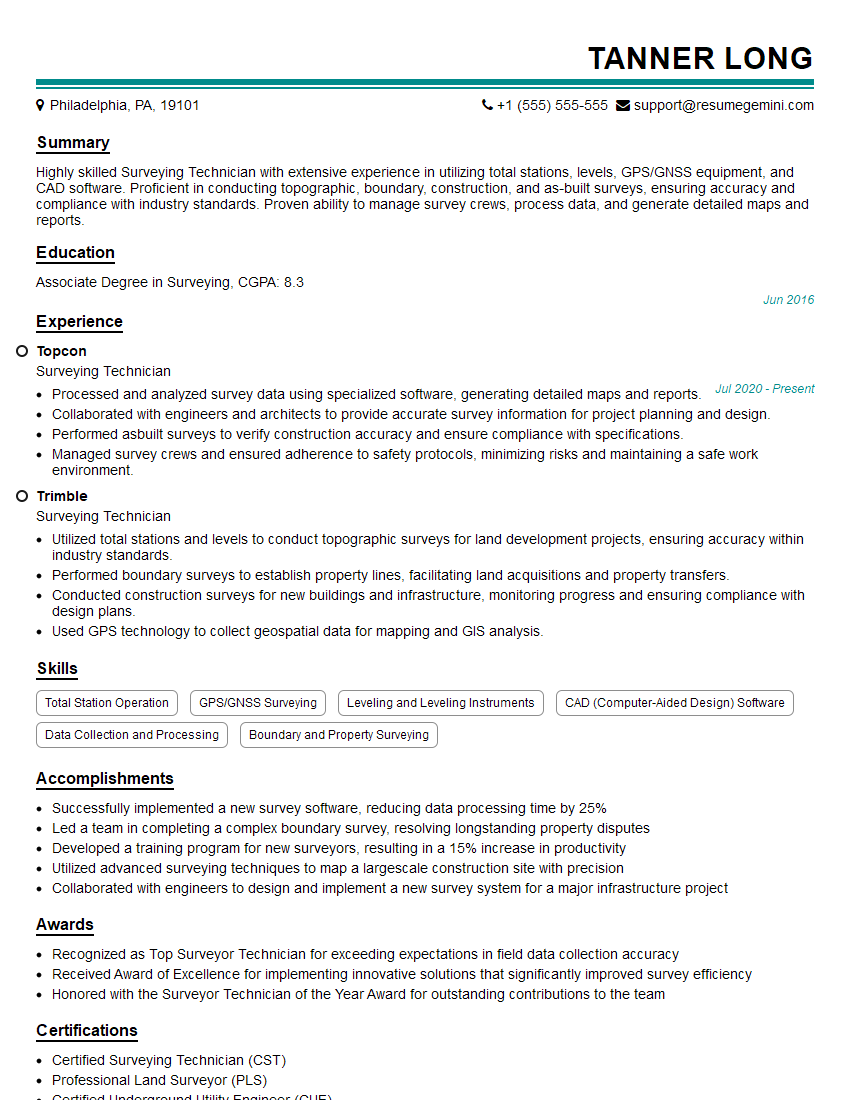
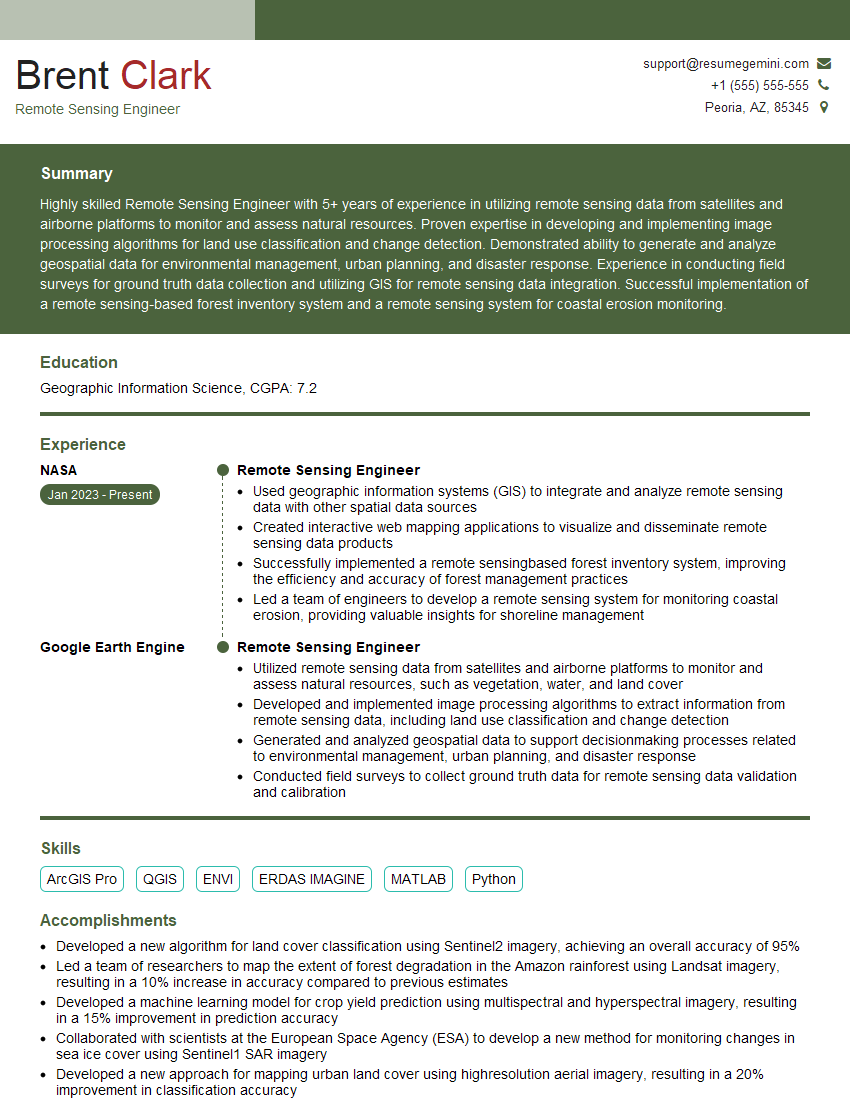
Mastering the creation and analysis of Digital Terrain Models is highly valuable in today’s geospatial market, opening doors to exciting and rewarding career opportunities. A strong resume is your first step toward landing your dream job. To maximize your chances, craft an ATS-friendly resume that highlights your skills and experience effectively. ResumeGemini can be a trusted partner in this process, providing the tools and resources to create a professional and impactful resume that grabs recruiters’ attention. Examples of resumes tailored to professionals proficient in creating DTMs are available to help guide you.


Explore more articles
Users Rating of Our Blogs
Share Your Experience
We value your feedback! Please rate our content and share your thoughts (optional).
What Readers Say About Our Blog
Very informative content, great job.
good