Feeling uncertain about what to expect in your upcoming interview? We’ve got you covered! This blog highlights the most important Proficient in data center operations and management interview questions and provides actionable advice to help you stand out as the ideal candidate. Let’s pave the way for your success.
Questions Asked in Proficient in data center operations and management Interview
Q 1. Explain the difference between Tier 1, Tier 2, Tier 3, and Tier 4 data centers.
Data center tiers categorize facilities based on their availability and fault tolerance. Think of it like a hotel star rating system, but for servers! Higher tiers mean more redundancy and less downtime.
- Tier 1: Basic data centers with minimal redundancy. A single point of failure can cause significant downtime. Imagine a small hotel with only one generator – if it fails, everyone’s in the dark. Suitable for non-critical applications.
- Tier 2: Offers some redundancy with components like redundant power supplies but lacks full redundancy in all critical systems. It’s like a hotel with a backup generator, but maybe only one elevator – still some risk of disruption.
- Tier 3: Provides concurrent maintainability, meaning components can be repaired or replaced without shutting down the entire facility. Like a large hotel with multiple generators and elevators, allowing for maintenance without interrupting guests’ stay.
- Tier 4: The highest level, offering fault tolerance with no single point of failure. Imagine a massive complex with redundant everything; even if a major part fails, the rest keeps operating seamlessly.
The choice of tier depends on the application’s criticality and the acceptable downtime. E-commerce sites, for instance, would benefit greatly from a Tier 3 or Tier 4, while a small business website might be fine with a Tier 2.
Q 2. Describe your experience with virtualization technologies (e.g., VMware, Hyper-V).
I have extensive experience with both VMware vSphere and Microsoft Hyper-V, deploying and managing virtualized environments for various clients. In my previous role, I was responsible for migrating a large on-premise infrastructure to a VMware vSphere environment, increasing efficiency and reducing hardware costs. This involved tasks like:
- Designing and implementing virtual machine (VM) templates for consistent deployments.
- Managing VM resources, ensuring optimal performance and resource allocation using DRS (Distributed Resource Scheduler) and vCenter.
- Implementing and managing storage using vSAN (VMware Storage Area Network) for high availability and performance.
- Troubleshooting VM issues, including performance bottlenecks, storage problems, and network connectivity challenges.
With Hyper-V, I’ve worked on smaller projects, focusing on integration with Active Directory and utilizing features like Hyper-V Replica for disaster recovery. My experience spans both private cloud deployments (using VMware and Hyper-V) and hybrid cloud strategies, where we leverage both on-premise virtual machines and cloud-based virtual servers for increased flexibility and scalability.
Q 3. How do you monitor and manage data center capacity?
Monitoring and managing data center capacity is crucial for preventing outages and ensuring optimal performance. We use a multi-pronged approach:
- Monitoring Tools: We leverage tools like Nagios, Zabbix, or SolarWinds to track CPU utilization, memory usage, disk I/O, and network bandwidth across all servers and network devices. Thresholds are set to alert us of potential issues proactively.
- Capacity Planning: Regular capacity planning involves forecasting future needs based on historical data, projected growth, and new application deployments. This includes analyzing storage, network bandwidth, and compute resources.
- Performance Analysis: We utilize tools that analyze system performance, identifying bottlenecks and areas for optimization. This might involve optimizing database queries, upgrading hardware, or migrating applications to more powerful servers.
- Reporting and Dashboards: Regular reports and interactive dashboards provide a clear picture of resource utilization and allow for better decision-making. These reports highlight trends and potential problems.
For example, if CPU utilization consistently exceeds 80% for a prolonged period, we would investigate the cause, potentially by adding more resources, optimizing applications, or implementing load balancing.
Q 4. What are your strategies for ensuring data center security?
Data center security is paramount. My strategies encompass a layered approach, including:
- Physical Security: This starts with controlled access to the data center facility, using measures like security cameras, biometric access control, and 24/7 security personnel. Protecting the physical space prevents unauthorized access.
- Network Security: Firewalls, intrusion detection/prevention systems (IDS/IPS), and VPNs are essential to protect the network perimeter and prevent unauthorized access to internal resources. We use robust firewall rules and regular security audits.
- Server Security: We employ strong passwords, regular security patching, and anti-malware software on all servers. Hardening servers by disabling unnecessary services is crucial.
- Data Security: Data encryption both in transit and at rest is vital. Access control lists (ACLs) are implemented to restrict access to sensitive data based on the principle of least privilege. Regular data backups are also essential.
- Vulnerability Management: Regular vulnerability scans and penetration testing identify weaknesses in our security posture before attackers can exploit them.
Think of it like a castle defense; layers of security work together to make it difficult for intruders to get in.
Q 5. Explain your experience with disaster recovery and business continuity planning.
My experience with disaster recovery (DR) and business continuity planning (BCP) involves developing and implementing comprehensive plans to minimize downtime and data loss in case of unforeseen events. This includes:
- Risk Assessment: Identifying potential threats and their impact on business operations.
- Recovery Time Objective (RTO) and Recovery Point Objective (RPO): Defining acceptable downtime and data loss limits.
- DR Site Selection: Choosing a geographically separate location for backup systems or utilizing a cloud-based DR solution.
- Backup and Replication Strategies: Implementing regular backups to the DR site, often using replication technologies. This allows for rapid recovery in case of failure.
- Testing and Drills: Regularly testing the DR plan ensures its effectiveness and identifies any gaps.
For example, in a previous role, we implemented a DR plan using cloud-based replication for a critical application. We successfully recovered the application within the RTO of 4 hours following a simulated data center failure, validating our strategy.
Q 6. Describe your experience with different storage technologies (SAN, NAS, cloud storage).
I have worked with various storage technologies, each with its strengths and weaknesses:
- SAN (Storage Area Network): Provides block-level storage accessible by multiple servers. Ideal for large-scale deployments requiring high performance and availability. Think of it as a central library shared by many users.
- NAS (Network Attached Storage): Offers file-level storage, easier to manage than SAN, but typically with lower performance. It’s like a shared network drive, simpler to use than a SAN.
- Cloud Storage: Offers scalability and cost-effectiveness, with various services like AWS S3, Azure Blob Storage, and Google Cloud Storage. Cloud storage is like an infinite, on-demand storage space – perfect for flexibility and scalability.
The choice of technology depends on factors such as budget, performance requirements, and the complexity of the environment. Many modern data centers use a hybrid approach, combining on-premise SAN/NAS with cloud storage for optimal cost and performance.
Q 7. How do you troubleshoot network connectivity issues in a data center?
Troubleshooting network connectivity issues involves a systematic approach:
- Identify the scope of the problem: Is it affecting a single server, a group of servers, or the entire network?
- Check basic connectivity: Use ping, traceroute, and other network diagnostic tools to pinpoint the location of the issue. For example,
pingchecks basic connectivity.tracerouteshows the path packets take to reach the server, identifying potential bottlenecks. - Review network configurations: Verify IP addresses, subnet masks, default gateways, and DNS settings are correct. Check for any misconfigurations in firewalls, routers, and switches.
- Check cabling and physical connections: Make sure cables are properly connected and that there are no physical disruptions.
- Examine network logs: Review logs from routers, switches, and firewalls to identify any errors or suspicious activity.
- Consult network diagrams: Having up-to-date network diagrams helps quickly identify potential problem areas.
Often, the problem is simple – a loose cable or a misconfigured IP address. But a systematic approach helps efficiently track down even the most complex network issues.
Q 8. Explain your understanding of power distribution units (PDUs) and uninterruptible power supplies (UPSs).
Power Distribution Units (PDUs) and Uninterruptible Power Supplies (UPSs) are critical components of any data center’s power infrastructure. PDUs are essentially power strips on steroids, allowing for the controlled distribution of power to multiple IT devices within racks. They often provide monitoring capabilities, allowing administrators to track power consumption at a granular level. Think of them as the ‘last mile’ of power delivery to servers and network equipment. UPSs, on the other hand, provide backup power in case of a power outage. They use batteries to keep critical systems running for a predetermined period, allowing for a graceful shutdown or time to switch to a backup power source, such as a generator. This prevents data loss and minimizes downtime.
For example, in a typical rack, a PDU might provide power to 20 servers. Each server’s power draw is monitored by the PDU, allowing administrators to detect potential overloads or identify faulty equipment. The UPS system would provide backup power to the entire rack or even the entire data center, preventing catastrophic failure during a power outage. Different types of PDUs exist, such as basic switched PDUs, metered PDUs, and intelligent PDUs, each offering varying levels of monitoring and control. Similarly, UPS systems range from small units for individual servers to large, enterprise-grade systems designed to protect entire data centers. The selection depends on the criticality of the systems and the desired level of redundancy.
Q 9. What are your strategies for managing cooling systems in a data center?
Managing cooling in a data center is crucial for maintaining optimal operating temperatures for IT equipment, preventing overheating and ensuring system reliability. My strategy involves a multi-pronged approach: first, proper planning and design. This includes careful consideration of the heat load generated by the equipment, selecting appropriate cooling technologies (CRAC units, CRAH units, liquid cooling), and designing efficient airflow patterns within the data center. Second, ongoing monitoring and maintenance. This includes regular checks of temperature and humidity levels using sensors and monitoring software, as well as preventative maintenance of cooling equipment to ensure optimal performance and prevent unexpected failures. Third, proactive measures to reduce heat generation. This can involve optimizing server configurations to reduce power consumption, improving server density, using hot aisle/cold aisle containment strategies, and implementing air-cooling optimization techniques.
For example, I’ve implemented strategies using hot aisle/cold aisle containment in several data centers. This involves using physical barriers to separate the hot air exhausted from servers from the cool air entering the racks. This improves cooling efficiency and reduces the energy required to cool the space. In another scenario, we utilized advanced monitoring tools that provided real-time alerts of temperature deviations, enabling immediate intervention and preventing potential downtime. The choice of cooling technology (air-cooling or liquid-cooling) often depends on the size and density of the data center, along with budget constraints and environmental factors.
Q 10. How do you handle data center maintenance and upgrades?
Data center maintenance and upgrades are ongoing processes requiring careful planning and execution. My approach begins with a thorough assessment of current infrastructure and identifying areas needing improvement. This includes hardware, software, network infrastructure, and cooling systems. Then, a detailed plan is developed, outlining the scope of work, timelines, resources required, and potential risks. This plan should take into consideration the criticality of the systems, minimizing disruptions to services during maintenance and upgrades. The maintenance itself is typically executed in a phased approach, starting with less critical systems to minimize any potential impact. Regular backups and disaster recovery plans are crucial throughout the process. Post-maintenance, thorough testing and validation ensure everything functions as expected. Documentation of all changes and updates is vital for future reference and troubleshooting.
For instance, in one project, we upgraded our network infrastructure by migrating to a new generation of switches. The process was divided into phases, starting with a pilot implementation in a non-critical section of the data center. Post-migration, performance tests were rigorously conducted to ensure seamless operation before rolling it out to the entire data center. This phased approach minimized the risk of outages and allowed for prompt resolution of any unforeseen issues. Scheduled maintenance windows, outside of peak usage times, are essential to limit disruption.
Q 11. Describe your experience with server hardware and software.
My experience with server hardware and software encompasses a wide range of technologies. I’m proficient in installing, configuring, and troubleshooting various server operating systems, including Windows Server, Linux distributions (such as CentOS, Ubuntu, and Red Hat), and virtualization platforms like VMware vSphere and Microsoft Hyper-V. I have experience with different server architectures, including blade servers, rack servers, and tower servers, and am familiar with various hardware components, including CPUs, RAM, storage devices (HDDs, SSDs, NVMe), and network interface cards (NICs). I’ve worked extensively with server management tools, including those for monitoring system health, performance tuning, and resource allocation. In terms of software, my experience includes deploying and managing applications, databases, and web servers. I am also experienced in scripting and automation for tasks like server provisioning and configuration management.
For example, I’ve led projects involving the migration of physical servers to a virtualized environment using VMware vSphere. This involved careful planning, server consolidation, and thorough testing to minimize downtime and ensure data integrity. In another project, I resolved a complex server performance issue by identifying a bottleneck in the storage subsystem and implementing a solution to improve I/O performance. My understanding of both the hardware and software aspects allows for effective problem-solving and efficient system administration.
Q 12. What is your experience with automation tools for data center management?
Automation is key to efficient data center management. I have extensive experience with various automation tools, including Ansible, Chef, Puppet, and Terraform. These tools allow for automating repetitive tasks, such as server provisioning, configuration management, and software deployment, reducing manual intervention and human error. I have utilized these tools to build infrastructure-as-code (IaC) solutions, enabling repeatable and consistent deployments. This greatly streamlines the deployment process and ensures consistency across multiple environments. Furthermore, I’m comfortable using monitoring and logging tools like Nagios, Zabbix, and Prometheus, coupled with dashboards and alerting systems, to gain real-time visibility into data center operations and proactively identify potential problems. This proactive approach allows for quicker resolution of issues and prevents potential downtime.
For example, I used Ansible to automate the deployment of a new web application across multiple servers in a cluster. This automated process ensured consistent configuration across all servers and significantly reduced deployment time compared to manual deployment. I also implemented automated alerts using Nagios to monitor critical system metrics, which helped to quickly detect and resolve a disk space issue before it affected the availability of services. This approach significantly reduced downtime and improved overall efficiency.
Q 13. Explain your knowledge of different types of network topologies.
Understanding network topologies is fundamental in data center design and management. I’m familiar with various topologies, including star, mesh, bus, ring, tree, and hybrid topologies. The choice of topology depends on factors such as scalability, redundancy, cost, and performance requirements. A star topology, for example, is commonly used for its simplicity and centralized management, with all devices connecting to a central hub or switch. A mesh topology offers high redundancy and fault tolerance, as multiple paths exist between devices. Ring topologies are less common in modern data centers but offer simple routing. Tree topologies are hierarchical and often used in larger networks. Hybrid topologies combine elements of different topologies to leverage their strengths.
In practice, I’ve worked with data centers utilizing a combination of these topologies. For instance, a large data center might use a tree topology for its backbone network and star topologies within individual racks. Understanding these topologies is crucial for troubleshooting network issues, designing resilient networks, and planning for future growth. It is also necessary to have a thorough understanding of routing protocols like BGP and OSPF which are essential for larger scale data centers with interconnected networks.
Q 14. How do you ensure high availability and redundancy in a data center?
Ensuring high availability and redundancy in a data center is paramount to minimizing downtime and maintaining business continuity. My strategies involve employing various techniques across multiple layers of the infrastructure. At the hardware level, this includes using redundant components like redundant power supplies, redundant network interfaces, and RAID storage configurations. At the software level, this involves using clustering technologies like VMware HA or Microsoft Failover Clustering to ensure that applications continue running even if a server fails. Geographic redundancy is also a crucial consideration; this often involves establishing multiple data centers in different locations, to provide protection against regional disasters. A robust disaster recovery plan, including regular backups and a clear process for restoring systems and data in the event of a failure, is absolutely essential. Load balancing techniques distribute traffic across multiple servers, increasing availability and preventing overload on any single server.
For instance, I’ve designed and implemented a highly available database cluster using Oracle RAC (Real Application Clusters). This configuration ensures that the database remains available even if one or more database servers fail. I also implemented a geographically redundant setup with data centers in two different regions, to provide protection against natural disasters or other unforeseen events. This ensures business continuity in the event of a major outage in one location. Regular disaster recovery drills ensure the plan is up-to-date and the personnel are adequately trained to respond to emergencies effectively.
Q 15. Describe your experience with data center monitoring and alerting systems.
Data center monitoring and alerting are crucial for proactive management. My experience encompasses utilizing a variety of systems, from simple SNMP-based monitoring tools to sophisticated solutions like Nagios, Zabbix, and Datadog. These systems allow us to monitor critical infrastructure components such as servers, network devices, storage systems, and environmental conditions (temperature, humidity, power). We define thresholds for key metrics – CPU utilization, memory usage, disk I/O, network latency, etc. – and configure alerts to notify the appropriate teams via email, SMS, or paging systems when those thresholds are breached.
For example, in a previous role, we implemented a centralized monitoring system using Zabbix to monitor our entire data center infrastructure. This allowed us to identify a potential hard drive failure on a key database server *before* it caused an outage, giving us time to proactively replace the drive and prevent downtime. We also integrated the monitoring system with our ticketing system, automatically creating incidents when alerts were triggered. This streamlined our incident response process significantly.
Beyond basic monitoring, I have experience with advanced features such as capacity planning, performance analysis, and anomaly detection. These capabilities help prevent future issues before they arise. For instance, by analyzing historical data on CPU utilization, we can predict when we might need to add more server capacity to avoid performance bottlenecks.
Career Expert Tips:
- Ace those interviews! Prepare effectively by reviewing the Top 50 Most Common Interview Questions on ResumeGemini.
- Navigate your job search with confidence! Explore a wide range of Career Tips on ResumeGemini. Learn about common challenges and recommendations to overcome them.
- Craft the perfect resume! Master the Art of Resume Writing with ResumeGemini’s guide. Showcase your unique qualifications and achievements effectively.
- Don’t miss out on holiday savings! Build your dream resume with ResumeGemini’s ATS optimized templates.
Q 16. How do you handle incidents and outages in a data center?
Handling incidents and outages requires a structured approach. My methodology follows a similar pattern to ITIL’s incident management process. It typically begins with acknowledgement and initial triage of the reported problem to determine its scope and severity. This might involve checking monitoring dashboards, accessing log files, and communicating with affected users.
Next, we move to diagnosis and resolution. This may involve troubleshooting network connectivity, investigating application errors, or performing hardware diagnostics. We leverage remote access tools and escalation procedures to engage specialized teams as needed. Transparency is key: we keep affected parties informed of the progress and expected resolution time. Once the issue is resolved, we implement a thorough post-incident review to identify root causes and implement preventative measures to avoid recurrence.
For instance, during a recent network outage, our incident response team quickly isolated the issue to a faulty router using our monitoring system. We had a spare router ready to deploy, and within minutes, we switched over, minimizing the downtime. Post-incident review identified the need for improved redundancy and a more robust monitoring strategy for router health, which we promptly implemented.
Q 17. What is your experience with ITIL framework?
The ITIL framework provides a comprehensive set of best practices for IT service management. My experience spans several ITIL processes, including incident, problem, change, and release management. I’ve worked in organizations that implemented ITIL fully and also in those that adopted specific ITIL principles. Understanding these processes ensures alignment with business goals and facilitates better service delivery.
For example, I’ve been directly involved in implementing change management processes, ensuring that changes to the data center infrastructure are properly documented, reviewed, tested, and approved before deployment. This helps to prevent unplanned outages and minimizes the risk of errors. Similarly, I’ve actively participated in incident reviews to identify underlying problems that caused repeated incidents, improving efficiency and creating better solutions.
My experience also includes working with ITIL-based ticketing systems, enabling tracking of issues throughout their lifecycle from initial report to resolution and closure. This facilitates reporting and data analysis for continuous improvement within the data center operations.
Q 18. Explain your experience with physical security measures in a data center.
Physical security in a data center is paramount. My experience includes working with various security measures, ranging from basic access control systems to sophisticated multi-layered security protocols. These measures aim to prevent unauthorized access, theft, and damage to equipment and data.
This typically includes:
- Access control: Implementing card-key systems, biometric authentication, and video surveillance.
- Environmental monitoring: Monitoring temperature, humidity, and power to prevent equipment damage. This often includes intrusion detection systems that trigger alerts when unauthorized access is attempted.
- Physical barriers: Utilizing raised floors, caged server rooms, and robust security doors to restrict physical access.
- Perimeter security: Implementing fencing, security lighting, and potentially security guards for the building itself.
In a previous role, we implemented a two-factor authentication system for all data center access, ensuring that only authorized personnel could enter the facility. Regular security audits and drills were also conducted to maintain a high level of security awareness among staff.
Q 19. How do you manage data center energy consumption?
Managing data center energy consumption is critical for both cost reduction and environmental sustainability. My approach incorporates several strategies, including:
- Power usage effectiveness (PUE): Monitoring and optimizing PUE, which measures the ratio of total facility power to IT equipment power. A lower PUE indicates greater efficiency.
- Virtualization and consolidation: Reducing the number of physical servers through virtualization and server consolidation.
- Energy-efficient hardware: Choosing servers, network devices, and storage systems with high energy efficiency ratings.
- Cooling optimization: Implementing strategies such as air cooling, liquid cooling, and hot/cold aisle containment to improve cooling efficiency and reduce energy consumption.
- Demand response: Participating in demand response programs to reduce energy usage during peak demand periods.
For example, we implemented a smart cooling system in one data center, which dynamically adjusted the cooling based on real-time temperature and server load. This reduced our energy consumption by 15% without compromising performance or reliability. We also implemented a power-saving schedule for non-critical systems during off-peak hours.
Q 20. Describe your understanding of different types of backup and recovery solutions.
Backup and recovery solutions are essential for data protection and business continuity. My experience includes implementing and managing various types of backup and recovery strategies, including:
- Full backups: Creating a complete copy of all data.
- Incremental backups: Backing up only the data that has changed since the last backup.
- Differential backups: Backing up all data that has changed since the last *full* backup.
- Cloud backups: Storing backups in a cloud-based storage service.
- Tape backups: Storing backups on magnetic tapes for long-term archiving.
The choice of backup and recovery solution depends on factors such as Recovery Time Objective (RTO) and Recovery Point Objective (RPO). I have experience designing and implementing disaster recovery plans, ensuring business continuity in case of major incidents or outages. This includes testing and validating our recovery procedures regularly to ensure they remain effective.
For instance, I’ve implemented a 3-2-1 backup strategy, using three copies of the data, on two different media types, with one copy stored offsite. This ensures data protection against various types of failures. Regular drills and testing of the recovery process ensured we could recover from any loss within our RTO and RPO parameters.
Q 21. How do you ensure compliance with industry regulations (e.g., HIPAA, PCI DSS)?
Ensuring compliance with industry regulations such as HIPAA (Health Insurance Portability and Accountability Act) and PCI DSS (Payment Card Industry Data Security Standard) requires a multi-faceted approach. It involves implementing appropriate security controls, documenting processes, and conducting regular audits.
For HIPAA, this might involve implementing strict access controls to protect patient health information (PHI), ensuring data encryption both in transit and at rest, and implementing robust audit trails. For PCI DSS, focus is placed on securing payment card data, including implementing strong security controls around point-of-sale systems and adhering to strict network security standards. Regular vulnerability scans and penetration testing are also crucial.
In my experience, I’ve been involved in developing and implementing security policies that meet the requirements of these and other industry standards. We create and maintain detailed documentation of security controls and processes and conduct regular audits to verify compliance. This also includes training staff on security best practices and raising awareness of the importance of compliance.
Q 22. What is your experience with cloud computing technologies (e.g., AWS, Azure, GCP)?
My experience with cloud computing spans several years and encompasses the three major hyperscalers: AWS, Azure, and GCP. I’ve worked extensively with each platform, managing various services including compute (EC2, Azure VMs, Compute Engine), storage (S3, Azure Blob Storage, Cloud Storage), databases (RDS, Azure SQL Database, Cloud SQL), and networking (VPC, Virtual Networks, Virtual Private Cloud). For example, in a previous role, I architected and implemented a highly available, fault-tolerant application on AWS using EC2 instances, Elastic Load Balancing, and S3 for storage. This involved designing for auto-scaling, implementing robust monitoring and alerting, and ensuring compliance with security best practices. My experience also extends to migrating on-premises infrastructure to the cloud, a process which requires careful planning, execution, and validation to minimize downtime and ensure seamless transition.
In another project with Azure, I managed the migration of a large enterprise database to Azure SQL Database, optimizing performance and security by leveraging features such as Always On Availability Groups and Azure Active Directory integration. With GCP, I’ve been involved in projects focusing on container orchestration using Kubernetes, leveraging its scalability and management capabilities to deploy and manage microservices effectively.
Q 23. Describe your experience with implementing and managing data center infrastructure as code (IaC).
Infrastructure as Code (IaC) is fundamental to our data center operations. We utilize Terraform extensively to manage our entire infrastructure – from virtual machines and networks to load balancers and databases. This allows us to define our infrastructure in a declarative manner, enabling version control, automation, and reproducibility. For instance, deploying a new web server cluster used to be a manual, time-consuming process; now, with Terraform, it’s automated with a simple command, minimizing human error and improving consistency.
terraform apply
We also leverage Ansible for configuration management, ensuring consistent configurations across our servers. This automated approach reduces configuration drift and simplifies maintenance. A practical example: our network infrastructure is fully managed using Terraform, allowing us to easily scale our network capacity based on demand forecasts. Rollback capabilities offered by IaC are also invaluable in case of misconfigurations, providing swift recovery mechanisms.
Q 24. Explain your understanding of different types of network protocols (e.g., TCP/IP, BGP).
My understanding of network protocols is comprehensive, beginning with the fundamental TCP/IP model. TCP (Transmission Control Protocol) provides reliable, ordered delivery of data streams, essential for applications requiring guaranteed delivery, like email. UDP (User Datagram Protocol), on the other hand, is connectionless and faster, suited for applications where some data loss is acceptable, like streaming video. The difference is analogous to sending a registered letter (TCP) versus a postcard (UDP). The registered letter guarantees delivery, but it’s slower, while the postcard is quicker, but there’s a chance it might get lost.
BGP (Border Gateway Protocol) plays a vital role in routing internet traffic across different autonomous systems. It’s a path-vector protocol that allows network operators to exchange routing information, enabling efficient routing of data packets across the internet. I’ve worked with BGP extensively to configure and manage routing policies for our data center network, ensuring optimal routing paths and efficient traffic management.
Q 25. How do you ensure data center compliance and auditing?
Data center compliance and auditing are paramount. We maintain rigorous adherence to industry standards like SOC 2, ISO 27001, and PCI DSS (depending on the data handled). Compliance isn’t just a checklist; it’s an ongoing process. We achieve this through a multi-layered approach. This includes regular security assessments, penetration testing, vulnerability scanning, and implementation of robust access control mechanisms. We utilize centralized logging and monitoring systems to track all activities and generate audit trails for compliance reporting.
Furthermore, we document all our processes, configurations, and security measures meticulously. This documentation not only aids in auditing but also serves as a valuable resource for troubleshooting and knowledge transfer. Our team regularly participates in compliance training to stay updated on the latest regulations and best practices. A significant part of this also involves working with external auditors to ensure our practices align with the required standards.
Q 26. What is your experience with performance tuning and optimization in a data center?
Performance tuning and optimization are crucial for maintaining a high-performing data center. This involves a holistic approach, examining every layer of the infrastructure – from the hardware to the application layer. We start with monitoring tools to identify bottlenecks. For instance, if CPU utilization is consistently high, we might investigate resource allocation, consider upgrading hardware, or optimize application code. Similarly, slow database queries might require database tuning or schema optimization.
We use performance analysis tools to pinpoint areas for improvement. Profiling tools help identify performance-critical sections of code. We might leverage techniques like caching, load balancing, and content delivery networks (CDNs) to distribute traffic efficiently and improve response times. Regularly reviewing resource utilization metrics and capacity planning prevents performance degradation in the future. In one case, we optimized a database query by adding an index, resulting in a 70% improvement in query response time.
Q 27. How do you handle vendor management for data center equipment and services?
Effective vendor management is critical for the smooth operation of a data center. We establish clear Service Level Agreements (SLAs) with our vendors to define expectations for performance, uptime, and support. Regular performance reviews, including detailed analysis of SLA adherence, are crucial. We also maintain a centralized vendor management system to track contracts, warranties, and communication history. This helps us manage multiple vendors and their services efficiently.
Open communication is key; we foster strong working relationships with vendors to ensure prompt issue resolution and proactive problem identification. For instance, if a vendor’s equipment is consistently causing issues, we engage with them to address the root cause and implement corrective actions. We also compare offerings and conduct competitive bidding for major purchases, ensuring we receive the best value for our investment.
Q 28. Describe your experience with capacity planning and forecasting in a data center.
Capacity planning and forecasting are crucial for preventing future outages and ensuring the data center can handle growing demands. This is an iterative process involving analyzing historical data, predicting future growth, and establishing thresholds for resource utilization. We use a combination of statistical modeling and trend analysis to project future capacity needs for compute, storage, and network resources.
For instance, we might analyze historical data on server utilization to predict future CPU, memory, and storage requirements. We regularly review capacity utilization reports to identify potential bottlenecks and proactively address them before they impact performance. This might involve adding new hardware, upgrading existing equipment, or optimizing existing resources. The process is not just about predicting the future, but also about creating contingency plans to handle unexpected spikes in demand. Accurate forecasting allows us to strategically procure equipment, optimize budgets, and ultimately, avoid costly downtime.
Key Topics to Learn for Proficient in Data Center Operations and Management Interview
- Data Center Infrastructure: Understanding server hardware, networking components (switches, routers, firewalls), storage systems (SAN, NAS), and power distribution units (PDUs).
- Virtualization and Cloud Technologies: Experience with virtualization platforms (VMware, Hyper-V), cloud deployment models (IaaS, PaaS, SaaS), and containerization (Docker, Kubernetes).
- Network Management and Security: Knowledge of network protocols (TCP/IP, BGP), security best practices (firewalls, intrusion detection/prevention systems), and network monitoring tools.
- Operating Systems and System Administration: Proficiency in managing Linux and/or Windows server operating systems, including user and group management, security hardening, and performance tuning.
- Monitoring and Alerting: Experience with monitoring tools (Nagios, Zabbix, Prometheus) to track system performance, identify potential issues, and implement proactive alerting systems.
- Disaster Recovery and Business Continuity: Understanding of disaster recovery planning, backup and restore procedures, and high availability strategies.
- Automation and Scripting: Ability to automate repetitive tasks using scripting languages (Python, PowerShell) to improve efficiency and reduce human error.
- Capacity Planning and Optimization: Skills in forecasting future resource needs, optimizing resource utilization, and proactively scaling infrastructure to meet demand.
- Problem-Solving and Troubleshooting: Demonstrated ability to diagnose and resolve complex technical issues in a timely and efficient manner. This includes documenting troubleshooting steps and root cause analysis.
- ITIL Framework (Optional but Beneficial): Familiarity with ITIL best practices for IT service management can be a significant advantage.
Next Steps
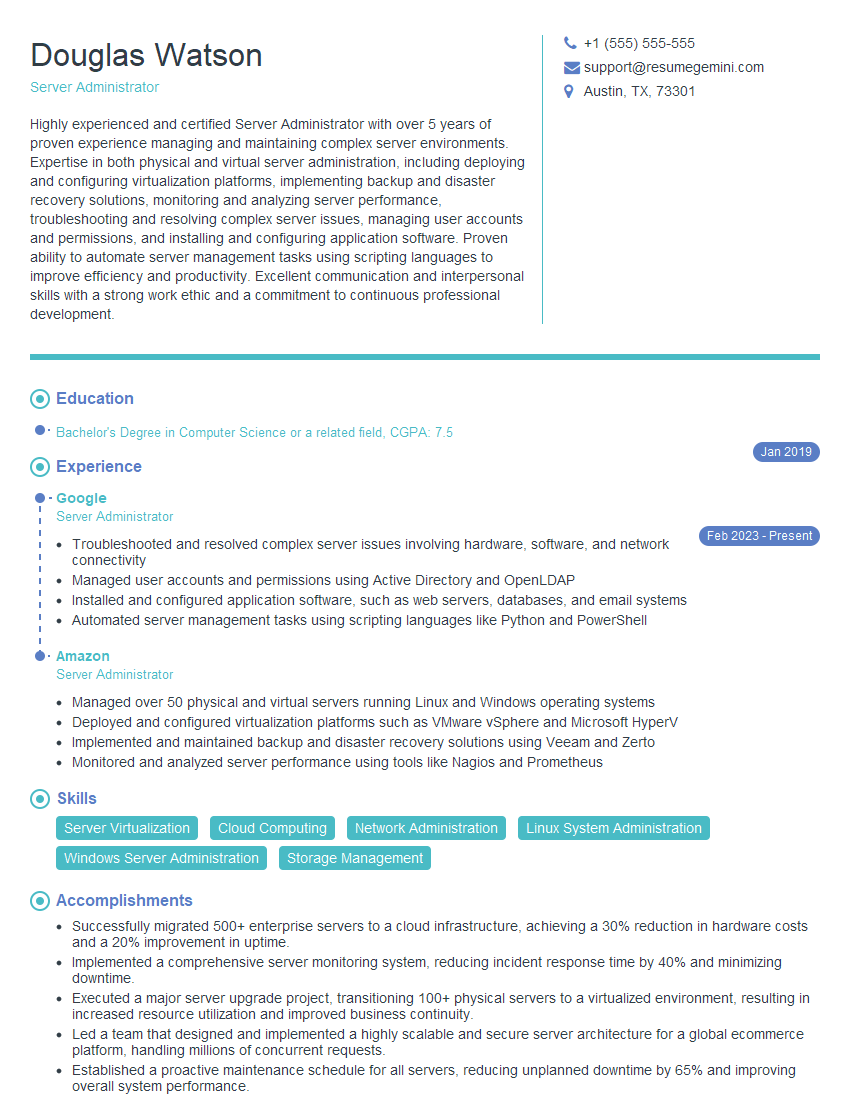
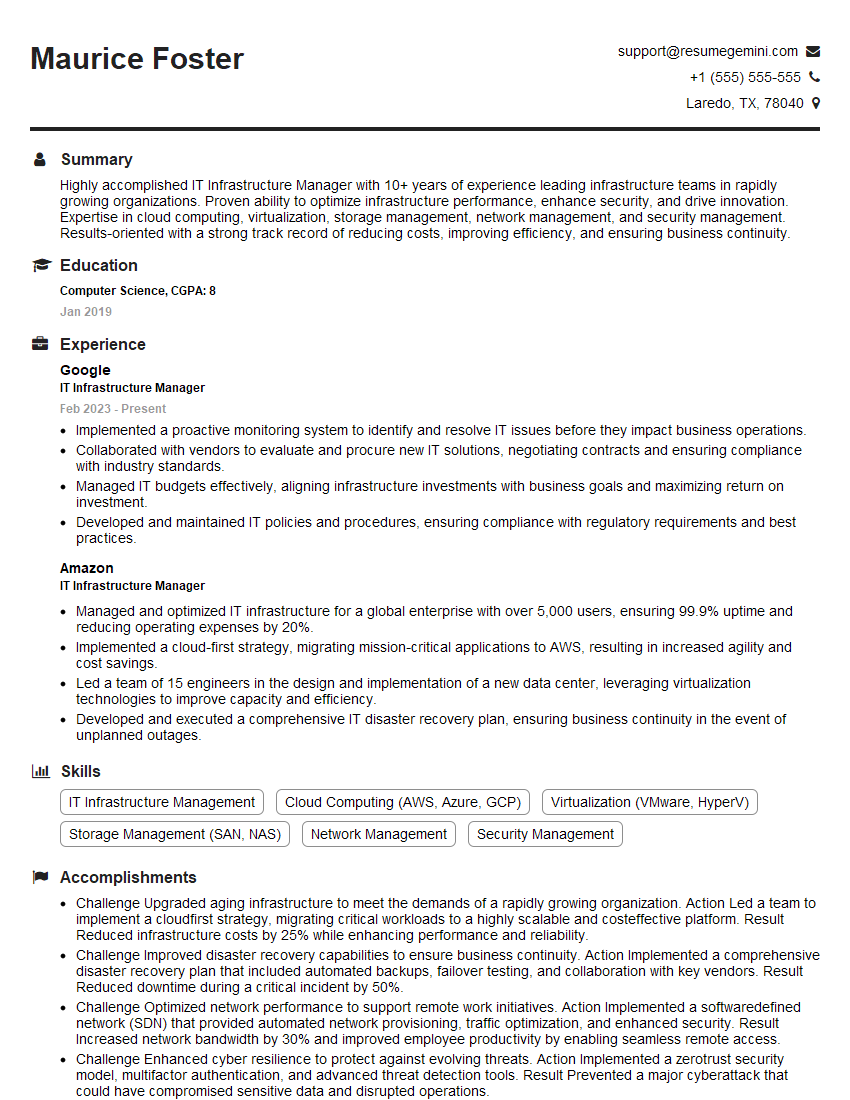
Mastering data center operations and management opens doors to exciting career opportunities with significant growth potential, offering competitive salaries and challenging projects. To maximize your chances of landing your dream role, create an ATS-friendly resume that highlights your skills and experience effectively. ResumeGemini is a trusted resource to help you build a professional and impactful resume that gets noticed. We provide examples of resumes tailored specifically to data center operations and management roles to give you a head start.




Explore more articles
Users Rating of Our Blogs
Share Your Experience
We value your feedback! Please rate our content and share your thoughts (optional).
What Readers Say About Our Blog
Very informative content, great job.
good