Interviews are more than just a Q&A session—they’re a chance to prove your worth. This blog dives into essential Proficient in Music Production Software interview questions and expert tips to help you align your answers with what hiring managers are looking for. Start preparing to shine!
Questions Asked in Proficient in Music Production Software Interview
Q 1. Explain your experience with various Digital Audio Workstations (DAWs) like Ableton Live, Logic Pro X, Pro Tools, or FL Studio.
My experience with DAWs spans several years and encompasses a range of popular software. I’m highly proficient in Ableton Live, which I frequently use for its intuitive session view, perfect for live performance and experimental composition. Its strong MIDI capabilities are also invaluable for working with virtual instruments. Logic Pro X is another staple in my workflow; its vast array of built-in instruments and effects, coupled with its powerful MIDI editing tools, makes it ideal for large-scale projects and orchestral arrangements. I’ve also worked extensively with Pro Tools, the industry standard, known for its precision and stability in professional studio environments, particularly beneficial for audio post-production and high-fidelity recordings. Finally, I have experience with FL Studio, renowned for its strengths in beat making and its intuitive workflow, ideal for creating hip-hop and electronic music. Each DAW has its strengths; my selection depends on the project’s specific needs and my creative goals.
Q 2. Describe your workflow for mixing a typical track.
My mixing workflow follows a systematic approach. I begin by gaining a solid understanding of the song’s arrangement and the artist’s vision. This initial phase involves careful listening to identify any glaring issues. Then, I address each instrument individually, focusing on EQ to carve out space in the mix, using compression to control dynamics and add punch, and adding subtle reverb or delay to create depth and ambience. I meticulously check for phase issues, ensuring that frequencies from different tracks don’t cancel each other out. Next, I work on the overall balance, ensuring a smooth transition between sections. This often involves subtle adjustments to levels, panning, and automation. A crucial step is listening on different playback systems (headphones, monitors, car stereo) to catch any frequency imbalances. Finally, I meticulously review the mix, noting and addressing any minor issues. Throughout this process, I frequently take breaks to maintain a fresh perspective.
Q 3. How do you approach mastering a song for different platforms (streaming, CD, vinyl)?
Mastering for different platforms requires careful consideration of the specific requirements of each medium. For streaming services like Spotify or Apple Music, I focus on maximizing loudness within the dynamic range limitations imposed by these platforms, aiming for a clear, punchy sound. For CDs, maintaining a higher dynamic range is crucial, as CD players typically have a wider dynamic capacity than streaming services. Therefore, the mastering process would be less aggressive in terms of compression. Vinyl mastering necessitates even more careful attention to detail. Low-frequency content needs to be managed to prevent unwanted rumble and distortion, and the overall dynamic range is typically kept wider compared to digital formats to avoid distortion on the playback equipment. This often involves some compromises to achieve the desired sound without introducing artefacts, taking into account the characteristics of the vinyl record player and the limitations of the vinyl format itself. In each case, the goal is to ensure the song sounds its best on the chosen platform, while remaining true to the artist’s creative intent.
Q 4. What are your preferred plugins for compression, EQ, and reverb, and why?
My plugin choices depend on the specific context, but some favorites include:
- Compression: I often use Waves CLA-76 for its classic tube-like warmth and punch, especially on drums and vocals. For more transparent compression, I might reach for FabFilter Pro-C, appreciating its surgical precision and versatile controls.
- EQ: I heavily rely on FabFilter Pro-Q 3 for its surgical precision and intuitive interface. It allows for extremely detailed shaping of the frequency spectrum.
- Reverb: For natural-sounding reverb, I lean on ValhallaRoom, renowned for its realistic and immersive soundscapes. For more creative effects, I might use Lexicon plugins, which offer classic and versatile algorithms, each with specific uses.
The reasoning behind my choices stems from years of experimentation and experience. I prioritize plugins that are both versatile and provide me with transparent control, while still adding a desired sonic character.
Q 5. Explain your understanding of signal flow in a typical music production setup.
Understanding signal flow is fundamental in music production. In a typical setup, the audio signal originates from the source (microphone, instrument, virtual instrument). This signal then passes through pre-amps for signal boosting and impedance matching (often part of audio interfaces). It then may pass through external hardware effects like compressors or EQs before moving to the Audio Interface. The interface converts the analog signal to digital and sends it to your DAW. Within the DAW, you apply plugins for further processing (EQ, compression, reverb, delay etc.). Finally, the processed digital signal is sent back through your audio interface to your monitoring speakers or headphones, completing the signal chain. Maintaining a clean and organized signal flow is essential for preventing noise and ensuring a professional-quality sound. Think of it like a river; you want a smooth flow without any obstructions or blockages.
Q 6. How do you handle feedback in a studio environment?
Feedback in a studio environment, typically a high-pitched squeal, arises from a loop in the audio signal path. The most common cause is a microphone picking up the sound from the monitors. To handle this, I implement a few strategies. Firstly, I carefully position the microphones and monitors, ensuring they are not facing each other directly. Secondly, I reduce the monitor volume to a safe level, lowering the overall signal level that the microphone can pick up. Thirdly, I check for any acoustic issues within the room, treating reflective surfaces with acoustic treatments to minimize sound reflections. If the feedback persists, I might use a feedback suppressor or notch filter in the DAW to effectively dampen the frequency causing the issue.
Q 7. Describe your experience with MIDI sequencing and virtual instruments.
I have extensive experience with MIDI sequencing and virtual instruments. MIDI sequencing allows me to create and manipulate musical notes, controller data, and other musical events digitally. I utilize this heavily to program complex drum patterns, melodies, and harmonies. My familiarity includes advanced techniques like automation, creating complex MIDI controllers, and using external MIDI hardware. In terms of virtual instruments, I’m adept at using various software synthesizers, samplers, and drum machines to create a wide range of sounds. My expertise extends to understanding the synthesis parameters of virtual instruments and making advanced sound design choices. For example, I’ve used MIDI to control multiple parameters in a synthesizer to create evolving soundscapes or complex rhythmic patterns. I also regularly utilize advanced MIDI editing to precisely shape musical phrases, correct timing imperfections, and create unique sonic textures.
Q 8. How do you troubleshoot common audio issues, like latency or clipping?
Troubleshooting audio issues like latency and clipping requires a systematic approach. Latency, the delay between playing a note and hearing it, is often caused by buffer size issues in your DAW (Digital Audio Workstation). Clipping, where the audio signal exceeds the maximum amplitude, results in harsh distortion.
- Latency: To fix latency, start by increasing the buffer size in your DAW’s settings. This allocates more processing power, reducing the delay. However, a larger buffer size can increase the delay between you playing and hearing the sound. Finding the sweet spot involves experimentation. If the problem persists, check your audio interface drivers, ensuring they’re up-to-date and properly configured. Also, consider closing unnecessary applications that might be competing for system resources.
- Clipping: Clipping is usually addressed during mixing. Lower the gain of the offending track, or use a limiter plugin to prevent the signal from exceeding 0dBFS (decibels relative to full scale). Careful gain staging throughout the production process—making sure each track is at an appropriate level from the beginning—is crucial to prevent clipping before it even becomes a problem. Visual monitoring of your DAW’s meters is critical; watch for those peaks hitting the red!
For example, I once had a project with significant latency. By systematically increasing the buffer size, updating my audio interface drivers, and closing unnecessary background applications, I was able to reduce the latency to an acceptable level. Similarly, I’ve encountered many situations where a poorly-gain-staged vocal track has resulted in clipping. Reducing the track’s gain, followed by careful application of compression and limiting, helped solve the issue.
Q 9. What methods do you use for sound design and synthesis?
Sound design and synthesis are integral to my creative process. I leverage both subtractive and additive synthesis techniques, along with extensive use of effects processing.
- Subtractive Synthesis: This involves starting with a rich, complex waveform (like a sawtooth or square wave) and then sculpting the sound by subtracting frequencies using filters. I frequently use this method to create basslines and leads, controlling the resonance and cutoff frequency of the filter to shape the timbre.
- Additive Synthesis: This involves building a sound from the ground up by layering individual sine waves. I use this technique less frequently, primarily for creating unique textures and complex pads. It can be more time-consuming but offers immense control and precision.
- Effects Processing: Effects such as reverb, delay, chorus, and distortion are essential tools in sound design. They can transform a basic sound into something entirely new and inspiring. For example, a simple sine wave can be made into a pulsating pad with the right combination of reverb and delay. Experimentation with different plugin settings and combinations is crucial here.
Recently, I created a haunting soundscape for a film score by layering processed field recordings with additively synthesized textures, then utilizing a granular synthesizer to add shimmering, ethereal quality.
Q 10. Explain your knowledge of different microphone types and their applications.
Understanding microphone types and their applications is vital for capturing high-quality audio. Different microphones excel in various situations depending on the sound source and desired sonic characteristics.
- Condenser Microphones: These are known for their sensitivity and detailed sound reproduction, ideal for recording vocals, acoustic instruments (like guitars and pianos), and delicate sounds. They often require phantom power (+48V).
- Dynamic Microphones: These are more rugged and less sensitive than condensers, making them suitable for loud sources like drums, amplifiers, and live vocals. They’re generally less prone to feedback and handle high sound pressure levels better than condensers.
- Ribbon Microphones: These offer a unique, smooth, and warm sound, often used for recording vocals, guitars, and horns. They are fragile and require careful handling.
For example, I might use a large-diaphragm condenser microphone for recording a vocalist’s performance, choosing a dynamic microphone for capturing the snare drum in a drum kit, and employing a ribbon microphone for adding a classic, vintage character to an electric guitar recording.
Q 11. How do you manage large audio projects effectively?
Managing large audio projects requires meticulous organization and efficient workflow strategies. My approach involves a multi-faceted strategy focusing on session organization, track naming conventions, and effective use of automation and plugins.
- Organized Sessions: I use folders and color-coding to group related tracks within my DAW. This keeps the session visually clear and easy to navigate.
- Consistent Track Naming: Employing a consistent naming convention (e.g., ‘Bass_1_Main’, ‘Drums_Snare_1’, etc.) avoids confusion and makes finding specific tracks significantly easier.
- Automation: I extensively use automation to control various parameters (volume, panning, effects) throughout the track, adding dynamics and enhancing the listening experience. Efficient use of automation allows for nuanced control without relying on excessive track duplication.
- Plugin Management: I regularly consolidate and organize plugins, ensuring that only necessary plugins are loaded in the session. This prevents unnecessary strain on the computer’s processor, enhancing efficiency and stability.
For instance, while working on a recent orchestral score, careful folder organization and a consistent track-naming system proved essential in navigating a session with over 150 tracks. Automation allowed me to add subtle changes to the dynamics without having to individually edit levels throughout the project.
Q 12. What is your experience with audio editing software?
My experience encompasses a wide range of audio editing software, including industry-standard DAWs such as Pro Tools, Ableton Live, Logic Pro X, and Cubase. I’m proficient in their respective features for audio editing, mixing, mastering, and MIDI sequencing. I’m also familiar with other audio editors like Audacity for simpler tasks.
My proficiency extends to using these DAWs for tasks such as audio restoration, noise reduction, time stretching, pitch correction, and various editing techniques necessary for achieving a polished, professional final product. The specific DAW I utilize often depends on the project’s needs and client preferences.
Q 13. Describe your process for creating a professional mix.
Creating a professional mix involves a multi-stage process that emphasizes achieving a balanced, clear, and impactful sound. My approach is iterative, involving continuous listening and adjustments.
- Gain Staging: I begin by carefully setting the gain levels for each track, ensuring no clipping occurs. This forms the foundation for a well-balanced mix.
- EQ (Equalization): I use EQ to shape the frequency response of each track, addressing potential muddiness or harshness in the frequencies. This is crucial to prevent frequency clashes between different instruments and create space in the mix.
- Compression: Compression helps control dynamics and even out the volume levels, making the mix more consistent. I use various compression techniques depending on the track’s characteristics.
- Panning: I use panning to create a wider stereo image and provide spatial separation between tracks.
- Reverb and Delay: I apply reverb and delay to add depth and ambience, shaping the overall sound. The types of reverb and delay selected are crucial for maintaining the sonic character of the mix.
- Automation: I use automation to add dynamics and movement to the mix, enhancing the listener’s emotional response.
- Final Polish: I dedicate significant time to final adjustments and subtle refinements, often listening on various playback systems to assess the mix’s performance across different environments.
For instance, in a recent project, I spent considerable time meticulously EQing and compressing individual drum tracks to ensure clarity and impact, then created a sense of spaciousness through strategic use of reverb and delay on the background vocals.
Q 14. How familiar are you with various audio formats (WAV, MP3, AIFF)?
I’m highly familiar with various audio formats, understanding their strengths and weaknesses. The choice of format often depends on the intended use and quality requirements.
- WAV (Waveform Audio File Format): A lossless format, meaning it preserves the original audio data without compression. It’s ideal for archiving, mastering, and situations where the highest audio quality is paramount. Its large file sizes are a consideration.
- MP3 (MPEG Audio Layer III): A lossy compression format, meaning some data is discarded to reduce file size. It’s commonly used for distribution and streaming due to its smaller file size, but it introduces some quality loss, especially noticeable at lower bitrates.
- AIFF (Audio Interchange File Format): Another lossless format, similar to WAV, widely used on Apple platforms. It offers similar quality to WAV but with sometimes varying compatibility across different systems.
For example, I would use WAV files for my master mixes to preserve the highest fidelity, while I might export MP3 files for online distribution to make the file sizes more manageable for streaming and downloads.
Q 15. How do you ensure your mixes translate well across different playback systems?
Ensuring mix translation across different playback systems is crucial for a professional producer. It’s about creating a mix that sounds good not just on your high-end studio monitors, but also on car stereos, earbuds, and laptop speakers – each with vastly different frequency responses and sound characteristics.
My approach involves several key strategies:
- Reference Tracks: I always listen to reference tracks – professionally mastered songs in a similar genre – on various playback systems. This helps me gauge how my mix is shaping up in different contexts and allows me to identify any frequency imbalances or issues that might not be apparent on my monitors alone.
- Frequency Balancing: I carefully check my mix’s frequency balance, ensuring that no single frequency range is overly dominant or recessed. This often involves using EQ to subtly sculpt the sound, aiming for a balanced and pleasing sonic signature regardless of the playback system.
- Gain Staging: Proper gain staging is essential. This involves maintaining appropriate levels throughout the mixing process, preventing clipping and maximizing headroom. Consistent gain staging ensures that your mix translates well without introducing distortion or unwanted noise floor.
- Stereo Imaging: I pay close attention to stereo imaging to create a wide and immersive soundscape, but also one that isn’t overly dependent on wide stereo effects. This prevents the mix from collapsing or sounding muddled on mono playback systems.
- Loudness Maximization (Careful Application): While mastering handles final loudness, I’m mindful of the loudness of my mix during the process. I avoid over-compressing or over-limiting, which can significantly affect translation to different systems.
For example, I once mixed a track that sounded great on my monitors, but lacked low-end punch on smaller speakers. By carefully using low-frequency shelving EQ, I boosted the low-end subtly to address this issue across various systems.
Career Expert Tips:
- Ace those interviews! Prepare effectively by reviewing the Top 50 Most Common Interview Questions on ResumeGemini.
- Navigate your job search with confidence! Explore a wide range of Career Tips on ResumeGemini. Learn about common challenges and recommendations to overcome them.
- Craft the perfect resume! Master the Art of Resume Writing with ResumeGemini’s guide. Showcase your unique qualifications and achievements effectively.
- Don’t miss out on holiday savings! Build your dream resume with ResumeGemini’s ATS optimized templates.
Q 16. Explain your understanding of psychoacoustics and its application in mixing and mastering.
Psychoacoustics is the study of how humans perceive sound. Understanding it is fundamental to successful mixing and mastering. It leverages our ears’ limitations and perceptual biases to create a more pleasing and impactful listening experience.
Here’s how I apply psychoacoustics:
- Masking: Louder sounds mask quieter sounds. Knowing this, I arrange instruments and sounds strategically to avoid frequencies clashing and to ensure crucial elements are clearly audible. This often involves careful EQ sculpting and arrangement choices.
- Pre-echo and Haas Effect: Delaying a slightly quieter, identical copy of a sound before its main counterpart creates a spacious perception and enhances clarity. This applies significantly to reverb and delay effects, creating a sense of depth and space without making the mix sound muddy. The Haas effect exploits the human brain’s preference for the first arriving signal for perceived location.
- Loudness Perception: Our perception of loudness is not linear. I use this knowledge to make quieter sounds appear louder by strategically placing them in the frequency spectrum. For instance, placing a pad in the lower mid-range can sometimes make it stand out in a denser mix.
- Compression: Compression alters perceived loudness levels, allowing me to control the dynamic range and keep certain elements prominent in the mix. The human ear is more sensitive to changes in loudness at the beginning and end of notes, so compression techniques like upward compression are employed to boost dynamic range perceptually without boosting the average loudness.
For instance, during a recent mastering session, I used multiband compression to carefully bring up the low-end without making it overpowering to the mix.
Q 17. What is your approach to collaboration with other musicians and producers?
Collaboration is crucial in music production. My approach emphasizes clear communication, mutual respect, and a shared vision.
I start with thorough pre-production: we discuss the song’s concept, desired vibe, and individual instrumental parts. I encourage musicians to contribute their ideas and then I use my production skills to shape those into cohesive elements. This might involve working with a specific vocal phrasing to highlight its lyrical content, or shaping a guitar tone to better match the song’s atmosphere.
During the session itself, I ensure everyone feels comfortable and heard. I use feedback tools like shared cloud storage to keep everyone on the same page, and I’m always ready to explain my technical choices. I strive to create a flexible workflow that adapts to individual musicians’ styles, whether they’re experienced professionals or emerging artists.
After the session, regular communication about changes and revisions is paramount. A clear feedback process is a vital part of a collaborative effort.
Q 18. Describe your experience with different types of studio monitors.
My experience spans various studio monitor types, each with unique characteristics impacting how I perceive and shape a mix.
- Nearfield Monitors (e.g., Genelec, Adam Audio): These are my primary workhorses. Their accuracy in the midrange, clear highs, and controlled low-end are essential for critical listening and making precise mixing decisions. I find them ideal for detailed EQing and mixing decisions.
- Midfield Monitors (e.g., JBL, KRK): I often use these in larger control rooms or for checking the overall balance of a mix at a slightly greater distance. They provide a broader perspective that is helpful for identifying potential issues.
- Consumer Speakers (various): I always test my mixes on a variety of consumer-grade speakers, headphones, and earbuds to ensure they translate well to different listening environments. This is crucial for checking for issues such as harshness in the high frequencies or a muddy low end.
The choice of monitors depends on the project and the environment. However, a calibrated listening environment is paramount, regardless of the monitors I use. Room treatment is crucial in minimizing the impact of room acoustics on the sound.
Q 19. How do you manage your time effectively during a busy production schedule?
Effective time management is essential in music production, which often involves juggling multiple projects and deadlines.
My approach uses a combination of strategies:
- Detailed Planning: I use project management tools to plan out sessions, including tasks and deadlines. This helps me visualize the overall workflow and stay organized.
- Prioritization: I prioritize tasks based on their urgency and importance, focusing on the most critical elements first. This is especially helpful when working on multiple projects simultaneously.
- Time Blocking: I allocate specific time blocks for different tasks. This helps maintain focus and minimizes distractions.
- Batching Similar Tasks: I group similar tasks together to improve efficiency. For instance, I might dedicate a block of time solely to recording vocals before moving on to other instruments.
- Regular Breaks: Taking regular breaks helps maintain focus and prevent burnout. Short breaks throughout the day can increase overall productivity.
For example, I may dedicate mornings to creative work, afternoons to technical tasks like mixing, and evenings for listening to and reviewing my work.
Q 20. Explain your understanding of room acoustics and its impact on sound.
Room acoustics significantly impact sound. The way sound waves reflect and interact within a space affects the perceived frequency balance, clarity, and overall sound quality of a mix. This makes proper room treatment crucial.
Uncontrolled room acoustics can introduce:
- Frequency Resonances (Standing Waves): Certain frequencies build up and become amplified in specific locations within the room, creating uneven frequency response.
- Early Reflections: Sound waves reflecting off surfaces (walls, ceilings, floor) before reaching the listener’s ears, adding muddiness and masking detail.
- Comb Filtering: The interference between direct and reflected sounds creates cancellation and coloration, affecting clarity and timbre.
To mitigate these issues, I use a combination of acoustic treatment techniques such as:
- Bass Traps: These absorb low-frequency sounds in corners, reducing standing waves.
- Acoustic Panels: These are used to absorb mid- and high-frequency reflections, reducing early reflections and coloration.
- Diffusers: These scatter sound waves, reducing the intensity of reflections and improving overall clarity.
My studio incorporates these treatments to create a neutral listening environment, allowing for accurate mix decisions.
Q 21. How do you incorporate creative effects to enhance your productions?
Creative effects are used to enhance sonic interest and create unique soundscapes. My approach is based on using effects subtly and purposefully rather than applying them liberally.
Here are some examples:
- Reverb: Used to create space and atmosphere. I might use a plate reverb for a lush and smooth sound, or a hall reverb for a more spacious feel.
- Delay: Adds rhythmic interest and creates depth. I carefully adjust delay times to avoid unwanted phasing or muddiness, often employing subtle rhythmic delays to create interest or echo effects.
- Chorus and Flanger: Creates a wider and thicker sound. I use these sparingly to add movement and texture without making the sound too unnatural.
- Distortion and Overdrive: Adds grit and character. I select different types of distortion based on the specific sound I’m aiming for, avoiding excessive distortion that masks or distorts the core sound.
- Automation: I use automation extensively, slowly adjusting parameters of different effects such as reverb send or delay time during a song section to create sonic movement and shifts that contribute to the overall feeling and emotional narrative.
For instance, in a recent project, I used a subtle tape delay on the lead vocal to add a vintage character that fit with the overall mood of the song, or automation to subtly change the reverb on a pad to reflect the song’s rising and falling energy levels.
Q 22. Describe your experience using automation in a DAW.
Automation in a Digital Audio Workstation (DAW) is the process of controlling parameters of plugins, instruments, and audio clips over time. Think of it like setting up a pre-programmed performance for your sounds. Instead of manually adjusting things like volume, panning, or effects throughout a song, you automate them to create dynamic changes. This can range from subtle volume swells to complex, evolving effects sweeps.
My experience spans various DAWs, including Ableton Live, Logic Pro X, and Pro Tools. I’m proficient in using automation clips to create gradual changes, precise movements with automation lanes, and complex modulation using LFOs (Low-Frequency Oscillators) for effects like tremolo and vibrato. For example, I’ve used automation extensively to create a build-up in a track, gradually increasing the volume of drums and synths leading to a climax. In another project, I automated the panning of a vocal to create a wider stereo image.
I also use automation to streamline my workflow. By automating repetitive tasks, I can free up time to focus on the creative aspects of music production. Imagine automating the volume of a snare drum to match the energy of the song – instead of manually adjusting it for each hit, I can set it to follow a curve, creating a more consistent and professional sound.
Q 23. How familiar are you with music theory and its application to music production?
Music theory is fundamental to my approach to music production. I possess a strong understanding of harmony, melody, rhythm, and form. I use this knowledge to craft compelling compositions, arrange elements effectively, and create sonic textures that are both pleasing and purposeful.
For instance, understanding chord progressions allows me to write melodies that are both musically satisfying and emotionally resonant. Knowing the function of chords helps in creating harmonic tension and release. My grasp of rhythm and meter informs how I arrange percussion and other rhythmic elements to drive the groove of a track.
I frequently apply music theory concepts practically. In mixing, understanding intervals and harmonic relationships aids in balancing elements and creating a coherent sonic picture. Similarly, my theoretical understanding guides me in choosing effective sound design choices and how different instruments interact within the frequency spectrum.
Q 24. Explain your understanding of dynamic range compression.
Dynamic range compression is a signal processing technique that reduces the difference between the loudest and quietest parts of an audio signal. Think of it as evening out the peaks and valleys of a song’s volume. This is achieved by attenuating (reducing) the volume of the louder parts of the signal while boosting (increasing) the volume of the quieter parts.
The key parameters are the threshold, ratio, attack, and release times. The threshold sets the level at which compression begins; anything above it is reduced. The ratio determines how much the signal is reduced; a 2:1 ratio means that for every 2dB increase above the threshold, the output increases by only 1dB. The attack time defines how quickly the compressor responds to signals exceeding the threshold, while the release time determines how quickly it returns to its uncompressed state.
I often utilize dynamic range compression in mastering to ensure a consistent loudness throughout a track and to enhance its perceived clarity and punch. In mixing, I use compression on individual instruments to control their dynamics, add sustain or glue to a sound, and shape its character. For example, I might apply a light compression to a vocal to smooth out inconsistencies in loudness while a heavier compression might be used on a bass drum to give it a tighter, punchier sound.
Q 25. How do you approach the creative process of music production?
My creative process is iterative and often begins with an idea—a melody, a rhythmic pattern, or even a specific emotion I want to convey. From there, I experiment with various sounds and instruments, using my DAW as a tool for exploration and composition.
I often start with a basic framework, sketching out the main melodic and rhythmic ideas. I may also experiment with different sound palettes, searching for textures and timbres that complement the overall mood and style of the track. Then, it’s a matter of layering and refining, adding details like harmonies, countermelodies, and effects.
Throughout the process, I frequently listen back to assess progress and identify areas for improvement. I find that taking breaks and returning to the project with fresh ears is crucial for objectivity. Collaboration plays a role as well; getting feedback from others provides valuable perspectives and challenges my assumptions.
Q 26. Describe your experience with audio restoration techniques.
Audio restoration techniques involve cleaning up and improving the quality of degraded audio recordings. This can include removing unwanted noise, hiss, clicks, pops, or repairing damaged sections. My experience involves working with a range of audio editing software and plugins, specializing in techniques such as noise reduction, click removal, and spectral editing.
I’m proficient in using specialized plugins that employ algorithms to identify and reduce noise without affecting the desired audio. For example, I’ve used Izotope RX extensively to tackle the challenge of removing background hum from old recordings, using its sophisticated spectral editing capabilities to target specific frequency ranges where the noise resides. Similarly, I’ve utilized phase cancellation techniques to eliminate unwanted echoes or reverberation.
My workflow usually involves carefully listening to the recording to identify the types of degradation present, selecting appropriate plugins, and then meticulously applying them to achieve optimal results. It’s a balance between aggressively removing artifacts and preserving the integrity of the original sound. The process is often iterative, requiring several passes to achieve a satisfactory outcome.
Q 27. What are some common challenges faced in music production, and how do you overcome them?
One of the most common challenges is creative block. When inspiration wanes, I often find that stepping away from the project, changing my environment, or experimenting with different sounds can help reignite creativity. Listening to music outside of my usual genres also sparks new ideas.
Another challenge is technical difficulty, particularly when troubleshooting issues with plugins or hardware. My strategy is to approach troubleshooting systematically, beginning with the most straightforward solutions and gradually progressing to more complex ones. Online forums and documentation can also be invaluable resources.
Mixing and mastering can also be very demanding; getting a well-balanced mix requires patience, attention to detail, and a good understanding of the frequency spectrum. I use reference tracks and frequently check my mix on different playback systems to ensure its consistency across various listening environments. Regular breaks are essential to prevent fatigue and maintain a good ear.
Q 28. Explain your understanding of sample rate and bit depth.
Sample rate refers to the number of audio samples taken per second, measured in Hertz (Hz). It determines the frequency range that can be accurately represented in a digital audio file. A higher sample rate means a wider frequency range and more accurate representation of the original audio. Think of it like the resolution of a picture; higher resolution means more detail.
Bit depth represents the number of bits used to store each sample of audio data. It determines the dynamic range (the difference between the loudest and quietest sounds) of the audio. A higher bit depth provides a greater dynamic range and reduces the likelihood of quantization noise (a type of distortion caused by digital representation). It’s like the color depth of an image; higher bit depth offers more shades and smoother gradations.
In professional music production, common sample rates are 44.1kHz (CD quality) and 48kHz (standard for digital audio). Higher sample rates like 88.2kHz and 96kHz are used for higher fidelity recordings, but they require more storage space. Bit depths of 16-bit and 24-bit are common; 24-bit offering a wider dynamic range and less noise than 16-bit.
Key Topics to Learn for Proficient in Music Production Software Interview
- Digital Audio Workstations (DAWs): Understanding the core functionalities of popular DAWs like Ableton Live, Logic Pro X, Pro Tools, or FL Studio. This includes navigating the interface, managing projects, and understanding audio routing.
- Audio Editing and Mixing: Mastering techniques like gain staging, EQ, compression, and reverb. Be prepared to discuss practical applications and problem-solving related to achieving a polished mix.
- MIDI Sequencing and Programming: Demonstrate your knowledge of MIDI controllers, virtual instruments (VSTs), and creating and editing MIDI sequences. Explain your approach to programming drum patterns or melodic lines.
- Sound Design and Synthesis: Discuss your understanding of subtractive and additive synthesis, sampling techniques, and creating unique sounds using virtual instruments or effects plugins.
- Mastering Techniques: Explain your knowledge of mastering processes, including loudness normalization, dynamic range control, and finalizing a track for distribution.
- Workflow and Collaboration: Be prepared to discuss your efficient workflow in a DAW and methods for collaborating with other musicians or producers, including file sharing and project management.
- Troubleshooting and Problem-Solving: Be ready to discuss how you approach technical challenges such as audio glitches, latency issues, or plugin conflicts within your DAW.
Next Steps
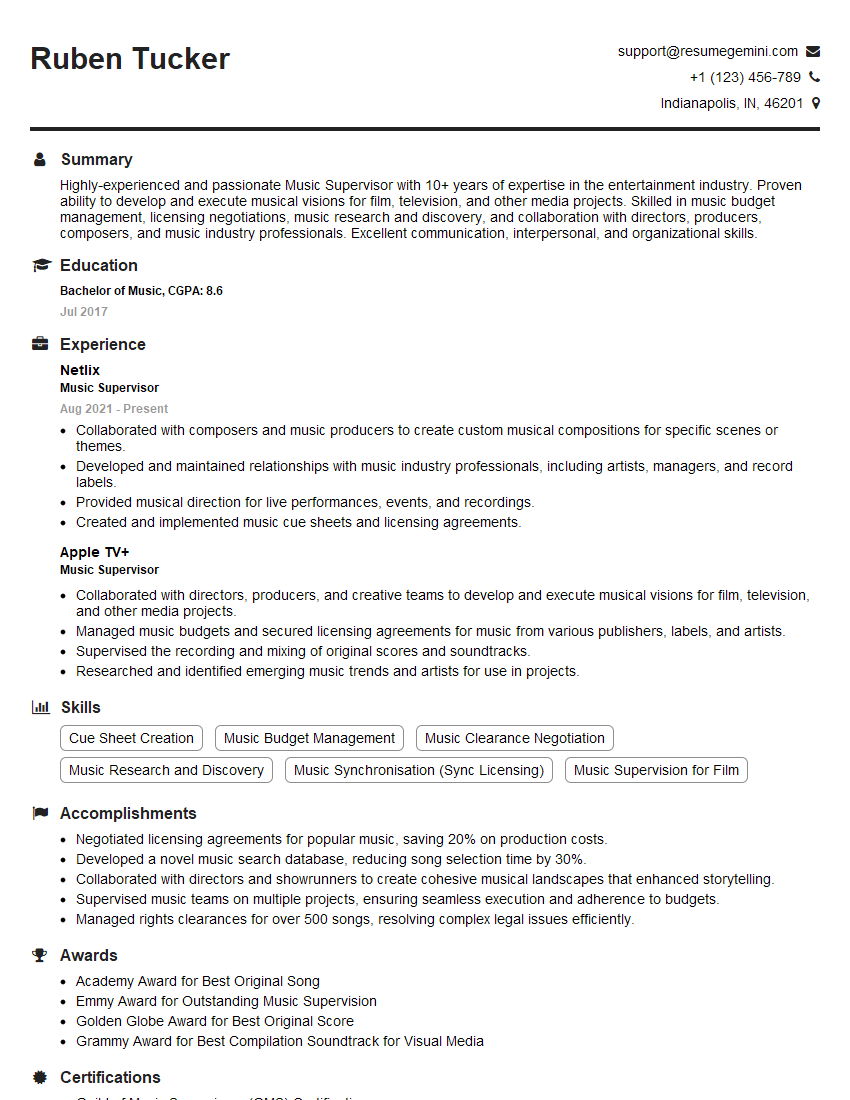
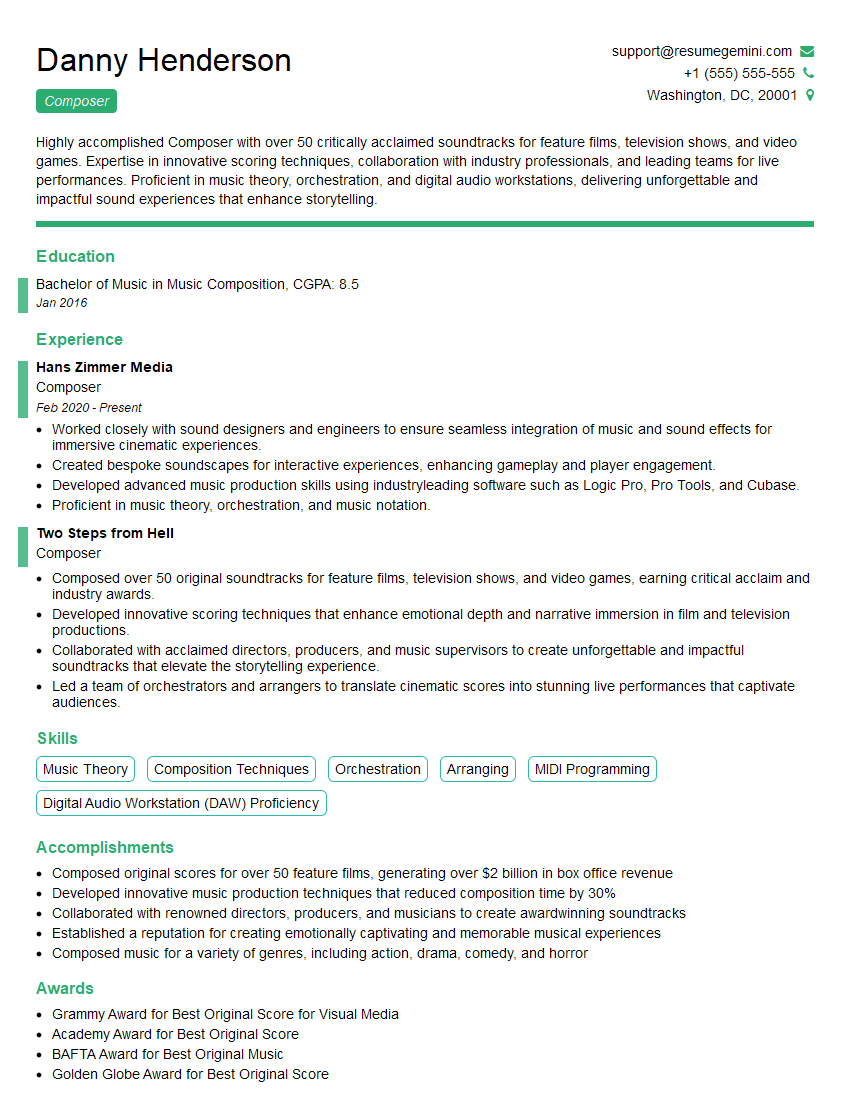
Mastering music production software is crucial for career advancement in the increasingly competitive music industry. A strong understanding of these tools directly translates to higher-quality work and more lucrative opportunities. To significantly improve your job prospects, create an ATS-friendly resume that highlights your skills and experience effectively. ResumeGemini is a trusted resource for building professional resumes that get noticed. We offer examples of resumes tailored to showcasing proficiency in music production software to help you craft a compelling application. Let ResumeGemini help you land your dream job!






Explore more articles
Users Rating of Our Blogs
Share Your Experience
We value your feedback! Please rate our content and share your thoughts (optional).
What Readers Say About Our Blog
Very informative content, great job.
good