Are you ready to stand out in your next interview? Understanding and preparing for Proficient in operating and maintaining platemaking equipment interview questions is a game-changer. In this blog, we’ve compiled key questions and expert advice to help you showcase your skills with confidence and precision. Let’s get started on your journey to acing the interview.
Questions Asked in Proficient in operating and maintaining platemaking equipment Interview
Q 1. Describe your experience with different types of platemaking equipment (e.g., CTP, thermal, violet).
My experience encompasses a wide range of platemaking technologies, including Computer-to-Plate (CTP) systems, thermal plates, and violet plates. I’ve worked extensively with various manufacturers’ equipment, such as Heidelberg, Kodak, and Agfa. CTP, or Computer-to-Plate, is the most prevalent technology nowadays, offering high precision and efficiency. I’m proficient in operating both thermal and violet CTP systems, understanding their respective strengths and weaknesses. Thermal plates utilize heat to expose the plate, while violet plates use a laser with a specific wavelength for exposure. My experience also extends to troubleshooting issues related to each technology – for instance, I’ve effectively addressed issues such as improper image exposure or plate defects caused by variations in plate chemistry or laser power. I can also maintain and perform preventative maintenance procedures across different platemaking equipment brands.
- CTP (Computer-to-Plate): I have hands-on experience with both thermal and violet laser CTP systems, including pre-press processing and quality control.
- Thermal Plates: Proficient in handling various thermal plate types, understanding their sensitivity to heat and processing parameters.
- Violet Plates: Experienced in optimizing laser power and exposure settings for precise image reproduction on violet-sensitive plates.
Q 2. Explain the process of platemaking from digital file to finished plate.
The platemaking process, from digital file to finished plate, is a precise series of steps that requires meticulous attention to detail. It begins with receiving a high-resolution digital file, typically a PDF or TIFF, containing the image to be printed. This file undergoes pre-flighting and imposition to ensure it’s optimized for platemaking. Next, the RIP (Raster Image Processor) converts the digital file into a format that the platemaking device understands – a series of instructions for exposing the plate. The chosen plate (thermal or violet) is then loaded into the CTP device. The CTP exposes the plate according to the RIP’s instructions. Following exposure, the plate is processed—this might involve washing, gumming, and baking depending on the plate type. Finally, the plate is visually inspected for any defects before it’s mounted onto the printing press. Think of it like baking a cake – each step, from preparing the ingredients to baking at the correct temperature, is vital for the final product’s quality.
Q 3. How do you ensure consistent plate quality and minimize waste?
Consistent plate quality and waste minimization are paramount. This involves a multi-pronged approach. Firstly, rigorous quality control at each stage is key. This includes regular calibration of the CTP system, monitoring plate chemistry, and performing regular maintenance checks. I utilize color profiling to ensure color consistency across different plates and jobs. Secondly, proper handling and storage of plates are critical to prevent damage and degradation. Thirdly, optimizing the RIP settings and exposure parameters minimize waste by ensuring accurate and precise image reproduction. If we’re experiencing a high level of plate defects or waste, I’d investigate factors such as plate age, environmental conditions (temperature and humidity), and the condition of the processing chemicals. Regular preventative maintenance, such as cleaning the rollers and other critical parts of the platemaking equipment significantly reduces waste by avoiding unexpected machine downtime and defective plates.
Q 4. What are the common causes of plate defects and how do you troubleshoot them?
Common plate defects include ghosting (faint, double images), scumming (ink on non-image areas), pinholes (small holes in the image area), and scratches. Troubleshooting involves a systematic approach. For instance, ghosting might be due to improper exposure, requiring adjustment of the laser power or RIP settings. Scumming often points to problems with processing chemicals or inadequate plate washing. Pinholes can result from dust or debris on the plate during exposure or processing. I typically start by visually inspecting the plate for the source of the defect and then check the CTP device’s settings, processing chemicals, and the environment. A detailed log of plate defects is maintained to identify recurring problems and implement preventative measures.
Q 5. Describe your experience with plate mounting and registration.
Plate mounting and registration are crucial for precise printing. I have extensive experience in using different mounting systems, ensuring plates are securely and accurately fixed onto the printing cylinders. Accurate registration requires careful alignment of the plate to ensure colors and images align perfectly. This involves using registration marks on the plate and the press to ensure proper alignment. A slight misregistration can lead to blurry or misaligned print, which can affect the quality of the final output significantly. I’m well-versed in the use of different tools and techniques to achieve precise registration and will utilize appropriate procedures depending on the complexity of the job and the type of printing press.
Q 6. How do you maintain and clean platemaking equipment to optimize performance?
Regular maintenance and cleaning are essential for optimal platemaking equipment performance. This includes daily cleaning of processing units, regular checks of the laser head (in CTP), and periodic replacement of parts. I follow the manufacturer’s recommended maintenance schedule, including lubrication and cleaning of moving parts. Properly maintaining processing chemicals and solutions is also important. This involves checking their concentration, topping them up as needed, and replacing them according to their shelf life. This ensures consistency in plate processing and avoids issues with plate defects. Preventative maintenance helps to avoid unexpected breakdowns and costly repairs, ensuring consistent productivity and quality.
Q 7. What safety precautions do you follow while operating platemaking equipment?
Safety is my top priority. While operating platemaking equipment, I always wear appropriate personal protective equipment (PPE), including safety glasses and gloves, to protect against chemicals and laser exposure. I adhere to all safety protocols outlined by the manufacturer and our company’s safety guidelines. This includes proper handling of chemicals, avoiding contact with laser beams, and maintaining a clean and organized workspace. I ensure proper ventilation in the platemaking area to minimize exposure to fumes and chemicals. Regular safety training and refresher courses keeps me up-to-date with best practices, and I always report any safety concerns or hazards immediately.
Q 8. How do you handle different plate sizes and formats?
Handling different plate sizes and formats is a routine part of my work. It’s all about ensuring the correct plate is used for the specific printing job. This involves understanding the dimensions of the plate (e.g., 40x60cm, 20x30cm) and the intended printing format (e.g., sheetfed, web). I carefully check job tickets for these details before loading the plate onto the platemaking equipment. Different machines have different maximum plate sizes, so compatibility is key. For example, I might use a specific clamping system for larger plates to ensure they are securely held during processing. Smaller plates might need specialized holders to avoid damage. Proper handling prevents scratches or bending which could negatively impact the final print quality.
I’ve worked with plates ranging from small business cards to large-format posters. The process remains consistent: verify the plate size and format match the job requirements and ensure safe handling throughout each step.
Q 9. What is your experience with plate exposure settings and adjustments?
Plate exposure settings are crucial for creating a high-quality image on the plate. These settings directly influence the plate’s sensitivity to light and, subsequently, the print’s density and sharpness. My experience encompasses adjusting exposure time, lamp intensity, and the distance between the plate and the light source. Each adjustment is meticulously documented for consistency across jobs and to improve future processes.
For example, a thinner plate may require a shorter exposure time to prevent overexposure and potential damage, whereas a thicker plate might need a longer time to fully cure the image. I often work with densitometers to measure the resulting image density and fine-tune the settings. A poorly exposed plate can result in washed-out or too-dark prints. I use a systematic approach of testing and adjusting until I achieve the optimal density and sharpness.
Q 10. How do you interpret platemaking specifications and job tickets?
Interpreting platemaking specifications and job tickets is fundamental to accurate plate production. Job tickets typically contain critical information, including the desired plate size, type of plate, desired resolution (dpi), screen ruling (lpi), and color profile. I always carefully review the entire ticket to grasp all aspects of the job before starting any process. This includes confirming the file format (e.g., TIFF, PDF) and ensuring it’s compatible with my equipment.
For instance, a job might specify a specific color profile (e.g., CMYK, Pantone) which informs my color management settings during the exposure process. Inconsistent or missing information can lead to delays or costly errors. If there’s any ambiguity, I always clarify with the relevant personnel before proceeding.
Q 11. Explain your experience with different types of plates (e.g., PS, polyester).
I have extensive experience working with various plate types, including the commonly used PS (photosensitive) plates and polyester plates. PS plates are known for their excellent image resolution and sensitivity, suitable for high-quality printing. Polyester plates offer more durability and are often preferred for longer print runs and more robust printing conditions. The handling and processing differ slightly depending on the type. For example, PS plates require careful handling to avoid scratches, while polyester plates are more resistant to physical damage.
The choice of plate heavily depends on the specific requirements of the printing job. A high-end publication might use PS plates for optimum image quality, whereas a longer print run of packaging might use more durable polyester plates.
Q 12. Describe your experience with plate processing chemicals and their handling.
Plate processing chemicals are essential for developing the latent image on the plate and preparing it for printing. I have hands-on experience with various chemicals, including developers, gum arabic solutions, and desensitizers. Safety is paramount when handling these chemicals. I always follow strict safety protocols and wear appropriate personal protective equipment (PPE) such as gloves, eye protection, and lab coats. Each chemical has its own handling instructions that must be adhered to.
Incorrect handling or mixing of chemicals can lead to plate defects, equipment damage, or even health risks. I maintain meticulous records of chemical usage and disposal, ensuring compliance with environmental regulations.
Q 13. How do you monitor and maintain the chemical levels in the processing units?
Monitoring and maintaining the chemical levels in processing units is crucial for ensuring consistent and high-quality plate production. This involves regularly checking the levels of each chemical solution, using the equipment’s integrated sensors or manual measurements. We typically employ automated systems that replenish chemicals as needed to maintain the optimal concentration. Regular testing of chemical solutions helps to gauge their efficacy. It’s crucial to note that outdated or contaminated chemicals can result in subpar plate quality.
I regularly perform maintenance tasks, like cleaning processing units to prevent build-up, and replace chemicals according to the manufacturer’s recommendations, ensuring optimum chemical levels for consistent results.
Q 14. What is your understanding of color management in platemaking?
Color management in platemaking is about ensuring accurate and consistent color reproduction in the final print. It involves understanding the color profiles used throughout the process, from the design software to the output device. This includes working with different color spaces (e.g., RGB, CMYK) and ensuring proper color transformation. The aim is to match the colors on screen to the printed output. This requires a well-calibrated system and careful monitoring of color density and registration.
In practice, I utilize color management software to transform the design files to the correct CMYK profile for the plate and printing press. I also regularly use a spectrophotometer to measure the color density of test prints and make adjustments as needed to achieve the desired color accuracy.
Q 15. How do you identify and resolve issues with image quality on plates?
Identifying and resolving image quality issues on plates requires a systematic approach. It starts with understanding the potential sources of the problem, which can range from the initial digital file to the final plate processing.
Common Issues and Solutions:
- Low Resolution/Pixelation: This often originates from a low-resolution digital file. The solution is to ensure the supplied artwork is at the appropriate resolution for the intended print size. I’ve encountered this before where a client provided a file that was too small, leading to noticeable pixelation on the final print. We resolved it by requesting a higher-resolution file.
- Moiré Patterns: These are caused by interference between the screen frequency (dots per inch) of the digital file and the printing screen. This is often solved by adjusting the angles or frequencies of the halftone screens in the pre-press process. I’ve used software like
Esko Automation Engineto effectively manage screen angles and minimize this effect. - Dust/Scratches: These appear as imperfections on the plate. Regular cleaning of the platemaking equipment and careful handling of plates are crucial. We use specialized plate cleaning solutions and avoid unnecessary touching of the plate surface to prevent scratches.
- Poor Dot Gain/Dot Loss: This refers to the variation in the size of dots printed compared to the original digital file. This could stem from incorrect exposure settings during platemaking or issues with the printing press. Careful calibration of the plate imager and press is critical here. I utilize densitometers to measure dot gain/loss and fine-tune the exposure parameters.
Troubleshooting involves a visual inspection of the plate under magnification, comparing it to a soft proof, and analyzing the entire workflow to pinpoint the exact source of the problem.
Career Expert Tips:
- Ace those interviews! Prepare effectively by reviewing the Top 50 Most Common Interview Questions on ResumeGemini.
- Navigate your job search with confidence! Explore a wide range of Career Tips on ResumeGemini. Learn about common challenges and recommendations to overcome them.
- Craft the perfect resume! Master the Art of Resume Writing with ResumeGemini’s guide. Showcase your unique qualifications and achievements effectively.
- Don’t miss out on holiday savings! Build your dream resume with ResumeGemini’s ATS optimized templates.
Q 16. What is your experience with proofing and pre-flighting processes?
Proofing and pre-flighting are essential steps to ensure that the final printed product matches the client’s expectations. Pre-flighting involves checking the digital file for potential errors like missing fonts, incorrect color profiles, or low resolution before platemaking even begins. I routinely use Pitstop Pro for this process; it allows for automated checks and corrections.
Proofing creates a physical or digital representation of what the final product will look like. This can be a soft proof (a digital representation on screen) or a hard proof (a physical print from a proof printer). This allows us to catch errors like color discrepancies, incorrect fonts, or image misplacement before committing to platemaking and printing. I’ve often used X-Rite i1Profiler to ensure color accuracy in proofing.
A strong pre-flight and proofing process saves time, material, and money by catching potential problems early on.
Q 17. How do you manage plate inventory and storage?
Managing plate inventory involves a combination of careful organization and a robust tracking system. Plates are sensitive to light, temperature, and humidity; improper storage can lead to degradation and unusable plates.
Our Storage System:
- Designated Storage Area: We have a climate-controlled room specifically designed for plate storage. This helps maintain consistent temperature and humidity.
- Racking System: We use a racking system to organize plates by job number and date, making it easy to locate specific plates.
- Inventory Management Software: We utilize a software system (in our case, a custom-built database) to track plate inventory, including the job details, plate type, date created, and expiry date. This allows us to easily track usage and identify plates that need to be disposed of.
- FIFO (First-In, First-Out) system: This ensures that older plates are used before newer plates, reducing the risk of plates expiring.
- Proper Labeling: Each plate is clearly labeled with job number and date to aid retrieval and prevent mixing.
This system ensures that plates are stored safely and efficiently, minimizing waste and ensuring ready access when needed.
Q 18. Describe your experience with platemaking software (specify software names if possible).
My experience with platemaking software is extensive. I’m proficient in using Esko Automation Engine for pre-press workflow automation, including job preparation, imposition, and quality control. This software enables efficient management of all pre-press tasks. I also have experience with Esko CDI (Computer-to-plate) software for directly exposing plates on our platemaking equipment. This software handles things like exposure settings and quality checks, and I routinely work with its diagnostic functions to resolve any issues.
In addition, I’m familiar with other software like Creo products, though my primary experience lies with the Esko suite.
Q 19. How familiar are you with different types of printing presses and their plate requirements?
Familiarity with various printing press types and their plate requirements is crucial. Different presses have different plate sizes, thicknesses, and mounting systems. My experience includes working with:
- Offset Presses (Sheetfed and Web): These are the most common presses, requiring specific plate sizes and thicknesses. Sheetfed presses often use smaller plates, while web presses require larger, more robust plates. The plate type (e.g., thermal, violet, or UV) also varies according to the press’s capabilities.
- Flexographic Presses: These presses use flexible plates made from photopolymer, requiring specialized handling and processing techniques. These plates are usually more durable for repeated print runs.
- Screen Printing Presses: Although less common in my experience, I have some understanding of screen-printing processes and the preparation of screen-printing stencils.
Understanding these differences allows me to select the correct type of plate for the specific printing press and job requirements.
Q 20. How do you ensure the proper alignment and registration of plates on the press?
Accurate alignment and registration of plates are essential for high-quality printing. Misregistration leads to blurry images and misaligned colors, making the final product unacceptable.
Ensuring Proper Registration:
- Precise Plate Mounting: Plates are carefully mounted on the press cylinder using appropriate mounting tapes and tools. This ensures the plate is securely fastened and positioned accurately.
- Accurate Positioning: Using registration marks on the plate and press, the press operator ensures that the plates are correctly aligned with each other and the printing substrate.
- Regular Checks During Printing: Throughout the printing run, we regularly monitor the registration by checking the print sheets. Adjustments are made if necessary to maintain accurate alignment.
- Calibration: Periodic calibration of the press using standardized test prints is crucial for maintaining precise registration. The press’s registration system needs to be properly tuned, a task that I am experienced in.
I’ve personally addressed several misregistration issues by meticulously checking the plate mounting, aligning registration marks and fine-tuning the press settings. A systematic approach and close monitoring are key to this process.
Q 21. Describe your troubleshooting experience with platemaking equipment malfunctions.
Troubleshooting platemaking equipment malfunctions requires a methodical approach, starting with safety protocols. Never attempt repairs unless properly trained.
Troubleshooting Steps:
- Identify the Problem: Start by clearly defining the malfunction. Are there error messages? Are there any unusual noises or behaviors?
- Consult Documentation: Refer to the equipment’s manual for troubleshooting guides and error codes.
- Visual Inspection: Carefully examine the equipment for any obvious problems, such as loose connections or damaged parts.
- Systematic Checks: Work through potential causes systematically. This may involve checking power supply, input/output signals, and the correct flow of materials. For instance, if the plate isn’t exposing correctly, I’d check laser power, vacuum pressure, and the integrity of the plate and imaging unit.
- Contact Support: If the problem persists, contact the equipment manufacturer or a qualified technician for assistance.
For example, I once resolved a plate exposure issue by identifying a failing laser tube after systematically checking other components. Documenting troubleshooting steps is vital, not only for problem resolution, but for preventative maintenance in the future.
Q 22. What are your methods for preventative maintenance of platemaking equipment?
Preventative maintenance is crucial for maximizing the lifespan and efficiency of platemaking equipment. My approach is proactive and systematic, focusing on both scheduled and condition-based maintenance.
Scheduled Maintenance: This involves regular cleaning of all components, checking fluid levels (like developer and gum), inspecting rollers and belts for wear, and lubricating moving parts according to the manufacturer’s recommendations. For example, I meticulously clean the processor rollers every week to prevent chemical build-up and ensure consistent plate quality.
Condition-Based Maintenance: I continuously monitor the equipment for any unusual noises, vibrations, or performance issues. For instance, if I notice a slight decrease in image sharpness, I immediately investigate potential causes like roller wear or chemical imbalance. This allows for timely intervention and prevents more extensive damage.
Documentation: Meticulous record-keeping is essential. I maintain detailed logs of all maintenance activities, including dates, tasks performed, and any parts replaced. This historical data helps identify recurring issues and predict future maintenance needs.
By combining scheduled and condition-based maintenance, I minimize downtime, extend equipment life, and ensure consistently high-quality plate production.
Q 23. How do you ensure the environmental safety in the platemaking area?
Environmental safety in the platemaking area is paramount. My approach involves a multi-faceted strategy focusing on chemical handling, waste disposal, and air quality.
Chemical Handling: I strictly adhere to all safety data sheets (SDS) for all chemicals used. This includes wearing appropriate personal protective equipment (PPE) like gloves, goggles, and aprons. Proper ventilation is also crucial. I regularly check the functionality of exhaust systems to ensure proper removal of fumes and aerosols.
Waste Disposal: I diligently separate and dispose of waste materials according to local regulations and environmental best practices. Spent chemicals are collected in designated containers and handled by a licensed waste management company. Used plates are also disposed of correctly to minimize environmental impact.
Air Quality: I monitor air quality using appropriate sensors and ensure proper ventilation to maintain a safe working environment. Regular checks and maintenance of air filtration systems are critical. I also educate my team members on safe work practices to ensure their well-being and minimize risks.
My commitment to these procedures ensures a clean and safe environment, protects both workers and the surrounding community.
Q 24. What are your experience with different plate types, and their advantages/disadvantages?
My experience encompasses a wide range of plate types, each with its own set of advantages and disadvantages. Here are a few examples:
Thermal Plates: These are relatively inexpensive and easy to process, ideal for short runs and quick turnaround times. However, their durability and resolution may be lower compared to other types.
UV Plates: These plates offer superior resolution and durability compared to thermal plates, making them suitable for longer runs and high-quality printing. They require specialized UV exposure units, which represent a higher initial investment.
CTP (Computer-to-Plate) Plates: These plates are imaged directly from a computer, eliminating the need for film. CTP plates offer significant efficiency gains and higher precision, but the initial cost of the equipment can be high.
The choice of plate type depends on the specific printing requirements, budget, and desired print quality. My expertise allows me to select the optimal plate type for each project, balancing cost, quality, and efficiency.
Q 25. How do you handle emergency situations in platemaking?
Emergency situations in platemaking can range from equipment malfunctions to chemical spills. My response is always based on a structured approach prioritizing safety and damage control.
Equipment Malfunctions: In case of a machine malfunction, I first turn off the power and isolate the affected equipment. I then assess the problem, following established troubleshooting procedures. If necessary, I contact the manufacturer’s technical support for assistance. For example, if the processor malfunctions, I’ll consult the manual and check for common problems like clogs or chemical imbalances before calling for service.
Chemical Spills: Chemical spills require immediate and controlled action. My response would involve first evacuating the area, contacting emergency services, and containing the spill using appropriate absorbent materials. I follow the SDS guidelines for cleanup and disposal of the spilled chemicals, ensuring the safety of all personnel and the environment.
Regular safety training and drills ensure our team is well-prepared to handle such situations efficiently and safely.
Q 26. What are the key performance indicators you monitor in platemaking?
Key Performance Indicators (KPIs) in platemaking are crucial for monitoring efficiency and quality. I closely monitor the following:
Plate Production Rate: This measures the number of plates produced per hour, reflecting equipment efficiency and workflow optimization.
Plate Defects: I track the percentage of defective plates, identifying potential issues in the process and implementing corrective actions. This helps maintain quality and minimize waste.
Downtime: This measures the time the equipment is not operational due to maintenance or malfunctions. Minimizing downtime is crucial for maintaining productivity.
Chemical Consumption: Monitoring chemical usage helps optimize processes and reduce costs. It also helps in identifying potential leaks or inefficiencies.
Waste Generation: Tracking waste generated, helps identify areas for improvement and demonstrates environmental responsibility.
Regularly reviewing these KPIs helps identify areas for improvement, optimize processes, and ensures efficient and high-quality plate production.
Q 27. Describe your experience with quality control checks for plates.
Quality control checks are integral to ensuring high-quality prints. My approach is multi-stage and involves both visual and instrumental checks.
Visual Inspection: After processing, I visually inspect each plate for defects like scratches, pinholes, or incomplete imaging. A bright lightbox is vital for this task. This ensures that only high-quality plates proceed to the printing process. I also check the registration marks on the plate to make sure the image will print correctly.
Instrumental Checks (Densitometer): A densitometer measures the density of the image areas on the plate. This ensures consistent ink density and color reproduction. This provides objective data to support visual inspection.
Test Prints: Before large-scale printing, I always produce a few test prints to verify the quality of the plates and the overall printing process. This allows for adjustments before committing to a large production run.
My meticulous quality control ensures consistency and prevents issues that could lead to wasted materials or print errors.
Q 28. How do you stay updated on the latest advancements in platemaking technology?
Staying updated on advancements in platemaking technology is essential for maintaining my expertise. I use several methods to keep abreast of the latest developments:
Industry Publications and Trade Shows: I regularly read relevant industry publications and attend trade shows to learn about new technologies and best practices.
Manufacturer Websites and Training: I actively engage with equipment manufacturers’ websites and participate in their training programs to stay up-to-date on the latest features and troubleshooting techniques.
Networking with Colleagues: I maintain close contact with colleagues in the field through professional organizations and online forums. This allows for the exchange of knowledge and insights.
Online Courses and Webinars: I actively participate in online courses and webinars to deepen my knowledge and expand my skill set in various platemaking technologies.
This continuous learning ensures I remain at the forefront of the industry, adopting best practices and utilizing the most effective technologies.
Key Topics to Learn for Proficient in operating and maintaining platemaking equipment Interview
- Platemaking Equipment Types & Functionality: Understanding the different types of platemaking equipment (e.g., CTP, analog), their specific processes, and limitations. Be prepared to discuss the advantages and disadvantages of each.
- Platemaking Processes: Master the intricacies of the platemaking process, from pre-press preparation to final plate output. This includes image setting, processing, and quality control checks.
- Troubleshooting & Maintenance: Develop a strong understanding of common equipment malfunctions, their causes, and effective troubleshooting techniques. Discuss preventative maintenance procedures and their importance.
- Quality Control & Standards: Explain how you ensure consistent plate quality, adhering to industry standards and client specifications. Discuss methods for identifying and correcting defects.
- Safety Procedures & Regulations: Demonstrate familiarity with all safety protocols associated with operating and maintaining platemaking equipment. Highlight your adherence to relevant industry regulations and best practices.
- Chemical Handling & Waste Disposal: Explain your knowledge of proper chemical handling, storage, and disposal procedures, emphasizing environmental responsibility and safety.
- Workflow Optimization: Discuss strategies for optimizing platemaking workflows to improve efficiency and reduce production time.
- Understanding of color management and its impact on platemaking: Be ready to discuss how color profiles and settings affect the final print output.
Next Steps
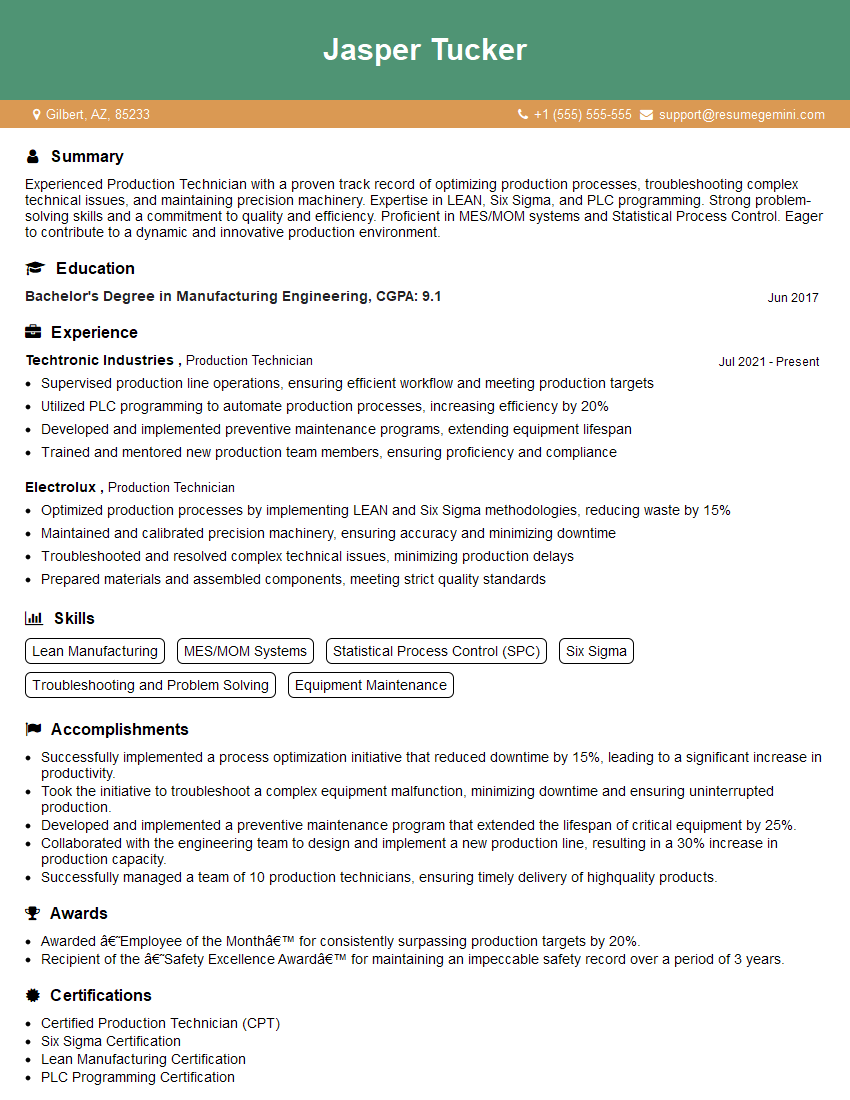
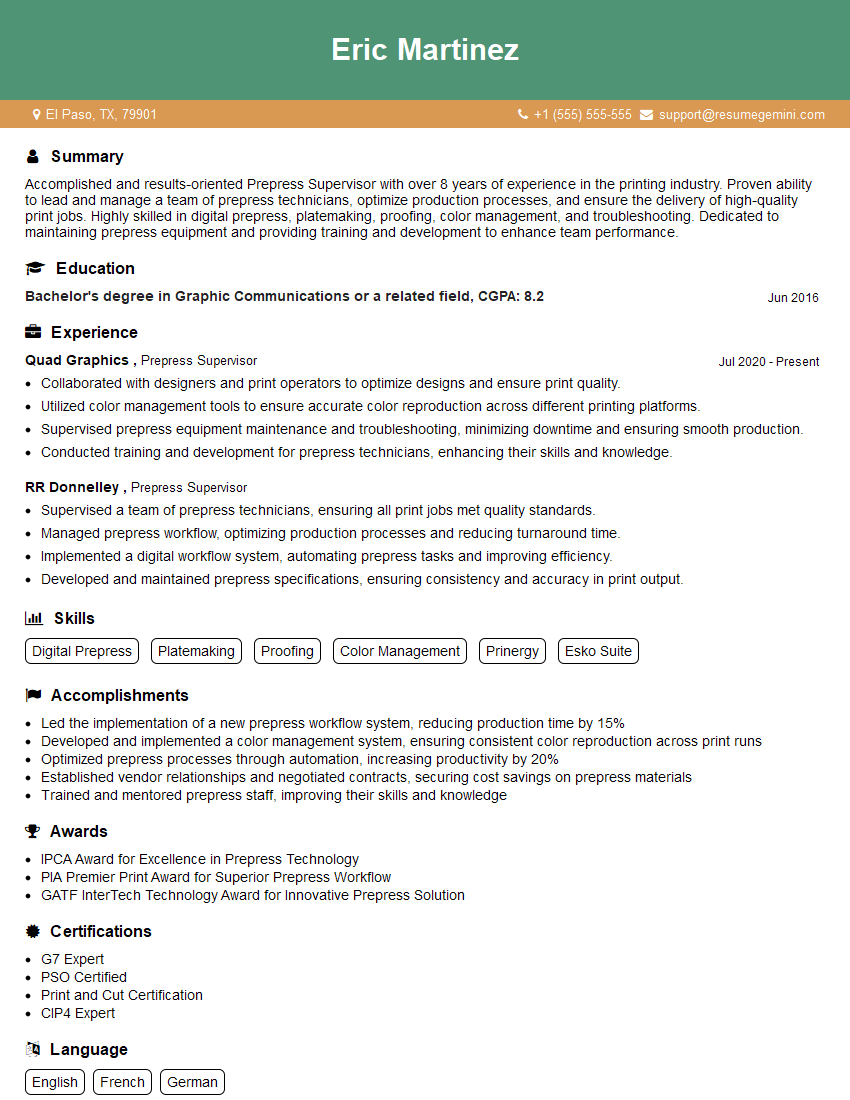
Proficiency in operating and maintaining platemaking equipment is crucial for advancement in the printing and graphic arts industries. Mastering these skills opens doors to higher-paying roles with greater responsibility and career satisfaction. To increase your chances of landing your dream job, focus on creating a compelling, ATS-friendly resume that highlights your skills and experience. ResumeGemini is a trusted resource to help you build a professional resume that showcases your abilities effectively. We provide examples of resumes tailored to highlight expertise in operating and maintaining platemaking equipment to help you get started.





Explore more articles
Users Rating of Our Blogs
Share Your Experience
We value your feedback! Please rate our content and share your thoughts (optional).
What Readers Say About Our Blog
Very informative content, great job.
good