Interviews are more than just a Q&A session—they’re a chance to prove your worth. This blog dives into essential Protocol Analysis and Decoding interview questions and expert tips to help you align your answers with what hiring managers are looking for. Start preparing to shine!
Questions Asked in Protocol Analysis and Decoding Interview
Q 1. Explain the TCP three-way handshake.
The TCP three-way handshake is a crucial process for establishing a reliable connection between two devices using the Transmission Control Protocol (TCP). Think of it like a polite phone call before a conversation: both parties need to confirm they’re available and ready to talk. It involves three steps:
- SYN (Synchronize): The initiating device sends a SYN packet to the destination, requesting a connection. This packet contains a sequence number (let’s say 1000).
- SYN-ACK (Synchronize-Acknowledge): The destination responds with a SYN-ACK packet, acknowledging the initial request and proposing its own sequence number (say, 2000). It also acknowledges the initiator’s sequence number (1000).
- ACK (Acknowledge): The initiating device sends an ACK packet, acknowledging the destination’s sequence number (2000). This final acknowledgement confirms the connection is established.
Without this three-way handshake, data transmission could be unreliable and prone to errors. Imagine if one party started talking before the other was ready; there’s a high chance of a missed or misinterpreted message. The handshake ensures both parties are synchronized and ready to exchange data smoothly.
Q 2. Describe the difference between TCP and UDP.
TCP (Transmission Control Protocol) and UDP (User Datagram Protocol) are both network protocols used to transmit data across a network, but they differ significantly in how they handle data delivery. TCP provides a reliable, ordered, and error-checked delivery service while UDP is connectionless and provides a faster, less reliable service. Imagine sending a package:
- TCP (Reliable Delivery): Like sending a registered package with tracking and delivery confirmation. It ensures the package arrives safely, in the correct order, and you get notified of its delivery. It’s slower but reliable.
- UDP (Unreliable Delivery): Like sending a postcard. You hope it arrives, but there’s no guarantee. It’s fast but has no tracking or confirmation.
Here’s a table summarizing the key differences:
| Feature | TCP | UDP |
|---|---|---|
| Connection | Connection-oriented | Connectionless |
| Reliability | Reliable | Unreliable |
| Ordering | Ordered | Unordered |
| Error Checking | Yes | No |
| Speed | Slower | Faster |
| Overhead | Higher | Lower |
Examples: TCP is used for web browsing (HTTP/HTTPS), email (SMTP), and file transfer (FTP). UDP is used for streaming video (like Netflix), online gaming, and DNS lookups – where speed and lower latency outweigh the need for absolute reliability.
Q 3. What is a packet capture and how is it used in protocol analysis?
A packet capture is the process of recording network traffic data, which are transmitted as data packets. Think of it as recording all the conversations happening on a network. Packet capture tools like Wireshark or tcpdump listen to network traffic and save the data packets for later analysis. In protocol analysis, packet captures allow us to investigate network behavior, troubleshoot problems, and identify security threats. Imagine needing to figure out why your internet connection is slow:
- Capture the traffic: You use a packet capture tool to record all the network traffic for a specific period.
- Analyze the packets: You examine the captured packets to see how much data is being transmitted, the latency, and the protocols being used.
- Identify bottlenecks: You spot any slowdowns or errors that might be causing the internet to run slowly.
Packet captures help in understanding what’s going on at a low level within the network. They provide detailed information about each packet’s contents, source, destination, and timestamps – essential for protocol analysis.
Q 4. What tools are used for protocol analysis (e.g., Wireshark, tcpdump)?
Several tools are widely used for protocol analysis. Two of the most popular are:
- Wireshark: A powerful, open-source network protocol analyzer. It provides a graphical user interface with detailed packet information and various analysis features. It’s like a microscope for your network traffic, letting you zoom in and examine every detail.
- tcpdump: A command-line network packet capture utility. It’s more powerful for advanced users familiar with command-line interfaces and offers flexibility in capturing specific network traffic based on various criteria. Think of it as a very precise, targeted recording device.
Other tools include NetworkMiner (for recovering files from network traffic) and SolarWinds Network Performance Monitor (for broader network monitoring and performance analysis).
Q 5. How do you identify and analyze network anomalies using protocol analysis?
Identifying and analyzing network anomalies using protocol analysis involves a combination of techniques. We look for patterns that deviate from normal network behavior. These might include:
- High volume of unusual traffic: Suddenly a large number of packets are being sent to or from a specific IP address. This could indicate a Denial-of-Service (DoS) attack.
- Unexpected protocols: Observing protocols that are not normally used on your network could point to unauthorized access or malicious activity.
- Large packet sizes: Unusually large packets might indicate an attempt to exploit a system vulnerability.
- Slow response times: Consistent delays in responses suggest network congestion or a faulty device.
The process generally involves:
- Establish a baseline: Analyze your network traffic under normal operating conditions to identify the typical patterns.
- Capture and analyze: Use packet capture tools to monitor the network traffic and compare it to the baseline. Look for anomalies and unusual patterns.
- Investigate: Once you spot an anomaly, examine it further to identify its cause and impact.
For example, consistently high volume of traffic directed towards an internal server, combined with unusual port usage, might indicate a malicious intrusion attempt.
Q 6. Explain the concept of port numbers and their significance.
Port numbers are numerical labels assigned to network processes. They identify which application or service a packet is intended for. Imagine a large apartment building with multiple units (applications). Each unit has a door number (port number) that indicates where a specific person (data packet) should go. These numbers range from 0 to 65535.
Their significance lies in their ability to distinguish different applications running on the same device. For instance, your web browser might use port 80 (HTTP) or 443 (HTTPS), while your email client might use port 25 (SMTP) or 110 (POP3). This allows the operating system to route incoming packets to the correct application. Without port numbers, it would be impossible to manage the various applications running on a device and direct data correctly.
Well-known ports (0-1023) are assigned to specific services, whereas registered ports (1024-49151) can be used by applications but require registration. Ephemeral ports (49152-65535) are assigned dynamically to applications when needed.
Q 7. What are the common network protocols (e.g., HTTP, HTTPS, FTP, SMTP)?
Many common network protocols facilitate communication between devices and applications. Here are a few:
- HTTP (Hypertext Transfer Protocol): Used for transferring web pages across the internet. It’s the foundation of the World Wide Web.
- HTTPS (Hypertext Transfer Protocol Secure): A secure version of HTTP that encrypts communication between a client and a server, ensuring data privacy.
- FTP (File Transfer Protocol): Allows the transfer of files between a client and a server. It’s used for uploading and downloading files.
- SMTP (Simple Mail Transfer Protocol): Used for sending emails over the internet. It handles email delivery between mail servers.
- DNS (Domain Name System): Translates domain names (like google.com) into IP addresses (like 172.217.160.142), allowing us to access websites using easy-to-remember names.
- SSH (Secure Shell): Provides a secure way to access remote computers. It encrypts the connection between the client and the server.
Each protocol has its own unique structure and rules, which makes understanding them crucial for proper network troubleshooting and security analysis.
Q 8. Describe the OSI model and its layers.
The OSI (Open Systems Interconnection) model is a conceptual framework that standardizes the functions of a telecommunication or computing system without regard to its underlying internal structure and technology. It’s a layered model, meaning it divides network communication into seven distinct layers, each with specific responsibilities. Think of it like a layered cake, where each layer depends on the one below it.
- Layer 7: Application Layer: This layer is where applications interact with the network. Examples include HTTP (web browsing), FTP (file transfer), and SMTP (email).
- Layer 6: Presentation Layer: This layer handles data formatting, encryption, and decryption. It ensures data is presented in a way the application can understand.
- Layer 5: Session Layer: This layer manages connections between applications, establishing, maintaining, and terminating sessions.
- Layer 4: Transport Layer: This layer provides reliable and unreliable data transfer. TCP (Transmission Control Protocol) provides reliable, ordered delivery, while UDP (User Datagram Protocol) is faster but less reliable.
- Layer 3: Network Layer: This layer handles logical addressing (IP addresses) and routing packets across networks. IP protocols operate here.
- Layer 2: Data Link Layer: This layer handles physical addressing (MAC addresses) and error detection within a single network segment. Ethernet and Wi-Fi operate at this layer.
- Layer 1: Physical Layer: This layer deals with the physical transmission of data, including cables, signals, and network interfaces.
Understanding the OSI model is crucial for troubleshooting network issues because it helps you pinpoint where a problem might be occurring.
Q 9. How do you filter packets in Wireshark based on specific criteria?
Wireshark is a powerful network protocol analyzer. Filtering packets allows you to focus on specific traffic, making analysis much easier. You can filter based on various criteria using display filters in the filter bar. These filters are written using a specific syntax.
Examples:
ip.addr == 192.168.1.100: Shows packets with the source or destination IP address of 192.168.1.100.tcp.port == 80: Shows packets using TCP port 80 (HTTP).http.host == example.com: Shows HTTP packets related to example.com.eth.addr == 00:16:3e:00:00:01: Shows packets with the source or destination MAC address 00:16:3e:00:00:01.(ip.src == 10.0.0.1 and ip.dst == 10.0.0.2) or (ip.src == 10.0.0.2 and ip.dst == 10.0.0.1): Shows packets between two specific IP addresses.
More complex filters can be built using logical operators (AND, OR, NOT) and other criteria. Wireshark’s documentation provides a comprehensive list of available filter expressions.
Q 10. Explain the concept of IP addressing (IPv4 and IPv6).
IP addressing is a system used to uniquely identify devices on a network. IPv4 and IPv6 are two versions of this system.
- IPv4 (Internet Protocol version 4): Uses 32-bit addresses, represented as four decimal numbers separated by dots (e.g., 192.168.1.100). The limited address space is a major drawback.
- IPv6 (Internet Protocol version 6): Uses 128-bit addresses, represented using hexadecimal numbers separated by colons (e.g., 2001:0db8:85a3:0000:0000:8a2e:0370:7334). It offers a vastly larger address space and improved features compared to IPv4.
Each device on a network needs a unique IP address to receive data. Imagine it like a postal address for your network packages.
Q 11. What is a subnet mask and how does it work?
A subnet mask is a 32-bit number used in conjunction with an IP address to identify the network portion and the host portion of an IP address. It determines which part of the IP address represents the network and which part represents the specific device on that network.
It works by using a bitwise AND operation between the IP address and the subnet mask. Bits with a value of ‘1’ in the subnet mask indicate the network portion, while bits with a value of ‘0’ indicate the host portion.
Example:
IP Address: 192.168.1.100
Subnet Mask: 255.255.255.0 (which is equivalent to 11111111.11111111.11111111.00000000 in binary)
The bitwise AND operation will separate the network address (192.168.1.0) and the host address (.100).
Subnet masks are crucial for routing traffic efficiently and organizing large networks into smaller, more manageable subnets.
Q 12. How do you interpret a packet header?
Interpreting a packet header involves understanding the various fields it contains. The exact fields vary depending on the protocol (e.g., Ethernet, IP, TCP, UDP), but common elements include:
- Source and Destination Addresses: Identify the sending and receiving devices (MAC addresses at layer 2, IP addresses at layer 3).
- Protocol Type: Indicates the higher-level protocol encapsulated within the packet (e.g., TCP, UDP, ICMP).
- Port Numbers (TCP/UDP): Specify the application ports used for communication (e.g., port 80 for HTTP).
- Length/Size: Indicates the total length of the packet.
- Checksum: Used for error detection.
- Sequence Numbers (TCP): Ensure reliable, ordered delivery of data.
- Flags (TCP): Control aspects of the connection, such as synchronization, acknowledgement, and termination.
Understanding these fields allows you to determine the source and destination of a packet, the type of communication, and potential issues within the network.
Wireshark and other packet analyzers visually represent these fields making the process significantly easier.
Q 13. What is network latency and how is it measured?
Network latency, also known as delay, is the time it takes for a data packet to travel from its source to its destination. It’s a crucial metric for network performance. High latency can lead to slowdowns, sluggish applications, and poor user experience (imagine a phone call with significant pauses).
Latency is measured in milliseconds (ms) or seconds (s). Several tools can measure it, including:
- Ping: A basic command-line utility that measures the round-trip time for packets to reach a destination and return. It provides a quick assessment of latency.
- Traceroute/Tracert: Shows the path a packet takes across the network, including latency at each hop.
- Specialized network monitoring tools: More sophisticated tools offer detailed latency measurements, visualizations, and performance analysis.
Factors contributing to latency include network congestion, distance, processing time at routers, and the speed of the network infrastructure.
Q 14. Explain the concept of DNS and its role in network communication.
DNS (Domain Name System) is the internet’s phonebook. It translates human-readable domain names (like google.com) into machine-readable IP addresses (like 172.217.160.142), which are required for computers to communicate.
Without DNS, you would need to remember the IP address of every website you visit, which is impractical. DNS servers act as intermediaries, translating domain names into IP addresses when you request a website.
The process typically involves:
- Client Query: Your computer sends a query to a DNS resolver (often provided by your ISP).
- Recursive Query: The resolver recursively queries root, top-level domain (TLD), and authoritative DNS servers to find the IP address associated with the domain name.
- Response: The IP address is returned to your computer.
DNS plays a crucial role in enabling smooth and efficient internet navigation. DNS servers are a critical part of the internet infrastructure.
Q 15. Describe common network attacks and how protocol analysis can help in detection.
Protocol analysis is invaluable for detecting network attacks. By examining the raw data packets, we can identify anomalies and malicious behavior that might go unnoticed by other security tools. Common attacks like denial-of-service (DoS), port scans, and malware infections leave distinct footprints in network traffic.
Denial-of-Service (DoS): A DoS attack floods a target system with traffic, overwhelming its resources and making it unavailable. Protocol analysis can reveal a sudden surge in traffic from numerous sources, often targeting specific ports, indicating a DoS attempt. For example, a massive increase in SYN packets without corresponding ACK packets points to a SYN flood attack.
Port Scans: Attackers use port scans to identify open ports on a target system, searching for vulnerabilities. Protocol analysis can detect suspicious patterns of TCP or UDP scans across a range of ports, highlighting potential reconnaissance activity.
Malware Infections: Malware often communicates with command-and-control servers, sending and receiving data over the network. Protocol analysis can uncover this communication by identifying unusual traffic patterns, unusual connections to known malicious IPs, or the use of obfuscation techniques.
By correlating timestamps, source/destination IP addresses, ports, and protocol details, we can build a comprehensive picture of the attack, pinpointing its source and the affected systems. For instance, observing unusually high data transfer rates to an unknown external IP address, coupled with unusual DNS requests, could indicate an exfiltration attempt by malware.
Career Expert Tips:
- Ace those interviews! Prepare effectively by reviewing the Top 50 Most Common Interview Questions on ResumeGemini.
- Navigate your job search with confidence! Explore a wide range of Career Tips on ResumeGemini. Learn about common challenges and recommendations to overcome them.
- Craft the perfect resume! Master the Art of Resume Writing with ResumeGemini’s guide. Showcase your unique qualifications and achievements effectively.
- Don’t miss out on holiday savings! Build your dream resume with ResumeGemini’s ATS optimized templates.
Q 16. How do you analyze encrypted traffic?
Analyzing encrypted traffic presents a significant challenge. Since the payload is encrypted, we cannot directly inspect its contents. However, we can still extract valuable information from the metadata.
Metadata Analysis: We can analyze the header information, which typically remains unencrypted. This includes source and destination IP addresses, ports, timestamps, and protocol information. Analyzing these can reveal communication patterns, even if we can’t see the actual content. For example, frequent communication with known malicious IP addresses, regardless of encryption, raises a red flag.
Protocol Decoding and Deep Packet Inspection: Some advanced tools can decode certain encrypted protocols, such as HTTPS, to a certain extent. They might not reveal the entire content, but they can extract some information, such as the domain names visited or the type of request being made. This depends heavily on the encryption algorithm used and the capabilities of the analysis tools. For example, detecting the use of known weak cipher suites.
Traffic Flow Analysis: Examining the volume and timing of encrypted communication can provide insights. A sudden spike in traffic to a specific server, even if encrypted, could suggest a data breach or other malicious activity.
It’s crucial to remember that complete analysis of encrypted traffic usually requires access to encryption keys or the use of specialized decryption techniques, which are often unavailable or legally restricted.
Q 17. What is a man-in-the-middle attack and how can it be detected?
A man-in-the-middle (MITM) attack occurs when an attacker secretly relays and possibly alters the communication between two parties who believe they are directly communicating with each other. Imagine a malicious actor intercepting a conversation between two friends and modifying it to their advantage.
Detecting a MITM attack relies heavily on protocol analysis and verification of digital certificates:
Certificate Inspection: Examine the SSL/TLS certificates involved in the communication. A MITM attacker often creates a self-signed or fake certificate, which will generate a warning in most browsers. Protocol analysis allows for inspection of the certificate details, revealing potential discrepancies.
Packet Capture and Analysis: Capture the network traffic using a packet capture tool (like Wireshark). Analyze the traffic to see if there are extra hops or unexpected intermediaries between the two communicating parties. Looking for unexpected encryption changes or discrepancies in the sequence of packets can also indicate MITM activity.
Traffic Comparison: If you have access to both ends of the communication, compare the packets sent and received by both parties. Any inconsistencies can indicate tampering.
Traffic Anomaly Detection: Sudden changes in the volume or nature of encrypted traffic, even without clear decryption, may suggest a MITM attack. For example, a sudden increase in data volume transferred through an unexpected route.
Ultimately, successful MITM detection depends on the ability to identify deviations from the expected communication flow and certificate integrity.
Q 18. What are the challenges of analyzing real-time network traffic?
Analyzing real-time network traffic presents many challenges:
High Volume of Data: Real-time network traffic can be incredibly voluminous, making it computationally expensive to process and analyze in real time. The sheer volume of packets can easily overwhelm analysis tools.
Performance Overhead: Real-time analysis often requires deploying specialized hardware and software to avoid impacting the performance of the network itself. A slow analysis system could negatively impact the network performance.
Data Filtering and Correlation: Efficiently filtering out irrelevant traffic and correlating relevant events is critical for managing the volume of data. Finding the needle in the haystack requires sophisticated filtering and pattern-matching techniques.
Resource Constraints: Limited resources (CPU, memory, storage) can restrict the depth and breadth of analysis possible. Efficient algorithms and optimized tool selection is crucial.
Keeping up with the speed of change: New protocols, attacks and evasion techniques constantly evolve, demanding continuous adaptation and updates of the analysis tools and methods.
Addressing these challenges requires careful planning, the use of high-performance hardware and software, and effective data filtering and correlation techniques.
Q 19. How do you troubleshoot network connectivity issues using protocol analysis?
Protocol analysis is crucial for troubleshooting network connectivity issues. By capturing and examining network packets, we can pinpoint the exact point of failure. Imagine a detective meticulously examining clues to solve a crime. This is similar to how we use protocol analysis for network diagnostics.
Here’s a step-by-step approach:
Capture Network Traffic: Use a packet capture tool like Wireshark to capture packets from the relevant network segments.
Identify the affected communication: Determine the source and destination systems, ports and protocols involved in the failed communication.
Analyze Packet Headers: Examine the packet headers for indications of errors, such as timeouts, dropped packets, or incorrect checksums. For example, observing numerous TCP RST packets might signal a connection problem.
Check for protocol mismatches: Protocol versions may be incompatible between systems. Ensure that the protocols are correctly implemented on all systems.
Examine Packet Content (where applicable): If the problem allows for it, decode the packet content to find the specific cause of failure (e.g., incorrect application data).
Review routing information: Verify that the routing tables are correctly configured to facilitate communication between the systems.
Investigate network devices: Examine the status and configurations of routers, switches, and firewalls to detect any misconfigurations affecting connectivity.
By systematically analyzing the network traffic and related configurations, we can precisely identify the root cause of the connectivity problem, ensuring efficient resolution.
Q 20. Explain the difference between a full-duplex and half-duplex connection.
The difference between full-duplex and half-duplex connections lies in how data is transmitted over a communication link.
Half-duplex: In a half-duplex connection, data can flow in only one direction at a time. Think of a walkie-talkie: only one person can speak at a time; once they’re done, the other person can speak. This method reduces the efficiency because both sides cannot send and receive data concurrently.
Full-duplex: In a full-duplex connection, data can flow in both directions simultaneously. It’s like a telephone conversation: both people can talk at the same time without interruption. This increases the efficiency of the network as it allows for simultaneous data transmission and reception.
Most modern Ethernet networks utilize full-duplex communication, allowing for much higher throughput and performance than half-duplex connections. However, half-duplex connections are still used in certain situations, such as in some older or specialized network configurations.
Q 21. What is a network segment?
A network segment is a portion of a larger network that is logically separated from other parts. Think of it as a section of a highway separated by barriers or off-ramps. This separation can be achieved through different mechanisms such as VLANs (Virtual LANs), routers, or switches.
Network segmentation provides several advantages:
Improved security: By separating networks, you limit the impact of security breaches. If one segment is compromised, the others are less likely to be affected.
Enhanced performance: Reducing the number of devices on a single segment improves performance by reducing network congestion and traffic collisions.
Better manageability: It is easier to manage and monitor a smaller, segmented network than a large, complex one.
Increased reliability: Isolating parts of the network ensures that if one segment fails, the entire network is not affected.
Examples of network segmentation include separating a company’s guest Wi-Fi from its internal network, or dividing a large enterprise network into smaller segments based on department or function.
Q 22. What are some common security vulnerabilities related to network protocols?
Network protocols, while enabling communication, often harbor security vulnerabilities. These weaknesses can be exploited by attackers to compromise systems and steal data. Some common vulnerabilities include:
- Injection Attacks (SQL Injection, Command Injection): These occur when an attacker inserts malicious code into protocol data, such as an SQL query in a web application’s request, leading to unauthorized database access or system commands.
- Buffer Overflows: These occur when a program attempts to write data beyond the allocated buffer size. Attackers can exploit this to overwrite memory, potentially executing malicious code.
- Denial of Service (DoS) Attacks: These attacks overwhelm a system with traffic, rendering it unavailable to legitimate users. Examples include SYN floods (targeting TCP’s three-way handshake) or UDP floods.
- Man-in-the-Middle (MitM) Attacks: Attackers intercept and manipulate communication between two parties, often using techniques like ARP spoofing or rogue DHCP servers.
- Session Hijacking: Attackers steal a valid session ID to impersonate a legitimate user and gain unauthorized access to their account or data. This is especially relevant for protocols lacking robust authentication.
- Weak Encryption or Cryptographic Algorithms: Using outdated or weak encryption makes data vulnerable to decryption, even if the communication is encrypted. For example, using outdated ciphers like DES.
Understanding these vulnerabilities is crucial for designing and implementing secure network systems. Regular security audits, penetration testing, and employing secure coding practices are vital in mitigating these risks.
Q 23. How does protocol analysis help in identifying malware?
Protocol analysis plays a vital role in malware identification by examining network traffic patterns and data payloads. By dissecting network packets, analysts can detect suspicious activities indicative of malware infections. For example:
- Unusual Network Connections: Malware often communicates with command-and-control (C&C) servers. Protocol analysis helps identify connections to unknown or suspicious IP addresses and ports, suggesting malicious activity.
- Encrypted Traffic: While encryption is typically used for legitimate purposes, malware frequently leverages encryption to hide its communication. Analyzing encrypted traffic for anomalies or identifying known malware encryption patterns can be revealing.
- Payload Analysis: Examining the content of data packets can reveal malicious code or commands. For example, discovering shellcode within a packet suggests an attempt at remote code execution.
- Timing and Frequency: Malware often exhibits predictable patterns in communication frequency and timing. Analyzing the frequency of connections and the timing of requests can highlight abnormal behaviors.
Think of it like forensic science for digital networks. By carefully examining the ‘evidence’ (network packets), we can reconstruct the actions of the malware and understand its behavior. Tools like Wireshark are indispensable in this process, allowing detailed examination of protocol headers and payloads.
Q 24. What is the role of timestamps in protocol analysis?
Timestamps are crucial in protocol analysis, providing context and enabling the reconstruction of events in chronological order. This is essential for understanding the sequence of network activities, pinpointing the timing of attacks, and troubleshooting network issues.
- Event Sequencing: Timestamps help determine the order of events, essential for identifying the cause-and-effect relationships in network activities. Did a failed login attempt precede a data breach?
- Attack Timeline Reconstruction: Analyzing timestamps associated with malicious activities allows analysts to build a timeline of the attack, understanding its progression and impact.
- Performance Analysis: Analyzing timestamps can reveal latency or delays in network communications, helping to identify performance bottlenecks and optimize network configurations.
- Correlation Analysis: Timestamps facilitate the correlation of events from multiple sources, such as logs and network captures, building a comprehensive picture of a security incident.
Imagine investigating a car accident – knowing the exact time of the collision is crucial to reconstructing the events. Similarly, precise timestamps in network analysis are vital for accurate interpretation and efficient problem-solving.
Q 25. Explain different types of network topologies.
Network topologies describe the physical or logical arrangement of nodes (computers, servers, etc.) and connections in a network. Several common topologies exist:
- Bus Topology: All nodes are connected to a single cable (the bus). Simple to implement but a single point of failure.
- Star Topology: All nodes connect to a central hub or switch. Easy to manage and troubleshoot, a single point of failure remains but less impactful.
- Ring Topology: Nodes are connected in a closed loop. Data travels in one direction. Relatively efficient but a single node failure can disrupt the entire network.
- Mesh Topology: Nodes are connected with multiple paths. Highly reliable but complex to implement and manage.
- Tree Topology: A hierarchical structure resembling an inverted tree. Often used in LANs to extend the network. Combines elements of star and bus topologies.
- Hybrid Topology: A combination of two or more topologies.
Choosing the right topology depends on factors such as network size, reliability requirements, and cost considerations. Understanding these different topologies is essential for designing and managing efficient and resilient networks.
Q 26. How do you analyze large packet captures efficiently?
Analyzing large packet captures efficiently requires a strategic approach. Simply opening a massive capture file in a protocol analyzer will likely overwhelm the system. Here’s a structured approach:
- Filtering: Use powerful filtering capabilities to narrow down the data. Filter by IP address, port, protocol, or specific keywords in the packet payload. This significantly reduces the data volume for analysis.
- Data Reduction Techniques: Tools often provide functionalities to summarize data, such as showing only unique connections or aggregating traffic statistics.
- Statistical Analysis: Instead of examining every packet individually, focus on statistical summaries like traffic volume per time interval or the distribution of packet sizes.
- Specialized Tools and Libraries: Consider using specialized tools that can handle large datasets more efficiently, including tools with distributed processing capabilities, that parse data in parallel.
- Scripting and Automation: Write scripts (e.g., using Python with libraries like Scapy) to automate data processing and analysis tasks. This is especially helpful for repetitive operations.
For instance, instead of examining a 10 GB capture containing millions of packets related to web traffic, you might filter it to focus only on traffic to specific servers, allowing for more targeted analysis.
Q 27. Describe your experience with specific protocol analysis tools.
My experience with protocol analysis tools is extensive, encompassing both commercial and open-source options. I have extensive hands-on experience with Wireshark, which is my primary tool. Its powerful filtering, dissection, and visualization features are invaluable for analyzing network traffic. I am proficient in using its various features including dissectors, color-coding to highlight traffic patterns, and exporting data for further analysis in other applications.
I’ve also utilized tcpdump for command-line packet capture and preliminary filtering, especially when dealing with network performance issues or needing quick, lightweight capture from remote systems.
Furthermore, I’ve worked with specialized tools that focus on specific protocols or tasks such as analyzing encrypted traffic or decrypting SSL/TLS sessions. My experience includes generating reports using tools such as Wireshark’s reporting engine, which are vital for presenting analysis results to clients or management. The depth of my experience allows me to choose the right tools based on the specific analysis task and the scale of data to improve efficiency and accuracy.
Key Topics to Learn for Protocol Analysis and Decoding Interview
- Network Fundamentals: Understanding TCP/IP model, OSI model, and their relationship. Practical application: Troubleshooting network connectivity issues by analyzing packet captures.
- Protocol Specifications: Deep dive into protocols like TCP, UDP, HTTP, HTTPS, DNS, ICMP. Practical application: Identifying vulnerabilities and security threats by analyzing protocol behavior.
- Packet Capture and Analysis Tools: Familiarization with Wireshark, tcpdump, or similar tools. Practical application: Analyzing network traffic to identify performance bottlenecks and security incidents.
- Decoding Techniques: Mastering the art of interpreting packet headers, payloads, and flags. Practical application: Reconstructing application-level communication from raw packet data.
- Data Interpretation and Visualization: Presenting findings effectively through charts, graphs, and reports. Practical application: Clearly communicating complex technical information to both technical and non-technical audiences.
- Security Implications: Understanding how protocol analysis can be used for security monitoring and incident response. Practical application: Identifying malicious network activity and developing mitigation strategies.
- Common Protocols and their Applications: Focus on the practical applications and nuances of protocols relevant to your target roles (e.g., VoIP protocols for network engineers, specific application protocols for security analysts).
Next Steps
Mastering Protocol Analysis and Decoding opens doors to exciting career opportunities in network security, cybersecurity, and network engineering, offering high demand and competitive salaries. To maximize your job prospects, it’s crucial to present your skills effectively. An ATS-friendly resume is your first impression; it needs to highlight your expertise clearly and concisely. ResumeGemini is a trusted resource to help you build a professional and impactful resume that gets noticed. We offer examples of resumes tailored to Protocol Analysis and Decoding roles to give you a head start. Invest time in crafting a strong resume – it’s your key to unlocking your potential.

Compliance Analyst Resume Sample

Security Engineer Resume Sample

Network Administrator Resume Sample
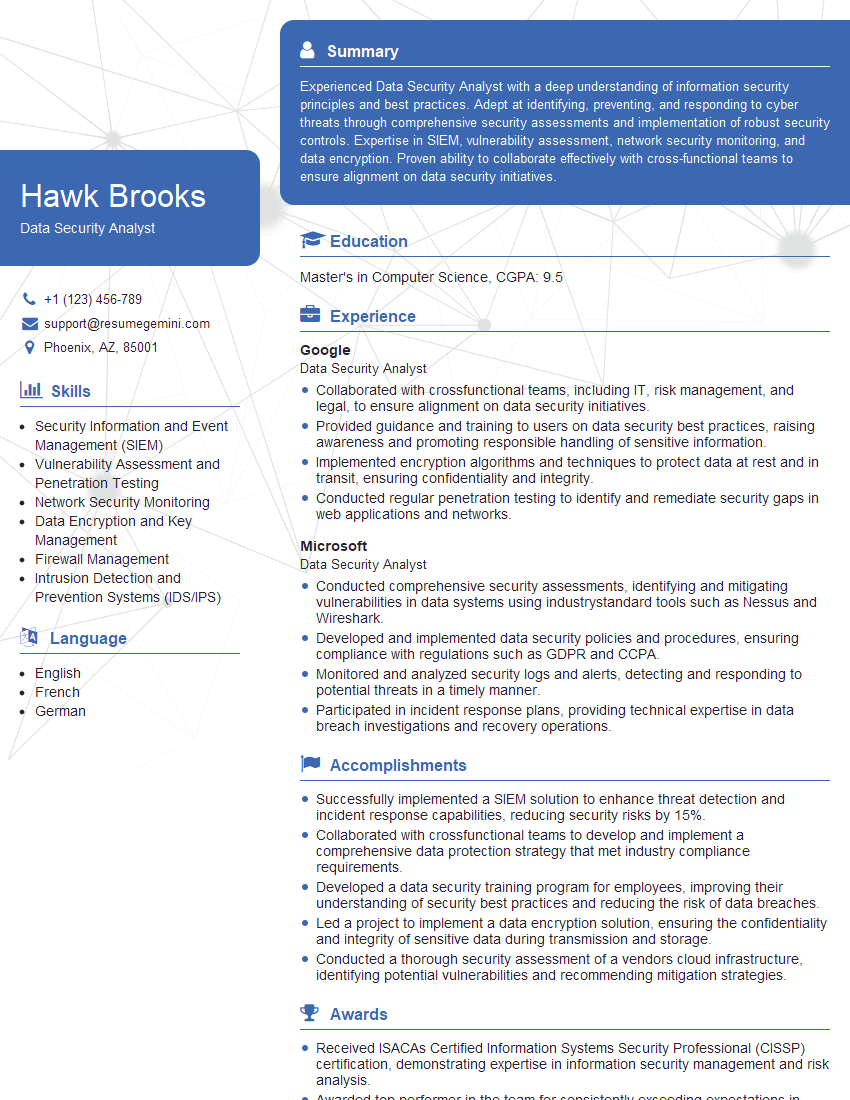
Data Security Analyst Resume Sample

Network Engineer Resume Sample
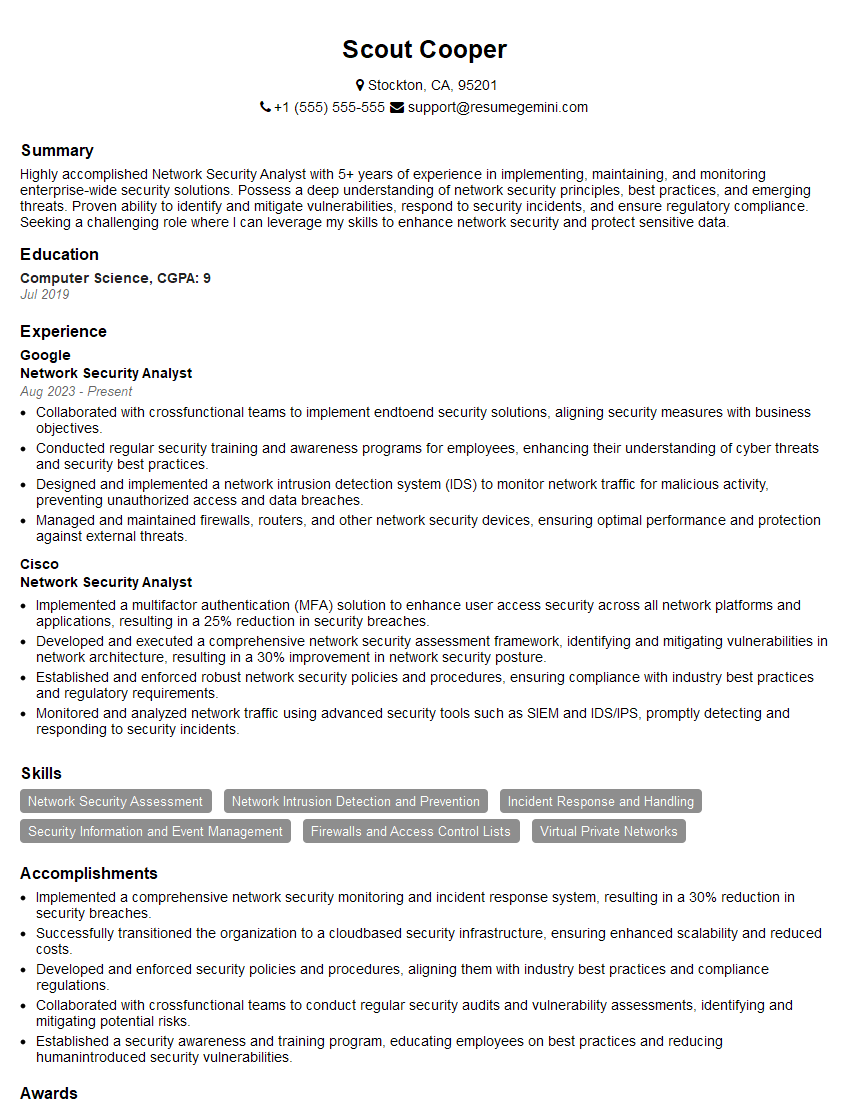
Network Security Analyst Resume Sample

Security Architect Resume Sample

System Administrator Resume Sample

IT Security Specialist Resume Sample

Cybersecurity Analyst Resume Sample
Explore more articles
Users Rating of Our Blogs
Share Your Experience
We value your feedback! Please rate our content and share your thoughts (optional).
What Readers Say About Our Blog
Hello,
we currently offer a complimentary backlink and URL indexing test for search engine optimization professionals.
You can get complimentary indexing credits to test how link discovery works in practice.
No credit card is required and there is no recurring fee.
You can find details here:
https://wikipedia-backlinks.com/indexing/
Regards
NICE RESPONSE TO Q & A
hi
The aim of this message is regarding an unclaimed deposit of a deceased nationale that bears the same name as you. You are not relate to him as there are millions of people answering the names across around the world. But i will use my position to influence the release of the deposit to you for our mutual benefit.
Respond for full details and how to claim the deposit. This is 100% risk free. Send hello to my email id: [email protected]
Luka Chachibaialuka
Hey interviewgemini.com, just wanted to follow up on my last email.
We just launched Call the Monster, an parenting app that lets you summon friendly ‘monsters’ kids actually listen to.
We’re also running a giveaway for everyone who downloads the app. Since it’s brand new, there aren’t many users yet, which means you’ve got a much better chance of winning some great prizes.
You can check it out here: https://bit.ly/callamonsterapp
Or follow us on Instagram: https://www.instagram.com/callamonsterapp
Thanks,
Ryan
CEO – Call the Monster App
Hey interviewgemini.com, I saw your website and love your approach.
I just want this to look like spam email, but want to share something important to you. We just launched Call the Monster, a parenting app that lets you summon friendly ‘monsters’ kids actually listen to.
Parents are loving it for calming chaos before bedtime. Thought you might want to try it: https://bit.ly/callamonsterapp or just follow our fun monster lore on Instagram: https://www.instagram.com/callamonsterapp
Thanks,
Ryan
CEO – Call A Monster APP
To the interviewgemini.com Owner.
Dear interviewgemini.com Webmaster!
Hi interviewgemini.com Webmaster!
Dear interviewgemini.com Webmaster!
excellent
Hello,
We found issues with your domain’s email setup that may be sending your messages to spam or blocking them completely. InboxShield Mini shows you how to fix it in minutes — no tech skills required.
Scan your domain now for details: https://inboxshield-mini.com/
— Adam @ InboxShield Mini
Reply STOP to unsubscribe
Hi, are you owner of interviewgemini.com? What if I told you I could help you find extra time in your schedule, reconnect with leads you didn’t even realize you missed, and bring in more “I want to work with you” conversations, without increasing your ad spend or hiring a full-time employee?
All with a flexible, budget-friendly service that could easily pay for itself. Sounds good?
Would it be nice to jump on a quick 10-minute call so I can show you exactly how we make this work?
Best,
Hapei
Marketing Director
Hey, I know you’re the owner of interviewgemini.com. I’ll be quick.
Fundraising for your business is tough and time-consuming. We make it easier by guaranteeing two private investor meetings each month, for six months. No demos, no pitch events – just direct introductions to active investors matched to your startup.
If youR17;re raising, this could help you build real momentum. Want me to send more info?
Hi, I represent an SEO company that specialises in getting you AI citations and higher rankings on Google. I’d like to offer you a 100% free SEO audit for your website. Would you be interested?
Hi, I represent an SEO company that specialises in getting you AI citations and higher rankings on Google. I’d like to offer you a 100% free SEO audit for your website. Would you be interested?
good