Feeling uncertain about what to expect in your upcoming interview? We’ve got you covered! This blog highlights the most important Prototyping Skills interview questions and provides actionable advice to help you stand out as the ideal candidate. Let’s pave the way for your success.
Questions Asked in Prototyping Skills Interview
Q 1. Explain the different types of prototyping methods you are familiar with.
Prototyping methods can be broadly categorized by their fidelity – how closely they resemble the final product. Low-fidelity prototypes are rough, quick representations, while high-fidelity prototypes are highly detailed and polished. Here are some examples:
- Low-fidelity: Paper prototypes, storyboards, wireframes (basic sketches), and Wizard of Oz prototyping (simulating functionality manually).
- Mid-fidelity: Interactive prototypes created using tools like Figma, Adobe XD, or InVision, offering some level of interactivity but lacking fully polished visuals.
- High-fidelity: Prototypes that closely mimic the final product’s look and feel, often including realistic animations and transitions. These might be created using tools like Axure RP, Framer, or even native mobile app development environments.
- Rapid Prototyping: Emphasizes speed and iteration over detail, often using low- to mid-fidelity methods. Think quickly creating a paper prototype to test a core interaction.
The choice depends heavily on the project’s stage and goals. Early stages benefit from faster, low-fidelity methods for rapid iteration, while later stages might require high-fidelity prototypes for user testing of the final look and feel.
Q 2. Describe your experience with low-fidelity prototyping.
I have extensive experience with low-fidelity prototyping, primarily using paper prototypes and basic wireframes. I find them invaluable for early-stage exploration. For example, during a project for a new mobile banking app, we started with paper prototypes to test the basic workflow of transferring funds. This allowed us to quickly identify usability issues in the navigation and information hierarchy without investing significant time in a polished digital prototype. We used sticky notes to represent different screen elements and sketched interactions on the spot, facilitating collaborative design sessions and quick iterations based on immediate feedback. The ease and speed of revision with paper prototypes were instrumental in arriving at a refined flow before moving to digital tools.
Q 3. What are the advantages and disadvantages of high-fidelity prototyping?
High-fidelity prototypes offer a realistic preview of the final product, enhancing user engagement and providing a better understanding of the overall experience.
- Advantages: More accurate user feedback, improved stakeholder buy-in due to a visually appealing prototype, better detection of subtle usability issues.
- Disadvantages: Time-consuming and resource-intensive to create, can lead to attachment to features and resistance to changes, might obscure underlying usability issues behind polished aesthetics. Cost of development can become prohibitive.
Think of it like this: a high-fidelity prototype is like a beautiful architectural model, but it might hide structural flaws. A low-fidelity prototype, in comparison, is like a quick sketch – less pretty, but perhaps it highlights critical design choices more effectively.
Q 4. How do you choose the right prototyping method for a given project?
Selecting the right prototyping method involves considering several factors:
- Project phase: Early stages call for low-fidelity, while later stages might require high-fidelity.
- Project goals: Are you testing core functionality or visual appeal?
- Resources: Time, budget, and available skills influence the complexity of the prototype.
- Target audience: High-fidelity prototypes might be necessary for more demanding user testing scenarios.
For example, a simple internal tool might only require a low-fidelity prototype. Conversely, a complex e-commerce platform would benefit from higher fidelity prototypes to accurately simulate user interactions.
Q 5. Describe your process for iterating on a prototype based on user feedback.
My process for iterating on a prototype based on user feedback is iterative and data-driven. It typically includes these steps:
- Gather feedback: Conduct user testing sessions, surveys, or collect feedback through observation. I carefully document specific pain points and positive feedback, noting user behavior and struggles.
- Analyze feedback: Identify patterns and prioritize issues based on their severity and impact on the user experience. We create affinity maps to group similar feedback.
- Prioritize changes: Focusing on the most critical feedback, we create a revised prototype incorporating the needed adjustments.
- Test again: Repeat the user testing process with the revised prototype to validate the changes and ensure they resolve the identified issues.
- Iterate: Continue the cycle of testing, analysis, and refinement until the prototype meets the desired level of usability and user satisfaction.
For instance, during a user test, users struggled to find the “Add to Cart” button on a shopping website prototype. That feedback was prioritized, leading to its redesign for better visibility in the next iteration.
Q 6. How do you handle conflicting feedback from stakeholders?
Conflicting stakeholder feedback is common. My approach involves facilitating a collaborative discussion, prioritizing the user’s needs, and using data to support design decisions.
- Facilitate discussion: Create a neutral space for stakeholders to express their perspectives. Focus on understanding the underlying reasons for their differing opinions.
- Prioritize user needs: Remind stakeholders that the primary goal is to create a user-centered experience. Use user testing data to demonstrate the impact of different design choices on the users.
- Compromise and iterate: Find a balance between conflicting needs through compromise and iteration. Sometimes A/B testing different design solutions can help us determine what works best.
- Document decisions: Keep a record of all decisions made and the rationale behind them. This creates transparency and helps prevent future conflicts.
If, for example, the marketing team wants a specific banner placement that clashes with usability findings, I would present user test data showing why the banner placement is problematic and propose alternative solutions that meet both marketing goals and user needs.
Q 7. How do you measure the success of a prototype?
Measuring the success of a prototype goes beyond just visual appeal. I focus on these key metrics:
- Task completion rate: What percentage of users successfully completed key tasks within the prototype?
- Error rate: How often did users make errors while interacting with the prototype?
- Time on task: How long did it take users to complete each task? Shorter times indicate efficiency.
- User satisfaction: Did users express overall satisfaction with the prototype’s usability and design? (Measured through post-test questionnaires or interviews).
- Qualitative feedback: Understanding the ‘why’ behind quantitative data through in-depth feedback analysis.
By analyzing these metrics, we gain valuable insights into the effectiveness of the prototype and identify areas for improvement before committing resources to full development. If the task completion rate is low or error rate is high, it signifies areas in the prototype needing refinement.
Q 8. What tools and software are you proficient in for prototyping?
My prototyping toolkit is quite diverse, catering to different project needs and fidelity levels. For low-fidelity prototypes, I frequently use pen and paper for quick sketching and brainstorming, followed by tools like Figma and Sketch for creating digital wireframes and mockups. These allow for rapid iteration and easy collaboration. For higher-fidelity prototypes, simulating interactive elements and user flows, I leverage Adobe XD, Axure RP, and InVision Studio. These tools enable the creation of clickable prototypes with advanced animations and interactions, providing a near-realistic user experience. Finally, for specific needs like testing micro-interactions or motion design, I sometimes use After Effects or Principle. The choice of tool depends entirely on the project’s scope, timeline, and desired level of detail.
Q 9. Describe your experience with user testing and its role in prototyping.
User testing is absolutely crucial to effective prototyping. It’s not just about building something; it’s about building something usable. I typically incorporate user testing throughout the prototyping process, starting with early wireframes and continuing through to high-fidelity prototypes. My approach involves:
- Recruiting participants: I carefully select participants who represent the target audience to ensure relevant feedback.
- Planning test scenarios: I create specific tasks for participants to complete within the prototype, guiding them through key user flows.
- Observing and recording: I observe participants’ interactions, noting their successes, struggles, and overall experience. I use screen recording software and take detailed notes.
- Analyzing feedback: After the test, I analyze the collected data, identifying usability issues, pain points, and areas for improvement. This iterative feedback loop informs design adjustments and subsequent iterations of the prototype.
For example, during a recent project designing a mobile banking app, user testing revealed that the location of the ‘transfer funds’ button was confusing for many participants. This feedback directly led to a redesign, significantly improving the user experience.
Q 10. How do you incorporate accessibility considerations into your prototypes?
Accessibility is paramount. From the outset, I consider WCAG (Web Content Accessibility Guidelines) standards to ensure my prototypes are inclusive and usable by individuals with diverse needs. This includes:
- Sufficient color contrast: Using tools to check contrast ratios between text and background colors.
- Appropriate font sizes and styles: Ensuring readability for users with visual impairments.
- Keyboard navigation: Making sure all interactive elements are accessible via keyboard, not just mouse clicks.
- Alternative text for images: Providing descriptive text for screen readers.
- Captions and transcripts for video content: Making videos accessible to the deaf and hard of hearing.
For instance, when prototyping a website, I’d use a contrast checker tool to ensure text is easily readable against the background. I also always test keyboard navigation to ensure seamless experience for users who can’t use a mouse.
Q 11. Explain your approach to prototyping for responsive design.
Responsive design is critical in today’s multi-device world. My approach to prototyping for responsive design involves creating a flexible prototype that adapts seamlessly across different screen sizes and orientations. I typically use a combination of techniques:
- Modular design: Breaking down the design into reusable components that can be rearranged and resized for different layouts.
- Fluid grids and flexible images: Using responsive grid systems and images that scale proportionally to the screen size.
- Media queries: Employing media queries in prototyping tools (where applicable) or simulating their effects to preview how the design changes based on screen size.
- Testing on different devices: Viewing the prototype on various devices, including desktops, tablets, and smartphones, to validate responsiveness and identify any inconsistencies.
I often start with a mobile-first approach, designing for the smallest screen size first and then scaling up to larger screens. This ensures that the core functionality is accessible on all devices.
Q 12. How do you balance speed and fidelity in prototyping?
Balancing speed and fidelity is a constant juggling act. The key is to understand the purpose of the prototype. Early in the design process, low-fidelity prototypes (e.g., paper sketches, wireframes) are prioritized for rapid iteration and exploration of different concepts. These allow for quick testing of core functionality and user flows without getting bogged down in visual details. As the design matures, fidelity is gradually increased, focusing on key aspects that need more detailed exploration. High-fidelity prototypes are reserved for testing specific interactions or features where a realistic simulation is necessary. This iterative approach allows for efficient use of time and resources.
Think of it like building a house: you start with blueprints (low-fidelity), then build a frame (mid-fidelity), and finally add the finishing touches (high-fidelity). You wouldn’t paint the walls before the frame is up!
Q 13. Describe a time you had to quickly prototype a solution under pressure.
In a recent project, we needed to prototype a quick solution for an e-commerce website experiencing a major checkout issue. The existing checkout flow was causing significant cart abandonment. Under severe time pressure, I employed a rapid prototyping approach using Figma. I focused on creating a simplified, low-fidelity prototype of the checkout flow, focusing solely on the problematic steps. This allowed us to quickly test alternative designs with stakeholders and identify a solution within 24 hours. While it lacked high fidelity, the streamlined prototype helped us pinpoint the usability issues and implement a temporary fix while working on a more polished, long-term solution. The quick turnaround significantly mitigated the negative impact on sales.
Q 14. What are some common pitfalls to avoid when prototyping?
Several common pitfalls can hinder the effectiveness of prototyping. These include:
- Falling in love with your prototype: It’s crucial to remain objective and open to feedback, even if it means significant changes to your initial design.
- Neglecting user testing: Prototypes are meant to be tested, and neglecting this crucial step can lead to designs that don’t meet user needs.
- Over-focus on visual design at the expense of functionality: Prioritize usability and functionality before focusing on aesthetics.
- Prototyping without a clear goal: Ensure you know what you’re trying to test or learn from the prototype before you start.
- Not iterating based on feedback: Prototyping is an iterative process. Actively incorporate user feedback to refine and improve the design.
Avoiding these pitfalls will greatly enhance the value and effectiveness of your prototyping efforts.
Q 15. How do you handle unexpected challenges during the prototyping process?
Unexpected challenges are inevitable in prototyping. My approach is threefold: proactive planning, flexible adaptation, and iterative problem-solving. Proactive planning involves anticipating potential issues – for example, limited access to certain data sources or constraints on the development environment. I mitigate this by establishing clear project scopes, identifying potential roadblocks early, and building in contingency plans. When unexpected challenges arise, I embrace a flexible approach, prioritizing quick fixes over perfection. This might involve using a simpler alternative solution for a feature or focusing on the core functionality first, and postponing less critical elements. Finally, I treat every unexpected event as a learning opportunity, documenting the challenge, my solution, and its outcome to improve future projects. For example, if a chosen technology proved unsuitable, I would document this and research viable alternatives for my next project.
Career Expert Tips:
- Ace those interviews! Prepare effectively by reviewing the Top 50 Most Common Interview Questions on ResumeGemini.
- Navigate your job search with confidence! Explore a wide range of Career Tips on ResumeGemini. Learn about common challenges and recommendations to overcome them.
- Craft the perfect resume! Master the Art of Resume Writing with ResumeGemini’s guide. Showcase your unique qualifications and achievements effectively.
- Don’t miss out on holiday savings! Build your dream resume with ResumeGemini’s ATS optimized templates.
Q 16. How do you communicate your prototype’s design choices to developers?
Effective communication with developers is paramount. I use a combination of visual and textual documentation to bridge the gap between design and development. My preferred methods include annotated mockups (using tools like Figma or Adobe XD), detailed design specifications outlining user flows and interaction details, and interactive prototypes that allow developers to directly experience the intended functionality. For example, I’ll include precise measurements, color codes (hex values), and font specifications in my documentation, accompanied by clear descriptions of the purpose behind each design decision. I often hold regular review sessions with the development team, addressing their questions and incorporating their feedback directly into the prototype. Transparency and open communication are key.
Q 17. Explain your understanding of user-centered design and its role in prototyping.
User-centered design (UCD) is the cornerstone of effective prototyping. It’s a philosophy that places the user at the heart of the design process. It means focusing on understanding users’ needs, behaviors, and motivations before designing any solution. In prototyping, this translates into creating prototypes that are tested and iterated upon based on user feedback. For example, before designing a mobile banking app, I’d conduct user research including interviews and surveys to understand their current banking habits and pain points. I’d then use this information to guide the creation of low-fidelity prototypes, which are tested with representative users. The feedback from these tests would shape the evolution of the prototype into a higher-fidelity version, ensuring it meets users’ actual needs and expectations. Ignoring user feedback can lead to prototypes that are beautiful but ultimately useless.
Q 18. Describe your experience with A/B testing prototypes.
I have extensive experience with A/B testing prototypes. This involves creating two or more versions of a prototype, each with a slightly different design element (e.g., button placement, color scheme, wording). These variations are then presented to users, and the data collected on user behavior (click-through rates, task completion rates, etc.) is used to determine which version is more effective. Tools like Optimizely or Google Optimize can greatly simplify the process. For example, I might A/B test two versions of a checkout page: one with a prominent “Buy Now” button and another with a more subtle “Add to Cart” button. Analyzing the results helps determine which design element drives better conversion rates. This data-driven approach ensures design decisions are based on real user preferences rather than guesswork.
Q 19. How do you ensure consistency in design across different prototypes?
Maintaining design consistency across multiple prototypes is crucial for creating a cohesive user experience. I achieve this through the use of style guides and design systems. A style guide defines the visual elements of the design, including fonts, colors, spacing, and image styles. A design system builds on this, adding reusable components and patterns. Both are usually documented using tools like Figma or Sketch, creating a single source of truth for the entire design. Consistent application of these guidelines ensures that all prototypes, regardless of their individual purpose, share a unified aesthetic and interaction style, improving user familiarity and reducing cognitive load. For instance, a consistent button style across different prototypes ensures users instantly recognize what it does and how to interact with it.
Q 20. How do you manage version control for your prototypes?
Version control is critical for managing prototypes, especially during collaborative projects. I primarily use cloud-based tools like Figma or Abstract, which offer built-in version control features. These tools allow me to track changes, revert to previous versions, and collaborate effectively with other designers and developers. Each significant iteration or update is saved as a separate version, allowing us to compare different designs and easily retrieve older iterations if necessary. This is particularly important when working on large projects, where multiple versions and iterations are common. The ability to roll back to a previous version if needed is a crucial safeguard against unforeseen errors or design flaws.
Q 21. What are your preferred methods for documenting design decisions related to prototypes?
I use a multi-faceted approach to document design decisions. This includes annotating prototypes directly within the design software (Figma, Sketch, Adobe XD), writing detailed design specifications, and creating design rationale documents. Annotations within the prototype provide context-specific explanations of design choices. Design specifications offer a more comprehensive overview of the prototype’s functionality, user flows, and interactions. Design rationale documents articulate the “why” behind key design decisions, explaining the reasoning and research that informed those choices. These documentation methods ensure transparency and traceability, making it easier to understand the thought process and to maintain consistency across the project. For example, I might document the reasoning for choosing a particular color scheme by referencing user testing results or brand guidelines.
Q 22. Explain your experience working with collaborative prototyping tools.
Collaborative prototyping is essential for efficient design. My experience spans several tools, including Figma, Adobe XD, and InVision. I’ve worked in teams ranging from small, agile groups to larger, cross-functional organizations. In Figma, for example, the real-time collaboration features allow multiple designers and stakeholders to simultaneously work on a prototype, leaving comments, suggesting changes, and providing feedback directly within the design. This dramatically accelerates the design iteration process, minimizing miscommunication and fostering a shared understanding of the design direction. In larger projects, I’ve used InVision’s features for stakeholder review and feedback collection, streamlining the presentation and gathering of critical input efficiently. I’m proficient in leveraging version control within these platforms to track changes and revert to previous iterations when necessary.
- Real-time collaboration: I routinely utilize the real-time co-editing features to collaboratively create and refine prototypes, enabling immediate feedback and reducing design conflicts.
- Version control: I maintain meticulous version control to track design iterations, enabling easy rollback to previous states and transparent collaboration history.
- Shared libraries: I leverage shared component libraries within collaborative platforms for consistency and maintainability across projects, ensuring a unified design language.
Q 23. How do you integrate prototyping into the overall product development lifecycle?
Prototyping is deeply integrated into my product development lifecycle. It’s not a standalone activity but a continuous process that informs and validates every stage, from ideation to launch. I typically incorporate prototyping at these key points:
- Ideation and Concept Validation: Low-fidelity prototypes (e.g., paper prototypes or wireframes) are created early to quickly explore various design concepts and gather initial feedback.
- Design Exploration and Iteration: Mid-fidelity prototypes (e.g., interactive mockups) are developed to test user flows and interaction patterns, allowing for iterative refinements based on user testing.
- Usability Testing: High-fidelity prototypes (e.g., interactive prototypes with near-final visual designs) are used for thorough usability testing to identify and address any usability issues before development.
- Developer Handoff: Prototypes provide a clear blueprint for developers, ensuring a smoother transition from design to development and reducing misunderstandings.
This iterative approach ensures that user needs are addressed early and often, minimizing costly changes later in the development cycle. Think of it as a continuous feedback loop: prototype, test, iterate, repeat.
Q 24. Describe your approach to prototyping for different platforms (web, mobile, desktop).
My approach to prototyping varies depending on the target platform, recognizing the unique constraints and opportunities each offers.
- Web: For web prototypes, I leverage tools like Figma and Adobe XD to create interactive mockups that simulate the user experience. Emphasis is placed on responsiveness and cross-browser compatibility, ensuring the prototype works seamlessly across different devices and browsers. I might use code snippets in certain areas for advanced interactions.
- Mobile: Mobile prototyping requires attention to specific screen sizes and touch interactions. I often use Figma and Adobe XD, utilizing their mobile-specific features to design prototypes that mimic the native feel and functionality of iOS and Android platforms. Usability testing on actual devices is critical at this stage.
- Desktop: Desktop prototyping focuses on efficient workflows and information architecture, given the larger screen real estate. Figma or Adobe XD are excellent choices, allowing the creation of interactive prototypes that simulate desktop application behavior and test various keyboard shortcuts and mouse interactions. I often include realistic animations and transitions to better represent the final product.
Regardless of the platform, user-centered design principles remain paramount. I always strive to create prototypes that are intuitive, easy to navigate, and visually appealing, reflecting the brand’s identity and user expectations.
Q 25. How do you identify and address usability issues in your prototypes?
Identifying and addressing usability issues in prototypes is a crucial part of my process. I employ several methods:
- Heuristic Evaluation: I systematically review the prototype against established usability heuristics (Nielsen’s 10 heuristics, for example) to identify potential problems.
- Usability Testing: I conduct user testing sessions with real users, observing their behavior, listening to their feedback, and identifying pain points.
- A/B Testing: For specific design elements, A/B testing allows me to compare different approaches and determine which is more effective.
- Analytics (for live prototypes): When deploying live prototypes, I use analytics tools to track user behavior and identify areas needing improvement. Heatmaps and clickstream data are invaluable here.
Once usability issues are identified, I iterate on the prototype, addressing the problems through design changes. This iterative process continues until the prototype meets usability standards.
Q 26. How do you use prototyping to validate design concepts?
Prototyping is invaluable for validating design concepts. By creating interactive prototypes, I can test assumptions and gather user feedback early in the design process, preventing costly mistakes later. The key is to focus on testing the core functionality and user flow, not necessarily the polished visual details initially. I typically use the following approaches:
- Early-stage testing: Low-fidelity prototypes are used to test core concepts and interactions before investing time in high-fidelity visuals.
- Targeted user testing: I conduct user testing with representative users to gain feedback on specific design aspects and identify areas needing refinement.
- Data analysis: I analyze user testing data to identify patterns and trends, informing design decisions and prioritizing improvements.
- Iterative refinement: Based on feedback, I iterate on the prototype, refining the design and retesting until the concept is validated.
This iterative process ensures that the final design meets user needs and effectively solves the problem it was intended to address. Validation is not a one-time event; it’s an ongoing process that informs the entire design cycle.
Q 27. Describe a time you had to significantly change a prototype based on new information.
During a recent project for a financial app, we initially designed a complex multi-step process for transferring funds. Our high-fidelity prototype looked great, but user testing revealed a significant usability issue: users found the process confusing and frustrating. The feedback consistently pointed to a lack of clarity and too many steps. This prompted a significant shift in our design approach. We scrapped the initial design and instead opted for a simplified, more intuitive single-screen transfer process, inspired by competitor apps and user feedback. This required a complete overhaul of the prototype, but the result was a dramatically improved user experience. The key lesson learned was to prioritize user feedback even if it means making significant changes, especially early on in the development cycle. The investment in redesigning the prototype was minor compared to the potential cost of launching a poorly designed app.
Q 28. What are your thoughts on the future of prototyping technologies?
The future of prototyping technologies is incredibly exciting. I envision several key trends:
- Increased AI integration: AI will play a larger role in automating aspects of prototyping, such as generating design options, suggesting improvements, and even automating some aspects of usability testing.
- Enhanced realism: Prototyping tools will continue to improve their ability to create more realistic and immersive prototypes, blurring the lines between prototype and finished product.
- Greater accessibility: Prototyping tools will become more accessible to non-designers, empowering a wider range of stakeholders to participate in the design process.
- Integration with other tools: Seamless integration with other development and collaboration tools will improve efficiency and streamline the design-to-development workflow.
- Focus on accessibility and inclusivity: Prototyping tools will offer enhanced features to ensure the creation of accessible and inclusive designs that cater to all users.
Ultimately, the goal is to make prototyping faster, more efficient, and more accessible to everyone involved in the product development process. This will lead to better user experiences and ultimately more successful products.
Key Topics to Learn for Prototyping Skills Interview
- User-centered design principles: Understanding user needs and incorporating them into the prototyping process. Practical application: Conducting user research to inform design choices and iterating based on user feedback.
- Low-fidelity vs. high-fidelity prototyping: Knowing when to use each approach and their respective strengths and weaknesses. Practical application: Choosing the appropriate fidelity level based on project needs and stage of development.
- Prototyping tools and software: Familiarity with various prototyping tools (Figma, Adobe XD, InVision, etc.) and their capabilities. Practical application: Demonstrating proficiency in at least one tool and showcasing your ability to create interactive prototypes.
- Interactive prototyping techniques: Creating clickable prototypes that simulate user interactions and allow for testing of functionality. Practical application: Designing and implementing interactive elements like buttons, menus, and forms.
- Testing and iteration: Understanding the importance of user testing and iterative design. Practical application: Describing your process for gathering user feedback and incorporating it into design improvements.
- Prototyping for different platforms: Adapting prototyping techniques for various platforms (web, mobile, desktop). Practical application: Demonstrating understanding of design considerations for different screen sizes and interaction paradigms.
- Accessibility considerations in prototyping: Designing prototypes that are inclusive and accessible to users with disabilities. Practical application: Discussing how to incorporate accessibility best practices into the prototyping workflow.
Next Steps
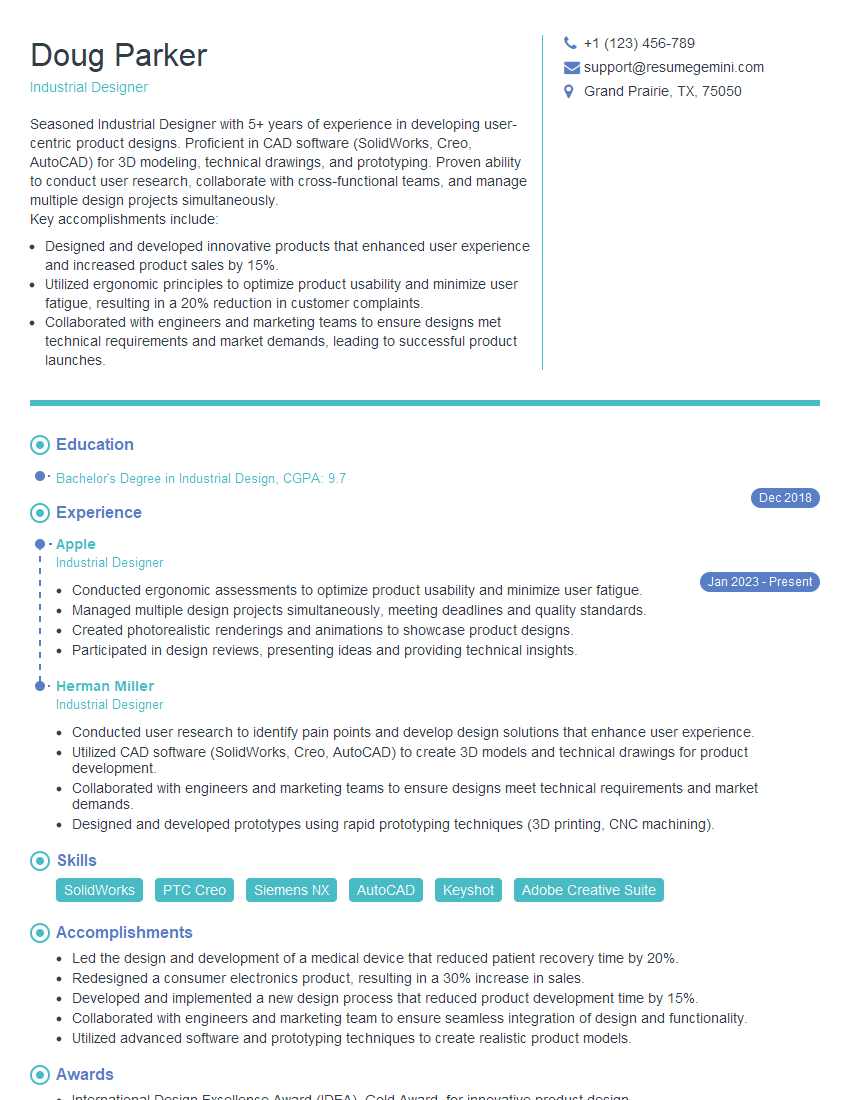
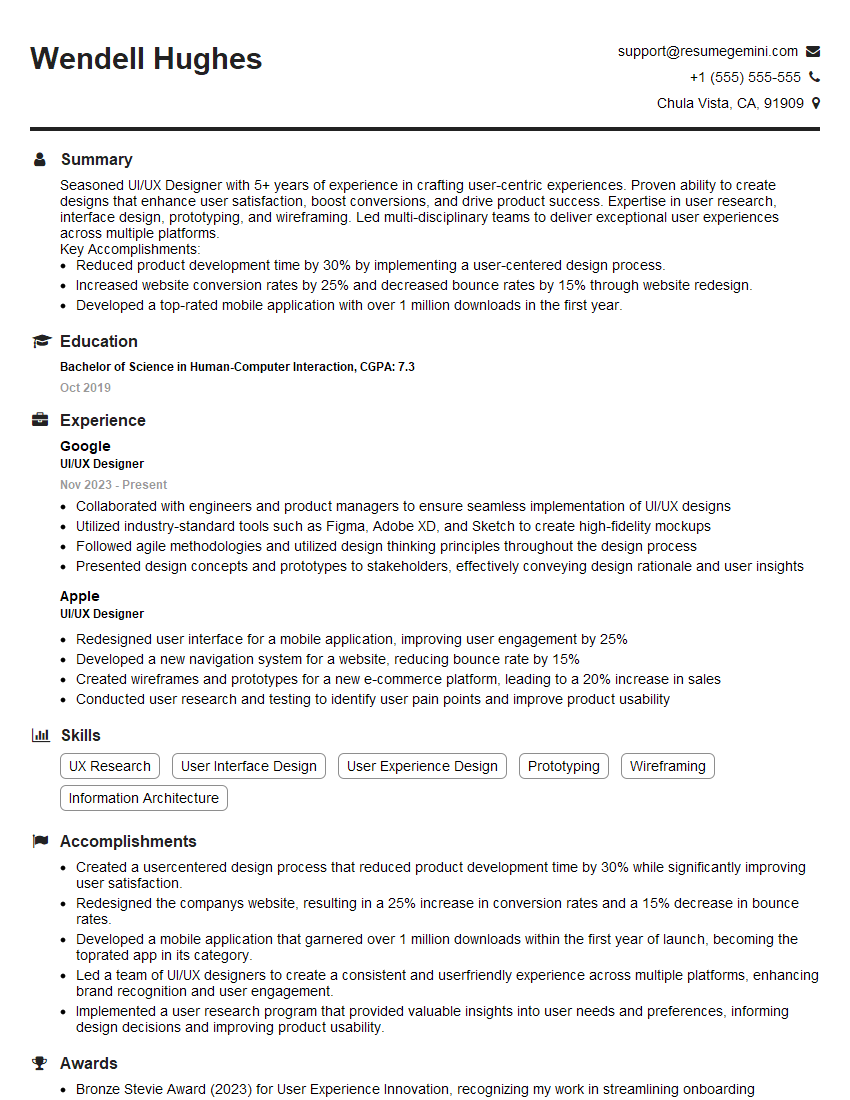
Mastering prototyping skills is crucial for career advancement in today’s design-driven world. Strong prototyping abilities demonstrate your ability to translate ideas into tangible experiences and iterate effectively based on feedback. To maximize your job prospects, crafting an ATS-friendly resume that highlights these skills is essential. We strongly encourage you to use ResumeGemini to build a compelling and effective resume that showcases your talents. ResumeGemini offers examples of resumes specifically tailored to highlight Prototyping Skills, ensuring your application stands out from the competition.



Explore more articles
Users Rating of Our Blogs
Share Your Experience
We value your feedback! Please rate our content and share your thoughts (optional).
What Readers Say About Our Blog
Very informative content, great job.
good