Are you ready to stand out in your next interview? Understanding and preparing for Recording and Mixing interview questions is a game-changer. In this blog, we’ve compiled key questions and expert advice to help you showcase your skills with confidence and precision. Let’s get started on your journey to acing the interview.
Questions Asked in Recording and Mixing Interview
Q 1. Explain the differences between condenser and dynamic microphones.
Condenser and dynamic microphones are the two main types of microphones used in recording, differing fundamentally in their transduction methods. Condenser mics use a capacitor to convert sound waves into electrical signals, while dynamic mics employ a moving coil within a magnetic field. This difference leads to significant variations in their sensitivity, frequency response, and overall sound character.
- Condenser Microphones: These are generally more sensitive, capturing quieter sounds with greater detail. They typically boast a wider frequency range, making them excellent for capturing subtle nuances in instruments and vocals. However, they’re more fragile and often require phantom power (48V DC) supplied by an audio interface or mixer. Think of a high-resolution camera – they capture more detail but need more careful handling. Examples include the Neumann U 87 Ai and the AKG C414 XLS.
- Dynamic Microphones: These are more rugged and less susceptible to damage from handling or loud sounds. Their lower sensitivity makes them ideal for capturing loud sources like snare drums or vocals in a live setting where feedback is a concern. They don’t require phantom power. Think of a workhorse – reliable and durable. Examples include the Shure SM57 and the Sennheiser MD 421.
The choice between condenser and dynamic mics depends heavily on the sound source and recording environment. A delicate acoustic guitar might benefit from the sensitivity of a condenser, while a powerful rock vocal might need the robustness of a dynamic mic.
Q 2. Describe your experience with various types of audio interfaces.
My experience with audio interfaces spans a wide range, from entry-level devices to high-end professional units. I’ve worked extensively with Focusrite Scarlett interfaces – reliable and versatile for smaller projects. For larger, more complex productions, I’ve utilized Universal Audio Apollo interfaces, appreciating their exceptional preamps and DSP capabilities which allow for real-time plugin processing. I also have experience with RME interfaces, renowned for their low latency and pristine audio quality, particularly beneficial for critical listening and demanding tracking sessions. Each interface has its strengths; Focusrite offers simplicity and affordability, UA provides advanced processing power, and RME prioritizes precision and low-latency performance. The selection often comes down to the specific needs of the project and budget constraints.
Q 3. What are your preferred methods for microphone placement during recording?
Microphone placement is paramount for achieving a desirable sound. There’s no one-size-fits-all answer; it’s highly dependent on the instrument or vocalist and the desired sonic outcome. My approach is always informed by experimentation and a deep understanding of acoustics.
- Vocals: I often start with the microphone approximately 6-12 inches from the mouth, aiming for a slightly off-axis position to minimize plosives (hard consonant sounds like ‘p’ and ‘b’). Experimenting with distance and angle is key to finding the sweet spot.
- Acoustic Guitar: I prefer placing a condenser microphone a few inches from the soundhole, aiming to capture the delicate nuances of the instrument. Alternatively, a stereo pair of condenser microphones can be used to create a wider, more spacious sound.
- Drums: Drum mic placement is a complex process, but generally involves close miking of individual drums (snare, kick, toms) and overhead mics for ambience. The specific placement of each microphone depends on the drum’s characteristics and the overall desired sound.
I frequently employ techniques like room treatment (acoustic panels and bass traps) to control reflections and improve the clarity of the recording.
Q 4. How do you address phase cancellation issues during mixing?
Phase cancellation is a common issue that arises when two or more microphones pick up the same sound source. This results in a loss of clarity and a thin, weak sound, often described as a ‘hole’ in the frequency spectrum. Identifying and addressing it is critical.
- Identify the problem: Phase cancellation often manifests as a lack of low-end frequencies or a general thinness in the sound. Inverting the polarity (phase) of one of the microphones can sometimes instantly reveal the problem, making the sound noticeably fuller.
- Solutions:
- Careful Mic Placement: This is the best preventative measure. Ensure microphones aren’t too close together, particularly when recording the same sound source.
- Mono/Stereo Mixing Techniques: If multiple microphones are used for the same instrument, consider mixing to mono to identify problem frequencies. Then you can use EQ to address these frequencies to blend appropriately for the stereo mix.
- Polarity Inversion: Experiment with inverting the phase of one microphone to see if it improves the sound. This is done by flipping the polarity switch on your interface or DAW. Do this only for a single track and monitor the effect.
- EQ and Filtering: Carefully cut problem frequencies that exhibit cancellation using EQ.
Careful monitoring and a keen ear are vital for diagnosing and correcting phase cancellation issues.
Q 5. Explain your workflow for EQing vocals.
EQing vocals is a crucial step in achieving a polished and professional sound. My workflow is iterative and often involves several passes.
- Initial Assessment: I begin by listening critically to the vocal track to identify problem frequencies – muddiness in the low mids, harshness in the high frequencies, etc.
- Subtractive EQ: I primarily use subtractive EQ, focusing on removing unwanted frequencies rather than adding excessive boost. This often involves gently cutting frequencies around 250 Hz to reduce muddiness, and potentially around 3-5 kHz to reduce harshness, depending on the vocal.
- Additive EQ (Subtle Boost): After addressing problem areas, I might add subtle boosts to certain frequencies to enhance specific aspects of the vocal, perhaps in the upper mids around 2-4 kHz to add clarity or presence. These adjustments should be subtle.
- High-Pass Filter (HPF): A high-pass filter is almost always used to remove low-frequency rumble or noise below the vocal’s fundamental range, usually around 80-100 Hz.
- A/B Comparison: I consistently check my work against the original, unprocessed vocal track to ensure I maintain the natural character of the performance.
The specific EQ settings vary greatly depending on the vocal, the song, and the overall mix. This requires experience and a good ear.
Q 6. How do you use compression effectively on drums?
Compression on drums is crucial for controlling dynamics and gluing the drum kit together. My approach focuses on using different compressors for different drum elements, tailoring the settings to each part’s characteristics.
- Kick Drum: I typically use a fast attack compressor with a moderate to slow release to shape the initial transient and control the overall level, focusing on creating impactful low frequencies. A parallel compression setup can add punch.
- Snare Drum: The snare often needs a balance between punch and sustain. I may use a slightly slower attack and faster release than on the kick drum to control the overall level and ensure transient control without losing snap.
- Toms: Toms generally require less aggressive compression. I might use a compressor with a slower attack and release or even a more transparent compressor with gentle gain reduction to create a more consistent level.
- Overheads: Overhead microphones capture the ambience and overall sound of the drum kit. I generally use light compression, mainly to control peaks and add cohesion to the stereo image, without sacrificing the natural room sound.
Experimentation and careful listening are key to finding the right compression settings for each drum element. The goal is not to squash the drums but rather to improve their overall dynamics and punch.
Q 7. Describe your approach to reverb and delay placement.
Reverb and delay are essential tools for creating space and depth in a mix, but their application must be subtle and appropriate. Overuse can make a mix sound muddy and unnatural.
- Reverb: I often use reverb sparingly on vocals, adding subtle room ambience to create a sense of space without overpowering the vocal performance. For drums, I use reverb on the overhead microphones to add a sense of space and realism. I might even apply a touch of reverb to the individual drum elements if needed.
- Delay: Delay is often used more selectively, adding rhythmic interest or creating a sense of space. It is an excellent tool for adding depth and character to vocals and guitar tracks. I frequently use short slap-back delays on vocals for enhancing rhythmic feel, or longer, more ethereal delays for creating atmospheric textures.
The choice of reverb and delay algorithms is also important. I often use convolution reverbs for realism, while plate or hall reverbs are useful for creating larger, more stylized sounds. Experimentation with various algorithms and settings is key to finding the best sound.
In a modern approach, I frequently bus specific instruments like drums and vocals to a separate reverb and delay bus, adding control and flexibility to my workflow.
Q 8. What are your go-to plugins for mixing?
My go-to plugins are really dependent on the genre and the specific needs of the project, but some staples I consistently rely on include:
- EQ: I use FabFilter Pro-Q 3 extensively. Its dynamic EQ capabilities are invaluable for surgical precision and transparent sound shaping. For a more colorful, less surgical approach, I often reach for the Waves Q10.
- Compression: I’m a big fan of Waves CLA-76 for that classic, punchy sound, and I also rely heavily on Universal Audio’s LA-2A for gentle, transparent compression on vocals and other delicate instruments. For more aggressive compression, I’ll turn to the SSL G-Bus compressor.
- Reverb: I often use Lexicon plugins for their natural-sounding reverbs. Their PCM Native Reverb plugins are incredible and offer a wide range of spaces. For smaller, more intimate spaces, I often use Valhalla Room.
- Transient Shaper: For controlling the attack and sustain of drums and other instruments, I find the DMG Transient Designer to be incredibly useful.
- Saturation/Distortion: Depending on the need, I’ll use a variety of plugins, from subtle saturation like Waves J37 to more aggressive distortion like Softube Saturation Knob.
The key isn’t just having the plugins, but understanding how to use them creatively and subtly to enhance the sound, not just fix problems.
Q 9. How do you handle noise reduction in your recordings?
Noise reduction is a crucial aspect of post-production. My approach is multi-faceted, starting even before the recording process. I prioritize minimizing noise at the source with proper microphone technique, acoustic treatment of the recording space, and using quality preamps.
In post, I might use a combination of techniques:
- Careful Editing: Sometimes, simple editing to remove silent sections with noticeable noise is enough.
- Spectral Editing: Software like RX from iZotope allows for extremely precise noise reduction by targeting specific frequency ranges where the noise is most prominent. This is incredibly effective for reducing hums and hisses without impacting the desired audio.
- Noise Reduction Plugins: I’ll use plugins like RX’s De-noise module or Waves X-Noise for overall noise reduction. The key is to use these sparingly to avoid artifacts. Often, less is more.
The goal is a balance between removing unwanted noise and preserving the natural character of the recording. It’s a delicate art requiring careful listening and experimentation.
Q 10. What is your experience with Pro Tools or other DAWs?
I have extensive experience with Pro Tools, having used it professionally for over 15 years. It’s my primary DAW, but I’m also proficient in Logic Pro X, Ableton Live, and Reaper. Each DAW has its strengths and weaknesses; Pro Tools excels in its powerful editing capabilities and industry-standard compatibility, while Logic boasts its intuitive workflow and extensive plugin library. Ableton is favored for its loop-based workflow and live performance features, and Reaper is known for its flexibility and customization options. My choice of DAW depends on the specific project requirements and personal preference of the artists I work with.
Q 11. How do you manage a session with multiple tracks?
Managing sessions with multiple tracks requires a structured and organized approach. Here’s my process:
- Color-Coding: I assign specific colors to different instrument groups (e.g., drums, vocals, guitars) for quick visual identification.
- Folder Tracks: I create folder tracks to group related tracks logically (e.g., a folder for all drum tracks, another for all vocal tracks). This keeps the session clean and manageable.
- Track Naming Conventions: Consistent naming is crucial (e.g., ‘Drums_Kick’, ‘Vocals_Lead’).
- Utilizing Aux Tracks: Aux tracks are invaluable for routing sends and returns for effects processing, keeping the main tracks clean and allowing for easy adjustments.
- Regular Saves and Backups: This is essential to prevent data loss.
- Freezing Tracks: Freezing tracks renders them to audio, freeing up processing power when dealing with heavily-processed tracks.
Efficient track management saves time and prevents confusion, especially in large-scale projects.
Q 12. Describe your experience with automation.
Automation is an essential tool for creating dynamic and expressive mixes. My experience ranges from simple volume rides to complex automation of multiple parameters across multiple tracks. I use automation to:
- Create movement and interest: Gradually changing levels and effects over time adds depth and avoids a static mix.
- Shape dynamics: Automating compression or gate parameters helps to control the dynamics of a track.
- Control effects: Automated pan changes, reverb sends, or delay times add texture and space.
- Create transitions: Automation is vital for smooth transitions between sections of a song.
I use a combination of mouse drawing and writing automation using MIDI controllers for more precise control and a natural feel. The key is to use automation tastefully to enhance the performance, not to over-process and obscure the music.
Q 13. What are your strategies for achieving a balanced mix?
Achieving a balanced mix is a journey, not a destination. My strategy involves a multi-stage process:
- Gain Staging: Setting appropriate levels at each stage (recording, individual tracks, busses) is paramount. This establishes a solid foundation for the mix.
- Frequency Balancing: Addressing frequency clashes between different instruments is key. EQ is my main tool here; I look for areas where instruments are competing for the same space and use EQ to carve out room.
- Stereo Imaging: Creating a wide and spacious soundstage enhances the mix’s depth and appeal. I often use subtle stereo widening and panning techniques.
- Dynamic Balancing: Using compression and limiting to control dynamics ensures a consistent loudness throughout the track without losing clarity.
- Reference Tracks: Comparing my mix to professionally-mixed tracks in the same genre helps to identify areas for improvement.
- Critical Listening: Taking breaks and listening on various systems is crucial to assess the mix objectively.
The process is iterative, involving constant adjustments and refinements until a cohesive and well-balanced mix is achieved. It’s a combination of technical skill and artistic judgment.
Q 14. How do you handle feedback issues in a live sound environment?
Feedback in a live sound environment is a common problem, but it’s usually preventable. My strategies involve:
- Proper Microphone Placement: Microphones should be positioned away from speakers to minimize the chance of sound being picked up by the microphone and sent back through the speakers.
- Gain Staging: Proper levels at each stage prevent the signal from becoming too loud, which increases the risk of feedback.
- EQ: Notching out specific frequencies that are prone to feedback helps prevent it before it occurs. I often use a graphic equalizer for this. Listening carefully to the system helps isolate problem frequencies.
- Feedback Destroyers/Filters: Specialized hardware or software can be employed to actively suppress feedback, automatically reducing the gain of affected frequencies.
- Acoustic Treatment: Improving the acoustics of the venue minimizes sound reflections and reduces the potential for feedback.
- Monitor Mixing: Ensuring appropriate monitoring levels helps prevent the musicians from unintentionally causing feedback by playing too loud.
Identifying the root cause of feedback is critical. Sometimes it’s a simple matter of adjusting a microphone; other times, it might require a more sophisticated approach. A good sound engineer is proactive, anticipating potential feedback issues before they arise.
Q 15. Explain your understanding of signal flow in a recording studio.
Signal flow in a recording studio describes the path an audio signal takes from its source to the final output. Think of it like a river flowing from its source to the sea. Understanding this flow is crucial for effective recording and mixing.
It typically begins with the sound source (instrument, voice, etc.) which is captured by a microphone. The microphone converts the sound waves into an electrical signal. This signal then travels through a microphone preamp, which boosts the signal’s level and adds some of its character. From the preamp, the signal moves to an audio interface, a device that converts the analog signal into a digital one, suitable for computer processing.
Next, the digital signal goes into a Digital Audio Workstation (DAW), where it’s recorded, edited, processed with plugins (like EQ, compression, reverb), and mixed. After mixing, the signal is sent back through the audio interface, converted back to analog, and finally routed to studio monitors or other output devices. Any deviation from this flow, or introduction of unwanted signals (noise, hum), is something to be mindful of and actively mitigated.
- Example: A vocalist sings into a microphone (source). The microphone signal is amplified by a Neve preamp (adding warmth). The amplified signal is converted to digital by an RME interface and recorded in Pro Tools (DAW). After mixing and mastering, the final mix is played through ADAM studio monitors.
Career Expert Tips:
- Ace those interviews! Prepare effectively by reviewing the Top 50 Most Common Interview Questions on ResumeGemini.
- Navigate your job search with confidence! Explore a wide range of Career Tips on ResumeGemini. Learn about common challenges and recommendations to overcome them.
- Craft the perfect resume! Master the Art of Resume Writing with ResumeGemini’s guide. Showcase your unique qualifications and achievements effectively.
- Don’t miss out on holiday savings! Build your dream resume with ResumeGemini’s ATS optimized templates.
Q 16. Describe your experience with different microphone preamps.
My experience with microphone preamps is extensive, encompassing a wide range of both solid-state and tube designs. I’ve worked extensively with classic preamps like the Neve 1073 and API 512c, known for their rich harmonic saturation and powerful sound. These are particularly useful for adding warmth and character to vocals and instruments. I also have experience with more modern, transparent preamps that maintain detail and clarity. The choice of preamp depends heavily on the sonic characteristics desired for the recording.
For instance, a bright, acoustic guitar might benefit from a clean, transparent preamp to preserve its natural tone, whereas a rock vocal might sound excellent with a preamp that adds some grit and harmonic richness. Understanding the nuances of each preamp is key. Beyond the sonic qualities, I also consider factors such as noise floor, gain staging, and impedance matching during preamp selection. Poor gain staging can lead to unwanted noise or distortion while incorrect impedance matching can result in a loss of high frequencies or unwanted coloration.
Q 17. How do you monitor your mix to ensure accuracy across different playback systems?
Monitoring accuracy across different playback systems is critical for ensuring your mix translates well. I use a multi-stage approach. First, I calibrate my studio monitors using a professional measurement system or by ear, ensuring they provide a flat and accurate frequency response. This is my primary reference point. Next, I regularly check my mix on a variety of playback systems—headphones (different types), car stereos, laptops, and even small Bluetooth speakers. These systems offer wildly varying frequency responses and loudness characteristics.
The goal is to identify any frequencies that are too prominent or recessed on a particular system. For instance, a bass line that sounds great on my monitors might be overpowering on a small Bluetooth speaker. These disparities reveal areas in the mix that might need adjustment to make it as versatile as possible. I also utilize spectral analysis tools within my DAW to pinpoint problematic frequency ranges and use EQ to make subtle adjustments where necessary. This iterative process helps make a final mix that’s well balanced and sits well on various systems.
Q 18. Explain your process for creating a reference mix.
Creating a reliable reference mix is paramount for maintaining consistency throughout the mixing process. I usually start by selecting a commercially released track with similar genre and instrumentation to the project at hand. This track, my reference, should be well-mastered and have a similar sonic palette. I then listen to it repeatedly during the mixing process, comparing levels, frequency balance, and overall dynamics. The reference track isn’t about copying it exactly; it provides a benchmark for evaluating the mix’s sonic qualities.
For instance, if I’m mixing a pop song, I might choose a professionally mixed pop song as my reference. Throughout my mixing sessions, I will switch between my mix and the reference track, paying close attention to the relative balance between instruments and vocals. This allows me to make informed decisions about EQ, compression, and other processing choices, guiding me to a mix with a similar sonic quality to the reference while still retaining the uniqueness of the original track.
Q 19. How familiar are you with different audio file formats?
I am highly familiar with various audio file formats, understanding their strengths and limitations. The most common ones in my workflow include WAV (uncompressed, high-quality), AIFF (also uncompressed, often used on Mac systems), and MP3 (lossy compression, suitable for distribution). I also utilize other formats like FLAC (lossless compression) for archiving high-quality versions of mixes. The choice of format depends on the specific needs of the project.
For example, WAV or AIFF are ideal for the mixing stage to preserve audio quality throughout the process. However, MP3 is suitable for distribution because of its smaller file size. Understanding the tradeoffs between file size and audio quality is essential. Lossy formats like MP3 discard data during compression, reducing file size but also affecting the fidelity of the audio signal. I also have experience with other less common formats like DSD (Direct Stream Digital) which offer high sampling rates and bit depth, for archiving purposes or when extreme fidelity is required.
Q 20. Describe your experience with studio equipment maintenance.
Studio equipment maintenance is a critical aspect of my workflow. Regular cleaning and calibration of my studio monitors, microphones, and audio interfaces are essential to ensure accurate sound reproduction. I also perform routine checks on cables, ensuring connections are secure and free from damage. Preventative maintenance not only ensures the longevity of equipment but is crucial for maintaining audio quality and avoiding unexpected interruptions during recording sessions.
This includes keeping detailed records of maintenance performed, including cleaning logs and calibration dates. This detailed documentation allows for tracking and anticipating future potential problems. I am also proactive in addressing any issues as soon as they appear rather than waiting for them to become larger, more costly problems. For more complex repairs or calibrations, I maintain relationships with qualified service technicians to ensure equipment is handled by specialists. The ultimate goal is to have a reliable, dependable, and optimally performing studio environment.
Q 21. What is your approach to troubleshooting technical issues during a recording session?
Troubleshooting technical issues during a recording session requires a systematic approach. My first step is to identify the specific problem – is it a hardware issue, a software glitch, or something else? I then isolate the problem by methodically checking each component in the signal chain. If the issue is with audio levels, I’ll check the gain staging of my preamps, the input levels in my DAW, and the output levels of the mix. If the problem is with sound quality, I may check for cable issues, faulty equipment or interference.
I’ll use a process of elimination, systematically disabling or replacing components to pinpoint the source of the problem. For example, if a channel is not working, I’ll start by checking the microphone, then the cable, the preamp, the audio interface, and finally the software settings in my DAW. I also keep a detailed log of all equipment and its performance which aids in troubleshooting. If the issue persists, I’ll consult online resources, manuals, and fellow engineers. Sometimes, restarting the DAW or computer can solve the problem. However, for more complex issues I have a backup plan ready; this might include having backup equipment on hand and the contact information for trustworthy repair technicians.
Q 22. How do you collaborate effectively with other engineers and producers?
Effective collaboration hinges on clear communication and mutual respect. I believe in establishing a collaborative workflow from the outset of a project. This involves initial meetings with engineers and producers to define the project’s sonic goals, individual roles, and deadlines. We use project management tools like shared online drives for files and communication platforms like Slack for real-time updates and discussions. I actively listen to feedback, offering constructive criticism in return, ensuring everyone feels heard and valued. For example, on a recent project with a producer who favored a brighter sound than my initial mix, we discussed the reasons for this difference. I demonstrated how subtle EQ adjustments could achieve a balance satisfying both preferences, bridging the gap in our creative visions.
Beyond technical aspects, maintaining open communication and a positive working environment is crucial. Celebrating milestones and addressing challenges openly helps foster a strong collaborative spirit, leading to a much more efficient and creatively fulfilling process.
Q 23. How do you manage your time and prioritize tasks during a project?
Time management during a project is critical, especially with tight deadlines. I employ a combination of task prioritization and time-blocking techniques. I begin by breaking down the project into smaller, manageable tasks, creating a detailed schedule using a project management software. High-priority tasks, like tracking and initial mixing, are scheduled early to allow ample time for revisions. I allocate specific time blocks for these tasks, minimizing distractions during that focused period. I also regularly review my progress and adjust the schedule if needed. For instance, I might schedule a shorter block for a simple task and a longer block for a more complex one, such as vocal tuning and editing. Unexpected delays are handled by reassessing priorities and communicating transparently with the team.
Regular breaks are also essential for maintaining focus and preventing burnout. Short, focused work sessions interspersed with breaks significantly improve productivity and output quality. This disciplined approach, coupled with effective communication, ensures timely project completion without compromising quality.
Q 24. Explain your understanding of psychoacoustics and its application in mixing.
Psychoacoustics is the study of how humans perceive sound. Understanding psychoacoustics is vital in mixing because it allows for informed decision-making about how frequencies interact, and how our ears process sound. For example, the Haas effect, where two sounds arriving within 30 milliseconds sound as one, is exploited in creating a wider stereo image. Similarly, the Fletcher-Munson curves illustrate how our perception of loudness varies across different frequencies; understanding this helps in creating balanced mixes across frequency ranges, addressing the fact that we perceive bass frequencies quieter at lower volumes than mid and high frequencies.
Applying psychoacoustics in mixing translates into making conscious decisions about EQ, compression, and stereo imaging. For example, I use subtle mid-range EQ boosts to make vocals cut through the mix, leverage the Haas effect for wider stereo imaging, and utilize multiband compression to control dynamic range and reduce masking between different instruments. A thorough grasp of psychoacoustics enables the creation of mixes that sound not only technically accurate but also perceptually pleasing and engaging.
Q 25. Describe your approach to achieving a specific sonic aesthetic in a mix.
Achieving a specific sonic aesthetic requires a clear understanding of the desired sound and a well-defined plan to achieve it. I start by carefully analyzing reference tracks that embody the target aesthetic, identifying their key characteristics – the overall tonality, dynamics, use of effects, and the arrangement and balance of the instruments. I then strategize how to achieve these characteristics in my own mix, considering each instrument’s role and its contribution to the overall sound.
For instance, if the goal is a warm, vintage-sounding mix, I might employ tape emulation plugins, use subtle saturation, and apply gentle compression to create a cohesive feel. If aiming for a modern, punchy sound, I’d prioritize tight low-end frequencies, clear mid-range clarity, and more aggressive dynamic processing. The process includes iterative experimentation, careful listening, and continuous refinement, all based on a critical understanding of the relationship between the various audio elements.
Q 26. What are the key elements of a well-mastered track?
A well-mastered track possesses several key elements: balanced loudness that adheres to industry standards, a wide dynamic range with controlled peaks and clarity across different frequency ranges, consistent stereo image, and freedom from distortion or clipping. It also features appropriate levels of noise reduction and a smooth spectral balance without harshness or muddiness. Essentially, mastering is the final polish that ensures the mix translates well across different playback systems and maintains its integrity across various listening environments.
A great example of well-mastered tracks are those produced by professional mastering studios, where consistent attention to detail and expertise ensures optimal reproduction of the audio across different formats. Conversely, a poorly mastered track might sound too quiet, have significant differences in loudness between sections, or exhibit distortion on certain playback systems, leading to an unpleasant listening experience.
Q 27. How do you handle constructive criticism of your work?
I view constructive criticism as an invaluable opportunity for growth. I approach feedback with an open mind, focusing on understanding the points being raised rather than reacting defensively. I actively listen to the feedback, asking clarifying questions to ensure I fully grasp the concerns. After receiving feedback, I take time to reflect on the suggestions, considering whether they align with the project’s goals and my creative vision. If the criticism is valid, I incorporate it into my workflow and learn from the experience.
For example, if feedback highlights a muddy low-end in a mix, I’d carefully analyze the frequency spectrum, identifying the culprit instruments and applying EQ or compression to remedy the issue. The goal is to improve the mix by integrating any valid concerns while maintaining my creative vision and artistic integrity. This approach transforms feedback from a potentially negative experience into a learning opportunity, leading to enhanced skills and professional growth.
Q 28. Describe your experience with various monitoring techniques
My experience with monitoring techniques is extensive, ranging from nearfield monitoring with high-quality studio monitors to using various headphone types for different purposes. Nearfield monitoring, using speakers placed close to the listening position, is my primary method, prioritizing accurate frequency response and minimal coloration. This allows for precise judgements of the mix’s balance and fidelity. I regularly calibrate my monitors using measurement tools to ensure accurate frequency response. Different speaker designs such as those featuring coaxial designs, or those specifically designed for low frequency clarity, offer different sonic characteristics, and the choice is based on the specific project requirements.
Headphone monitoring is employed for mobile work or when nearfield monitoring is impractical. Closed-back headphones are preferred to minimize leakage, and I’m familiar with various headphone types, each presenting slightly different tonal characteristics. For example, I might use headphones that provide a wider frequency range when reviewing subtle details or those with more emphasis on lower frequencies when assessing the low-end punch of a track.
Key Topics to Learn for Your Recording and Mixing Interview
- Microphones & Microphone Techniques: Understanding polar patterns, proximity effect, and choosing the right microphone for different instruments and vocalists. Practical application: Explain your experience with various microphone types in different recording scenarios.
- Signal Flow & Routing: Mastering the path of audio from the source to the final mix. Practical application: Describe your workflow for setting up a recording session, including pre-amps, compressors, EQ, and effects routing.
- Equalization (EQ) & Dynamics Processing: Knowing how to sculpt your sound using EQ and compressors to achieve clarity and balance. Practical application: Explain how you would approach EQing a muddy bass guitar or a harsh vocal.
- Room Acoustics & Treatment: Understanding the impact of room acoustics on recordings and how to treat a room for optimal sound. Practical application: Describe techniques for minimizing reflections and achieving a balanced sound in a recording space.
- Digital Audio Workstations (DAWs): Proficiency in at least one DAW (Pro Tools, Logic Pro X, Ableton Live, etc.). Practical application: Discuss your experience with session management, editing, mixing, and mastering within your chosen DAW.
- Mixing Techniques & Principles: Understanding panning, stereo imaging, phase, gain staging, and achieving a balanced and polished mix. Practical application: Explain your approach to achieving a cohesive mix, addressing issues like low-end muddiness or harshness in the high frequencies.
- Monitoring & Listening Skills: Critical listening skills and understanding the importance of accurate monitoring for effective mixing. Practical application: Discuss your strategies for critical listening, including reference tracks and calibration of your monitoring system.
- Audio Troubleshooting: Identifying and solving common audio problems, such as noise, feedback, and latency issues. Practical application: Describe your experience in troubleshooting technical issues during recording or mixing sessions.
Next Steps
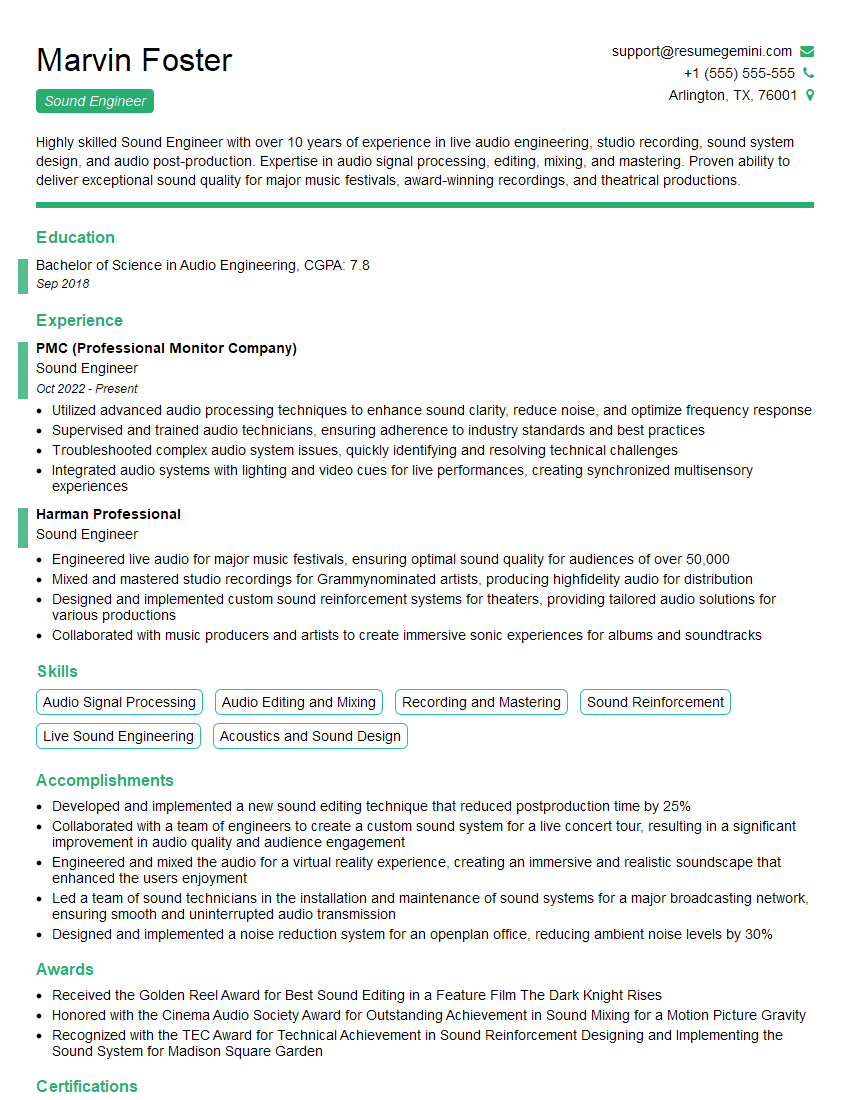
Mastering recording and mixing opens doors to exciting career opportunities in music production, post-production, sound design, and more! To maximize your job prospects, create a resume that showcases your skills and experience effectively – an ATS-friendly resume is key. ResumeGemini can help you build a professional, impactful resume that gets noticed. We even provide examples of resumes tailored to the Recording and Mixing industry to help you get started. Take the next step toward your dream career today!







Explore more articles
Users Rating of Our Blogs
Share Your Experience
We value your feedback! Please rate our content and share your thoughts (optional).
What Readers Say About Our Blog
Very informative content, great job.
good