Every successful interview starts with knowing what to expect. In this blog, we’ll take you through the top RS-232 interview questions, breaking them down with expert tips to help you deliver impactful answers. Step into your next interview fully prepared and ready to succeed.
Questions Asked in RS-232 Interview
Q 1. Explain the RS-232 standard and its limitations.
RS-232, formally known as EIA-232, is a standard for serial communication that defines the electrical characteristics and signaling protocols for data transmission between devices. Think of it as a set of rules for two devices to ‘talk’ to each other using a single wire for each direction of communication. It was incredibly popular for connecting computers to modems, printers, and other peripherals.
However, RS-232 has limitations. Its maximum cable length is relatively short (typically under 50 feet), due to the voltage swings and susceptibility to noise. It’s also relatively slow compared to modern communication standards. It’s point-to-point, meaning it typically only connects two devices directly. Finally, the signal levels aren’t very robust and can be impacted by electrical interference. Because of these limitations, RS-232 has largely been superseded by faster, more robust standards like USB and Ethernet for most applications.
Q 2. Describe the RS-232 signal levels (voltage ranges).
RS-232 defines signal levels using voltage ranges. A logical ‘0’ (mark) is typically represented by a voltage between +5 and +15 volts, while a logical ‘1’ (space) is represented by a voltage between -5 and -15 volts. It’s important to note that these are not exact values, and the exact voltage range can vary slightly depending on the equipment and implementation. The key is that there’s a significant voltage difference between the two states, enabling reliable signal detection despite some noise.
For example, a transmitter might send +12V for a ‘0’ and -12V for a ‘1’. The receiver must be able to reliably distinguish between these voltage levels. The voltage difference is crucial for noise immunity; a small amount of noise is less likely to cause a misinterpretation of the signal.
Q 3. What are the common connectors used with RS-232?
The most common connector used with RS-232 is the DB-9 (9-pin) connector. You’ve probably seen this connector on older computer equipment. Another common, though less prevalent now, is the DB-25 (25-pin) connector. These connectors provide the physical interface for the serial communication cables. The pins on these connectors have specific signal assignments defined by the RS-232 standard, including transmit data (TxD), receive data (RxD), request to send (RTS), clear to send (CTS), data terminal ready (DTR), data set ready (DSR), and ground (GND). Each pin carries a specific signal.
Q 4. What is the maximum cable length for RS-232 and why?
The maximum reliable cable length for RS-232 is generally considered to be around 50 feet (15 meters). Beyond this distance, signal attenuation (weakening of the signal) and noise interference become significant problems. The relatively high voltage swings used in RS-232 make it more susceptible to these issues compared to standards designed for longer distances. This limitation is primarily due to the electrical characteristics of the signals and the capacitance of the cable itself. At longer distances, the signal can be distorted to the point where it becomes unrecognizable to the receiving device.
Q 5. Explain the concept of baud rate in RS-232 communication.
Baud rate in RS-232 refers to the data transmission speed, expressed in bits per second (bps). It signifies how many bits of data are transferred per second between the communicating devices. For example, a baud rate of 9600 bps means that 9600 bits are transmitted every second. It’s crucial to ensure that both the transmitting and receiving devices are configured to the same baud rate for successful communication. Mismatch in baud rate will lead to data corruption or no communication at all. It’s analogous to the speed at which you speak – a faster baud rate is like speaking faster, transmitting more data in a given time.
Q 6. What is parity and how is it used in RS-232?
Parity is an error detection mechanism used in RS-232 communication to ensure data integrity. It involves adding an extra bit to each transmitted data byte. This extra bit, the parity bit, is set to either 0 or 1 to make the total number of 1s in the byte (including the parity bit) either even (even parity) or odd (odd parity). The receiver then checks the parity of the received byte. If the parity doesn’t match the expected parity, it indicates an error during transmission.
For example, if we’re using even parity and the data byte is 1011010, the parity bit would be set to 1, making the total number of 1s even (four). If any bit flips during transmission, the parity check will detect the error. Parity isn’t foolproof (it can miss errors involving an even number of bit flips), but it provides a simple and relatively effective error detection method.
Q 7. Explain the difference between synchronous and asynchronous communication in RS-232.
RS-232 can support both synchronous and asynchronous communication, although asynchronous is far more common. The key difference lies in how the data is synchronized between the transmitting and receiving devices.
Asynchronous Communication: Each character (byte) is transmitted independently, with start and stop bits marking the beginning and end of each character. The receiver is not continuously synchronized with the transmitter; each byte is handled as a separate entity. This is simpler to implement but less efficient for high-speed transmission.
Synchronous Communication: Data is transmitted in blocks or frames, with continuous clock synchronization between the transmitter and receiver. This requires more complex hardware and protocols but allows for higher data transmission rates and more efficient use of bandwidth because there are no start/stop bits for each byte.
In most real-world RS-232 applications, asynchronous communication is the standard because of its simplicity. Synchronous communication was more common in specialized or higher-performance settings needing higher data rates.
Q 8. Describe different flow control mechanisms in RS-232 (RTS/CTS, DTR/DSR, XON/XOFF).
RS-232 offers several hardware flow control mechanisms to prevent data loss when the receiving device is unable to process incoming data at the same rate as the transmitting device. Think of it like a traffic controller on a highway – it prevents congestion.
- RTS/CTS (Request to Send/Clear to Send): This is a full-duplex method. The transmitter asserts RTS (Request to Send) signaling to the receiver. The receiver responds by asserting CTS (Clear to Send) if it’s ready to receive data. If the receiver is busy, it keeps CTS deasserted. This is like a driver signaling their intention to merge and waiting for a gap in traffic.
- DTR/DSR (Data Terminal Ready/Data Set Ready): Primarily used for establishing a connection. DTR is asserted by the data terminal (e.g., computer) to indicate readiness. The data set (e.g., modem) responds by asserting DSR if it’s ready. This is like shaking hands before beginning a conversation.
- XON/XOFF (Software Flow Control): This is a software-based method. Special characters, typically Ctrl+S (XOFF) and Ctrl+Q (XON), are sent to pause and resume transmission respectively. The receiver sends XOFF when its buffer is full, pausing transmission, and XON when it has enough space. This is more like verbally communicating ‘Wait a second’ and ‘Okay, continue’.
Each method has its own strengths and weaknesses. RTS/CTS and DTR/DSR are hardware-based, offering better reliability and speed but requiring more complex wiring. XON/XOFF is simpler to implement but can be vulnerable to data loss if the XON/XOFF characters themselves are lost or corrupted.
Q 9. How do you troubleshoot a failed RS-232 connection?
Troubleshooting a failed RS-232 connection involves a systematic approach. It’s like diagnosing a car problem – you need to check the basics first.
- Check the physical connection: Ensure the cable is securely plugged into both devices. Inspect the cable for any visible damage. Try a different, known-good cable.
- Verify the communication parameters: Baud rate, data bits, parity, stop bits, and flow control must match on both the transmitting and receiving devices. A mismatch here is a common cause of failure. Think of this as making sure both parties are speaking the same language and at the same speed.
- Test the cable with a loopback plug: This specialized plug connects the transmit and receive lines, allowing you to test if the cable and device serial ports are functioning correctly. If you receive a loopback signal, it indicates the hardware is probably fine; otherwise, there’s a hardware fault. This is like a self-diagnostic tool.
- Inspect the device drivers and port settings: Check the device manager (or equivalent) in your operating system to ensure the serial port is enabled and the correct drivers are installed. Ensure your software is correctly configuring the serial port settings. This is like ensuring the communication software is properly installed and configured.
- Monitor the signals with an oscilloscope or logic analyzer: If the problem persists, these tools can help identify signal integrity issues, such as noise, timing problems, or incorrect signal levels.
By following these steps, you can systematically isolate the problem, whether it’s a simple cable issue or a more complex software or hardware fault.
Q 10. Explain the role of the null modem cable.
A null modem cable is a special type of serial cable used to connect two DTE (Data Terminal Equipment) devices directly, bypassing the need for a DCE (Data Circuit-terminating Equipment) device like a modem. In simpler terms, it’s a cable that lets two computers talk directly to each other without any intermediary.
Standard serial cables connect a DTE to a DCE. The null modem cable swaps the transmit (Tx) and receive (Rx) lines to allow direct DTE-to-DTE communication. It often also swaps the RTS/CTS lines.
Imagine two people talking on the phone – normally, a phone exchange (DCE) would route the call. A null modem cable is like having a direct line between them.
Q 11. What is the difference between RS-232 and RS-485?
RS-232 and RS-485 are both serial communication standards, but they differ significantly in their applications and capabilities.
- RS-232: Designed for point-to-point communication over short distances (typically up to 50 feet). It uses unbalanced signaling, making it susceptible to noise and interference. It’s relatively simple to implement but has limited range.
- RS-485: Designed for multipoint communication over longer distances (up to 4000 feet). It uses balanced differential signaling, providing better noise immunity and allowing for longer cable runs and multiple devices on the same bus. It’s more robust but requires more complex circuitry.
In essence, RS-232 is like a short-range walkie-talkie conversation, while RS-485 is like a broadcast system able to communicate across a larger area with multiple receivers.
Q 12. How do you handle data framing in RS-232 communication?
Data framing in RS-232 involves defining the beginning and end of a message. This is crucial to ensure that the receiver can correctly identify and interpret the data.
Common methods include:
- Start and stop bits: A start bit signals the beginning of a data byte, followed by the data bits, and ending with one or more stop bits. This is the most common method.
- Preamble and postamble: Using specific sequences of bits before and after the data to clearly mark the frame boundaries.
- Packet-based framing: Encapsulating the data within a larger packet with header and trailer information (like in Ethernet).
The specific method used depends on the application and communication protocol. For example, simple ASCII data might only require start and stop bits, whereas more complex protocols require more robust framing techniques.
Q 13. What are common RS-232 communication errors and how can they be detected?
Several common RS-232 communication errors can occur:
- Framing errors: Occur when the receiver cannot correctly identify the start and stop bits, leading to incorrect data interpretation.
- Parity errors: Result from a mismatch between the transmitted and received parity bits, indicating a data corruption during transmission.
- Overrun errors: Occur when the receiver buffer is full, and new data is received before the existing data is processed, causing data loss.
- Break condition: A continuous low signal on the receive line, often used to signal an emergency or reset condition.
These errors can often be detected through hardware mechanisms or software checks. For example, the serial port might generate an interrupt signal upon encountering an error, or software can check parity bits or monitor the buffer level to identify overrun errors. Error detection codes like checksums can further enhance data integrity.
Q 14. Explain how to configure RS-232 settings in your software.
RS-232 configuration in software typically involves specifying parameters within the serial port settings. These settings control how the data is transmitted and received. The specific interface varies depending on the operating system and programming language, but the core settings remain consistent.
Common settings include:
- Baud rate: The data transmission speed (e.g., 9600, 19200, 115200).
- Data bits: The number of bits used to represent a character (e.g., 7, 8).
- Parity: Error-checking mechanism (e.g., None, Even, Odd).
- Stop bits: Number of stop bits marking the end of a character (e.g., 1, 2).
- Flow control: The method used to prevent data overrun (e.g., None, Hardware (RTS/CTS), Software (XON/XOFF)).
- Port number: The specific serial port being used (e.g., COM1, COM3).
Example (Conceptual Python):
import serial
ser = serial.Serial(port='COM1', baudrate=9600, bytesize=8, parity='N', stopbits=1, timeout=1)
# ... rest of your code to communicate ...
These settings must be identical on both communicating devices to ensure successful communication. Incorrect settings will result in garbled or missing data.
Q 15. Describe your experience with RS-232 debugging tools and techniques.
My RS-232 debugging experience spans over a decade, encompassing various tools and techniques. I’ve extensively used serial port monitors like RealTerm and PuTTY, which allow real-time monitoring of data transmitted and received. These tools are invaluable for verifying data integrity and identifying communication errors. Beyond simple monitoring, I leverage logic analyzers to capture and analyze the precise timing and voltage levels of the RS-232 signals, helping pinpoint issues like timing mismatches or noise. For more complex scenarios involving embedded systems, I use JTAG debuggers alongside serial communication analysis to correlate software execution with the serial port activity. Furthermore, I rely heavily on multimeters to check voltage levels and continuity on the physical connections, ensuring proper wiring and signal integrity. Finally, a methodical approach is crucial; I often use a combination of top-down and bottom-up debugging techniques, isolating the problem area step-by-step.
For example, I once debugged a system where data was intermittently lost. Using a logic analyzer, I discovered that the problem stemmed from insufficient noise immunity in the wiring, resulting in data corruption. By properly shielding the cables and implementing appropriate termination resistors, the issue was resolved.
Career Expert Tips:
- Ace those interviews! Prepare effectively by reviewing the Top 50 Most Common Interview Questions on ResumeGemini.
- Navigate your job search with confidence! Explore a wide range of Career Tips on ResumeGemini. Learn about common challenges and recommendations to overcome them.
- Craft the perfect resume! Master the Art of Resume Writing with ResumeGemini’s guide. Showcase your unique qualifications and achievements effectively.
- Don’t miss out on holiday savings! Build your dream resume with ResumeGemini’s ATS optimized templates.
Q 16. How do you interpret RS-232 signals using an oscilloscope?
Interpreting RS-232 signals with an oscilloscope involves observing the voltage levels on the transmit (TXD) and receive (RXD) lines. RS-232 uses a negative logic system, meaning a negative voltage represents a logical ‘1’, and a positive voltage represents a logical ‘0’. Typically, a ‘1’ is represented by a voltage between -3V and -15V, while a ‘0’ is between +3V and +15V. The oscilloscope displays these voltage transitions as waveforms. By analyzing the timing and voltage levels of these waveforms, we can determine the baud rate (bits per second), parity (if used), and the actual data being transmitted. You’ll look for things like timing discrepancies that indicate clocking problems, excessive noise causing bit errors, or signal distortion that could signal a connection problem. Properly interpreting these requires an understanding of the baud rate setting used by both devices and the specific encoding scheme.
For instance, a noisy signal might show erratic voltage spikes, indicative of interference or a poor connection. Inconsistencies in the timing of the transitions might point to a baud rate mismatch.
Q 17. What are the advantages and disadvantages of using RS-232?
RS-232, while relatively simple, has both advantages and disadvantages.
- Advantages: Simple to implement, inexpensive hardware, readily available components, and widespread support through various operating systems and programming languages.
- Disadvantages: Short distance limitations (typically under 50 feet), susceptibility to noise and interference, slow data transfer rates compared to modern standards, and its use of unbalanced signaling makes it sensitive to electromagnetic interference (EMI).
Its simplicity and inexpensive hardware made it very popular in the past, but modern systems often prefer more robust and higher-speed standards like USB or Ethernet for longer distances and higher data throughput.
Q 18. Describe a situation where you had to troubleshoot a problem related to RS-232.
In one project, a device using RS-232 refused to communicate with a computer. Initially, I checked the cable continuity and voltage levels using a multimeter, verifying the correct connections. Next, I used a serial port monitor to observe the data flow. The monitor showed no data exchange. Then, I used a logic analyzer to examine the signal quality. It revealed excessive noise on the lines. The problem was traced to a poorly shielded cable routed near high-power equipment generating significant EMI. By rerouting the cable away from the interference source and using a shielded cable, the communication was restored.
Q 19. What is the significance of the DTE and DCE devices in RS-232 communication?
In RS-232 communication, DTE (Data Terminal Equipment) and DCE (Data Circuit-terminating Equipment) represent the two ends of the communication link. The DTE is typically the computer or terminal, while the DCE is the modem or other communication device. They are distinguished by their signal definitions. The DTE sends data via its transmit pin (TXD) and receives data via its receive pin (RXD). The DCE’s TXD and RXD lines are reversed relative to the DTE. This ‘inverted’ signaling is essential for proper communication. A null modem cable is used to connect two DTE devices together without the intermediate DCE by ‘crossing’ the TXD and RXD lines between the devices.
Q 20. Explain the concept of handshaking in RS-232.
Handshaking in RS-232 refers to the process of establishing and maintaining a reliable communication link between the DTE and DCE. It involves signals exchanged to coordinate data transmission, ensuring that data is not lost or corrupted. Several handshaking protocols exist, including RTS/CTS (Request to Send/Clear to Send) and DTR/DSR (Data Terminal Ready/Data Set Ready). For example, RTS/CTS works as follows: the DTE asserts RTS to signal its readiness to send data. The DCE responds by asserting CTS to indicate that it’s ready to receive. Only when CTS is asserted does the DTE begin transmission. This ensures the receiver has buffer space available before sending data.
Q 21. What are some common applications of RS-232 in modern systems?
While RS-232 is being superseded by newer technologies, it still finds applications in niche areas. It’s frequently found in older industrial control systems, scientific instruments, and some embedded systems. It’s also used in point-of-sale systems, some barcode scanners, and occasionally in connecting specialized peripherals to computers. Even though its use is dwindling, its simplicity and the large installed base of existing equipment mean it likely will remain in use for quite some time.
Q 22. How does RS-232 differ from USB communication?
RS-232 and USB are both serial communication protocols, but they differ significantly in several key aspects. RS-232, an older standard, is a point-to-point communication protocol using voltage levels to represent data. It’s relatively simple and inexpensive, but limited in speed and cable length. USB, on the other hand, is a more modern, versatile bus-based system capable of higher speeds, supporting multiple devices on a single connection, and employing more sophisticated error detection and correction mechanisms. Think of RS-232 as a single, dedicated phone line, while USB is like a high-speed internet network with multiple connections.
- Data Transfer Rate: RS-232 is much slower than USB, typically limited to a few hundred kilobits per second, whereas USB offers speeds ranging from several megabits per second to gigabits per second.
- Cable Length: RS-232 cables are typically limited to 50 feet due to signal degradation. USB cables can be significantly longer, depending on the version.
- Power: RS-232 typically doesn’t provide power over the cable, requiring separate power supplies for the devices. USB supplies power to connected devices.
- Complexity: RS-232 is simpler to implement at the hardware level, while USB is more complex, requiring specialized chips and drivers.
Q 23. How would you test the integrity of an RS-232 cable?
Testing the integrity of an RS-232 cable involves verifying both the physical connections and the signal transmission. A simple multimeter can check for continuity between the pins, ensuring no breaks or shorts exist. However, simply having continuity doesn’t guarantee proper signal transmission. A more thorough test requires a loopback plug.
A loopback plug connects the transmit (TX) and receive (RX) pins of the RS-232 connector. When connected, any data sent by the device is immediately received back. By using a terminal program and sending test data (e.g., ‘Hello World!’), you can verify the data is transmitted and received correctly. If the data matches perfectly, the cable and connector are likely functioning correctly. Discrepancies indicate potential cable faults or issues with the RS-232 hardware.
For more advanced testing, a dedicated RS-232 tester or a logic analyzer can provide a detailed analysis of the signal quality, identifying problems like noise or signal attenuation.
Q 24. What is the impact of noise on RS-232 signals?
Noise significantly impacts RS-232 signals, often leading to bit errors or complete communication failure. Noise can be electromagnetic interference (EMI) from nearby devices, power lines, or even static electricity. The impact depends on the noise level and the signal’s strength. In simpler terms, it’s like trying to hear a whisper in a noisy room; the louder the noise, the harder it is to hear the whisper clearly.
High levels of noise can corrupt the voltage levels used to represent data bits, resulting in a received bit differing from the transmitted bit. This leads to errors in the data. Techniques like signal conditioning (using filters) and shielding the cables can mitigate noise, improving data integrity.
Q 25. Describe how to implement error checking in RS-232 data transmission.
Implementing error checking in RS-232 is crucial to ensure data integrity. Common methods include parity checking, checksums, and cyclic redundancy checks (CRCs).
- Parity Checking: This is a simple method where an extra bit is added to the data representing the number of ‘1’ bits in the data. Even parity requires an even number of ‘1’s, while odd parity needs an odd number. If the received parity doesn’t match the calculated parity, an error is detected.
- Checksums: A checksum is a numerical value derived from the data, often the sum of the bytes. The sender and receiver calculate the checksum independently; a mismatch indicates an error.
- Cyclic Redundancy Checks (CRCs): CRCs are more sophisticated algorithms that offer better error detection rates. They involve dividing the data by a polynomial and using the remainder as a check value. This is more computationally expensive but more effective in detecting burst errors.
The choice of error-checking method depends on the application’s requirements for error detection rate and computational resources. More robust methods like CRCs are preferred where higher data integrity is critical.
Q 26. What are some common problems with RS-232 drivers?
Common problems with RS-232 drivers include:
- Incorrect voltage levels: RS-232 requires specific voltage levels for logic ‘0’ and ‘1’. Drivers that don’t produce these correct levels can lead to communication failures. This can be caused by faulty hardware or incorrect driver configuration.
- Signal distortion: Signal attenuation and noise can distort the RS-232 signal, making it difficult to correctly interpret the data. This could be due to cable length exceeding limits, or insufficient shielding.
- Timing issues: Incorrect baud rate settings or timing errors can prevent synchronization between the communicating devices.
- Driver conflicts: If multiple RS-232 drivers are installed on the same system, they might conflict, preventing proper operation. This is especially true in older operating systems.
- Hardware faults: Faulty RS-232 ports or connectors on the computer or device can also lead to communication problems.
Q 27. Explain different RS-232 driver options available for various operating systems.
RS-232 driver options vary across operating systems, but most provide similar functionalities: managing the serial port’s baud rate, parity, data bits, and stop bits. The specific drivers differ in their implementation and user interface.
- Windows: Windows typically includes built-in serial port drivers. Third-party drivers might offer additional features like enhanced terminal emulators or advanced communication protocols.
- Linux: Linux uses kernel modules to manage serial ports. The
/dev/ttyS*devices represent the serial ports, and tools likeminicomandscreenare commonly used for terminal access and communication. - macOS: macOS provides serial port support through its operating system. Applications can access the serial ports using various APIs or system calls.
Many programming languages (e.g., Python, C++) also offer libraries and functions to interact with RS-232 ports, providing greater flexibility and control over data transmission.
Q 28. How would you design an RS-232 interface circuit?
Designing an RS-232 interface circuit involves selecting appropriate components and ensuring proper signal levels and protection. A typical circuit includes a microcontroller or computer, an RS-232 driver (such as a MAX232 or similar), and the RS-232 connector.
The RS-232 driver is crucial because it converts the TTL voltage levels used by most microcontrollers (typically 0V and 5V) to the RS-232 voltage levels (-12V to +12V). Without the driver, the microcontroller’s signals would be incompatible with the RS-232 standard and could damage the RS-232 port. The driver also provides isolation and protection against voltage spikes. The circuit needs capacitors for proper operation of the charge-pump circuit within the RS-232 driver. The selection of these capacitors is crucial for optimal driver performance. Finally, it’s important to properly terminate the RS-232 line to prevent signal reflections and maintain signal integrity, especially with longer cable lengths.
Careful attention to signal integrity and protection is essential to ensure reliable communication. This can be verified through testing the circuit using a loopback plug and a terminal emulator to verify transmission and reception of data.
Key Topics to Learn for Your RS-232 Interview
- RS-232 Fundamentals: Understand the basic principles of serial communication, including asynchronous data transmission and the role of voltage levels in signaling.
- Signal Characteristics: Become familiar with key parameters like baud rate, data bits, parity, stop bits, and flow control (hardware and software). Know how to interpret and troubleshoot common signal issues.
- Hardware Components: Learn about the physical components involved, such as DB-9 and DB-25 connectors, and their pinouts. Understand the function of each pin.
- Practical Applications: Explore real-world applications of RS-232, such as connecting to industrial devices, modems, and older peripherals. Be ready to discuss your experience with specific applications.
- Troubleshooting and Debugging: Develop your problem-solving skills related to RS-232. Be prepared to discuss common issues like signal integrity problems, incorrect pin connections, and baud rate mismatches.
- Data Communication Protocols: Familiarize yourself with common communication protocols used with RS-232, such as XMODEM, YMODEM, and ZMODEM.
- Interface Standards: Understand the differences and compatibilities between RS-232 and other serial communication standards like RS-422 and RS-485.
Next Steps: Level Up Your Career with RS-232 Expertise
Mastering RS-232 opens doors to exciting opportunities in various industries. Demonstrating your knowledge in this area can significantly boost your career prospects. To make the most of your expertise, crafting a compelling, ATS-friendly resume is crucial. This is where ResumeGemini comes in. ResumeGemini can help you build a professional resume that highlights your RS-232 skills effectively, increasing your chances of landing your dream job. We provide examples of resumes tailored to RS-232 roles to help you get started.

Research and Development Engineer Resume Sample

Software Engineer Resume Sample

Network Engineer Resume Sample

Automation Engineer Resume Sample

Firmware Engineer Resume Sample

Test Engineer Resume Sample

System Administrator Resume Sample

Technical Support Specialist Resume Sample

Design Engineer Resume Sample

Telecommunications Engineer Resume Sample
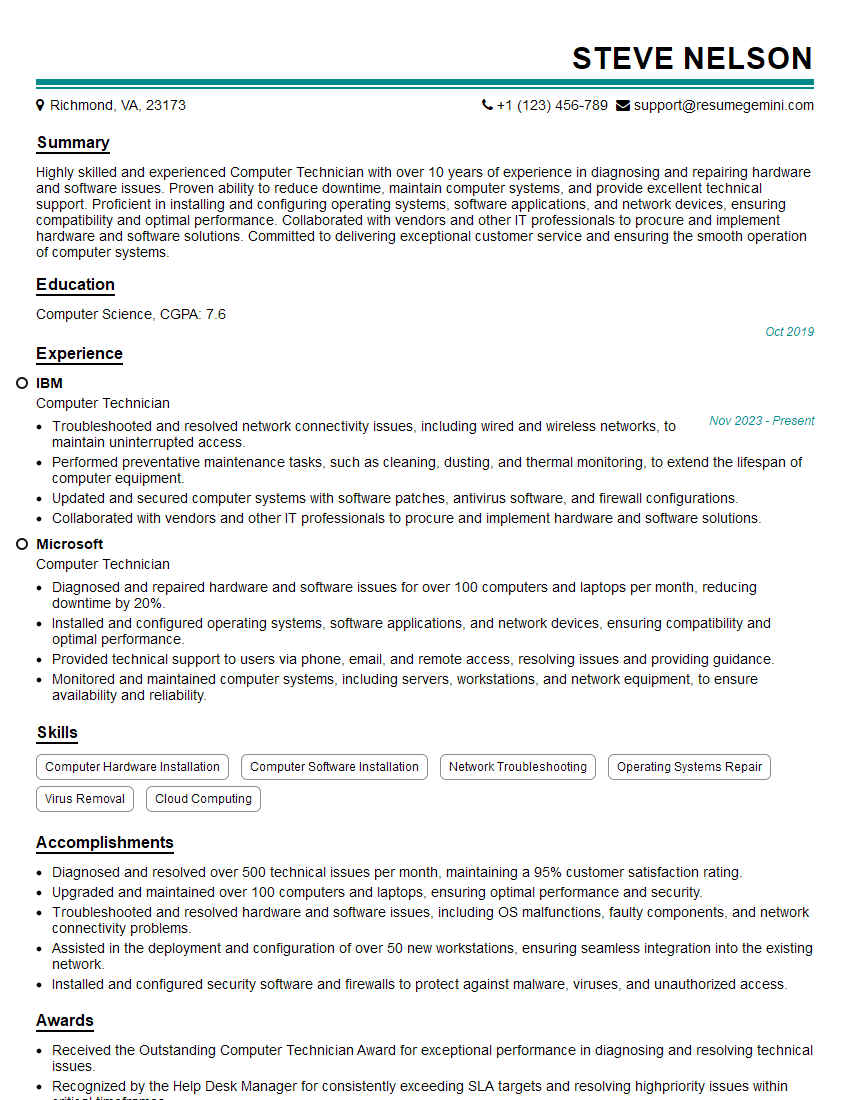
Computer Technician Resume Sample

Integration Engineer Resume Sample

IT Manager Resume Sample

Field Service Engineer Resume Sample

Hardware Engineer Resume Sample
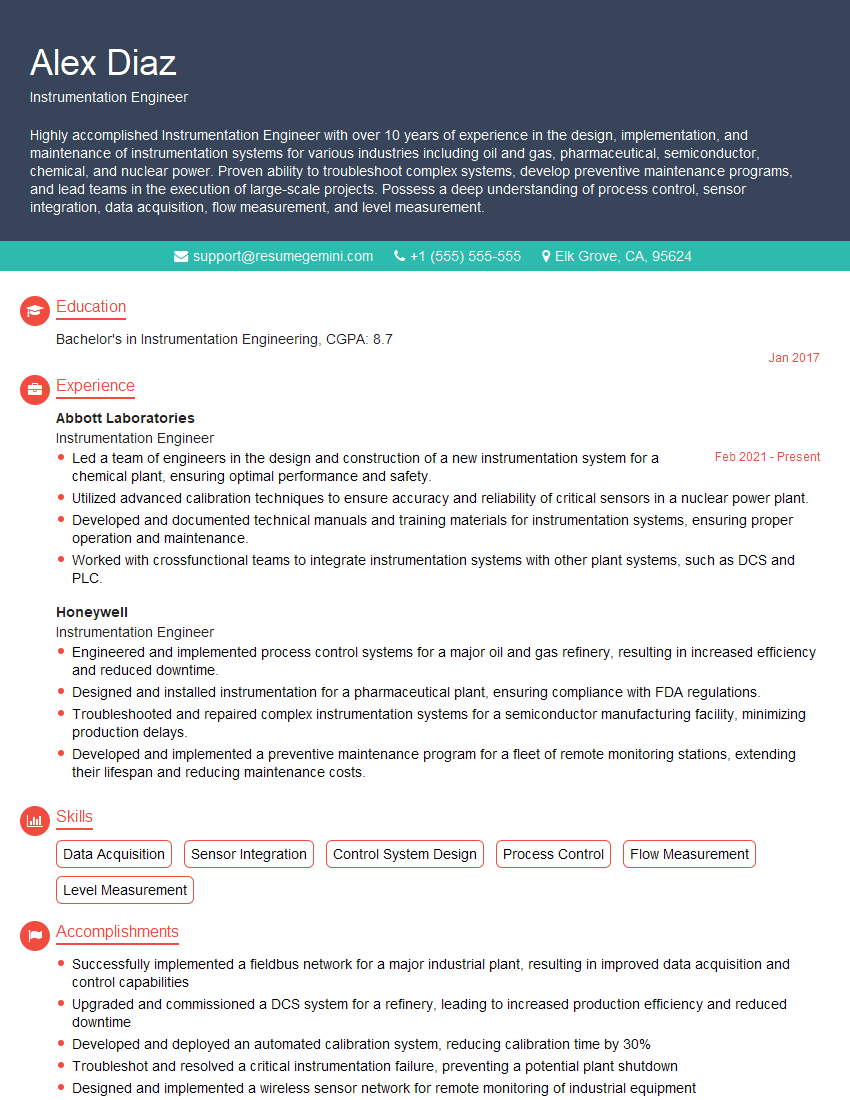
Instrumentation Engineer Resume Sample

Manufacturing Engineer Resume Sample

Quality Assurance Engineer Resume Sample

Validation Engineer Resume Sample

Control Systems Engineer Resume Sample

Robotics Engineer Resume Sample

Electronics Technician Resume Sample
- Research and Development Engineer
- Software Engineer
- Network Engineer
- Automation Engineer
- Firmware Engineer
- Test Engineer
- System Administrator
- Technical Support Specialist
- Design Engineer
- Telecommunications Engineer
- Computer Technician
- Integration Engineer
- IT Manager
- Field Service Engineer
- Hardware Engineer
- Instrumentation Engineer
- Manufacturing Engineer
- Quality Assurance Engineer
- Validation Engineer
- Control Systems Engineer
- Robotics Engineer
- Electronics Technician
Explore more articles
Users Rating of Our Blogs
Share Your Experience
We value your feedback! Please rate our content and share your thoughts (optional).
What Readers Say About Our Blog
Very informative content, great job.
good