Unlock your full potential by mastering the most common SCADA and HMI Systems interview questions. This blog offers a deep dive into the critical topics, ensuring you’re not only prepared to answer but to excel. With these insights, you’ll approach your interview with clarity and confidence.
Questions Asked in SCADA and HMI Systems Interview
Q 1. Explain the difference between SCADA and HMI.
While often used interchangeably, SCADA and HMI are distinct but interconnected components within industrial automation. Think of it like this: SCADA is the brains, while HMI is the face. SCADA (Supervisory Control and Data Acquisition) is a system for monitoring and controlling industrial processes, often spread across geographically dispersed locations. It gathers data from various field devices, processes it, and provides control mechanisms. HMI (Human-Machine Interface), on the other hand, is the user interface that allows operators to interact with the SCADA system. It presents data visually in real-time, allowing operators to monitor processes, trigger actions and respond to alarms. In short, SCADA handles the underlying logic and control, while HMI focuses on providing a user-friendly interface to interact with that system.
Example: In a water treatment plant, SCADA would oversee the entire process – monitoring water levels, chemical dosages, and pump operations. The HMI would provide operators with dashboards displaying this information, allowing them to adjust parameters and intervene as needed.
Q 2. Describe the architecture of a typical SCADA system.
A typical SCADA system architecture comprises several key layers:
- Field Devices: These are the sensors, actuators, and other devices that directly interact with the physical process. They collect data (temperature, pressure, flow, etc.) and receive control commands.
- Remote Terminal Units (RTUs) or Programmable Logic Controllers (PLCs): These are the intelligent devices that connect to the field devices. They act as local controllers, pre-processing data, and performing basic control actions before sending data to the SCADA master. RTUs are typically used in more dispersed environments, while PLCs are often found in centralized locations.
- Communication Network: This is the backbone of the SCADA system, connecting the RTUs/PLCs to the master SCADA server. Common communication protocols include Modbus, DNP3, and Ethernet/IP. The network needs to be robust and reliable to ensure data integrity and timely responses.
- Master SCADA Server: This is the central processing unit of the system. It receives data from the RTUs/PLCs, performs calculations, implements control algorithms, and manages historical data. This server usually contains the historian and database system.
- HMI System: This is the user interface, providing operators with real-time views of the process, allowing control actions, and displaying alarms.
- Database System: Stores historical and real-time data for analysis, reporting, and trend identification. Many SCADA systems now leverage cloud-based databases for improved scalability and accessibility.
These components work together to provide a comprehensive solution for monitoring and controlling industrial processes. The architecture can be adapted depending on the size and complexity of the system.
Q 3. What communication protocols are commonly used in SCADA systems?
SCADA systems employ a variety of communication protocols, chosen based on factors like distance, data rate, and reliability requirements. Some of the most common include:
- Modbus: A widely used serial communication protocol, known for its simplicity and open standard nature. It’s often used for shorter distances within a plant.
- DNP3 (Distributed Network Protocol 3): Designed specifically for utility applications, DNP3 prioritizes reliability and robustness in harsh environments. It’s commonly used in power grids and water management systems.
- Profibus: A fieldbus protocol widely used in industrial automation, especially in process industries. It provides a high level of data security and integrity.
- Ethernet/IP (Industrial Ethernet): A robust protocol based on Ethernet, offering high bandwidth and flexibility. It is commonly used in larger scale applications and where high speed data is important.
- OPC UA (OLE for Process Control Unified Architecture): A platform-independent communication standard designed for interoperability between various devices and systems. This provides flexibility and data access from anywhere.
The selection of a protocol depends on various factors, such as the specific needs of the application, the type of devices used, and the physical layout of the system.
Q 4. What are the different types of HMI displays and their applications?
HMI displays come in various types, each suited for different applications:
- Basic Displays: Simple displays with minimal graphics, ideal for smaller systems or those requiring only basic monitoring. These may be used on simple machines or in less sophisticated processes.
- Trend Displays: These graphically show the historical data of specific parameters over a period of time, enabling the operator to identify trends and patterns. This aids in predictive maintenance and troubleshooting.
- Alarm Displays: Show active and historical alarms, allowing operators to quickly identify and address critical events. This is critical for safety and efficient process management.
- Schematic Displays: Provide a visual representation of the entire process, with real-time data superimposed on a plant schematic. This gives an overview of the operation and allows easier location of problems.
- Geographic Displays: Used in geographically distributed systems, these displays present data on a map, providing a clear overview of the entire system’s status. Essential in applications like pipeline monitoring or wide area power grids.
- Advanced Displays with advanced graphics and visualization: Utilizing 3D models, virtual reality, and augmented reality features, these advanced displays give more detailed and insightful views. These are usually found in more complex and modern systems.
The choice of display type depends on the specific application and the information the operator needs to monitor and control effectively.
Q 5. How do you handle data redundancy in a SCADA system?
Data redundancy in SCADA systems is crucial for maintaining reliability and availability. Several methods are employed:
- Redundant Hardware: Using multiple servers, RTUs, or communication lines ensures that if one component fails, another takes over seamlessly. This minimizes downtime and prevents data loss.
- Data Mirroring: Data is copied in real-time to a backup system, ensuring data availability in case of primary system failure. This should be an exact replica.
- Database Replication: The SCADA database is replicated across multiple servers, ensuring data persistence and access even if one server goes down. This is key for maintaining consistent data history.
- Cyclic Redundancy Checks (CRCs): These checks verify data integrity during transmission. If an error is detected, the data is retransmitted. This method ensures accurate data.
By implementing these techniques, SCADA systems are built to withstand component failures and ensure continuous operation, a vital aspect of ensuring reliable and safe industrial processes.
Q 6. Explain the concept of alarming in a SCADA system.
Alarming in a SCADA system is a critical safety and operational mechanism. It involves the detection of abnormal conditions or events within the process and their notification to operators. The system generates an alarm when a pre-defined threshold is breached. For example, if a temperature exceeds a safety limit, an alarm is triggered. The process is:
- Threshold Definition: Setting limits for different process parameters (temperature, pressure, level, etc.). These are usually set well in advance based on the nature of the process.
- Alarm Detection: Continuous monitoring of process parameters against these thresholds. Any deviation from set values triggers an alarm.
- Alarm Notification: Alarms are displayed on the HMI, often with audible and visual cues. This may involve flashing lights and/or audible signals to immediately grab attention.
- Alarm Acknowledgement: Operators acknowledge alarms, indicating that they have been noticed and action is being taken. This logs activity and ensures that alarms are dealt with appropriately.
- Alarm Management: Includes features for prioritizing alarms, creating alarm summaries, and generating reports. This is crucial for analyzing the frequency and nature of alarms to make improvements.
Effective alarming is essential for preventing accidents, optimizing operations, and ensuring the safety of personnel and equipment.
Q 7. What are the security considerations for a SCADA system?
Security is paramount in SCADA systems, given their control over critical infrastructure. Threats range from data breaches to physical sabotage. Key security considerations include:
- Network Security: Implementing firewalls, intrusion detection systems (IDS), and intrusion prevention systems (IPS) to protect the SCADA network from unauthorized access. This is crucial to prevent unwanted remote access and control.
- Access Control: Restricting access to the SCADA system based on roles and responsibilities. This ensures that only authorized personnel can interact with the system. This could involve multi-factor authentication and access control lists.
- Data Encryption: Encrypting data both in transit and at rest to protect it from unauthorized access and modification. This helps maintain the confidentiality and integrity of the data.
- Regular Audits and Penetration Testing: Regularly assessing the security posture of the system and conducting penetration tests to identify vulnerabilities. This provides insights into vulnerabilities and opportunities for improvement.
- Patch Management: Regularly updating software and firmware to address known vulnerabilities. Keeping the system updated is crucial to maintain security and prevent exploitation of vulnerabilities.
- Physical Security: Protecting the physical equipment from unauthorized access, damage, or tampering. Protecting the physical infrastructure is as important as protecting the software and data.
A robust security strategy is crucial to protect SCADA systems from cyber threats and ensure the safety and reliability of critical infrastructure.
Q 8. How do you troubleshoot a SCADA system?
Troubleshooting a SCADA system is a systematic process that requires a methodical approach. Think of it like diagnosing a patient – you need to gather symptoms, identify the root cause, and apply the appropriate treatment. My approach involves these key steps:
- Initial Assessment: I start by identifying the problem. Is it a complete system failure, a single point of failure, or a performance issue? This often involves checking alarm logs, reviewing historical data, and talking to operators to understand the context of the failure.
- Data Acquisition and Analysis: I then gather data. This might involve checking the SCADA server logs, reviewing database entries, examining communication logs (e.g., OPC UA communication logs), and analyzing real-time data trends. Analyzing trends can pinpoint anomalies that indicate a potential issue.
- Isolation and Verification: Once potential issues are identified, I isolate them using various methods, such as temporarily disabling certain components or modifying settings to observe changes in system behavior. This helps to confirm whether a suspected component is indeed causing the problem.
- Resolution and Testing: Once the problem is identified, I implement the appropriate solution. This may involve software patches, hardware replacements, configuration changes, or even retraining operators. After fixing the issue, thorough testing is critical to ensure stability and correct functionality.
- Documentation and Reporting: I thoroughly document the entire troubleshooting process, including the problem, the steps taken, the solution implemented, and any preventative measures taken to avoid future occurrences. This documentation is crucial for future reference and continuous improvement.
For example, in one project, intermittent data loss from a remote RTU (Remote Terminal Unit) was resolved by replacing a faulty modem after analyzing communication logs showing frequent connection drops.
Q 9. Describe your experience with different SCADA platforms (e.g., Wonderware, Ignition, iFix).
I have extensive experience with several leading SCADA platforms. My experience spans across various industrial sectors, including manufacturing, power generation, and water treatment.
- Wonderware System Platform: I’ve worked extensively with Wonderware InTouch for HMI development and System Platform for SCADA architecture. I’m comfortable with its historian capabilities, alarm management, and its robust scripting functionalities using VBA and its built-in scripting language. I’ve designed and implemented large-scale systems using Wonderware, including data acquisition from multiple PLCs and integration with various enterprise systems.
- Ignition: I’ve used Ignition for its flexibility and open-source nature. I appreciate its ease of use for building HMIs, its powerful scripting capabilities in Python, and its ability to integrate with various databases and communication protocols. Its cross-platform capabilities are also a significant advantage. I find it particularly useful for smaller projects or rapid prototyping.
- iFix: My experience with iFix includes developing and maintaining HMIs and SCADA applications. I am familiar with its graphical development tools, alarm handling features, and its integration with various PLCs. I appreciate its reliability and maturity, particularly in established industrial environments. I have used iFix extensively in projects requiring high levels of data security and regulatory compliance.
Each platform has its strengths and weaknesses, and my choice depends on the specific project requirements and constraints, such as budget, timeline, and client preferences.
Q 10. What programming languages are commonly used in SCADA development?
SCADA development utilizes a range of programming languages, each serving specific purposes. The choice often depends on the specific SCADA platform and the project’s complexity.
- Structured Text (ST): Frequently used in PLC programming, often acting as the bridge between the PLC and the SCADA system. It’s a high-level language, easier to read and maintain than assembly language.
- Ladder Logic (LD): A graphical programming language, commonly used in PLCs. It visually represents logic using rungs and contacts, making it intuitive for electricians and technicians.
- C/C++: Used for developing lower-level software components, drivers, and custom modules for SCADA systems. They offer performance advantages and fine-grained control.
- Python: Increasingly popular for SCADA development, especially with platforms like Ignition. Its versatility, extensive libraries, and ease of use make it a strong choice for scripting, data analysis, and integration with other systems.
- VBA (Visual Basic for Applications): Commonly used with platforms like Wonderware InTouch for scripting HMI functionalities and automating tasks.
Often, a project will involve a mix of these languages, with one language dominating specific aspects of the system. For example, PLCs might use ST or LD, while the SCADA server might rely heavily on C++ for performance-critical modules and Python for integrating with data analytics tools.
Q 11. Explain your experience with database management in a SCADA environment.
Database management is crucial in a SCADA environment, as it’s responsible for storing and managing historical data, alarm events, and operational parameters. My experience includes working with various database systems:
- Relational Databases (RDBMS): Such as SQL Server, Oracle, and MySQL. These are commonly used for storing large volumes of structured data and support complex queries for data analysis and reporting. I’m proficient in writing SQL queries for data retrieval and manipulation.
- NoSQL Databases: Suitable for handling unstructured or semi-structured data that may not fit neatly into relational models. I’ve used these in SCADA projects where high scalability and performance are critical for real-time applications.
- Historian Databases: Specialized databases designed to efficiently store and retrieve large volumes of time-series data, a common requirement in SCADA systems. I’m experienced in configuring and optimizing historian databases for efficient data access and archiving.
My experience also includes database design, schema development, data migration, and ensuring data integrity through appropriate constraints and indexing. I understand the importance of proper backup and recovery procedures to protect against data loss.
For example, in a water treatment plant project, I designed a SQL Server database to store real-time and historical sensor data, water quality parameters, and operational events. This allowed operators to generate detailed reports and track performance trends over time.
Q 12. How do you ensure data integrity in a SCADA system?
Data integrity in a SCADA system is paramount for reliable operations and decision-making. It ensures data accuracy, completeness, and consistency. My strategies for ensuring data integrity include:
- Redundancy and Failover Mechanisms: Implementing redundant hardware and software components to ensure continuous data acquisition and storage, even in case of failures. This involves designing systems with failover mechanisms that automatically switch to backup systems.
- Data Validation and Error Handling: Incorporating checks and validations at various points in the data acquisition and processing pipeline. This includes range checks, plausibility checks, and error handling routines to identify and correct invalid data.
- Data Logging and Auditing: Implementing robust data logging mechanisms to record all data transactions and changes. This creates an audit trail for tracking data integrity and detecting unauthorized modifications. These logs are crucial for troubleshooting and regulatory compliance.
- Regular Data Backups and Restoration: Implementing a regular data backup and recovery strategy to protect against data loss due to hardware failures, software errors, or cyberattacks. Testing these backup and recovery procedures is essential.
- Cybersecurity Measures: Implementing robust cybersecurity measures to protect the SCADA system from unauthorized access and data manipulation. This involves network security, access control, and intrusion detection systems.
Think of it like keeping meticulous records in a bank – every transaction is logged, validated, and backed up to prevent fraud and ensure accuracy.
Q 13. Describe your experience with SCADA system design and implementation.
My experience in SCADA system design and implementation encompasses the entire lifecycle, from initial requirements gathering to final deployment and ongoing maintenance. My approach involves:
- Requirements Gathering and Analysis: Understanding the client’s needs and translating them into technical specifications. This involves identifying data sources, required functionalities, user interface requirements, and communication protocols.
- System Architecture Design: Designing the overall system architecture, including hardware and software components, network topology, and data flow. This often involves selecting appropriate PLCs, communication protocols, and database systems.
- HMI Development: Developing user-friendly HMIs that allow operators to monitor and control the system. This includes designing screens, creating alarm configurations, and implementing user access controls.
- Software Development and Integration: Developing or integrating necessary software components, including data acquisition modules, alarm management systems, and reporting tools. This involves writing code, configuring software components, and testing integrations.
- Testing and Commissioning: Conducting rigorous testing to ensure the system meets requirements and operates as intended. This includes unit testing, integration testing, and system testing.
- Deployment and Training: Deploying the system and providing training to operators on how to use it. This involves working with client personnel to ensure a smooth transition.
- Ongoing Maintenance and Support: Providing ongoing maintenance and support to address any issues or modifications that may be required after deployment.
For example, I led a project to design and implement a SCADA system for a large manufacturing plant. This involved working with a team of engineers to define requirements, design the system architecture, develop the HMI, and deploy the system. The system now monitors and controls various production processes, significantly improving efficiency and reducing downtime.
Q 14. How do you perform system testing and validation for a SCADA system?
System testing and validation for a SCADA system are critical to ensure reliability, safety, and compliance. My approach to testing is thorough and multifaceted:
- Unit Testing: Testing individual components (e.g., data acquisition modules, alarm handling routines) in isolation to ensure they function correctly.
- Integration Testing: Testing the interactions between different components to ensure seamless data flow and functionality. This often involves simulating various scenarios and events.
- System Testing: Testing the entire system as a whole to validate its performance and stability under normal and abnormal operating conditions. This might involve stress testing, load testing, and fault injection tests.
- User Acceptance Testing (UAT): Involving end-users in the testing process to ensure the system meets their needs and is user-friendly. This typically involves a series of test cases and scenarios representative of real-world usage.
- Validation Testing: Comparing the system’s performance against predefined requirements and specifications to ensure it conforms to standards and regulations. This might involve comparing simulated data against real-world data.
I use a combination of automated and manual testing methods, leveraging test management tools to track progress and manage defects. Comprehensive documentation of test results is crucial for auditing and future reference. Testing is not a one-off event; it continues throughout the system’s lifetime, often involving regular regression tests to verify the system’s stability after any changes or updates.
Q 15. Explain the concept of historian databases in SCADA.
Historian databases in SCADA systems are essentially specialized databases designed to store and manage vast amounts of time-series data generated by the system’s various components. Think of it as a detailed, chronologically-ordered record of everything that happens within your SCADA environment. This data includes readings from sensors, actuator commands, alarm events, and more. Instead of just showing you current values, the historian allows you to analyze historical trends, identify patterns, and troubleshoot issues by reviewing past data.
For example, imagine a water treatment plant. The historian would store data on water flow rates, chemical levels, and pump operation over time. If a problem occurs, engineers can access this historical data to pinpoint when the problem started, the conditions leading up to it, and potentially identify the root cause.
Popular historian databases include OSIsoft PI, Aspen InfoPlus.21, and GE Proficy Historian. They typically offer powerful querying and analysis capabilities, allowing users to easily retrieve specific data sets and generate reports.
Career Expert Tips:
- Ace those interviews! Prepare effectively by reviewing the Top 50 Most Common Interview Questions on ResumeGemini.
- Navigate your job search with confidence! Explore a wide range of Career Tips on ResumeGemini. Learn about common challenges and recommendations to overcome them.
- Craft the perfect resume! Master the Art of Resume Writing with ResumeGemini’s guide. Showcase your unique qualifications and achievements effectively.
- Don’t miss out on holiday savings! Build your dream resume with ResumeGemini’s ATS optimized templates.
Q 16. How do you handle data visualization in an HMI?
Data visualization in an HMI is all about presenting the SCADA data in a clear, concise, and easily understandable manner. It’s about turning raw numbers into actionable insights. Effective HMI visualization improves operator efficiency, reduces reaction times during emergencies, and helps in preventative maintenance.
We use a variety of techniques, including:
- Trend Charts: Displaying data over time, making it easy to spot patterns and anomalies.
- Gauge Displays: Showing the current value of a process variable relative to a range (e.g., pressure, temperature).
- Bar Graphs and Pie Charts: Visualizing data comparisons or distributions.
- Geographic Information System (GIS) integration: Mapping data geographically, particularly useful in distributed systems like pipelines or power grids.
- Alarm Displays: Clearly indicating any critical events or deviations from setpoints.
The key is to choose the right visualization technique for the type of data and the intended audience. We also focus on using a consistent color scheme and clear labeling to improve readability and comprehension. For instance, using red for high-priority alarms and green for normal operation is a widely accepted standard.
Q 17. What is your experience with different HMI hardware platforms?
I have extensive experience working with various HMI hardware platforms, ranging from industrial panel PCs to ruggedized mobile devices. This includes both legacy systems and modern, cutting-edge technologies. I’m comfortable with hardware from major vendors such as Siemens (SIMATIC HMI), Rockwell Automation (PanelView), Schneider Electric (Vijeo), and more. My experience encompasses different screen sizes, resolutions, and input methods (touchscreens, buttons, keyboards). I’m also familiar with the software and configuration aspects of each platform, understanding the trade-offs associated with each choice based on factors like ruggedness, cost, performance, and specific client requirements.
For example, I’ve worked on projects where we used ruggedized industrial panel PCs for outdoor applications demanding high reliability and resistance to harsh environmental conditions. In other cases, we opted for standard panel PCs for indoor environments where cost and ease of installation were primary concerns.
Q 18. Describe your experience with integrating SCADA with other systems.
Integrating SCADA with other systems is a crucial aspect of modern industrial automation. It allows for enhanced data analysis, streamlined workflows, and improved decision-making. I have extensive experience integrating SCADA with various systems, including ERP (Enterprise Resource Planning), MES (Manufacturing Execution Systems), and business intelligence tools. This often involves using standard communication protocols such as OPC UA, Modbus, and Profibus.
For instance, I worked on a project where we integrated the SCADA system with the client’s ERP system. This allowed real-time production data from the SCADA system to feed directly into the ERP system for better inventory management and production scheduling. We used OPC UA as the communication bridge between the two systems, ensuring seamless data exchange and minimizing data loss.
A common integration challenge is dealing with different data formats and communication protocols. We often leverage message queues or middleware to standardize communication and ensure smooth data flow between disparate systems.
Q 19. How do you ensure the scalability of a SCADA system?
Ensuring the scalability of a SCADA system is critical for accommodating future growth and changes in operational needs. We address scalability from several perspectives:
- Modular Design: Implementing a modular architecture where different components (e.g., data acquisition, HMI, historian) can be added or upgraded independently. This allows for phased expansion without requiring a complete system overhaul.
- Database Selection: Choosing a database system capable of handling increasing volumes of data, both in terms of storage capacity and processing power. Relational databases or specialized time-series databases are common choices.
- Network Infrastructure: Implementing a robust and scalable network infrastructure that can handle the increased data traffic generated by an expanding system. This includes using high-bandwidth network components and appropriate network protocols.
- Redundancy and Failover: Employing redundant components and failover mechanisms to ensure continuous operation even in case of component failures. This is crucial in critical infrastructure applications.
Careful planning and a well-defined architecture are key to achieving scalability. We consider future expansion requirements from the outset of a project rather than attempting to retrofit scalability later.
Q 20. Explain your experience with different types of PLCs and their integration with SCADA.
My experience with PLCs (Programmable Logic Controllers) spans various manufacturers and models, including Siemens (S7-1200, S7-1500), Rockwell Automation (Allen-Bradley ControlLogix, CompactLogix), and Schneider Electric (Modicon M340). I understand the programming languages associated with each (e.g., ladder logic, structured text, function block diagrams) and the nuances of their communication protocols. Integrating PLCs with SCADA systems involves configuring communication drivers, defining data points, and establishing the necessary communication pathways. This often requires intimate knowledge of both the PLC and SCADA system architectures.
For example, I’ve configured communication between a Siemens S7-1500 PLC and a Wonderware Intouch HMI using OPC UA. This involved configuring the PLC’s communication settings, creating data tags within the HMI, and establishing the OPC UA connection. Proper testing and validation are essential to ensure reliable data exchange and control functionality.
Q 21. What are the key performance indicators (KPIs) you monitor in a SCADA system?
The specific KPIs monitored in a SCADA system depend heavily on the industry and application. However, some common KPIs that I consistently monitor include:
- Uptime: The percentage of time the system is operational. This is a crucial indicator of system reliability.
- Throughput: The rate at which the system processes materials or data. This is important for measuring efficiency and productivity.
- Alarm Rate: The frequency of alarm occurrences. High alarm rates can indicate potential issues requiring attention.
- Mean Time Between Failures (MTBF): The average time between system failures. This is a key metric for assessing reliability.
- Mean Time To Repair (MTTR): The average time taken to repair system failures. Minimizing MTTR is vital for minimizing downtime.
- Energy Consumption: Monitoring energy usage is critical for cost optimization and environmental responsibility.
These KPIs are usually visualized on the HMI dashboard, providing operators with a quick overview of the system’s performance. We use these data to identify areas for improvement, optimize processes, and ensure smooth operations.
Q 22. How do you ensure the reliability and availability of a SCADA system?
Ensuring the reliability and availability of a SCADA system is paramount, as failures can have significant consequences, from minor production slowdowns to catastrophic events. My approach is multifaceted and focuses on redundancy, robust architecture, and proactive maintenance.
- Redundancy: We employ redundant hardware components like servers, network devices, and RTUs. This means that if one component fails, another immediately takes over, minimizing downtime. Think of it like having a backup generator for your home – if the power goes out, the backup kicks in seamlessly. For example, in a water treatment plant, redundant PLCs (Programmable Logic Controllers) ensure continuous monitoring and control even if one fails.
- Robust Architecture: A well-designed SCADA system uses a layered architecture with clear separation of concerns. This makes it easier to isolate and address problems without impacting the entire system. We utilize robust communication protocols like Modbus TCP/IP or DNP3, which are designed for reliability and error detection. Furthermore, proper network segmentation helps prevent cascading failures.
- Proactive Maintenance: Regular preventative maintenance, including software updates, hardware checks, and thorough testing, is crucial. This allows us to identify and address potential issues before they become major problems. We use predictive maintenance techniques, analyzing data from the SCADA system to anticipate potential failures. For instance, analyzing vibration data from a pump can help predict bearing failure and schedule maintenance before it leads to a costly shutdown.
- Disaster Recovery Planning: We develop and regularly test comprehensive disaster recovery plans that outline procedures to restore SCADA operations in case of major incidents, including natural disasters or cyberattacks. This often involves backup systems and offsite data storage.
By combining these strategies, we significantly improve the reliability and availability of SCADA systems, minimizing downtime and ensuring safe and efficient operation.
Q 23. Describe your experience with RTU (Remote Terminal Unit) configuration and maintenance.
My experience with RTU configuration and maintenance spans several years and various industrial settings, including oil and gas pipelines and water distribution networks. Configuration involves several key steps:
- Communication Protocol Setup: Configuring the RTU to communicate with the SCADA master station using the appropriate protocol (Modbus, DNP3, etc.). This involves setting baud rates, parity, and other communication parameters. I’ve worked extensively with Modbus TCP/IP, ensuring seamless data exchange between the RTU and the master station.
- I/O Point Configuration: Defining the input and output points on the RTU, mapping them to physical sensors and actuators in the field. This is a crucial step ensuring the SCADA system accurately reflects the real-world conditions. For example, connecting temperature sensors to analog input channels and configuring alarm thresholds.
- Alarm Configuration: Setting up alarms based on pre-defined thresholds. Proper alarm configuration ensures timely notification of critical events. I’ve implemented alarm prioritization schemes, so critical alerts are quickly identified amongst less urgent ones.
- Data Logging: Configuring the RTU to log data at specified intervals. This allows for historical analysis and trend identification, aiding in predictive maintenance and troubleshooting.
Maintenance includes regular checks on communication links, ensuring proper functionality of sensors and actuators, and troubleshooting any communication errors or malfunctions. I’ve used diagnostic tools to identify faulty hardware components and replaced them to avoid costly downtime. I’ve also performed firmware updates to improve performance and security.
Q 24. How do you manage user access and permissions in a SCADA system?
Managing user access and permissions in a SCADA system is crucial for security and operational integrity. We employ a multi-layered approach:
- Role-Based Access Control (RBAC): This is a cornerstone of our security strategy. We define user roles (e.g., operator, engineer, administrator) and assign specific permissions based on these roles. An operator might only have read-only access to certain data points, while an engineer could have write access for configuration changes. Administrators have comprehensive access for system management.
- Authentication: Strong authentication mechanisms, including passwords with complexity requirements and multi-factor authentication (MFA), are used to prevent unauthorized access. We regularly audit user accounts and enforce password rotation policies.
- Access Logging and Auditing: All user actions are logged, providing a detailed audit trail for security analysis and accountability. This helps in identifying potential security breaches and tracing their origins.
- Network Security: Implementing firewalls, intrusion detection/prevention systems, and virtual private networks (VPNs) is essential to secure the SCADA network from external threats. We strictly adhere to cybersecurity best practices and regularly update security patches.
A well-defined access control system protects the SCADA system from unauthorized modifications, ensuring data integrity and system reliability. We regularly review and update our security policies to adapt to evolving threats.
Q 25. Explain your experience with SCADA system upgrades and migrations.
SCADA system upgrades and migrations are complex projects requiring careful planning and execution. My experience includes:
- Needs Assessment: We begin with a thorough assessment of the current system’s capabilities, limitations, and future needs. This helps determine the scope of the upgrade or migration.
- Proof of Concept (POC): Before full-scale deployment, we conduct a POC to validate compatibility and performance of the new system. This minimizes risks and ensures a smooth transition.
- Phased Rollout: We typically implement a phased rollout approach, migrating parts of the system incrementally to minimize disruption. This allows for testing and validation at each stage.
- Data Migration: Data migration is a critical aspect. We develop a comprehensive plan to transfer historical data to the new system, ensuring data integrity and consistency. This often involves data cleansing and transformation.
- Training: Proper training for operators and engineers is essential to ensure a smooth transition and efficient use of the new system. We develop tailored training programs that address specific changes and new features.
A recent project involved migrating an older SCADA system to a cloud-based platform. The phased rollout, coupled with rigorous testing, minimized downtime and ensured a successful migration.
Q 26. What are the challenges you have faced while working with SCADA systems?
Working with SCADA systems presents unique challenges:
- Legacy Systems: Integrating new technologies with outdated legacy systems can be complex and time-consuming. Finding skilled personnel with experience in obsolete technologies can be a hurdle. I’ve overcome this by employing reverse engineering techniques to understand legacy systems and carefully planning the integration.
- Data Security: Protecting SCADA systems from cyberattacks is paramount. Implementing robust security measures and staying up-to-date with the latest threats is crucial. I’ve faced challenges in implementing security protocols in older systems, requiring creative solutions.
- Vendor Lock-in: Proprietary technologies can lead to vendor lock-in, limiting flexibility and increasing costs. Choosing open-standard technologies helps mitigate this problem.
- Real-time Constraints: SCADA systems need to respond to events in real-time. Designing and implementing systems that meet these stringent requirements is challenging. Careful system design and optimization are key to meeting these requirements.
Overcoming these challenges requires a combination of technical expertise, effective problem-solving skills, and proactive risk management.
Q 27. How do you stay up-to-date with the latest technologies in SCADA and HMI?
Staying current in the rapidly evolving field of SCADA and HMI requires a multi-pronged approach:
- Industry Publications and Conferences: I regularly read industry publications, attend conferences, and participate in webinars to stay informed about the latest trends and technologies. This helps me stay abreast of new protocols, security best practices, and emerging technologies like AI/ML applications in SCADA.
- Online Courses and Certifications: I pursue online courses and certifications to enhance my skills in specific areas, such as cybersecurity or advanced SCADA programming. This ensures my knowledge is aligned with industry best practices.
- Professional Networks: Engaging with professional networks and online communities provides opportunities to learn from peers and experts. Discussing challenges and solutions with colleagues expands my understanding and helps me stay ahead of the curve.
- Hands-on Experience: The best way to stay current is through hands-on experience. I actively seek opportunities to work on diverse projects, utilizing new technologies and addressing novel challenges. This strengthens my practical knowledge and enhances my problem-solving skills.
Continuous learning is essential in this field, ensuring I can effectively address the evolving demands of the industry.
Key Topics to Learn for SCADA and HMI Systems Interview
- Data Acquisition and Communication: Understanding different communication protocols (e.g., Modbus, OPC UA, DNP3) and their applications in SCADA systems. Consider the impact of network latency and data reliability.
- Database Management: Explore how historical data is stored and retrieved from SCADA databases. Discuss the importance of data integrity and efficient data management strategies for analysis and reporting.
- HMI Design Principles: Understand the principles of effective human-machine interface design, focusing on usability, ergonomics, and alarm management. Consider best practices for designing clear and intuitive operator displays.
- SCADA System Architecture: Familiarize yourself with the different components of a SCADA system (RTUs, PLCs, Master Stations, Databases) and their interactions. Be prepared to discuss system redundancy and fail-safe mechanisms.
- Security Considerations: Understand the vulnerabilities of SCADA systems and the importance of cybersecurity measures. Discuss common threats and mitigation strategies in industrial control systems.
- Troubleshooting and Diagnostics: Develop your ability to approach troubleshooting systematically. Discuss common issues and how to diagnose and resolve them efficiently using available tools and information.
- Real-world Applications: Be prepared to discuss practical applications of SCADA and HMI systems in various industries (e.g., power generation, water treatment, manufacturing). Consider specific examples and case studies.
- Programming and Scripting: Depending on the role, familiarity with scripting languages used in SCADA/HMI systems (e.g., Python, VBA) can be beneficial. Highlight your proficiency in relevant languages.
Next Steps
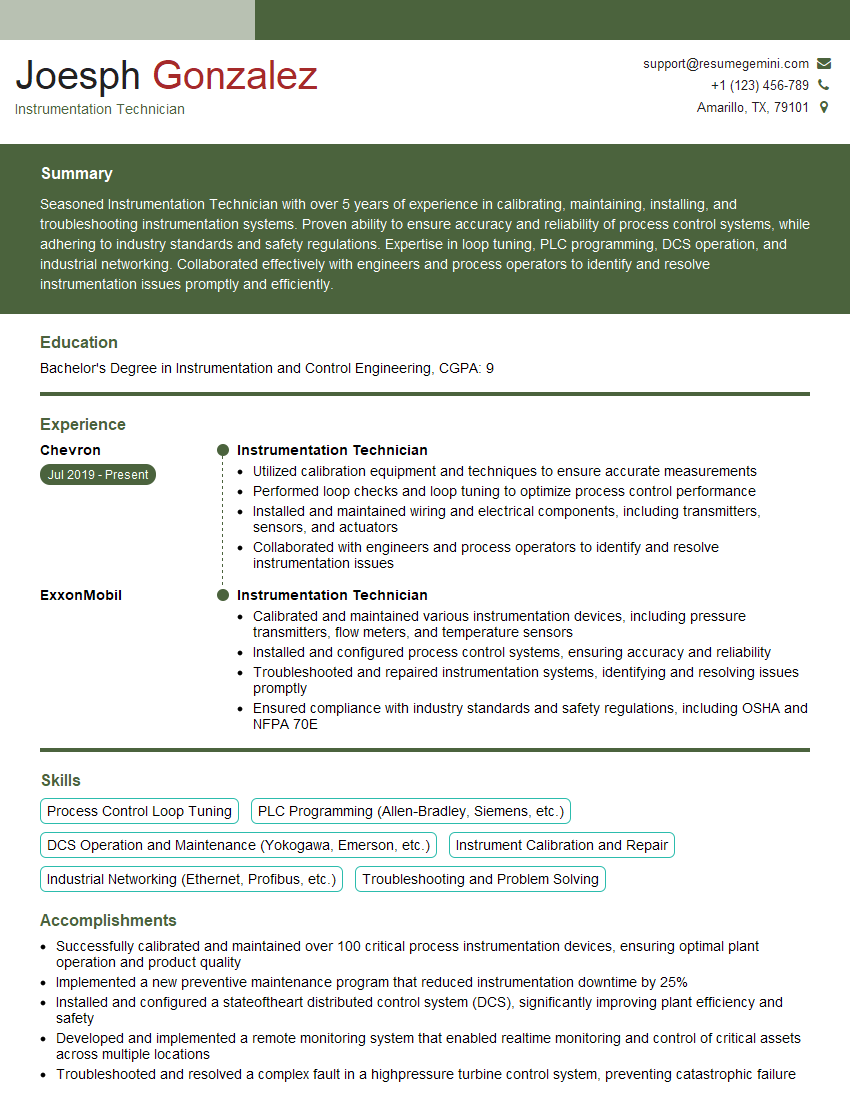
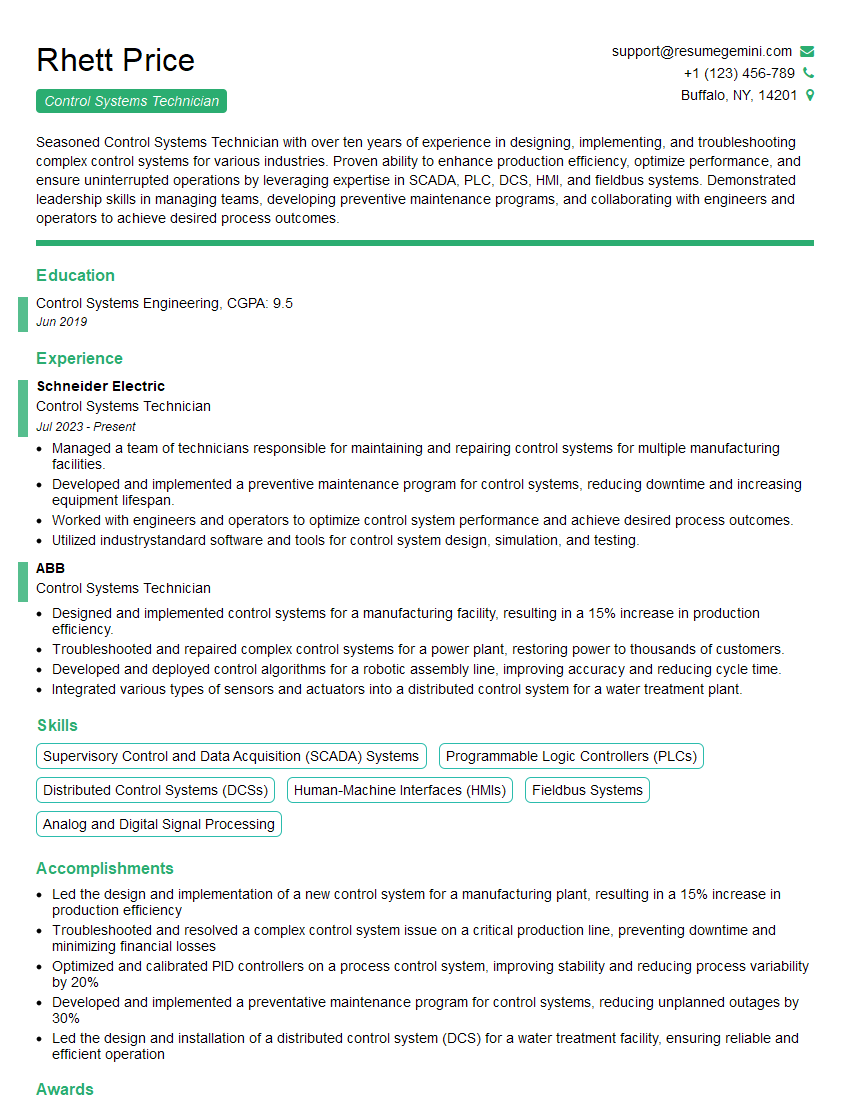
Mastering SCADA and HMI systems opens doors to exciting and rewarding careers in critical infrastructure and automation. The demand for skilled professionals in this field is consistently high, offering excellent opportunities for career growth and advancement. To maximize your job prospects, it’s crucial to present yourself effectively. Creating an ATS-friendly resume is essential for getting your application noticed by recruiters and hiring managers. ResumeGemini is a trusted resource that can significantly enhance your resume-building experience. They provide tools and examples tailored to various industries, including SCADA and HMI systems, helping you showcase your skills and experience effectively. Examples of resumes tailored to SCADA and HMI Systems are available to help you craft a compelling application.




Explore more articles
Users Rating of Our Blogs
Share Your Experience
We value your feedback! Please rate our content and share your thoughts (optional).
What Readers Say About Our Blog
Very informative content, great job.
good