Interviews are opportunities to demonstrate your expertise, and this guide is here to help you shine. Explore the essential Screen Prepress interview questions that employers frequently ask, paired with strategies for crafting responses that set you apart from the competition.
Questions Asked in Screen Prepress Interview
Q 1. Explain the process of color separation in screen prepress.
Color separation in screen prepress is the process of breaking down a full-color image into individual color components – typically Cyan, Magenta, Yellow, and Black (CMYK) – for separate printing on different screens. Think of it like creating a four-layer cake, where each layer represents a different color. Each color is then output as a separate film positive or digital file, used to create a screen stencil for each color. This is crucial because screen printing uses separate screens for each color, allowing for precise control and layering of colors to achieve the final image. For example, a vibrant red might be created by combining Magenta and Yellow inks. The process ensures that each color is printed accurately and prevents unwanted color mixing on the screen itself.
Traditionally, this involved scanning artwork and separating colors using specialized software. Nowadays, digital artwork is created directly in CMYK, simplifying the process. However, careful attention to color profiles and dot gain compensation is still critical for accurate color reproduction.
Q 2. Describe your experience with different types of plates used in screen printing.
My experience encompasses a wide range of screen printing plates, each with its own characteristics and applications. I’ve worked extensively with emulsion-coated screens, which are the industry standard. These are relatively inexpensive, easy to produce, and suitable for most printing jobs. The process involves coating the screen with photosensitive emulsion, exposing it to a film positive, and washing away the unexposed emulsion to create the stencil. I’ve also used direct-to-screen printing methods, which are particularly efficient for short runs and detailed artwork. These methods bypass the need for separate film positives, reducing time and cost. Furthermore, I’ve worked with more specialized plates like those using capillary film for high-resolution printing or durable polymer screens for exceptionally long runs.
The choice of plate depends heavily on factors such as image complexity, run length, budget, and desired print quality. For example, a large-scale outdoor banner might necessitate a highly durable polymer screen, whereas a small-scale, detailed design might be better suited to emulsion-coated screens printed via direct-to-screen method.
Q 3. What are the common file formats used in screen prepress workflow?
The screen printing prepress workflow utilizes a variety of file formats, with .TIFF being the most common for high-resolution images due to its ability to maintain image quality and color accuracy. .EPS (Encapsulated PostScript) is also frequently used, especially when incorporating vector graphics. .PDF files are versatile and often used for sending files between clients and printers, offering a reliable standard format. .AI (Adobe Illustrator) files are important for maintaining vector-based artwork integrity. Finally, .PSD (Adobe Photoshop) files are used but require careful attention to color modes (CMYK is crucial) and resolution.
It’s essential to ensure that the chosen format maintains the image’s resolution and color integrity, preventing any loss of detail or color shift during the printing process. Choosing the right format minimizes problems downstream and ensures a smoother workflow.
Q 4. How do you ensure color consistency across different print runs?
Maintaining color consistency across multiple print runs is paramount for brand identity and product quality. This is achieved through meticulous attention to detail in every stage of the process. It starts with using a calibrated monitor and properly managed color profiles in design software. Accurate color profiles ensure consistent interpretation of colors across different devices and software. Then, we use a spectrophotometer to measure the actual ink colors and compare them to the target colors, allowing for adjustments to the RIP settings and ink formulations if needed. We also establish color standards using Pantone color matching system, guaranteeing consistent color reproduction across various prints. Maintaining a standardized process—from initial artwork to final print— minimizes variability.
A common problem is dot gain, where dots of ink spread during printing, resulting in darker colors than intended. We use software compensation techniques to account for this during the RIP process.
Q 5. Explain your experience with RIP software and its settings.
RIP (Raster Image Processor) software is indispensable in screen prepress. It converts vector and bitmap images into a format suitable for the screen printing process. My experience spans several popular RIP software packages, and I’m proficient in adjusting settings such as resolution, halftone screening, color management, and dot gain compensation. Resolution affects image sharpness and detail. Halftone screening determines the way dots are arranged to create the illusion of different colors and tones. Color management is crucial for ensuring color consistency across various stages, and dot gain compensation helps to correct the spreading of ink during the printing process.
For instance, I might adjust the halftone angle and frequency to minimize moiré patterns, which are undesirable interference patterns that can occur when printing halftone images. Correct setting of the RIP software is crucial for achieving consistent and high-quality print results across different jobs.
Q 6. Describe your troubleshooting skills when dealing with prepress issues.
Troubleshooting in screen prepress requires a systematic approach. I start by identifying the problem—Is it a color issue, a registration problem (colors not aligning properly), a screen issue, or a printing problem? I then systematically analyze each step of the prepress workflow to isolate the cause. This often involves checking the image files for errors, verifying the accuracy of the film positives or digital files, inspecting the screens for defects (pinholes, damaged emulsion), and evaluating the printing setup. For example, if colors are misaligned, I would inspect the screen registration, the printing pressure, and the alignment of the press itself.
My experience has equipped me with various troubleshooting methods, including using test prints to isolate problems. A methodical approach and familiarity with all aspects of the prepress process are key to rapidly resolving issues and minimizing downtime.
Q 7. How do you manage large files and ensure efficient workflow?
Managing large files efficiently is crucial in screen prepress. I employ several strategies. First, I utilize lossless compression techniques for image files, which reduce file size without compromising image quality. Second, I optimize images by reducing their resolution to only what is necessary for the intended printing resolution. High-resolution images are only required if fine details are essential. Overly large files can result in unnecessary time and storage space demands.
Furthermore, I use efficient file management systems, including well-organized folders and a naming convention, to keep track of files and make them easily retrievable. I leverage cloud storage when appropriate, ensuring files are backed up securely. Lastly, I use software designed to handle large image files efficiently, streamlining the entire workflow and improving overall turnaround time.
Q 8. What are the different types of screen mesh and their applications?
Screen mesh selection is crucial in screen printing, influencing print quality, detail, and ink deposit. Different mesh counts (threads per inch) and materials offer varying properties.
- Mesh Count: Higher mesh counts (e.g., 156, 230, 305) yield finer details but require more careful ink management and may print slower. Lower counts (e.g., 43, 61) are used for larger areas, bold graphics, and applications needing high ink deposit.
- Material: Polyester is common due to its durability and wide range of mesh counts. Nylon offers better elasticity and is suitable for stretchy fabrics. Stainless steel is preferred for high-volume printing and chemical resistance.
- Applications:
- High mesh counts (230+): Fine detail work like photorealistic images, detailed text on apparel.
- Medium mesh counts (110-230): Versatile, suitable for a balance of detail and ink lay-down for general apparel and promotional items.
- Low mesh counts (43-86): Large areas of solid color, coarse designs, applications needing significant ink coverage like posters or banners.
Choosing the right mesh involves considering the design complexity, ink viscosity, desired print quality, and the substrate being printed on. For example, printing fine lines on a t-shirt would necessitate a high mesh count (e.g., 230), while printing a large logo on a poster might use a lower count (e.g., 61).
Q 9. Explain the concept of halftone screening and its impact on print quality.
Halftone screening is the process of converting continuous-tone images (like photographs) into a pattern of dots that simulates the original image. This is essential because screen printing, unlike offset printing, cannot directly reproduce smooth gradients. The size and spacing of these dots determine the perceived tone and color.
Impact on Print Quality: The quality of halftone screening directly impacts the image’s smoothness, sharpness, and overall fidelity. Poorly screened images can appear muddy, pixelated, or lacking in detail. Factors like the screen frequency (lines per inch, LPI), angle, and the type of screening (e.g., amplitude modulated, frequency modulated) greatly affect the final output. A higher LPI generally results in smoother tones but can be more demanding on the screen printing process. Selecting the right LPI depends on the print resolution capabilities and the desired level of detail. A too-high LPI can lead to moiré patterns (interference patterns that make the image look wavy).
Consider this analogy: Imagine trying to represent a sunset using only black and white squares. A higher density of small squares (higher LPI) gives a much more realistic impression of the gradient than fewer, larger squares.
Q 10. How do you handle color profiles and ICC profiles in your workflow?
Color management is crucial for accurate color reproduction in screen printing. ICC profiles (International Color Consortium) define the color characteristics of different devices (e.g., monitors, printers, scanners). They act as translators, ensuring that colors appear consistently across the workflow.
My workflow involves the following:
- Profile Creation/Acquisition: I begin by ensuring ICC profiles are available for all relevant devices, including monitors, scanners, and the specific screen printing press (if a profile doesn’t exist, we would create one using a spectrophotometer).
- Soft Proofing: Before printing, I perform soft proofing, which simulates the final print appearance on screen using the ICC profiles of my monitor and the printing press. This helps identify color discrepancies early in the process.
- Color Space Conversion: Files are usually prepared in CMYK color space for screen printing, and during the workflow, appropriate color space conversions using embedded profiles are performed to maintain color accuracy.
- Hard Proofing: Often, I generate a hard proof (a physical proof) using a calibrated proofing system to compare it against the soft proof and make any necessary adjustments before proceeding to the screen printing stage.
By carefully managing color profiles, I can minimize variations between the digital design and the final printed output, delivering a consistent and accurate final product.
Q 11. Describe your experience with different types of proofing methods.
Various proofing methods exist in screen printing, each with its strengths and limitations.
- Soft Proofing: Using calibrated monitors and specialized software, soft proofing provides a visual preview of the print on screen. It’s cost-effective and quick, but relies on accurate monitor calibration.
- Hard Proofing: Physical proofs printed on a calibrated proofing system. Offers a tangible representation of the final print and enables the evaluation of color, detail, and ink lay-down. More expensive than soft proofing but crucial for critical projects.
- Contract Proofing: A high-quality proof that is legally binding, often used for approvals and eliminating disputes regarding the final output. It’s a more robust proofing method, matching the final print closely in terms of color and detail.
My experience includes using all three types, adapting my choice based on project requirements. For small projects, a reliable soft proof may suffice, while large-scale, high-value jobs will almost certainly involve hard, potentially contract, proofing.
Q 12. How do you ensure the accuracy of the final output?
Ensuring output accuracy involves a multi-stage approach:
- Careful File Preparation: This includes ensuring images have appropriate resolution, color space, and are optimized for screen printing (considering halftone screening).
- Color Management (as discussed above): Using accurate ICC profiles throughout the workflow.
- Proofing (as discussed above): Comparing soft and hard proofs with the original design and making corrections as necessary.
- Test Prints: Creating test prints to evaluate ink lay-down, registration (alignment of colors), and overall print quality before starting the main run.
- Calibration and Maintenance: Regularly calibrating equipment such as monitors and proofing devices ensures consistent results. Maintaining the screen printing press properly is also vital for consistent print quality.
- Visual Inspection: A final visual inspection of the printed output to identify any imperfections.
The process is iterative; each step helps refine the accuracy of the final result. It’s a combination of technological precision and experienced eyes to achieve optimal output.
Q 13. Explain your experience with automated workflow systems in prepress.
Automated workflow systems are increasingly important in screen prepress to improve efficiency and reduce errors. My experience includes working with systems that automate tasks like:
- File Management: Automating the organization and preflighting of files, ensuring they meet printing requirements.
- Color Management: Automated color profile application and conversion, reducing the risk of manual errors.
- RIP Workflow Integration: Integrating the workflow with raster image processors (RIPs) for automated halftone screening and output preparation. This ensures the RIP settings match the job’s specifications and the press capabilities.
- Automation of Imposition: Software can automatically arrange multiple designs onto a single screen to optimize substrate usage and printing time. This ensures efficient use of screen space and minimizes material waste.
Automation decreases turnaround time, improves consistency, and reduces the possibility of manual errors, ultimately improving the overall efficiency and quality of the production process.
Q 14. What are your methods for optimizing image resolution for screen printing?
Optimizing image resolution for screen printing is essential for achieving the desired level of detail without compromising print quality or slowing down the process. Overly high resolution increases file size, which slows down processing, while low resolution leads to a poor quality print. The optimal resolution depends on several factors including the mesh count being used, the size of the print area, and the complexity of the artwork.
My approach involves:
- Understanding the limitations of the screen mesh: Higher mesh counts (finer screens) can reproduce more detail, allowing for higher resolution images. Lower mesh counts require lower resolution images to avoid excessive detail that would result in a muddy print.
- Resampling Images: I use image editing software to appropriately resample images to the optimal resolution, ensuring no unwanted pixelation or artifacts are introduced during the process. Bicubic or Lanczos resampling algorithms often work best.
- Considering the print area: Large prints may require less resolution compared to small prints, given the viewing distance. The idea is that details won’t be easily discernible from afar.
- Testing and Iteration: I often conduct test prints to evaluate the impact of different resolutions on the final output. This ensures I find the sweet spot—the highest resolution acceptable given the screen and print size.
The goal is to achieve a balance between detail and efficiency. The method must always consider the limitations of the printing process.
Q 15. Describe your understanding of color space conversions (e.g., CMYK, RGB).
Color space conversion is crucial in screen printing because different devices and processes use different color models. Think of it like translating between languages – you need a way to ensure the colors you see on your computer screen accurately reproduce on the printed garment. The two most common color spaces are RGB (Red, Green, Blue) and CMYK (Cyan, Magenta, Yellow, Key – black).
RGB is used for digital displays, like computer screens and phones. It’s an additive color model, meaning colors are created by adding light. CMYK is used for subtractive printing processes, like screen printing, where colors are created by subtracting light from white. Converting from RGB to CMYK involves a complex algorithm that attempts to match the colors as closely as possible, but there will always be some degree of color shift. This is because the color gamuts – the range of colors reproducible – differ significantly between RGB and CMYK. For instance, vibrant blues and greens often appear duller in CMYK.
During prepress, I carefully manage this conversion using specialized software like Adobe Photoshop or dedicated RIP (Raster Image Processor) software. I utilize color profiles (ICC profiles) to define the characteristics of the input and output devices, helping to minimize the color shift and maintain consistency throughout the process. I might also work with Pantone color matching systems for precise color reproduction of specific brand colors.
Career Expert Tips:
- Ace those interviews! Prepare effectively by reviewing the Top 50 Most Common Interview Questions on ResumeGemini.
- Navigate your job search with confidence! Explore a wide range of Career Tips on ResumeGemini. Learn about common challenges and recommendations to overcome them.
- Craft the perfect resume! Master the Art of Resume Writing with ResumeGemini’s guide. Showcase your unique qualifications and achievements effectively.
- Don’t miss out on holiday savings! Build your dream resume with ResumeGemini’s ATS optimized templates.
Q 16. How do you ensure that a design is suitable for screen printing?
Ensuring a design is suitable for screen printing requires careful consideration of several factors. It’s more than just having a visually appealing image; it’s about ensuring the design can be effectively and efficiently printed. The key aspects I focus on include:
- Image Resolution: Screen printing works best with vector-based artwork (like Illustrator files) or high-resolution raster images (at least 300 DPI). Low-resolution images will appear pixelated and blurry on the printed garment.
- Color Palette: While CMYK is used, screen printing often relies on spot colors (Pantone colors) for consistency and vibrancy, especially for large-scale or complex designs. Overly complex color gradients can be problematic as they increase the number of screens and the cost of production.
- Line Weight: Fine lines and details might fill in during the printing process, especially with thicker inks. I ensure all elements have adequate line weights to prevent loss of detail.
- File Format: I always ensure the design is supplied in an appropriate format (like AI, EPS, or high-resolution TIFF) to avoid compatibility issues.
- Separations: I create color separations, one for each color used in the design, ensuring correct registration of colors for accurate reproduction.
I always communicate these aspects with the client early in the process to prevent issues and ensure a smooth workflow. For example, I might suggest simplifying a design with complex gradients for cost-effectiveness.
Q 17. Explain your experience working with different types of substrates.
My experience spans a wide range of substrates, from the common cotton t-shirts and tote bags to more specialized materials like polyester, nylon, and even canvas. Each substrate presents unique challenges and requires a different approach to ink selection and printing parameters.
For example, printing on cotton is relatively straightforward, as the fabric readily absorbs ink. However, printing on polyester or nylon demands specialized plastisol inks to adhere effectively and prevent cracking. Canvas, because of its texture, requires careful consideration of the mesh count to achieve both detail and ink coverage.
I meticulously research and test different inks and printing methods on various substrates to optimize the printing process and achieve the best possible results. This testing often involves small print runs and samples for client approval before proceeding with the full production run. My experience allows me to anticipate potential problems, such as ink bleeding or cracking, and to implement appropriate solutions proactively.
Q 18. How do you handle client revisions during the prepress process?
Handling client revisions is a critical aspect of the prepress workflow. I establish a clear communication protocol from the outset, emphasizing the importance of timely feedback. I use a version control system to track all revisions, ensuring transparency and accountability.
Typically, I communicate revisions through annotated PDFs or directly within the design software itself. I carefully review and implement revisions, always keeping the client informed of the time and cost implications of significant changes. This helps maintain client satisfaction and ensures the project remains within budget and schedule. In case of major changes, I may need to readjust the separations or even create new ones, potentially influencing the overall production time and cost, and I will always clearly outline these adjustments for the client.
Q 19. What are your skills in using image editing software (e.g., Photoshop, Illustrator)?
I possess extensive experience in using Adobe Photoshop and Illustrator, two industry-standard software applications vital to prepress. In Photoshop, I handle image manipulation, color correction, and preparing raster-based artwork for screen printing. My proficiency includes tasks such as retouching, masking, color adjustments, and optimizing images for print resolution.
In Illustrator, I work with vector-based artwork, ensuring clean, sharp lines and scalable graphics perfect for screen printing. This includes creating and editing vector shapes, typography, and complex designs. I frequently use both programs in tandem, often importing raster elements into Illustrator or exporting vector elements from Illustrator to Photoshop for refinement. My skills in these programs ensure I can handle almost any design challenge and provide high-quality, print-ready files.
Q 20. Explain your understanding of file trapping and its importance.
File trapping is a critical technique in screen printing that addresses the slight misregistration that can occur during the printing process. This misregistration can result in gaps or unwanted white spaces between different colors. Think of it like fitting puzzle pieces together – trapping ensures a clean and seamless fit even if the pieces are slightly misaligned.
Trapping involves strategically adding extra color to one side of the edge of an object to overlap with the adjacent color. The amount of overlap (the trap) depends on the printing process, ink type, and the substrate. For instance, a heavier trap might be necessary for thicker inks on fabrics. I use specialized software features or manual techniques to apply trapping effectively, ensuring consistent color coverage across the design. There are various types of trapping, such as choke and spread, that are used based on the specific needs of the design.
Without proper trapping, a design can appear messy, unprofessional, and might even result in costly reprints. It’s a fundamental step in prepress that ensures the final print quality is consistent with the design intent.
Q 21. How do you handle complex designs with multiple colors and details?
Handling complex designs with multiple colors and details requires a systematic and organized approach. I break down such designs into manageable components, creating individual color separations for each color and carefully planning the screen printing process. This often involves working closely with the client to prioritize elements and potentially simplify certain aspects to maintain cost-effectiveness and efficiency.
I start by carefully analyzing the design to determine the most efficient screen printing strategy. This might involve using multiple screens or employing specialized techniques like halftones for smooth gradients or underbase printing for better ink coverage. Then I create separations using specialized software, ensuring accurate registration marks are included for precise alignment during printing. Throughout the process, I maintain close communication with the client, providing regular updates and addressing any concerns that might arise. Careful planning and meticulous execution are key to successfully reproducing complex designs in high quality.
Q 22. Describe your experience with quality control checks throughout the prepress workflow.
Quality control in screen prepress is paramount to ensure a successful print run. My approach involves a multi-stage process, starting from artwork reception and continuing through film output and platemaking. Each stage has specific checks.
Artwork Check: I meticulously examine artwork for resolution, color accuracy, bleed, and proper formatting. This includes verifying that all fonts are embedded and images are high-resolution. I use software like Adobe Illustrator and Photoshop to assess this. For example, I’ll check if the image resolution is at least 300 DPI for optimal print quality.
Film Output Check: After the films are produced, I inspect them for any defects, such as pinholes, scratches, or inconsistencies in the halftone dots. Backlighting is essential for this visual inspection.
Platemaking Check: Once the screens are made, I carefully examine them for emulsion consistency, proper exposure, and accurate registration. This involves checking the screen mesh count to ensure it aligns with the design requirements. Any flaws can lead to inconsistencies in the printed image.
Proofing: A crucial step is creating a soft proof and, if necessary, a hard proof (a physical print sample) to ensure accurate color reproduction and alignment before printing begins. This allows for corrections before large-scale production, significantly reducing waste.
Throughout this process, documentation is meticulously maintained, creating a transparent and auditable record of all checks and approvals.
Q 23. What are your methods for identifying and resolving prepress errors?
Identifying and resolving prepress errors requires a systematic approach. My process often involves:
Visual Inspection: I carefully examine the artwork, films, and screens for any obvious defects. This is the first line of defense against common errors.
Software Diagnostics: Using prepress software, I can often identify errors such as incorrect color profiles, missing fonts, or low-resolution images. Trapping issues are easily identified and resolved through software tools.
Color Management: Color discrepancies are tackled through careful color profiling and adjustments. Understanding color spaces (CMYK, RGB) is vital here.
Communication: If I encounter a problem that I can’t resolve myself, I communicate immediately with the client or designer to discuss the issue and its possible solutions. A collaborative approach is often the most effective.
Testing and Iteration: For complex problems, I may need to create test prints to verify corrections before committing to a large print run. This helps minimize risk and maximize efficiency.
For example, if a client’s artwork is in the wrong color space, I’ll convert it to the correct space (usually CMYK for screen printing) and verify the color accuracy through soft proofing. If the resolution is too low, I’d communicate with the client for a higher resolution file.
Q 24. Explain your knowledge of different screen printing techniques (e.g., direct, indirect).
Screen printing boasts several techniques. The core difference lies in how the image is transferred to the screen.
Direct Screen Printing: This is the most common method. The image is directly exposed onto the screen using a photosensitive emulsion. Areas exposed to light become hardened, while unexposed areas are washed away, creating the stencil. This is simple and efficient for many designs.
Indirect Screen Printing: Here, an intermediate step is involved. A film positive is created first, which is then used to expose the screen. This method offers more control over detail and is beneficial for complex designs or fine halftones. It’s more time-consuming but allows for more intricate results. Consider this like creating a master stencil that then creates the printing stencil.
Other techniques exist, such as capillary film and dual-cure emulsions. These techniques offer different properties like increased durability or improved detail.
The choice of technique depends heavily on factors like design complexity, the number of colors, and the desired print quality.
Q 25. How do you prepare artwork for different screen printing applications?
Preparing artwork for screen printing requires a clear understanding of the printing process limitations and capabilities. The key is ensuring the artwork is optimized for the chosen technique and substrate (the material being printed on).
Resolution: Artwork should generally be at least 300 DPI (dots per inch) for high-quality prints. Lower resolutions can lead to pixelation.
Color Mode: Convert the artwork to CMYK color mode to match the screen printing inks. RGB artwork needs conversion. This prevents unexpected color shifts.
Bleed: Add extra space (bleed) around the design to compensate for slight misregistrations during printing. This ensures the entire design prints as intended without white borders.
Spot Colors: For consistency and accuracy, specify Pantone colors for any solid colors used in the design.
Separation: For multi-color prints, the artwork must be separated into individual color channels (cyan, magenta, yellow, and black) in a process called color separation.
File Format: Artwork should be supplied in vector formats (e.g., AI, EPS) for scalability or high-resolution raster formats (e.g., TIFF) for photorealistic images. Avoid using low-resolution JPEGs.
For example, when preparing artwork for t-shirts, I would ensure there’s a bleed area beyond the design to prevent white spaces at the edges. For fine-detail work on mugs, I might use indirect screen printing and optimize the artwork to reduce the risk of any line breaks during the process.
Q 26. What software and hardware are you proficient in using in a screen prepress environment?
My proficiency in screen prepress encompasses a variety of software and hardware.
Software: Adobe Creative Suite (Illustrator, Photoshop, InDesign), RIP software (e.g., EFI Fiery, Esko), color management software, and dedicated screen printing design software.
Hardware: Large format scanners, film output devices (e.g., imagesetters, film recorders), exposure units, screen printing presses, and various tools for screen preparation (e.g., emulsion coaters, squeegees).
I am experienced in operating and troubleshooting both the software and hardware, ensuring smooth workflows. This includes managing color profiles and maintaining the equipment, which is crucial for accurate and consistent results.
Q 27. Describe a situation where you had to solve a complex prepress problem. What was your approach?
I once encountered a complex issue with a client’s design for a large-scale event banner. The artwork contained intricate gradients and fine details which, during the initial test print, resulted in severe color banding and a loss of fine details. The initial suspicion was the screen mesh count was unsuitable for the level of detail.
My approach involved a systematic troubleshooting process:
Analysis: I carefully analyzed the artwork file, focusing on its resolution, color mode, and the complexity of the gradients. I confirmed that the artwork was correctly prepared at a high resolution.
Testing: I conducted several test prints using different screen mesh counts and emulsion types. I systematically modified parameters, meticulously documenting each test. This identified that the combination of the fine gradients and the chosen mesh count caused the banding.
Solution: We decided to use a finer mesh count and a different emulsion designed for halftone details. Additionally, we optimized the screen printing process to address possible pressure and ink consistency issues.
Verification: After implementing these changes, I conducted another thorough test print which eliminated the banding and restored the fine details as intended.
This case highlighted the importance of meticulous testing, systematic troubleshooting, and the collaboration between prepress professionals and clients to address such challenges successfully. It emphasized the need for a thorough understanding of both the artwork and the print process capabilities.
Key Topics to Learn for Screen Prepress Interview
- Color Management: Understanding color spaces (CMYK, RGB, Pantone), color profiles, and color conversion processes. Practical application: Troubleshooting color discrepancies between digital files and printed output.
- Image Editing and Retouching: Proficiency in software like Adobe Photoshop for image manipulation, correction, and preparation for print. Practical application: Preparing high-resolution images for various print media, ensuring optimal quality and sharpness.
- Pre-flighting and Quality Control: Mastering pre-flight checks to identify potential print issues before they occur. Practical application: Ensuring print-ready files meet specific requirements for resolution, color, and file format.
- File Formats and Conversions: Understanding the nuances of different file formats (PDF, TIFF, JPEG, etc.) and their suitability for various printing processes. Practical application: Converting files to the appropriate format for optimal print quality and compatibility with different printing equipment.
- Imposition and Plate Making: Knowledge of imposition techniques for efficient use of printing sheets and understanding the principles of plate making for offset printing. Practical application: Creating imposition layouts to minimize waste and optimize print production.
- Proofing and Color Calibration: Understanding different proofing methods (soft proof, hard proof) and the importance of color calibration for accurate color reproduction. Practical application: Creating accurate proofs to ensure final print matches the digital design.
- Workflow and Automation: Familiarity with automated workflows and prepress software to streamline the production process. Practical application: Optimizing prepress workflows to improve efficiency and reduce turnaround time.
Next Steps
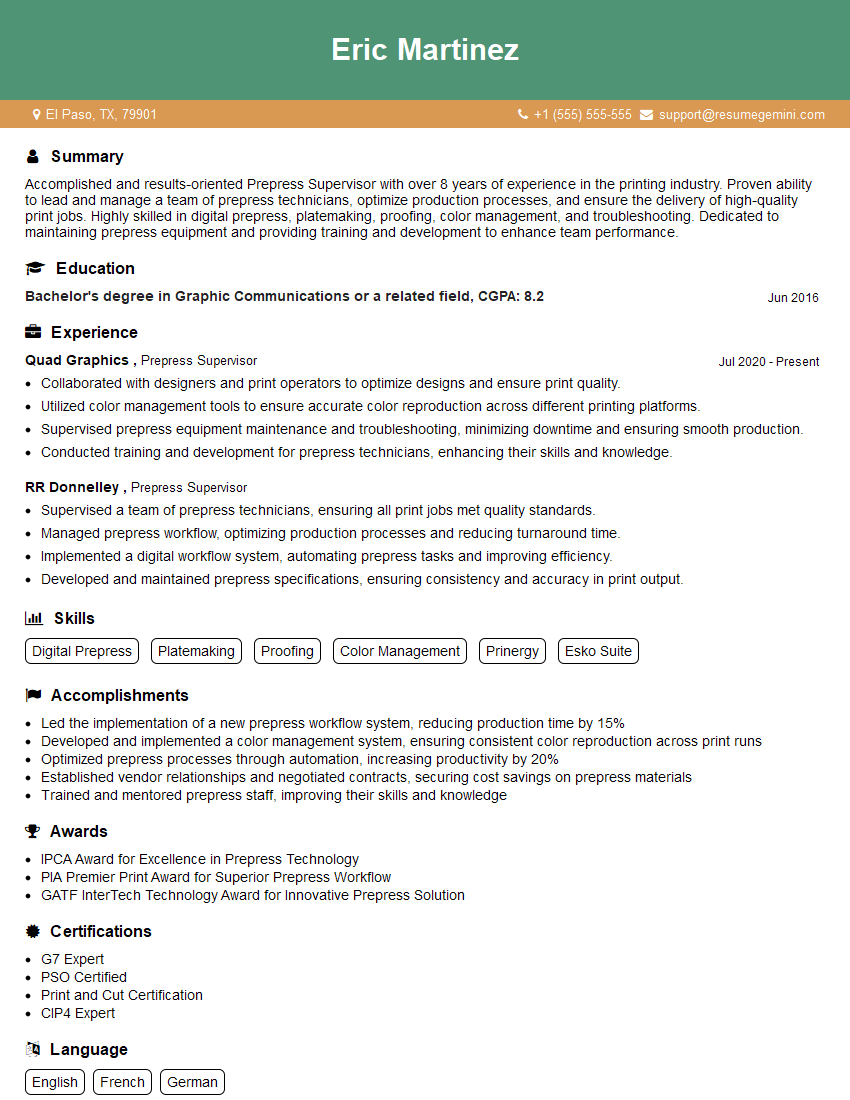
Mastering Screen Prepress significantly enhances your career prospects in the graphic arts and printing industries. It opens doors to specialized roles with greater responsibility and higher earning potential. To maximize your job search success, it’s crucial to have an ATS-friendly resume that highlights your skills and experience effectively. We strongly encourage you to leverage ResumeGemini to craft a professional and impactful resume. ResumeGemini provides a powerful platform to build a standout resume, and we offer examples of resumes tailored specifically to Screen Prepress to guide you. Take the next step towards your dream career today!



Explore more articles
Users Rating of Our Blogs
Share Your Experience
We value your feedback! Please rate our content and share your thoughts (optional).
What Readers Say About Our Blog
Very informative content, great job.
good