Interviews are more than just a Q&A session—they’re a chance to prove your worth. This blog dives into essential Security and System Troubleshooting interview questions and expert tips to help you align your answers with what hiring managers are looking for. Start preparing to shine!
Questions Asked in Security and System Troubleshooting Interview
Q 1. Explain the difference between symmetric and asymmetric encryption.
Symmetric and asymmetric encryption are two fundamental approaches to securing data. The key difference lies in how they manage encryption keys.
Symmetric Encryption: Uses a single secret key for both encryption and decryption. Think of it like a secret codebook shared between two parties. Both parties need the same key to encode (encrypt) and decode (decrypt) messages. This is fast and efficient, but secure key exchange becomes a major challenge. Examples include AES (Advanced Encryption Standard) and DES (Data Encryption Standard).
Asymmetric Encryption: Uses two separate keys: a public key and a private key. The public key can be freely shared, and it’s used for encryption. Only the corresponding private key can decrypt the message. This elegantly solves the key exchange problem since you don’t need to share the secret key. However, it’s computationally more intensive than symmetric encryption. RSA (Rivest–Shamir–Adleman) is a widely used asymmetric encryption algorithm. Imagine a locked mailbox with a slot for dropping letters (public key) – anyone can drop a letter, but only the person with the key (private key) can open it and read it.
In practice, often a hybrid approach is used. A fast symmetric algorithm is employed for encrypting the bulk data, and asymmetric encryption secures the symmetric key itself. This ensures both speed and secure key distribution.
Q 2. Describe the CIA triad in cybersecurity.
The CIA triad – Confidentiality, Integrity, and Availability – forms the cornerstone of cybersecurity. It represents the three core principles that must be protected to ensure information security.
- Confidentiality: Ensuring that sensitive information is accessible only to authorized individuals or systems. This involves access control mechanisms like passwords, encryption, and role-based access control. Think of this as keeping secrets safe.
- Integrity: Guaranteeing that information is accurate, complete, and trustworthy. This includes measures to prevent unauthorized modification or deletion of data, like data validation, checksums, and version control. It’s about ensuring data hasn’t been tampered with.
- Availability: Making sure that authorized users have timely and reliable access to information and resources when needed. This involves robust infrastructure, disaster recovery plans, and redundancy measures to mitigate downtime. Imagine it as making sure the system is always ‘on’ and functioning properly.
Maintaining a balance between these three principles is crucial. For example, overly strict security measures could impact availability. A well-designed security system considers all three aspects.
Q 3. What are the common types of network attacks?
Network attacks come in many forms. Some common types include:
- Denial-of-Service (DoS) and Distributed Denial-of-Service (DDoS) attacks: These attacks overwhelm a system or network with traffic, making it unavailable to legitimate users. DoS attacks originate from a single source, while DDoS attacks leverage multiple compromised systems (a botnet).
- Man-in-the-Middle (MitM) attacks: An attacker intercepts communication between two parties, potentially eavesdropping, modifying, or injecting malicious content. This often involves setting up a rogue access point or exploiting vulnerabilities in network protocols.
- SQL Injection: An attacker injects malicious SQL code into an application’s input fields to manipulate the database. This can allow unauthorized access to data or even system control.
- Phishing: A social engineering attack where an attacker attempts to trick a user into revealing sensitive information such as usernames, passwords, or credit card details. This is often done through deceptive emails, websites, or text messages.
- Cross-Site Scripting (XSS): An attacker injects malicious scripts into a website to steal session cookies, redirect users to malicious sites, or deface the website.
- Zero-day exploits: Attacks that take advantage of previously unknown software vulnerabilities. These are particularly dangerous because there are no patches available yet.
These are just a few examples; the landscape of network attacks is constantly evolving, requiring ongoing vigilance and adaptation.
Q 4. How do you troubleshoot a network connectivity issue?
Troubleshooting network connectivity issues involves a systematic approach. Here’s a typical process:
- Identify the problem: Pinpoint the affected devices and the nature of the connectivity issue (e.g., no internet access, slow speeds, intermittent connection).
- Check the basics: Ensure cables are properly connected, the device is powered on, and Wi-Fi is enabled (if applicable).
- Check the network configuration: Verify IP address configuration (static or DHCP), subnet mask, and default gateway. Look for any conflicting settings.
- Ping the gateway: Use the
pingcommand (available in most operating systems) to test connectivity to the default gateway. A successful ping indicates connectivity to the local network.ping 192.168.1.1(replace with your gateway IP). - Ping an external server: Ping a known external server (like Google’s DNS server,
8.8.8.8) to check internet connectivity. A successful ping means your device can reach the internet. - Trace route (tracert): Use the
tracertcommand (Windows) ortraceroute(Linux/macOS) to trace the path of packets to a destination. This helps identify potential points of failure along the route. - Check firewall settings: Ensure that firewalls on both the device and the network aren’t blocking necessary ports or traffic.
- Restart devices: Restart the affected devices and the router/modem to clear any temporary glitches.
- Check for driver updates: Outdated network drivers can cause connectivity problems. Check for and install updates.
- Check for malware: Malware can disrupt network connectivity. Run a malware scan.
If the problem persists, contact your internet service provider or a network administrator.
Q 5. Explain the process of incident response.
Incident response is a structured process for handling security incidents. The process typically follows these phases:
- Preparation: Developing an incident response plan, establishing communication channels, defining roles and responsibilities, and creating necessary documentation.
- Identification: Detecting the incident, assessing its nature, and determining its impact.
- Containment: Isolating the affected systems or networks to prevent further damage or spread of the incident.
- Eradication: Removing the root cause of the incident, such as malware or a compromised account.
- Recovery: Restoring affected systems and data to a functional state. This often involves restoring backups.
- Post-Incident Activity: Analyzing the incident to identify weaknesses in security controls, implementing corrective actions, and updating the incident response plan.
A well-defined incident response plan is essential for minimizing damage and ensuring a swift recovery. Regular testing and training are crucial to ensure effectiveness.
Q 6. What are common vulnerabilities and exploits?
Common vulnerabilities and exploits target weaknesses in software, hardware, or configurations.
- Buffer overflows: A classic vulnerability where an application fails to properly handle input data, leading to data overwriting memory buffers, potentially allowing code execution.
- SQL injection: Exploiting weaknesses in database interactions to execute arbitrary SQL commands.
- Cross-site request forgery (CSRF): Tricking a user into performing unwanted actions on a web application.
- Denial of service vulnerabilities: Exploiting vulnerabilities that lead to a resource becoming unavailable to legitimate users.
- Weak or default passwords: A major security risk that makes systems easily compromised.
- Unpatched software: Failing to update software leaves systems vulnerable to known exploits.
Exploits are the malicious code or techniques used to take advantage of these vulnerabilities. Regular security assessments, vulnerability scanning, and timely patching are essential to mitigate these risks. Strong password policies and user awareness training also play a crucial role.
Q 7. Describe your experience with intrusion detection systems (IDS).
In my previous role at [Previous Company Name], I extensively utilized intrusion detection systems (IDS). I was responsible for deploying, configuring, and managing both network-based (NIDS) and host-based (HIDS) IDS solutions. We primarily used [Specific IDS name, e.g., Snort, Suricata].
My responsibilities included:
- Deployment and configuration: Setting up IDS sensors in strategic locations on the network and configuring rules to detect specific types of malicious activity.
- Rule management: Maintaining and updating the IDS ruleset to stay current with the latest threats and vulnerabilities. This included analyzing alerts, identifying false positives, and refining rules for better accuracy.
- Alert analysis and response: Investigating alerts generated by the IDS to determine the nature of the incident and taking appropriate actions, such as blocking malicious traffic or initiating incident response procedures.
- Performance monitoring: Monitoring the performance of the IDS to ensure it is functioning optimally and not impacting network performance.
- Integration with other security tools: Integrating the IDS with other security tools, such as Security Information and Event Management (SIEM) systems, to provide a holistic view of security events.
I have experience working with both signature-based and anomaly-based detection methods. I’m proficient in analyzing IDS logs and identifying patterns of malicious activity. My experience includes dealing with various attack types, including DoS attacks, port scans, and malware infections.
Q 8. What are different types of firewalls?
Firewalls are network security systems that monitor and control incoming and outgoing network traffic based on predetermined security rules. They act as a barrier between a trusted internal network and an untrusted external network (like the internet). Different types of firewalls exist, each with its own strengths and weaknesses:
- Packet Filtering Firewalls: These are the simplest type. They examine each packet’s header information (source/destination IP address, port number, protocol) and allow or deny it based on pre-configured rules. Think of it like a bouncer at a club checking IDs – only those meeting specific criteria are allowed in. They are fast but can be easily bypassed with sophisticated attacks.
- Stateful Inspection Firewalls: These firewalls track the state of network connections. They remember which packets belong to which connection, allowing them to be more effective at blocking unauthorized traffic. This is like a bouncer who remembers who they let in and checks if someone leaving actually entered the club. They provide better security than packet filtering firewalls.
- Application-Level Gateways (Proxy Firewalls): These inspect the contents of the data packets at the application layer, offering the most granular control. They act as intermediaries, forwarding requests to the application server only if they meet security policies. This is analogous to a very thorough customs check – every item in your luggage gets inspected.
- Next-Generation Firewalls (NGFWs): These combine multiple firewall techniques (packet filtering, stateful inspection, application control, intrusion prevention) with advanced security features like deep packet inspection, malware detection, and application identification. They provide comprehensive protection against modern threats.
The choice of firewall depends on the security needs and budget of an organization. Small businesses might suffice with a stateful inspection firewall, whereas large enterprises requiring enhanced security and granular control may opt for NGFWs.
Q 9. How do you perform vulnerability scanning and penetration testing?
Vulnerability scanning and penetration testing are crucial security assessments. Vulnerability scanning automatically identifies security weaknesses in systems and applications. Penetration testing, on the other hand, simulates real-world attacks to exploit those vulnerabilities and assess the overall security posture.
Vulnerability Scanning: I typically use tools like Nessus, OpenVAS, or QualysGuard. These tools scan systems for known vulnerabilities by comparing their configurations against databases of known exploits (CVEs). The output provides a list of identified vulnerabilities with their severity levels, allowing prioritization of remediation efforts. For example, a scan might reveal an outdated version of a web server with known security flaws.
Penetration Testing: This involves a more hands-on approach. I would follow a structured methodology, often adhering to OWASP (Open Web Application Security Project) guidelines. This would typically involve stages like planning, reconnaissance (gathering information about the target), vulnerability analysis, exploitation (attempting to exploit vulnerabilities), reporting, and remediation. During exploitation, I would carefully document the steps taken to breach security controls and how sensitive data might be compromised. A penetration test might reveal that a seemingly secure application has a vulnerability that allows an attacker to gain unauthorized access to its database.
It’s vital to remember that penetration testing should always be conducted with explicit permission from the organization and within predefined scopes to avoid legal repercussions.
Q 10. Explain your experience with SIEM tools.
I have extensive experience with SIEM (Security Information and Event Management) tools, primarily Splunk and ELK (Elasticsearch, Logstash, Kibana). SIEM tools are critical for centralized security monitoring and incident response. My experience includes:
- Log Collection and Aggregation: Configuring and managing SIEM to collect logs from various sources like servers, network devices, firewalls, and security applications. This enables comprehensive visibility into network activity.
- Rule Creation and Alerting: Developing and implementing security rules and alerts to detect suspicious activities such as failed login attempts, unusual network traffic patterns, or malware infections. These alerts help in early threat detection.
- Dashboard Creation and Reporting: Creating custom dashboards and reports to visualize security data, identify trends, and demonstrate the effectiveness of security measures. This helps in proactive threat management.
- Incident Response: Using SIEM data to investigate security incidents, identify root causes, and implement remediation strategies. SIEM acts as a central repository of evidence for post-incident analysis.
For instance, I once used Splunk to identify a sophisticated insider threat by analyzing user login logs and observing unusual data access patterns. The detailed audit trail provided by Splunk helped to quickly isolate the threat and mitigate the risk.
Q 11. Describe your experience with log analysis and monitoring.
Log analysis and monitoring are fundamental aspects of security operations. My experience spans various log types, including system logs, application logs, security logs, and network logs. I utilize both manual and automated methods for log analysis:
- Manual Log Analysis: For investigating specific security incidents or troubleshooting problems, manual review of logs is often necessary. This involves carefully examining log entries for suspicious patterns or anomalies. For example, I might manually analyze web server logs to pinpoint the source of an SQL injection attempt.
- Automated Log Analysis: To efficiently process large volumes of logs, I leverage SIEM tools and log management solutions. I develop scripts and use regular expressions to automate the identification of specific events or patterns within logs. This might involve creating a script to detect and alert on repeated failed login attempts from a single IP address.
- Log Correlation: Combining data from multiple log sources to get a more comprehensive view of events. For example, correlating firewall logs with web server logs can help to identify attacks that are trying to bypass firewall rules.
Effective log analysis requires a strong understanding of log formats, regular expressions, and scripting languages such as Python or PowerShell. A solid understanding of the system being monitored is crucial for accurate interpretation of log events.
Q 12. How do you handle a denial-of-service (DoS) attack?
Handling a denial-of-service (DoS) attack requires a multi-pronged approach focused on mitigation and prevention. DoS attacks overwhelm a system’s resources, making it unavailable to legitimate users. My response typically includes:
- Identify the Attack: Determine the type of DoS attack (e.g., volumetric, protocol, application). This is crucial for choosing the right mitigation strategy. Monitoring tools and network sensors will help identify suspicious traffic spikes.
- Mitigate the Attack: Implement immediate mitigation techniques such as:
- Rate Limiting: Restrict the number of requests from a single IP address or network within a specific timeframe.
- Blackholing: Block the source IP addresses identified as malicious. However, care should be taken to ensure legitimate traffic is not affected.
- Content Filtering: Filter out malicious content and traffic patterns. This would require analyzing the type of attacks employed.
- Employ a CDN (Content Delivery Network): Distribute traffic across multiple servers, making it more difficult for attackers to overwhelm the system.
- Contact Your ISP: Notify your internet service provider (ISP) immediately. They may have mechanisms in place to block the malicious traffic at the network level.
- Post-Incident Analysis: Conduct a thorough analysis of the attack to determine its source, methods, and impact. This allows for improvement of security measures and preventing future occurrences.
The specific steps taken will depend on the nature and severity of the attack, the resources available, and the criticality of the affected system. Prevention strategies, such as implementing firewalls, intrusion detection systems, and robust network segmentation, are essential to minimizing the impact of future attacks.
Q 13. What are the best practices for securing cloud environments?
Securing cloud environments requires a different approach compared to on-premise security due to the shared responsibility model. Best practices include:
- Identity and Access Management (IAM): Implement robust IAM controls with the principle of least privilege. Only grant users the minimum access required to perform their job. Multi-factor authentication (MFA) should be mandatory for all accounts.
- Network Security: Use virtual private clouds (VPCs) to isolate resources, virtual firewalls to control network traffic, and intrusion detection/prevention systems to monitor for suspicious activity.
- Data Security: Encrypt data both in transit and at rest. Implement data loss prevention (DLP) mechanisms to prevent sensitive data from leaving the cloud environment without authorization.
- Vulnerability Management: Regularly scan for vulnerabilities in cloud infrastructure and applications using automated tools. Patch identified vulnerabilities promptly.
- Security Monitoring and Logging: Utilize cloud-native security monitoring services and SIEM tools to collect and analyze logs from cloud resources. Set up alerts to proactively detect threats.
- Compliance: Adhere to relevant industry regulations and compliance standards such as HIPAA, PCI DSS, or GDPR, depending on the data being processed.
- Regular Security Assessments: Conduct regular security audits and penetration testing to identify and address potential weaknesses.
Remember, security in the cloud is a shared responsibility. While cloud providers are responsible for the security *of* the cloud, you are responsible for security *in* the cloud (your data and applications). A clear understanding of this shared responsibility model is crucial for effective cloud security.
Q 14. Explain the difference between a virus, worm, and Trojan horse.
Viruses, worms, and Trojan horses are all types of malicious software (malware), but they differ significantly in how they operate and spread:
- Virus: A virus needs a host program or file to attach to and replicate. It spreads when the infected file is executed. Think of it as a biological virus that needs a host cell to reproduce. For example, a virus might attach itself to a Word document and infect other documents when the infected document is opened.
- Worm: A worm is a self-replicating program that can spread independently across networks without needing a host program. It exploits vulnerabilities in network systems to propagate itself. Imagine it as a weed that spreads rapidly through a garden, infecting everything in its path. An example is the notorious Conficker worm, which spread rapidly across the internet.
- Trojan Horse: A Trojan horse disguises itself as legitimate software. Users unknowingly download and install it, allowing it to perform malicious actions. It does not self-replicate like a virus or worm. Think of it as a gift-wrapped bomb – it looks harmless on the surface but contains a destructive payload. An example might be a game that secretly steals user data.
The key differences lie in their methods of propagation and infection. Viruses require a host program, worms self-replicate across networks, and Trojan horses rely on deception to gain entry.
Q 15. What is the importance of regular system backups and disaster recovery planning?
Regular system backups and disaster recovery planning are paramount for business continuity and data protection. Think of them as insurance for your valuable digital assets. A robust backup strategy ensures that you can restore your system to a previous working state in the event of data loss due to hardware failure, accidental deletion, malware, or natural disasters. Disaster recovery planning, on the other hand, outlines the steps to take to get your systems and operations back online after a major disruptive event. This includes identifying critical systems, establishing recovery time objectives (RTOs) and recovery point objectives (RPOs), and testing the recovery plan regularly.
- Importance of Backups: Backups provide a safety net, allowing you to recover data quickly and minimize downtime. Different backup strategies exist, including full backups, incremental backups, and differential backups, each with its own advantages and disadvantages. Choosing the right strategy depends on your specific needs and resources.
- Importance of Disaster Recovery Planning: A well-defined disaster recovery plan helps you navigate crises effectively. It minimizes the impact of disruptions by outlining procedures for data recovery, system restoration, and communication with stakeholders. Regular testing is crucial to ensure the plan’s effectiveness and identify any gaps.
- Example: Imagine a ransomware attack. If you have regular backups stored offline, you can restore your systems without paying the ransom and avoid significant financial and reputational damage. Without a recovery plan, the attack could cripple your operations for weeks or even permanently.
Career Expert Tips:
- Ace those interviews! Prepare effectively by reviewing the Top 50 Most Common Interview Questions on ResumeGemini.
- Navigate your job search with confidence! Explore a wide range of Career Tips on ResumeGemini. Learn about common challenges and recommendations to overcome them.
- Craft the perfect resume! Master the Art of Resume Writing with ResumeGemini’s guide. Showcase your unique qualifications and achievements effectively.
- Don’t miss out on holiday savings! Build your dream resume with ResumeGemini’s ATS optimized templates.
Q 16. Describe your experience with various operating systems (e.g., Windows, Linux).
I have extensive experience working with various operating systems, including Windows Server (2012-2022), various Linux distributions (Ubuntu, CentOS, Red Hat), and macOS. My expertise spans server administration, client support, and troubleshooting across these platforms. I’m proficient in using command-line interfaces for both Windows (PowerShell) and Linux (Bash), which are essential for advanced system administration and scripting. For example, I’ve used PowerShell to automate user account management and scheduled tasks in a Windows environment, and Bash to manage servers and troubleshoot network issues in a Linux environment.
In Windows, I am comfortable with Active Directory management, Group Policy configuration, and troubleshooting common Windows issues such as network connectivity problems, application crashes, and performance bottlenecks. In Linux, my skills include package management (using apt, yum, or dnf), system logging analysis, and configuring services like Apache, Nginx, and MySQL. My experience extends to working with cloud-based operating systems as well, such as those provided by AWS and Azure.
Q 17. How do you manage user accounts and permissions?
User account and permission management is crucial for system security. It’s all about the principle of least privilege – granting users only the access they need to perform their jobs and nothing more. I typically use a combination of built-in OS tools and dedicated security software to manage user accounts and permissions. This approach ensures a balance between ease of use and robust security.
- Windows: In Active Directory, I manage users, groups, and their associated permissions through the graphical user interface (GUI) or using PowerShell cmdlets like
Get-ADUser,Set-ADGroupMember, andSet-ACL. I frequently utilize group policy to manage permissions for large groups of users. - Linux: On Linux systems, I use the command-line tools
useradd,usermod,passwd, andchownfor user management. Permissions are managed using thechmodcommand, and group management is handled through thegroupaddandgroupmodcommands. I often leverage tools like sudo for privileged access control. - Best Practices: Regular audits of user accounts and permissions are essential to ensure no unnecessary access rights exist. Regular password changes and multi-factor authentication further enhance security.
Q 18. Explain your understanding of access control lists (ACLs).
Access Control Lists (ACLs) are sets of rules that determine which users or groups have what type of access to a specific resource, such as a file, folder, or network share. Think of them as gatekeepers, deciding who can enter (read), modify (write), or delete (execute) data. ACLs provide fine-grained control, allowing administrators to precisely manage access rights.
- Structure: An ACL typically consists of entries defining users or groups, and their corresponding permissions. Each entry specifies the user or group, the type of access granted (read, write, execute), and potentially inheritance flags. These permissions are often represented numerically (e.g., 777 in Unix-like systems) or with more descriptive labels (read, write, execute).
- Practical Application: In a file server environment, ACLs can be used to control access to sensitive documents. Only authorized personnel will be able to access, modify, or delete the files. In a database system, ACLs can restrict access to specific tables or columns based on a user’s role.
- Example (Unix-like systems): The command
chmod 755 myfile.txtsets the permissions ofmyfile.txtso that the owner has read, write, and execute permissions, the group has only read and execute permissions, and others have only read and execute permissions.
Q 19. Describe a time you had to troubleshoot a complex system issue. What was your approach?
During my time at [Previous Company Name], our primary database server experienced a sudden performance degradation. Transactions became extremely slow, impacting critical business operations. My approach to troubleshooting involved a systematic process:
- Initial Assessment: I first collected performance metrics such as CPU usage, memory utilization, disk I/O, and network traffic using system monitoring tools. This showed abnormally high disk I/O.
- Identify the Bottleneck: The high disk I/O suggested a problem with the database storage. I used database-specific monitoring tools to drill down into the database activity and discovered a specific table that was causing excessive disk activity due to poorly optimized queries.
- Analysis and Solution: I analyzed the queries accessing this table and identified several inefficient queries with poor indexing. I worked with the database administrator to optimize these queries, adding the necessary indexes and rewriting certain queries for better performance.
- Implementation and Testing: After implementing the changes, we closely monitored system performance. The changes drastically reduced disk I/O, and transaction speeds returned to normal.
- Prevention: As a preventative measure, we implemented a regular database performance review process to identify potential issues before they cause significant problems.
This experience underscored the importance of systematic troubleshooting, combining general system monitoring with specific tools tailored to the affected component (in this case, a database).
Q 20. What are your preferred methods for identifying and resolving system performance bottlenecks?
Identifying and resolving system performance bottlenecks requires a multi-faceted approach. My preferred methods include:
- Performance Monitoring Tools: Tools like
top(Linux), Task Manager (Windows), and dedicated system monitoring suites provide real-time insights into resource usage (CPU, memory, disk I/O, network). This allows for rapid identification of resource-intensive processes or services. - Profiling Tools: For applications, profiling tools are crucial. They help pinpoint specific code sections causing performance issues. Examples include Visual Studio Profiler for .NET applications and gprof for C/C++ applications.
- Log Analysis: Analyzing system and application logs can reveal clues about errors or inefficiencies. Searching for recurring error messages or slow response times can highlight potential problem areas.
- Resource Optimization: Once the bottleneck is identified, I focus on optimization techniques. This may include upgrading hardware (more RAM, faster disks), optimizing application code, improving database queries, or tuning OS settings.
- Load Testing: To ensure stability under stress, I conduct load tests using tools like JMeter or Gatling. This identifies potential weaknesses or scalability limitations before they affect real-world users.
The key is to use a combination of these tools and techniques, iteratively refining the analysis until the root cause is found and resolved.
Q 21. How do you stay up-to-date with the latest security threats and vulnerabilities?
Staying abreast of the ever-evolving landscape of security threats and vulnerabilities is critical for any security professional. My approach is multi-pronged:
- Security Newsletters and Blogs: I subscribe to reputable security newsletters (e.g., KrebsOnSecurity, Threatpost) and follow security blogs from leading researchers and companies like Crowdstrike and FireEye. This provides up-to-date information on emerging threats.
- Vulnerability Databases: I regularly check vulnerability databases like the National Vulnerability Database (NVD) and Exploit-DB for newly discovered vulnerabilities affecting the systems I manage. This allows for proactive patching and mitigation strategies.
- Security Conferences and Webinars: Attending security conferences and webinars provides access to in-depth insights from industry experts and allows me to network with other professionals.
- Security Information and Event Management (SIEM) Systems: In my professional settings, I leverage SIEM systems to monitor security logs and detect potential threats in real-time. These systems frequently alert us to newly discovered vulnerabilities and emerging attacks.
- Continuous Learning: I continually expand my knowledge through online courses, certifications (e.g., CompTIA Security+, CISSP), and self-study. This keeps my skills sharp and ensures I stay ahead of the curve.
Proactive threat intelligence gathering and continuous learning are essential for effectively addressing the ever-changing security landscape.
Q 22. What security certifications do you hold?
I hold several security certifications, reflecting my commitment to continuous learning and staying abreast of evolving threats. These include the Certified Information Systems Security Professional (CISSP), demonstrating my expertise in information security management, and the Offensive Security Certified Professional (OSCP), showcasing my hands-on penetration testing skills. I also possess the CompTIA Security+ certification, which validates my foundational knowledge in network security, and the Certified Ethical Hacker (CEH) certification, demonstrating my ability to identify and exploit vulnerabilities ethically. Each certification involves rigorous testing and practical experience, ensuring a high level of competence.
Q 23. Explain your experience with scripting languages (e.g., Python, PowerShell).
Scripting is an integral part of my security and troubleshooting workflow. I’m proficient in both Python and PowerShell, utilizing them for automation, security assessments, and incident response. In Python, I’ve developed scripts for log analysis, identifying suspicious patterns that might indicate a security breach. For instance, I created a script to parse firewall logs and alert on unusual connection attempts from specific IP addresses. In PowerShell, I’ve extensively used it for automating system administration tasks, such as user account management and security patching. A practical example includes a script that automatically scans servers for outdated software and initiates the update process, minimizing vulnerabilities. My scripting abilities allow me to streamline repetitive tasks, improve efficiency, and enhance the overall security posture of systems.
# Python example: simple log file parser
import re
with open('security.log', 'r') as f:
    for line in f:
        if re.search(r'failed login', line, re.IGNORECASE):
            print(line.strip())
Q 24. How do you handle conflicting priorities in a high-pressure situation?
Handling conflicting priorities in high-pressure situations requires a structured approach. I prioritize tasks based on impact and urgency using a method similar to the Eisenhower Matrix (Urgent/Important). First, I identify the most critical tasks – those with high impact and urgency – and focus on those immediately. For example, if a system outage is affecting a critical business function and a less urgent security audit is also due, I address the outage first to minimize business disruption. I then delegate tasks where possible, ensuring that individuals with the appropriate skills are assigned to them. Finally, I maintain open communication with stakeholders, keeping them informed of progress and any potential delays. Clear communication prevents misunderstandings and keeps everyone on the same page, especially under stress.
Q 25. Describe your understanding of data loss prevention (DLP) measures.
Data Loss Prevention (DLP) measures are crucial for protecting sensitive information. My understanding encompasses various techniques, including data classification, access control, and monitoring. Data classification involves identifying and categorizing data based on its sensitivity (e.g., confidential, public). This allows for implementing appropriate security controls. Access control restricts access to sensitive data based on the principle of least privilege – users only have access to the information necessary for their roles. Monitoring involves tracking data movement and usage patterns to identify potential data breaches or unauthorized access. DLP tools can be integrated to scan for sensitive data leaving the network or being accessed inappropriately. For example, I’ve implemented DLP solutions that monitor email traffic for confidential data leaks and block messages containing sensitive information unless encrypted. A layered approach combining these techniques provides robust DLP capabilities.
Q 26. What is your experience with database security?
Database security is paramount due to the sensitive information they store. My experience includes securing various database systems, such as MySQL, PostgreSQL, and SQL Server. This involves implementing robust access control mechanisms, limiting user privileges to only what’s needed, and regularly patching the database software to address vulnerabilities. I also utilize database encryption to protect sensitive data at rest and in transit. Furthermore, I perform regular security audits and vulnerability assessments to identify and mitigate potential threats. For example, I implemented a system that automatically detects and blocks suspicious database queries, significantly reducing the risk of SQL injection attacks. Regular backups and a robust disaster recovery plan are also crucial aspects of database security that I consistently incorporate.
Q 27. Explain your understanding of different authentication methods.
Authentication methods verify the identity of users or systems attempting to access resources. Different methods offer varying levels of security. Password-based authentication, while common, is vulnerable to brute-force attacks and phishing. Multi-factor authentication (MFA) enhances security by requiring multiple factors, such as a password and a one-time code from a mobile app, making it significantly harder for attackers to gain unauthorized access. Biometric authentication uses unique biological traits, like fingerprints or facial recognition, providing a strong authentication method. Certificate-based authentication relies on digital certificates to verify identity, commonly used in secure network communications. Choosing the appropriate authentication method depends on the sensitivity of the data and the risk tolerance. For example, accessing high-value financial data should always employ MFA, while less sensitive applications might use password-based authentication with strong password policies.
Q 28. How do you prioritize security issues and vulnerabilities?
Prioritizing security issues and vulnerabilities is a crucial aspect of risk management. I use a risk-based approach, considering factors like the likelihood of exploitation and the potential impact of a successful attack. I leverage vulnerability scanning tools to identify potential weaknesses and then analyze the results based on their severity and the potential impact on the organization. The Common Vulnerability Scoring System (CVSS) provides a standardized method for scoring vulnerabilities based on their severity. I use this system to categorize vulnerabilities as critical, high, medium, or low priority. Critical vulnerabilities that pose an immediate threat are addressed first, while less critical vulnerabilities might be scheduled for remediation later. This prioritization ensures that resources are allocated efficiently to mitigate the most significant risks first. Regular security audits and penetration testing provide valuable insights to help refine this prioritization process.
Key Topics to Learn for Security and System Troubleshooting Interview
- Network Security Fundamentals: Understanding firewalls, intrusion detection/prevention systems (IDS/IPS), VPNs, and common network vulnerabilities. Practical application: Troubleshooting network connectivity issues while ensuring security protocols are maintained.
- Operating System Security: Hardening operating systems (Windows, Linux, macOS), user and group management, privilege escalation, and security auditing. Practical application: Diagnosing and resolving security breaches related to operating system misconfigurations.
- Security Incident Response: Understanding incident response methodologies (e.g., NIST Cybersecurity Framework), log analysis, malware analysis, and incident containment strategies. Practical application: Developing a plan to address a security incident, from detection to recovery.
- System Troubleshooting Methodologies: Mastering systematic problem-solving approaches, including root cause analysis, and utilizing diagnostic tools effectively. Practical application: Efficiently isolating and resolving system failures, performance bottlenecks, and application errors.
- Cloud Security: Understanding security considerations specific to cloud environments (AWS, Azure, GCP), including identity and access management (IAM), data encryption, and security best practices. Practical application: Troubleshooting security issues within cloud-based systems.
- Vulnerability Management: Identifying and mitigating vulnerabilities through vulnerability scanning, penetration testing, and patch management. Practical application: Developing strategies to proactively address potential security risks.
- Data Security and Privacy: Understanding data loss prevention (DLP), data encryption techniques, and compliance regulations (e.g., GDPR, CCPA). Practical application: Implementing measures to protect sensitive data and ensure compliance.
Next Steps
Mastering Security and System Troubleshooting is crucial for career advancement in the ever-evolving tech landscape. These skills are highly sought after, opening doors to rewarding and challenging roles. To maximize your job prospects, a strong, ATS-friendly resume is essential. ResumeGemini can help you craft a compelling resume that highlights your skills and experience effectively. ResumeGemini offers examples of resumes tailored to Security and System Troubleshooting roles, guiding you to present your qualifications in the best possible light. Take the next step towards your dream career – build a powerful resume with ResumeGemini today!

Compliance Officer Resume Sample

Security Analyst Resume Sample

Security Consultant Resume Sample

Security Engineer Resume Sample

Information Security Manager Resume Sample

Network Security Engineer Resume Sample

Security Architect Resume Sample

System Administrator Resume Sample

IT Manager Resume Sample
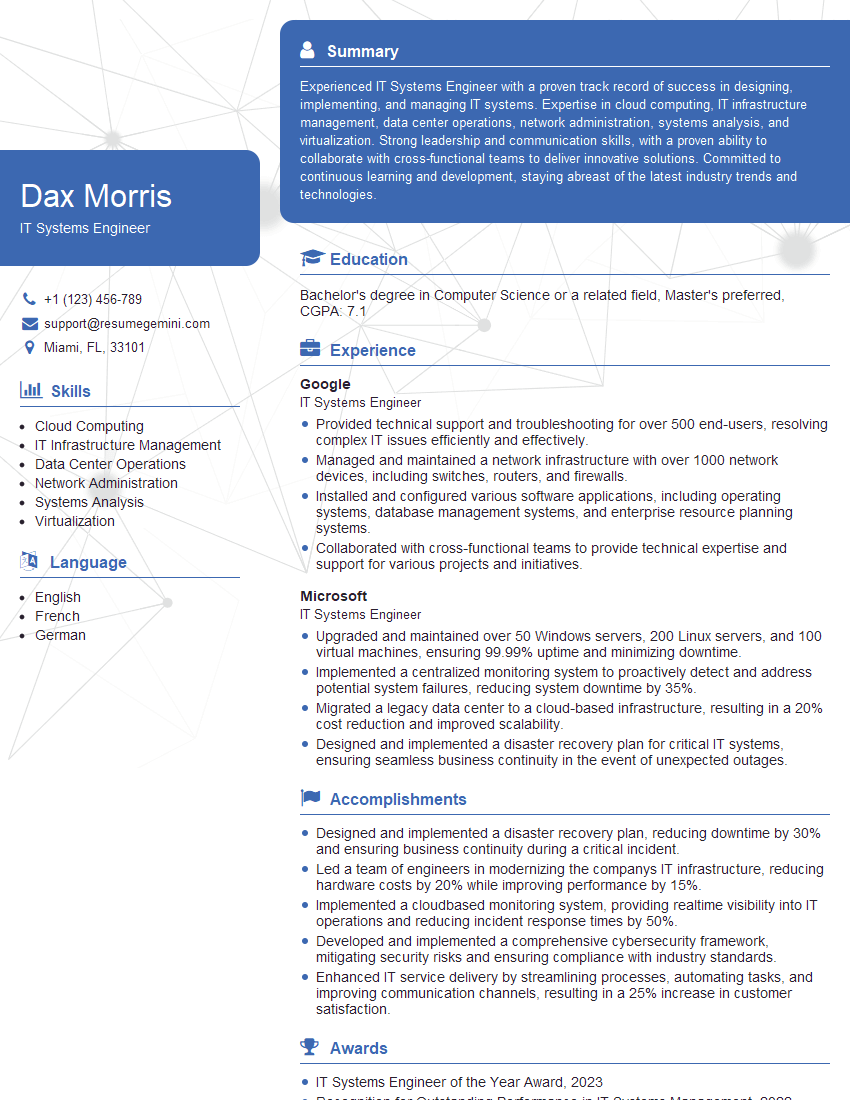
IT Systems Engineer Resume Sample

IT Security Specialist Resume Sample

Cybersecurity Analyst Resume Sample
Explore more articles
Users Rating of Our Blogs
Share Your Experience
We value your feedback! Please rate our content and share your thoughts (optional).
What Readers Say About Our Blog
Very informative content, great job.
good