Interviews are opportunities to demonstrate your expertise, and this guide is here to help you shine. Explore the essential Software Assurance interview questions that employers frequently ask, paired with strategies for crafting responses that set you apart from the competition.
Questions Asked in Software Assurance Interview
Q 1. Explain the difference between Verification and Validation.
Verification and validation are two critical processes in software assurance, often confused but fundamentally different. Think of it like building a house: verification is checking if you’re building the house correctly according to the blueprints (requirements), while validation is checking if you’ve built the right house – the one that meets the client’s needs (objectives).
- Verification: Focuses on the process. It ensures that each step in the software development lifecycle aligns with the specifications. Examples include code reviews, inspections, and walkthroughs, confirming that the code adheres to the design and requirements. It asks the question: ‘Are we building the product right?’
- Validation: Focuses on the product. It verifies whether the software meets the user’s needs and requirements. This involves testing the software to ensure it functions as expected and delivers the intended value. It asks the question: ‘Are we building the right product?’
In essence, verification is about internal consistency, while validation is about external consistency (meeting the client’s needs).
Q 2. Describe your experience with various testing methodologies (Agile, Waterfall).
I have extensive experience working within both Agile and Waterfall methodologies. My experience has shown that each approach necessitates different testing strategies.
- Waterfall: In Waterfall, testing typically occurs in a distinct phase after development is complete. This sequential nature requires meticulous upfront planning and comprehensive test documentation. I’ve used this approach effectively on projects with well-defined requirements and minimal expected changes throughout the development lifecycle. Thorough test plans, detailed test cases, and comprehensive documentation are crucial for success in this model.
- Agile: Agile emphasizes iterative development and continuous testing. My experience includes integrating testing throughout the development process, with frequent feedback loops and short sprints. Testing activities are tightly coupled with development sprints, utilizing techniques like test-driven development (TDD) and behavior-driven development (BDD) to ensure continuous quality improvement. This iterative approach allows for faster adaptation to changing requirements and greater collaboration between developers and testers.
Regardless of the methodology, I prioritize collaboration with the development team to foster a shared understanding of quality and to achieve the overall project objectives efficiently.
Q 3. What are the different levels of software testing?
Software testing is typically categorized into several levels, each focusing on different aspects of the software:
- Unit Testing: Testing individual components or modules of the software in isolation. This is typically done by developers to ensure the code functions correctly.
- Integration Testing: Testing the interaction between different modules or components to ensure they work together seamlessly.
- System Testing: Testing the entire software system as a whole to verify that it meets the specified requirements. This often involves functional and non-functional testing.
- Acceptance Testing: Testing conducted by the end-users or client to determine whether the software meets their needs and is acceptable for deployment. This can include User Acceptance Testing (UAT) and Alpha/Beta testing.
These levels are not always strictly sequential; they often overlap and are executed concurrently, especially in Agile environments.
Q 4. Explain your experience with test case design techniques (e.g., boundary value analysis, equivalence partitioning).
I have extensive experience in applying various test case design techniques to ensure comprehensive test coverage. Two of the most common and effective techniques are:
- Boundary Value Analysis (BVA): This technique focuses on testing the boundaries of input values. For example, if a system accepts input values between 1 and 100, BVA would involve testing values like 0, 1, 2, 99, 100, and 101 to check for errors at the edges of the valid input range. This helps identify edge case issues that are often missed.
- Equivalence Partitioning: This technique divides the input values into groups or partitions, where values within each partition are expected to behave similarly. For example, testing positive and negative numbers separately. Only one value from each partition needs to be tested, which significantly reduces the number of test cases while maintaining good coverage.
I also frequently employ other techniques such as decision table testing, state transition testing, and use case testing, tailoring my approach to the specific characteristics of the software being tested.
Q 5. How do you prioritize test cases when time is limited?
Prioritizing test cases when time is limited is crucial. My approach involves a combination of risk assessment and impact analysis. I use a combination of these techniques:
- Risk-Based Testing: I identify and prioritize test cases based on their potential impact on the system and the likelihood of failure. Test cases covering critical functionalities or high-risk areas are prioritized.
- Criticality Analysis: Prioritize test cases related to core functionalities or features that are essential for the system’s operation. These are often the most critical to test first.
- Coverage Prioritization: Prioritize test cases to maximize code coverage of critical business rules and functions. Tools that provide code coverage metrics aid greatly in this.
Often, I create a prioritization matrix combining risk level and test case coverage to help visualize and communicate the prioritization strategy to the team.
Q 6. Describe your experience with defect tracking and management tools (e.g., Jira, Bugzilla).
I have significant experience using defect tracking and management tools like Jira and Bugzilla. My experience includes:
- Defect Reporting: Accurately documenting and reporting defects, providing clear and concise descriptions, steps to reproduce, and expected versus actual results. I ensure that the reports contain enough information for developers to quickly understand and resolve the issue.
- Defect Tracking: Monitoring the status of reported defects and following up with developers as needed. I maintain a clear understanding of the resolution status and escalate appropriately when necessary.
- Workflow Management: Managing the defect lifecycle through the various states (e.g., New, Assigned, Resolved, Closed), ensuring the workflow is efficient and transparent.
- Metrics and Reporting: Generating reports and metrics on defect density, resolution time, and other key indicators to identify trends and improve the software development process.
In my experience, using these tools effectively is key to managing quality and ensuring efficient communication and collaboration within the team.
Q 7. What is your experience with test automation frameworks (e.g., Selenium, Appium, Cypress)?
I have experience with several test automation frameworks, including Selenium, Appium, and Cypress. My experience encompasses:
- Selenium: I’ve used Selenium extensively for automating web application testing, leveraging its support for various programming languages and browsers. I’ve implemented different test strategies like Page Object Model to make our test suites robust, maintainable, and easy to update.
- Appium: For mobile application testing, I’ve utilized Appium to automate tests on both Android and iOS platforms. This has involved working with different mobile device emulators and simulators to run automated test scripts efficiently.
- Cypress: My experience includes employing Cypress for end-to-end testing of web applications, taking advantage of its ease of use, fast execution speed and built-in debugging features.
Beyond the specific frameworks, I possess a strong understanding of the principles of test automation including test data management, continuous integration/continuous delivery (CI/CD) integration and reporting. I always prioritize creating maintainable and reusable test automation scripts.
Q 8. How do you handle conflicts with developers regarding bug fixes?
Handling conflicts with developers regarding bug fixes requires a collaborative and professional approach. It’s crucial to remember that we’re all working towards the same goal: a high-quality product. My strategy focuses on clear communication and a data-driven approach.
First, I ensure I have all the necessary information. This includes replicating the bug, understanding the developer’s perspective on the issue, and gathering any relevant logs or data. Then, I present my findings clearly and objectively, focusing on the impact of the bug on the user experience rather than assigning blame.
Sometimes, disagreements arise about the severity or priority of a bug. In such cases, I propose a structured discussion, referencing established severity criteria and prioritizing based on business impact. I might use a bug tracking system with clearly defined workflows and escalation paths. If a conflict persists, I involve a senior engineer or project manager to mediate and help reach a consensus.
Ultimately, the goal is not to win an argument but to find a solution that effectively fixes the bug while maintaining a positive working relationship with the development team. Building strong relationships and trust is essential for effective collaboration.
Q 9. Explain your experience with performance testing tools (e.g., JMeter, LoadRunner).
I have extensive experience with performance testing tools like JMeter and LoadRunner. JMeter is a fantastic open-source tool, ideal for simulating a high volume of user traffic to test the scalability and responsiveness of applications. I’ve used it extensively to create complex test plans involving multiple users, different request types, and various load patterns. For instance, in a recent project involving an e-commerce platform, I used JMeter to simulate thousands of concurrent users adding items to their carts and completing checkout to identify potential bottlenecks.
LoadRunner, on the other hand, is a more comprehensive commercial tool providing advanced features for analyzing performance data and integrating with other testing tools. Its sophisticated scripting capabilities enable complex load simulations and detailed performance analysis. I’ve used LoadRunner on projects demanding stringent performance requirements, like a financial trading platform, where precise monitoring of response times and resource utilization was paramount. The ability to correlate transactions and analyze bottlenecks across various application layers is invaluable in such critical systems.
Beyond these tools, I’m proficient in analyzing performance test results, identifying performance bottlenecks, and recommending performance improvements. I use the data generated by these tools to collaborate with developers on optimizing code and database performance. My experience encompasses analyzing metrics like response time, throughput, resource utilization (CPU, memory, network), and error rates, enabling me to provide concrete recommendations for performance improvements.
Q 10. How do you ensure test coverage in your projects?
Ensuring comprehensive test coverage is critical for software quality. My approach is multifaceted and involves using a combination of techniques and tools.
- Requirement Traceability: I ensure that every requirement has corresponding test cases. This guarantees that all functionalities are tested.
- Test Case Design Techniques: I utilize various techniques like equivalence partitioning, boundary value analysis, and state transition testing to design efficient and effective test cases that cover a wide range of scenarios.
- Code Coverage Analysis: For unit and integration testing, I use code coverage tools to measure the percentage of code executed during testing. Tools like JaCoCo for Java or SonarQube provide valuable insights into untested parts of the codebase.
- Risk-Based Testing: I prioritize testing based on the risk associated with different functionalities. Critical functionalities receive more rigorous testing than less crucial ones.
- Test Automation: I leverage automated testing frameworks, such as Selenium or Cypress for UI testing, and JUnit or TestNG for unit testing, to improve efficiency and ensure consistent execution of test cases.
Regularly reviewing test coverage metrics and identifying gaps is essential. This allows for proactive adjustments to the test strategy to enhance overall coverage and minimize the risk of undiscovered bugs.
Q 11. What are your preferred metrics for measuring software quality?
Selecting the right metrics for measuring software quality depends on the project context and its priorities, but some key metrics I consistently use are:
- Defect Density: The number of defects found per lines of code or per function point. This gives an indication of the overall quality of the codebase.
- Defect Severity: Categorizing defects by their impact on the system. A higher proportion of low-severity defects indicates better overall quality.
- Test Coverage: The percentage of code or requirements covered by test cases. Higher coverage typically correlates with fewer undiscovered defects.
- Mean Time To Failure (MTTF): The average time between failures in a system. A higher MTTF suggests greater reliability.
- Mean Time To Repair (MTTR): The average time it takes to resolve a defect. Lower MTTR demonstrates efficient issue resolution.
- Customer Satisfaction: Feedback from users is vital in understanding real-world performance and identifying areas for improvement.
In addition to these, I often track metrics specific to performance, security, and usability depending on the project’s needs. The combination of these metrics provides a holistic view of software quality.
Q 12. Describe a challenging QA issue you faced and how you resolved it.
One particularly challenging QA issue involved a seemingly intermittent crash in a high-traffic web application. The crash was difficult to reproduce consistently, making it hard to pinpoint the root cause. Initial debugging attempts by the development team yielded no clear results.
My approach involved several steps:
- Detailed Log Analysis: I meticulously examined the application logs, focusing on the timestamps around the crashes. This revealed a pattern: the crashes often occurred during periods of high concurrent user activity.
- Performance Testing: I conducted thorough performance tests using JMeter, simulating high load scenarios similar to those observed during crashes. This reproduced the problem, confirming the link between load and failure.
- Resource Monitoring: During the performance tests, I monitored server resource utilization (CPU, memory, and network). This revealed that the application was exhausting available memory under heavy load, leading to crashes.
- Collaboration with Developers: I worked closely with developers to analyze the memory usage patterns. The root cause was identified as a memory leak in a specific module.
- Solution Implementation: The developers implemented fixes to address the memory leak. After the fix, further performance testing confirmed the resolution of the issue.
This experience highlighted the importance of a systematic approach, thorough investigation, and collaboration between QA and development teams in resolving complex issues.
Q 13. What is your experience with security testing?
My experience with security testing encompasses various aspects, including static and dynamic analysis, penetration testing, and vulnerability scanning. I’m proficient in using tools like OWASP ZAP (for web application security testing), and various vulnerability scanners to identify potential security risks.
In static analysis, I review source code to identify potential security vulnerabilities before deployment. Dynamic analysis involves testing the running application to detect vulnerabilities during runtime. Penetration testing involves simulating real-world attacks to identify exploitable weaknesses.
I’m also familiar with common security vulnerabilities such as SQL injection, cross-site scripting (XSS), and cross-site request forgery (CSRF), and understand how to test for and mitigate these risks. My work includes documenting vulnerabilities, providing detailed reports with remediation recommendations, and collaborating with developers to implement necessary security fixes.
I understand the importance of incorporating security testing throughout the software development lifecycle (SDLC), from the initial design phase to post-deployment monitoring, to create secure and resilient applications. I am familiar with industry best practices such as OWASP guidelines and secure coding practices.
Q 14. What is your experience with different types of testing (unit, integration, system, acceptance)?
My experience spans all major software testing types: unit, integration, system, and acceptance testing.
- Unit Testing: I’m proficient in writing and executing unit tests using frameworks like JUnit or TestNG. I focus on testing individual components or modules in isolation to verify their correctness.
- Integration Testing: I test the interaction between different modules or components to ensure they work together seamlessly. This often involves using mocking frameworks to simulate dependencies.
- System Testing: I conduct comprehensive testing of the entire system to ensure that all components function as intended and meet the specified requirements. This includes functional, performance, and security testing.
- Acceptance Testing: I participate in acceptance testing, where the software is tested by end-users or stakeholders to validate that it meets their needs and expectations. This may involve user acceptance testing (UAT) or other forms of user feedback gathering.
I understand the importance of each testing level and the role it plays in ensuring the overall quality of the software. My approach emphasizes a clear understanding of testing objectives, efficient test case design, and thorough reporting of findings.
Q 15. Describe your experience with static code analysis tools.
Static code analysis tools are automated programs that examine source code without executing it, identifying potential bugs, security vulnerabilities, and style violations. I’ve extensively used tools like SonarQube, FindBugs, and Coverity. My experience involves not just running these tools but also configuring them effectively, understanding their limitations, and interpreting the results. For example, with SonarQube, I’ve configured quality profiles tailored to specific projects and coding standards, ensuring that the analysis focuses on the most critical issues. I’ve also used the results to prioritize code remediation efforts, focusing first on high-severity vulnerabilities like SQL injection or cross-site scripting. Interpreting the results requires a nuanced approach; not every flagged issue is a critical bug. I’ve learned to filter out false positives and focus on actionable insights. This involved collaborating with developers to understand the codebase and the context of flagged issues, leading to effective resolution strategies. For instance, in one project, static analysis highlighted potential null pointer exceptions. By working closely with the developers, we were able to implement checks before accessing potentially null values preventing a future production crash.
Career Expert Tips:
- Ace those interviews! Prepare effectively by reviewing the Top 50 Most Common Interview Questions on ResumeGemini.
- Navigate your job search with confidence! Explore a wide range of Career Tips on ResumeGemini. Learn about common challenges and recommendations to overcome them.
- Craft the perfect resume! Master the Art of Resume Writing with ResumeGemini’s guide. Showcase your unique qualifications and achievements effectively.
- Don’t miss out on holiday savings! Build your dream resume with ResumeGemini’s ATS optimized templates.
Q 16. Explain your understanding of risk-based testing.
Risk-based testing prioritizes testing efforts based on the likelihood and impact of potential failures. Instead of testing everything equally, it focuses on the most critical areas. It involves identifying and analyzing risks, assigning severity levels, and developing test cases that address the highest-risk areas first. Think of it like this: Imagine you’re testing a flight control system. You wouldn’t spend equal time testing the in-flight entertainment system and the emergency braking system. The latter is far higher risk. My approach involves conducting a thorough risk assessment using techniques like Failure Modes and Effects Analysis (FMEA). This involves listing potential failures, analyzing their probability and impact, and prioritizing testing based on the resulting risk score. For instance, a critical failure with high probability would receive top priority, while a minor failure with low probability might be deferred until later stages of testing. Tools like Jira or other issue-tracking systems are essential for managing the risks and assigning them to testing iterations.
Q 17. How do you create a test plan?
Creating a robust test plan involves several key steps. First, I define the scope of testing – what features, modules, or functionalities will be tested and what will be excluded. Next, I identify the test objectives – what specific goals are we trying to achieve through testing? Then I define the test strategy – which testing methods will be employed (e.g., unit, integration, system, user acceptance testing)? Crucially, this includes outlining the entry and exit criteria – the conditions that need to be met to start and finish a testing phase. For each test case, we specify the test data needed, expected results, and pass/fail criteria. The plan should also include resource allocation (people, time, tools), a schedule, and a risk assessment section. I’ve found that using a well-defined template makes creating and managing test plans much more efficient. This template includes sections for test environment details, reporting procedures, and defect tracking processes. A clear and detailed test plan ensures that the testing process is well-organized, efficient, and meets project goals. An example of a test objective might be to ensure 99% test coverage of critical business functionalities before release.
Q 18. How do you manage test data?
Test data management is crucial for effective testing, especially when dealing with sensitive or large datasets. My approach involves several key considerations: first, data creation – generating realistic and representative test data that covers various scenarios and edge cases. This often involves using tools or techniques to mask or anonymize sensitive data, respecting data privacy regulations. Next, data storage – securely storing and managing test data using appropriate databases or repositories, with access control to prevent unauthorized modification. Then, data refresh – regularly updating test data to reflect changes in the application or system. This includes establishing processes to purge obsolete data and maintain data integrity. Finally, data retrieval – efficiently retrieving the necessary data for test execution, which could involve scripts or automated tools. I’ve used various techniques, including creating synthetic data, using test data management tools, and implementing data masking to protect real user data. For example, in a financial application, we used data masking to replace actual account numbers with randomly generated values while preserving the data structure, allowing realistic testing without compromising sensitive information.
Q 19. What is your experience with continuous integration/continuous delivery (CI/CD)?
I have significant experience with CI/CD, integrating testing into the development pipeline to ensure continuous quality. My experience includes using tools like Jenkins, GitLab CI, and Azure DevOps to automate build, test, and deployment processes. This involves implementing automated tests, such as unit, integration, and UI tests, that run automatically with every code change. I’ve also worked on setting up and managing CI/CD pipelines, including configuring triggers, managing build agents, and configuring deployment environments. Implementing CI/CD not only speeds up the development cycle but also significantly improves software quality by enabling early and frequent detection of bugs. I’ve seen firsthand how CI/CD has reduced the risk of introducing bugs into production and improved overall development efficiency. For instance, in one project, the implementation of automated tests as part of the CI/CD pipeline helped catch several critical bugs early in the development lifecycle, preventing them from reaching production and avoiding costly rollbacks.
Q 20. How do you ensure the quality of third-party integrations?
Ensuring the quality of third-party integrations requires a multi-faceted approach. First, I rigorously evaluate the vendor’s capabilities and reputation. This involves assessing their security practices, their track record, and their support capabilities. Next, we define clear service level agreements (SLAs) outlining performance requirements, security protocols, and support expectations. Comprehensive testing is crucial; this goes beyond simple functional testing and includes security testing, performance testing, and integration testing. We frequently utilize contract testing to verify that the integration points between our system and the third-party system adhere to agreed-upon specifications, ensuring seamless data exchange and functionality. Regular monitoring and performance checks are critical after integration to detect and address potential issues promptly. I’ve found that proactive communication and collaboration with third-party vendors are essential throughout the entire process, enabling faster problem resolution and smoother integration. For example, in a recent project, thorough security testing of a payment gateway integration uncovered a vulnerability that the vendor had not identified. By working collaboratively with the vendor, we were able to resolve the issue before it could affect our users.
Q 21. What is your experience with API testing?
API testing is a critical part of my software assurance process. I’ve extensive experience testing RESTful and SOAP APIs using tools like Postman, REST-assured (Java), and SoapUI. My approach involves creating test cases that cover various scenarios, including positive and negative tests, boundary conditions, and error handling. I use different testing techniques, including functional testing (verifying API functionality), performance testing (measuring response times and throughput), and security testing (identifying vulnerabilities). Automated API testing is essential for ensuring consistent quality and facilitating continuous integration. I use test frameworks that allow for parameterized tests and support test data management. Additionally, I leverage mocking tools to simulate dependencies and isolate API tests from external systems. For instance, I’ve used Postman to create collections of API requests, allowing me to automate the testing of various API endpoints and generate comprehensive reports. This helps to identify issues early in the development cycle and reduces the time spent on manual testing.
Q 22. Explain your approach to testing mobile applications.
My approach to mobile application testing is multifaceted and follows a risk-based strategy. It begins with a thorough understanding of the application’s requirements and target audience. I then design a test plan encompassing various testing types, tailored to the specific platform (iOS, Android) and functionalities.
- Unit Testing: Testing individual components or modules to ensure they function correctly in isolation. For example, verifying that a login function correctly validates user credentials.
- Integration Testing: Testing the interaction between different modules to ensure seamless data flow. This might involve checking if data from a user profile screen correctly updates across other sections of the app.
- System Testing: Testing the entire application as a whole, focusing on end-to-end functionality. This includes testing various user flows, including login, browsing, shopping cart and checkout processes, etc.
- UI Testing: Verifying the user interface’s responsiveness, aesthetics, and usability across different screen sizes and orientations. Tools like Appium or Espresso are invaluable here.
- Performance Testing: Assessing the app’s response time, stability under load, and resource consumption. I employ tools like JMeter to simulate user traffic and identify bottlenecks.
- Usability Testing: Observing real users interacting with the app to identify areas for improvement in terms of user experience. This often involves conducting user interviews or surveys.
- Security Testing: Identifying vulnerabilities that could expose the app or user data to security risks. This includes penetration testing and vulnerability scanning.
Throughout the process, I use a combination of automated and manual testing methods, prioritizing automation wherever possible to enhance efficiency and coverage. The results are meticulously documented, and any identified defects are reported with clear steps to reproduce, screenshots, and video recordings.
Q 23. How do you handle unexpected bugs or issues during testing?
Unexpected bugs or issues are a common occurrence in software development. My approach to handling them involves a systematic process:
- Immediate Reproduction: The first step is to carefully reproduce the bug to ensure it’s consistent and not a one-time occurrence. Detailed steps of reproduction are crucial.
- Data Gathering: I meticulously collect information about the bug including: the device and operating system, app version, steps to reproduce, error messages (if any), screenshots, and video recordings.
- Root Cause Analysis: I work collaboratively with developers to analyze the root cause of the bug using debugging tools and logs. The goal is to understand the underlying issue rather than just addressing the symptoms.
- Severity Assessment: I determine the severity and priority of the bug based on its impact on the application’s functionality and user experience. This helps to prioritize bug fixes.
- Bug Reporting: I use a bug tracking system (like Jira or Bugzilla) to file detailed bug reports that include all collected information. The reports are clear, concise, and easily understood by developers.
- Retesting: Once the bug is fixed, I thoroughly retest the affected areas to ensure the issue has been resolved and no new issues have been introduced.
Effective communication with the development team is vital throughout this process. Open channels of communication help ensure that bugs are addressed promptly and efficiently.
Q 24. Explain your experience with non-functional testing.
Non-functional testing focuses on aspects of the software that aren’t directly related to its functionality but are crucial for user experience and overall system performance. My experience encompasses several key areas:
- Performance Testing: This includes load testing (simulating high user traffic), stress testing (pushing the system to its limits), and endurance testing (assessing stability over extended periods).
- Security Testing: I’m experienced with penetration testing to identify vulnerabilities, vulnerability scanning, and security audits to ensure the system is protected against attacks.
- Usability Testing: I conduct usability tests with real users to evaluate the ease of use, learnability, and overall satisfaction with the application. User feedback is invaluable here.
- Scalability Testing: This evaluates the system’s ability to handle increased data volume and user loads as the system grows. This is particularly important for applications expected to have a large user base.
- Compatibility Testing: I assess the application’s functionality and performance across different browsers, operating systems, and devices.
For example, in a recent project, performance testing revealed a significant bottleneck in the database during peak hours. By identifying this through load testing, we could optimize the database queries and significantly improve the application’s responsiveness.
Q 25. What are the key aspects of software quality?
Software quality is a multi-faceted concept encompassing several key aspects:
- Functionality: The software should perform as specified in the requirements documents, meeting all the intended functions correctly.
- Reliability: The software should be consistent and dependable, consistently performing as expected without failures.
- Usability: The software should be easy to use, understand, and learn for the intended users. Intuitive design and clear navigation are key.
- Efficiency: The software should perform tasks quickly and efficiently, utilizing resources effectively.
- Maintainability: The software’s design should be easy to understand, modify, and maintain over its lifecycle. Well-documented code is crucial.
- Portability: The software should be easily adaptable to different hardware and software environments.
- Security: The software should protect sensitive data and prevent unauthorized access. Security testing is essential.
Achieving high software quality involves a collaborative effort across the entire development team, with a strong emphasis on rigorous testing and continuous improvement.
Q 26. What is your understanding of software development lifecycle (SDLC)?
The Software Development Lifecycle (SDLC) is a structured process for planning, creating, testing, and deploying software. Several SDLC methodologies exist, each with its own strengths and weaknesses. My understanding encompasses various models, including:
- Waterfall: A linear sequential approach, where each phase must be completed before the next begins. It’s simple but less flexible to changes.
- Agile: An iterative approach emphasizing flexibility, collaboration, and frequent feedback loops. It is suited for projects with evolving requirements.
- DevOps: An approach that integrates development and operations teams, focusing on automation and continuous delivery. It aims to shorten release cycles and improve collaboration.
My experience involves working within Agile frameworks, utilizing Scrum or Kanban, where testing is integrated throughout the entire development process, rather than being a separate phase at the end. This allows for early detection of issues and continuous improvement of the software.
Q 27. Describe your experience with different types of testing environments.
I have experience working with diverse testing environments, including:
- Development Environments: These are used by developers for initial testing and debugging. They are often less stable and may have incomplete or unstable features.
- Testing Environments: Dedicated environments that mimic the production environment as closely as possible. They are used for comprehensive testing before release.
- Staging Environments: A near-replica of the production environment used for final testing before deployment to the live environment. This ensures any last-minute issues are caught.
- Production Environments: The live environment where the software is used by end-users. Careful monitoring and logging are crucial in this environment.
- Cloud-Based Environments: Using cloud platforms like AWS or Azure for setting up and managing testing environments offers scalability and flexibility.
The choice of environment depends on the specific testing needs and the stage of the development lifecycle. For example, unit testing is primarily done in development environments, while system testing and performance testing often occur in dedicated testing or staging environments.
Q 28. How do you stay up-to-date with the latest testing technologies and methodologies?
Staying current in the rapidly evolving field of software testing requires proactive effort. My strategies include:
- Continuous Learning: I regularly engage in online courses, webinars, and workshops focusing on new testing methodologies, tools, and technologies. Platforms like Coursera and Udemy offer excellent resources.
- Industry Conferences and Events: Attending conferences and meetups allows me to network with other professionals, learn about the latest trends, and stay abreast of industry best practices.
- Professional Certifications: Pursuing relevant certifications, such as ISTQB, demonstrates commitment to professional development and validates my expertise.
- Following Industry Blogs and Publications: I stay informed by following reputable blogs, articles, and journals that cover software testing and quality assurance.
- Community Engagement: Participating in online forums and communities dedicated to software testing helps me learn from others’ experiences and share my own knowledge.
For instance, I recently completed a course on AI-powered testing, learning how to leverage machine learning techniques for improved test automation and defect prediction. This constant pursuit of knowledge ensures I remain a valuable asset in my field.
Key Topics to Learn for Software Assurance Interview
- Software Testing Methodologies: Understand various testing approaches like Waterfall, Agile, and DevOps, and their implications for software assurance. Consider how different methodologies impact testing strategies and timelines.
- Static and Dynamic Analysis: Learn the practical application of static code analysis tools (e.g., identifying vulnerabilities before runtime) and dynamic testing (e.g., runtime behavior analysis). Be prepared to discuss their strengths and weaknesses.
- Security Testing & Vulnerability Management: Explore OWASP Top 10 vulnerabilities and common attack vectors. Discuss practical approaches to secure coding practices and penetration testing methodologies.
- Risk Assessment and Management: Understand how to identify, assess, and mitigate risks throughout the software development lifecycle. Be able to articulate different risk management strategies and their application.
- Software Quality Assurance Metrics: Familiarize yourself with key metrics like defect density, code coverage, and test execution time. Know how to interpret these metrics and use them to improve software quality.
- Software Reliability Engineering: Explore methods for improving software reliability, including fault injection, failure analysis, and reliability modeling. Discuss practical applications of these techniques.
- Compliance and Regulations: Understand relevant industry standards and regulations (e.g., HIPAA, GDPR) and how they impact software assurance processes.
- Automation in Software Assurance: Discuss the role of automation in testing, security analysis, and other assurance activities. Explore various automation tools and frameworks.
Next Steps
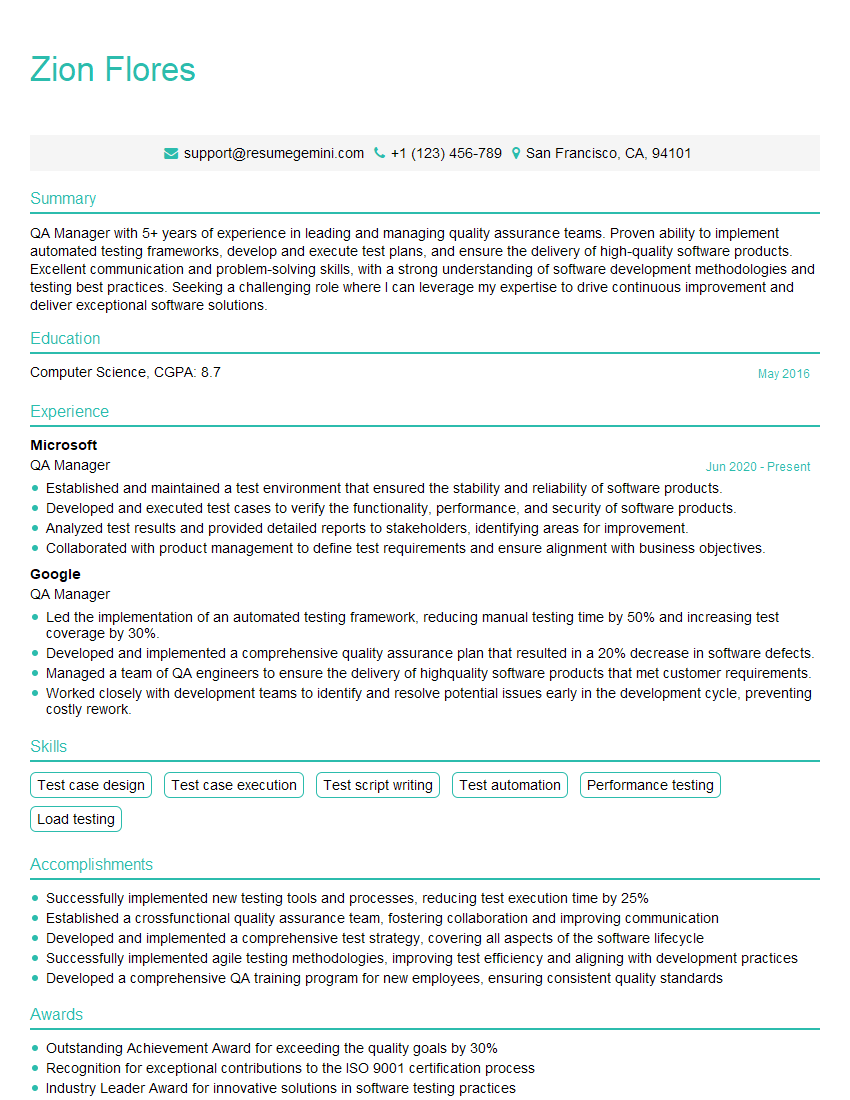
Mastering Software Assurance opens doors to exciting career opportunities with significant growth potential in a high-demand field. A strong resume is crucial for showcasing your skills and experience to potential employers. To maximize your chances, create an ATS-friendly resume that highlights your relevant achievements and keywords. ResumeGemini is a trusted resource to help you build a professional and impactful resume. We provide examples of resumes tailored to Software Assurance to help you get started. Invest in your future; craft a compelling resume that accurately reflects your expertise.

Explore more articles
Users Rating of Our Blogs
Share Your Experience
We value your feedback! Please rate our content and share your thoughts (optional).
What Readers Say About Our Blog
Very informative content, great job.
good