Cracking a skill-specific interview, like one for Software Literacy Operation, requires understanding the nuances of the role. In this blog, we present the questions you’re most likely to encounter, along with insights into how to answer them effectively. Let’s ensure you’re ready to make a strong impression.
Questions Asked in Software Literacy Operation Interview
Q 1. Explain the concept of CI/CD pipelines.
CI/CD, or Continuous Integration/Continuous Delivery (and sometimes Deployment), is a set of practices that automates the process of building, testing, and deploying software. Think of it as an assembly line for software, ensuring consistent and reliable releases.
Continuous Integration (CI) focuses on merging code changes frequently into a central repository. Each integration is verified by an automated build and automated tests. This helps catch integration issues early. For example, imagine multiple developers working on different parts of a website. CI ensures that their individual pieces work together seamlessly when combined.
Continuous Delivery (CD) extends CI by automating the release process. This means that after successful integration testing, the software is automatically packaged and prepared for deployment. It doesn’t necessarily mean automatic deployment to production, but it does make deployment much faster and easier. Think of it as having your software ready to go at any moment.
Continuous Deployment takes CD a step further by automatically deploying every successful build to production. This is beneficial for faster feedback loops and rapid iterations but requires robust testing and monitoring.
A typical CI/CD pipeline might involve stages like:
- Code Commit: Developers commit their code changes to a version control system.
- Build: The code is compiled and packaged.
- Test: Automated tests (unit, integration, system) are run.
- Deploy: The software is deployed to a staging environment for further testing.
- Release: The software is deployed to production.
Using a CI/CD pipeline significantly reduces manual effort, improves software quality, and enables faster releases.
Q 2. Describe your experience with Agile methodologies.
I have extensive experience working within Agile methodologies, primarily Scrum and Kanban. I’ve found that their iterative and incremental approaches are essential for delivering high-quality software in a dynamic environment.
In my previous role, we utilized Scrum to manage the development of a large-scale e-commerce platform. We held daily stand-up meetings to track progress, identify roadblocks, and ensure team alignment. We followed sprints (typically two weeks long), with each sprint culminating in a potentially shippable increment of the software. Regular sprint reviews and retrospectives provided opportunities for continuous improvement and adaptation.
I’ve also used Kanban in projects where the workflow was less predictable and required more flexibility. Kanban’s visual representation of the workflow helped us manage our workload effectively and identify bottlenecks. For example, using a Kanban board helped us visualize and prioritize tasks during a critical security patch release.
My Agile experience extends beyond just frameworks; I understand and champion Agile principles such as collaboration, self-organization, and continuous improvement. I’m a firm believer in adapting methodologies to the specific needs of each project and team.
Q 3. What are your preferred methods for troubleshooting software issues?
My troubleshooting approach is systematic and data-driven. I start by gathering information: logs, error messages, system metrics, and user reports. Then, I use a combination of techniques:
- Reproducing the issue: I try to recreate the problem in a controlled environment to understand its root cause.
- Analyzing logs and metrics: I scrutinize logs for error messages, exceptions, and performance bottlenecks. System metrics can help identify resource constraints.
- Using debugging tools: Debuggers allow me to step through code, inspect variables, and understand program flow. I use these tools extensively when necessary.
- Consulting documentation: I thoroughly review documentation, including API specifications, error codes, and troubleshooting guides.
- Leveraging online resources: Stack Overflow, GitHub, and other online forums are valuable resources. I search for solutions to common issues and use them as starting points.
- Collaboration: If I’m stuck, I don’t hesitate to ask for help from colleagues. Collaboration often leads to faster and more effective problem resolution.
For example, when a recent database issue caused performance degradation, I used system monitoring tools to pinpoint resource bottlenecks and then worked with the database administrator to optimize queries and adjust configuration settings.
Q 4. How do you manage software updates and patches?
Managing software updates and patches is crucial for maintaining system security and stability. My approach involves a combination of automated and manual processes, emphasizing thorough testing and risk mitigation.
I typically utilize a patch management system to automate the discovery, deployment, and tracking of software updates. This system helps ensure that all systems are running the latest security patches. Before deploying updates to production, I always test them thoroughly in a staging environment. This approach reduces the risk of unexpected issues.
The process generally includes these steps:
- Assessment: Identifying software requiring updates and the potential impact.
- Testing: Deploying updates to a non-production environment to test functionality and compatibility.
- Scheduling: Planning the deployment window, considering downtime and user impact.
- Deployment: Rolling out the updates, potentially using a phased rollout.
- Verification: Confirming the successful deployment and monitoring for any issues.
Regularly reviewing security advisories and vulnerability reports is also crucial to stay ahead of potential threats.
Q 5. What experience do you have with version control systems (e.g., Git)?
I have extensive experience with Git, utilizing it for version control in numerous projects. I am proficient in branching strategies (e.g., Gitflow), merging, rebasing, resolving conflicts, and using Git’s command-line interface and GUI clients like Sourcetree or GitHub Desktop.
I’m familiar with various Git workflows, including:
- Gitflow: A branching model that provides a structured approach to managing releases and feature development.
- GitHub Flow: A simpler workflow emphasizing frequent commits and integration.
- GitLab Flow: An extension of GitHub Flow that supports multiple environments and release management.
My experience with Git allows me to contribute effectively to collaborative projects, manage code changes effectively, and revert to previous versions if necessary. For instance, on a recent project, my Git expertise helped us efficiently manage multiple parallel feature developments and ensure a smooth final integration.
I understand the importance of using version control systems effectively, including the benefits of creating meaningful commit messages, regularly backing up your repositories, and implementing robust branching strategies to reduce the risk of conflicts and to enhance maintainability.
Q 6. Describe your experience with scripting languages (e.g., Python, Bash).
I’m proficient in Python and Bash scripting, using them to automate tasks, manage systems, and streamline workflows. Python’s versatility makes it ideal for complex automation, data processing, and web scraping. Bash, on the other hand, is excellent for shell scripting and system administration tasks.
Python Examples:
I’ve used Python to create scripts for:
- Automating the deployment of applications to servers.
- Processing large datasets and generating reports.
- Creating custom tools for software testing.
# Python example: Simple script to print hello world. print('Hello, world!')
Bash Examples:
In Bash, I’ve created scripts to:
- Automate server maintenance tasks (e.g., backups, log rotation).
- Manage user accounts and permissions.
- Monitor system resources and send alerts.
# Bash example: A simple script to list all files in the current directory. ls -l
My scripting skills significantly enhance my productivity and allow me to solve problems efficiently. They are crucial to my role as a software engineer, enabling me to automate repetitive tasks and build customized tools to streamline workflows and improve my overall efficiency.
Q 7. How do you monitor system performance and identify bottlenecks?
Monitoring system performance and identifying bottlenecks is a critical aspect of ensuring application stability and responsiveness. My approach involves a multi-faceted strategy that combines monitoring tools, log analysis, and performance testing.
I utilize various monitoring tools, including:
- System monitoring tools (e.g., Nagios, Zabbix, Prometheus): These tools provide real-time visibility into CPU usage, memory consumption, disk I/O, and network traffic. They help identify potential resource constraints before they impact performance.
- Application performance monitoring (APM) tools (e.g., Dynatrace, New Relic, AppDynamics): These tools provide insights into application-level performance, including response times, error rates, and transaction traces. They’re instrumental in identifying bottlenecks within the application itself.
- Log analysis tools (e.g., Splunk, ELK stack): Examining application and system logs helps pinpoint errors, exceptions, and unusual patterns that might indicate performance problems.
Once a potential bottleneck is identified, I investigate the root cause using performance profiling tools and other diagnostic techniques. For example, a recent performance issue was traced to an inefficient database query using APM tools, which allowed me to optimize the query, significantly improving overall system responsiveness.
Proactive monitoring is essential; I employ alerts and dashboards to receive timely notifications of potential problems, allowing for quick intervention and preventing minor issues from escalating into major outages.
Q 8. Explain your understanding of cloud computing platforms (e.g., AWS, Azure, GCP).
Cloud computing platforms like AWS, Azure, and GCP offer on-demand computing resources over the internet. Think of them as massive, utility-style data centers that you can access and pay for only what you use. Instead of owning and maintaining your own servers, you rent virtual servers, storage, databases, and other resources.
AWS (Amazon Web Services) is the largest player, offering a vast array of services, from simple virtual machines (EC2) to complex machine learning tools (SageMaker). I’ve extensively used EC2 for hosting web applications and S3 for storing large datasets.
Azure (Microsoft Azure) is a strong competitor, particularly attractive to businesses already invested in the Microsoft ecosystem. I have experience leveraging Azure’s integration with Active Directory for secure user management.
GCP (Google Cloud Platform) excels in data analytics and machine learning, offering powerful tools like BigQuery and TensorFlow. I’ve utilized GCP’s Kubernetes Engine (GKE) for deploying containerized applications.
My experience spans across these platforms, allowing me to choose the best fit depending on the project’s specific needs and budget constraints. I’m proficient in managing resources, optimizing costs, and ensuring security best practices across all three.
Q 9. What is your experience with containerization technologies (e.g., Docker, Kubernetes)?
Containerization technologies like Docker and Kubernetes revolutionize software deployment and management. Docker packages applications and their dependencies into standardized units called containers, ensuring consistent execution across different environments. Imagine a shipping container – it carries the goods (your application) and everything it needs to function (libraries, runtime), no matter the destination (different servers).
docker run -d -p 8080:80 my-web-app This command runs a Docker container in detached mode, mapping port 8080 on the host to port 80 in the container.
Kubernetes orchestrates the deployment, scaling, and management of these Docker containers across a cluster of machines. It’s like an advanced shipping yard that manages the movement and organization of countless containers, ensuring they are always running and available. I have significant experience with Kubernetes, using it for automating deployments, managing scaling, and ensuring high availability of my applications. I’m familiar with concepts like pods, deployments, services, and ingress controllers.
Q 10. How do you ensure software security and compliance?
Software security and compliance are paramount. My approach involves a multi-layered strategy:
- Secure Development Practices: Employing secure coding techniques, regular code reviews, and static/dynamic analysis to identify and mitigate vulnerabilities early in the development lifecycle.
- Infrastructure Security: Implementing robust access controls, network security (firewalls, intrusion detection systems), and encryption at rest and in transit. This includes leveraging cloud security services offered by providers like AWS, Azure, and GCP.
- Vulnerability Management: Regularly scanning for vulnerabilities using automated tools and promptly addressing identified issues. Staying updated on the latest security advisories is critical.
- Compliance Frameworks: Adhering to relevant industry standards and regulations such as ISO 27001, SOC 2, GDPR, depending on the project’s requirements. Documentation and audit trails are crucial for demonstrating compliance.
- Incident Response Plan: Having a well-defined plan in place to handle security incidents, including procedures for detection, containment, eradication, recovery, and post-incident analysis.
For example, in a recent project, we implemented multi-factor authentication, implemented a comprehensive intrusion detection system, and regularly conducted penetration testing to ensure the security and compliance of our application.
Q 11. Describe your experience with incident management and resolution.
Effective incident management is crucial for minimizing downtime and maintaining service availability. My approach follows the ITIL framework (Information Technology Infrastructure Library):
- Incident Identification and Logging: Promptly identifying incidents through monitoring tools and logging systems.
- Categorization and Prioritization: Classifying incidents based on severity and impact to determine the priority of response.
- Investigation and Diagnosis: Systematically investigating the root cause of the incident using available logs, monitoring data, and diagnostic tools.
- Resolution and Recovery: Implementing the necessary steps to resolve the incident and restore service. This may involve deploying fixes, restarting services, or escalating to other teams.
- Post-Incident Review: Conducting a thorough post-incident review to identify areas for improvement in processes, systems, and documentation to prevent similar incidents in the future.
In one instance, I spearheaded the response to a major database outage. By following this process, we were able to quickly identify the cause (a configuration error), implement a fix, and restore service within an hour, minimizing disruption to users.
Q 12. What is your experience with database management systems (e.g., MySQL, PostgreSQL)?
I have extensive experience with relational database management systems (RDBMS), including MySQL and PostgreSQL. My experience includes database design, implementation, optimization, and administration.
MySQL is a widely used open-source database known for its ease of use and scalability. I’ve used it extensively for web applications, leveraging its features like stored procedures and triggers for efficient data management.
PostgreSQL is a powerful, open-source RDBMS that offers advanced features like support for JSON data types and robust extensions. I’ve employed PostgreSQL in projects requiring complex data modeling and high transaction integrity.
My skills encompass writing SQL queries, optimizing database performance (query tuning, indexing), managing user permissions, and ensuring data backup and recovery. I’m also familiar with database replication and high-availability solutions.
Q 13. How do you prioritize tasks and manage your workload effectively?
Effective task prioritization and workload management are essential for productivity and meeting deadlines. I use a combination of techniques:
- Prioritization Matrix (Eisenhower Matrix): Categorizing tasks based on urgency and importance to focus on high-impact activities first.
- Project Management Tools: Utilizing tools like Jira or Asana to track tasks, deadlines, and progress.
- Time Blocking: Allocating specific time blocks for different tasks to improve focus and avoid context switching.
- Regular Review and Adjustment: Periodically reviewing my task list and adjusting priorities as needed based on changing circumstances or new information.
- Delegation: When appropriate, delegating tasks to other team members to optimize workload and leverage their expertise.
For example, when faced with multiple urgent tasks, I utilize the Eisenhower Matrix to prioritize those that are both urgent and important, addressing them first before moving on to less critical tasks.
Q 14. Describe your experience with software testing methodologies.
My experience encompasses various software testing methodologies, including:
- Unit Testing: Testing individual components or modules of code to ensure they function correctly.
- Integration Testing: Testing the interaction between different components or modules.
- System Testing: Testing the entire system as a whole to ensure it meets requirements.
- User Acceptance Testing (UAT): Testing the system with end-users to validate its usability and functionality.
- Regression Testing: Retesting the system after changes to ensure that new code hasn’t introduced new bugs or broken existing functionality.
- Agile Testing: Integrating testing activities throughout the software development lifecycle in an iterative and collaborative manner.
I’m proficient in using automated testing tools and frameworks, and I’m experienced in designing and executing both manual and automated tests. A recent project involved implementing a comprehensive automated testing suite, reducing testing time and increasing the overall quality of the software.
Q 15. How do you communicate technical information to non-technical audiences?
Communicating complex technical information to non-technical audiences requires a shift in perspective. It’s about translating technical jargon into plain language, using analogies and relatable examples to bridge the knowledge gap. I avoid technical terms unless absolutely necessary, and when I do use them, I always provide a clear, concise definition.
For example, instead of saying “The database experienced a deadlock condition,” I might say, “Imagine two people trying to use the same resource at the same time – that’s what happened with our database. It caused a temporary standstill that we resolved.”
I also use visuals – charts, graphs, diagrams – to illustrate complex concepts. I tailor my communication style to the audience’s level of understanding, ensuring the information is not only accurate but also easily digestible and relevant to their concerns.
Finally, I encourage questions and actively listen to ensure everyone understands and feels comfortable asking for clarification. Active feedback loops are vital for effective communication.
Career Expert Tips:
- Ace those interviews! Prepare effectively by reviewing the Top 50 Most Common Interview Questions on ResumeGemini.
- Navigate your job search with confidence! Explore a wide range of Career Tips on ResumeGemini. Learn about common challenges and recommendations to overcome them.
- Craft the perfect resume! Master the Art of Resume Writing with ResumeGemini’s guide. Showcase your unique qualifications and achievements effectively.
- Don’t miss out on holiday savings! Build your dream resume with ResumeGemini’s ATS optimized templates.
Q 16. What is your experience with automation tools?
I have extensive experience with various automation tools, primarily focusing on those that enhance software literacy operations. My experience spans scripting languages like Python and PowerShell for automating repetitive tasks, such as software deployments, system configurations, and log analysis.
I’ve worked with configuration management tools like Ansible and Chef to manage and automate infrastructure provisioning and application deployments across multiple servers. These tools significantly reduce human error and increase efficiency in managing complex systems.
Furthermore, I’m proficient in using CI/CD pipelines (Continuous Integration/Continuous Delivery) tools like Jenkins and GitLab CI to automate the software build, testing, and deployment processes. This allows for faster development cycles and higher quality software releases.
For example, I used Ansible to automate the deployment of a new web application across 100 servers, reducing deployment time from several hours to under 30 minutes. This significantly improved our operational efficiency and minimized downtime.
Q 17. Explain your understanding of ITIL framework.
ITIL (Information Technology Infrastructure Library) is a widely accepted framework of best practices for IT service management (ITSM). It provides a structured approach to aligning IT services with business needs, improving efficiency, and reducing costs.
My understanding of ITIL encompasses its core principles, including service strategy, service design, service transition, service operation, and continual service improvement. I have practical experience applying these principles in real-world scenarios to improve operational efficiency and user satisfaction.
- Service Strategy focuses on aligning IT services with business goals.
- Service Design covers the design and development of IT services to meet business requirements.
- Service Transition handles the implementation and deployment of new or changed services.
- Service Operation involves the day-to-day management and support of IT services.
- Continual Service Improvement focuses on constantly improving IT services based on feedback and performance data.
For instance, I’ve used ITIL principles to implement a robust incident management process, reducing the mean time to resolution (MTTR) for critical incidents by 25%. This involved clearly defining roles and responsibilities, establishing standardized procedures, and implementing effective monitoring tools.
Q 18. Describe a time you had to solve a complex technical problem.
In a previous role, we faced a critical performance issue with our core application. Users reported extremely slow response times, impacting business operations significantly. Initial investigations pointed to various potential causes – database issues, network congestion, and application code inefficiencies.
Our approach involved a structured troubleshooting methodology. We first used performance monitoring tools to isolate the bottleneck. We discovered that a specific database query was consuming an excessive amount of resources, leading to the performance degradation. The query was poorly optimized and lacked appropriate indexing.
The solution involved collaborating with the database administrator to optimize the query, add necessary indexes, and implement caching mechanisms. We also conducted load testing to verify the improvements. The collaborative effort, utilizing system monitoring and careful analysis, resulted in a significant improvement in application performance, restoring user satisfaction and minimizing business disruption. This experience highlighted the importance of a systematic problem-solving approach and cross-functional teamwork.
Q 19. How do you stay up-to-date with the latest technologies and trends?
Staying current with the ever-evolving landscape of technology is paramount. I utilize several strategies to achieve this. I actively participate in online communities such as Stack Overflow and relevant subreddits, engaging in discussions and learning from others’ experiences.
I subscribe to industry newsletters and follow prominent technology influencers on social media platforms like Twitter and LinkedIn. This provides me with a continuous feed of news, articles, and insights regarding the latest advancements and trends.
I also attend webinars and online courses, focusing on areas relevant to my work. Furthermore, I actively seek out opportunities to experiment with new technologies through personal projects, applying my knowledge to practical scenarios. This hands-on approach reinforces my understanding and helps me adapt quickly to emerging technologies.
Q 20. What is your experience with software documentation?
Software documentation is crucial for maintainability, collaboration, and knowledge transfer. My experience encompasses creating various types of documentation, including user manuals, technical specifications, API documentation, and internal knowledge bases.
I’m proficient in using documentation tools such as Markdown, Confluence, and Swagger. I adhere to established documentation standards and best practices to ensure clarity, consistency, and accuracy.
For instance, I created a comprehensive API documentation using Swagger for a large-scale project, which significantly eased integration with third-party systems and simplified the onboarding process for new developers. My documentation consistently focuses on clear and concise explanations, complemented by illustrative examples and diagrams when necessary, aimed at making information easily accessible to both technical and non-technical audiences.
Q 21. Describe your experience with network troubleshooting.
Network troubleshooting is a regular aspect of my work. My approach is systematic and relies on a combination of tools and techniques. I start by gathering information – identifying symptoms, affected users, and potential causes. Then I use network monitoring tools like Wireshark and tcpdump to analyze network traffic, identify bottlenecks, and pinpoint the source of the problem.
I’m proficient in using ping, traceroute, and nslookup commands to diagnose connectivity issues and identify network path problems. I utilize network management systems (NMS) to monitor network performance and identify potential issues proactively.
For example, I once resolved a network outage affecting a critical business application by using Wireshark to identify a faulty router configuration that was causing packet loss. Through a systematic process of investigation and a thorough understanding of networking principles, I was able to quickly isolate and resolve the problem, minimizing the impact on business operations.
Q 22. What is your experience with monitoring tools (e.g., Nagios, Zabbix)?
My experience with monitoring tools like Nagios and Zabbix is extensive. I’ve used them extensively throughout my career to proactively identify and resolve potential issues before they impact end-users. Nagios, for example, is excellent for setting up alerts based on specific thresholds, such as CPU utilization or disk space. I’ve configured it to send email alerts to the appropriate teams when these thresholds are breached. With Zabbix, I’ve leveraged its powerful auto-discovery features to monitor large, dynamic infrastructures, automatically adding new servers and services as they come online. I’m proficient in configuring both tools to monitor a wide range of metrics, including network performance, application health, and database activity. A recent project involved using Zabbix to monitor a geographically distributed application, ensuring the availability of the application from multiple data centers. The key to successful monitoring is not just implementing the tools, but configuring them to provide meaningful alerts and dashboards, leading to efficient problem solving. I’m also experienced in integrating these tools with other systems for creating comprehensive monitoring and alerting solutions.
Q 23. How familiar are you with different operating systems (e.g., Windows, Linux)?
I’m highly proficient in both Windows and Linux operating systems. My experience spans various distributions of Linux, including CentOS, Ubuntu, and Debian, and I am comfortable working with both server and desktop versions of Windows. My expertise extends beyond basic administration; I’m adept at scripting (Bash, PowerShell), system optimization, security hardening, and troubleshooting complex system issues. For instance, in a previous role, I automated the deployment of a new application across a cluster of Linux servers using Ansible, a configuration management tool. In another situation, I troubleshooted a Windows server performance bottleneck by analyzing system logs and identifying a resource contention issue. This involved optimizing database queries and tweaking system settings to improve overall performance. This illustrates my ability to leverage my OS knowledge to both improve performance and create efficient and automated systems. I understand the strengths and weaknesses of both operating systems and can choose the best one for a specific task or environment.
Q 24. Explain your understanding of software architecture.
Software architecture is the fundamental structure and design of a software system. It defines how different components interact with each other, and it’s crucial for creating robust, scalable, and maintainable applications. I understand various architectural patterns, including microservices, monolithic architecture, and layered architecture. Consider a microservices architecture: Each component is a small, independent service that performs a specific function. This enables easier scaling and development as each service can be updated and deployed independently. In contrast, a monolithic architecture has all components tightly coupled. This simplifies initial development but can make scaling and maintenance challenging. I believe in choosing an architecture that best fits the project’s specific needs and future scaling requirements. A well-defined architecture ensures clear responsibilities, loose coupling between components, and efficient resource utilization. Understanding the trade-offs associated with each pattern is critical to making the right architectural decisions.
Q 25. Describe your experience with capacity planning.
Capacity planning is the process of determining the necessary resources – hardware, software, and network – to meet future demands. It involves forecasting future usage patterns, identifying potential bottlenecks, and planning for scalability. My approach involves a combination of historical data analysis, trend forecasting, and performance testing. For example, I’ve used historical server logs and application metrics to predict future resource requirements for a rapidly growing web application. This included evaluating server CPU, memory, and disk I/O performance under various load conditions. Based on these analyses, I made recommendations for additional hardware or software upgrades to prevent future performance bottlenecks. I also utilize performance testing tools to simulate peak load conditions and identify potential areas of weakness before they affect real users. The goal is to optimize resource allocation, ensuring sufficient capacity while minimizing unnecessary expenses.
Q 26. How do you ensure software scalability and reliability?
Ensuring software scalability and reliability requires a multifaceted approach. Scalability refers to the ability of the system to handle increasing workloads, while reliability means the system consistently performs its intended function without failure. Techniques I employ include:
- Horizontal scaling: Adding more servers to distribute the workload. This is often more cost-effective than vertical scaling.
- Vertical scaling: Increasing the resources of existing servers (e.g., more RAM, faster CPUs).
- Load balancing: Distributing traffic across multiple servers to prevent any single server from becoming overloaded.
- Redundancy: Implementing backup systems and failover mechanisms to ensure high availability.
- Database optimization: Efficient database design and query optimization are crucial for performance.
- Code optimization: Writing efficient and well-tested code minimizes resource consumption and potential failure points.
- Regular monitoring and testing: Proactive monitoring and load testing help identify and address potential issues early on.
For example, in a recent project, we used a microservices architecture combined with a robust load balancer to achieve high scalability and availability. Regular load tests helped us understand the limits of our system and plan for future growth.
Q 27. What is your approach to collaboration within a team?
Collaboration is fundamental to successful software development. My approach centers on open communication, active listening, and mutual respect. I believe in using collaborative tools like Slack or Microsoft Teams to facilitate seamless information exchange. I also actively participate in team meetings, code reviews, and brainstorming sessions. I find that clear, concise communication is essential, whether it’s explaining a technical concept or sharing project updates. Furthermore, I am comfortable working in Agile methodologies where collaboration is crucial, and I actively promote a culture of feedback and shared responsibility. I have consistently found that constructive feedback and a supportive environment lead to higher quality software and improved team morale. Sharing knowledge and learning from my colleagues is a crucial part of my approach.
Q 28. Describe your experience with disaster recovery planning.
Disaster recovery planning is critical for minimizing downtime and data loss in the event of an unexpected event. My experience involves developing comprehensive disaster recovery plans that cover various scenarios, including natural disasters, cyberattacks, and hardware failures. A key aspect is defining Recovery Time Objectives (RTOs) and Recovery Point Objectives (RPOs), which specify acceptable downtime and data loss limits. I’m experienced in implementing various recovery strategies, including backups (full, incremental, differential), replication, and high availability clusters. A practical example: I created a disaster recovery plan for a critical application that included daily backups to an offsite location, database replication to a geographically separate data center, and a comprehensive failover procedure. Regular drills and testing are essential to ensure the plan’s effectiveness, and I always emphasize the importance of regularly updating the plan to reflect changes in infrastructure and application architecture. It is crucial to remember that a plan is only as effective as its implementation and testing.
Key Topics to Learn for Software Literacy Operation Interview
- Operating Systems Fundamentals: Understanding different OS types (Windows, macOS, Linux), their functionalities, and basic troubleshooting techniques. Practical application: Demonstrating your ability to navigate different OS environments and solve common issues.
- Software Installation and Configuration: Knowledge of installing, configuring, and updating various software applications, including handling dependencies and resolving conflicts. Practical application: Describing your experience with software deployment and managing software licenses.
- Network Basics: Understanding network topologies, protocols (TCP/IP), and basic troubleshooting of network connectivity issues. Practical application: Explaining your experience with network diagnostics and resolving common network problems.
- Data Management and Backup: Familiarity with data storage methods, backup strategies, and data recovery procedures. Practical application: Describing your experience with data organization and implementing effective backup solutions.
- Software Troubleshooting and Problem Solving: Ability to systematically identify, diagnose, and resolve software-related problems. Practical application: Providing examples of how you approached and solved challenging software issues.
- Software Licensing and Compliance: Understanding different software licensing models and the importance of compliance with software usage agreements. Practical application: Demonstrating knowledge of software licensing best practices and compliance procedures.
- Security Best Practices: Understanding basic security concepts such as password management, malware prevention, and data protection. Practical application: Describing your experience with implementing security measures and maintaining data integrity.
Next Steps
Mastering Software Literacy Operation is crucial for career growth in today’s technology-driven world. It opens doors to a wide range of exciting opportunities and demonstrates your ability to effectively manage and utilize software tools. To maximize your job prospects, creating an ATS-friendly resume is essential. This ensures your skills and experience are effectively communicated to potential employers. We highly recommend using ResumeGemini to build a professional and impactful resume. ResumeGemini provides a streamlined process and offers examples of resumes tailored to Software Literacy Operation roles to help guide you.
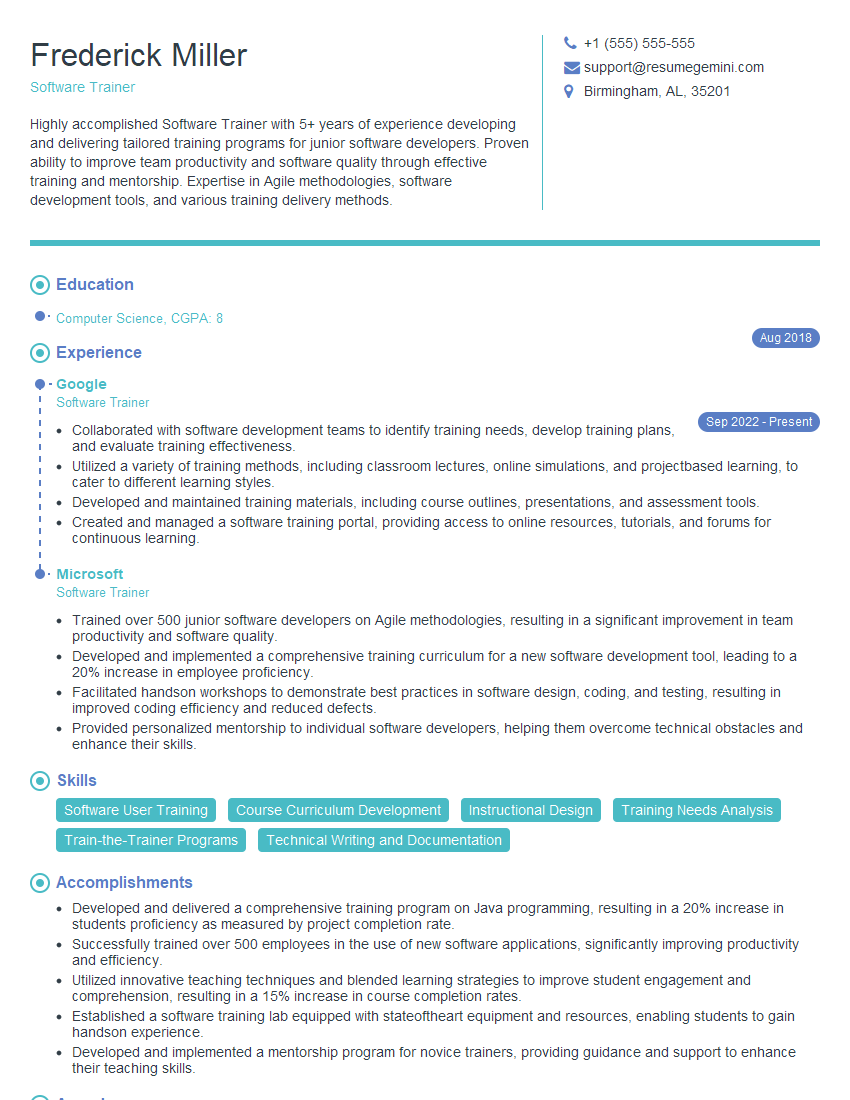
Software Trainer Resume Sample

Data Analyst Resume Sample

Technical Project Manager Resume Sample

Network Engineer Resume Sample

Automation Engineer Resume Sample

Infrastructure Engineer Resume Sample

System Administrator Resume Sample

Release Manager Resume Sample

Technical Writer Resume Sample

Database Administrator Resume Sample

DevOps Engineer Resume Sample
Explore more articles
Users Rating of Our Blogs
Share Your Experience
We value your feedback! Please rate our content and share your thoughts (optional).
What Readers Say About Our Blog
Very informative content, great job.
good