The thought of an interview can be nerve-wracking, but the right preparation can make all the difference. Explore this comprehensive guide to Sound Design and Sound Manipulation interview questions and gain the confidence you need to showcase your abilities and secure the role.
Questions Asked in Sound Design and Sound Manipulation Interview
Q 1. Explain the difference between sound design and sound mixing.
Sound design and sound mixing are distinct yet interconnected stages in audio post-production. Sound design is the creative process of crafting and shaping sounds, including sound effects, to enhance a film, game, or other media. It involves choosing, manipulating, and synthesizing sounds to evoke specific emotions, moods, and enhance the storytelling. Think of it as the architect designing the soundscape. Sound mixing, on the other hand, is the technical process of combining and balancing all the audio elements – dialogue, music, sound effects – to create a cohesive and polished final product. The sound mixer is like the conductor of an orchestra, ensuring all the instruments blend harmoniously.
For example, in a horror film, sound design might involve creating the chilling screech of a ghost using various sound manipulation techniques. Sound mixing would then be the process of balancing that screech with the background score and dialogue to maximize its impact without overpowering the other elements.
Q 2. Describe your workflow for creating a realistic soundscape.
My workflow for creating a realistic soundscape typically involves these steps:
- Research and Concept Development: I begin by thoroughly understanding the scene’s context, mood, and desired effect. This involves reviewing scripts, storyboards, or working closely with the director to gain a clear understanding of their vision.
- Sound Acquisition: I gather recordings either from my library or by conducting field recordings. This might involve recording ambient sounds, specific objects, or even creating Foley effects (more on that later).
- Sound Manipulation and Design: This is the core of the process. Using digital audio workstations (DAWs) and plugins, I manipulate and combine the recorded sounds. This could involve layering sounds, EQ adjustments, dynamic processing (compression, limiting), reverb, delay, and other effects to achieve the desired realism and texture. I might also use synthesis techniques to create wholly new sounds.
- Testing and Refinement: Constant playback and listening tests are crucial. I iteratively refine the soundscape, making adjustments to ensure it accurately represents the scene while fitting seamlessly within the overall mix.
- Delivery: Finally, I deliver the final sound design elements in the required format, often as multi-track files for the sound mixer to incorporate into the final mix.
For instance, when designing a bustling city street soundscape, I’d record separate tracks for traffic, ambient chatter, and distant sirens, then carefully layer and mix them, adjusting levels and using spatial effects like reverb to create a sense of depth and realism.
Q 3. How do you approach designing sound for different genres (e.g., horror, comedy, drama)?
Sound design approaches differ significantly across genres. The sonic palette and techniques used drastically change the viewer’s emotional response.
- Horror: Utilizes dissonant sounds, low-frequency rumbles, distorted effects, and unexpected noises to create tension, fear, and unease. Think unsettling soundscapes, high-pitched screams, and the use of silence to amplify the scares.
- Comedy: Employs exaggerated sound effects, slapstick sounds, and whimsical music to enhance the humor. The sound design is often over-the-top and cartoonish.
- Drama: Leverages subtle soundscapes and realistic sound effects to establish the emotional tone and reinforce the narrative. The focus is on creating believable and immersive environments that subtly enhance the storytelling.
The same sound, like a creaking door, can be used differently across these genres. In horror, it would be amplified and distorted to instill fear. In comedy, it might be accompanied by a silly cartoonish sound effect or exaggeratedly slow to elicit laughter. In drama, it would serve to build tension or create a feeling of suspense depending on the context, in a much more subtle manner.
Q 4. What are your preferred tools and techniques for sound manipulation?
My toolbox consists of a combination of hardware and software. I rely heavily on Digital Audio Workstations (DAWs) such as Pro Tools, Ableton Live, and Logic Pro X. These are my central hubs for recording, editing, mixing, and mastering audio. Within these DAWs, I utilize a vast array of plugins for processing – from reverbs and delays (like ValhallaRoom, Lexicon plugins) to EQs and compressors (FabFilter Pro-Q 3, Waves plugins) and dynamic processors. I also use specialized sound design tools like Native Instruments Kontakt and Spectrasonics Omnisphere for sound synthesis and manipulation.
Hardware-wise, I have a good quality audio interface for clean recordings, and a collection of microphones for capturing a variety of sounds.
Beyond specific tools, my approach emphasizes a deep understanding of audio principles: equalization, dynamics processing, spatialization, and psychoacoustics. These principles guide my choices in plugins and hardware, ensuring I manipulate the sounds in ways that create the desired impact on the listener.
Q 5. How do you handle sound effects editing in post-production?
Sound effects editing in post-production is an iterative process requiring meticulous attention to detail. It’s all about cleaning, enhancing, and shaping the sound effects to integrate seamlessly with the rest of the soundtrack.
- Cleaning: Removing background noise, clicks, pops, and other unwanted artifacts is paramount using tools like noise reduction and spectral editing plugins.
- Enhancing: Using EQ, compression, and other effects to boost clarity and presence. Often, a little bit of subtle reverb or delay can work wonders for creating a sense of space and realism.
- Timing and Synchronization: Precisely aligning the sound effects with the on-screen action is crucial. Tools like time stretching and pitch shifting can be helpful for minor adjustments.
- Sound Design Enhancements: This often involves adding layers, manipulating the sound with effects, or subtly creating new sounds to enhance the realism or drama.
- Creative Editing: Sometimes I’ll need to creatively cut, splice, loop, or blend sound effects to achieve a specific effect – for example, creating the sound of a crowd by combining smaller samples.
For example, if a scene depicts breaking glass, I might need to clean up any distracting background sounds from my original recording and then add reverb to create the sense of space in the room where the glass breaks.
Q 6. Explain your experience with Foley recording and creation.
Foley recording and creation is a fascinating aspect of sound design. It involves recreating everyday sounds—footsteps, clothing rustle, object manipulation—in a studio to match the visuals precisely. My Foley work often begins by watching the film and identifying the points where Foley effects would be needed. I then gather various materials – from sand and gravel to fabric, leather, and wood—that can help emulate the desired sound.
The process involves using the selected materials to create the sounds in synchronization with the film. A crucial element is the timing and attention to detail, ensuring it synchronizes perfectly with the on-screen action. I then record these sounds and utilize sound editing techniques to refine the audio for a clean, realistic, and nuanced addition to the production.
For example, when creating the sound of footsteps on a wooden floor, I would find suitable wood, perhaps a wooden platform, and walk on it with shoes to match the visual performance. The subtleties of the sound are often more important than the overall sound of someone walking. The sound of a specific type of shoe might sound different depending on the type of wood, which needs to be captured for realism.
Q 7. Describe your process for designing ambient soundscapes.
Designing ambient soundscapes is about crafting immersive and believable sonic environments. My process typically starts with defining the location and its characteristics. This involves understanding elements such as time of day, weather conditions, the presence of life (human or animal), and the overall mood.
- Source Gathering: I collect various sounds, both recorded and synthesized, that contribute to this ambiance. This could include wind, water, animal calls, distant traffic, or even industrial sounds depending on the context.
- Layering and Blending: I carefully layer these elements, adjusting their levels and using EQ, reverb, and delay to create depth and realism. The key is to create a natural blend, rather than individual sound elements.
- Spatialization: Using panning and other spatial effects to position sounds in the stereo field, creating a more realistic and enveloping soundscape. This is crucial for creating a three-dimensional experience.
- Dynamic Processing: Careful use of dynamics processing is vital for keeping the soundscape interesting and engaging. Too much consistency can make it monotonous, whereas the use of subtle variations can dramatically improve the sound.
- Iteration and Refinement: This is a process of iterative listening and adjustment, constantly tweaking the sounds until the overall ambiance feels natural and believable.
For example, designing the soundscape of a dense forest would involve layering various sounds: rustling leaves, birdsong, distant flowing water, perhaps the occasional snap of a twig. I would use reverb to create the sense of depth and space, and subtly shift levels to ensure the sound remains engaging.
Q 8. How do you work with composers and music editors?
Collaboration with composers and music editors is crucial for a successful project. My approach centers around clear communication and a shared understanding of the creative vision. Before any work begins, we establish the overall mood, style, and key elements required for the sound design. I actively participate in pre-production meetings, providing feedback on musical direction and how sound design can complement or enhance the composition. During production, I frequently share progress updates, sending rough mixes and receiving feedback iteratively. This allows for dynamic adjustments and ensures the sound design seamlessly integrates with the music. For example, on a recent animated film, I worked closely with the composer to create a specific sound effect that would punctuate a crucial emotional moment in the score, leading to a heightened dramatic impact.
I utilize various collaborative tools, including cloud-based audio sharing platforms, which allow for easy file exchange and version control. We use detailed notes and annotated audio files to pinpoint areas requiring adjustments or further development. Open communication and a willingness to adapt are key to a harmonious workflow and a strong final product.
Q 9. How do you troubleshoot audio issues during a recording session?
Troubleshooting audio issues during recording demands a systematic approach. I begin by identifying the nature of the problem – is it a low signal, excessive noise, distortion, or timing issues? My diagnostic process involves checking all aspects of the recording chain: microphones, cables, preamps, interfaces, and digital audio workstation (DAW) settings. I’ll use a combination of visual and auditory cues. For instance, visually checking for cable connections or signal meters on my audio interface can quickly solve a problem. Auditory cues, like listening for pops or clicks, will often point to specific problematic components.
If the problem persists, I’ll try a process of elimination. For example, substituting microphones or cables will determine whether a faulty component is responsible. If the issue stems from the audio interface or computer settings, I’ll adjust buffer sizes, sample rates, or other parameters within the DAW. In the case of background noise, I might deploy noise reduction plugins post-recording but aim to address the issue at its source first. Detailed logging of these steps helps me record solutions and avoid repeating mistakes. Documenting every step helps with quality control and prevents future issues.
Q 10. What are your methods for sound spatialization and panning?
Sound spatialization and panning are essential techniques for creating immersive and realistic audio environments. Spatialization aims to place sounds in a 3D space. Panning, a simpler technique, moves sounds between left and right speakers. To achieve effective spatialization, I leverage several techniques, including binaural recording (using dummy heads to capture the sound as our ears would), and ambisonics (recording the sound field comprehensively, allowing for re-rendering into different speaker configurations or virtual reality environments).
I use panning to create a sense of movement, depth and separation within a stereo or surround sound mix. For example, in a scene with a character moving from left to right across the screen, the sound of their footsteps will pan correspondingly. More sophisticated spatialization techniques often require specialized plugins or dedicated software that simulate a three-dimensional sound space, allowing for height and width placement of sounds, creating a more immersive experience. Understanding the psychoacoustic principles behind how our brains perceive sound in space informs these creative decisions. Careful balance and subtle panning choices avoid confusing listeners.
Q 11. Describe your experience with different audio formats (e.g., WAV, AIFF, MP3).
My experience encompasses a broad range of audio formats, each with its strengths and weaknesses. WAV and AIFF are lossless formats, meaning they retain all audio data during encoding and decoding; making them ideal for high-fidelity archiving and mastering. MP3 is a lossy codec which discards some audio data to reduce file size, but this comes at the cost of quality. The choice of format depends heavily on the application.
For archival purposes and pre-mastering, I invariably prefer WAV or AIFF at high bit depths (24-bit) and sample rates (48kHz or 96kHz) to maintain maximum audio quality. For online distribution or situations where file size is critical (like web applications or podcasts), MP3 is often the preferred option, with careful bitrate selection balancing file size and audio quality. Understanding the trade-offs between quality and file size is crucial for choosing the right format and optimizing files for various distribution platforms.
Q 12. How do you manage large audio libraries and sound effect databases?
Managing large audio libraries and sound effect databases requires a well-organized system. I utilize a combination of dedicated audio database software and a robust folder structure, creating a hierarchy that logically organizes sounds based on source, category, and keywords. My approach uses descriptive file names, employing a consistent naming convention to facilitate quick retrieval.
Metadata is crucial; therefore, I tag each sound file with detailed descriptions, including attributes such as source, ambience, intensity, and instrumentation. I also use software for cross-referencing metadata, allowing me to quickly search for specific sounds based on multiple parameters. Using efficient and searchable databases ensures I can find the exact audio component I need quickly and efficiently, saving time in the long run. Regular backups are essential to mitigate against data loss.
Q 13. Explain your understanding of equalization (EQ) and compression techniques.
Equalization (EQ) and compression are fundamental signal processing techniques. EQ modifies the frequency balance of an audio signal, adjusting the volume at different frequencies. This is done using EQ curves and filters, to emphasize certain frequencies and reduce others. For example, a high-pass filter cuts low-frequency rumble and muddiness, while a boost at specific frequencies can make instruments sound more prominent in a mix. Compression reduces the dynamic range of an audio signal, lowering the difference between the loudest and quietest parts. This leads to a more consistent and powerful sound.
I employ EQ to shape the tonal character of sounds and to carve out space in a mix. For instance, I might use EQ to remove muddiness from a bass guitar track, making it sound clearer and tighter, while subtly cutting certain frequencies in overlapping instruments. Compression helps control peaks, preventing distortion, and keeps the audio level consistently loud, increasing the energy and punch. The appropriate level of compression depends upon the context and the sound being processed. Overuse can lead to a sound that lacks dynamic range or has unwanted artifacts. Understanding how these tools interact and mastering their subtle applications is vital for creating a professional-sounding mix.
Q 14. How do you ensure audio quality and consistency across different platforms and devices?
Maintaining consistent audio quality across platforms and devices requires careful consideration of several factors. The core principle involves mastering for the lowest common denominator—meaning optimization for the widest range of listening environments. This approach focuses on avoiding extremes in dynamics and frequency response. I begin with a well-mixed and mastered audio file, aiming for a balanced frequency response and dynamics. The goal is to create a consistent listening experience irrespective of device or speaker limitations.
Next, I implement targeted adjustments for different playback systems. I utilize target loudness standards such as LUFS (Loudness Units relative to Full Scale) to ensure consistent perceived loudness across various platforms, preventing the audio from sounding too loud or too quiet. I also account for differences in frequency response between speakers; for instance, some speakers might emphasize certain frequencies over others. This careful approach prevents extreme lows or highs from being lost or overpowering the sounds on playback systems. Using loudness meters and analyzing audio across different playback systems is crucial in achieving consistency.
Q 15. What is your experience with automated dialogue replacement (ADR)?
Automated Dialogue Replacement (ADR), also known as looping, is a crucial post-production process where actors re-record their dialogue in a controlled studio environment. This is often necessary to improve audio quality, address synchronization issues, or even to completely change dialogue after filming. My experience encompasses numerous projects, ranging from independent films to large-scale television productions. I’m proficient in guiding actors through the process, ensuring they match the original performance’s emotion and lip-sync flawlessly. This includes managing the technical aspects, such as setting up microphones (often using boom mics for natural sound), adjusting levels, and coordinating with the director to achieve the desired performance. A recent example involved ADR for a historical drama; the original dialogue was muddied by on-set noise, so meticulous looping was key to maintaining clarity and dramatic impact.
My workflow usually involves reviewing the picture edit, identifying sections requiring ADR, creating a clean slate audio track for the actor to perform over, and then carefully syncing the new recording to the video. Finally, the enhanced audio is expertly integrated into the final mix.
Career Expert Tips:
- Ace those interviews! Prepare effectively by reviewing the Top 50 Most Common Interview Questions on ResumeGemini.
- Navigate your job search with confidence! Explore a wide range of Career Tips on ResumeGemini. Learn about common challenges and recommendations to overcome them.
- Craft the perfect resume! Master the Art of Resume Writing with ResumeGemini’s guide. Showcase your unique qualifications and achievements effectively.
- Don’t miss out on holiday savings! Build your dream resume with ResumeGemini’s ATS optimized templates.
Q 16. How do you handle time constraints and deadlines in a fast-paced post-production environment?
Post-production is inherently deadline-driven. My approach is a blend of proactive planning and flexible execution. I begin by thoroughly analyzing the project’s scope and creating a realistic schedule, breaking down tasks into manageable chunks. This allows me to prioritize and adjust my workflow as needed. For example, if a critical sound effect delivery is delayed, I might temporarily shift focus to another task to ensure we stay on track with other deliverables. I leverage efficient organizational tools – project management software and meticulous file organization are essential. Regular communication with the team is crucial, both to ensure everyone’s aligned and to proactively flag any potential bottlenecks.
I believe in the power of effective time management techniques, such as the Pomodoro Technique, to maintain focus and prevent burnout. This allows me to maintain a high level of work quality even under pressure. Ultimately, it’s about strategic prioritization, clear communication, and leveraging technology for efficiency.
Q 17. Describe your experience using Digital Audio Workstations (DAWs) like Pro Tools, Logic Pro X, or Ableton Live.
My proficiency in DAWs is a cornerstone of my skillset. I’m highly experienced with Pro Tools, Logic Pro X, and Ableton Live, each offering unique strengths for different tasks. Pro Tools is my go-to for professional film and television audio post-production due to its robust features for dialogue editing, mixing, and ADR. Logic Pro X excels in music composition and sound design, particularly for its powerful MIDI capabilities and extensive library of virtual instruments. Ableton Live shines in its flexible workflow, perfect for creative sound design and music production.
For instance, I might use Pro Tools for a detailed audio clean-up and mix of dialogue in a documentary, then switch to Logic Pro X to compose and score the film’s soundtrack. The versatility of these tools allows for adapting quickly to a wide range of projects and artistic demands. My skills extend beyond basic operation, embracing advanced techniques such as automation, surround sound mixing, and mastering. I’m also adept at using plugins to enhance sound quality and achieve specific creative effects.
Q 18. How do you collaborate effectively within a team?
Effective collaboration is paramount in sound design. My approach emphasizes clear communication, active listening, and a collaborative spirit. I believe in open dialogue from the initial project briefing to the final mix review, ensuring everyone’s input is valued. I regularly utilize collaborative platforms such as shared cloud storage for efficient file sharing and version control, minimizing the risk of errors and miscommunication.
I actively participate in team discussions, offering constructive feedback and actively seeking input from colleagues. I’m comfortable working with composers, editors, and directors, ensuring a cohesive and unified vision. A successful example involves collaborating with a composer on a recent project where I adapted my sound design to seamlessly integrate with the underscore, creating a truly immersive sonic environment.
Q 19. How do you adapt your sound design to match the overall visual aesthetic of a project?
Adapting sound to the visual aesthetic is crucial for creating a unified and engaging experience. I start by carefully analyzing the visuals – the color palette, lighting, pacing, and overall mood. For example, a dark, gritty film would require a different sonic palette than a bright, whimsical cartoon. I consider how sound can enhance the visual storytelling, mirroring the emotional intensity or adding subtle sonic layers that deepen the visual impact.
For a dark and suspenseful scene, I might use low-frequency sounds, distorted textures, and unsettling ambiences. In contrast, a lighthearted scene might feature bright, playful sounds and whimsical music. I utilize a range of techniques, from subtle sonic textures to prominent sound effects, always keeping the visual context in mind. This is not just about choosing the right sounds; it’s about carefully manipulating and crafting those sounds to reinforce the visual narrative effectively.
Q 20. What are your strategies for creating immersive and believable sound effects?
Creating immersive and believable sound effects requires a blend of technical skill and artistic creativity. My approach begins with source recording. I believe that capturing real-world sounds is often superior to relying solely on synthesizers. I maintain a library of field recordings, constantly expanding it with new textures and ambiences. However, when needed I will use synthesizers or utilize sound manipulation techniques. This allows for hyper-realistic results, or creating completely unique sounds.
Next, I meticulously manipulate and layer those sounds using various techniques, including EQ, compression, reverb, delay, and other effects. This might involve creating complex soundscapes by blending multiple recordings or crafting detailed sounds from individual elements. For instance, a realistic gunshot effect might involve layering the sound of a real gunshot, enhanced with additional layers of distortion and reverb to create the desired impact. Finally, context is crucial. The placement and timing of the sound effect are critical in making it feel integrated and believable within the visual scene.
Q 21. How familiar are you with different microphone types and their applications?
Understanding microphone types and their applications is fundamental to high-quality audio capture. I’m deeply familiar with various microphone technologies, including condenser mics (known for their sensitivity and detail), dynamic mics (robust and suitable for loud sounds), and ribbon mics (producing warm, vintage tones). Each microphone type has its own unique sonic characteristics and is best suited for particular applications.
For instance, I’d use a condenser microphone for recording delicate dialogue or subtle environmental sounds, capturing nuances and detail. For capturing a rock band’s powerful performance, dynamic microphones are a more suitable choice due to their ability to handle high sound pressure levels. The choice of microphone also depends on the recording environment. A lavalier microphone might be best for an actor’s close dialogue, while a shotgun microphone would be used for more directional sound pickup from a distance. My selection is always based on the specific requirements of the project to achieve the best possible audio quality.
Q 22. Describe your understanding of room acoustics and sound treatment techniques.
Room acoustics refers to how sound behaves within a physical space. Understanding this is crucial for sound design because the room itself acts as a filter, shaping the sound we hear. Sound treatment involves modifying a room’s acoustic properties to achieve a desired sonic outcome.
For example, a recording studio needs to minimize unwanted reflections (reverb) to get a clean, dry sound, whereas a concert hall aims to create a rich, resonant ambiance. We achieve this through a combination of techniques:
- Absorption: Using materials like acoustic panels or bass traps to absorb sound energy, reducing echoes and reverberation. Think of them as ‘sound sponges’.
- Diffusion: Employing diffusers, which scatter sound waves, preventing focused reflections and creating a more even sound field. Imagine a ball bouncing unpredictably off a rough surface instead of a smooth one.
- Isolation: Isolating the room from external noise using soundproofing techniques like double-wall construction and resilient channels. This prevents outside sounds from interfering with recordings or listening experiences.
My approach to room treatment is always tailored to the specific project’s needs. A podcast recording requires different treatment than a Foley stage, for example. I carefully analyze the room’s existing acoustic characteristics using specialized software and measurement tools before designing and implementing the appropriate solutions. This could involve anything from strategically placing acoustic panels to designing custom bass traps to address low-frequency issues.
Q 23. How do you ensure your work meets the specific technical requirements of a project (e.g., bitrate, sample rate)?
Meeting technical specifications is paramount in professional audio. I always clarify the required bitrate and sample rate at the project’s outset. For example, a high-fidelity music project might demand 24-bit/96kHz, while a broadcast might use 16-bit/44.1kHz for compatibility.
I use digital audio workstations (DAWs) like Pro Tools or Logic Pro X, which allow me to easily set the project’s sample rate and bit depth at the start. Throughout the process, I consistently monitor the audio’s quality to prevent any degradation. This involves using meters to check peak levels and avoiding excessive processing that might introduce noise or artifacts. Before exporting the final audio, I always perform a thorough quality check, often listening on various playback devices to ensure consistent performance. Exporting at the wrong bitrate or sample rate can severely impact audio quality, resulting in loss of detail or audible distortion.
Q 24. What is your experience with 5.1 and 7.1 surround sound mixing?
I have extensive experience in 5.1 and 7.1 surround sound mixing. This involves placing sounds precisely within the soundscape to create an immersive listening experience. It’s more than just adding sounds to different speakers; it’s about understanding how the human auditory system perceives spatial audio.
For 5.1, I use the standard speaker configuration (Left, Center, Right, Left Surround, Right Surround, Subwoofer) to create a sense of envelopment and movement. In 7.1, I add two additional surround speakers (Back Left, Back Right) for an even more realistic and detailed spatial experience. The key is balance and clarity. Each channel needs to be carefully balanced with the others, and effects such as reverb and delay must be used strategically to enhance the sense of space. A common mistake is creating excessive clutter, so careful panning and strategic use of effects are vital.
I’ve worked on projects ranging from video games and films to immersive installations. This has given me a practical understanding of different surround sound formats and how to optimize the mix for different playback systems. Each environment requires a slightly different approach to achieve optimal results.
Q 25. Explain your process for creating custom sound effects from scratch.
Creating custom sound effects from scratch is a creative and technical process. It begins with an understanding of the desired sound and its context.
My process typically involves these steps:
- Concept and Research: I begin by brainstorming ideas and researching reference sounds. This might involve listening to existing sound effects or recording real-world sounds that share similar characteristics.
- Sound Recording (if necessary): Often, I’ll record raw sounds that will form the basis of my effect. This might include anything from manipulating everyday objects to using specialized recording techniques with microphones.
- Sound Manipulation: This is where the magic happens using various audio tools and techniques. I might combine multiple sounds, apply effects like filters, EQ, delay, reverb, distortion, pitch shifting, and time-stretching, and even use granular synthesis or spectral editing.
- Iteration and Refinement: The creation of a convincing sound effect usually involves multiple iterations, refining and adjusting the sound until it matches the desired aesthetic and feel. This requires meticulous listening and experimentation.
- Finalization: Once the sound is ready, I meticulously mix and master the final product, ensuring it has the correct dynamics and level.
For example, to create the sound of a futuristic weapon, I might start with recordings of sparks, metallic clangs, and electrical hums, and then layer and process them using various effects to achieve the desired sci-fi sound.
Q 26. Describe your approach to sound design for video games.
Sound design for video games is unique because it demands both artistic creativity and technical proficiency. It’s about crafting a soundscape that enhances the player’s experience, supports the game’s narrative, and strengthens its gameplay.
My approach focuses on:
- Game Mechanics: Closely collaborating with game designers to understand how sound can reinforce gameplay mechanics. For instance, a satisfying ‘hit’ sound is crucial for combat. The sound needs to be timed perfectly to provide feedback to the player.
- Atmosphere and Immersion: Creating sounds that build the game’s atmosphere and level of immersion. This might involve ambient soundscapes, dynamic music, and environmental effects that react to the player’s actions.
- Storytelling: Utilizing sound to support the game’s narrative and emotional impact. Carefully designed sound cues can enhance suspense, tension, or joy.
- Technical Considerations: Optimizing sounds for different platforms and devices, considering constraints like memory and processing power. This often involves reducing file sizes and creating efficient sound design.
I aim to create a cohesive and believable soundscape that complements the game’s visual style and gameplay without being intrusive or distracting.
Q 27. How do you incorporate binaural audio techniques into your work?
Binaural audio uses two microphones positioned to mimic the human ear’s spatial hearing capabilities. This creates a highly realistic and immersive three-dimensional soundscape. I incorporate binaural techniques to achieve a hyper-realistic sense of presence for the listener.
I use specialized binaural microphones or create binaural recordings using dummy heads, which are precisely designed to accurately capture the spatial information. The resulting audio is very sensitive to the location of sound sources, providing a heightened sense of realism. This technique is invaluable in virtual reality (VR) experiences, interactive installations, and immersive audio productions where spatial accuracy is crucial. It creates a very intimate and lifelike listening experience, allowing listeners to feel immersed within the audio environment.
Post-processing the binaural recordings is critical. Careful attention to detail is required to avoid introducing artifacts. The mix should be balanced and tailored to ensure an optimal listening experience. Careful consideration of the playback environment is also important because binaural audio relies heavily on accurate headphone reproduction.
Q 28. What are some of the challenges you have faced in sound design and how did you overcome them?
One of the biggest challenges I’ve faced is balancing artistic vision with technical limitations. Sometimes, a creative idea might require processing power or file sizes that are not feasible for the target platform. This could be particularly challenging in video games or interactive installations with limited resources.
To overcome this, I collaborate closely with engineers and programmers to find creative solutions. This might involve optimizing my workflow, using more efficient processing techniques, or adjusting the creative vision to fit the technical constraints. It often involves finding alternative methods to achieve a similar sonic outcome while staying within the technical boundaries. It’s a constant learning process that requires creative problem-solving and adaptability. Another challenge is working with difficult clients or conflicting creative visions. Clear communication, active listening and understanding their expectations are key to resolving these types of challenges.
Key Topics to Learn for Sound Design and Sound Manipulation Interview
- Acoustic Principles: Understanding sound wave behavior, frequency, amplitude, timbre, and spatialization. Practical application: Explaining how you’d design the soundscape for a specific scene to evoke a particular emotion.
- Digital Audio Workstations (DAWs): Proficiency in at least one DAW (Pro Tools, Logic Pro X, Ableton Live, etc.). Practical application: Discussing your workflow for recording, editing, mixing, and mastering audio projects.
- Signal Processing: Mastering equalization (EQ), compression, reverb, delay, and other effects. Practical application: Explaining how you’d use these effects to shape the sonic character of a sound or instrument.
- Sound Synthesis: Understanding subtractive, additive, and FM synthesis techniques. Practical application: Describing your approach to creating unique and believable sounds for a game, film, or interactive experience.
- Sound Libraries and Sample Manipulation: Effective use and manipulation of sound libraries and samples. Practical application: Explaining how you approach finding and modifying existing sounds to fit a specific project’s needs.
- Spatial Audio and 3D Sound Design: Understanding and implementing techniques for creating immersive soundscapes using binaural recording, Ambisonics, or other spatial audio technologies. Practical application: Describing your experience with creating realistic and engaging 3D audio environments.
- Workflow and Collaboration: Efficient project management, file organization, and effective communication within a team. Practical application: Describing your process for collaborating on a large-scale sound design project.
- Troubleshooting and Problem Solving: Identifying and resolving technical issues related to audio recording, editing, and mixing. Practical application: Describing a challenging situation you encountered and how you overcame it.
Next Steps
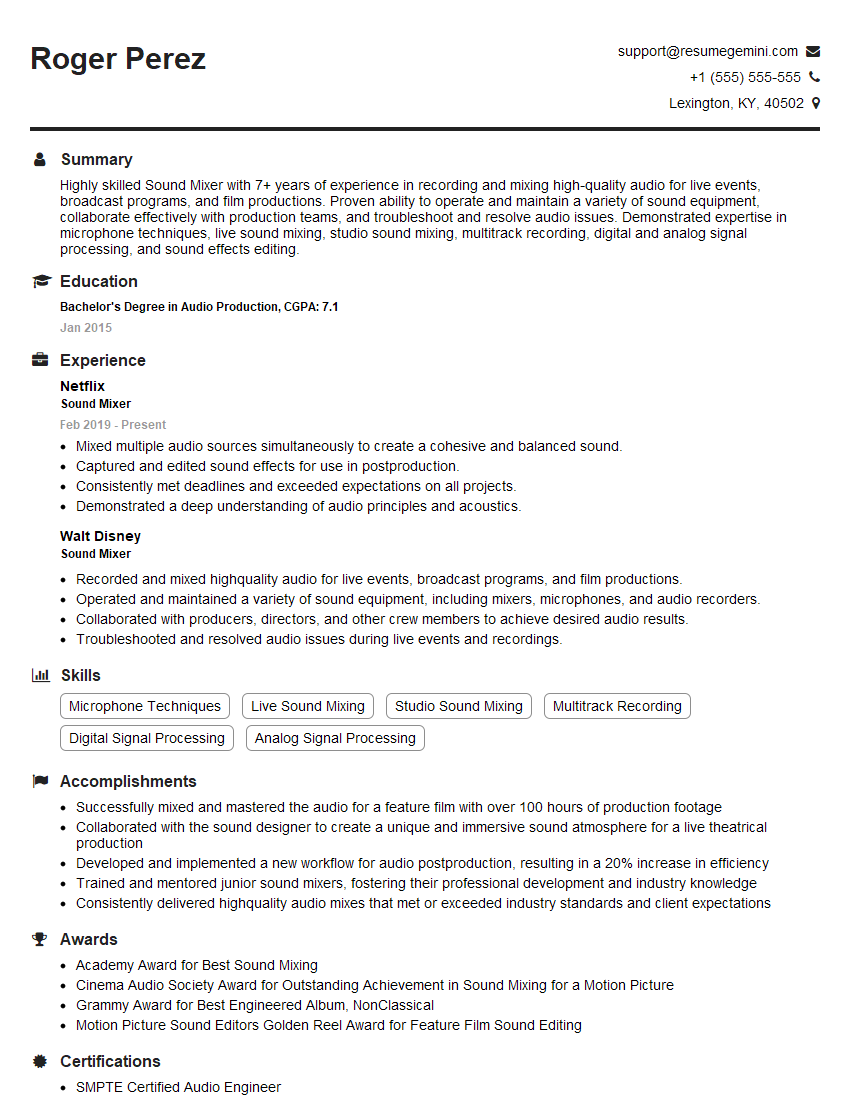
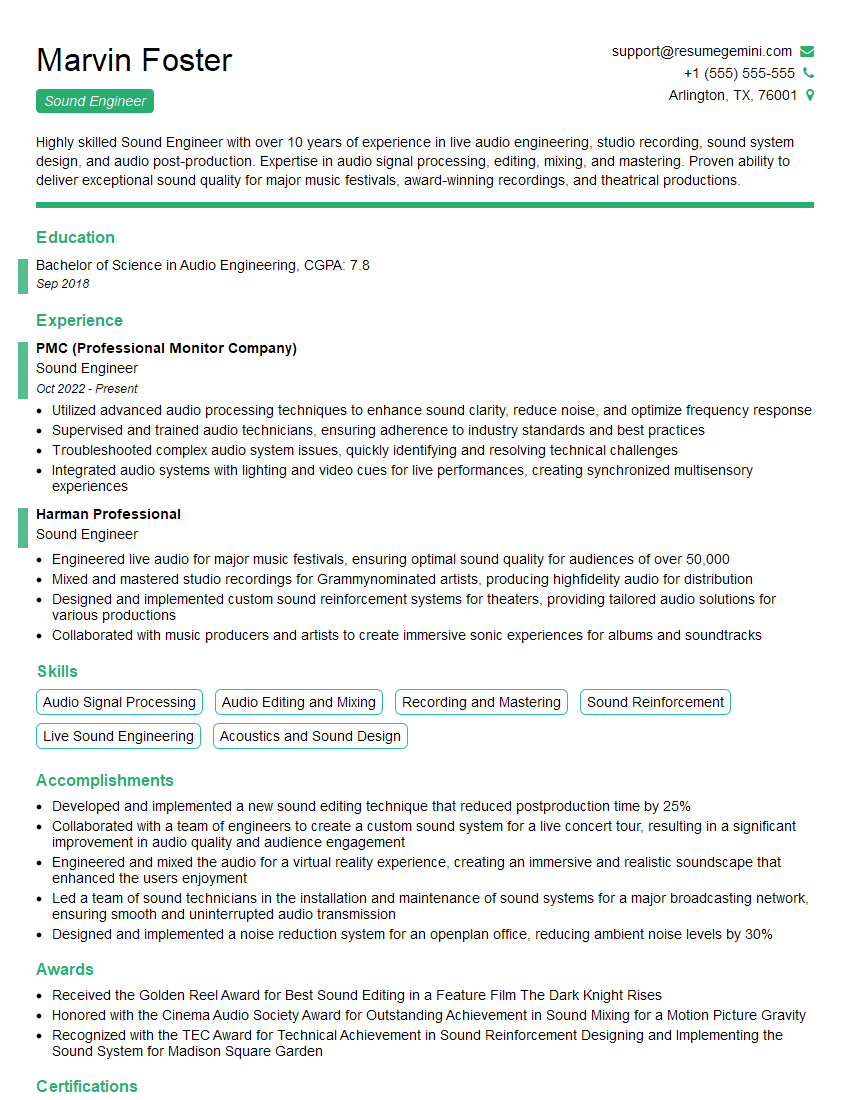
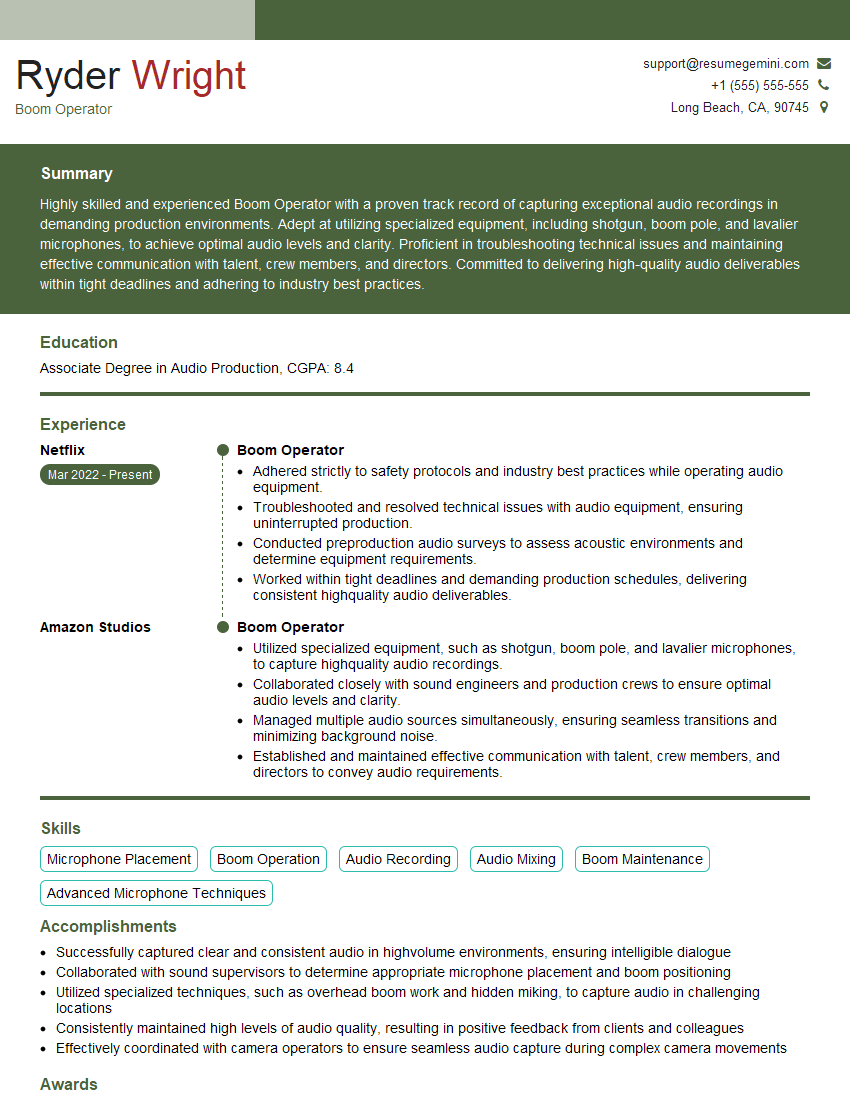
Mastering sound design and manipulation opens doors to exciting careers in film, games, interactive media, and more! To maximize your job prospects, crafting a strong, ATS-friendly resume is crucial. ResumeGemini is a trusted resource that can help you build a professional resume that showcases your skills effectively. We provide examples of resumes tailored to Sound Design and Sound Manipulation to guide you. Take the next step and build the resume that lands you your dream job!


Explore more articles
Users Rating of Our Blogs
Share Your Experience
We value your feedback! Please rate our content and share your thoughts (optional).
What Readers Say About Our Blog
Very informative content, great job.
good