Cracking a skill-specific interview, like one for Sound System Management, requires understanding the nuances of the role. In this blog, we present the questions you’re most likely to encounter, along with insights into how to answer them effectively. Let’s ensure you’re ready to make a strong impression.
Questions Asked in Sound System Management Interview
Q 1. Explain the difference between impedance and sensitivity in loudspeakers.
Impedance and sensitivity are crucial loudspeaker specifications that significantly impact sound system performance. Think of impedance as a loudspeaker’s resistance to the flow of electrical current. It’s measured in ohms (Ω). A lower impedance (e.g., 4Ω) means the speaker draws more current at a given voltage, potentially requiring a more powerful amplifier. A higher impedance (e.g., 8Ω) draws less current, placing less demand on the amplifier. Mismatching impedance can lead to amplifier damage or poor sound quality.
Sensitivity, on the other hand, refers to the loudspeaker’s efficiency in converting electrical energy into acoustic energy. It’s measured in decibels per watt per meter (dB/W/m). A higher sensitivity rating means the speaker produces a louder sound for the same amount of power input. For example, a speaker with 90dB sensitivity will be louder than one with 87dB sensitivity at the same wattage. Choosing speakers with appropriate impedance and high sensitivity is key to optimizing sound system efficiency and power requirements.
Q 2. Describe your experience with different types of microphones and their applications.
My experience encompasses a wide range of microphones, each suited to specific applications. I’ve extensively used dynamic microphones, known for their ruggedness and ability to handle high sound pressure levels (SPLs). These are ideal for live performances, particularly for vocals and instruments near loud amplifiers, as they are less susceptible to feedback. A classic example is the Shure SM58.
Condenser microphones, on the other hand, offer greater sensitivity and a wider frequency response, capturing subtle nuances. They’re perfect for recording studio work, capturing delicate acoustic instruments or voiceovers. The Neumann U 87 is a prime example of a high-quality condenser microphone. I also have experience with ribbon microphones, which offer a unique, warm sound often favored for recording instruments like guitars and horns, but they are more delicate and require careful handling. Finally, I am proficient in using boundary microphones for conferencing and pickup in challenging acoustic environments.
Q 3. How do you troubleshoot feedback in a sound system?
Feedback, that ear-piercing squeal, is a common problem in sound systems caused by a positive feedback loop between the microphone and the loudspeakers. Troubleshooting involves a systematic approach. First, I’d reduce the microphone gain – this is the most effective initial step. Then, I would check the microphone’s placement; moving it even slightly away from the loudspeakers can often eliminate feedback. If the problem persists, I’d try using directional microphones (cardioid or supercardioid) to minimize pickup from the speakers. Another crucial technique is equalization (EQ); carefully cutting frequencies in the problematic range on both the microphone and the speakers often resolves feedback issues. In complex situations, using a feedback suppressor or a graphic equalizer with real-time analyzer can significantly help in identifying and mitigating feedback frequencies.
Q 4. What are the common causes of distortion in a sound system and how do you address them?
Distortion in a sound system manifests as a harsh, unpleasant sound, often characterized by a ‘muddy’ low-end or harsh highs. Several factors can contribute: clipping (exceeding the amplifier’s maximum output level), overloading (excessive input signal), speaker limitations (exceeding the speaker’s maximum SPL), or improper equalization.
Addressing distortion requires a multi-pronged approach. First, I’d check the levels at each stage of the signal chain – ensuring no component is being driven beyond its capacity. This involves adjusting amplifier gain, mixer input levels, and checking that the speakers aren’t being overdriven. Then, I’d examine the equalization settings; excessive bass boost or high-frequency emphasis can readily introduce distortion. Finally, if the problem persists despite careful level adjustments and EQ, I might investigate the possibility of faulty components – a blown speaker, a damaged amplifier or a problematic cable.
Q 5. Explain the concept of signal flow in a sound system.
Signal flow in a sound system describes the path an audio signal takes from its source to the listener’s ears. Think of it as a chain reaction. A typical signal flow begins with the source (microphone, instrument, etc.), which produces an electrical signal. This signal is then processed through a mixer, where levels are adjusted, equalization applied, effects added (reverb, delay, etc.), and signals are routed to different outputs.
From the mixer, the signal proceeds to an amplifier, which boosts the signal’s power to drive the loudspeakers. Finally, the loudspeakers convert the electrical signal back into acoustic sound waves that the audience hears. Understanding signal flow is crucial for troubleshooting, as any problems within the chain will affect the final output. For instance, a faulty cable at any point in this chain could introduce noise, distortion or even silence.
Q 6. Describe your experience with digital audio workstations (DAWs).
I’m proficient in several DAWs including Pro Tools, Logic Pro X, and Ableton Live. My experience ranges from basic audio editing (gain adjustments, noise reduction, compression) to more complex tasks like multitrack recording, mixing, and mastering. I’ve used DAWs for a multitude of projects, including recording and mixing music, creating podcasts, and sound design for video productions. In a professional setting, I’ve leveraged DAWs to handle large-scale projects involving several audio tracks, utilizing various plugins for effects processing and automation.
Q 7. What are your preferred methods for EQing a sound system?
My approach to EQing is primarily subtractive – meaning I focus on removing unwanted frequencies rather than boosting frequencies. Boosting can easily lead to unwanted side effects like increased muddiness or harshness. I start by listening critically to the sound system to identify any problems, such as excessive muddiness in the low frequencies or harshness in the high frequencies. I then use a parametric equalizer (or graphic equalizer) to cut the offending frequencies gently and precisely. This process often involves subtle adjustments rather than large, sweeping changes.
Using a real-time analyzer (RTA) is invaluable during this process, as it allows me to visualize the frequency response and confirm the effectiveness of my EQ cuts. The goal is to achieve a balanced and natural sound, where all frequencies are present in appropriate levels, creating a pleasant and clear listening experience. I believe in using a ‘listen-and-adjust’ approach, constantly evaluating the overall sound quality as adjustments are made.
Q 8. How do you manage microphone placement for optimal sound quality?
Microphone placement is crucial for capturing clear, high-quality audio and minimizing unwanted noise. It’s about understanding the microphone’s polar pattern (the directionality of its sensitivity) and the acoustic environment.
- Distance: Generally, closer is better for minimizing background noise, but too close can lead to distortion or proximity effect (exaggerated bass frequencies). A good starting point is 6-12 inches from the sound source.
- Angle: The angle of the microphone relative to the sound source impacts the frequency response. Experiment with angles to find the optimal balance for the source.
- Polar Pattern Consideration: Cardioid microphones pick up sound primarily from the front, rejecting sounds from the sides and rear. Omnidirectional mics pick up sound from all directions, ideal for ambient sound recording but susceptible to feedback. Figure-8 mics pick up sound from front and back, useful for stereo recordings but prone to feedback issues.
- Isolation: Position microphones to isolate the desired sound source from others. For instance, in a band setting, isolate each instrument’s microphone to avoid bleed-through.
- Pop Filters and Wind Screens: Use pop filters (for vocals) and wind screens (for outdoor recordings) to minimize plosives (burst sounds from ‘p’ and ‘b’) and wind noise.
Example: Imagine recording a singer. A cardioid microphone placed 8 inches from their mouth, angled slightly off-axis to reduce plosives, will result in a clearer vocal track than a distant omnidirectional microphone picking up room ambience and other instruments.
Q 9. What are your experiences with different types of speaker systems (e.g., line array, point source)?
I have extensive experience with various speaker systems, each offering distinct advantages and disadvantages.
- Point Source Speakers: These are omnidirectional or near-omnidirectional, radiating sound in a wide pattern. They’re simple to set up and are ideal for smaller venues or situations where even coverage isn’t critical. However, they can be less efficient in larger spaces due to energy dispersion.
- Line Array Systems: These systems consist of multiple smaller speakers arranged vertically in a line. The vertical arrangement provides controlled directivity, enabling better sound projection over longer distances and more even coverage in large areas. They require more advanced setup and equalization but offer superior sound quality and efficiency in large venues such as stadiums and concert halls. The precise array design is crucial for accurate sound projection and avoiding destructive interference.
- Other Systems: I’m also familiar with other speaker types like distributed systems (using numerous smaller speakers throughout a venue), subwoofer systems (for low-frequency reinforcement), and stage monitors (for performers).
Practical Example: I recently worked on a concert in a large outdoor amphitheatre. A line array system was the perfect choice, as it ensured clear, even sound coverage across the audience, despite the distances and variations in terrain. For an intimate acoustic performance in a smaller club, however, a point-source system would have been sufficient and much easier to manage.
Q 10. Explain your understanding of acoustic treatment and its importance in a sound system.
Acoustic treatment is the modification of a room’s sound environment to optimize sound quality. It’s crucial for managing reflections, minimizing echo and reverberation, and improving clarity and intelligibility.
- Absorption: This reduces the sound energy within a space using materials like acoustic panels, bass traps (to control low-frequency buildup), and carpets. Absorption controls reverb and improves speech intelligibility.
- Diffusion: This scatters sound waves, preventing echoes and creating a more natural listening experience. Diffusers are often used to break up sound reflections and create a more lively and less dead sound.
- Isolation: This involves preventing sound from entering or leaving a room, often achieved through soundproofing materials and construction techniques. This is especially crucial in recording studios.
Importance: Poor acoustic treatment can lead to muddy sound, feedback issues, and difficulties in understanding speech. Proper treatment is vital for any sound system, improving sound clarity, reducing noise, and enabling better mixing and mastering.
Example: A recording studio needs significant acoustic treatment to minimize reflections and achieve a clean, controlled sound. In a home theatre, strategic placement of acoustic panels can significantly improve the audio experience.
Q 11. How do you handle sound system issues during a live event?
Handling sound system issues during a live event requires a calm, systematic approach. My process typically follows these steps:
- Identify the Problem: Pinpoint the exact issue – is it a faulty microphone, a blown speaker, feedback, or a mixing console problem?
- Isolate the Source: Try to determine which component is at fault. This may involve checking cables, inputs, outputs, and individual devices.
- Implement a Solution: Based on the problem, I take appropriate action. This might include replacing a faulty microphone, adjusting EQ settings, adjusting microphone gain, or switching to a backup system component.
- Test and Monitor: Once a solution is implemented, carefully monitor the system to ensure the problem is resolved and no new issues have arisen.
- Communicate: Keep the performers and event organizers informed of the situation and progress.
Example: During a live show, a sudden high-pitched squeal indicated feedback. I quickly identified the offending microphone (too close to the monitor speaker), repositioned the microphone and adjusted the gain, solving the problem promptly without interrupting the performance.
Q 12. What software and hardware are you familiar with for sound system management?
My expertise spans various sound system management software and hardware.
- Software: I’m proficient in digital audio workstations (DAWs) such as Pro Tools, Logic Pro, Ableton Live, and others, along with live sound mixing consoles (e.g., Yamaha CL series, Allen & Heath dLive).
- Hardware: I have hands-on experience with various mixers, processors, amplifiers, speakers, microphones (Shure, Sennheiser, AKG, etc.), and signal routing equipment from leading manufacturers (e.g., Yamaha, Allen & Heath, QSC, Crown).
The specific software and hardware used often depend on the size and requirements of the event.
Q 13. Describe your experience with setting up and configuring digital mixers.
Setting up and configuring digital mixers involves several key steps:
- Input Configuration: Connecting microphones, instruments, and other sources to the mixer, assigning appropriate channels, and setting input levels.
- EQ and Dynamics Processing: Using equalization (EQ) to shape the sound of individual sources, and dynamics processing (compressors, gates, limiters) to manage signal levels and control unwanted noise.
- Routing and Aux Sends: Routing signals to different outputs, such as main speakers, monitors, and recording devices. Aux sends are used for sending signals to effects processors or monitor mixes.
- Effects Processing: Applying effects such as reverb, delay, chorus, etc. to enhance the sound.
- Output Configuration: Setting output levels and routing to the main speakers, monitors, and other outputs.
- Saving and Recalling Scenes: Digital mixers allow you to save and recall different setups, making it easy to switch between different configurations quickly.
Example: I recently configured a Yamaha CL5 digital mixer for a large concert. I used its extensive routing capabilities to send various signals to the front-of-house (FOH) and monitor engineers, while also sending signals to recording devices for archiving.
Q 14. How do you ensure the safety of a sound system and its operators?
Sound system safety is paramount. This involves both the safety of the equipment and the operators.
- Equipment Safety: This includes ensuring proper grounding to prevent electrical shocks, using surge protectors to protect equipment from power surges, checking cables for damage, and ensuring that equipment is properly racked and secured.
- Operator Safety: Operators should be trained on proper handling procedures, safe lifting techniques for heavier equipment, and awareness of potential hazards (e.g., high voltages). Hearing protection is critical to prevent hearing damage from prolonged exposure to loud sounds. Using equipment within its rated specifications is also essential.
- Risk Assessment: Before any event, I conduct a thorough risk assessment, identifying and mitigating potential hazards.
Example: Before setting up a sound system, I always inspect the power cables for any damage. I ensure all equipment is properly grounded and I provide hearing protection to all sound crew members.
Q 15. How do you manage the power requirements of a sound system?
Managing a sound system’s power requirements is crucial for safety and optimal performance. It involves understanding the power draw of each component – amplifiers, speakers, mixers, etc. – and ensuring the power supply can handle the total load. This includes considering peak power demands, which are often significantly higher than average power consumption, especially during loud passages of music.
Step-by-Step Process:
- Calculate Total Power Draw: Sum the power ratings (usually in Watts) of all devices. Remember to account for peak power, often specified as a peak power rating or power handling capacity in speakers and amps.
- Choose Appropriate Power Supply: Select a power supply (e.g., power conditioner, generator) with a capacity that significantly exceeds the calculated total power draw (at least 20-30% headroom is recommended for safety). This prevents overloading the system and potential damage to equipment.
- Use Power Distribution: Employ a power distribution system to divide the power among different zones or sections of the system. This allows for better management of load and easy isolation of faulty circuits. Overload protection is critical. Circuit breakers and GFCI receptacles should be used.
- Monitor Power Consumption: Regularly monitor the power consumption during operation. Excessive heat or tripping breakers are indicators of potential power issues.
Example: If you have an amplifier that draws 500W, a mixer using 100W, and speakers with a total of 1000W peak power rating, you’d want a power supply with at least 1800-2000W capacity.
Career Expert Tips:
- Ace those interviews! Prepare effectively by reviewing the Top 50 Most Common Interview Questions on ResumeGemini.
- Navigate your job search with confidence! Explore a wide range of Career Tips on ResumeGemini. Learn about common challenges and recommendations to overcome them.
- Craft the perfect resume! Master the Art of Resume Writing with ResumeGemini’s guide. Showcase your unique qualifications and achievements effectively.
- Don’t miss out on holiday savings! Build your dream resume with ResumeGemini’s ATS optimized templates.
Q 16. What are the key considerations when designing a sound system for a specific venue?
Designing a sound system for a specific venue involves careful consideration of several factors, ensuring optimal sound quality and coverage for the intended audience and purpose.
- Venue Acoustics: The shape, size, and materials of the room significantly impact sound. Factors like reverberation, reflections, and standing waves need to be accounted for. Acoustic treatments (e.g., absorbers, diffusers) may be required to optimize the sound.
- Capacity and Coverage: The number of attendees and the desired sound pressure level (SPL) will determine the required speaker power and quantity. Proper speaker placement is crucial for even coverage across the audience area.
- Purpose of the Sound System: Is it for speech reinforcement, live music, or a combination? Different applications require different speaker characteristics, such as frequency response and dispersion patterns.
- Budget and Equipment Selection: A thorough budget analysis will inform equipment choices. This involves identifying high-quality components within the budget, balancing cost with performance.
- Technical Infrastructure: Available power outlets, network infrastructure for digital audio, and the layout of the stage and control areas all influence system design.
Example: For a large outdoor concert, you’ll need high-power, weather-resistant speakers with wide dispersion, whereas a small conference room might only need a few smaller speakers and a microphone system optimized for clear speech.
Q 17. Explain your understanding of different audio signal formats (e.g., analog, digital).
Audio signals can be transmitted in analog or digital formats, each with its own strengths and weaknesses.
- Analog Audio: Analog signals are continuous waveforms that represent sound pressure variations. They are susceptible to noise and distortion during transmission and amplification. Think of a traditional vinyl record; the groove directly represents the sound waves.
- Digital Audio: Digital audio converts the analog sound wave into a series of discrete numerical values (samples). This allows for perfect replication of the original signal and resistance to noise during transmission. CDs and MP3s are examples of digital audio formats. However, the original analog signal needs to be sampled and quantized, potentially causing a loss of information (depending on the bit depth and sample rate).
Practical Differences: Analog systems are simpler and often cheaper for small installations, but digital systems offer superior fidelity, less noise, and the ability to manipulate the signal in various ways (e.g., equalization, effects processing). In a large-scale installation, digital audio networks allow for more efficient signal management.
Q 18. How do you test and calibrate a sound system before an event?
Testing and calibrating a sound system before an event is essential for ensuring optimal sound quality and preventing unexpected problems during the event.
- System Check: Begin by thoroughly inspecting all cables, connections, and equipment for any damage or malfunctions. Make sure all inputs and outputs are properly connected.
- Signal Flow Test: Verify the signal path from the source (microphone, instrument, etc.) to the output (speakers). Use test tones (e.g., pink noise, sine waves) to check for proper signal levels and identify any signal dropouts.
- Equalization (EQ): Use an EQ to adjust the frequency balance of the system to compensate for the acoustics of the venue. This involves adjusting the levels of different frequencies to create a balanced and natural sound.
- Alignment and Delay: For multi-speaker systems, align the timing of the speakers to ensure a coherent and well-defined soundstage by adjusting the delay times in the digital signal processing.
- Level Setting: Set appropriate levels for each input source and the overall output level to avoid distortion or feedback. Use a sound level meter (SLM) to measure SPL and ensure appropriate levels for the venue.
- Gain Staging: Carefully adjust the gains across the entire signal chain, avoiding clipping or excessive signal levels in any component.
- Feedback Test: Identify and eliminate any feedback frequencies by carefully adjusting gains, EQ, and microphone placement.
Real-World Example: Before a conference, I thoroughly test the microphones, ensuring they are properly amplified, and adjust the EQ settings to counteract the resonance from the room’s hard surfaces.
Q 19. Describe your experience with wireless microphone systems.
My experience with wireless microphone systems is extensive. I understand the benefits and challenges they present. They offer freedom of movement for performers but require careful planning and management to ensure reliable operation.
- Frequency Coordination: Selecting appropriate frequencies to avoid interference from other wireless devices (e.g., other microphones, wireless instruments, or even Wi-Fi) is paramount. Frequency coordination software helps greatly.
- Antenna Placement and Signal Strength: Proper placement of antennas ensures reliable signal reception for the wireless receivers. Ensuring sufficient signal strength eliminates signal drops and poor audio quality.
- System Compatibility: Selecting compatible transmitters and receivers is vital. They must operate within the same frequency band and use compatible modulation schemes.
- Troubleshooting: I’m proficient at diagnosing and resolving common issues such as dropouts, interference, and low battery warnings. This often involves examining RF signal strength, antenna placement, and potential interference sources.
- Microphone Selection: Choosing the right microphone type for the specific application (e.g., handheld, lavalier, headset) is crucial for both audio quality and performer comfort.
Example: For a large musical event, I meticulously coordinated the frequencies of multiple wireless microphones, ensuring no interference between them or other wireless systems in use. This required careful planning and on-site testing.
Q 20. How do you manage signal routing in a complex sound system?
Managing signal routing in complex sound systems requires a systematic approach. This is often visualized and managed using a block diagram.
Methods and Strategies:
- Digital Audio Workstations (DAWs): Software-based routing allows for flexible signal routing and processing. This is particularly useful in larger systems, simplifying the process of managing and manipulating the audio signal path.
- Digital Mixing Consoles: Modern digital mixing consoles offer built-in routing capabilities that allow for assigning input and output signals to specific channels, buses, and outputs. Digital signal processing (DSP) within these consoles enables sophisticated signal processing without needing additional hardware.
- Matrix Mixers: These specialized devices provide flexibility in routing audio signals between various sources and destinations. They’re commonly used in large, multi-zone systems.
- Patch Bays: Patch bays are used for creating temporary connections between different parts of a system. This allows for flexibility and the ability to reconfigure the signal routing as needed.
Practical Example: In a theater production, I might use a digital audio workstation to route audio from multiple microphones to different channels on the mixer, apply specific EQ and effects, and then send the processed signals to the main speakers and stage monitors.
Q 21. Explain your process for setting up monitor mixes for musicians.
Setting up monitor mixes for musicians is a crucial aspect of live sound, allowing performers to hear themselves and other instruments appropriately. A good monitor mix is essential for a band’s performance quality. It’s a balance between clarity, volume, and preventing feedback.
Process:
- Communication: I always begin by talking to the musicians to understand their individual needs and preferences. Each musician has different preferences for what they need to hear in their monitor mix.
- Individual Monitor Mixes: Modern digital mixers allow for creation of multiple individual monitor mixes (one for each musician), giving each performer granular control over the balance of the instruments and vocals in their personal monitor mix.
- In-Ear Monitors (IEMs): I frequently use in-ear monitors for their isolation and improved sound clarity compared to stage monitors. In-ear monitors offer more control and minimize stage noise bleed.
- Feedback Control: Monitor mixes require careful gain staging to prevent feedback. I carefully adjust the levels, EQ, and potentially utilize feedback suppressors to prevent sound from leaking from monitors back into microphones.
- Balance and Clarity: The goal is to achieve a balance between clarity and appropriate volume levels. Musicians need to hear themselves clearly without overwhelming the overall sound.
Example: For a drummer, I might create a monitor mix that focuses on a clear image of the kick drum and snare to allow for the right timing and feel, while still providing the balance of the band. For a vocalist, I might prioritize their own vocal in the mix, while reducing the loudness of other instruments to optimize their performance.
Q 22. How do you handle unexpected technical issues during an event?
Handling unexpected technical issues during an event requires a calm, methodical approach. My strategy involves a combination of proactive planning and reactive problem-solving. Before any event, I perform a thorough system check, documenting cable connections, equipment functionality, and backup solutions. This preemptive work minimizes surprises. During the event, I maintain constant vigilance, listening for anomalies and keeping an eye on equipment meters.
If a problem arises, my first step is to identify the source: Is it a blown speaker, a faulty cable, a software glitch, or something else? I use a systematic troubleshooting process, starting with the simplest solutions (e.g., checking power connections, re-booting devices) and escalating to more complex procedures as needed. I carry a comprehensive toolkit with spare cables, fuses, and common connectors. For more significant problems, I leverage my network of trusted technicians for rapid assistance. I always communicate clearly with the client, explaining the situation and outlining the steps taken to resolve it. Transparency is key to maintaining a positive experience.
For example, during a recent corporate event, a power surge caused a crucial amplifier to fail. Having anticipated this possibility, I quickly switched to a backup amplifier and with minimal disruption to the program. The pre-emptive planning and rapid reaction minimized any noticeable impact on the event.
Q 23. What are your strategies for optimizing sound clarity and intelligibility?
Optimizing sound clarity and intelligibility involves a multi-faceted approach, focusing on three key areas: source material, system design, and room acoustics. First, high-quality source material is crucial. Proper microphone techniques, balanced signal levels, and audio processing (EQ, compression, limiting) are essential for a clean signal. This ensures the sound entering the system is already optimized.
Second, system design plays a critical role. Speaker placement and selection are paramount. Using appropriate speakers for the space and carefully positioning them to ensure even coverage eliminates dead zones and minimizes sound reflections. Proper equalization (EQ) is crucial. A well-designed EQ curve compensates for the acoustic properties of the room and corrects any imbalances in the sound system’s frequency response. System gain staging (adjusting the volume levels at each point in the chain) avoids clipping and distortion. Finally, it’s important to consider using a delay system in large venues to time-align sounds coming from different speakers.
Third, room acoustics significantly impact sound clarity. Treating reflective surfaces with acoustic panels or diffusers can reduce unwanted echoes and reverberation. Understanding the room’s resonances (frequencies that the room amplifies) and applying appropriate EQ is crucial. For instance, bass traps can manage low-frequency build-up in corners. A carefully planned sound system, combined with room acoustic treatment, is essential for achieving optimal clarity and intelligibility.
Q 24. Describe your experience with integrating sound systems with other AV equipment.
Integrating sound systems with other AV equipment is a common task and requires a strong understanding of signal flow and various control protocols. I have extensive experience integrating sound systems with lighting consoles, video switchers, and control systems. This often involves using networked protocols like Crestron or AMX for centralized control and automated sequencing. For example, I have integrated sound systems with lighting shows, triggering specific sounds based on lighting cues, creating a synchronized multimedia experience. This integration usually requires using a control system or digital signal processing (DSP) to manage the various signals and timing.
The process starts with understanding the requirements of each system – signal types, control protocols, and timing needs. It’s important to choose compatible equipment and design the system with clear signal paths. Troubleshooting often involves checking connectivity, signal levels, and control commands to ensure everything is working together correctly. It is essential to have a detailed plan and schematic of the integration to ensure that all signals and controls are correctly handled.
Q 25. How do you maintain a sound system to ensure optimal performance?
Maintaining a sound system for optimal performance is an ongoing process requiring both preventative and reactive measures. Preventative maintenance includes regular inspections of all equipment, checking cables for damage, and ensuring proper ventilation to prevent overheating. I use a checklist to ensure consistent thoroughness. This includes visually inspecting speakers and amplifiers for damage, and testing connectors, microphones, and cables. Cleaning equipment, especially speaker drivers, helps to maintain their optimal performance and extend their lifespan. Regular calibration of the system using measurement tools ensures consistent and accurate sound reproduction.
Reactive maintenance addresses issues as they arise. This might involve repairing or replacing damaged components, troubleshooting software problems, or addressing feedback issues. I keep detailed records of all maintenance performed, which aids in tracking system health and predicting future needs. For example, I might schedule preventive maintenance annually, including a complete system check and cleaning, while addressing any operational issues as needed.
Q 26. What are your methods for documenting sound system configurations?
Documenting sound system configurations is critical for future maintenance, troubleshooting, and system upgrades. My documentation includes detailed block diagrams illustrating the signal flow from input to output, specifying all equipment models and serial numbers. I use a combination of schematic drawings and textual descriptions to capture the system’s structure. This includes details about signal routing, processing settings (EQ, compression, delay), and network configurations (IP addresses, Dante/AES67 settings). Photos are invaluable and aid in the identification of physical locations of equipment.
I also maintain a comprehensive inventory of all equipment, noting serial numbers, purchase dates, and maintenance history. This helps when dealing with warranty claims or tracking down replacement parts. Software configurations are similarly documented, preserving the current settings of DSPs and mixers. My goal is to create easily accessible and understandable documentation that any competent technician could use to understand and maintain the system. This ensures seamless handover to colleagues or continuity across projects.
Q 27. Explain your understanding of room acoustics and their impact on sound system design.
Room acoustics are the physical properties of a space that affect how sound behaves within it. Understanding room acoustics is paramount in sound system design because it directly impacts the clarity, intelligibility, and overall quality of the audio. Factors such as room size, shape, surface materials, and the presence of objects all influence sound reflections, reverberation, and standing waves. Standing waves, for example, are areas within a room where sound waves interfere constructively, creating peaks and dips in the frequency response.
My approach to sound system design begins with an acoustic assessment of the space. This involves measuring the room’s dimensions, analyzing its reflective surfaces, and identifying potential problem areas. Software tools and acoustic measurement equipment help quantify room characteristics. Based on this assessment, I can design the sound system to address acoustic challenges. This might include strategic placement of speakers to minimize standing waves, using absorbent materials to control reverberation, or applying equalization to correct frequency imbalances. Ignoring room acoustics can result in a system that sounds muddy, boomy, or lacks clarity, rendering even the best equipment ineffective.
Q 28. Describe your experience with audio networking protocols (e.g., Dante, AES67).
Audio networking protocols like Dante and AES67 are crucial in modern sound systems, allowing for efficient and flexible signal transmission over a network. Dante, developed by Audinate, is a popular choice for its robustness and ease of use. It transmits uncompressed digital audio over standard Ethernet networks, supporting high-channel counts and low latency. AES67, an open standard, provides interoperability between different manufacturers’ networking devices.
My experience includes designing and implementing systems using both Dante and AES67. I understand their strengths and limitations, knowing when to choose one over the other based on project requirements and budget. For instance, Dante offers excellent compatibility within its ecosystem, while AES67 provides broader interoperability but might require more careful planning for network configuration. I’m comfortable with network configurations, including addressing, routing, and troubleshooting network issues. I also consider factors like network bandwidth, latency, and jitter when selecting and implementing audio networking protocols, ensuring reliable and high-quality audio transmission throughout the system.
Key Topics to Learn for Sound System Management Interview
- Acoustic Principles: Understanding sound wave behavior, room acoustics, and their impact on system design and placement.
- System Design & Setup: Practical application involves planning and implementing sound systems for various venues, considering factors like speaker selection, placement, and cabling.
- Signal Flow & Processing: Mastering the theoretical concepts behind mixing consoles, equalizers, compressors, and other signal processing tools.
- Microphone Techniques: Practical application includes understanding microphone types, polar patterns, and placement strategies for optimal sound capture.
- Troubleshooting & Maintenance: Developing problem-solving skills to identify and resolve technical issues with sound equipment, including preventative maintenance strategies.
- Digital Audio Workstations (DAWs): Familiarity with common DAW software for live sound reinforcement and recording applications.
- Health & Safety Regulations: Understanding relevant safety standards and best practices related to sound system operation and equipment handling.
- Audio Networking Technologies: Understanding protocols like Dante or AVB for digital audio transmission in larger sound systems.
- System Optimization & Calibration: Using measurement tools and techniques to optimize sound system performance and achieve balanced sound in various environments.
Next Steps
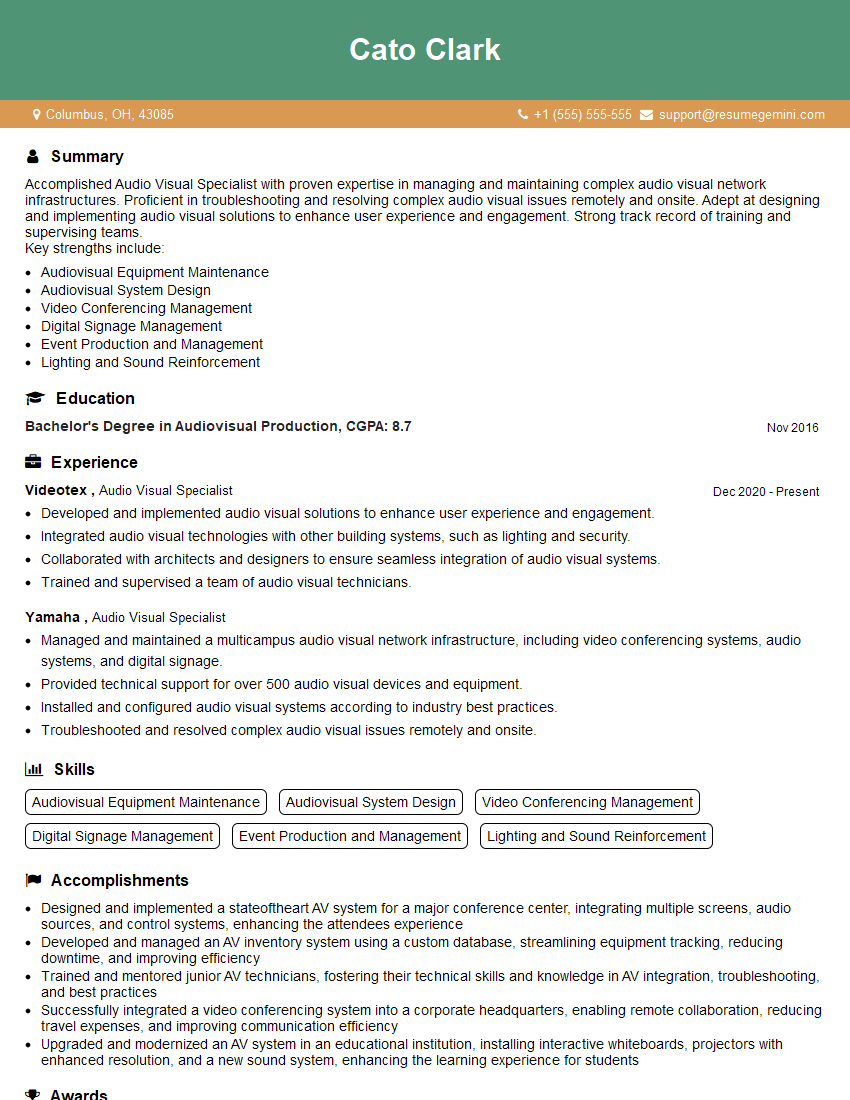
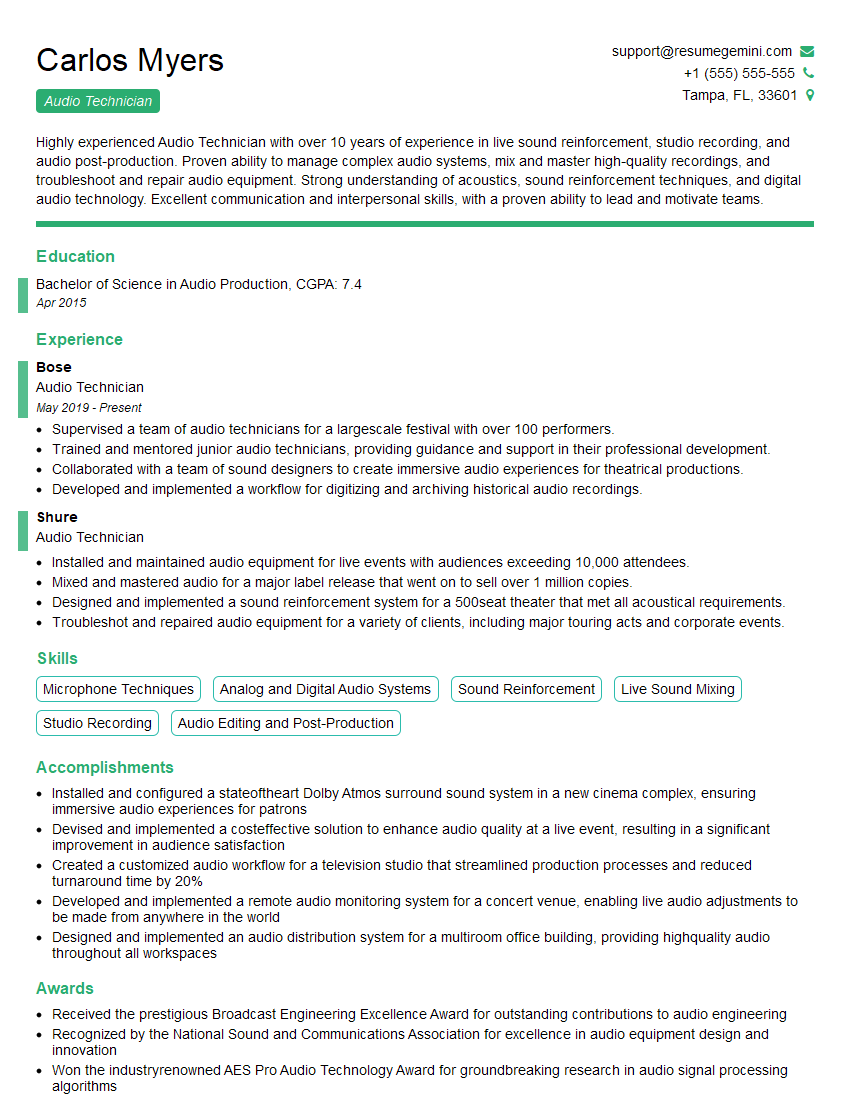
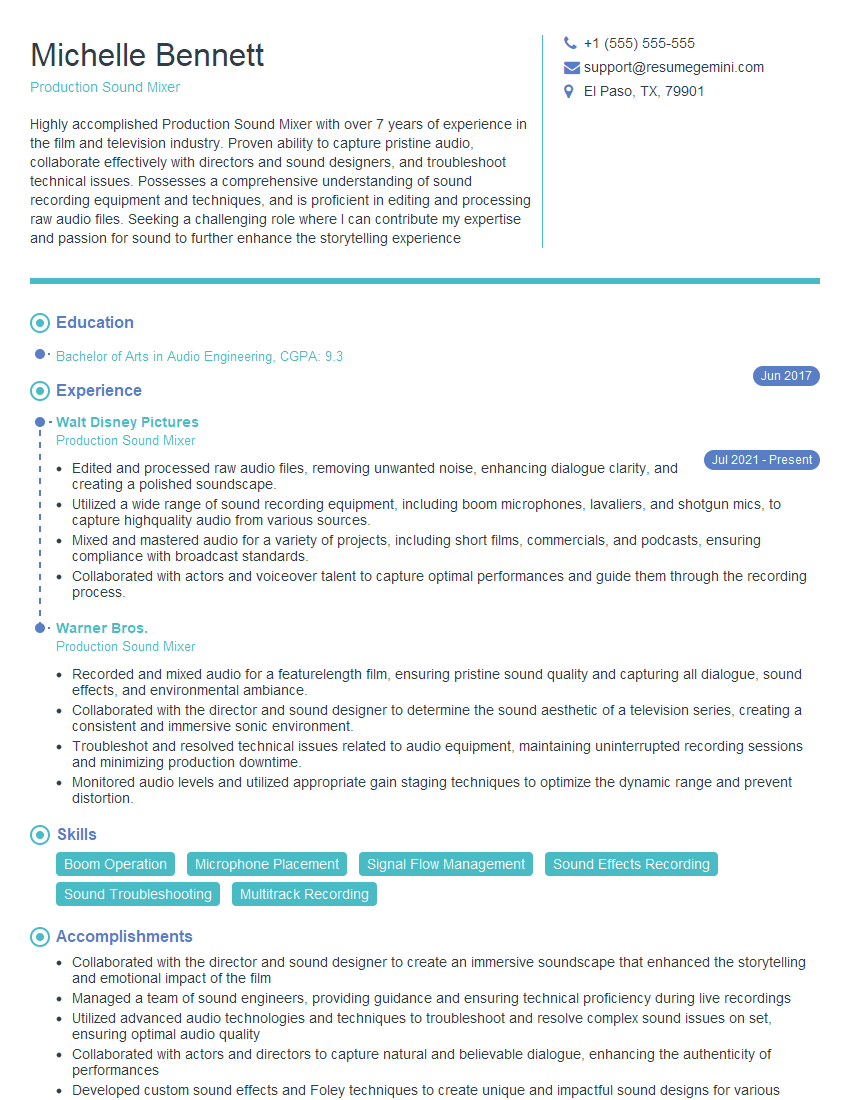
Mastering Sound System Management opens doors to exciting career opportunities in live events, recording studios, broadcast, and installation. To maximize your job prospects, create a compelling and ATS-friendly resume that showcases your skills and experience effectively. ResumeGemini is a trusted resource that can help you build a professional resume tailored to the specific requirements of Sound System Management roles. Examples of resumes tailored to this field are available to guide you, ensuring your application stands out from the crowd. Invest the time to craft a strong resume – it’s your first impression and a critical step in securing your dream job.


Explore more articles
Users Rating of Our Blogs
Share Your Experience
We value your feedback! Please rate our content and share your thoughts (optional).
What Readers Say About Our Blog
Very informative content, great job.
good